 Скачать презентацию Automated Builds Macros Copyright Software Carpentry 2010
da2c3077856dedb064812e0e63a38271.ppt
- Количество слайдов: 63



Automated Builds Macros Copyright © Software Carpentry 2010 This work is licensed under the Creative Commons Attribution License See http: //software-carpentry. org/license. html for more information.
Manage tasks and dependencies Automated Builds Macros
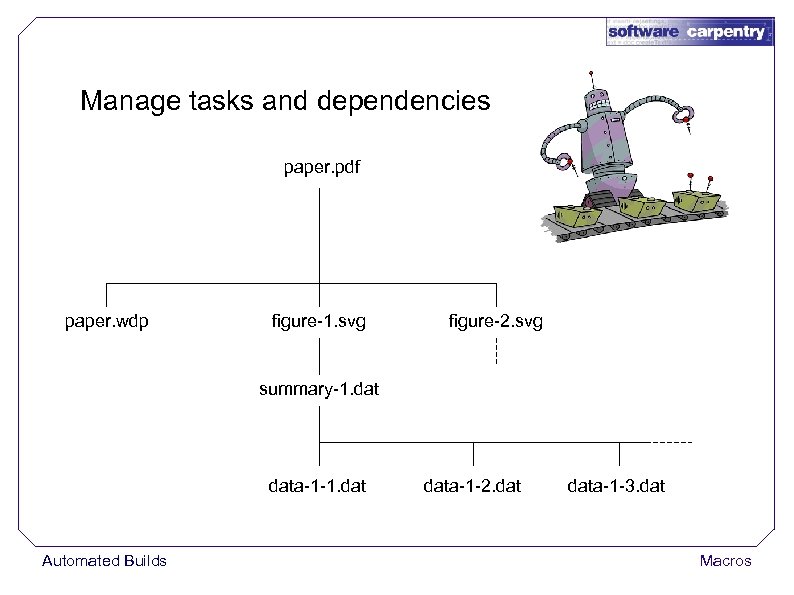
Manage tasks and dependencies paper. pdf paper. wdp figure-1. svg figure-2. svg summary-1. data-1 -1. dat Automated Builds data-1 -2. data-1 -3. dat Macros
"must conform to university style" Automated Builds Macros
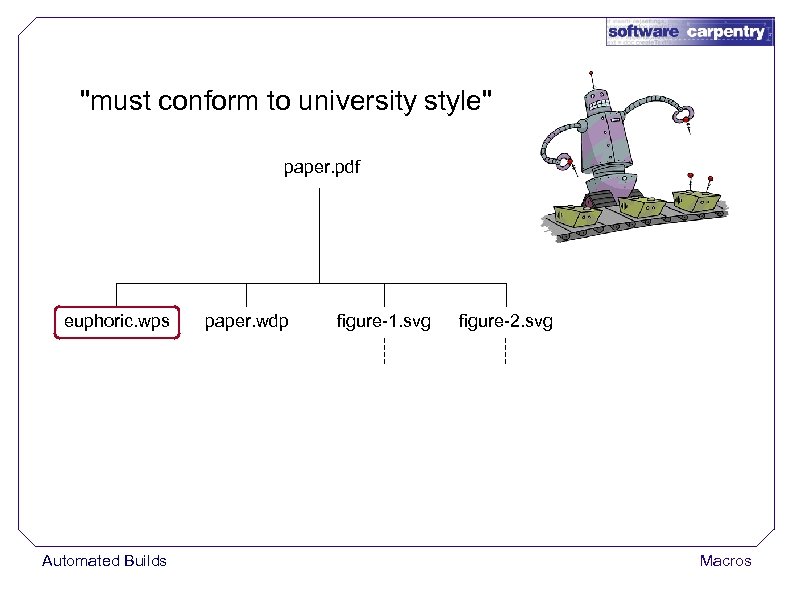
"must conform to university style" paper. pdf euphoric. wps Automated Builds paper. wdp figure-1. svg figure-2. svg Macros
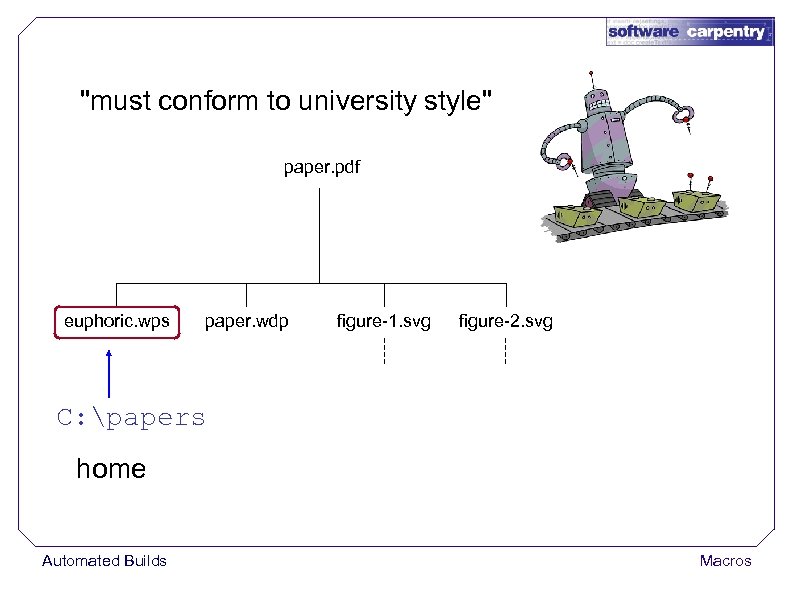
"must conform to university style" paper. pdf euphoric. wps paper. wdp figure-1. svg figure-2. svg C: papers home Automated Builds Macros
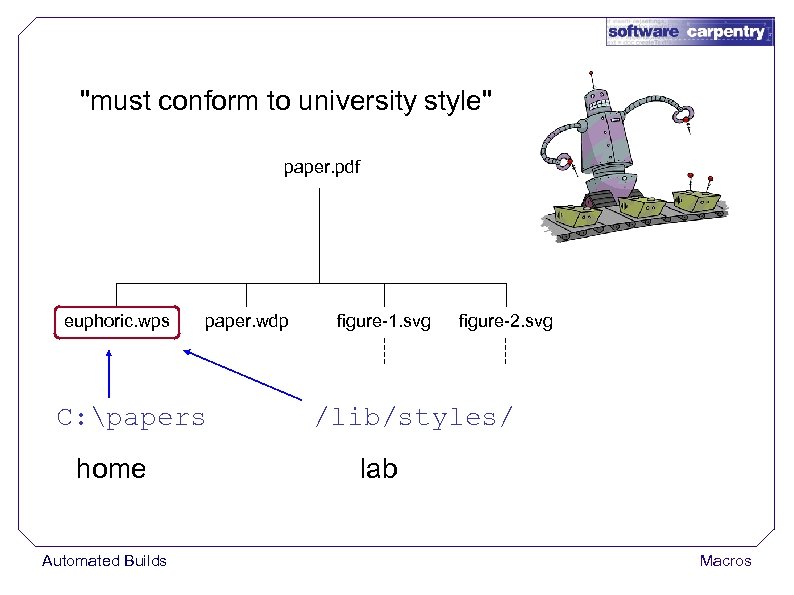
"must conform to university style" paper. pdf euphoric. wps paper. wdp C: papers home Automated Builds figure-1. svg figure-2. svg /lib/styles/ lab Macros
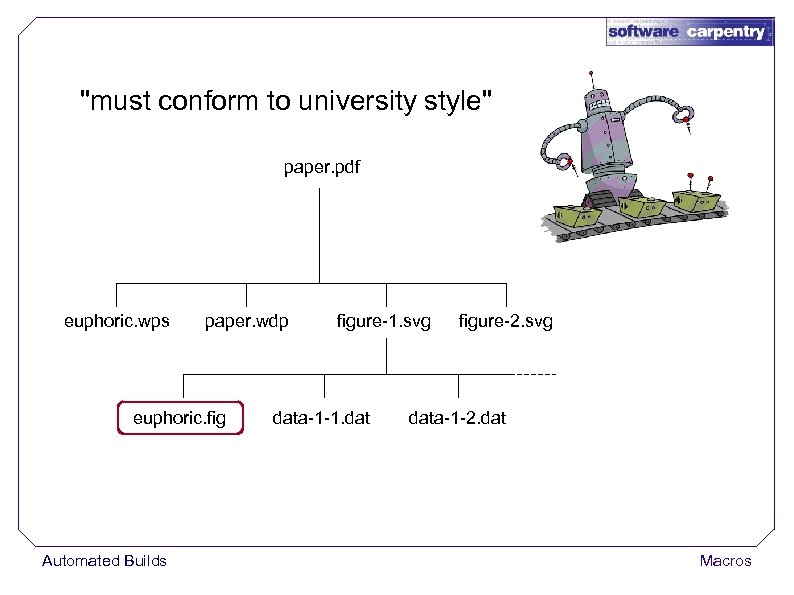
"must conform to university style" paper. pdf euphoric. wps paper. wdp euphoric. fig Automated Builds figure-1. svg data-1 -1. dat figure-2. svg data-1 -2. dat Macros
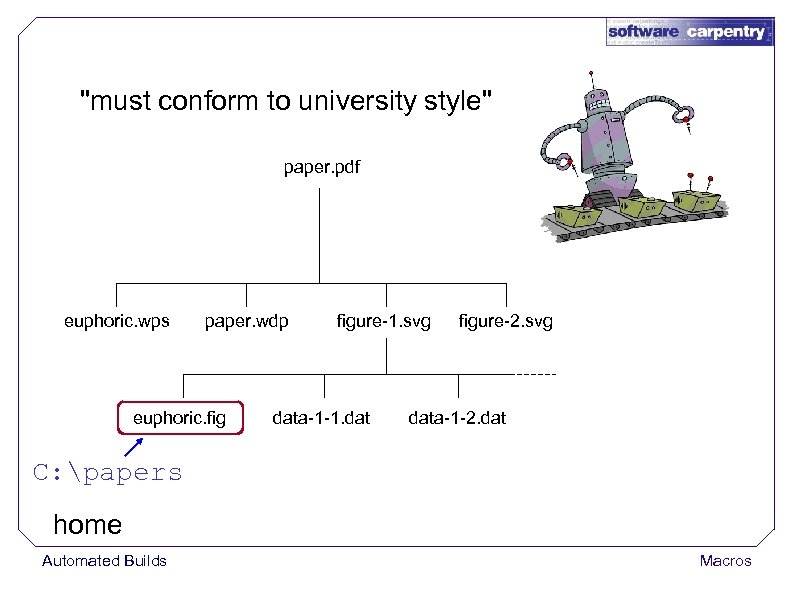
"must conform to university style" paper. pdf euphoric. wps paper. wdp euphoric. figure-1. svg data-1 -1. dat figure-2. svg data-1 -2. dat C: papers home Automated Builds Macros
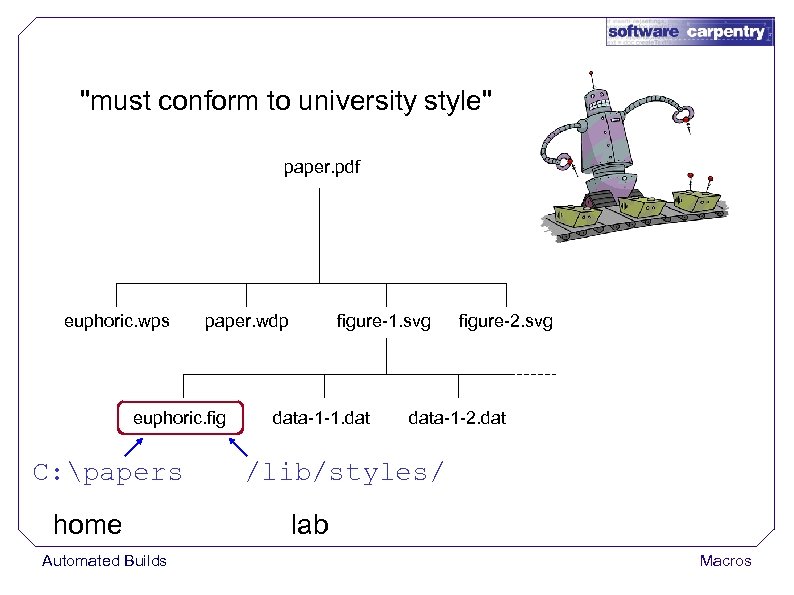
"must conform to university style" paper. pdf euphoric. wps paper. wdp euphoric. fig C: papers home Automated Builds figure-1. svg data-1 -1. dat figure-2. svg data-1 -2. dat /lib/styles/ lab Macros
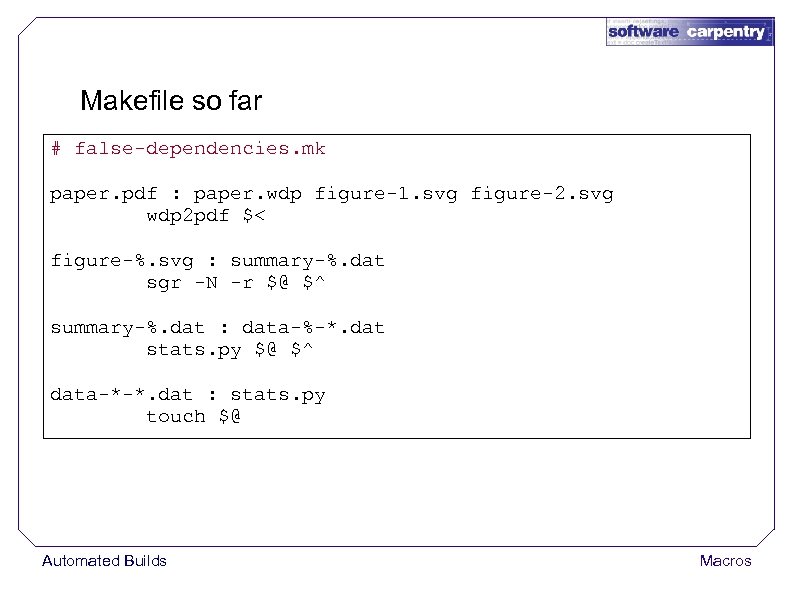
Makefile so far # false-dependencies. mk paper. pdf : paper. wdp figure-1. svg figure-2. svg wdp 2 pdf $< figure-%. svg : summary-%. dat sgr -N -r $@ $^ summary-%. dat : data-%-*. dat stats. py $@ $^ data-*-*. dat : stats. py touch $@ Automated Builds Macros
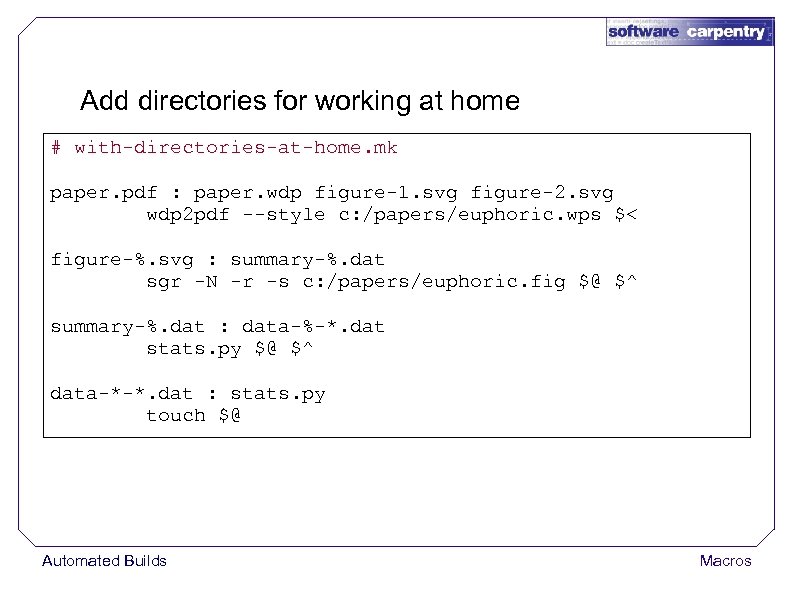
Add directories for working at home # with-directories-at-home. mk paper. pdf : paper. wdp figure-1. svg figure-2. svg wdp 2 pdf --style c: /papers/euphoric. wps $< figure-%. svg : summary-%. dat sgr -N -r -s c: /papers/euphoric. fig $@ $^ summary-%. dat : data-%-*. dat stats. py $@ $^ data-*-*. dat : stats. py touch $@ Automated Builds Macros
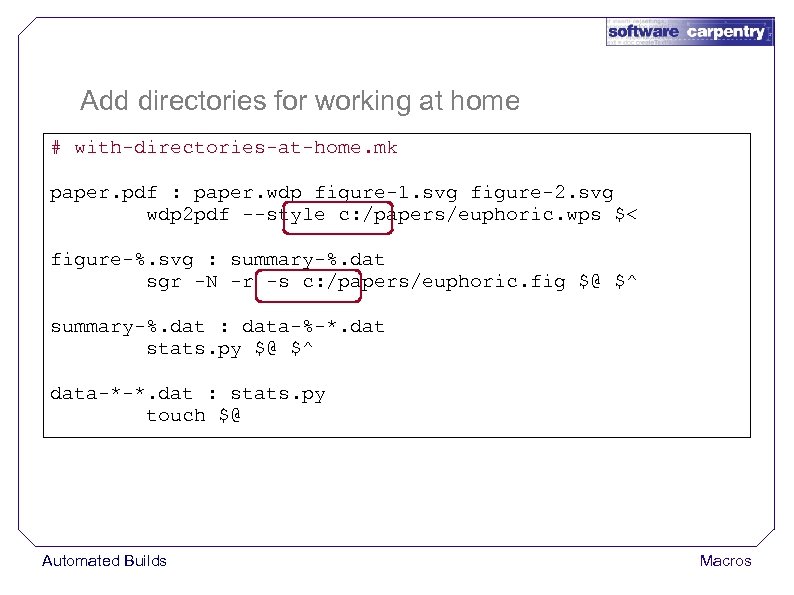
Add directories for working at home # with-directories-at-home. mk paper. pdf : paper. wdp figure-1. svg figure-2. svg wdp 2 pdf --style c: /papers/euphoric. wps $< figure-%. svg : summary-%. dat sgr -N -r -s c: /papers/euphoric. fig $@ $^ summary-%. dat : data-%-*. dat stats. py $@ $^ data-*-*. dat : stats. py touch $@ Automated Builds Macros
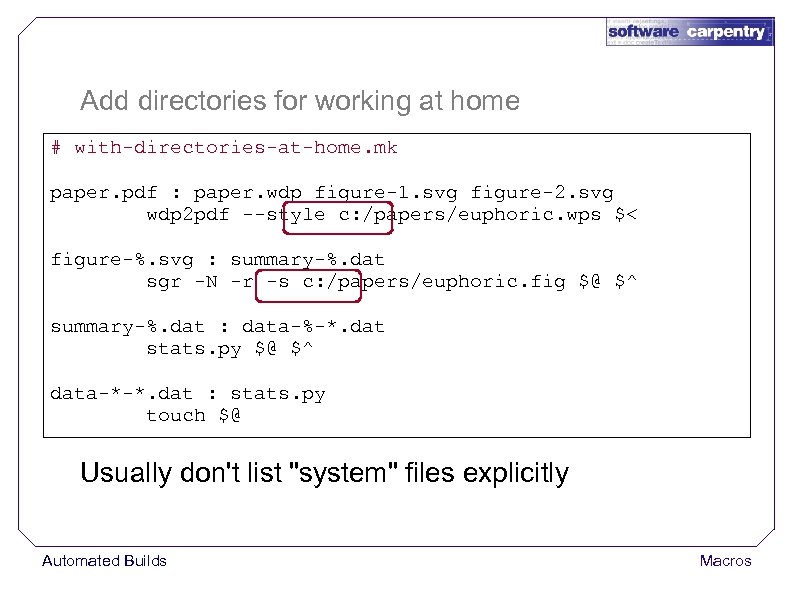
Add directories for working at home # with-directories-at-home. mk paper. pdf : paper. wdp figure-1. svg figure-2. svg wdp 2 pdf --style c: /papers/euphoric. wps $< figure-%. svg : summary-%. dat sgr -N -r -s c: /papers/euphoric. fig $@ $^ summary-%. dat : data-%-*. dat stats. py $@ $^ data-*-*. dat : stats. py touch $@ Usually don't list "system" files explicitly Automated Builds Macros
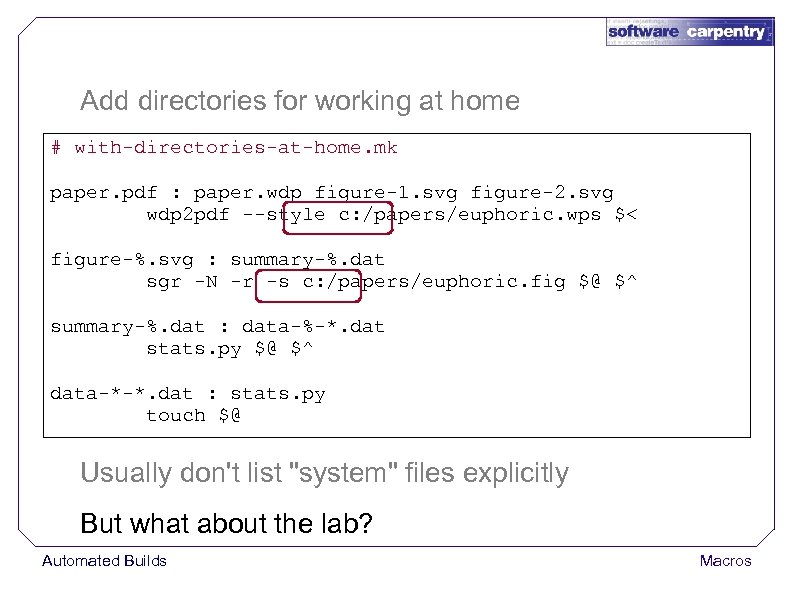
Add directories for working at home # with-directories-at-home. mk paper. pdf : paper. wdp figure-1. svg figure-2. svg wdp 2 pdf --style c: /papers/euphoric. wps $< figure-%. svg : summary-%. dat sgr -N -r -s c: /papers/euphoric. fig $@ $^ summary-%. dat : data-%-*. dat stats. py $@ $^ data-*-*. dat : stats. py touch $@ Usually don't list "system" files explicitly But what about the lab? Automated Builds Macros
1. Write two Makefiles Automated Builds Macros
1. Write two Makefiles Write and maintain Automated Builds Macros
1. Write two Makefiles Write and maintain 2. Comment and uncomment lines Automated Builds Macros
1. Write two Makefiles Write and maintain 2. Comment and uncomment lines Consistently every time Automated Builds Macros
1. Write two Makefiles Write and maintain 2. Comment and uncomment lines Consistently every time Will create lots of noise in version control Automated Builds Macros
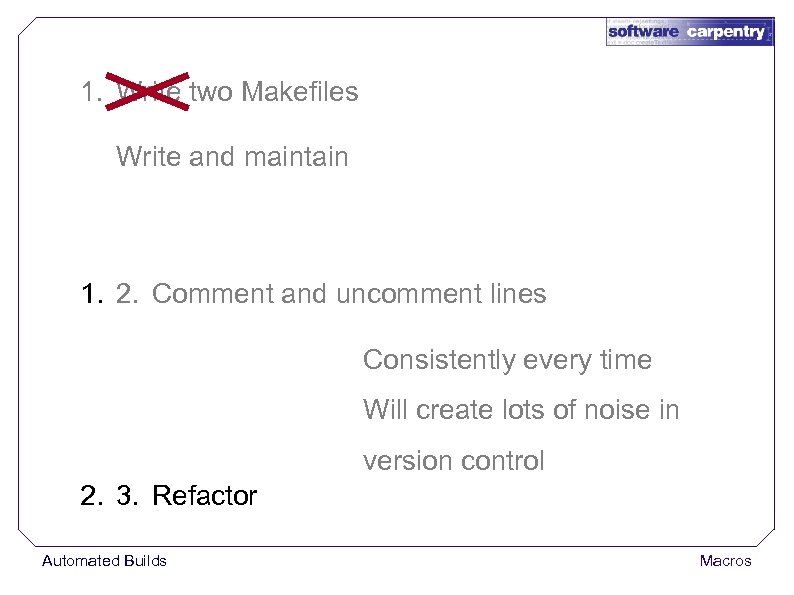
1. Write two Makefiles Write and maintain 1. 2. Comment and uncomment lines Consistently every time Will create lots of noise in version control 2. 3. Refactor Automated Builds Macros
Use a macro Automated Builds Macros
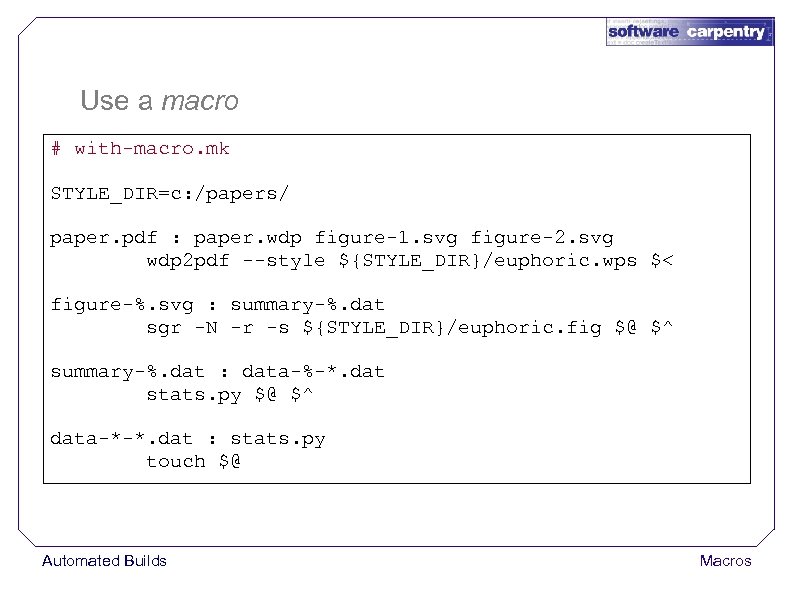
Use a macro # with-macro. mk STYLE_DIR=c: /papers/ paper. pdf : paper. wdp figure-1. svg figure-2. svg wdp 2 pdf --style ${STYLE_DIR}/euphoric. wps $< figure-%. svg : summary-%. dat sgr -N -r -s ${STYLE_DIR}/euphoric. fig $@ $^ summary-%. dat : data-%-*. dat stats. py $@ $^ data-*-*. dat : stats. py touch $@ Automated Builds Macros
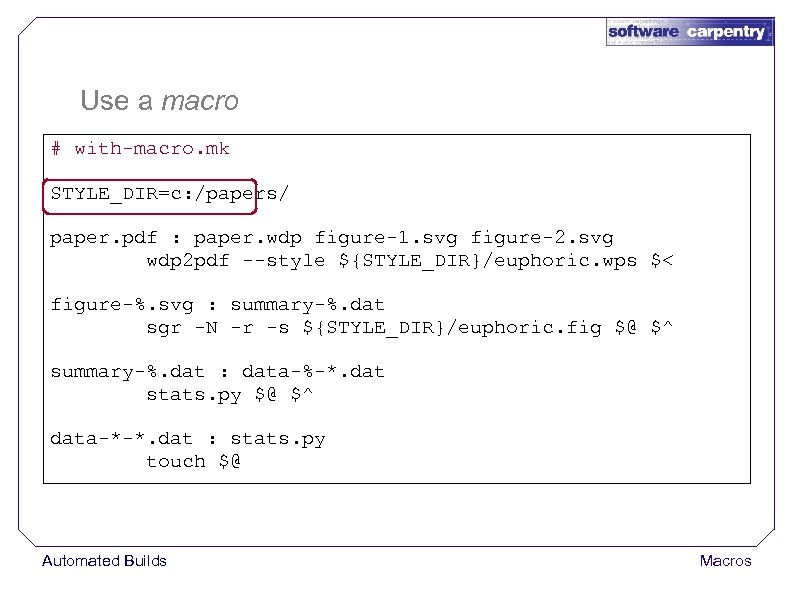
Use a macro # with-macro. mk STYLE_DIR=c: /papers/ paper. pdf : paper. wdp figure-1. svg figure-2. svg wdp 2 pdf --style ${STYLE_DIR}/euphoric. wps $< figure-%. svg : summary-%. dat sgr -N -r -s ${STYLE_DIR}/euphoric. fig $@ $^ summary-%. dat : data-%-*. dat stats. py $@ $^ data-*-*. dat : stats. py touch $@ Automated Builds Macros
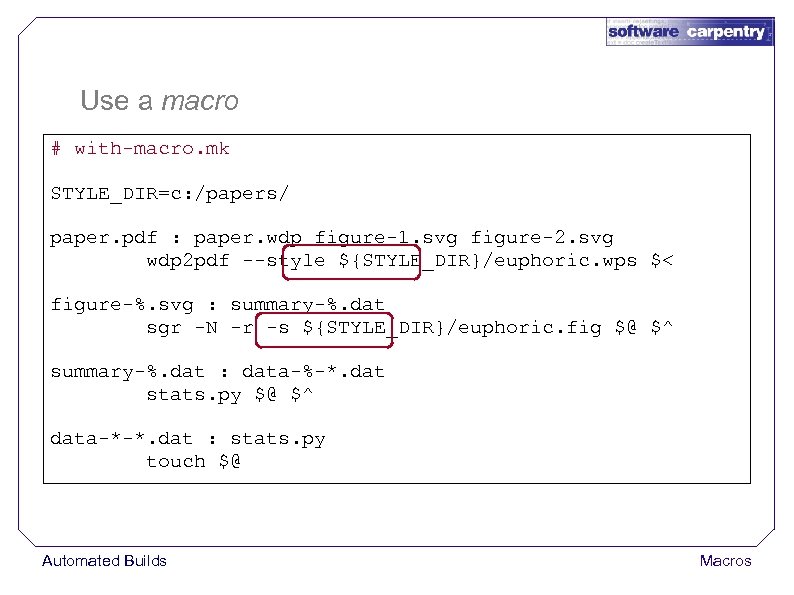
Use a macro # with-macro. mk STYLE_DIR=c: /papers/ paper. pdf : paper. wdp figure-1. svg figure-2. svg wdp 2 pdf --style ${STYLE_DIR}/euphoric. wps $< figure-%. svg : summary-%. dat sgr -N -r -s ${STYLE_DIR}/euphoric. fig $@ $^ summary-%. dat : data-%-*. dat stats. py $@ $^ data-*-*. dat : stats. py touch $@ Automated Builds Macros
Only have one thing to change Automated Builds Macros
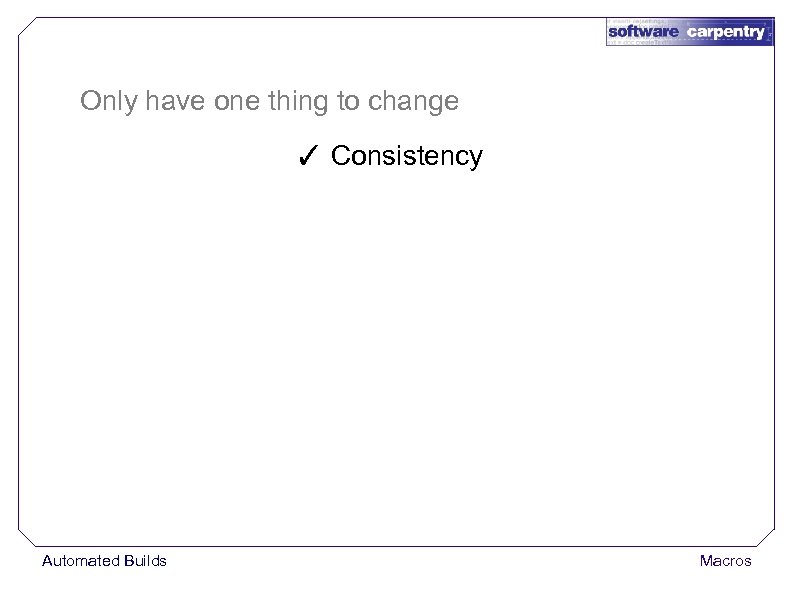
Only have one thing to change ✓ Consistency Automated Builds Macros
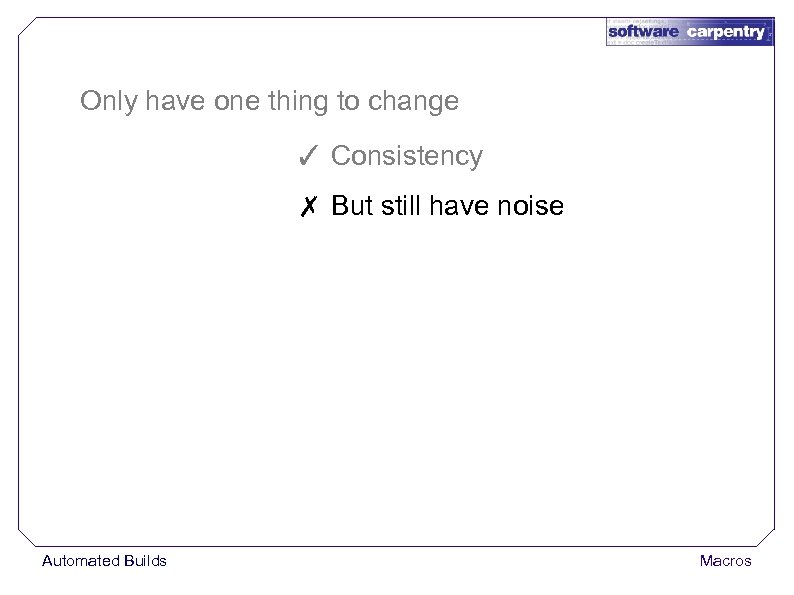
Only have one thing to change ✓ Consistency ✗ But still have noise Automated Builds Macros
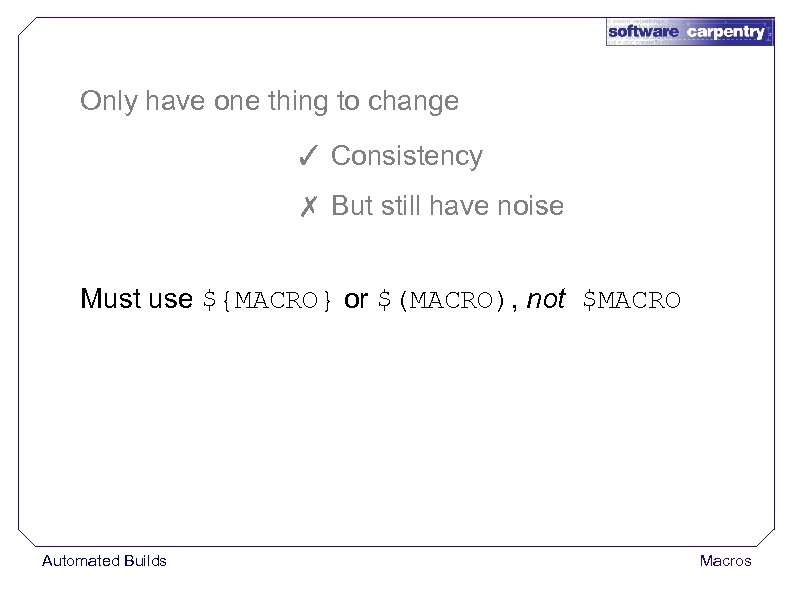
Only have one thing to change ✓ Consistency ✗ But still have noise Must use ${MACRO} or $(MACRO), not $MACRO Automated Builds Macros
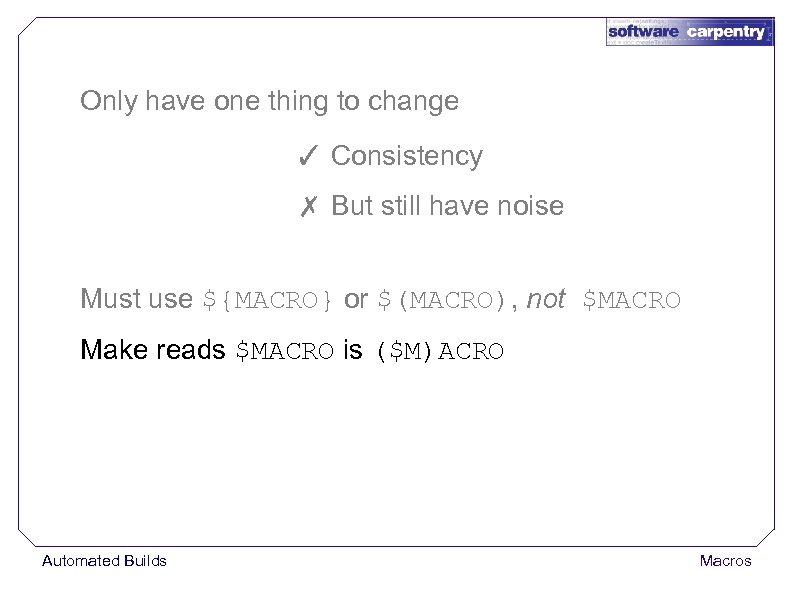
Only have one thing to change ✓ Consistency ✗ But still have noise Must use ${MACRO} or $(MACRO), not $MACRO Make reads $MACRO is ($M)ACRO Automated Builds Macros
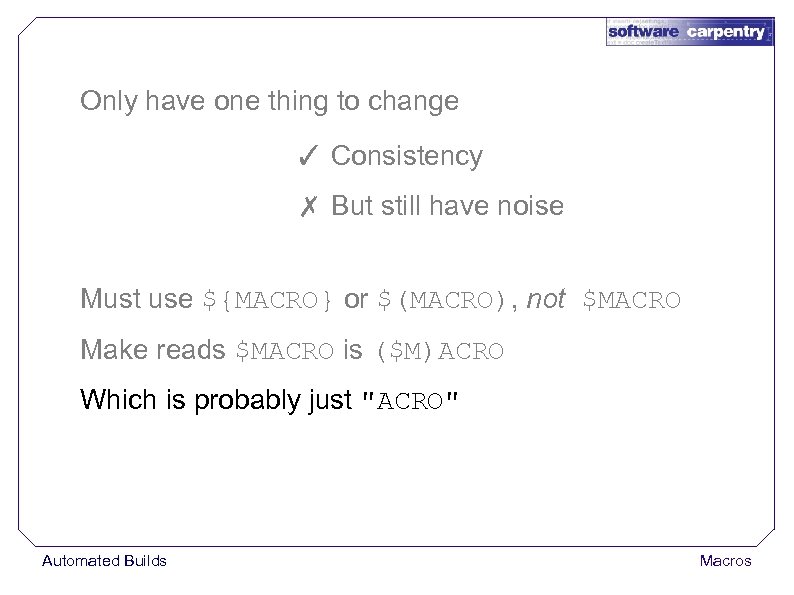
Only have one thing to change ✓ Consistency ✗ But still have noise Must use ${MACRO} or $(MACRO), not $MACRO Make reads $MACRO is ($M)ACRO Which is probably just "ACRO" Automated Builds Macros
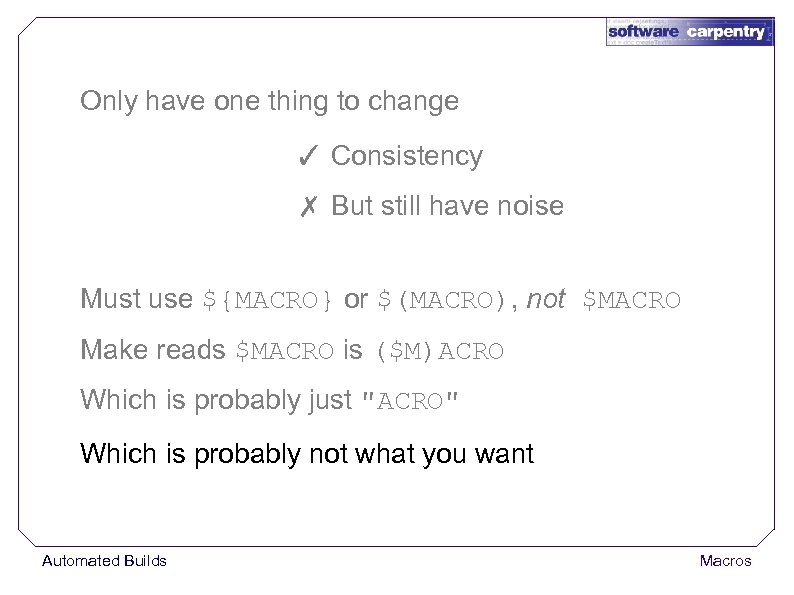
Only have one thing to change ✓ Consistency ✗ But still have noise Must use ${MACRO} or $(MACRO), not $MACRO Make reads $MACRO is ($M)ACRO Which is probably just "ACRO" Which is probably not what you want Automated Builds Macros
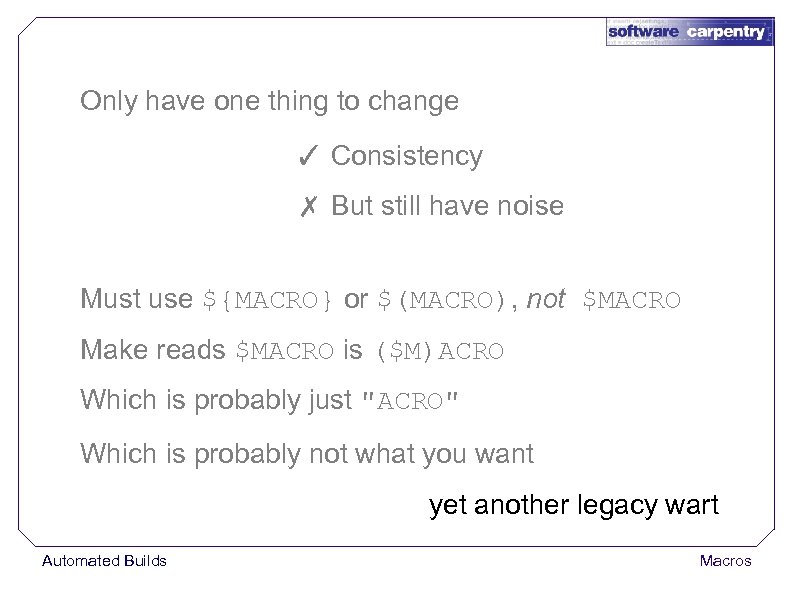
Only have one thing to change ✓ Consistency ✗ But still have noise Must use ${MACRO} or $(MACRO), not $MACRO Make reads $MACRO is ($M)ACRO Which is probably just "ACRO" Which is probably not what you want yet another legacy wart Automated Builds Macros
Commonly define macros for control flags Automated Builds Macros
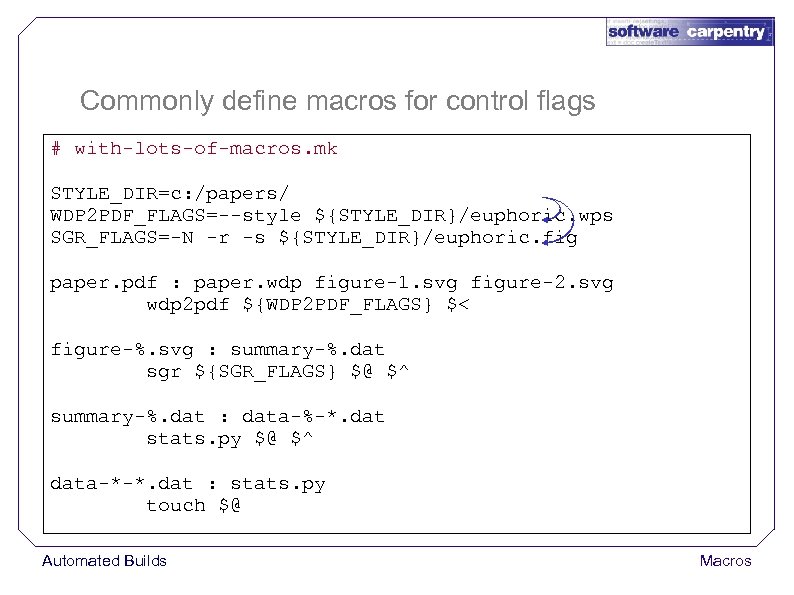
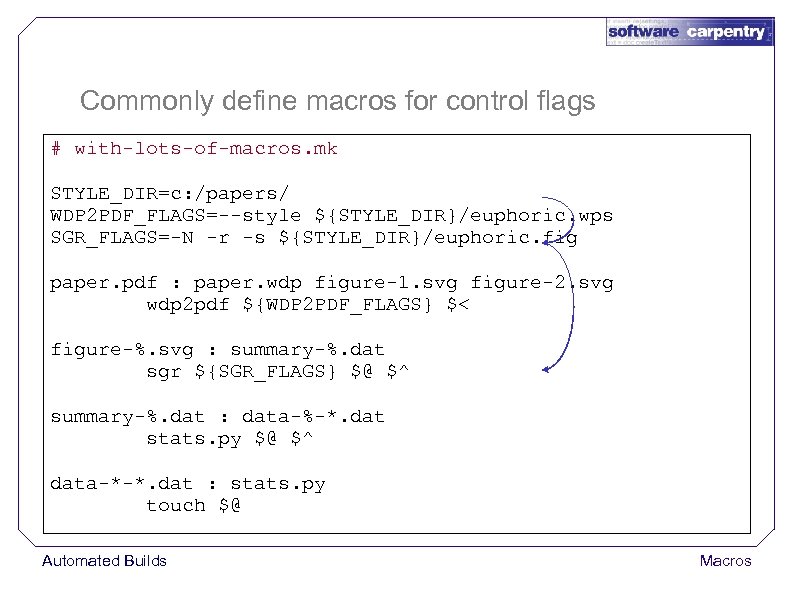
Commonly define macros for control flags # with-lots-of-macros. mk STYLE_DIR=c: /papers/ WDP 2 PDF_FLAGS=--style ${STYLE_DIR}/euphoric. wps SGR_FLAGS=-N -r -s ${STYLE_DIR}/euphoric. fig paper. pdf : paper. wdp figure-1. svg figure-2. svg wdp 2 pdf ${WDP 2 PDF_FLAGS} $< figure-%. svg : summary-%. dat sgr ${SGR_FLAGS} $@ $^ summary-%. dat : data-%-*. dat stats. py $@ $^ data-*-*. dat : stats. py touch $@ Automated Builds Macros
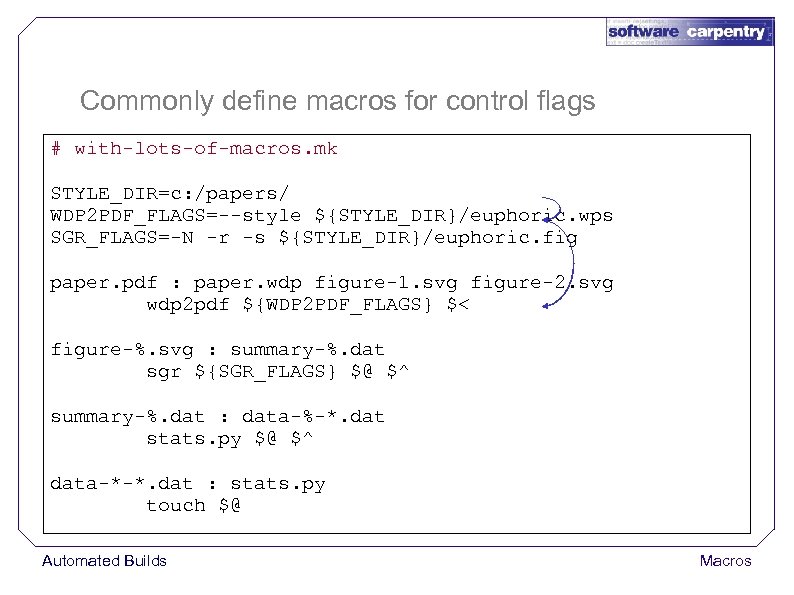
Commonly define macros for control flags # with-lots-of-macros. mk STYLE_DIR=c: /papers/ WDP 2 PDF_FLAGS=--style ${STYLE_DIR}/euphoric. wps SGR_FLAGS=-N -r -s ${STYLE_DIR}/euphoric. fig paper. pdf : paper. wdp figure-1. svg figure-2. svg wdp 2 pdf ${WDP 2 PDF_FLAGS} $< figure-%. svg : summary-%. dat sgr ${SGR_FLAGS} $@ $^ summary-%. dat : data-%-*. dat stats. py $@ $^ data-*-*. dat : stats. py touch $@ Automated Builds Macros
Commonly define macros for control flags # with-lots-of-macros. mk STYLE_DIR=c: /papers/ WDP 2 PDF_FLAGS=--style ${STYLE_DIR}/euphoric. wps SGR_FLAGS=-N -r -s ${STYLE_DIR}/euphoric. fig paper. pdf : paper. wdp figure-1. svg figure-2. svg wdp 2 pdf ${WDP 2 PDF_FLAGS} $< figure-%. svg : summary-%. dat sgr ${SGR_FLAGS} $@ $^ summary-%. dat : data-%-*. dat stats. py $@ $^ data-*-*. dat : stats. py touch $@ Automated Builds Macros
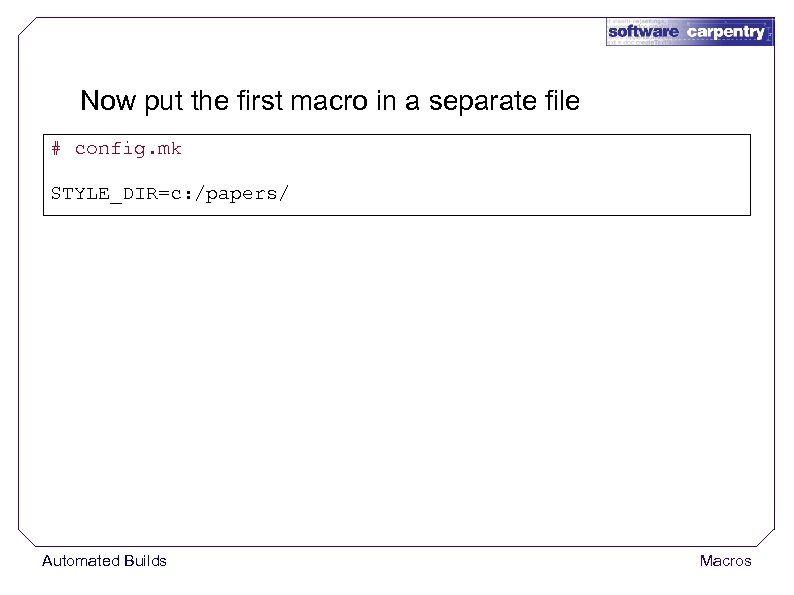
Now put the first macro in a separate file # config. mk STYLE_DIR=c: /papers/ Automated Builds Macros
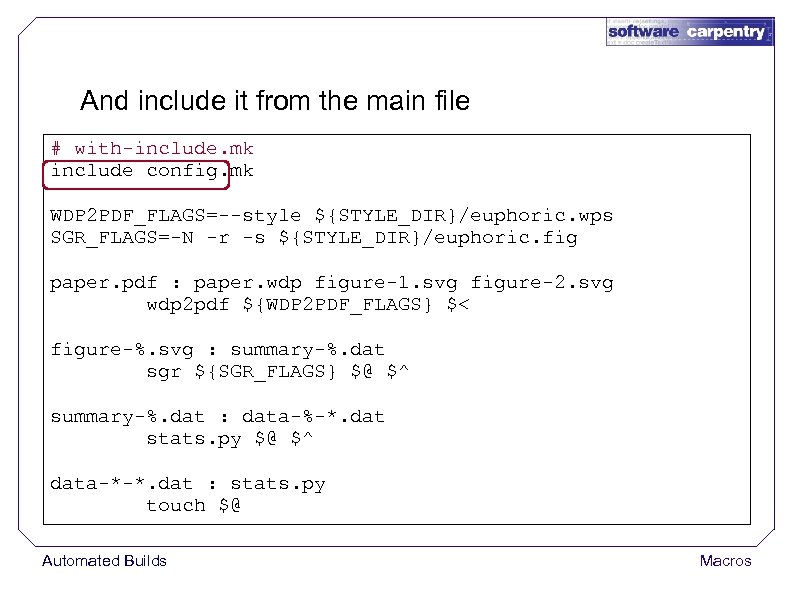
And include it from the main file # with-include. mk include config. mk WDP 2 PDF_FLAGS=--style ${STYLE_DIR}/euphoric. wps SGR_FLAGS=-N -r -s ${STYLE_DIR}/euphoric. fig paper. pdf : paper. wdp figure-1. svg figure-2. svg wdp 2 pdf ${WDP 2 PDF_FLAGS} $< figure-%. svg : summary-%. dat sgr ${SGR_FLAGS} $@ $^ summary-%. dat : data-%-*. dat stats. py $@ $^ data-*-*. dat : stats. py touch $@ Automated Builds Macros
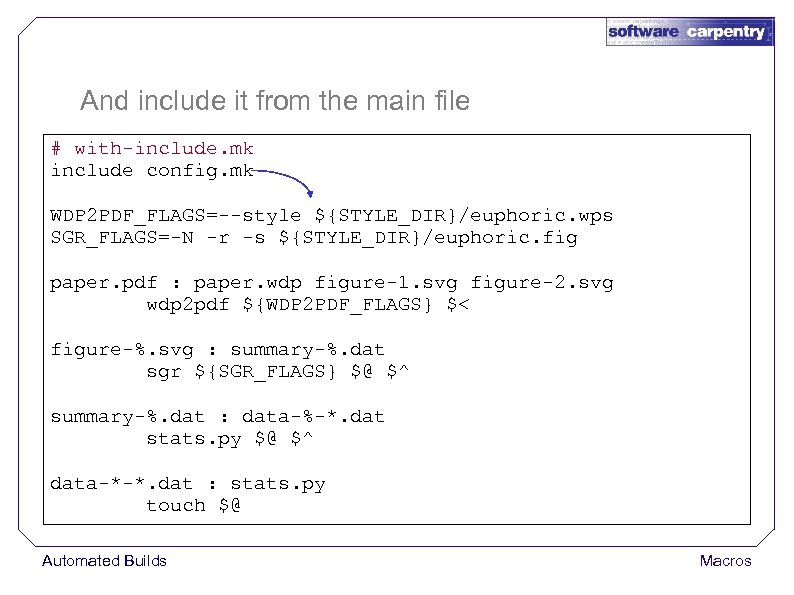
And include it from the main file # with-include. mk include config. mk WDP 2 PDF_FLAGS=--style ${STYLE_DIR}/euphoric. wps SGR_FLAGS=-N -r -s ${STYLE_DIR}/euphoric. fig paper. pdf : paper. wdp figure-1. svg figure-2. svg wdp 2 pdf ${WDP 2 PDF_FLAGS} $< figure-%. svg : summary-%. dat sgr ${SGR_FLAGS} $@ $^ summary-%. dat : data-%-*. dat stats. py $@ $^ data-*-*. dat : stats. py touch $@ Automated Builds Macros
Actually create two configuration files Automated Builds Macros
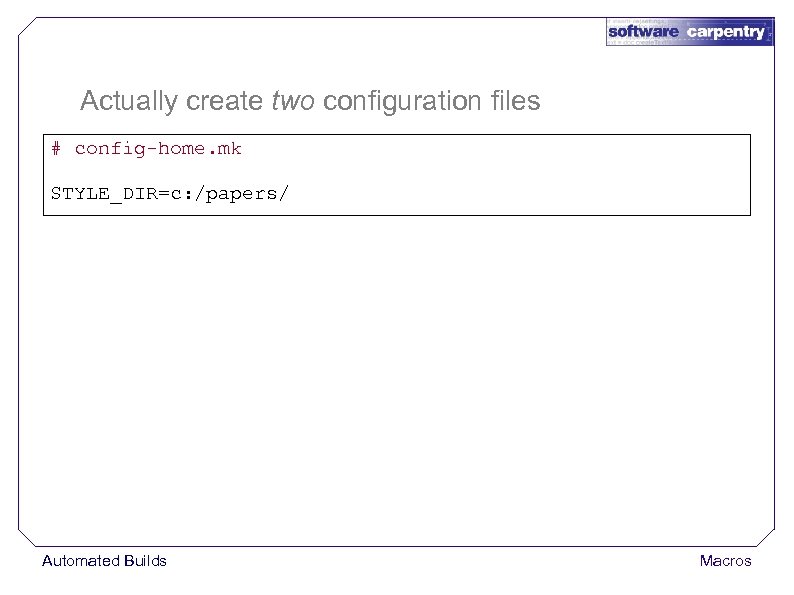
Actually create two configuration files # config-home. mk STYLE_DIR=c: /papers/ Automated Builds Macros
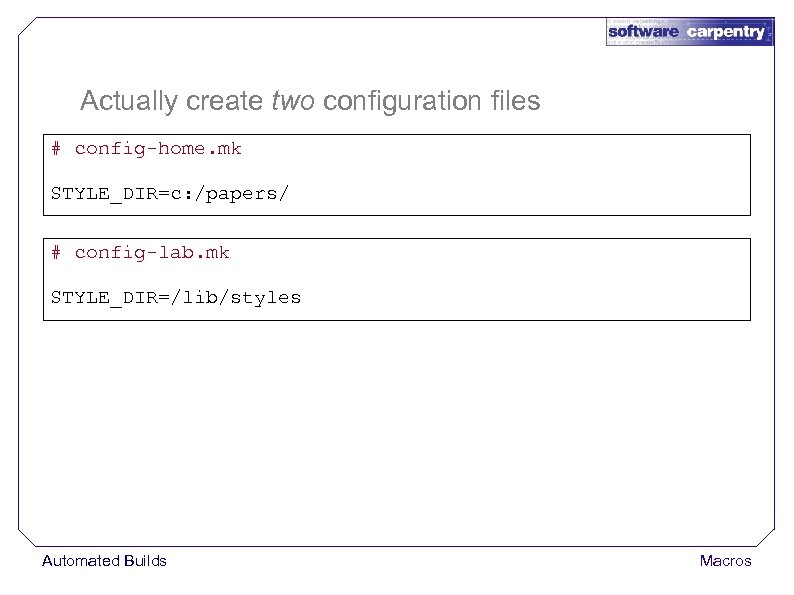
Actually create two configuration files # config-home. mk STYLE_DIR=c: /papers/ # config-lab. mk STYLE_DIR=/lib/styles Automated Builds Macros
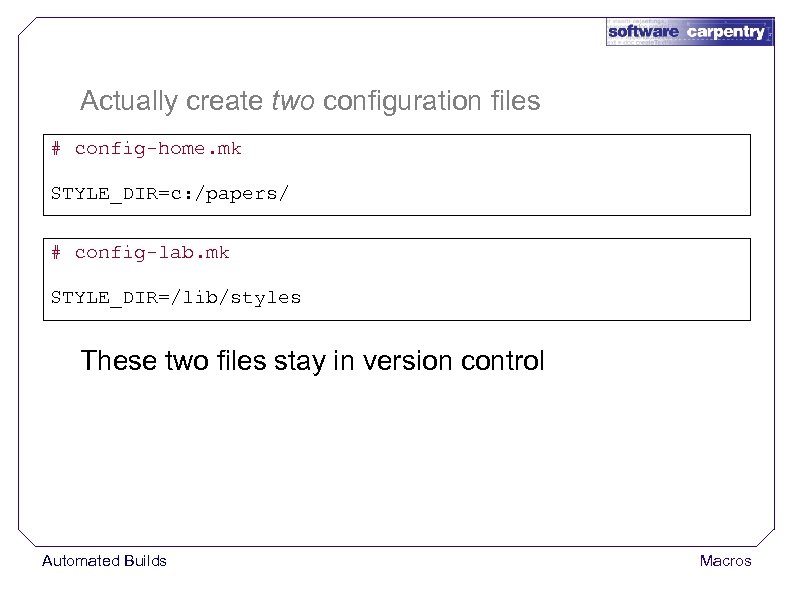
Actually create two configuration files # config-home. mk STYLE_DIR=c: /papers/ # config-lab. mk STYLE_DIR=/lib/styles These two files stay in version control Automated Builds Macros
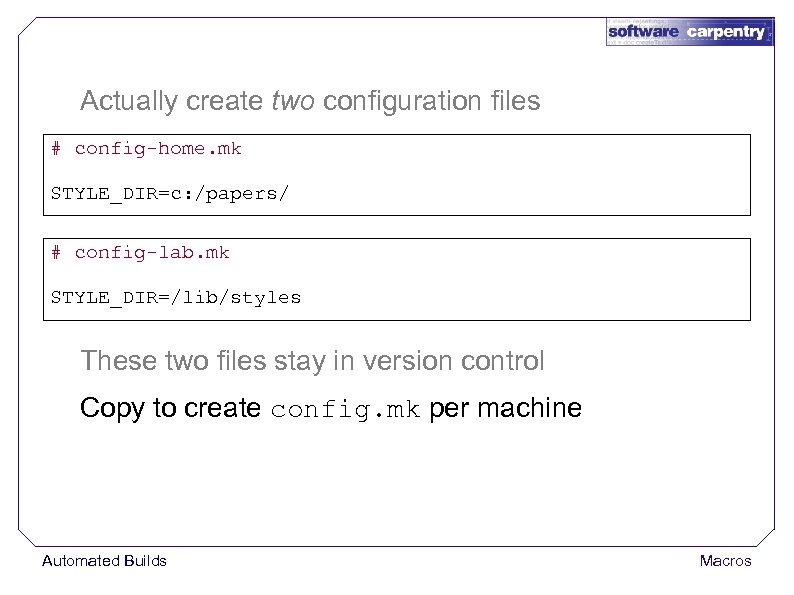
Actually create two configuration files # config-home. mk STYLE_DIR=c: /papers/ # config-lab. mk STYLE_DIR=/lib/styles These two files stay in version control Copy to create config. mk per machine Automated Builds Macros
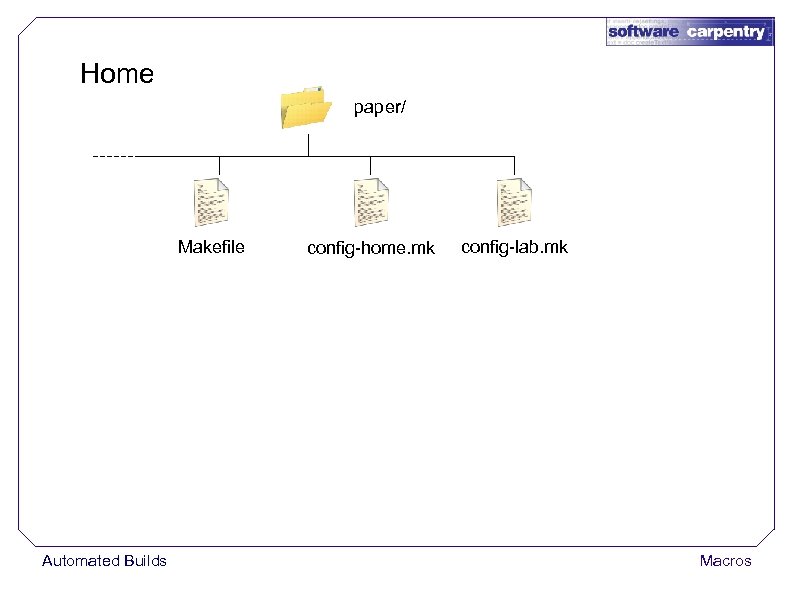
Home paper/ Makefile Automated Builds config-home. mk config-lab. mk Macros
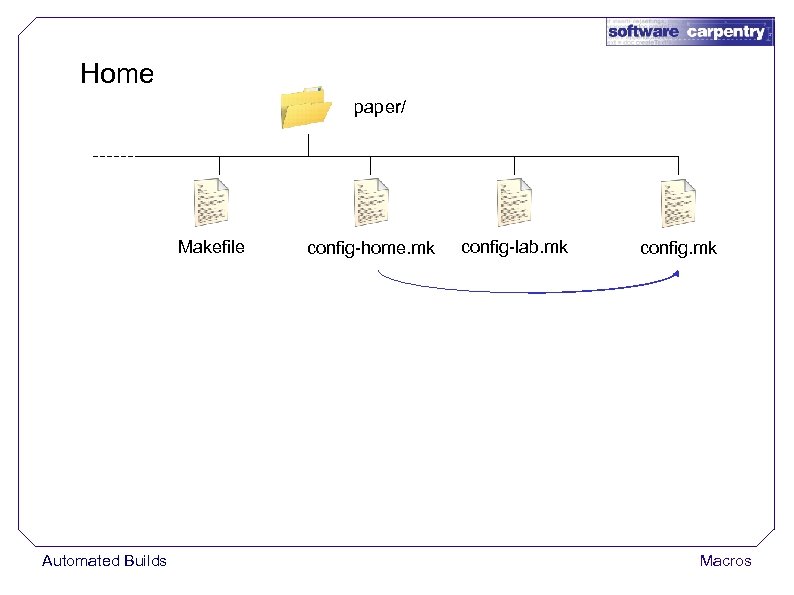
Home paper/ Makefile Automated Builds config-home. mk config-lab. mk config. mk Macros
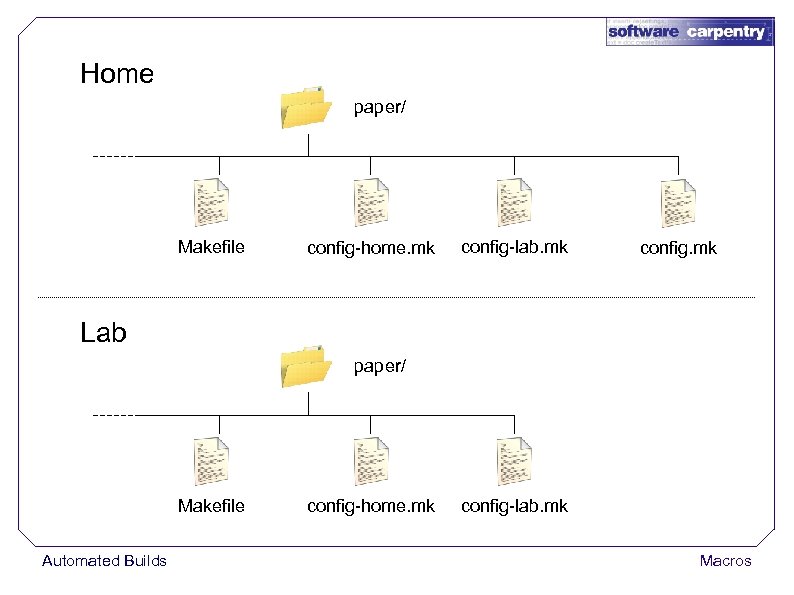
Home paper/ Makefile config-home. mk config-lab. mk config. mk Lab paper/ Makefile Automated Builds config-home. mk config-lab. mk Macros
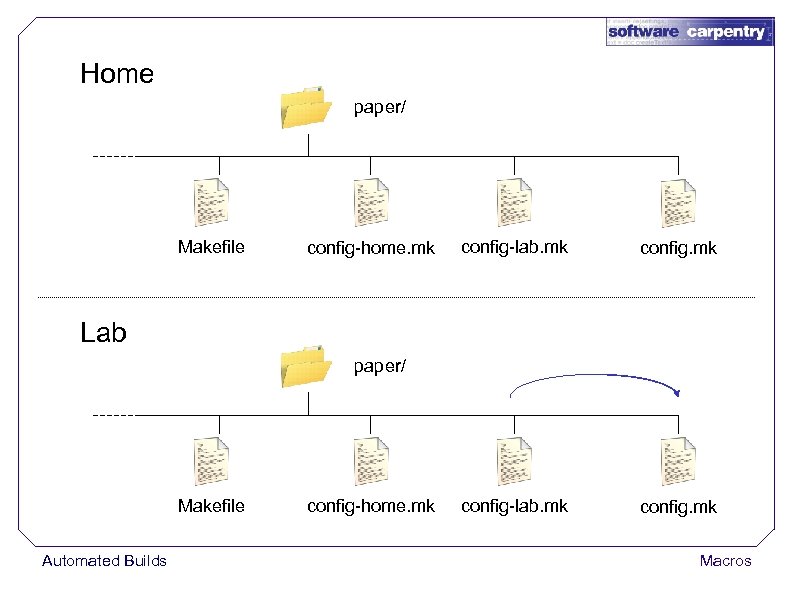
Home paper/ Makefile config-home. mk config-lab. mk config. mk Lab paper/ Makefile Automated Builds config-home. mk Macros
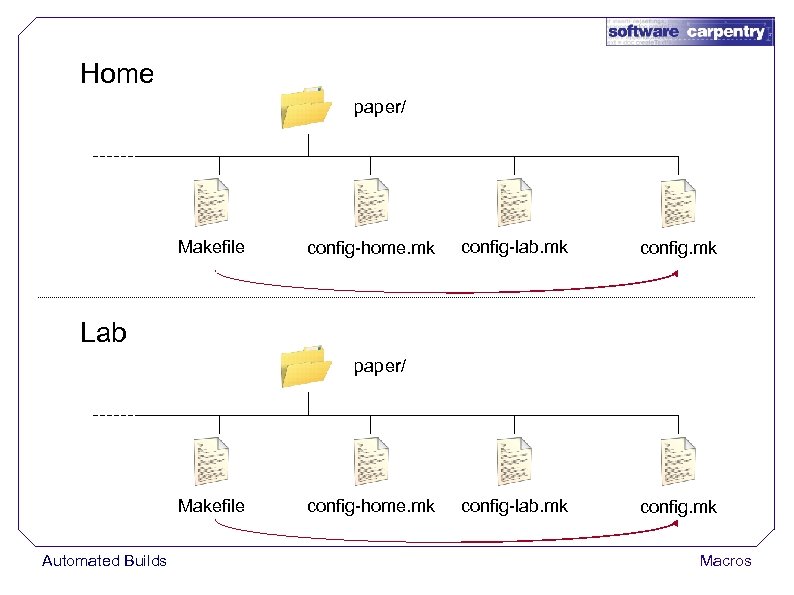
Home paper/ Makefile config-home. mk config-lab. mk config. mk Lab paper/ Makefile Automated Builds config-home. mk Macros
Can also define macro value on command line Automated Builds Macros
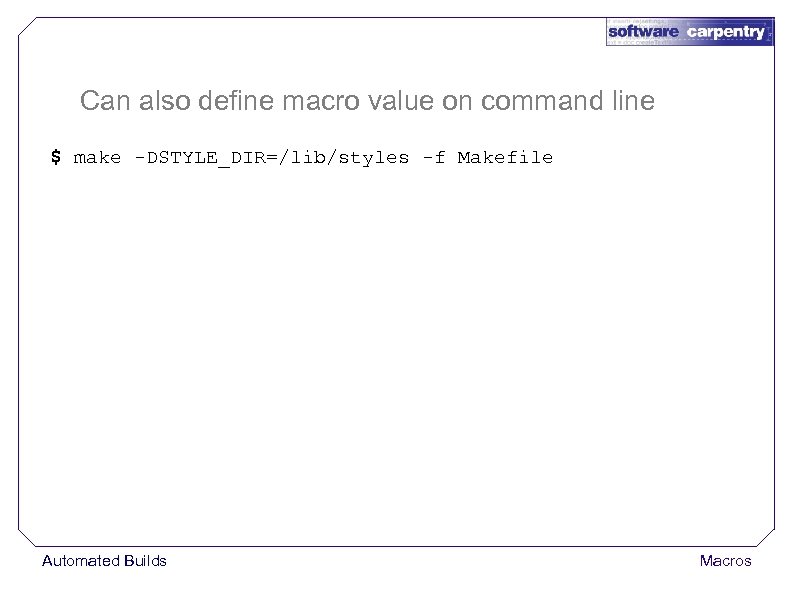
Can also define macro value on command line $ make -DSTYLE_DIR=/lib/styles -f Makefile Automated Builds Macros
Can also define macro value on command line $ make -DSTYLE_DIR=/lib/styles -f Makefile Generally a bad idea Automated Builds Macros
Can also define macro value on command line $ make -DSTYLE_DIR=/lib/styles -f Makefile Generally a bad idea Have to remember to type definition each time Automated Builds Macros
Can also define macro value on command line $ make -DSTYLE_DIR=/lib/styles -f Makefile Generally a bad idea Have to remember to type definition each time correctly Automated Builds Macros
Can also define macro value on command line $ make -DSTYLE_DIR=/lib/styles -f Makefile Generally a bad idea Have to remember to type definition each time correctly And there's no record of the flag Automated Builds Macros
Many other approaches Automated Builds Macros
Many other approaches CMake and Autoconf/Automake: compile higher-level specification into a Makefile (or equivalent) Automated Builds Macros
Many other approaches CMake and Autoconf/Automake: compile higher-level specification into a Makefile (or equivalent) ✓ Automatically discover/manage differences between machines Automated Builds Macros
Many other approaches CMake and Autoconf/Automake: compile higher-level specification into a Makefile (or equivalent) ✓ Automatically discover/manage differences between machines ✗ But even harder to debug Automated Builds Macros
Many other approaches CMake and Autoconf/Automake: compile higher-level specification into a Makefile (or equivalent) ✓ Automatically discover/manage differences between machines ✗ But even harder to debug A build file is a program Automated Builds Macros
Many other approaches CMake and Autoconf/Automake: compile higher-level specification into a Makefile (or equivalent) ✓ Automatically discover/manage differences between machines ✗ But even harder to debug A build file is a program Requires the same degree of respect Automated Builds Macros
created by Greg Wilson August 2010 Copyright © Software Carpentry 2010 This work is licensed under the Creative Commons Attribution License See http: //software-carpentry. org/license. html for more information.
Скачать презентацию Automated Builds Macros Copyright Software Carpentry 2010
da2c3077856dedb064812e0e63a38271.ppt