 Скачать презентацию Authentication Overview Paul Bui What is authentication
0610d85a007c83c97c45e048bf6bc534.ppt
- Количество слайдов: 35



Authentication: Overview Paul Bui
What is authentication? • Positive verification of identity (man or machine) • Verification of a person’s claimed identity • Who are you? Prove it. • 3 Categories: – What you know – What you have – Who you are
What you know • Password • Passphrase • PIN
What you have • Digital authentication – physical devices to aid authentication • Common examples: – e. Token – smart cards – RFID
e. Token • Can be implemented on a USB key fob or a smart card • Data physically protected on the device itself • On the client side, the token is accessed via password • Successful client-side authentication with the password invokes the token to generate a stored or generated passcode, which is sent to the server-side for authentication.
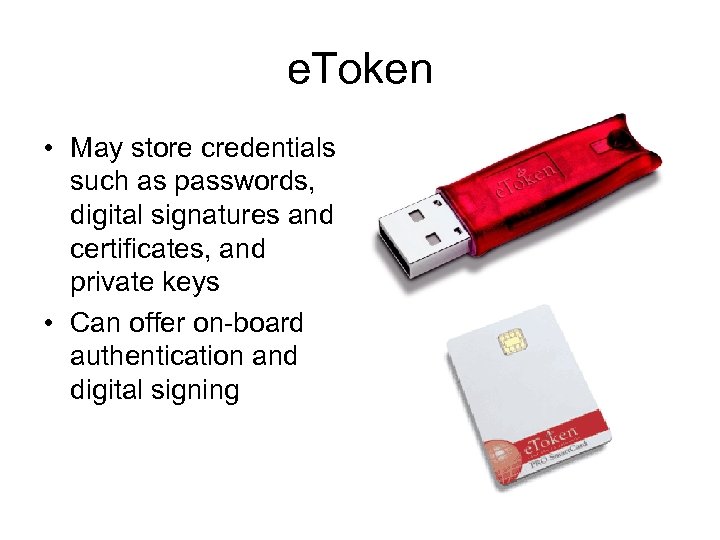
e. Token • May store credentials such as passwords, digital signatures and certificates, and private keys • Can offer on-board authentication and digital signing
Smart cards • Size of a credit card • Usually an embedded microprocessor with computational and storage capabilities • Programmable platforms: – C/C++ – Visual Basic – Java –. Net (beta)
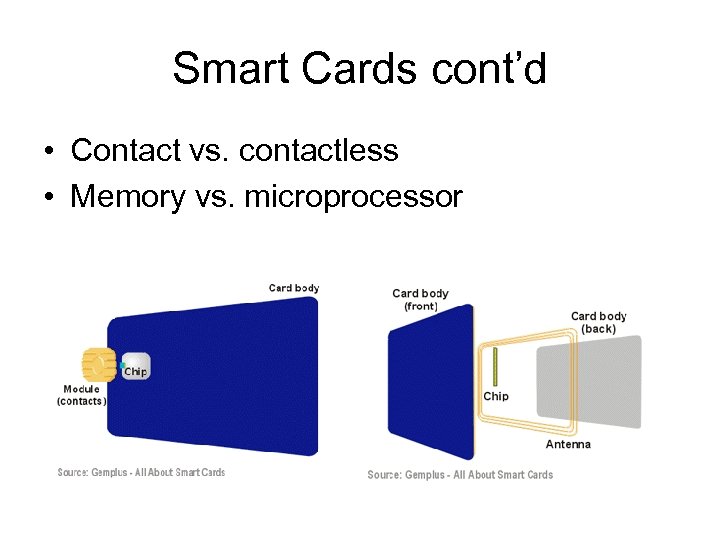
Smart Cards cont’d • Contact vs. contactless • Memory vs. microprocessor
RFID • RFID - Radio Frequency IDentification • Integrated circuit(s) with an antenna that can respond to an RF signal with identity information • No power supply necessary—IC uses the RF signal to power itself • Susceptible to replay attacks and theft • Examples: – Smart Tag, EZPass – Garage parking permits
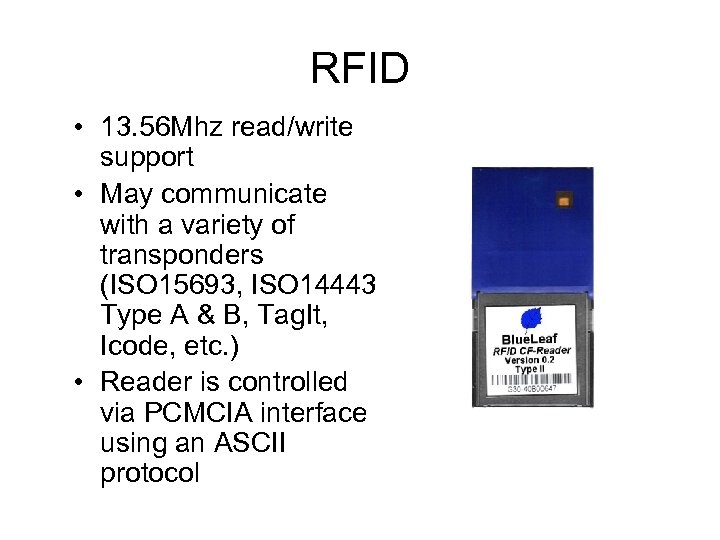
RFID • 13. 56 Mhz read/write support • May communicate with a variety of transponders (ISO 15693, ISO 14443 Type A & B, Tag. It, Icode, etc. ) • Reader is controlled via PCMCIA interface using an ASCII protocol
Who you are • Biometric authentication – Use of a biometric reading to confirm that a person is who he/she claims to be • Biometric reading – A recording of some physical or behavioral attribute of a person
Physical Biometrics • • Fingerprint Iris Hand Geometry Finger Geometry Face Geometry Ear Shape Retina • • • Smell Thermal Face Hand Vein Nail Bed DNA Palm Print
Behavioral Biometrics • • Signature Voice Keystroke Gait
Fingerprints • Vast amount of data available on fingerprint pattern matching • Data originally from forensics • Over 100 years of data to draw on – Thus far all prints obtained have been unique
Fingerprint Basics • Global features – Features that can be seen with the naked eye – Basic ridge patterns • Local features – Minutia points – Tiny unique characteristics of fingerprint ridges used for positive identification
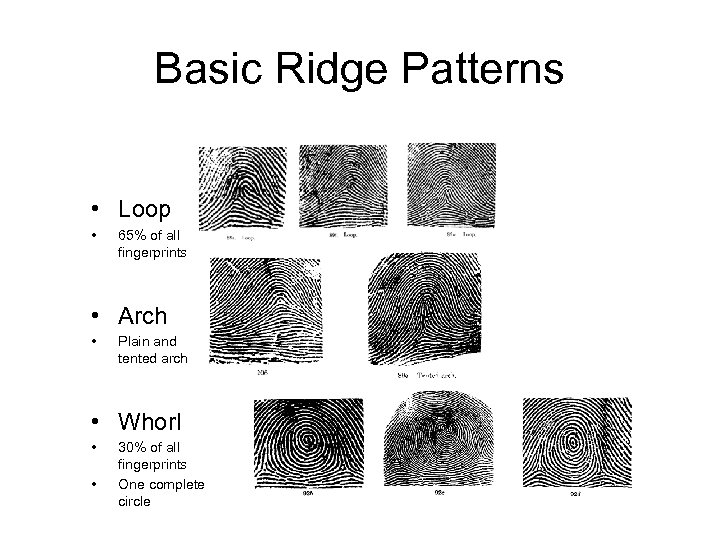
Basic Ridge Patterns • Loop • 65% of all fingerprints • Arch • Plain and tented arch • Whorl • • 30% of all fingerprints One complete circle
Local Features • Also known as minutia points • Used for positive identification • Two or more individuals may have the same global features, but different minutia • Minutia points do not have to be inside the pattern area
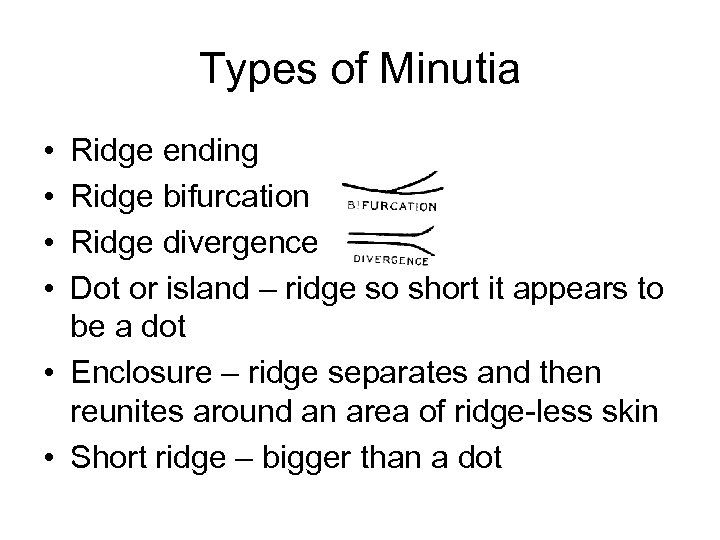
Types of Minutia • • Ridge ending Ridge bifurcation Ridge divergence Dot or island – ridge so short it appears to be a dot • Enclosure – ridge separates and then reunites around an area of ridge-less skin • Short ridge – bigger than a dot
Minutia Characteristics • Orientation – The direction the minutia is facing • Spatial frequency – How far apart the ridges are around the point • Curvature – Rate of change of orientation • Position – X, Y location relative to some fixed points
Algorithms • Image-based • Pattern-based • Minutia-based
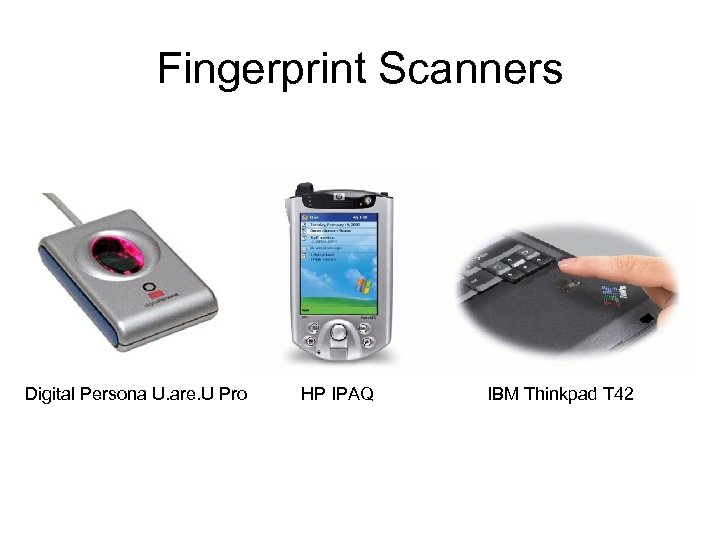
Fingerprint Scanners Digital Persona U. are. U Pro HP IPAQ IBM Thinkpad T 42
Biometric Authentication Terms • False Acceptance Rate (FAR) – False Match Rate (FMR) – Percentage of access attempts by unauthorized individuals which are nevertheless successful • False Rejection Rate (FRR) – False Non-Match Rate (FNMR) – Percentage of access attempts by enrolled individuals who are nevertheless rejected • Equal Error Rate – FAR = FRR
Review: Three Categories • What you know – Password – PIN • What you have – e-Token – RFID • Who you are – Biometrics
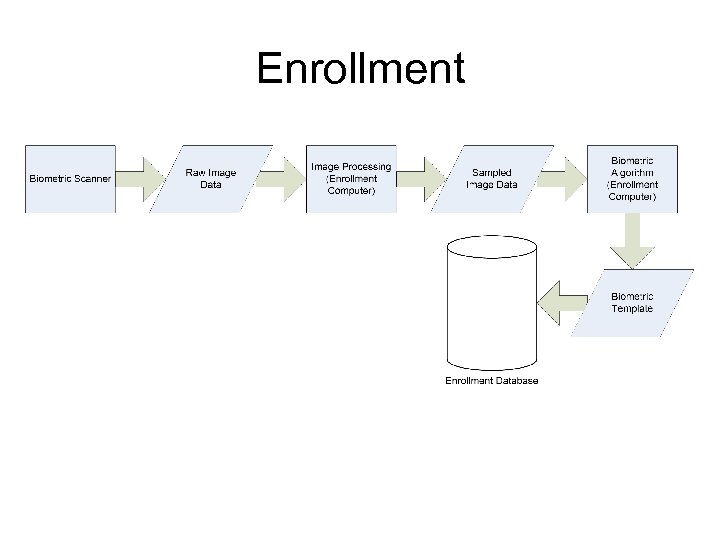
Enrollment
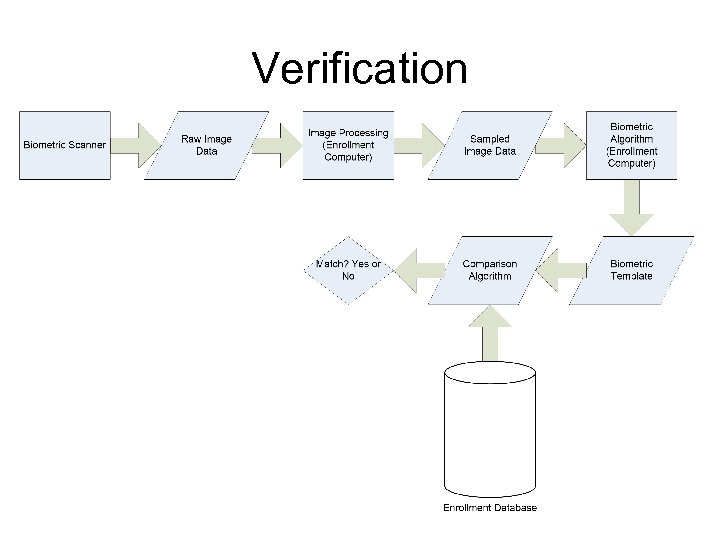
Verification
Motivation • Real-world considerations: – What you know and what you have • Can be stolen or forgotten • Susceptible to replay attacks – Who you are • Unique biometrics that hinder replay attacks and imposters • Privacy issues arise
Authentication Token Formats • A security token (authentication token) is a representation of security-related data (not to be confused with an e-Token) • Examples: – X. 509 certificates – Kerberos tickets – Custom security tokens
X. 509 Certificates • Use of digital certificates issued by a trusted Certificate Authority (e. g. Veri. Sign) • A Digital Certificate contains information to assert an identity claim – – Name Serial number Expiration dates Certificate holder’s public key (used for encrypting/decrypting messages and digital signatures) – Digital signature of Certificate Authority (so recipient knows that the certificate is valid) • The recipient may confirm the identity of the sender with the Certificate Authority
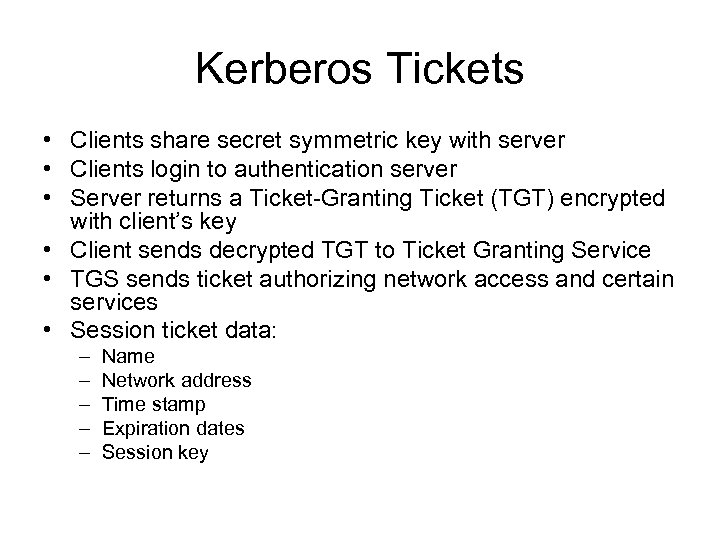
Kerberos Tickets • Clients share secret symmetric key with server • Clients login to authentication server • Server returns a Ticket-Granting Ticket (TGT) encrypted with client’s key • Client sends decrypted TGT to Ticket Granting Service • TGS sends ticket authorizing network access and certain services • Session ticket data: – – – Name Network address Time stamp Expiration dates Session key
Custom Security Tokens • May contain additional context information: – Access method • wired, local terminal • wired remote terminal • wireless PDA – Authentication method • Password • e-Token • Fingerprint – Trust level
Trust Level Extension • Different trust levels for devices with different levels of implementation reliability • Still very abstract and should be further developed – definition – representation – storage – exchange – verification – translation across trust domains
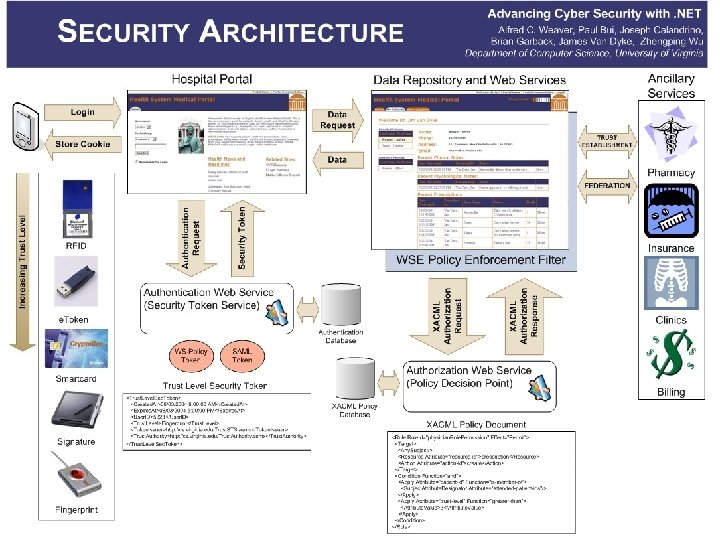
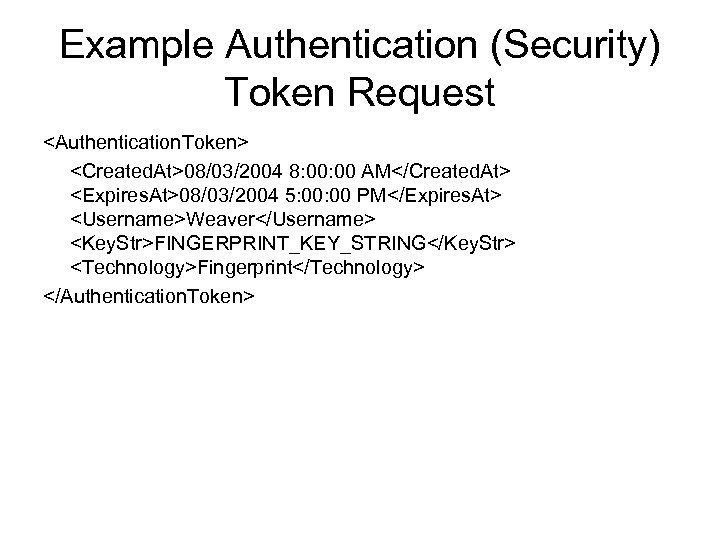
Example Authentication (Security) Token Request <Authentication. Token> <Created. At>08/03/2004 8: 00 AM</Created. At> <Expires. At>08/03/2004 5: 00 PM</Expires. At> <Username>Weaver</Username> <Key. Str>FINGERPRINT_KEY_STRING</Key. Str> <Technology>Fingerprint</Technology> </Authentication. Token>
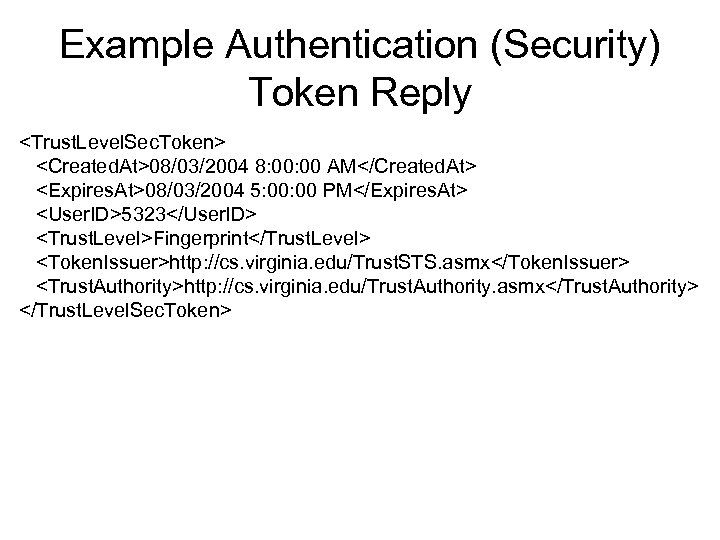
Example Authentication (Security) Token Reply <Trust. Level. Sec. Token> <Created. At>08/03/2004 8: 00 AM</Created. At> <Expires. At>08/03/2004 5: 00 PM</Expires. At> <User. ID>5323</User. ID> <Trust. Level>Fingerprint</Trust. Level> <Token. Issuer>http: //cs. virginia. edu/Trust. STS. asmx</Token. Issuer> <Trust. Authority>http: //cs. virginia. edu/Trust. Authority. asmx</Trust. Authority> </Trust. Level. Sec. Token>
Bibliography • Authentication – L. O’Gorman, “Comparing Passwords, Tokens, and Biometrics for User Authentication, ” Proc. IEEE, Vol. 91, No. 12, Dec. 2003, pp. 2019 -2040. • Kerberos – http: //www. computerworld. com/computerworld /records/images/pdf/kerberos_chart. pdf • CS 453 class slides
Скачать презентацию Authentication Overview Paul Bui What is authentication
0610d85a007c83c97c45e048bf6bc534.ppt