 Скачать презентацию Austria in Cyberspace Getting the government s message across
26b6e3f77b9edbeef383438b5b31a340.ppt
- Количество слайдов: 14



Austria in Cyberspace Getting the government‘s message across 8 th Training seminar of the OLAF Anti-Fraud Communicators Network (OAFCN), 12 – 14 October Nicosia, Cyprus Hammerschmid
Development • • • 1998 – online communication starts Writing team set up Content defined and structured Services gradually expanded Switch to editorial system Relaunched 3 times, 1 corporate design makeover 2
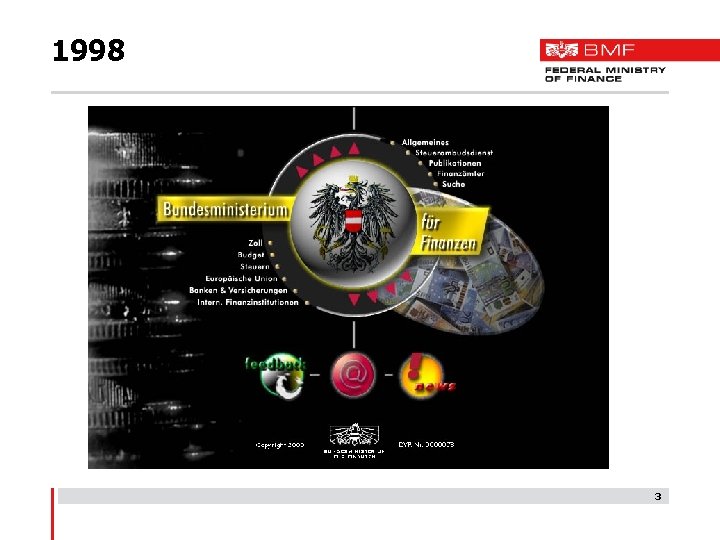
1998 3
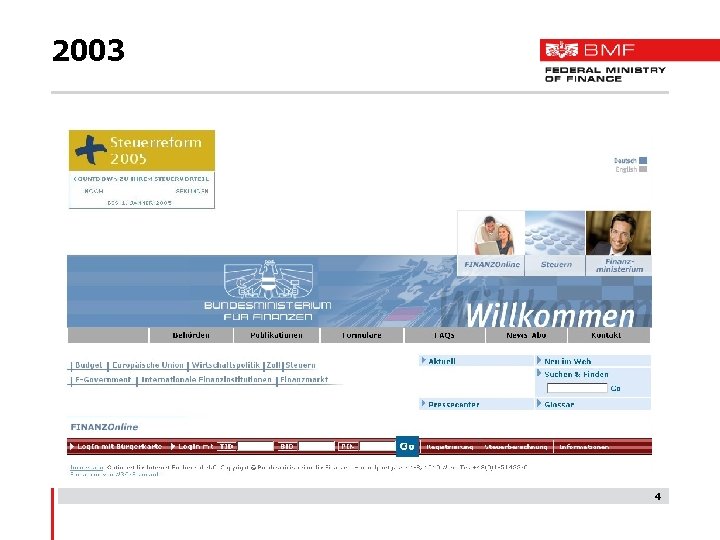
2003 4
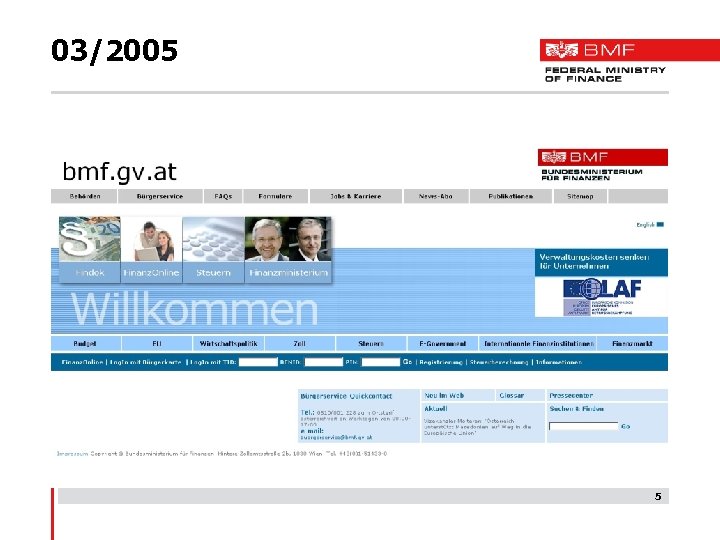
03/2005 5
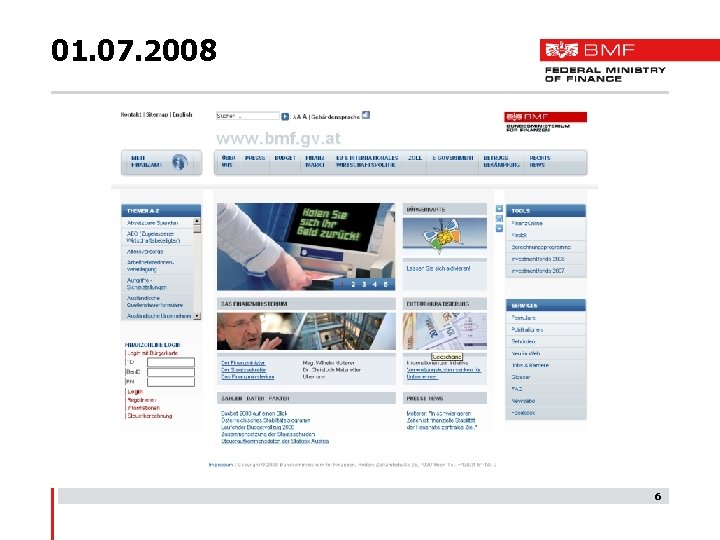
01. 07. 2008 6
How the new media are organised • Outside world -> Internet • In-house -> portal (Intranet) • Writers are specialists in their field and given extra training in a Content Management System (CMS) • Standard software (Red. Dot) on a workflow basis (writer>editor>managing editor) • Further training (e. g. writing workshop) • Regular editorial meetings 7
Strategy • One platform for outside world, one for inhouse • Ground rule: “one face to the customer“ • Tightly organised writing team • Managing editor ensures compliance with style guide and writing guidelines • Training provided for writing staff • Internal and external coordination in developing new media (e. g. : photo database) 8
Tools, e-Government, services, feedback Tools, e-Government • • • “Finanz. Online” – paying taxes with a click of the mouse “Findok” – the Ministry’s legal and technical information system Tax assessment programs Services • • Press (press releases and photo database) Downloadable forms (W 3 C-AAA) Downloadable publications (e. g. tax guide alone downloaded 120 000 times in September 2008) Job exchange Newsletter FAQ Glossary Sign-language videos for those with hearing difficulties Feedback • • Query database Hotlines (customer service, Finanz. Online, tax ombudsman services, Customs Competence Centre) 9
Applications • Wikipedia-style platform for sharing knowledge among staff • Press review (press cuttings service from the Austrian Press Agency) • News from the Ministry • ESS - employee self services (time management, calculation of expenses) • e-Learning (e. g. for ESS-SAP, ELAK=electronic files) • Testing of videoconferencing software (similar to Skype) • Protected areas for management • Central applications (access via user profile) • Electronic staff card = access to buildings and rooms, access to IT, has “citizen’s card function” (digital signature) 10
Web 1. 0, 2. 0 or 3. 0? What are Web 1. 0, 2. 0 and 3. 0? • ”Web 1. 0 was commerce, Web 2. 0 is people” (Ross Mayfield, CEO of Social Text) • Web 1. 0 – people as consumers • Web 2. 0 – architecture of participation; people as producers determining what is communicated • Web 3. 0 = Web 2. 0 +“semantic web” (context with metadata) Opportunities: • Web as a source of inspiration and innovation Risks: • Loss of control over communication, tension between authorities and the public -> mandatory provision of legal information as opposed to informal communication • Mixture of “political” and “official” (legal) content • Social networks are built up – addressing target groups becomes more complex 11
Social networks - mechanisms • Democratisation of media content is akin to commercialisation • A growing number of participants means: -> satisfying individual needs -> from segmentation to individualisation -> from levelling-out to trivialisation • Mc. Quail paradox 2002 “The future of mass communication is either socially fragmenting or unifying” • “Swarm intelligence”: mass and quality of content is determined using collaborative filters and rankings • Even non-profit organisations such as the Federal Finance Ministry are subject to this market mechanism! 12
Issues raised: • What communication strategy does the Ministry pursue? • Who are our readers and how do we address them? • Which topics and content are suitable for delivery by Web 2. 0 technologies? • Have we already reached this point as a nonprofit organisation? • How do we want to organise it all? • Do we have the right staff for it? 13
Thank you for your attention! 14
Скачать презентацию Austria in Cyberspace Getting the government s message across
26b6e3f77b9edbeef383438b5b31a340.ppt