 Скачать презентацию ation of Information using Xml project BY Amir
7efd8dbb01d578e87a53fb1916b1ab3e.ppt
- Количество слайдов: 90



ation of Information using Xml project BY: Amir Atauna & Michael Brautbar
What is a Mediator and Why is it Needed? 1. Huge quantity of information on the web. 2. Users wants to find information on the web that is related to their problem. 3. Problem: The information is distributed across many sources, each source provides a different interface and exports the data in a different format.
1. Mediator systems will assist the users by providing them integrated views of the data they are interested in. 2. Example: a Web-shopping mediator will provide to the Web value-shopper a view where the lowest prices for each product are provided. 3. The goal of MIX is to facilitate the development of such mediators.
Is the mediator concept new? • No, the TSIMMIS mediator uses the semistructured model OEM (Object Exchange Model). • Wrappers export the source data translated to OEM. • The mediator export an integrated view of the wrapper data based on a view definition provided by the administrator.
1. The view definition is expressed in the Mediator Specification Language (MSL). 2. At runtime the mediator receives queries, which refer to the view objects and expressed in MSL. 3. First, the incoming query is combined with the view definition into a query which refers directly to source data. 4. Then the optimizer finds a plan to execute the latter query by sending queries to the wrappers and combining their results in the mediator.
1. The wrappers translate the queries they receive into queries understood by the sources. 2. The MSL specifications can be very “loose” on the amount of info they provide on the structures they provide. 3. This is a valuable feature when working with dynamic semistructured sources. 4. There are two weak points: 5. - The user does not know the structure ot the underlying data and this impedes his efforts to formulate a reasonable queries.
Second - the mediator may not have complete or any information of the metadata and structure of each source and this leads to a heavy loss of performance • MIX solves this problems with DTDs
The Philosophy of MIX: The Web as a Distributed Database 1. The developer of this system strongly believe that the Web will emerge as a distributed database and XML (or some extension/modification of XML) will be the data model of this huge database. 2. The MIX mediator views XML as a database model and uses the mediator concept as known in the DB area.
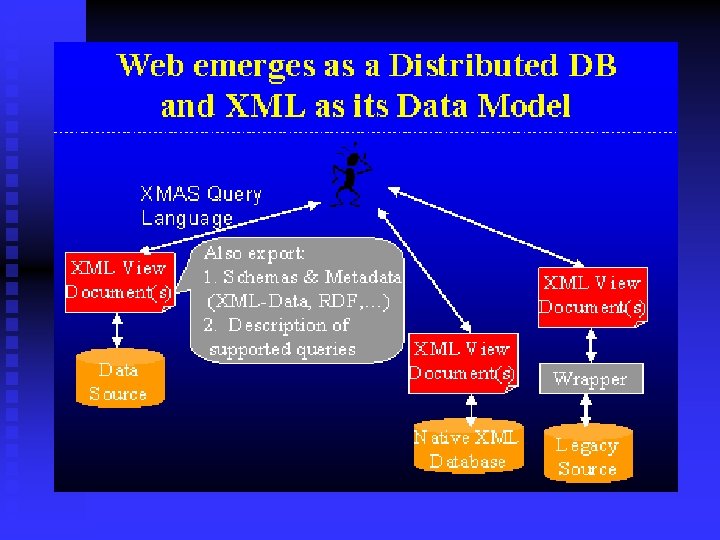
1. Sources will be exporting an XML view of their data along with semantic descriptions of the content (Source DTDs) and descriptions of the interfaces (XML queries) that may be used for accessing the data. 2. Users and applications will then be able to query these view documents using some XML query language. 3. The MIX mediator uses the source DTDs to assist the user in query formulation and the query processors in running queries more efficiently.
1. MIX’s query evaluation is done in a lazy approach (on demand), i. e. XML queries (expressed in XMAS) are unfolded and rewritten at runtime. 2. In the other approach, the eager (warehousing), the data integration occurs in a separate materialization step, before the actual user queries.
1. Conventional data repositories are not expected to be converted to XML. 2. Wrappers technologies that allow us to logically view an information source (which may be a relational database, a collection of html pages, or even a legacy information system) as a large XML source. 3. The wrappers are able to translate XMAS queries into queries or commands that the underlying source understands. 4. They are also able to translate the result of the source into XML.
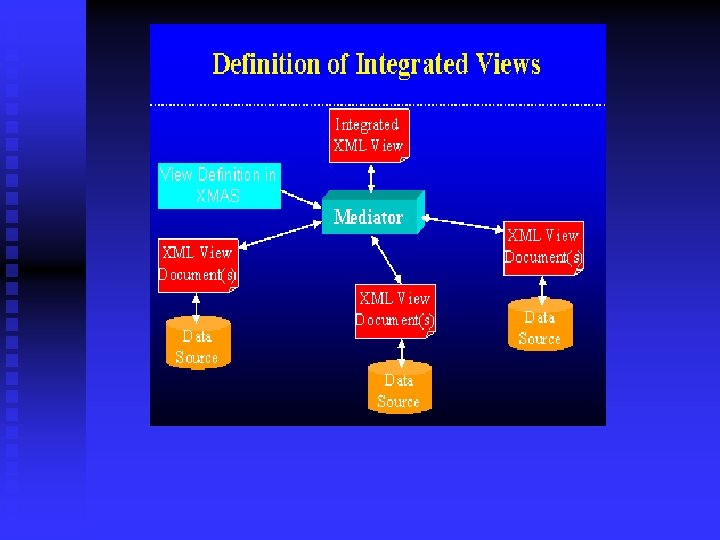
Creating Mediated Views Using MIX mediator and Querying them with BBQ • The XML documents have to be integrated. • One goal of MIX is to develop integrated views and fast. • For this the developers use XMAS as the view definition language.
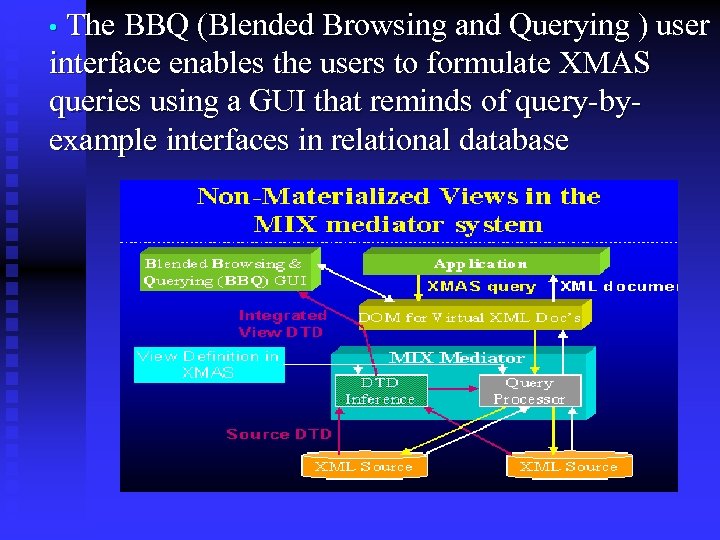
• The BBQ (Blended Browsing and Querying ) user interface enables the users to formulate XMAS queries using a GUI that reminds of query-byexample interfaces in relational database
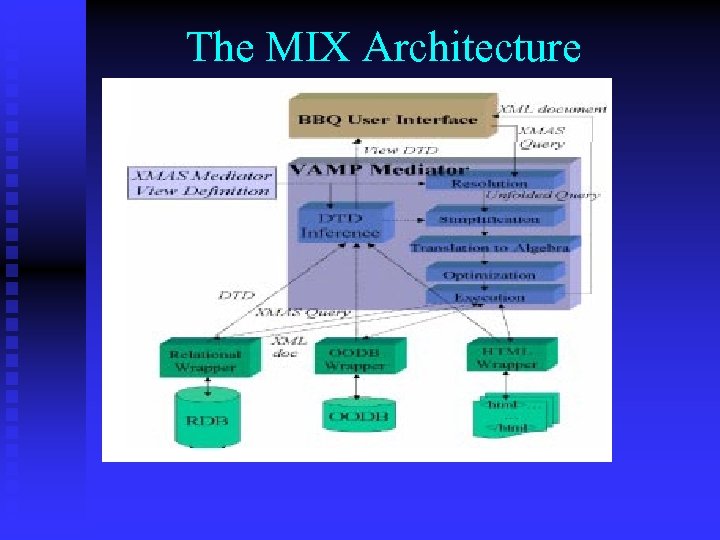
The MIX Architecture
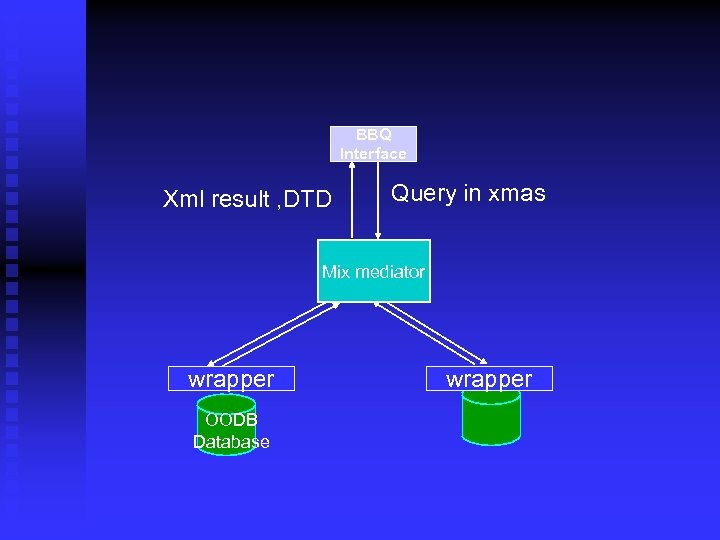
1. The graphical user interface BBQ allows the construction of queries. 2. In order to accomplish the integration, the MIX mediator comprises several modules. 3. - Its main inputs are XMAS queries generated by the BBQ, and the mediator view definition (also in XMAS) for the integrated view. 4. - The resolution module resolves the user query with the mediator view definition, resulting in a set of unfolded XML queries that refer to the wrapper views.
- The simplification module is used to further simplify the XML queries based on the underlying XML DTDs. - The DTD inference module can be used to automatically derive view DTDs from source DTDs and queries for supporting the integration task of the mediation engineer (This is done offline). - The translation module maps the simplified queries into the XMAS algebra.
- The optimization module can be used to further optimize the XMAS queries. - The execution engine issues XMAS queries against the wrappers, and returns the requested XML data to the user, after integrating the retrieved data according to the mediator view. The wrappers are used to export data in a uniformat to the mediator
The XMAS Language The data model of the sources of the mix mediator are valid XML docs n We need a way to formulate queries that can relate to data in multiple XML docs n XML document structure may be tightly structured as in a relational databases or to have no structure at all n
The XMAS Language Cont So we need a query language that is as strong as relational algebra n Preferable features of the language : n Simple formulation of queries n Will logically describe what we want to say n
Solution : XMAS stands for XML matching and structuring language n Declarative , high level language n Build upon ideas of languages like XML - QL , MSL. n
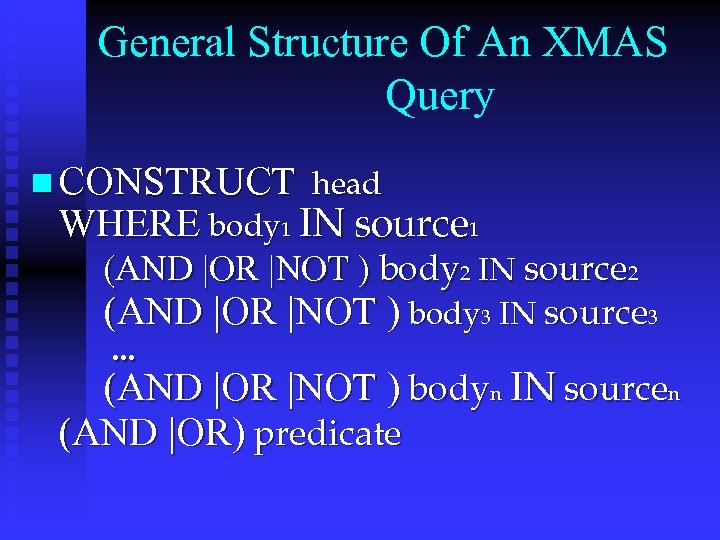
General Structure Of An XMAS Query n CONSTRUCT head WHERE body 1 IN source 1 (AND |OR |NOT ) body 2 IN source 2 (AND |OR |NOT ) body 3 IN source 3. . . (AND |OR |NOT ) bodyn IN sourcen (AND |OR) predicate
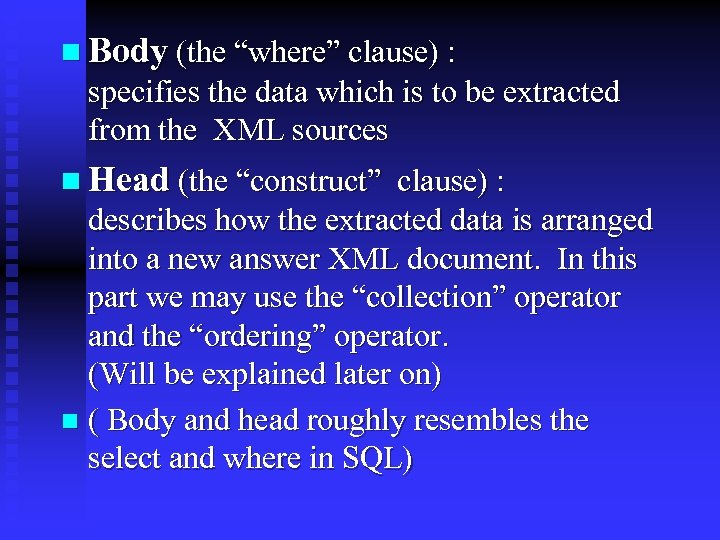
n Body (the “where” clause) : specifies the data which is to be extracted from the XML sources n Head (the “construct” clause) : describes how the extracted data is arranged into a new answer XML document. In this part we may use the “collection” operator and the “ordering” operator. (Will be explained later on) n ( Body and head roughly resembles the select and where in SQL)
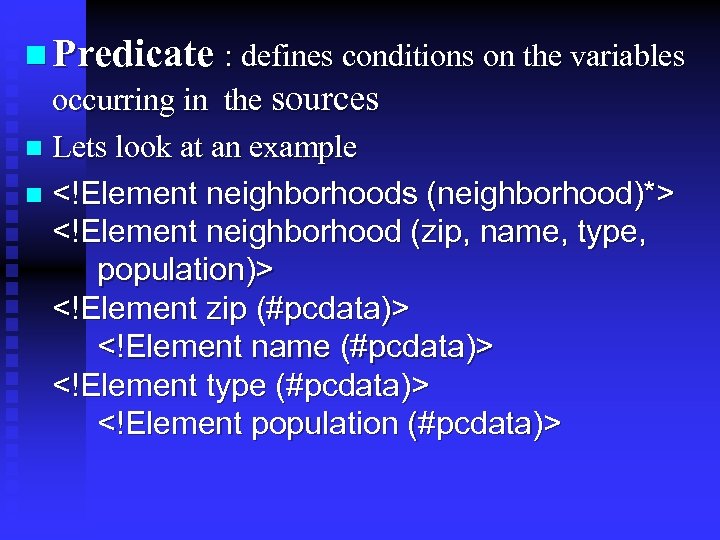
n Predicate : defines conditions on the variables occurring in the sources n Lets look at an example n <!Element neighborhoods (neighborhood)*> <!Element neighborhood (zip, name, type, population)> <!Element zip (#pcdata)> <!Element name (#pcdata)> <!Element type (#pcdata)> <!Element population (#pcdata)>
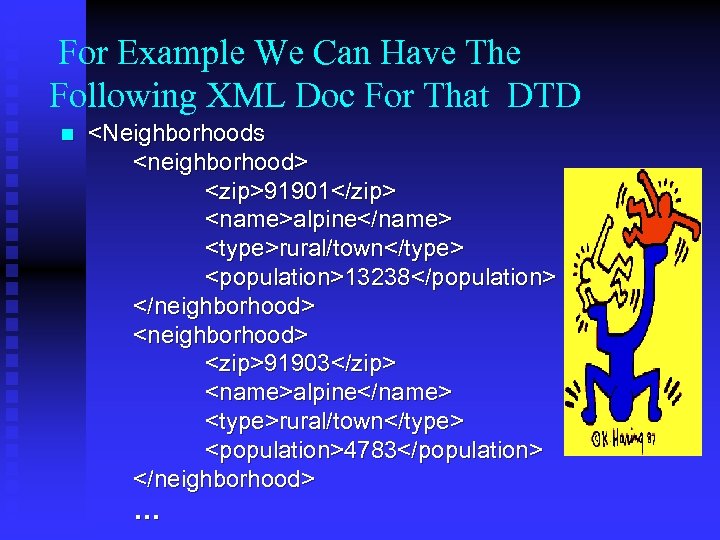
For Example We Can Have The Following XML Doc For That DTD n <Neighborhoods <neighborhood> <zip>91901</zip> <name>alpine</name> <type>rural/town</type> <population>13238</population> </neighborhood> <zip>91903</zip> <name>alpine</name> <type>rural/town</type> <population>4783</population> </neighborhood> …
Query Example n Suppose we want to retrieve all names of “big” neighborhoods , say where population is greater than 30000 n In XMAS we can write the following query:
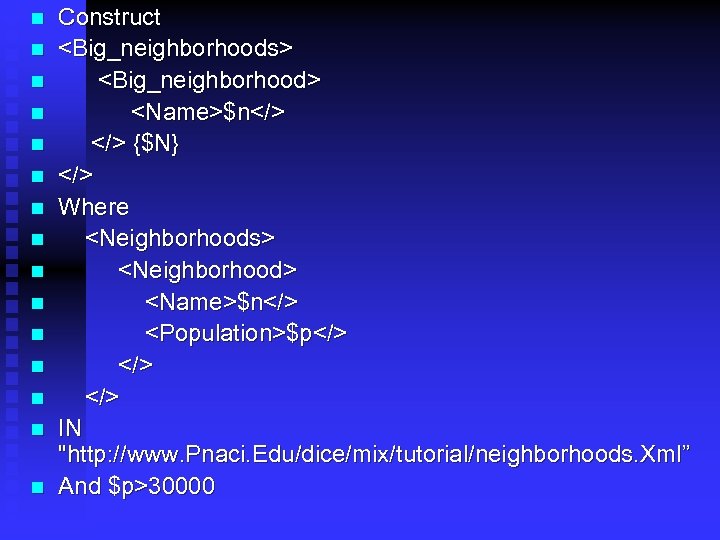
n n n n Construct <Big_neighborhoods> <Big_neighborhood> <Name>$n</> {$N} </> Where <Neighborhoods> <Neighborhood> <Name>$n</> <Population>$p</> </> IN "http: //www. Pnaci. Edu/dice/mix/tutorial/neighborhoods. Xml” And $p>30000
How Does It Work Lets look at the body of the query above. This tree pattern mimics the tree structure of the input XML document n The variables $N and $P are used to “get a hold” of the data at the corresponding locations in the tree structure representing the input XML doc. In other words , the tree pattern specifies that : the root element of the XML doc is of type big_neighborhoods n
Within big_neighborhoods there must be some big_neighborhood subelement , which itself contain name and population subelements n In this way , the tree pattern specifies a list of pairs of variable bindings for $N and $P n From this list we want to select only those which satisfy the condition $P > 30000 n To summarize , the body defines a list [(n 1; p 1); . . . ; (nk; pk)] of all variable bindings for ($N, $P), which match (or satisfy) the body n
The “head” consists of an XML tree pattern which contains some or all the of the variables of the body n In the example above , the head define a root element big_neighborhoods with a big_neighborhood subelement, having in turn a name subelement. The latter is used to hold the bindings for $N which have been obtained through the body n Using {$N} expresses that we want to have only one big_neighborhoods element that has a number of big_neighborhood subelements. (One for each name $N obtained from the body) n
The Collection Operator Is used to collect all binding of the subelemnt to be put under the father element n Has two kinds : implicit and explicit n The usage for the explicit version is {$N} where $N is a free variable in that level n For example (of the explicit usage), consider the previous example n
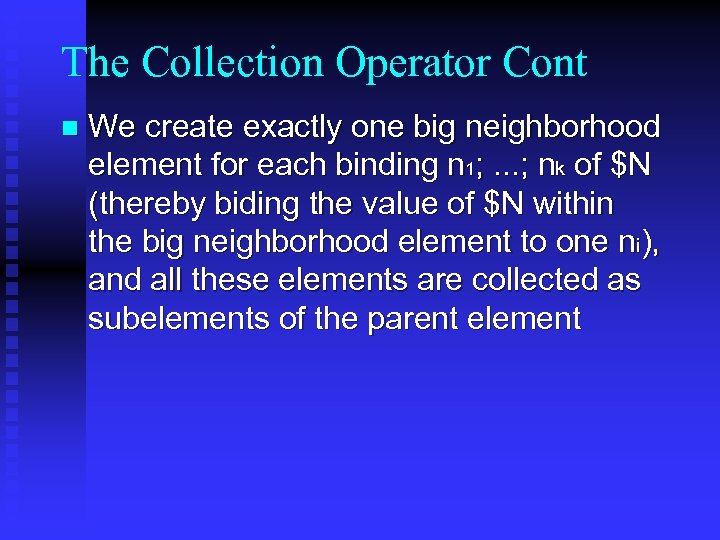
The Collection Operator Cont n We create exactly one big neighborhood element for each binding n 1; . . . ; nk of $N (thereby biding the value of $N within the big neighborhood element to one ni), and all these elements are collected as subelements of the parent element
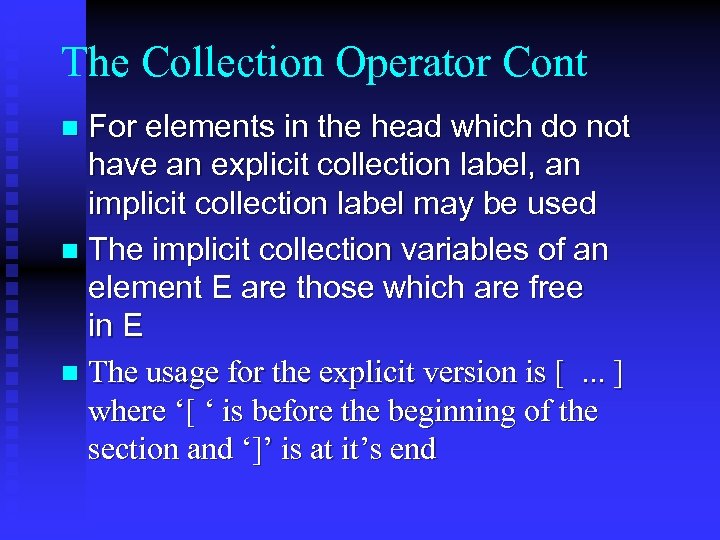
The Collection Operator Cont For elements in the head which do not have an explicit collection label, an implicit collection label may be used n The implicit collection variables of an element E are those which are free in E n The usage for the explicit version is [. . . ] where ‘[ ‘ is before the beginning of the section and ‘]’ is at it’s end n
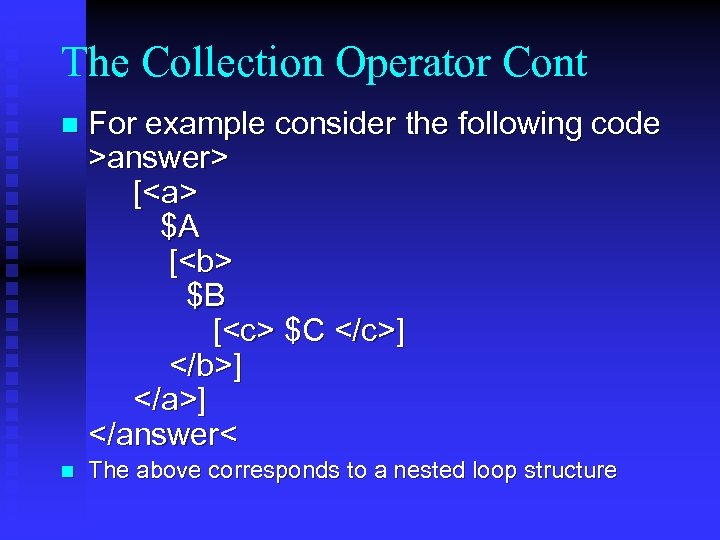
The Collection Operator Cont n For example consider the following code >answer> [<a> $A [<b> $B [<c> $C </c>] </b>] </answer< n The above corresponds to a nested loop structure
The Ordering Operator All subelemnts binding may be ordered by a given order n If no order is specified a default order is used. (Based on the order in which the data was found) n Example : consider the next DTD and the given query after it n
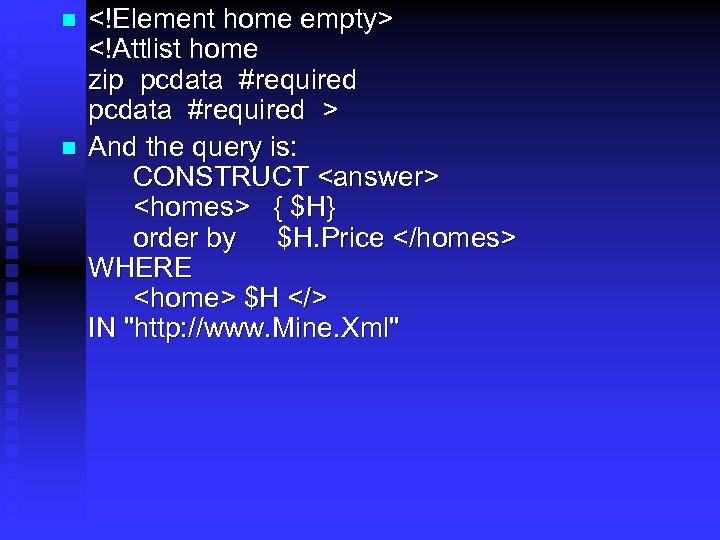
n n <!Element home empty> <!Attlist home zip pcdata #required > And the query is: CONSTRUCT <answer> <homes> { $H} order by $H. Price </homes> WHERE <home> $H </> IN "http: //www. Mine. Xml"
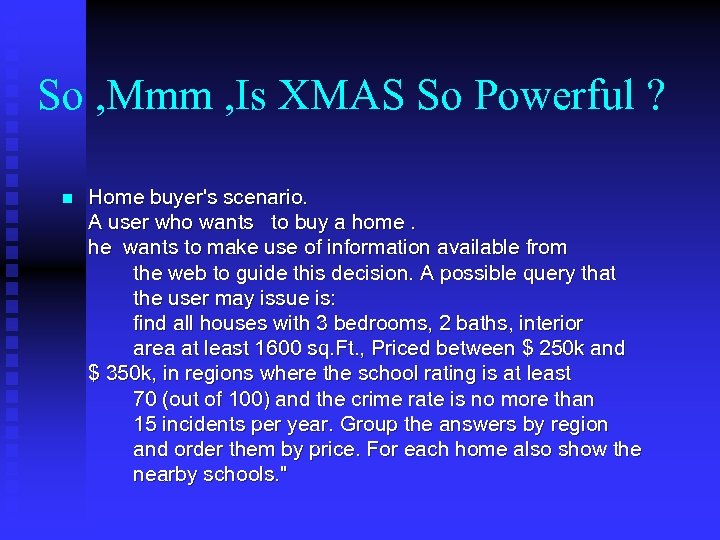
So , Mmm , Is XMAS So Powerful ? n Home buyer's scenario. A user who wants to buy a home. he wants to make use of information available from the web to guide this decision. A possible query that the user may issue is: find all houses with 3 bedrooms, 2 baths, interior area at least 1600 sq. Ft. , Priced between $ 250 k and $ 350 k, in regions where the school rating is at least 70 (out of 100) and the crime rate is no more than 15 incidents per year. Group the answers by region and order them by price. For each home also show the nearby schools. "
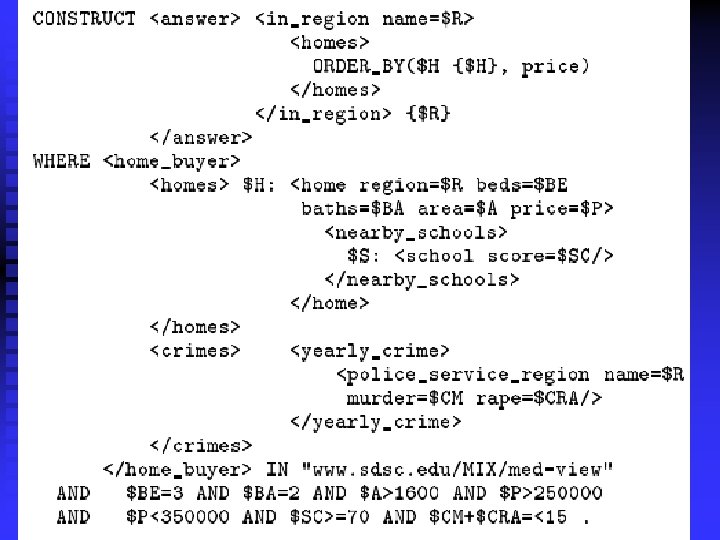

Strong As Relational Algebra n n n As mentioned before , one of the features of XMAS is that it is as expressive as relational algebra. some examples for this : Selection : selection on a variable is made in the ‘predicate’ part of the query: Projection: write in the head just those variable that you want to project
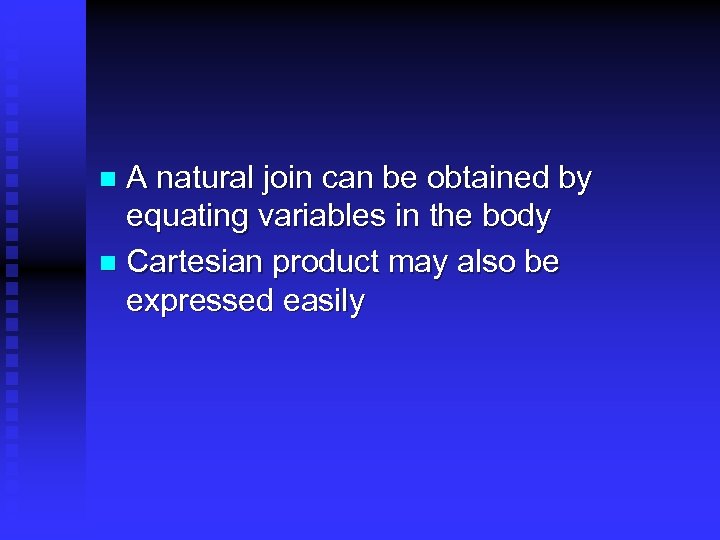
A natural join can be obtained by equating variables in the body n Cartesian product may also be expressed easily n
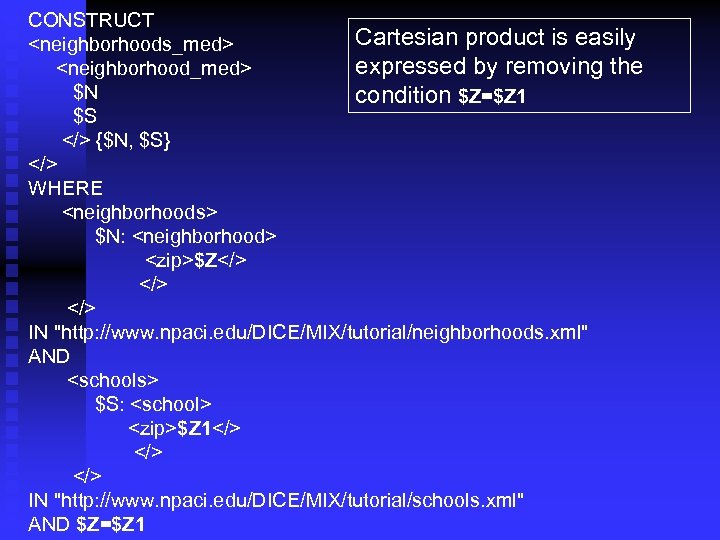
CONSTRUCT Cartesian product is easily <neighborhoods_med> expressed by removing the <neighborhood_med> $N condition $Z=$Z 1 $S </> {$N, $S} </> WHERE <neighborhoods> $N: <neighborhood> <zip>$Z</> </> IN "http: //www. npaci. edu/DICE/MIX/tutorial/neighborhoods. xml" AND <schools> $S: <school> <zip>$Z 1</> </> IN "http: //www. npaci. edu/DICE/MIX/tutorial/schools. xml" AND $Z=$Z 1

Merry XMAS
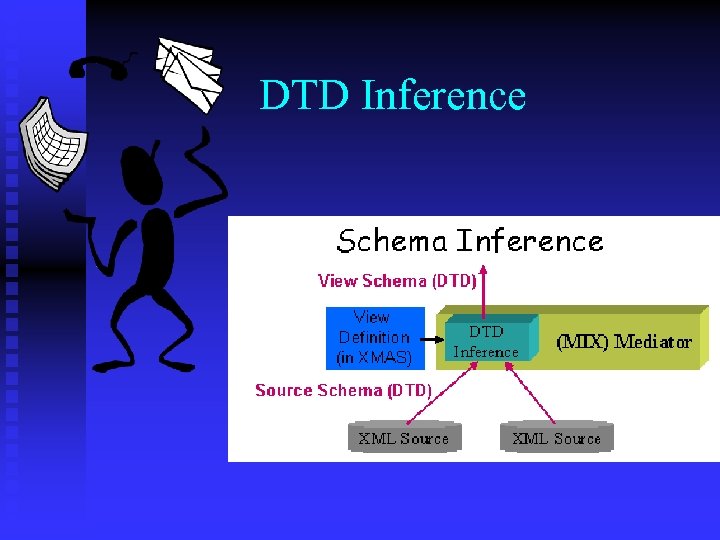
DTD Inference
The MIX mediator and the advantages of living with DTDprovided structure • The MIX mediator employs DTDs to assist the user in information discovery, query formulation and to allow the query processor to derive more efficient plans. • The view DTD inference module derive view DTD given the source DTDs and the view.
1. The view DTD is passed to the DTD-based query interface to enable query formulation. 2. A DTD inference algorithms developed for a limited class of XMAS queries/views. 3. - pick-elements XMAS queries, i. e. , queries whose SELECT clause has a single variable, called pick-variable, that binds to elements and WHERE clause consists of a single condition that is applied to only one source.
1. It is easy to compute a loose DTD for a view but it is critical to the query interface and the query processor to get the one that describe the view as precisely as possible.
1. Also “precise” view DTDs may have other applications than ours, for example, it may be used as a toolkit for generating XSL style sheets for presentation of the view. 2. A criterion for judging the precision of a view DTD is tightness. 3. A DTD d 1 is tighter then a DTD d 2 if every document described by d 1 also described by d 2. 4. The tightness criterion can be a benchmark for other powerful view definition languages and view inference algorithms.
1. So the view DTD inference algorithm attempts to derive to tightest DTD that contains all the possible documents that may appear as the content of the view. 2. Unfortunately, even the tightest view DTD describes structures that can never appear as the view’s content. 3. For this the view DTD inference algorithm derive an extended form of DTDs that typically does not have non-tightness problems known as Specialized DTDs.
Model and Query Language Framework 1. The focus is on XML documents that meet the following requirements: 2. - XML always valid i. e. Have a DTD. 3. - There are no other attributes than the ID attribute and all elements have an ID attribute. 4. - There are no empty elements but elements with empty content are allowed. 5. - Mix content elements are not allowed i. e elements whose content mixes strings with elements
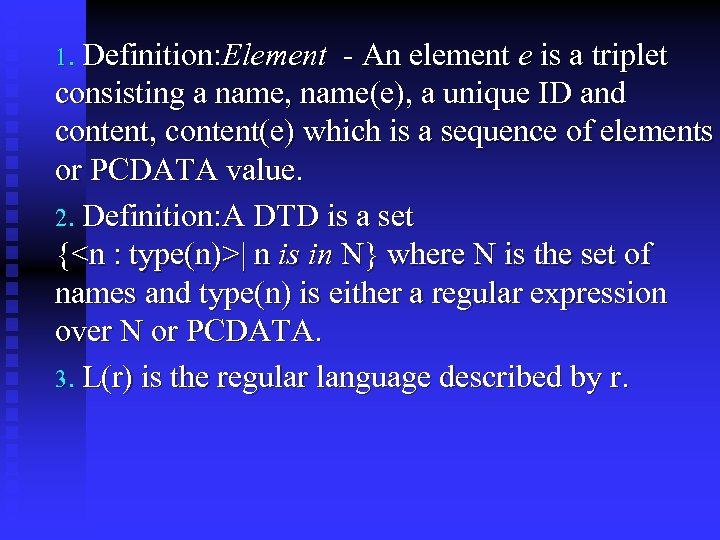
1. Definition: Element - An element e is a triplet consisting a name, name(e), a unique ID and content, content(e) which is a sequence of elements or PCDATA value. 2. Definition: A DTD is a set {<n : type(n)>| n is in N} where N is the set of names and type(n) is either a regular expression over N or PCDATA. 3. L(r) is the regular language described by r.
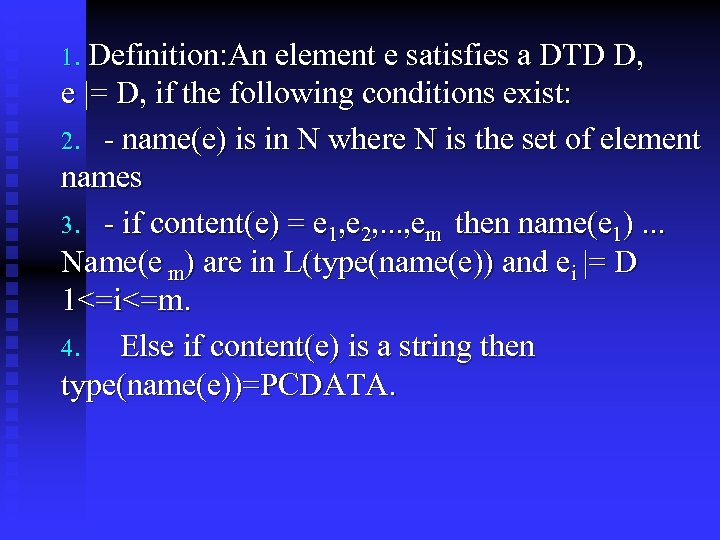
1. Definition: An element e satisfies a DTD D, e |= D, if the following conditions exist: 2. - name(e) is in N where N is the set of element names 3. - if content(e) = e 1, e 2, . . . , em then name(e 1). . . Name(e m) are in L(type(name(e)) and ei |= D 1<=i<=m. 4. Else if content(e) is a string then type(name(e))=PCDATA.
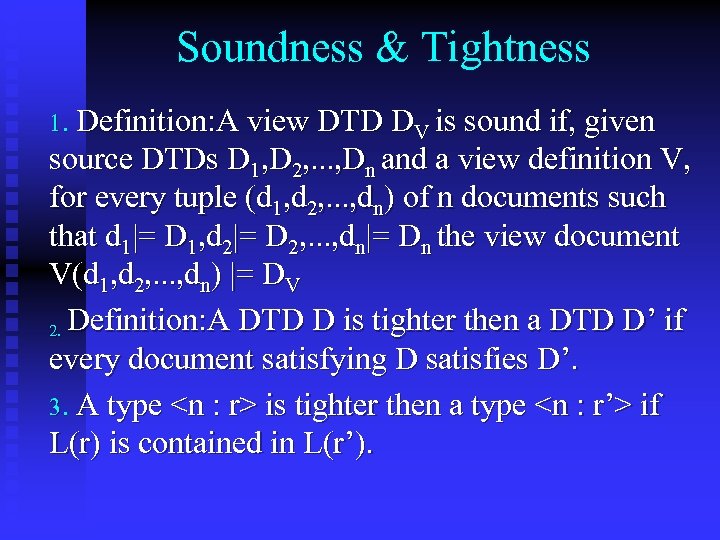
Soundness & Tightness 1. Definition: A view DTD DV is sound if, given source DTDs D 1, D 2, . . . , Dn and a view definition V, for every tuple (d 1, d 2, . . . , dn) of n documents such that d 1|= D 1, d 2|= D 2, . . . , dn|= Dn the view document V(d 1, d 2, . . . , dn) |= DV 2. Definition: A DTD D is tighter then a DTD D’ if every document satisfying D satisfies D’. 3. A type <n : r> is tighter then a type <n : r’> if L(r) is contained in L(r’).
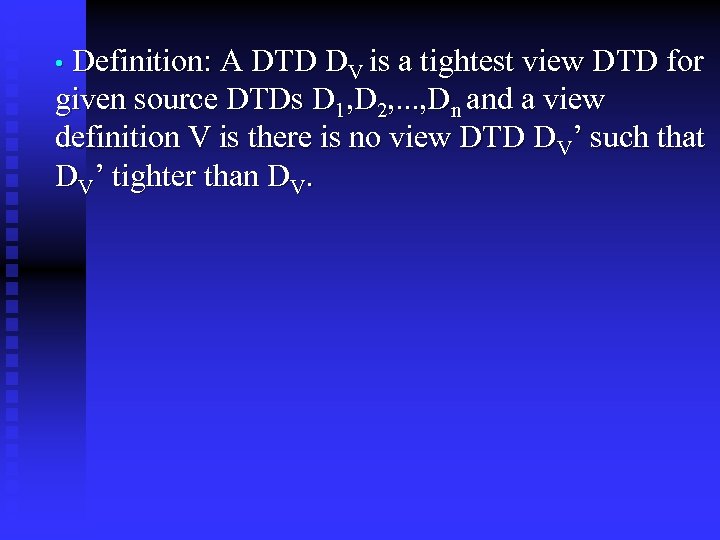
• Definition: A DTD DV is a tightest view DTD for given source DTDs D 1, D 2, . . . , Dn and a view definition V is there is no view DTD DV’ such that DV’ tighter than DV.

Structural Tightness • In many practical cases even the tightest view DTDs describe view document structures that cannot be produced by the view. • This information loss phenomenon is formalized by introducing the structural tightness property of view DTDs.
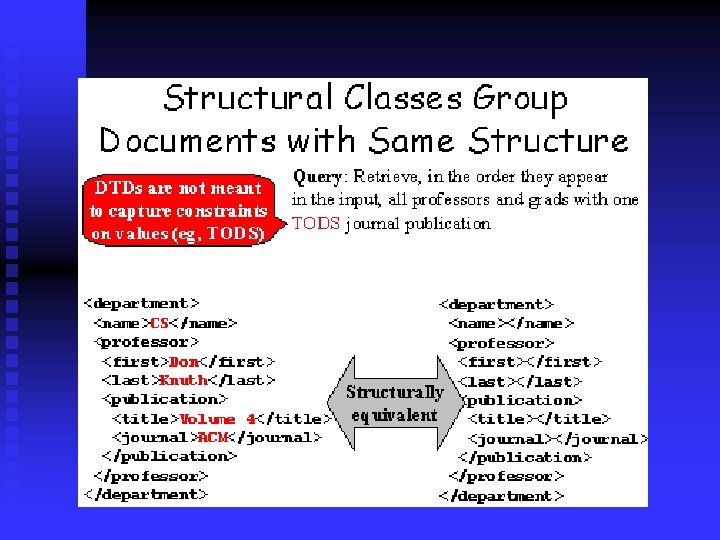
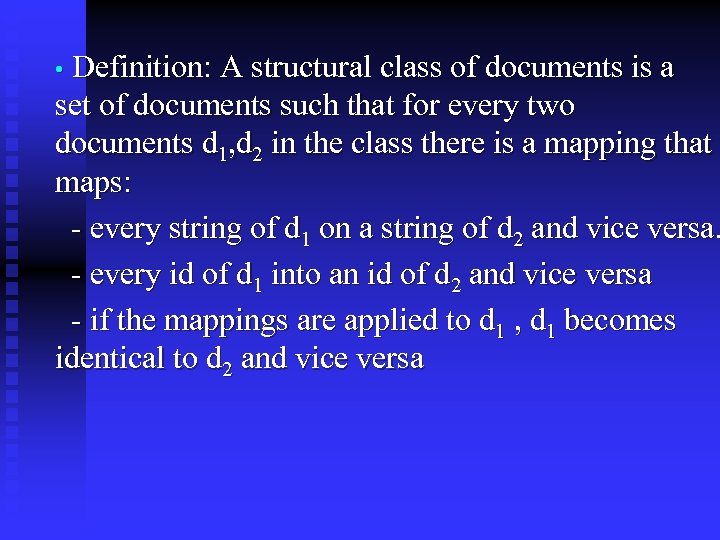
• Definition: A structural class of documents is a set of documents such that for every two documents d 1, d 2 in the class there is a mapping that maps: - every string of d 1 on a string of d 2 and vice versa. - every id of d 1 into an id of d 2 and vice versa - if the mappings are applied to d 1 , d 1 becomes identical to d 2 and vice versa
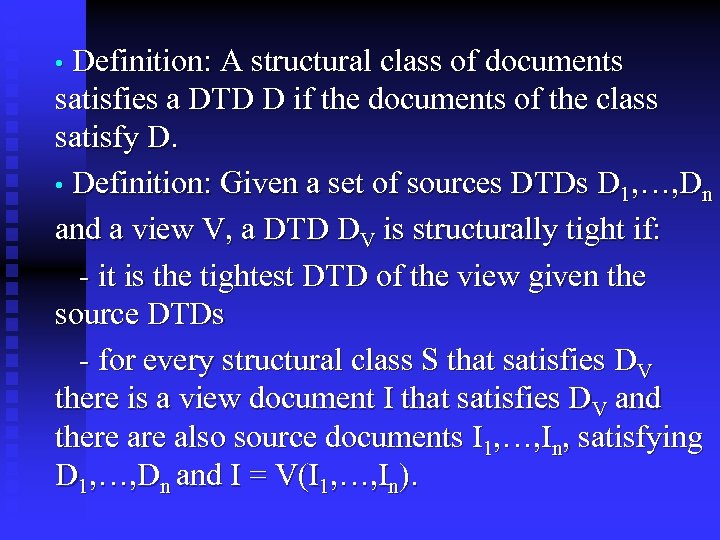
• Definition: A structural class of documents satisfies a DTD D if the documents of the class satisfy D. • Definition: Given a set of sources DTDs D 1, …, Dn and a view V, a DTD DV is structurally tight if: - it is the tightest DTD of the view given the source DTDs - for every structural class S that satisfies DV there is a view document I that satisfies DV and there also source documents I 1, …, In, satisfying D 1, …, Dn and I = V(I 1, …, In).
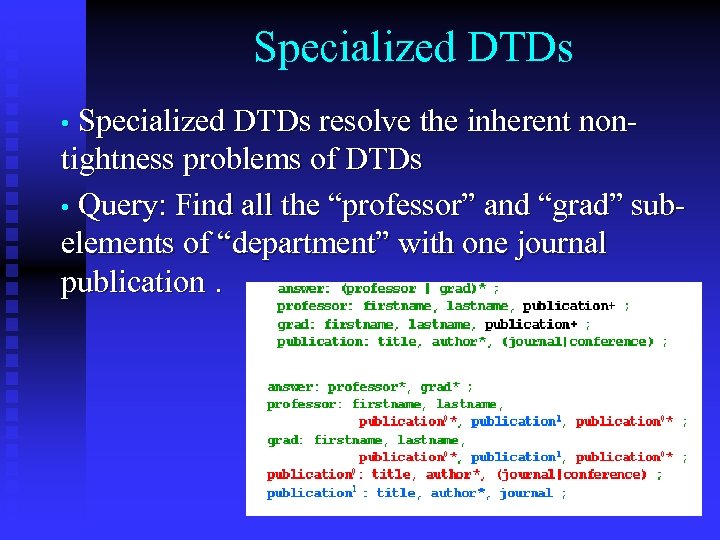
Specialized DTDs • Specialized DTDs resolve the inherent non- tightness problems of DTDs • Query: Find all the “professor” and “grad” subelements of “department” with one journal publication.
How specialized DTDs are computed? • The DTD tightening algorithm recursively “tightens” each type of the initial DTD by means of the type refinement algorithm. • Definition: The type refinement refine(r, n) of a regular expression r given a name n is the regular expression r’ that describes all strings L(r) that contain at least one instance of n.
Converting s-DTDs to DTDs • First we obtain the images of all types of the s- DTDs. • Then we merge all images that have the same name.
Schema Inference Algorithm • Refinement - Tightens individual types • Specialization - uses the refinement algorithm and tightens the whole input document. • Result List Type Inference. - Discovers the names and order of the types that appear in the result.
Future Work • Powerful Query Languages - group-by, nest, navigation using recursive paths in the vertical and horizontal direction, check order, manipulate order. • More powerful/flexible schema descriptions - XML-Data, DCDs, many academic proposals • Conditions for existence of tight/tightest DTDs. • Other quality metrics for a view DTD.
The BBQ application introduction n BBQ stand for “ Blended Browsing and Querying” - a graphical user interface for browsing and querying XML data sources. n There are very few visual interfaces for querying and browsing semistructured data, and fewer for XML.
introduction cont. n BBQ support query refinement by having query results be sources used in subsequent queries. Users can construct a query result document (essentially a virtual view) and that document becomes a first-class data source within BBQ, meaning it can be browsed, queried, or used to construct another query result document.
introduction cont. n This is quiet useful if the user does not know , in advance , what exactly he is looking for. n The interface allows users to quickly create complex queries without writing XMAS syntax by hand. n BBQ displays the structure of multiple data sources using a paradigm that resembles drilling-down in Windows’ director structures.
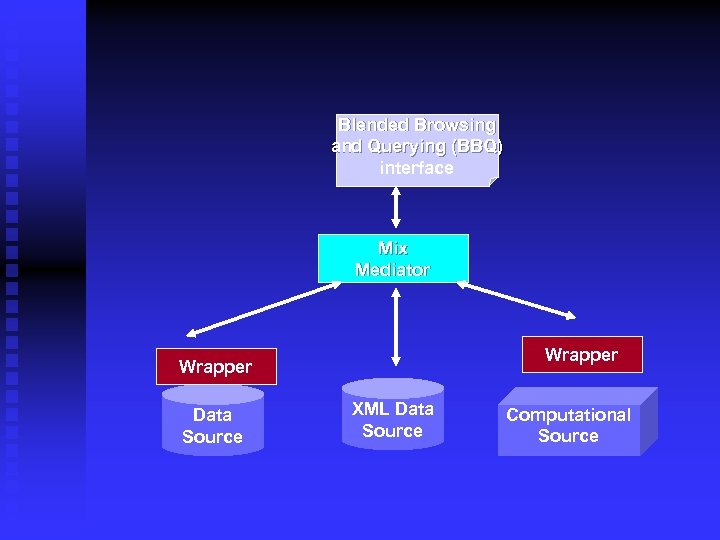
Blended Browsing and Querying (BBQ) interface Mix Mediator Wrapper Data Source XML Data Source Computational Source
The BBQ interface n n BBQ , which is XML driven, uses a set of DTDs exported by the MIX mediator. They will be referred from now on as base DTDs The BBQ interface consists of one main window and zero or more floating windows. The main window contains a of toolbar, a split pane, and a message console, while the floating windows contain a toolbar and split pane only.
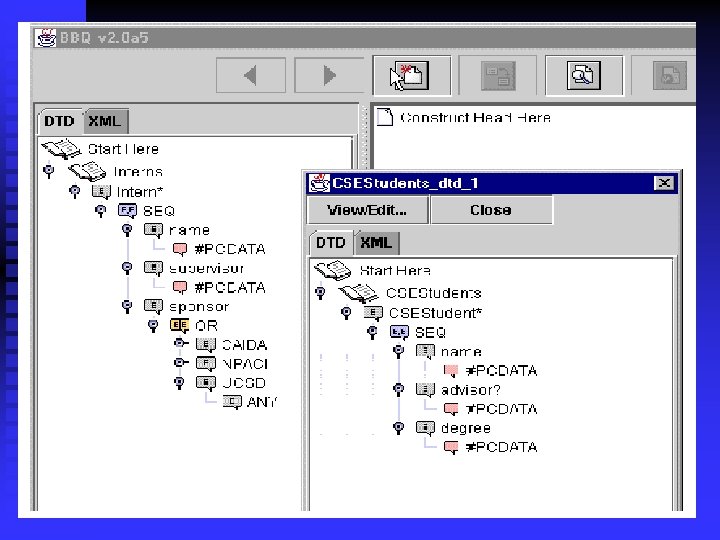
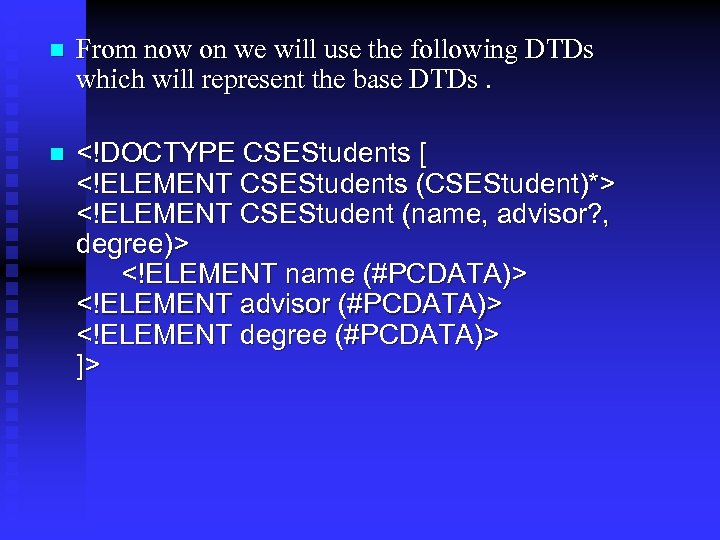
n From now on we will use the following DTDs which will represent the base DTDs. n <!DOCTYPE CSEStudents [ <!ELEMENT CSEStudents (CSEStudent)*> <!ELEMENT CSEStudent (name, advisor? , degree)> <!ELEMENT name (#PCDATA)> <!ELEMENT advisor (#PCDATA)> <!ELEMENT degree (#PCDATA)> ]>
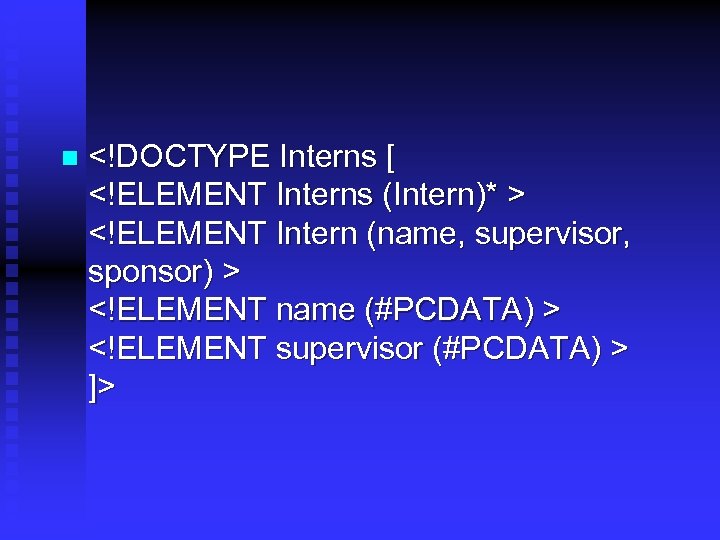
n <!DOCTYPE Interns [ <!ELEMENT Interns (Intern)* > <!ELEMENT Intern (name, supervisor, sponsor) > <!ELEMENT name (#PCDATA) > <!ELEMENT supervisor (#PCDATA) > ]>
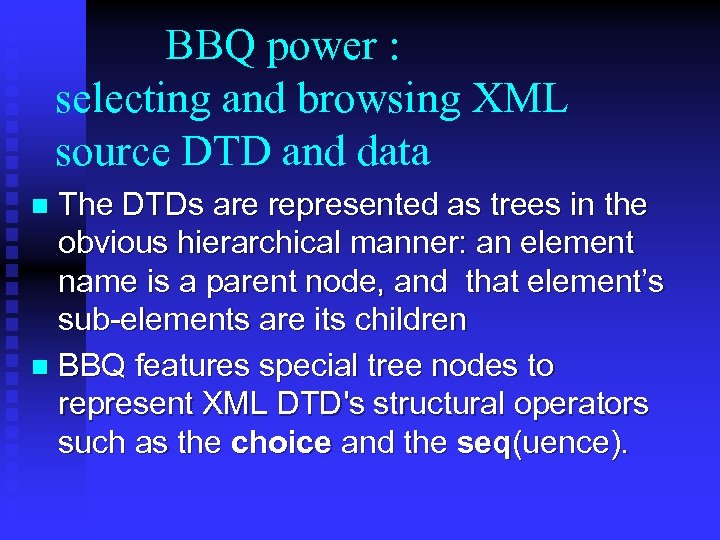
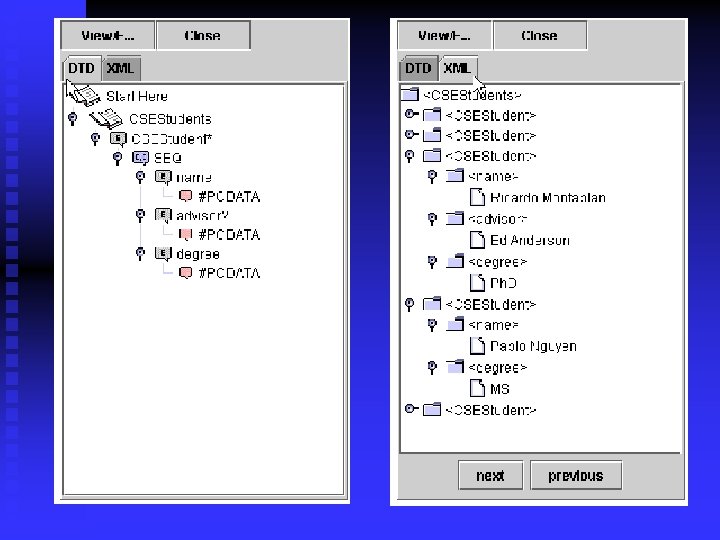
BBQ power : selecting and browsing XML source DTD and data The DTDs are represented as trees in the obvious hierarchical manner: an element name is a parent node, and that element’s sub-elements are its children n BBQ features special tree nodes to represent XML DTD's structural operators such as the choice and the seq(uence). n
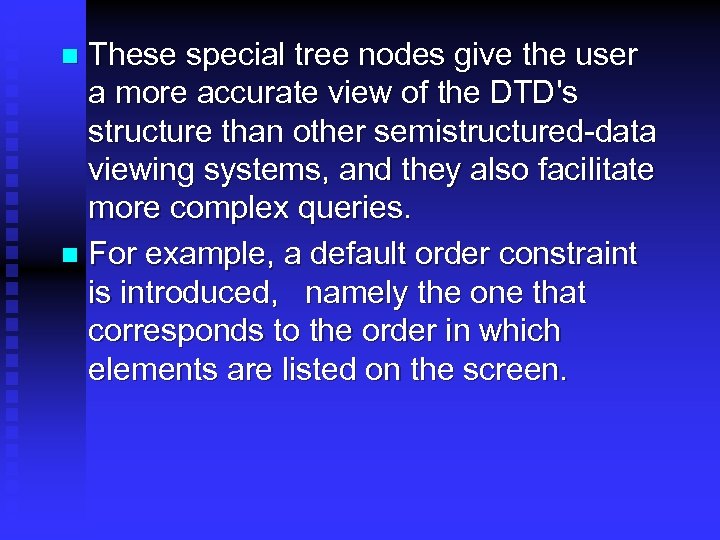
These special tree nodes give the user a more accurate view of the DTD's structure than other semistructured-data viewing systems, and they also facilitate more complex queries. n For example, a default order constraint is introduced, namely the one that corresponds to the order in which elements are listed on the screen. n
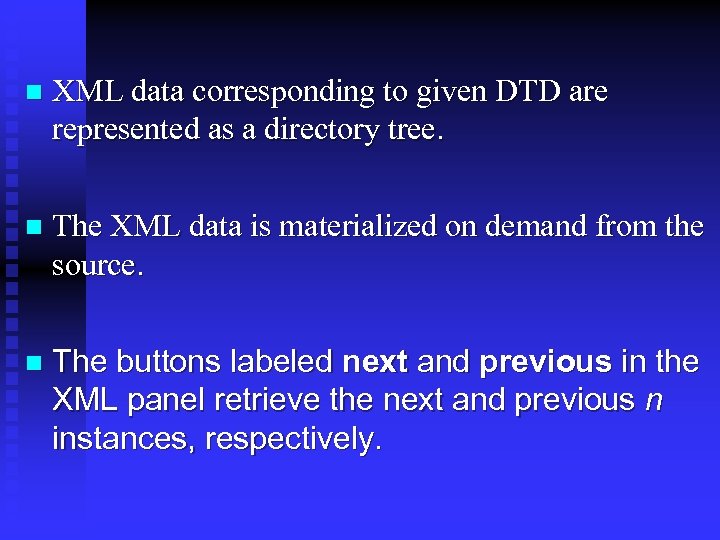
n XML data corresponding to given DTD are represented as a directory tree. n The XML data is materialized on demand from the source. n The buttons labeled next and previous in the XML panel retrieve the next and previous n instances, respectively.
BBQ power cont. Creating XMAS Queries with BBQ A query session is the set of events that occur while BBQ is connected to the mediator. n Each query session consists of one or more query cycles. A query cycle is the set of events that starts with the user constructing a query, and ends with the user browsing the query result. n
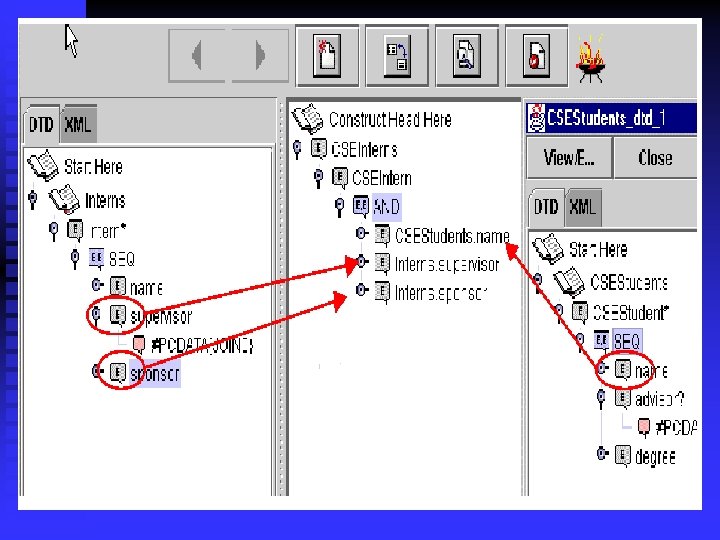
The basic BBQ query cycles takes place in four steps : n First, constraints are set on the data sources. n Second, a tree representing the query result schema is created by dragging and dropping elements. n Third, the XMAS query is generated and submitted to the mediator. n Fourth, a DTD is generated for the query result and the query result schema and data are displayed. n
First step: constraints set Constraints can be set on the leaf nodes of the DTD tree or XML tree. Constraints cannot be set on nonleaf nodes n The operators are a basic set of comparators (’=’, ’<=’, ’>=’, ’<’, ’>’, ’substr’) n
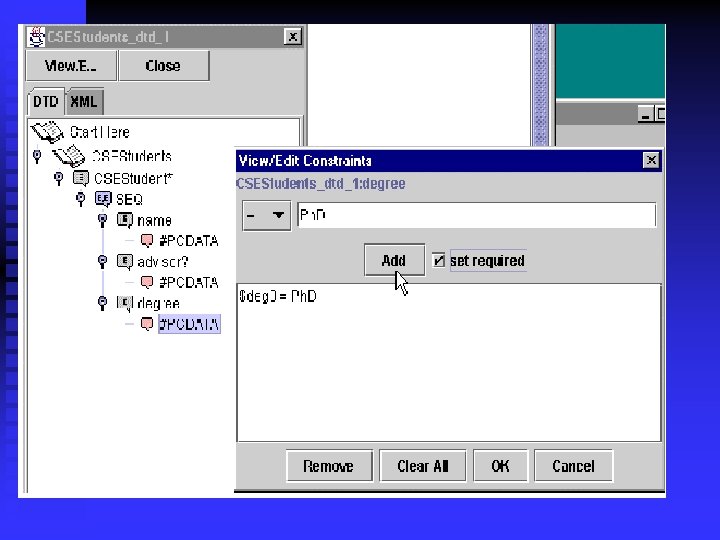
Example n The user right-clicks the degree element and selects "View/Edit Constraint. . . ” from the popup menu. This action brings up the "View/Edit Constraint" dialog box, where “=” is selected as the operator, and “Ph. D” is typed in as the operand. At this point, the user clicks “OK
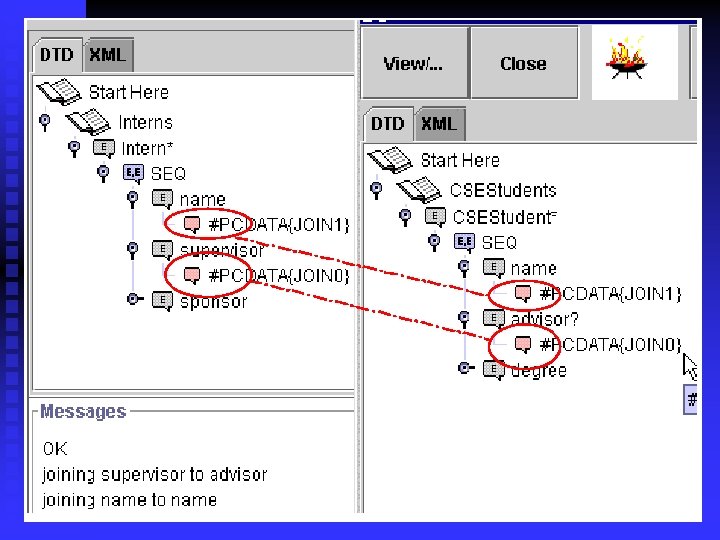
n Joins can take place within a data source or across data sources. Creating a join in BBQ is as simple as selecting one leaf element, and dragging and dropping it onto another leaf elements n Suppose the user is interested in CSEStudents who are also interns, and whose advisor is also their supervisor.
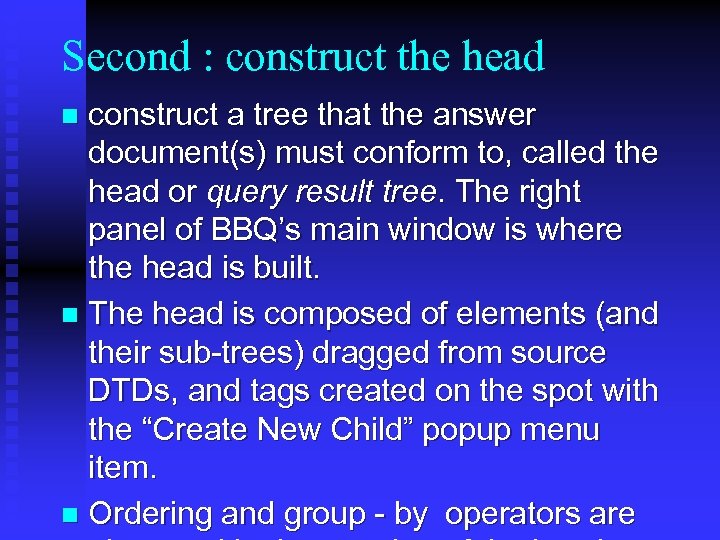
Second : construct the head construct a tree that the answer document(s) must conform to, called the head or query result tree. The right panel of BBQ’s main window is where the head is built. n The head is composed of elements (and their sub-trees) dragged from source DTDs, and tags created on the spot with the “Create New Child” popup menu item. n Ordering and group - by operators are n
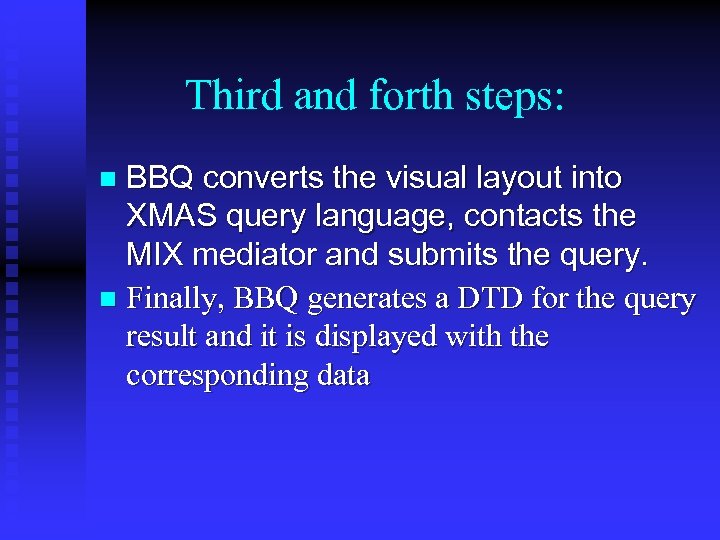
Third and forth steps: BBQ converts the visual layout into XMAS query language, contacts the MIX mediator and submits the query. n Finally, BBQ generates a DTD for the query result and it is displayed with the corresponding data n
BBQ Interface Xml result , DTD Query in xmas Mix mediator wrapper OODB Database wrapper
Important things to remember about the BBQ Enable the query creator to construct queries in an easy and graphical-oriented way. n Graphically support all the features of the XMAS query language. n Supports blended browsing and querying n accurate representation of DTDs and XML data. n
n n n Allows graphical represantion for the query result also. DTD for the result XML page of the given query is created by the DTD -inference mechanism. Because of that , we may treat the query result as any other XML source we use. ( so we may use this result as one of the sources used to build new queries.
n These is usually the case when we want to get some information from the internet. We don’t know exactly what we are looking for , and the results of the first queries aim us towards the goal of our search. Mix mediator
Selected biblography n Enhancing Semistructured Data Mediators with Document Type Denitions by Yannis Papakonstantinou, Pavel Velikhov n BBQ: A Visual Interface for Integrated Browsing and Querying of XML Kevin D. Munroe, Yannis Papakonstantinou XML-Based Information Mediation with MIX Chaitanya Baru Amarnath Gupta Bertram Lud ascher Introduction to XMAS by the XMAS sub-group of MIX n n
Скачать презентацию ation of Information using Xml project BY Amir
7efd8dbb01d578e87a53fb1916b1ab3e.ppt