


 Скачать презентацию Assets Management EGN 5622 Enterprise Systems Integration Spring
d8a1a9661b92e5214f2bdcecfa1bcd9d.ppt
- Количество слайдов: 38
 Assets Management EGN 5622 Enterprise Systems Integration Spring, 2013
 Assets Management Concepts & Theories
 Asset Accounting Concerned with tracking the financial consequences associated with the entire lifecycle of an asset, from acquisition to disposal (retirement). Assets can be categorized as tangible, intangible, and financial 3
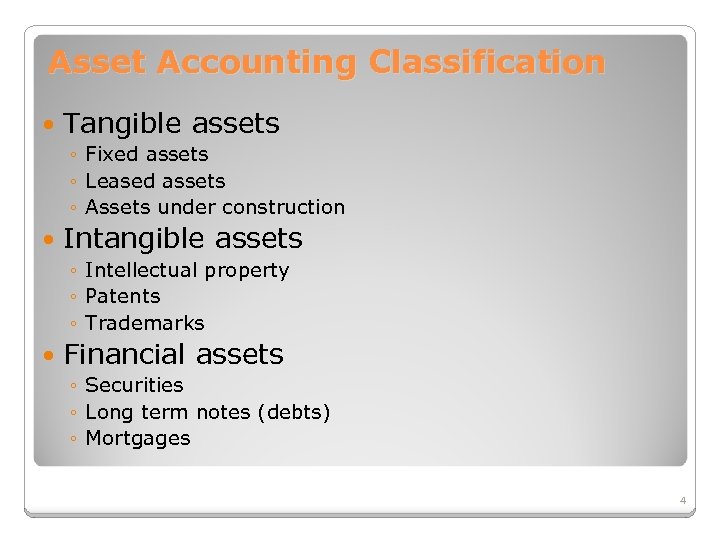 Asset Accounting Classification Tangible assets ◦ Fixed assets ◦ Leased assets ◦ Assets under construction Intangible assets ◦ Intellectual property ◦ Patents ◦ Trademarks Financial assets ◦ Securities ◦ Long term notes (debts) ◦ Mortgages 4
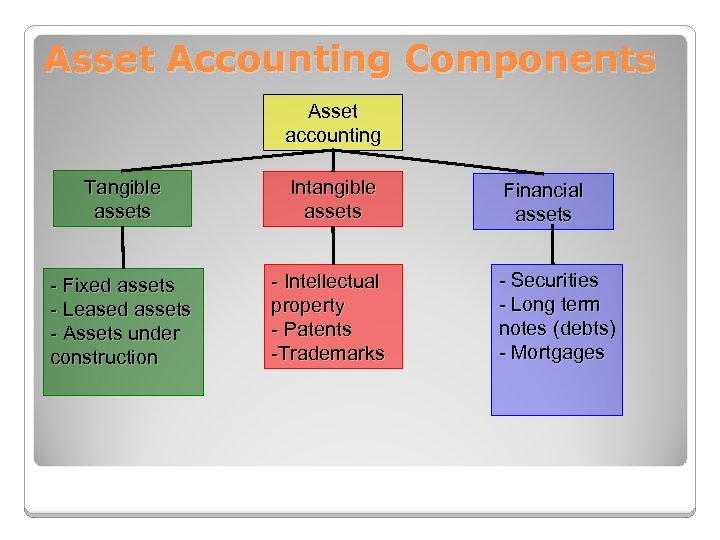 Asset Accounting Components Asset accounting Tangible assets Intangible assets - Fixed assets - Leased assets - Assets under construction - Intellectual property - Patents -Trademarks Financial assets - Securities - Long term notes (debts) - Mortgages
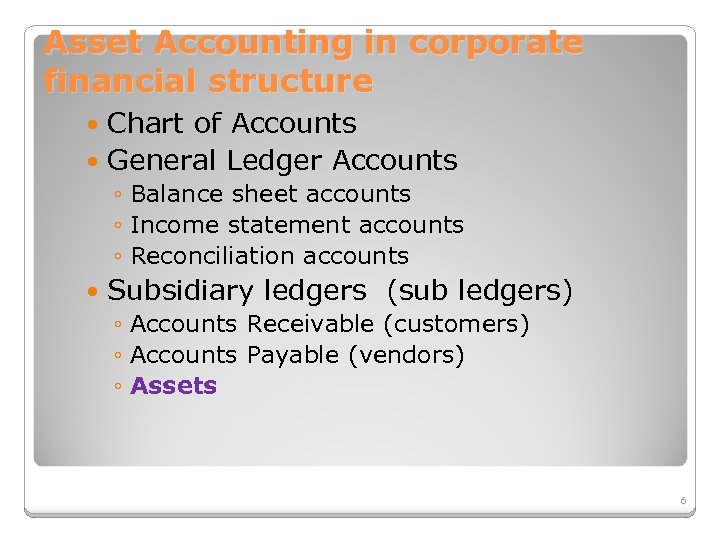 Asset Accounting in corporate financial structure Chart of Accounts General Ledger Accounts ◦ Balance sheet accounts ◦ Income statement accounts ◦ Reconciliation accounts Subsidiary ledgers (sub ledgers) ◦ Accounts Receivable (customers) ◦ Accounts Payable (vendors) ◦ Assets 6
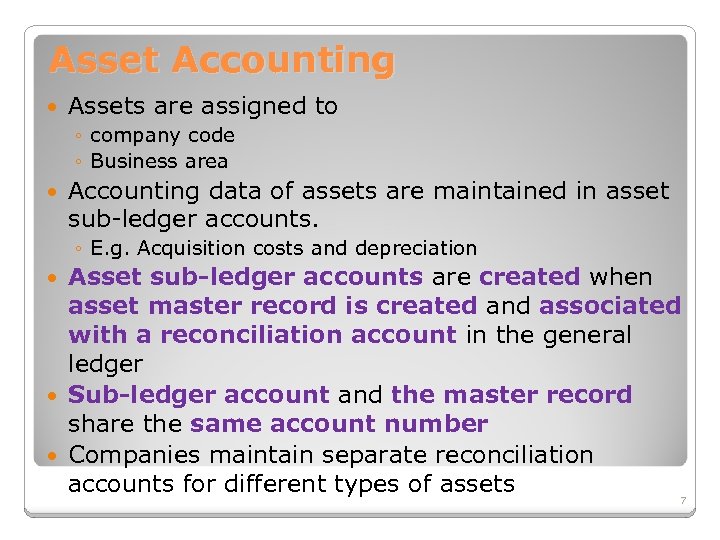 Asset Accounting Assets are assigned to ◦ company code ◦ Business area Accounting data of assets are maintained in asset sub-ledger accounts. ◦ E. g. Acquisition costs and depreciation Asset sub-ledger accounts are created when asset master record is created and associated with a reconciliation account in the general ledger Sub-ledger account and the master record share the same account number Companies maintain separate reconciliation accounts for different types of assets 7
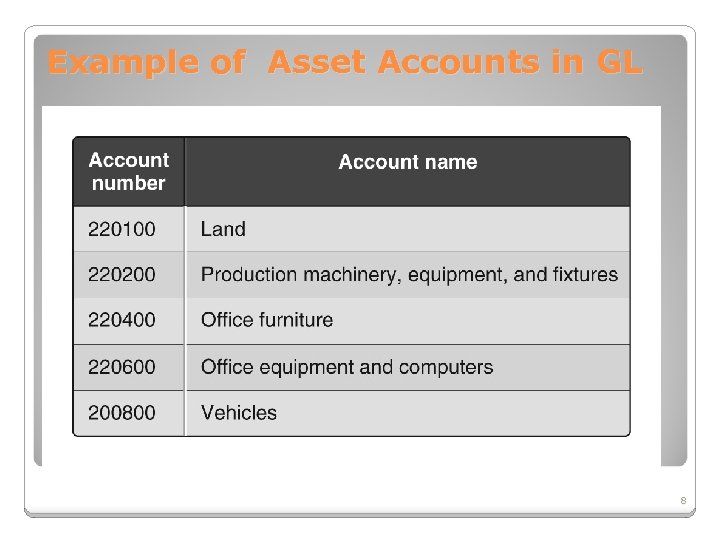 Example of Asset Accounts in GL 8
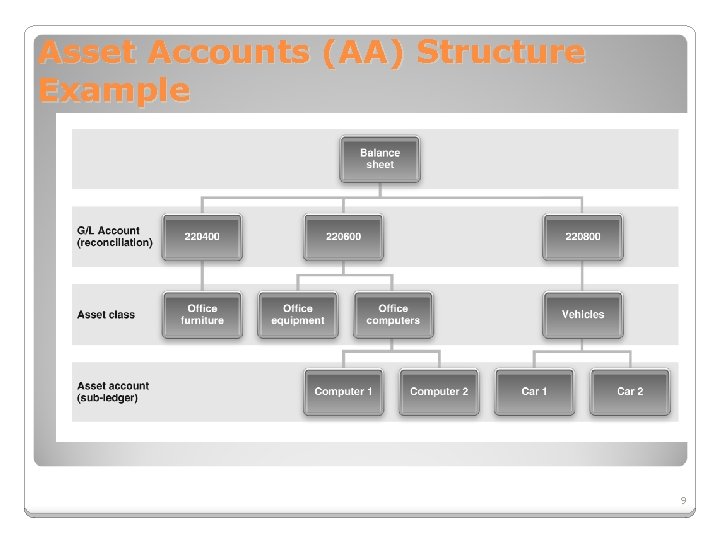 Asset Accounts (AA) Structure Example 9
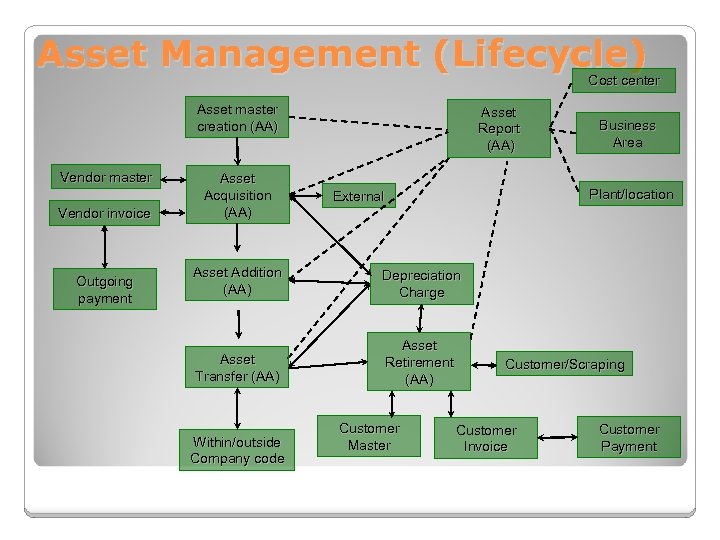 Asset Management (Lifecycle) Cost center Asset master creation (AA) Vendor master Vendor invoice Outgoing payment Asset Acquisition (AA) Asset Report (AA) Business Area Plant/location External Asset Addition (AA) Depreciation Charge Asset Transfer (AA) Asset Retirement (AA) Within/outside Company code Customer Master Customer/Scraping Customer Invoice Customer Payment
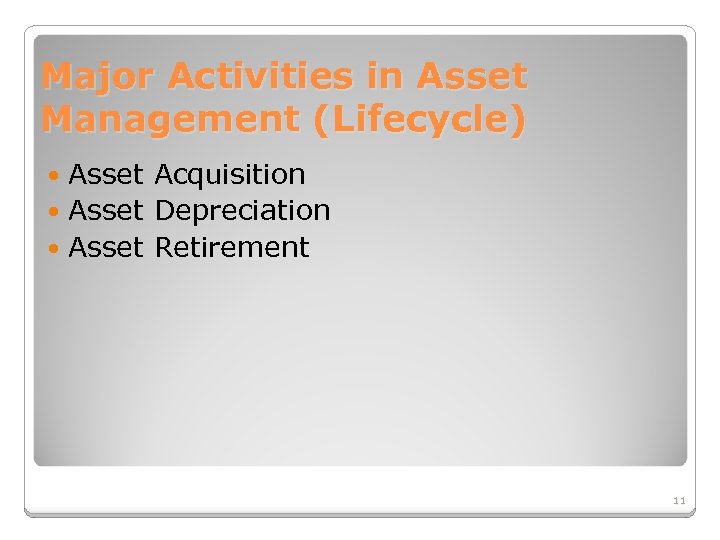 Major Activities in Asset Management (Lifecycle) Asset Acquisition Asset Depreciation Asset Retirement 11
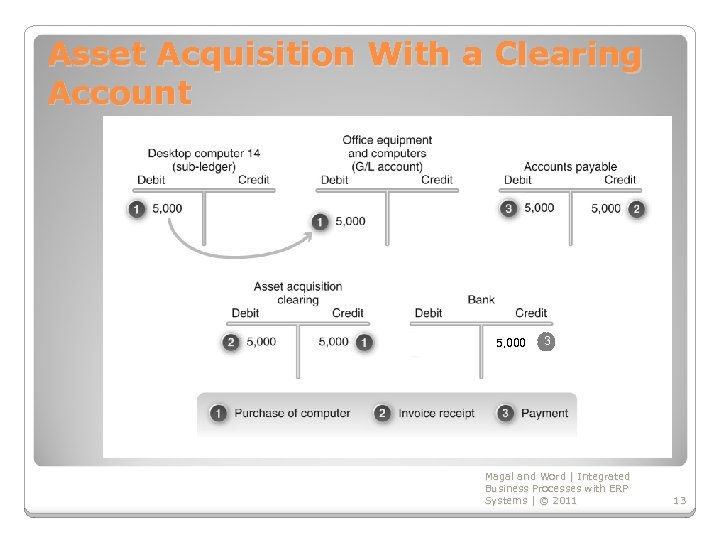
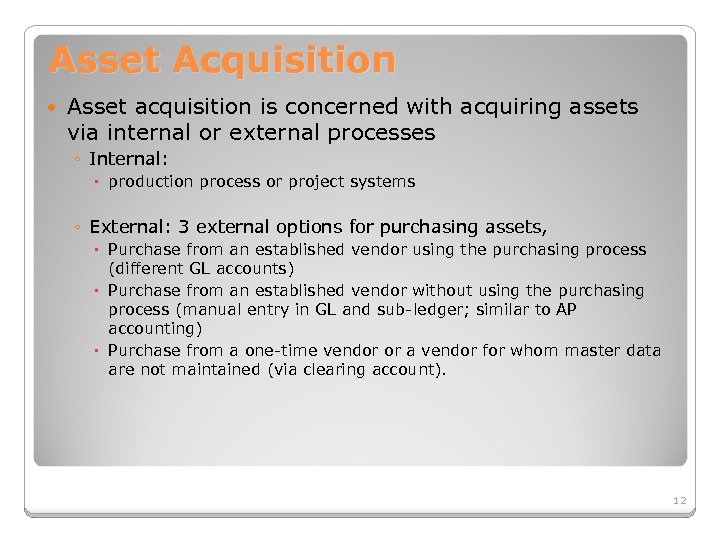 Asset Acquisition Asset acquisition is concerned with acquiring assets via internal or external processes ◦ Internal: production process or project systems ◦ External: 3 external options for purchasing assets, Purchase from an established vendor using the purchasing process (different GL accounts) Purchase from an established vendor without using the purchasing process (manual entry in GL and sub-ledger; similar to AP accounting) Purchase from a one-time vendor or a vendor for whom master data are not maintained (via clearing account). 12
 Asset Acquisition With a Clearing Account 5, 000 3 Magal and Word | Integrated Business Processes with ERP Systems | © 2011 13
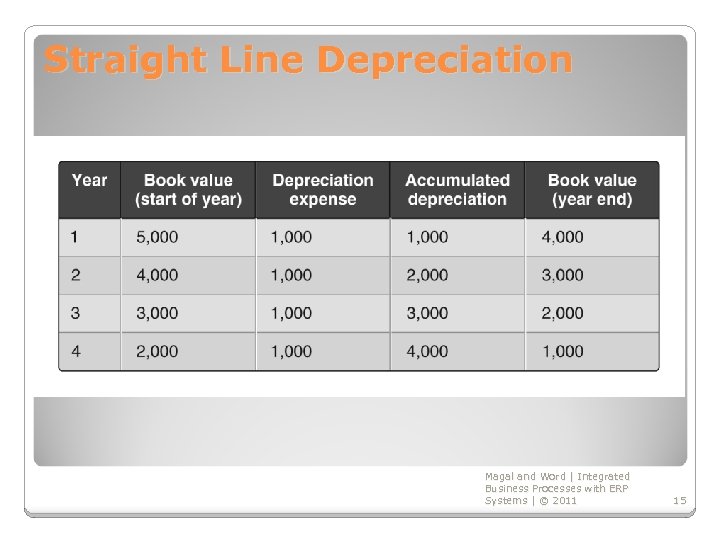
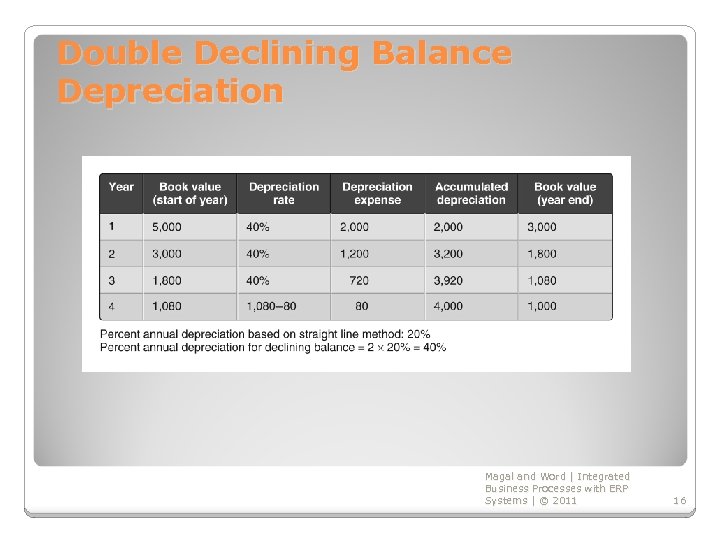
 Asset Depreciation Asset depreciation is concerned with the decrease in the value of an asset over time Depreciation can be planned or unplanned Depreciation methods are used ◦ Straight line ◦ Double declining balance Useful life Residual value Book value Depreciation areas: parallel valuation Magal and Word | Integrated Business Processes with ERP Systems | © 2011 14
 Straight Line Depreciation Magal and Word | Integrated Business Processes with ERP Systems | © 2011 15
 Double Declining Balance Depreciation Magal and Word | Integrated Business Processes with ERP Systems | © 2011 16
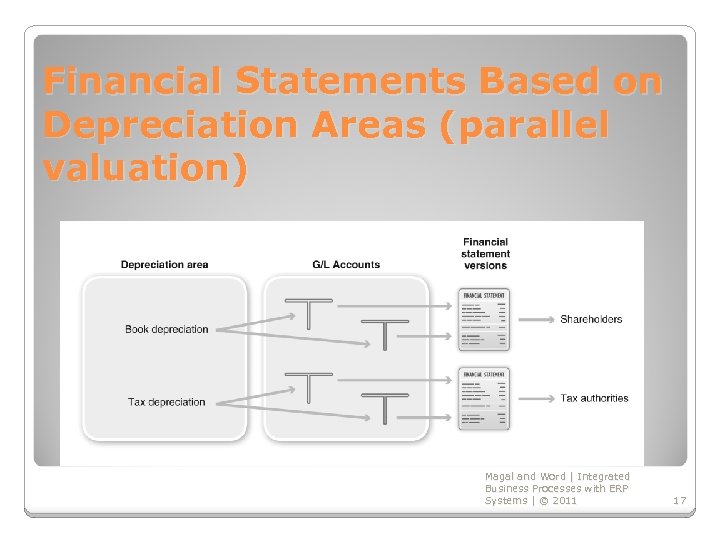 Financial Statements Based on Depreciation Areas (parallel valuation) Magal and Word | Integrated Business Processes with ERP Systems | © 2011 17
 Asset Retirement Concerned with the disposal or retirement of an asset after its useful life Retirement may be: ◦ Revenue generating (sold) ◦ Non-revenue generating (scrapped) Magal and Word | Integrated Business Processes with ERP Systems | © 2011 18
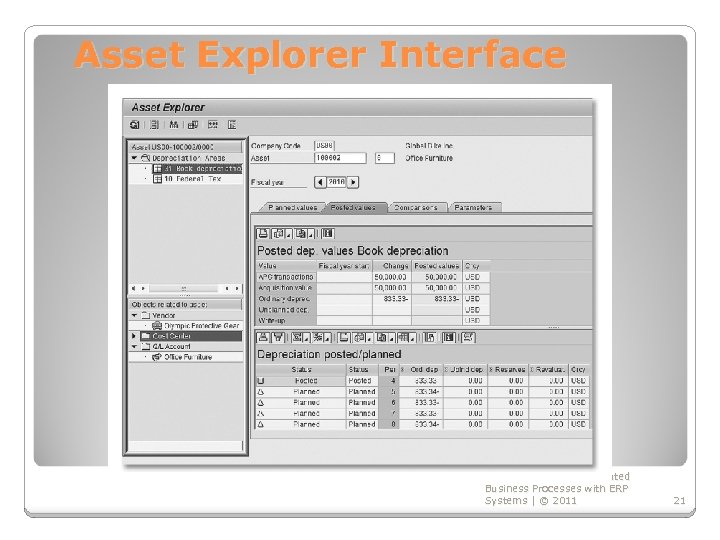
 Asset Explorer Asset explorer provides an overview of all activities related to the asset, including: ◦ Acquisition data ◦ Planned and posted depreciation ◦ Drill-down details for: Master data Transactions Documents ◦ Depreciation posting run (for an assumed useful life) 19
 Asset Explorer The asset explorer can: show all the values of a fixed asset display various forms of summarized information for decision making display connections from the Asset Explorer to the G/L accounts, vendor accounts, the cost center, and the Purchase Order of the Asset display planned values are, as well as values already posted for analyzing asset values
 Asset Explorer Interface Magal and Word | Integrated Business Processes with ERP Systems | © 2011 21
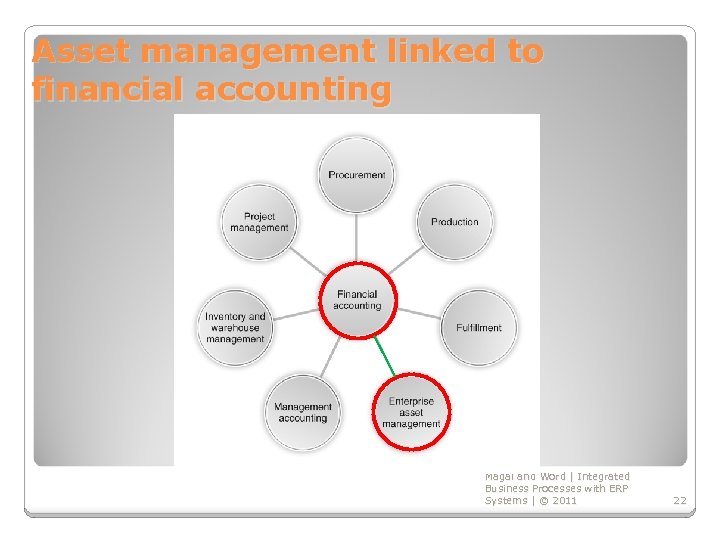 Asset management linked to financial accounting Magal and Word | Integrated Business Processes with ERP Systems | © 2011 22
 Assets Management SAP Implementation
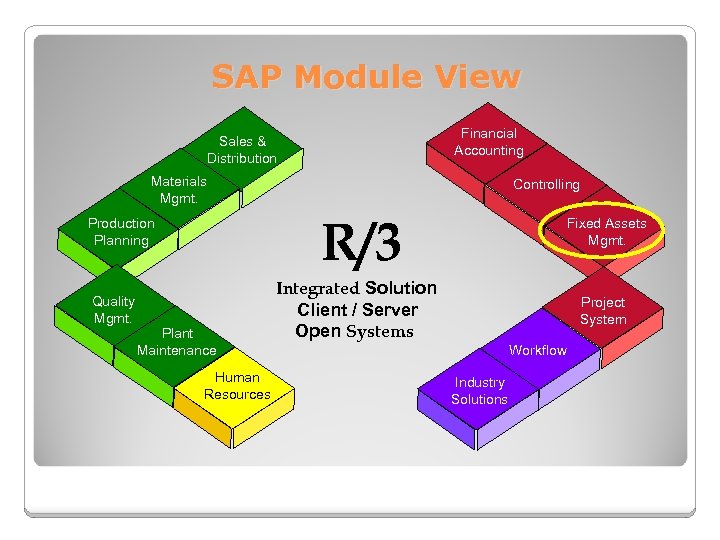 SAP Module View Financial Accounting Sales & Distribution Materials Mgmt. R/3 Production Planning Quality Mgmt. Controlling Plant Maintenance Human Resources Fixed Assets Mgmt. Integrated Solution Client / Server Open Systems Project System Workflow Industry Solutions
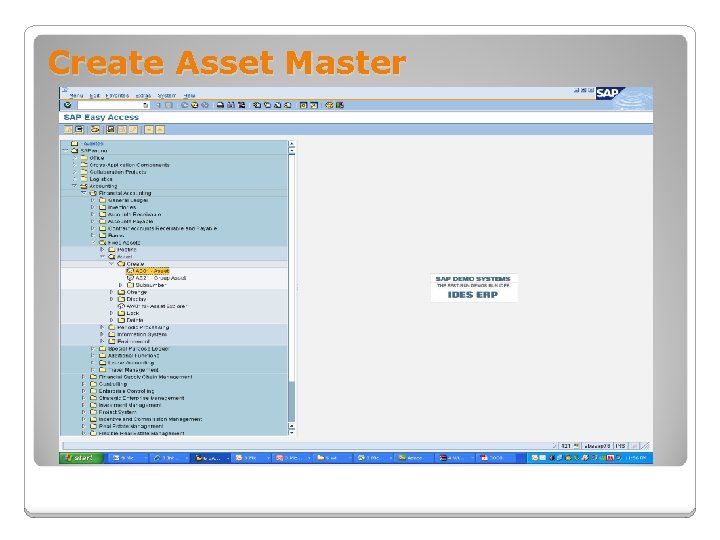 Create Asset Master
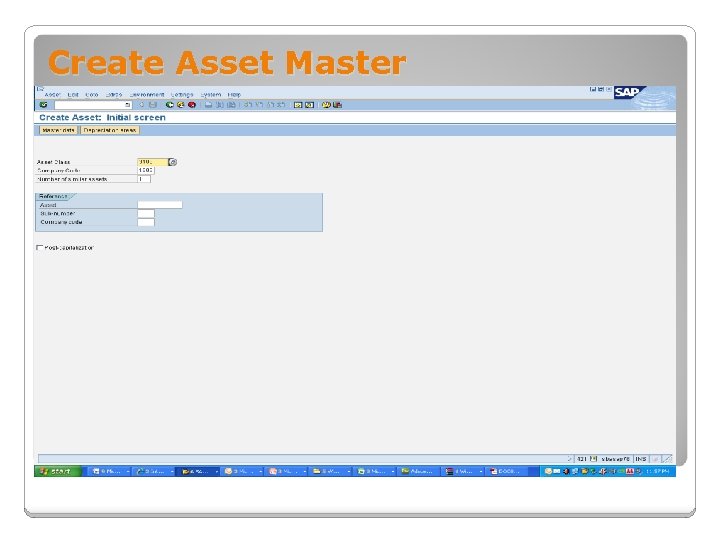 Create Asset Master
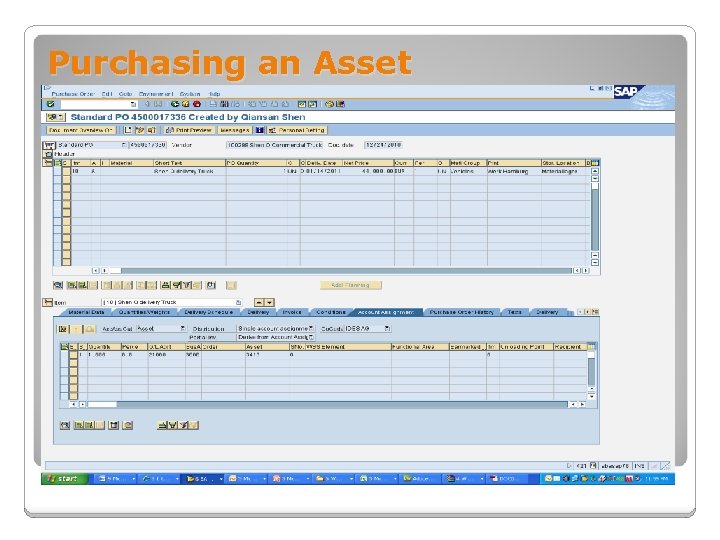 Purchasing an Asset
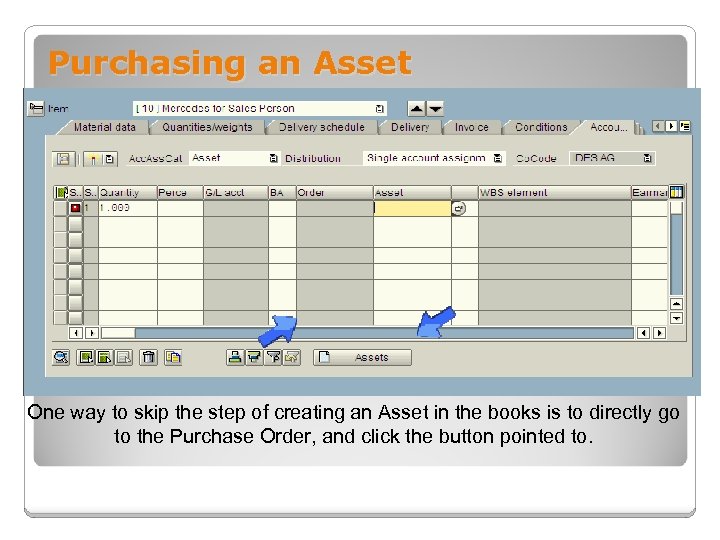 Purchasing an Asset One way to skip the step of creating an Asset in the books is to directly go to the Purchase Order, and click the button pointed to.
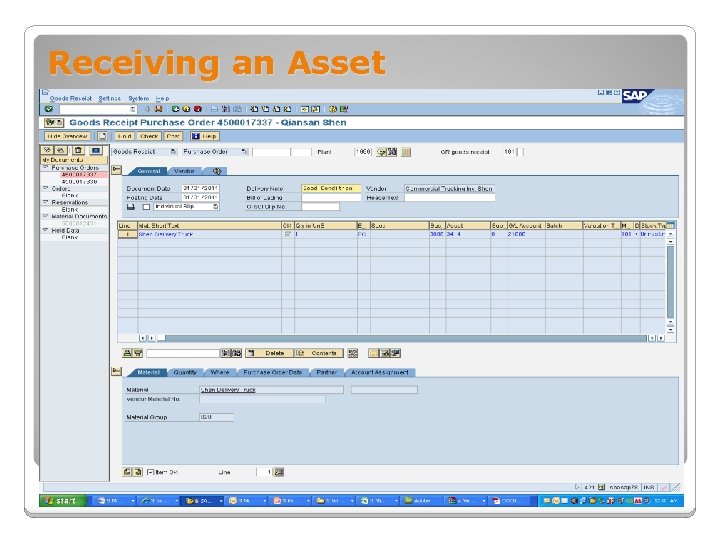 Receiving an Asset
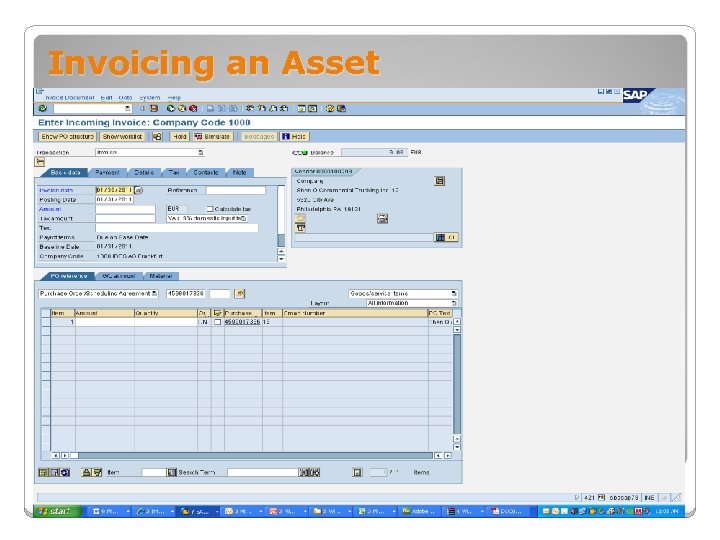 Invoicing an Asset
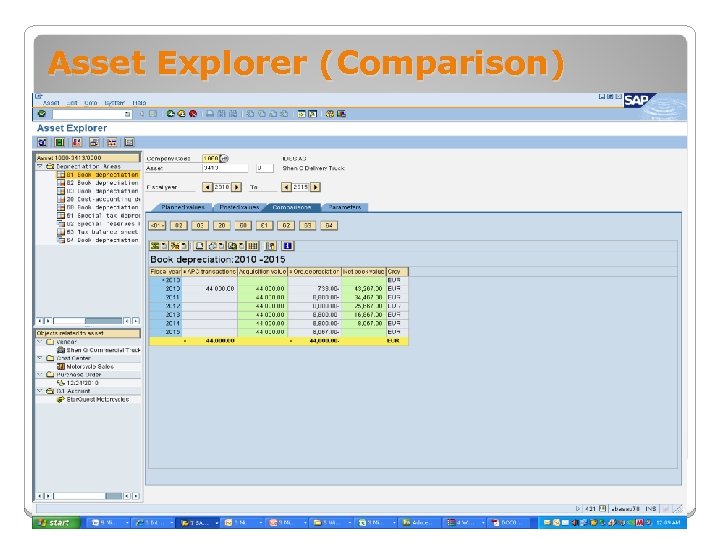 Asset Explorer (Comparison)
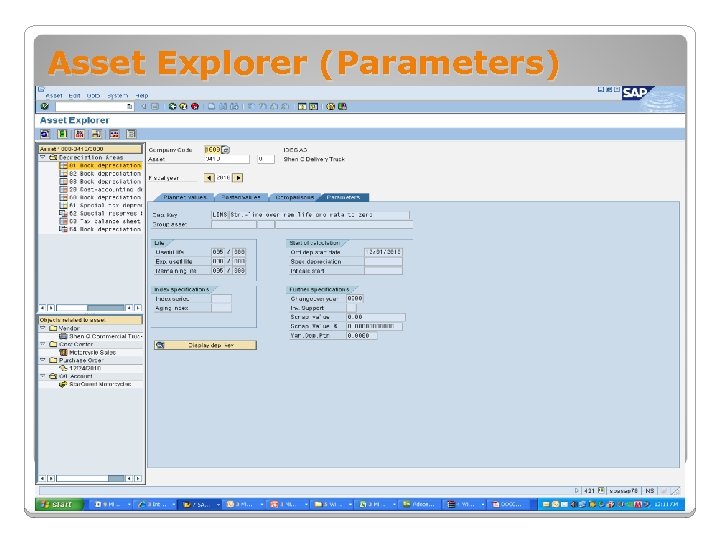 Asset Explorer (Parameters)
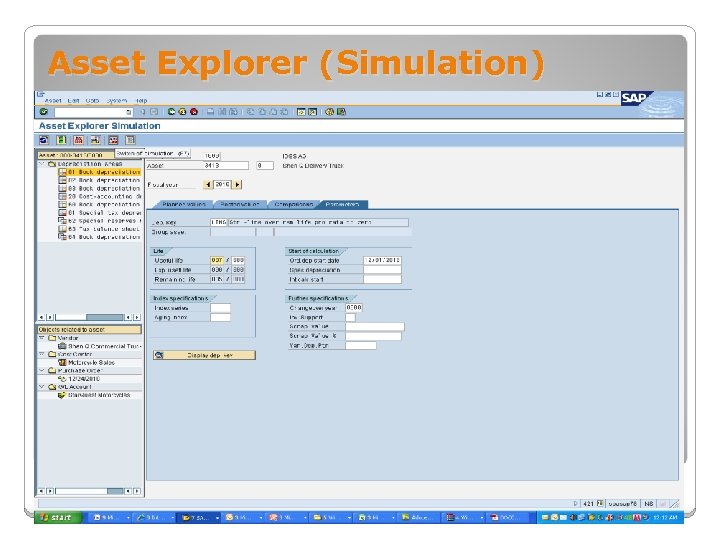 Asset Explorer (Simulation)
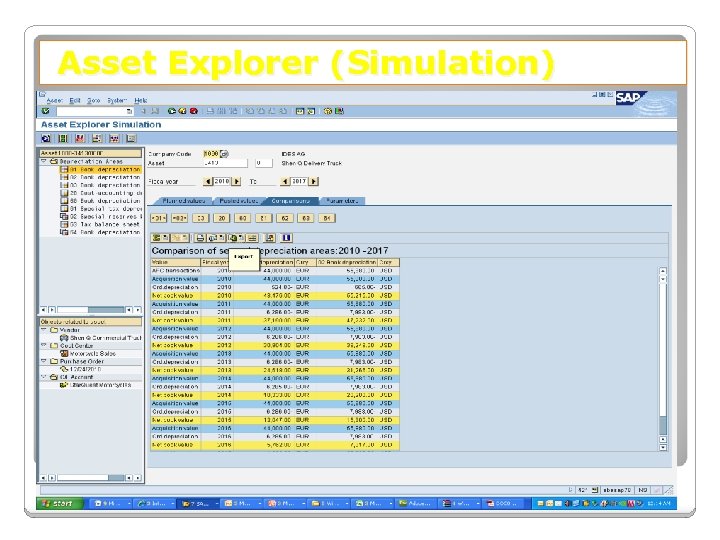 Asset Explorer (Simulation)
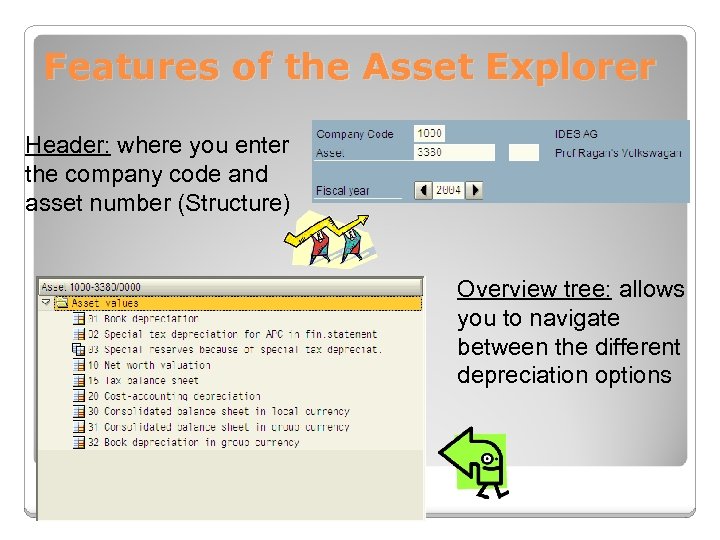 Features of the Asset Explorer Header: where you enter the company code and asset number (Structure) Overview tree: allows you to navigate between the different depreciation options
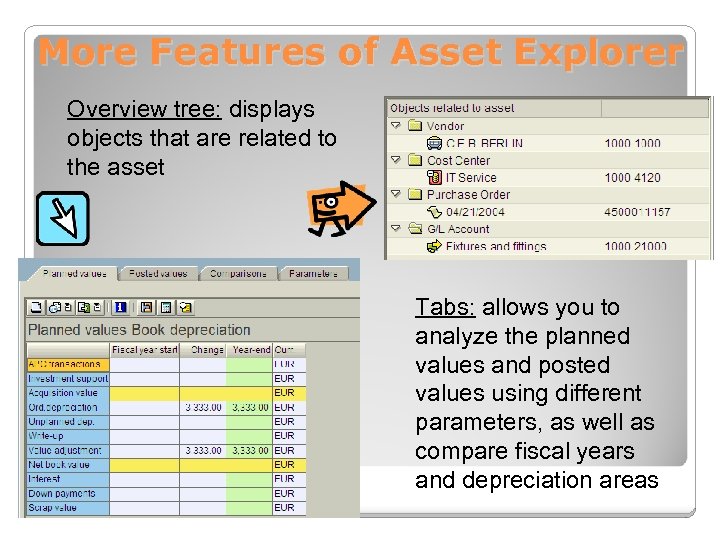 More Features of Asset Explorer Overview tree: displays objects that are related to the asset Tabs: allows you to analyze the planned values and posted values using different parameters, as well as compare fiscal years and depreciation areas
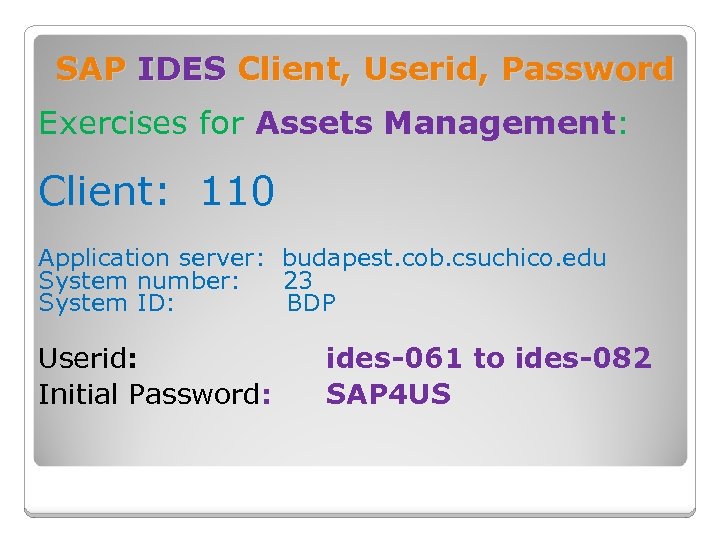 SAP IDES Client, Userid, Password Exercises for Assets Management: Client: 110 Application server: budapest. cob. csuchico. edu System number: 23 System ID: BDP Userid: Initial Password: ides-061 to ides-082 SAP 4 US
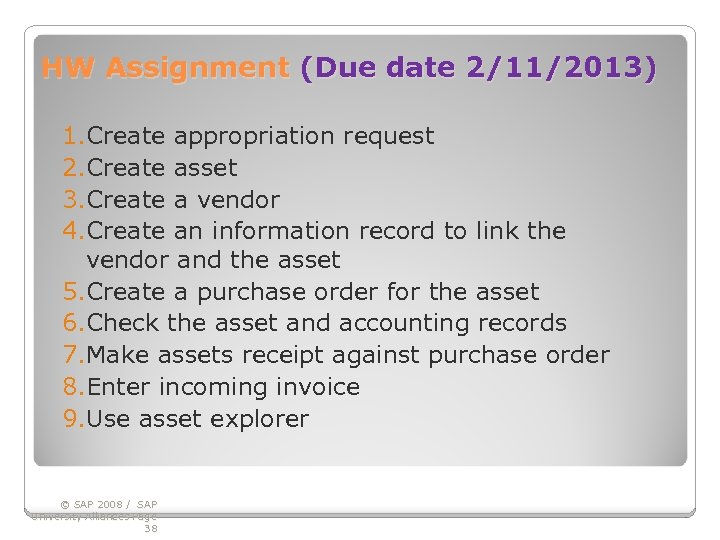 HW Assignment (Due date 2/11/2013) 1. Create appropriation request 2. Create asset 3. Create a vendor 4. Create an information record to link the vendor and the asset 5. Create a purchase order for the asset 6. Check the asset and accounting records 7. Make assets receipt against purchase order 8. Enter incoming invoice 9. Use asset explorer © SAP 2008 / SAP University Alliances Page 38