 Скачать презентацию Assembler Concepts Copyright 2008 by David Woolbright
727e17b144d230d8e98b03d503c3e54c.ppt
- Количество слайдов: 173



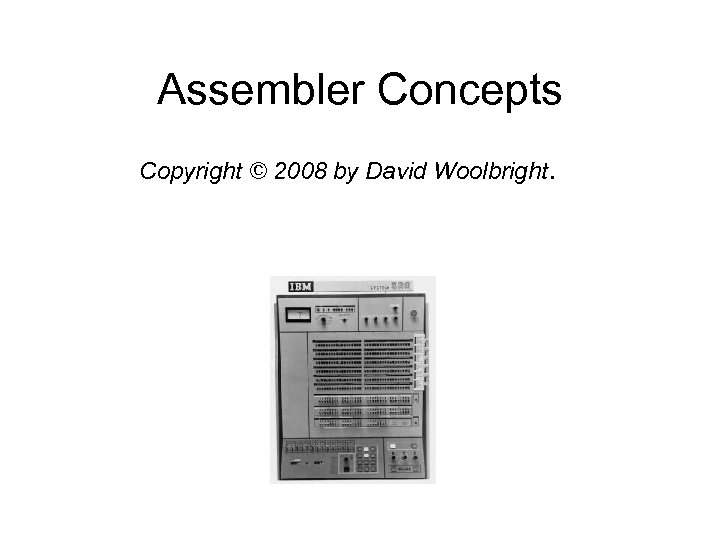
Assembler Concepts Copyright © 2008 by David Woolbright.
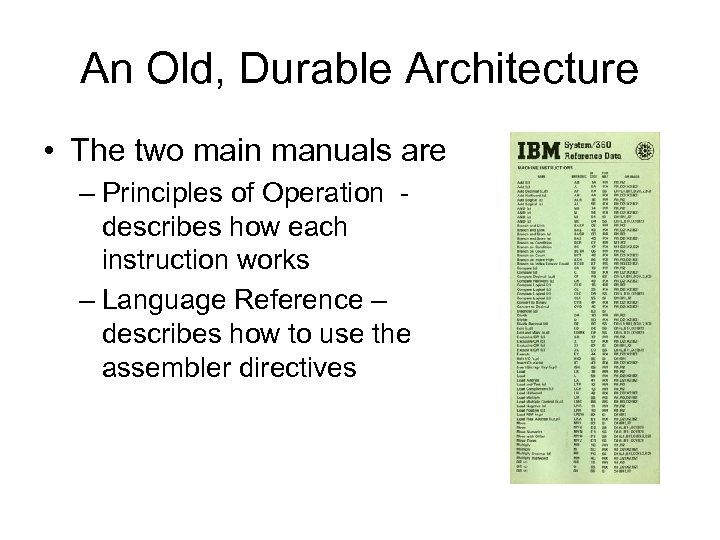
An Old, Durable Architecture • The two main manuals are – Principles of Operation describes how each instruction works – Language Reference – describes how to use the assembler directives
Documentation • IBM documentation for the High-level Assembler is available over the web: • • http: //www-03. ibm. com/servers/eserver/zseries/zos/bkserv/zswpdf/zarchpops. html http: //www-306. ibm. com/software/awdtools/hlasm/library. html#hlasm 5
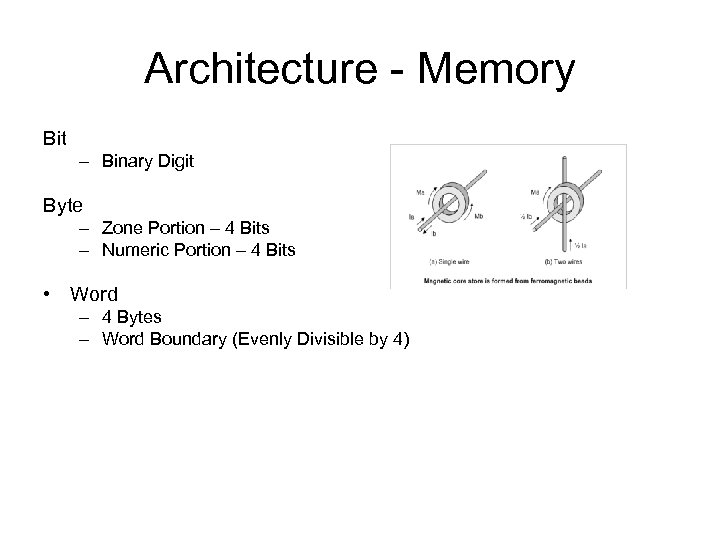
Architecture - Memory Bit – Binary Digit Byte – Zone Portion – 4 Bits – Numeric Portion – 4 Bits • Word – 4 Bytes – Word Boundary (Evenly Divisible by 4)
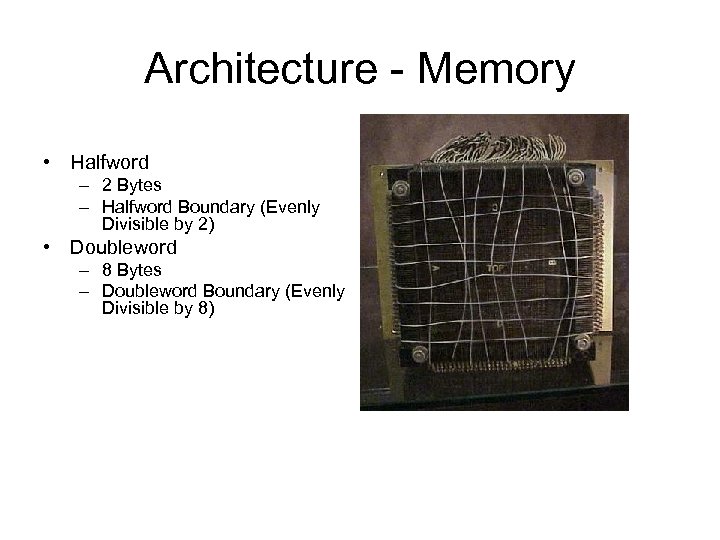
Architecture - Memory • Halfword – 2 Bytes – Halfword Boundary (Evenly Divisible by 2) • Doubleword – 8 Bytes – Doubleword Boundary (Evenly Divisible by 8)
Architecture - Registers • 16 General Purpose Registers – 32 Bits in a Registers – 4 Bytes in a Register – 1 Word in a Register – Used for Binary Arithmetic – Used for creating Addresses – Numbered 0 - 15
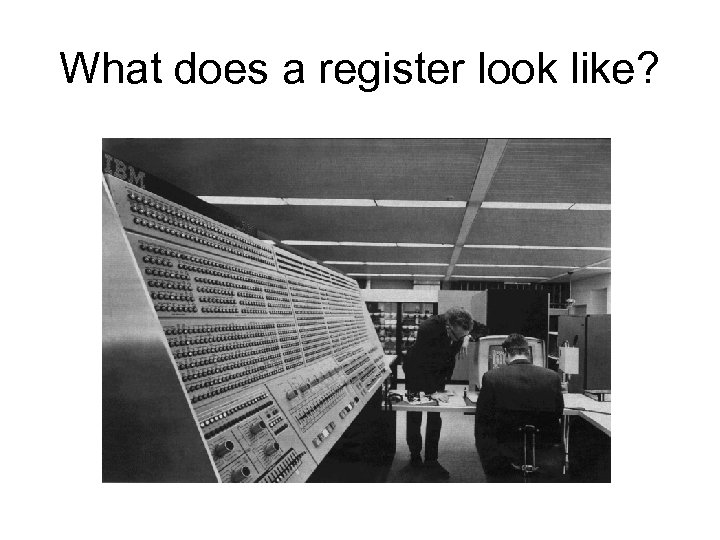
What does a register look like?
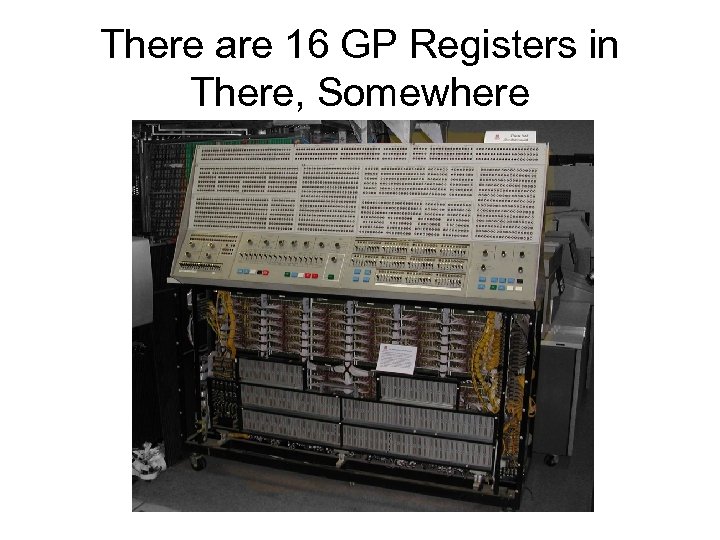
There are 16 GP Registers in There, Somewhere
Addressing • Base/Displacement Scheme – Makes Object code smaller – Makes Linkage simpler • A specific byte is indicated by specifying a beginning address (base) and an offset from the base (displacement) • Base address contained in a General Purpose Register • Displacement specified in an instruction
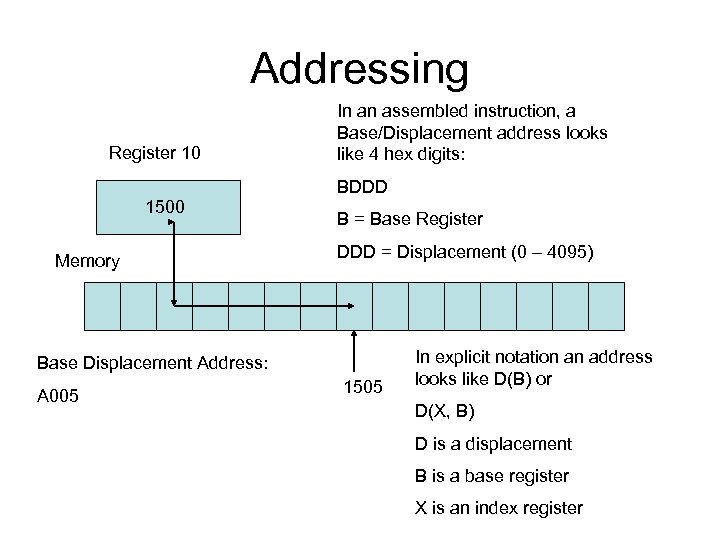
Addressing Register 10 In an assembled instruction, a Base/Displacement address looks like 4 hex digits: BDDD 1500 Memory B = Base Register DDD = Displacement (0 – 4095) Base Displacement Address: A 005 1505 In explicit notation an address looks like D(B) or D(X, B) D is a displacement B is a base register X is an index register
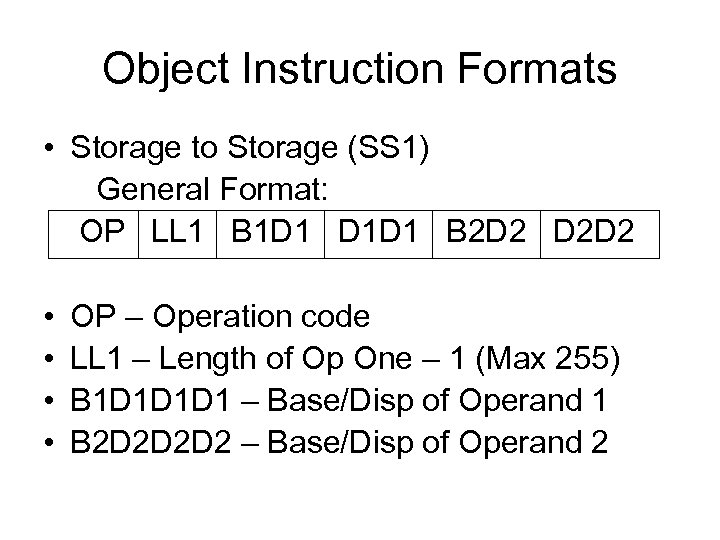
Object Instruction Formats • Storage to Storage (SS 1) General Format: OP LL 1 B 1 D 1 D 1 D 1 B 2 D 2 D 2 D 2 • • OP – Operation code LL 1 – Length of Op One – 1 (Max 255) B 1 D 1 D 1 D 1 – Base/Disp of Operand 1 B 2 D 2 D 2 D 2 – Base/Disp of Operand 2
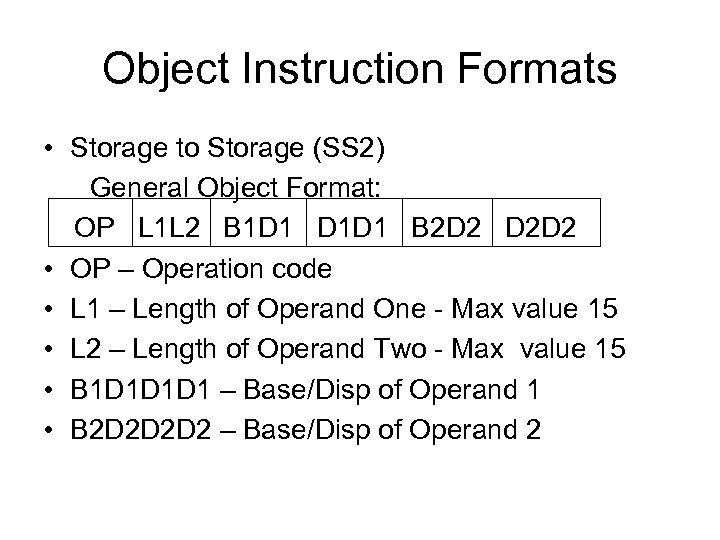
Object Instruction Formats • Storage to Storage (SS 2) General Object Format: OP L 1 L 2 B 1 D 1 D 1 D 1 B 2 D 2 D 2 D 2 • OP – Operation code • L 1 – Length of Operand One - Max value 15 • L 2 – Length of Operand Two - Max value 15 • B 1 D 1 D 1 D 1 – Base/Disp of Operand 1 • B 2 D 2 D 2 D 2 – Base/Disp of Operand 2
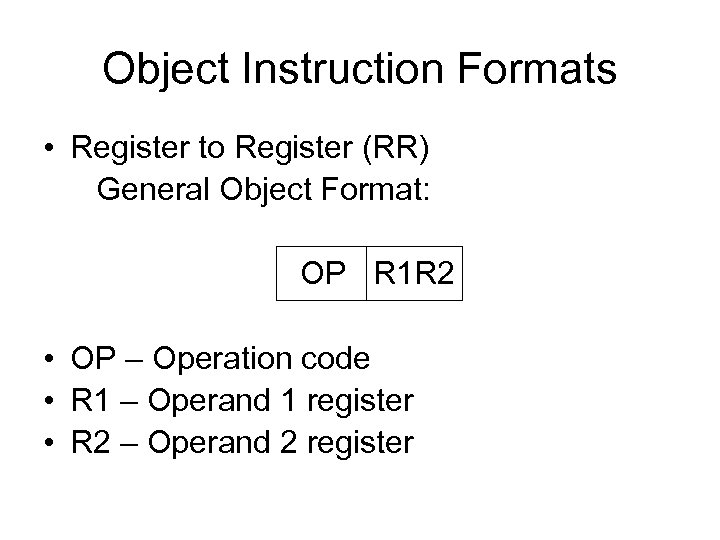
Object Instruction Formats • Register to Register (RR) General Object Format: OP R 1 R 2 • OP – Operation code • R 1 – Operand 1 register • R 2 – Operand 2 register
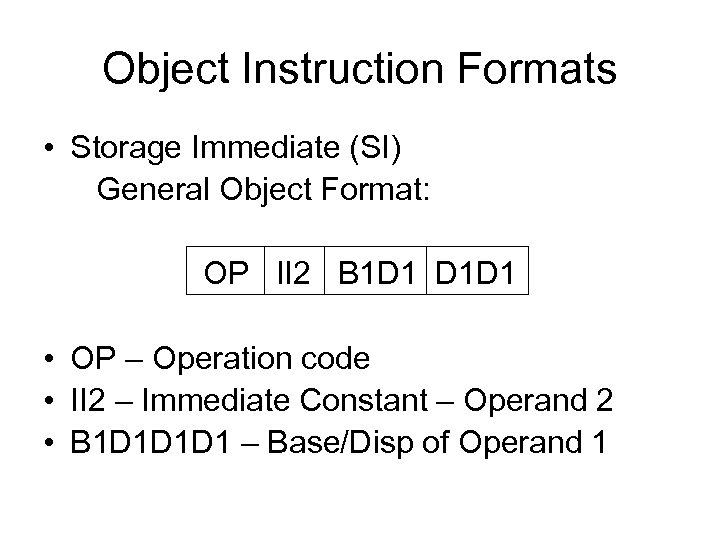
Object Instruction Formats • Storage Immediate (SI) General Object Format: OP II 2 B 1 D 1 D 1 D 1 • OP – Operation code • II 2 – Immediate Constant – Operand 2 • B 1 D 1 D 1 D 1 – Base/Disp of Operand 1
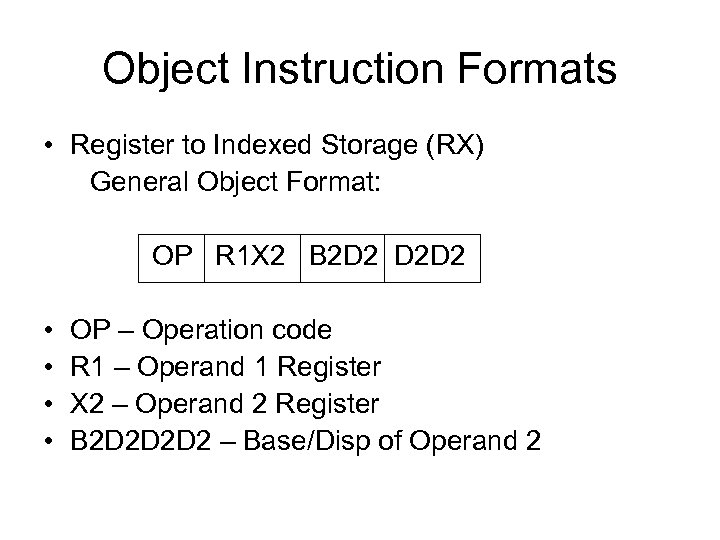
Object Instruction Formats • Register to Indexed Storage (RX) General Object Format: OP R 1 X 2 B 2 D 2 D 2 D 2 • • OP – Operation code R 1 – Operand 1 Register X 2 – Operand 2 Register B 2 D 2 D 2 D 2 – Base/Disp of Operand 2
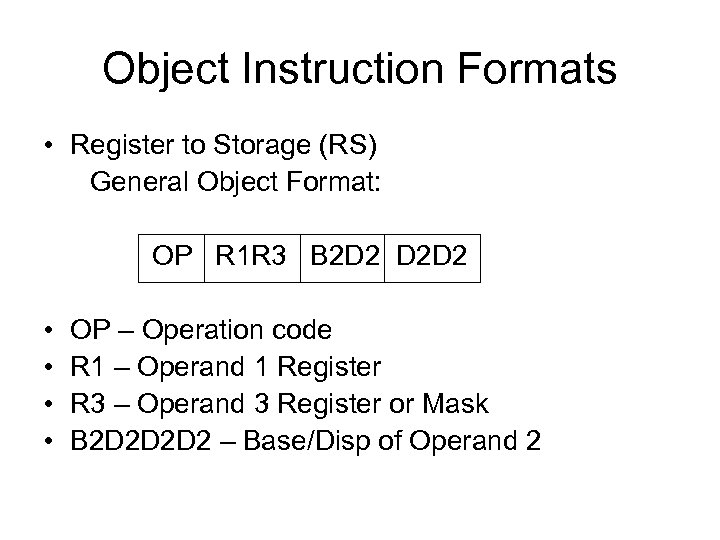
Object Instruction Formats • Register to Storage (RS) General Object Format: OP R 1 R 3 B 2 D 2 D 2 D 2 • • OP – Operation code R 1 – Operand 1 Register R 3 – Operand 3 Register or Mask B 2 D 2 D 2 D 2 – Base/Disp of Operand 2
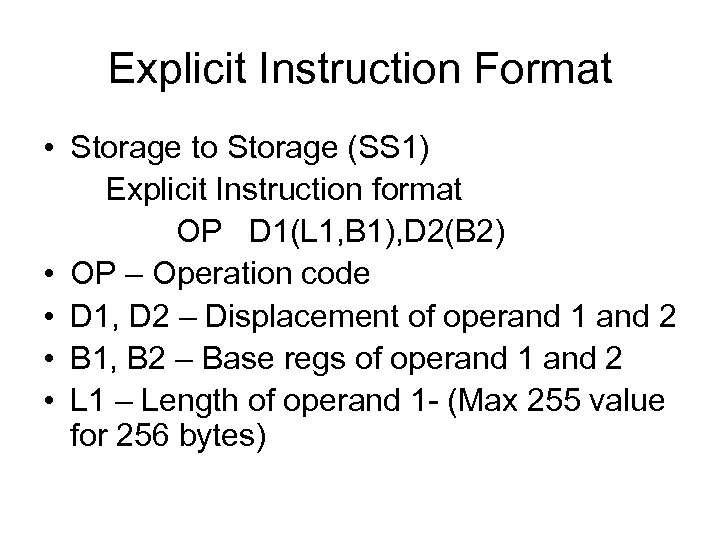
Explicit Instruction Format • Storage to Storage (SS 1) Explicit Instruction format OP D 1(L 1, B 1), D 2(B 2) • OP – Operation code • D 1, D 2 – Displacement of operand 1 and 2 • B 1, B 2 – Base regs of operand 1 and 2 • L 1 – Length of operand 1 - (Max 255 value for 256 bytes)
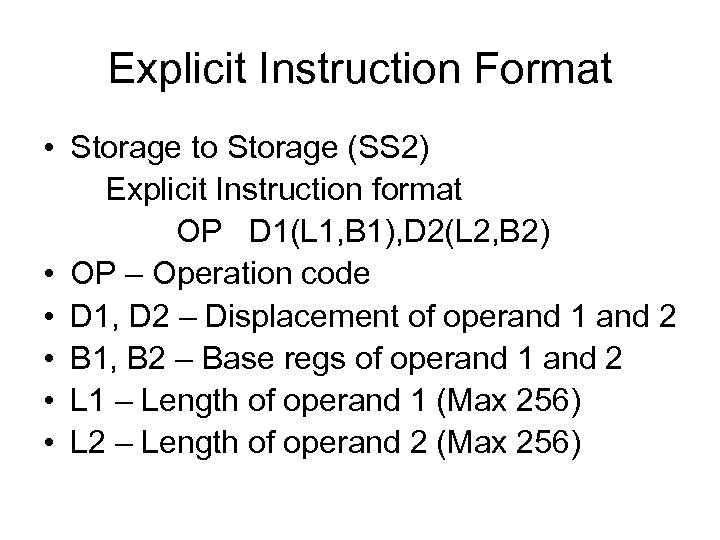
Explicit Instruction Format • Storage to Storage (SS 2) Explicit Instruction format OP D 1(L 1, B 1), D 2(L 2, B 2) • OP – Operation code • D 1, D 2 – Displacement of operand 1 and 2 • B 1, B 2 – Base regs of operand 1 and 2 • L 1 – Length of operand 1 (Max 256) • L 2 – Length of operand 2 (Max 256)
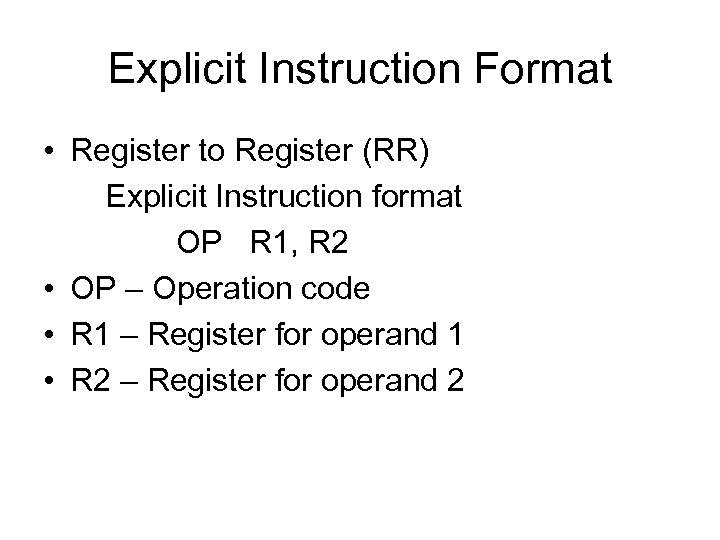
Explicit Instruction Format • Register to Register (RR) Explicit Instruction format OP R 1, R 2 • OP – Operation code • R 1 – Register for operand 1 • R 2 – Register for operand 2
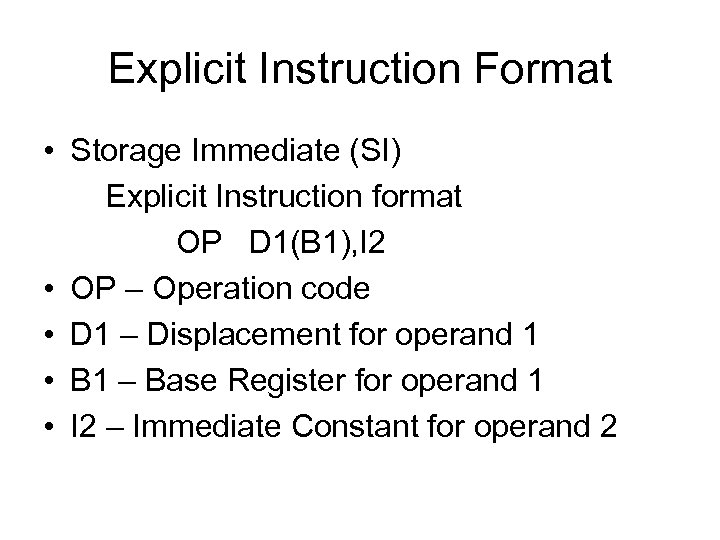
Explicit Instruction Format • Storage Immediate (SI) Explicit Instruction format OP D 1(B 1), I 2 • OP – Operation code • D 1 – Displacement for operand 1 • B 1 – Base Register for operand 1 • I 2 – Immediate Constant for operand 2
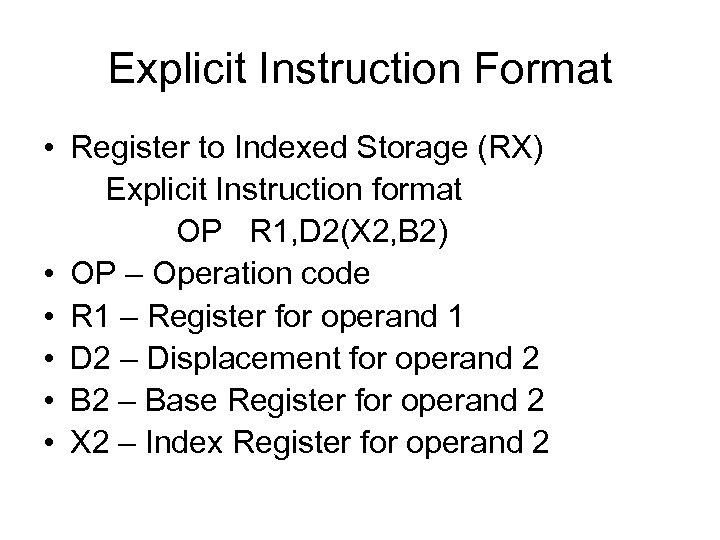
Explicit Instruction Format • Register to Indexed Storage (RX) Explicit Instruction format OP R 1, D 2(X 2, B 2) • OP – Operation code • R 1 – Register for operand 1 • D 2 – Displacement for operand 2 • B 2 – Base Register for operand 2 • X 2 – Index Register for operand 2
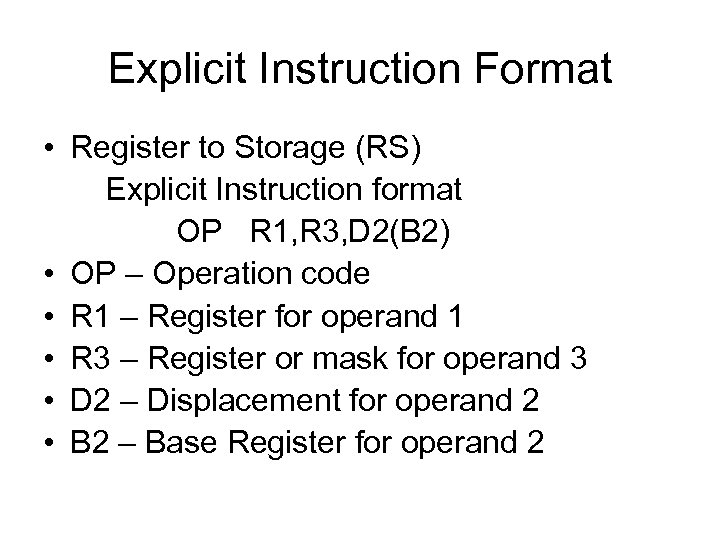
Explicit Instruction Format • Register to Storage (RS) Explicit Instruction format OP R 1, R 3, D 2(B 2) • OP – Operation code • R 1 – Register for operand 1 • R 3 – Register or mask for operand 3 • D 2 – Displacement for operand 2 • B 2 – Base Register for operand 2
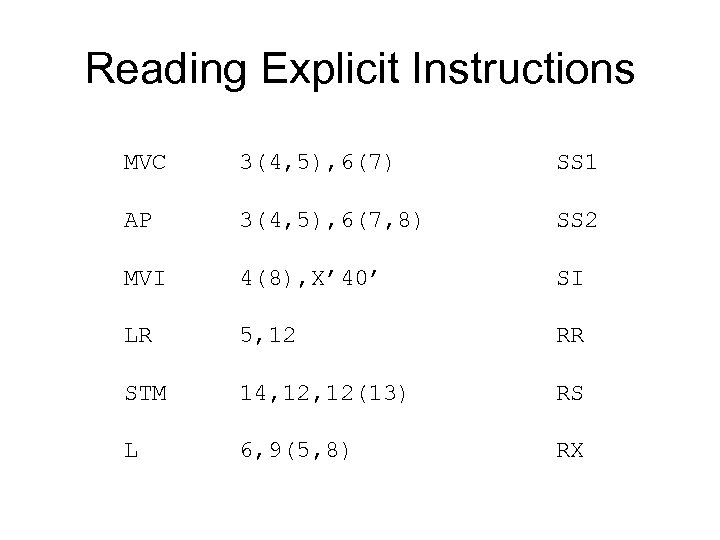
Reading Explicit Instructions MVC 3(4, 5), 6(7) SS 1 AP 3(4, 5), 6(7, 8) SS 2 MVI 4(8), X’ 40’ SI LR 5, 12 RR STM 14, 12(13) RS L 6, 9(5, 8) RX
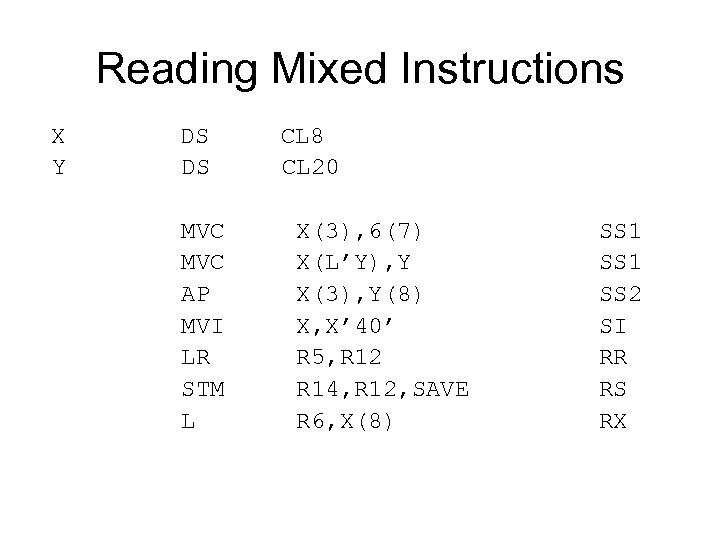
Reading Mixed Instructions X DS CL 8 Y DS CL 20 MVC X(3), 6(7) SS 1 MVC X(L’Y), Y SS 1 AP X(3), Y(8) SS 2 MVI X, X’ 40’ SI LR R 5, R 12 RR STM R 14, R 12, SAVE RS L R 6, X(8) RX
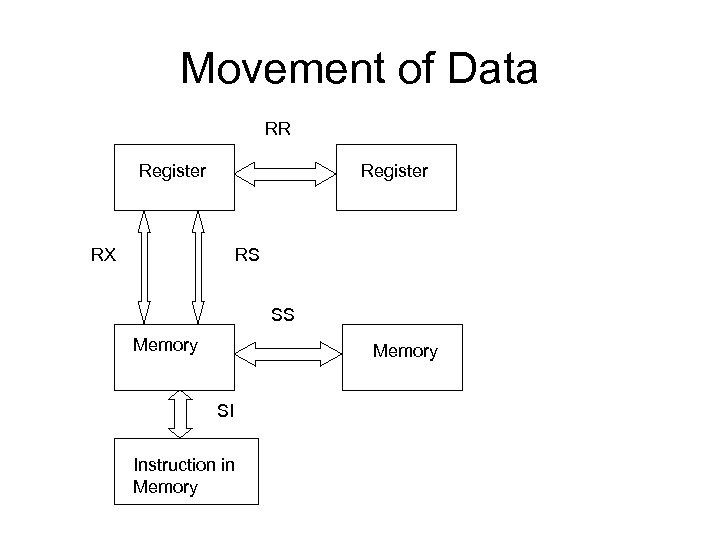
Movement of Data RR Register RX RS SS Memory SI Instruction in Memory
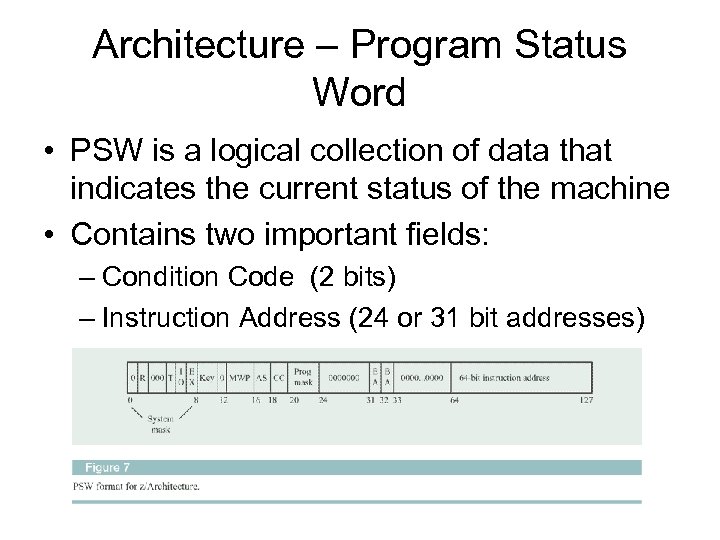
Architecture – Program Status Word • PSW is a logical collection of data that indicates the current status of the machine • Contains two important fields: – Condition Code (2 bits) – Instruction Address (24 or 31 bit addresses)
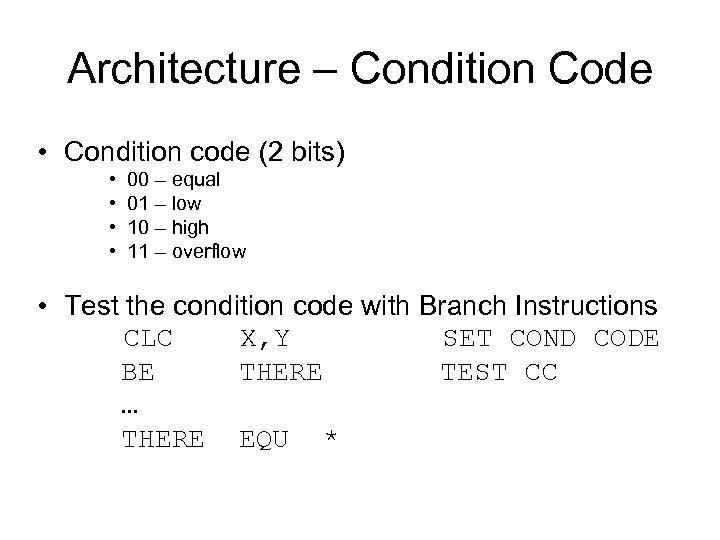
Architecture – Condition Code • Condition code (2 bits) • • 00 – equal 01 – low 10 – high 11 – overflow • Test the condition code with Branch Instructions CLC X, Y SET COND CODE BE THERE TEST CC … THERE EQU *
Architecture – Instruction Address • Contains the address of the “next” instruction • S/360 had a 24 bit address field • Expanded to 31 bits in the 1970’s • 224 = 2 megabytes of storage • 231 = 2 gigabytes of storage
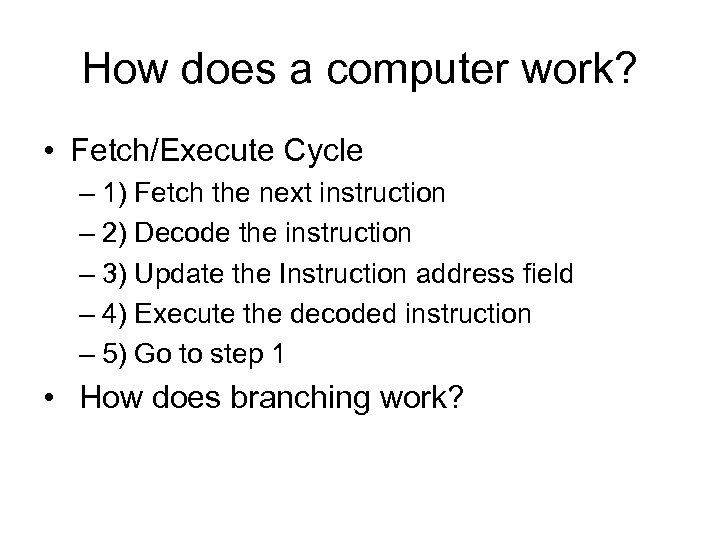
How does a computer work? • Fetch/Execute Cycle – 1) Fetch the next instruction – 2) Decode the instruction – 3) Update the Instruction address field – 4) Execute the decoded instruction – 5) Go to step 1 • How does branching work?
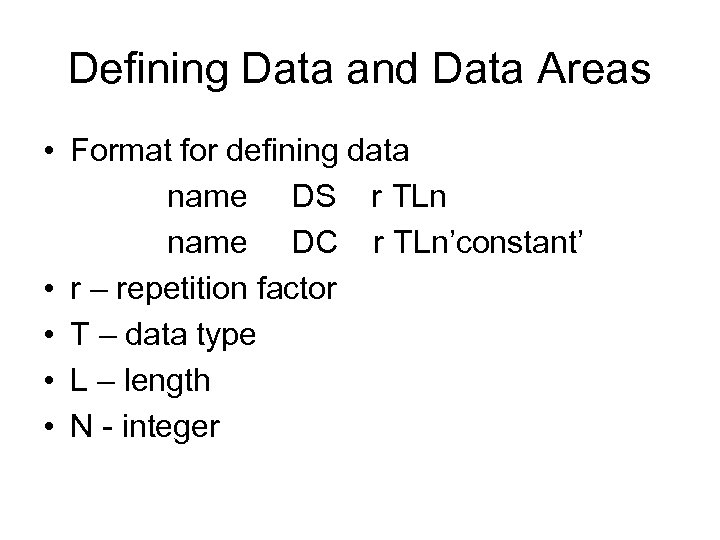
Defining Data and Data Areas • Format for defining data name DS r TLn name DC r TLn’constant’ • r – repetition factor • T – data type • L – length • N - integer
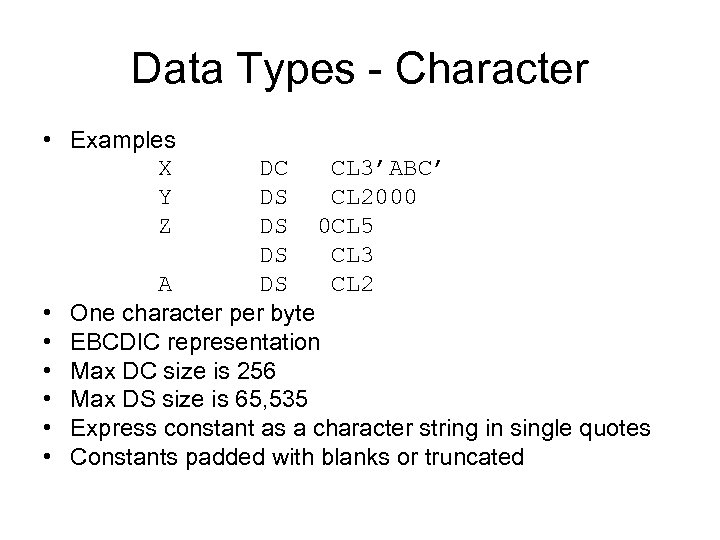
Data Types - Character • Examples X DC CL 3’ABC’ Y DS CL 2000 Z DS 0 CL 5 DS CL 3 A DS CL 2 • One character per byte • EBCDIC representation • Max DC size is 256 • Max DS size is 65, 535 • Express constant as a character string in single quotes • Constants padded with blanks or truncated
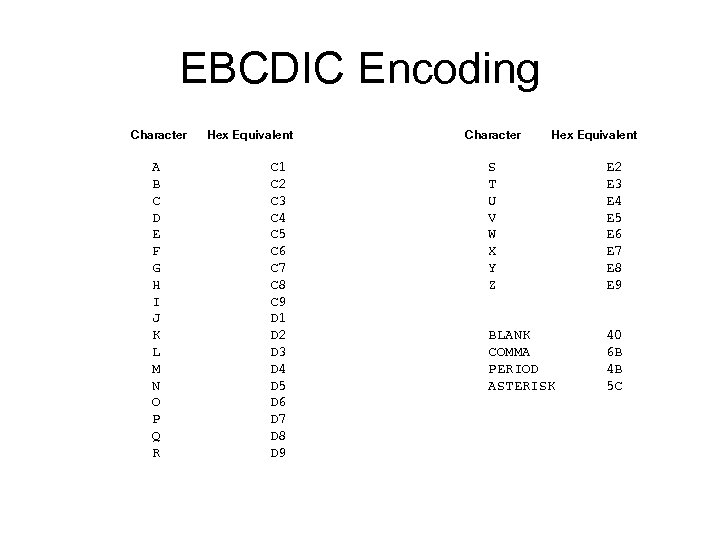
EBCDIC Encoding Character Hex Equivalent Character Hex Equivalent A C 1 S E 2 B C 2 T E 3 C 3 U E 4 D C 4 V E 5 E C 5 W E 6 F C 6 X E 7 G C 7 Y E 8 H C 8 Z E 9 I C 9 J D 1 K D 2 BLANK 40 L D 3 COMMA 6 B M D 4 PERIOD 4 B N D 5 ASTERISK 5 C O D 6 P D 7 Q D 8 R D 9
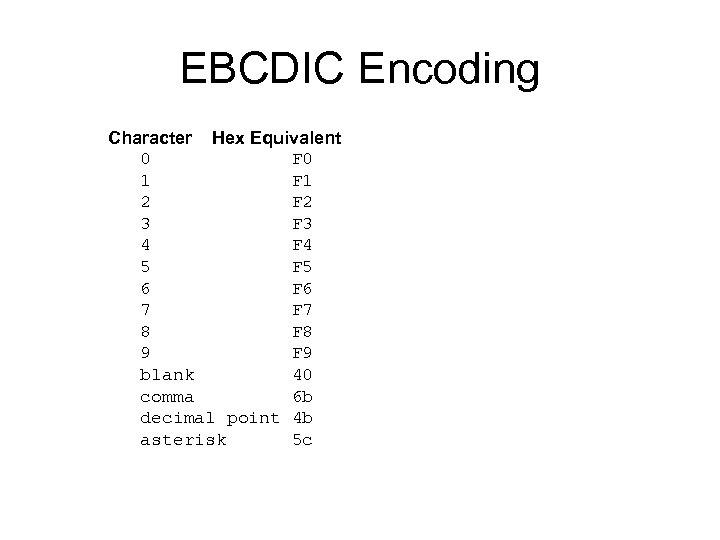
EBCDIC Encoding Character Hex Equivalent 0 F 0 1 F 1 2 F 2 3 F 3 4 F 4 5 F 5 6 F 6 7 F 7 8 F 8 9 F 9 blank 40 comma 6 b decimal point 4 b asterisk 5 c
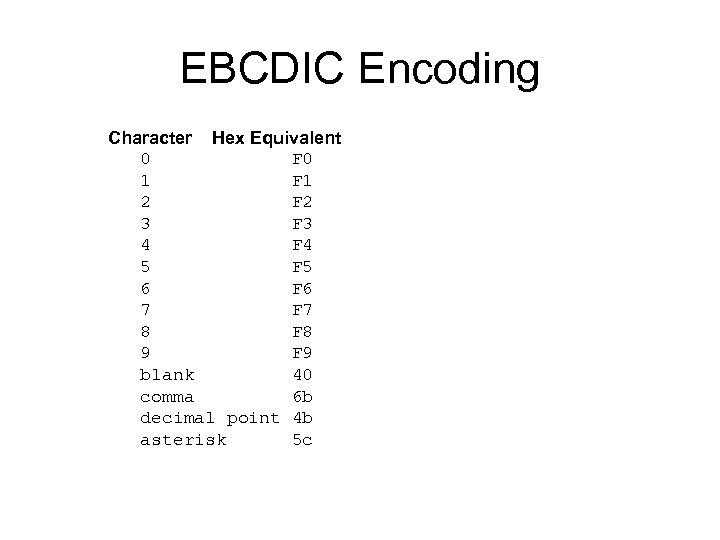
EBCDIC Encoding Character Hex Equivalent 0 F 0 1 F 1 2 F 2 3 F 3 4 F 4 5 F 5 6 F 6 7 F 7 8 F 8 9 F 9 blank 40 comma 6 b decimal point 4 b asterisk 5 c
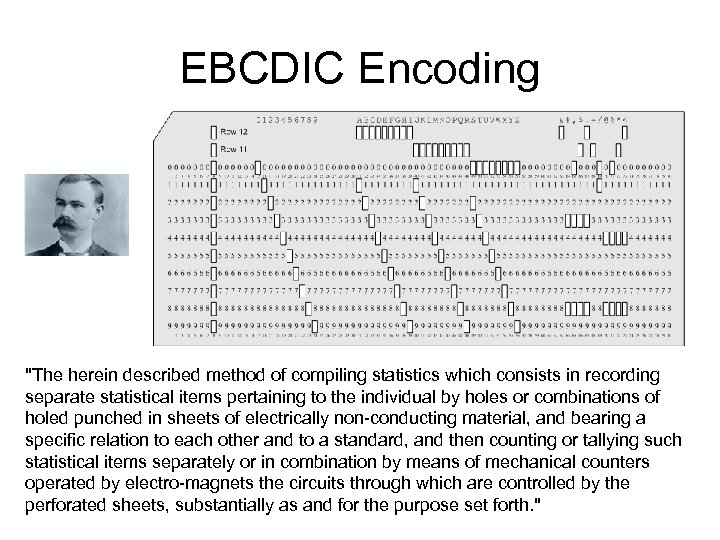
EBCDIC Encoding "The herein described method of compiling statistics which consists in recording separate statistical items pertaining to the individual by holes or combinations of holed punched in sheets of electrically non-conducting material, and bearing a specific relation to each other and to a standard, and then counting or tallying such statistical items separately or in combination by means of mechanical counters operated by electro-magnets the circuits through which are controlled by the perforated sheets, substantially as and for the purpose set forth. "
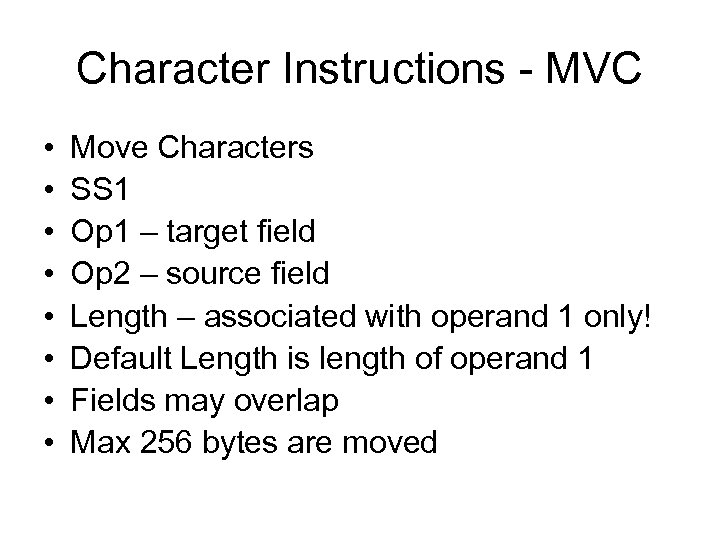
Character Instructions - MVC • • Move Characters SS 1 Op 1 – target field Op 2 – source field Length – associated with operand 1 only! Default Length is length of operand 1 Fields may overlap Max 256 bytes are moved
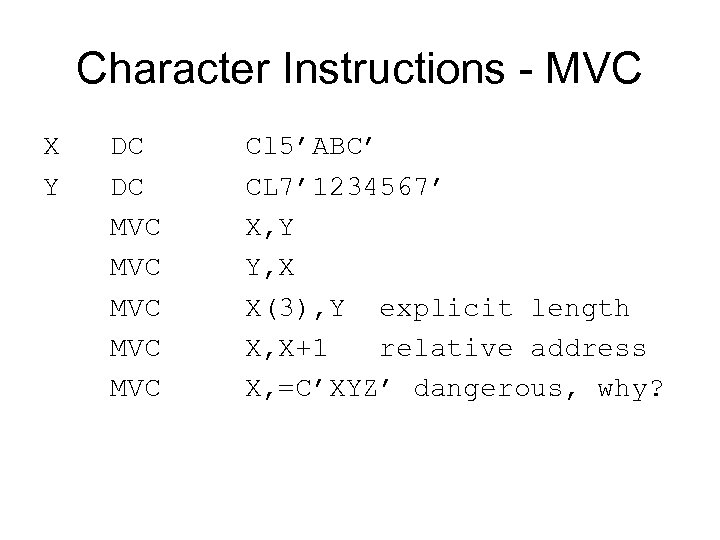
Character Instructions - MVC X DC Cl 5’ABC’ Y DC CL 7’ 1234567’ MVC X, Y MVC Y, X MVC X(3), Y explicit length MVC X, X+1 relative address MVC X, =C’XYZ’ dangerous, why?
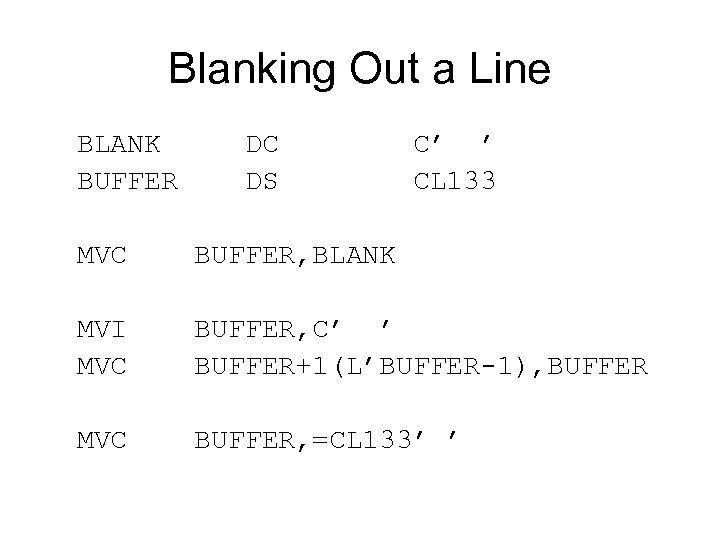
Blanking Out a Line BLANK DC C’ ’ BUFFER DS CL 133 MVC BUFFER, BLANK MVI BUFFER, C’ ’ MVC BUFFER+1(L’BUFFER-1), BUFFER MVC BUFFER, =CL 133’ ’
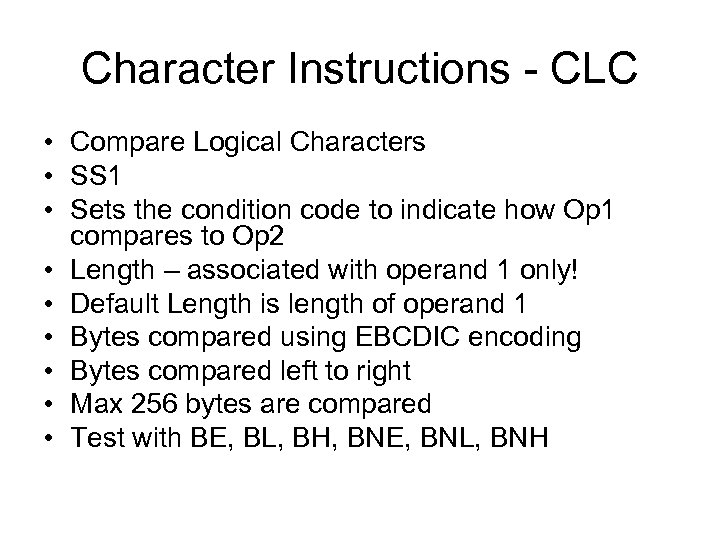
Character Instructions - CLC • Compare Logical Characters • SS 1 • Sets the condition code to indicate how Op 1 compares to Op 2 • Length – associated with operand 1 only! • Default Length is length of operand 1 • Bytes compared using EBCDIC encoding • Bytes compared left to right • Max 256 bytes are compared • Test with BE, BL, BH, BNE, BNL, BNH
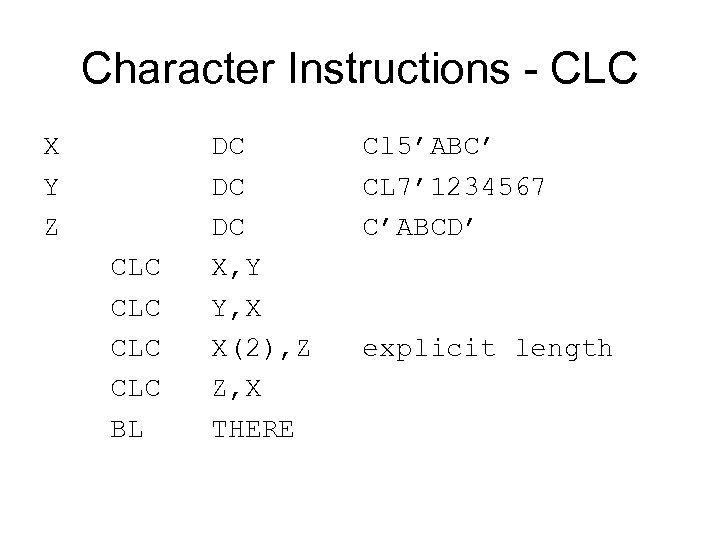
Character Instructions - CLC X DC Cl 5’ABC’ Y DC CL 7’ 1234567 Z DC C’ABCD’ CLC X, Y CLC Y, X CLC X(2), Z explicit length CLC Z, X BL THERE
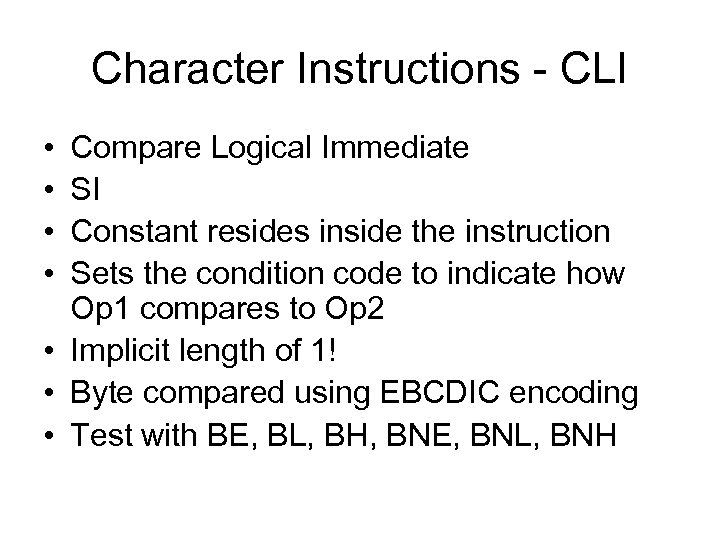
Character Instructions - CLI • • Compare Logical Immediate SI Constant resides inside the instruction Sets the condition code to indicate how Op 1 compares to Op 2 • Implicit length of 1! • Byte compared using EBCDIC encoding • Test with BE, BL, BH, BNE, BNL, BNH
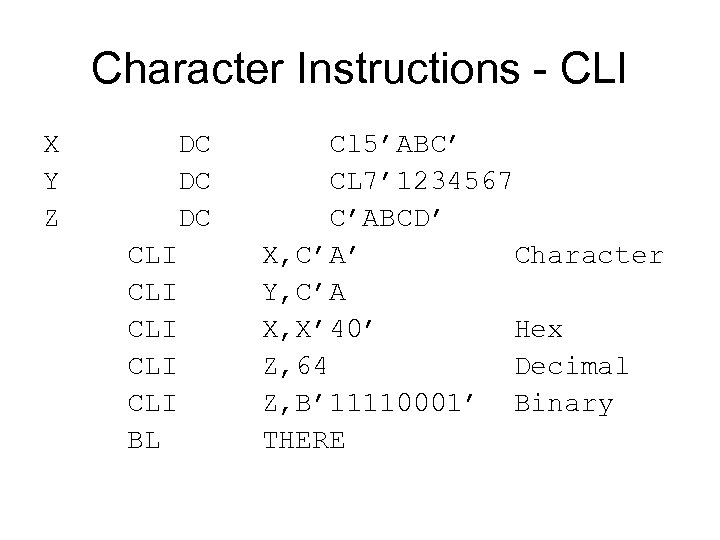
Character Instructions - CLI X DC Cl 5’ABC’ Y DC CL 7’ 1234567 Z DC C’ABCD’ CLI X, C’A’ Character CLI Y, C’A CLI X, X’ 40’ Hex CLI Z, 64 Decimal CLI Z, B’ 11110001’ Binary BL THERE
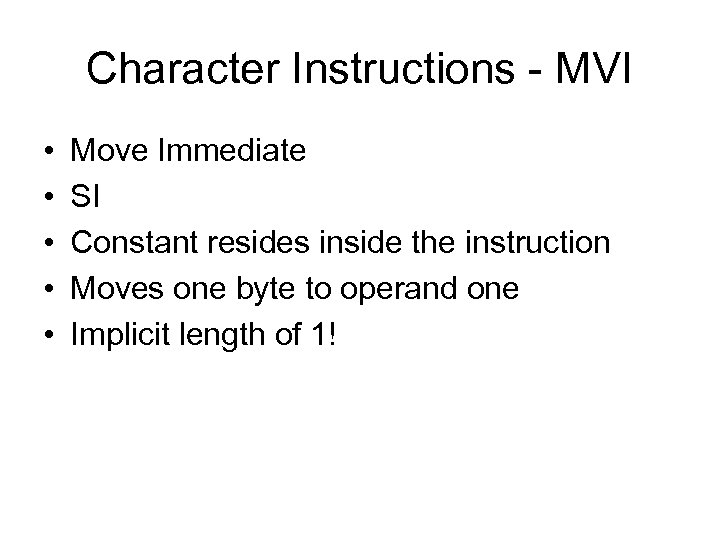
Character Instructions - MVI • • • Move Immediate SI Constant resides inside the instruction Moves one byte to operand one Implicit length of 1!
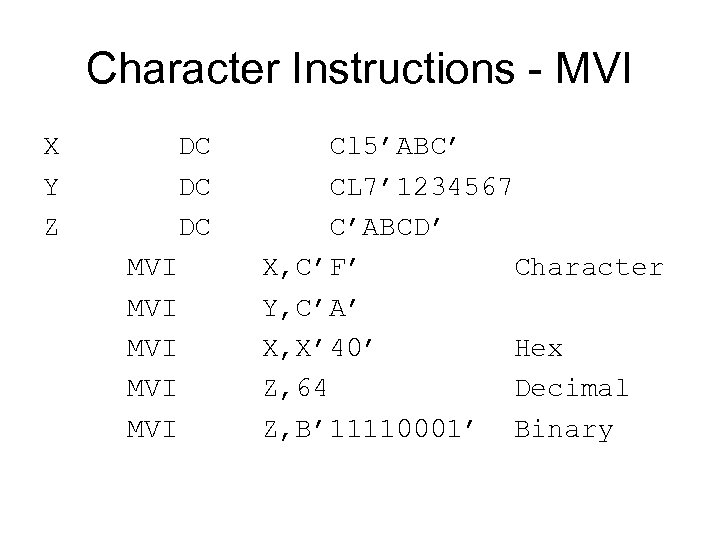
Character Instructions - MVI X DC Cl 5’ABC’ Y DC CL 7’ 1234567 Z DC C’ABCD’ MVI X, C’F’ Character MVI Y, C’A’ MVI X, X’ 40’ Hex MVI Z, 64 Decimal MVI Z, B’ 11110001’ Binary
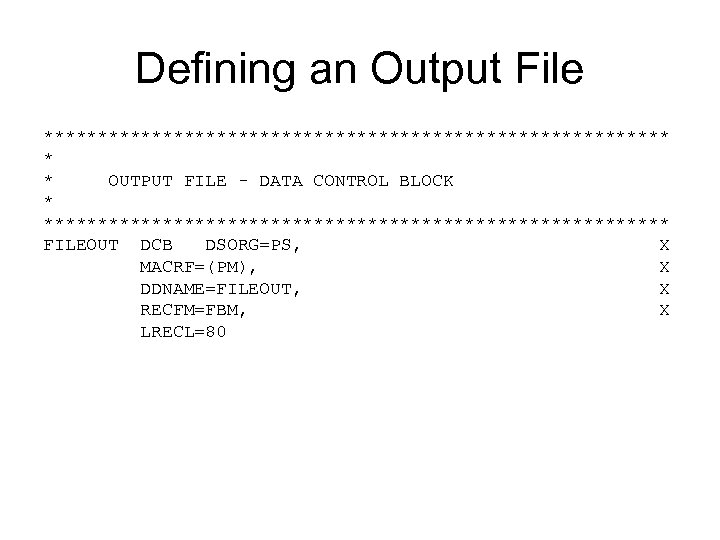
Defining an Output File ***************************** * * OUTPUT FILE - DATA CONTROL BLOCK ***************************** FILEOUT DCB DSORG=PS, X MACRF=(PM), X DDNAME=FILEOUT, X RECFM=FBM, X LRECL=80
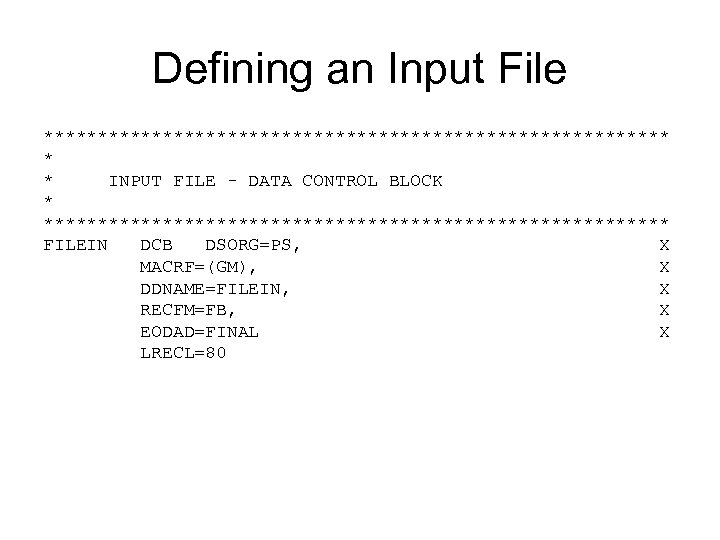
Defining an Input File ***************************** * * INPUT FILE - DATA CONTROL BLOCK ***************************** FILEIN DCB DSORG=PS, X MACRF=(GM), X DDNAME=FILEIN, X RECFM=FB, X EODAD=FINAL X LRECL=80
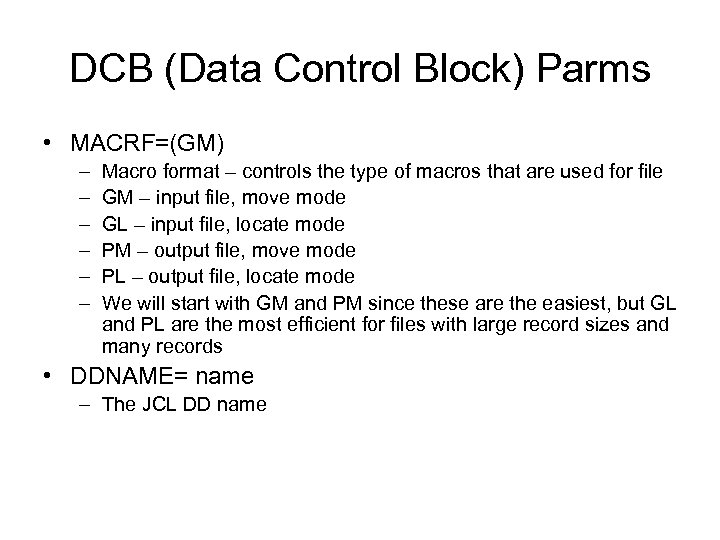
DCB (Data Control Block) Parms • MACRF=(GM) – – – Macro format – controls the type of macros that are used for file GM – input file, move mode GL – input file, locate mode PM – output file, move mode PL – output file, locate mode We will start with GM and PM since these are the easiest, but GL and PL are the most efficient for files with large record sizes and many records • DDNAME= name – The JCL DD name
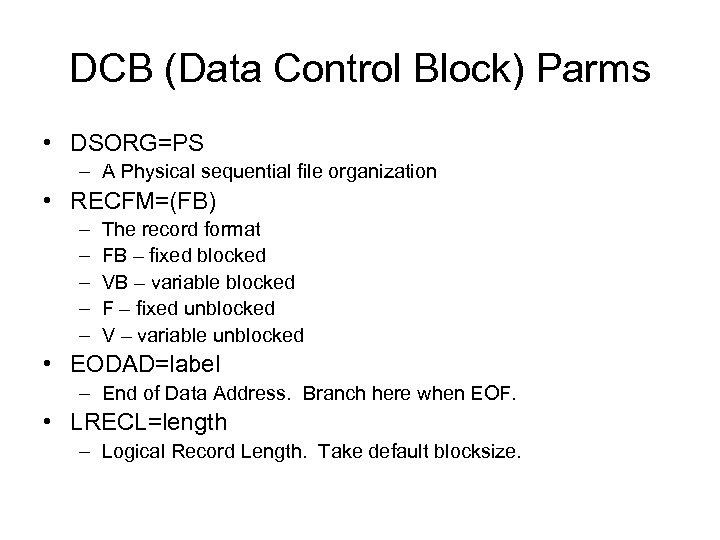
DCB (Data Control Block) Parms • DSORG=PS – A Physical sequential file organization • RECFM=(FB) – – – The record format FB – fixed blocked VB – variable blocked F – fixed unblocked V – variable unblocked • EODAD=label – End of Data Address. Branch here when EOF. • LRECL=length – Logical Record Length. Take default blocksize.
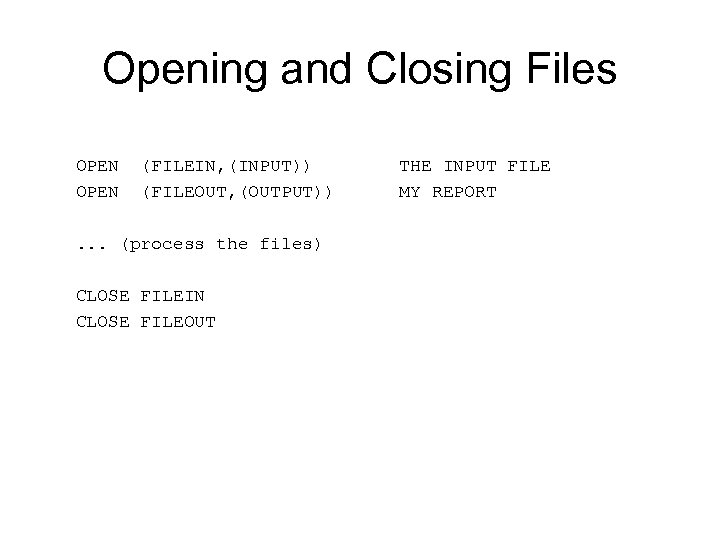
Opening and Closing Files OPEN (FILEIN, (INPUT)) THE INPUT FILE OPEN (FILEOUT, (OUTPUT)) MY REPORT . . . (process the files) CLOSE FILEIN CLOSE FILEOUT
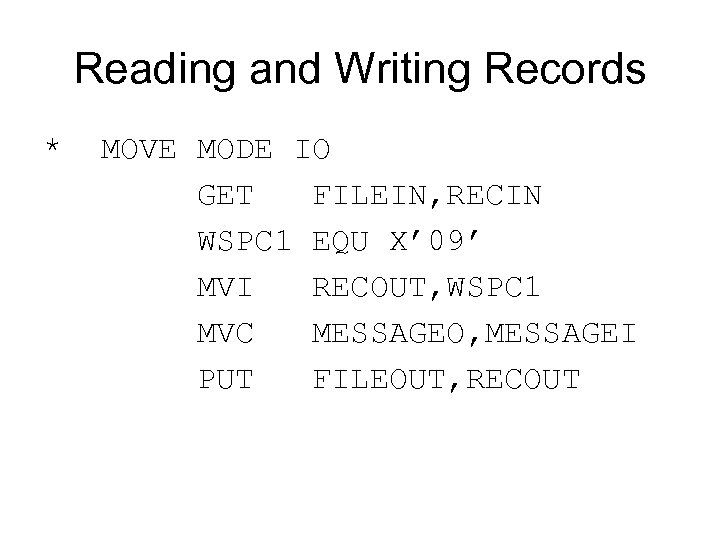
Reading and Writing Records * MOVE MODE IO GET FILEIN, RECIN WSPC 1 EQU X’ 09’ MVI RECOUT, WSPC 1 MVC MESSAGEO, MESSAGEI PUT FILEOUT, RECOUT
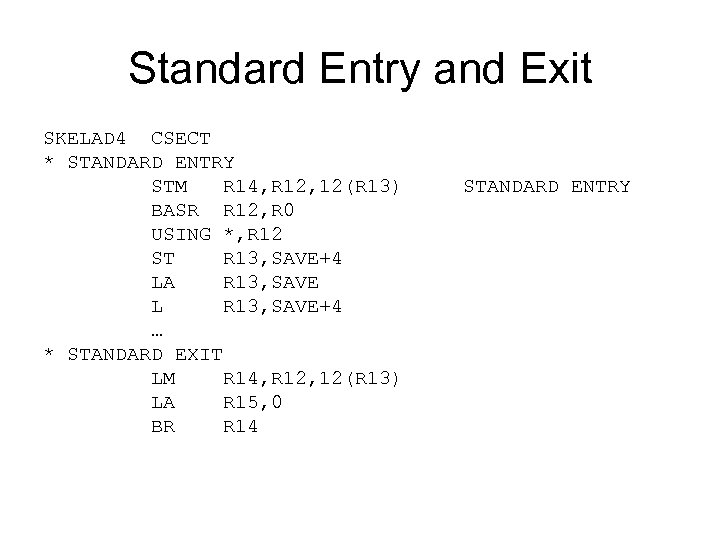
Standard Entry and Exit SKELAD 4 CSECT * STANDARD ENTRY STM R 14, R 12, 12(R 13) STANDARD ENTRY BASR R 12, R 0 USING *, R 12 ST R 13, SAVE+4 LA R 13, SAVE L R 13, SAVE+4 … * STANDARD EXIT LM R 14, R 12, 12(R 13) LA R 15, 0 BR R 14
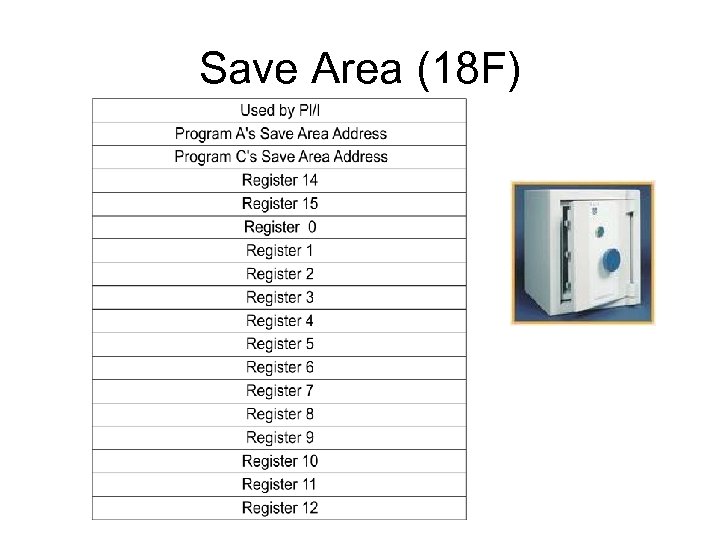
Save Area (18 F)
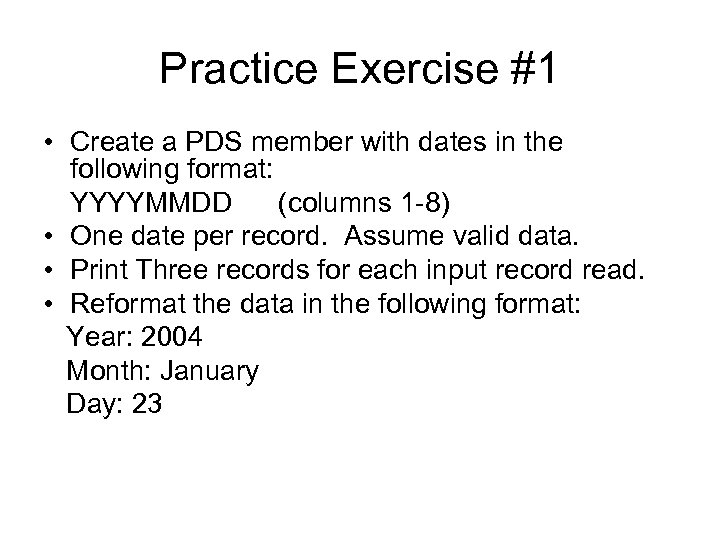
Practice Exercise #1 • Create a PDS member with dates in the following format: YYYYMMDD (columns 1 -8) • One date per record. Assume valid data. • Print Three records for each input record read. • Reformat the data in the following format: Year: 2004 Month: January Day: 23
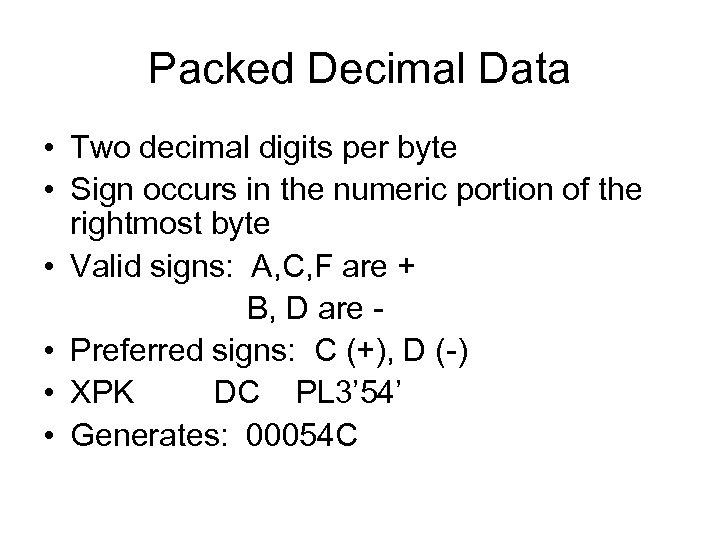
Packed Decimal Data • Two decimal digits per byte • Sign occurs in the numeric portion of the rightmost byte • Valid signs: A, C, F are + B, D are • Preferred signs: C (+), D (-) • XPK DC PL 3’ 54’ • Generates: 00054 C
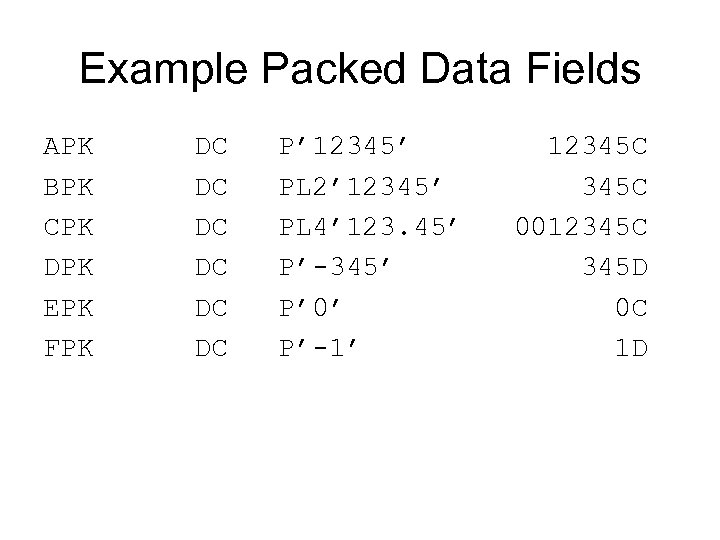
Example Packed Data Fields APK DC P’ 12345’ 12345 C BPK DC PL 2’ 12345’ 345 C CPK DC PL 4’ 123. 45’ 0012345 C DPK DC P’-345’ 345 D EPK DC P’ 0’ 0 C FPK DC P’-1’ 1 D
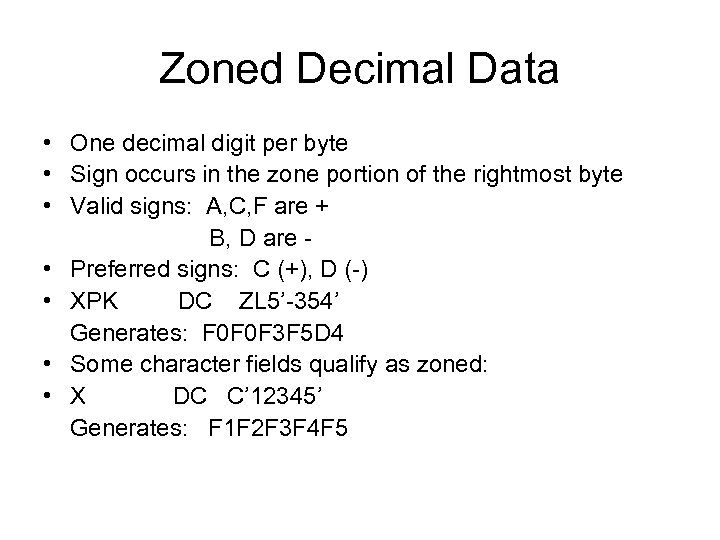
Zoned Decimal Data • One decimal digit per byte • Sign occurs in the zone portion of the rightmost byte • Valid signs: A, C, F are + B, D are • Preferred signs: C (+), D (-) • XPK DC ZL 5’-354’ Generates: F 0 F 0 F 3 F 5 D 4 • Some character fields qualify as zoned: • X DC C’ 12345’ Generates: F 1 F 2 F 3 F 4 F 5
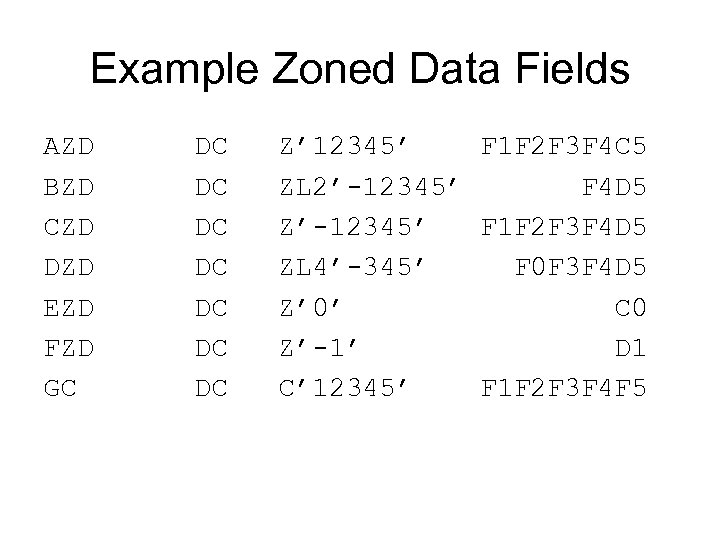
Example Zoned Data Fields AZD DC Z’ 12345’ F 1 F 2 F 3 F 4 C 5 BZD DC ZL 2’-12345’ F 4 D 5 CZD DC Z’-12345’ F 1 F 2 F 3 F 4 D 5 DZD DC ZL 4’-345’ F 0 F 3 F 4 D 5 EZD DC Z’ 0’ C 0 FZD DC Z’-1’ D 1 GC DC C’ 12345’ F 1 F 2 F 3 F 4 F 5
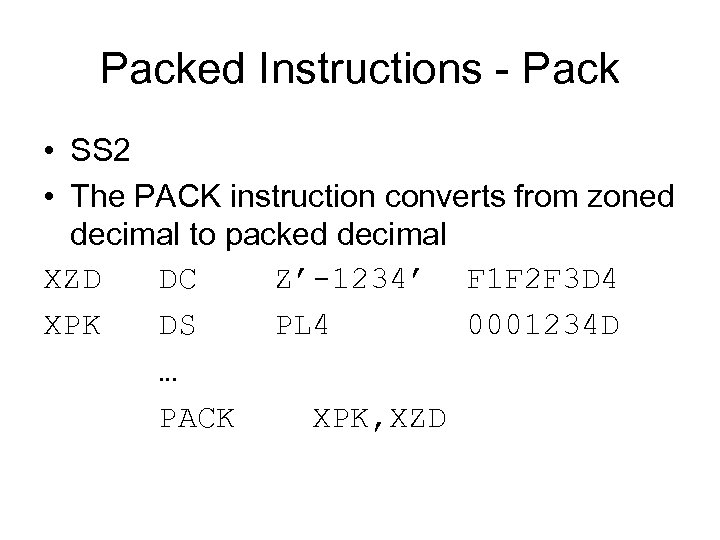
Packed Instructions - Pack • SS 2 • The PACK instruction converts from zoned decimal to packed decimal XZD DC Z’-1234’ F 1 F 2 F 3 D 4 XPK DS PL 4 0001234 D … PACK XPK, XZD
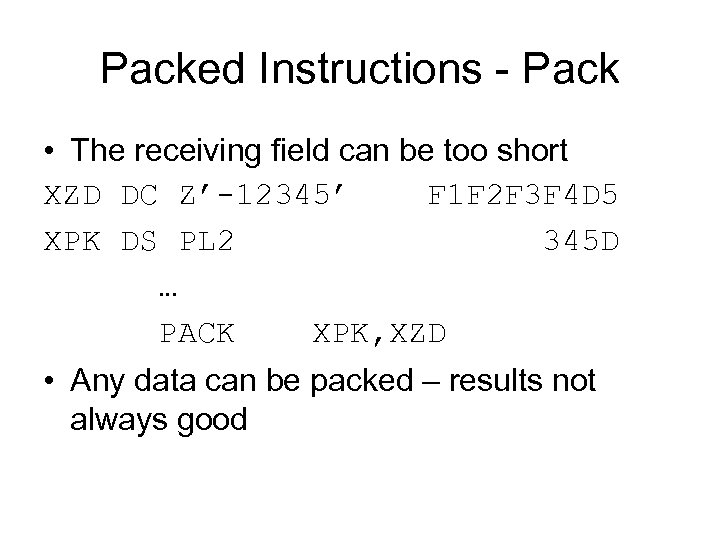
Packed Instructions - Pack • The receiving field can be too short XZD DC Z’-12345’ F 1 F 2 F 3 F 4 D 5 XPK DS PL 2 345 D … PACK XPK, XZD • Any data can be packed – results not always good
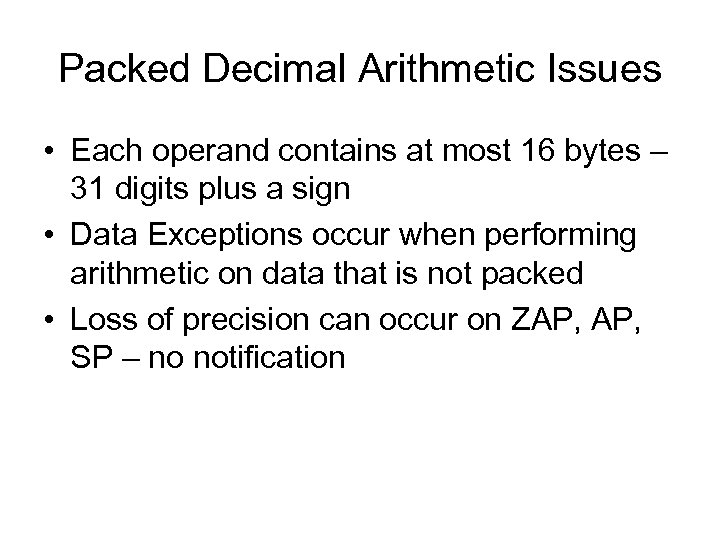
Packed Decimal Arithmetic Issues • Each operand contains at most 16 bytes – 31 digits plus a sign • Data Exceptions occur when performing arithmetic on data that is not packed • Loss of precision can occur on ZAP, SP – no notification
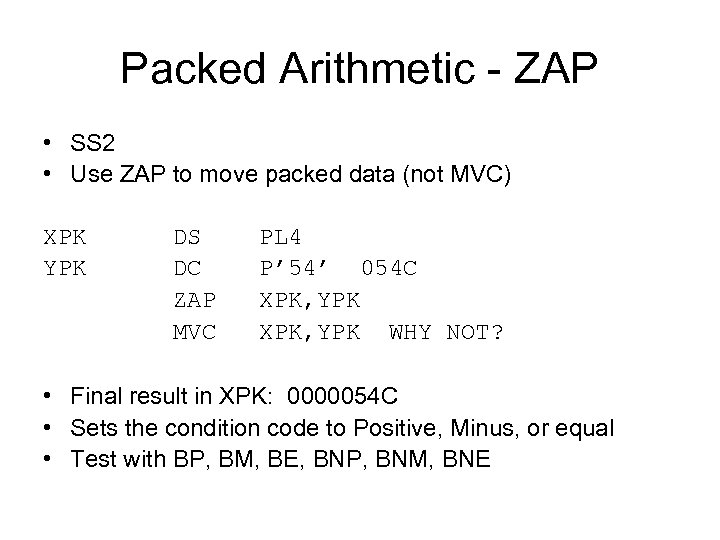
Packed Arithmetic - ZAP • SS 2 • Use ZAP to move packed data (not MVC) XPK DS PL 4 YPK DC P’ 54’ 054 C ZAP XPK, YPK MVC XPK, YPK WHY NOT? • Final result in XPK: 0000054 C • Sets the condition code to Positive, Minus, or equal • Test with BP, BM, BE, BNP, BNM, BNE
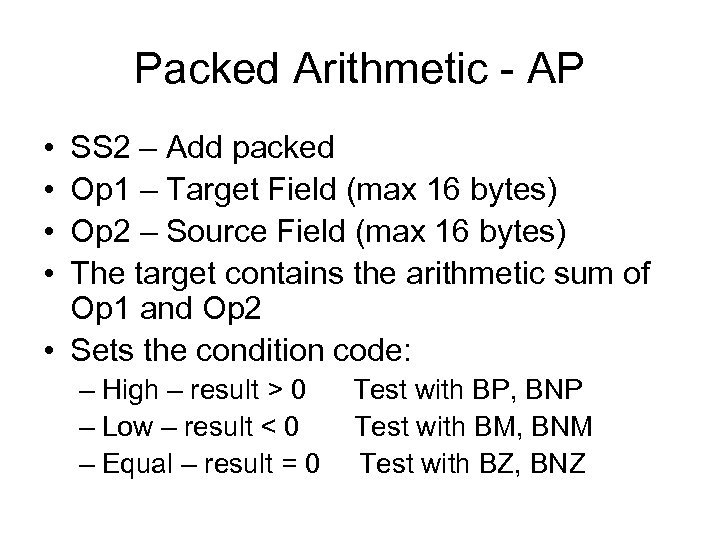
Packed Arithmetic - AP • • SS 2 – Add packed Op 1 – Target Field (max 16 bytes) Op 2 – Source Field (max 16 bytes) The target contains the arithmetic sum of Op 1 and Op 2 • Sets the condition code: – High – result > 0 Test with BP, BNP – Low – result < 0 Test with BM, BNM – Equal – result = 0 Test with BZ, BNZ
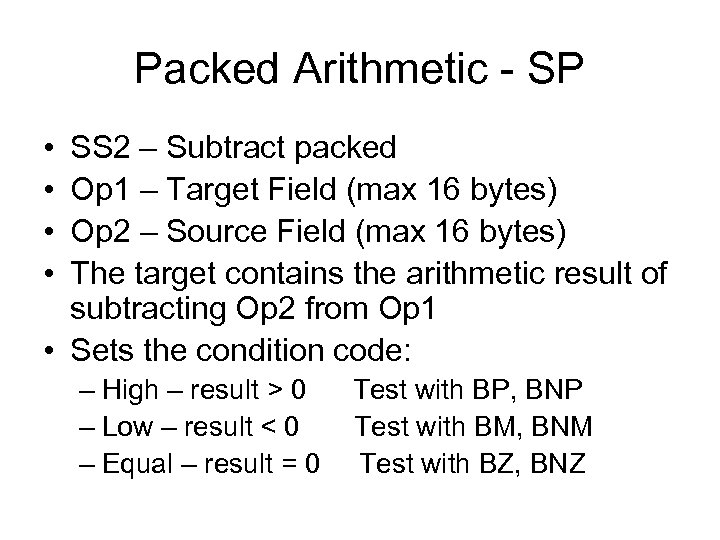
Packed Arithmetic - SP • • SS 2 – Subtract packed Op 1 – Target Field (max 16 bytes) Op 2 – Source Field (max 16 bytes) The target contains the arithmetic result of subtracting Op 2 from Op 1 • Sets the condition code: – High – result > 0 Test with BP, BNP – Low – result < 0 Test with BM, BNM – Equal – result = 0 Test with BZ, BNZ
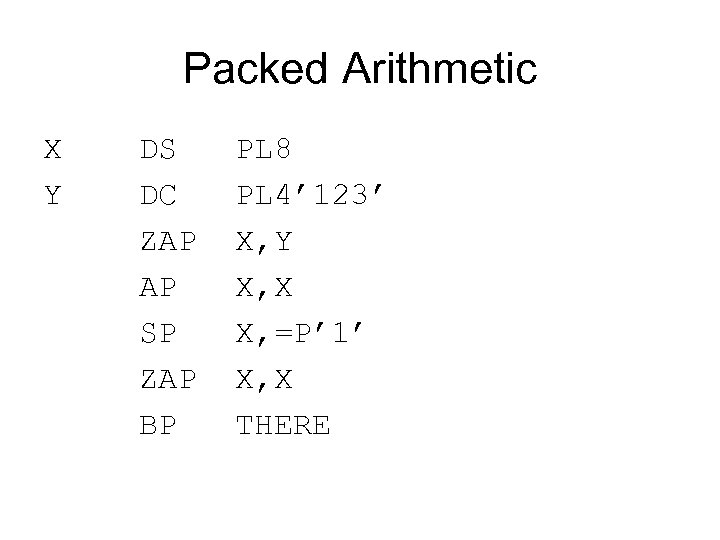
Packed Arithmetic X DS PL 8 Y DC PL 4’ 123’ ZAP X, Y AP X, X SP X, =P’ 1’ ZAP X, X BP THERE
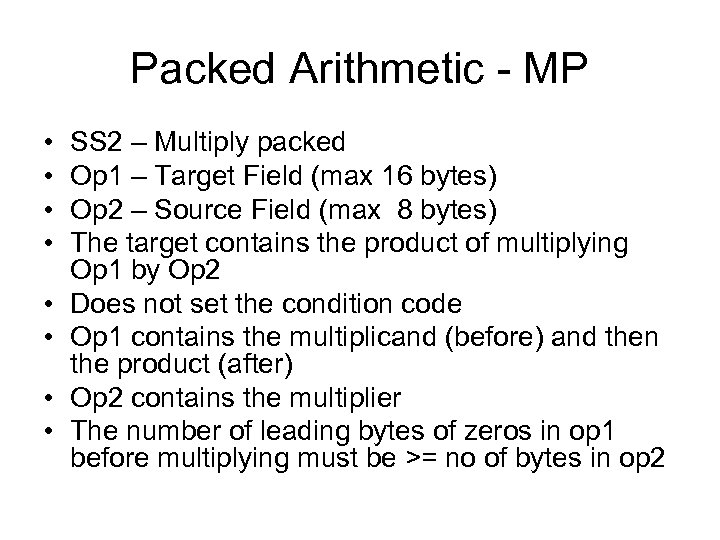
Packed Arithmetic - MP • • SS 2 – Multiply packed Op 1 – Target Field (max 16 bytes) Op 2 – Source Field (max 8 bytes) The target contains the product of multiplying Op 1 by Op 2 Does not set the condition code Op 1 contains the multiplicand (before) and then the product (after) Op 2 contains the multiplier The number of leading bytes of zeros in op 1 before multiplying must be >= no of bytes in op 2
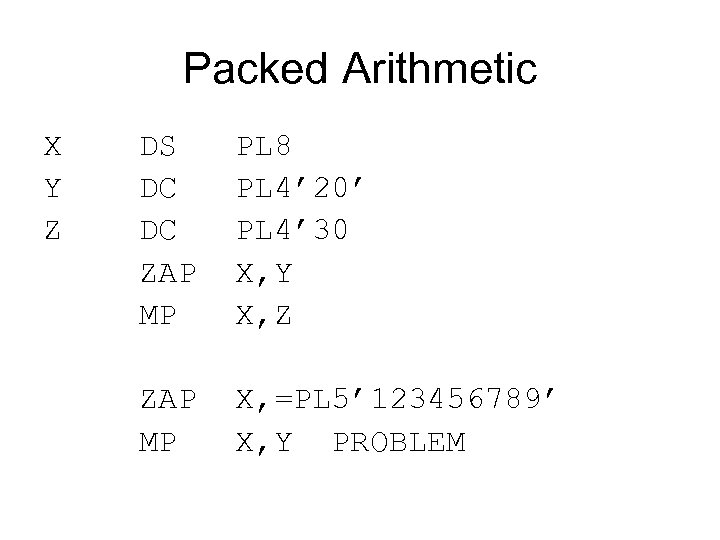
Packed Arithmetic X DS PL 8 Y DC PL 4’ 20’ Z DC PL 4’ 30 ZAP X, Y MP X, Z ZAP X, =PL 5’ 123456789’ MP X, Y PROBLEM
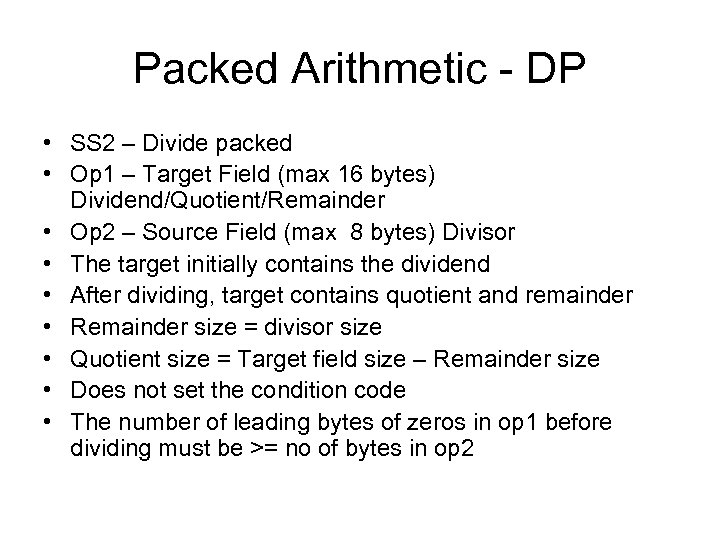
Packed Arithmetic - DP • SS 2 – Divide packed • Op 1 – Target Field (max 16 bytes) Dividend/Quotient/Remainder • Op 2 – Source Field (max 8 bytes) Divisor • The target initially contains the dividend • After dividing, target contains quotient and remainder • Remainder size = divisor size • Quotient size = Target field size – Remainder size • Does not set the condition code • The number of leading bytes of zeros in op 1 before dividing must be >= no of bytes in op 2
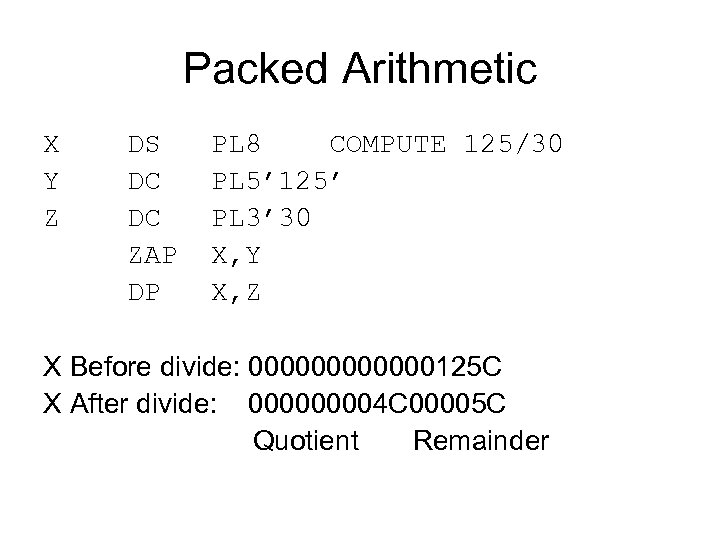
Packed Arithmetic X DS PL 8 COMPUTE 125/30 Y DC PL 5’ 125’ Z DC PL 3’ 30 ZAP X, Y DP X, Z X Before divide: 000000125 C X After divide: 00004 C 00005 C Quotient Remainder
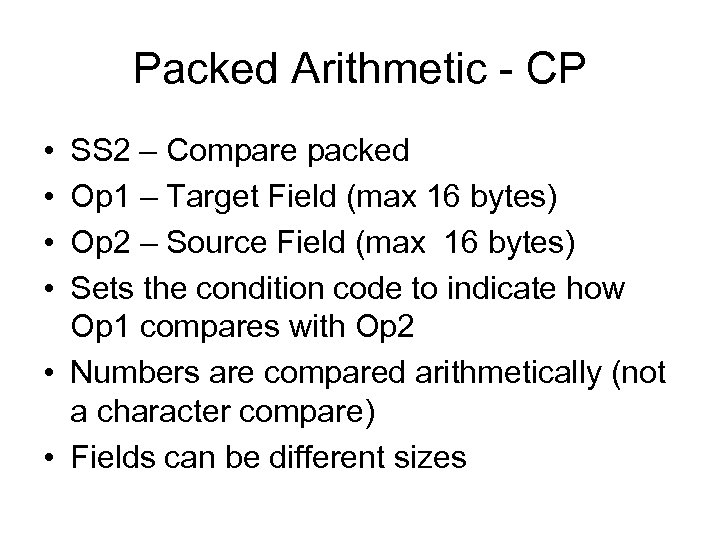
Packed Arithmetic - CP • • SS 2 – Compare packed Op 1 – Target Field (max 16 bytes) Op 2 – Source Field (max 16 bytes) Sets the condition code to indicate how Op 1 compares with Op 2 • Numbers are compared arithmetically (not a character compare) • Fields can be different sizes
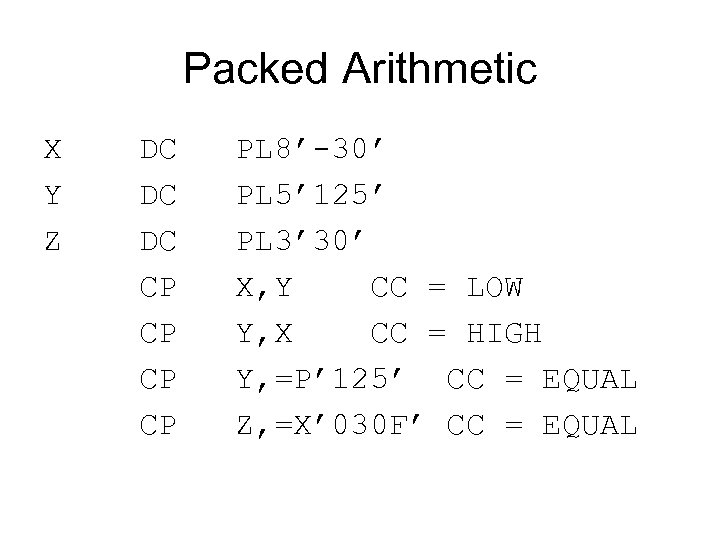
Packed Arithmetic X DC PL 8’-30’ Y DC PL 5’ 125’ Z DC PL 3’ 30’ CP X, Y CC = LOW CP Y, X CC = HIGH CP Y, =P’ 125’ CC = EQUAL CP Z, =X’ 030 F’ CC = EQUAL
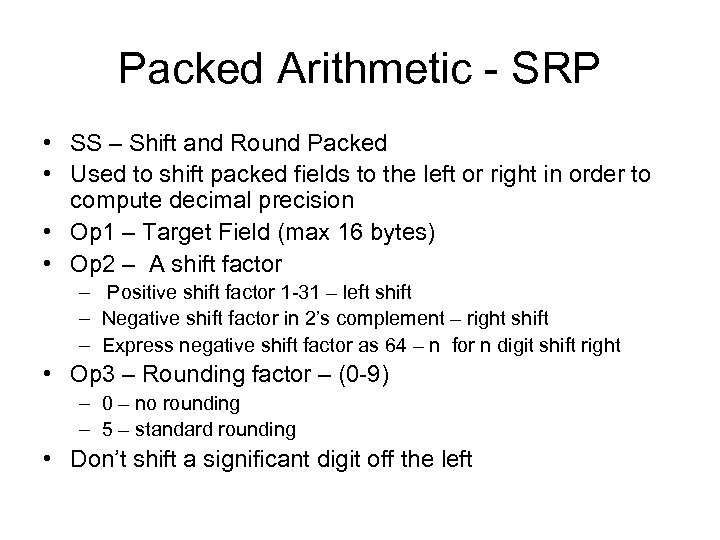
Packed Arithmetic - SRP • SS – Shift and Round Packed • Used to shift packed fields to the left or right in order to compute decimal precision • Op 1 – Target Field (max 16 bytes) • Op 2 – A shift factor – Positive shift factor 1 -31 – left shift – Negative shift factor in 2’s complement – right shift – Express negative shift factor as 64 – n for n digit shift right • Op 3 – Rounding factor – (0 -9) – 0 – no rounding – 5 – standard rounding • Don’t shift a significant digit off the left
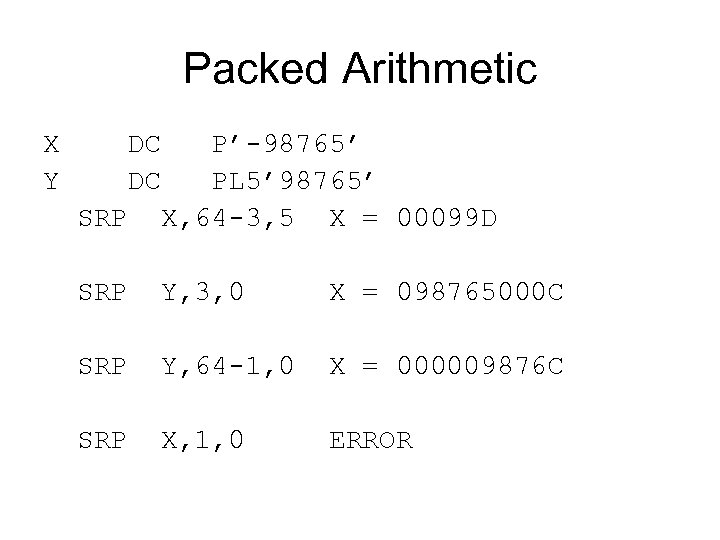
Packed Arithmetic X DC P’-98765’ Y DC PL 5’ 98765’ SRP X, 64 -3, 5 X = 00099 D SRP Y, 3, 0 X = 098765000 C SRP Y, 64 -1, 0 X = 000009876 C SRP X, 1, 0 ERROR
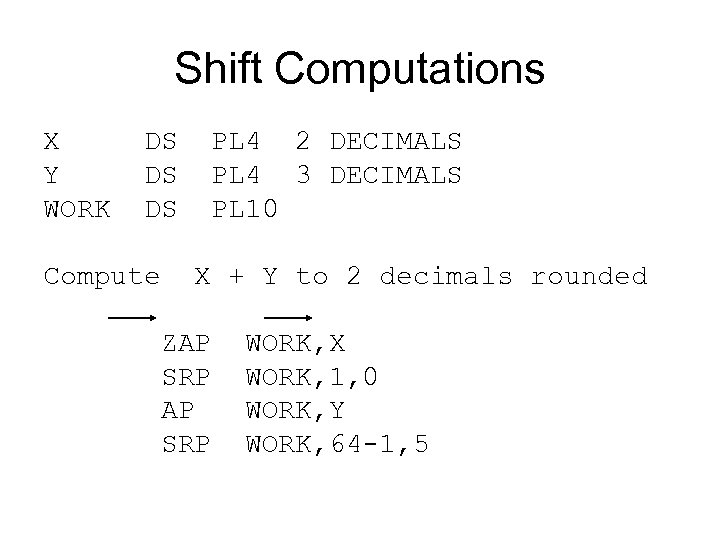
Shift Computations X DS PL 4 2 DECIMALS Y DS PL 4 3 DECIMALS WORK DS PL 10 Compute X + Y to 2 decimals rounded ZAP WORK, X SRP WORK, 1, 0 AP WORK, Y SRP WORK, 64 -1, 5
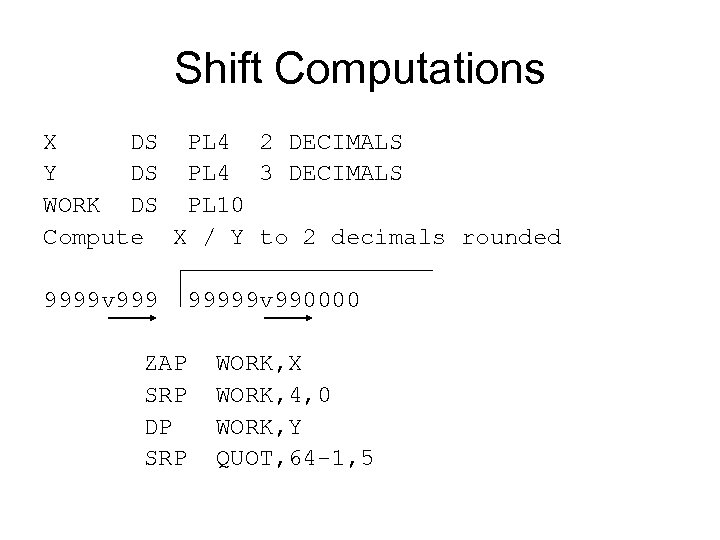
Shift Computations X DS PL 4 2 DECIMALS Y DS PL 4 3 DECIMALS WORK DS PL 10 Compute X / Y to 2 decimals rounded 9999 v 99999 v 990000 ZAP WORK, X SRP WORK, 4, 0 DP WORK, Y SRP QUOT, 64 -1, 5
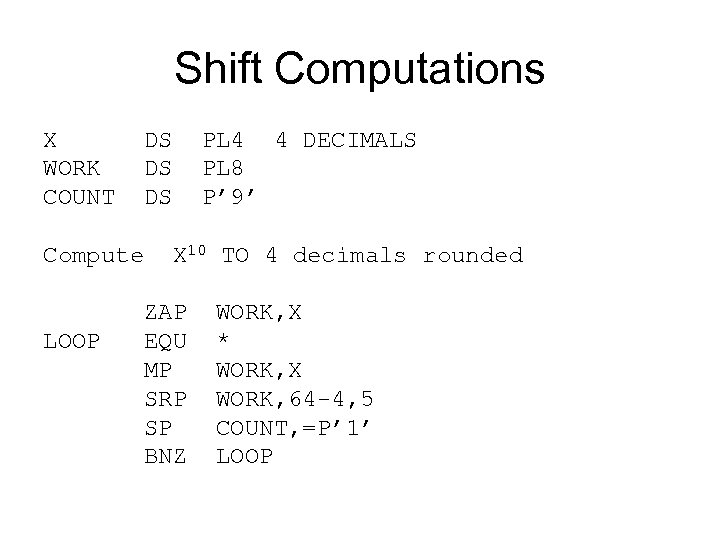
Shift Computations X DS PL 4 4 DECIMALS WORK DS PL 8 COUNT DS P’ 9’ Compute X 10 TO 4 decimals rounded ZAP WORK, X LOOP EQU * MP WORK, X SRP WORK, 64 -4, 5 SP COUNT, =P’ 1’ BNZ LOOP
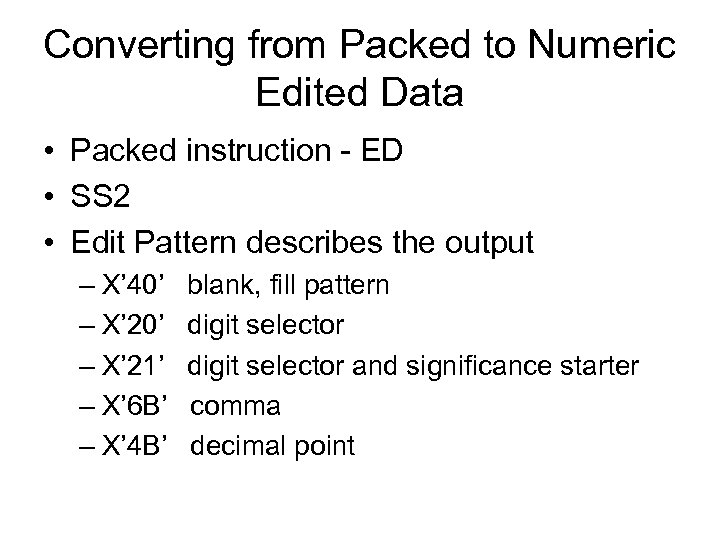
Converting from Packed to Numeric Edited Data • Packed instruction - ED • SS 2 • Edit Pattern describes the output – X’ 40’ blank, fill pattern – X’ 20’ digit selector – X’ 21’ digit selector and significance starter – X’ 6 B’ comma – X’ 4 B’ decimal point
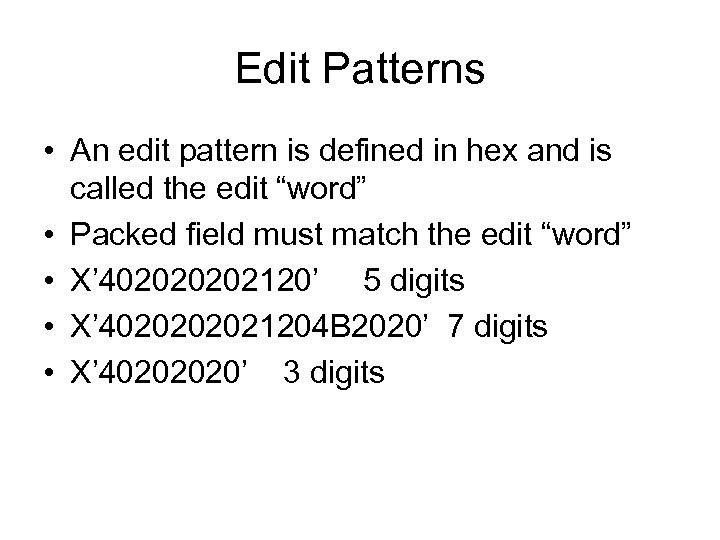
Edit Patterns • An edit pattern is defined in hex and is called the edit “word” • Packed field must match the edit “word” • X’ 40202120’ 5 digits • X’ 402021204 B 2020’ 7 digits • X’ 40202020’ 3 digits
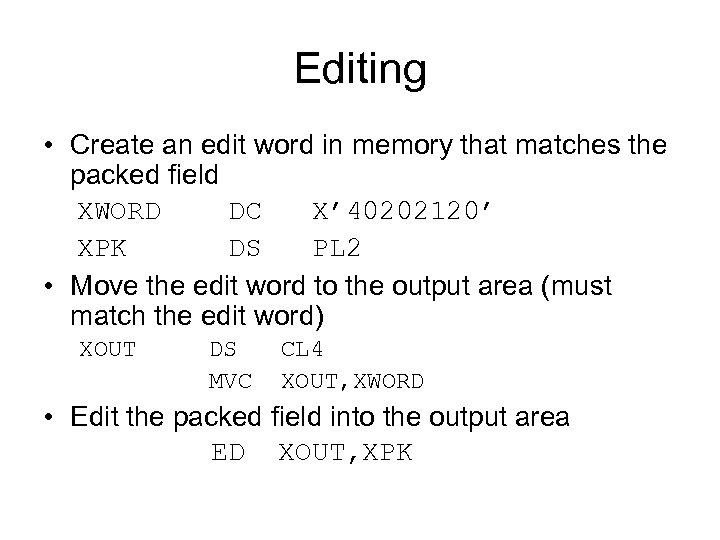
Editing • Create an edit word in memory that matches the packed field XWORD DC X’ 40202120’ XPK DS PL 2 • Move the edit word to the output area (must match the edit word) XOUT DS CL 4 MVC XOUT, XWORD • Edit the packed field into the output area ED XOUT, XPK
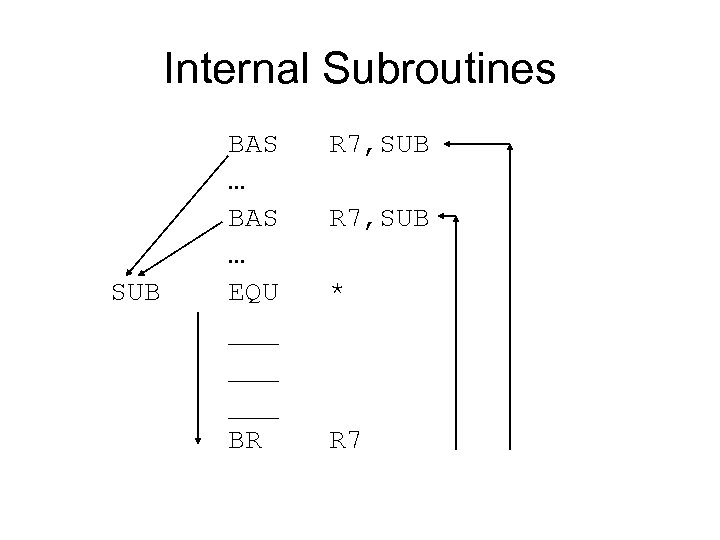
Internal Subroutines BAS R 7, SUB … SUB EQU * ___ BR R 7
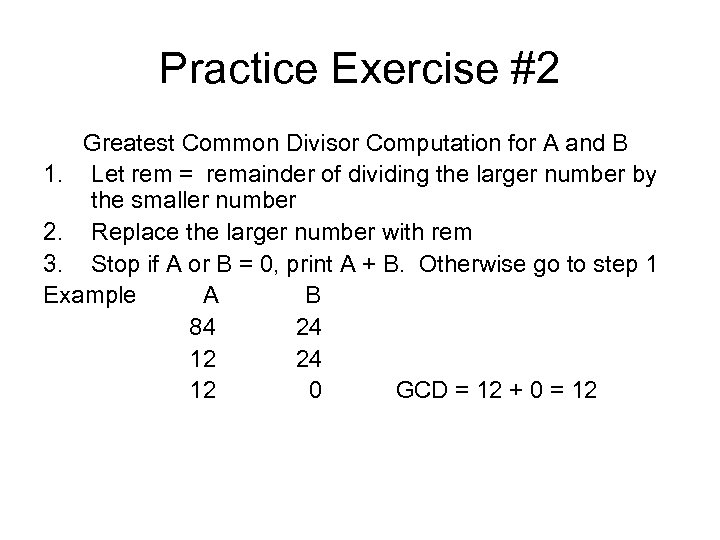
Practice Exercise #2 Greatest Common Divisor Computation for A and B 1. Let rem = remainder of dividing the larger number by the smaller number 2. Replace the larger number with rem 3. Stop if A or B = 0, print A + B. Otherwise go to step 1 Example A B 84 24 12 0 GCD = 12 + 0 = 12
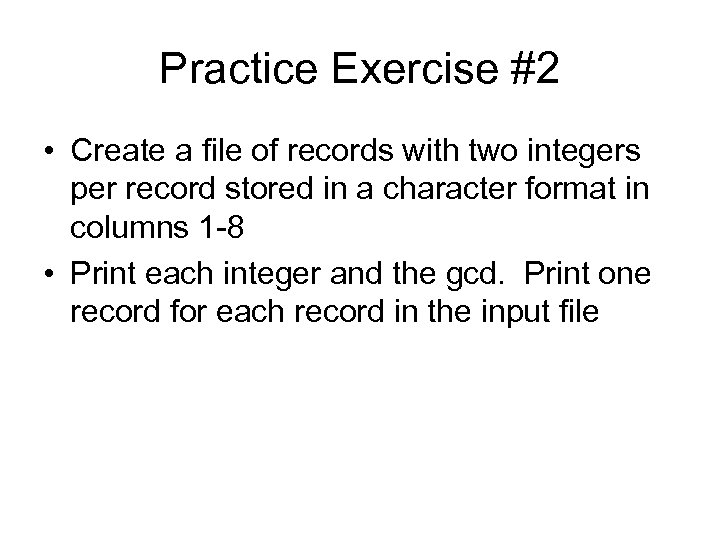
Practice Exercise #2 • Create a file of records with two integers per record stored in a character format in columns 1 -8 • Print each integer and the gcd. Print one record for each record in the input file
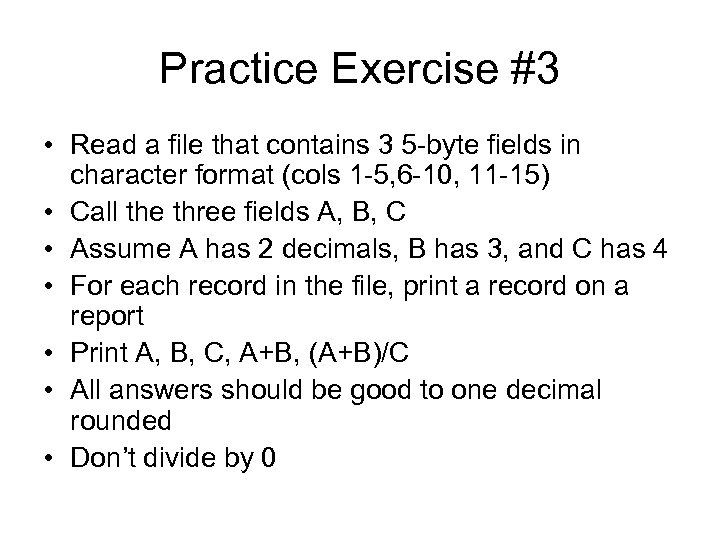
Practice Exercise #3 • Read a file that contains 3 5 -byte fields in character format (cols 1 -5, 6 -10, 11 -15) • Call the three fields A, B, C • Assume A has 2 decimals, B has 3, and C has 4 • For each record in the file, print a record on a report • Print A, B, C, A+B, (A+B)/C • All answers should be good to one decimal rounded • Don’t divide by 0
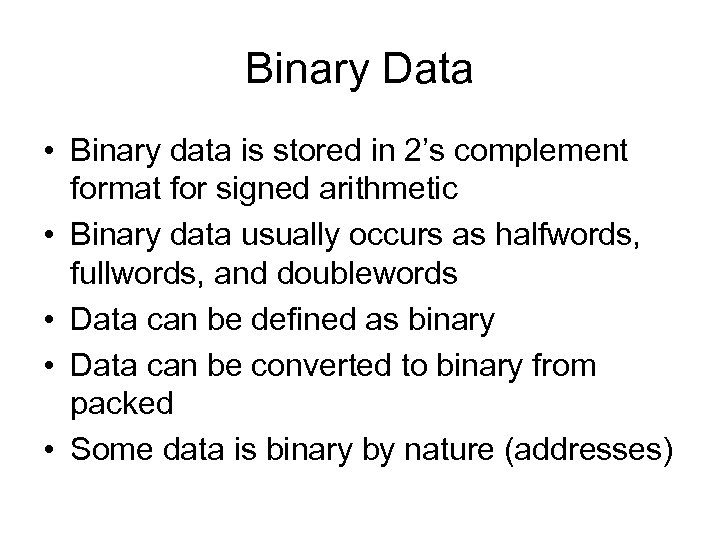
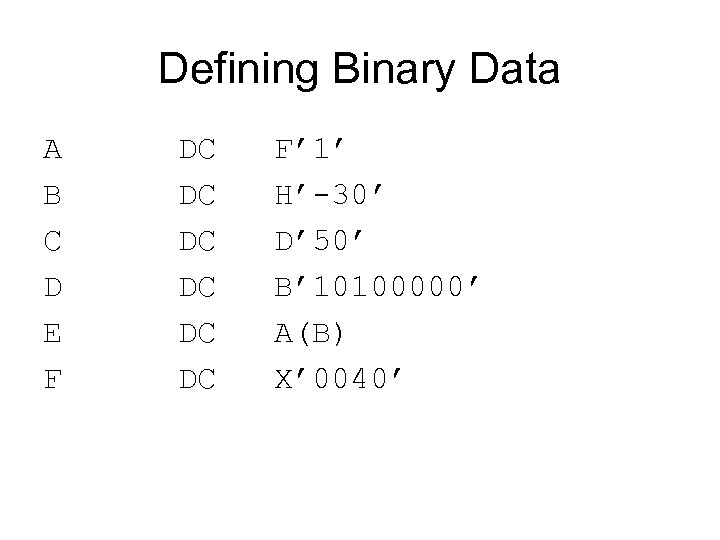
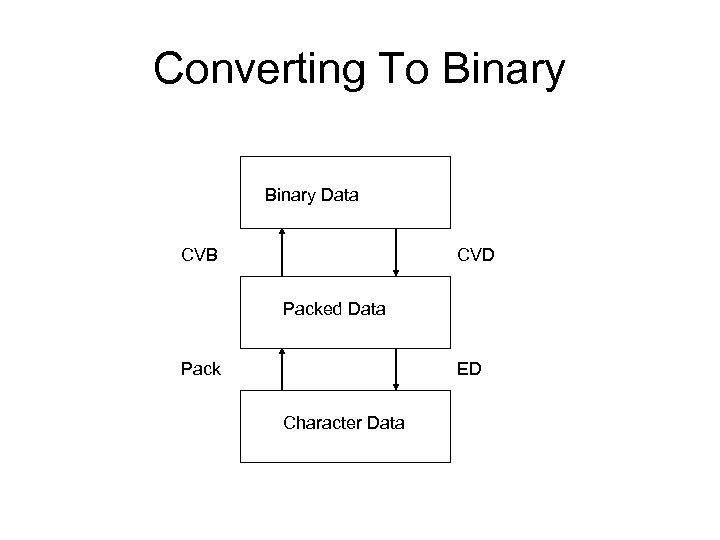
Binary Data • Binary data is stored in 2’s complement format for signed arithmetic • Binary data usually occurs as halfwords, fullwords, and doublewords • Data can be defined as binary • Data can be converted to binary from packed • Some data is binary by nature (addresses)
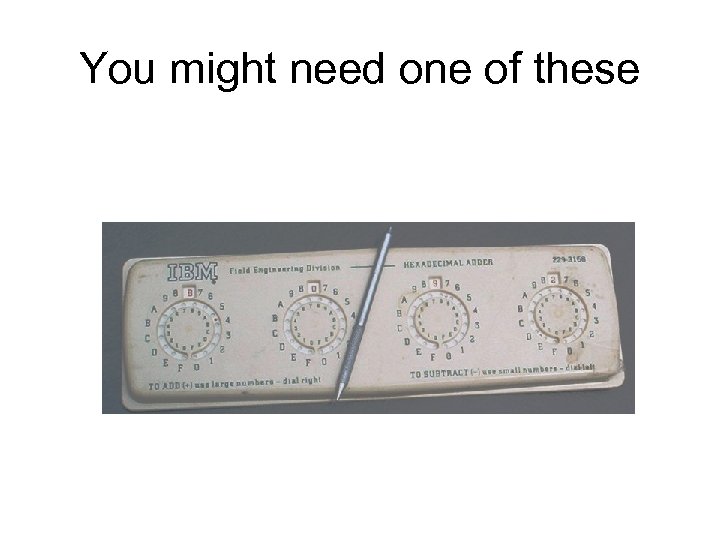
You might need one of these
Defining Binary Data A DC F’ 1’ B DC H’-30’ C DC D’ 50’ D DC B’ 10100000’ E DC A(B) F DC X’ 0040’
Converting To Binary Data CVB CVD Packed Data Pack ED Character Data
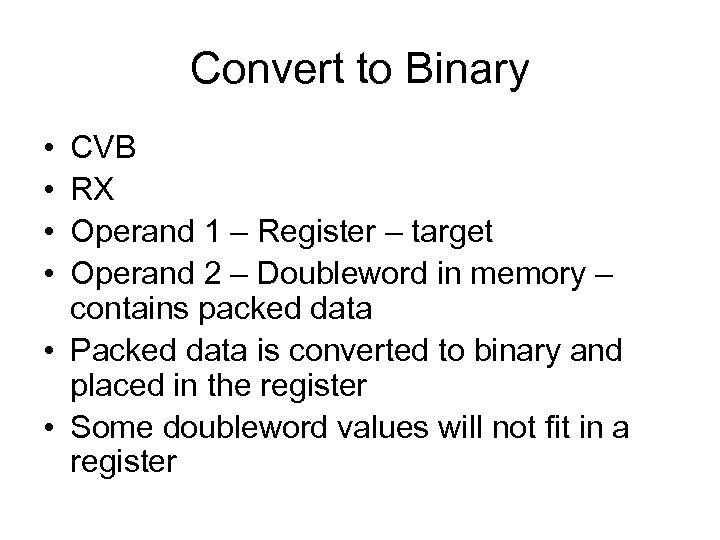
Convert to Binary • • CVB RX Operand 1 – Register – target Operand 2 – Doubleword in memory – contains packed data • Packed data is converted to binary and placed in the register • Some doubleword values will not fit in a register
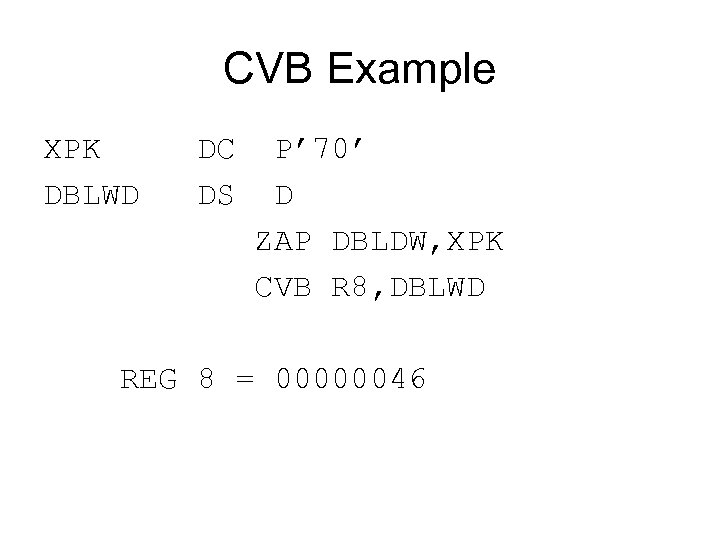
CVB Example XPK DC P’ 70’ DBLWD DS D ZAP DBLDW, XPK CVB R 8, DBLWD REG 8 = 00000046
Convert to Decimal • • CVD RX Operand 1 – Register - Source Operand 2 – Target is a Doubleword in memory – contains packed data afterward • Binary data is converted to packed and placed in the doubleword
CVD Example ASSUME R 9 = 00000032 DBLWD DS D XPK DS PL 3 CVD R 9, DBLWD ZAP XPK, DBLWD XPK = 00050 C
Load and Store • RX • L – Loads a fullword from memory into a register • ST – Copies the contents of a register into a fullword in memory • Op 1 – a Register • Op 2 – a fullword in memory X DS F’ 20’ Y DS F L R 8, X ST R 4, Y
Load Register, Load and Test Register • • RR LR – Load Register LTR – Load and Test Register Both Load the contents of Op-2 into Op-1 LTR sets the condition code Op-1 – a target register Op-2 – a source register
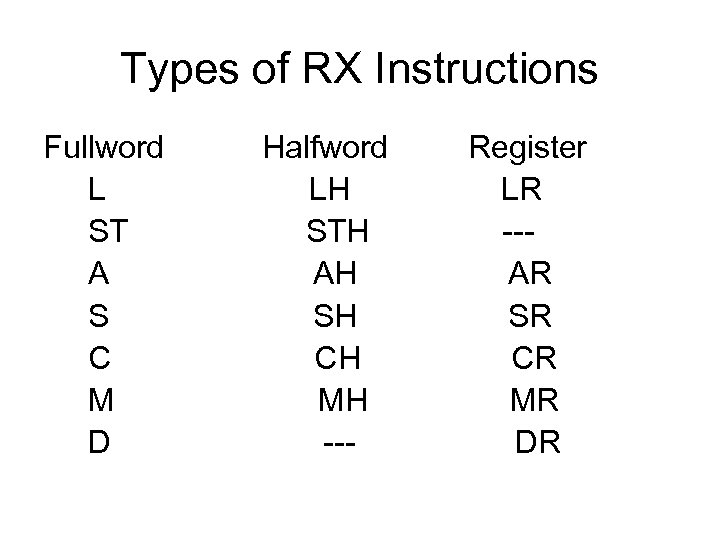
Types of RX Instructions Fullword Halfword Register L LH LR ST STH -- A AH AR S SH SR C CH CR M MH MR D --- DR
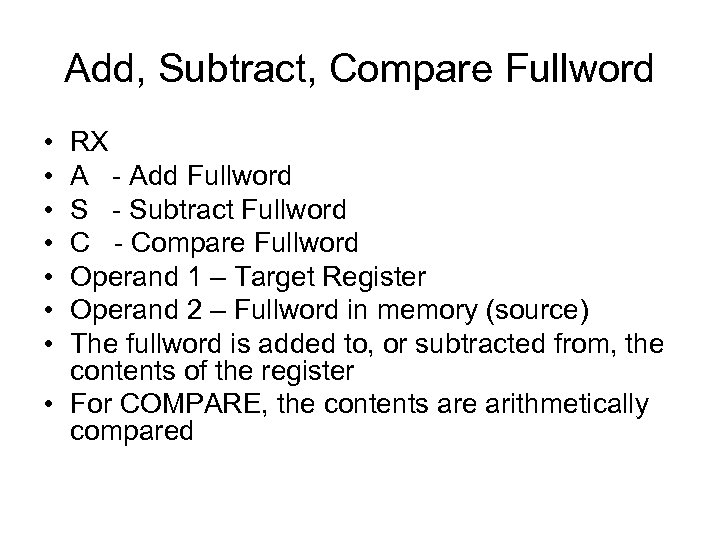
Add, Subtract, Compare Fullword • • RX A - Add Fullword S - Subtract Fullword C - Compare Fullword Operand 1 – Target Register Operand 2 – Fullword in memory (source) The fullword is added to, or subtracted from, the contents of the register • For COMPARE, the contents are arithmetically compared
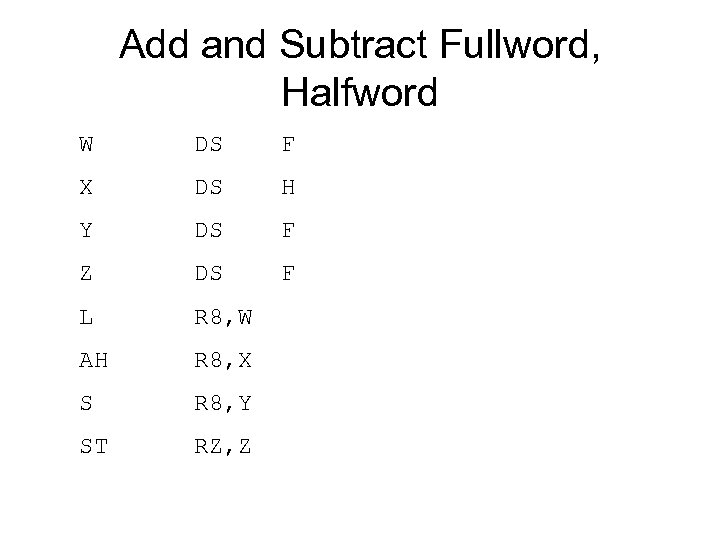
Add and Subtract Fullword, Halfword W DS F X DS H Y DS F Z DS F L R 8, W AH R 8, X S R 8, Y ST RZ, Z
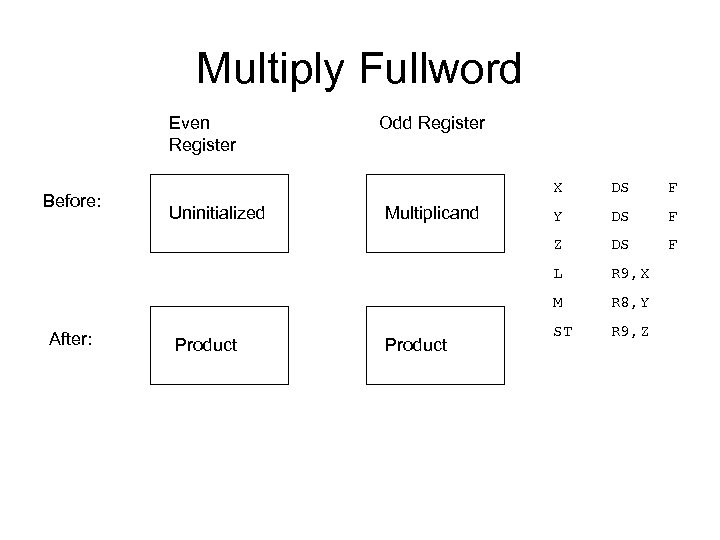
Multiply Fullword Even Register Before: Odd Register X DS F Uninitialized Multiplicand Y DS F Z DS F L R 9, X M R 8, Y After: Product ST R 9, Z
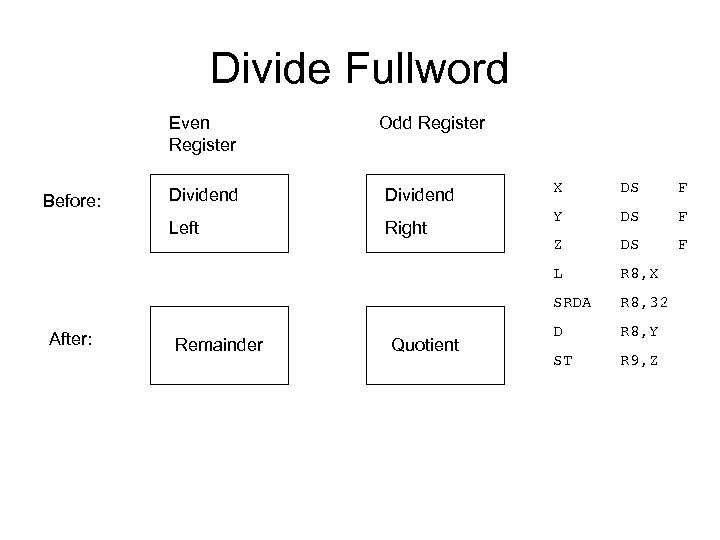
Divide Fullword Even Register Odd Register Dividend Left Before: Dividend Right X DS F Y DS F Z DS F L R 8, X SRDA R 8, 32 After: Remainder Quotient D R 8, Y ST R 9, Z
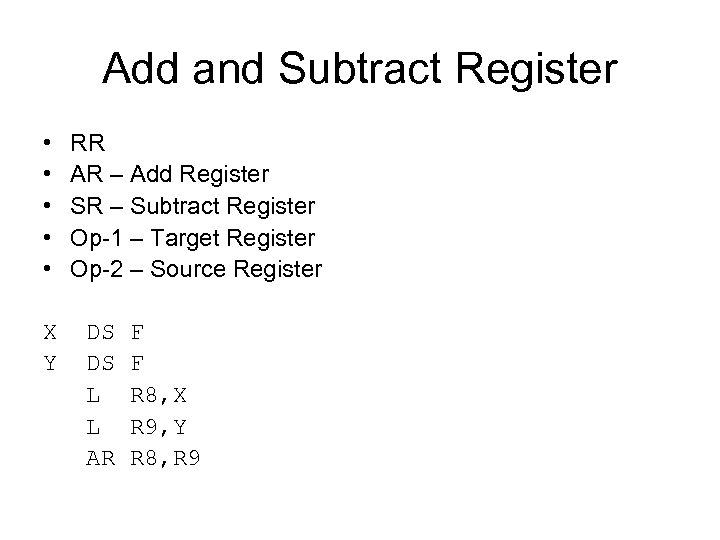
Add and Subtract Register • • • RR AR – Add Register SR – Subtract Register Op-1 – Target Register Op-2 – Source Register X DS F Y DS F L R 8, X L R 9, Y AR R 8, R 9
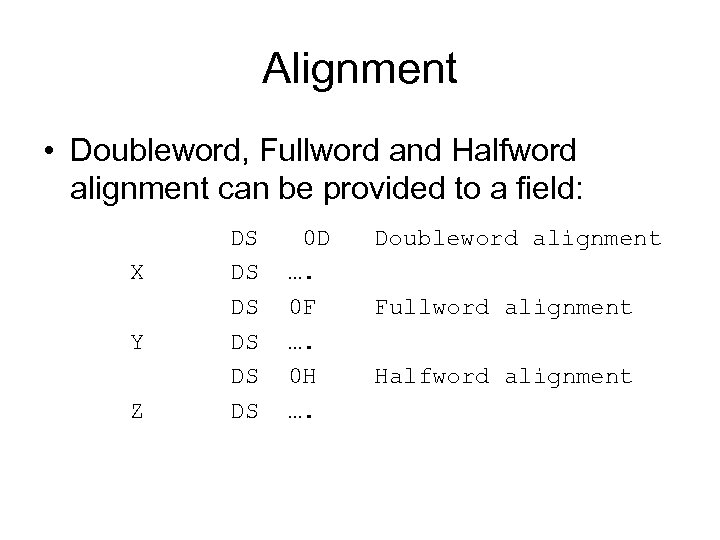
Alignment • Doubleword, Fullword and Halfword alignment can be provided to a field: DS 0 D Doubleword alignment X DS …. DS 0 F Fullword alignment Y DS …. DS 0 H Halfword alignment Z DS ….
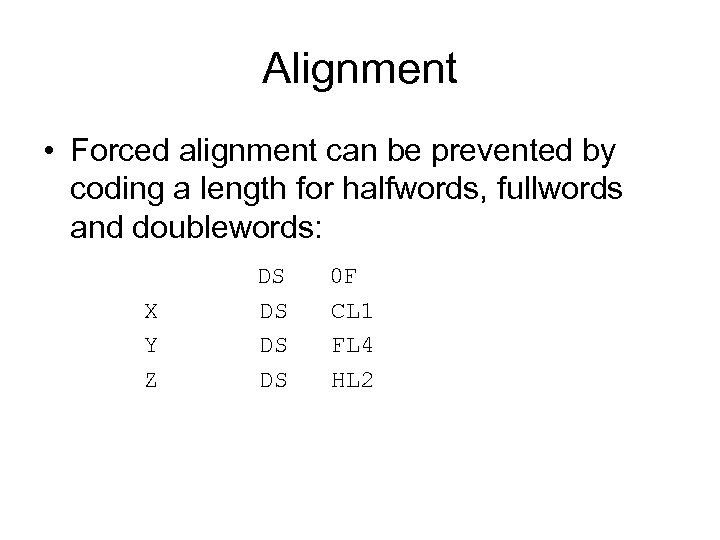
Alignment • Forced alignment can be prevented by coding a length for halfwords, fullwords and doublewords: DS 0 F X DS CL 1 Y DS FL 4 Z DS HL 2
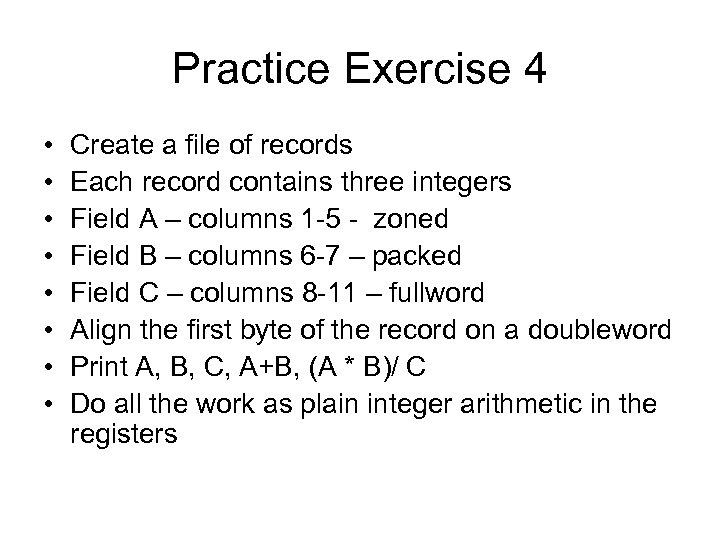
Practice Exercise 4 • • Create a file of records Each record contains three integers Field A – columns 1 -5 - zoned Field B – columns 6 -7 – packed Field C – columns 8 -11 – fullword Align the first byte of the record on a doubleword Print A, B, C, A+B, (A * B)/ C Do all the work as plain integer arithmetic in the registers
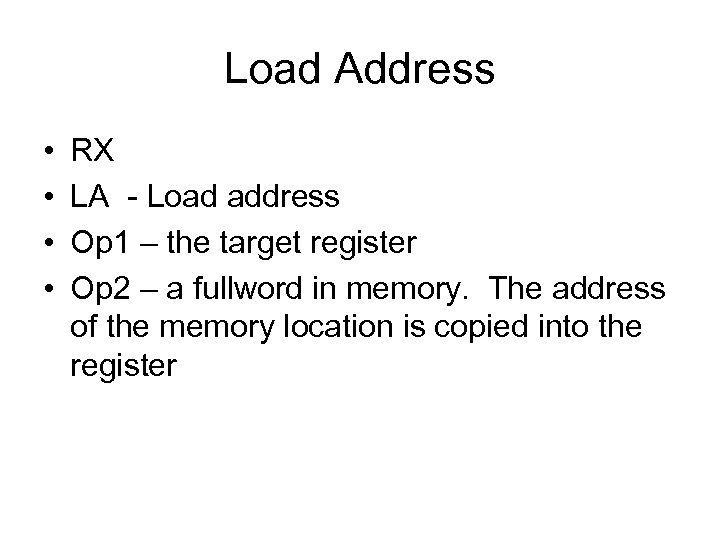
Load Address • • RX LA - Load address Op 1 – the target register Op 2 – a fullword in memory. The address of the memory location is copied into the register
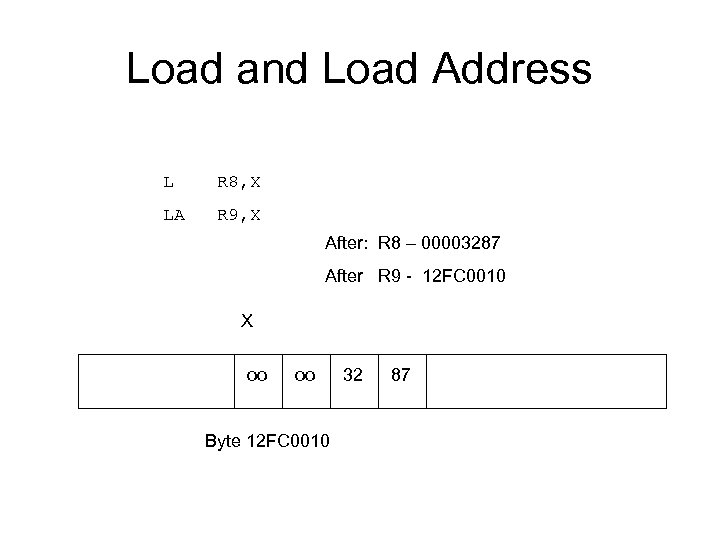
Load and Load Address L R 8, X LA R 9, X After: R 8 – 00003287 After R 9 - 12 FC 0010 X oo oo Byte 12 FC 0010 32 87
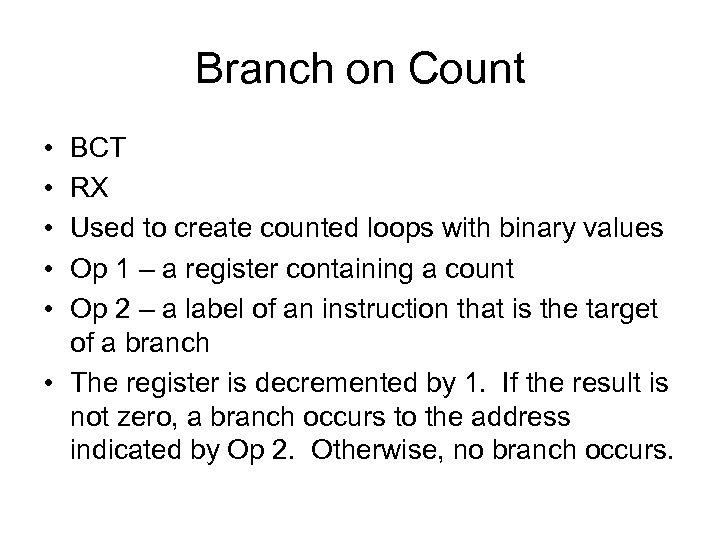
Branch on Count • • • BCT RX Used to create counted loops with binary values Op 1 – a register containing a count Op 2 – a label of an instruction that is the target of a branch • The register is decremented by 1. If the result is not zero, a branch occurs to the address indicated by Op 2. Otherwise, no branch occurs.
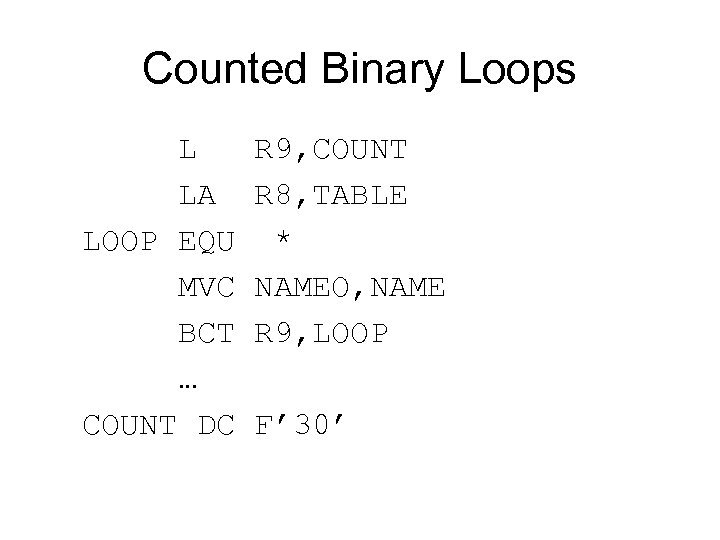
Counted Binary Loops L R 9, COUNT LA R 8, TABLE LOOP EQU * MVC NAMEO, NAME BCT R 9, LOOP … COUNT DC F’ 30’
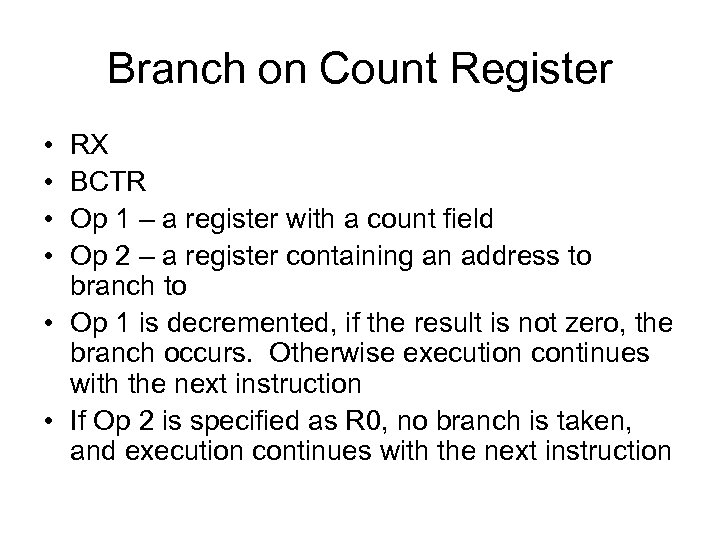
Branch on Count Register • • RX BCTR Op 1 – a register with a count field Op 2 – a register containing an address to branch to • Op 1 is decremented, if the result is not zero, the branch occurs. Otherwise execution continues with the next instruction • If Op 2 is specified as R 0, no branch is taken, and execution continues with the next instruction
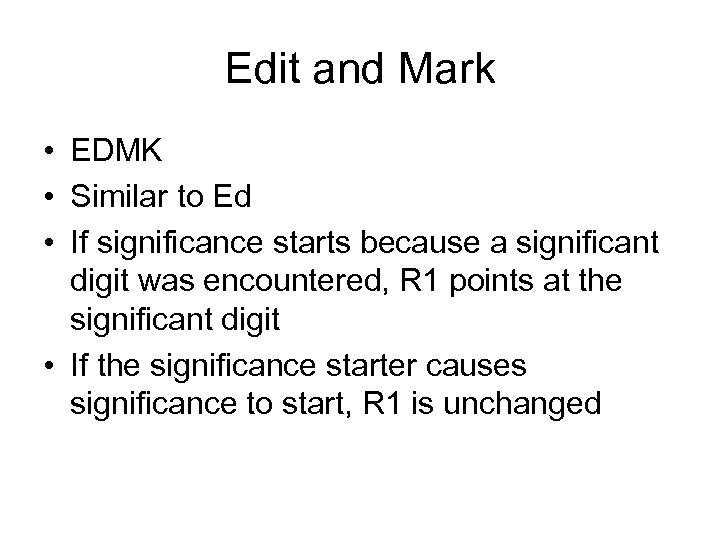
Edit and Mark • EDMK • Similar to Ed • If significance starts because a significant digit was encountered, R 1 points at the significant digit • If the significance starter causes significance to start, R 1 is unchanged
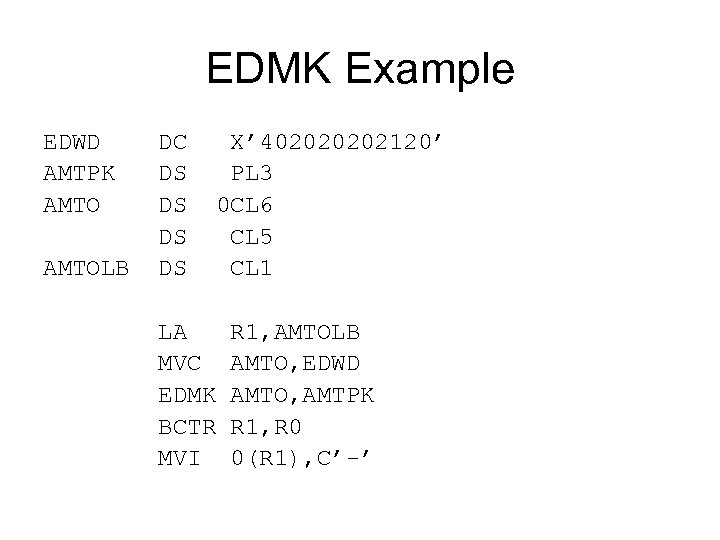
EDMK Example EDWD DC X’ 40202120’ AMTPK DS PL 3 AMTO DS 0 CL 6 DS CL 5 AMTOLB DS CL 1 LA R 1, AMTOLB MVC AMTO, EDWD EDMK AMTO, AMTPK BCTR R 1, R 0 MVI 0(R 1), C’-’
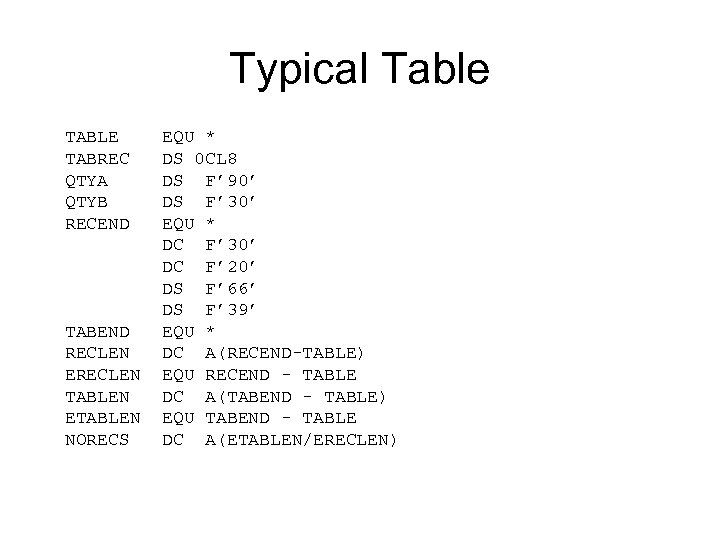
Typical Table TABLE EQU * TABREC DS 0 CL 8 QTYA DS F’ 90’ QTYB DS F’ 30’ RECEND EQU * DC F’ 30’ DC F’ 20’ DS F’ 66’ DS F’ 39’ TABEND EQU * RECLEN DC A(RECEND-TABLE) ERECLEN EQU RECEND - TABLEN DC A(TABEND - TABLE) ETABLEN EQU TABEND - TABLE NORECS DC A(ETABLEN/ERECLEN)
DSECTs • DSECTs provide a technique for applying symbolic names to a storage area in memory • A DSECT is a pattern of symbolic names and field descriptions • The DSECT can be used to reference any storage area that can be addressed • Uses: Table processing, parameter passing, Locate mode I/O • NO storage associated with a DSECT
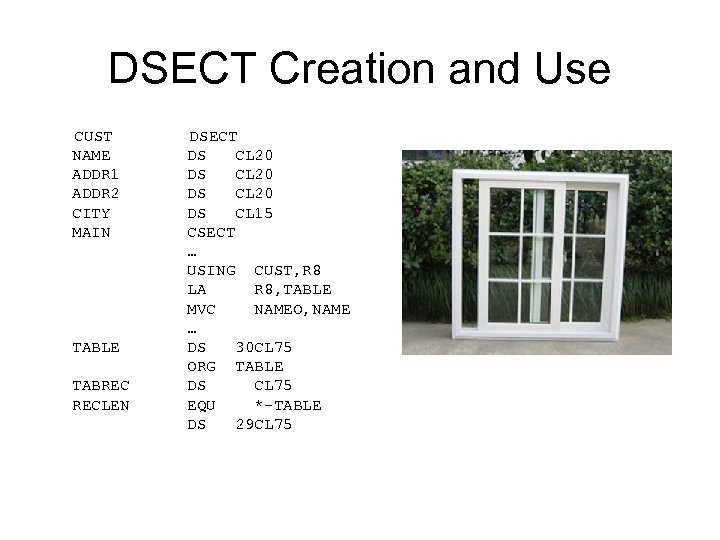
DSECT Creation and Use CUST DSECT NAME DS CL 20 ADDR 1 DS CL 20 ADDR 2 DS CL 20 CITY DS CL 15 MAIN CSECT … USING CUST, R 8 LA R 8, TABLE MVC NAMEO, NAME … TABLE DS 30 CL 75 ORG TABLE TABREC DS CL 75 RECLEN EQU *-TABLE DS 29 CL 75
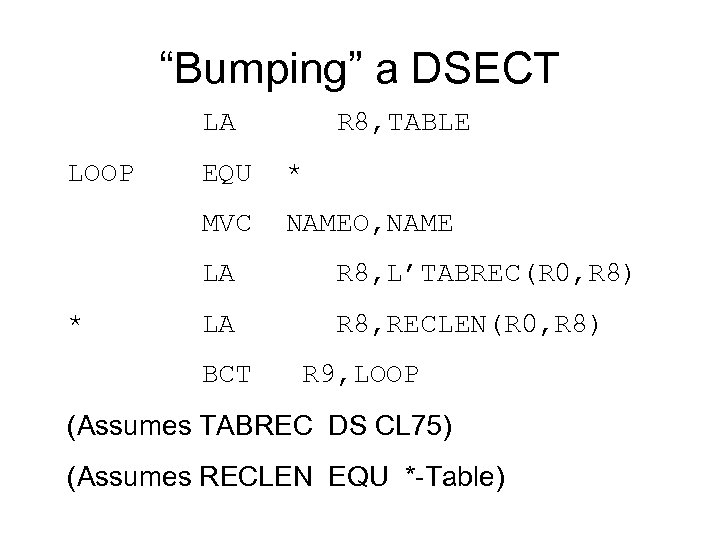
“Bumping” a DSECT LA R 8, TABLE LOOP EQU * MVC NAMEO, NAME LA R 8, L’TABREC(R 0, R 8) * LA R 8, RECLEN(R 0, R 8) BCT R 9, LOOP (Assumes TABREC DS CL 75) (Assumes RECLEN EQU *-Table)
Exercise #5 • Create a static table of states and zipcode ranges in your program • Create and read a file of 5 -digit zip codes (one zip per record) • Search for each zip code in the given ranges of the table. • Print out the corresponding state or a message indicating the zip is invalid
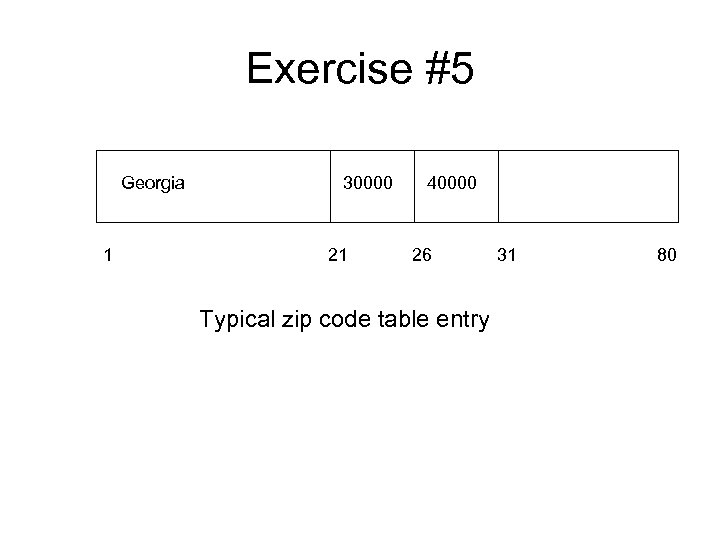
Exercise #5 Georgia 30000 40000 1 21 26 31 80 Typical zip code table entry
Exercise #5 A • Use BCST. SICCC 01. PDSLIB(EXER 5 A) which has 80 byte records in the following format: CUSTNO – cols 1 -5 character CUSTBAL – cols 6 -9 packed (dollars and cents) • Read the data into a table in your program. After reading the entire file, process the table by printing a report that lists customer numbers and balances. Process the table again and print a second report that lists all the customer numbers with a negative balance.
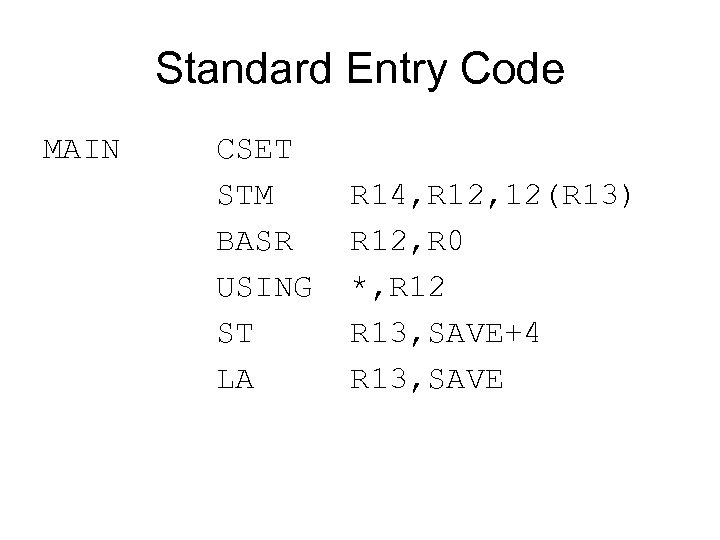
Standard Entry Code MAIN CSET STM R 14, R 12, 12(R 13) BASR R 12, R 0 USING *, R 12 ST R 13, SAVE+4 LA R 13, SAVE
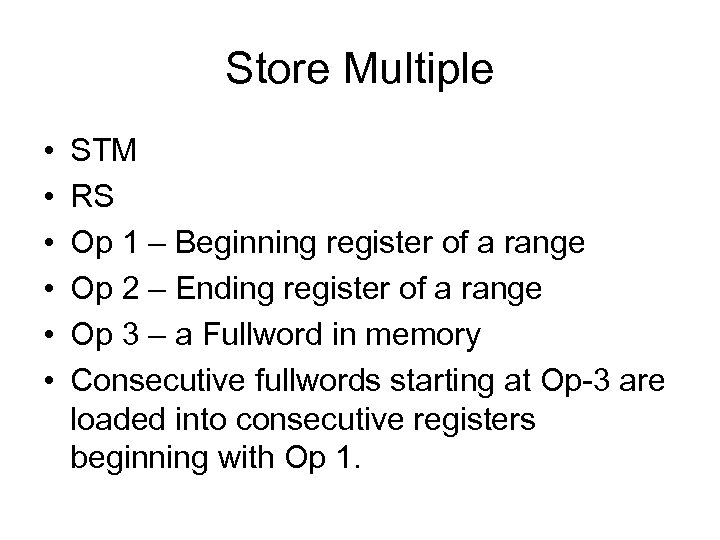
Store Multiple • • • STM RS Op 1 – Beginning register of a range Op 2 – Ending register of a range Op 3 – a Fullword in memory Consecutive fullwords starting at Op-3 are loaded into consecutive registers beginning with Op 1.
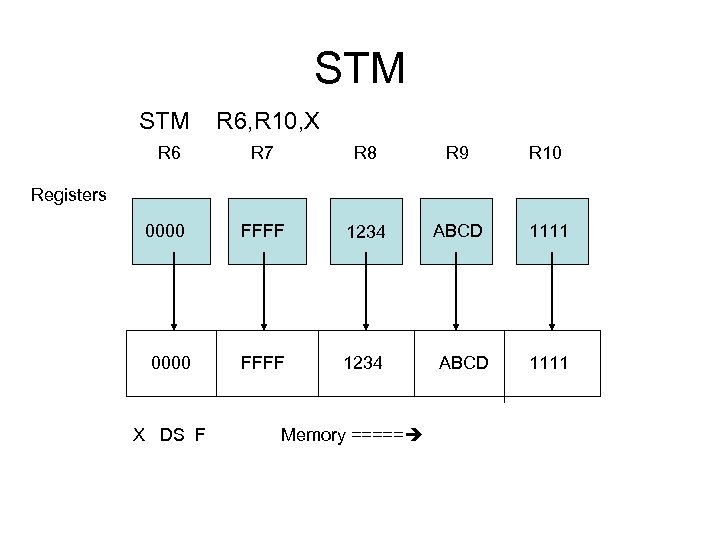
STM R 6, R 10, X R 6 R 7 R 8 R 9 R 10 Registers 0000 FFFF 1234 X DS F Memory ===== ABCD 1111
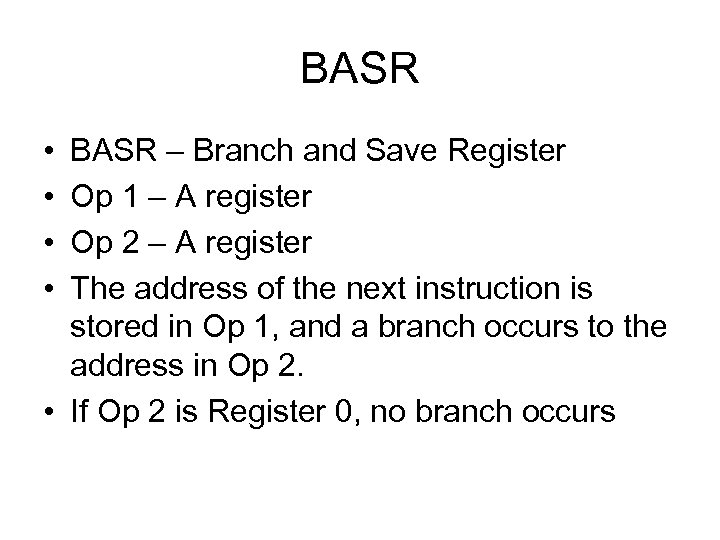
BASR • • BASR – Branch and Save Register Op 1 – A register Op 2 – A register The address of the next instruction is stored in Op 1, and a branch occurs to the address in Op 2. • If Op 2 is Register 0, no branch occurs
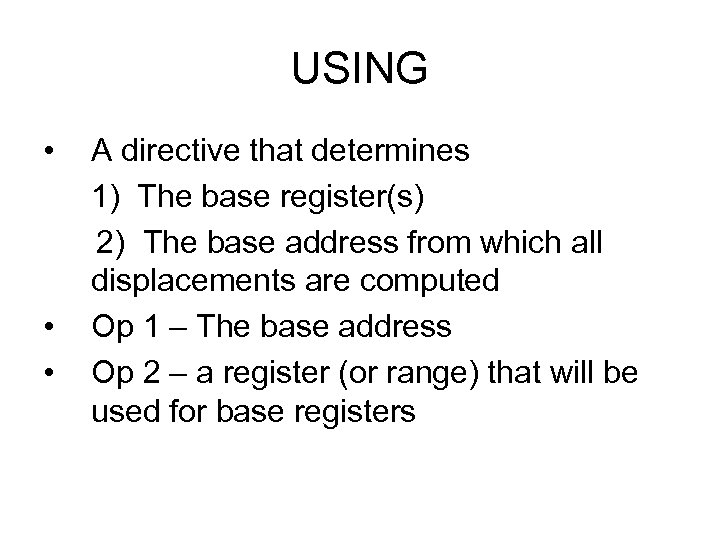
USING • A directive that determines 1) The base register(s) 2) The base address from which all displacements are computed • Op 1 – The base address • Op 2 – a register (or range) that will be used for base registers
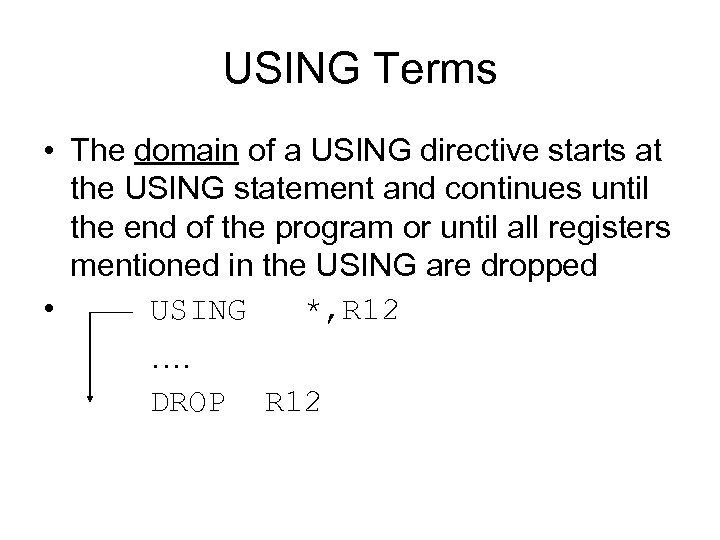
USING Terms • The domain of a USING directive starts at the USING statement and continues until the end of the program or until all registers mentioned in the USING are dropped • USING *, R 12 …. DROP R 12
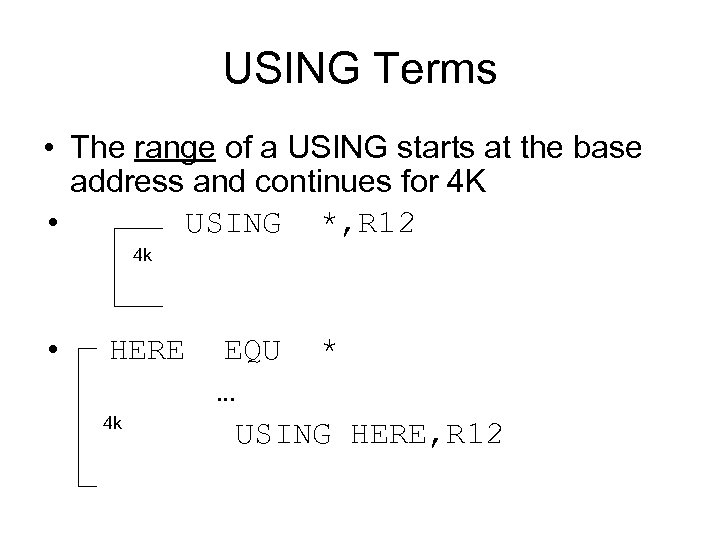
USING Terms • The range of a USING starts at the base address and continues for 4 K • USING *, R 12 4 k • HERE EQU * … 4 k USING HERE, R 12
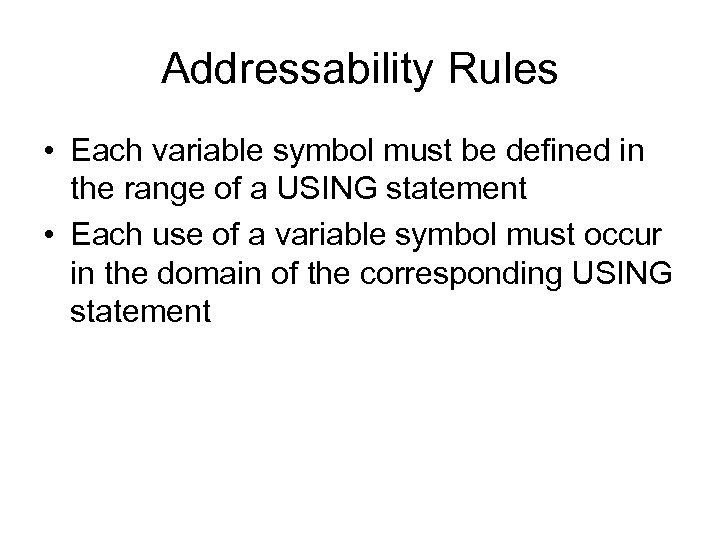
Addressability Rules • Each variable symbol must be defined in the range of a USING statement • Each use of a variable symbol must occur in the domain of the corresponding USING statement
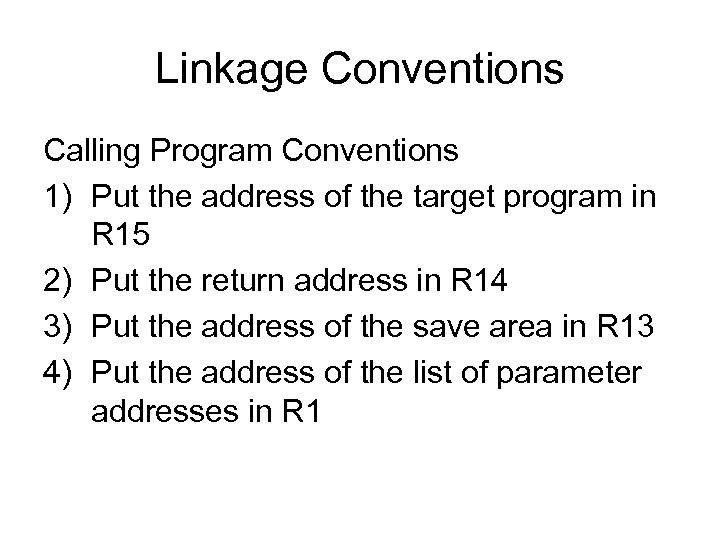
Linkage Conventions Calling Program Conventions 1) Put the address of the target program in R 15 2) Put the return address in R 14 3) Put the address of the save area in R 13 4) Put the address of the list of parameter addresses in R 1
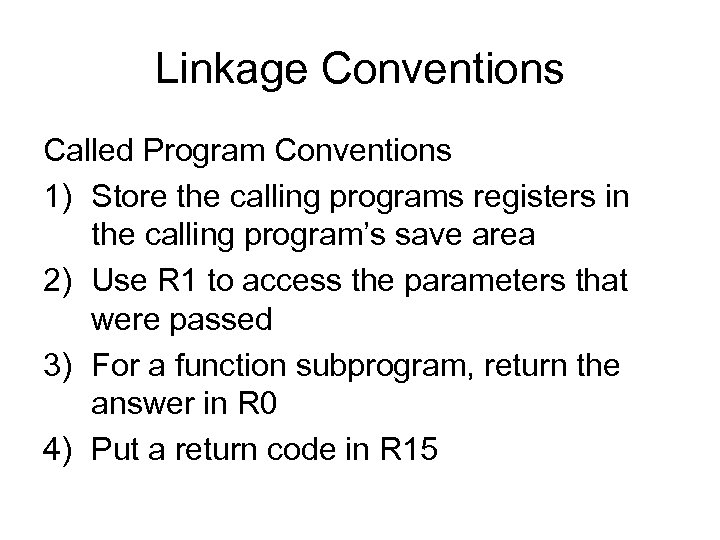
Linkage Conventions Called Program Conventions 1) Store the calling programs registers in the calling program’s save area 2) Use R 1 to access the parameters that were passed 3) For a function subprogram, return the answer in R 0 4) Put a return code in R 15
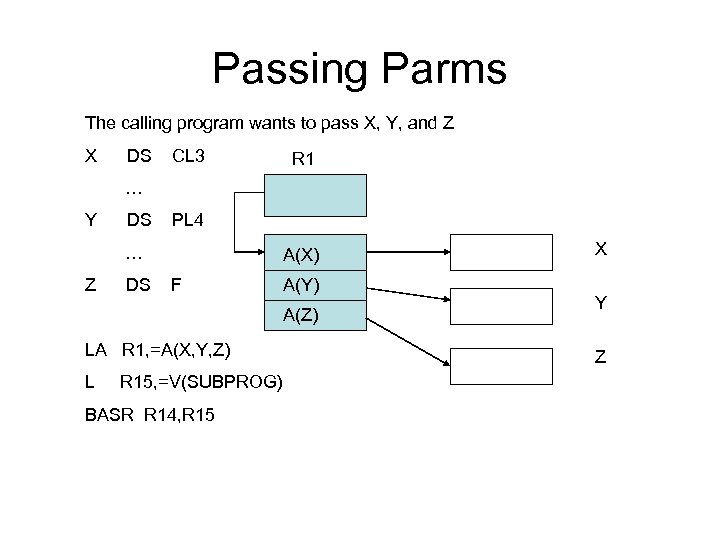
Passing Parms The calling program wants to pass X, Y, and Z X DS CL 3 R 1 … Y DS PL 4 … A(X) X Z DS F A(Y) Y A(Z) LA R 1, =A(X, Y, Z) L R 15, =V(SUBPROG) BASR R 14, R 15 Z
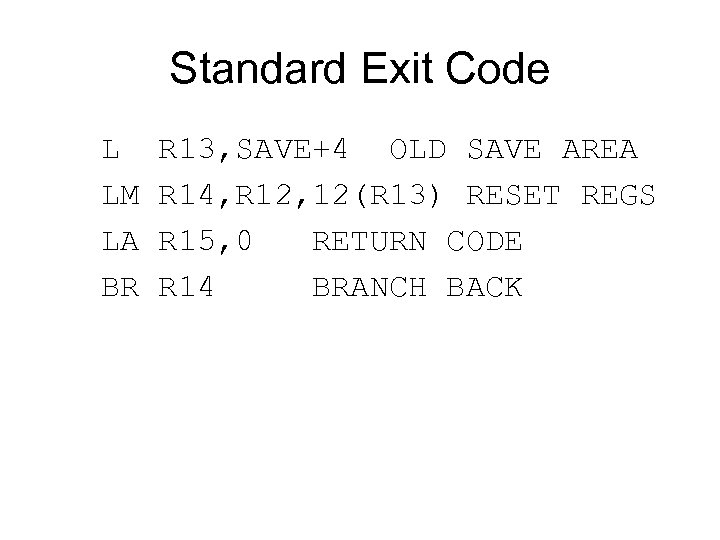
Standard Exit Code L R 13, SAVE+4 OLD SAVE AREA LM R 14, R 12, 12(R 13) RESET REGS LA R 15, 0 RETURN CODE BR R 14 BRANCH BACK
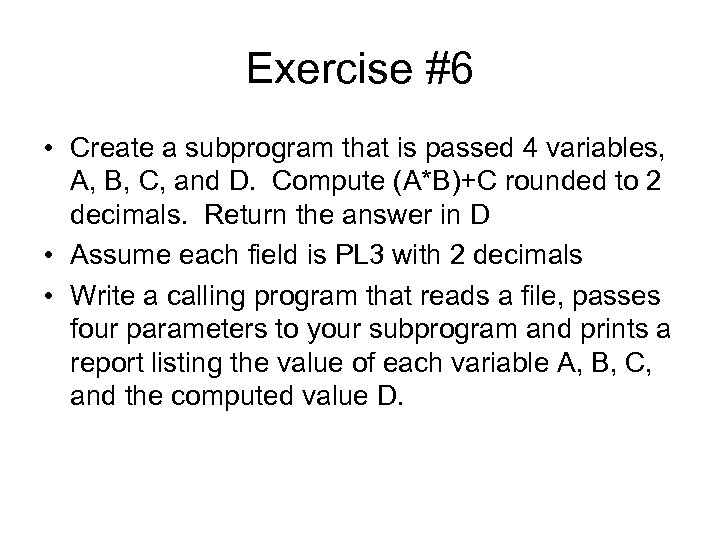
Exercise #6 • Create a subprogram that is passed 4 variables, A, B, C, and D. Compute (A*B)+C rounded to 2 decimals. Return the answer in D • Assume each field is PL 3 with 2 decimals • Write a calling program that reads a file, passes four parameters to your subprogram and prints a report listing the value of each variable A, B, C, and the computed value D.

Working With Large Data Fields
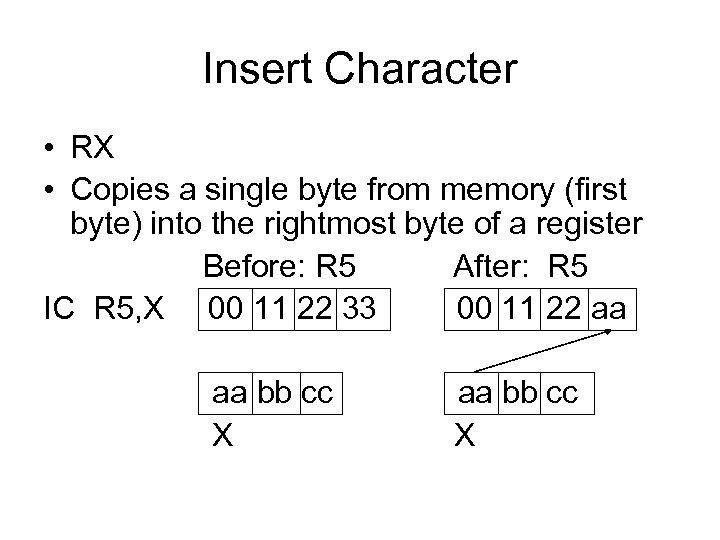
Insert Character • RX • Copies a single byte from memory (first byte) into the rightmost byte of a register Before: R 5 After: R 5 IC R 5, X 00 11 22 33 00 11 22 aa aa bb cc X
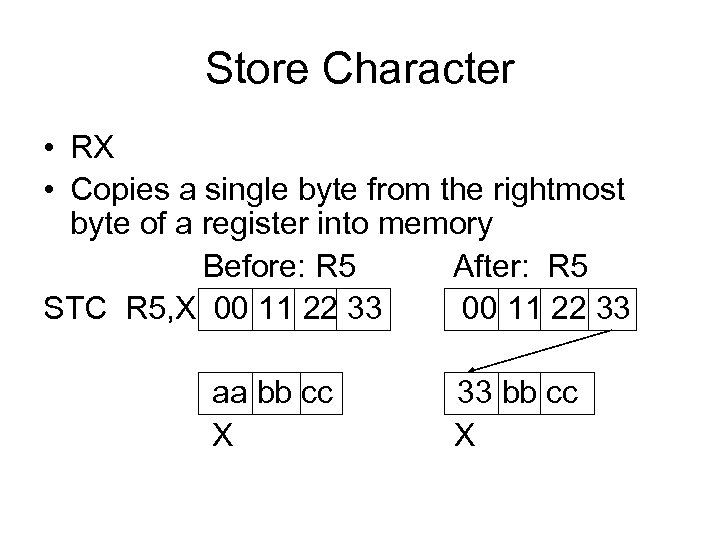
Store Character • RX • Copies a single byte from the rightmost byte of a register into memory Before: R 5 After: R 5 STC R 5, X 00 11 22 33 aa bb cc 33 bb cc X
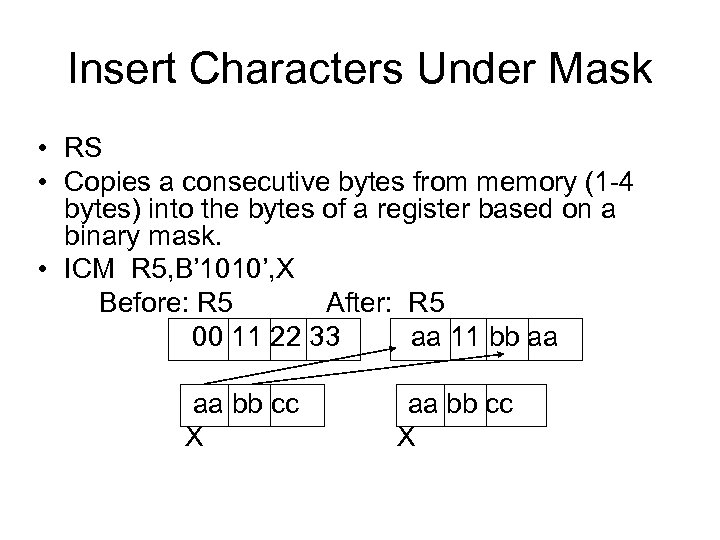
Insert Characters Under Mask • RS • Copies a consecutive bytes from memory (1 -4 bytes) into the bytes of a register based on a binary mask. • ICM R 5, B’ 1010’, X Before: R 5 After: R 5 00 11 22 33 aa 11 bb aa aa bb cc X
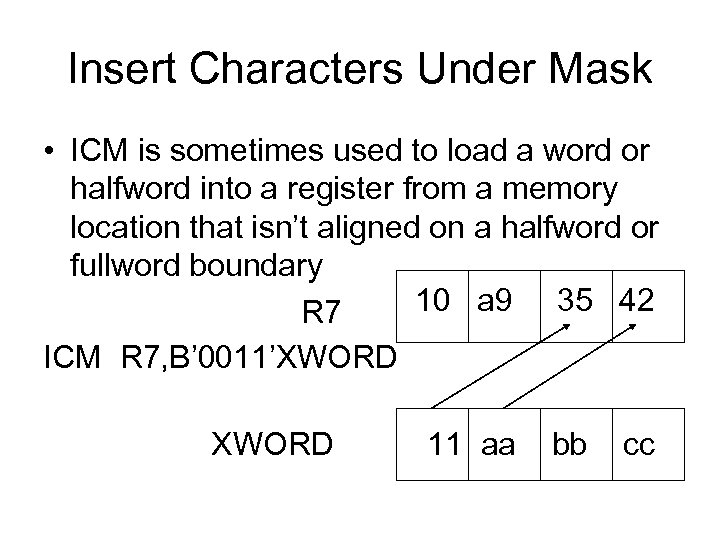
Insert Characters Under Mask • ICM is sometimes used to load a word or halfword into a register from a memory location that isn’t aligned on a halfword or fullword boundary 10 a 9 35 42 R 7 ICM R 7, B’ 0011’XWORD 11 aa bb cc
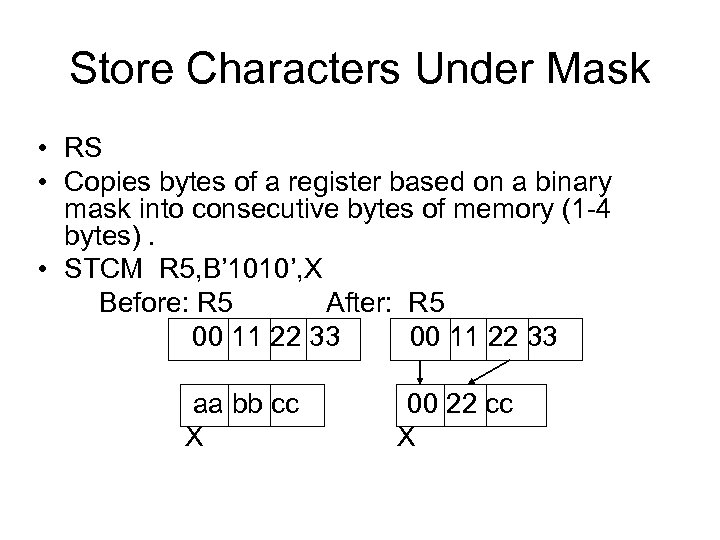
Store Characters Under Mask • RS • Copies bytes of a register based on a binary mask into consecutive bytes of memory (1 -4 bytes). • STCM R 5, B’ 1010’, X Before: R 5 After: R 5 00 11 22 33 aa bb cc 00 22 cc X
MVCL – Move Characters Long • Used to move data in storage provided the source and target don’t overlap • Uses four registers, two even/odd pairs • Op 1 even register contains the target address • Op 1 odd register contains the length of Op 1 • Op 2 even register contains the source address • Op 2 odd register contains the length of Op 2 • Op 2 contains a pad byte in the first 8 bits
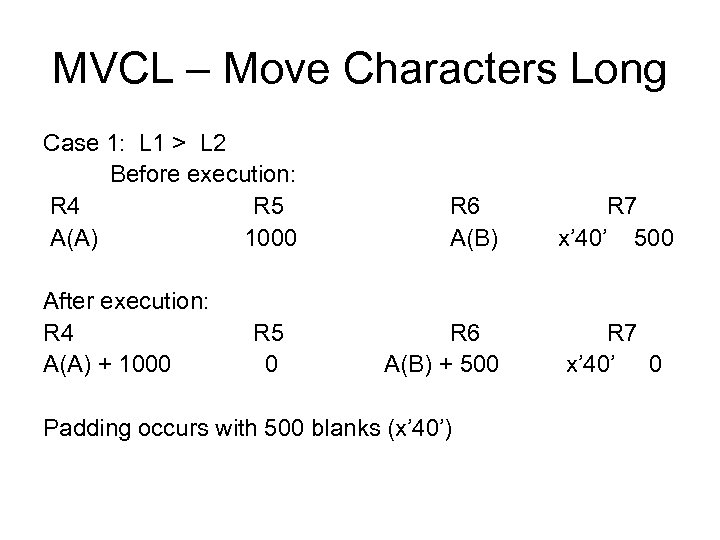
MVCL – Move Characters Long Case 1: L 1 > L 2 Before execution: R 4 R 5 R 6 R 7 A(A) 1000 A(B) x’ 40’ 500 After execution: R 4 R 5 R 6 R 7 A(A) + 1000 A(B) + 500 x’ 40’ 0 Padding occurs with 500 blanks (x’ 40’)
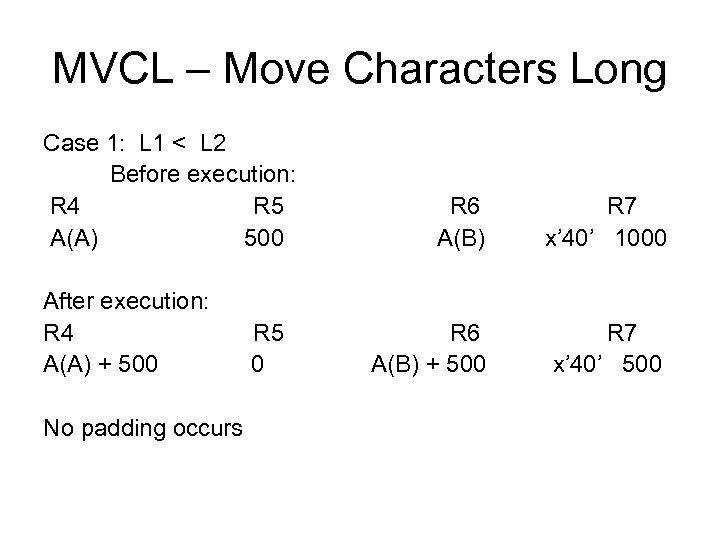
MVCL – Move Characters Long Case 1: L 1 < L 2 Before execution: R 4 R 5 R 6 R 7 A(A) 500 A(B) x’ 40’ 1000 After execution: R 4 R 5 R 6 R 7 A(A) + 500 A(B) + 500 x’ 40’ 500 No padding occurs
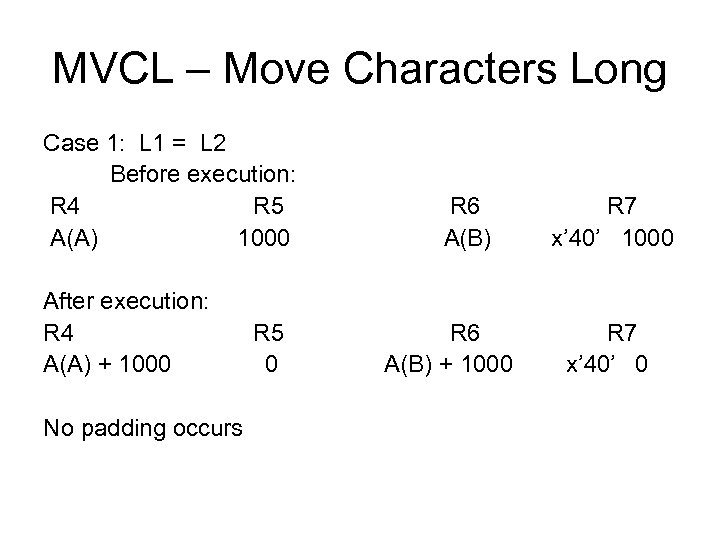
MVCL – Move Characters Long Case 1: L 1 = L 2 Before execution: R 4 R 5 R 6 R 7 A(A) 1000 A(B) x’ 40’ 1000 After execution: R 4 R 5 R 6 R 7 A(A) + 1000 A(B) + 1000 x’ 40’ 0 No padding occurs
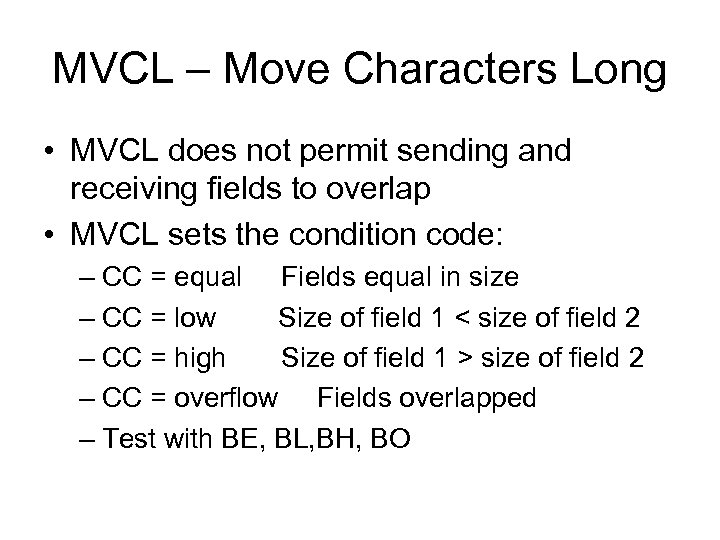
MVCL – Move Characters Long • MVCL does not permit sending and receiving fields to overlap • MVCL sets the condition code: – CC = equal Fields equal in size – CC = low Size of field 1 < size of field 2 – CC = high Size of field 1 > size of field 2 – CC = overflow Fields overlapped – Test with BE, BL, BH, BO
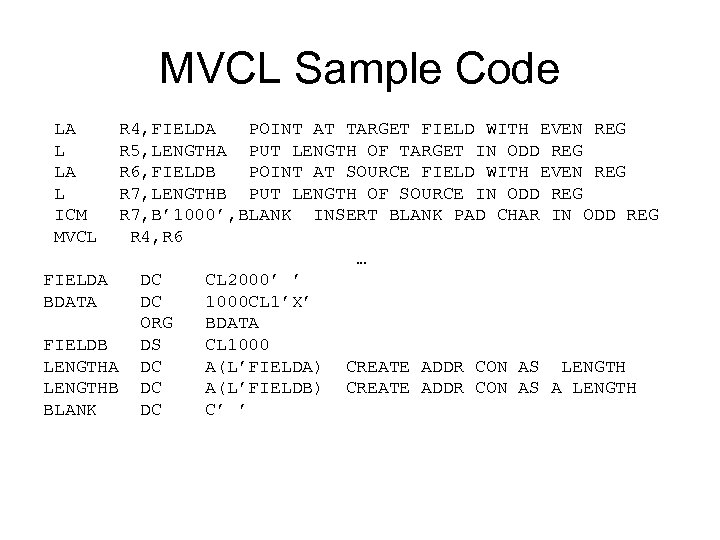
MVCL Sample Code LA R 4, FIELDA POINT AT TARGET FIELD WITH EVEN REG L R 5, LENGTHA PUT LENGTH OF TARGET IN ODD REG LA R 6, FIELDB POINT AT SOURCE FIELD WITH EVEN REG L R 7, LENGTHB PUT LENGTH OF SOURCE IN ODD REG ICM R 7, B’ 1000’, BLANK INSERT BLANK PAD CHAR IN ODD REG MVCL R 4, R 6 … FIELDA DC CL 2000’ ’ BDATA DC 1000 CL 1’X’ ORG BDATA FIELDB DS CL 1000 LENGTHA DC A(L’FIELDA) CREATE ADDR CON AS LENGTHB DC A(L’FIELDB) CREATE ADDR CON AS A LENGTH BLANK DC C’ ’
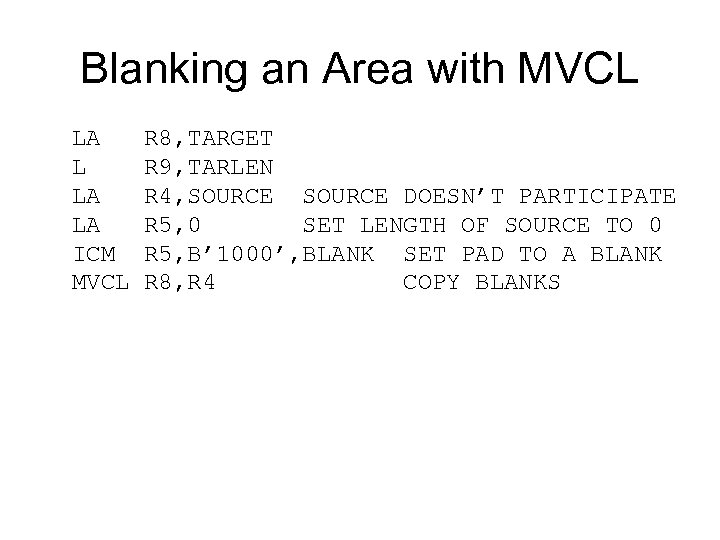
Blanking an Area with MVCL LA R 8, TARGET L R 9, TARLEN LA R 4, SOURCE DOESN’T PARTICIPATE LA R 5, 0 SET LENGTH OF SOURCE TO 0 ICM R 5, B’ 1000’, BLANK SET PAD TO A BLANK MVCL R 8, R 4 COPY BLANKS
CLCL - Compare Long • Long fields can be compared using CLCL • Just like MVCL, the setup involves two even/odd pairs for the source and target fields • As long as the compared bytes are equal, CLCL adds 1 to the addresses in the even registers and decrements the odd registers by 1
CLCL - Compare Long • Unequal bytes causes the operation to terminate with the address of the unequal bytes in the even registers and the condition code is set (equal, low, high, overflow) • The pad character can be supplied for unequal sized fields and each pad character participates in the comparison
Using Multiple Base Registers • • An “ideal” program will have a single base register Few programs are “ideal” Many programs require multiple base registers Providing multiple base registers is a two step process 1. The registers are declared in a USING 2. Each register must be loaded with it’s base address
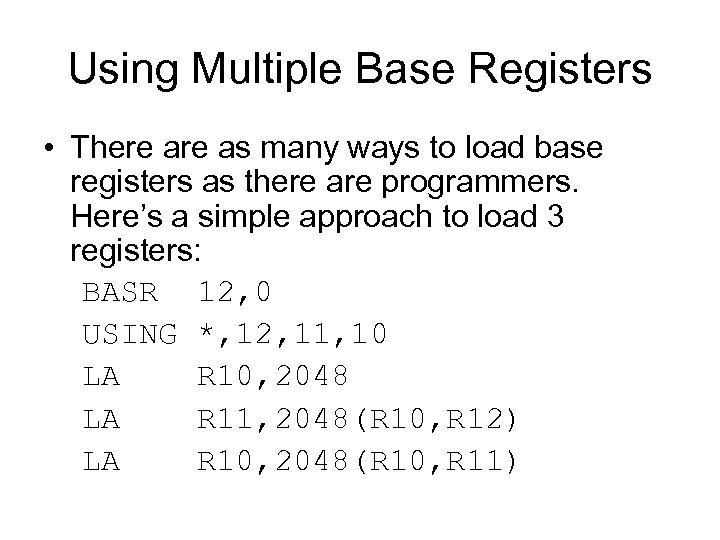
Using Multiple Base Registers • There as many ways to load base registers as there are programmers. Here’s a simple approach to load 3 registers: BASR 12, 0 USING *, 12, 11, 10 LA R 10, 2048 LA R 11, 2048(R 10, R 12) LA R 10, 2048(R 10, R 11)
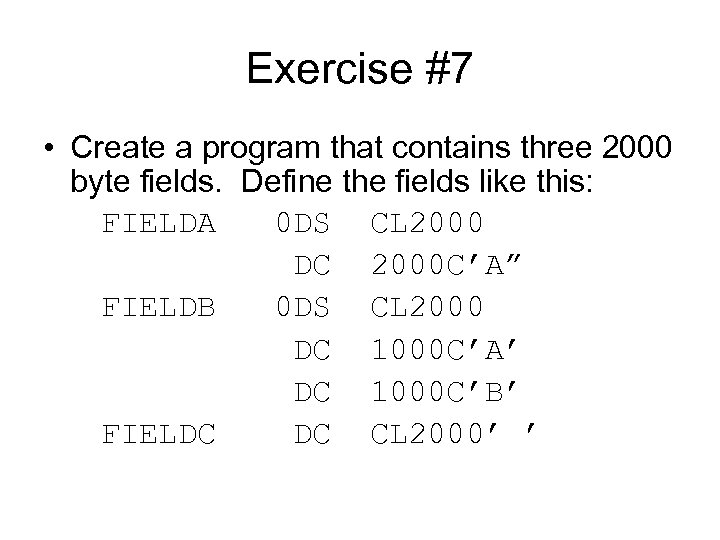
Exercise #7 • Create a program that contains three 2000 byte fields. Define the fields like this: FIELDA 0 DS CL 2000 DC 2000 C’A” FIELDB 0 DS CL 2000 DC 1000 C’A’ DC 1000 C’B’ FIELDC DC CL 2000’ ’
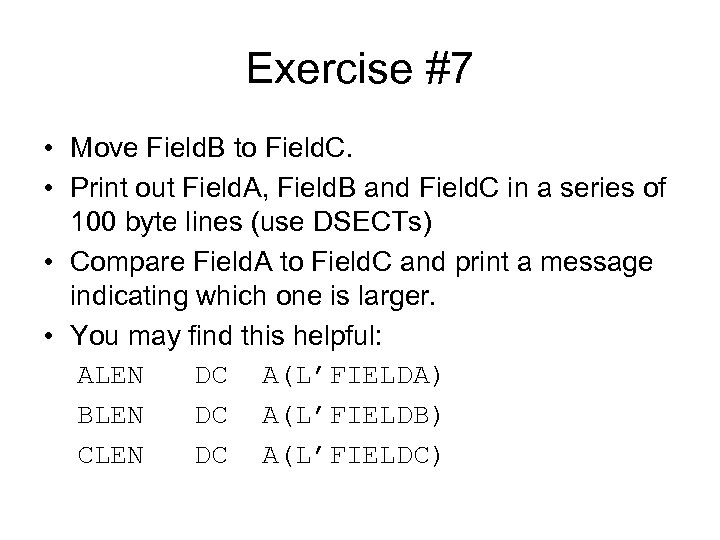
Exercise #7 • Move Field. B to Field. C. • Print out Field. A, Field. B and Field. C in a series of 100 byte lines (use DSECTs) • Compare Field. A to Field. C and print a message indicating which one is larger. • You may find this helpful: ALEN DC A(L’FIELDA) BLEN DC A(L’FIELDB) CLEN DC A(L’FIELDC)
Working With Variable Length Data
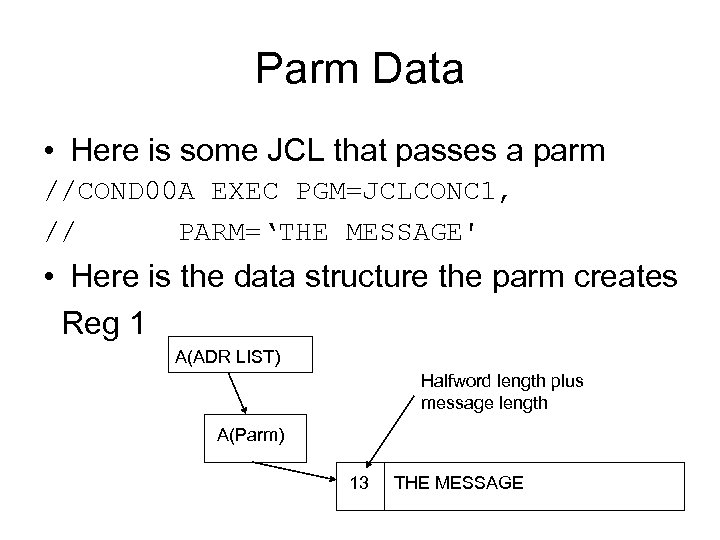
Parm Data • Here is some JCL that passes a parm //COND 00 A EXEC PGM=JCLCONC 1, // PARM=‘THE MESSAGE' • Here is the data structure the parm creates Reg 1 A(ADR LIST) Halfword length plus message length A(Parm) 13 THE MESSAGE
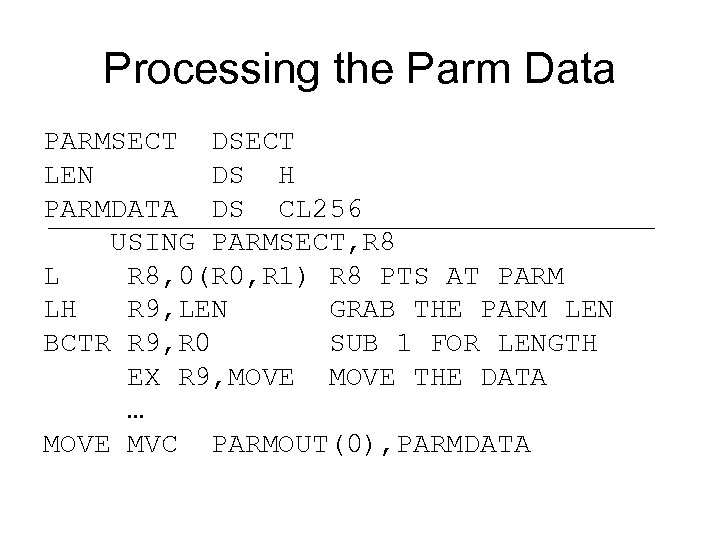
Processing the Parm Data PARMSECT DSECT LEN DS H PARMDATA DS CL 256 USING PARMSECT, R 8 L R 8, 0(R 0, R 1) R 8 PTS AT PARM LH R 9, LEN GRAB THE PARM LEN BCTR R 9, R 0 SUB 1 FOR LENGTH EX R 9, MOVE THE DATA … MOVE MVC PARMOUT(0), PARMDATA
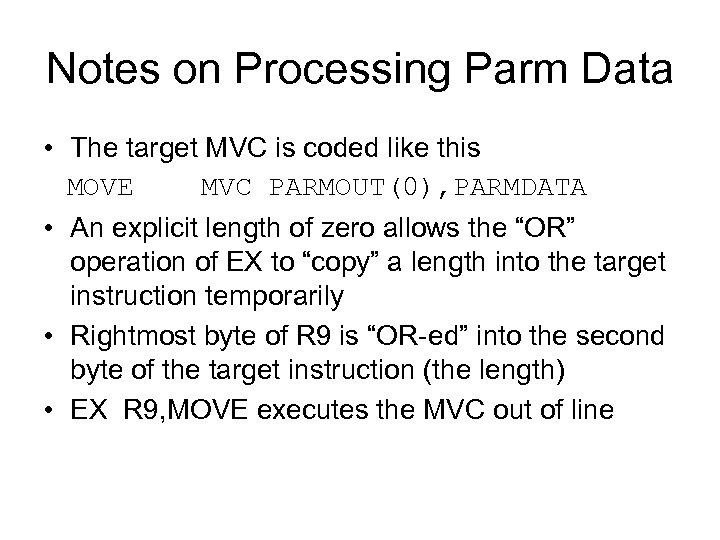
Notes on Processing Parm Data • The target MVC is coded like this MOVE MVC PARMOUT(0), PARMDATA • An explicit length of zero allows the “OR” operation of EX to “copy” a length into the target instruction temporarily • Rightmost byte of R 9 is “OR-ed” into the second byte of the target instruction (the length) • EX R 9, MOVE executes the MVC out of line
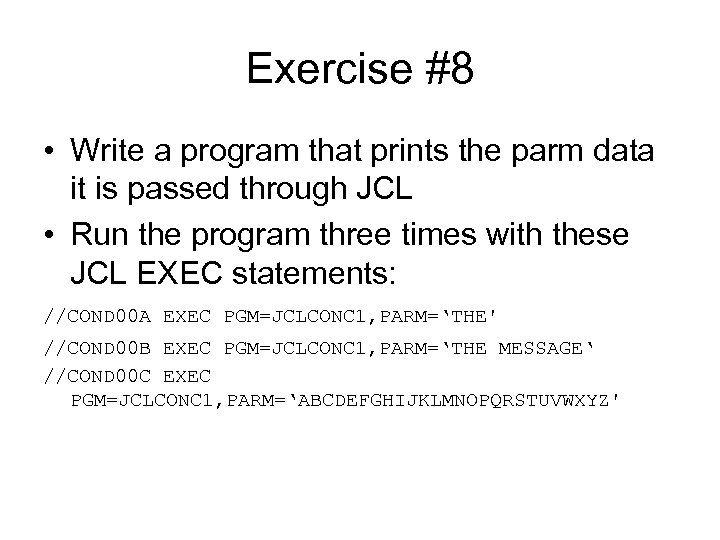
Exercise #8 • Write a program that prints the parm data it is passed through JCL • Run the program three times with these JCL EXEC statements: //COND 00 A EXEC PGM=JCLCONC 1, PARM=‘THE' //COND 00 B EXEC PGM=JCLCONC 1, PARM=‘THE MESSAGE‘ //COND 00 C EXEC PGM=JCLCONC 1, PARM=‘ABCDEFGHIJKLMNOPQRSTUVWXYZ'
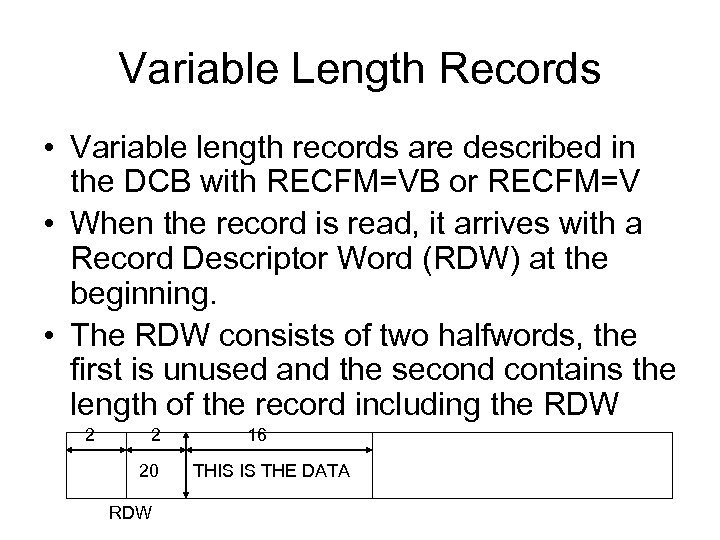
Variable Length Records • Variable length records are described in the DCB with RECFM=VB or RECFM=V • When the record is read, it arrives with a Record Descriptor Word (RDW) at the beginning. • The RDW consists of two halfwords, the first is unused and the second contains the length of the record including the RDW 2 2 16 20 RDW THIS IS THE DATA
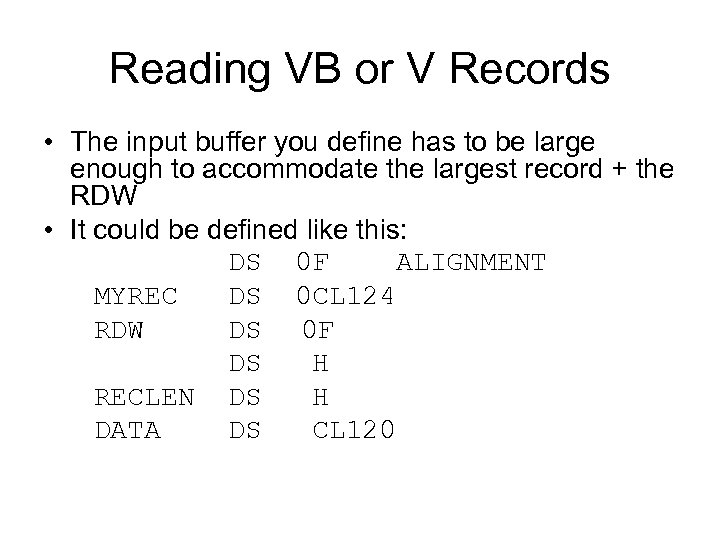
Reading VB or V Records • The input buffer you define has to be large enough to accommodate the largest record + the RDW • It could be defined like this: DS 0 F ALIGNMENT MYREC DS 0 CL 124 RDW DS 0 F DS H RECLEN DS H DATA DS CL 120
Reading VB or V Records • After reading the record, load the RECLEN into a register • Subtract 4 from the register to account for the RDW • Use EX to execute an MVC to an output area
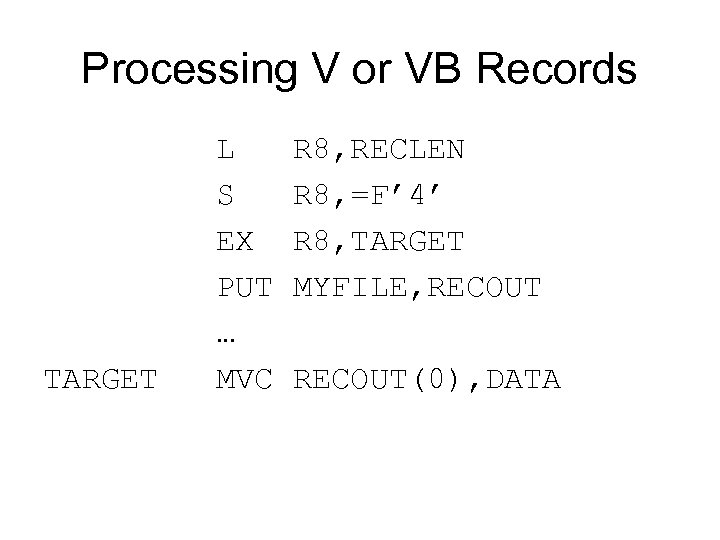
Processing V or VB Records L R 8, RECLEN S R 8, =F’ 4’ EX R 8, TARGET PUT MYFILE, RECOUT … TARGET MVC RECOUT(0), DATA
Writing V or VB Records • Move the data to your output buffer. We can reuse MYREC. • Determine the number of bytes in the record. • Add for the RDW. Store the record length + 4 in RECLEN • PUT the record
Exercise #9 • Read the file BCST. SICCC 01. PDSLIB(EXER 9) which has records in the following format: • Cols 1 -2 Length in Character format • Cols 3 -80 Data • Write a program with reads the file as 80 byte records and writes out a VB file using the length of each record to detemine how much data to write
Exercise #10 • Read the file VB file you produced in Exercise 9. • Print each record using the length that is delivered in the RDW
Translate • There is a special instruction for translating strings of characters called Translate (TR) • Using TR you can easily convert a string or file from one format to another. For example ASCII to EBCDIC or lowercase letters to uppercase letters. • One of the difficulties of using TR is that it requires you to build a table of values that indicate by there position how the translation will proceed
Translate • In many cases you are interested in only changing a few of the values. For example, you may only want to change the 26 lowercase letters to uppercase. • In these cases, there is an easy way to build the required table.
Translate • SS 1 • The first operand is the memory location that contains the data to be translated. • The second operand is the translate table that tells how the translation will occur • Each byte in the string we are translating is used as a displacement into the table. The corresponding table byte replaces the byte we are translating. • Translation occurs from left to right in operand 1
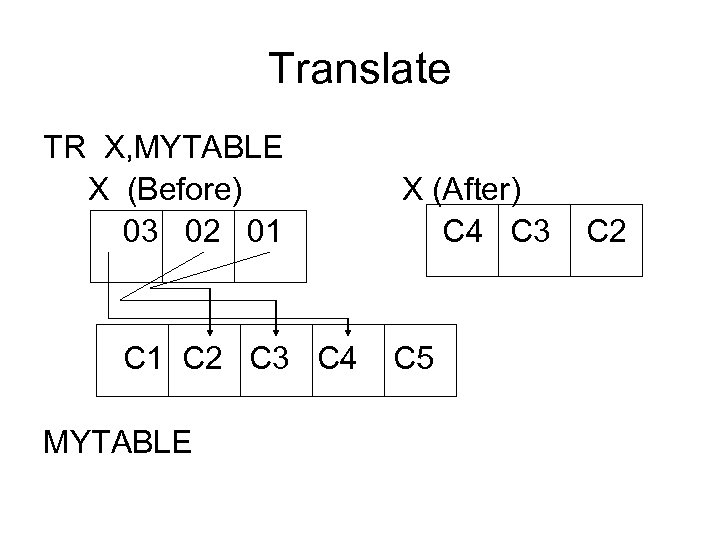
Translate TR X, MYTABLE X (Before) X (After) 03 02 01 C 4 C 3 C 2 C 1 C 2 C 3 C 4 C 5 MYTABLE
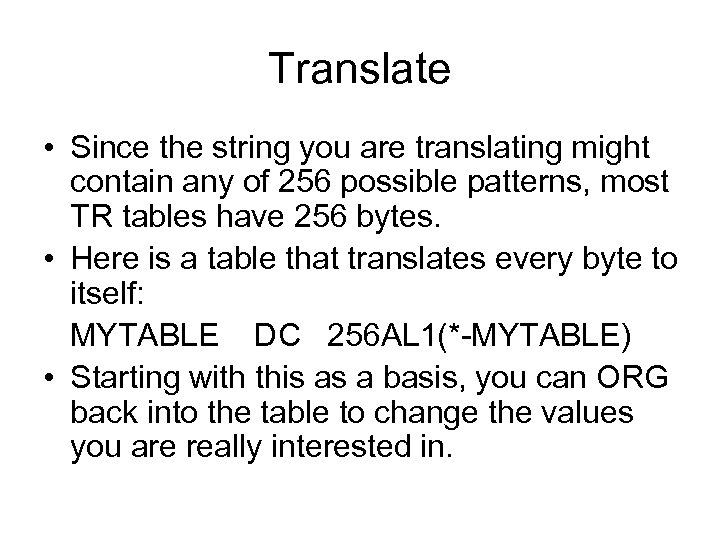
Translate • Since the string you are translating might contain any of 256 possible patterns, most TR tables have 256 bytes. • Here is a table that translates every byte to itself: MYTABLE DC 256 AL 1(*-MYTABLE) • Starting with this as a basis, you can ORG back into the table to change the values you are really interested in.
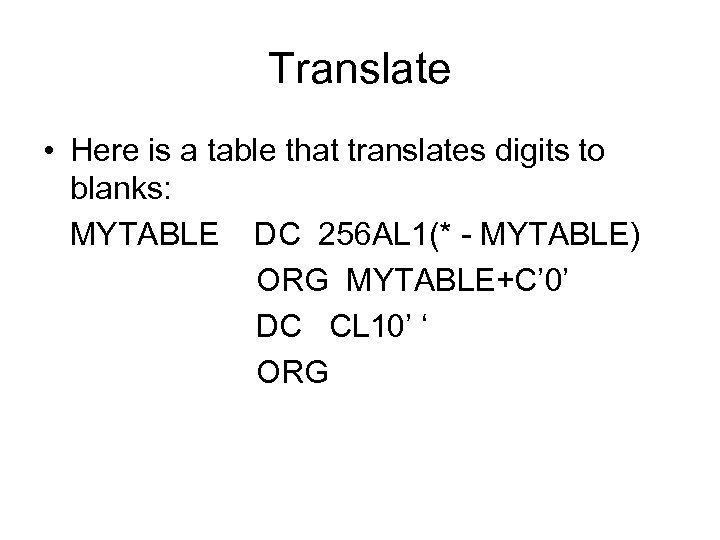
Translate • Here is a table that translates digits to blanks: MYTABLE DC 256 AL 1(* - MYTABLE) ORG MYTABLE+C’ 0’ DC CL 10’ ‘ ORG
Exercise #11 • Write a program that reads and prints a file called BCST. SICCC 01. PDSLIB(EXER 11) which contains records in lowercase letters (other characters, too). • For each record, translate it to uppercase before printing the record.
Translate and Test • TRT is somewhat misnamed as no translation occurs automatically. • Instead, TRT is used to find character bytes that we are searching for. For example, TRT could be used to find a comma in a record, or the first blank. • Like TR, TRT requires the programmer to build a TRT table
Translate and Test • TRT tables are related to TR tables, but the semantics of the statement is different. • Like TR the byte we are translating is used as a displacement into a table. If the table byte we find is X’ 00’, translation continues, otherwise translation terminates • Finding any non-X’ 00’ byte stops the translation and test.
TRT • TRT sets the condition code to indicate the results of the operation: • ( Zero ) All function bytes encountered were X’ 00’. • ( Minus ) A nonzero function byte was found before the end of operand 1 • ( Positive ) A nonzero function byte was found at the end of the operand 1
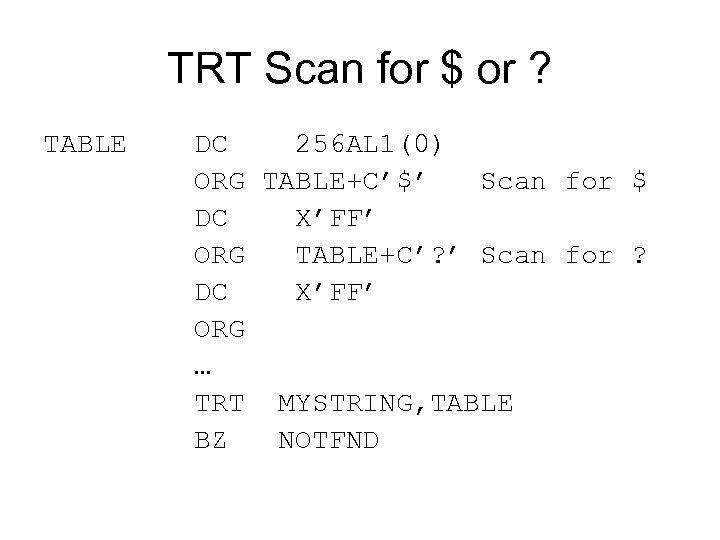
TRT Scan for $ or ? TABLE DC 256 AL 1(0) ORG TABLE+C’$’ Scan for $ DC X’FF’ ORG TABLE+C’? ’ Scan for ? DC X’FF’ ORG … TRT MYSTRING, TABLE BZ NOTFND
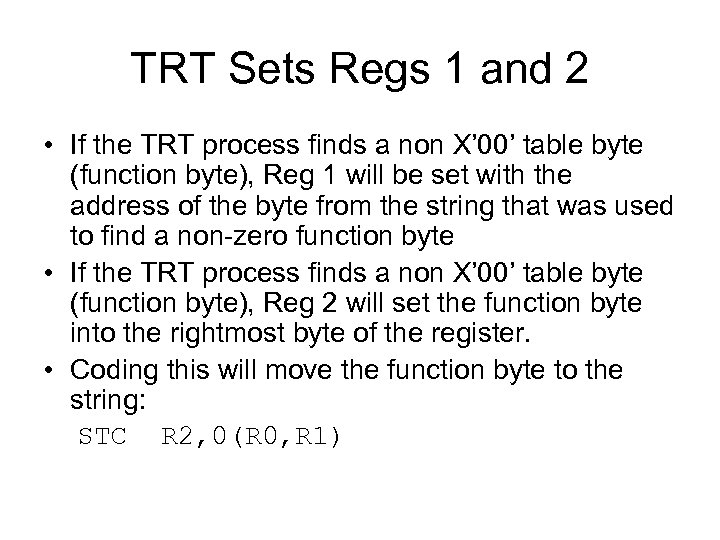
TRT Sets Regs 1 and 2 • If the TRT process finds a non X’ 00’ table byte (function byte), Reg 1 will be set with the address of the byte from the string that was used to find a non-zero function byte • If the TRT process finds a non X’ 00’ table byte (function byte), Reg 2 will set the function byte into the rightmost byte of the register. • Coding this will move the function byte to the string: STC R 2, 0(R 0, R 1)
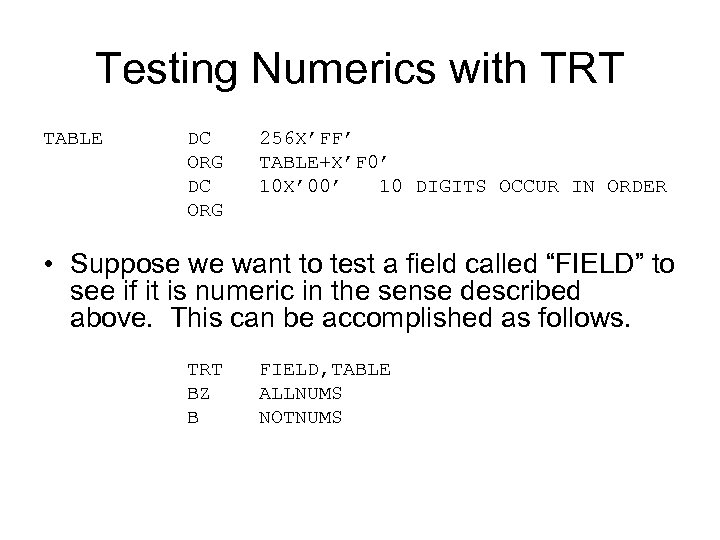
Testing Numerics with TRT TABLE DC 256 X’FF’ ORG TABLE+X’F 0’ DC 10 X’ 00’ 10 DIGITS OCCUR IN ORDER ORG • Suppose we want to test a field called “FIELD” to see if it is numeric in the sense described above. This can be accomplished as follows. TRT FIELD, TABLE BZ ALLNUMS B NOTNUMS
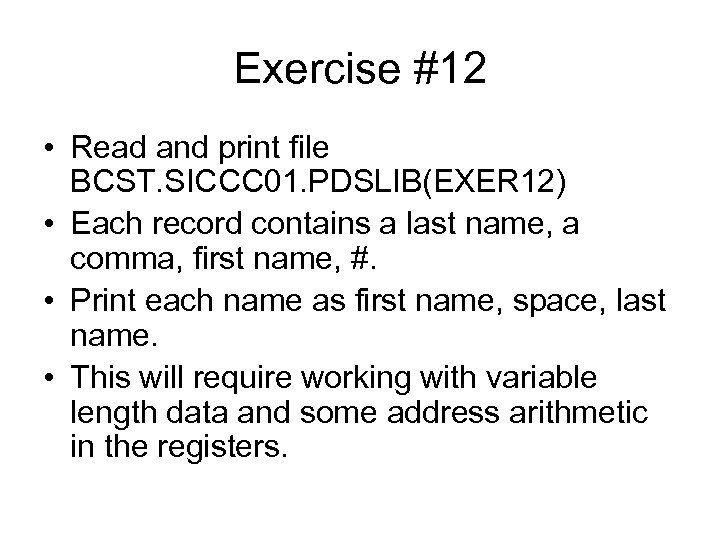
Exercise #12 • Read and print file BCST. SICCC 01. PDSLIB(EXER 12) • Each record contains a last name, a comma, first name, #. • Print each name as first name, space, last name. • This will require working with variable length data and some address arithmetic in the registers.
Скачать презентацию Assembler Concepts Copyright 2008 by David Woolbright
727e17b144d230d8e98b03d503c3e54c.ppt