


 Скачать презентацию ASPEN Scheduling and Tracking AST Session 1
07c1dcdeab43d11cef391dc8a5588df6.ppt
- Количество слайдов: 18
 ASPEN Scheduling and Tracking (AST) Session 1
 AST Session 1: Topics What you will learn in this session…. . n AST System Overview n High n AST level review of AST functionality Setup n Security and Access Control n Lookup and Data Configuration
 AST: Web. Ex Sessions Four Web. Ex Sessions are Available These Cover… n Session 1: Overview and Configuration n Session 2: AST Scheduling Functions n Session 3: AST Tracking Functions n Session 4: AST Reports and My ASPEN
 AST: Supporting Materials Handy Reference Materials…. n AST Training and Reference Guide n n n Training tool which follows flow of Web. Ex training Task-oriented design to serve as on-going user reference Appendix of Reference Guide includes: n n n Previously distributed Overview Document used in this session Examples of each AST report Processing Steps definitions for certification tracking Scheduling view column specification NH Performance Score calculation algorithm
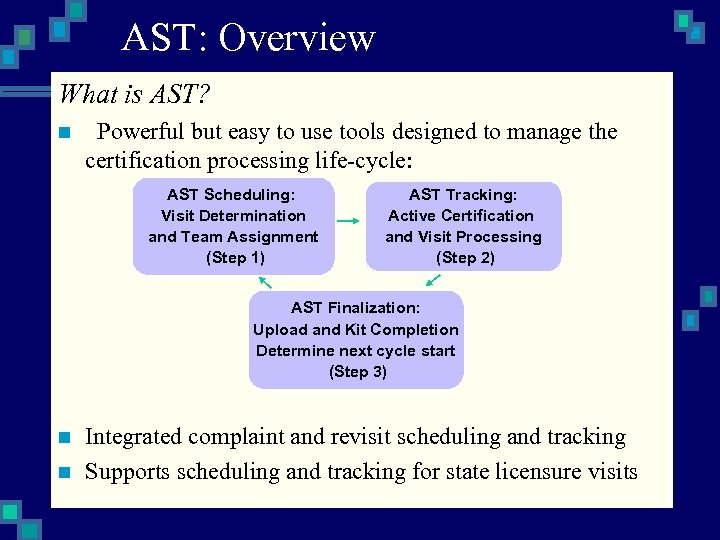 AST: Overview What is AST? n Powerful but easy to use tools designed to manage the certification processing life-cycle: AST Scheduling: Visit Determination and Team Assignment (Step 1) AST Tracking: Active Certification and Visit Processing (Step 2) AST Finalization: Upload and Kit Completion Determine next cycle start (Step 3) n n Integrated complaint and revisit scheduling and tracking Supports scheduling and tracking for state licensure visits
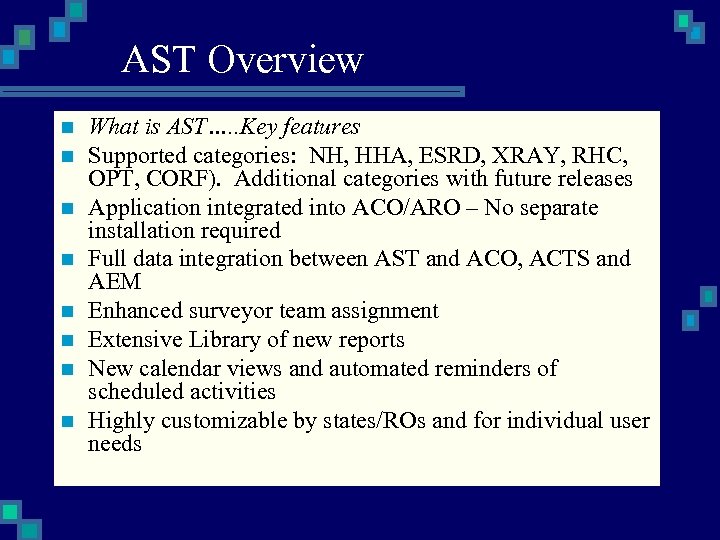 AST Overview n n n n What is AST…. . Key features Supported categories: NH, HHA, ESRD, XRAY, RHC, OPT, CORF). Additional categories with future releases Application integrated into ACO/ARO – No separate installation required Full data integration between AST and ACO, ACTS and AEM Enhanced surveyor team assignment Extensive Library of new reports New calendar views and automated reminders of scheduled activities Highly customizable by states/ROs and for individual user needs
 AST: Overview What happens when AST is activated in your state? n Facilities with active kits which have not been uploaded will appear in AST active tracking views n Facilities with most current kit upload will: n n Have a future certification cycle target date automatically calculated according to facility type rules Appear in the AST Scheduling “Ready to be Scheduled” view
 AST Overview What happens if AST is not activated in your state? The following functions are still available…. n AST Extended staff availability and team selection function is still active in all ASPEN products (except ASE). n Access to provider type qualification and staff conflict of interest from personnel screen n AST Revisit Status indicator still available on survey properties and other survey grid views
 AST Overview Quick note on certification “Target Dates” n Certification scheduling based on pre-defined target dates n These are simply the planned date of the next certification cycle for each facility and may be established months or years in advance n Target date determination is different for each category n n NH – 9 -15 month rules automatic calculation HHA – Based on 1572 Survey Frequency All other categories: manually assigned using AST pre-scheduling tools based on budget call letter Target dates for any facilities in any category may be manually overridden by user as needed at any time
 AST Overview v. Let’s now take a quick tour of AST functionality…. . v Refer to the Overview Section located in the training guide appendix – “Working with AST” on page 83
 AST Configuration n n n n What you will learn in this section…. Configure AST Security and Access Control Configure staff member extended information Add licensure tracking information to a facility Learn about target calculations Learn to configure NH performance scores Add personal activities Define AST user settings and preferences
 AST: Security Overview n Directly integrates with existing ASPEN security for: n n n n Menu/function security Tab/button security Facility type security Introduces future survey security Can be partially pre-configured in advance Pre-defined security profile groups in ASPEN 7. 2 Pre-assignment members to security profiles When AST 7. 3 released, simply assign profiles to allowed functions
 AST: Security Configuration Pre-planning for AST security profiles n Is there more than agency in state using AST? n Which facility types will be supported and by which work units/teams/district offices? n Who has responsibility for determining certification, complaint and revisit schedules? n Who tracks certification and complaints through completion of forms, letters, upload? n Will user-specific calendar, assignment tracking and event management features of AST be used?
 AST: Configuring security n n n Example security profile for AST Profile: Scheduling Operations Defined as: Team leaders responsible for actual survey scheduling and team assignment Profile: Scheduling Views: Read/Write n n Change pre-assigned certification “Scheduling Target Dates” – No Access Pre-scheduling views – Read/Only My ASPEN views – Read/Write Remember: ASPEN supportss multiple profile assignment to a single user
 AST Security Configuration Note on the “Everyone” profile group n AST comes pre-configured with read-only access granted to this standard ASPEN profile n ASPEN administration should be assigned to this group before beginning AST security assignments We will now tour AST security assignment….
 ASPEN Scheduling and Tracking (AST) Session 2
 AST: Scheduling What you will learn. . . n Understand general display elements of AST scheduling views n Learn how to change pre-assigned target dates n Schedule a NH certification n Schedule a complaint investigation n Schedule a revisit n Set Specific hours for a visit n Assign Target Dates “Preschedule” ESRDs n Start an initial certification n Start a CHOW Process
 AST: Scheduling Before we begin…. You may follow along in the AST Training and Reference Guide, Section 2, Page 27…. Now, let’s begin our tour of AST scheduling….