



 aslkjdhfalskhjfgalsdkfhalskdhjfglaskdhjflaskdhjfglaksjdhflakshflaksdhjfglaksjhflaksjhf aslkjdhfalskhjfgalsdkfhalskdhjfglaskdhjflaskdhjfglaksjdhflakshflaksdhjfglaksjhflaksjhf aslkjdhfalskhjfgalsdkfhalskdhjfglaskdhjflaskdhjfglaksjdhflakshflaksdhjfglaksjhflaksjhf aslkjdhfalskhjfgalsdkfhalskdhjfglaskdhjflaskdhjfglaksjdhflakshflaksdhjfglaksjhflaksjhf aslkjdhfalskhjfgalsdkfhalskdhjfglaskdhjflaskdhjfglaksjdhflakshflaksdhjfglaksjhflaksjhf aslkjdhfalskhjfgalsdkfhalskdhjfglaskdhjflaskdhjfglaksjdhflakshflaksdhjfglaksjhflaksjhf 1
 Chapter 7 Lists, Loops, and Printing Mc. Graw-Hill © 2006 The Mc. Graw-Hill Companies, Inc. All rights reserved.
 Objectives (1 of 2) Create and use list boxes and combo boxes Differentiate among the available types of combo boxes Enter items into list boxes using the Items collection in the Properties window Add and remove items in a list at run time Determine which item in a list is selected Use the Items. Count property to determine the number of items in a list 3
 Objectives (2 of 2) Display a selected item from a list Use Do/Loops and For/Next statements to iterate through a loop Terminate a loop with the Exit statement Skip to the next iteration of a loop by using the Continue statement Send information to the printer or the Print Preview window using the Print. Document class 4
 List. Boxes and Combo. Boxes (1 of 2) Have most of the same properties and operating in a similar fashion An exception is that a combo box control has a Drop. Down Style property Provide the user with a list of items to select from Various styles, choose based on Space available Need to select from an existing list Need to add to a list 5
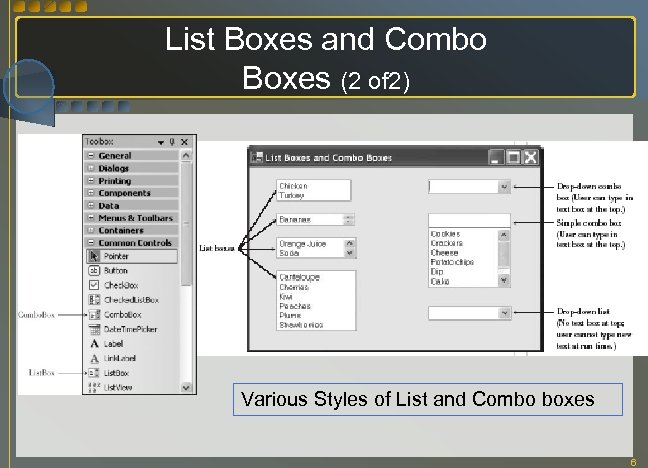 List Boxes and Combo Boxes (2 of 2) Various Styles of List and Combo boxes 6
 The Items Collection List of items in a List. Box or Combo. Box is a collection VB Collections are objects that have properties and methods that allow Adding items Removing items Referring to individual elements Counting items Clearing the collection 7
 Filling a List/Using the Properties Window Design time in Properties window Items property Click on ellipses to open String Collection Editor Type list items, end each line with Enter key Run time methods Items. Add --OR- Items. Insert 8
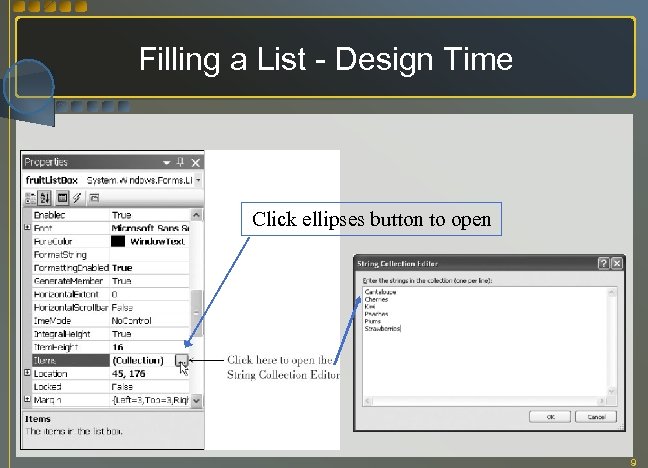 Filling a List - Design Time Click ellipses button to open 9
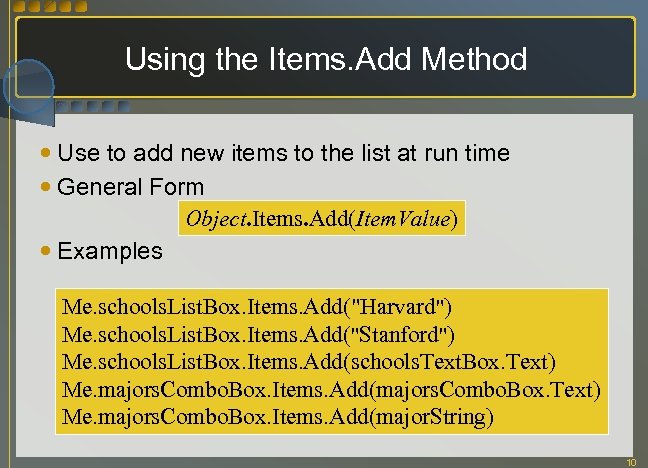 Using the Items. Add Method Use to add new items to the list at run time General Form Object. Items. Add(Item. Value) Examples Me. schools. List. Box. Items. Add("Harvard") Me. schools. List. Box. Items. Add("Stanford") Me. schools. List. Box. Items. Add(schools. Text. Box. Text) Me. majors. Combo. Box. Items. Add(majors. Combo. Box. Text) Me. majors. Combo. Box. Items. Add(major. String) 10
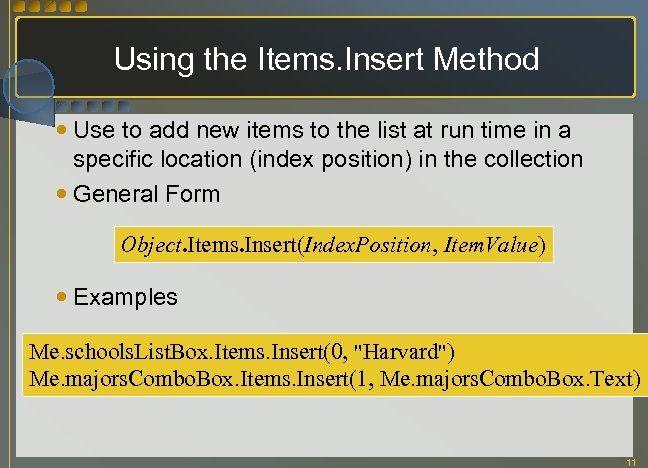 Using the Items. Insert Method Use to add new items to the list at run time in a specific location (index position) in the collection General Form Object. Items. Insert(Index. Position, Item. Value) Examples Me. schools. List. Box. Items. Insert(0, "Harvard") Me. majors. Combo. Box. Items. Insert(1, Me. majors. Combo. Box. Text) 11
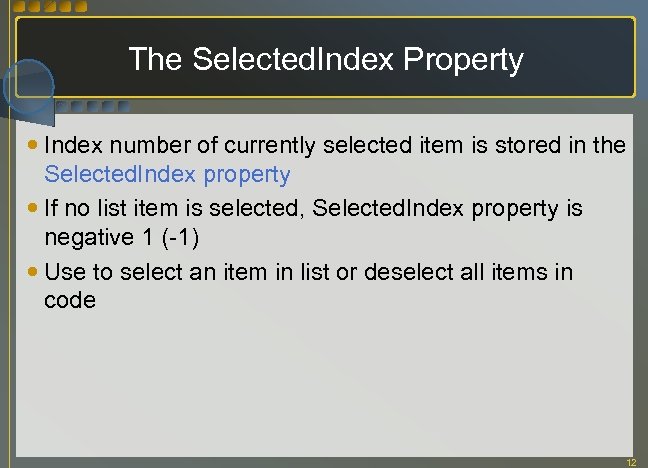 The Selected. Index Property Index number of currently selected item is stored in the Selected. Index property If no list item is selected, Selected. Index property is negative 1 (-1) Use to select an item in list or deselect all items in code 12
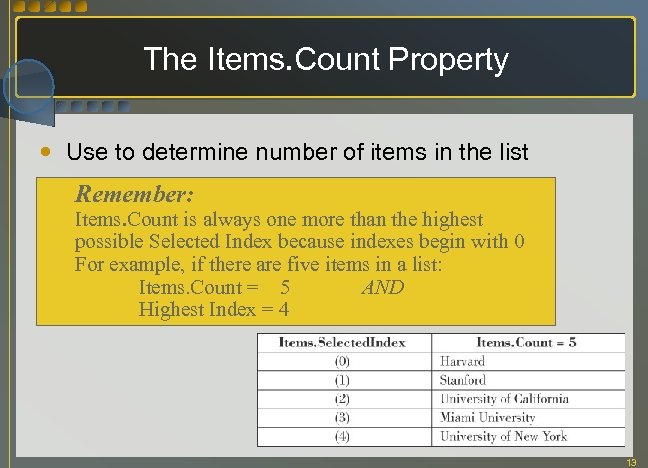 The Items. Count Property Use to determine number of items in the list Remember: Items. Count is always one more than the highest possible Selected Index because indexes begin with 0 For example, if there are five items in a list: Items. Count = 5 AND Highest Index = 4 13
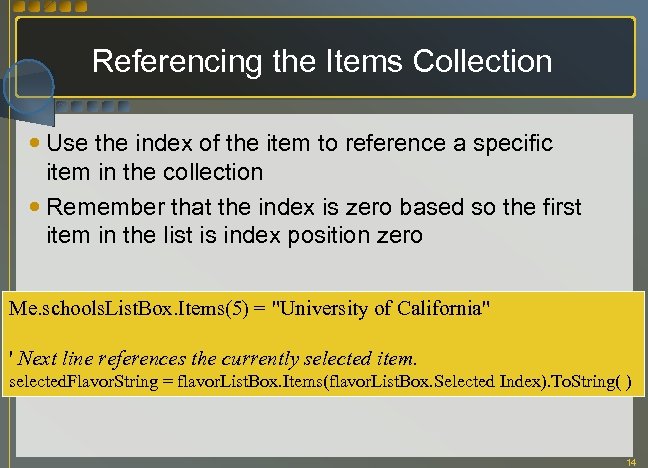 Referencing the Items Collection Use the index of the item to reference a specific item in the collection Remember that the index is zero based so the first item in the list is index position zero Me. schools. List. Box. Items(5) = "University of California" ' Next line references the currently selected item. selected. Flavor. String = flavor. List. Box. Items(flavor. List. Box. Selected Index). To. String( ) 14
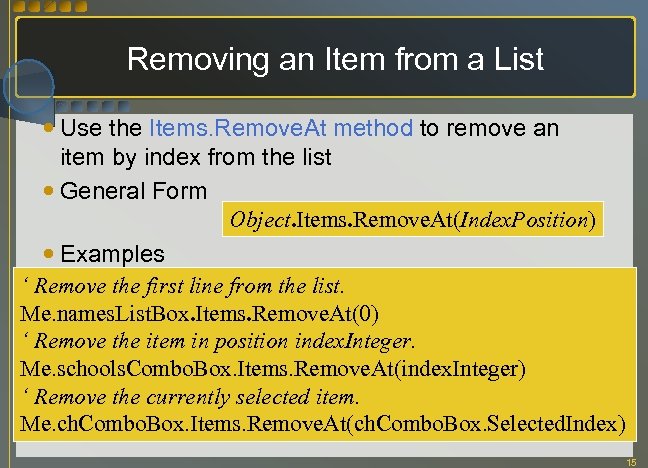 Removing an Item from a List Use the Items. Remove. At method to remove an item by index from the list General Form Object. Items. Remove. At(Index. Position) Examples ‘ Remove the first line from the list. Me. names. List. Box. Items. Remove. At(0) ‘ Remove the item in position index. Integer. Me. schools. Combo. Box. Items. Remove. At(index. Integer) ‘ Remove the currently selected item. Me. ch. Combo. Box. Items. Remove. At(ch. Combo. Box. Selected. Index) 15
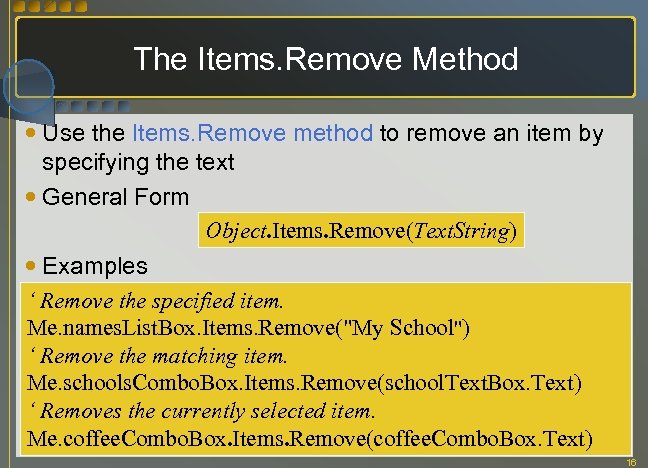 The Items. Remove Method Use the Items. Remove method to remove an item by specifying the text General Form Object. Items. Remove(Text. String) Examples ‘ Remove the specified item. Me. names. List. Box. Items. Remove("My School") ‘ Remove the matching item. Me. schools. Combo. Box. Items. Remove(school. Text. Box. Text) ‘ Removes the currently selected item. Me. coffee. Combo. Box. Items. Remove(coffee. Combo. Box. Text) 16
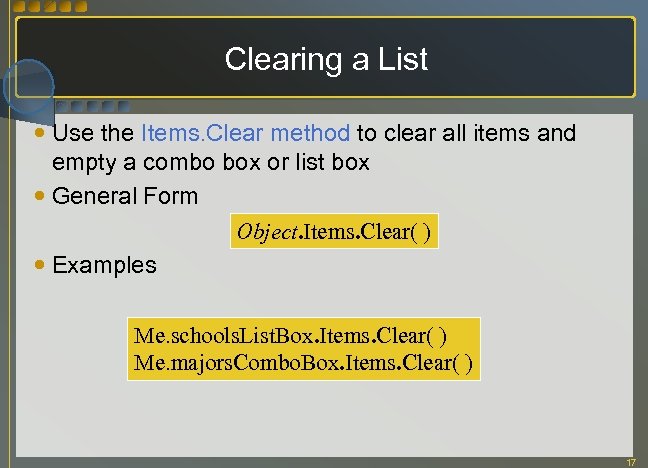 Clearing a List Use the Items. Clear method to clear all items and empty a combo box or list box General Form Object. Items. Clear( ) Examples Me. schools. List. Box. Items. Clear( ) Me. majors. Combo. Box. Items. Clear( ) 17
 List Box and Combo Box Events Selected. Index. Changed Event Default event for both controls Happens when user selects an item in the box Text. Changed Event Occurs when user types text into combo box List box does not have Text. Changed Event Enter Event (control receives focus) Fires when a user tabs from control to control Leave Event (control loses focus) Triggers when a user tabs between controls 18
 Do/Loops A loop repeats a series of instructions An iteration is a single execution of the statement(s) in the loop Used when the exact number of iterations is unknown A Do/Loop terminates based on a specified condition Execution of the loop continues while a condition is True or until a condition is True The condition can be placed at the top or the bottom of the loop 19
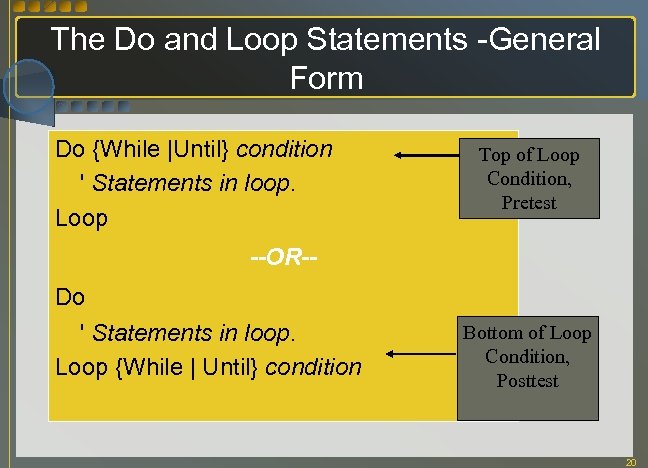 The Do and Loop Statements -General Form Do {While |Until} condition ' Statements in loop. Loop Top of Loop Condition, Pretest --OR-Do ' Statements in loop. Loop {While | Until} condition Bottom of Loop Condition, Posttest 20
 Pretest vs. Posttest Pretest, loop may never be executed since tested BEFORE running Do While … Loop Do Until … Loop Posttest, loop will always be executed at least once Do … Loop While Do … Loop Until 21
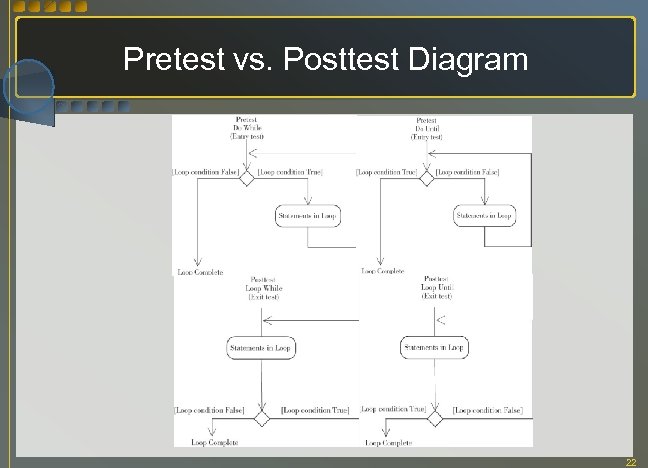 Pretest vs. Posttest Diagram 22
 The Boolean Data Type Revisited Can help when searching a list for a specific value Boolean variable is always in one of two states; True or False When a particular situation occurs, set Boolean variable to True Use a loop to check for True Many programmers refer to Boolean variables as switches or flags Switches have two states – on or off Flags are considered either up or down 23
 For/Next Loops Used to repeat statements in a loop a specific number of times Uses a numeric counter variable, called Loop Index, which is tested to determine the number of times the statements inside the loop will execute Loop Index is incremented at the bottom of the loop on each iteration Step value can be included to specify the incrementing amount to increment Loop Index, step can be a negative number 24
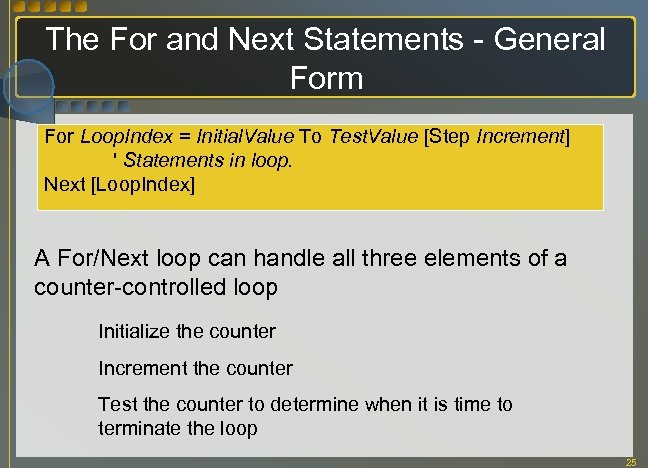 The For and Next Statements - General Form For Loop. Index = Initial. Value To Test. Value [Step Increment] ' Statements in loop. Next [Loop. Index] A For/Next loop can handle all three elements of a counter-controlled loop Initialize the counter Increment the counter Test the counter to determine when it is time to terminate the loop 25
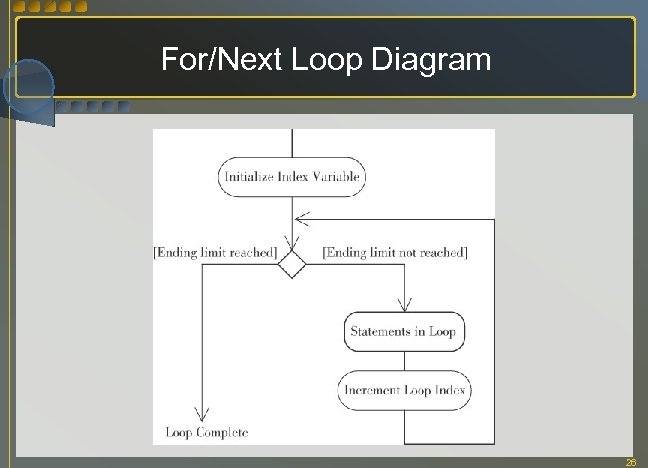 For/Next Loop Diagram 26
 More Details about For/Next Loops Negative Increment or Counting Backwards is possible Set the Step increment to a negative number Conditions Satisfied before Entry Statements in the body might not be executed at all Altering the Values of the Loop Control Variables Altering the Initial. Value, Test. Value, and Increment in the body is not allowed Altering the Loop. Index is allowed, although it is considered a poor programming practice Can lead to endless or infinite loops 27
 Exiting Loops In some situations you may need to exit the loop prematurely Click on the form’s close box or use the VB menu bar or toolbar to stop the program; or Ctrl+Break Use the Exit Do or Exit For statement inside the loop structure Generally the Exit Do or Exit For statement is part of an If statement 28
 Skipping to the Next Iteration of a Loop In some situations you may need to skip to the next iteration of the loop The Continue Do or Continue For statement transfers control to the last statement in the loop, and retests the loop exit condition Generally the Continue Do or Continue For statement is part of an If statement 29
 Making Entries Appear Selected When a user tabs into a text box that already has an entry, the user-friendly approach is to select the text If a text box fails validation, select the text Selecting the entry in a Text Box Use the Select. All method Good location is in the text box’s Enter event Selecting an entry in a List Box Set the Selected. Index property to make a single item in a list box appear selected 30
 Sending Information to the Printer Components appear in the Printing tab of the toolbox Most professional programmers using VB use a separate utility program to format printer reports Several companies sell utilities that do a nice job designing and print reports VB Professional Edition and Enterprise Edition include Crystal Reports for creating reports from database files 31
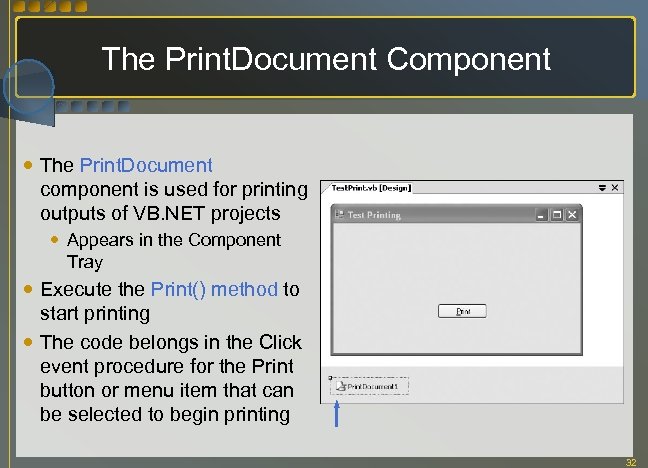 The Print. Document Component The Print. Document component is used for printing outputs of VB. NET projects Appears in the Component Tray Execute the Print() method to start printing The code belongs in the Click event procedure for the Print button or menu item that can be selected to begin printing 32
 Setting Up the Print Output Print. Page event is fired once for each page to be printed, and is referred to as callback Begin. Print and End. Print are also fired at the beginning and end of the printing Print. Page event includes the argument e as System. Drawing. Print. Page. Event. Args Properties of the Print. Page. Event. Args are useful for handling page margins and sending strings of text to the page 33
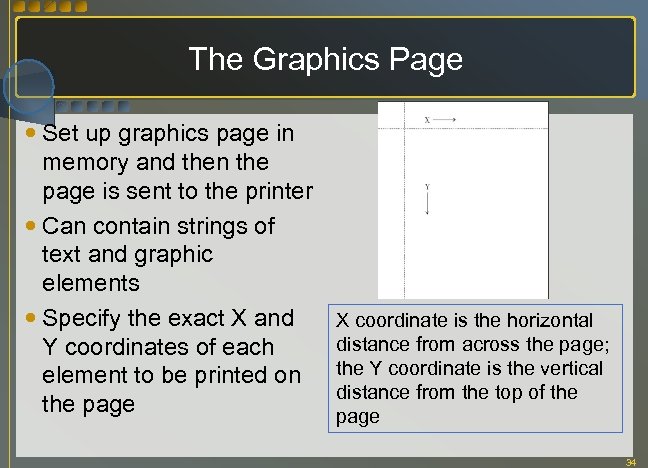 The Graphics Page Set up graphics page in memory and then the page is sent to the printer Can contain strings of text and graphic elements Specify the exact X and Y coordinates of each element to be printed on the page X coordinate is the horizontal distance from across the page; the Y coordinate is the vertical distance from the top of the page 34
 Using the Draw. String Method Used to send a line of text to the graphics page Belongs to the Graphics object of the Print. Page. Event. Args argument Is an overloaded method so there are several forms for calling the method Arguments for the Draw. String method include: What to print What font and color to print in Where to print Set up the Font and X/Y coordinates to be used before executing the Draw. String method 35
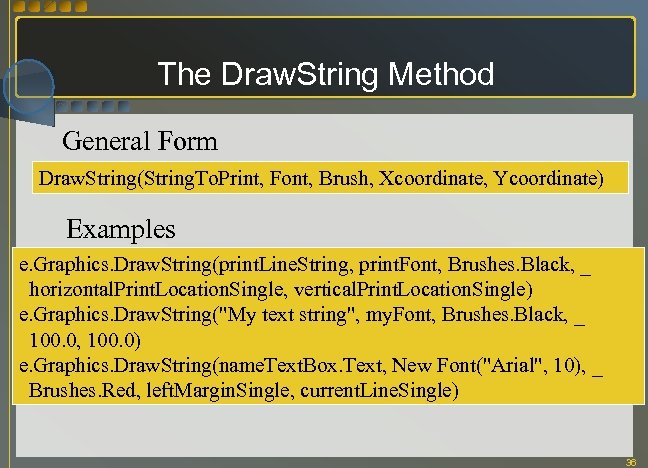 The Draw. String Method General Form Draw. String(String. To. Print, Font, Brush, Xcoordinate, Ycoordinate) Examples e. Graphics. Draw. String(print. Line. String, print. Font, Brushes. Black, _ horizontal. Print. Location. Single, vertical. Print. Location. Single) e. Graphics. Draw. String("My text string", my. Font, Brushes. Black, _ 100. 0, 100. 0) e. Graphics. Draw. String(name. Text. Box. Text, New Font("Arial", 10), _ Brushes. Red, left. Margin. Single, current. Line. Single) 36
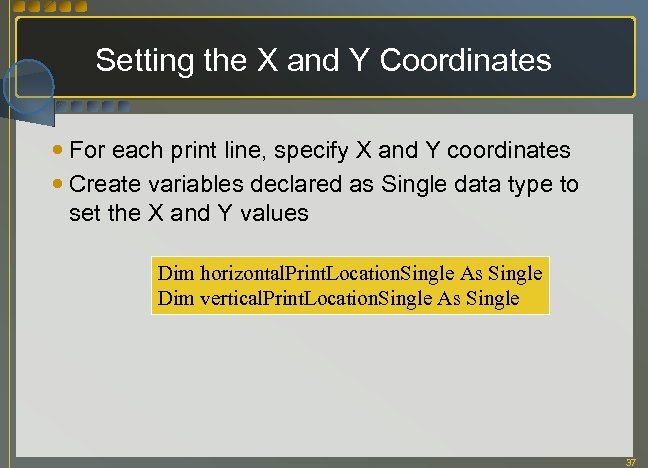 Setting the X and Y Coordinates For each print line, specify X and Y coordinates Create variables declared as Single data type to set the X and Y values Dim horizontal. Print. Location. Single As Single Dim vertical. Print. Location. Single As Single 37
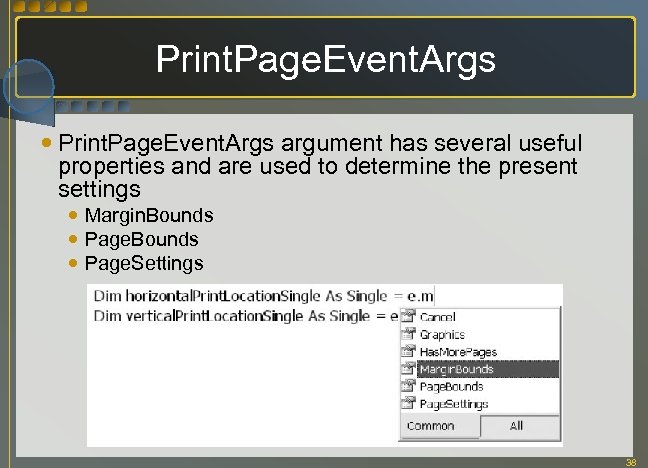 Print. Page. Event. Args argument has several useful properties and are used to determine the present settings Margin. Bounds Page. Settings 38
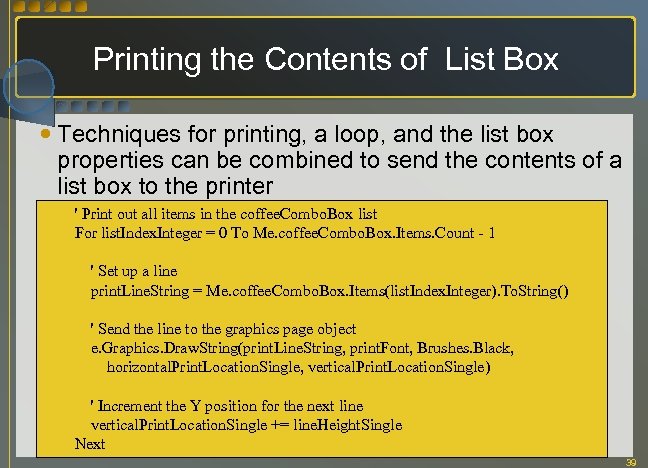 Printing the Contents of List Box Techniques for printing, a loop, and the list box properties can be combined to send the contents of a list box to the printer ' Print out all items in the coffee. Combo. Box list For list. Index. Integer = 0 To Me. coffee. Combo. Box. Items. Count - 1 ' Set up a line print. Line. String = Me. coffee. Combo. Box. Items(list. Index. Integer). To. String() ' Send the line to the graphics page object e. Graphics. Draw. String(print. Line. String, print. Font, Brushes. Black, horizontal. Print. Location. Single, vertical. Print. Location. Single) ' Increment the Y position for the next line vertical. Print. Location. Single += line. Height. Single Next 39
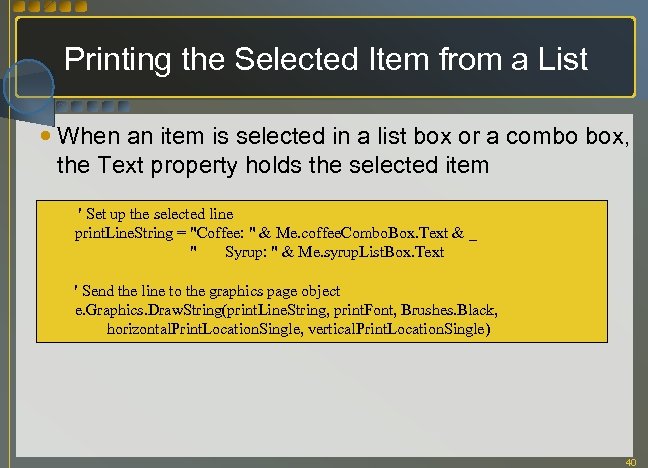 Printing the Selected Item from a List When an item is selected in a list box or a combo box, the Text property holds the selected item ' Set up the selected line print. Line. String = "Coffee: " & Me. coffee. Combo. Box. Text & _ " Syrup: " & Me. syrup. List. Box. Text ' Send the line to the graphics page object e. Graphics. Draw. String(print. Line. String, print. Font, Brushes. Black, horizontal. Print. Location. Single, vertical. Print. Location. Single) 40
 Displaying a Print Preview The Print. Preview. Dialog component is the key to print preview Add Print. Preview. Dialog component to form Appears in the Component Tray Default name is fine Assign in code the same Print. Document object you are using for printing Execute the Show. Dialog method of the Print. Preview. Dialog component 41
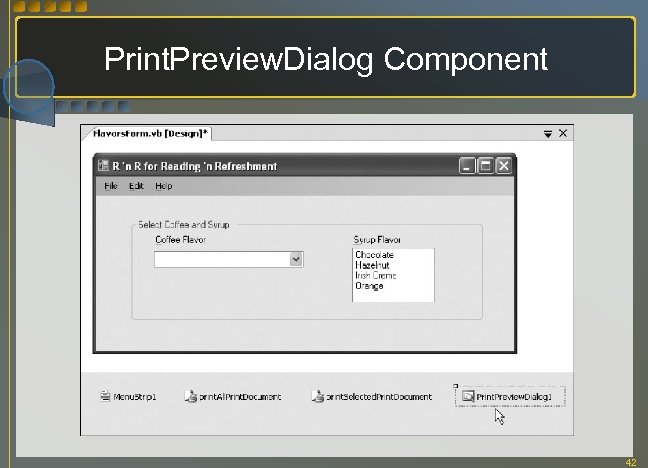 Print. Preview. Dialog Component 42
 The Using Block System resources such as fonts can be access inside of a Using block Variables that are declared in a using block are only accessible within that block The advantage of declaring a variable inside a Using block is that system resources are released as soon as the block terminates 43
 Other Issues Printing numeric data Alignment of the decimal values is important Format each number as you want it to print, and then measure the length of the formatted string Printing multiple pages If the printing content extends beyond e. Margins. Bound. Bottom along the Y axis, then you have to explicitly define printing of multiple pages The e. Has. More. Pages property needs to be set to True 44
 Using Static Variables Static local variables retain their value for the life of the project Can be useful for Running totals Running counts Boolean switches Storing current page number/count when printing multiple pages 45