


 Скачать презентацию Are you ready for the next steps Here
3c40fb9a0410013328270496eb9cae99.ppt
- Количество слайдов: 21
 Are you ready for the next steps? Here comes 4. 2! Alexander Killing & Matthias Kunkel ILIAS open source e-Learning e. V.
 ILIAS 4. 2 . a new version with a lot of new and improved features . but also a version „in transit“
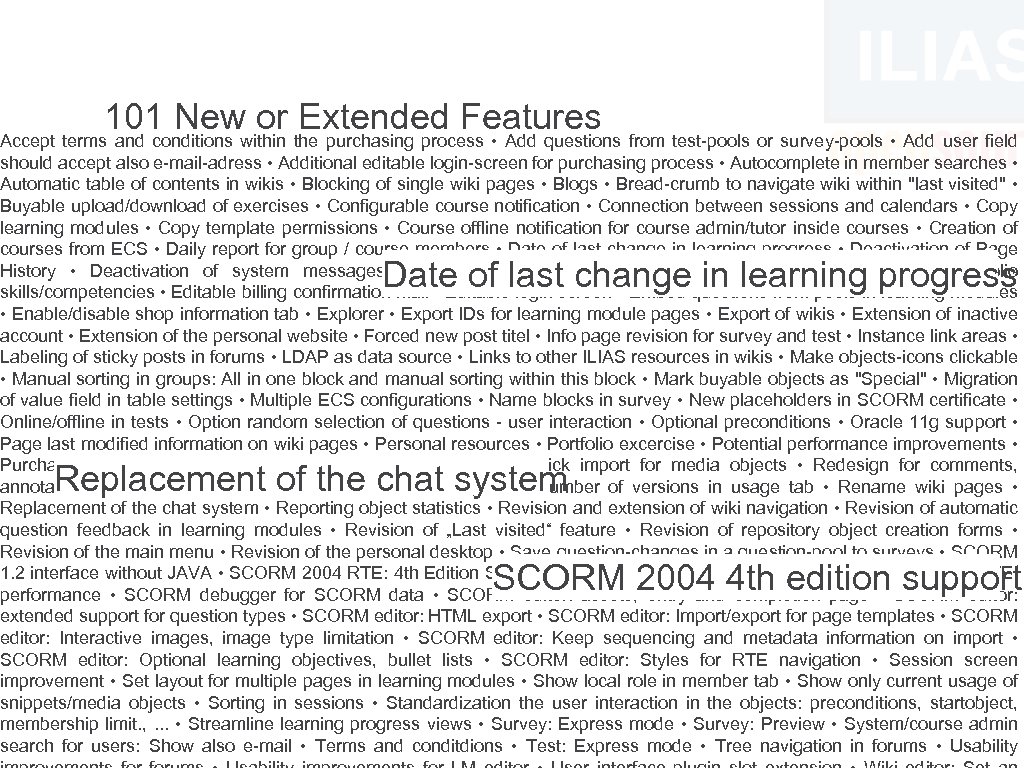 101 Newwithin the purchasing process • Add questions from test-pools or survey-pools • Add user field or Extended Features Accept terms and conditions should accept also e-mail-adress • Additional editable login-screen for purchasing process • Autocomplete in member searches • Automatic table of contents in wikis • Blocking of single wiki pages • Blogs • Bread-crumb to navigate wiki within "last visited" • Buyable upload/download of exercises • Configurable course notification • Connection between sessions and calendars • Copy learning modules • Copy template permissions • Course offline notification for course admin/tutor inside courses • Creation of courses from ECS • Daily report for group / course members • Date of last change in learning progress • Deactivation of Page History • Deactivation of system messages • Delete/redesign buttons in survey • Didactic templates • e-Portfolio skills/competencies • Editable billing confirmation mail • Editable login screen • Embed questions from pools in learning modules • Enable/disable shop information tab • Explorer • Export IDs for learning module pages • Export of wikis • Extension of inactive account • Extension of the personal website • Forced new post titel • Info page revision for survey and test • Instance link areas • Labeling of sticky posts in forums • LDAP as data source • Links to other ILIAS resources in wikis • Make objects-icons clickable • Manual sorting in groups: All in one block and manual sorting within this block • Mark buyable objects as "Special" • Migration of value field in table settings • Multiple ECS configurations • Name blocks in survey • New placeholders in SCORM certificate • Online/offline in tests • Option random selection of questions - user interaction • Optional preconditions • Oracle 11 g support • Page last modified information on wiki pages • Personal resources • Portfolio excercise • Potential performance improvements • Purchasing and accessability information of bought objects • Quick import for media objects • Redesign for comments, annotations and tags • Redesign of survey diagrams • Reduce number of versions in usage tab • Rename wiki pages • Replacement of the chat system • Reporting object statistics • Revision and extension of wiki navigation • Revision of automatic question feedback in learning modules • Revision of „Last visited“ feature • Revision of repository object creation forms • Revision of the main menu • Revision of the personal desktop • Save question-changes in a question-pool to surveys • SCORM 1. 2 interface without JAVA • SCORM 2004 RTE: 4 th Edition Support • SCORM 2004 RTE: improvements • SCORM 2004 RTE: performance • SCORM debugger for SCORM data • SCORM editor: assets, entry and completion page • SCORM editor: extended support for question types • SCORM editor: HTML export • SCORM editor: Import/export for page templates • SCORM editor: Interactive images, image type limitation • SCORM editor: Keep sequencing and metadata information on import • SCORM editor: Optional learning objectives, bullet lists • SCORM editor: Styles for RTE navigation • Session screen improvement • Set layout for multiple pages in learning modules • Show local role in member tab • Show only current usage of snippets/media objects • Sorting in sessions • Standardization the user interaction in the objects: preconditions, startobject, membership limit. , . . . • Streamline learning progress views • Survey: Express mode • Survey: Preview • System/course admin search for users: Show also e-mail • Terms and conditdions • Test: Express mode • Tree navigation in forums • Usability Date of last change in learning progress Replacement of the chat system SCORM 2004 4 th edition support
 Some features especially selected for you!
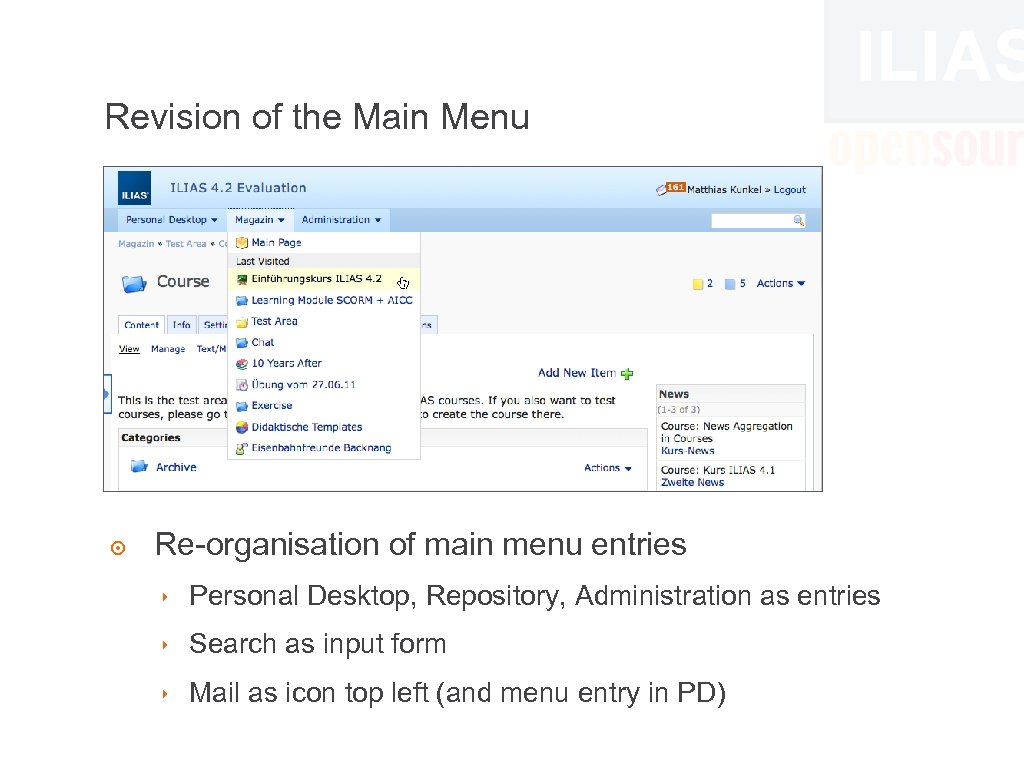 Revision of the Main Menu ๏ Re-organisation of main menu entries ‣ Personal Desktop, Repository, Administration as entries ‣ Search as input form ‣ Mail as icon top left (and menu entry in PD)
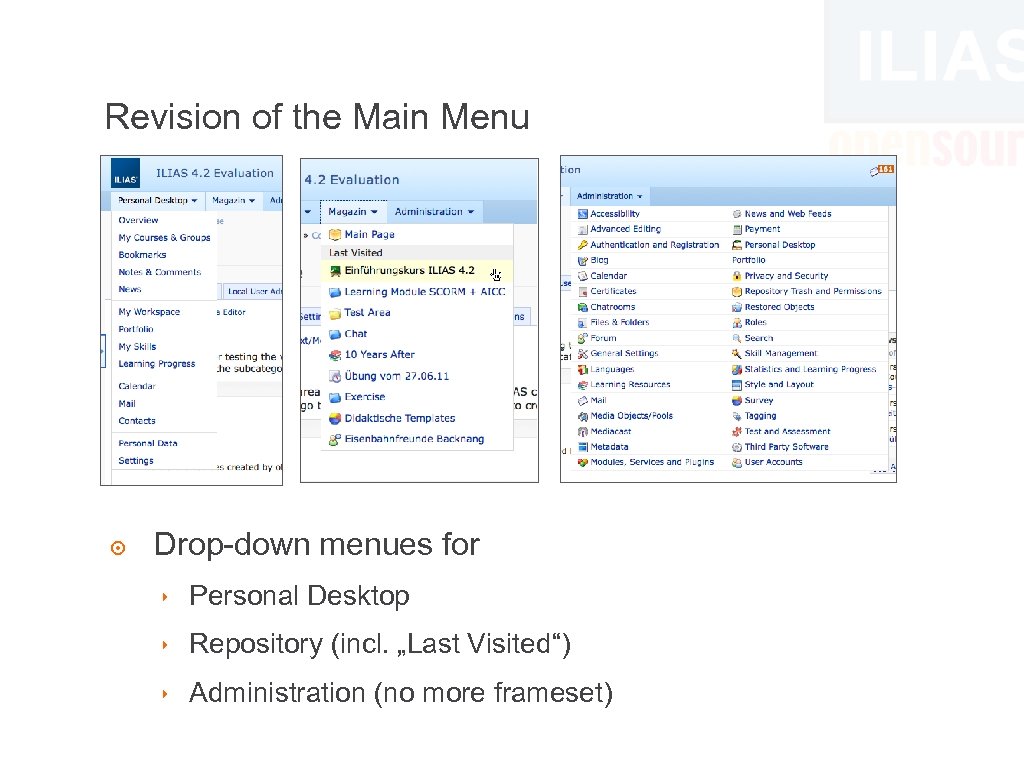 Revision of the Main Menu ๏ Drop-down menues for ‣ Personal Desktop ‣ Repository (incl. „Last Visited“) ‣ Administration (no more frameset)
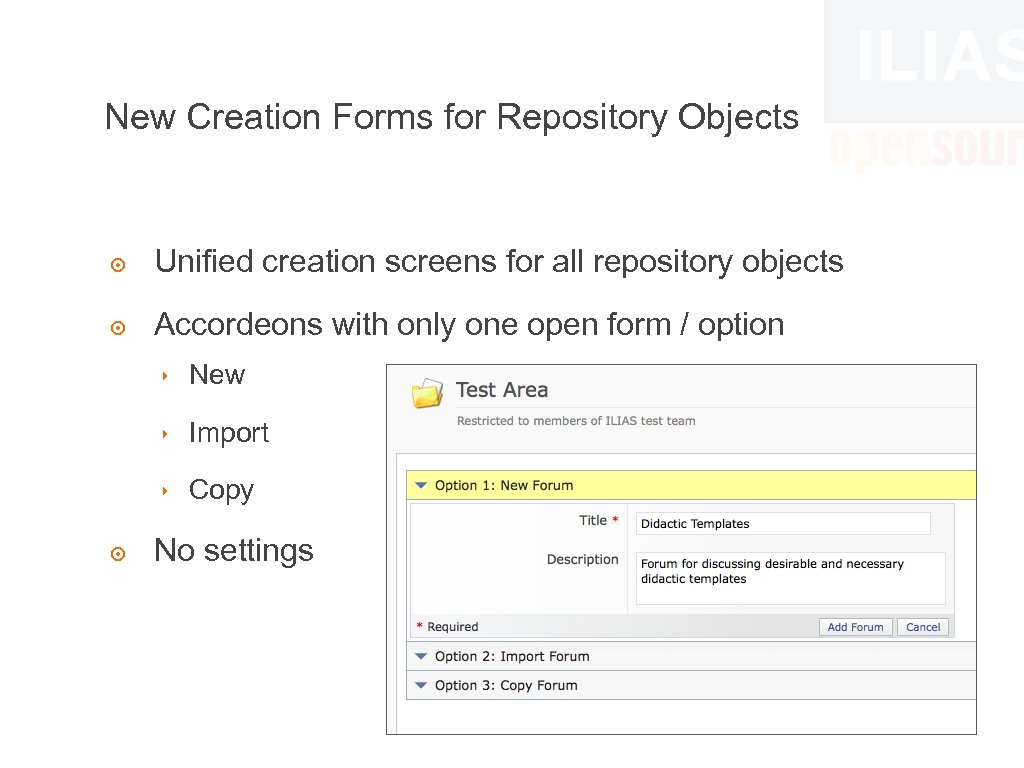 New Creation Forms for Repository Objects ๏ Unified creation screens for all repository objects ๏ Accordeons with only one open form / option ‣ New ‣ Import ‣ Copy ๏ No settings
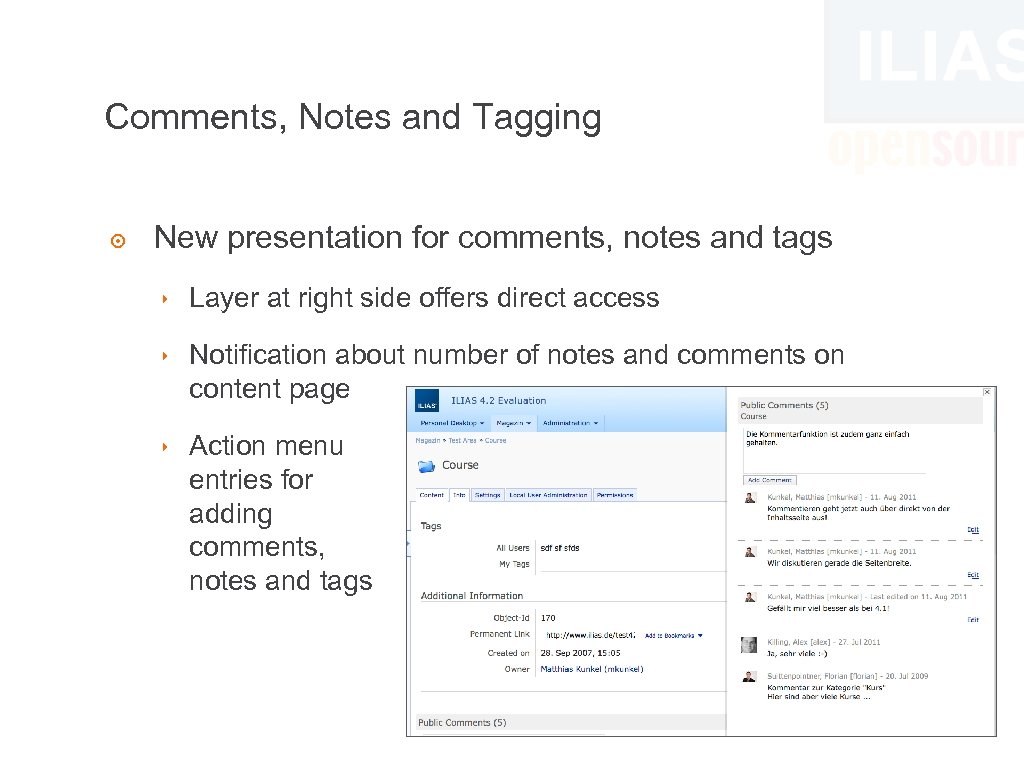 Comments, Notes and Tagging ๏ New presentation for comments, notes and tags ‣ Layer at right side offers direct access ‣ Notification about number of notes and comments on content page ‣ Action menu entries for adding comments, notes and tags
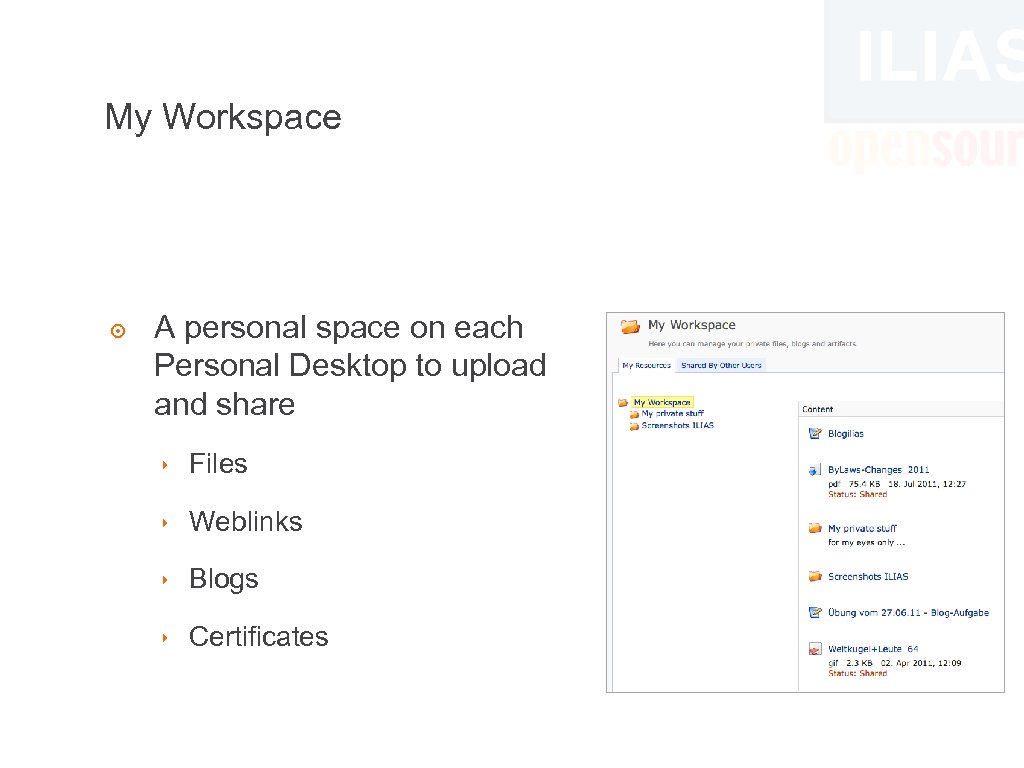 My Workspace ๏ A personal space on each Personal Desktop to upload and share ‣ Files ‣ Weblinks ‣ Blogs ‣ Certificates
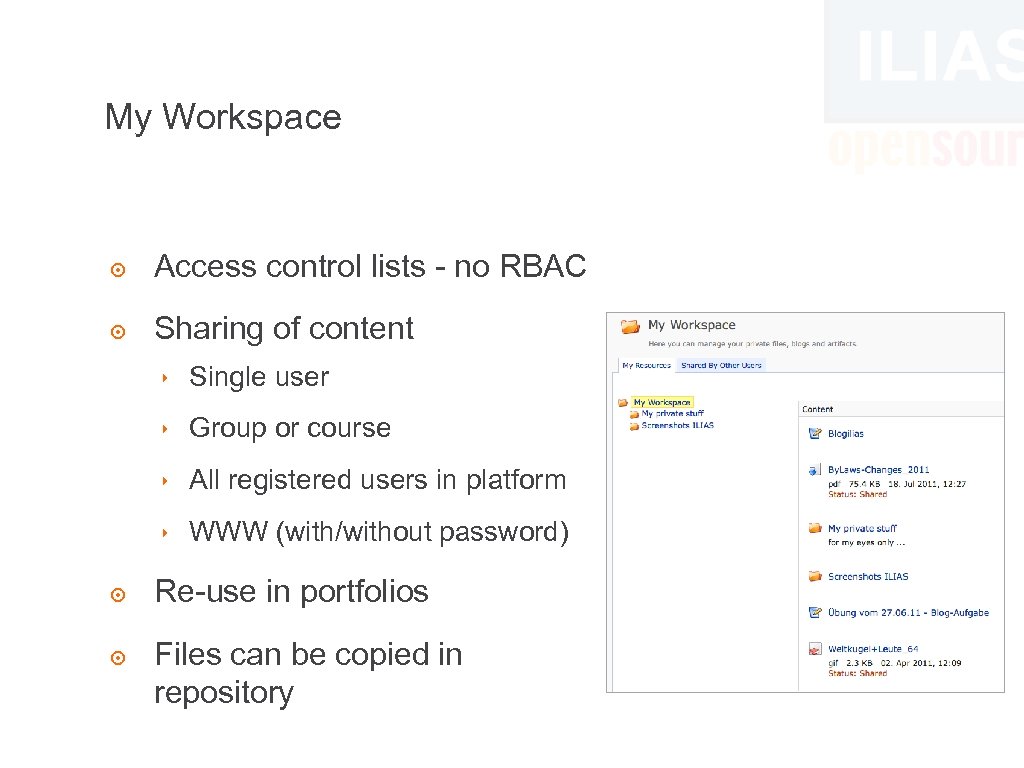 My Workspace ๏ Access control lists - no RBAC ๏ Sharing of content ‣ Single user ‣ Group or course ‣ All registered users in platform ‣ WWW (with/without password) ๏ Re-use in portfolios ๏ Files can be copied in repository
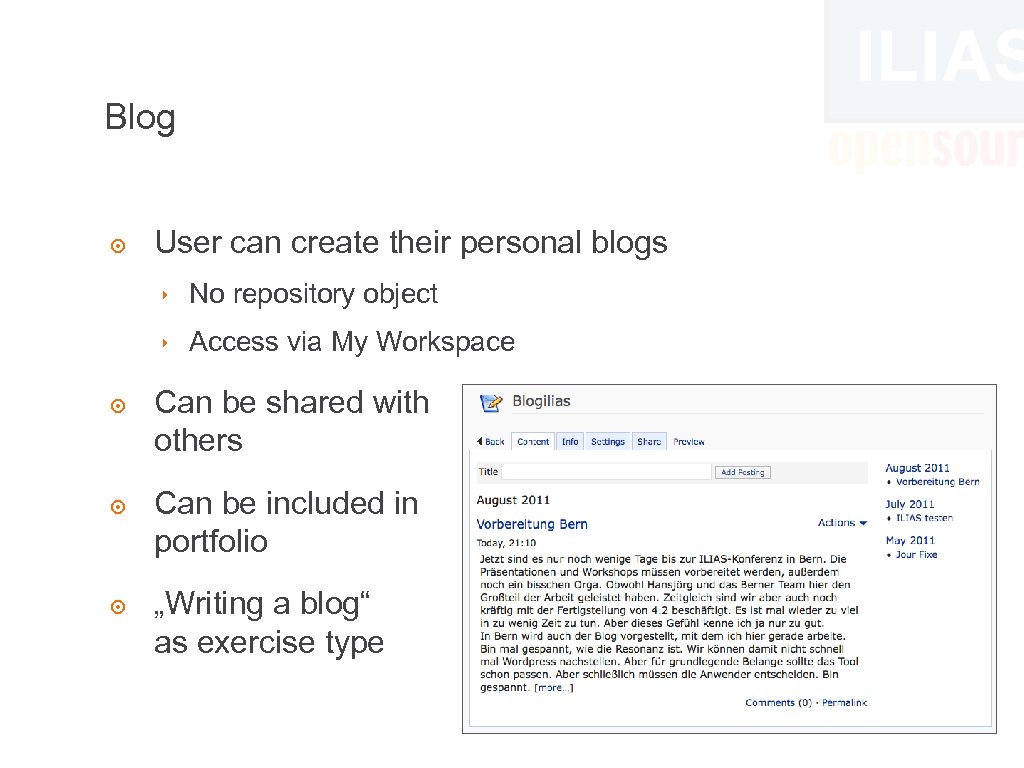 Blog ๏ User can create their personal blogs ‣ No repository object ‣ Access via My Workspace ๏ Can be shared with others ๏ Can be included in portfolio ๏ „Writing a blog“ as exercise type
 Portfolio ๏ Users can present themselves on a portfolio ๏ Portfolios are created on Personal Desktop ๏ Different portfolios for different target groups ‣ Access for external visitors via URL plus „password“ ๏ Former „Public Profile“ is now a portfolio
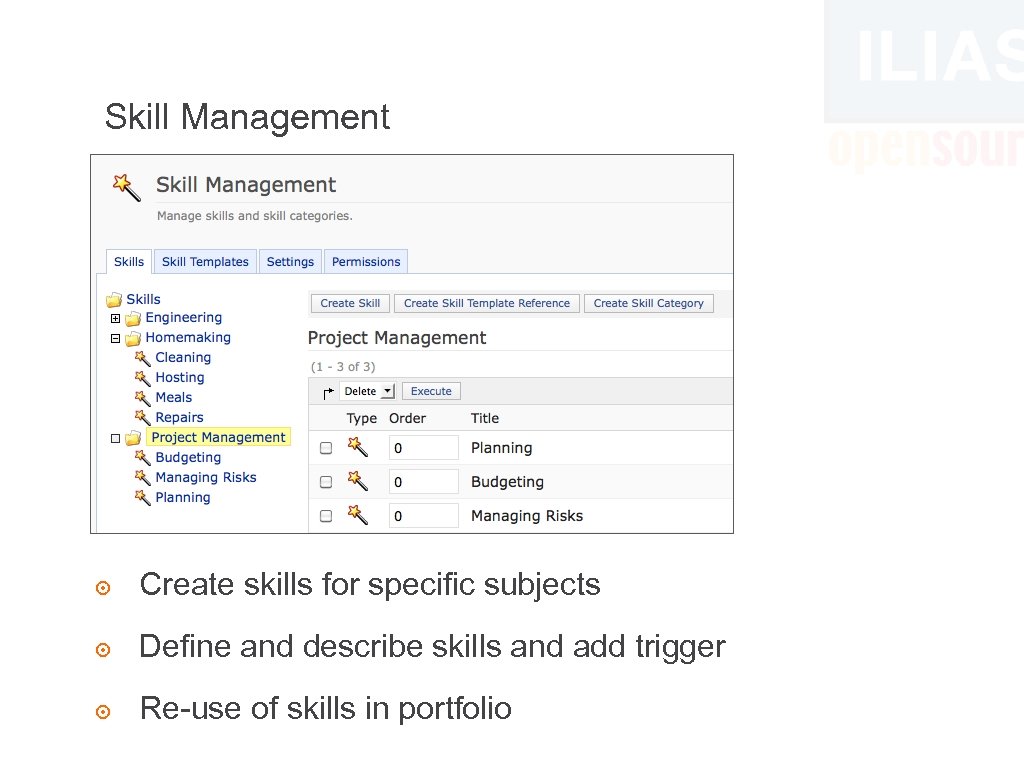 Skill Management ๏ Create skills for specific subjects ๏ Define and describe skills and add trigger ๏ Re-use of skills in portfolio
 Didactic Templates ๏ Specific use of an object realised with one click ๏ Didactic templates consists of ‣ Permission settings / role templates ‣ Actions for specific permission changes ‣ Creation of new objects ๏ Examples: ‣ Category as internal authoring area ‣ Folder as dropbox ‣ Open and closed groups
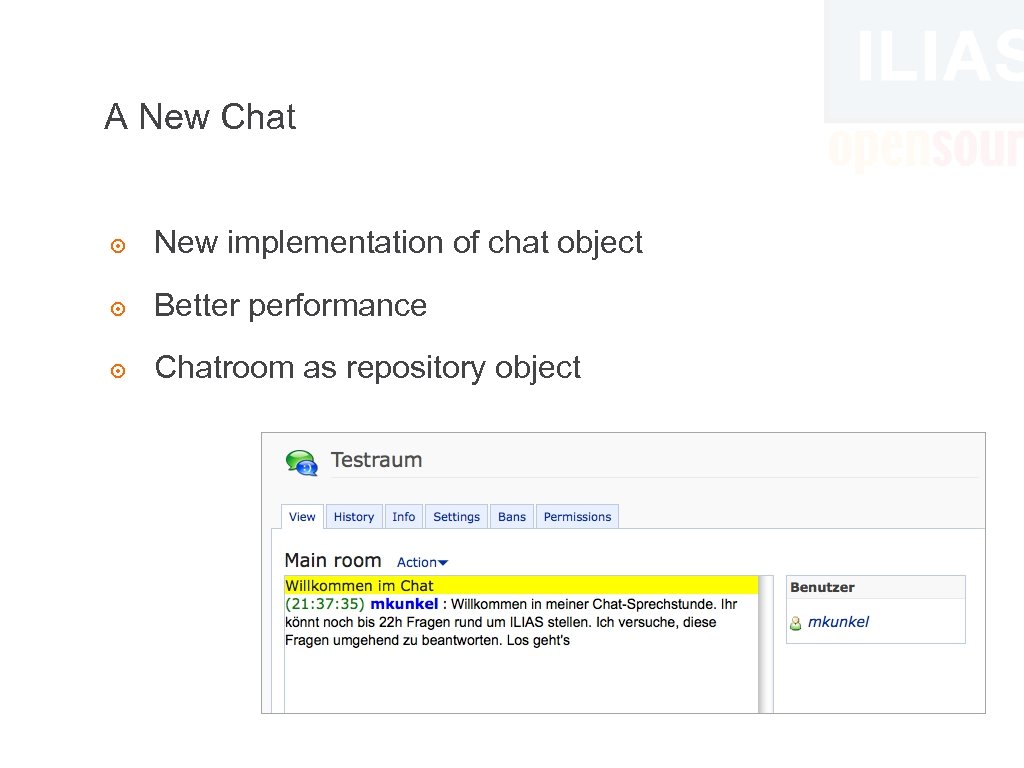 A New Chat ๏ New implementation of chat object ๏ Better performance ๏ Chatroom as repository object
 SCORM ๏ Javascript-based RTE for SCORM 1. 2 ‣ JAVA support on client side no longer required ‣ Runs now also on browsers that haven‘t supported former JAVA RTE, e. g. Chrome 10 ‣ Better performance ‣ New start options ๏ SCORM Editor Improvements ‣ Assets, Interactive Images, New Question Types
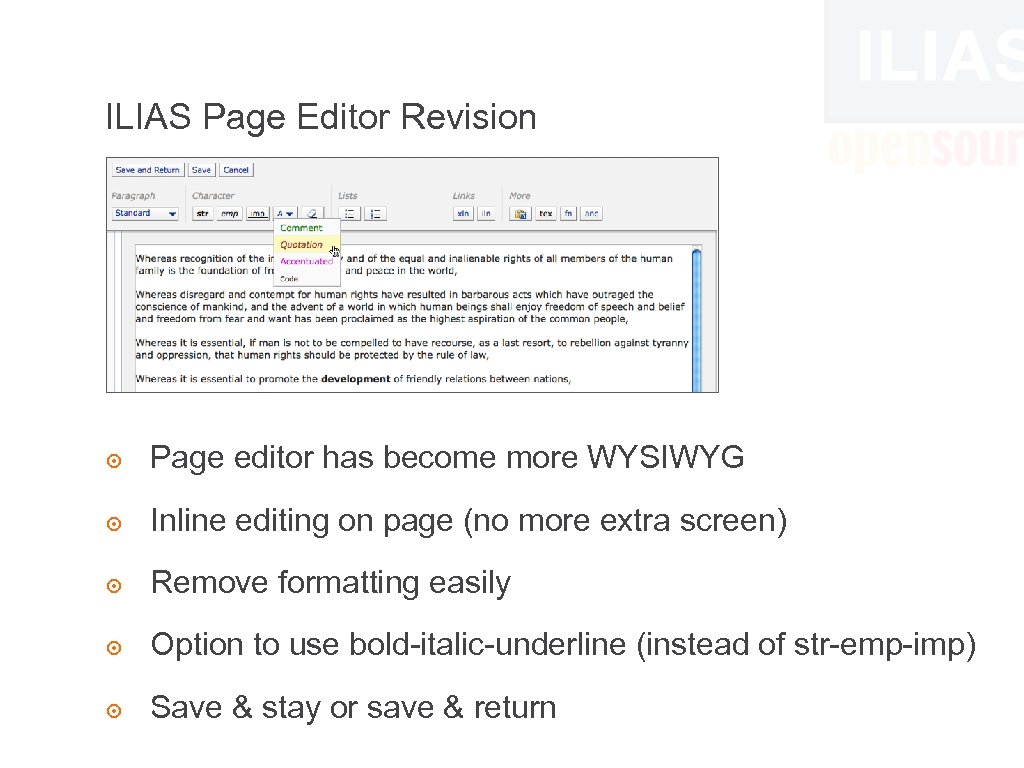 ILIAS Page Editor Revision ๏ Page editor has become more WYSIWYG ๏ Inline editing on page (no more extra screen) ๏ Remove formatting easily ๏ Option to use bold-italic-underline (instead of str-emp-imp) ๏ Save & stay or save & return
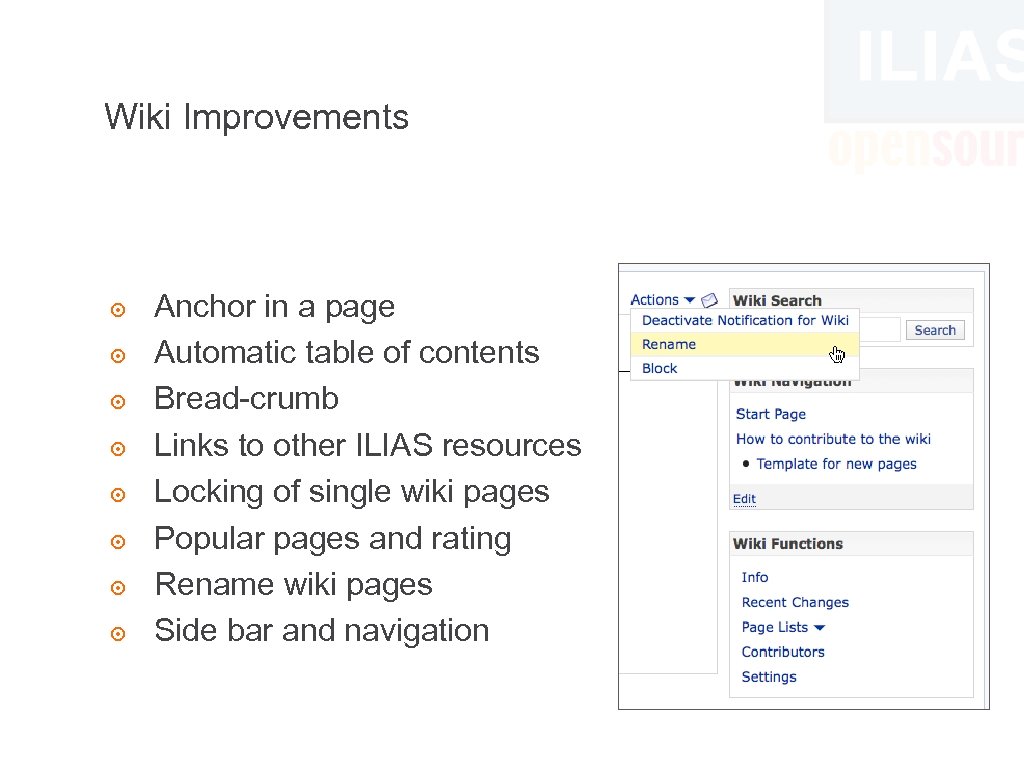 Wiki Improvements ๏ ๏ ๏ ๏ Anchor in a page Automatic table of contents Bread-crumb Links to other ILIAS resources Locking of single wiki pages Popular pages and rating Rename wiki pages Side bar and navigation
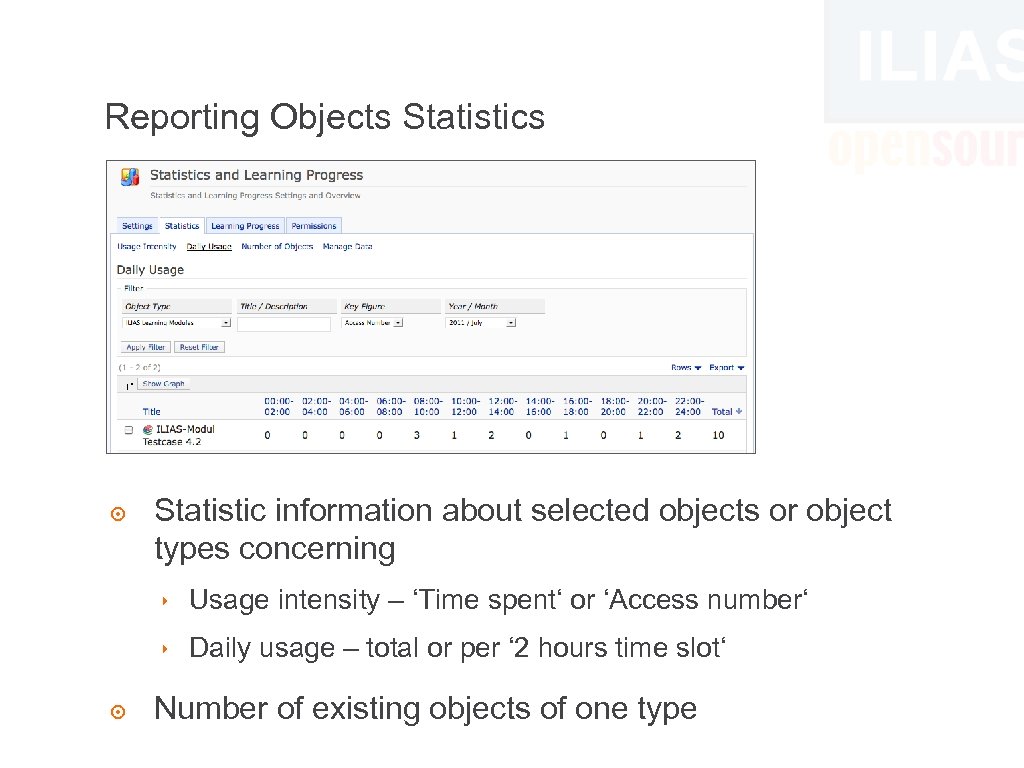 Reporting Objects Statistics ๏ Statistic information about selected objects or object types concerning ‣ Usage intensity – ‘Time spent‘ or ‘Access number‘ ‣ Daily usage – total or per ‘ 2 hours time slot‘ ๏ Number of existing objects of one type
 4. 2 Lifecycle ๏ March 2010 Start of collecting requirements ๏ 31 March 2011 Feature freeze ๏ May 2011 Testing started ๏ 05 August 2011 Beta 1 published ๏ Mid-september 2011 4. 2. 0 stable ๏ November 2011 4. 2 branch ๏ September 2013 End of maintenance
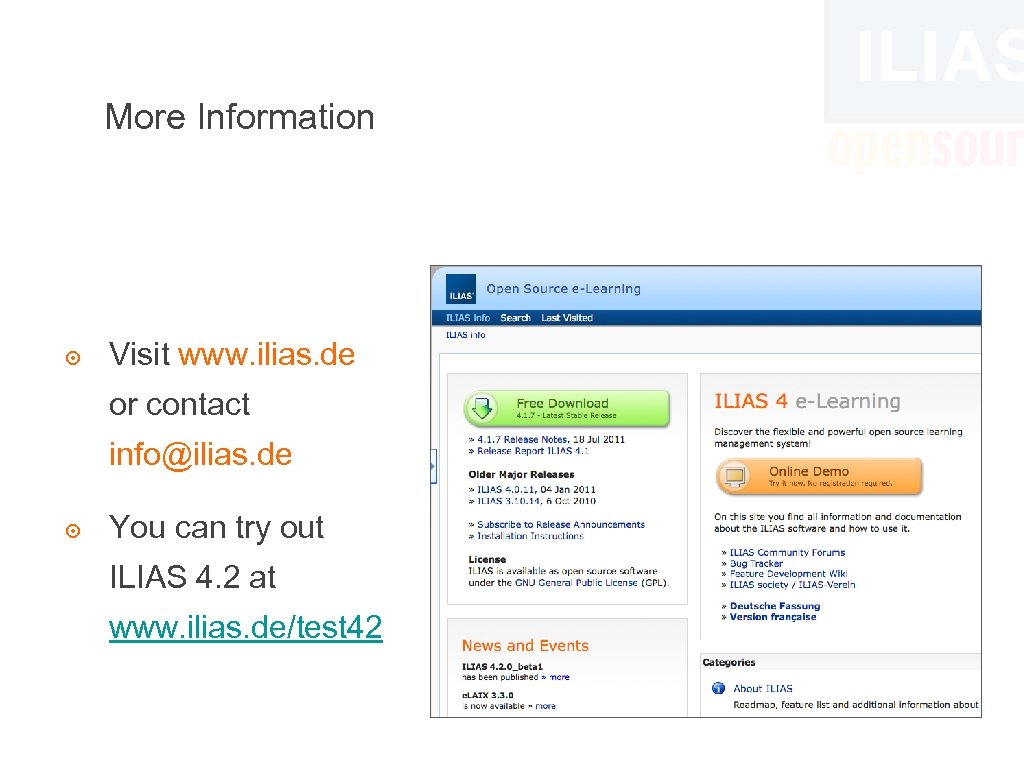 More Information ๏ Visit www. ilias. de or contact info@ilias. de ๏ You can try out ILIAS 4. 2 at www. ilias. de/test 42