


 Скачать презентацию Archiving David Nathan Endangered Languages Archive Hans Rausing
bd354578122092f6e08de121228d9a9b.ppt
- Количество слайдов: 121
 Archiving David Nathan Endangered Languages Archive Hans Rausing Endangered Languages Project SOAS, University of London 1
 Topics § § § 2 Introducing ELAR and digital language archives Preservation Archive interactions with documentation What and how to archive Protocol Metadata Evaluation of audio Archives and revitalisation Archivism : mobilisation Video Conclusions
 Introducing ELAR and digital language archives 3
 Endangered Languages ARchive (ELAR) § one of 3 semi-autonomous programs of the Hans Rausing Endangered Languages Project § staff of 3; archivist, software developer, technician, (research assistants etc) § develop preservation infrastructure, cataloguing and dissemination; policies; facilities; training and advice; materials development and publishing 4
 What is a digital language archive? § a trusted repository created and maintained by an institution with a commitment to the long-term preservation of archived material § will have policies and processes for materials acquisition, cataloguing, preservation, dissemination, migration to new digital formats § a collection of managed materials 5
 What is archiving of language materials? § preparing materials in a structured form suitable for long-term preservation § creating long-term relationships § it is not backup § it is not dissemination/publication § it should not impinge on good linguistic practice 6
 What can a language archive offer? § Security - keep your electronic materials safe § Preservation - store your materials for the long term § Discovery - help others to find out about your materials § Protocols - respect and implement sensitivities, restrictions § Sharing - share results of your work, if appropriate § Acknowledgement - create citable acknowledgement § Mobilisation - create usable language materials for communities § Quality and standards - advice for assuring your materials are of the highest quality and robust standards 7
 Kinds of language archives § many cross-cutting classifications: § Indigenous vs outsider, eg. Squamish Nation § regional vs international, eg. AILLA, Paradisec; Do. Be. S, ELAR § associated with research institute, eg. AIATSIS, ANLC § granter-funded, eg. Do. Be. S, ELAR, OTA § digital vs physical vs mixed, eg. Do. Be. S vs Vienna Sound Archive, ANLC 8
 Potential users § speakers and their descendants - up to 95% of users of UCB are community members § depositors - to create or renew materials § other researchers - comparative/historical linguists, typologists, theoreticians, anthropologists, historians, musicologists etc § other “stakeholders”, eg educationalists § journalists and the wider public 9
 Archives networks and bodies § Digital Endangered Languages and Archives Network (DELAMAN) § ELAR, DOBES, ANLC, Paradisec, EMELD, LACITO, AIATSIS, AMPM (Maori) § Open Language Archives Community (OLAC) § others, eg. D-LIB § http: //www. dlib. org/ § Open Archives Initiative 10
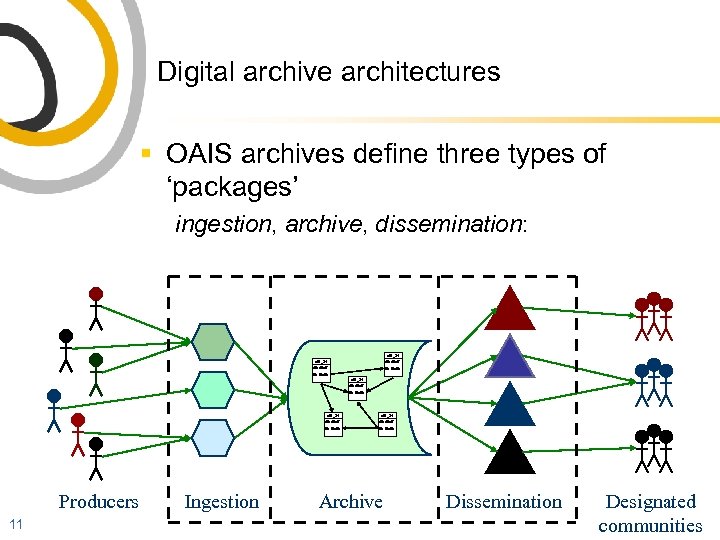 Digital archive architectures § OAIS archives define three types of ‘packages’ ingestion, archive, dissemination: afd_34 dfa dfadf fds fdafds afd_34 dfadf Producers 11 Ingestion afd_34 dfadf fds fdafds Archive Dissemination Designated communities
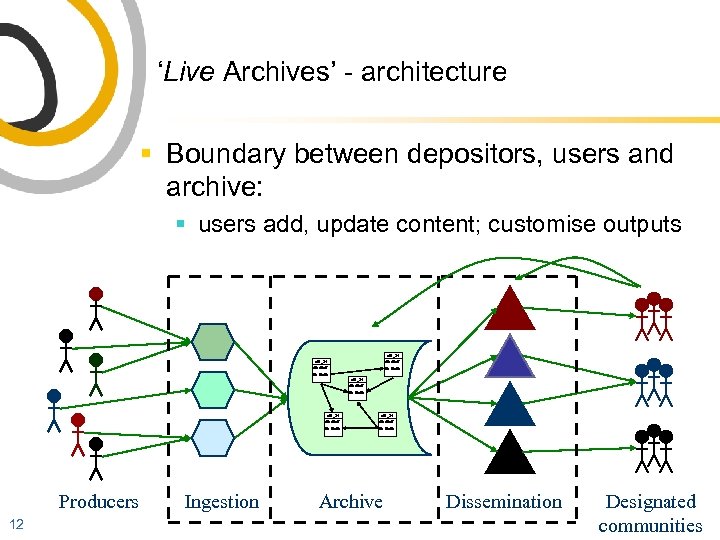 ‘Live Archives’ - architecture § Boundary between depositors, users and archive: § users add, update content; customise outputs afd_34 dfa dfadf fds fdafds afd_34 dfadf Producers 12 Ingestion afd_34 dfadf fds fdafds Archive Dissemination Designated communities
 The way we were. . . § eg 1993: ASEDA Aboriginal Studies Electronic Data Archive at AIATSIS Canberra (modelled on Oxford Text Archive) § opportunistically collect and catalogue electronic materials that were at risk or not accessible § § 13 lexica grammars texts etc
 How things have changed. . § § § 14 types of data (modalities and some genres) means of storage standardisation and metadata dissemination (most explosive) expanded into practice and workflow of linguists
 ELAR’s holdings § ELAR currently holds about 45 deposits with a total volume of approx 1. 1 TB. § the average deposit is about 25 GB, however, the sizes vary widely, with a few much larger deposits. The median size is around 10 GB § we expect volume to nearly double over the next year § see next slides for distribution of data types 15
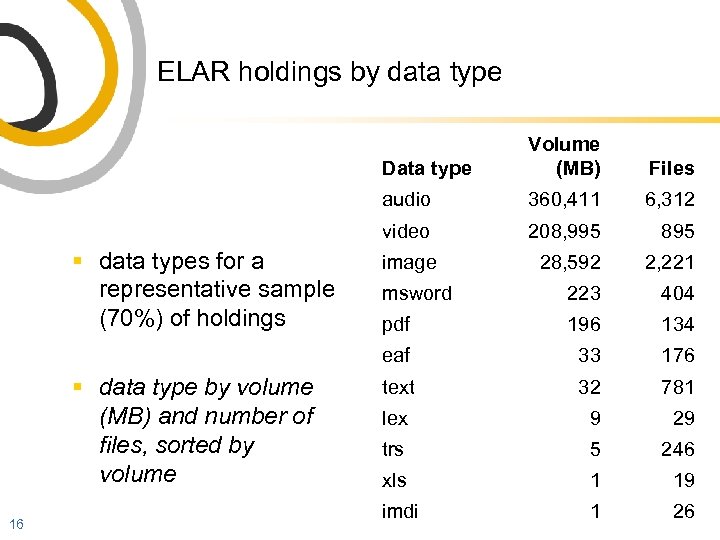 ELAR holdings by data type Data type 6, 312 208, 995 895 image 28, 592 2, 221 msword 223 404 pdf 196 134 eaf 16 360, 411 video § data type by volume (MB) and number of files, sorted by volume Files audio § data types for a representative sample (70%) of holdings Volume (MB) 33 176 text 32 781 lex 9 29 trs 5 246 xls 1 19 imdi 1 26
 If you are a depositor, ELAR will § § § § § 17 preserve your deposited materials provide for making changes where possible provide web-based metadata management implement your access restrictions etc give feedback about materials provide advice, general and specific assistance, eg data conversion provide some equipment and services on a case by case basis, develop resources
 Preservation 18
 Preservation issues § § 19 making materials robust making storage robust organisational, ownership and policy issues changing technologies § refreshing § migrating
 Changing technologies § advantages of digital preservation § primarily: copying § items no longer unique § also transmission, dissemination § other implications § § robust formats (standard, open, explicit) formats with long horizons formats easy to refresh formats that don’t require particular software (sometimes software is intrinsic!) § may have to describe software or even archive the software 20
 Two preservation models § “preserve the bytestream” § keep the exact original at all costs § LOCKSS § “lots of copies keep stuff safe” § http: //lockss. stanford. edu/ § guess which community it came from! 21
 Some backup issues § risk management § undetected problems and useless backups § aspects of professional backup: § scheduled frequencies, eg monthly, weekly, daily § retention § media and locations § naming/versions § proven restoration 22
 Top 10 worst ways to collect/manage data § § § § § 23 1. No backup 2. Divergent versions of same data 3. Unlabeled disks/media 4. Non-standard or undocumented filenames 5. Master recordings used to review/analyse data 6. Don’t know how characters are encoded 7. Never tried to convert/export data 8. Unprocessed or unedited audio and video 9. Inconsistent recording 10. Unmonitored recording
 Archive interactions with documentation 24
 Documenter and archive interactions § § 25 grant formulation and application communications, questions, advice training archiving services
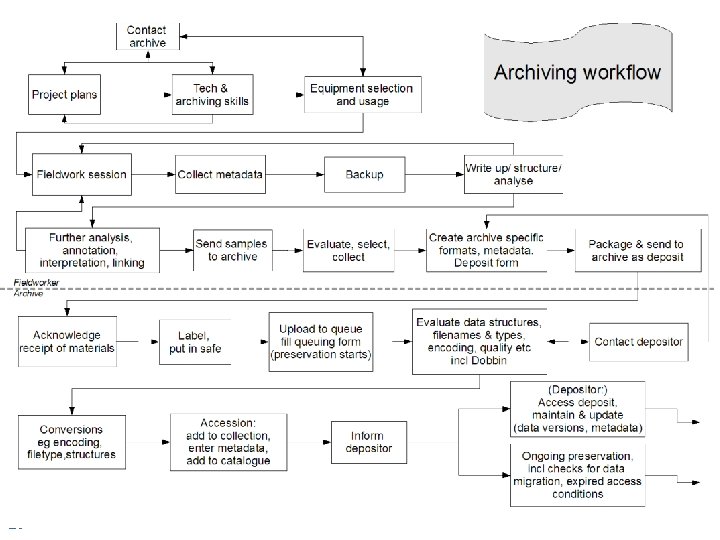 Documenter & archive interactions 26
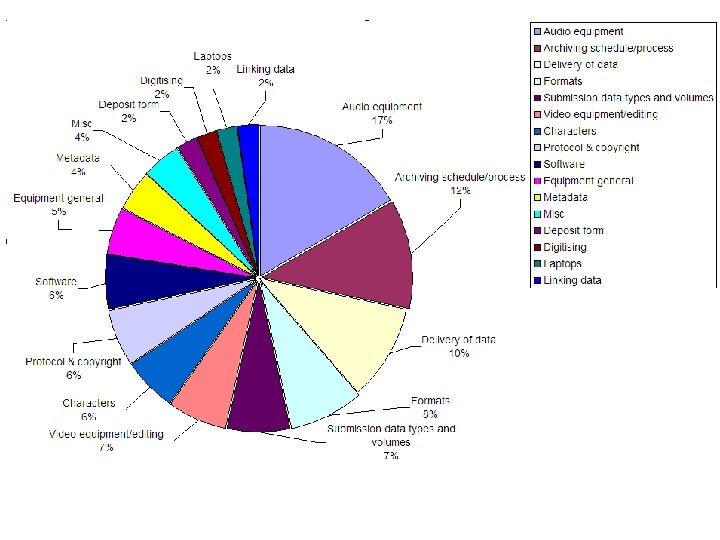
 Query/interaction topics § analysis of approx 150 queries from documenters/linguists over nearly 2 years 27
 What and how to archive 29
 What can you archive (at ELAR)? § media - sound, video § graphics - images, scans § text - fieldnotes, grammars, description, analysis § structured data - aligned annotated transcriptions, databases, lexica § metadata - structured, standardised contextual information about the materials 30
 Archive objects § informed by traditions, eg document archives § sometimes called “resources”, bundles § it could be a file, a set of files, a directory, a “session” or a coherent item with many parts § should have archival qualities eg Bird & Simons “ 7 Dimensions” (or see Thieberger in LDD 2) § may impose standard structures or formats § need deposit event and processes § § 31 legal and protocol verification accession ongoing processes
 Archive objects should be selected § example: video: How much volume allocated? § answer: . . . § however, e. g. : § unlikely that linguist is in position to plan and consistently create excellent video, so selection is unavoidable § data has always been selected! 32
 (. . . selection) § in your typical work you also: § § § selected labeled transformed/processed/edited added, corrected, expanded made links made or assumed relationships between “whole” and processed units; invented labels, IDs, scope etc § imposed formats 33
 Data portability § Bird and Simons 2003: (for language documentation) our data should have integrity, flexibility, longevity and utility 34
 Data portability § § § § § 35 complete explicit documented preservable transferable accessible adaptable not technology-specific (also appropriate, accurate, useful etc!!)
 Formats - media - preferred § sound - WAV § image - BMP, TIFF, JPEG § video - MPEG 2 36
 Formats - documents - preferred § plain text, with or without markup § PDF (PDF/A) § XML, other systematic markup (with description of markup system) § well-structured documents in common Office formats - ELAR will eventually convert them to archive formats § character encoding : 37 § preferred encoding is ASCII or Unicode § clearly document any other encodings used, e. g. ISO 8859 -5 § discuss with us if you use font substitution to handle non. Roman characters
 Formats - characters - preferred § character encoding : § ASCII or Unicode (UTF-8) § you must clearly document any other encodings used, e. g. ISO 8859 -9 § discuss with us if you use font substitution to handle non-Roman characters 38
![Filenames and directories § characters [A-Z], [a-z], [0 -9], underscore and a single full](https://present5.com/presentation/bd354578122092f6e08de121228d9a9b/image-39.jpg "Filenames and directories § characters [A-Z], [a-z], [0 -9], underscore and a single full") Filenames and directories § characters [A-Z], [a-z], [0 -9], underscore and a single full stop before the extension § correct MIME extension § favour lower case letters § maximum length 30 characters § maximum directory depth 8 § = ASCII only, no spaces 39
Filenames and directories § characters [A-Z], [a-z], [0 -9], underscore and a single full stop before the extension § correct MIME extension § favour lower case letters § maximum length 30 characters § maximum directory depth 8 § = ASCII only, no spaces 39
 Semantics of filenames § don’t stuff meaningful information into filenames - use metadata instead § versions § use directory structures wisely 40
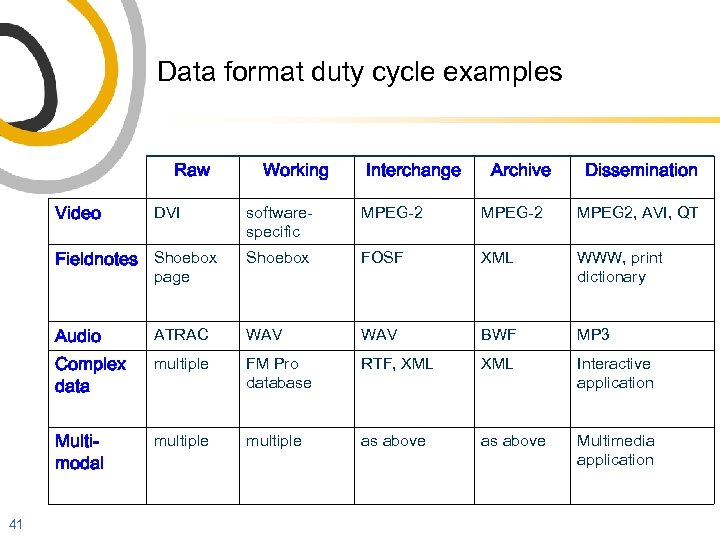 Data format duty cycle examples Raw Video DVI Working Interchange Archive Dissemination softwarespecific MPEG-2 MPEG 2, AVI, QT Fieldnotes Shoebox FOSF XML WWW, print dictionary Audio ATRAC WAV BWF MP 3 Complex data multiple FM Pro database RTF, XML Interactive application Multimodal multiple as above Multimedia application page 41
 Evaluation and conversion examples 42
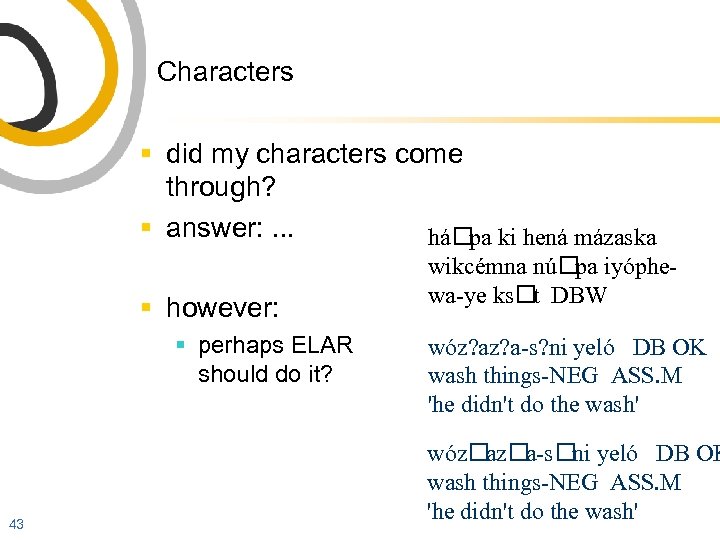 Characters § did my characters come through? § answer: . . . há ki hená mázaska pa § however: § perhaps ELAR should do it? 43 wikcémna nú iyóphepa wa-ye ks DBW t wóz? a-s? ni yeló DB OK wash things-NEG ASS. M 'he didn't do the wash' wóz a-s yeló DB OK az ni wash things-NEG ASS. M 'he didn't do the wash'
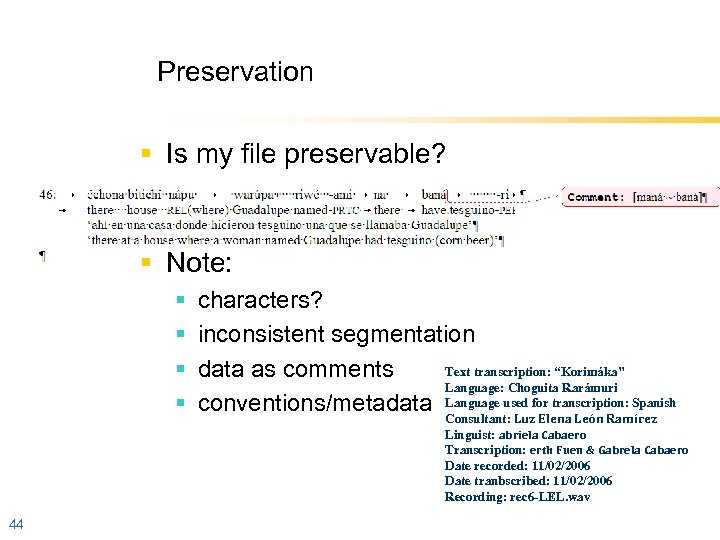 Preservation § Is my file preservable? § Note: § § characters? inconsistent segmentation Text transcription: “Korimáka” data as comments Language: Choguita Rarámuri conventions/metadata Language used for transcription: Spanish Consultant: Luz Elena León Ramírez Linguist: abriela Cabaero Transcription: erth Fuen & Gabrela Cabaero Date recorded: 11/02/2006 Date tranbscribed: 11/02/2006 Recording: rec 6 -LEL. wav 44
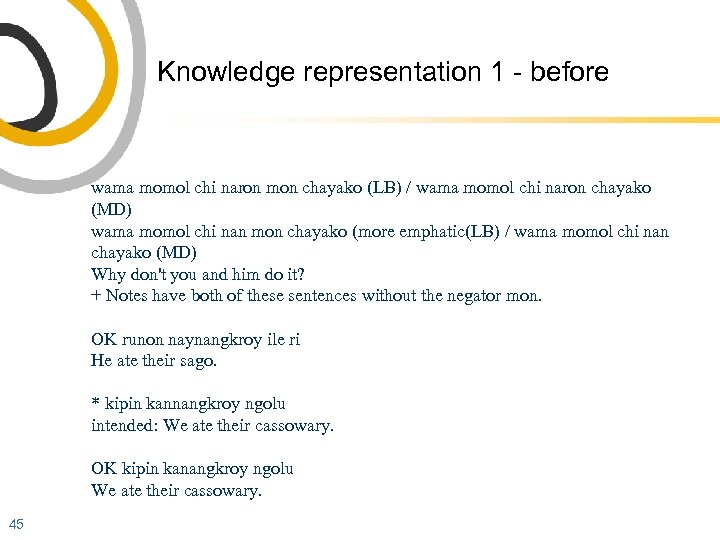 Knowledge representation 1 - before wama momol chi naron mon chayako (LB) / wama momol chi naron chayako (MD) wama momol chi nan mon chayako (more emphatic(LB) / wama momol chi nan chayako (MD) Why don't you and him do it? + Notes have both of these sentences without the negator mon. OK runon naynangkroy ile ri He ate their sago. * kipin kannangkroy ngolu intended: We ate their cassowary. OK kipin kanangkroy ngolu We ate their cassowary. 45
* kipin kannangkroy ngolu
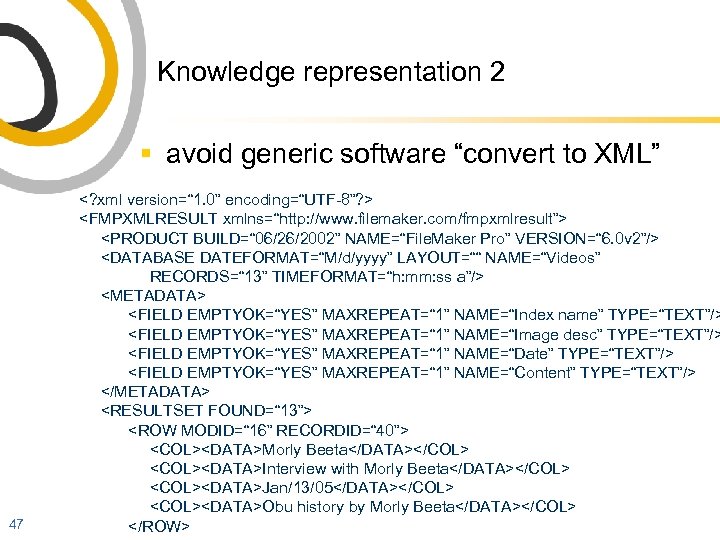 Knowledge representation 2 § avoid generic software “convert to XML” 47
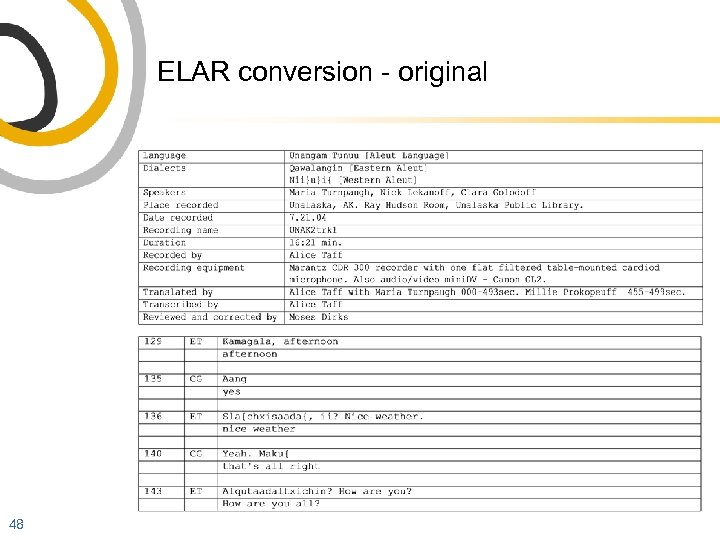 ELAR conversion - original 48
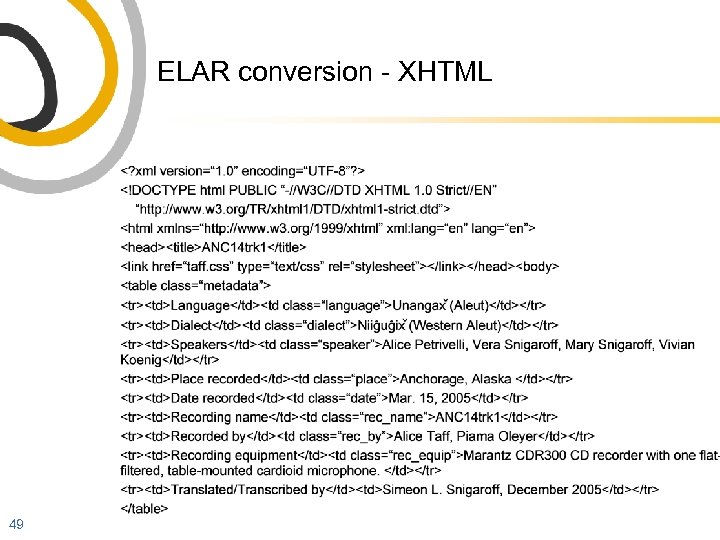 ELAR conversion - XHTML 49
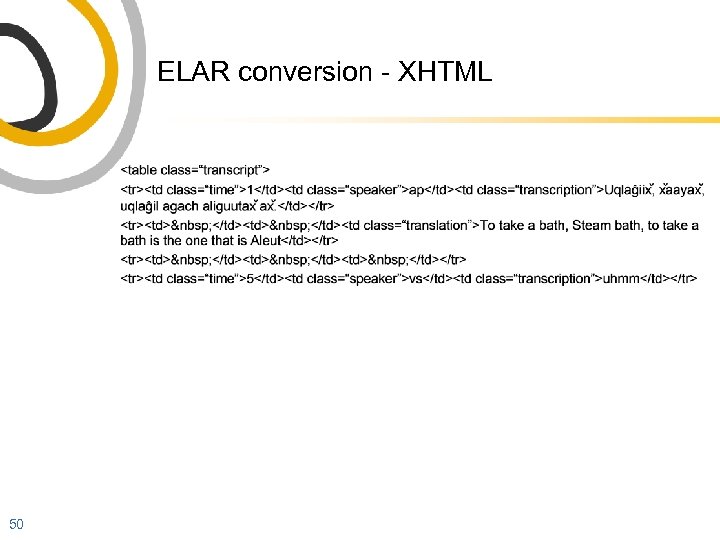 ELAR conversion - XHTML 50
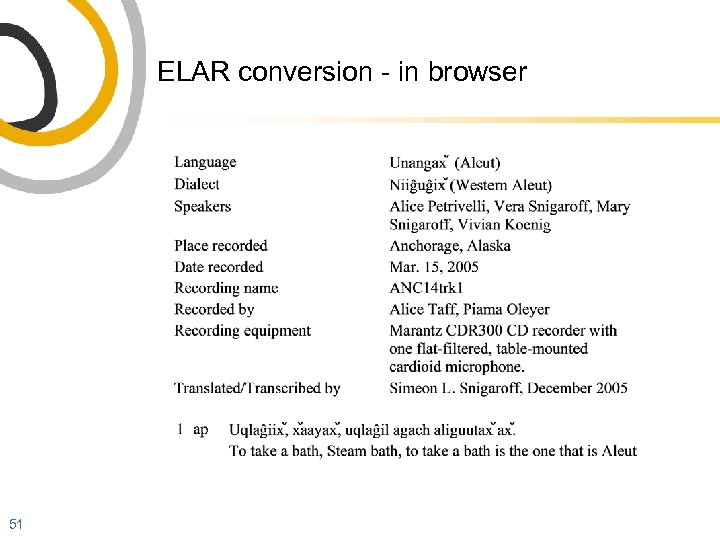 ELAR conversion - in browser 51
 Delivery of materials § mostly we expect to receive copies on computer-readable media such as hard disks or CD/DVD § DVDs seem consistently unreliable § some digitisation of media may be possible 52
 Protocol 53
 Protocol § sensitivities, restrictions: identification, description and implementation 54
 Protocol grows naturally with documentation § focus on recorded data » more people, more genres, less researcher knowledge § focus on revitalisation » which language to teach? who to host and teach? who can learn? etc § community participation » framework for speakers to shape documentation process and products § mobilisation » selecting, juxtaposing; community participation § time » significance and sensitivities change over time § access » increasing scope for dissemination, control of IP 55
 ELAR Deposit Form “Section C” § ELAR pays careful attention to any sensitivities or restrictions that apply to any part of your deposit. There are four ways that Access Protocol is implemented: § you define permissions for the whole deposit or for individual files (or parts of files) § we provide defaults to protect your data if you do not define permissions § you/we keep permissions up to date § you list other rights holders 56
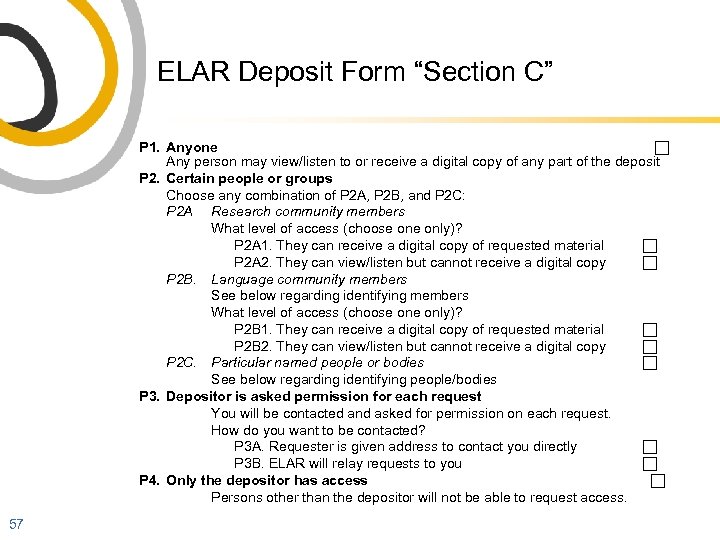 ELAR Deposit Form “Section C” P 1. Anyone Any person may view/listen to or receive a digital copy of any part of the deposit P 2. Certain people or groups Choose any combination of P 2 A, P 2 B, and P 2 C: P 2 A Research community members What level of access (choose only)? P 2 A 1. They can receive a digital copy of requested material P 2 A 2. They can view/listen but cannot receive a digital copy P 2 B. Language community members See below regarding identifying members What level of access (choose only)? P 2 B 1. They can receive a digital copy of requested material P 2 B 2. They can view/listen but cannot receive a digital copy P 2 C. Particular named people or bodies See below regarding identifying people/bodies P 3. Depositor is asked permission for each request You will be contacted and asked for permission on each request. How do you want to be contacted? P 3 A. Requester is given address to contact you directly P 3 B. ELAR will relay requests to you P 4. Only the depositor has access Persons other than the depositor will not be able to request access. 57
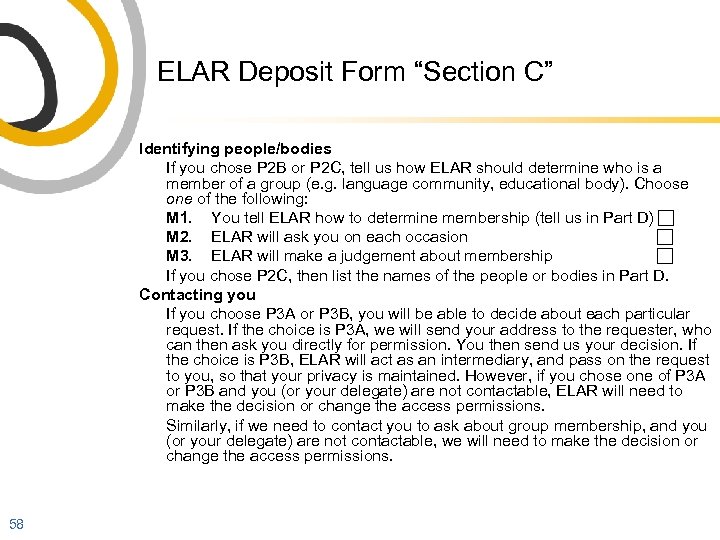 ELAR Deposit Form “Section C” Identifying people/bodies If you chose P 2 B or P 2 C, tell us how ELAR should determine who is a member of a group (e. g. language community, educational body). Choose one of the following: M 1. You tell ELAR how to determine membership (tell us in Part D) M 2. ELAR will ask you on each occasion M 3. ELAR will make a judgement about membership If you chose P 2 C, then list the names of the people or bodies in Part D. Contacting you If you choose P 3 A or P 3 B, you will be able to decide about each particular request. If the choice is P 3 A, we will send your address to the requester, who can then ask you directly for permission. You then send us your decision. If the choice is P 3 B, ELAR will act as an intermediary, and pass on the request to you, so that your privacy is maintained. However, if you chose one of P 3 A or P 3 B and you (or your delegate) are not contactable, ELAR will need to make the decision or change the access permissions. Similarly, if we need to contact you to ask about group membership, and you (or your delegate) are not contactable, we will need to make the decision or change the access permissions. 58
 Other § deposit, file or object-level protocol § depositor-oriented § we will provide means to change/manage protocol § delegate § other rights holders § sunset clause 59
 Metadata 60
 Metadata § the data about data that enables the management, identification, retrieval and understanding of that data § reflects the knowledge and practice of data providers § defines and constrains audiences and usages for data § documentation’s data orientation heightens the importance of metadata 61
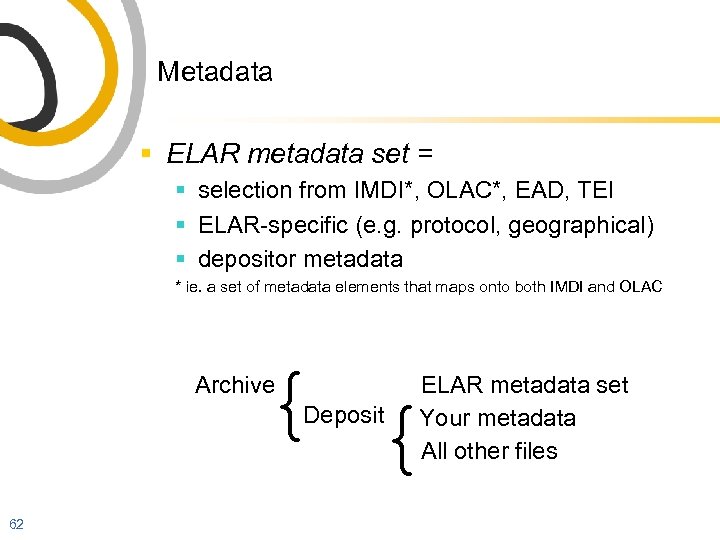 Metadata § ELAR metadata set = § selection from IMDI*, OLAC*, EAD, TEI § ELAR-specific (e. g. protocol, geographical) § depositor metadata * ie. a set of metadata elements that maps onto both IMDI and OLAC { { Archive Deposit 62 ELAR metadata set Your metadata All other files
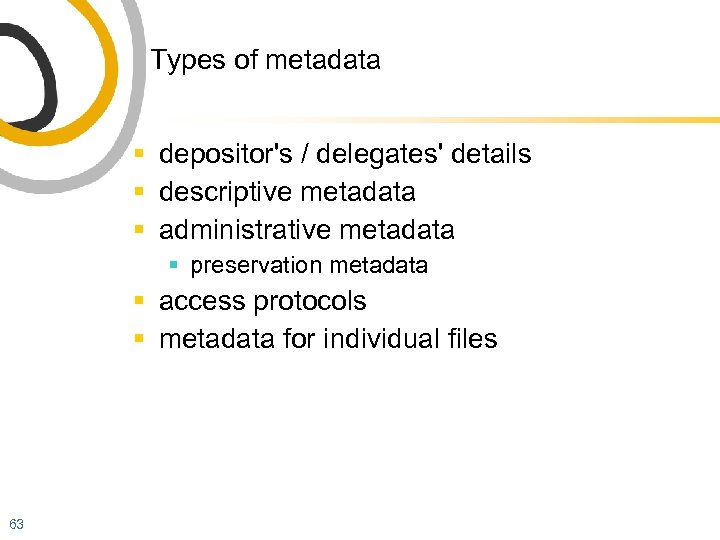 Types of metadata § depositor's / delegates' details § descriptive metadata § administrative metadata § preservation metadata § access protocols § metadata for individual files 63
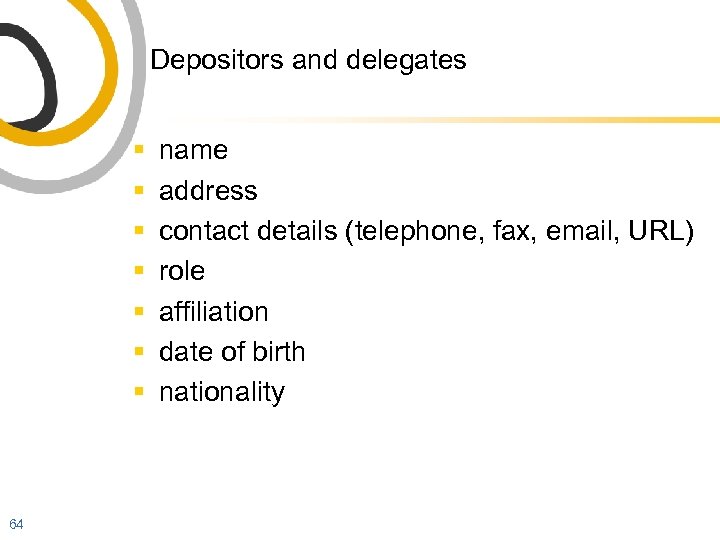 Depositors and delegates § § § § 64 name address contact details (telephone, fax, email, URL) role affiliation date of birth nationality
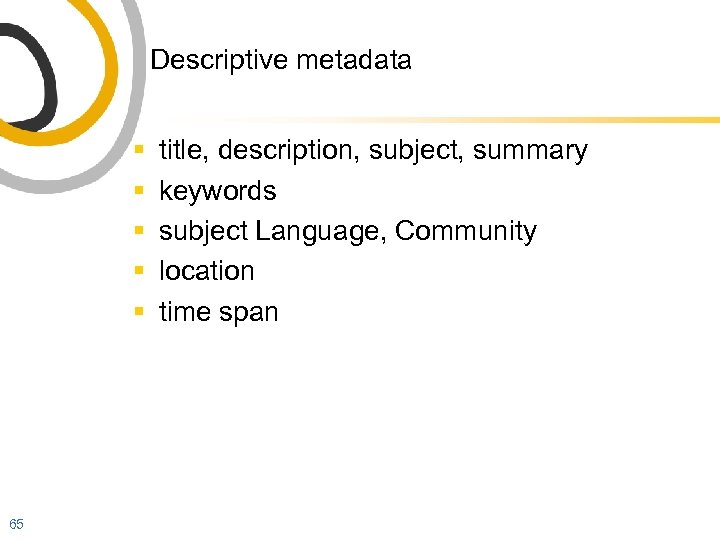 Descriptive metadata § § § 65 title, description, subject, summary keywords subject Language, Community location time span
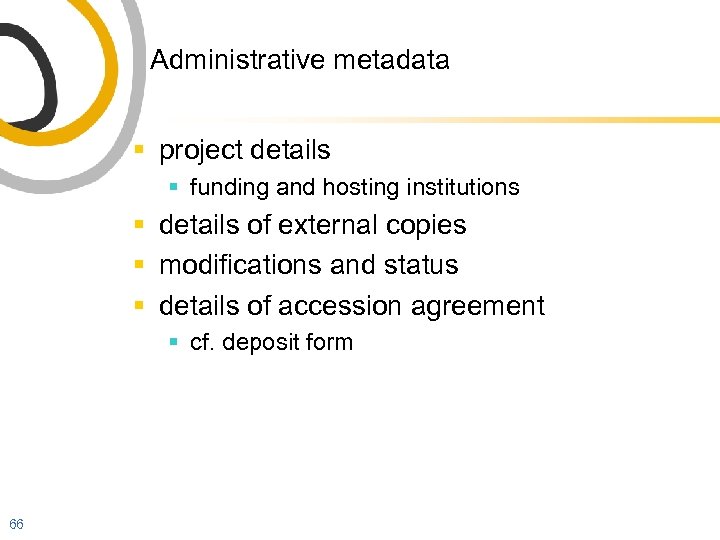 Administrative metadata § project details § funding and hosting institutions § details of external copies § modifications and status § details of accession agreement § cf. deposit form 66
 Preservation metadata § § carrier media formats, size provenance (source) access § access protocols (see elsewhere) § group membership identification 67
 File-level metadata § media files § duration, file size § MIME type, content type § text files § font, character set, encoding § format, markup § metadata files § schema § scope § validity 68
 Metadata formats § common or standard: § IMDI (‘ISLE Metdata Initiative’, from Do. Be. S) § OLAC (Open Language Archives Community) § EAD, and others § ELAR: has created its own set, currently in implementation § deposit-scope metadata in deposit form § file level metadata (will be) by web form § also, depositor’s own metadata 69
 Metadata formats § each depositor can also have different metadata! § our goal: to maximise the amount and quality of metadata § quality and extent is more important than standards and comparability § many depositors are sending extensive metadata in a variety of formats including spreadsheets - see examples 70
 What’s missing from metadata? § pedagogy has typically been left out of the documentation agenda § linguists are better at problematising languages than teaching them § we should mobilise informed, effective and accountable pedagogy § a Hippocratic imperative 71
 Relationships § relationships between documenters/ documentation and pedagogy § nonexistent/poor cousin § by-product § documentation is a vector of language transmission! 72
 Who could be documenters? § § § § § 73 community members audio recordists videographers (documentary filmmakers) educators ethnobotanists anthropologists computer experts activists, missionaries linguists
 Multipurpose documentation? § § linguists of various specialisations anthropologists, historians, botanists. . . do any have priority? who are documentation’s main beneficiaries? § can we tell? 74
 . . . yes. . . § Metadata § the data about data that enables the management, identification, retrieval and understanding of that data § reflects the knowledge and practice of data providers § defines and constrains audiences and usages for data 75
 The key is metadata § examples: IMDI, tiered morphological glossing etc § standard (or “best practice”) metadata is strongly oriented to descriptive linguistics and typology (“aggregators”) § How could metadata serve pedagogy? 76
 Pedagogically oriented metadata § demarcation, names and descriptions of socially/culturally relevant events such as songs (great interest to community members, and valuable teaching materials) should enormous amounts of time be spent providing morpheme-by-morpheme glosses if we cannot simply retrieve a song? § § 77 phenomena that provide learning domains, such as “numbers”, “kinship”, “greetings”, “tense” socially important phenomena such as register, code switching
 Pedagogically oriented metadata § notes on learner levels § links to associated materials that have explanations, examples § notes on the previous selection and use of material for teaching § notes on how to use the material for teaching § notes and warnings about restricted materials or materials which are inappropriate for young or certain classes of people (e. g. profane, archaic etc) § and of course easily findable basic information such as name of language or variety, speaker, gender, speaker’s country etc 78
 Evaluating audio 79
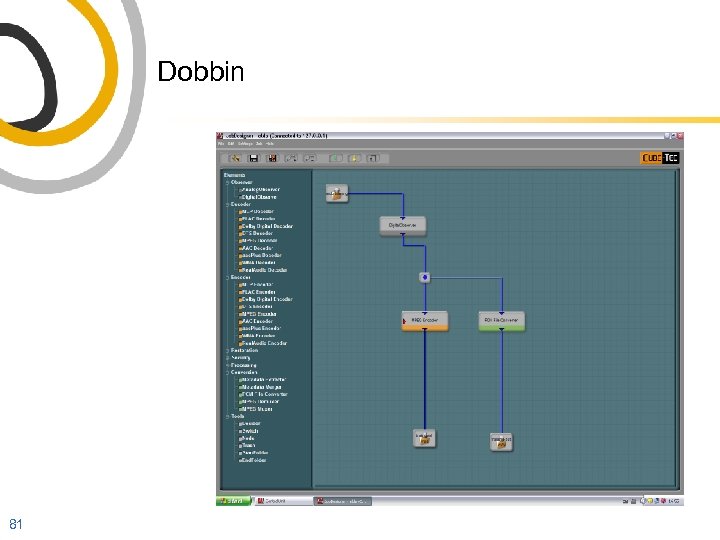
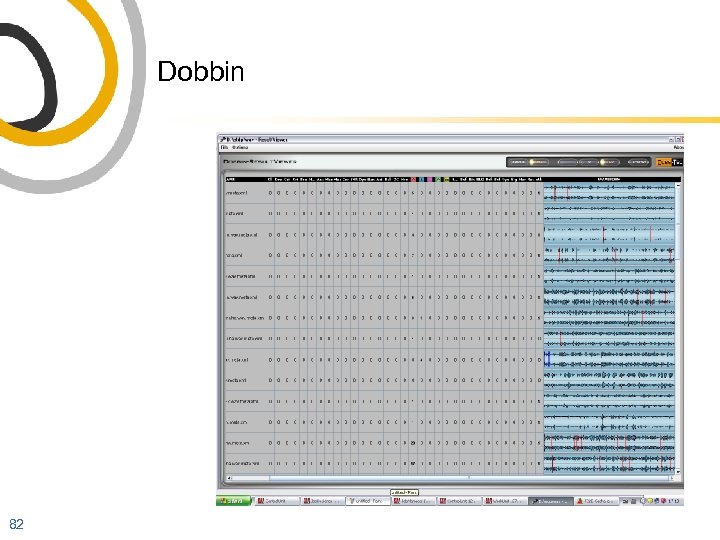
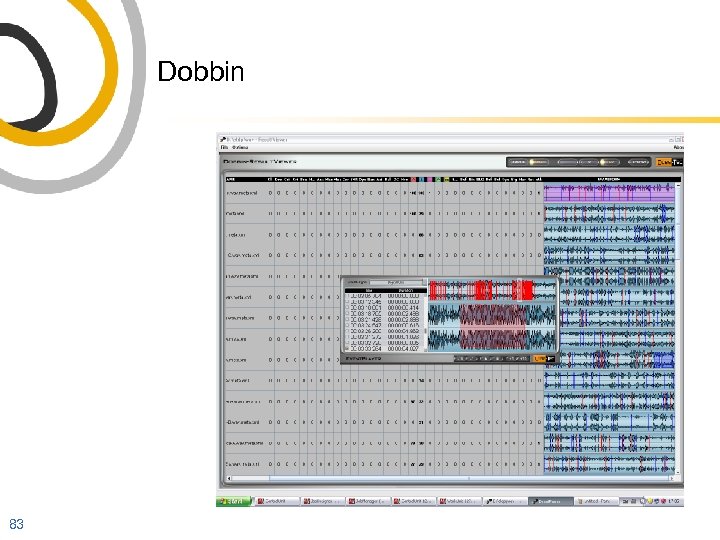
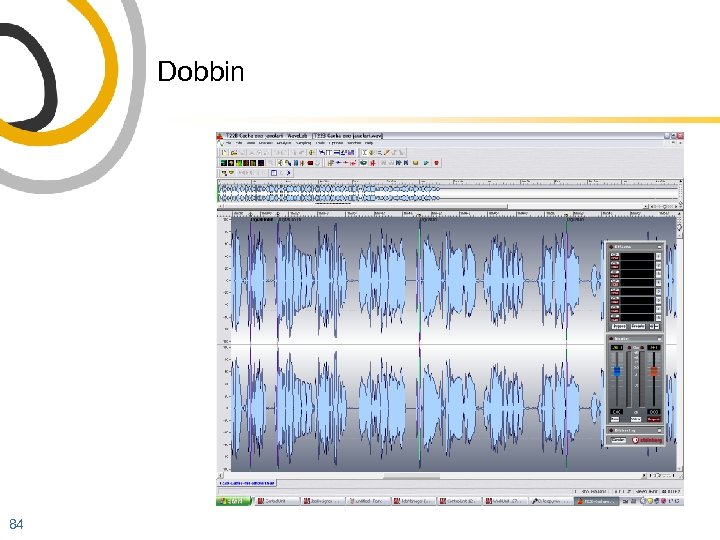
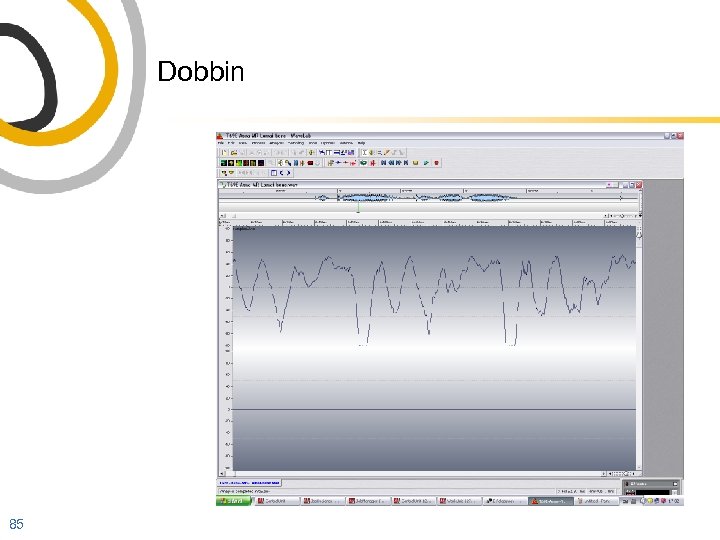
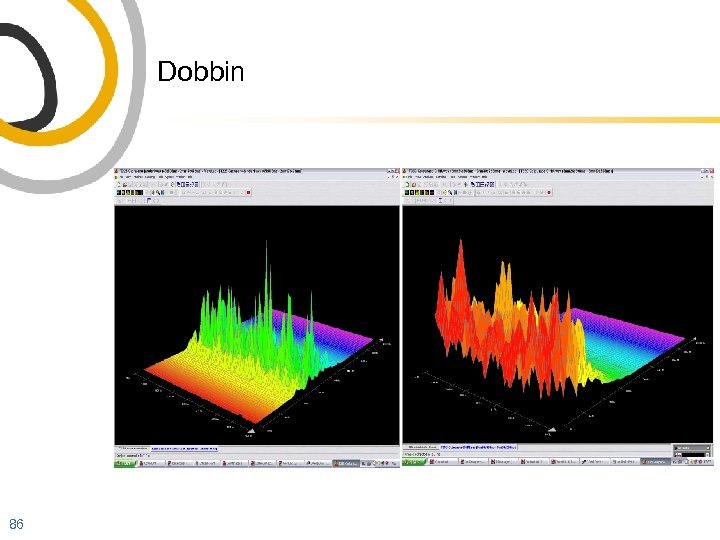
 Dobbin § software for audio evaluation, processing and reporting 80
 Dobbin 81
 Dobbin 82
 Dobbin 83
 Dobbin 84
 Dobbin 85
 Dobbin 86
 Archives and revitalisation 87
 Keeping ‘means of transmission’ alive § Romaine: co-ordinated efforts at revitalisation mean that institutions increasingly become the vector of language transmission, cf intergenerational transmission (Fishman) § at the limit, documentations, and archives that foster, preserve, and disseminate them, become the means of transmission 88
 Archives and revitalisation § Penfield: toward a theory of documentation § § collaborative efforts onsite training document for revitalisation community-based protocols for the use of materials § these have implications for the lifecycle of ‘data’ 89
 Archivism 90
 What have we missed? § Woodbury: most developments are "what's been happening around the emergence of a documentary linguistics", particularly technology, which has raised expectations more than changed practices 91
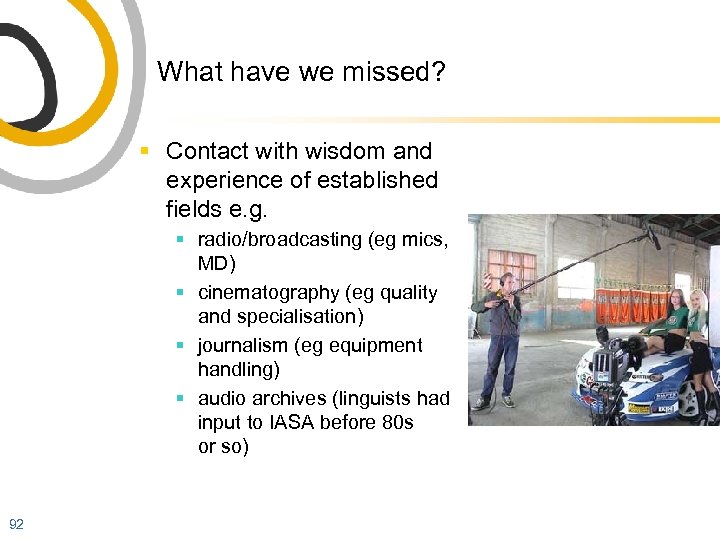 What have we missed? § Contact with wisdom and experience of established fields e. g. § radio/broadcasting (eg mics, MD) § cinematography (eg quality and specialisation) § journalism (eg equipment handling) § audio archives (linguists had input to IASA before 80 s or so) 92
 What did we get? § advice about formats, parameters, what to avoid § 'silver bullet' equipment and formats § fundamentalism and format wars 93
 Archivism § Archivism: capitulation of language documenters to the agenda and priorities of archives and information technology § why did this happen? § for historical reasons § rapid changes in technology § we left a vacuum 94
 Mobilisation 95
 Mobilisation § use of documentation resources to make relevant, useful, effective resources for language support and revitalisation 96
 Gamilaraay/Yuwaalaraay song player § uses ‘familiar’ data such as from Shoebox, Transcriber § adds genre, functionalities, design etc 97
Song player data 98
![Song player data song 34 [track 28] ti Gugan gaaynggul /Brown-skin baby co Words](https://present5.com/presentation/bd354578122092f6e08de121228d9a9b/image-99.jpg "Song player data song 34 [track 28] ti Gugan gaaynggul /Brown-skin baby co Words") Song player data song 34 [track 28] ti Gugan gaaynggul /Brown-skin baby co Words and music: (c) Bob Randall s Roger Knox ln Gamilaraay verse 1 Dhayndalmuu ngaya dhurriyawaanhi dhayndalmuu ngaya dhurriya-y -waa-y -nhi priest I ride, -moving -Past s 20148 m 1590 m 721 -m 1733 -m 1699 As a preacher I used to ride Yarraamanda binaal yarraaman -ga binaal horse -in, at, on peaceful m 2020 -m 755 m 244 A quiet horse on the plains. 99 Walaaybaaga walaay -baa -ga nhama that, the m 1686 wagibaaga. wagibaa -ga plain -in, at, on s 20467 -m 755 gamila ngaya muurr gigi gamila ngaya muurr gi-gi
Song player data song 34 [track 28] ti Gugan gaaynggul /Brown-skin baby co Words and music: (c) Bob Randall s Roger Knox ln Gamilaraay verse 1 Dhayndalmuu ngaya dhurriyawaanhi dhayndalmuu ngaya dhurriya-y -waa-y -nhi priest I ride, -moving -Past s 20148 m 1590 m 721 -m 1733 -m 1699 As a preacher I used to ride Yarraamanda binaal yarraaman -ga binaal horse -in, at, on peaceful m 2020 -m 755 m 244 A quiet horse on the plains. 99 Walaaybaaga walaay -baa -ga nhama that, the m 1686 wagibaaga. wagibaa -ga plain -in, at, on s 20467 -m 755 gamila ngaya muurr gigi gamila ngaya muurr gi-gi
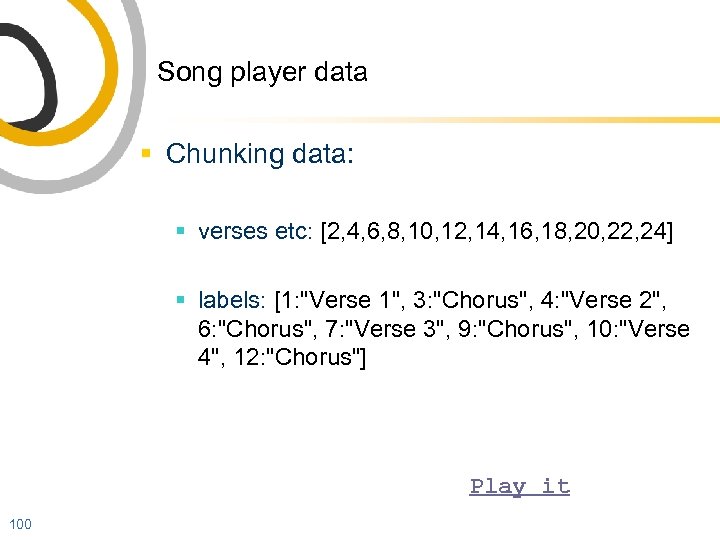 Song player data § Chunking data: § verses etc: [2, 4, 6, 8, 10, 12, 14, 16, 18, 20, 22, 24] § labels: [1: "Verse 1", 3: "Chorus", 4: "Verse 2", 6: "Chorus", 7: "Verse 3", 9: "Chorus", 10: "Verse 4", 12: "Chorus"] Play it 100
 Other examples of ‘mobilisation’ § Simple or conventional games etc can take on new significance § Memory game play § Crossword play 101
 Video in documentation and archiving § “Questioning the role of video in language documentation & archiving: is a moving picture worth 1, 000 texts? ” 102
 The rise and rise of video § increase in claims about video § rise from about 25% to 75% of ELDP applicants § funders have been demanding that some applicants make video 103
 One size fits all? § Himmelmann: the core of a language documentation, then, is constituted by a comprehensive and representative sample of communicative events as natural as possible. Given the holistic view of linguistic behaviour, the ideal recording device is video recording. 104
 Goals and methodology of documentation § cultural and cognitive aspects can be documented or augmented by video (examples from Harrison) § counting methods/systems § locative expressions § behaviours or appearances of plants animals etc that are described as part of language-encoded knowledge: • information about plant toxicity and preparation could usefully be video • swimming formations (eg Marovo people of Solomon Islands who have rich set of terms for fish behaviour and its relationships to the calendar and hunting) • Gila Pima (Arizona) name a plum tree "dog's testicles", and an edible banana "looks like an erection" (umm, what will the videos show? ) However, David Crystal estimates that such culturally/environmentally specific aspects are only about 10% of any languages’ content 105
 Goals and methodology of documentation § discourse and genre § distinguishing participants (Mc. Convell) § transparently capturing “stories” (Wittenburg) § adding or enhancing methodology § § stimulus materials the camera adds theatricality (Jukes) the camera as a participant (Atkins) enhance transcription through motivating community participation § sign language work § treat video as inscription § cameras, lighting, orientation, clothing etc § appreciated by communities 106
 Goals and methodology of documentation § documentation can’t aim to capture everything (Austin) § and the video camera cannot either! § argument for accountability has caused confusion between events and recordings. Result: fantasy that video is what happened and provides empirical evidence for all kinds of claims § argument: § video can do X => we should do video § fails without goals and methodology for X § many pro-video arguments could be equally applied to capturing other phenomena: § e. g. palatography § collecting other text-based metadata eg on social setting 107
 Goals and methodology of documentation § there must be different methodologies (linguistic AND video) for different purposes (cf. sign) § Himmelmann: [each potential discipline’s usages] influence the recording and presentation of the data inasmuch as certain kinds of information are indispensable for a given analytical procedure (no phonetic analysis is possible without some high-quality sound recording, no analysis of gestures is possible without videotaping, etc. ) 108
 Goals and methodology of documentation § so if there are distinct methodologies for different purposes § how adequate could a generic video be? § how can video serve purposes that documenters don’t have? 109
 Goals and methodology of documentation § explicit claimed purposes for video: § in ELDP applications, many applicants request funds for video equipment but have no videorelated documentation goals and § video exponents describe the potential of video but few documenters actually have these goals 110
 Goals and methodology of documentation § many phenomena can't be represented on video: 111 § complex family structures and their terminologies § changes in moon shape and phase (better as still photos or diagrams); other calendric and geographic expressions § time and distance eg Tofa (Siberia) have words for the distance you can cover in a day on reindeer back § morphological, grammatical and most lexical information § (also relationships, staging, motivations, histories. . . )
 Video: a community oriented technology § video is good for: § § § community oriented content community involvement members will best know what/how to shoot skills transfer creating directly usable materials, including for revitalisation § why should a linguist shoot video at all? 112
 Video workflow and workload a disorder of magnitudes. . . § skills, workload, intrusion, volumes - all increase by orders of magnitude § § § § 113 skills - equipment, shooting, editing, production equipment - choice, usage, maintenance power supplies capturing, conversion annotation editing, production data volumes
 Workflow and workload § annotation: § could easily involve a time ratio of up to 100 (1 hour of video may take 100 hours to process) § in practice, most documenters do not annotate the phenomena that they did (or didn’t) identify § fallacy that annotation etc can be done later • video amplifies the value of event-participant knowledge 114
 Video: conclusions § video can: § add to the representational methods used by linguistics § encourage us to look at diverse phenomena § challenge our methodologies § provide new and effective ways of disseminating language and cultural events and knowledge 115
 Video: conclusions § video and multimedia § little encouragement to produce multimedia § multimedia: • distinguishes medium from mode of knowledge representation • richer and more explicit interleaving of various types of knowledge • imposes its costs in more appropriate areas 116
 Video: conclusions § generic, amateur video fails to respect participants by not recognising linguistic specialisation, complexity or expertise to the same degree as “real” linguistic work § naive video achieves “authenticity” mainly by not editing (and thereby not producing usable products!) 117
 Video: conclusions § there is a lot of tradition in evaluating the descriptive value of linguistic work, but little in defining the documentation value of video § if video really represents the claimed range of linguistic phenomena, it is a key mode of documentation: documenters (and their teachers) need to pay much closer attention to its methodologies! § it is not clear that it is linguists who should be making video 118
 Conclusions 119
 Conclusion: we ask depositors to § § § manage materials well collect and provide protocol information deliver materials, metadata send trial samples etc not withhold materials share/manage/delegate custodianship of materials § maintain relationships with language stakeholders and ELAR 120
 Conclusion § digital language archives combine traditional preservation with new ways of supporting creators and users of materials § an archive can be more effective if materials are prepared as “portable” § ultimately it is up to documenters to define what good documentation is § ELAR welcomes you to discuss your archiving goals 121