


 Скачать презентацию ARCHIVE PROCESSING ECS Release 5 A Training 625
7ffc81eb3b81c7f288e14e1b48607bb7.ppt
- Количество слайдов: 44
 ARCHIVE PROCESSING ECS Release 5 A Training 625 -CD-005 -001 1
 Overview of Lesson • Introduction • Archive Processing Topics – – – – Archive Hardware and Software Start and Shut Down AMASS Archive Resources and Management Insert and Retrieve Data Load Archive Media Backup and Restore Archive Data AMASS Graphical User Interface Monitor Archive System and Respond to Fault Notification • Practical Exercise 3/17/2018 2
 Objectives · Overall: Proficiency in Archive Processing – Describe Archive Manager roles and responsibilities – Identify and describe Archive storage resources – Start and shut down AMASS – Describe archive storage element relationships and archive resource management – Purge expired files from pull monitor cache – Load and unload cartridges – Insert/retrieve data – Delete files from the archive – Backup archive data – Restore archive data – Use the AMASS Graphical User Interface – Monitor archive system and perform fault 625 -CD-005 -001 notification 3
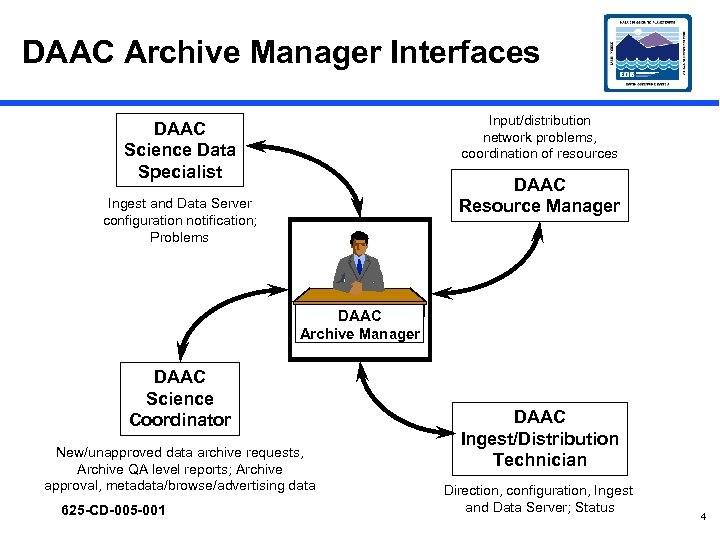 DAAC Archive Manager Interfaces Input/distribution network problems, coordination of resources DAAC Science Data Specialist DAAC Resource Manager Ingest and Data Server configuration notification; Problems DAAC Archive Manager DAAC Science Coordinator New/unapproved data archive requests, Archive QA level reports; Archive approval, metadata/browse/advertising data 625 -CD-005 -001 DAAC Ingest/Distribution Technician Direction, configuration, Ingest and Data Server; Status 4
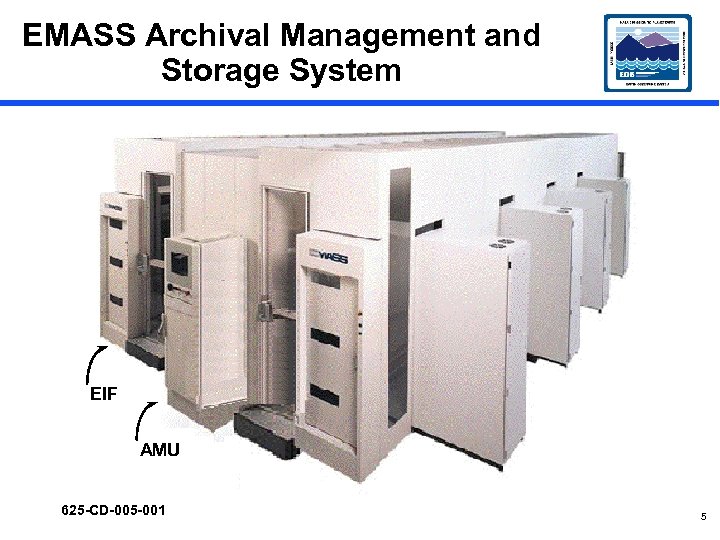 EMASS Archival Management and Storage System EIF AMU 625 -CD-005 -001 5
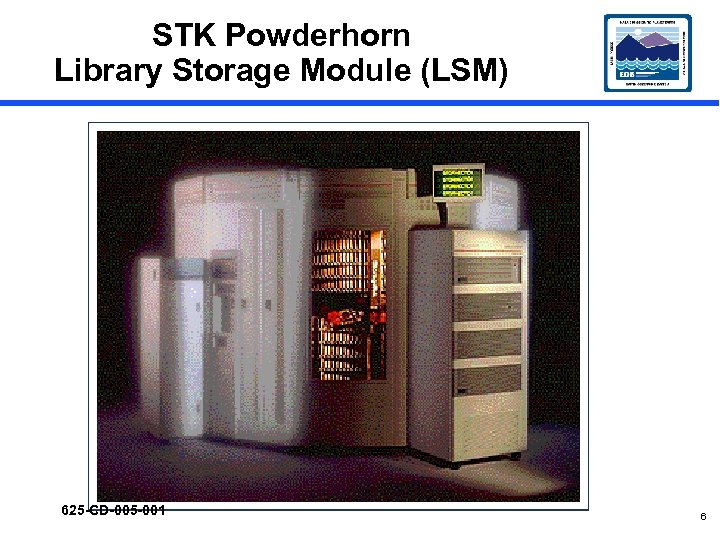 STK Powderhorn Library Storage Module (LSM) 625 -CD-005 -001 6
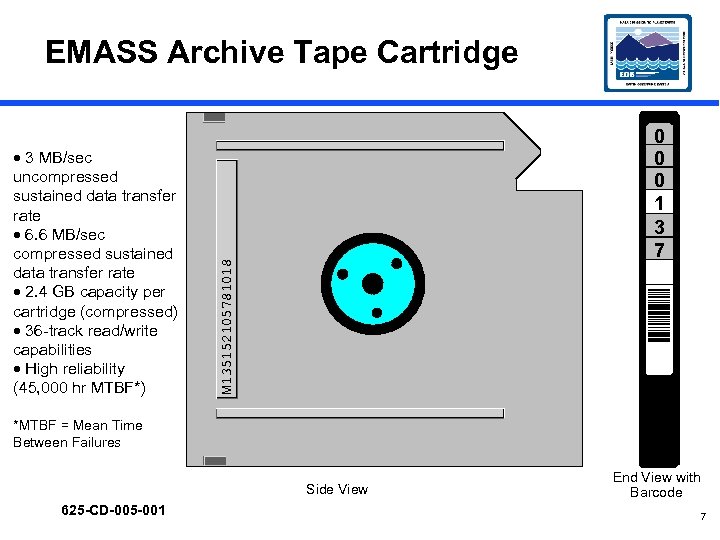 EMASS Archive Tape Cartridge M 135152105781018 · 3 MB/sec uncompressed sustained data transfer rate · 6. 6 MB/sec compressed sustained data transfer rate · 2. 4 GB capacity per cartridge (compressed) · 36 -track read/write capabilities · High reliability (45, 000 hr MTBF*) 0 0 0 1 3 7 *MTBF = Mean Time Between Failures Side View 625 -CD-005 -001 End View with Barcode 7
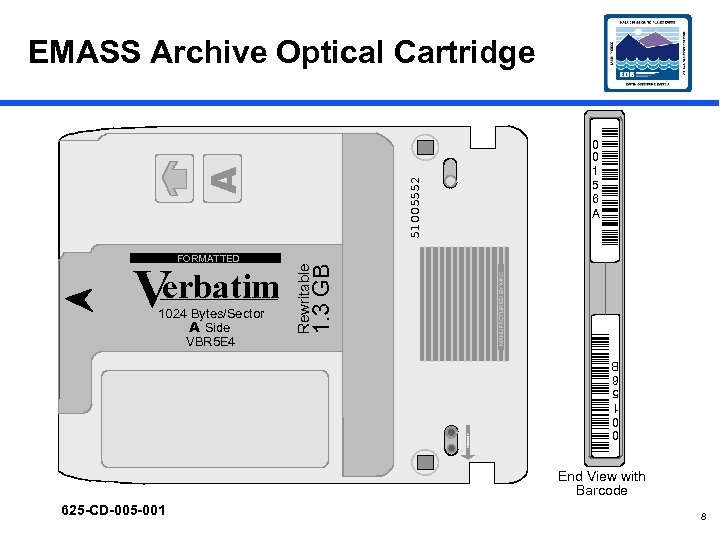 51005552 MANUFACTURED BY MKC PROTECT 1024 Bytes/Sector A Side VBR 5 E 4 1. 3 GB Verbatim Rewritable FORMATTED 0 0 1 5 6 A 0 0 1 5 6 B A EMASS Archive Optical Cartridge End View with Barcode 625 -CD-005 -001 8
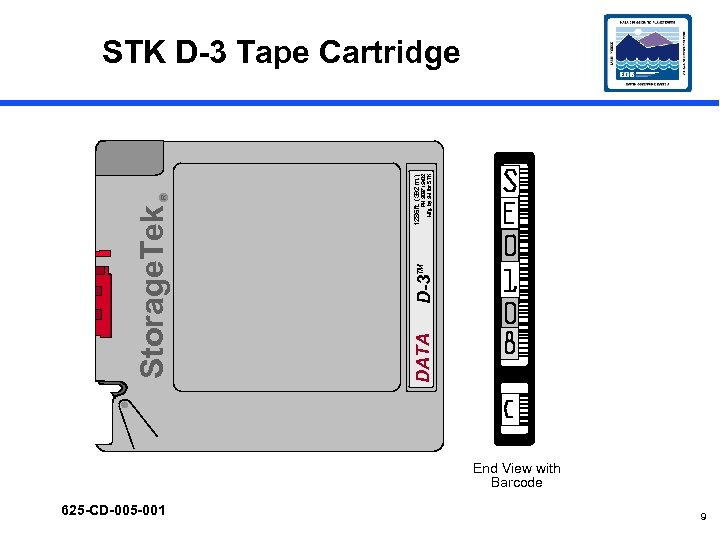 625 -CD-005 -001 DATA D-3 TM PN 309715402 Mfg. by 3 M for STK R 1286 ft. (392 m. ) Storage. Tek STK D-3 Tape Cartridge End View with Barcode 9
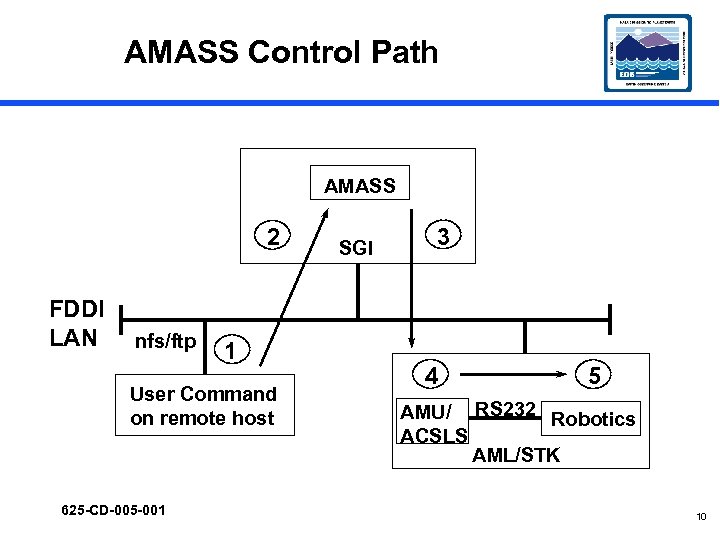 AMASS Control Path AMASS 2 FDDI LAN nfs/ftp 1 User Command on remote host 625 -CD-005 -001 SGI 3 4 5 AMU/ RS 232 Robotics ACSLS AML/STK 10
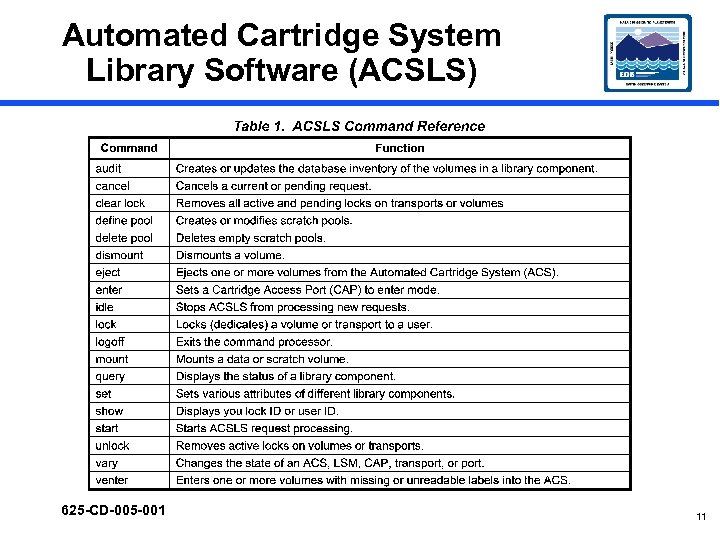 Automated Cartridge System Library Software (ACSLS) 625 -CD-005 -001 11
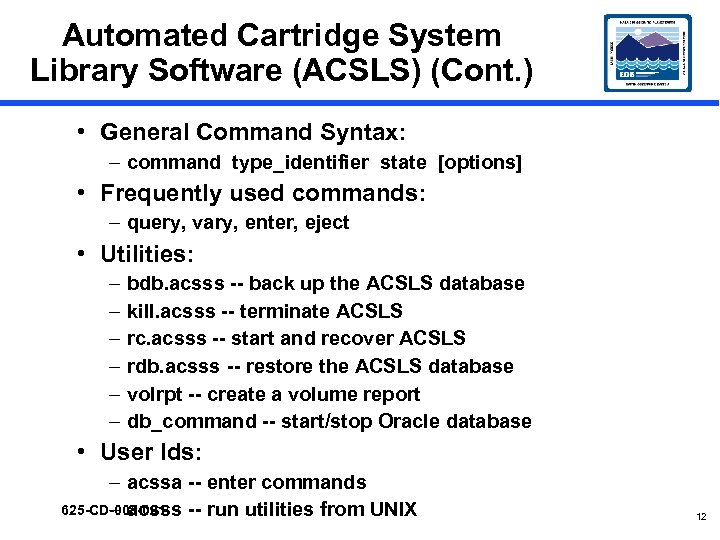 Automated Cartridge System Library Software (ACSLS) (Cont. ) • General Command Syntax: – command type_identifier state [options] • Frequently used commands: – query, vary, enter, eject • Utilities: – – – bdb. acsss -- back up the ACSLS database kill. acsss -- terminate ACSLS rc. acsss -- start and recover ACSLS rdb. acsss -- restore the ACSLS database volrpt -- create a volume report db_command -- start/stop Oracle database • User Ids: – acssa -- enter commands 625 -CD-005 -001 – acsss -- run utilities from UNIX 12
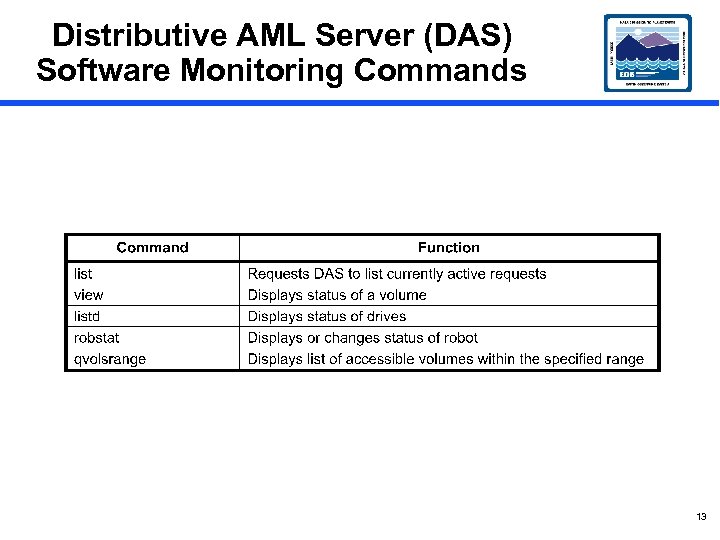 Distributive AML Server (DAS) Software Monitoring Commands 13
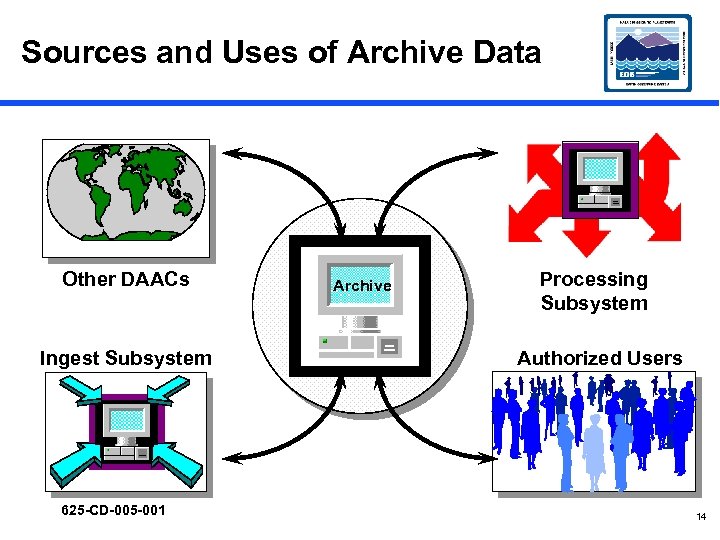 Sources and Uses of Archive Data Other DAACs Ingest Subsystem 625 -CD-005 -001 Archive Processing Subsystem Authorized Users 14
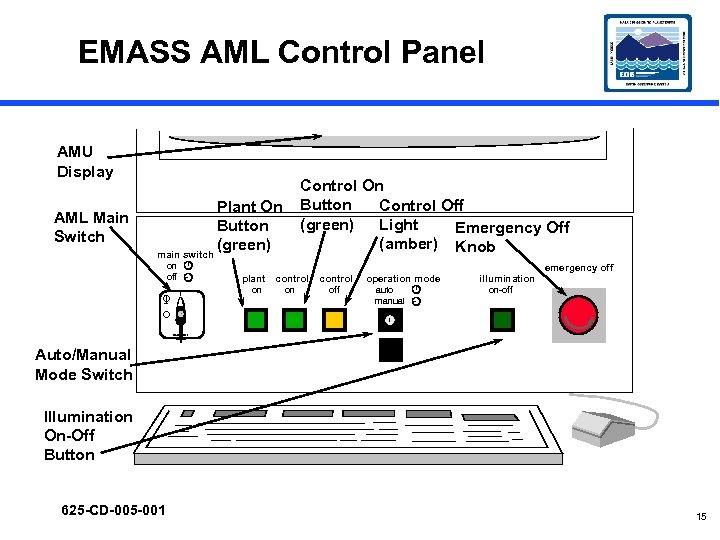 EMASS AML Control Panel AMU Display AML Main Switch Control On Button Control Off (green) Light Emergency Off (amber) Knob Plant On Button (green) main switch on off plant control on O I on control off operation mode auto manual illumination emergency off on-off O Hauptalter Auto/Manual Mode Switch Illumination On-Off Button 625 -CD-005 -001 15
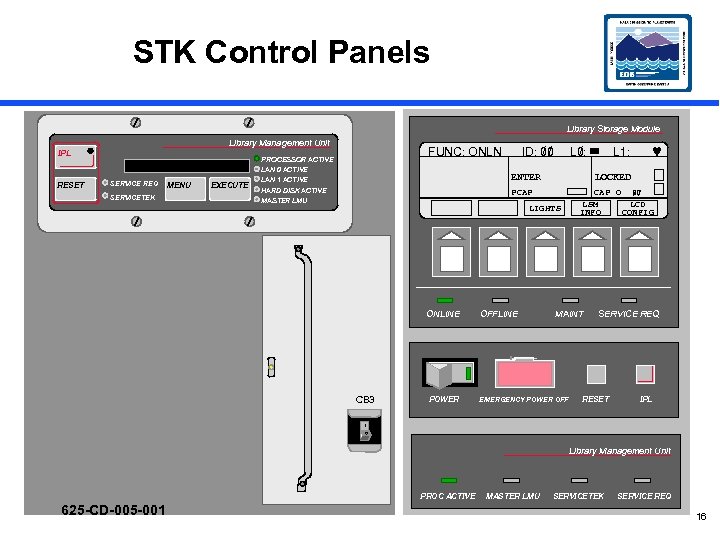 STK Control Panels Library Storage Module Library Management Unit IPL RESET SERVICE REQ SERVICETEK MENU EXECUTE ID: 00 // FUNC: ONLN PROCESSOR ACTIVE LAN 0 ACTIVE LAN 1 ACTIVE HARD DISK ACTIVE L 0: / ENTER LIGHTS ONLINE CB 3 POWER OFFLINE © LOCKED PCAP MASTER LMU L 1: // CAP O 00 LSM LCD INFO CONFIG MAINT EMERGENCY POWER OFF SERVICE REQ RESET IPL 1 0 Library Management Unit PROC ACTIVE 625 -CD-005 -001 MASTER LMU SERVICETEK SERVICE REQ 16
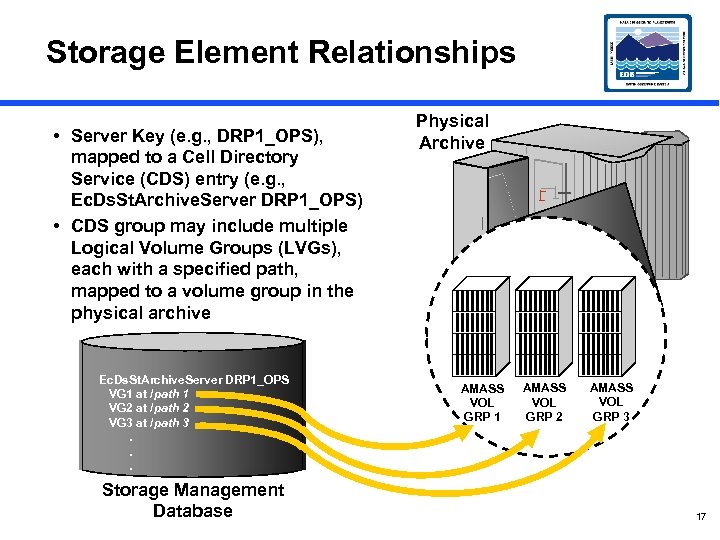 Storage Element Relationships • Server Key (e. g. , DRP 1_OPS), mapped to a Cell Directory Service (CDS) entry (e. g. , Ec. Ds. St. Archive. Server DRP 1_OPS) • CDS group may include multiple Logical Volume Groups (LVGs), each with a specified path, mapped to a volume group in the physical archive Ec. Ds. St. Archive. Server DRP 1_OPS VG 1 at /path 1 VG 2 at /path 2 VG 3 at /path 3. . . Storage Management Database Physical Archive AMASS VOL GRP 1 AMASS VOL GRP 2 AMASS VOL GRP 3 17
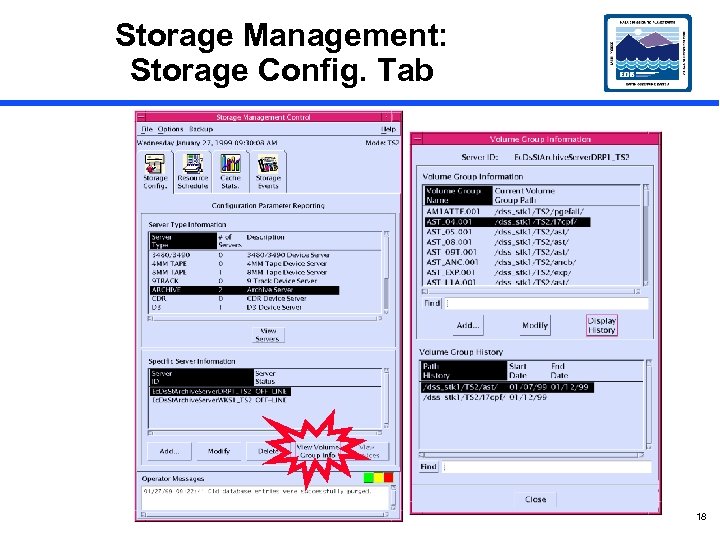 Storage Management: Storage Config. Tab 18
 Archive-Related Applications • Servers (must be running) – Science Data Server (SDSRV) – Storage Management (STMGT) Servers —Staging Disk Server —Staging Monitor Server —Archive Server —Ingest FTP Server —Distribution FTP Server —D 3 Tape Server — 8 mm Tape Stacker Server – Data Distribution (DDIST) Server • DSS Graphical User Interface (GUI) 625 -CD-005 -001 19
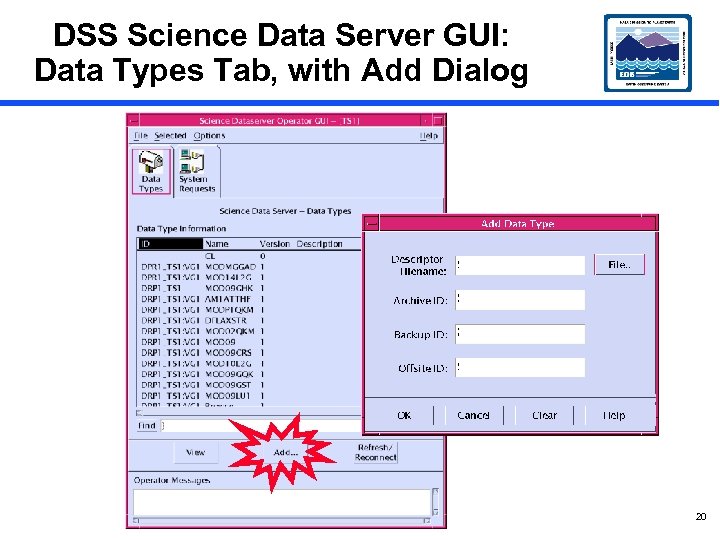 DSS Science Data Server GUI: Data Types Tab, with Add Dialog 20
 Archive Resource Management • For Science Software Integration and Test (SSI&T) – At the time an Earth Science Data Type (ESDT) is loaded, its Archive ID is identified —e. g. , DRP 1_OPS: VG 1 – ESDTs may be uniquely assigned to logical volume groups – Note: At a later time (Drop 5 A? ) it is planned that the logical volume group will be specified as the ESDT short name with the version ID as an extension (e. g. , MODIS 01. 001) 21
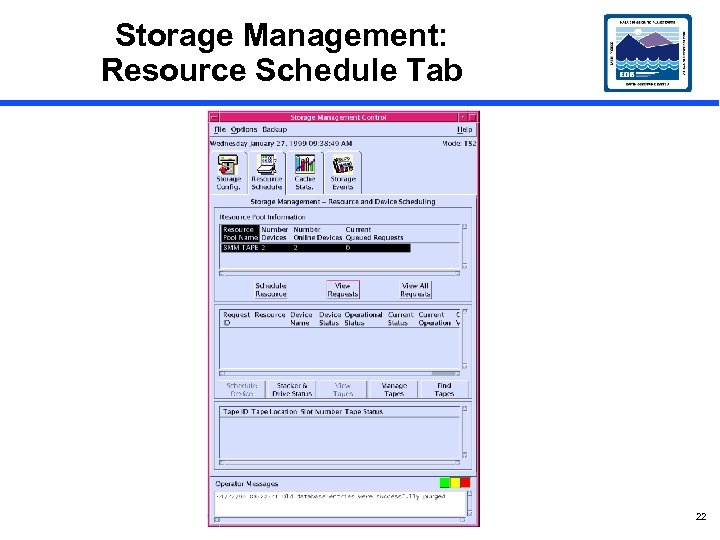 Storage Management: Resource Schedule Tab 22
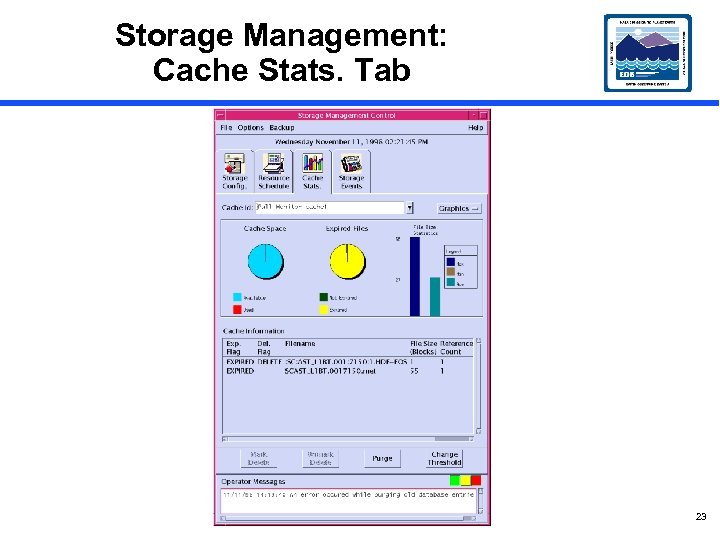 Storage Management: Cache Stats. Tab 23
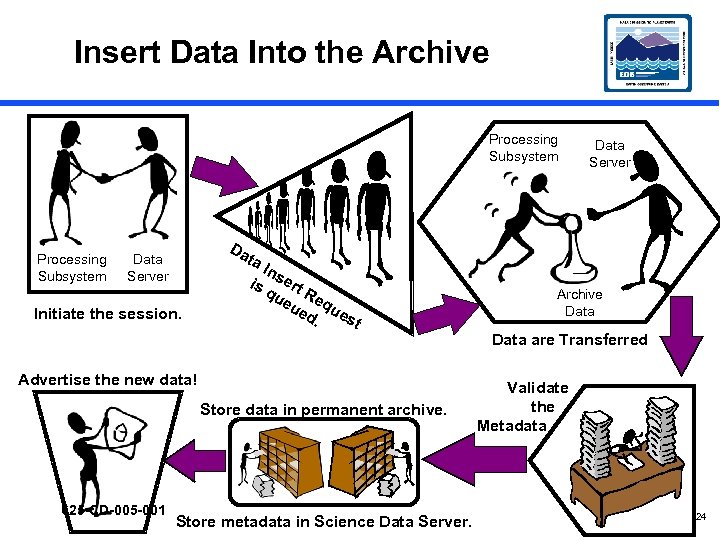 Insert Data Into the Archive Processing Subsystem Da Data Server ta Data Server Initiate the session. In is sert qu Re eu qu ed. est Archive Data are Transferred Advertise the new data! Store data in permanent archive. 625 -CD-005 -001 Store metadata in Science Data Server. Validate the Metadata 24
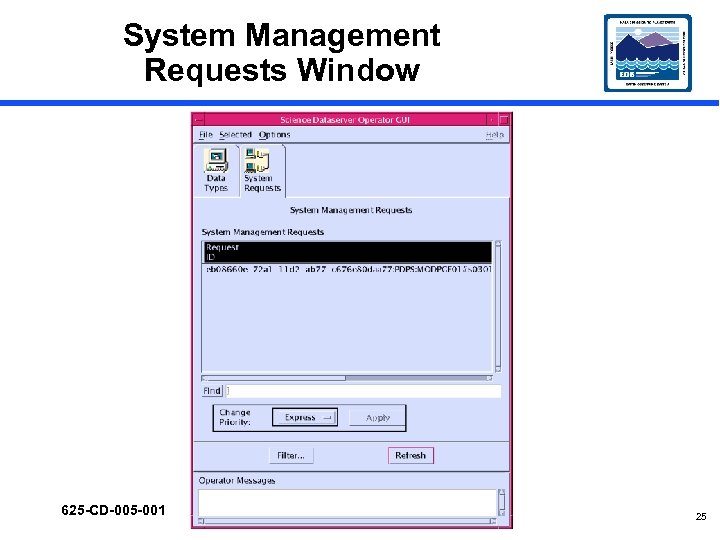 System Management Requests Window 625 -CD-005 -001 25
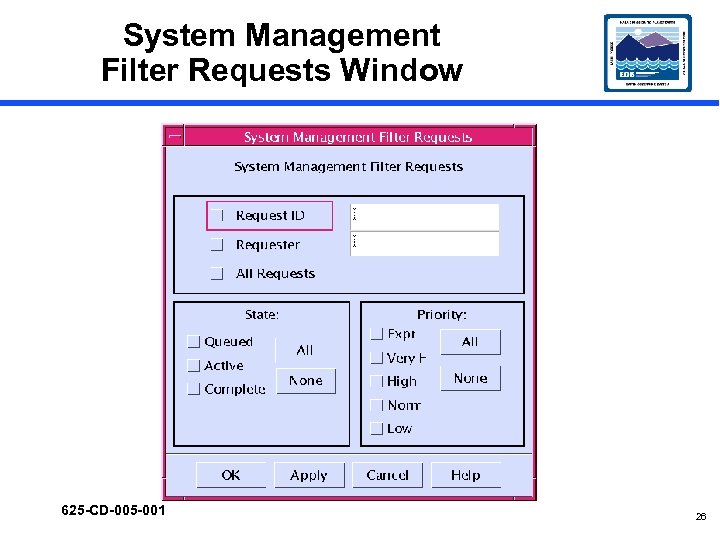 System Management Filter Requests Window 625 -CD-005 -001 26
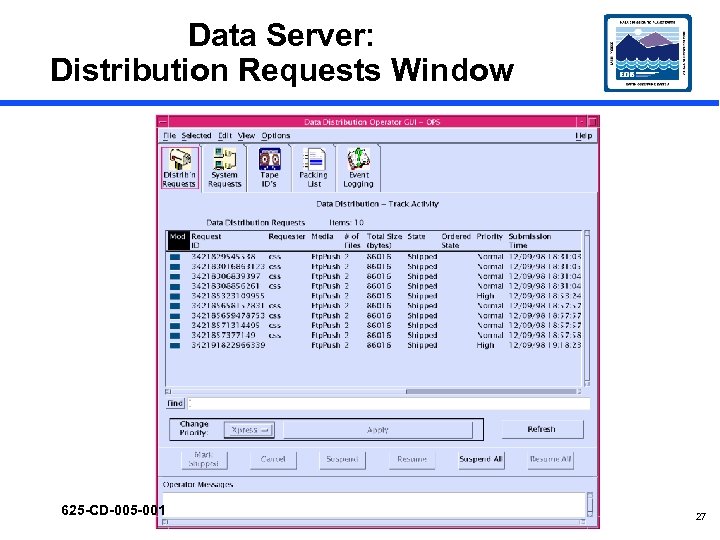 Data Server: Distribution Requests Window 625 -CD-005 -001 27
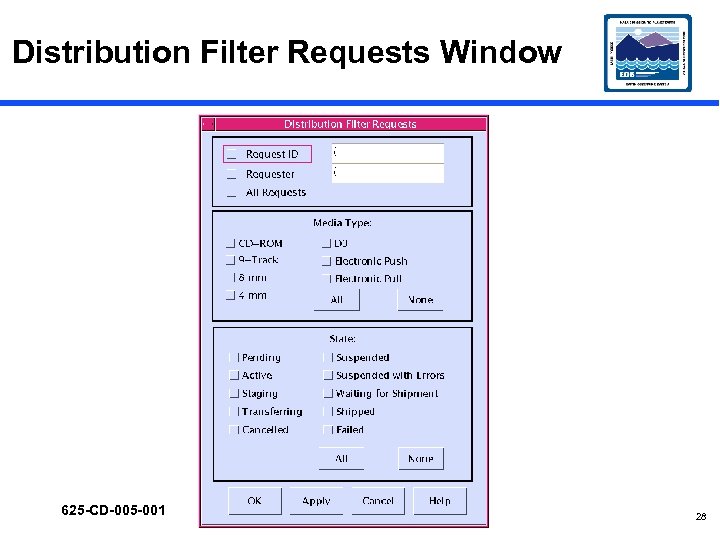 Distribution Filter Requests Window 625 -CD-005 -001 28
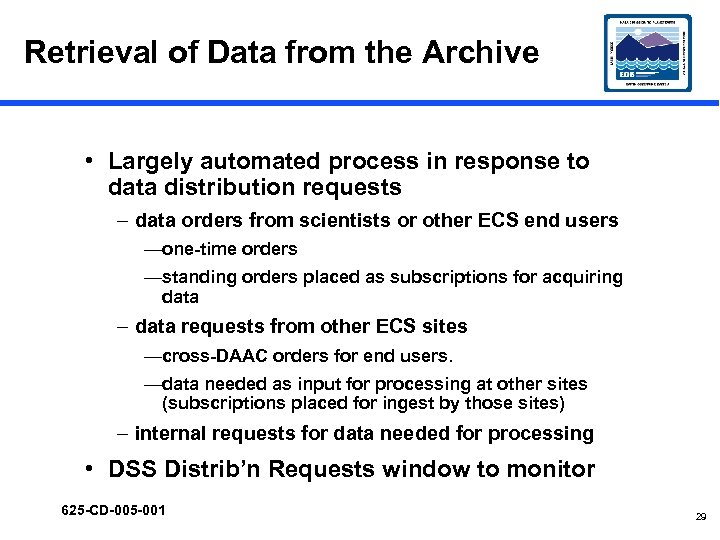 Retrieval of Data from the Archive • Largely automated process in response to data distribution requests – data orders from scientists or other ECS end users —one-time orders —standing orders placed as subscriptions for acquiring data – data requests from other ECS sites —cross-DAAC orders for end users. —data needed as input for processing at other sites (subscriptions placed for ingest by those sites) – internal requests for data needed for processing • DSS Distrib’n Requests window to monitor 625 -CD-005 -001 29
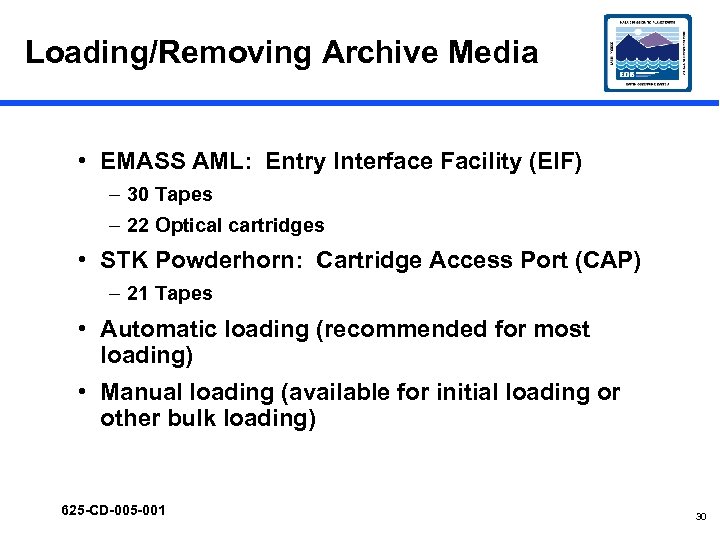 Loading/Removing Archive Media • EMASS AML: Entry Interface Facility (EIF) – 30 Tapes – 22 Optical cartridges • STK Powderhorn: Cartridge Access Port (CAP) – 21 Tapes • Automatic loading (recommended for most loading) • Manual loading (available for initial loading or other bulk loading) 625 -CD-005 -001 30
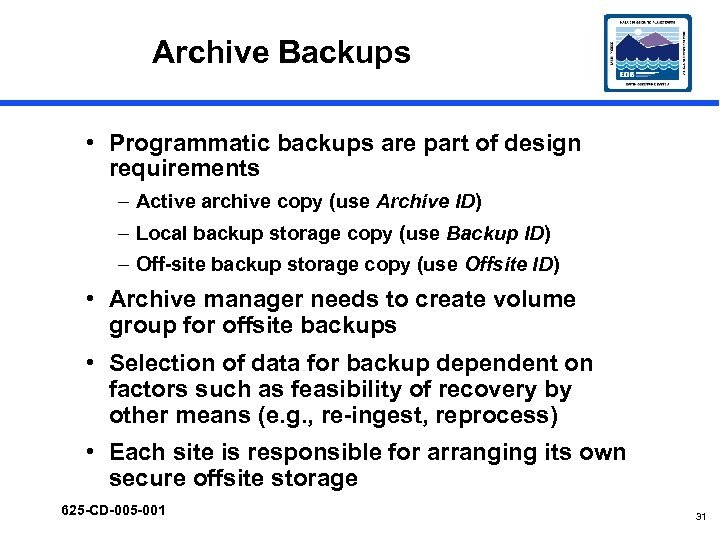 Archive Backups • Programmatic backups are part of design requirements – Active archive copy (use Archive ID) – Local backup storage copy (use Backup ID) – Off-site backup storage copy (use Offsite ID) • Archive manager needs to create volume group for offsite backups • Selection of data for backup dependent on factors such as feasibility of recovery by other means (e. g. , re-ingest, reprocess) • Each site is responsible for arranging its own secure offsite storage 625 -CD-005 -001 31
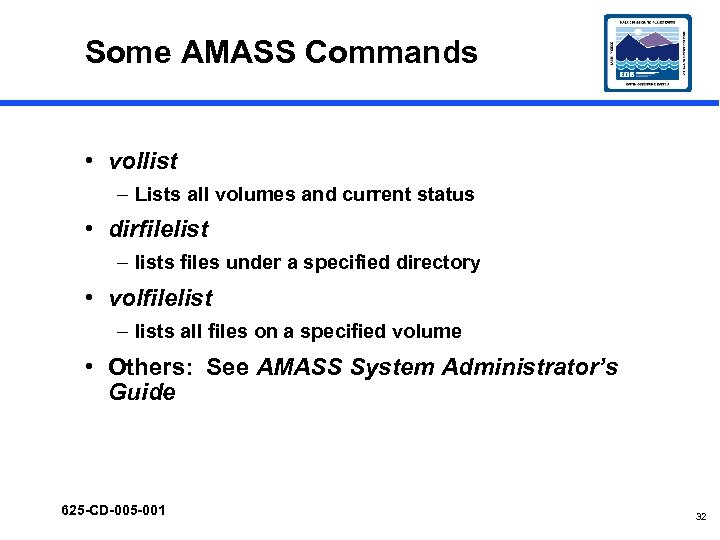 Some AMASS Commands • vollist – Lists all volumes and current status • dirfilelist – lists files under a specified directory • volfilelist – lists all files on a specified volume • Others: See AMASS System Administrator’s Guide 625 -CD-005 -001 32
 Creating a Backup for AMASS • AMASS tape format is proprietary, designed for speed of access • vgexport -q command creates an ASCII file that can be used with the tapes and vgimport command to recover the stored data 625 -CD-005 -001 33
 Replace Backup Volume (Volume 1) • AMASS database backup is stored in the archive on Volume 1 • AMASS issues warning when Backup Volume is nearly full (95%) • When warning message is received, install new Backup Volume and perform a full backup • If Backup Volume gets full during attempted backup, backup will fail, necessitating replacement and full backup 625 -CD-005 -001 34
 Manual Backup of Archive Data • Necessary when a backup data tape is used and must be replaced • Data restoration using a backup data tape is achieved by inserting the tape into the archive • To replace the tape requires manual creation of a copy 625 -CD-005 -001 35
 Restoring Archive Data • Copy from backup to primary (using UNIX) • Reprocess lower-level data to obtain lost higher-level product • Request replacement from data provider • Restoring AMASS/ACSLS database 625 -CD-005 -001 36
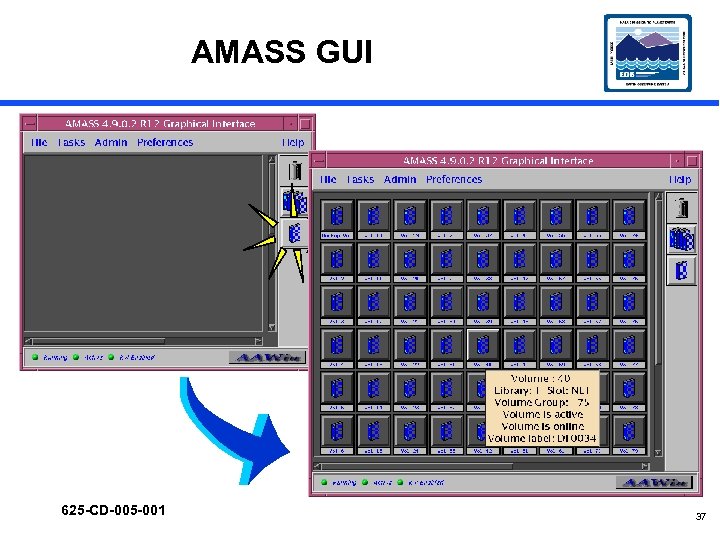 AMASS GUI 625 -CD-005 -001 37
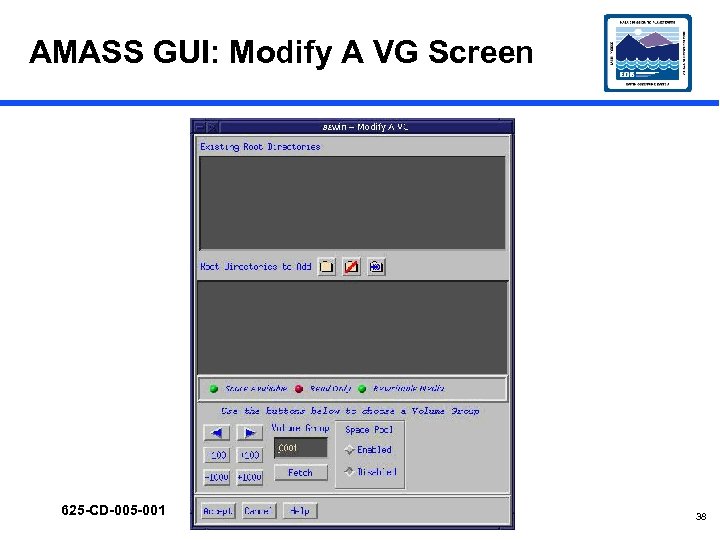 AMASS GUI: Modify A VG Screen 625 -CD-005 -001 38
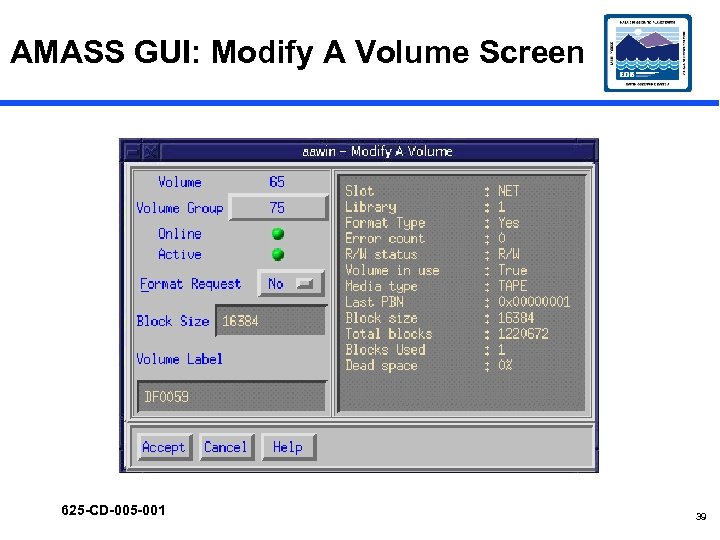 AMASS GUI: Modify A Volume Screen 625 -CD-005 -001 39
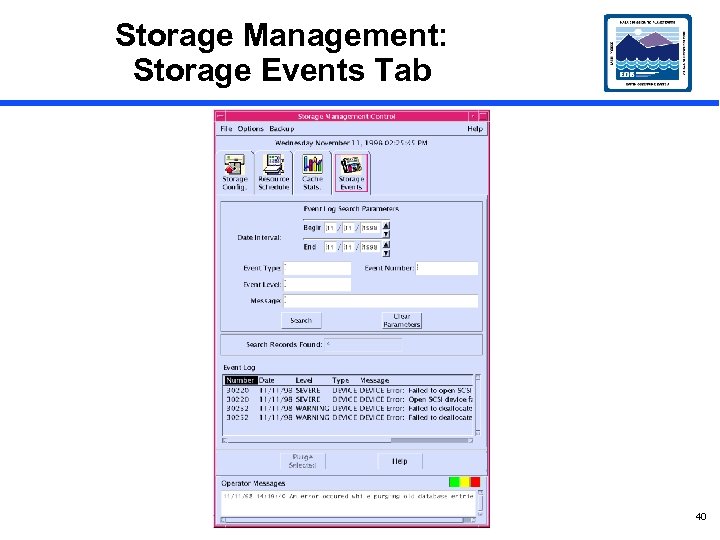 Storage Management: Storage Events Tab 40
 AMASS Monitoring Commands, Utilities, and Scripts • sysperf is a command to display AMASS I/O activity • amass_log is a script permitting display of AMASS messages from the system log • quedisplay is a library utility used to view the AMASS queue and diagnose problems • medialist shows robot’s view of media and their slot locations • mediamove can establish synchrony between quedisplay and medialist • There are other utilities and scripts described in AMASS System Administrator’s Guide 625 -CD-005 -001 41
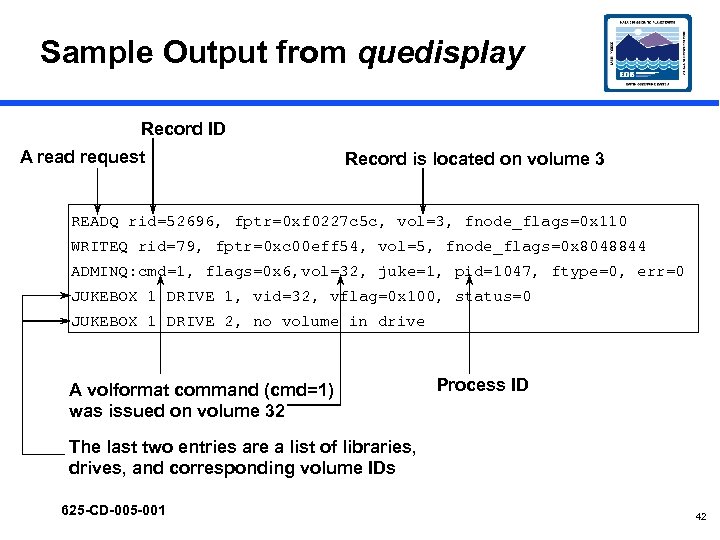 Sample Output from quedisplay Record ID A read request Record is located on volume 3 READQ rid=52696, fptr=0 xf 0227 c 5 c, vol=3, fnode_flags=0 x 110 WRITEQ rid=79, fptr=0 xc 00 eff 54, vol=5, fnode_flags=0 x 8048844 ADMINQ: cmd=1, flags=0 x 6, vol=32, juke=1, pid=1047, ftype=0, err=0 JUKEBOX 1 DRIVE 1, vid=32, vflag=0 x 100, status=0 JUKEBOX 1 DRIVE 2, no volume in drive A volformat command (cmd=1) was issued on volume 32 Process ID The last two entries are a list of libraries, drives, and corresponding volume IDs 625 -CD-005 -001 42
 Recovery from Failure to Store Data • Storage failure may result from file copy errors – Network problems – Mount point problems – AMASS unavailable (e. g. , off line) • Use amass_log script to display errors – Corrective action from AMASS System Administrator’s Guide – Resume action 43
 Checksum De-activation • System design incorporates calculation of checksum on granule insertion – Supports detection of data corruption – Comparison of original checksum with checksum calculated on data retrieval from the archive • De-activation of checksum calculation may improve system throughput – Compromises detection of data corruption – Partial alleviation by comparison of checksums calculated on sequential data retrievals 44