 Скачать презентацию Application Security Web service and E-Mail April 11
727089ee59e2951ea611e3c1b9179509.ppt
- Количество слайдов: 33



Application Security: Web service and E-Mail (April 11, 2011) © Abdou Illia – Spring 2011
Learning Objectives n Discuss general Application security n Discuss Webservice/E-Commerce security n Discuss E-Mail security 2
General Applications Security Issues 3
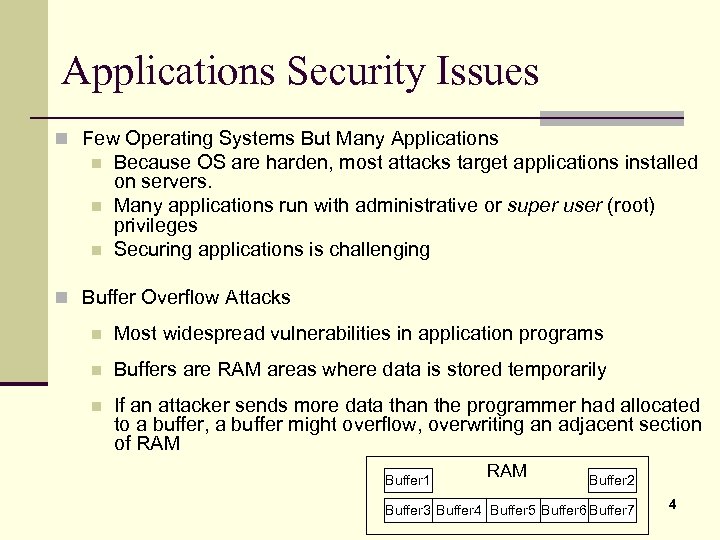
Applications Security Issues n Few Operating Systems But Many Applications n n n Because OS are harden, most attacks target applications installed on servers. Many applications run with administrative or super user (root) privileges Securing applications is challenging n Buffer Overflow Attacks n Most widespread vulnerabilities in application programs n Buffers are RAM areas where data is stored temporarily n If an attacker sends more data than the programmer had allocated to a buffer, a buffer might overflow, overwriting an adjacent section of RAM Buffer 1 RAM Buffer 2 Buffer 3 Buffer 4 Buffer 5 Buffer 6 Buffer 7 4
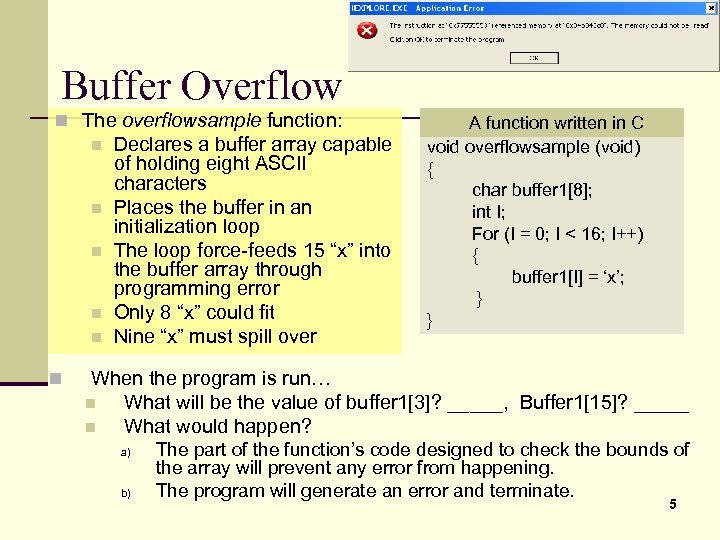
Buffer Overflow n The overflowsample function: n n n Declares a buffer array capable of holding eight ASCII characters Places the buffer in an initialization loop The loop force-feeds 15 “x” into the buffer array through programming error Only 8 “x” could fit Nine “x” must spill over A function written in C void overflowsample (void) { char buffer 1[8]; int I; For (I = 0; I < 16; I++) { buffer 1[I] = ‘x’; } } When the program is run… n What will be the value of buffer 1[3]? _____, Buffer 1[15]? _____ n What would happen? a) b) The part of the function’s code designed to check the bounds of the array will prevent any error from happening. The program will generate an error and terminate. 5
![Buffer Overflow Int main() { char name[8]; char etc_passwd[8]; char password[8]; void authenticate (char](https://present5.com/presentation/727089ee59e2951ea611e3c1b9179509/image-6.jpg "Buffer Overflow Int main() { char name[8]; char etc_passwd[8]; char password[8]; void authenticate (char")
Buffer Overflow Int main() { char name[8]; char etc_passwd[8]; char password[8]; void authenticate (char * string 1, char string 2) { char buffer 1[8]; char buffer 2[8]; strcpy (buffer 1, string 1); strcpy (buffer 2, string 2); // retrieve the user information printf (“Enter your name: ”); if (strcmp (buffer 1, buffer 2) == 0 permit(); gets (name); } etc_passwd = get_password (name); printf (“Enter your password: ”); gets (password); printf (“Your name and password entries were %s and %s. ”, name, password); printf (“The password for %s In the /etc/shadow file Is %s”’ name, etc_passwd); // call procedure to check login authorization authenticate (password, etc_password); return 0; } 6
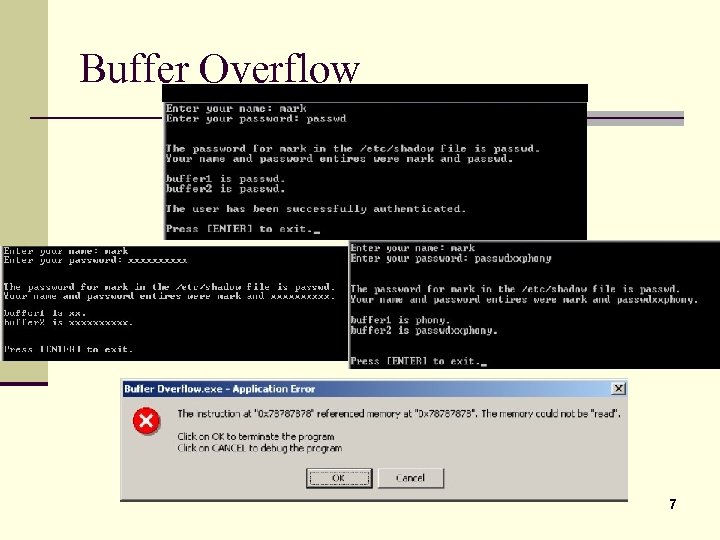
Buffer Overflow 7
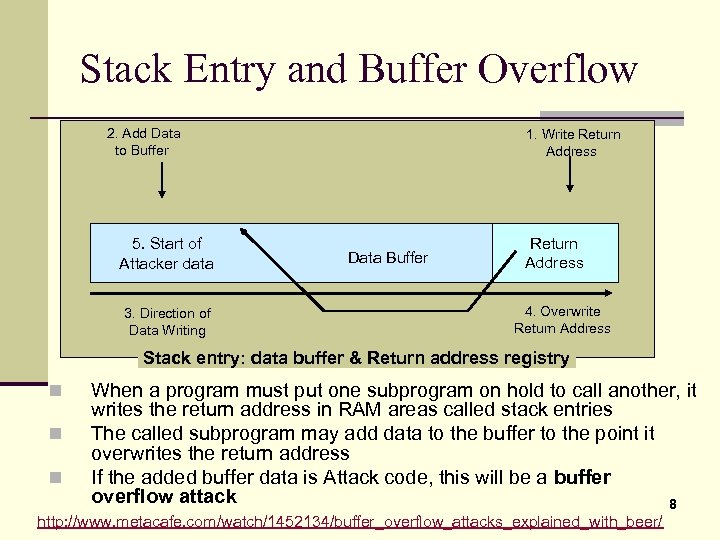
Stack Entry and Buffer Overflow 2. Add Data to Buffer 5. Start of Attacker data 3. Direction of Data Writing 1. Write Return Address Data Buffer Return Address 4. Overwrite Return Address Stack entry: data buffer & Return address registry n n n When a program must put one subprogram on hold to call another, it writes the return address in RAM areas called stack entries The called subprogram may add data to the buffer to the point it overwrites the return address If the added buffer data is Attack code, this will be a buffer overflow attack 8 http: //www. metacafe. com/watch/1452134/buffer_overflow_attacks_explained_with_beer/
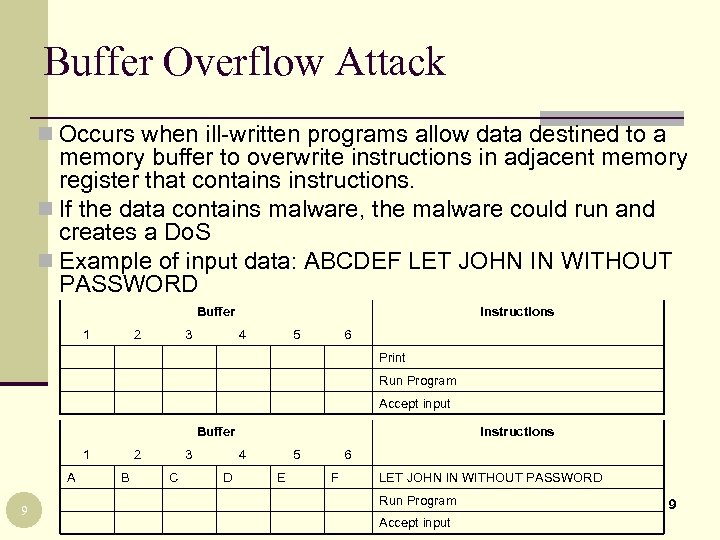
Buffer Overflow Attack n Occurs when ill-written programs allow data destined to a memory buffer to overwrite instructions in adjacent memory register that contains instructions. n If the data contains malware, the malware could run and creates a Do. S n Example of input data: ABCDEF LET JOHN IN WITHOUT PASSWORD Buffer 1 2 3 Instructions 4 5 6 Print Run Program Accept input Buffer 1 A 9 2 B 3 C Instructions 4 D 5 E 6 F LET JOHN IN WITHOUT PASSWORD Run Program Accept input 9
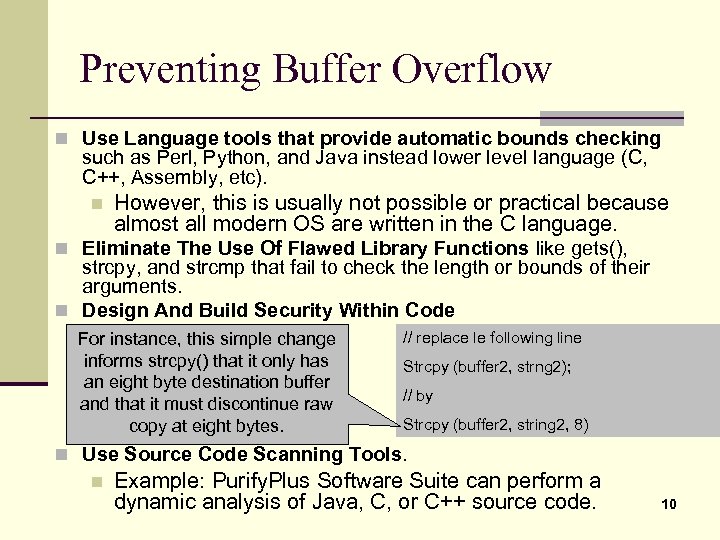
Preventing Buffer Overflow n Use Language tools that provide automatic bounds checking such as Perl, Python, and Java instead lower level language (C, C++, Assembly, etc). n However, this is usually not possible or practical because almost all modern OS are written in the C language. n Eliminate The Use Of Flawed Library Functions like gets(), strcpy, and strcmp that fail to check the length or bounds of their arguments. n Design And Build Security Within Code For instance, this simple change informs strcpy() that it only has an eight byte destination buffer and that it must discontinue raw copy at eight bytes. // replace le following line Strcpy (buffer 2, strng 2); // by Strcpy (buffer 2, string 2, 8) n Use Source Code Scanning Tools. n Example: Purify. Plus Software Suite can perform a dynamic analysis of Java, C, or C++ source code. 10
General Application Security n Minimize number of applications n Fewer applications on a computer, fewer attack opportunities n Use security baselines for installation n Security baselines improve security n Add application layer authentication n n Important for sensitive applications Could be password-based n Implement cryptographic systems 11
Web service security 12
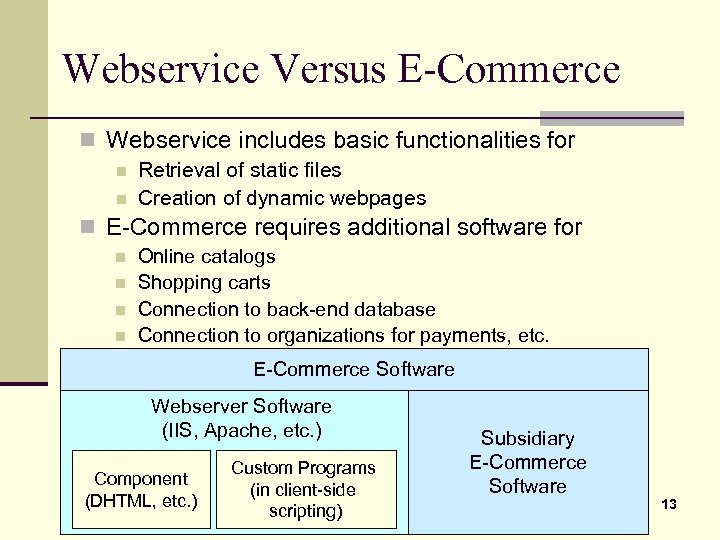
Webservice Versus E-Commerce n Webservice includes basic functionalities for n Retrieval of static files n Creation of dynamic webpages n E-Commerce requires additional software for n n Online catalogs Shopping carts Connection to back-end database Connection to organizations for payments, etc. E-Commerce Software Webserver Software (IIS, Apache, etc. ) Component (DHTML, etc. ) Custom Programs (in client-side scripting) Subsidiary E-Commerce Software 13
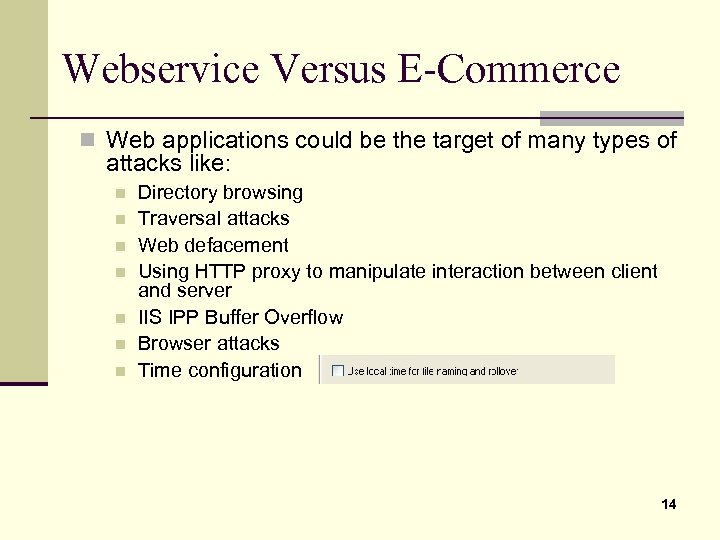
Webservice Versus E-Commerce n Web applications could be the target of many types of attacks like: n n n n Directory browsing Traversal attacks Web defacement Using HTTP proxy to manipulate interaction between client and server IIS IPP Buffer Overflow Browser attacks Time configuration 14
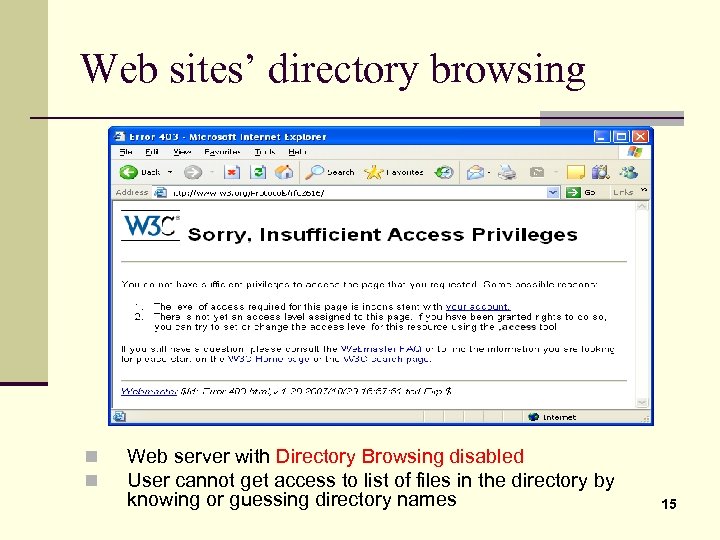
Web sites’ directory browsing n n Web server with Directory Browsing disabled User cannot get access to list of files in the directory by knowing or guessing directory names 15
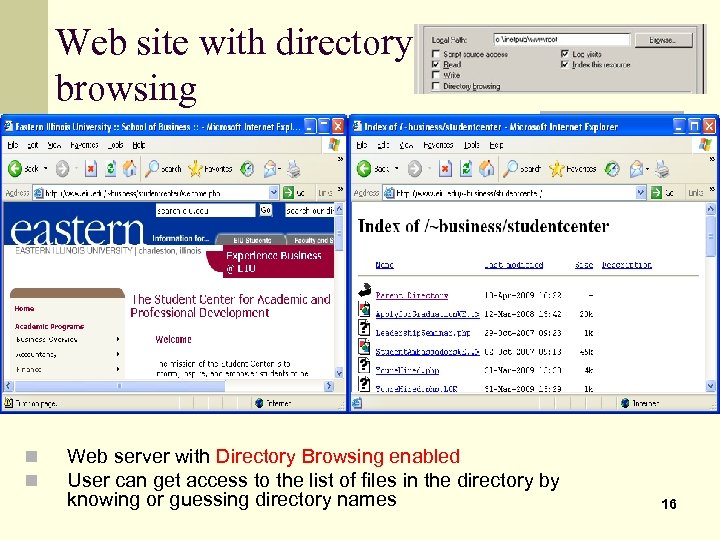
Web site with directory browsing n n Web server with Directory Browsing enabled User can get access to the list of files in the directory by knowing or guessing directory names 16
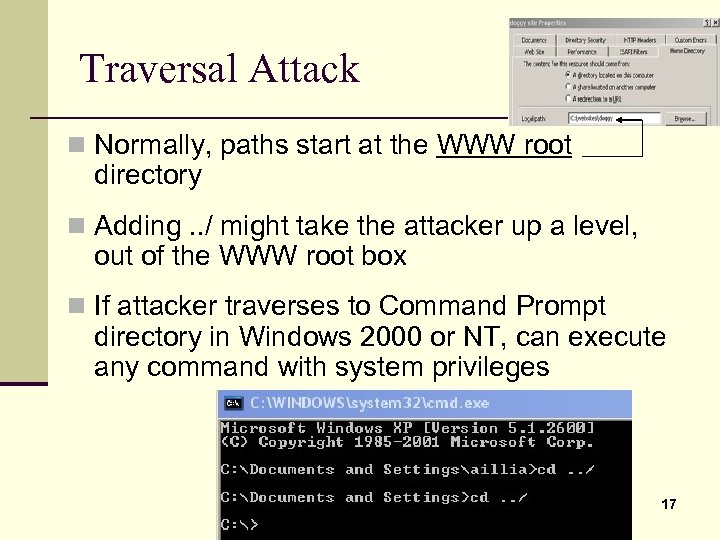
Traversal Attack n Normally, paths start at the WWW root directory n Adding. . / might take the attacker up a level, out of the WWW root box n If attacker traverses to Command Prompt directory in Windows 2000 or NT, can execute any command with system privileges 17
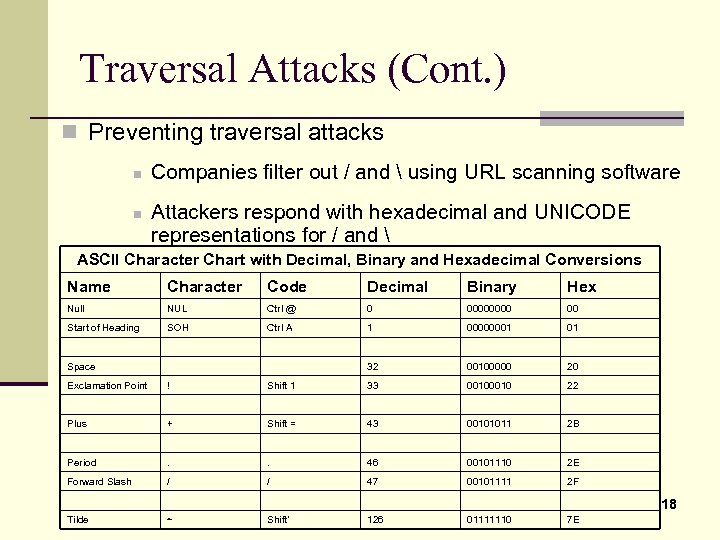
Traversal Attacks (Cont. ) n Preventing traversal attacks n n Companies filter out / and using URL scanning software Attackers respond with hexadecimal and UNICODE representations for / and ASCII Character Chart with Decimal, Binary and Hexadecimal Conversions Name Character Code Decimal Binary Hex Null NUL Ctrl @ 0 0000 00 Start of Heading SOH Ctrl A 1 00000001 01 32 00100000 20 Space Exclamation Point ! Shift 1 33 0010 22 Plus + Shift = 43 00101011 2 B Period . . 46 00101110 2 E Forward Slash / / 47 00101111 2 F Tilde ~ Shift’ 126 01111110 7 E 18
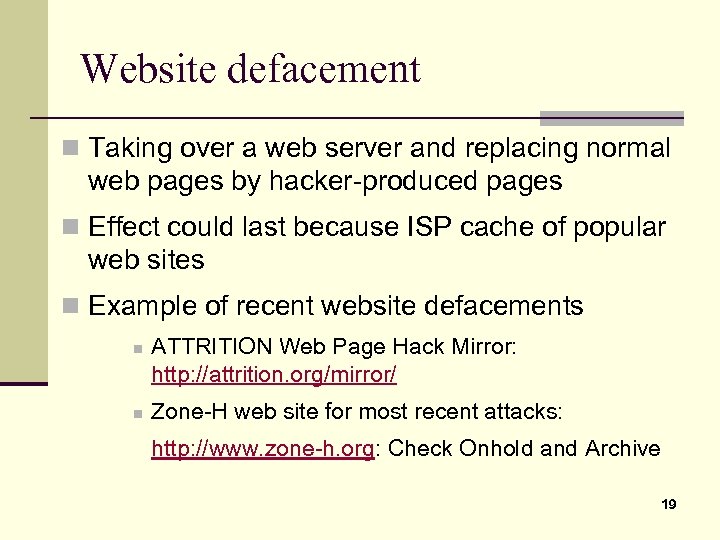
Website defacement n Taking over a web server and replacing normal web pages by hacker-produced pages n Effect could last because ISP cache of popular web sites n Example of recent website defacements n n ATTRITION Web Page Hack Mirror: http: //attrition. org/mirror/ Zone-H web site for most recent attacks: http: //www. zone-h. org: Check Onhold and Archive 19
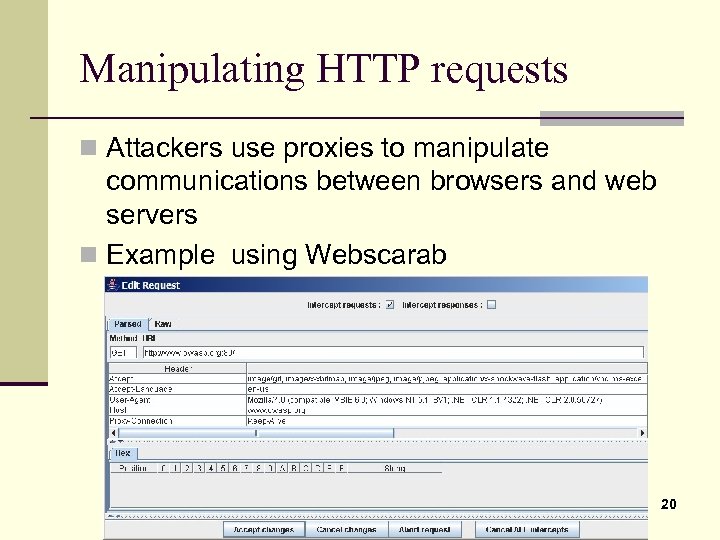
Manipulating HTTP requests n Attackers use proxies to manipulate communications between browsers and web servers n Example using Webscarab 20
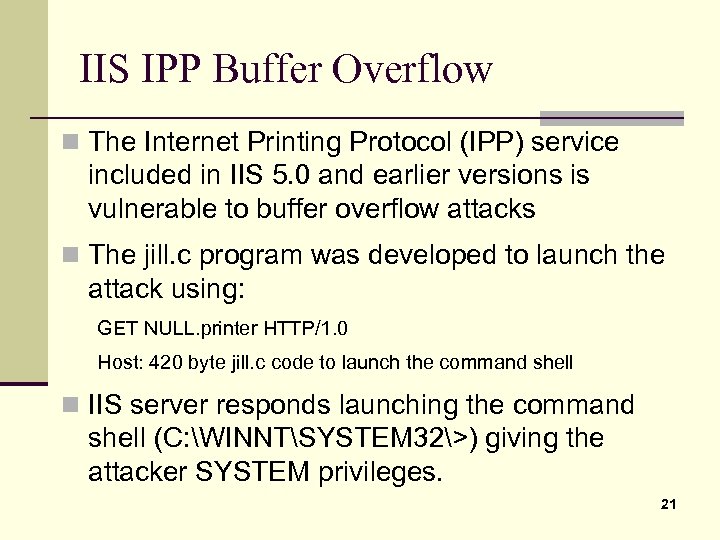
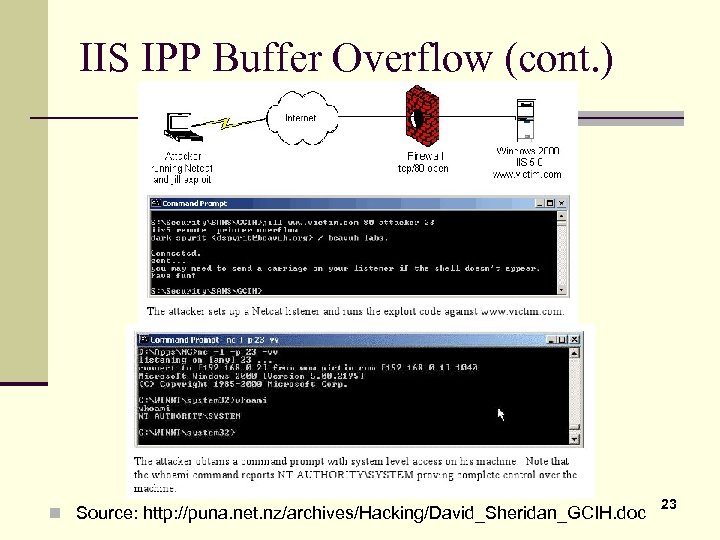
IIS IPP Buffer Overflow n The Internet Printing Protocol (IPP) service included in IIS 5. 0 and earlier versions is vulnerable to buffer overflow attacks n The jill. c program was developed to launch the attack using: GET NULL. printer HTTP/1. 0 Host: 420 byte jill. c code to launch the command shell n IIS server responds launching the command shell (C: WINNTSYSTEM 32>) giving the attacker SYSTEM privileges. 21
IIS IPP Buffer Overflow (cont. ) n Link to jill. c code n Code compilable using gcc jill. c –o jill on Linux n Precompiled version (jill-win 32. c) and executable (jill-win 32. exe) available at ftp: //ftp. technotronic. com/ n newfiles/jill-win 32. exe. This executable file is ready to run on a Windows machine. 22
IIS IPP Buffer Overflow (cont. ) n Source: http: //puna. net. nz/archives/Hacking/David_Sheridan_GCIH. doc 23
n HTTP Requests HTTP defines 8 methods (or "verbs") indicating the desired action to be performed on a resource n GET n HEAD n POST n PUT n DELETE n TRACE n OPTIONS n CONNECT n GET n By far the most common method used n Requests data from specified host Example of request with GET method GET /index. html HTTP/1. 1 Host: www. example. com 24
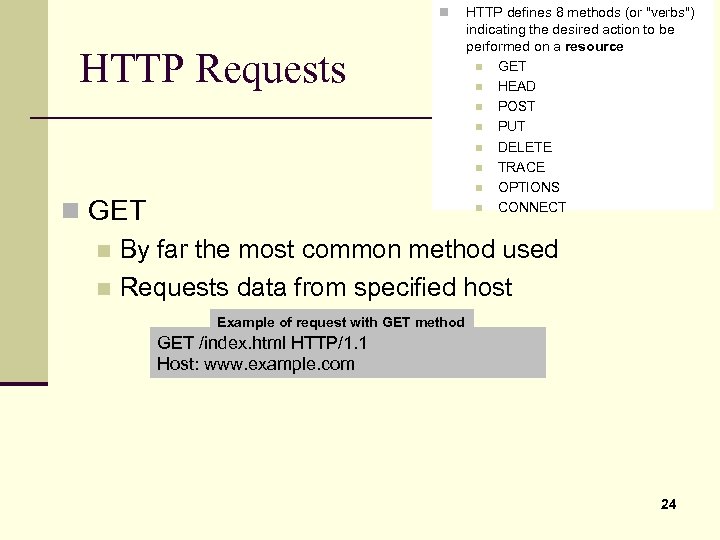
HTTP Requests n HEAD Asks for response identical to a GET request without response body n Useful for retrieving meta-information written in response headers without having to transport the entire content POST n Submits data to be processed (e. g. from an HTML form) to a server n The data is included in the body of the request PUT n Uploads data to the server DELETE n Delete specified file TRACE n Echoes back the received request so that a client can see what intermediate servers are adding or changing in the request OPTIONS n Returns HTTP methods supported by the server. 25 This can be used to check the functionality of a web server. n n n
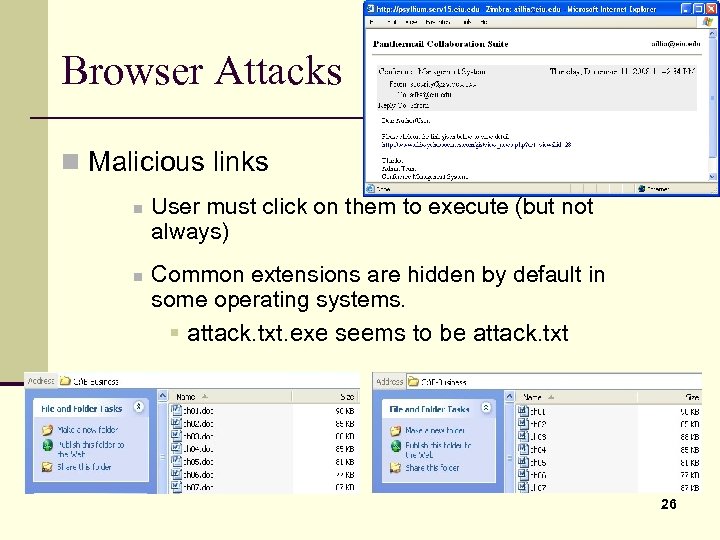
Browser Attacks n Malicious links n n User must click on them to execute (but not always) Common extensions are hidden by default in some operating systems. § attack. txt. exe seems to be attack. txt 26
Browser Attacks (Cont. ) n Common Attacks n Redirection to unwanted webpage n Scripts might change the registry, home page n Some scripts might “trojanize” when your DNS errorhandling routine when you mistype a URL n Pop-up windows n n Web bugs; i. e. links that are nearly invisible, can be used to track users at a website Domain names that are common misspellings of popular domain names § Microsoff. com, www. whitehouse. com (a porn site) 27
E-Mail 28
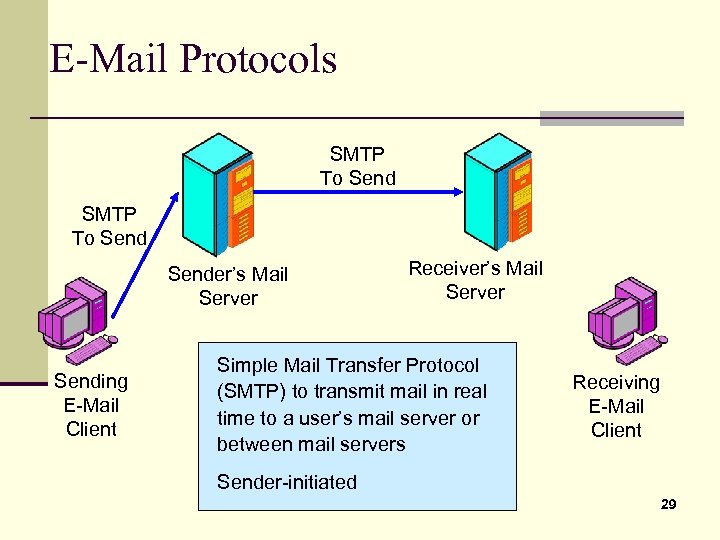
E-Mail Protocols SMTP To Sender’s Mail Server Sending E-Mail Client Receiver’s Mail Server Simple Mail Transfer Protocol (SMTP) to transmit mail in real time to a user’s mail server or between mail servers Receiving E-Mail Client Sender-initiated 29
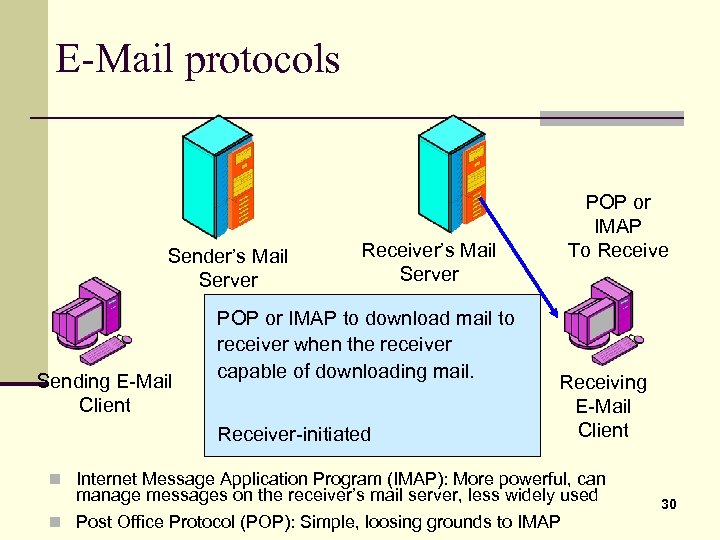
E-Mail protocols Sender’s Mail Server Sending E-Mail Client Receiver’s Mail Server POP or IMAP to download mail to receiver when the receiver capable of downloading mail. Receiver-initiated POP or IMAP To Receive Receiving E-Mail Client n Internet Message Application Program (IMAP): More powerful, can manage messages on the receiver’s mail server, less widely used n Post Office Protocol (POP): Simple, loosing grounds to IMAP 30
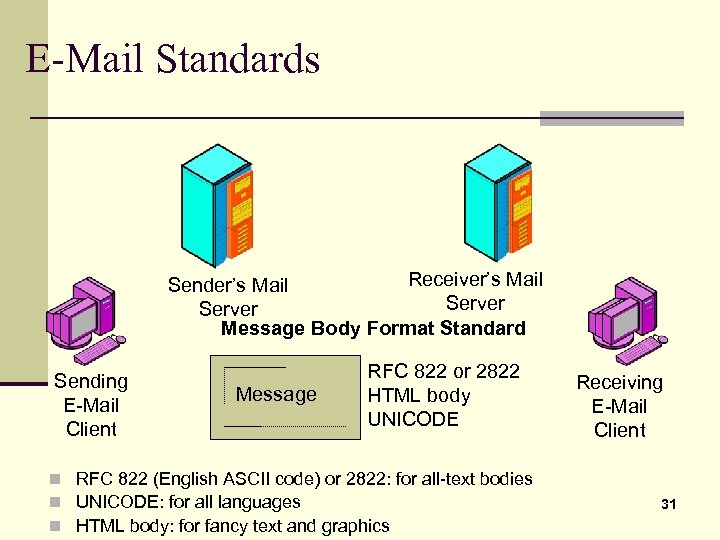
E-Mail Standards Receiver’s Mail Sender’s Mail Server Message Body Format Standard Sending E-Mail Client Message RFC 822 or 2822 HTML body UNICODE n RFC 822 (English ASCII code) or 2822: for all-text bodies n UNICODE: for all languages n HTML body: for fancy text and graphics Receiving E-Mail Client 31
E-Mail Security n E-Mail Encryption n Not widely used because of lack of clear standards n IETF has not been able to settle upon a single standard because of in-fighting n Three standards are used in corporations n n n TLS S/MIME PGP 32
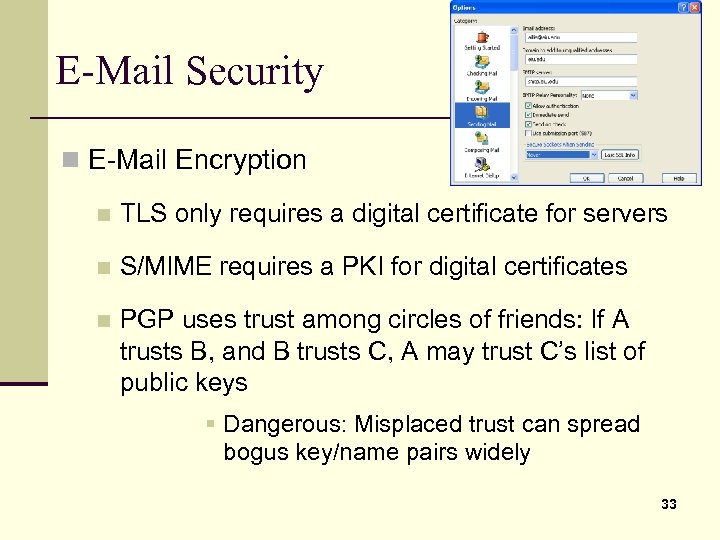
E-Mail Security n E-Mail Encryption n TLS only requires a digital certificate for servers n S/MIME requires a PKI for digital certificates n PGP uses trust among circles of friends: If A trusts B, and B trusts C, A may trust C’s list of public keys § Dangerous: Misplaced trust can spread bogus key/name pairs widely 33
Скачать презентацию Application Security Web service and E-Mail April 11
727089ee59e2951ea611e3c1b9179509.ppt