 Скачать презентацию Apache ssl Objectives Setup Apache
3afa93a839a8664d778dd83b93775f62.ppt
- Количество слайдов: 7



Apache ssl • Objectives – Setup Apache + ssl • Contents – – Recompile Apache for mod_ssl Generating Certifikates Self signed certificate SSL Virtualhos • Practical – Setup Apache with SSL • Summary
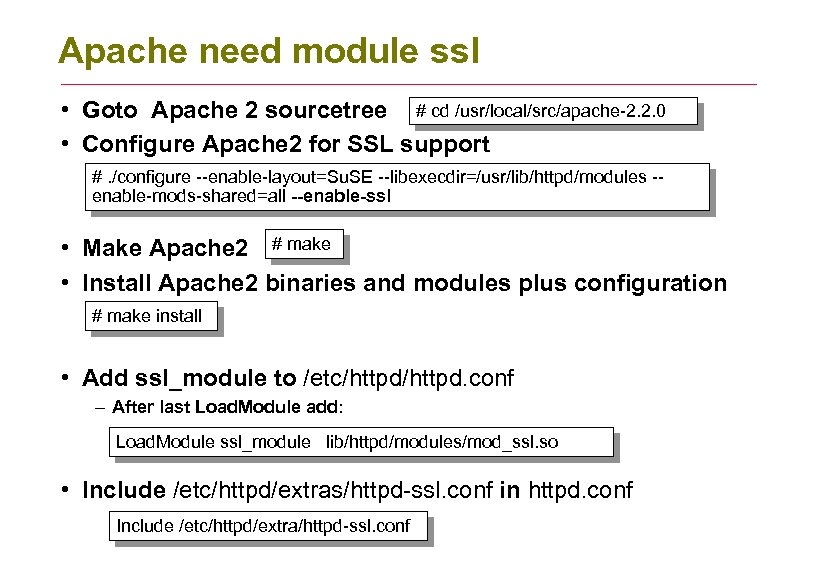
Apache need module ssl • Goto Apache 2 sourcetree # cd /usr/local/src/apache-2. 2. 0 • Configure Apache 2 for SSL support #. /configure --enable-layout=Su. SE --libexecdir=/usr/lib/httpd/modules -enable-mods-shared=all --enable-ssl • Make Apache 2 # make • Install Apache 2 binaries and modules plus configuration # make install • Add ssl_module to /etc/httpd. conf – After last Load. Module add: Load. Module ssl_module lib/httpd/modules/mod_ssl. so • Include /etc/httpd/extras/httpd-ssl. conf in httpd. conf Include /etc/httpd/extra/httpd-ssl. conf
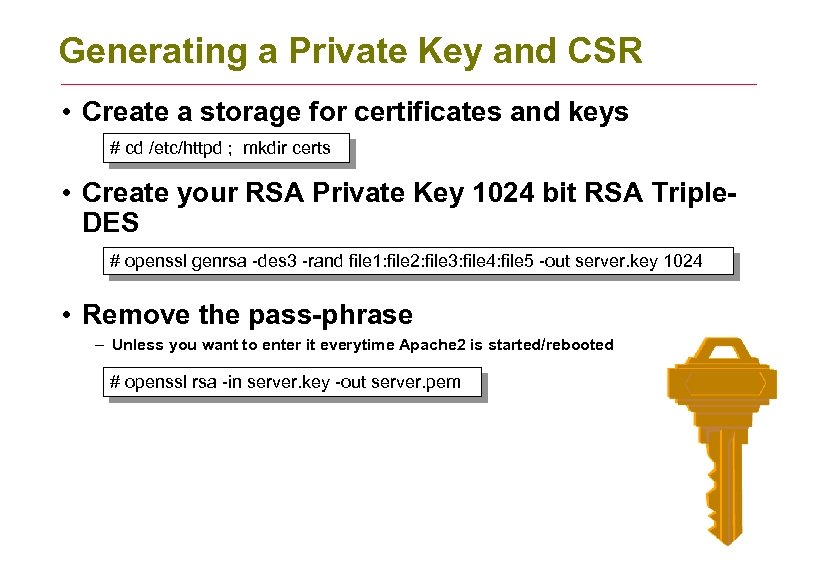
Generating a Private Key and CSR • Create a storage for certificates and keys # cd /etc/httpd ; mkdir certs • Create your RSA Private Key 1024 bit RSA Triple. DES # openssl genrsa -des 3 -rand file 1: file 2: file 3: file 4: file 5 -out server. key 1024 • Remove the pass-phrase – Unless you want to enter it everytime Apache 2 is started/rebooted # openssl rsa -in server. key -out server. pem
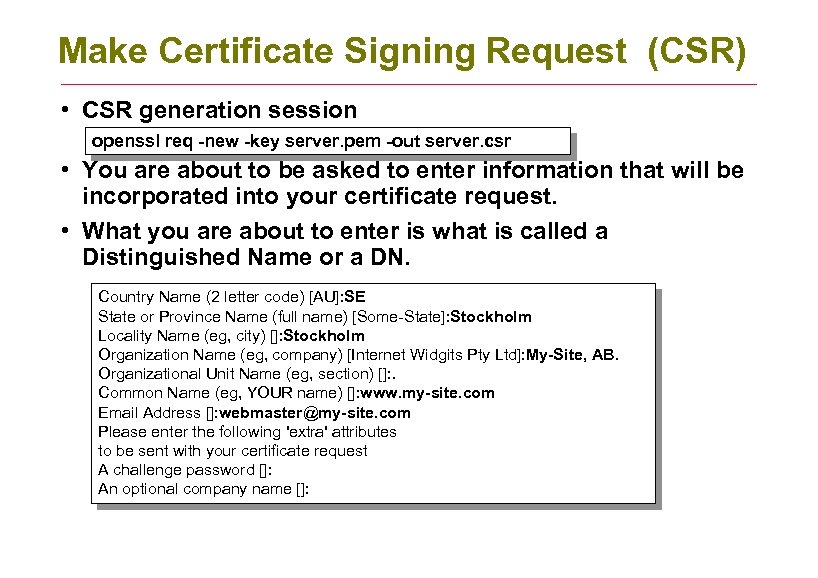
Make Certificate Signing Request (CSR) • CSR generation session openssl req -new -key server. pem -out server. csr • You are about to be asked to enter information that will be incorporated into your certificate request. • What you are about to enter is what is called a Distinguished Name or a DN. Country Name (2 letter code) [AU]: SE State or Province Name (full name) [Some-State]: Stockholm Locality Name (eg, city) []: Stockholm Organization Name (eg, company) [Internet Widgits Pty Ltd]: My-Site, AB. Organizational Unit Name (eg, section) []: . Common Name (eg, YOUR name) []: www. my-site. com Email Address []: webmaster@my-site. com Please enter the following 'extra' attributes to be sent with your certificate request A challenge password []: An optional company name []:
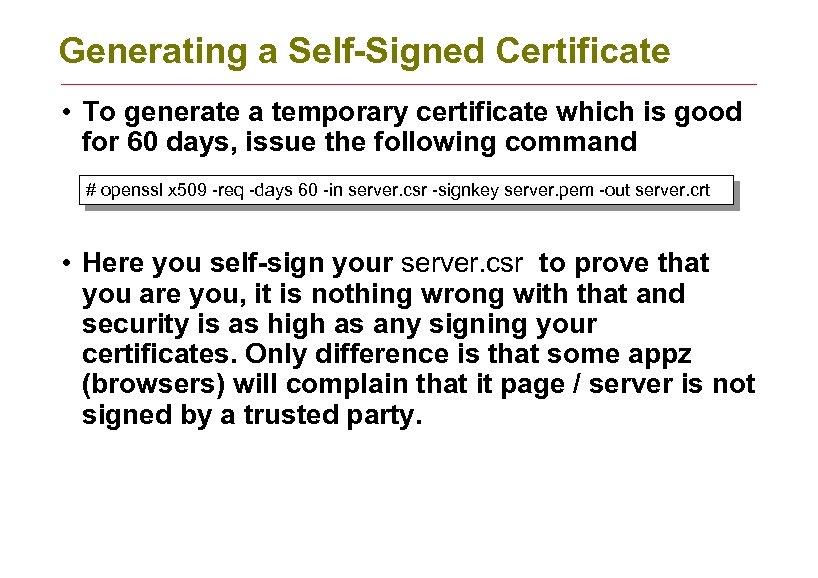
Generating a Self-Signed Certificate • To generate a temporary certificate which is good for 60 days, issue the following command # openssl x 509 -req -days 60 -in server. csr -signkey server. pem -out server. crt • Here you self-sign your server. csr to prove that you are you, it is nothing wrong with that and security is as high as any signing your certificates. Only difference is that some appz (browsers) will complain that it page / server is not signed by a trusted party.
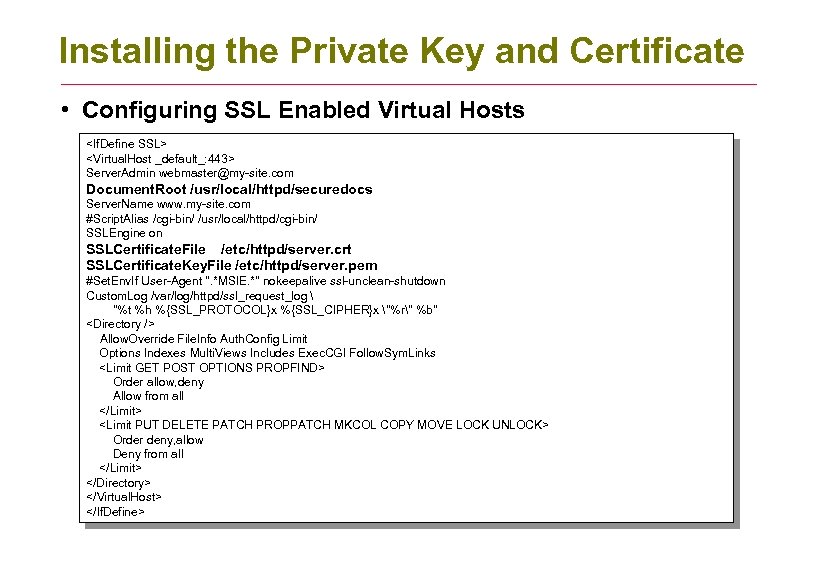
Installing the Private Key and Certificate • Configuring SSL Enabled Virtual Hosts <If. Define SSL> <Virtual. Host _default_: 443> Server. Admin webmaster@my-site. com Document. Root /usr/local/httpd/securedocs Server. Name www. my-site. com #Script. Alias /cgi-bin/ /usr/local/httpd/cgi-bin/ SSLEngine on SSLCertificate. File /etc/httpd/server. crt SSLCertificate. Key. File /etc/httpd/server. pem #Set. Env. If User-Agent ". *MSIE. *" nokeepalive ssl-unclean-shutdown Custom. Log /var/log/httpd/ssl_request_log "%t %h %{SSL_PROTOCOL}x %{SSL_CIPHER}x "%r" %b" <Directory /> Allow. Override File. Info Auth. Config Limit Options Indexes Multi. Views Includes Exec. CGI Follow. Sym. Links <Limit GET POST OPTIONS PROPFIND> Order allow, deny Allow from all </Limit> <Limit PUT DELETE PATCH PROPPATCH MKCOL COPY MOVE LOCK UNLOCK> Order deny, allow Deny from all </Limit> </Directory> </Virtual. Host> </If. Define>
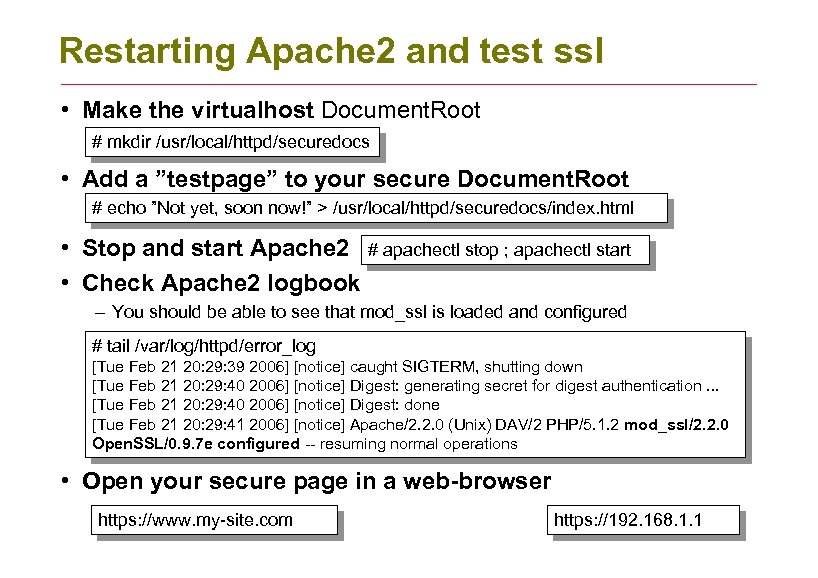
Restarting Apache 2 and test ssl • Make the virtualhost Document. Root # mkdir /usr/local/httpd/securedocs • Add a ”testpage” to your secure Document. Root # echo ”Not yet, soon now!” > /usr/local/httpd/securedocs/index. html • Stop and start Apache 2 • Check Apache 2 logbook # apachectl stop ; apachectl start – You should be able to see that mod_ssl is loaded and configured # tail /var/log/httpd/error_log [Tue Feb 21 20: 29: 39 2006] [notice] caught SIGTERM, shutting down [Tue Feb 21 20: 29: 40 2006] [notice] Digest: generating secret for digest authentication. . . [Tue Feb 21 20: 29: 40 2006] [notice] Digest: done [Tue Feb 21 20: 29: 41 2006] [notice] Apache/2. 2. 0 (Unix) DAV/2 PHP/5. 1. 2 mod_ssl/2. 2. 0 Open. SSL/0. 9. 7 e configured -- resuming normal operations • Open your secure page in a web-browser https: //www. my-site. com https: //192. 168. 1. 1
Скачать презентацию Apache ssl Objectives Setup Apache
3afa93a839a8664d778dd83b93775f62.ppt