


 Скачать презентацию Apache POI for Content Management Apachecon North
2a97aacebdd3d08edb05af760136725a.ppt
- Количество слайдов: 40
 Apache POI for Content Management • Apachecon North America • November 3, 2010 • David Fisher, JM Lafferty Associates, Inc. with the assistance of Yegor Kozlov, Dinom, LLC
 Overview The Apache POI Project's mission is to create and maintain Java APIs for manipulating various file formats based upon the Office Open XML standards (OOXML) and Microsoft's OLE 2 Compound Document format (OLE 2). • • How we got involved What can be done with the various Office file formats Working with Excel files Creating Power. Point files
 How We Got Involved While developing an investor targeting and contact management website for corporate investor relations. We had two client driven requirements to satisfy: (1) Excel output that did not lose the leading “ 0” from US Postal Codes. (2) A Client, Microsoft, would not look at PDFs, they wanted Power. Point. We found Apache POI in the Jakarta project and that solved the first requirement. Our first attempt at the second involved driving PPT using a Java to COM bridge.
 Problems Driving Windows - Driving a GUI for a server app is silly. Only one PPT at a time could be created. Server setup was difficult. Server restart could require operator intervention. Graphic quality was poor for both - PICT files created by our software, and - JPEG files transformed from our Postscript output.
 Extending POI, Giving Back (1) We decided to extend HSLF to produce Power. Point decks with images. This removed the COM bridge. (2) We contributed this back to POI: § to help build the community. § to get “free” beta testers. (3) We have continued to enhance HSLF to directly produce shapes. (4) We have continued to contribute in many areas.
 What You Can Do With POI • Document Structure – OOXML – Open Office XML Standards – OLE 2 – Microsoft’s Binary File Formats • Operational Models – Text Extraction – text with varying amounts of structure. This feature is used by Apache Tika. – Reading – drill down into a file and get what you want. – Writing – create rich output. – Formula Evaluation – use an Excel workbook as a Computation Engine. • Examples – Many excellent examples are available in the source distribution. – A few real world examples are available on the website. – Code snippets are available on the website.
 Document Structure APIs OLE 2 & OOXML • Older binary file formats are OLE 2 based –. xls, . ppt, . doc, … – – OLE 2 looks a lot like FAT. Several Files / Streams are included. POIFS is our API to access all OLE 2 files at the low level. HPSF is our API for manipulating Document Properties. • Newer xml file formats are OOXML based –. xlsx, . pptx, . docx, … – – – OOXML is a zip file of XML files of data and metadata. Easy to inspect. The structure is “similar” to OLE 2. Office Open XML file format defined in ECMA standard 376. Implementation based on the Open. XML 4 J contributed in 2008. XMLBeans 2. 3 is used to hide the details of OOXML manipulation.
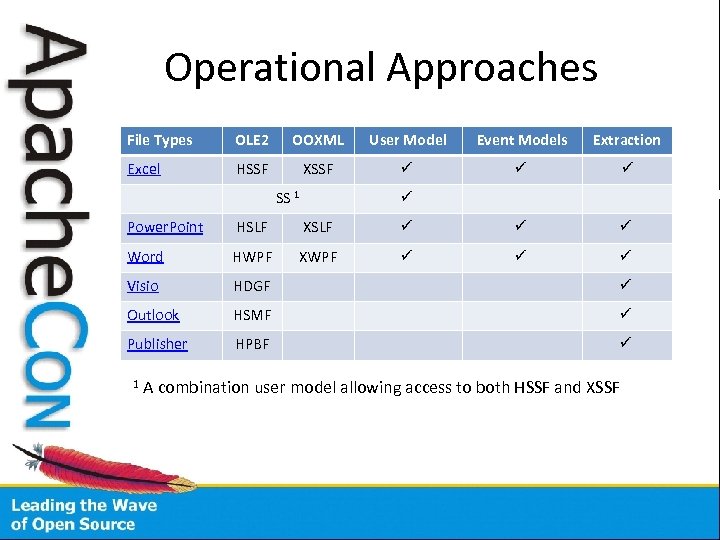 Operational Approaches File Types OLE 2 OOXML User Model Event Models Extraction Excel HSSF XSSF ü ü ü SS 1 ü Power. Point HSLF XSLF ü ü ü Word HWPF XWPF ü ü ü Visio HDGF ü Outlook HSMF ü Publisher HPBF ü 1 A combination user model allowing access to both HSSF and XSSF
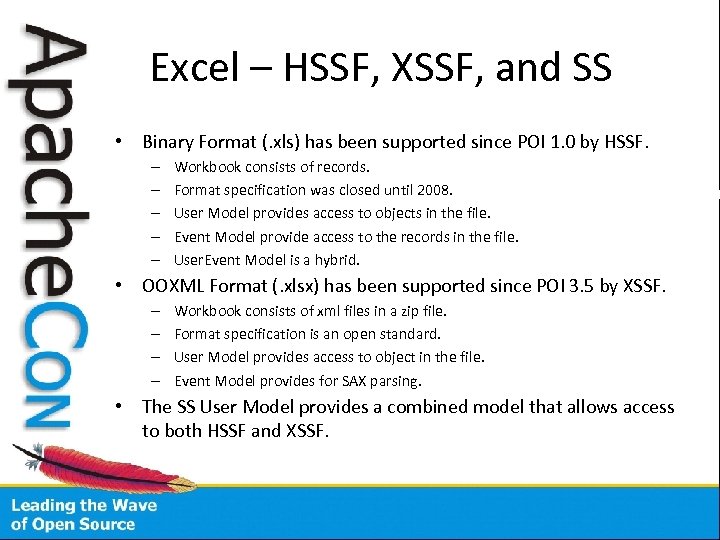 Excel – HSSF, XSSF, and SS • Binary Format (. xls) has been supported since POI 1. 0 by HSSF. – – – Workbook consists of records. Format specification was closed until 2008. User Model provides access to objects in the file. Event Model provide access to the records in the file. User. Event Model is a hybrid. • OOXML Format (. xlsx) has been supported since POI 3. 5 by XSSF. – – Workbook consists of xml files in a zip file. Format specification is an open standard. User Model provides access to object in the file. Event Model provides for SAX parsing. • The SS User Model provides a combined model that allows access to both HSSF and XSSF.
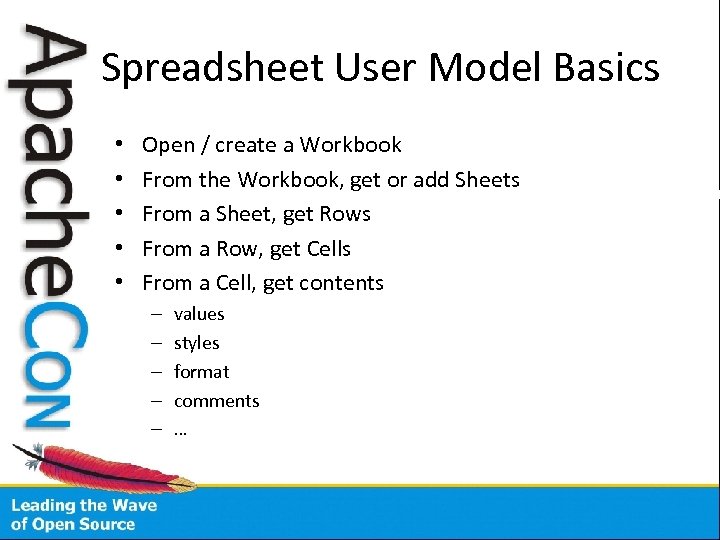 Spreadsheet User Model Basics • • • Open / create a Workbook From the Workbook, get or add Sheets From a Sheet, get Rows From a Row, get Cells From a Cell, get contents – – – values styles format comments …
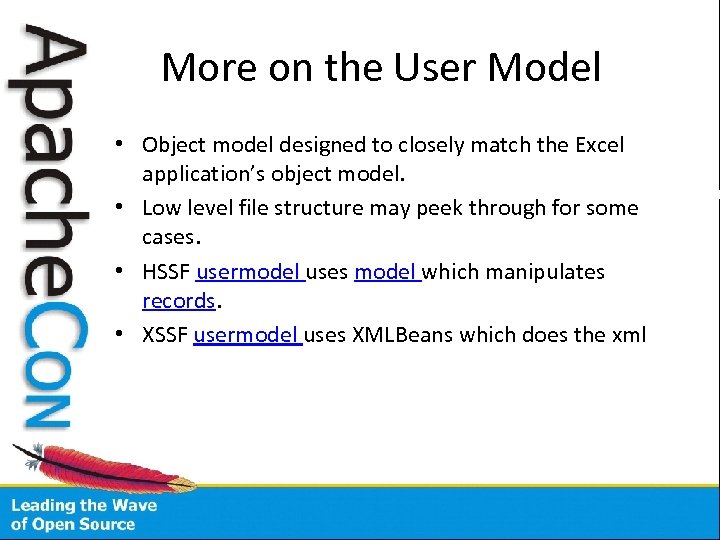 More on the User Model • Object model designed to closely match the Excel application’s object model. • Low level file structure may peek through for some cases. • HSSF usermodel uses model which manipulates records. • XSSF usermodel uses XMLBeans which does the xml
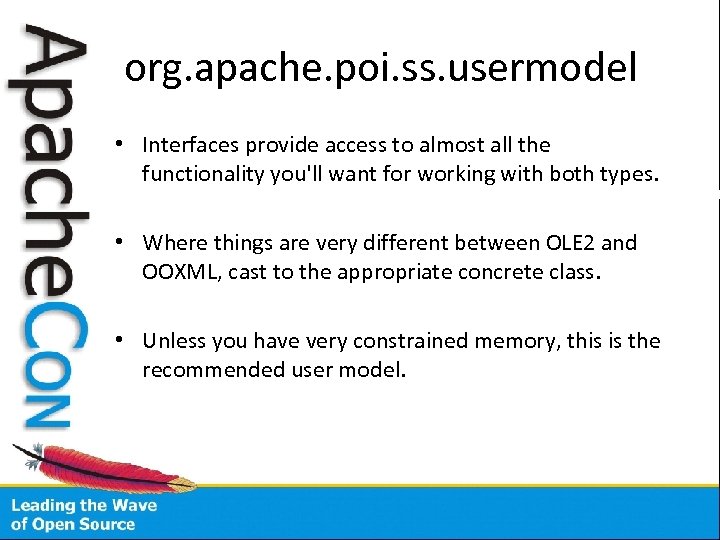 org. apache. poi. ss. usermodel • Interfaces provide access to almost all the functionality you'll want for working with both types. • Where things are very different between OLE 2 and OOXML, cast to the appropriate concrete class. • Unless you have very constrained memory, this is the recommended user model.
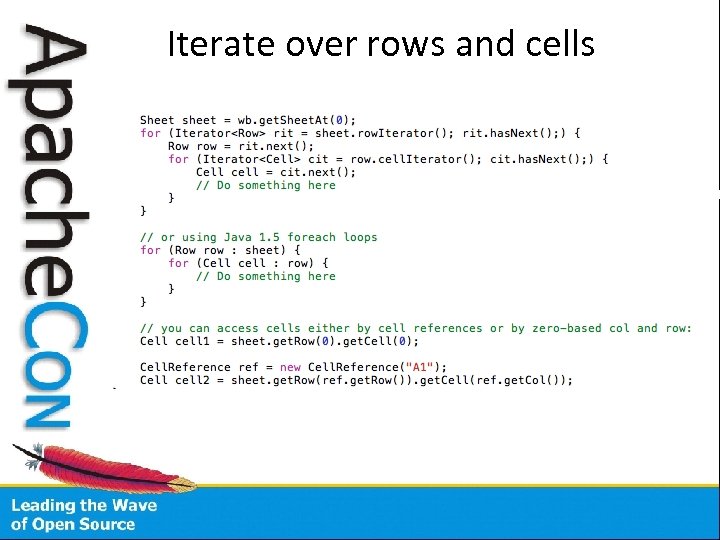 Iterate over rows and cells
 Cells are the key • Cells contain data, and may have styles, formatting rules, comments, hyperlinks etc. • Cells can be of different types, such as string, number. Type is important! • Numbers and dates are always stored as floating point values. • Integers, dates are done by formatting these floating point values.
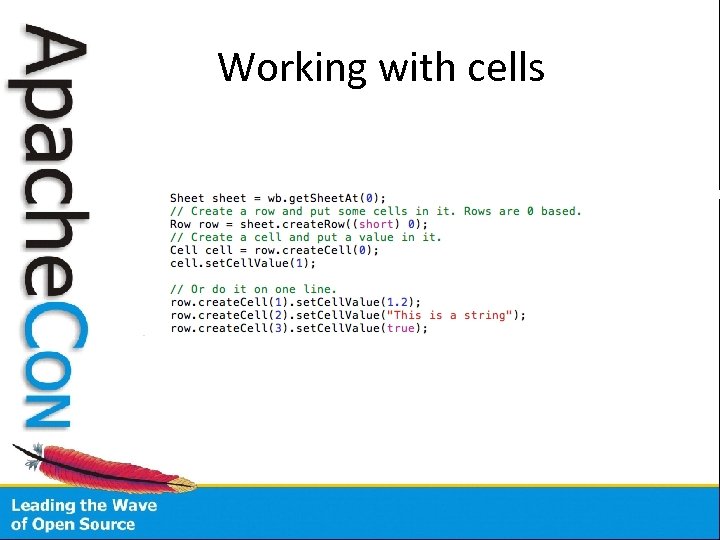 Working with cells
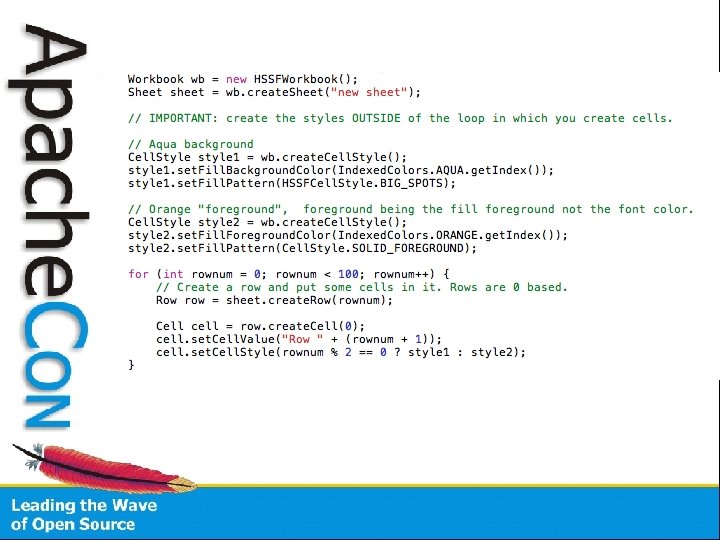
 Cell Style • Cell. Style gives you access to the most cell style properties, e. g. font, borders, data formats. • Cell. Style in. xls has some limitations – the number of colors available is limited to the built-in pallete. • Cell Styles must be shared. Do not create per-cell, otherwise you will get a “Too many styles” error in Excel when opening your workbook. • Think of Cell Styles like CSS and create them like that.
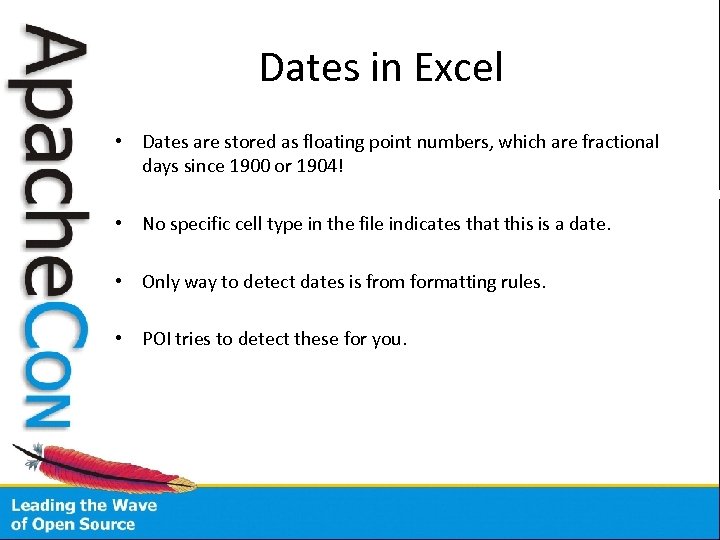 Dates in Excel • Dates are stored as floating point numbers, which are fractional days since 1900 or 1904! • No specific cell type in the file indicates that this is a date. • Only way to detect dates is from formatting rules. • POI tries to detect these for you.
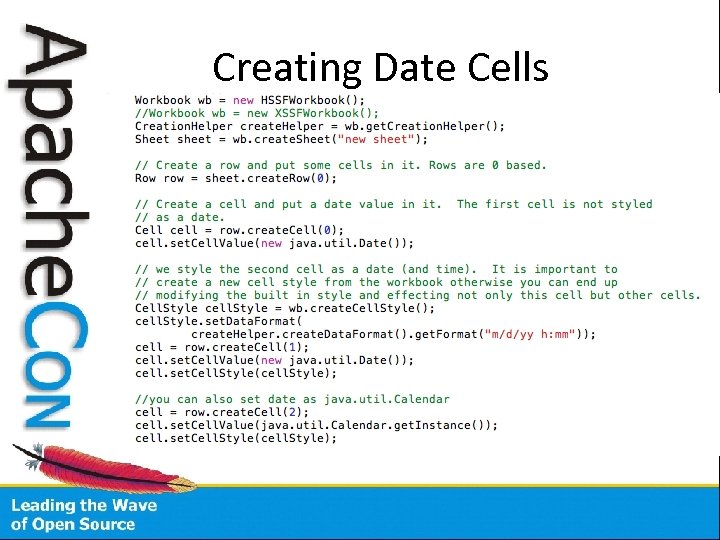 Creating Date Cells
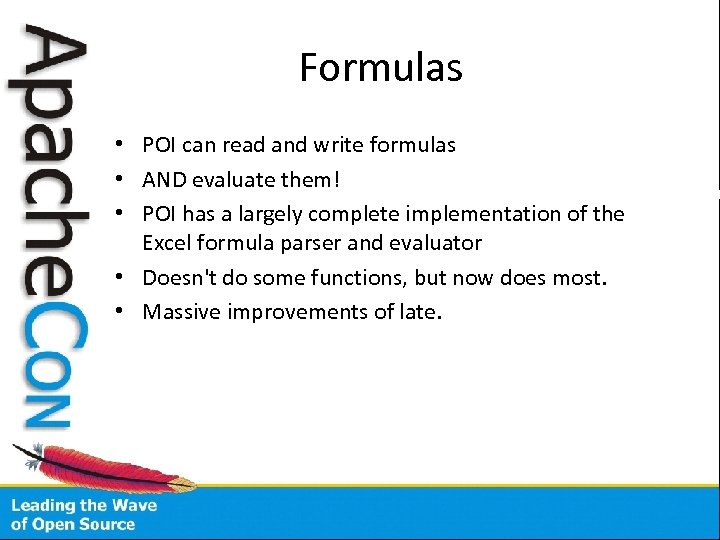 Formulas • POI can read and write formulas • AND evaluate them! • POI has a largely complete implementation of the Excel formula parser and evaluator • Doesn't do some functions, but now does most. • Massive improvements of late.
 What is supported? • • Almost all basic functions are. VBA based ones never will be. Quite a few complex functions are. Some of the POI function classes are stubs – if it extends Not. Implemented. Function it isn't done yet.
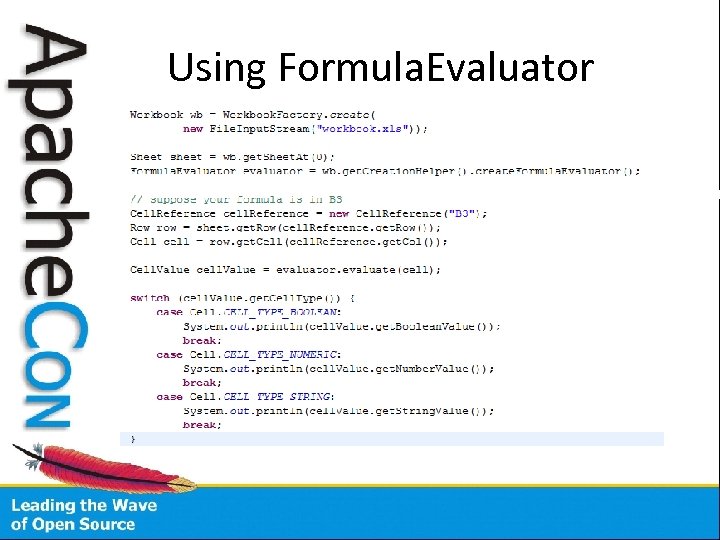 Using Formula. Evaluator
 There are more features • Advanced Excel features go: – Rich Text – Data validations – Conditional formatting – Cell comments – Drawings –…
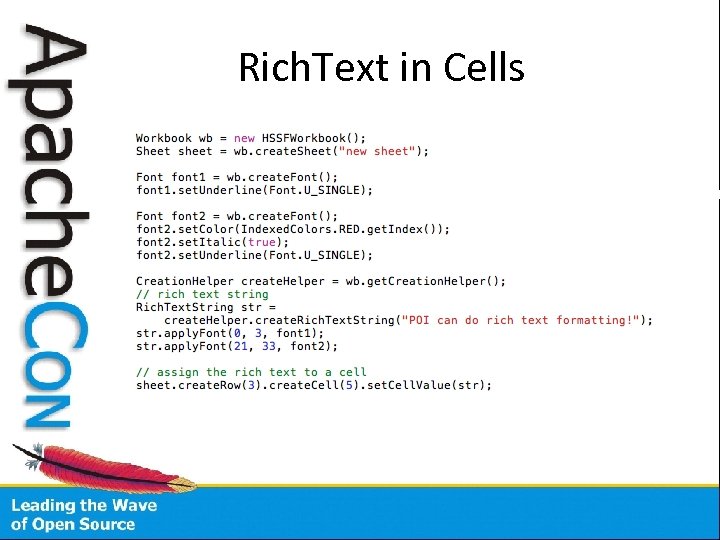 Rich. Text in Cells
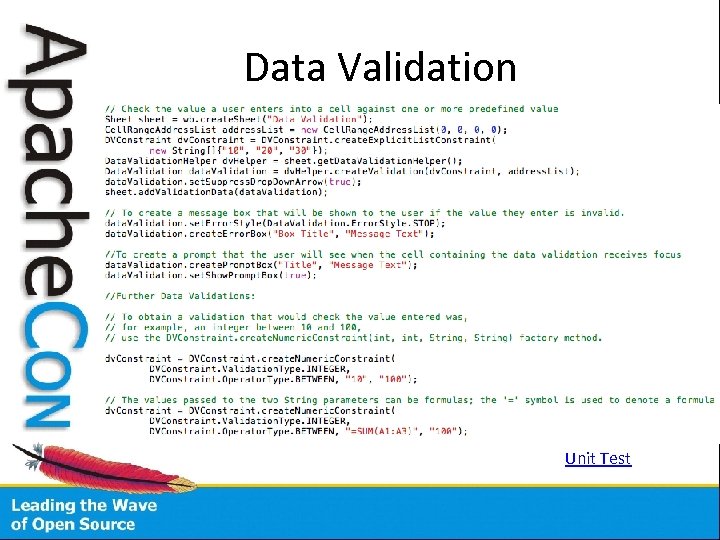 Data Validation Unit Test
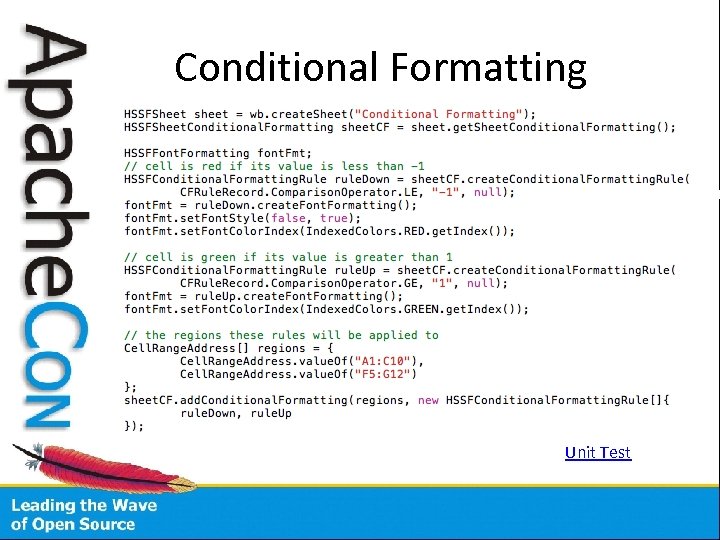 Conditional Formatting Unit Test
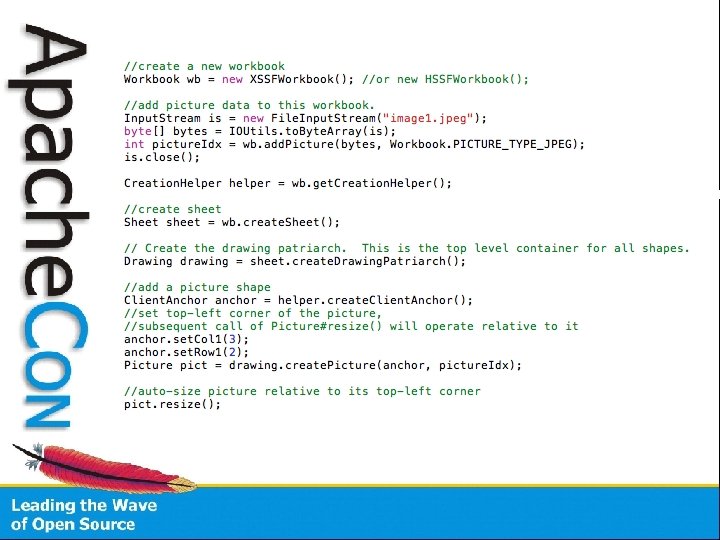
 Pictures • Images are part of the drawing support. To add an image just call create. Picture() on the drawing patriarch. Currently the following types are supported: – PNG – JPG – DIB • Picture. resize() relies on AWT • Positioning of graphic object is not precise, the result can look ‘off’ on a system with different dpi or different version of Excel, e. g. Excel for MAC.
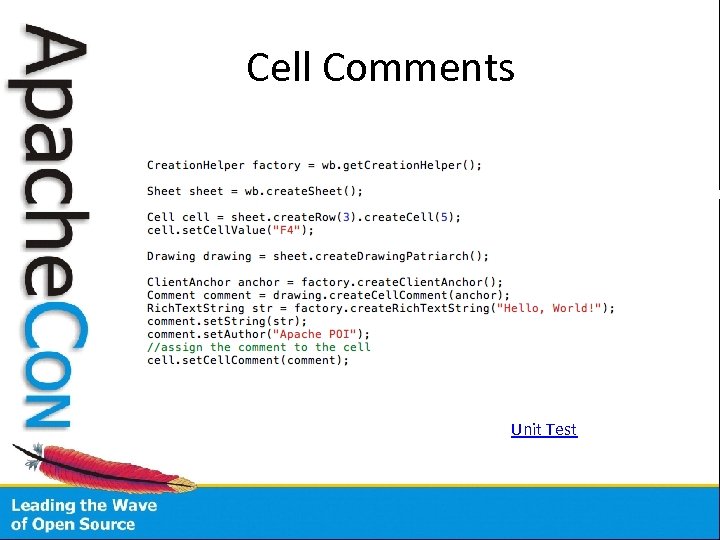 Cell Comments Unit Test
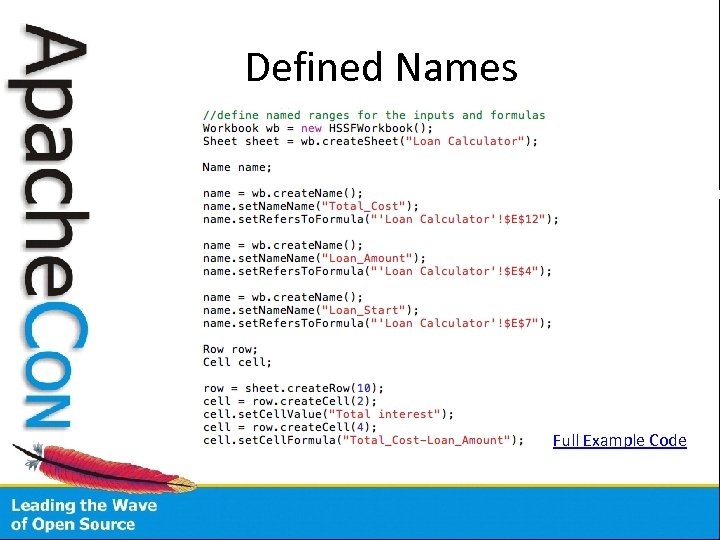 Defined Names Full Example Code
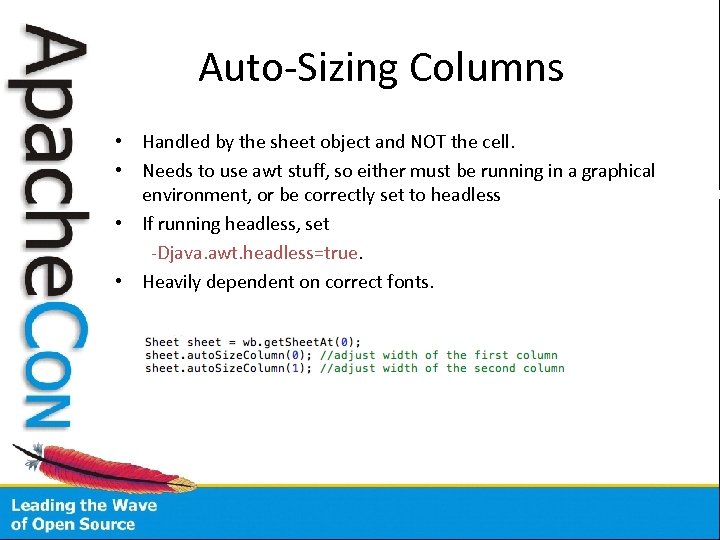 Auto-Sizing Columns • Handled by the sheet object and NOT the cell. • Needs to use awt stuff, so either must be running in a graphical environment, or be correctly set to headless • If running headless, set -Djava. awt. headless=true. • Heavily dependent on correct fonts.
 VBA • POI can’t manipulate with VBA , but you can use a template. • The Template XLS can include a VBA signed with a digital certificate to avoid warnings about untrusted code.
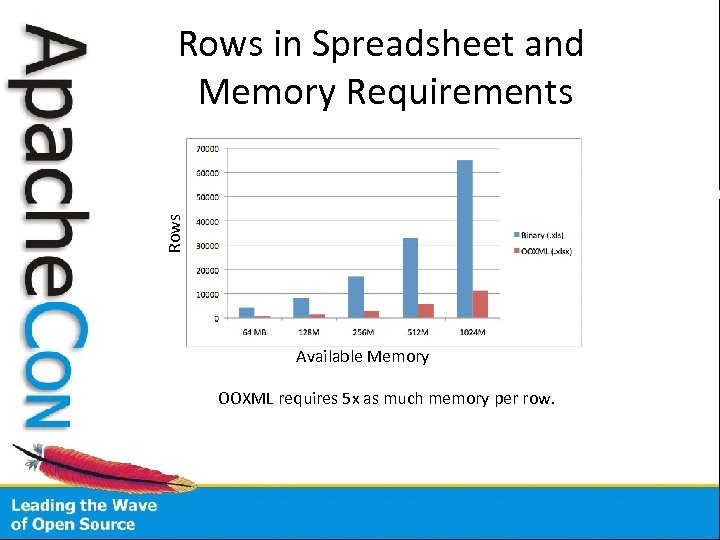 Rows in Spreadsheet and Memory Requirements Available Memory OOXML requires 5 x as much memory per row.
 Power. Point User Model • Object model designed to closely match the Power. Point application’s object model. • Low level file structure may peek through for some cases. • HSLF model which manipulates records. • XSLF usermodel uses XMLBeans which does the xml. • XSLF is still rather incomplete.
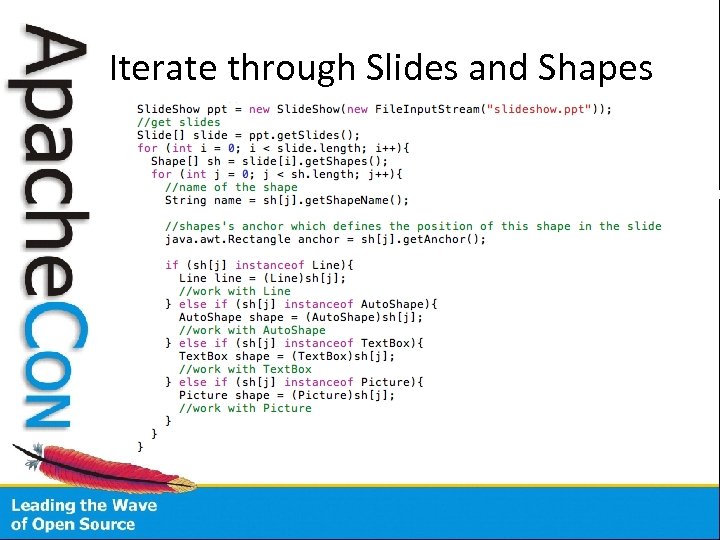 Iterate through Slides and Shapes
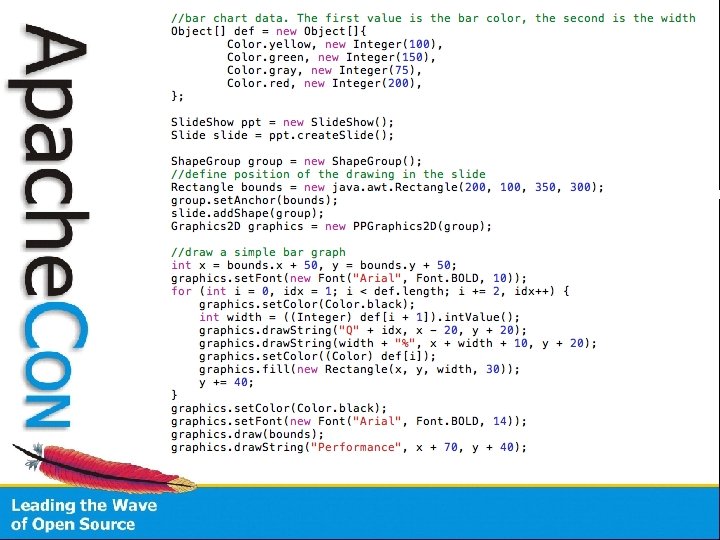
 PPT Graphics layer • It's possible to treat a HSLF file almost as a Graphics 2 D canvas, and draw onto it.
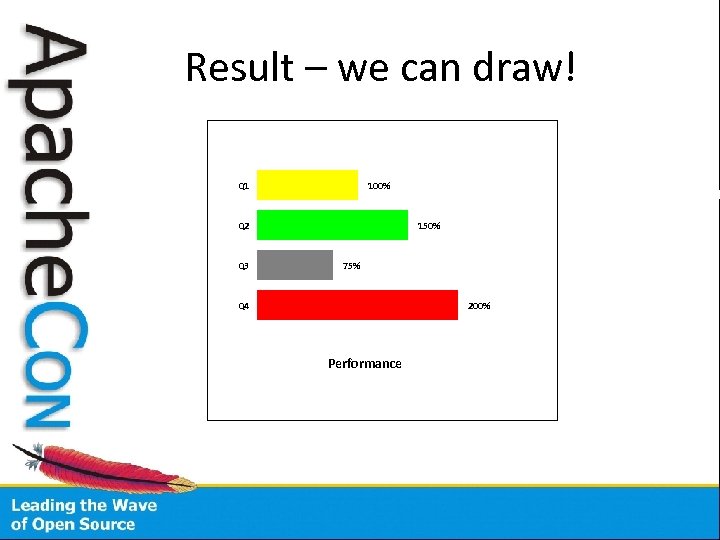 Result – we can draw! Q 1 100% Q 2 Q 3 150% 75% Q 4 200% Performance
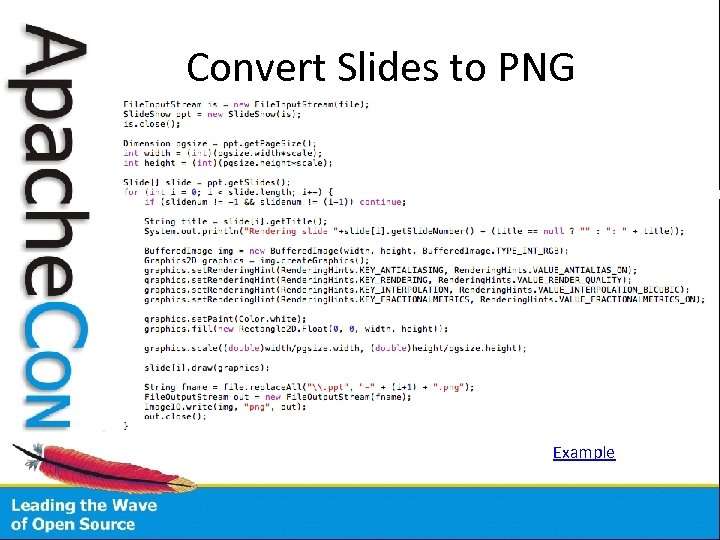 Convert Slides to PNG Example
 This presentation will be available on: http: //people. apache. org/~wave/apachecon. NA 2010/.