


 Скачать презентацию Any Questions Week 1 — 2 nd
318964220040ae80493ab09caa4b032d.ppt
- Количество слайдов: 65
 Any Questions?
 Week 1 - 2 nd Lecture Intro to COBOL Programming Defining Files and Processing Data
 What is COBOL? • Designed by the US defense department • Meant to be English like for ease of maintenance COmmon Business Oriented Language
 Agenda • • How does a compiler work? Creating a COBOL Program Parts of a COBOL Program The Perform Statement Defining Files Defining Variables COBOL Verbs
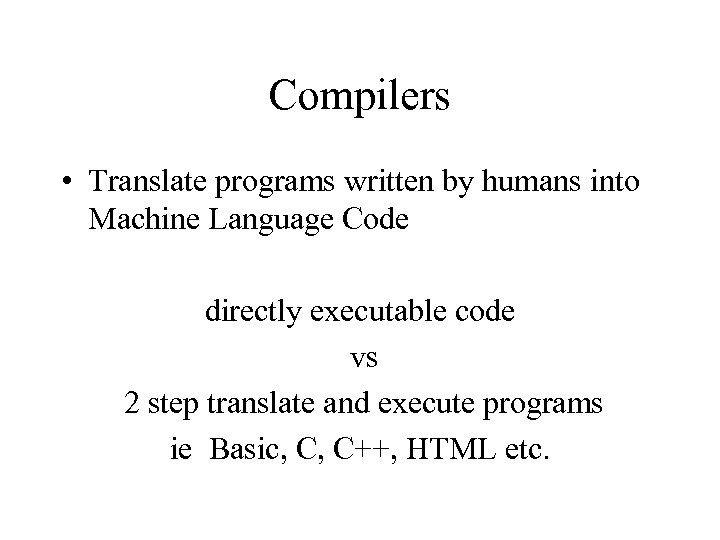 Compilers • Translate programs written by humans into Machine Language Code directly executable code vs 2 step translate and execute programs ie Basic, C, C++, HTML etc.
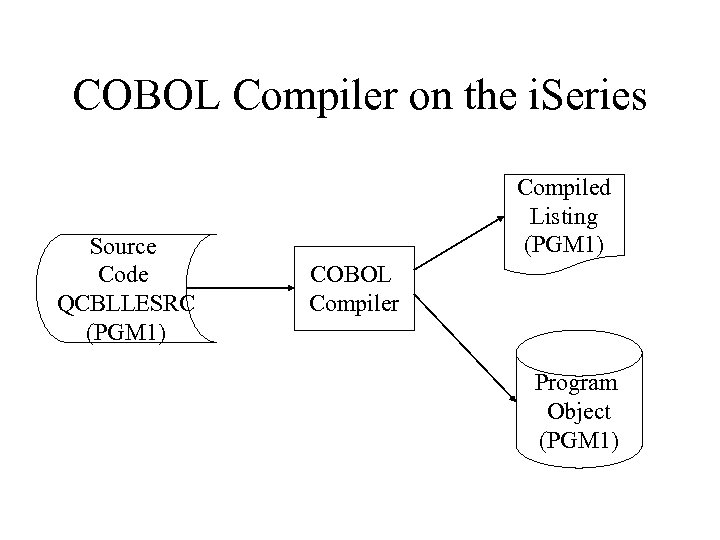 COBOL Compiler on the i. Series Source Code QCBLLESRC (PGM 1) Compiled Listing (PGM 1) COBOL Compiler Program Object (PGM 1)
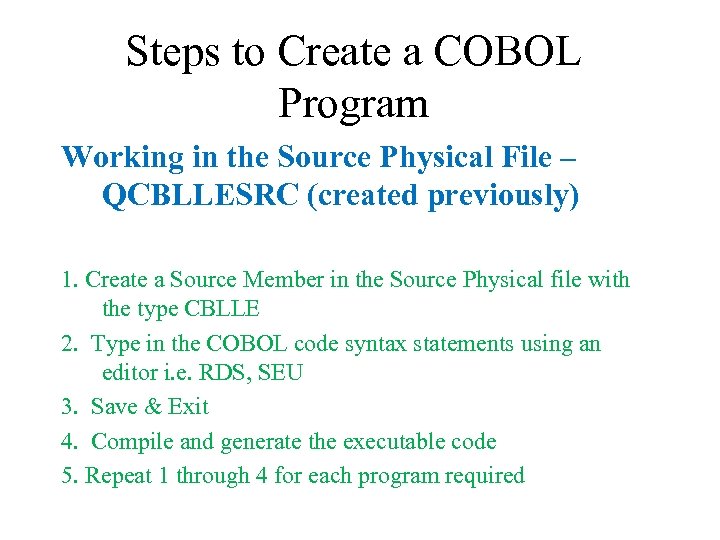 Steps to Create a COBOL Program Working in the Source Physical File – QCBLLESRC (created previously) 1. Create a Source Member in the Source Physical file with the type CBLLE 2. Type in the COBOL code syntax statements using an editor i. e. RDS, SEU 3. Save & Exit 4. Compile and generate the executable code 5. Repeat 1 through 4 for each program required
 Defining Files and Processing Data Cobol Program Structure Common Elements 8
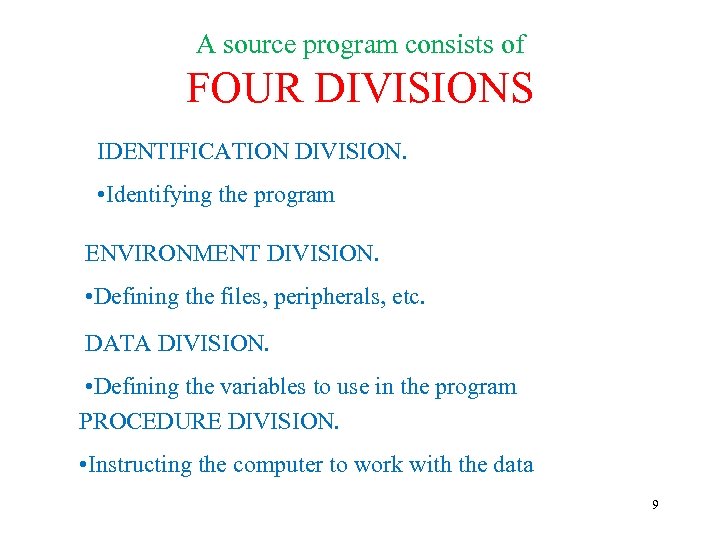 A source program consists of FOUR DIVISIONS IDENTIFICATION DIVISION. • Identifying the program ENVIRONMENT DIVISION. • Defining the files, peripherals, etc. DATA DIVISION. • Defining the variables to use in the program PROCEDURE DIVISION. • Instructing the computer to work with the data 9
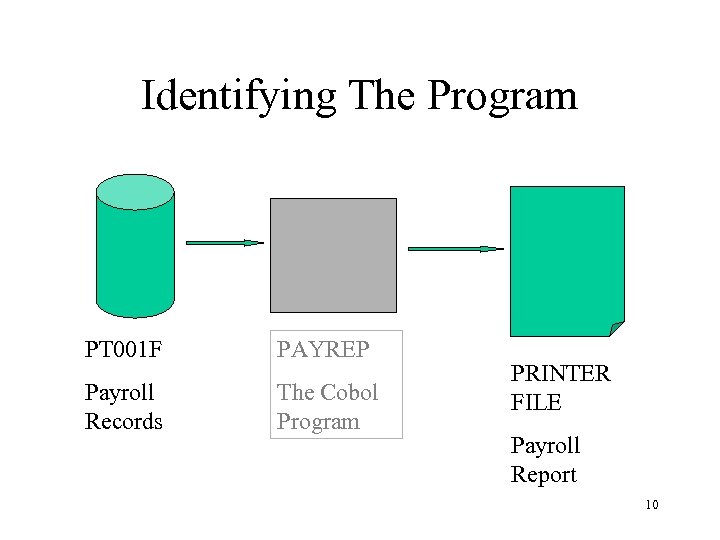 Identifying The Program PT 001 F PAYREP Payroll Records The Cobol Program PRINTER FILE Payroll Report 10
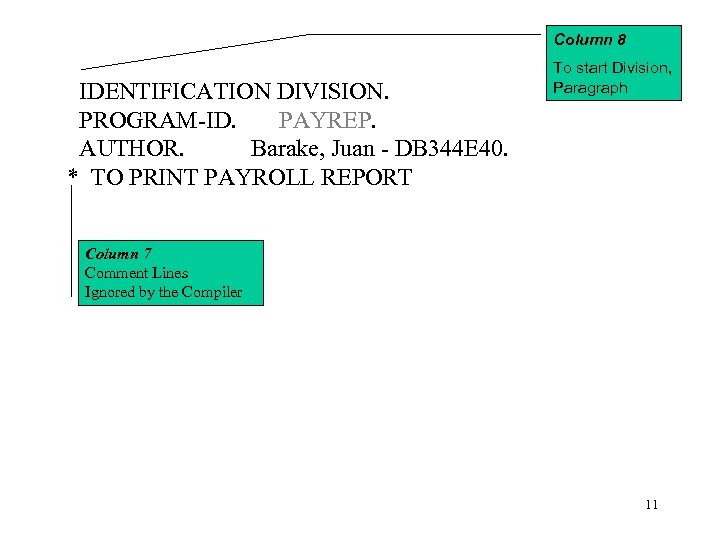 Column 8 IDENTIFICATION DIVISION. PROGRAM-ID. PAYREP. AUTHOR. Barake, Juan - DB 344 E 40. * TO PRINT PAYROLL REPORT To start Division, Paragraph Column 7 Comment Lines Ignored by the Compiler 11
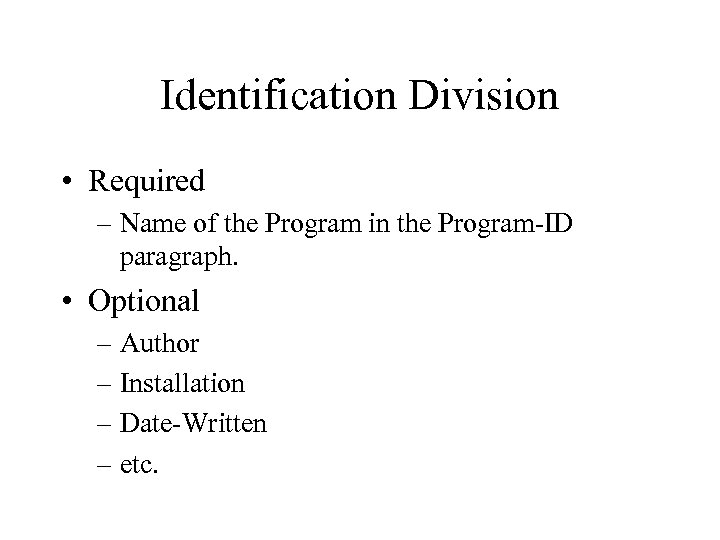 Identification Division • Required – Name of the Program in the Program-ID paragraph. • Optional – Author – Installation – Date-Written – etc.
![Identification Division (Syntax) IDENTIFICATION DIVISION. PROGRAM-ID. program-name. [AUTHOR. [comment-entry] … ] [INSTALLATION. [comment-entry] …]](https://present5.com/presentation/318964220040ae80493ab09caa4b032d/image-13.jpg "Identification Division (Syntax) IDENTIFICATION DIVISION. PROGRAM-ID. program-name. [AUTHOR. [comment-entry] … ] [INSTALLATION. [comment-entry] …]") Identification Division (Syntax) IDENTIFICATION DIVISION. PROGRAM-ID. program-name. [AUTHOR. [comment-entry] … ] [INSTALLATION. [comment-entry] …] [DATE-WRITTEN. [comment-entry] …] [DATE-COMPILED. [comment-entry] …] [SECURITY. [comment-entry] …]
Identification Division (Syntax) IDENTIFICATION DIVISION. PROGRAM-ID. program-name. [AUTHOR. [comment-entry] … ] [INSTALLATION. [comment-entry] …] [DATE-WRITTEN. [comment-entry] …] [DATE-COMPILED. [comment-entry] …] [SECURITY. [comment-entry] …]
 Environment Division Defines the operational environment and connecting a programs internal file / device requirements to the physical system environment.
![Environment Division [ENVIRONMENT DIVISION. ] [CONFIGURATION SECTION. ] Identifies the computer used to write](https://present5.com/presentation/318964220040ae80493ab09caa4b032d/image-15.jpg "Environment Division [ENVIRONMENT DIVISION. ] [CONFIGURATION SECTION. ] Identifies the computer used to write") Environment Division [ENVIRONMENT DIVISION. ] [CONFIGURATION SECTION. ] Identifies the computer used to write / create the program and the computer it is intended to operate / execute on. [INPUT-OUTPUT SECTION. ] [FILE-CONTROL. ] Connects the programs internally declared devices / files to the operating system devices / files.
Environment Division [ENVIRONMENT DIVISION. ] [CONFIGURATION SECTION. ] Identifies the computer used to write / create the program and the computer it is intended to operate / execute on. [INPUT-OUTPUT SECTION. ] [FILE-CONTROL. ] Connects the programs internally declared devices / files to the operating system devices / files.
![Environment Division (Syntax) [ENVIRONMENT DIVISION. ] [CONFIGURATION SECTION. ] [SOURCE-COMPUTER. AS/400. ] [OBJECT-COMPUTER. AS/400.](https://present5.com/presentation/318964220040ae80493ab09caa4b032d/image-16.jpg "Environment Division (Syntax) [ENVIRONMENT DIVISION. ] [CONFIGURATION SECTION. ] [SOURCE-COMPUTER. AS/400. ] [OBJECT-COMPUTER. AS/400.") Environment Division (Syntax) [ENVIRONMENT DIVISION. ] [CONFIGURATION SECTION. ] [SOURCE-COMPUTER. AS/400. ] [OBJECT-COMPUTER. AS/400. ] [INPUT-OUTPUT SECTION. ] [FILE-CONTROL. ] [SELECT nice-file-name ASSIGN to DISK/PRINTER/WORKSTATIONphysical-file-name. ]
Environment Division (Syntax) [ENVIRONMENT DIVISION. ] [CONFIGURATION SECTION. ] [SOURCE-COMPUTER. AS/400. ] [OBJECT-COMPUTER. AS/400. ] [INPUT-OUTPUT SECTION. ] [FILE-CONTROL. ] [SELECT nice-file-name ASSIGN to DISK/PRINTER/WORKSTATIONphysical-file-name. ]
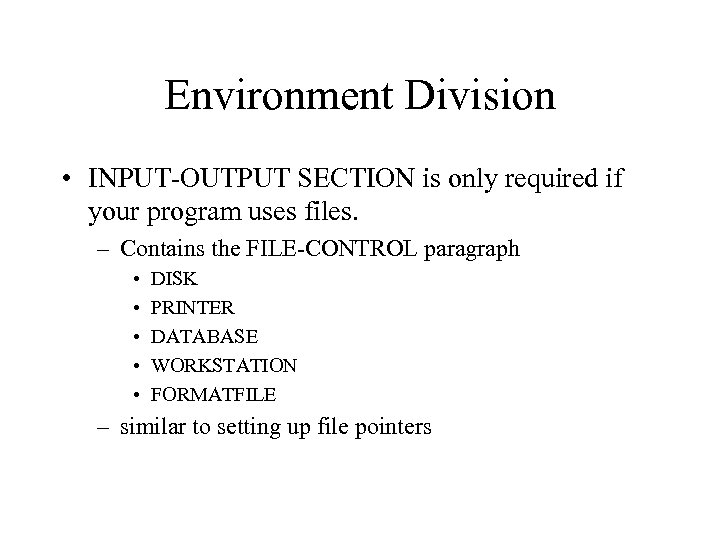 Environment Division • INPUT-OUTPUT SECTION is only required if your program uses files. – Contains the FILE-CONTROL paragraph • • • DISK PRINTER DATABASE WORKSTATION FORMATFILE – similar to setting up file pointers
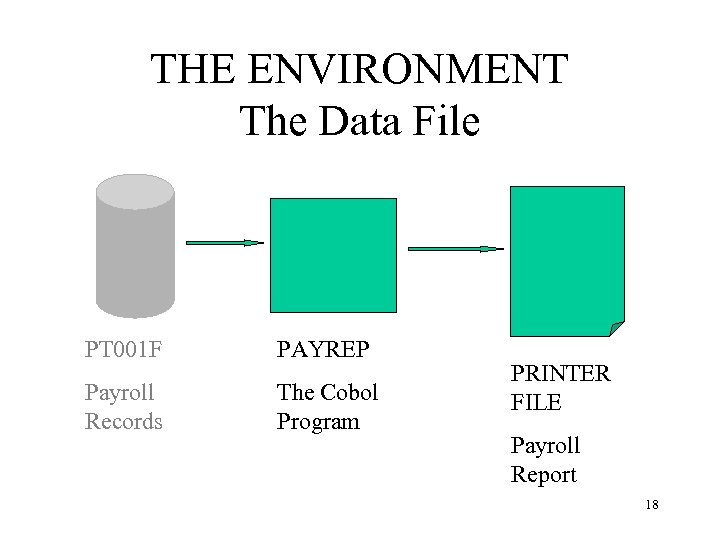 THE ENVIRONMENT The Data File PT 001 F PAYREP Payroll Records The Cobol Program PRINTER FILE Payroll Report 18
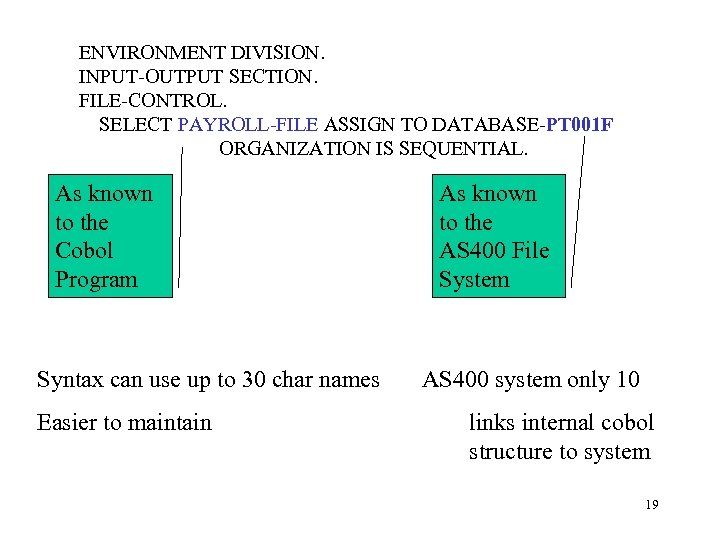 ENVIRONMENT DIVISION. INPUT-OUTPUT SECTION. FILE-CONTROL. SELECT PAYROLL-FILE ASSIGN TO DATABASE-PT 001 F ORGANIZATION IS SEQUENTIAL. As known to the Cobol Program Syntax can use up to 30 char names Easier to maintain As known to the AS 400 File System AS 400 system only 10 links internal cobol structure to system 19
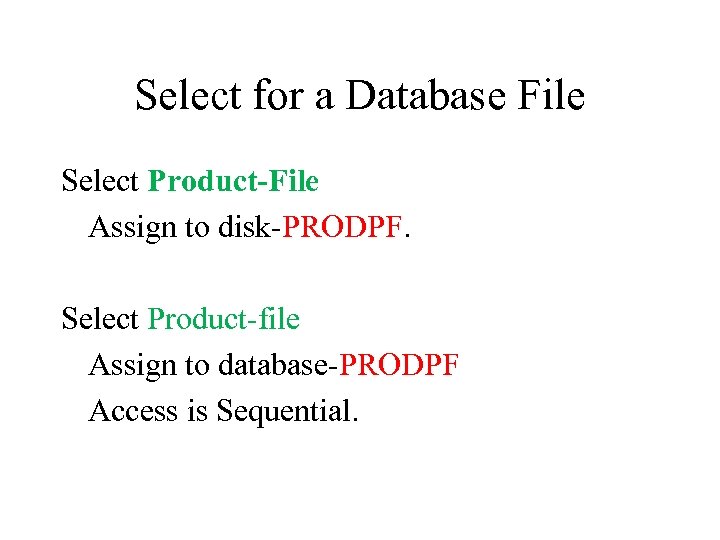 Select for a Database File Select Product-File Assign to disk-PRODPF. Select Product-file Assign to database-PRODPF Access is Sequential.
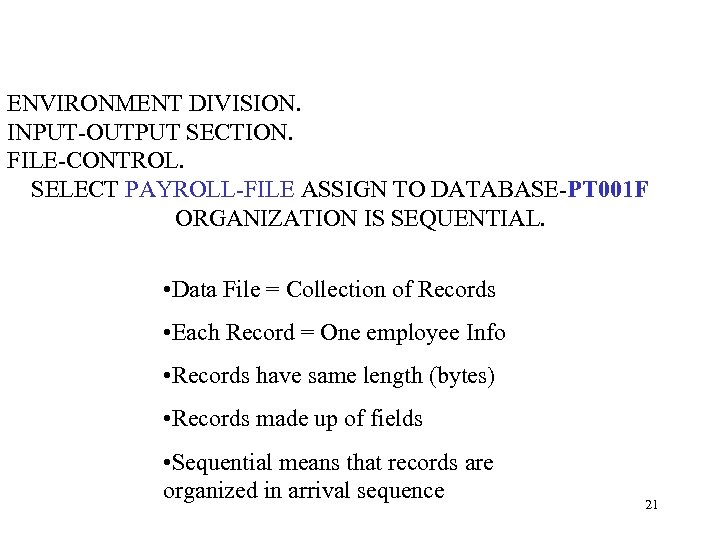 ENVIRONMENT DIVISION. INPUT-OUTPUT SECTION. FILE-CONTROL. SELECT PAYROLL-FILE ASSIGN TO DATABASE-PT 001 F ORGANIZATION IS SEQUENTIAL. • Data File = Collection of Records • Each Record = One employee Info • Records have same length (bytes) • Records made up of fields • Sequential means that records are organized in arrival sequence 21
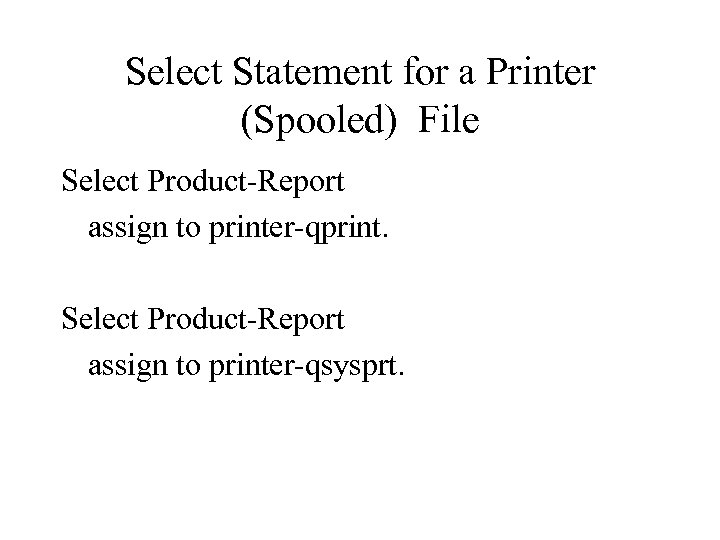 Select Statement for a Printer (Spooled) File Select Product-Report assign to printer-qprint. Select Product-Report assign to printer-qsysprt.
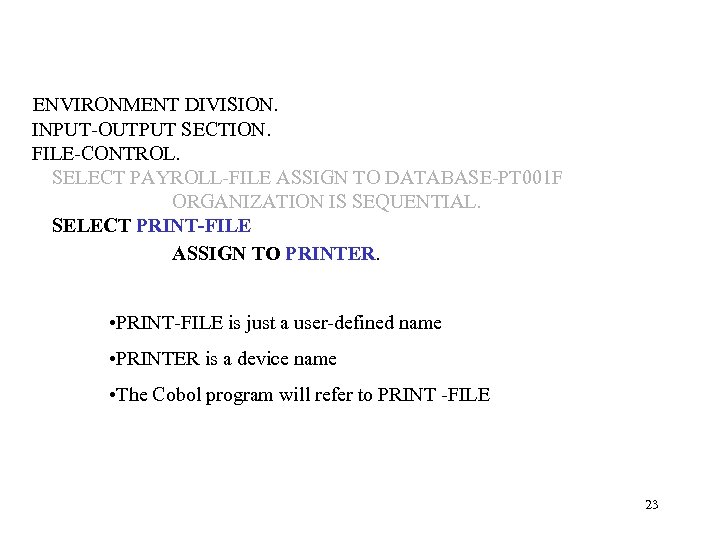 ENVIRONMENT DIVISION. INPUT-OUTPUT SECTION. FILE-CONTROL. SELECT PAYROLL-FILE ASSIGN TO DATABASE-PT 001 F ORGANIZATION IS SEQUENTIAL. SELECT PRINT-FILE ASSIGN TO PRINTER. • PRINT-FILE is just a user-defined name • PRINTER is a device name • The Cobol program will refer to PRINT -FILE 23
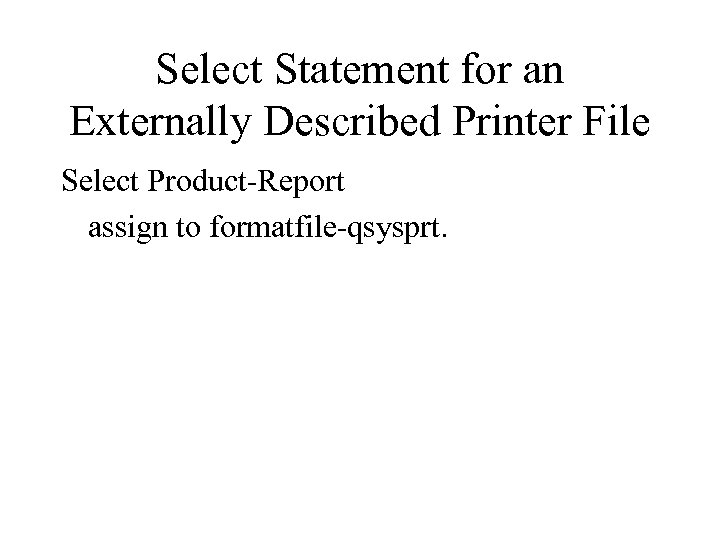 Select Statement for an Externally Described Printer File Select Product-Report assign to formatfile-qsysprt.
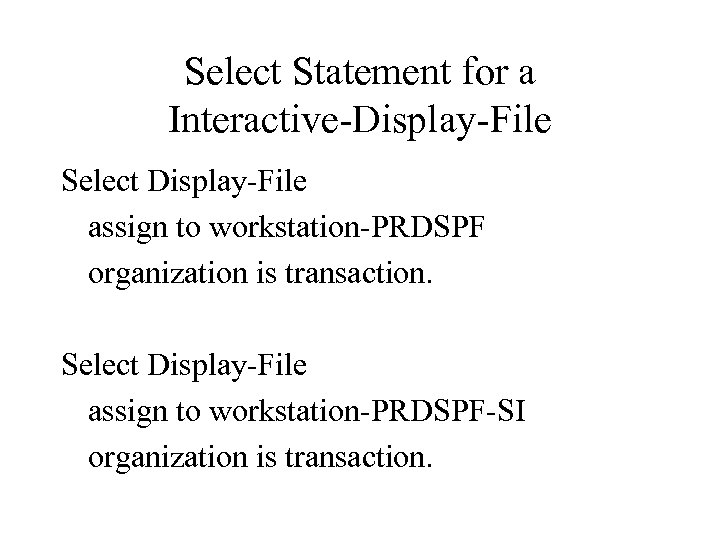 Select Statement for a Interactive-Display-File Select Display-File assign to workstation-PRDSPF organization is transaction. Select Display-File assign to workstation-PRDSPF-SI organization is transaction.
 Data Division Further divided into sections Declare / define the structure of ALL data objects used within a program.
![Data Division (Syntax) [DATA DIVISION. ] [FILE-SECTION. ] All objects imported into the program](https://present5.com/presentation/318964220040ae80493ab09caa4b032d/image-27.jpg "Data Division (Syntax) [DATA DIVISION. ] [FILE-SECTION. ] All objects imported into the program") Data Division (Syntax) [DATA DIVISION. ] [FILE-SECTION. ] All objects imported into the program from external (Global) sources. [WORKING-STORAGE SECTION. ] All objects required local to the program. [LINKAGE-SECTION. ] All parameter objects (fields) received from another programs or bidirectionally passed between programs.
Data Division (Syntax) [DATA DIVISION. ] [FILE-SECTION. ] All objects imported into the program from external (Global) sources. [WORKING-STORAGE SECTION. ] All objects required local to the program. [LINKAGE-SECTION. ] All parameter objects (fields) received from another programs or bidirectionally passed between programs.
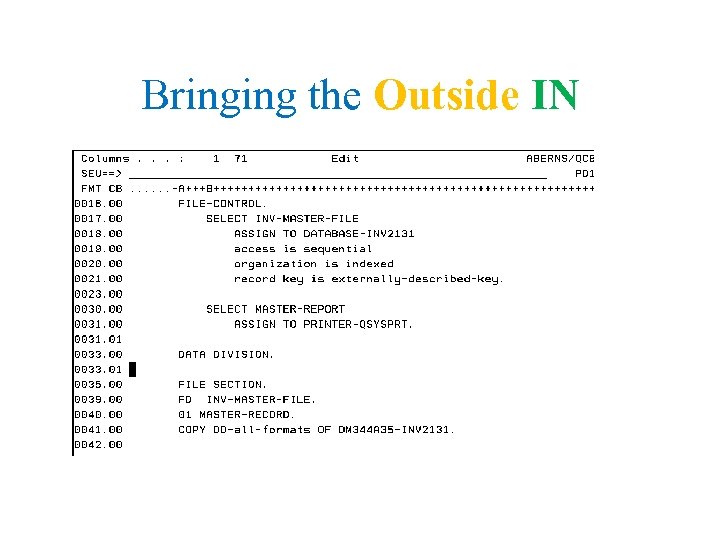 Bringing the Outside IN
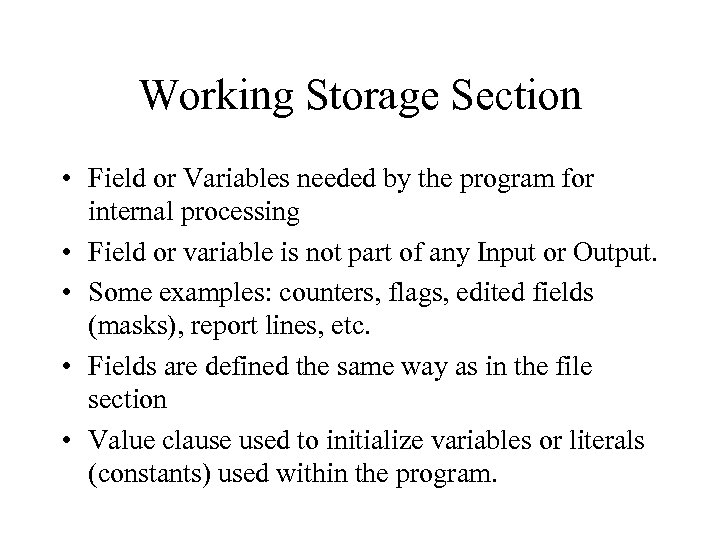 Working Storage Section • Field or Variables needed by the program for internal processing • Field or variable is not part of any Input or Output. • Some examples: counters, flags, edited fields (masks), report lines, etc. • Fields are defined the same way as in the file section • Value clause used to initialize variables or literals (constants) used within the program.
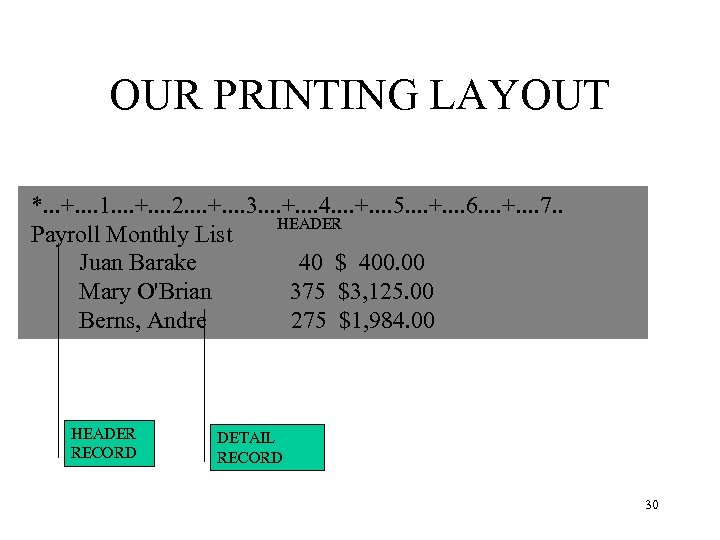 OUR PRINTING LAYOUT *. . . +. . 1. . +. . 2. . +. . 3. . +. . 4. . +. . 5. . +. . 6. . +. . 7. . HEADER Payroll Monthly List Juan Barake 40 $ 400. 00 Mary O'Brian 375 $3, 125. 00 Berns, Andre 275 $1, 984. 00 HEADER RECORD DETAIL RECORD 30
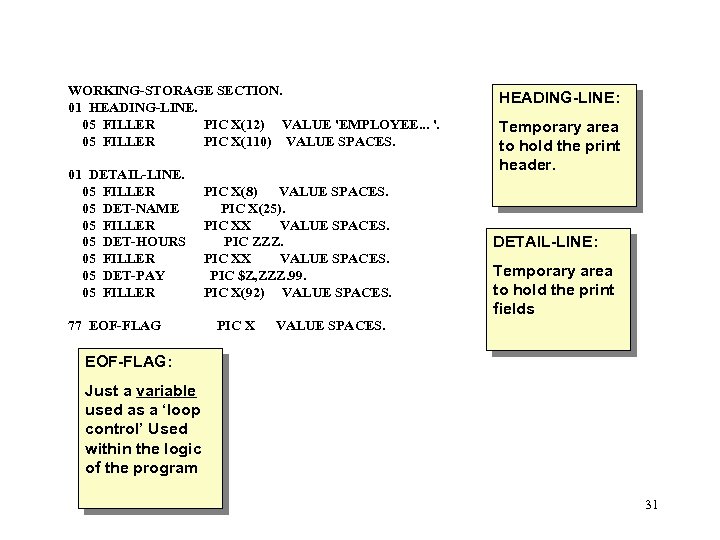 WORKING-STORAGE SECTION. 01 HEADING-LINE. 05 FILLER PIC X(12) VALUE 'EMPLOYEE. . . '. 05 FILLER PIC X(110) VALUE SPACES. 01 DETAIL-LINE. 05 FILLER 05 DET-NAME 05 FILLER 05 DET-HOURS 05 FILLER 05 DET-PAY 05 FILLER 77 EOF-FLAG PIC X(8) VALUE SPACES. PIC X(25). PIC XX VALUE SPACES. PIC ZZZ. PIC XX VALUE SPACES. PIC $Z, ZZZ. 99. PIC X(92) VALUE SPACES. PIC X HEADING-LINE: Temporary area to hold the print header. DETAIL-LINE: Temporary area to hold the print fields VALUE SPACES. EOF-FLAG: Just a variable used as a ‘loop control’ Used within the logic of the program 31
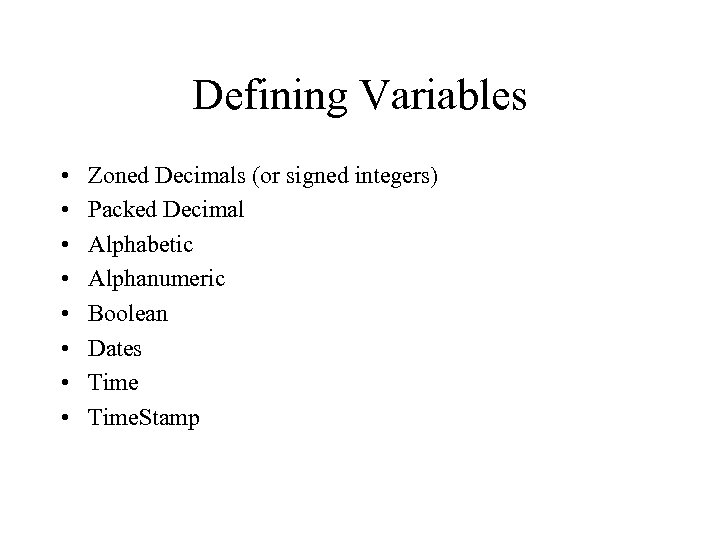 Defining Variables • • Zoned Decimals (or signed integers) Packed Decimal Alphabetic Alphanumeric Boolean Dates Time. Stamp
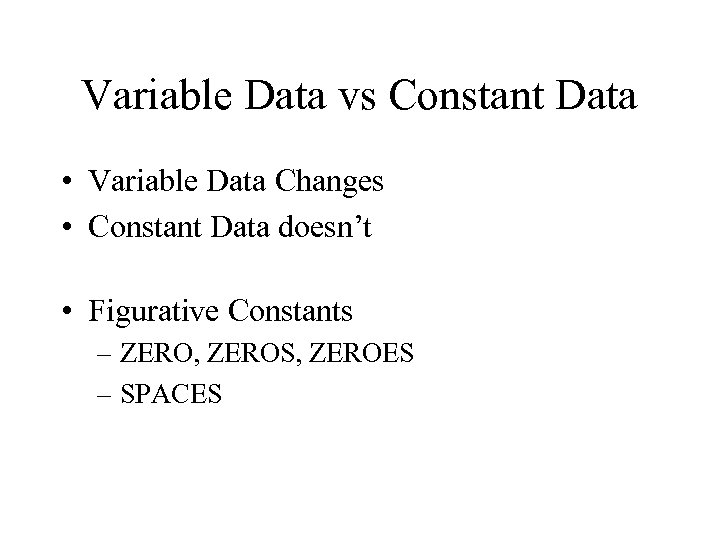 Variable Data vs Constant Data • Variable Data Changes • Constant Data doesn’t • Figurative Constants – ZERO, ZEROS, ZEROES – SPACES
![Data Division (Syntax) [DATA DIVISION. ] [FILE-SECTION. ] [FD nice-file-name] [RECORD CONTAINS 99 CHARACTERS].](https://present5.com/presentation/318964220040ae80493ab09caa4b032d/image-34.jpg "Data Division (Syntax) [DATA DIVISION. ] [FILE-SECTION. ] [FD nice-file-name] [RECORD CONTAINS 99 CHARACTERS].") Data Division (Syntax) [DATA DIVISION. ] [FILE-SECTION. ] [FD nice-file-name] [RECORD CONTAINS 99 CHARACTERS]. [01 record-name. ] [05 field-names PIC ? ? . ] [WORKING-STORAGE SECTION. ] [01 field-name PIC X(10). ] [LINKAGE-SECTION. ] [01 ws-prog-parameters. ] [05 ws-parm-1 pic x(5). ] [05 ws-param-2 pic 9(6). ]
Data Division (Syntax) [DATA DIVISION. ] [FILE-SECTION. ] [FD nice-file-name] [RECORD CONTAINS 99 CHARACTERS]. [01 record-name. ] [05 field-names PIC ? ? . ] [WORKING-STORAGE SECTION. ] [01 field-name PIC X(10). ] [LINKAGE-SECTION. ] [01 ws-prog-parameters. ] [05 ws-parm-1 pic x(5). ] [05 ws-param-2 pic 9(6). ]
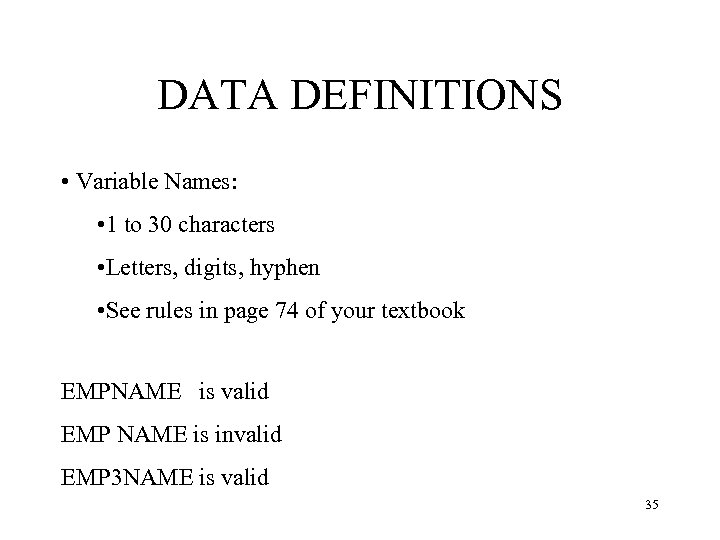 DATA DEFINITIONS • Variable Names: • 1 to 30 characters • Letters, digits, hyphen • See rules in page 74 of your textbook EMPNAME is valid EMP NAME is invalid EMP 3 NAME is valid 35
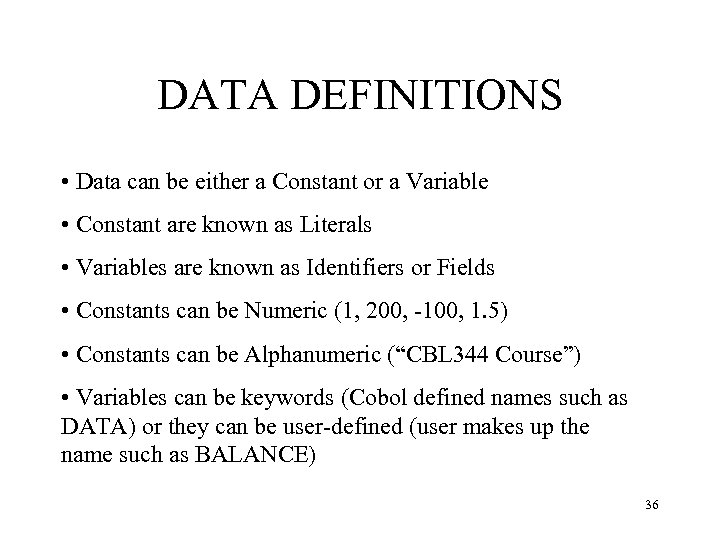 DATA DEFINITIONS • Data can be either a Constant or a Variable • Constant are known as Literals • Variables are known as Identifiers or Fields • Constants can be Numeric (1, 200, -100, 1. 5) • Constants can be Alphanumeric (“CBL 344 Course”) • Variables can be keywords (Cobol defined names such as DATA) or they can be user-defined (user makes up the name such as BALANCE) 36
 File Section • Define the files used in the program – File Description – Record Description • Program Described vs Externally Described.
 File Section FD (file declaration) • Label Clause – Not used often – Transmitting Data • Block Clause – Optional – I’ve never seen it used
 File Section - FD • Records Clause – Optional – Used to double check that the record format
 File Section - Record Description • Starting at an 01 level and the subsequent field(s) detail(s) in each record
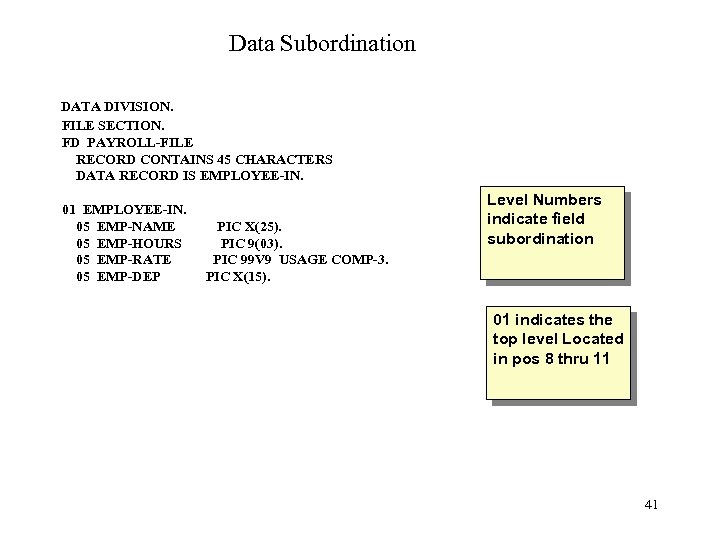 Data Subordination DATA DIVISION. FILE SECTION. FD PAYROLL-FILE RECORD CONTAINS 45 CHARACTERS DATA RECORD IS EMPLOYEE-IN. 01 EMPLOYEE-IN. 05 EMP-NAME 05 EMP-HOURS 05 EMP-RATE 05 EMP-DEP PIC X(25). PIC 9(03). PIC 99 V 9 USAGE COMP-3. PIC X(15). Level Numbers indicate field subordination 01 indicates the top level Located in pos 8 thru 11 41
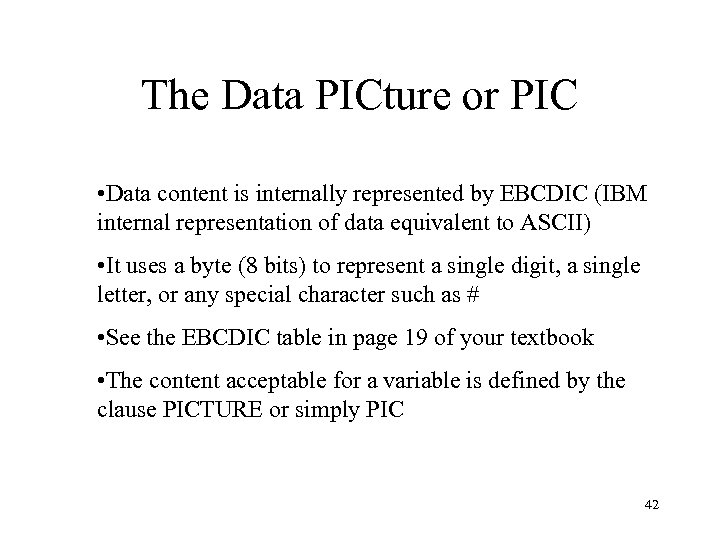 The Data PICture or PIC • Data content is internally represented by EBCDIC (IBM internal representation of data equivalent to ASCII) • It uses a byte (8 bits) to represent a single digit, a single letter, or any special character such as # • See the EBCDIC table in page 19 of your textbook • The content acceptable for a variable is defined by the clause PICTURE or simply PIC 42
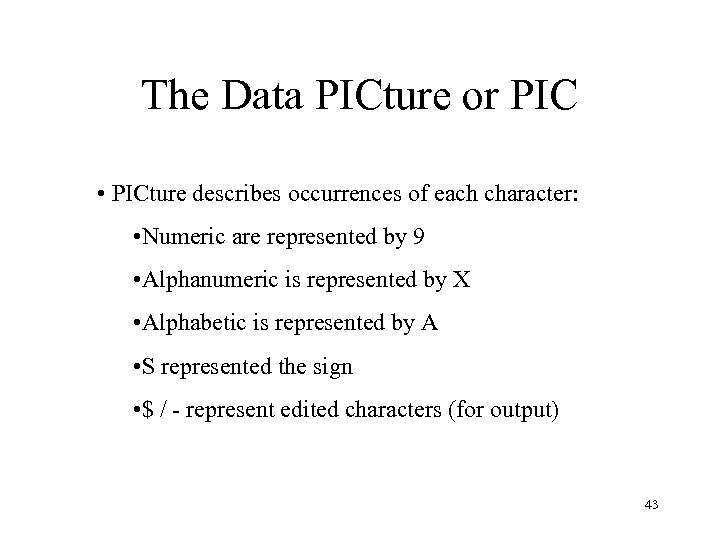 The Data PICture or PIC • PICture describes occurrences of each character: • Numeric are represented by 9 • Alphanumeric is represented by X • Alphabetic is represented by A • S represented the sign • $ / - represent edited characters (for output) 43
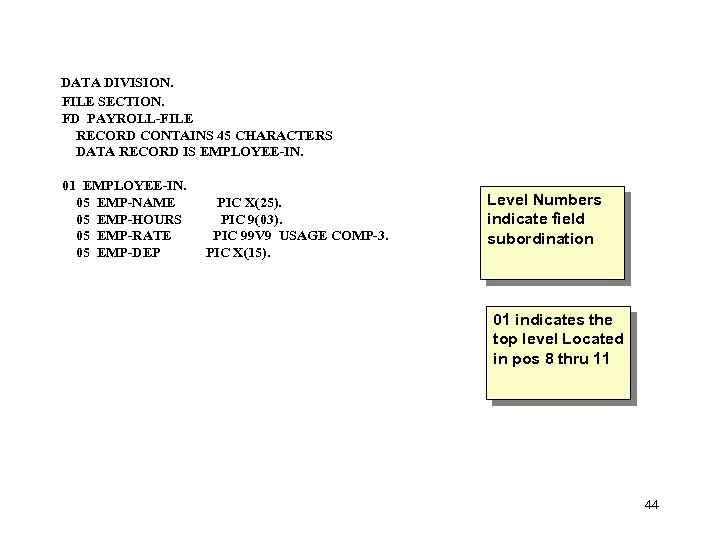 DATA DIVISION. FILE SECTION. FD PAYROLL-FILE RECORD CONTAINS 45 CHARACTERS DATA RECORD IS EMPLOYEE-IN. 01 EMPLOYEE-IN. 05 EMP-NAME 05 EMP-HOURS 05 EMP-RATE 05 EMP-DEP PIC X(25). PIC 9(03). PIC 99 V 9 USAGE COMP-3. PIC X(15). Level Numbers indicate field subordination 01 indicates the top level Located in pos 8 thru 11 44
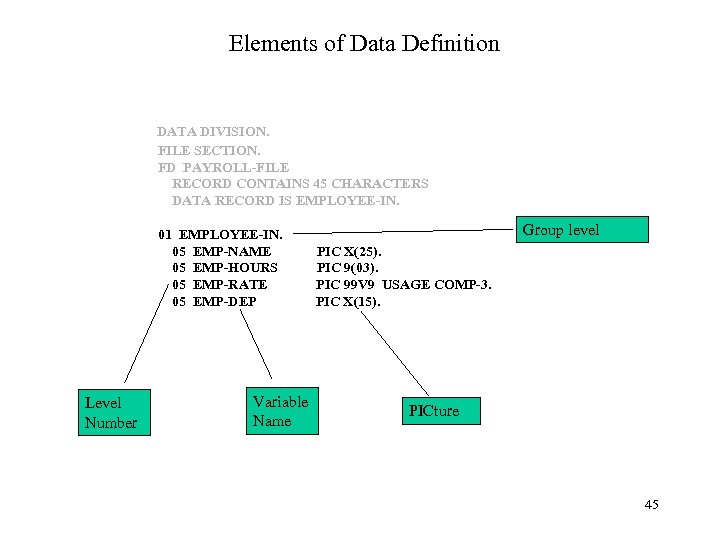 Elements of Data Definition DATA DIVISION. FILE SECTION. FD PAYROLL-FILE RECORD CONTAINS 45 CHARACTERS DATA RECORD IS EMPLOYEE-IN. 01 EMPLOYEE-IN. 05 EMP-NAME 05 EMP-HOURS 05 EMP-RATE 05 EMP-DEP Level Number Variable Name PICture Group level PIC X(25). PIC 9(03). PIC 99 V 9 USAGE COMP-3. PIC X(15). PICture 45
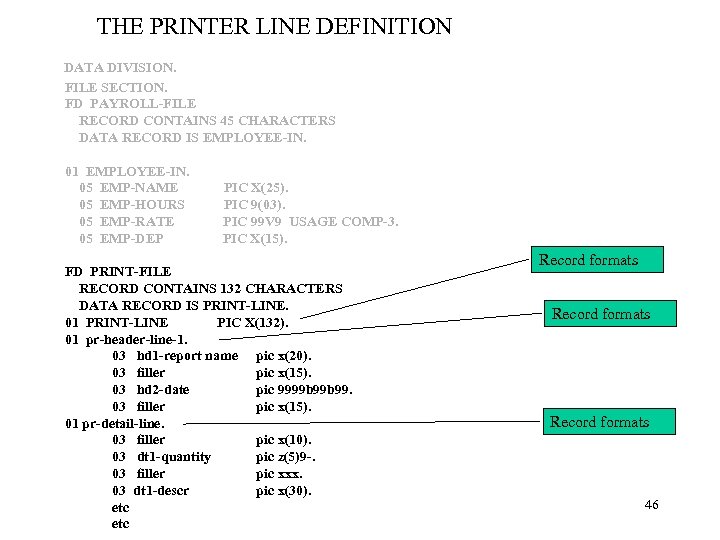 THE PRINTER LINE DEFINITION DATA DIVISION. FILE SECTION. FD PAYROLL-FILE RECORD CONTAINS 45 CHARACTERS DATA RECORD IS EMPLOYEE-IN. 01 EMPLOYEE-IN. 05 EMP-NAME 05 EMP-HOURS 05 EMP-RATE 05 EMP-DEP PIC X(25). PIC 9(03). PIC 99 V 9 USAGE COMP-3. PIC X(15). FD PRINT-FILE RECORD CONTAINS 132 CHARACTERS DATA RECORD IS PRINT-LINE. 01 PRINT-LINE PIC X(132). 01 pr-header-line-1. 03 hd 1 -report name pic x(20). 03 filler pic x(15). 03 hd 2 -date pic 9999 b 99. 03 filler pic x(15). 01 pr-detail-line. 03 filler pic x(10). 03 dt 1 -quantity pic z(5)9 -. 03 filler pic xxx. 03 dt 1 -descr pic x(30). etc Record formats 46
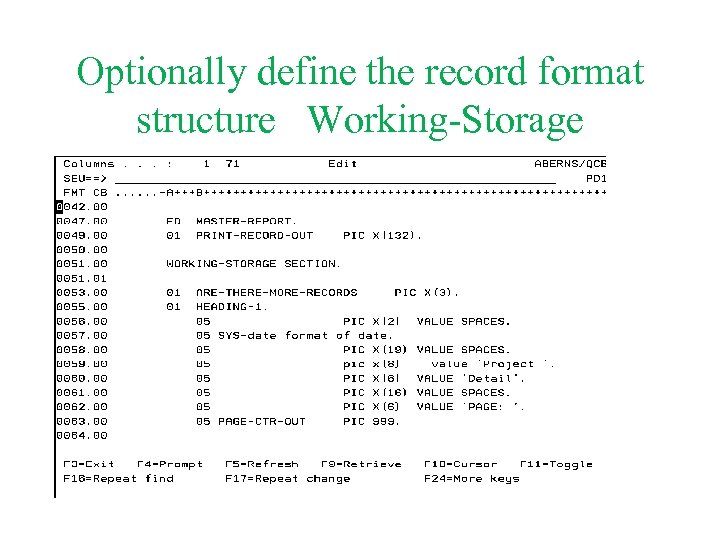 Optionally define the record format structure Working-Storage
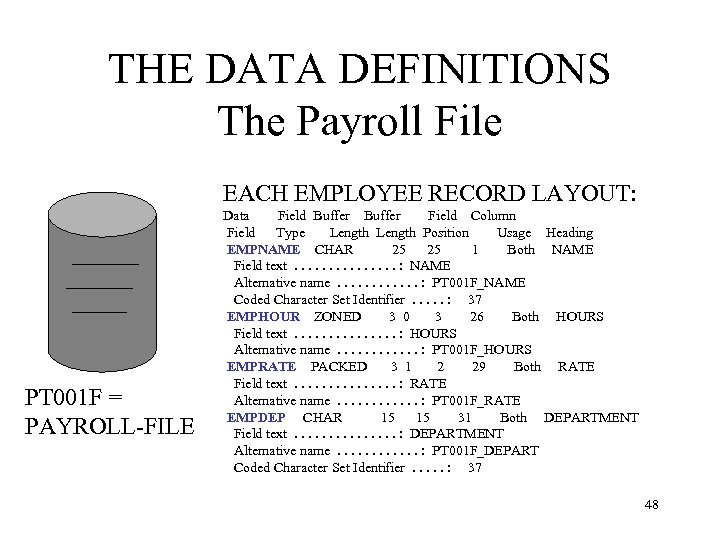 THE DATA DEFINITIONS The Payroll File EACH EMPLOYEE RECORD LAYOUT: PT 001 F = PAYROLL-FILE Data Field Buffer Field Column Field Type Length Position Usage Heading EMPNAME CHAR 25 25 1 Both NAME Field text. . . . : NAME Alternative name. . . : PT 001 F_NAME Coded Character Set Identifier. . . : 37 EMPHOUR ZONED 3 0 3 26 Both HOURS Field text. . . . : HOURS Alternative name. . . : PT 001 F_HOURS EMPRATE PACKED 3 1 2 29 Both RATE Field text. . . . : RATE Alternative name. . . : PT 001 F_RATE EMPDEP CHAR 15 15 31 Both DEPARTMENT Field text. . . . : DEPARTMENT Alternative name. . . : PT 001 F_DEPART Coded Character Set Identifier. . . : 37 48
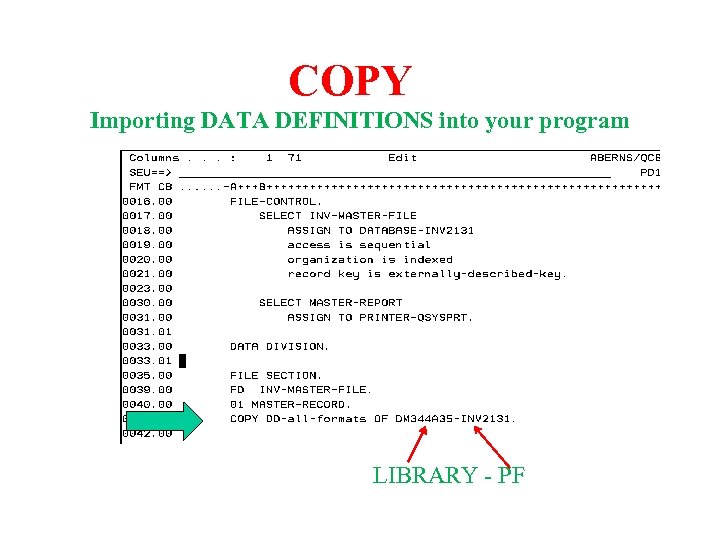 COPY Importing DATA DEFINITIONS into your program LIBRARY - PF
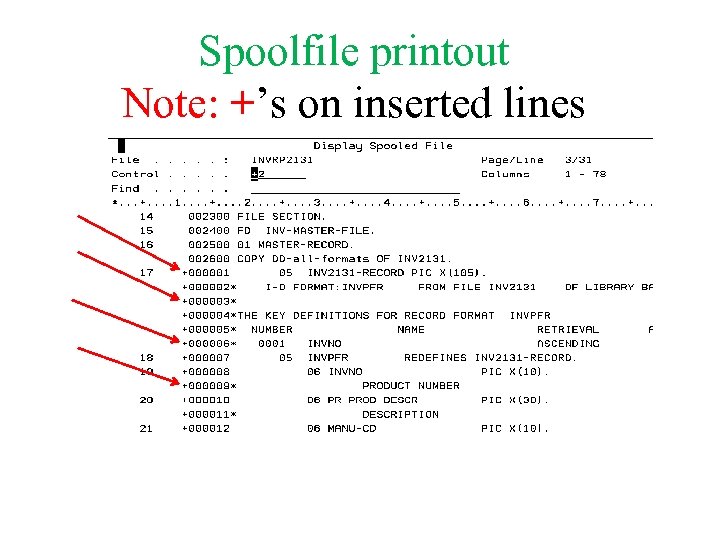 Spoolfile printout Note: +’s on inserted lines
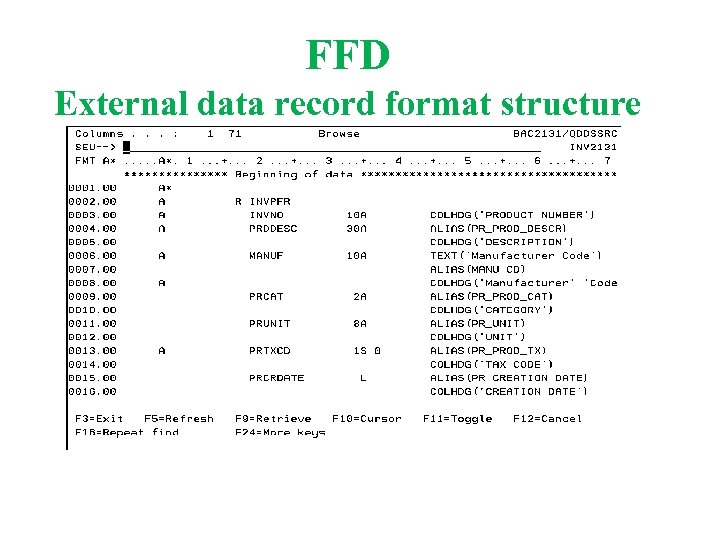 FFD External data record format structure
 Linkage Section • Define Parameters
 Variable Names • • • Up to 30 Characters Letters, numbers and hypens (-) No blanks At least one letter Not a COBOL Reserved Word (see text for list of reserved words) • Meaning full names please
 Variable Name Examples
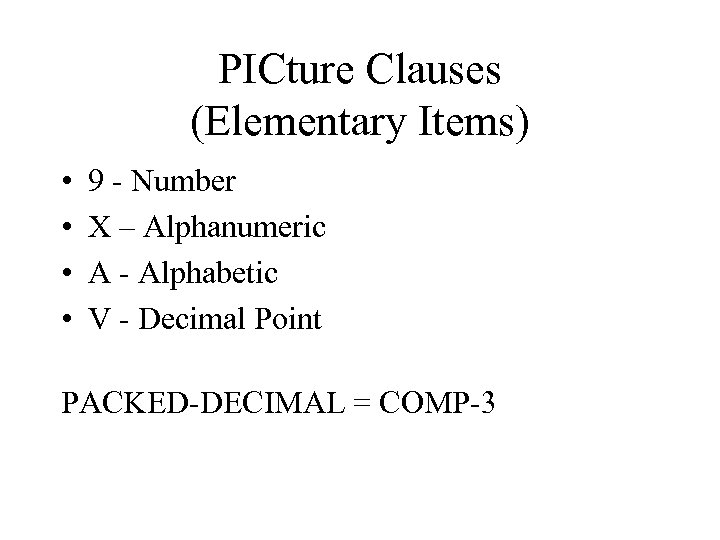 PICture Clauses (Elementary Items) • • 9 - Number X – Alphanumeric A - Alphabetic V - Decimal Point PACKED-DECIMAL = COMP-3
 PIC Clauses
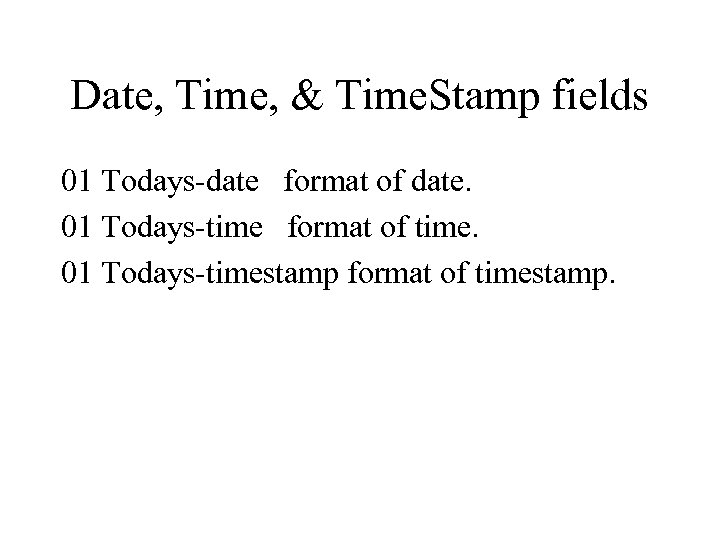 Date, Time, & Time. Stamp fields 01 Todays-date format of date. 01 Todays-time format of time. 01 Todays-timestamp format of timestamp.
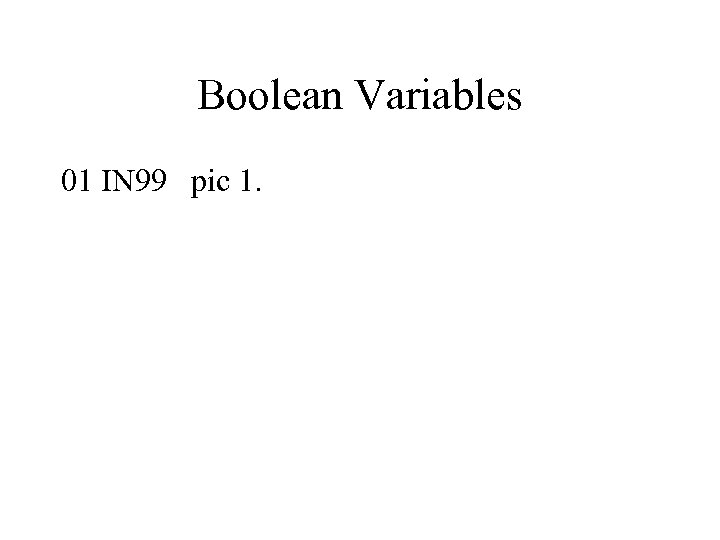 Boolean Variables 01 IN 99 pic 1.
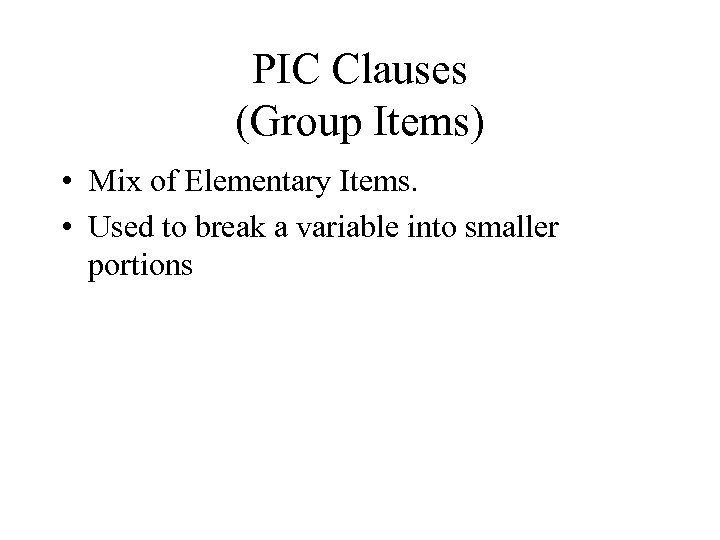 PIC Clauses (Group Items) • Mix of Elementary Items. • Used to break a variable into smaller portions
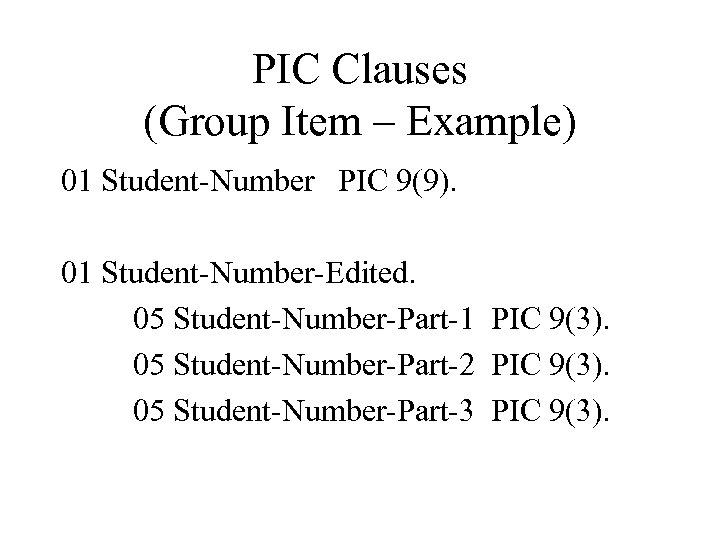 PIC Clauses (Group Item – Example) 01 Student-Number PIC 9(9). 01 Student-Number-Edited. 05 Student-Number-Part-1 PIC 9(3). 05 Student-Number-Part-2 PIC 9(3). 05 Student-Number-Part-3 PIC 9(3).
 Picture Clause Review • Define Variables • Define how Variables are displayed 61
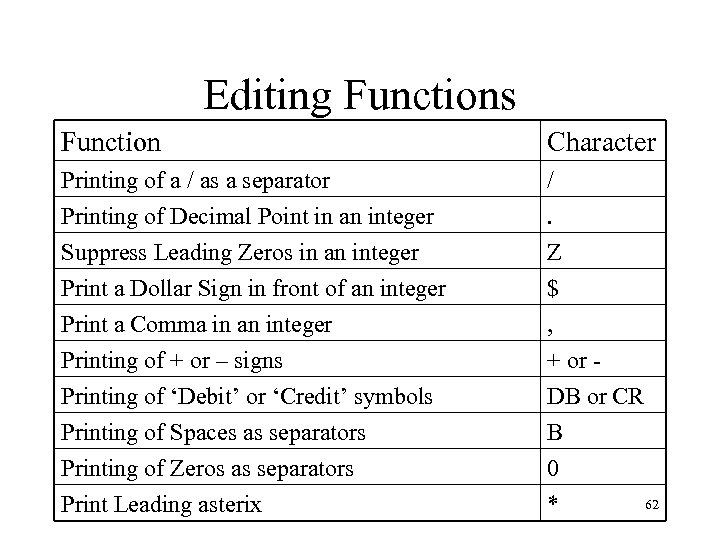 Editing Functions Function Character Printing of a / as a separator Printing of Decimal Point in an integer Suppress Leading Zeros in an integer /. Z Print a Dollar Sign in front of an integer Print a Comma in an integer Printing of + or – signs Printing of ‘Debit’ or ‘Credit’ symbols Printing of Spaces as separators Printing of Zeros as separators Print Leading asterix $ , + or DB or CR B 0 62 *
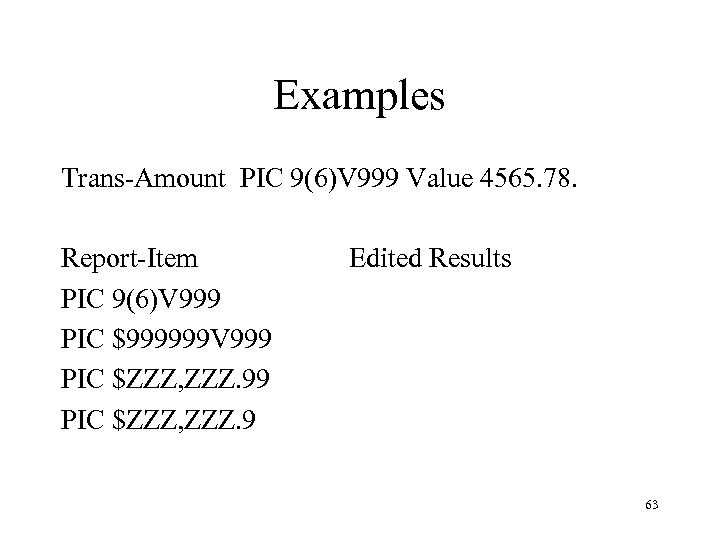 Examples Trans-Amount PIC 9(6)V 999 Value 4565. 78. Report-Item PIC 9(6)V 999 PIC $999999 V 999 PIC $ZZZ, ZZZ. 9 Edited Results 63
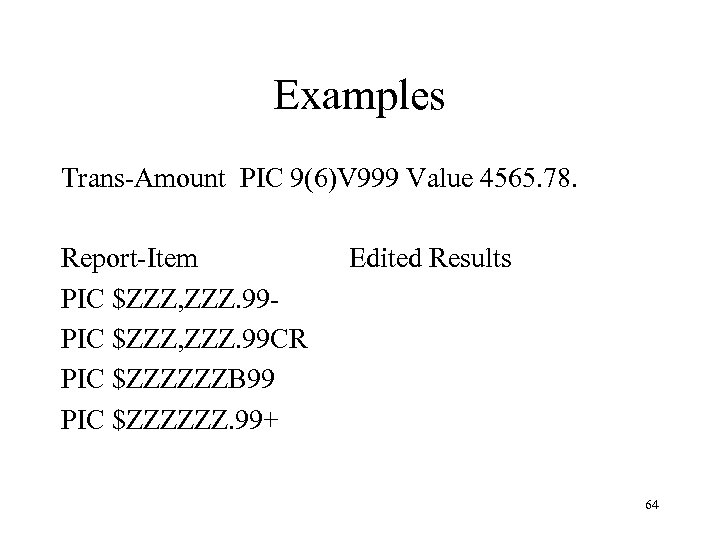 Examples Trans-Amount PIC 9(6)V 999 Value 4565. 78. Report-Item PIC $ZZZ, ZZZ. 99 CR PIC $ZZZZZZB 99 PIC $ZZZZZZ. 99+ Edited Results 64
 For Next Week • Review Reserved words in Text • Do your assignment!