


 Скачать презентацию Animation Persistence of vision The visual
5c1d6348cd242a52a7f6534ac2e028dc.ppt
- Количество слайдов: 62
 Animation • Persistence of vision: – The visual system smoothes in time. This means that images presented to the eye are perceived by the visual system for a short time after they are presented. In turn, this means that if images are shown at the right rate (about 20 -30 Hz will do it), the next image replaces the last one without any perceived blank space between them. • Visual closure: – a sequence of still images is seen as a motion sequence if they are shown quickly enough - i. e. smooth motion between positions is inferred
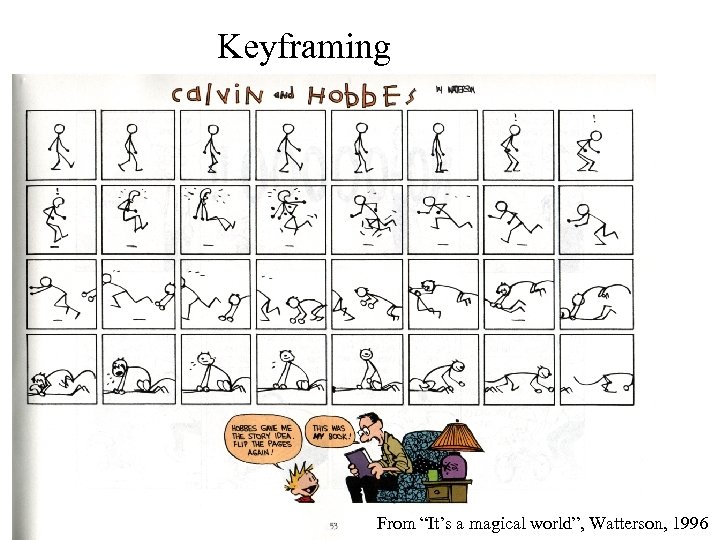 Keyframing From “It’s a magical world”, Watterson, 1996
 Result
 Basic techniques • Keyframing: – generate frames by drawings, interpolate between drawings • Stop motion: – put model in position, photograph, move, photograph, etc. • Compositing: – generate frames as mixtures of video sequences • Morphing: – mix video sequences while modifying shapes • Procedural animation: – use some form of procedural description to move object
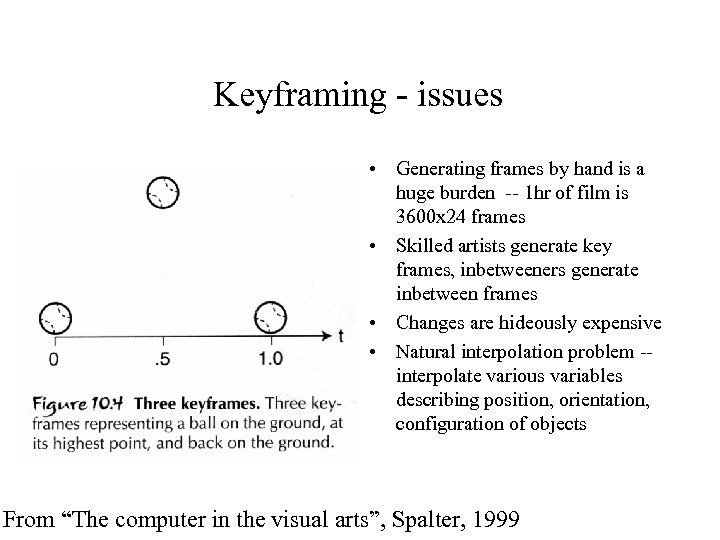 Keyframing - issues • Generating frames by hand is a huge burden -- 1 hr of film is 3600 x 24 frames • Skilled artists generate key frames, inbetweeners generate inbetween frames • Changes are hideously expensive • Natural interpolation problem -- interpolate various variables describing position, orientation, configuration of objects From “The computer in the visual arts”, Spalter, 1999
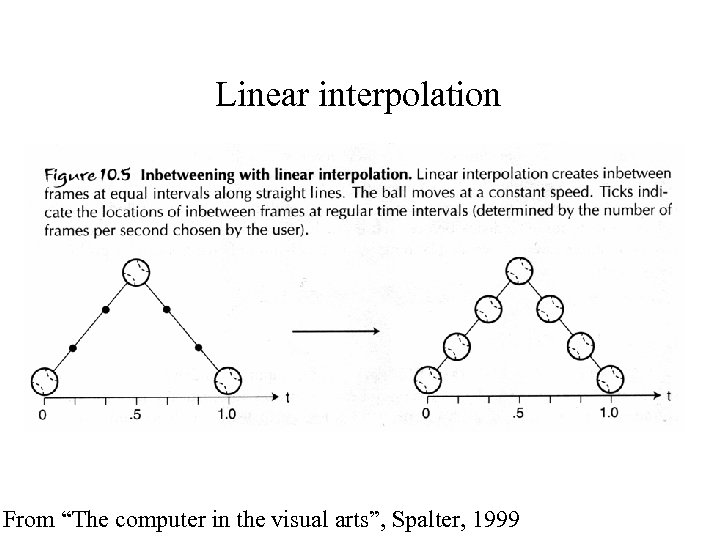 Linear interpolation From “The computer in the visual arts”, Spalter, 1999
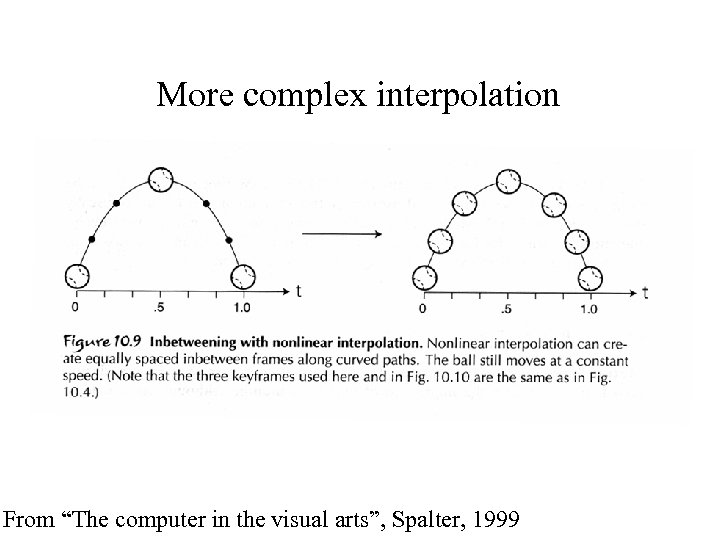 More complex interpolation From “The computer in the visual arts”, Spalter, 1999
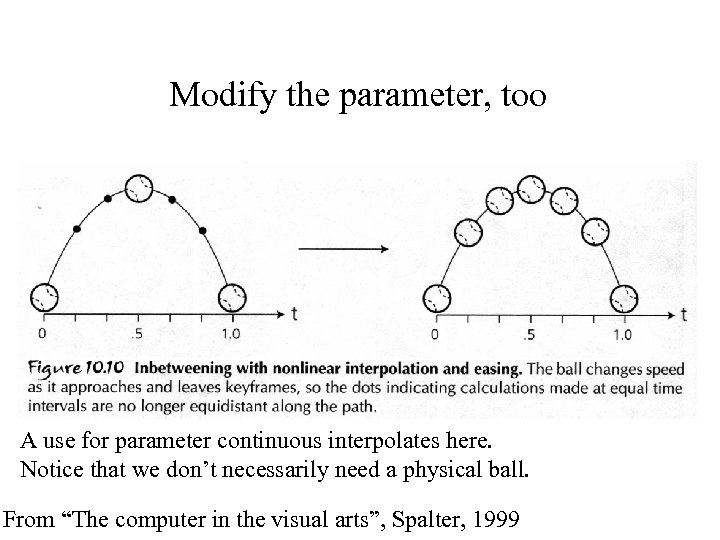 Modify the parameter, too A use for parameter continuous interpolates here. Notice that we don’t necessarily need a physical ball. From “The computer in the visual arts”, Spalter, 1999
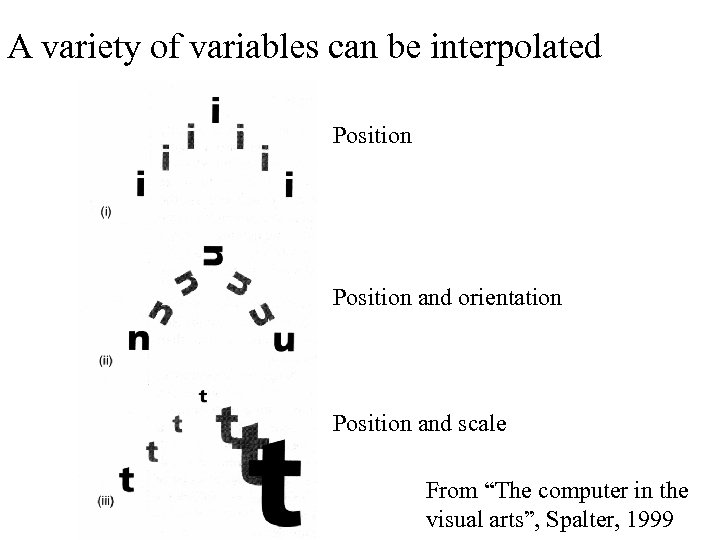 A variety of variables can be interpolated Position and orientation Position and scale From “The computer in the visual arts”, Spalter, 1999
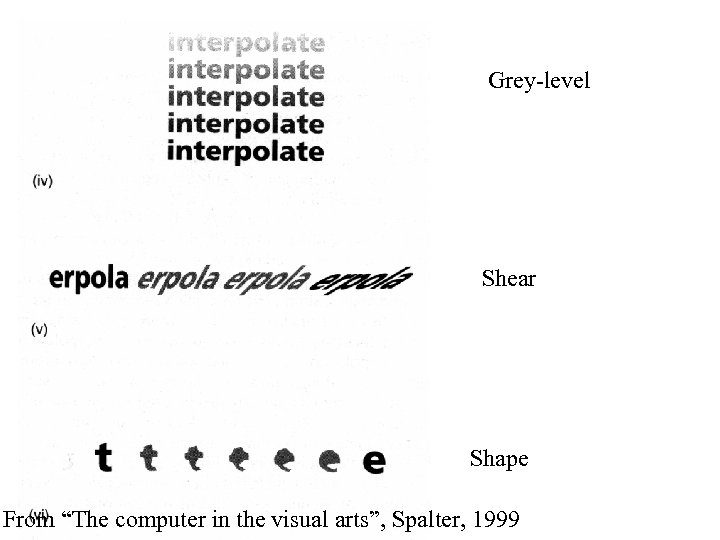 Grey-level Shear Shape From “The computer in the visual arts”, Spalter, 1999
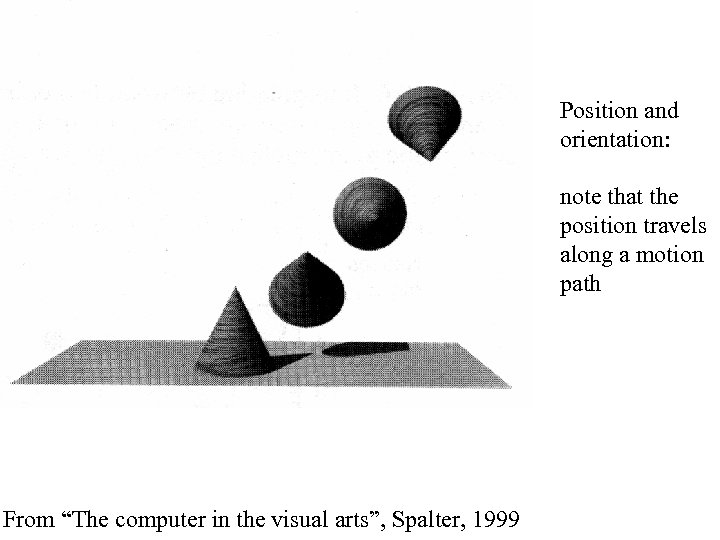 Position and orientation: note that the position travels along a motion path From “The computer in the visual arts”, Spalter, 1999
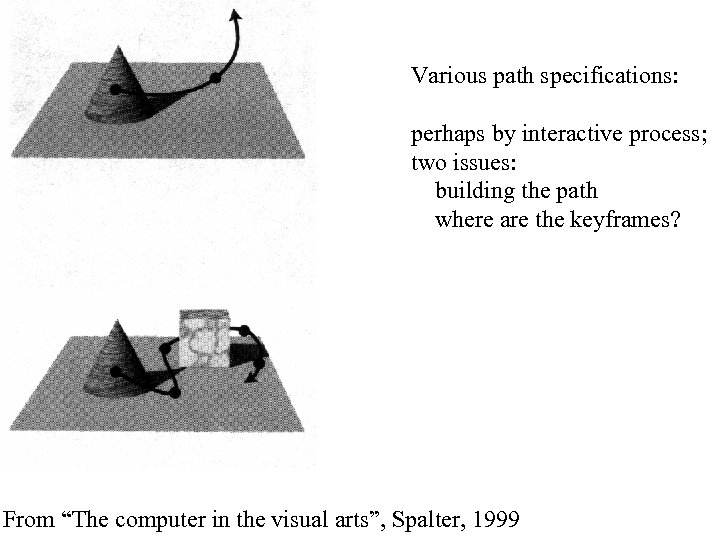 Various path specifications: perhaps by interactive process; two issues: building the path where are the keyframes? From “The computer in the visual arts”, Spalter, 1999
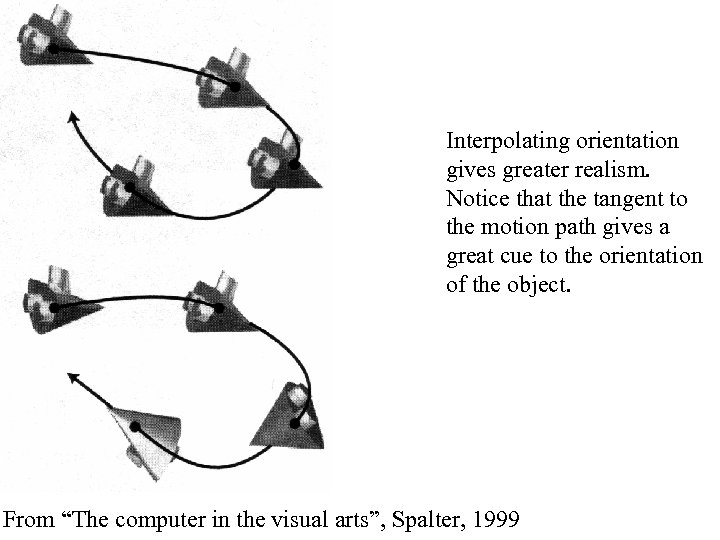 Interpolating orientation gives greater realism. Notice that the tangent to the motion path gives a great cue to the orientation of the object. From “The computer in the visual arts”, Spalter, 1999
 Stop motion • Very important traditional animation technique • Put model in position, photograph, move, photograph, etc. e. g. “Seven voyages of Sinbad”, “Clash of the titans”, etc. – Model could be • plastic • linkage • clay, etc. • Model work is still very important e. g. “Men in Black” • Computerizing model work is increasingly important – issue: where does configuration of computer model come from?
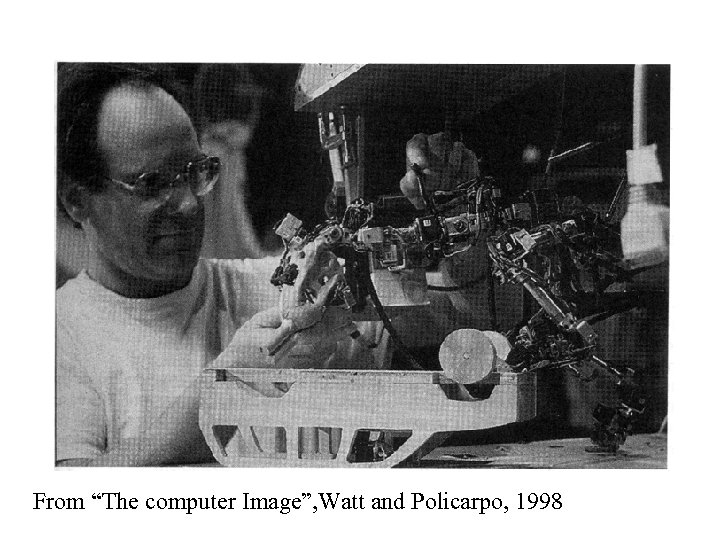 From “The computer Image”, Watt and Policarpo, 1998
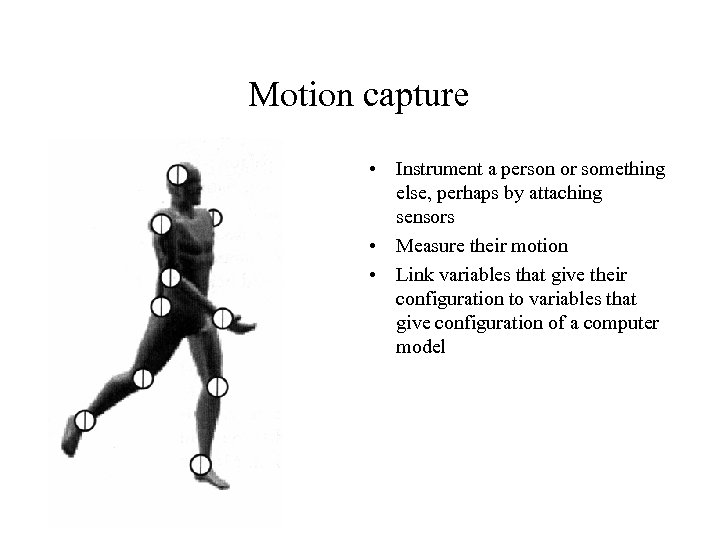 Motion capture • Instrument a person or something else, perhaps by attaching sensors • Measure their motion • Link variables that give their configuration to variables that give configuration of a computer model



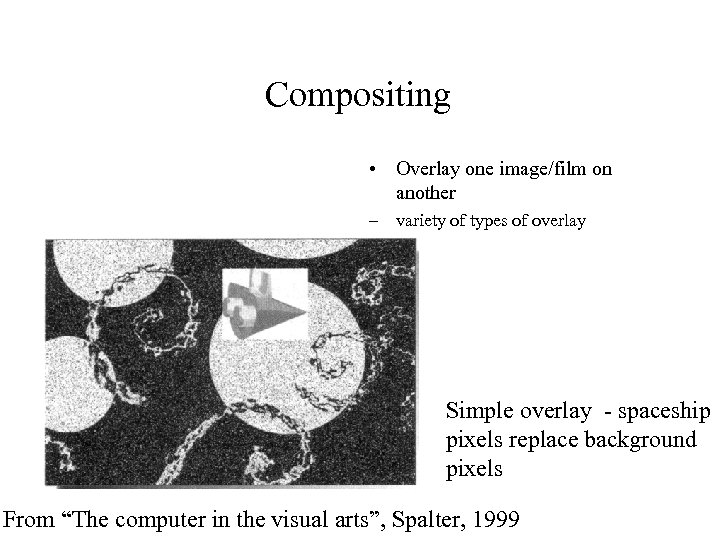 Compositing • Overlay one image/film on another – variety of types of overlay Simple overlay - spaceship pixels replace background pixels From “The computer in the visual arts”, Spalter, 1999
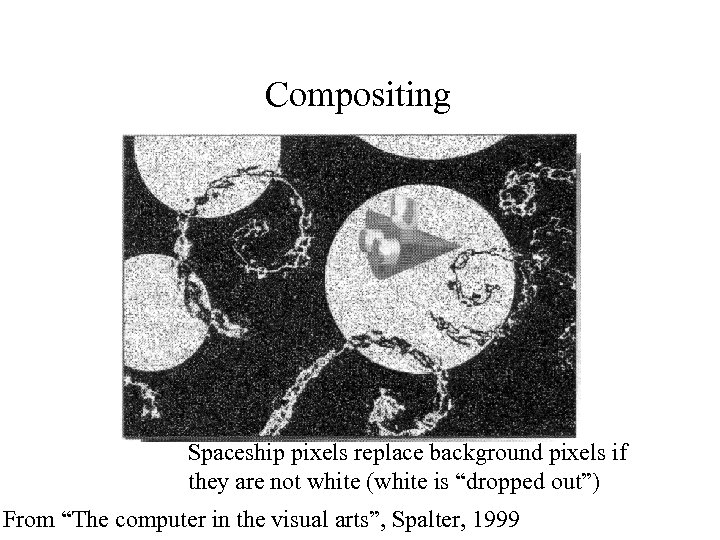 Compositing Spaceship pixels replace background pixels if they are not white (white is “dropped out”) From “The computer in the visual arts”, Spalter, 1999
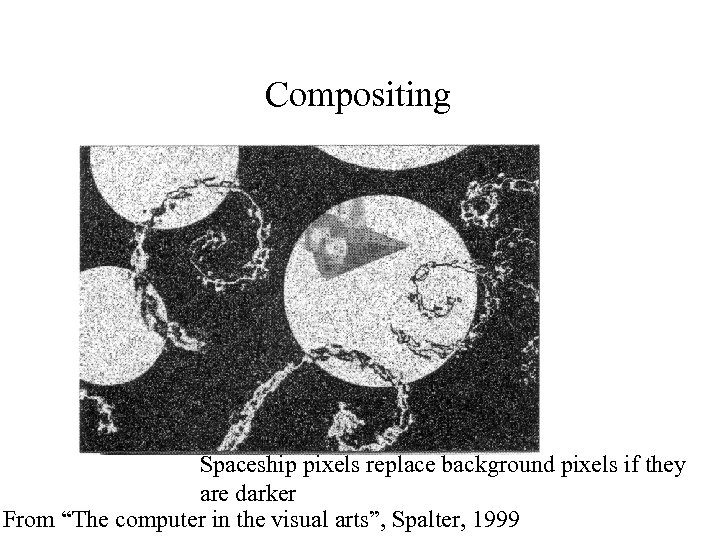 Compositing Spaceship pixels replace background pixels if they are darker From “The computer in the visual arts”, Spalter, 1999
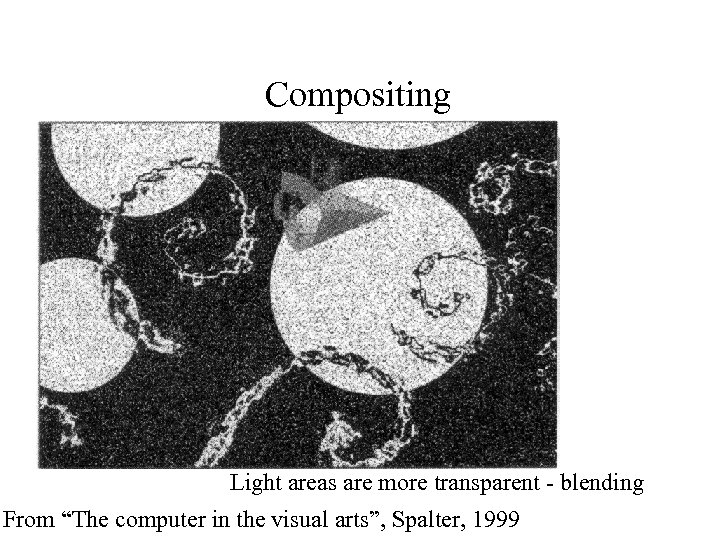 Compositing Light areas are more transparent - blending From “The computer in the visual arts”, Spalter, 1999
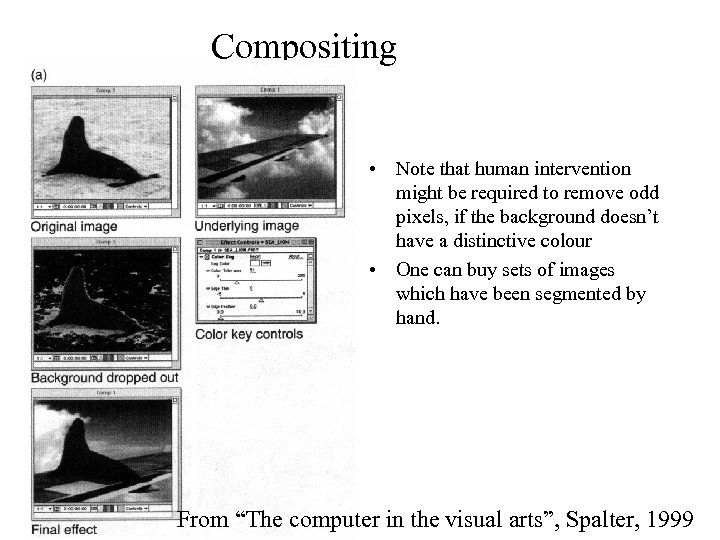 Compositing • Note that human intervention might be required to remove odd pixels, if the background doesn’t have a distinctive colour • One can buy sets of images which have been segmented by hand. From “The computer in the visual arts”, Spalter, 1999
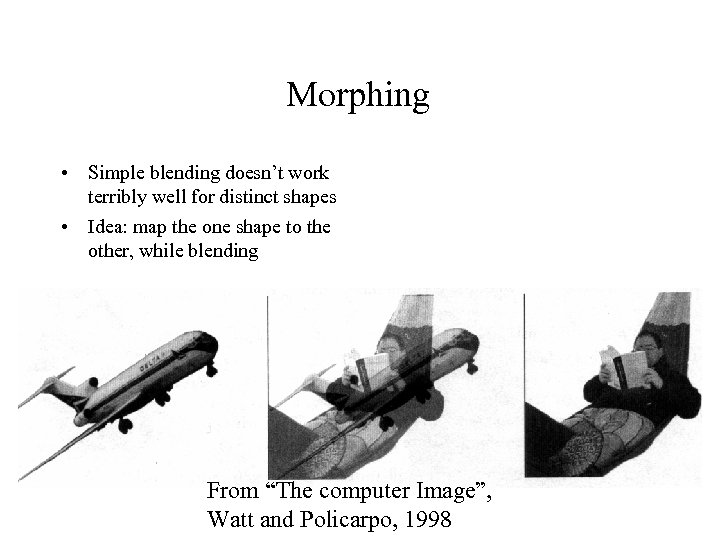 Morphing • Simple blending doesn’t work terribly well for distinct shapes • Idea: map the one shape to the other, while blending From “The computer Image”, Watt and Policarpo, 1998
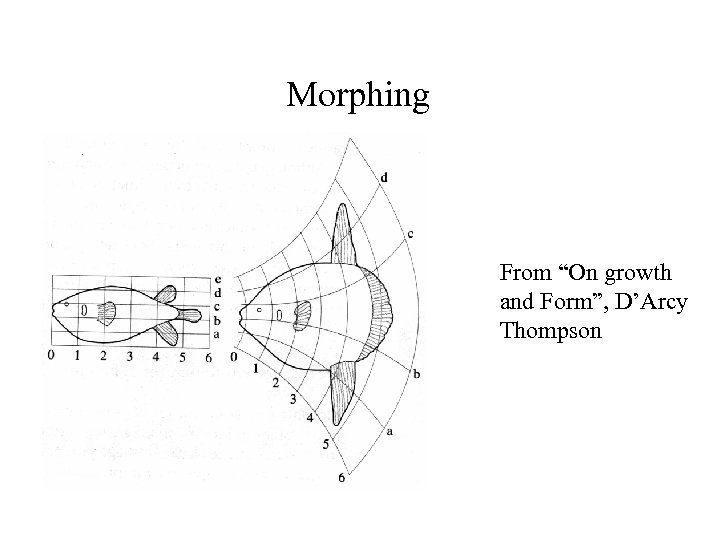 Morphing From “On growth and Form”, D’Arcy Thompson
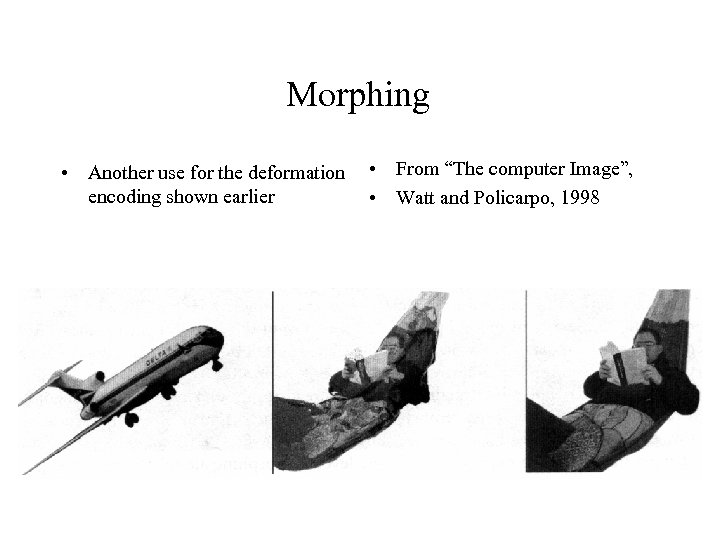 Morphing • Another use for the deformation • From “The computer Image”, encoding shown earlier • Watt and Policarpo, 1998
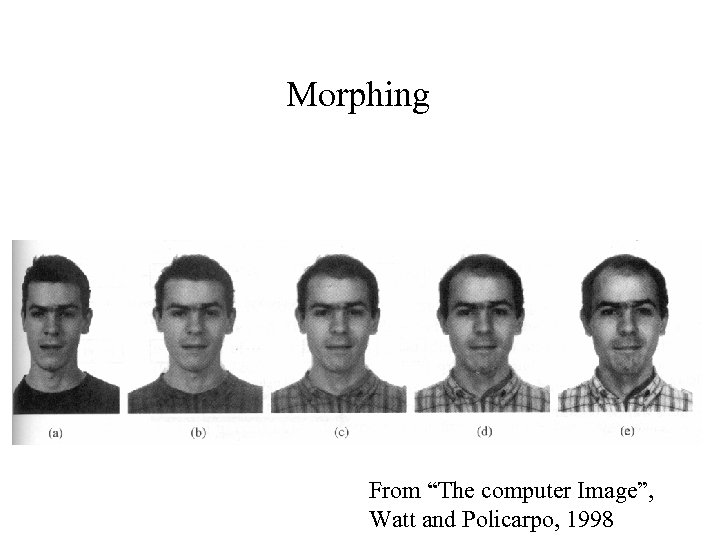 Morphing From “The computer Image”, Watt and Policarpo, 1998
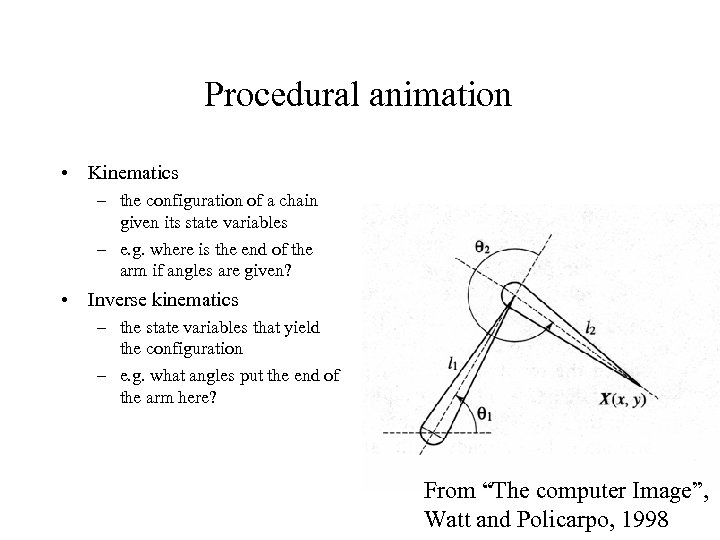 Procedural animation • Kinematics – the configuration of a chain given its state variables – e. g. where is the end of the arm if angles are given? • Inverse kinematics – the state variables that yield the configuration – e. g. what angles put the end of the arm here? From “The computer Image”, Watt and Policarpo, 1998
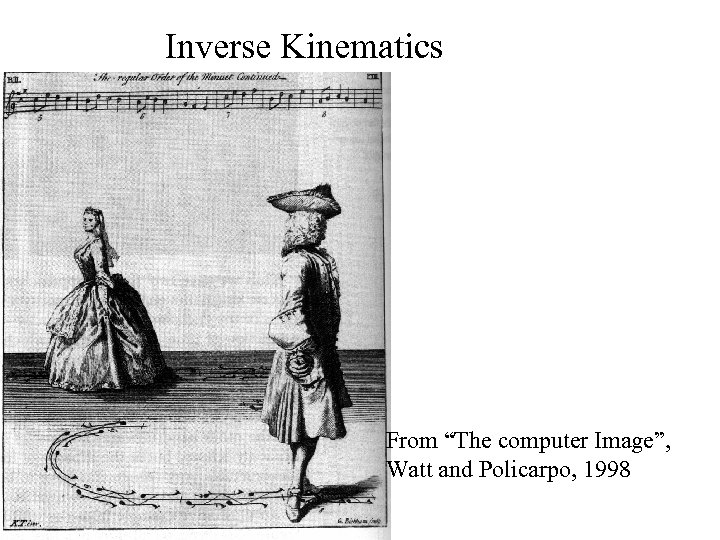 Inverse Kinematics From “The computer Image”, Watt and Policarpo, 1998
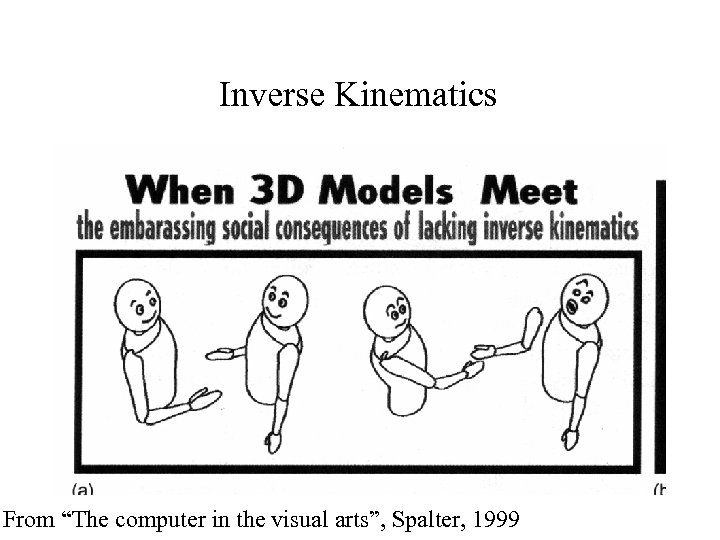 Inverse Kinematics From “The computer in the visual arts”, Spalter, 1999
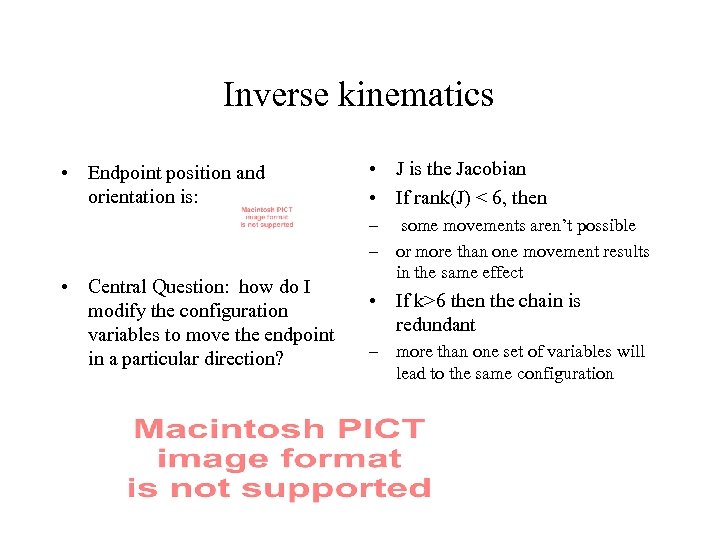 Inverse kinematics • Endpoint position and orientation is: • Central Question: how do I modify the configuration variables to move the endpoint in a particular direction? • J is the Jacobian • If rank(J) < 6, then – some movements aren’t possible – or more than one movement results in the same effect • If k>6 then the chain is redundant – more than one set of variables will lead to the same configuration
 Procedural animation • Generate animations using procedural approach – e. g. “Slice and dice” existing animations to produce a more complex animation – e. g. use forward kinematics and a hierarchical model (doors swinging in our original hierarchical model) – e. g. construct a set of forces, etc. and allow objects to move under their effects. • particle models • waves • collision and ballistic models • spring mass models • control - flocking, etc.
 Procedural Dynamics - Particle systems • There is a source of particles – move under gravity, sometimes collisions – sometimes other reactions • Example: fireworks – particles chosen with random colour, originating randomly within a region, fired out with random direction and lasting for a random period of time before they expire • or explode, generating another collection of particles, etc • Example: water – very large stream of particles, large enough that one doesn’t see the gap • Example: grass – fire particles up within a tapered cylinder, let them fall under gravity, keep a record of the particle’s trail.
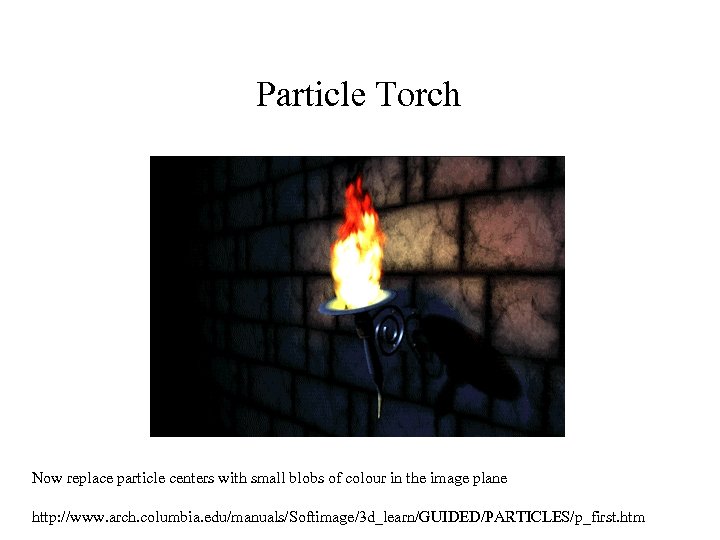 Particle Torch Now replace particle centers with small blobs of colour in the image plane http: //www. arch. columbia. edu/manuals/Softimage/3 d_learn/GUIDED/PARTICLES/p_first. htm
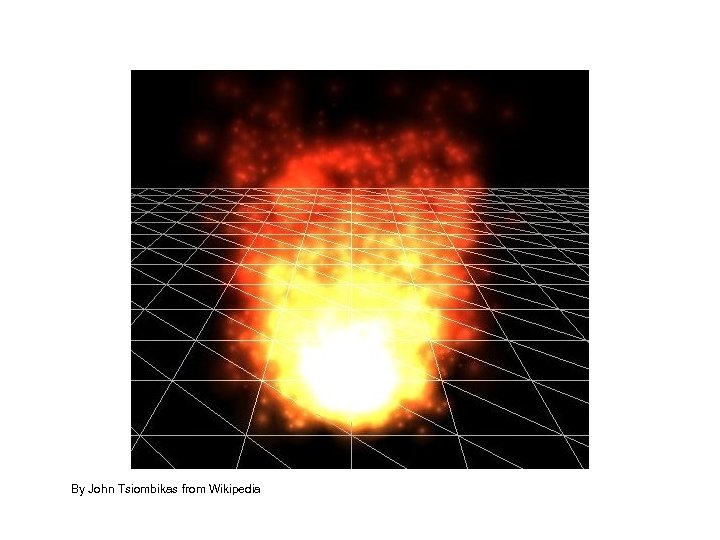 By John Tsiombikas from Wikipedia
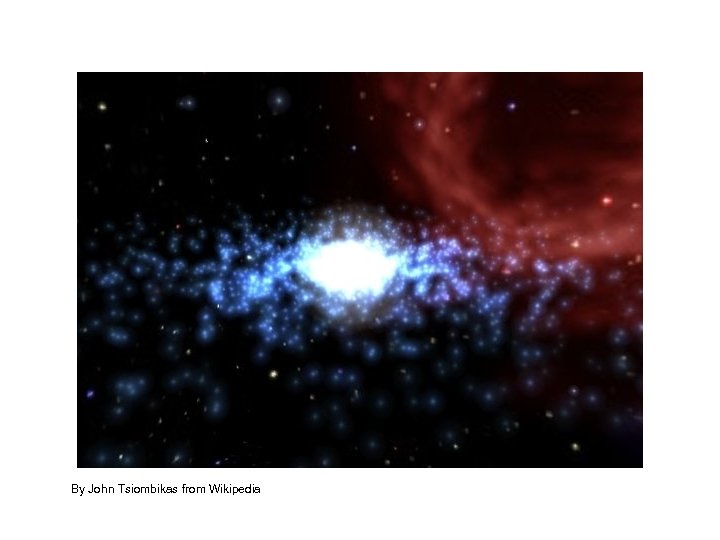 By John Tsiombikas from Wikipedia
 Commercial particle systems (wondertouch)
 Commercial particle systems (wondertouch explosions)
 Commercial particle systems (wondertouch water)
 Commercial particle systems (wondertouch distortions)
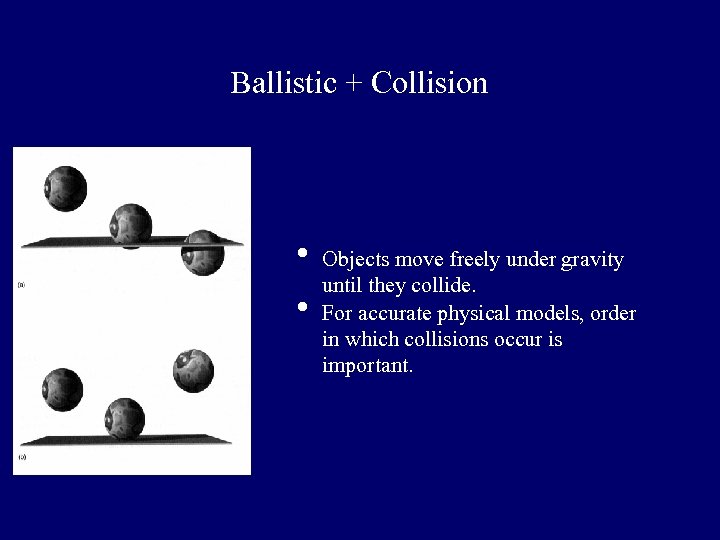 Ballistic + Collision • • Objects move freely under gravity until they collide. For accurate physical models, order in which collisions occur is important.
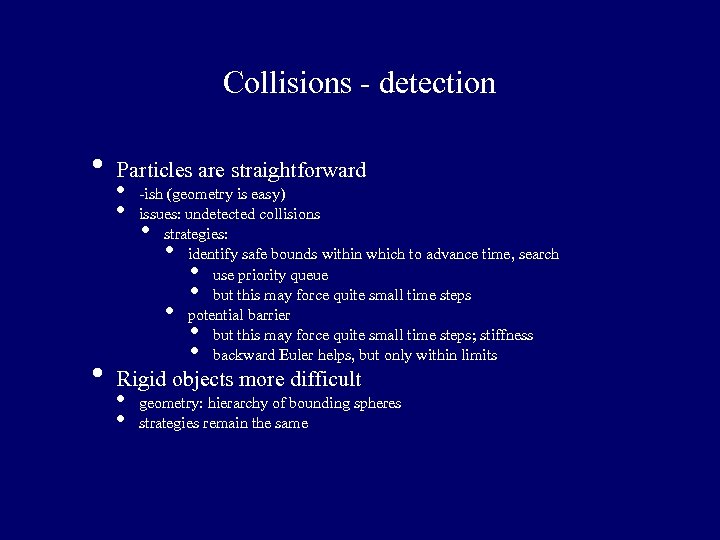 Collisions - detection • • Particles are straightforward • • -ish (geometry is easy) issues: undetected collisions strategies: identify safe bounds within which to advance time, search use priority queue but this may force quite small time steps potential barrier but this may force quite small time steps; stiffness backward Euler helps, but only within limits • • Rigid objects more difficult • • geometry: hierarchy of bounding spheres strategies remain the same
 12, 201 chairs; 218, 568, 714 triangles Collision: SOA Doug L. James and Dinesh K. Pai, BD-Tree: Output-Sensitive Collision Detection for Reduced Deformable Models, ACM Transactions on Graphics (ACM SIGGRAPH 2004), 23(3), 2004.
 Collisions - resolution • Strategies: • • potential field explicit collision model state_out=F(state_in, physical parameters) typical physical parameters: friction, coefficient of restitution data driven match inputs to data, read off outputs • • Collisions • • produce randomness in motion are a mechanism to control the motion
 Control via collisions • Collisions are an important source of randomness • • particularly in the case of sharp edges, rotation -> dice physical parameters typically vary over space Idea: modify physical parameters at collisions to produce desired outcome Issues: extremely complex search requires very fast simulation Notice: each object can be advanced different timesteps • • • Stephen Chenney and D. A. Forsyth, "Sampling Plausible Solutions to Multi-Body Constraint Problems". SIGGRAPH 2000 Conference Proceedings, pages 219 -228, July 2000.
 Stephen Chenney and D. A. Forsyth, "Sampling Plausible Solutions to Multi-Body Constraint Problems". SIGGRAPH 2000 Conference Proceedings, pages 219 -228, July 2000.
 Stephen Chenney and D. A. Forsyth, "Sampling Plausible Solutions to Multi-Body Constraint Problems". SIGGRAPH 2000 Conference Proceedings, pages 219 -228, July 2000.
 Stephen Chenney and D. A. Forsyth, "Sampling Plausible Solutions to Multi-Body Constraint Problems". SIGGRAPH 2000 Conference Proceedings, pages 219 -228, July 2000.
 Stephen Chenney and D. A. Forsyth, "Sampling Plausible Solutions to Multi-Body Constraint Problems". SIGGRAPH 2000 Conference Proceedings, pages 219 -228, July 2000.
 Stephen Chenney and D. A. Forsyth, "Sampling Plausible Solutions to Multi-Body Constraint Problems". SIGGRAPH 2000 Conference Proceedings, pages 219 -228, July 2000.
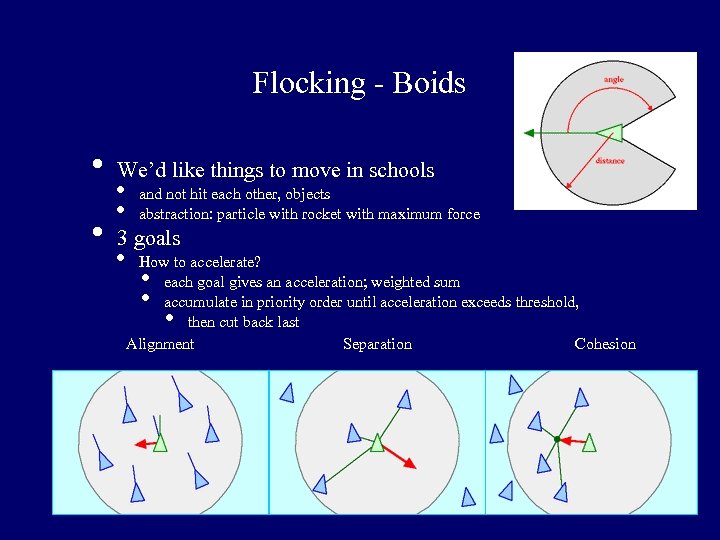 Flocking - Boids • • We’d like things to move in schools • • and not hit each other, objects abstraction: particle with rocket with maximum force 3 goals • How to accelerate? each goal gives an acceleration; weighted sum accumulate in priority order until acceleration exceeds threshold, then cut back last Alignment Separation Cohesion • • •
 http: //www. red. com/cwr/boids. html
 http: //www. red. com/cwr/boids. html
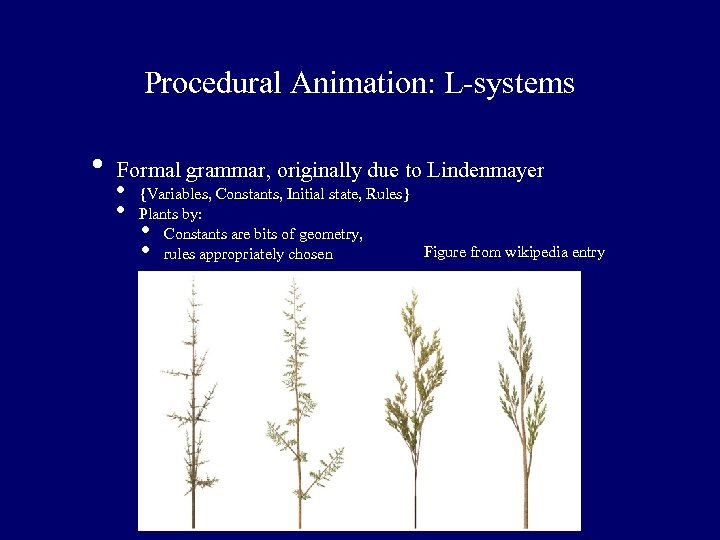 Procedural Animation: L-systems • Formal grammar, originally due to Lindenmayer • • {Variables, Constants, Initial state, Rules} Plants by: Constants are bits of geometry, Figure from wikipedia entry rules appropriately chosen • •
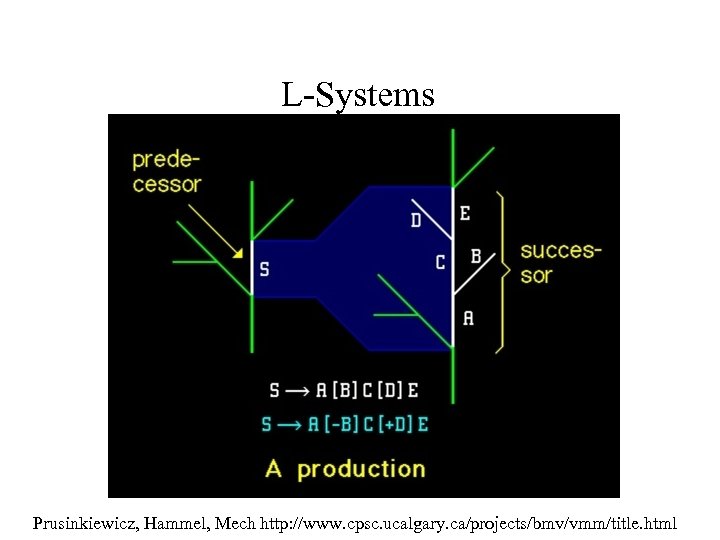 L-Systems Prusinkiewicz, Hammel, Mech http: //www. cpsc. ucalgary. ca/projects/bmv/vmm/title. html
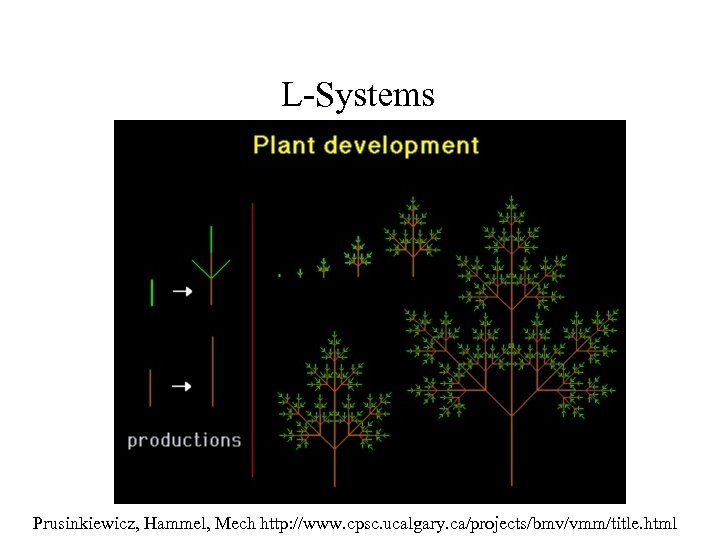 L-Systems Prusinkiewicz, Hammel, Mech http: //www. cpsc. ucalgary. ca/projects/bmv/vmm/title. html
 L-System plant growing Prusinkiewicz, Hammel, Mech http: //www. cpsc. ucalgary. ca/projects/bmv/vmm/title. html
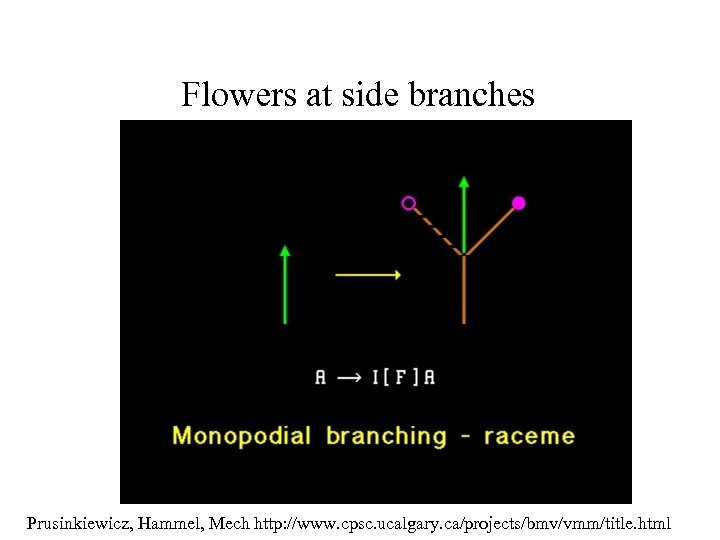 Flowers at side branches Prusinkiewicz, Hammel, Mech http: //www. cpsc. ucalgary. ca/projects/bmv/vmm/title. html
 Prusinkiewicz, Hammel, Mech http: //www. cpsc. ucalgary. ca/projects/bmv/vmm/title. html
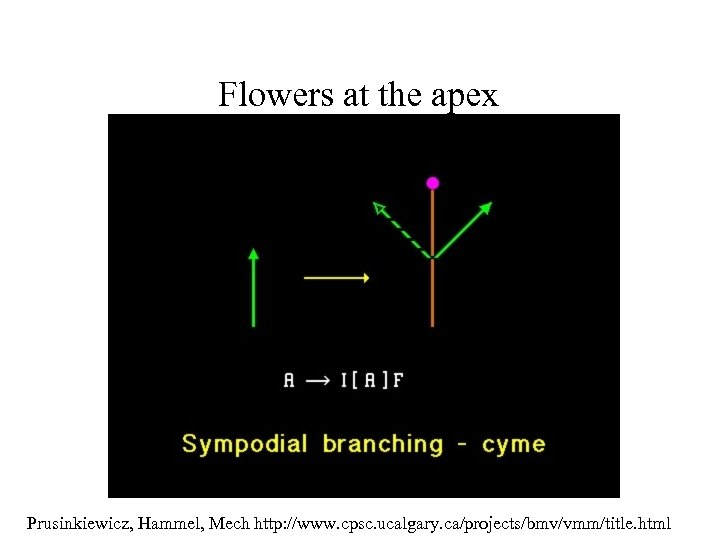 Flowers at the apex Prusinkiewicz, Hammel, Mech http: //www. cpsc. ucalgary. ca/projects/bmv/vmm/title. html
 Prusinkiewicz, Hammel, Mech http: //www. cpsc. ucalgary. ca/projects/bmv/vmm/title. html