Android Introduction Hello Views Part 2 @2010 Mihail L. Sichitiu 1
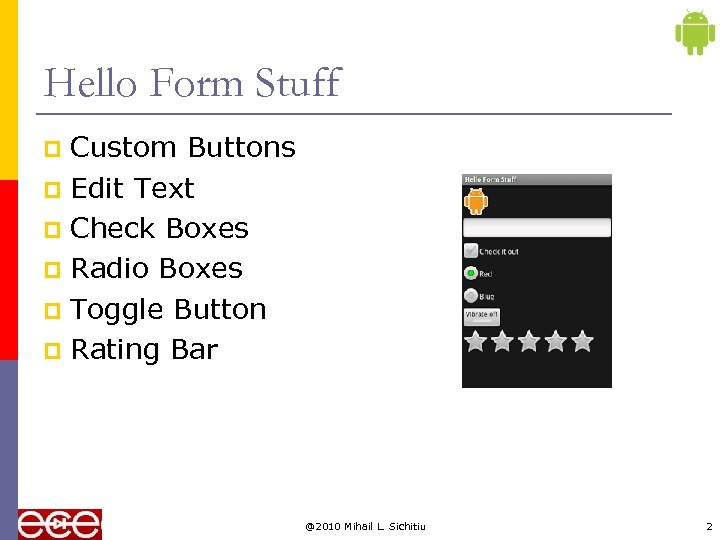
Hello Form Stuff Custom Buttons p Edit Text p Check Boxes p Radio Boxes p Toggle Button p Rating Bar p @2010 Mihail L. Sichitiu 2
Custom Button p p p final Button button = (Button) find. View. By. Id(R. id. button); button. set. On. Click. Listener(new On. Click. Listener() { public void on. Click(View v) { // Perform action on clicks Toast. make. Text(Hello. Form. Stuff. this, "Beep Bop", Toast. LENGTH_SHORT). show(); } }); @2010 Mihail L. Sichitiu 3
p final Edit." src="https://present5.com/presentation/1844b46e0b9d2e20c669db35c0cf7420/image-4.jpg" alt="Edit Text p p final Edit." />
Edit Text p p final Edit. Text edittext = (Edit. Text) find. View. By. Id(R. id. edittext); edittext. set. On. Key. Listener(new On. Key. Listener() { public boolean on. Key(View v, int key. Code, Key. Event event) { // If the event is a key-down event on the "enter" button if ((event. get. Action() == Key. Event. ACTION_DOWN) && (Key. Event. KEYCODE_ENTER)) { // Perform action key. Code == on key press Toast. make. Text(Hello. Form. Stuff. this, edittext. get. Text(), Toast. LENGTH_SHORT). show(); return true; } return false; } }); @2010 Mihail L. Sichitiu 4
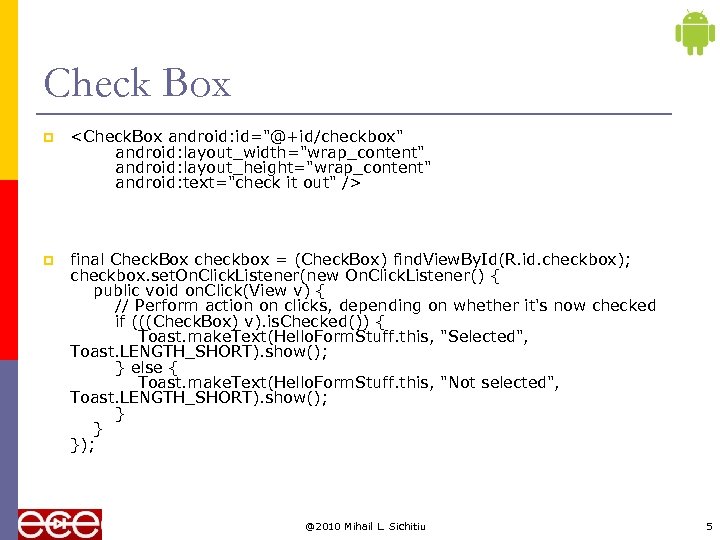
Check Box p p final Check. Box checkbox = (Check. Box) find. View. By. Id(R. id. checkbox); checkbox. set. On. Click. Listener(new On. Click. Listener() { public void on. Click(View v) { // Perform action on clicks, depending on whether it's now checked if (((Check. Box) v). is. Checked()) { Toast. make. Text(Hello. Form. Stuff. this, "Selected", Toast. LENGTH_SHORT). show(); } else { Toast. make. Text(Hello. Form. Stuff. this, "Not selected", Toast. LENGTH_SHORT). show(); } } }); @2010 Mihail L. Sichitiu 5
Radio Button p p p private On. Click. Listener radio_listener = new On. Click. Listener() { public void on. Click(View v) { // Perform action on clicks Radio. Button rb = (Radio. Button) v; Toast. make. Text(Hello. Form. Stuff. this, rb. get. Text(), Toast. LENGTH_SHORT). show(); } }; final Radio. Button radio_red = (Radio. Button) find. View. By. Id(R. id. radio_red); final Radio. Button radio_blue = (Radio. Button) find. View. By. Id(R. id. radio_blue); radio_red. set. On. Click. Listener(radio_listener); radio_blue. set. On. Click. Listener(radio_listener); @2010 Mihail L. Sichitiu 6
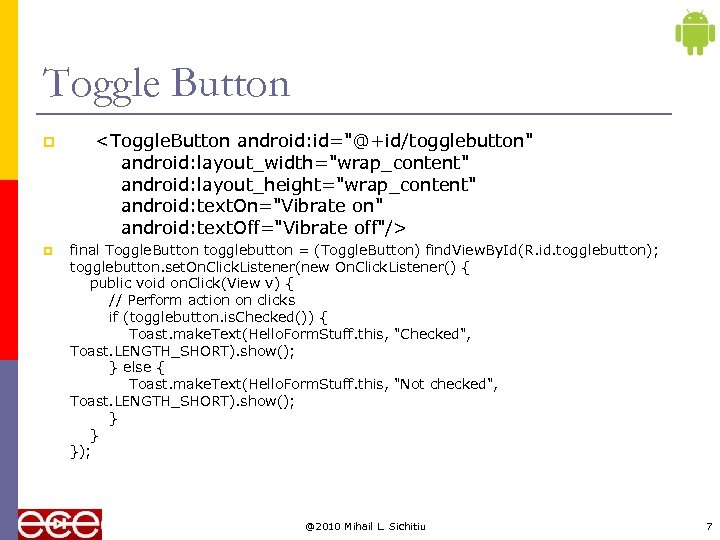
Toggle Button p p final Toggle. Button togglebutton = (Toggle. Button) find. View. By. Id(R. id. togglebutton); togglebutton. set. On. Click. Listener(new On. Click. Listener() { public void on. Click(View v) { // Perform action on clicks if (togglebutton. is. Checked()) { Toast. make. Text(Hello. Form. Stuff. this, "Checked", Toast. LENGTH_SHORT). show(); } else { Toast. make. Text(Hello. Form. Stuff. this, "Not checked", Toast. LENGTH_SHORT). show(); } } }); @2010 Mihail L. Sichitiu 7
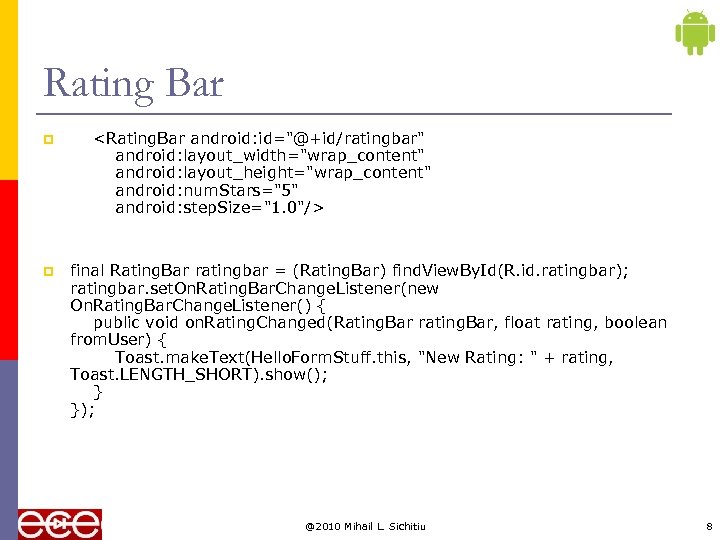
Rating Bar p p final Rating. Bar ratingbar = (Rating. Bar) find. View. By. Id(R. id. ratingbar); ratingbar. set. On. Rating. Bar. Change. Listener(new On. Rating. Bar. Change. Listener() { public void on. Rating. Changed(Rating. Bar rating. Bar, float rating, boolean from. User) { Toast. make. Text(Hello. Form. Stuff. this, "New Rating: " + rating, Toast. LENGTH_SHORT). show(); } }); @2010 Mihail L. Sichitiu 8
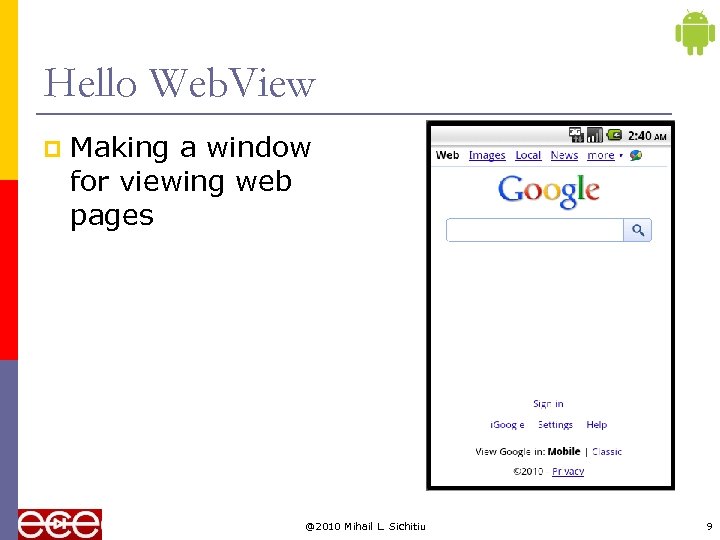
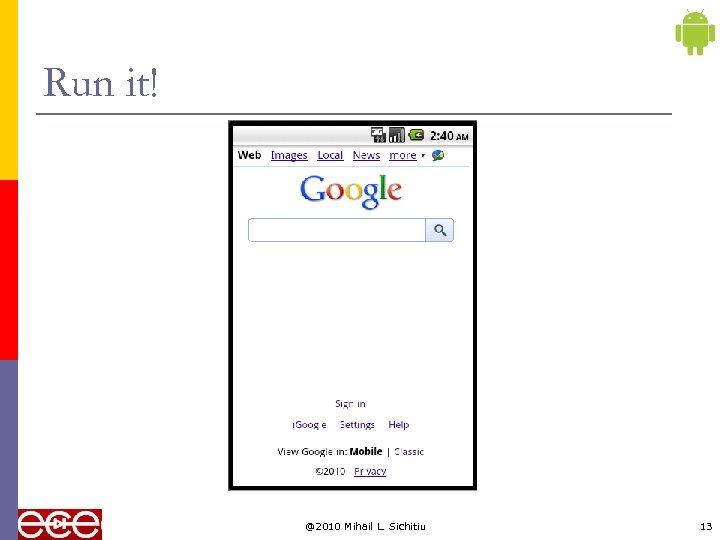
Hello Web. View p Making a window for viewing web pages @2010 Mihail L. Sichitiu 9
/res/layout/main. xml p @2010 Mihail L. Sichitiu 10
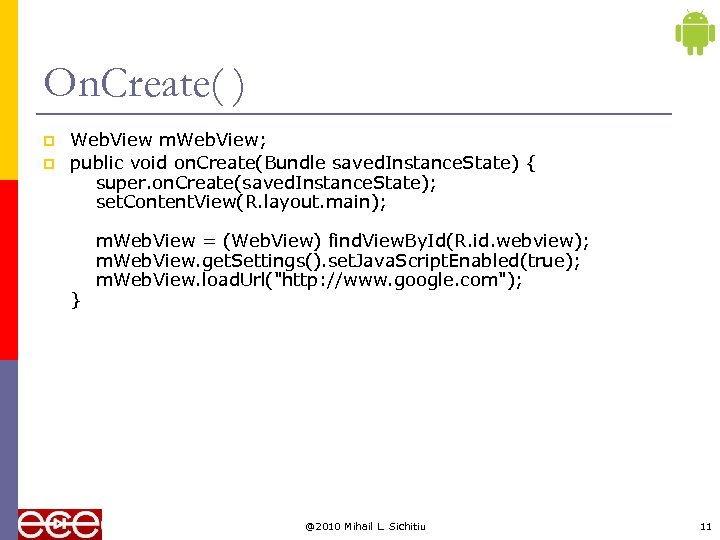
On. Create( ) p p Web. View m. Web. View; public void on. Create(Bundle saved. Instance. State) { super. on. Create(saved. Instance. State); set. Content. View(R. layout. main); m. Web. View = (Web. View) find. View. By. Id(R. id. webview); m. Web. View. get. Settings(). set. Java. Script. Enabled(true); m. Web. View. load. Url("http: //www. google. com"); } @2010 Mihail L. Sichitiu 11
Android. Manifest p p @2010 Mihail L. Sichitiu 12
Run it! @2010 Mihail L. Sichitiu 13
For the Map. View Generate an API Key Thank you for signing up for an Android Maps API key! Your key is: 0 sfw. SFw 1 BU 4 WGRrea. BYtss 4 j. Gu. Pcc. Zhhq 7 WDOCg This key is good for all apps signed with your certificate whose fingerprint is: D 6: 0 A: 9 A: E 8: 24: D 1: D 7: 8 C: F 5: 68: 20: 7 D: 67: 40: 3 A: 01 Here is an example xml layout to get you started: @2010 Mihail L. Sichitiu 14



 Скачать презентацию Android Introduction Hello Views Part 2 2010 Mihail
 Android Introduction Hello Views Part 2 @2010 Mihail L. Sichitiu 1
  Hello Form Stuff Custom Buttons p Edit Text p Check Boxes p Radio Boxes p Toggle Button p Rating Bar p @2010 Mihail L. Sichitiu 2
  Check Box p
  Toggle Button p p
  Rating Bar p
  Hello Web. View p Making a window for viewing web pages @2010 Mihail L. Sichitiu 9
  On. Create( ) p p Web. View m. Web. View; public void on. Create(Bundle saved. Instance. State) { super. on. Create(saved. Instance. State); set. Content. View(R. layout. main); m. Web. View = (Web. View) find. View. By. Id(R. id. webview); m. Web. View. get. Settings(). set. Java. Script. Enabled(true); m. Web. View. load. Url("http: //www. google. com"); } @2010 Mihail L. Sichitiu 11
  Run it! @2010 Mihail L. Sichitiu 13
 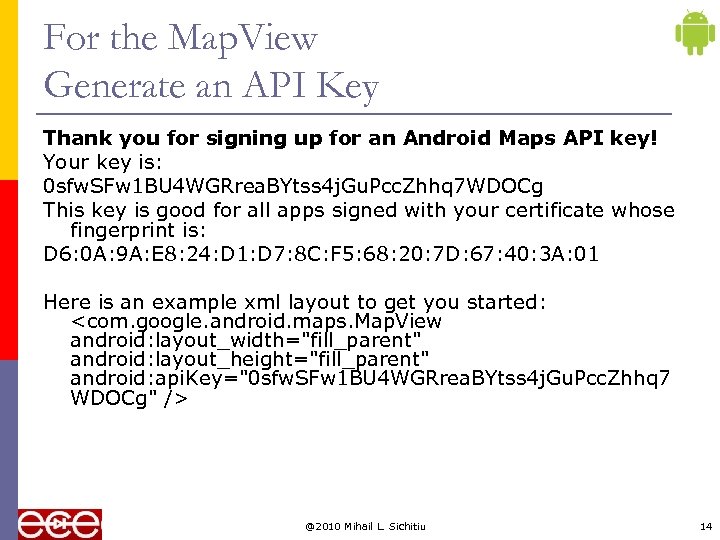 For the Map. View Generate an API Key Thank you for signing up for an Android Maps API key! Your key is: 0 sfw. SFw 1 BU 4 WGRrea. BYtss 4 j. Gu. Pcc. Zhhq 7 WDOCg This key is good for all apps signed with your certificate whose fingerprint is: D 6: 0 A: 9 A: E 8: 24: D 1: D 7: 8 C: F 5: 68: 20: 7 D: 67: 40: 3 A: 01 Here is an example xml layout to get you started: