 Скачать презентацию Analyze Smart Bits Applications Overview Fast Track www
b5be37a98cd23cd4137f69195c9cf9ea.ppt
- Количество слайдов: 82



Analyze Smart. Bits Applications Overview Fast. Track www. spirentcampus. com Smart. Bits Applications Overview Assure Accelerate TM
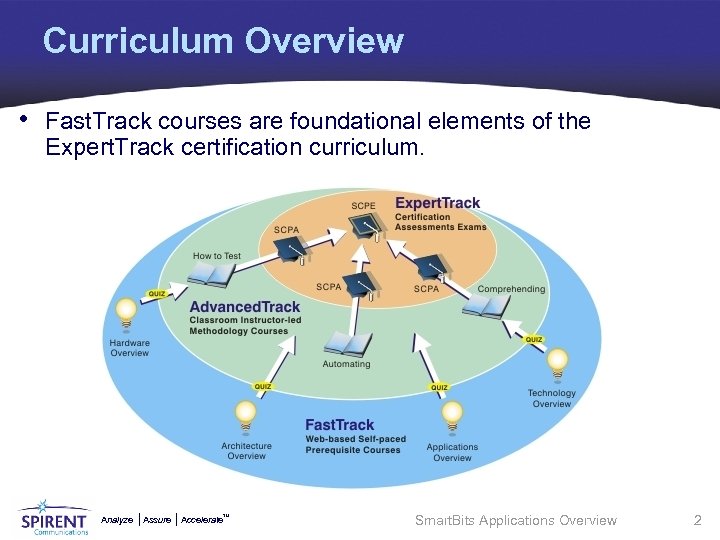
Curriculum Overview • Fast. Track courses are foundational elements of the Expert. Track certification curriculum. Analyze Assure TM Accelerate Smart. Bits Applications Overview 2
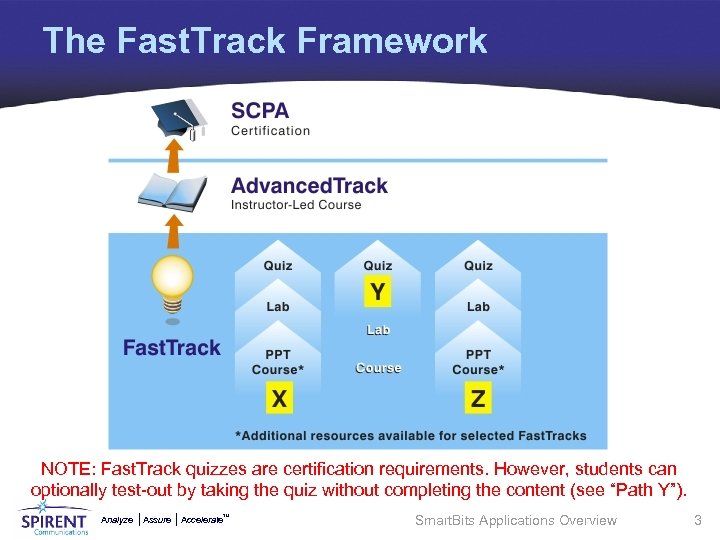
The Fast. Track Framework NOTE: Fast. Track quizzes are certification requirements. However, students can optionally test-out by taking the quiz without completing the content (see “Path Y”). Analyze Assure TM Accelerate Smart. Bits Applications Overview 3
Course Description • The Smart. Bits Applications Overview course is designed to provide knowledge of all the Smart. Bits applications within the Smart. Bits Test System from Spirent Communications. • The course covers the basics of understanding the function of all the Smart. Bits applications. • A detailed Presentation follows to walk you through the configuration parameters. • A detailed Lab is also included to walk you through, step-bystep, a basic test scenario. • A Quiz is also provided to test (either pre or post) your knowledge and as an additional learning element. Analyze Assure TM Accelerate Smart. Bits Applications Overview 4
Course Objectives • After completing this course you will be able to: Ø Understand the Functions of the Smart. Bits Applications. Ø Identify Core Smart. Bits Applications, which include: • • • AST II Smart. Applications Smart. Flow Smart. Multi. Cast. IP • • Avalanche Smart. Bits Tera. Routing Tester Tera. VPN Tester Web. Suite Smart. Window Ø Understand the Features of Key Smart. Bits GUI Applications. Ø Compare Smart. Bits Applications and their Relation to Specific Environments. Analyze Assure TM Accelerate Smart. Bits Applications Overview 5
Course Prerequisites • The following are prerequisites to the Smart. Bits Applications Overview Fast. Track course: Ø Smart. Bits Architecture Overview (SMB-100) Ø Smart. Bits Hardware Overview (SMB-101) • These prerequisite courses can be accessed from: www. spirentcampus. com Analyze Assure TM Accelerate Smart. Bits Applications Overview 6
Associated Certification Track • The Smart. Bits Applications Overview Fast. Track course is a component of the following Certification tracks: • Advanced. Track Courses: Ø Smart. Bits Automation courses Ø Testing Layer 2/3 and Qo. S Technology courses Ø Testing Routing Technology courses Ø Testing MPLS Technology courses Ø Testing Layer 4 -7 Technology courses Ø Testing Security Technology courses • Expert. Track Certifications: Ø SCPE – Smart. Bits System Automation, Internetworking/Routing Protocols, MPLS/VPNs, and Enterprise Infrastructure Ø SCPA – All associated with the Technology courses listed above Analyze Assure TM Accelerate Smart. Bits Applications Overview 7
Topics Overview • Introduction • Applications Function Overview • Core Smart. Bits Applications • Applications Comparison • Activity Analyze Assure TM Accelerate Smart. Bits Applications Overview 8
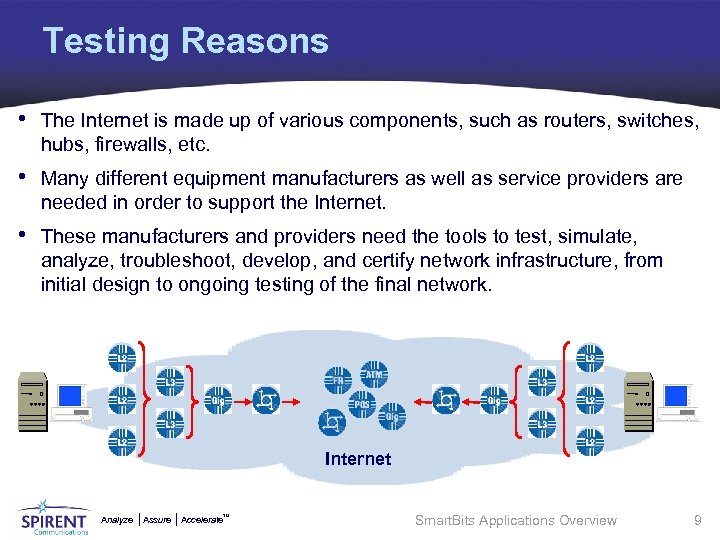
Testing Reasons • The Internet is made up of various components, such as routers, switches, hubs, firewalls, etc. • Many different equipment manufacturers as well as service providers are needed in order to support the Internet. • These manufacturers and providers need the tools to test, simulate, analyze, troubleshoot, develop, and certify network infrastructure, from initial design to ongoing testing of the final network. Internet Analyze Assure TM Accelerate Smart. Bits Applications Overview 9
Smart. Bits Testing • Spirent Communications’ Smart. Bits network performance analysis system is the industry standard for high port density testing of 10/100/Gigabit and 10 Gigabit Ethernet, ATM, POS, Fibre Channel and Frame Relay networks and network devices. • Smart. Bits provides solutions for the following: Ø Broadband Access Ø Qo. S Ø Core Network Ø Routing Ø IPV 6 Testing Ø Storage Area Network Ø Local Area Network Ø Web/Security Ø Metro Area Network Ø Wireless LAN Analyze Assure TM Accelerate Smart. Bits Applications Overview 10
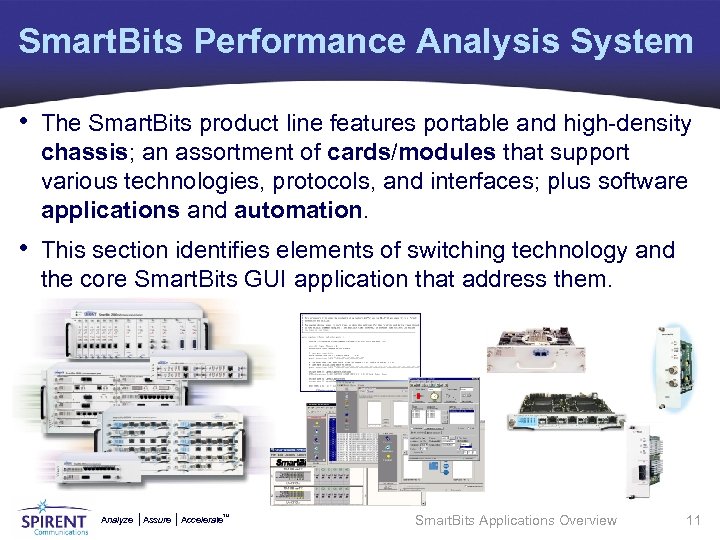
Smart. Bits Performance Analysis System • The Smart. Bits product line features portable and high-density chassis; an assortment of cards/modules that support various technologies, protocols, and interfaces; plus software applications and automation. • This section identifies elements of switching technology and the core Smart. Bits GUI application that address them. Analyze Assure TM Accelerate Smart. Bits Applications Overview 11
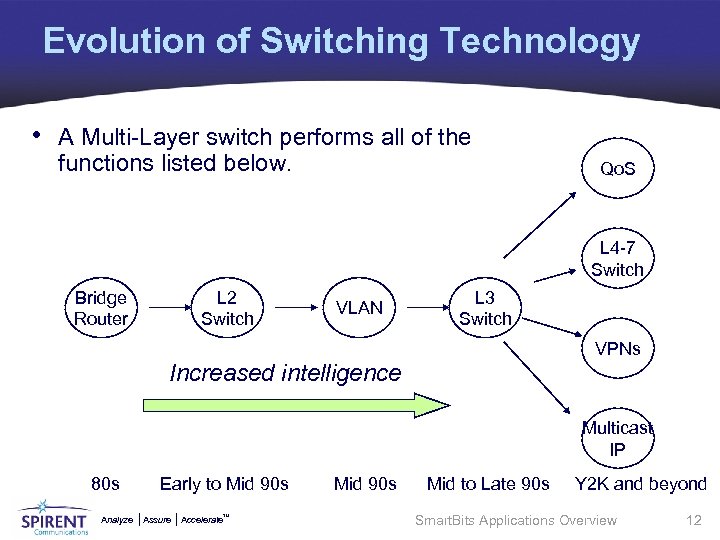
Evolution of Switching Technology • A Multi-Layer switch performs all of the functions listed below. Qo. S L 4 -7 Switch Bridge Router L 2 Switch VLAN L 3 Switch VPNs Increased intelligence Multicast IP 80 s Early to Mid 90 s Mid to Late 90 s Y 2 K and beyond Analyze Assure TM Accelerate Smart. Bits Applications Overview 12
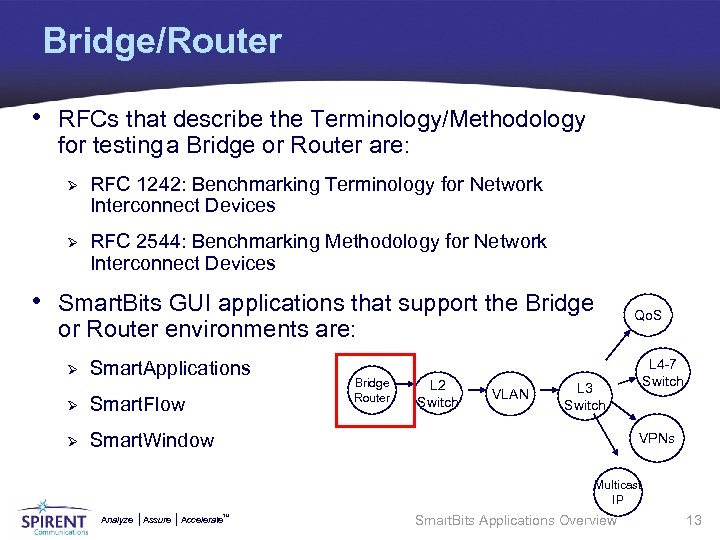
Bridge/Router • RFCs that describe the Terminology/Methodology for testing a Bridge or Router are: Ø RFC 1242: Benchmarking Terminology for Network Interconnect Devices Ø RFC 2544: Benchmarking Methodology for Network Interconnect Devices • Smart. Bits GUI applications that support the Bridge or Router environments are: Ø Smart. Applications Ø Smart. Flow Ø Bridge Router L 2 Switch VLAN Qo. S L 4 -7 Switch L 3 Switch Smart. Window VPNs Multicast IP Analyze Assure TM Accelerate Smart. Bits Applications Overview 13
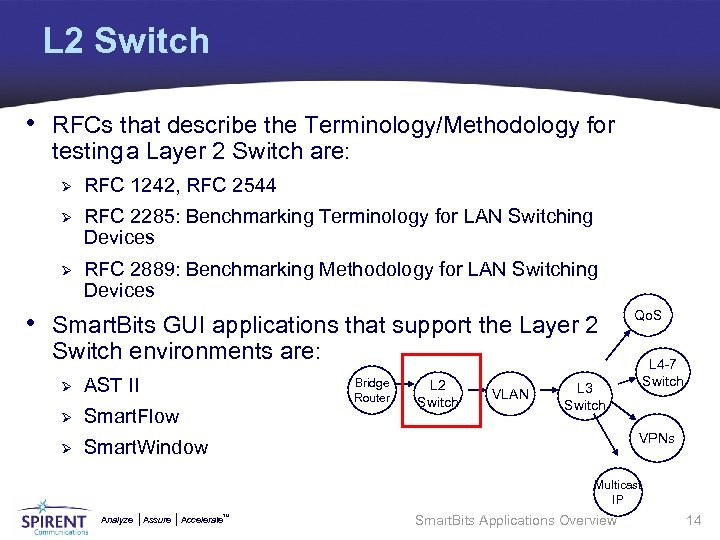
L 2 Switch • RFCs that describe the Terminology/Methodology for testing a Layer 2 Switch are: Ø RFC 1242, RFC 2544 Ø RFC 2285: Benchmarking Terminology for LAN Switching Devices Ø RFC 2889: Benchmarking Methodology for LAN Switching Devices • Smart. Bits GUI applications that support the Layer 2 Qo. S Switch environments are: Ø AST II Ø Smart. Flow Ø Smart. Window Bridge Router L 2 Switch VLAN L 4 -7 Switch L 3 Switch VPNs Multicast IP Analyze Assure TM Accelerate Smart. Bits Applications Overview 14
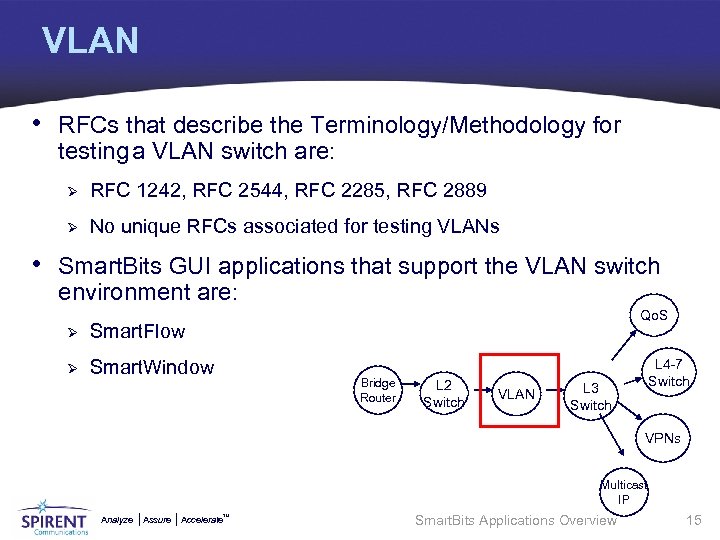
VLAN • RFCs that describe the Terminology/Methodology for testing a VLAN switch are: Ø RFC 1242, RFC 2544, RFC 2285, RFC 2889 Ø No unique RFCs associated for testing VLANs • Smart. Bits GUI applications that support the VLAN switch environment are: Ø Smart. Flow Ø Qo. S Smart. Window Bridge Router L 2 Switch VLAN L 4 -7 Switch L 3 Switch VPNs Multicast IP Analyze Assure TM Accelerate Smart. Bits Applications Overview 15
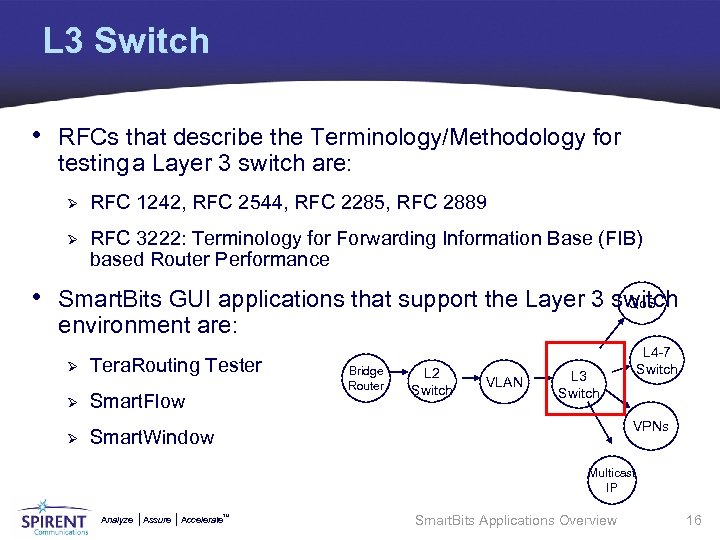
L 3 Switch • RFCs that describe the Terminology/Methodology for testing a Layer 3 switch are: Ø RFC 1242, RFC 2544, RFC 2285, RFC 2889 Ø RFC 3222: Terminology for Forwarding Information Base (FIB) based Router Performance • Smart. Bits GUI applications that support the Layer 3 switch Qo. S environment are: Ø Tera. Routing Tester Ø Smart. Flow Ø Smart. Window Bridge Router L 2 Switch VLAN L 4 -7 Switch L 3 Switch VPNs Multicast IP Analyze Assure TM Accelerate Smart. Bits Applications Overview 16
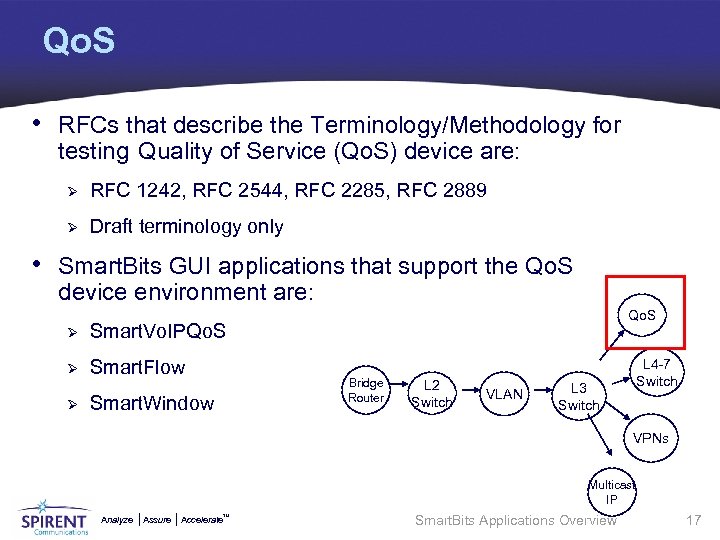
Qo. S • RFCs that describe the Terminology/Methodology for testing Quality of Service (Qo. S) device are: Ø RFC 1242, RFC 2544, RFC 2285, RFC 2889 Ø Draft terminology only • Smart. Bits GUI applications that support the Qo. S device environment are: Ø Smart. Vo. IPQo. S Ø Smart. Flow Qo. S Ø Bridge Router Smart. Window L 2 Switch VLAN L 4 -7 Switch L 3 Switch VPNs Multicast IP Analyze Assure TM Accelerate Smart. Bits Applications Overview 17
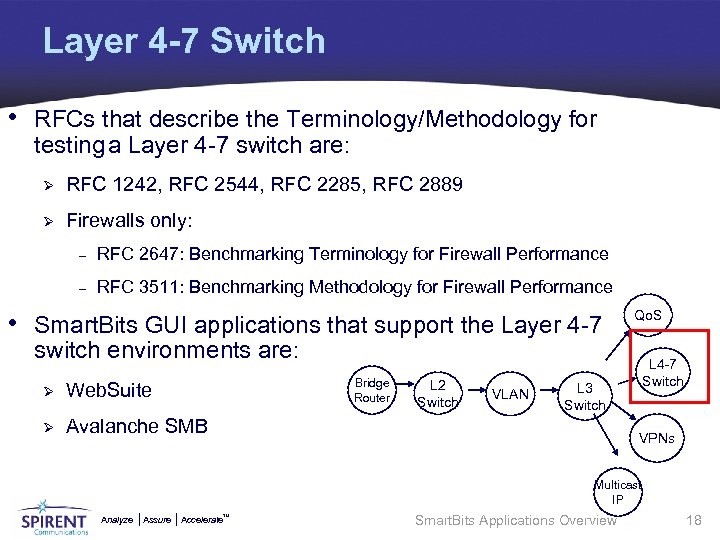
Layer 4 -7 Switch • RFCs that describe the Terminology/Methodology for testing a Layer 4 -7 switch are: Ø RFC 1242, RFC 2544, RFC 2285, RFC 2889 Ø Firewalls only: – RFC 2647: Benchmarking Terminology for Firewall Performance – RFC 3511: Benchmarking Methodology for Firewall Performance • Smart. Bits GUI applications that support the Layer 4 -7 Qo. S switch environments are: Bridge Router Ø Web. Suite Ø L 2 Switch Avalanche SMB VLAN L 4 -7 Switch L 3 Switch VPNs Multicast IP Analyze Assure TM Accelerate Smart. Bits Applications Overview 18
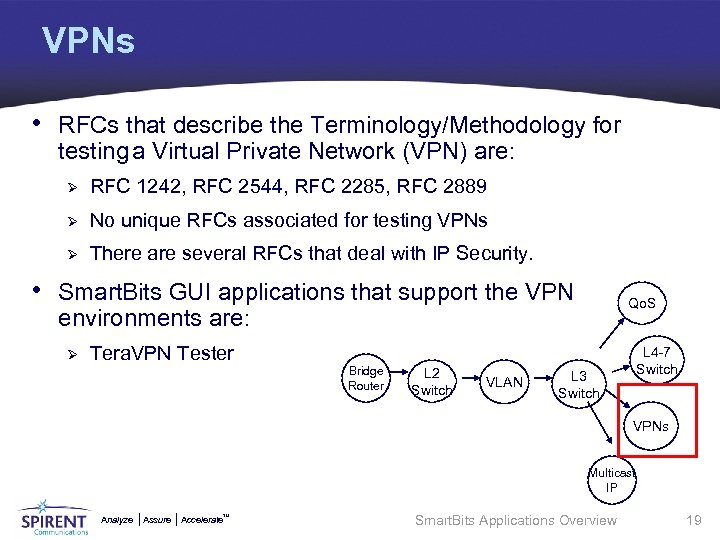
VPNs • RFCs that describe the Terminology/Methodology for testing a Virtual Private Network (VPN) are: Ø RFC 1242, RFC 2544, RFC 2285, RFC 2889 Ø No unique RFCs associated for testing VPNs Ø There are several RFCs that deal with IP Security. • Smart. Bits GUI applications that support the VPN Qo. S environments are: Ø Tera. VPN Tester Bridge Router L 2 Switch VLAN L 4 -7 Switch L 3 Switch VPNs Multicast IP Analyze Assure TM Accelerate Smart. Bits Applications Overview 19
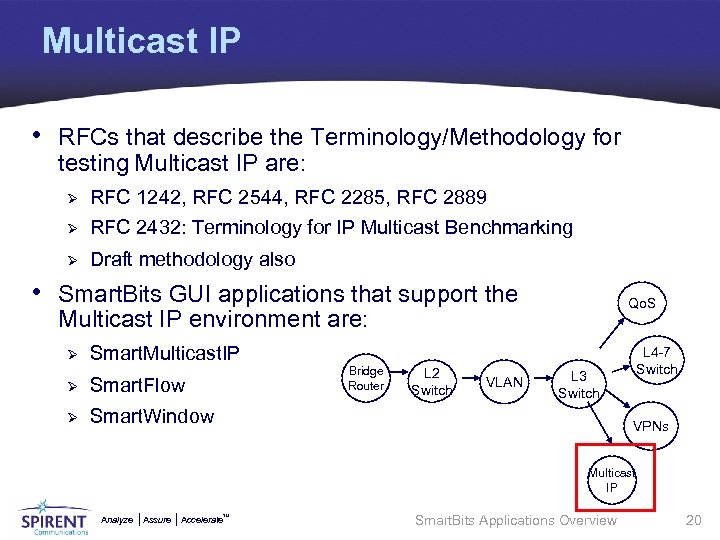
Multicast IP • RFCs that describe the Terminology/Methodology for testing Multicast IP are: Ø RFC 1242, RFC 2544, RFC 2285, RFC 2889 Ø RFC 2432: Terminology for IP Multicast Benchmarking Ø Draft methodology also • Smart. Bits GUI applications that support the Qo. S Multicast IP environment are: Ø Smart. Multicast. IP Ø Smart. Flow Ø Bridge Router L 2 Switch L 3 Switch Smart. Window VLAN L 4 -7 Switch VPNs Multicast IP Analyze Assure TM Accelerate Smart. Bits Applications Overview 20
Topics Overview • Introduction • Applications Function Overview • Core Smart. Bits Applications • Applications Comparison • Activity Analyze Assure TM Accelerate Smart. Bits Applications Overview 21
What Smart. Bits product should I use? • The previous section identified the RFCs associated with particular test environments. • The previous section also presented Smart. Bits products you could use to test these environments. • This section will investigate the high level workings of Smart. Bits applications in order to help you decide which application best fits your testing requirements. Analyze Assure TM Accelerate Smart. Bits Applications Overview 22
Smart. Bits GUI Applications • Most Smart. Bits applications include a graphical user interface (GUI). • Many test developers find creating tests with a GUI ideal because it is easy to use and enables them to begin testing quickly, sometimes within minutes of installation. • GUI interfaces are intended to be highly intuitive and to guide the user through the test process. • Ease of use is a primary consideration. Analyze Assure TM Accelerate Smart. Bits Applications Overview 23
What are my requirements? • To help identify the Smart. Bits GUI application for your testing needs, you first must identify your testing requirements: Ø What is my priority, ease of use or testing complexity? Ø What kind of results do I expect, graph, HTML, raw data? Ø What is more important, control or automation? Ø Am I planning to migrate to script based tests in the future? Analyze Assure TM Accelerate Smart. Bits Applications Overview 24
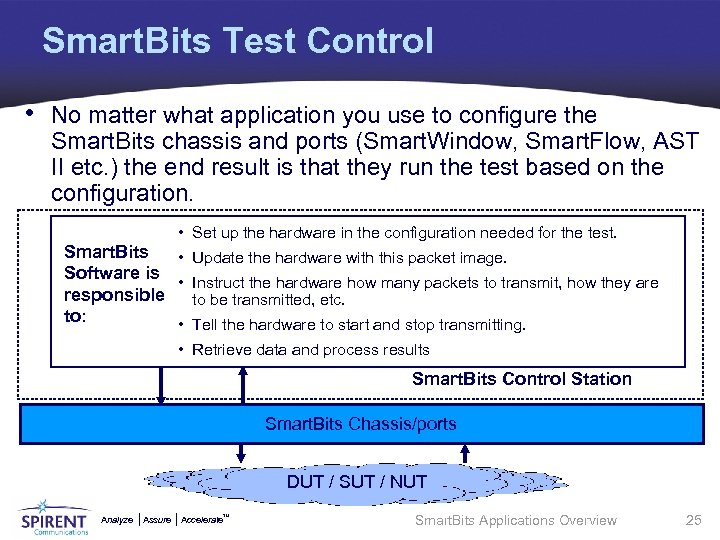
Smart. Bits Test Control • No matter what application you use to configure the Smart. Bits chassis and ports (Smart. Window, Smart. Flow, AST II etc. ) the end result is that they run the test based on the configuration. • Set up the hardware in the configuration needed for the test. Smart. Bits • Update the hardware with this packet image. Software is • Instruct the hardware how many packets to transmit, how they are responsible to be transmitted, etc. to: • Tell the hardware to start and stop transmitting. • Retrieve data and process results Smart. Bits Control Station Smart. Bits Chassis/ports DUT / SUT / NUT Analyze Assure TM Accelerate Smart. Bits Applications Overview 25
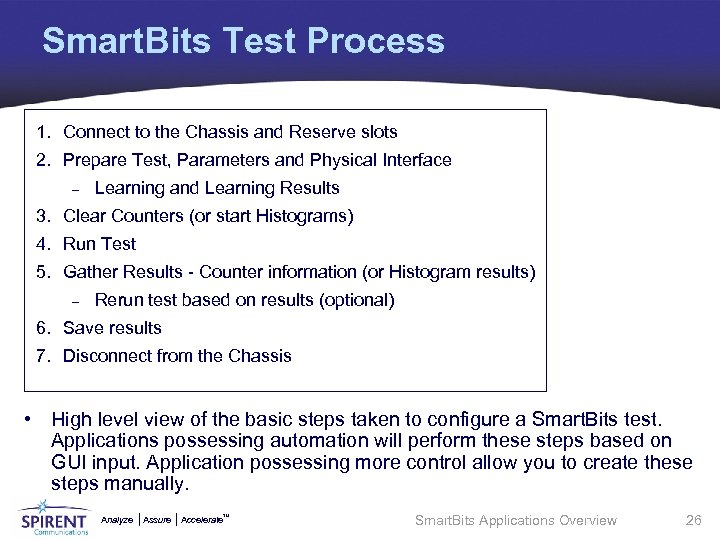
Smart. Bits Test Process 1. Connect to the Chassis and Reserve slots 2. Prepare Test, Parameters and Physical Interface – Learning and Learning Results 3. Clear Counters (or start Histograms) 4. Run Test 5. Gather Results - Counter information (or Histogram results) – Rerun test based on results (optional) 6. Save results 7. Disconnect from the Chassis • High level view of the basic steps taken to configure a Smart. Bits test. Applications possessing automation will perform these steps based on GUI input. Application possessing more control allow you to create these steps manually. Analyze Assure TM Accelerate Smart. Bits Applications Overview 26
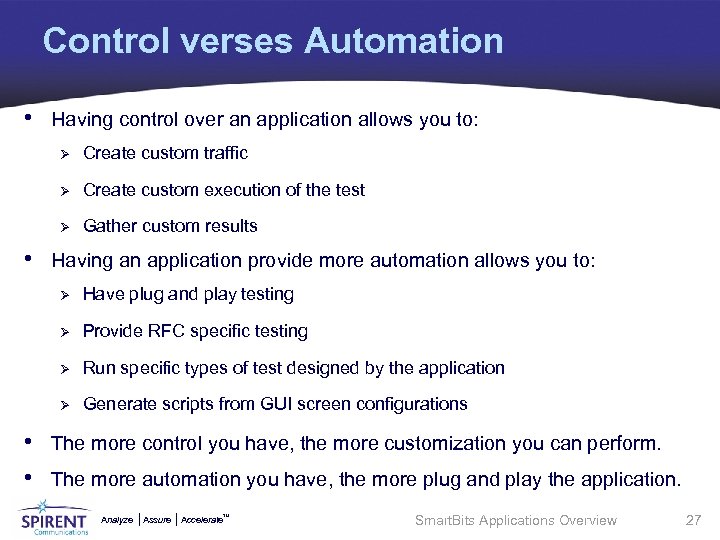
Control verses Automation • Having control over an application allows you to: Ø Create custom traffic Ø Create custom execution of the test Ø Gather custom results • Having an application provide more automation allows you to: Ø Have plug and play testing Ø Provide RFC specific testing Ø Run specific types of test designed by the application Ø Generate scripts from GUI screen configurations • The more control you have, the more customization you can perform. • The more automation you have, the more plug and play the application. Analyze Assure TM Accelerate Smart. Bits Applications Overview 27
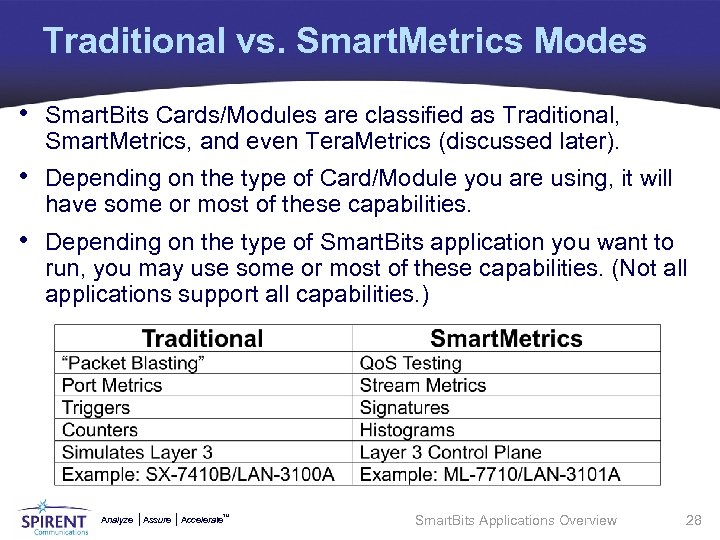
Traditional vs. Smart. Metrics Modes • Smart. Bits Cards/Modules are classified as Traditional, Smart. Metrics, and even Tera. Metrics (discussed later). • Depending on the type of Card/Module you are using, it will have some or most of these capabilities. • Depending on the type of Smart. Bits application you want to run, you may use some or most of these capabilities. (Not all applications support all capabilities. ) Analyze Assure TM Accelerate Smart. Bits Applications Overview 28
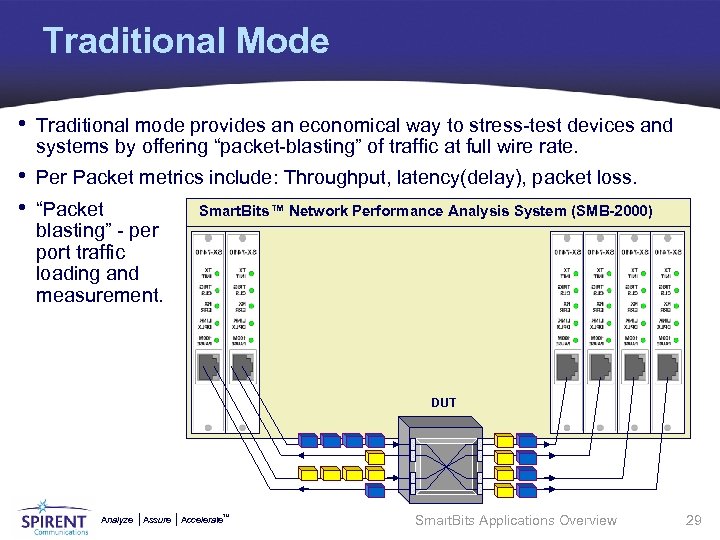
Traditional Mode • Traditional mode provides an economical way to stress-test devices and systems by offering “packet-blasting” of traffic at full wire rate. • Per Packet metrics include: Throughput, latency(delay), packet loss. • “Packet Smart. Bits™ Network Performance Analysis System (SMB-2000) blasting” - per port traffic loading and measurement. DUT Analyze Assure TM Accelerate Smart. Bits Applications Overview 29
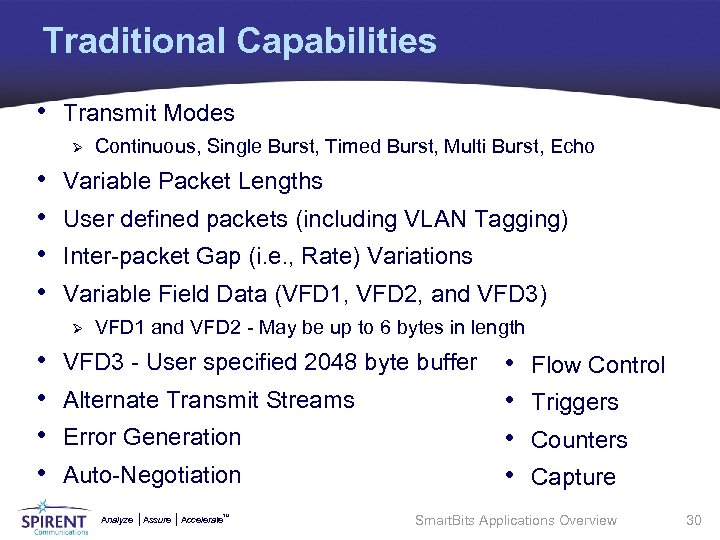
Traditional Capabilities • Transmit Modes Ø • • Variable Packet Lengths User defined packets (including VLAN Tagging) Inter-packet Gap (i. e. , Rate) Variations Variable Field Data (VFD 1, VFD 2, and VFD 3) Ø • • Continuous, Single Burst, Timed Burst, Multi Burst, Echo VFD 1 and VFD 2 - May be up to 6 bytes in length VFD 3 - User specified 2048 byte buffer Alternate Transmit Streams Error Generation Auto-Negotiation Analyze Assure TM Accelerate • • Flow Control Triggers Counters Capture Smart. Bits Applications Overview 30
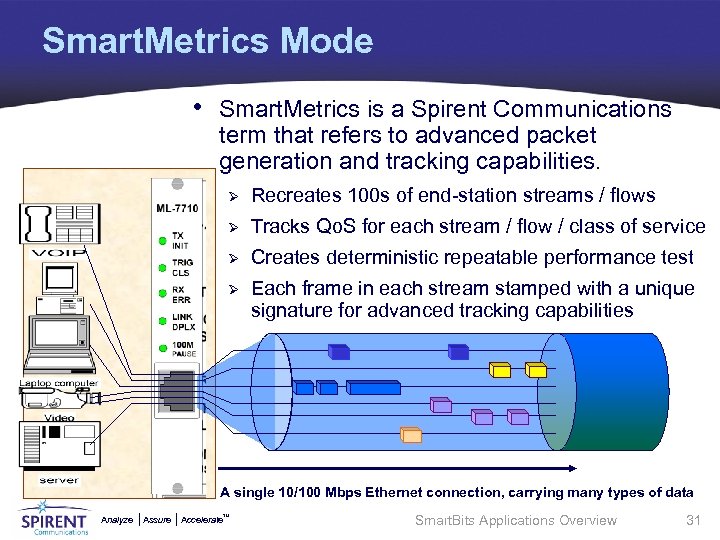
Smart. Metrics Mode • Smart. Metrics is a Spirent Communications term that refers to advanced packet generation and tracking capabilities. Ø Recreates 100 s of end-station streams / flows Ø Tracks Qo. S for each stream / flow / class of service Ø Creates deterministic repeatable performance test Ø Each frame in each stream stamped with a unique signature for advanced tracking capabilities A single 10/100 Mbps Ethernet connection, carrying many types of data Analyze Assure TM Accelerate Smart. Bits Applications Overview 31
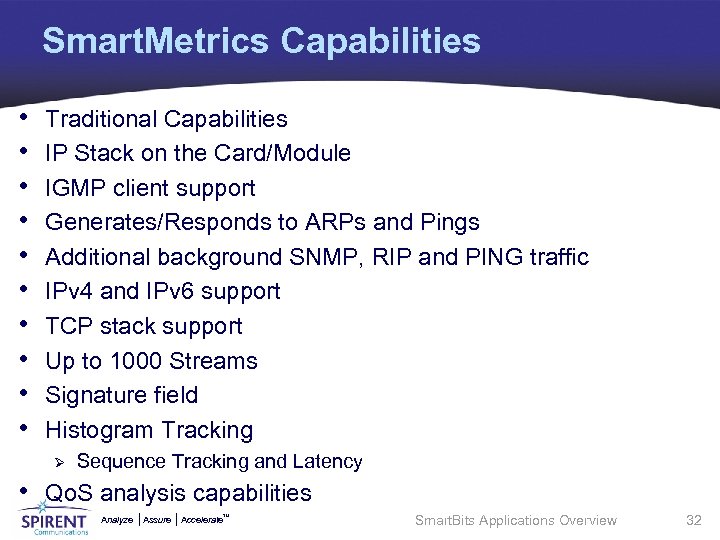
Smart. Metrics Capabilities • • • Traditional Capabilities IP Stack on the Card/Module IGMP client support Generates/Responds to ARPs and Pings Additional background SNMP, RIP and PING traffic IPv 4 and IPv 6 support TCP stack support Up to 1000 Streams Signature field Histogram Tracking Ø Sequence Tracking and Latency • Qo. S analysis capabilities Analyze Assure TM Accelerate Smart. Bits Applications Overview 32
Signature • The signature field is an extremely important element of a stream. It is only available in Smart. Metrics mode, and as such, is only available on the ports which are Smart. Metrics capable. • The signature field: Ø provides a Stream ID used to uniquely identify to which stream a particular frame belongs. Ø provides a Timestamp used for latency calculations. Ø provides a Sequence Number used to track lost and out-of-sequence frames. Ø is required in frames if histogram reporting is used. Analyze Assure TM Accelerate Smart. Bits Applications Overview 33
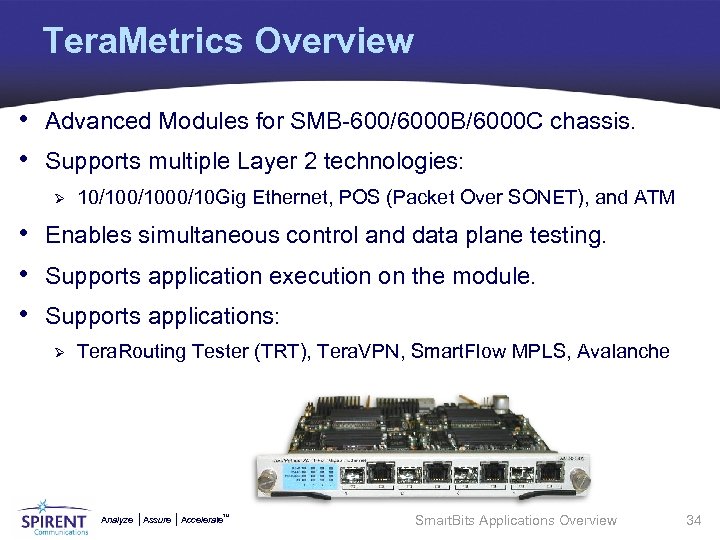
Tera. Metrics Overview • Advanced Modules for SMB-600/6000 B/6000 C chassis. • Supports multiple Layer 2 technologies: Ø 10/1000/10 Gig Ethernet, POS (Packet Over SONET), and ATM • Enables simultaneous control and data plane testing. • Supports application execution on the module. • Supports applications: Ø Tera. Routing Tester (TRT), Tera. VPN, Smart. Flow MPLS, Avalanche Analyze Assure TM Accelerate Smart. Bits Applications Overview 34
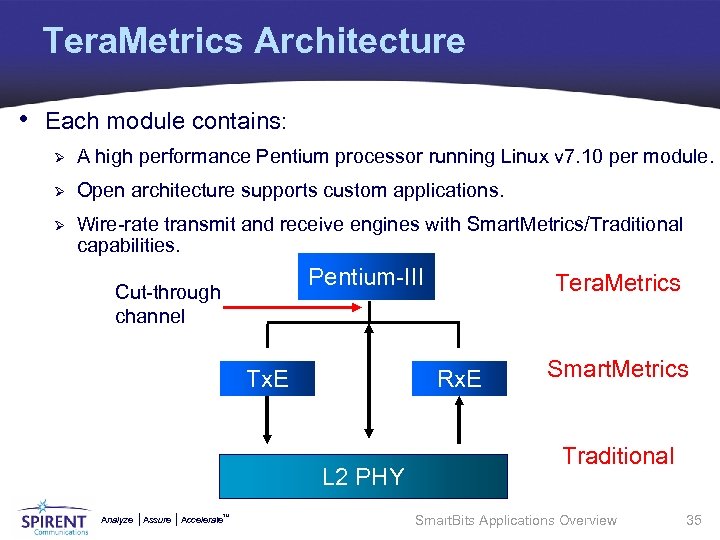
Tera. Metrics Architecture • Each module contains: Ø A high performance Pentium processor running Linux v 7. 10 per module. Ø Open architecture supports custom applications. Ø Wire-rate transmit and receive engines with Smart. Metrics/Traditional capabilities. Pentium-III Cut-through channel Tx. E Rx. E L 2 PHY Analyze Assure TM Accelerate Tera. Metrics Smart. Metrics Traditional Smart. Bits Applications Overview 35
Tera. Metrics Capabilities • • • Traditional Capabilities Smart. Metrics Capabilities Enables simultaneous control and data plane testing Supports application execution on the module Supports applications: Ø Tera. Routing Tester (TRT) Ø Tera. VPN Ø Smart. Flow MPLS Ø Web. Suite Ø Avalanche Layer 4 -7 Analyze Assure TM Accelerate Smart. Bits Applications Overview 36
Topics Overview • Introduction • Applications Function Overview • Core Smart. Bits Applications • Applications Comparison • Activity Analyze Assure TM Accelerate Smart. Bits Applications Overview 37
Smart. Bits Core GUI Applications • The following are core Smart. Bits GUI Applications: Ø AST II Ø Smart. Applications Ø Smart. Flow Ø Smart. Multi. Cast. IP Ø Smart. Window Ø Avalanche Smart. Bits Ø Tera. Routing Tester Ø Tera. VPN Tester Ø Web. Suite Analyze Assure TM Accelerate Smart. Bits Applications Overview 38
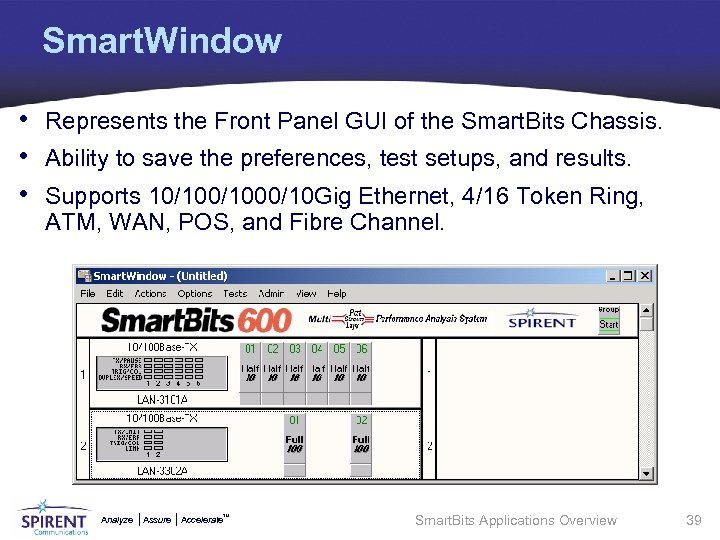
Smart. Window • Represents the Front Panel GUI of the Smart. Bits Chassis. • Ability to save the preferences, test setups, and results. • Supports 10/1000/10 Gig Ethernet, 4/16 Token Ring, ATM, WAN, POS, and Fibre Channel. Analyze Assure TM Accelerate Smart. Bits Applications Overview 39
Smart. Window Features • Manual setting of frames and tests. • Uni. and Bi-directional tests for: Ø Point-to-point testing Ø Point-to-multi-point testing Ø Mixed topology testing • Multi-user support for the SMB-2000 and SMB-600/6000 B. • Create configuration files without being connected to the chassis. • Ability to configure the IP address of a Smart. Bits chassis. • Support for multiple instances of Smart. Window. Analyze Assure TM Accelerate Smart. Bits Applications Overview 40
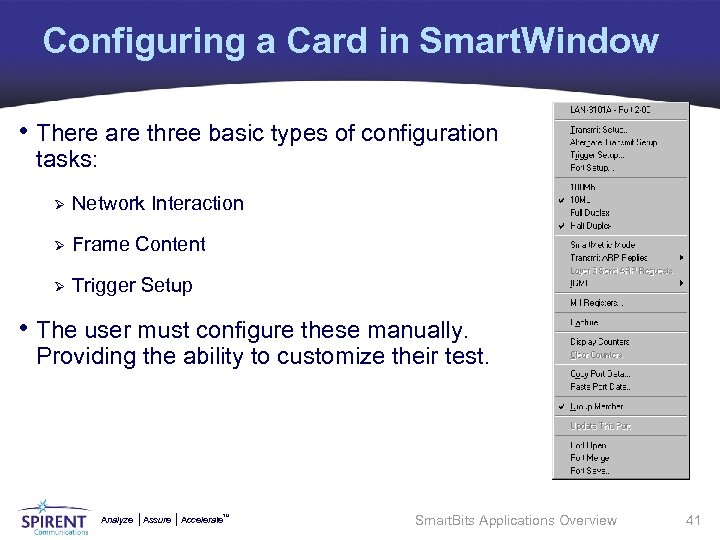
Configuring a Card in Smart. Window • There are three basic types of configuration tasks: Ø Network Interaction Ø Frame Content Ø Trigger Setup • The user must configure these manually. Providing the ability to customize their test. Analyze Assure TM Accelerate Smart. Bits Applications Overview 41
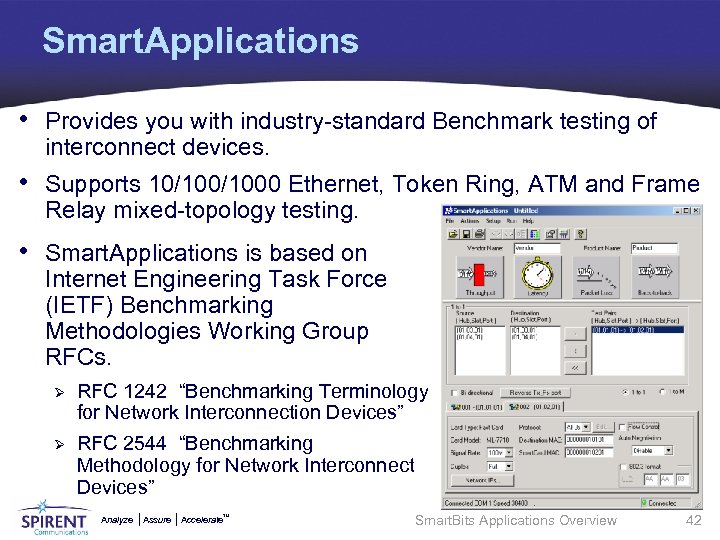
Smart. Applications • Provides you with industry-standard Benchmark testing of interconnect devices. • Supports 10/1000 Ethernet, Token Ring, ATM and Frame Relay mixed-topology testing. • Smart. Applications is based on Internet Engineering Task Force (IETF) Benchmarking Methodologies Working Group RFCs. Ø RFC 1242 “Benchmarking Terminology for Network Interconnection Devices” Ø RFC 2544 “Benchmarking Methodology for Network Interconnect Devices” Analyze Assure TM Accelerate Smart. Bits Applications Overview 42
Smart. Applications Features • Provides support for most released cards as it is a Traditional • • mode application. Supports remote one-way latency testing using GPS. Provides Layer 2 and Layer 3 tests. Provides “Next Hop” Router tests. Supports 1 to 1, 1 to Many, and Many to 1 tests. Provides Uni. and Bi-directional tests. Smart. Applications was designed to test a device/system, not a live Network. Smart. Applications runs tests based on RFC 1242 terminology and RFC 2544 methodology. (Throughput, Latency, Packet Loss and Back-to-Back). Analyze Assure TM Accelerate Smart. Bits Applications Overview 43
Smart. Applications Test Trial • Following is a list of the steps that Smart. Applications follows in performing a test trail. These steps are automatically generated from the GUI screens the user populates: Ø Ø Ø Ø Reset Ports - Smart. Apps returns the ports to their default configuration to start them fresh. Test setup - Passes the test configuration information to the cards (includes Trigger setup). Sending Learning Packets - Help the DUT to build either its Bridging “Address Forwarding Table”, or its Routing table and “ARP cache”. Receive Learning Results - See if DUT is properly forwarding unicast Packets. Transmitting - The actual test in progress. Receiving Test Results - Retrieving the card's counters and formulating test results. Repeat based on user selectable parameters. Analyze Assure TM Accelerate Smart. Bits Applications Overview 44
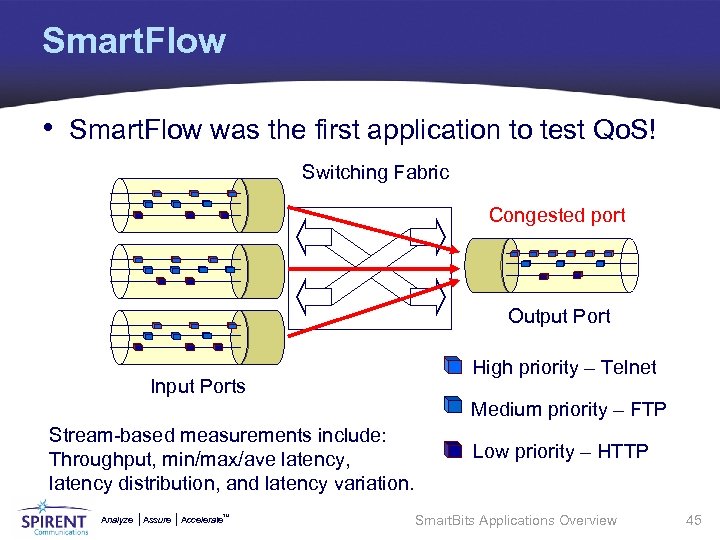
Smart. Flow • Smart. Flow was the first application to test Qo. S! Switching Fabric Congested port Output Port Input Ports High priority – Telnet Medium priority – FTP Stream-based measurements include: Throughput, min/max/ave latency, latency distribution, and latency variation. Analyze Assure TM Accelerate Low priority – HTTP Smart. Bits Applications Overview 45
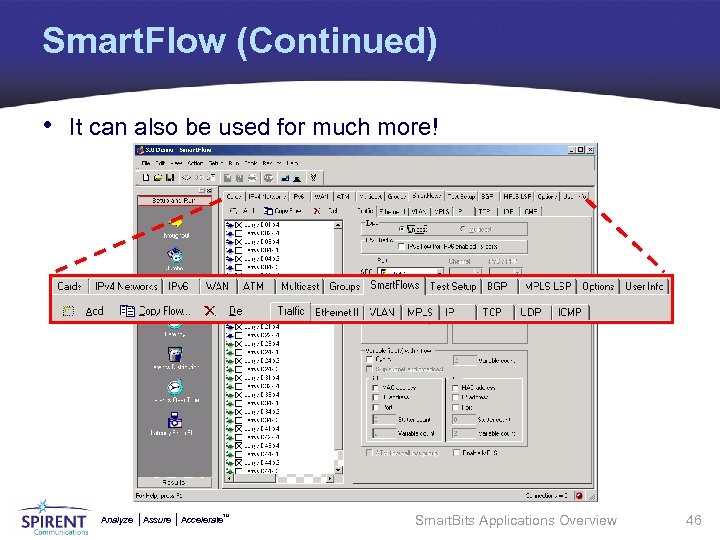
Smart. Flow (Continued) • It can also be used for much more! Analyze Assure TM Accelerate Smart. Bits Applications Overview 46
Smart. Flow Features • • • • Sophisticated Network/VLAN support for Layer 2/3 testing Sophisticated Qo. S support including rates per flow and priority options Supports 10/100/Gig/10 Gig Ethernet Supports ATM OC 3 c/12 c, WAN (Channelized DS 3), and POS OC 3 c/12 c/48 c/192 c Test setup Wizards with multiple traffic patterns Supports unicast and multicast traffic Supports IPv 4 and IPv 6 with UDP/TCP/ICMP data Supports high density "cyclic" flows Supports BGP 4 (including flapping) and MPLS (RSVP-TE) Includes detailed histogram analysis and statistics Tracks per-test, per-group, per-port, and per-stream results Tracks errored and stray flows Results are saved in a variety of formats (including HTML) SAI (Script Automation Interface) export for test automation Analyze Assure TM Accelerate Smart. Bits Applications Overview 47
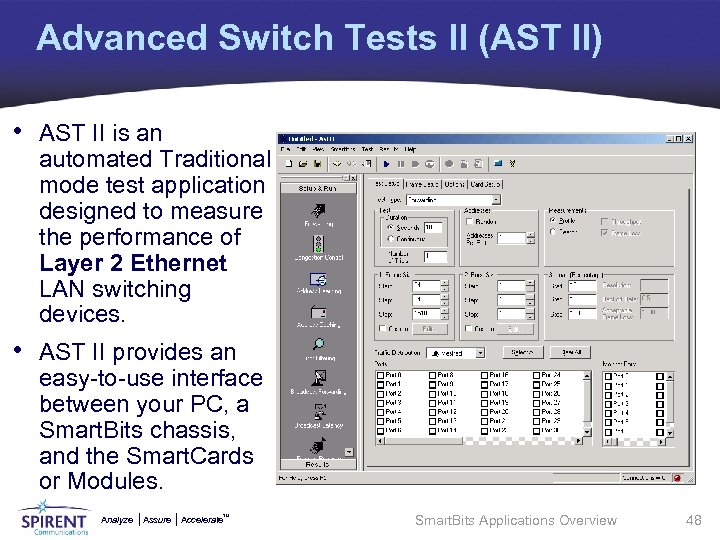
Advanced Switch Tests II (AST II) • AST II is an automated Traditional mode test application designed to measure the performance of Layer 2 Ethernet LAN switching devices. • AST II provides an easy-to-use interface between your PC, a Smart. Bits chassis, and the Smart. Cards or Modules. Analyze Assure TM Accelerate Smart. Bits Applications Overview 48
AST II Features • AST II tests conform to those described in two IETF documents: Ø RFC-2285 Benchmarking Terminology for LAN Switching Devices Ø RFC 2889 Benchmarking Methodology for LAN Switching Devices • Allows testing of multiple devices in a system configuration. • Provides eight automated tests specifically tailored to fully exercise a switch. • Allows online viewing of test results in chart or table format that you can export to an image, spreadsheet or text file. • Allows saving configuration and results to a single file. • Provides HTML output of results. Analyze Assure TM Accelerate Smart. Bits Applications Overview 49
AST II Features (Continued) • Allows user-configurable test duration, load percentage, frame size, and frame step size. • Allows measuring percent of frames forwarded at various load percentages and frame sizes. • Supports Ethernet Version 2 or 802. 3 frame formats. • Tests can run in continuous mode. • Multi-user to share the same chassis with other users or run multiple instances of AST II simultaneously. Analyze Assure TM Accelerate Smart. Bits Applications Overview 50
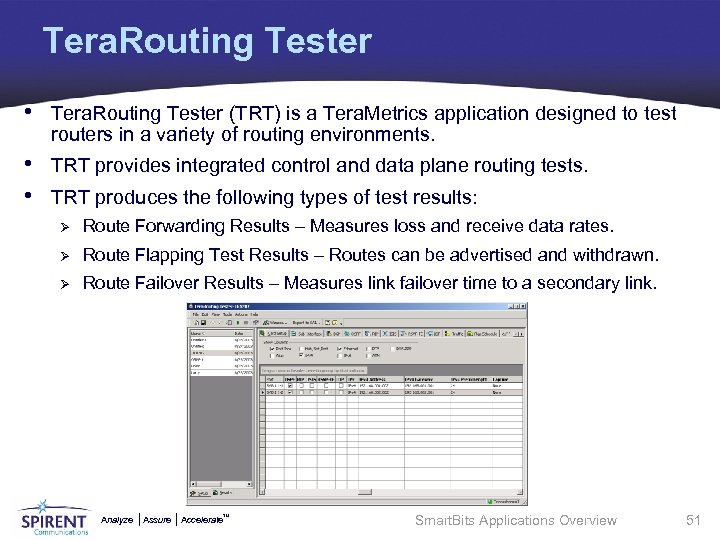
Tera. Routing Tester • Tera. Routing Tester (TRT) is a Tera. Metrics application designed to test routers in a variety of routing environments. • TRT provides integrated control and data plane routing tests. • TRT produces the following types of test results: Ø Route Forwarding Results – Measures loss and receive data rates. Ø Route Flapping Test Results – Routes can be advertised and withdrawn. Ø Route Failover Results – Measures link failover time to a secondary link. Analyze Assure TM Accelerate Smart. Bits Applications Overview 51
TRT Features • • Support for OSPF, IS-IS, RIP, and BGP with VLAN-tagged data traffic. Automatically generates data plane test traffic to all routes advertised. Wizards for quick BGP/RIP route and OSPF/IS-IS topology generation. Enhanced Flap Scheduler for multiple flap events and steps. Real time graphs, protocols statistics, and counters plus packet capture. Supports Millions of BGP/RIP Routes per port. Supports up to 100 BGP Peer Sessions, OSPF/IS-IS Adjacencies, or Emulated RIP routers per port. • Supports most BGP attributes and BGP route reflectors and confederations. • Supports OSPF LSA Types 1 to 5, 7, and 10 (for traffic engineering). Analyze Assure TM Accelerate Smart. Bits Applications Overview 52
TRT Features (Continued) • Supports up to 1000 Router LSAs and up to 1000 Network LSAs per adjacency. • Supports unlimited number of Summary, External, and NSSA LSAs per adjacency. • • Dual-stack support for IPv 4 and IPv 6. Traffic Engineering LSA for OSPF and TLV for IS-IS. Tera. Metrics XD Platform Support. Comprehensive functional and performance MPLS testing support including both signaling protocols and four different types of VPNs • New easy to use ‘wizards’ to quickly configure MPLS-VPN, 6 PE, CEto-CE and Martini test scenarios. • New display mechanism for chart/results that does not require MS Excel. • Export results to CSV file(s). Analyze Assure TM Accelerate Smart. Bits Applications Overview 53
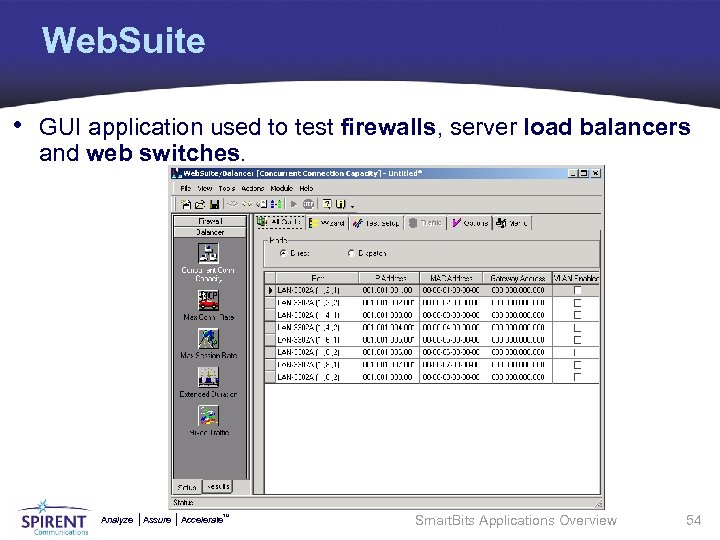
Web. Suite • GUI application used to test firewalls, server load balancers and web switches. Analyze Assure TM Accelerate Smart. Bits Applications Overview 54
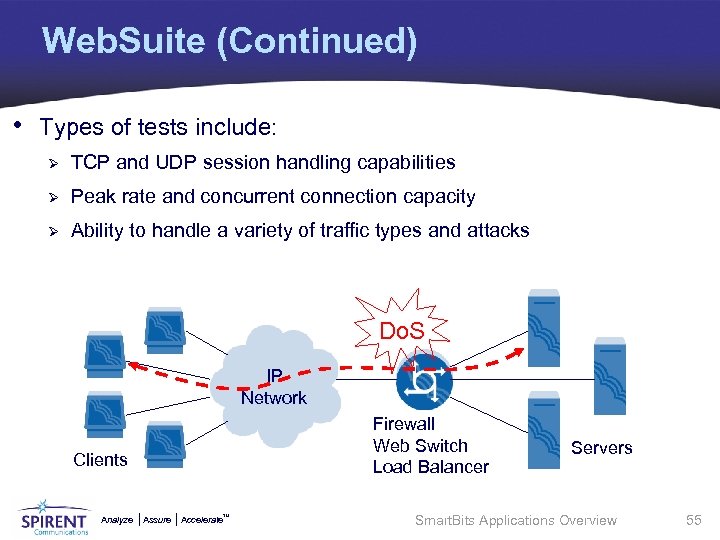
Web. Suite (Continued) • Types of tests include: Ø TCP and UDP session handling capabilities Ø Peak rate and concurrent connection capacity Ø Ability to handle a variety of traffic types and attacks Do. S IP Network Firewall Web Switch Load Balancer Clients Analyze Assure TM Accelerate Servers Smart. Bits Applications Overview 55
Web. Suite Common Features • Allows UDP and Attack traffic to be generated for entire test. • Supports the following traffic types: TCP Connection, TCP • • • Connection/HTTP, TCP Session, HTTP*, UDP, and Do. S. A traffic wizard helps simplify and automate the traffic setup. Supports simulation of a mixture of traffic types. Ability to simulate numerous TCP sessions on each Smart. Bits port in the test. You can control the level of the test traffic throughout the test. Includes option to run UDP traffic without TCP or HTTP traffic. Includes option to run attack traffic without TCP or HTTP traffic. *Firewall only Analyze Assure TM Accelerate Smart. Bits Applications Overview 56
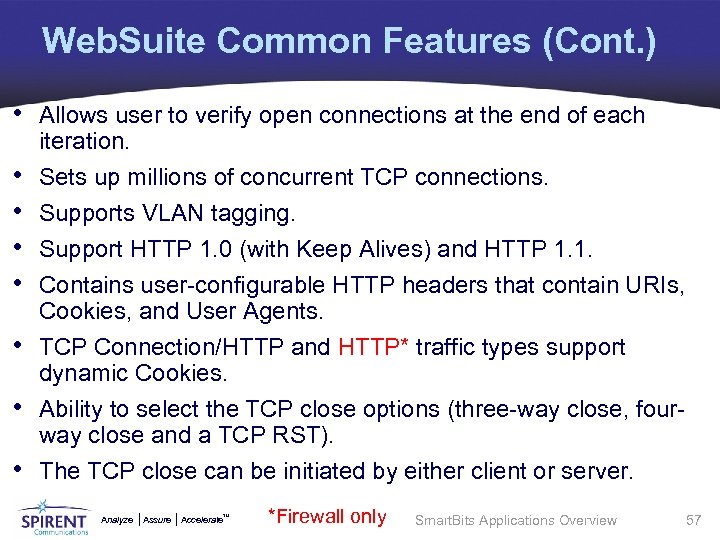
Web. Suite Common Features (Cont. ) • Allows user to verify open connections at the end of each • • iteration. Sets up millions of concurrent TCP connections. Supports VLAN tagging. Support HTTP 1. 0 (with Keep Alives) and HTTP 1. 1. Contains user-configurable HTTP headers that contain URIs, Cookies, and User Agents. TCP Connection/HTTP and HTTP* traffic types support dynamic Cookies. Ability to select the TCP close options (three-way close, fourway close and a TCP RST). The TCP close can be initiated by either client or server. Analyze Assure *Firewall only TM Accelerate Smart. Bits Applications Overview 57
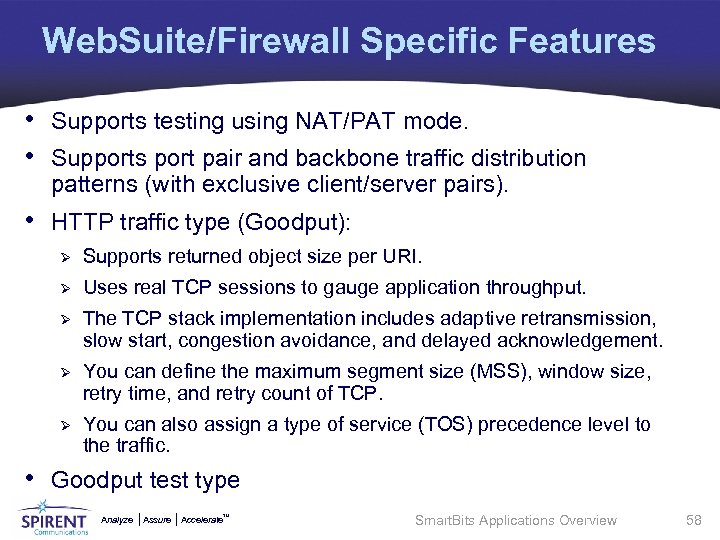
Web. Suite/Firewall Specific Features • Supports testing using NAT/PAT mode. • Supports port pair and backbone traffic distribution patterns (with exclusive client/server pairs). • HTTP traffic type (Goodput): Ø Supports returned object size per URI. Ø Uses real TCP sessions to gauge application throughput. Ø The TCP stack implementation includes adaptive retransmission, slow start, congestion avoidance, and delayed acknowledgement. Ø You can define the maximum segment size (MSS), window size, retry time, and retry count of TCP. Ø You can also assign a type of service (TOS) precedence level to the traffic. • Goodput test type Analyze Assure TM Accelerate Smart. Bits Applications Overview 58
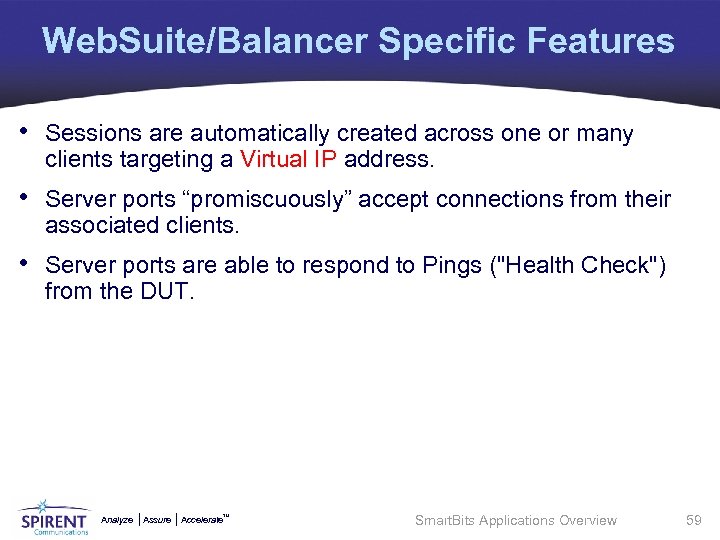
Web. Suite/Balancer Specific Features • Sessions are automatically created across one or many clients targeting a Virtual IP address. • Server ports “promiscuously” accept connections from their associated clients. • Server ports are able to respond to Pings ("Health Check") from the DUT. Analyze Assure TM Accelerate Smart. Bits Applications Overview 59
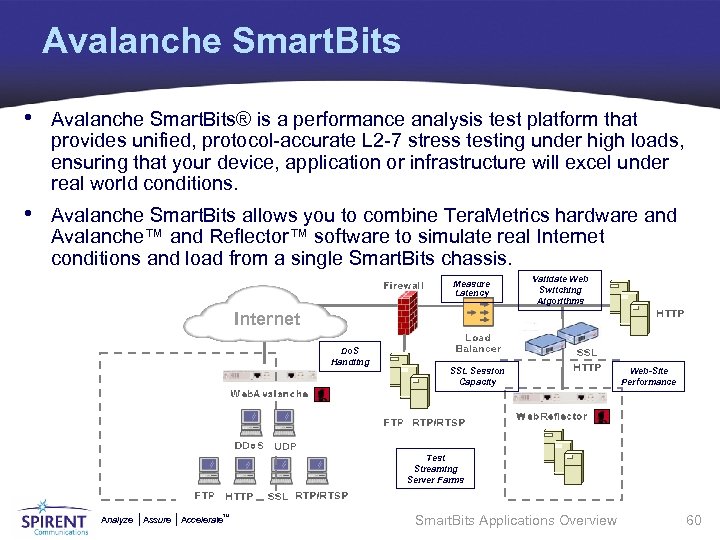
Avalanche Smart. Bits • Avalanche Smart. Bits® is a performance analysis test platform that provides unified, protocol-accurate L 2 -7 stress testing under high loads, ensuring that your device, application or infrastructure will excel under real world conditions. • Avalanche Smart. Bits allows you to combine Tera. Metrics hardware and Avalanche™ and Reflector™ software to simulate real Internet conditions and load from a single Smart. Bits chassis. Measure Latency Validate Web Switching Algorithms Internet Do. S Handling SSL Session Capacity Web-Site Performance Test Streaming Server Farms Analyze Assure TM Accelerate Smart. Bits Applications Overview 60
Avalanche Smart. Bits Features • Avalanche emulates clients establishing thousands of user transactions per second. • Reflector simulates hundreds of application web servers. • Based upon stand-alone Avalanche and Reflector appliances. • Supports the functional and performance testing of: Ø Web switches and SSL accelerators Ø Caches and HTTP proxies Ø Firewalls and intrusion detection systems Ø Web infrastructures, including web servers • Protocol Support Ø HTTP 1. 0/1. 1, Secure HTTP (SSL), FTP, RTP/RTSP, Microsoft Media Support (MMS), and Mail Protocol Support. Analyze Assure TM Accelerate Smart. Bits Applications Overview 61
Avalanche Features • Supports both HTTP 1. 0 and 1. 1, including HTTP POSTs and HEADs, plus HTML forms data. • Supports passive FTP, RTSP/RTP for (Quick. Time and Real), POP 3, and SMTP. • Gratuitous Address Resolution (ARPs) which enables attached devices to update their ARP caches each time a new Avalanche test begins. • • • Real Proxy Invokes the Real® Launcher® to test Real streaming servers. Verification enables you to validate test configurations. Sample Tests Provides default tests to assist first time users. Test File Uploading Allows adding customized associated test files to the User Profile. URL List Recorder Employs a proxy recorder to expedite creating complex URL Lists. Cookie Preloading and Dumping allows recording all the cookies used in a test, then logging those cookies in a format that can later be pre-loaded in a subsequent test. • Caching Proxy Simulates network traffic managed by a proxy server, which responds to a URL request itself instead of directly accessing the destination server. Analyze Assure TM Accelerate Smart. Bits Applications Overview 62
Reflector Features • Supports FTP and RTSP/RTP (streaming), in addition to the HTTP 1. 0 and 1. 1 functionality. • Cookie Support Generates RFC-compliant cookie to be sent in the HTTP response. • Content-MD 5 Header returns Content-MD 5 header, which allows the HTTP client to verify the correct HTTP response body is transferred. • Random Embedded Text in HTTP Response Body allows specifying random embedded text strings in the HTTP response body, which causes a unique Content-MD 5 header to be generated for every HTTP response. • Sample Tests Provides default tests to assist first time users. • Password Protection enables changing and controlling system access. • Graphic Statistical Panels allows monitoring tests through scrolling multicolored charts. Analyze Assure TM Accelerate Smart. Bits Applications Overview 63
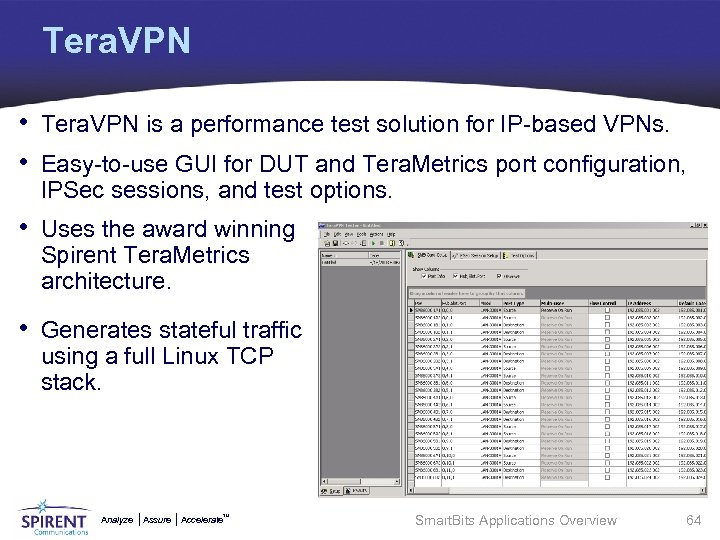
Tera. VPN • Tera. VPN is a performance test solution for IP-based VPNs. • Easy-to-use GUI for DUT and Tera. Metrics port configuration, IPSec sessions, and test options. • Uses the award winning Spirent Tera. Metrics architecture. • Generates stateful traffic using a full Linux TCP stack. Analyze Assure TM Accelerate Smart. Bits Applications Overview 64
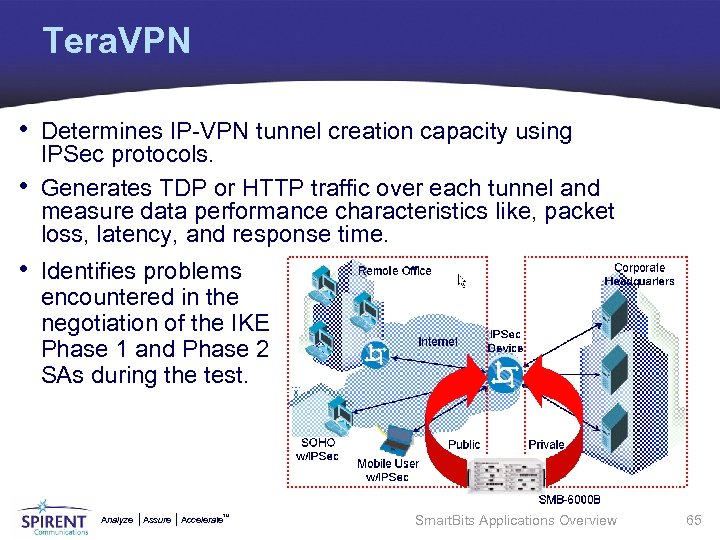
Tera. VPN • Determines IP-VPN tunnel creation capacity using • IPSec protocols. Generates TDP or HTTP traffic over each tunnel and measure data performance characteristics like, packet loss, latency, and response time. • Identifies problems encountered in the negotiation of the IKE Phase 1 and Phase 2 SAs during the test. Analyze Assure TM Accelerate Smart. Bits Applications Overview 65
Tera. VPN Features • Easy-to-use customizable GUI. • Tunnel Setup and Policy Generator wizards to reduce test setup learning curve. • IKE protocol trace to identify problems when tunnel creation fails and bounce diagram for individual tunnel analysis. • • • Granular controls over tunnel creation to refine test scenarios. Bi-directional traffic generation to stress in both directions. Per tunnel information for detailed analysis. Scalable to thousands of tunnels. Supports up to 32 Tera. Metrics module ports. Ability to save test configurations for regression testing. Analyze Assure TM Accelerate Smart. Bits Applications Overview 66
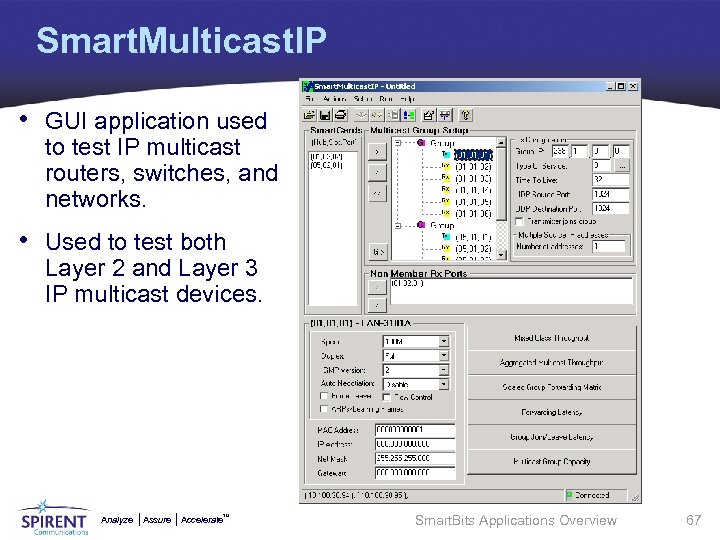
Smart. Multicast. IP • GUI application used to test IP multicast routers, switches, and networks. • Used to test both Layer 2 and Layer 3 IP multicast devices. Analyze Assure TM Accelerate Smart. Bits Applications Overview 67
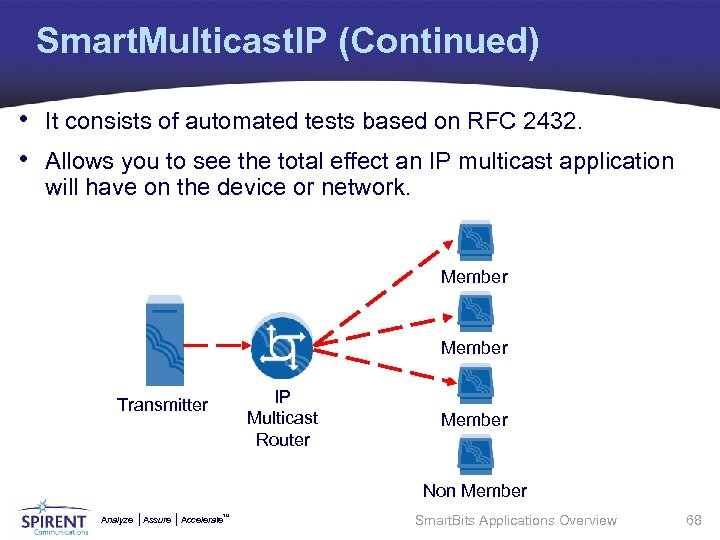
Smart. Multicast. IP (Continued) • It consists of automated tests based on RFC 2432. • Allows you to see the total effect an IP multicast application will have on the device or network. Member IP Multicast Router Transmitter Member Non Member Analyze Assure TM Accelerate Smart. Bits Applications Overview 68
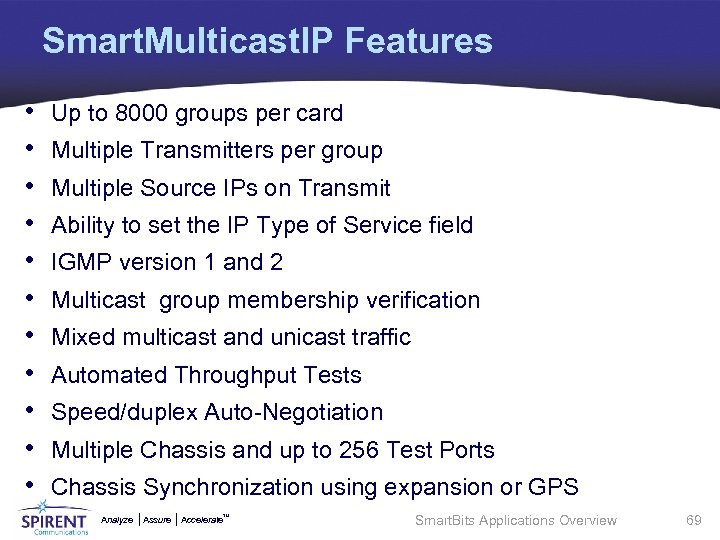
Smart. Multicast. IP Features • • • Up to 8000 groups per card Multiple Transmitters per group Multiple Source IPs on Transmit Ability to set the IP Type of Service field IGMP version 1 and 2 Multicast group membership verification Mixed multicast and unicast traffic Automated Throughput Tests Speed/duplex Auto-Negotiation Multiple Chassis and up to 256 Test Ports Chassis Synchronization using expansion or GPS Analyze Assure TM Accelerate Smart. Bits Applications Overview 69
Topics Overview • Introduction • Applications Function Overview • Core Smart. Bits Applications • Applications Comparisons • Activity Analyze Assure TM Accelerate Smart. Bits Applications Overview 70
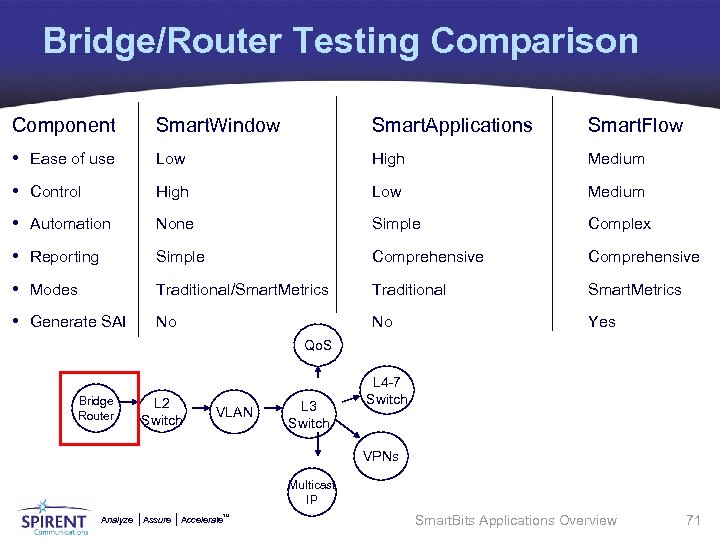
Bridge/Router Testing Comparison Component Smart. Window Smart. Applications Smart. Flow • Ease of use Low High Medium • Control High Low Medium • Automation None Simple Complex • Reporting Simple Comprehensive • Modes Traditional/Smart. Metrics Traditional Smart. Metrics • Generate SAI No No Yes Qo. S Bridge Router L 2 Switch VLAN L 3 Switch L 4 -7 Switch VPNs Multicast IP Analyze Assure TM Accelerate Smart. Bits Applications Overview 71
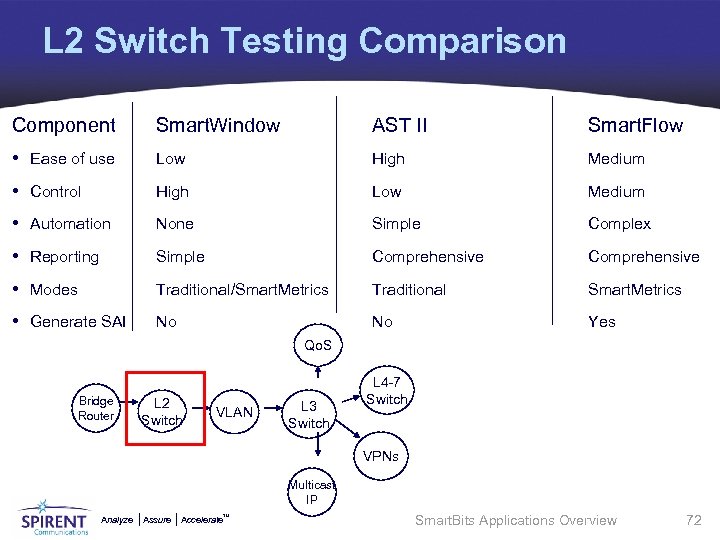
L 2 Switch Testing Comparison Component Smart. Window AST II Smart. Flow • Ease of use Low High Medium • Control High Low Medium • Automation None Simple Complex • Reporting Simple Comprehensive • Modes Traditional/Smart. Metrics Traditional Smart. Metrics • Generate SAI No No Yes Qo. S Bridge Router L 2 Switch VLAN L 3 Switch L 4 -7 Switch VPNs Multicast IP Analyze Assure TM Accelerate Smart. Bits Applications Overview 72
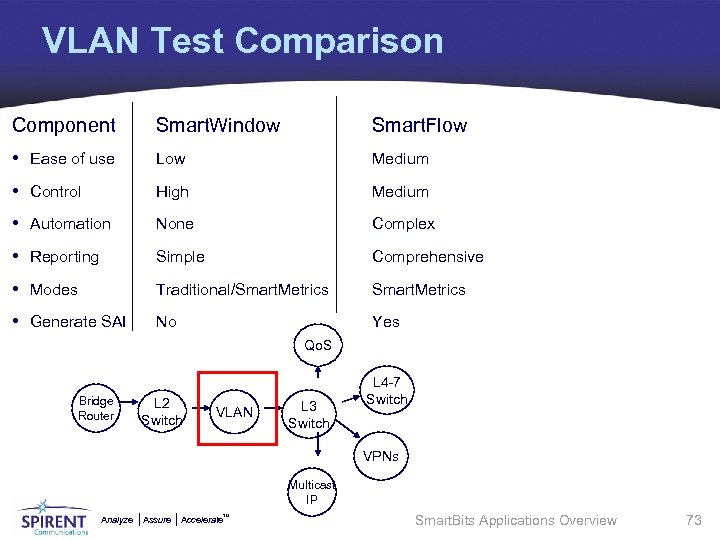
VLAN Test Comparison Component Smart. Window Smart. Flow • Ease of use Low Medium • Control High Medium • Automation None Complex • Reporting Simple Comprehensive • Modes Traditional/Smart. Metrics • Generate SAI No Yes Qo. S Bridge Router L 2 Switch VLAN L 3 Switch L 4 -7 Switch VPNs Multicast IP Analyze Assure TM Accelerate Smart. Bits Applications Overview 73
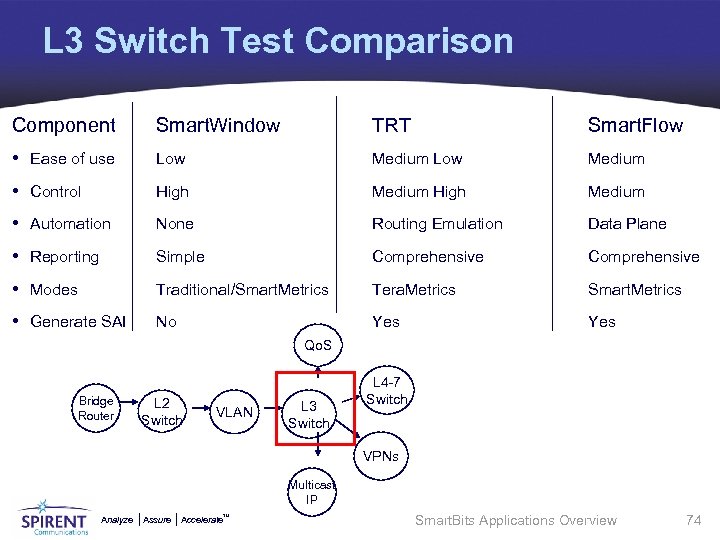
L 3 Switch Test Comparison Component Smart. Window TRT Smart. Flow • Ease of use Low Medium • Control High Medium • Automation None Routing Emulation Data Plane • Reporting Simple Comprehensive • Modes Traditional/Smart. Metrics Tera. Metrics Smart. Metrics • Generate SAI No Yes Qo. S Bridge Router L 2 Switch VLAN L 3 Switch L 4 -7 Switch VPNs Multicast IP Analyze Assure TM Accelerate Smart. Bits Applications Overview 74
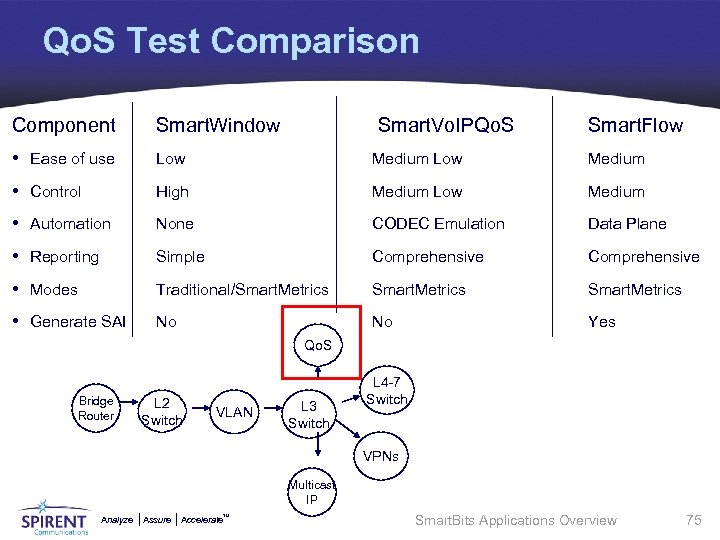
Qo. S Test Comparison Component Smart. Window Smart. Vo. IPQo. S Smart. Flow • Ease of use Low Medium • Control High Medium Low Medium • Automation None CODEC Emulation Data Plane • Reporting Simple Comprehensive • Modes Traditional/Smart. Metrics • Generate SAI No No Yes Qo. S Bridge Router L 2 Switch VLAN L 3 Switch L 4 -7 Switch VPNs Multicast IP Analyze Assure TM Accelerate Smart. Bits Applications Overview 75
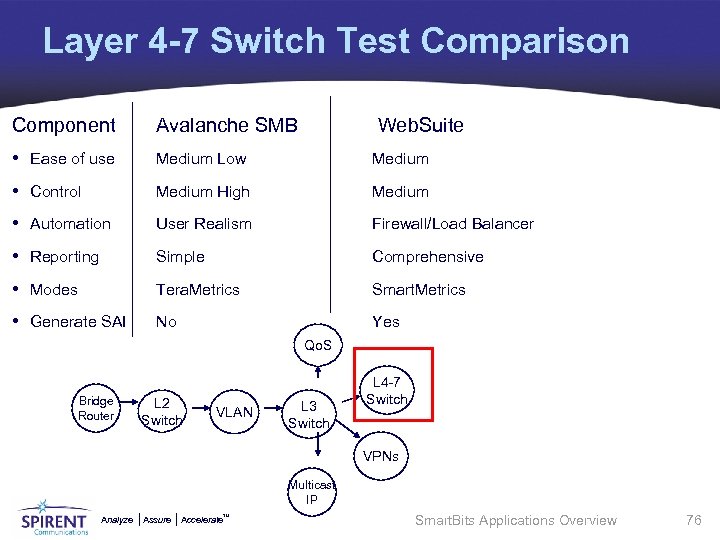
Layer 4 -7 Switch Test Comparison Component Avalanche SMB Web. Suite • Ease of use Medium Low Medium • Control Medium High Medium • Automation User Realism Firewall/Load Balancer • Reporting Simple Comprehensive • Modes Tera. Metrics Smart. Metrics • Generate SAI No Yes Qo. S Bridge Router L 2 Switch VLAN L 3 Switch L 4 -7 Switch VPNs Multicast IP Analyze Assure TM Accelerate Smart. Bits Applications Overview 76
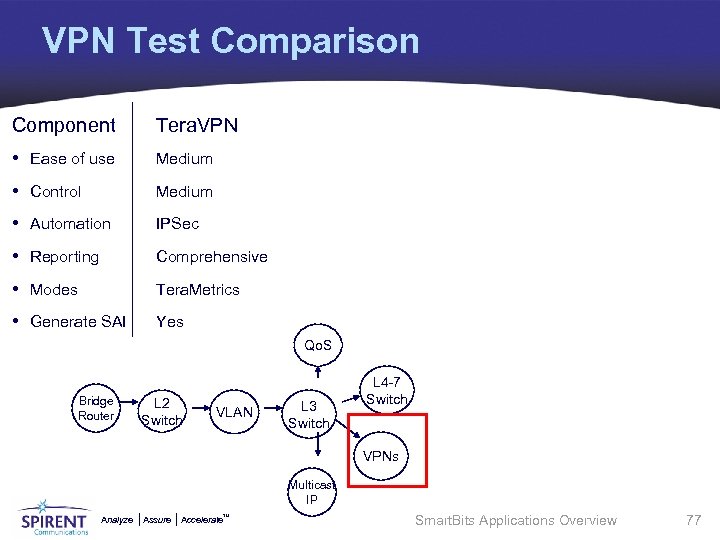
VPN Test Comparison Component Tera. VPN • Ease of use Medium • Control Medium • Automation IPSec • Reporting Comprehensive • Modes Tera. Metrics • Generate SAI Yes Qo. S Bridge Router L 2 Switch VLAN L 3 Switch L 4 -7 Switch VPNs Multicast IP Analyze Assure TM Accelerate Smart. Bits Applications Overview 77
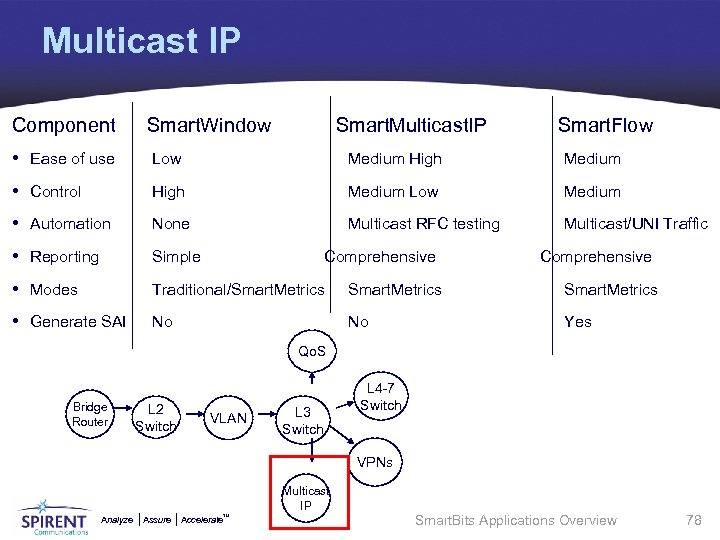
Multicast IP Component Smart. Window Smart. Multicast. IP Smart. Flow • Ease of use Low Medium High Medium • Control High Medium Low Medium • Automation None Multicast RFC testing Multicast/UNI Traffic • Reporting Simple • Modes Traditional/Smart. Metrics • Generate SAI No No Yes Comprehensive Qo. S Bridge Router L 2 Switch VLAN L 3 Switch L 4 -7 Switch VPNs Multicast IP Analyze Assure TM Accelerate Smart. Bits Applications Overview 78
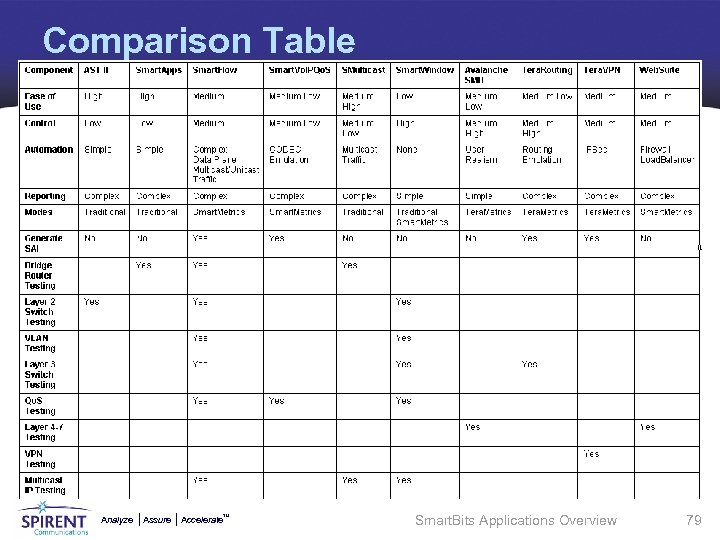
Comparison Table Analyze Assure TM Accelerate Smart. Bits Applications Overview 79
Topics Overview • Introduction • Applications Function Overview • Core Smart. Bits Applications • Applications Comparison • Activity Analyze Assure TM Accelerate Smart. Bits Applications Overview 80
Activity • The following activity is included in this Fast. Track: Ø Lab 1: Smart. Bits Applications Screen Cams • Perform the activity as described within the associated Lab Document. • The Lab Document provides all detailed steps and setup information necessary in order for you to successfully complete the activity. • It is accessed from the resources button of the on-line version of the Fast. Track: www. spirentcampus. com Analyze Assure TM Accelerate Smart. Bits Applications Overview 81
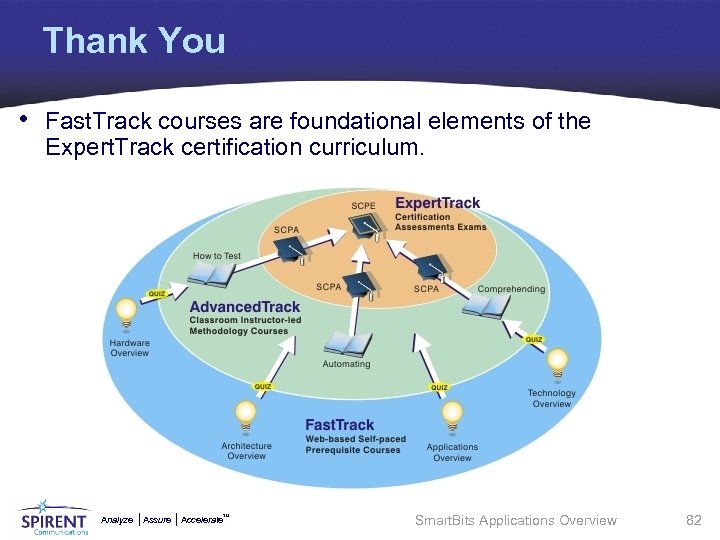
Thank You • Fast. Track courses are foundational elements of the Expert. Track certification curriculum. Analyze Assure TM Accelerate Smart. Bits Applications Overview 82
Скачать презентацию Analyze Smart Bits Applications Overview Fast Track www
b5be37a98cd23cd4137f69195c9cf9ea.ppt