 Скачать презентацию Analysis Using CRAB On The Grid CMS Commissioning
ab0ea251f265ba924445535db32bf7fe.ppt
- Количество слайдов: 17



Analysis Using CRAB On The Grid CMS Commissioning and First Data A practical introduction to CRAB Bockjoo Kim Stan Durkin U of Florida The Ohio State University Bockjoo Kim for the CMS Collaboration U of Florida Bockjoo Kim 2 nd Southeastern CMS Physics Analysis Workshop 1
Outline of Analysis Using CRAB CMS Commissioning and First Data • Certificate Processing: The first BIG steps • Grid Tools • CMSSW • CRAB • Example Configurations • Example Analysis Using EDAnalyzer Stan Durkin The Ohio Together • Putting Everything State University for the CMS Collaboration Bockjoo Kim 2 nd Southeastern CMS Physics Analysis Workshop 2
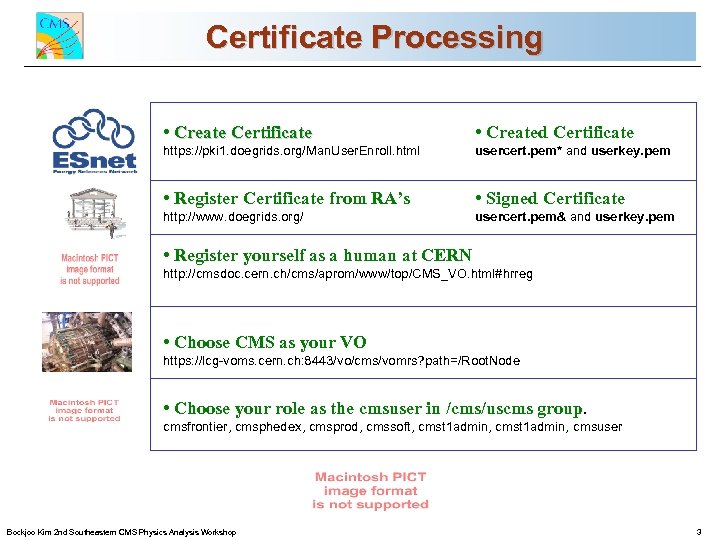
Certificate Processing CMS Commissioning and First Data • Create Certificate • Created Certificate https: //pki 1. doegrids. org/Man. User. Enroll. html usercert. pem* and userkey. pem • Register Certificate from RA’s • Signed Certificate http: //www. doegrids. org/ usercert. pem& and userkey. pem • Register yourself as a human at CERN http: //cmsdoc. cern. ch/cms/aprom/www/top/CMS_VO. html#hrreg • Choose CMS as your VO https: //lcg-voms. cern. ch: 8443/vo/cms/vomrs? path=/Root. Node • Choose your role as the cmsuser in /cms/uscms group. Stan Durkin The Ohio State University for the CMS Collaboration cmsfrontier, cmsphedex, cmsprod, cmssoft, cmst 1 admin, cmsuser Bockjoo Kim 2 nd Southeastern CMS Physics Analysis Workshop 3
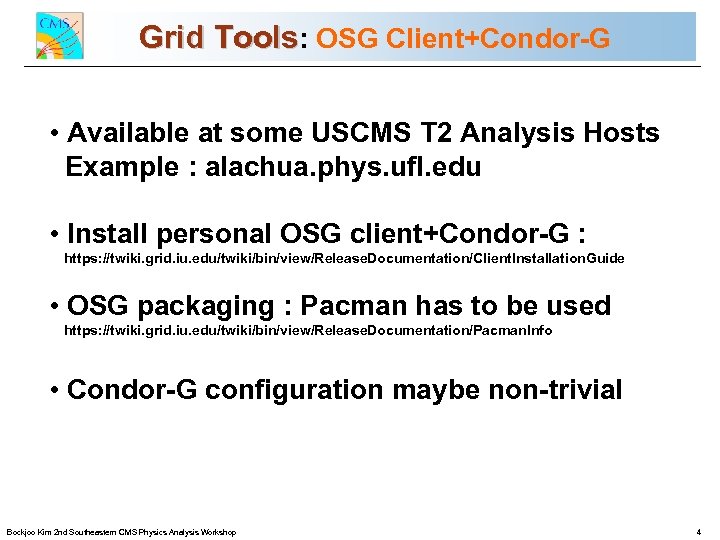
Grid Tools: OSG Client+Condor-G CMS Commissioning and First Data • Available at some USCMS T 2 Analysis Hosts Example : alachua. phys. ufl. edu • Install personal OSG client+Condor-G : https: //twiki. grid. iu. edu/twiki/bin/view/Release. Documentation/Client. Installation. Guide • OSG packaging : Pacman has to be used https: //twiki. grid. iu. edu/twiki/bin/view/Release. Documentation/Pacman. Info • Condor-G configuration maybe non-trivial Stan Durkin The Ohio State University for the CMS Collaboration Bockjoo Kim 2 nd Southeastern CMS Physics Analysis Workshop 4
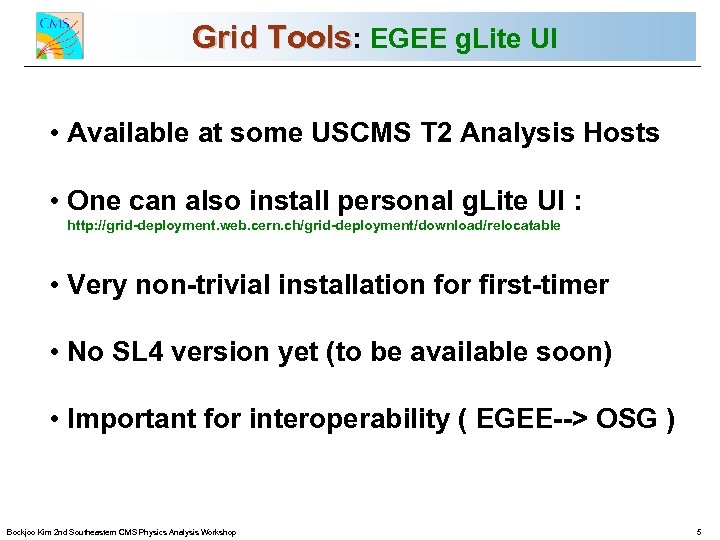
Grid Tools: EGEE g. Lite UI CMS Commissioning and First Data • Available at some USCMS T 2 Analysis Hosts • One can also install personal g. Lite UI : http: //grid-deployment. web. cern. ch/grid-deployment/download/relocatable • Very non-trivial installation for first-timer • No SL 4 version yet (to be available soon) • Important for interoperability ( EGEE--> OSG ) Stan Durkin The Ohio State University for the CMS Collaboration Bockjoo Kim 2 nd Southeastern CMS Physics Analysis Workshop 5
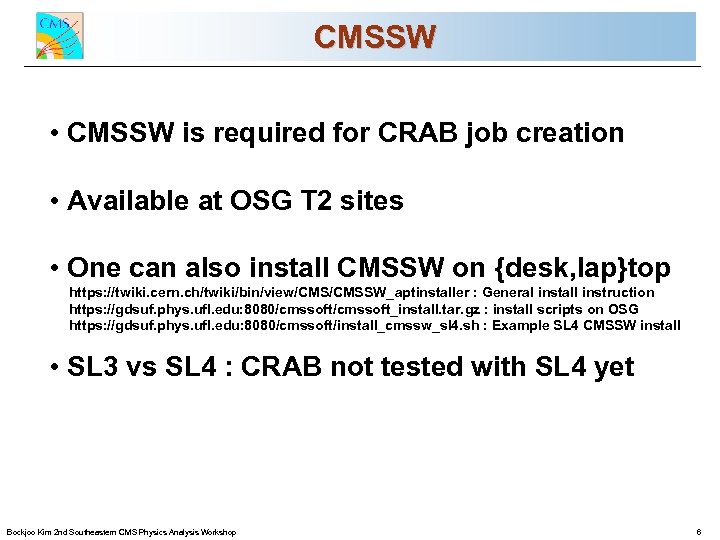
CMSSW CMS Commissioning and First Data • CMSSW is required for CRAB job creation • Available at OSG T 2 sites • One can also install CMSSW on {desk, lap}top https: //twiki. cern. ch/twiki/bin/view/CMSSW_aptinstaller : General install instruction https: //gdsuf. phys. ufl. edu: 8080/cmssoft_install. tar. gz : install scripts on OSG https: //gdsuf. phys. ufl. edu: 8080/cmssoft/install_cmssw_sl 4. sh : Example SL 4 CMSSW install • SL 3 vs SL 4 : CRAB not tested with SL 4 yet Stan Durkin The Ohio State University for the CMS Collaboration Bockjoo Kim 2 nd Southeastern CMS Physics Analysis Workshop 6
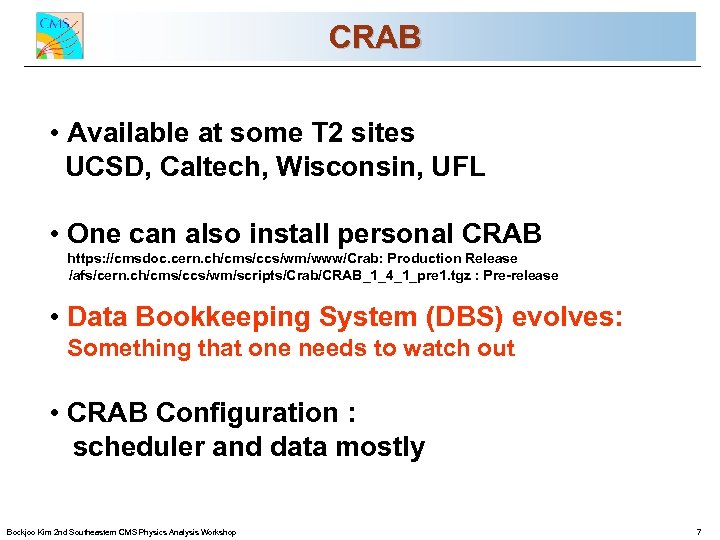
CRAB CMS Commissioning and First Data • Available at some T 2 sites UCSD, Caltech, Wisconsin, UFL • One can also install personal CRAB https: //cmsdoc. cern. ch/cms/ccs/wm/www/Crab: Production Release /afs/cern. ch/cms/ccs/wm/scripts/Crab/CRAB_1_4_1_pre 1. tgz : Pre-release • Data Bookkeeping System (DBS) evolves: Something that one needs to watch out • CRAB Configuration : Stan Durkin scheduler and Ohio State University The data mostly for the CMS Collaboration Bockjoo Kim 2 nd Southeastern CMS Physics Analysis Workshop 7
![CRAB Configuration : scheduler CMS Commissioning and First Data • [CRAB] Section ‘scheduler’ configuration](https://present5.com/presentation/ab0ea251f265ba924445535db32bf7fe/image-8.jpg "CRAB Configuration : scheduler CMS Commissioning and First Data • [CRAB] Section ‘scheduler’ configuration")
CRAB Configuration : scheduler CMS Commissioning and First Data • [CRAB] Section ‘scheduler’ configuration scheduler = condor_g # Condor-G Scheduler # scheduler = glitecoll # for g. Lite RB job submission • [EDG] Section comp. resource configuration (Resource Broker or Grid. Cat) ce_white_list = ufloridapg. phys. ufl. edu # one of USCMS T 2 sites se_white_list = phys. ufl. edu # restrict to SE at Florida • [CONDORG] Section b-queue configuration globus_rsl = (queue=cms_grid)(max. Walltime=2880)(job. Type=single) Stan Durkin The Ohio State University for the CMS Collaboration Bockjoo Kim 2 nd Southeastern CMS Physics Analysis Workshop 8
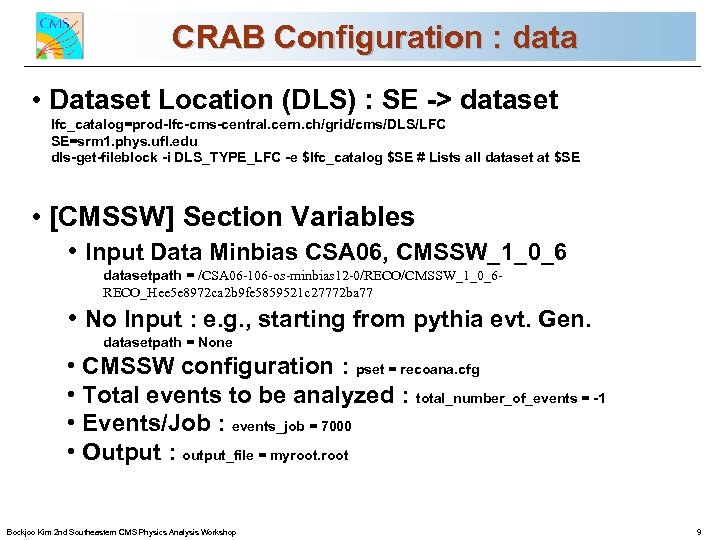
CRAB Configuration : data CMSLocation (DLS) : SEand First Data Commissioning -> dataset • Dataset lfc_catalog=prod-lfc-cms-central. cern. ch/grid/cms/DLS/LFC SE=srm 1. phys. ufl. edu dls-get-fileblock -i DLS_TYPE_LFC -e $lfc_catalog $SE # Lists all dataset at $SE • [CMSSW] Section Variables • Input Data Minbias CSA 06, CMSSW_1_0_6 datasetpath = /CSA 06 -106 -os-minbias 12 -0/RECO/CMSSW_1_0_6 RECO_Hee 5 e 8972 ca 2 b 9 fe 5859521 c 27772 ba 77 • No Input : e. g. , starting from pythia evt. Gen. datasetpath = None • CMSSW configuration : pset = recoana. cfg • Total events to be analyzed : total_number_of_events = -1 • Events/Job : events_job = 7000 Stan Durkin • Output : output_file = Ohio State University The myroot for the CMS Collaboration Bockjoo Kim 2 nd Southeastern CMS Physics Analysis Workshop 9
![Example CRAB Configuration(crab. cfg) CMS Commissioning and First Data [CRAB] jobtype = cmssw scheduler](https://present5.com/presentation/ab0ea251f265ba924445535db32bf7fe/image-10.jpg "Example CRAB Configuration(crab. cfg) CMS Commissioning and First Data [CRAB] jobtype = cmssw scheduler")
Example CRAB Configuration(crab. cfg) CMS Commissioning and First Data [CRAB] jobtype = cmssw scheduler = condor_g [CMSSW] datasetpath = /CSA 06 -106 -os-minbias 12 -0/RECO/CMSSW_1_0_6 RECO_Hee 5 e 8972 ca 2 b 9 fe 5859521 c 27772 ba 77 dbs_url = http: //cmsdbs. cern. ch/cms/prod/comp/DBS/CGIServer/prodquery pset = recoana. cfg total_number_of_events = -1 events_per_job = 7000 output_file = myroot [USER] return_data = 1 use_central_boss. DB = 0 use_boss_rt = 0 total_number_of_events = 1 [EDG] lcg_version = 2 proxy_server = myproxy. cern. ch ce_white_list = ufloridapg. phys. ufl. edu se_white_list = phys. ufl. edu virtual_organization = cms retry_count = 2 lcg_catalog_type = lfc_host = lfc-cms-test. cern. ch lfc_home = /grid/cms Stan Durkin The Ohio State University for the CMS Collaboration Bockjoo Kim 2 nd Southeastern CMS Physics Analysis Workshop 10
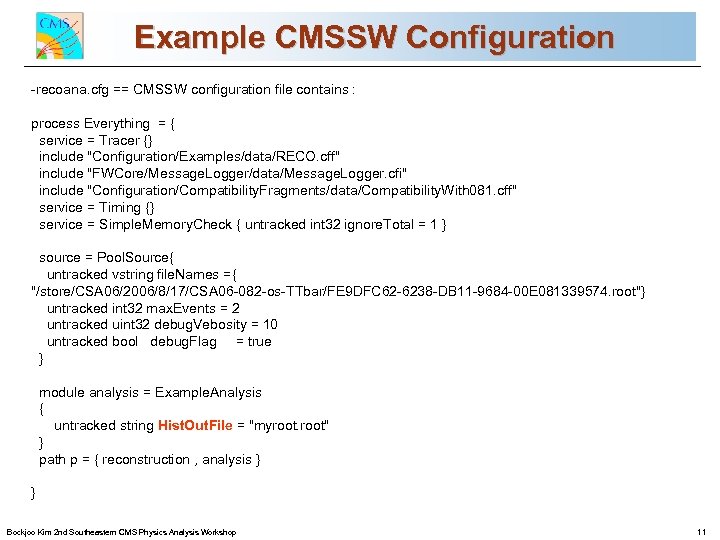
Example CMSSW Configuration CMS Commissioning and First Data -recoana. cfg == CMSSW configuration file contains : process Everything = { service = Tracer {} include "Configuration/Examples/data/RECO. cff" include "FWCore/Message. Logger/data/Message. Logger. cfi" include "Configuration/Compatibility. Fragments/data/Compatibility. With 081. cff" service = Timing {} service = Simple. Memory. Check { untracked int 32 ignore. Total = 1 } source = Pool. Source{ untracked vstring file. Names ={ "/store/CSA 06/2006/8/17/CSA 06 -082 -os-TTbar/FE 9 DFC 62 -6238 -DB 11 -9684 -00 E 081339574. root"} untracked int 32 max. Events = 2 untracked uint 32 debug. Vebosity = 10 untracked bool debug. Flag = true } module analysis = Example. Analysis { untracked string Hist. Out. File = "myroot" } path p = { reconstruction , analysis } } Stan Durkin The Ohio State University for the CMS Collaboration Bockjoo Kim 2 nd Southeastern CMS Physics Analysis Workshop 11
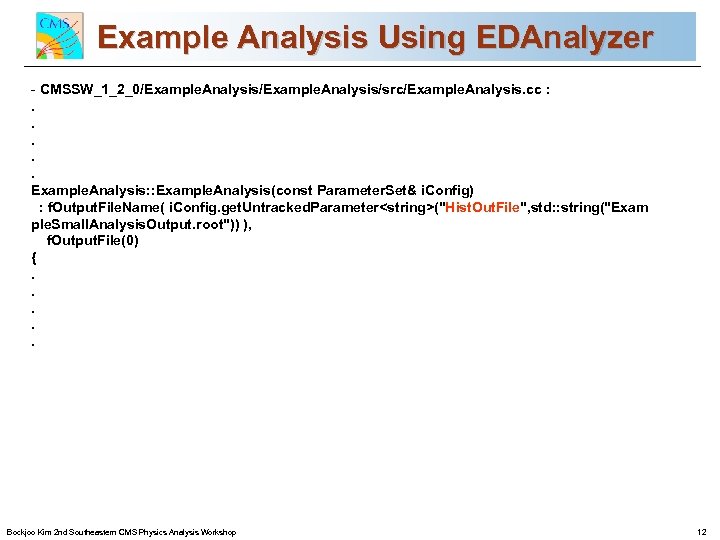
Example Analysis Using EDAnalyzer CMS Commissioning and First Data - CMSSW_1_2_0/Example. Analysis/src/Example. Analysis. cc : . . . Example. Analysis: : Example. Analysis(const Parameter. Set& i. Config) : f. Output. File. Name( i. Config. get. Untracked. Parameter<string>("Hist. Out. File", std: : string("Exam ple. Small. Analysis. Output. root")) ), f. Output. File(0) {. . . Stan Durkin The Ohio State University for the CMS Collaboration Bockjoo Kim 2 nd Southeastern CMS Physics Analysis Workshop 12
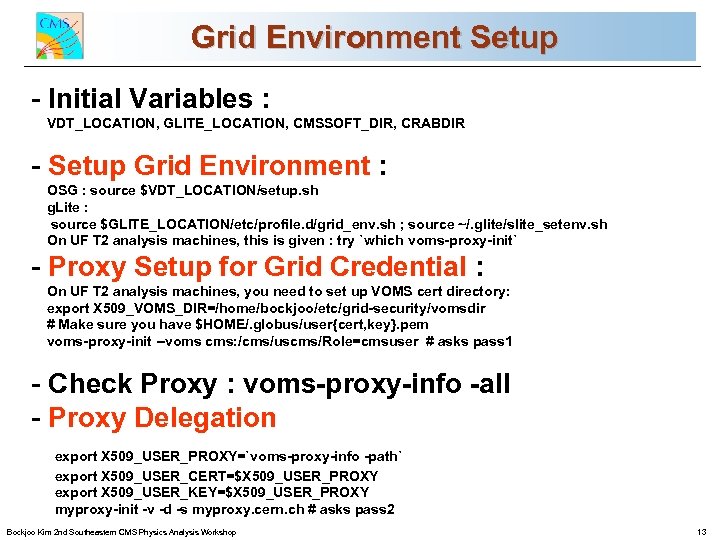
Grid Environment Setup CMS Commissioning and First Data - Initial Variables : VDT_LOCATION, GLITE_LOCATION, CMSSOFT_DIR, CRABDIR - Setup Grid Environment : OSG : source $VDT_LOCATION/setup. sh g. Lite : source $GLITE_LOCATION/etc/profile. d/grid_env. sh ; source ~/. glite/slite_setenv. sh On UF T 2 analysis machines, this is given : try `which voms-proxy-init` - Proxy Setup for Grid Credential : On UF T 2 analysis machines, you need to set up VOMS cert directory: export X 509_VOMS_DIR=/home/bockjoo/etc/grid-security/vomsdir # Make sure you have $HOME/. globus/user{cert, key}. pem voms-proxy-init --voms cms: /cms/uscms/Role=cmsuser # asks pass 1 - Check Proxy : voms-proxy-info -all - Proxy Delegation Stan Durkin The Ohio State University for the CMS Collaboration export X 509_USER_PROXY=`voms-proxy-info -path` export X 509_USER_CERT=$X 509_USER_PROXY export X 509_USER_KEY=$X 509_USER_PROXY myproxy-init -v -d -s myproxy. cern. ch # asks pass 2 Bockjoo Kim 2 nd Southeastern CMS Physics Analysis Workshop 13
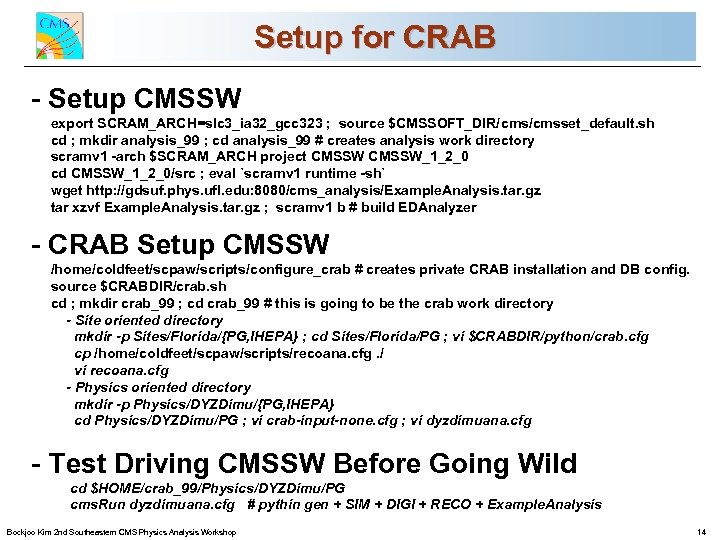
Setup for CRAB CMS Commissioning and First Data - Setup CMSSW export SCRAM_ARCH=slc 3_ia 32_gcc 323 ; source $CMSSOFT_DIR/cmsset_default. sh cd ; mkdir analysis_99 ; cd analysis_99 # creates analysis work directory scramv 1 -arch $SCRAM_ARCH project CMSSW_1_2_0 cd CMSSW_1_2_0/src ; eval `scramv 1 runtime -sh` wget http: //gdsuf. phys. ufl. edu: 8080/cms_analysis/Example. Analysis. tar. gz tar xzvf Example. Analysis. tar. gz ; scramv 1 b # build EDAnalyzer - CRAB Setup CMSSW /home/coldfeet/scpaw/scripts/configure_crab # creates private CRAB installation and DB config. source $CRABDIR/crab. sh cd ; mkdir crab_99 ; cd crab_99 # this is going to be the crab work directory - Site oriented directory mkdir -p Sites/Florida/{PG, IHEPA} ; cd Sites/Florida/PG ; vi $CRABDIR/python/crab. cfg cp /home/coldfeet/scpaw/scripts/recoana. cfg. / vi recoana. cfg - Physics oriented directory mkdir -p Physics/DYZDimu/{PG, IHEPA} cd Physics/DYZDimu/PG ; vi crab-input-none. cfg ; vi dyzdimuana. cfg Stan Durkin The Ohio Before Going - Test Driving CMSSWState University Wild cd $HOME/crab_99/Physics/DYZDimu/PG Collaboration for the CMS cms. Run dyzdimuana. cfg # pythin gen + SIM + DIGI + RECO + Example. Analysis Bockjoo Kim 2 nd Southeastern CMS Physics Analysis Workshop 14
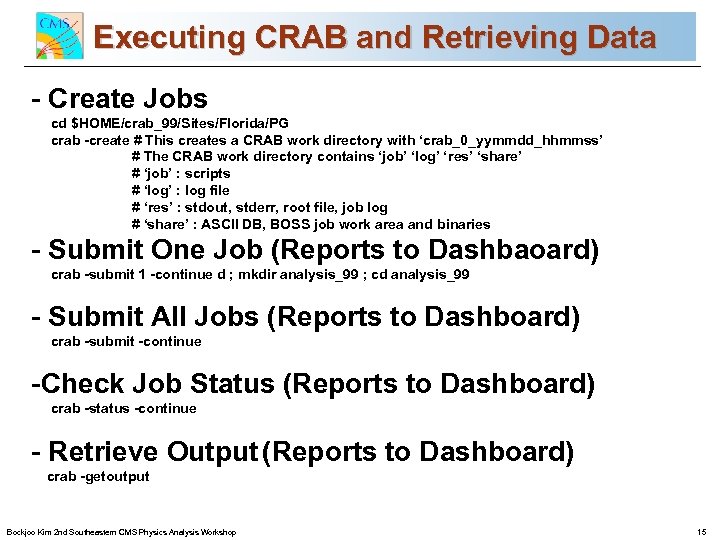
Executing CRAB and Retrieving Data CMS Commissioning and First Data - Create Jobs cd $HOME/crab_99/Sites/Florida/PG crab -create # This creates a CRAB work directory with ‘crab_0_yymmdd_hhmmss’ # The CRAB work directory contains ‘job’ ‘log’ ‘res’ ‘share’ # ‘job’ : scripts # ‘log’ : log file # ‘res’ : stdout, stderr, root file, job log # ‘share’ : ASCII DB, BOSS job work area and binaries - Submit One Job (Reports to Dashbaoard) crab -submit 1 -continue d ; mkdir analysis_99 ; cd analysis_99 - Submit All Jobs (Reports to Dashboard) crab -submit -continue -Check Job Status (Reports to Dashboard) crab -status -continue Stan Durkin - Retrieve Output (Reports University The Ohio State to Dashboard) crab -getoutput for the CMS Collaboration Bockjoo Kim 2 nd Southeastern CMS Physics Analysis Workshop 15
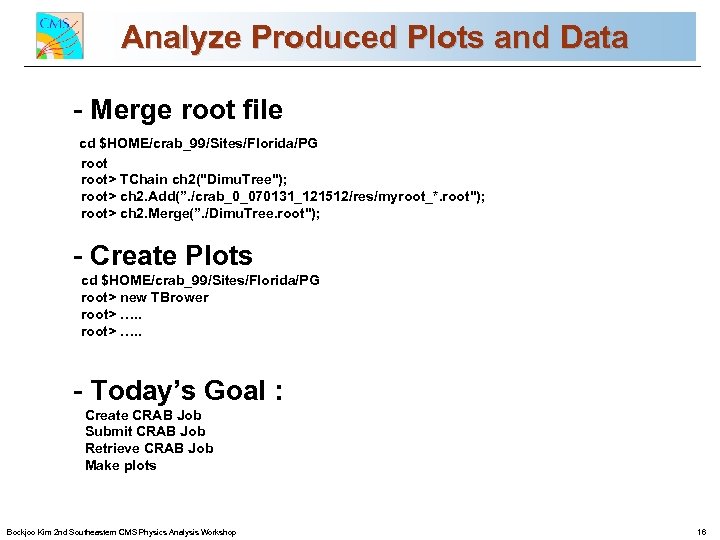
Analyze Produced Plots and Data CMS Commissioning and First Data - Merge root file cd $HOME/crab_99/Sites/Florida/PG root> TChain ch 2("Dimu. Tree"); root> ch 2. Add(”. /crab_0_070131_121512/res/myroot_*. root"); root> ch 2. Merge(”. /Dimu. Tree. root"); - Create Plots cd $HOME/crab_99/Sites/Florida/PG root> new TBrower root> …. . - Today’s Goal : Create CRAB Job Submit CRAB Job Retrieve CRAB Job Make plots Stan Durkin The Ohio State University for the CMS Collaboration Bockjoo Kim 2 nd Southeastern CMS Physics Analysis Workshop 16
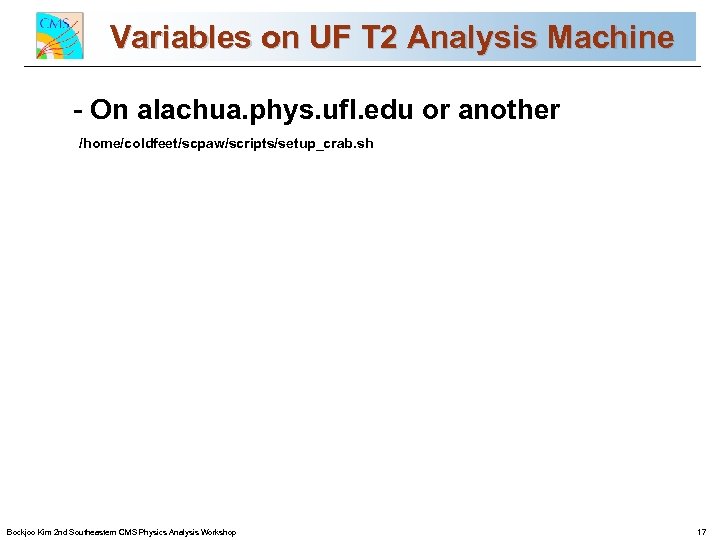
Variables on UF T 2 Analysis Machine CMS Commissioning and First Data - On alachua. phys. ufl. edu or another /home/coldfeet/scpaw/scripts/setup_crab. sh Stan Durkin The Ohio State University for the CMS Collaboration Bockjoo Kim 2 nd Southeastern CMS Physics Analysis Workshop 17
Скачать презентацию Analysis Using CRAB On The Grid CMS Commissioning
ab0ea251f265ba924445535db32bf7fe.ppt