


 Скачать презентацию An integrated system for handling restricted use data
0f4c6a556cba06e3bb6474e7410039f8.ppt
- Количество слайдов: 35
 An integrated system for handling restricted use data Felicia Le. Clere, Ph. D. IASSIST 2009 Tampere, Finland
 Data Confidentiality and ICPSR • Tradition of ICPSR until about 10 years ago was to only handle data that could be put into the public domain • Substantial change in focus due to changes in data collection methods and the demands of sponsors • Rethink how we handle confidential data both internally and externally.
 Confidential Data • Two new initiatives at ICPSR • Reorient how we process all data as we do not know which data files may include data the pose disclosure risk • Large expansion in restricted use licenses and data that require special dissemination instructions.
 Handling Confidential Data • Data with identified disclosure risk need to be handled differently • Need a secure environment in which to clean, process, and store data • Serves as an processing system for all data in the future
 Secure Processing Initiative • Technical Requirements • Solution for Windows Environment
 Technical Requirements • • • Network isolation Operating system and application isolation Separate data storage Accessible on-site or remotely through VPN Processing tools for *nix and Windows environments Seamless integration with existing workflow
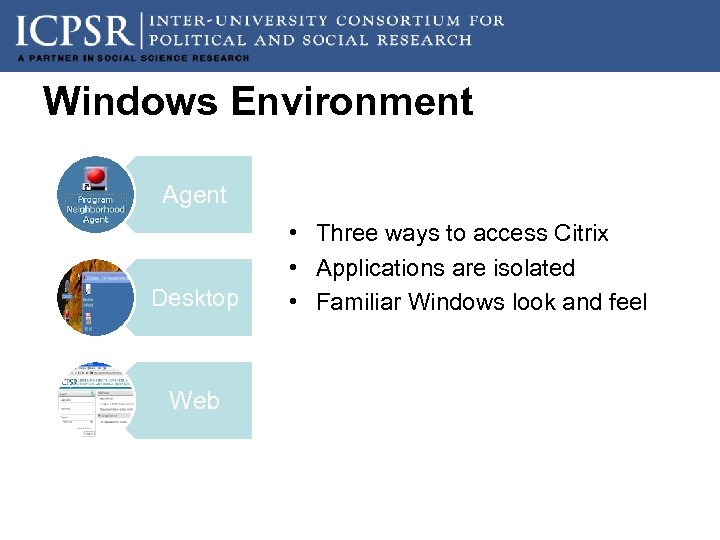 Windows Environment Agent Desktop Web • Three ways to access Citrix • Applications are isolated • Familiar Windows look and feel
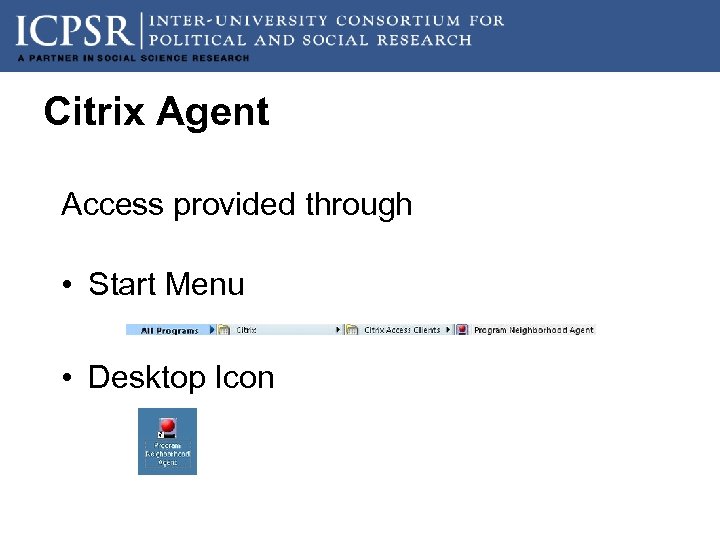 Citrix Agent Access provided through • Start Menu • Desktop Icon
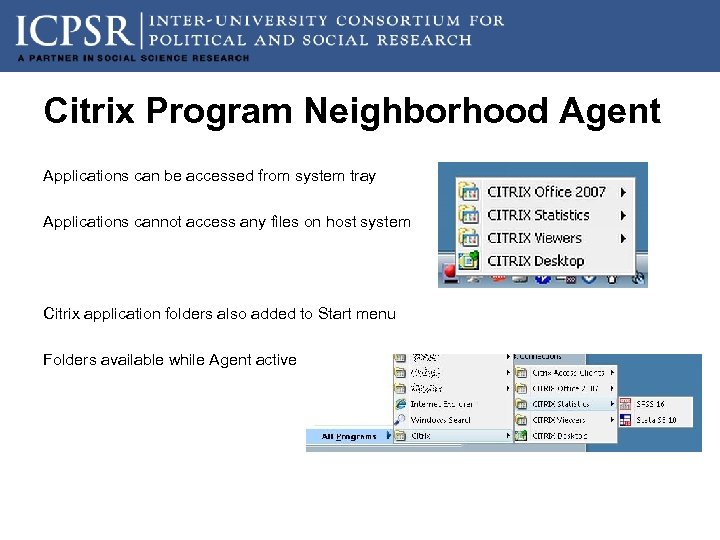 Citrix Program Neighborhood Agent Applications can be accessed from system tray Applications cannot access any files on host system Citrix application folders also added to Start menu Folders available while Agent active
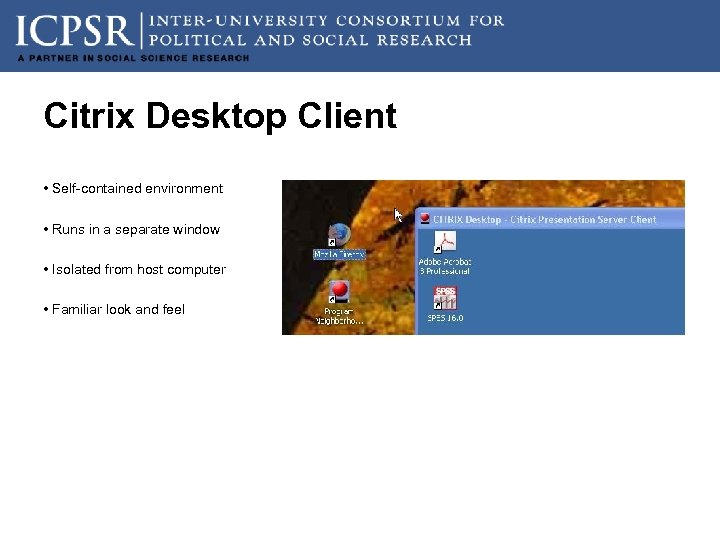 Citrix Desktop Client • Self-contained environment • Runs in a separate window • Isolated from host computer • Familiar look and feel
 Automating restricted use contracting • Current practice is a paper based with all documents from the contract held in paper • Data are transmitted through encrypted CD • Administrators monitor contracts through ACCESS, Excel, or some other method • Very time consuming for data systems with a large number of contract holders
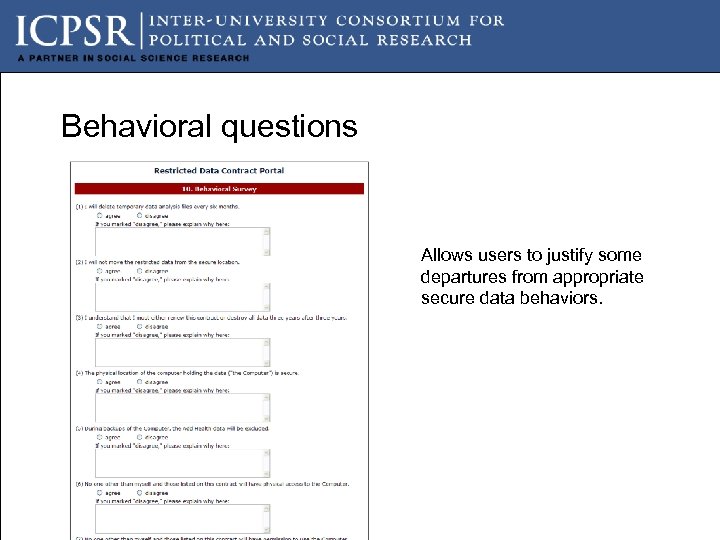
 Innovations in the RCS • All electronic signatures except institutional representatives • Changes in security evaluation • Behavioral checklist • Network scan conducted by ITSS, Michigan • Freeware workstation audits
 Innovations in the RCS • Secure download of data • 2 -factor authentication • Triggered by contract approval • Single download with manual override
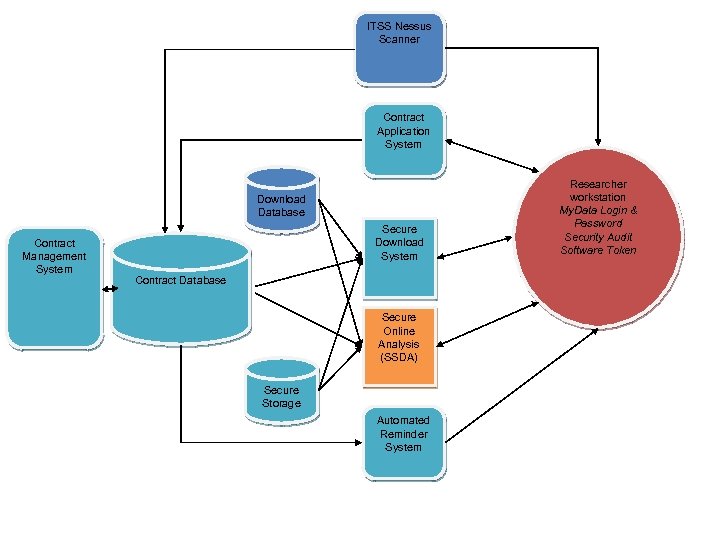 ITSS Nessus Scanner Contract Application System Download Database Contract Management System Secure Download System Contract Database Secure Online Analysis (SSDA) Secure Storage Automated Reminder System Researcher workstation My. Data Login & Password Security Audit Software Token
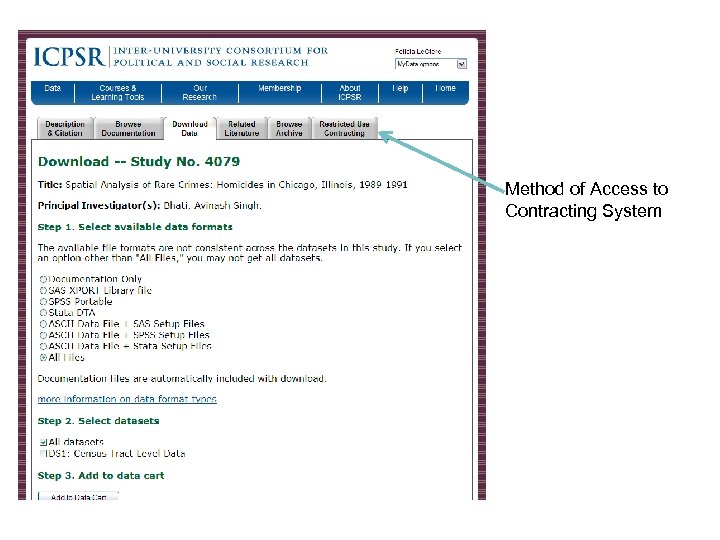 Method of Access to Contracting System
 Application flow • Based on ICPSR’s authentication system MYDATA for the applicant • Allows for return to upload additional components • IRB approval • Scanned signature pages • Revised contract terms
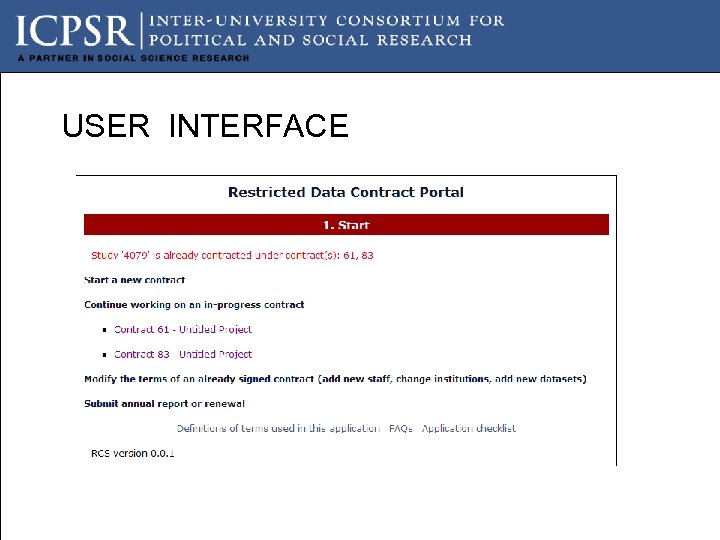 USER INTERFACE
 Signature Process Two approaches -for primary investigator and research staff, we will accept electronic signature. Each will be sent an email that directs them to a signature page. - for institutional representative, the p. i. will be sent an email with a signature page that will need to be signed, scanned, and uploaded.
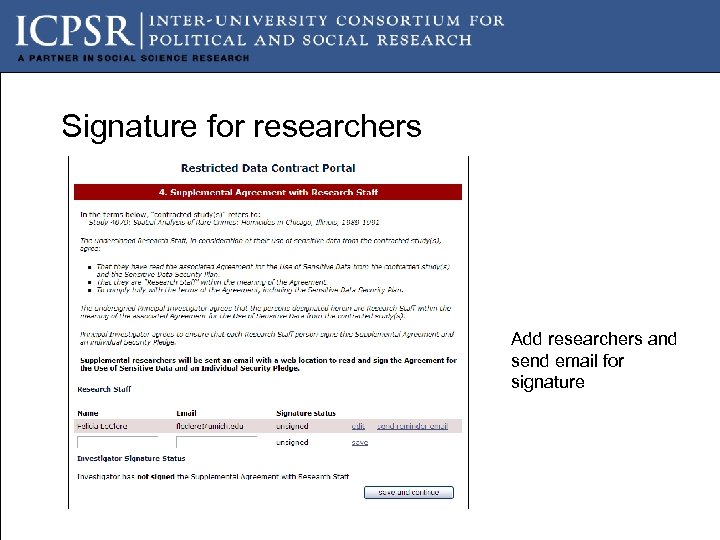 Signature for researchers Add researchers and send email for signature
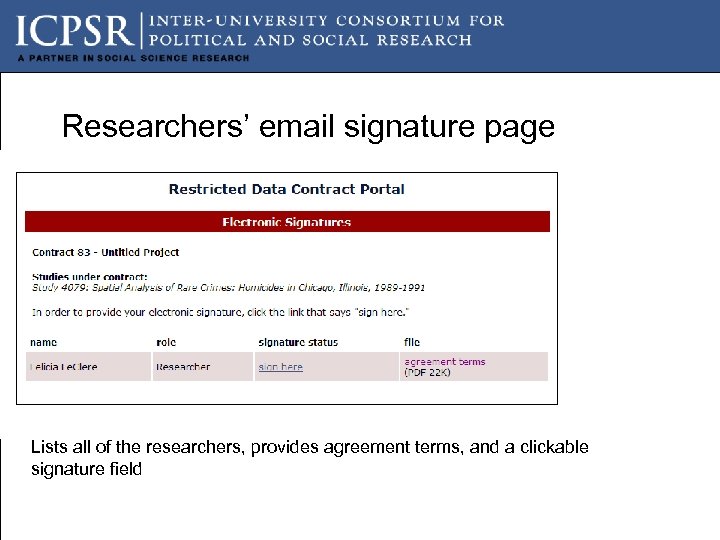 Researchers’ email signature page Lists all of the researchers, provides agreement terms, and a clickable signature field
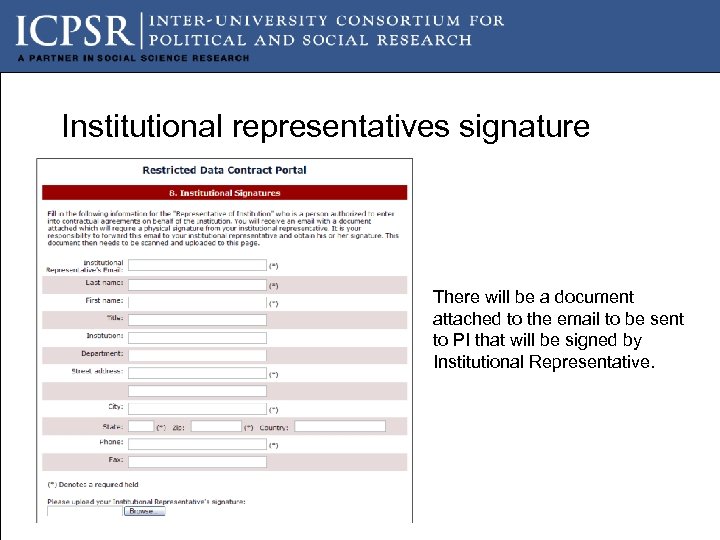 Institutional representatives signature There will be a document attached to the email to be sent to PI that will be signed by Institutional Representative.
 Security orientation Current orientation is a “trust me” orientation with very high burden for users to assess computer security New orientation ---provide users with tools to assess security
 Security Process • Three components • Behavioral components • Network Security • Workstation security
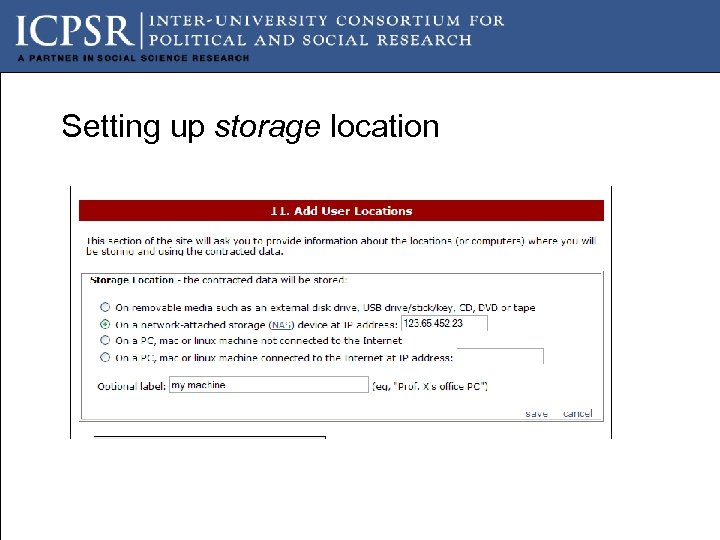
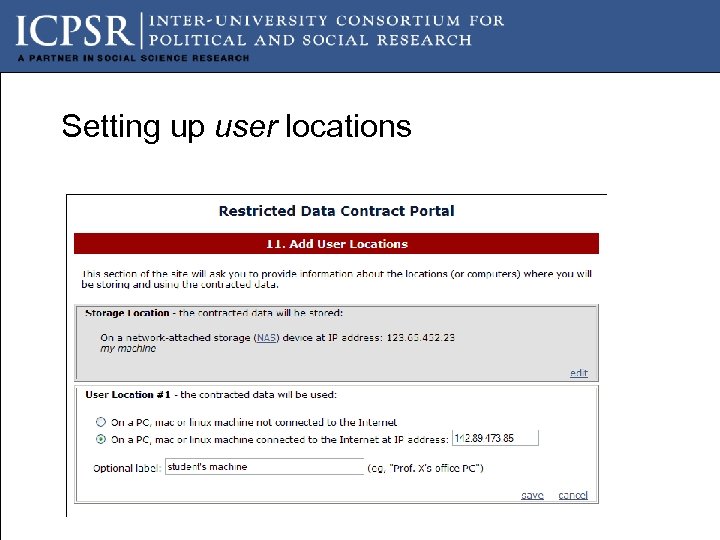
 How we approach security • Two security focuses Where the data are stored Where users will be analyzing the data
 Behavioral questions Allows users to justify some departures from appropriate secure data behaviors.
 Setting up storage location
 Setting up user locations
 Using the security dashboard
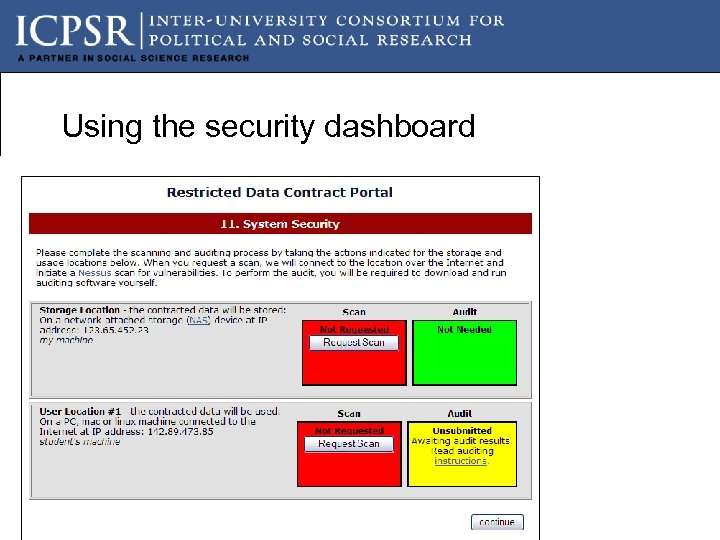
 What this tells us The NAS storage device and the workstation will need a SCAN (which is a NESSUS scan conducted by ITSS at the University of Michigan). The button request will run it and generate results that our staff will evaluate. If the block turns green, the system passes. If it is yellow, it means that you will need to retrieve response, remedy security issues, and rescan.
 What this tells us The Audit is only required for the workstation. The clickable instructions will provide the users with instructions about how to download freeware and run it. The results of the audit will be emailed to our staff. The block again will turn green if no changes are necessary. The block will be red and a clickable link will provide users with instructions on how to resolve security issues
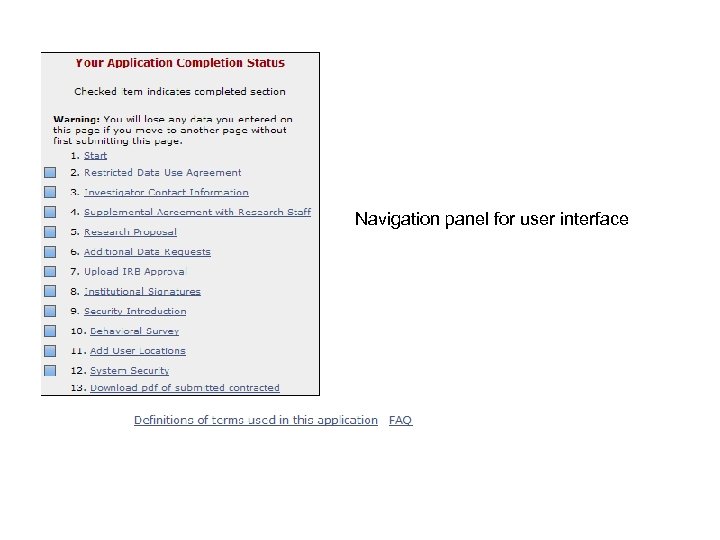 Navigation panel for user interface
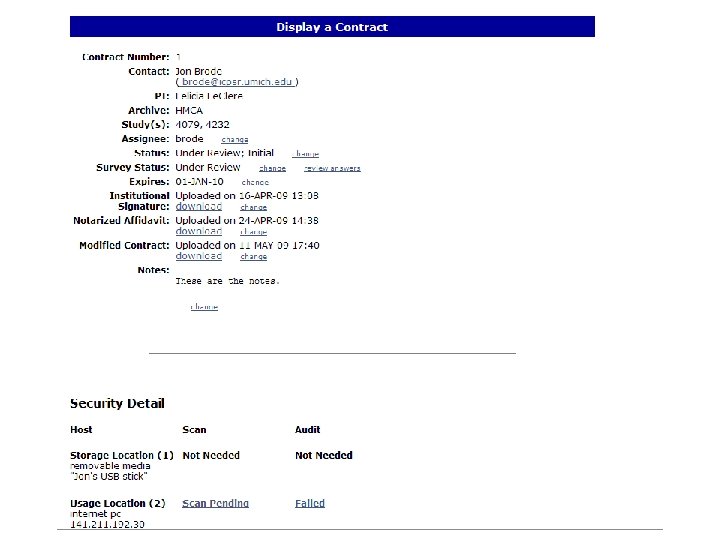
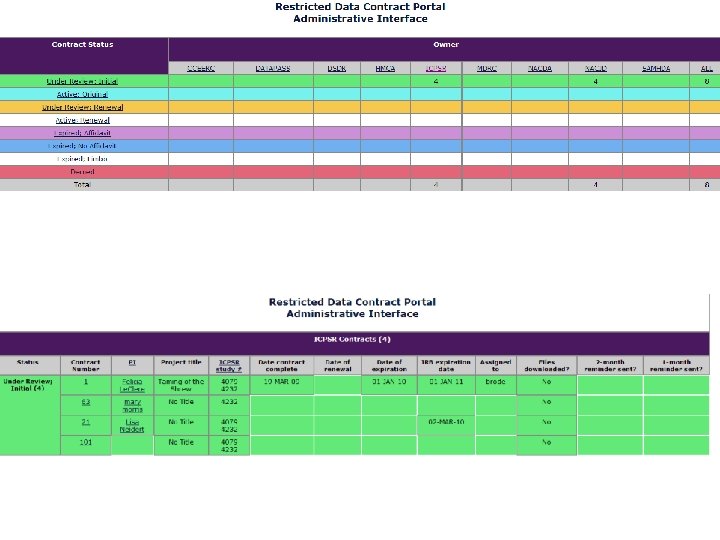
 Backend system • Administrative portal • Reporting System • Automated email system to send reminders • Secure Download System
 Future • Roll out with the Panel Study of Income Dynamics in September 2009 and the National Longitudinal Study of Adolescent Health in January 2010. • Proposal into NIH to move data storage and analysis to the “computing cloud” -- that is utility computing on the internet.