


 Скачать презентацию An Implementation of EIDE in C NET Mark
f09fb28cb88793695405315ff2d96006.ppt
- Количество слайдов: 53
 An Implementation of EIDE in C#. NET Mark T. Sundsten marksundsten@comcast. net 1
 Overview • Technology Review – HTTP, SOAP, SMXP (all open protocols) – EIDE Functions • Web Service – What is it? – Web Service Description Language (WSDL) – Web Consumer • Conceptual Architecture – Web Service, Web Consumer • Walkthroughs – Building an EIDE Web Service – Building an EIDE Web Consumer 2
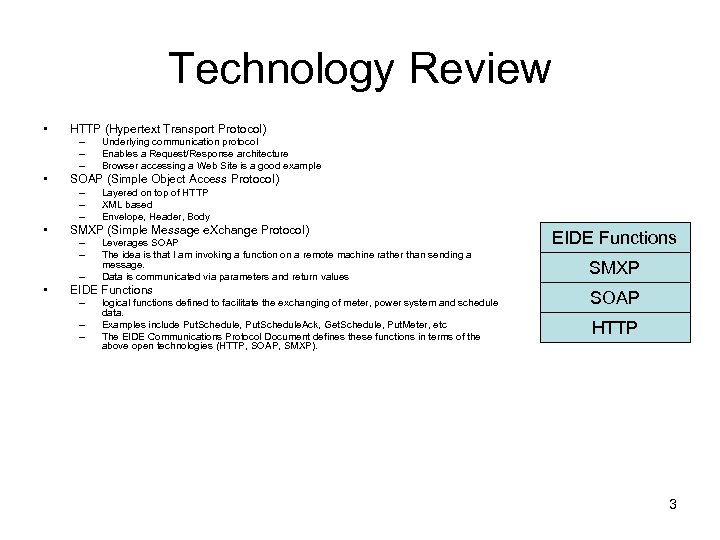 Technology Review • HTTP (Hypertext Transport Protocol) – – – • SOAP (Simple Object Access Protocol) – – – • Layered on top of HTTP XML based Envelope, Header, Body SMXP (Simple Message e. Xchange Protocol) – – – • Underlying communication protocol Enables a Request/Response architecture Browser accessing a Web Site is a good example Leverages SOAP The idea is that I am invoking a function on a remote machine rather than sending a message. Data is communicated via parameters and return values EIDE Functions – – – logical functions defined to facilitate the exchanging of meter, power system and schedule data. Examples include Put. Schedule, Put. Schedule. Ack, Get. Schedule, Put. Meter, etc The EIDE Communications Protocol Document defines these functions in terms of the above open technologies (HTTP, SOAP, SMXP). EIDE Functions SMXP SOAP HTTP 3
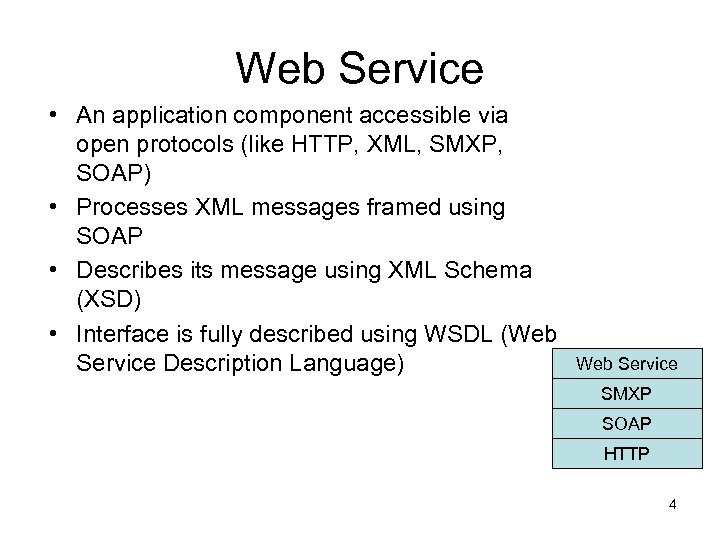 Web Service • An application component accessible via open protocols (like HTTP, XML, SMXP, SOAP) • Processes XML messages framed using SOAP • Describes its message using XML Schema (XSD) • Interface is fully described using WSDL (Web Service Description Language) Web Service SMXP SOAP HTTP 4
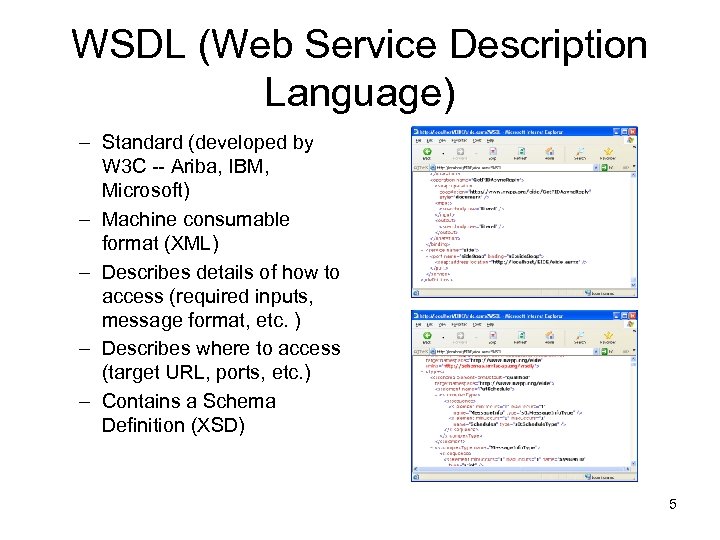 WSDL (Web Service Description Language) – Standard (developed by W 3 C -- Ariba, IBM, Microsoft) – Machine consumable format (XML) – Describes details of how to access (required inputs, message format, etc. ) – Describes where to access (target URL, ports, etc. ) – Contains a Schema Definition (XSD) 5
 Web Consumer • A Web Consumer is any application that accesses a web service 6
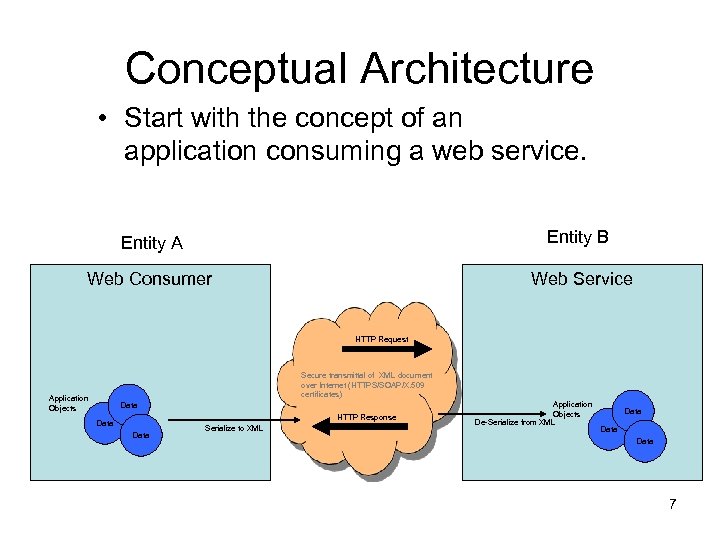 Conceptual Architecture • Start with the concept of an application consuming a web service. Entity A Entity B Web Consumer Web Service HTTP Request Secure transmittal of XML document over Internet (HTTPS/SOAP/X. 509 certificates) Application Objects Data HTTP Response Data Serialize to XML Application Objects De-Serialize from XML Data 7
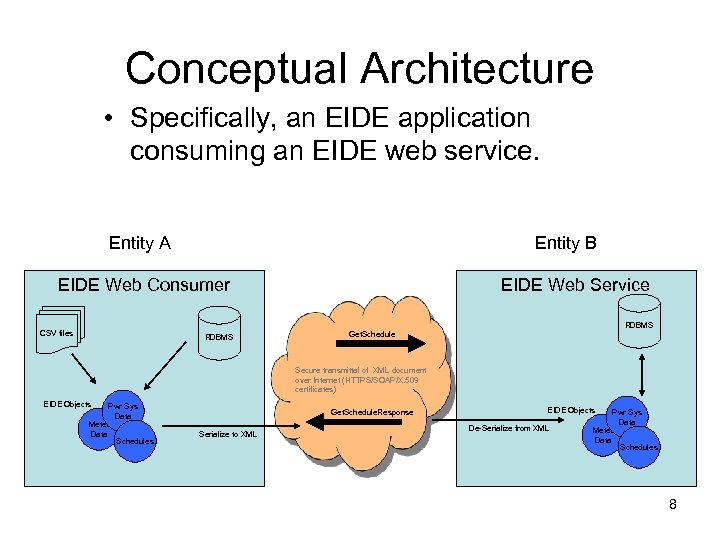 Conceptual Architecture • Specifically, an EIDE application consuming an EIDE web service. Entity A Entity B EIDE Web Consumer CSV files RDBMS EIDE Web Service RDBMS Get. Schedule Secure transmittal of XML document over Internet (HTTPS/SOAP/X. 509 certificates) EIDE Objects Pwr Sys Data Meter Data Schedules Get. Schedule. Response Serialize to XML EIDE Objects De-Serialize from XML Pwr Sys Data Meter Data Schedules 8
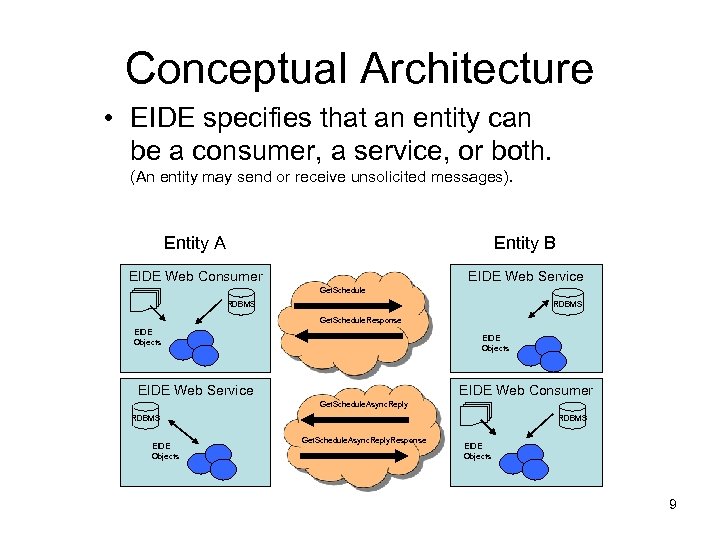 Conceptual Architecture • EIDE specifies that an entity can be a consumer, a service, or both. (An entity may send or receive unsolicited messages). Entity A Entity B EIDE Web Consumer EIDE Web Service Get. Schedule RDBMS Get. Schedule. Response EIDE Objects EIDE Web Service EIDE Web Consumer Get. Schedule. Async. Reply RDBMS EIDE Objects RDBMS Get. Schedule. Async. Reply. Response EIDE Objects 9
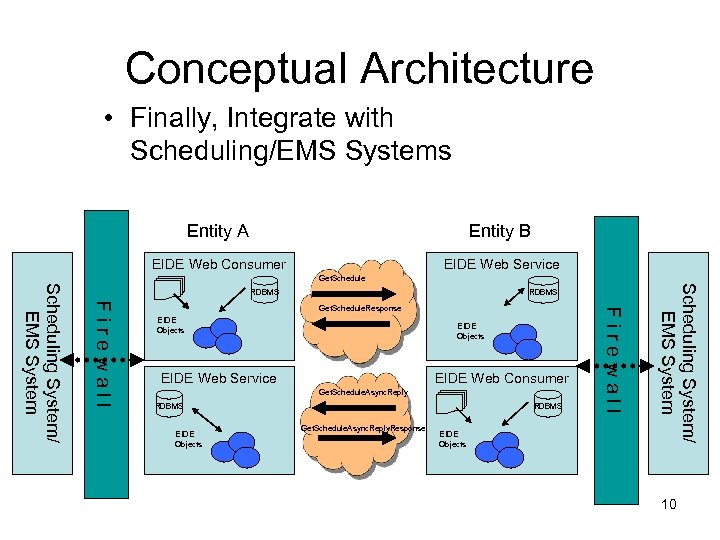 Conceptual Architecture • Finally, Integrate with Scheduling/EMS Systems Entity A Entity B EIDE Web Consumer EIDE Web Service Get. Schedule. Response EIDE Objects EIDE Web Service EIDE Web Consumer Get. Schedule. Async. Reply RDBMS EIDE Objects RDBMS Get. Schedule. Async. Reply. Response EIDE Objects Scheduling System/ EMS System RDBMS Firewall Scheduling System/ EMS System RDBMS 10
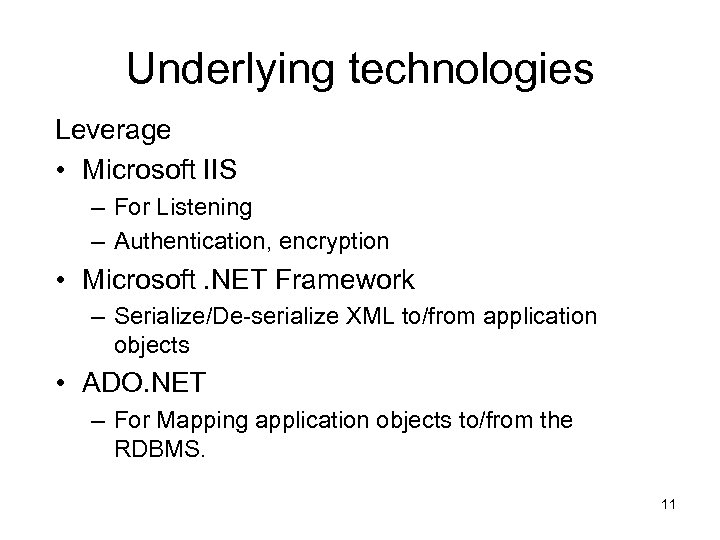 Underlying technologies Leverage • Microsoft IIS – For Listening – Authentication, encryption • Microsoft. NET Framework – Serialize/De-serialize XML to/from application objects • ADO. NET – For Mapping application objects to/from the RDBMS. 11
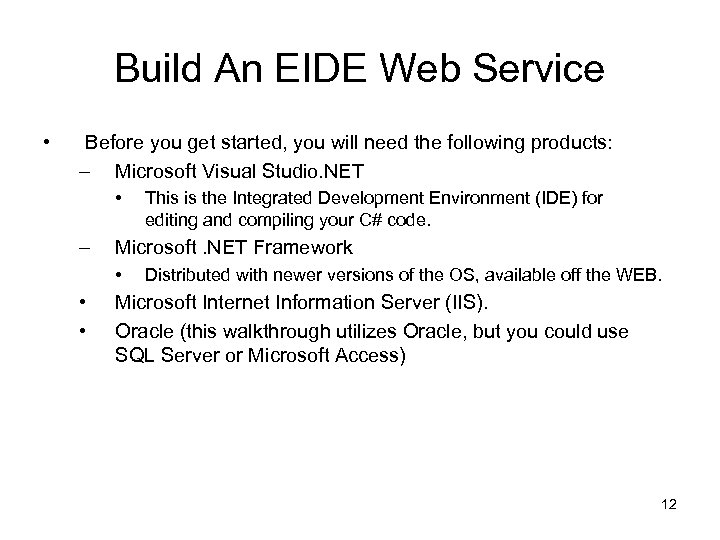 Build An EIDE Web Service • Before you get started, you will need the following products: – Microsoft Visual Studio. NET • – Microsoft. NET Framework • • • This is the Integrated Development Environment (IDE) for editing and compiling your C# code. Distributed with newer versions of the OS, available off the WEB. Microsoft Internet Information Server (IIS). Oracle (this walkthrough utilizes Oracle, but you could use SQL Server or Microsoft Access) 12
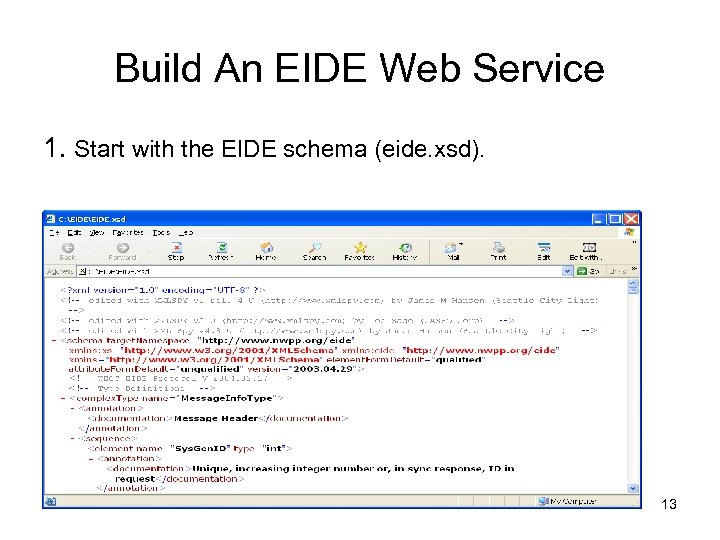 Build An EIDE Web Service 1. Start with the EIDE schema (eide. xsd). 13
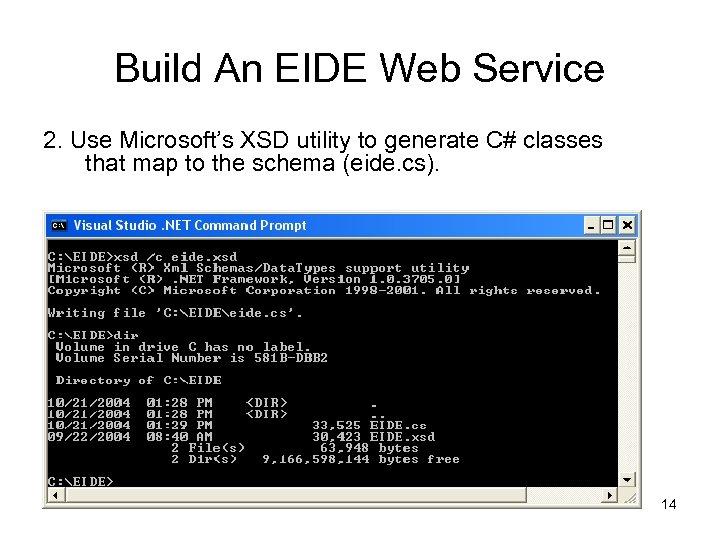 Build An EIDE Web Service 2. Use Microsoft’s XSD utility to generate C# classes that map to the schema (eide. cs). 14
 Build An EIDE Web Service 3. Start the Microsoft Development Environment. 15
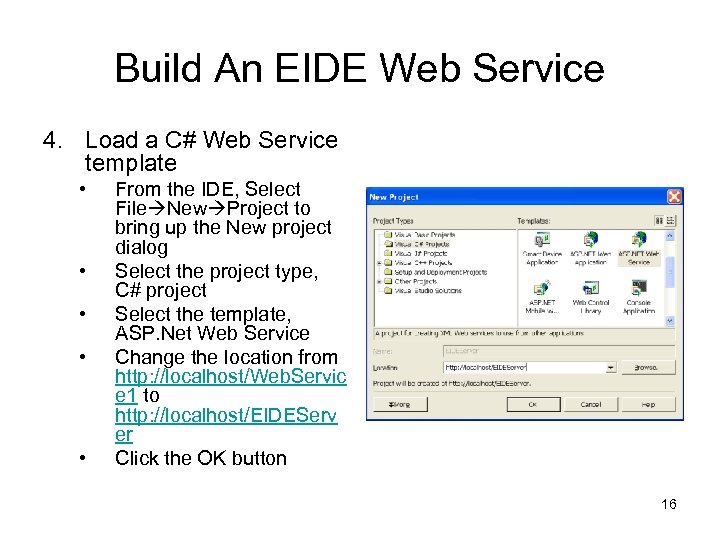 Build An EIDE Web Service 4. Load a C# Web Service template • • • From the IDE, Select File New Project to bring up the New project dialog Select the project type, C# project Select the template, ASP. Net Web Service Change the location from http: //localhost/Web. Servic e 1 to http: //localhost/EIDEServ er Click the OK button 16
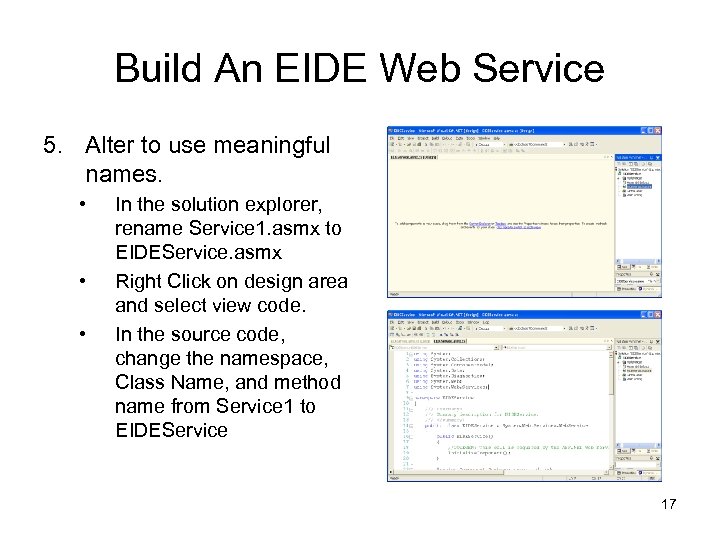 Build An EIDE Web Service 5. Alter to use meaningful names. • • • In the solution explorer, rename Service 1. asmx to EIDEService. asmx Right Click on design area and select view code. In the source code, change the namespace, Class Name, and method name from Service 1 to EIDEService 17
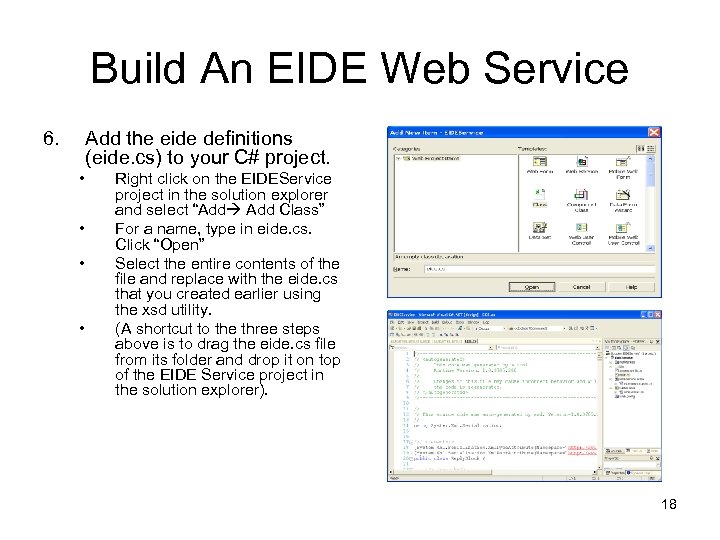 Build An EIDE Web Service 6. Add the eide definitions (eide. cs) to your C# project. • • Right click on the EIDEService project in the solution explorer and select “Add Class” For a name, type in eide. cs. Click “Open” Select the entire contents of the file and replace with the eide. cs that you created earlier using the xsd utility. (A shortcut to the three steps above is to drag the eide. cs file from its folder and drop it on top of the EIDE Service project in the solution explorer). 18
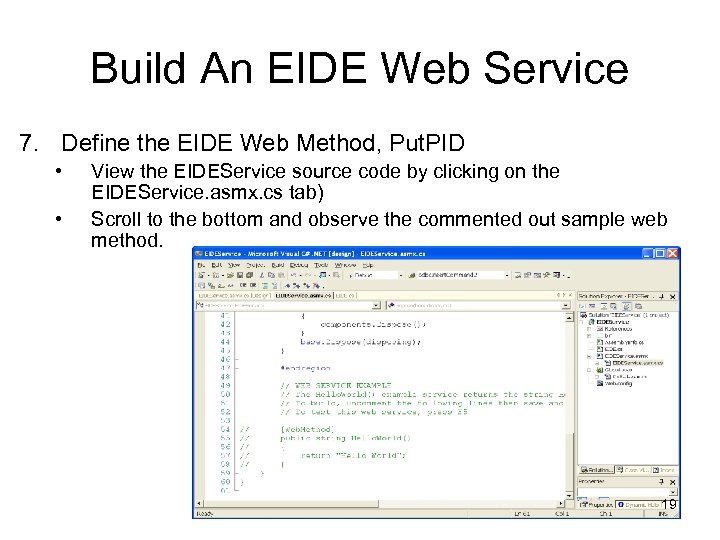 Build An EIDE Web Service 7. Define the EIDE Web Method, Put. PID • • View the EIDEService source code by clicking on the EIDEService. asmx. cs tab) Scroll to the bottom and observe the commented out sample web method. 19
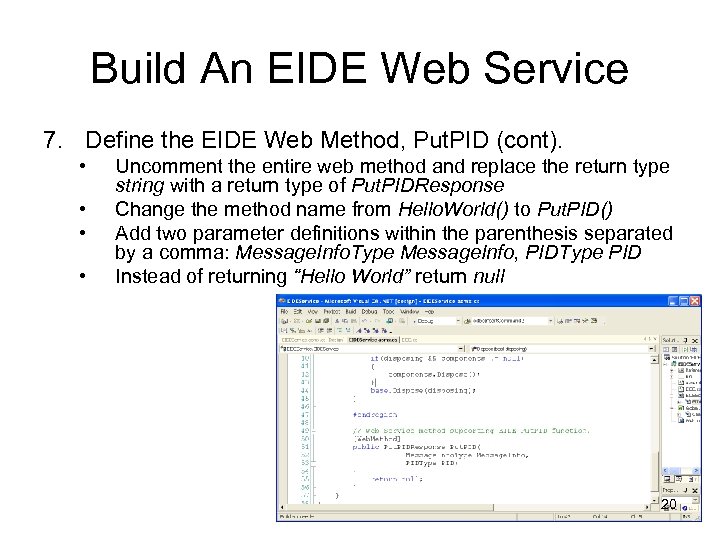 Build An EIDE Web Service 7. Define the EIDE Web Method, Put. PID (cont). • • Uncomment the entire web method and replace the return type string with a return type of Put. PIDResponse Change the method name from Hello. World() to Put. PID() Add two parameter definitions within the parenthesis separated by a comma: Message. Info. Type Message. Info, PIDType PID Instead of returning “Hello World” return null 20
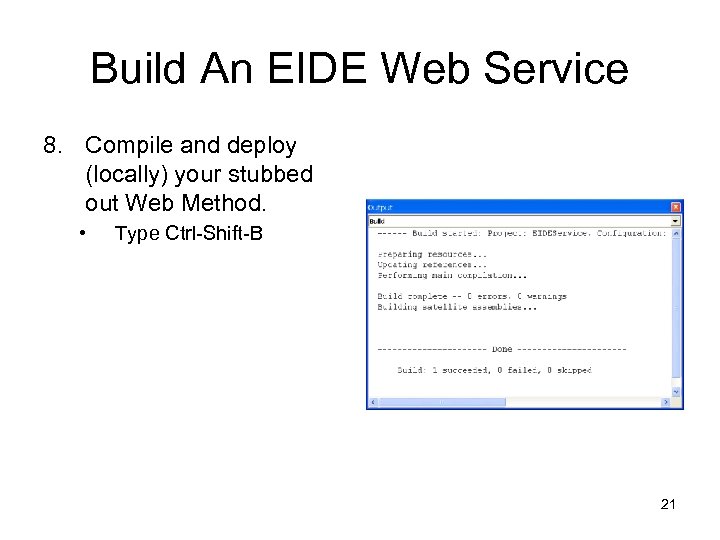 Build An EIDE Web Service 8. Compile and deploy (locally) your stubbed out Web Method. • Type Ctrl-Shift-B 21
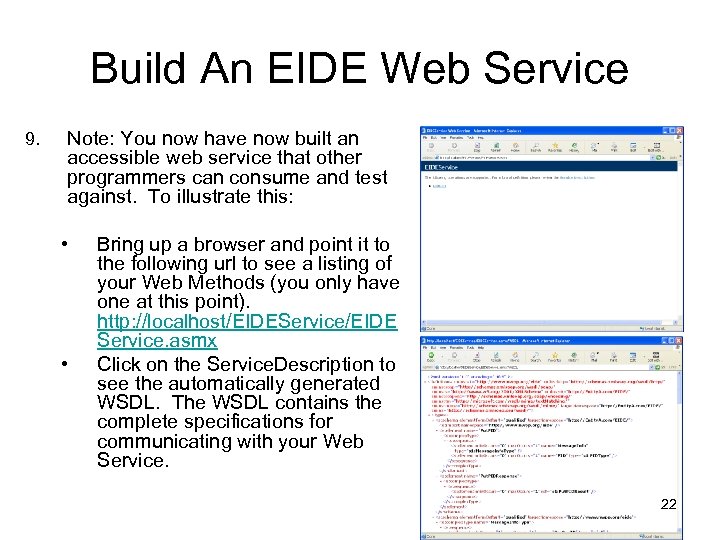 Build An EIDE Web Service 9. Note: You now have now built an accessible web service that other programmers can consume and test against. To illustrate this: • • Bring up a browser and point it to the following url to see a listing of your Web Methods (you only have one at this point). http: //localhost/EIDEService/EIDE Service. asmx Click on the Service. Description to see the automatically generated WSDL. The WSDL contains the complete specifications for communicating with your Web Service. 22
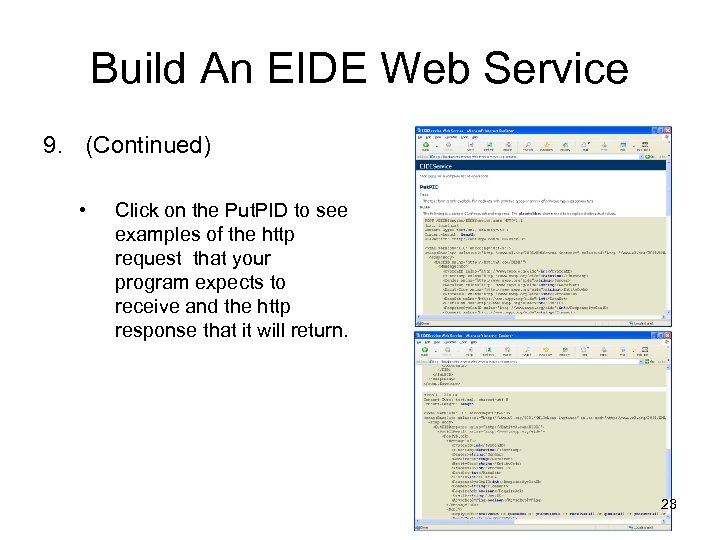 Build An EIDE Web Service 9. (Continued) • Click on the Put. PID to see examples of the http request that your program expects to receive and the http response that it will return. 23
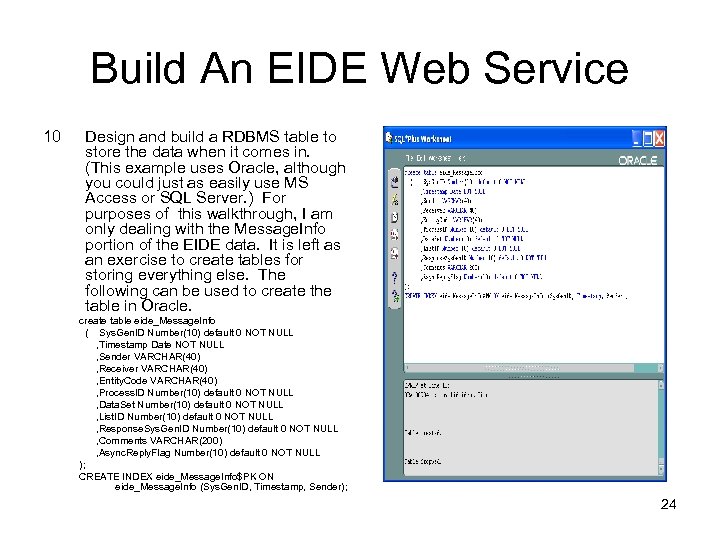 Build An EIDE Web Service 10 Design and build a RDBMS table to store the data when it comes in. (This example uses Oracle, although you could just as easily use MS Access or SQL Server. ) For purposes of this walkthrough, I am only dealing with the Message. Info portion of the EIDE data. It is left as an exercise to create tables for storing everything else. The following can be used to create the table in Oracle. create table eide_Message. Info ( Sys. Gen. ID Number(10) default 0 NOT NULL , Timestamp Date NOT NULL , Sender VARCHAR(40) , Receiver VARCHAR(40) , Entity. Code VARCHAR(40) , Process. ID Number(10) default 0 NOT NULL , Data. Set Number(10) default 0 NOT NULL , List. ID Number(10) default 0 NOT NULL , Response. Sys. Gen. ID Number(10) default 0 NOT NULL , Comments VARCHAR(200) , Async. Reply. Flag Number(10) default 0 NOT NULL ); CREATE INDEX eide_Message. Info$PK ON eide_Message. Info (Sys. Gen. ID, Timestamp, Sender); 24
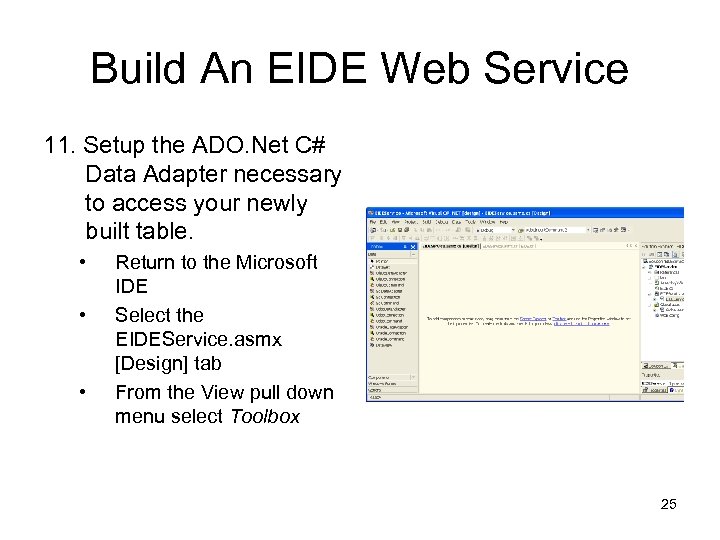 Build An EIDE Web Service 11. Setup the ADO. Net C# Data Adapter necessary to access your newly built table. • • • Return to the Microsoft IDE Select the EIDEService. asmx [Design] tab From the View pull down menu select Toolbox 25
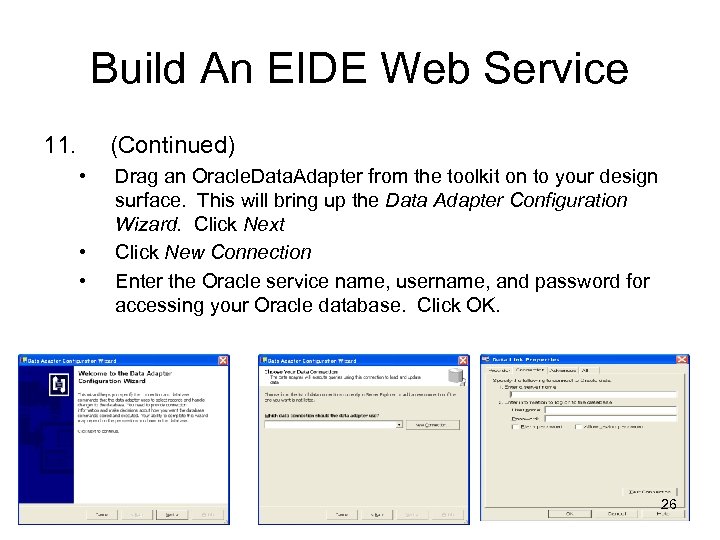 Build An EIDE Web Service 11. (Continued) • • • Drag an Oracle. Data. Adapter from the toolkit on to your design surface. This will bring up the Data Adapter Configuration Wizard. Click Next Click New Connection Enter the Oracle service name, username, and password for accessing your Oracle database. Click OK. 26
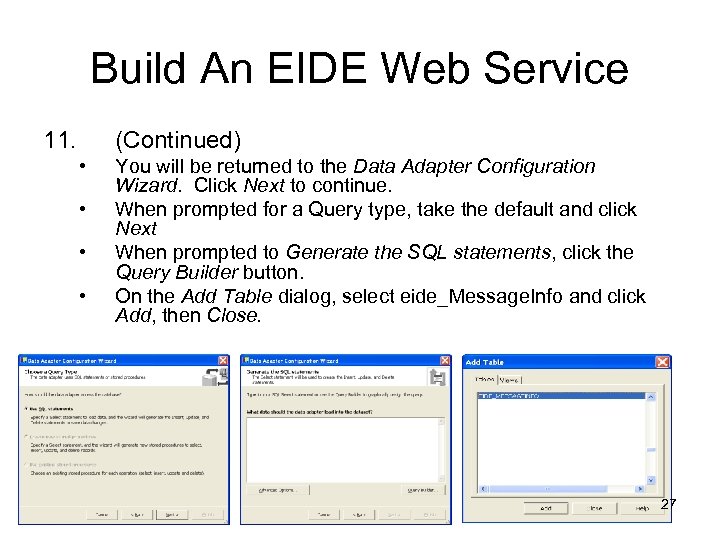 Build An EIDE Web Service 11. (Continued) • • You will be returned to the Data Adapter Configuration Wizard. Click Next to continue. When prompted for a Query type, take the default and click Next When prompted to Generate the SQL statements, click the Query Builder button. On the Add Table dialog, select eide_Message. Info and click Add, then Close. 27
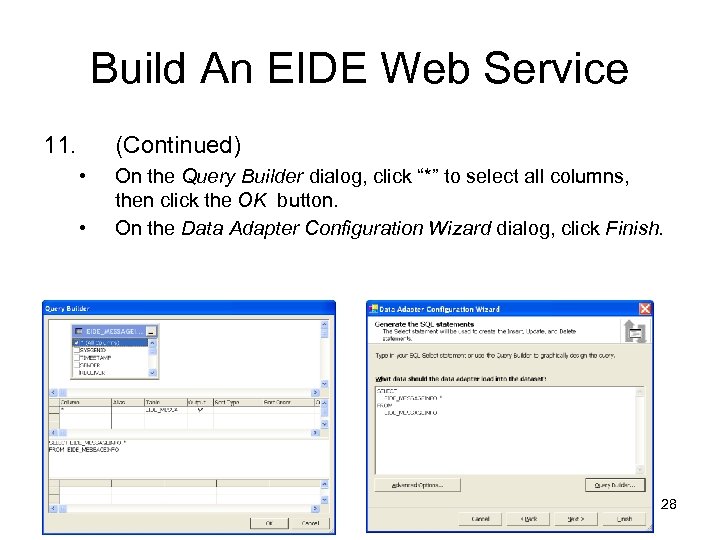 Build An EIDE Web Service 11. (Continued) • • On the Query Builder dialog, click “*” to select all columns, then click the OK button. On the Data Adapter Configuration Wizard dialog, click Finish. 28
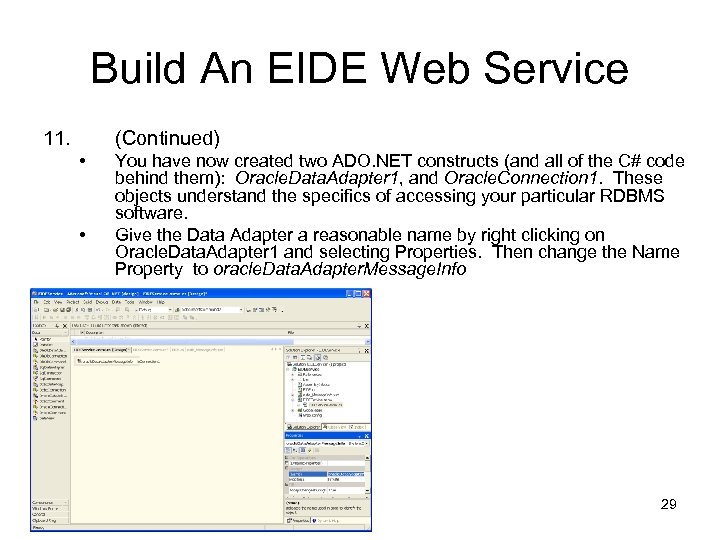 Build An EIDE Web Service 11. (Continued) • • You have now created two ADO. NET constructs (and all of the C# code behind them): Oracle. Data. Adapter 1, and Oracle. Connection 1. These objects understand the specifics of accessing your particular RDBMS software. Give the Data Adapter a reasonable name by right clicking on Oracle. Data. Adapter 1 and selecting Properties. Then change the Name Property to oracle. Data. Adapter. Message. Info 29
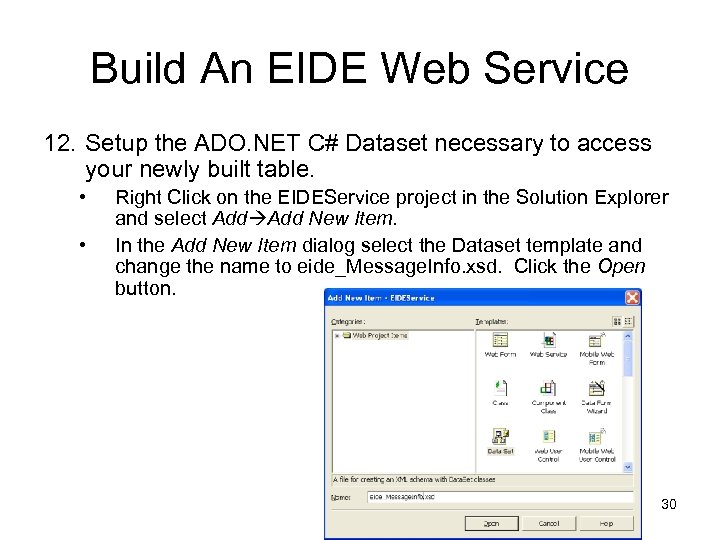 Build An EIDE Web Service 12. Setup the ADO. NET C# Dataset necessary to access your newly built table. • • Right Click on the EIDEService project in the Solution Explorer and select Add New Item. In the Add New Item dialog select the Dataset template and change the name to eide_Message. Info. xsd. Click the Open button. 30
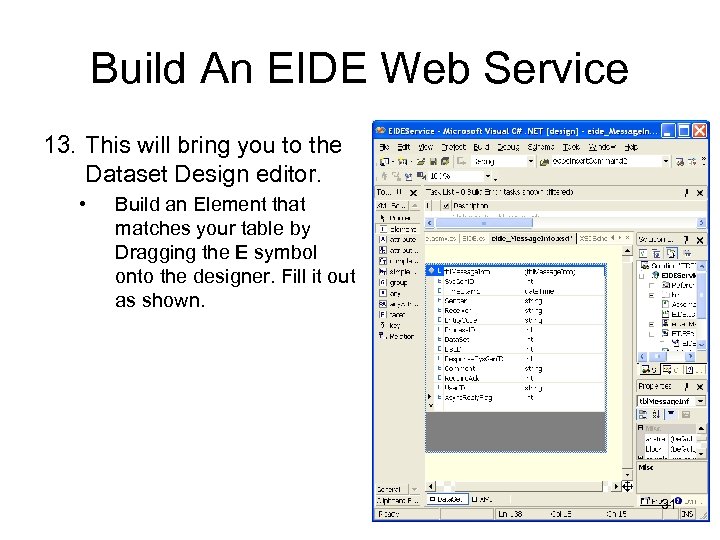 Build An EIDE Web Service 13. This will bring you to the Dataset Design editor. • Build an Element that matches your table by Dragging the E symbol onto the designer. Fill it out as shown. 31
 Build An EIDE Web Service 14. (Continued) • You have now created all of the ADO. NET C# constructs necessary to access your database table. • Data. Adapter – Handles specifics of accessing data in your table • Data. Set -- A logical view of your table. • Data. Connection – Manages connecting to your database. 32
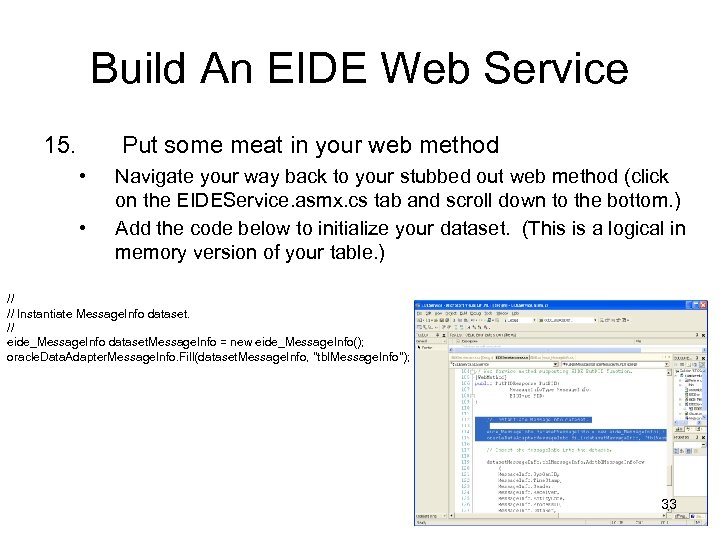 Build An EIDE Web Service 15. Put some meat in your web method • • Navigate your way back to your stubbed out web method (click on the EIDEService. asmx. cs tab and scroll down to the bottom. ) Add the code below to initialize your dataset. (This is a logical in memory version of your table. ) // // Instantiate Message. Info dataset. // eide_Message. Info dataset. Message. Info = new eide_Message. Info(); oracle. Data. Adapter. Message. Info. Fill(dataset. Message. Info, "tbl. Message. Info"); 33
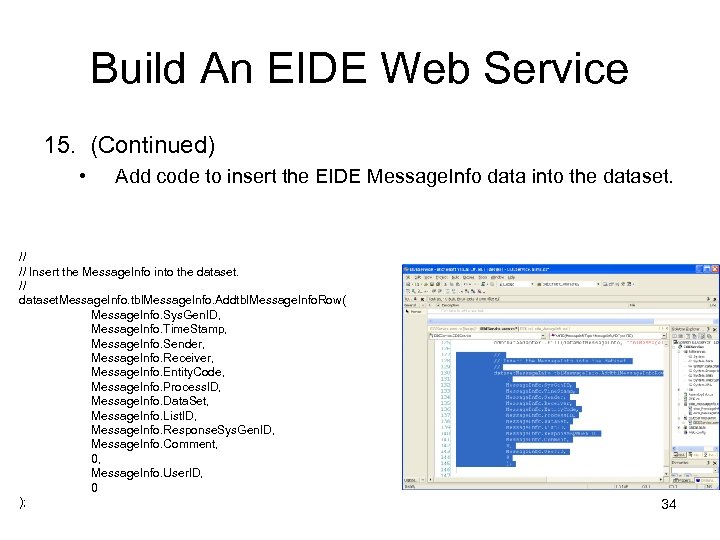 Build An EIDE Web Service 15. (Continued) • Add code to insert the EIDE Message. Info data into the dataset. // // Insert the Message. Info into the dataset. // dataset. Message. Info. tbl. Message. Info. Addtbl. Message. Info. Row( Message. Info. Sys. Gen. ID, Message. Info. Time. Stamp, Message. Info. Sender, Message. Info. Receiver, Message. Info. Entity. Code, Message. Info. Process. ID, Message. Info. Data. Set, Message. Info. List. ID, Message. Info. Response. Sys. Gen. ID, Message. Info. Comment, 0, Message. Info. User. ID, 0 ); 34
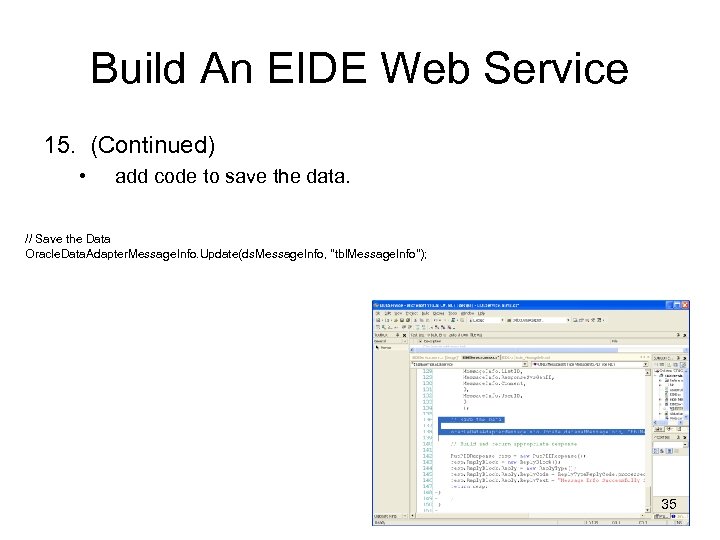 Build An EIDE Web Service 15. (Continued) • add code to save the data. // Save the Data Oracle. Data. Adapter. Message. Info. Update(ds. Message. Info, "tbl. Message. Info"); 35
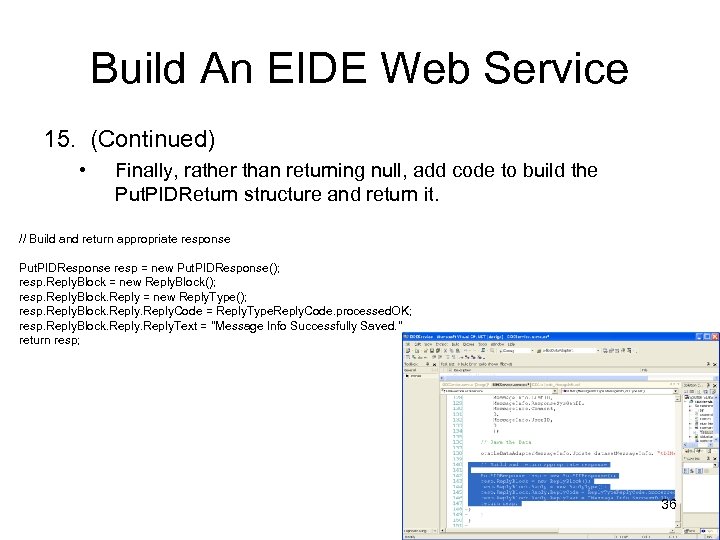 Build An EIDE Web Service 15. (Continued) • Finally, rather than returning null, add code to build the Put. PIDReturn structure and return it. // Build and return appropriate response Put. PIDResponse resp = new Put. PIDResponse(); resp. Reply. Block = new Reply. Block(); resp. Reply. Block. Reply = new Reply. Type(); resp. Reply. Block. Reply. Code = Reply. Type. Reply. Code. processed. OK; resp. Reply. Block. Reply. Text = "Message Info Successfully Saved. " return resp; 36
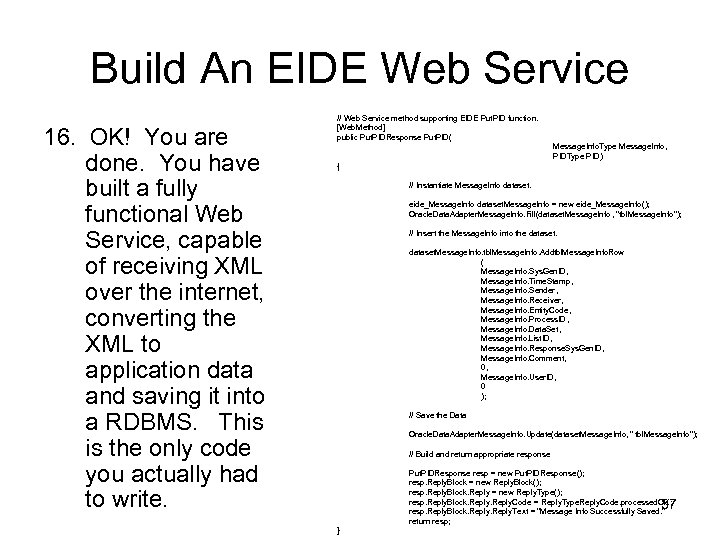 Build An EIDE Web Service 16. OK! You are done. You have built a fully functional Web Service, capable of receiving XML over the internet, converting the XML to application data and saving it into a RDBMS. This is the only code you actually had to write. // Web Service method supporting EIDE Put. PID function. [Web. Method] public Put. PIDResponse Put. PID( Message. Info. Type Message. Info, PIDType PID) { // Instantiate Message. Info dataset. eide_Message. Info dataset. Message. Info = new eide_Message. Info(); Oracle. Data. Adapter. Message. Info. Fill(dataset. Message. Info , "tbl. Message. Info"); // Insert the Message. Info into the dataset. Message. Info. tbl. Message. Info. Addtbl. Message. Info. Row ( Message. Info. Sys. Gen. ID, Message. Info. Time. Stamp, Message. Info. Sender, Message. Info. Receiver, Message. Info. Entity. Code, Message. Info. Process. ID, Message. Info. Data. Set, Message. Info. List. ID, Message. Info. Response. Sys. Gen. ID , Message. Info. Comment, 0, Message. Info. User. ID, 0 ); // Save the Data Oracle. Data. Adapter. Message. Info. Update(dataset. Message. Info, " tbl. Message. Info"); // Build and return appropriate response Put. PIDResponse resp = new Put. PIDResponse(); resp. Reply. Block = new Reply. Block(); resp. Reply. Block. Reply = new Reply. Type(); resp. Reply. Block. Reply. Code = Reply. Type. Reply. Code. processed. OK; resp. Reply. Block. Reply. Text = "Message Info Successfully Saved. " return resp; 37 }
 Build an EIDE Web Consumer 1. Start the Microsoft Development Environment. 38
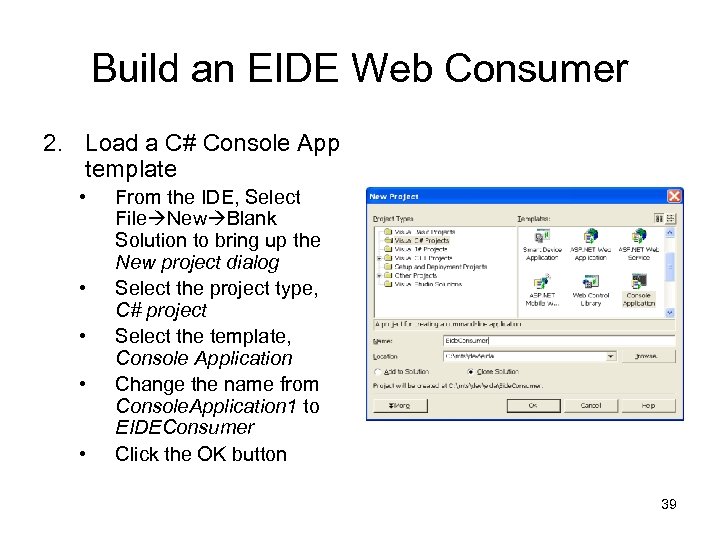 Build an EIDE Web Consumer 2. Load a C# Console App template • • • From the IDE, Select File New Blank Solution to bring up the New project dialog Select the project type, C# project Select the template, Console Application Change the name from Console. Application 1 to EIDEConsumer Click the OK button 39
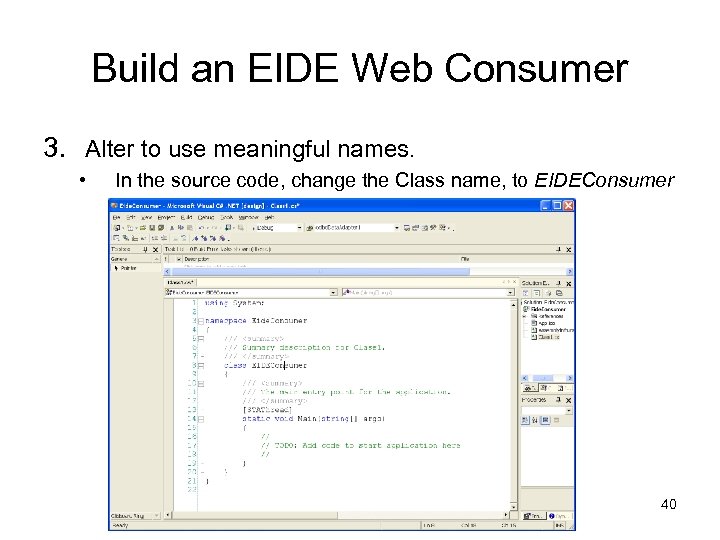 Build an EIDE Web Consumer 3. Alter to use meaningful names. • In the source code, change the Class name, to EIDEConsumer 40
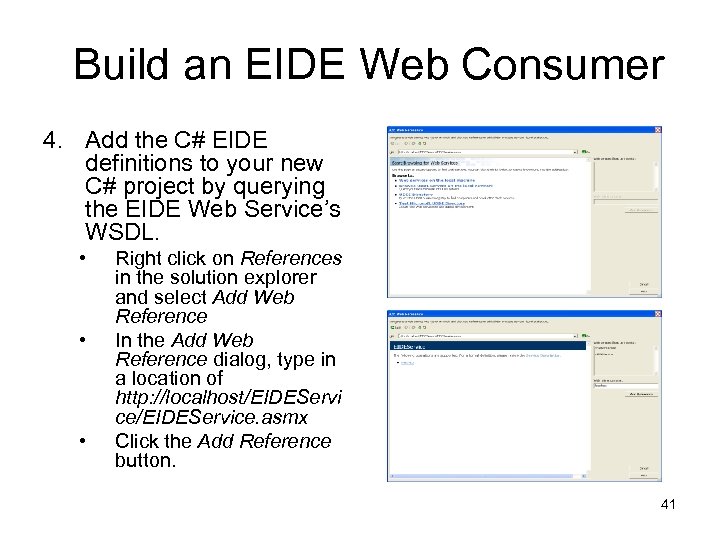 Build an EIDE Web Consumer 4. Add the C# EIDE definitions to your new C# project by querying the EIDE Web Service’s WSDL. • • • Right click on References in the solution explorer and select Add Web Reference In the Add Web Reference dialog, type in a location of http: //localhost/EIDEServi ce/EIDEService. asmx Click the Add Reference button. 41
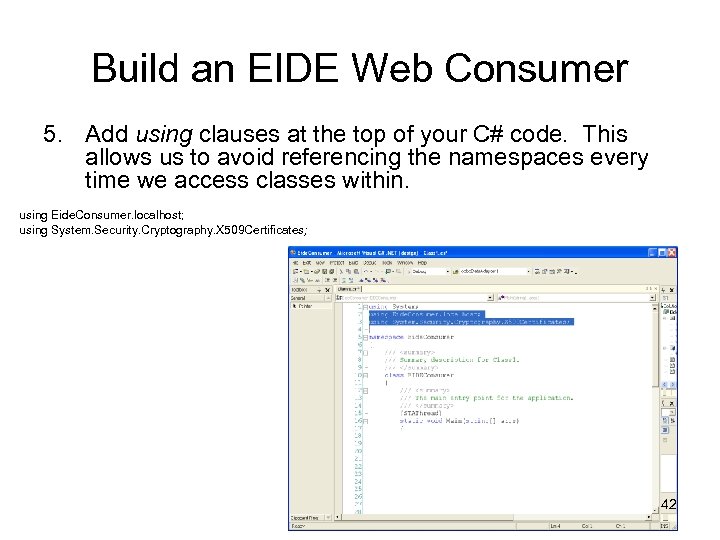 Build an EIDE Web Consumer 5. Add using clauses at the top of your C# code. This allows us to avoid referencing the namespaces every time we access classes within. using Eide. Consumer. localhost; using System. Security. Cryptography. X 509 Certificates; 42
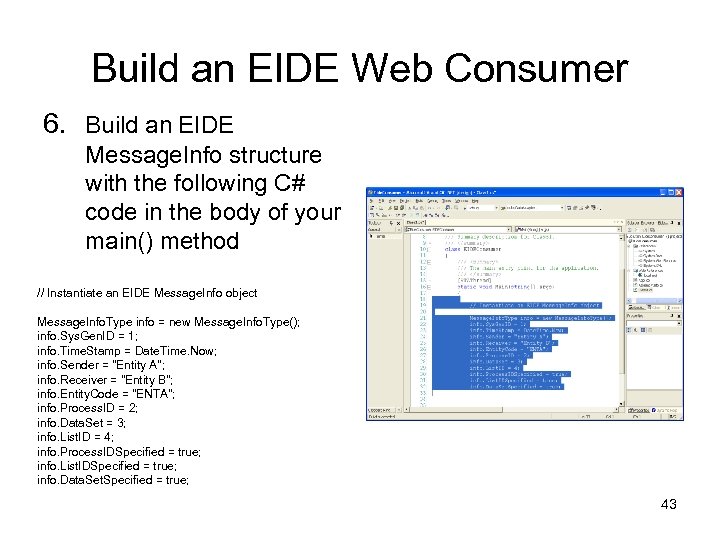 Build an EIDE Web Consumer 6. Build an EIDE Message. Info structure with the following C# code in the body of your main() method // Instantiate an EIDE Message. Info object Message. Info. Type info = new Message. Info. Type(); info. Sys. Gen. ID = 1; info. Time. Stamp = Date. Time. Now; info. Sender = "Entity A"; info. Receiver = "Entity B"; info. Entity. Code = "ENTA"; info. Process. ID = 2; info. Data. Set = 3; info. List. ID = 4; info. Process. IDSpecified = true; info. List. IDSpecified = true; info. Data. Set. Specified = true; 43
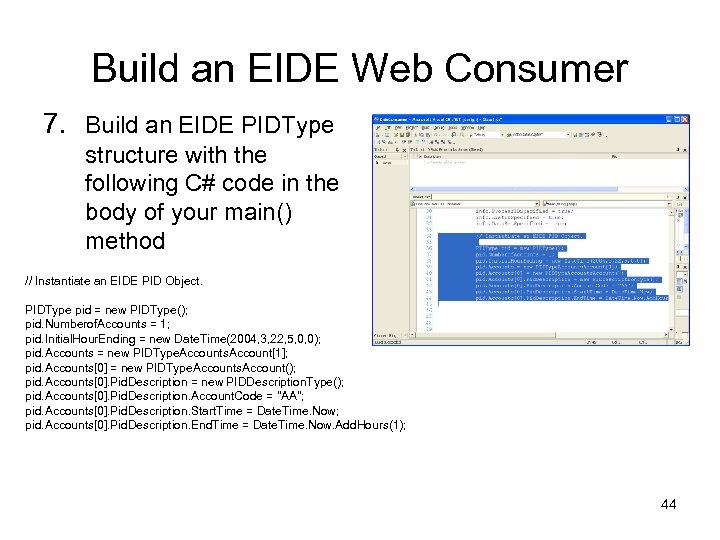 Build an EIDE Web Consumer 7. Build an EIDE PIDType structure with the following C# code in the body of your main() method // Instantiate an EIDE PID Object. PIDType pid = new PIDType(); pid. Numberof. Accounts = 1; pid. Initial. Hour. Ending = new Date. Time(2004, 3, 22, 5, 0, 0); pid. Accounts = new PIDType. Accounts. Account[1]; pid. Accounts[0] = new PIDType. Accounts. Account(); pid. Accounts[0]. Pid. Description = new PIDDescription. Type(); pid. Accounts[0]. Pid. Description. Account. Code = "AA"; pid. Accounts[0]. Pid. Description. Start. Time = Date. Time. Now; pid. Accounts[0]. Pid. Description. End. Time = Date. Time. Now. Add. Hours(1); 44
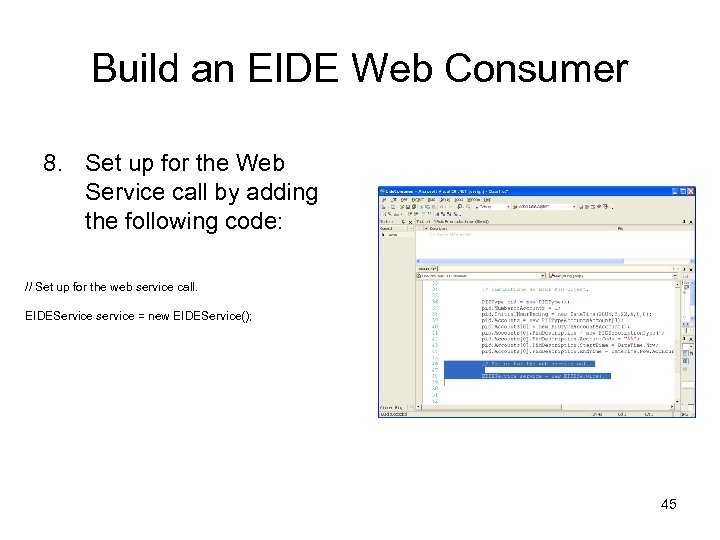 Build an EIDE Web Consumer 8. Set up for the Web Service call by adding the following code: // Set up for the web service call. EIDEService service = new EIDEService(); 45
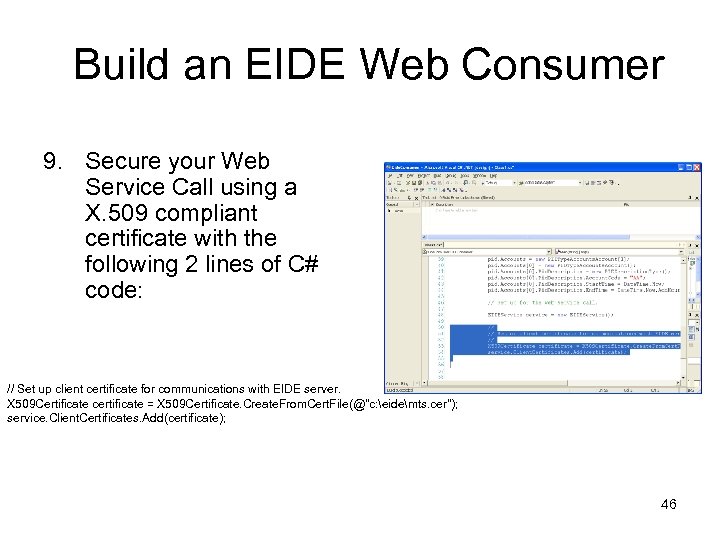 Build an EIDE Web Consumer 9. Secure your Web Service Call using a X. 509 compliant certificate with the following 2 lines of C# code: // Set up client certificate for communications with EIDE server. X 509 Certificate certificate = X 509 Certificate. Create. From. Cert. File(@"c: eidemts. cer"); service. Client. Certificates. Add(certificate); 46
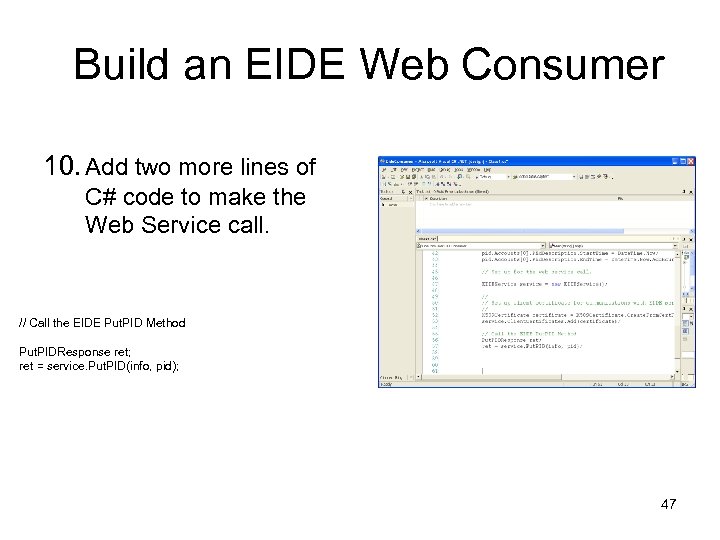 Build an EIDE Web Consumer 10. Add two more lines of C# code to make the Web Service call. // Call the EIDE Put. PID Method Put. PIDResponse ret; ret = service. Put. PID(info, pid); 47
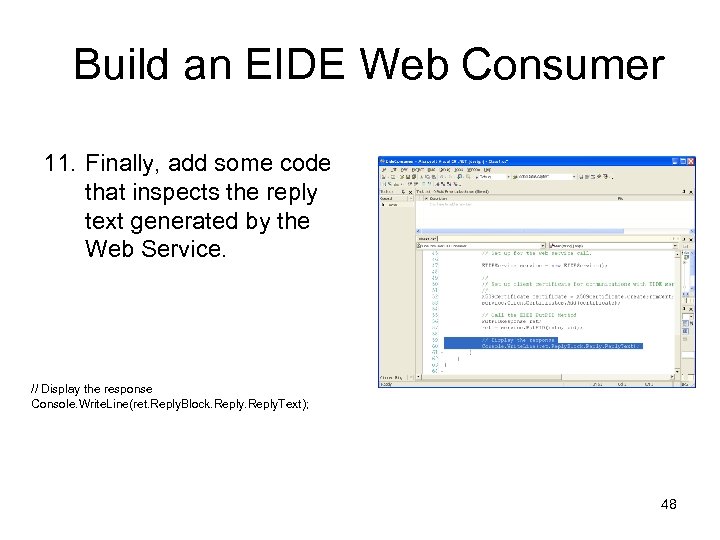 Build an EIDE Web Consumer 11. Finally, add some code that inspects the reply text generated by the Web Service. // Display the response Console. Write. Line(ret. Reply. Block. Reply. Text); 48
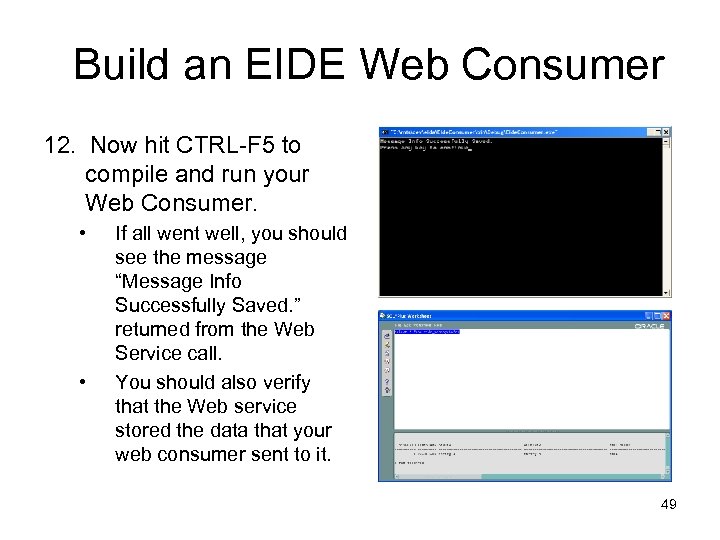 Build an EIDE Web Consumer 12. Now hit CTRL-F 5 to compile and run your Web Consumer. • • If all went well, you should see the message “Message Info Successfully Saved. ” returned from the Web Service call. You should also verify that the Web service stored the data that your web consumer sent to it. 49
 Build an EIDE Web Consumer Done! You have successfully built a Web Service that offers the EIDE Put. PID functionality, and a Web Consumer that utilizes it! 50
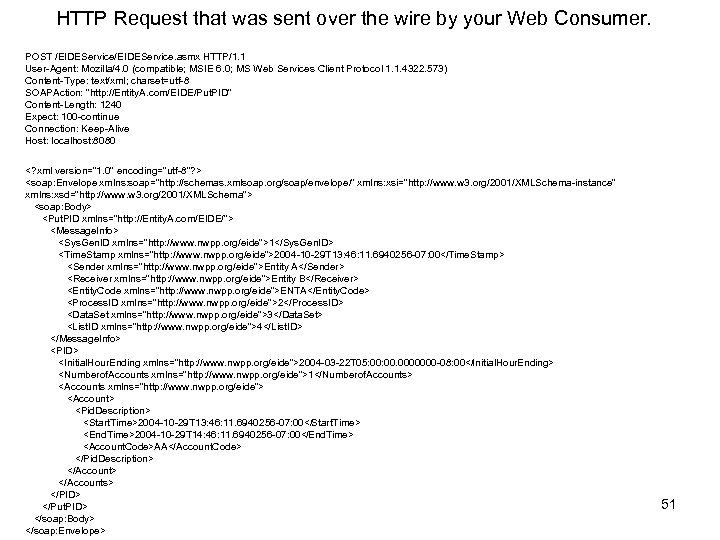 HTTP Request that was sent over the wire by your Web Consumer. POST /EIDEService. asmx HTTP/1. 1 User-Agent: Mozilla/4. 0 (compatible; MSIE 6. 0; MS Web Services Client Protocol 1. 1. 4322. 573) Content-Type: text/xml; charset=utf-8 SOAPAction: "http: //Entity. A. com/EIDE/Put. PID" Content-Length: 1240 Expect: 100 -continue Connection: Keep-Alive Host: localhost: 8080
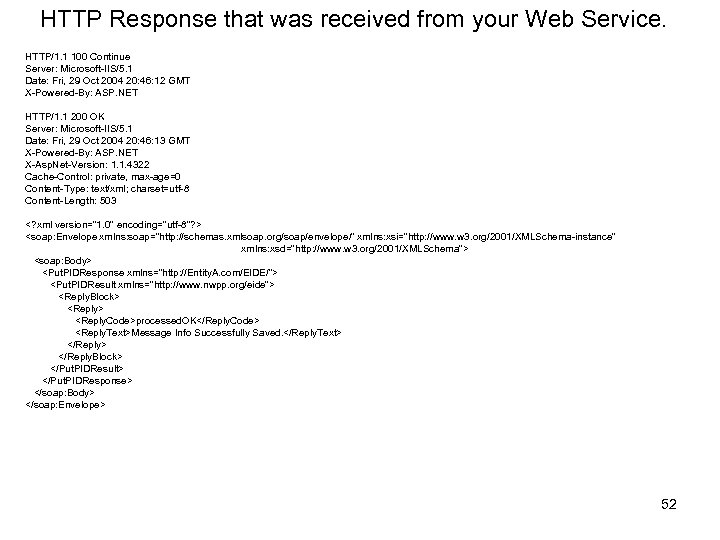 HTTP Response that was received from your Web Service. HTTP/1. 1 100 Continue Server: Microsoft-IIS/5. 1 Date: Fri, 29 Oct 2004 20: 46: 12 GMT X-Powered-By: ASP. NET HTTP/1. 1 200 OK Server: Microsoft-IIS/5. 1 Date: Fri, 29 Oct 2004 20: 46: 13 GMT X-Powered-By: ASP. NET X-Asp. Net-Version: 1. 1. 4322 Cache-Control: private, max-age=0 Content-Type: text/xml; charset=utf-8 Content-Length: 503
 Questions? , Need help? Send me an e-mail at marksundsten@comcast. net 53