


 Скачать презентацию An essential safety training tool for the modern
e16c2687dd688dd832f0ee0e838b8914.ppt
- Количество слайдов: 25
 An essential safety training tool for the modern world
 Safety – You can not afford to ignore it • Safety is a matter of great concern to everyone today, be it a public sector company or a Pharma, IT, Chemical Industry or even a Nuclear Station ! • It is humanly not possible to avoid every untoward incidence but preparedness is the key to minimum damage. • Most important aspect of preparedness is CONTINUAL TRAINING.
 Safety Trainings • A report shows that 63 % of safety lapses are because of lack of training ! • Some of the worlds biggest disasters were by Human Errors (Not intentional but due to lack of knowledge) • Hence international standards like OSHAS 18001: ISO 14000 : ISO 27001 etc. always emphasize the importance of Safety Trainings.
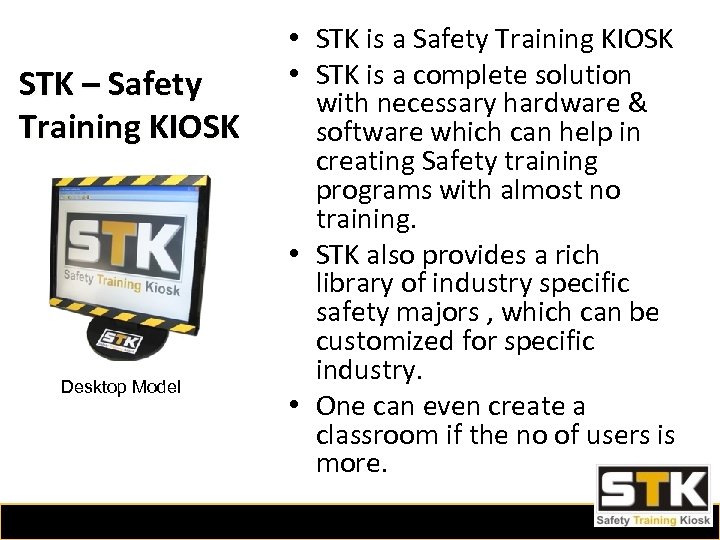 STK – Safety Training KIOSK Desktop Model • STK is a Safety Training KIOSK • STK is a complete solution with necessary hardware & software which can help in creating Safety training programs with almost no training. • STK also provides a rich library of industry specific safety majors , which can be customized for specific industry. • One can even create a classroom if the no of users is more.
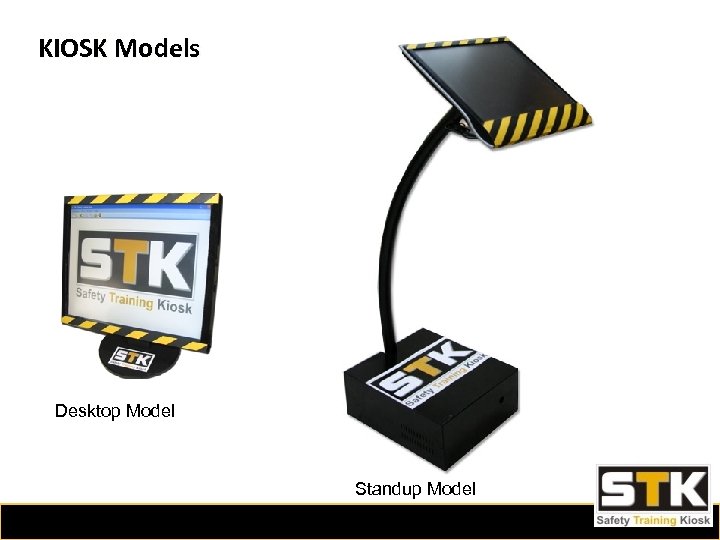 KIOSK Models Desktop Model Standup Model
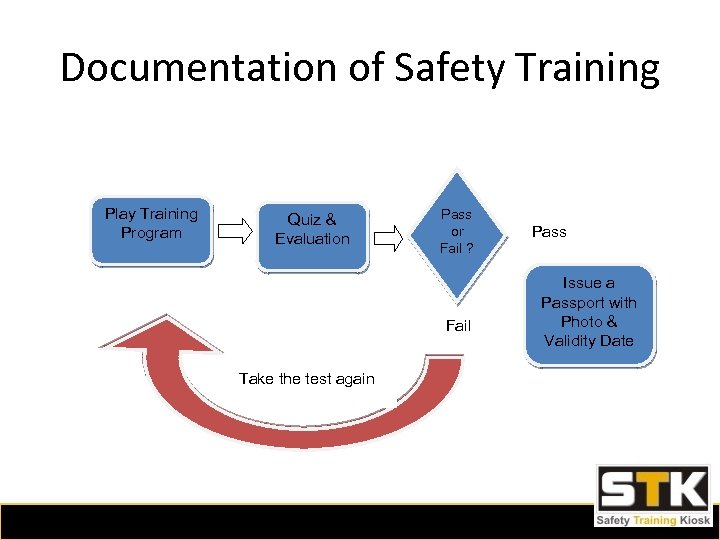 Documentation of Safety Training Play Training Program Quiz & Evaluation Pass or Fail ? Fail Take the test again Pass Issue a Passport with Photo & Validity Date
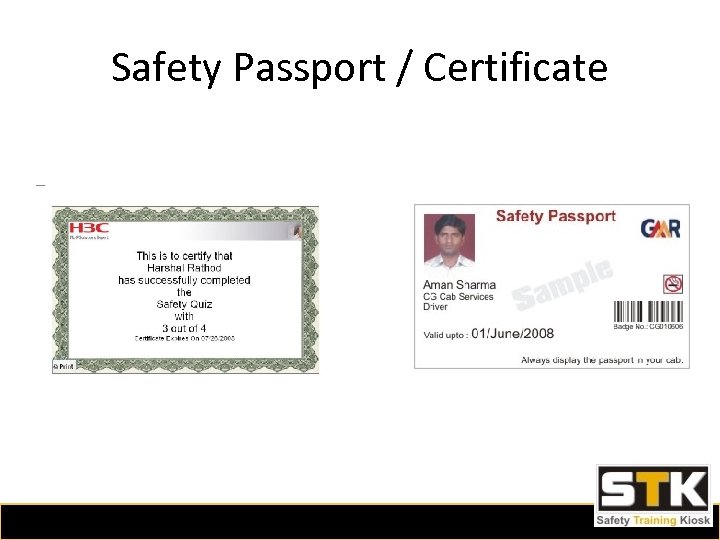 Safety Passport / Certificate
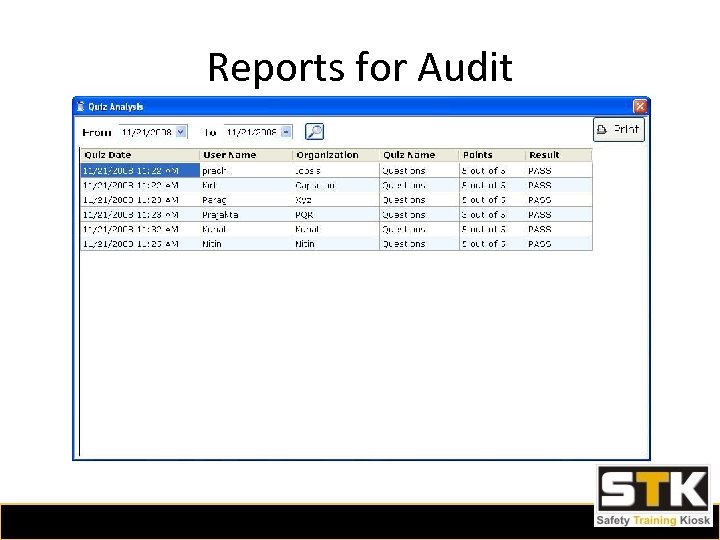 Reports for Audit
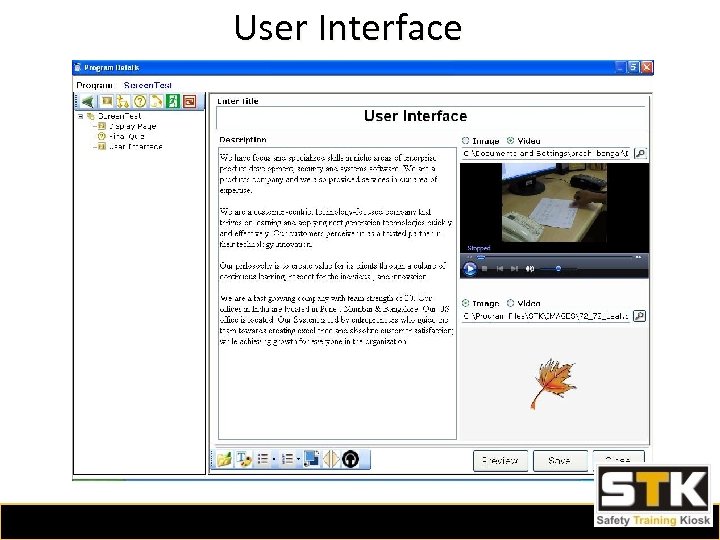
 STK Functional Specifications • Administrator Mode – This module is used for creating various training programs. • User Mode – One can create various users and run specific programs based on type of user selected. • Full SELF KIOSK functionality – The user mode offers controls like Always on the top, No Max/Min, No Exit without password for security etc.
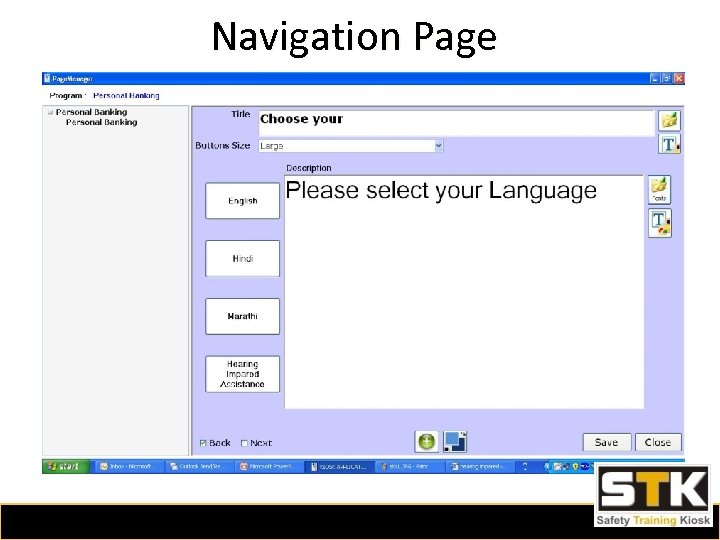
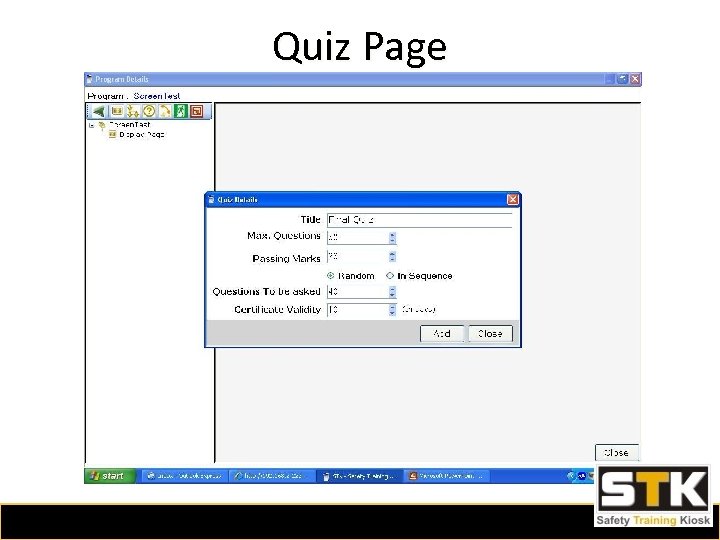
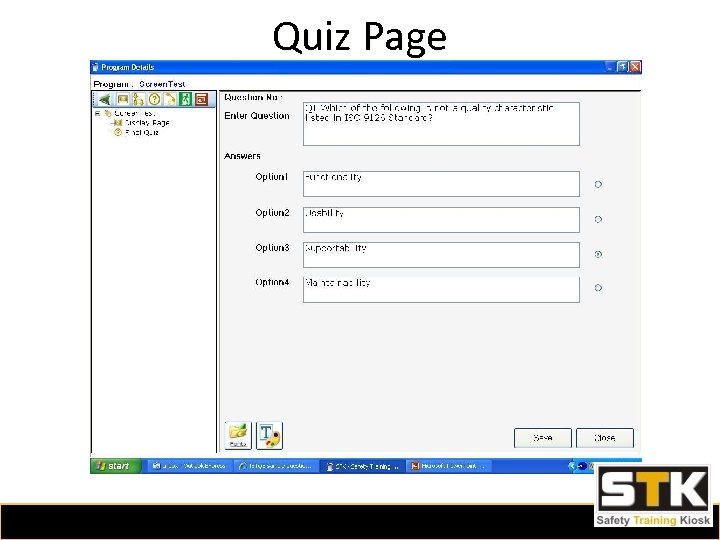
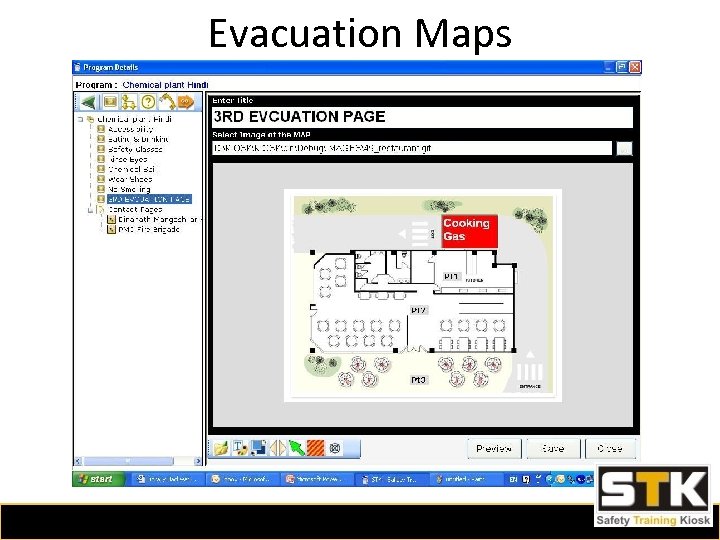
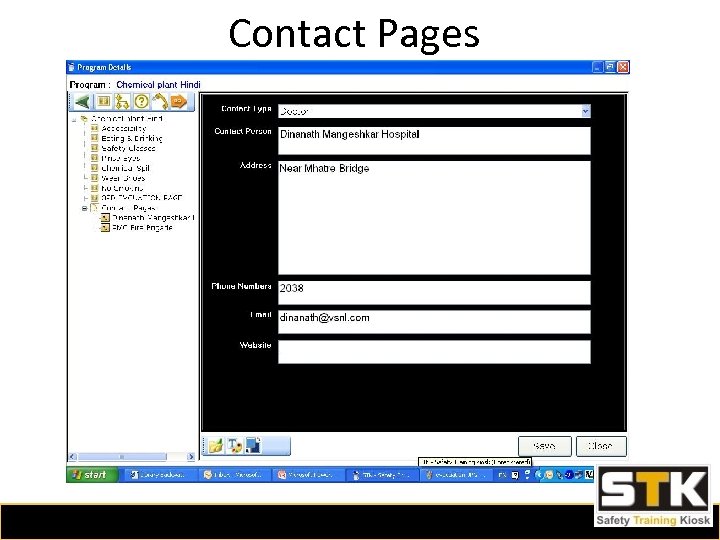
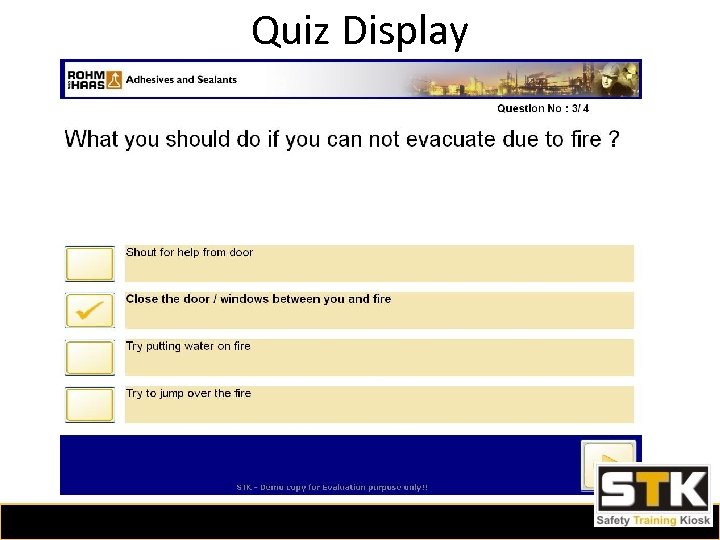
 STK – Features • Multiple programs for different threats. • Every program can have various types of pages… Display Pages – Predefined Templates Navigation Pages – Button to navigate through Quiz Pages – Quiz pages for an online exam. Contact Pages – Information about important contacts like Police , Fire Brigade , Hospitals etc. • Evacuation Maps – Maps & Icons for Fire Safety. • • • Create specific programs specific for a department or work skill eg. Drivers, House Keeping Staff , Helpers etc.
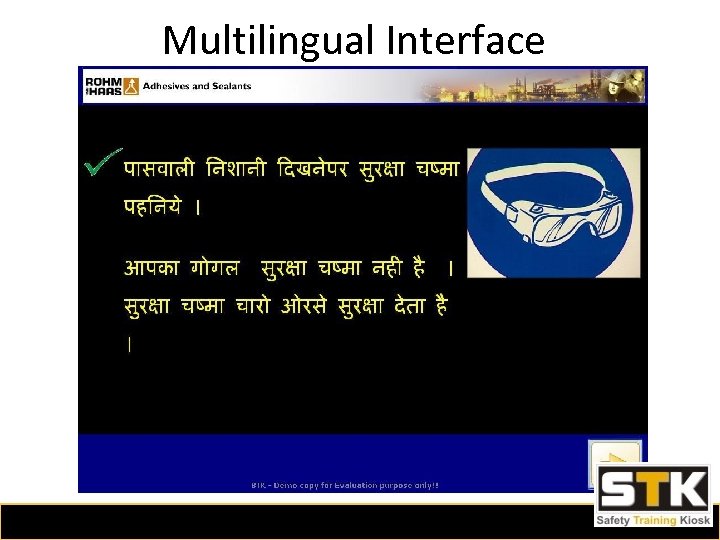
 STK – Features • Multilingual – STK is Unicode Compliant hence supports any language. • Multimedia – STK also supports Text, Images, Voice, Videos, Drawings, Maps, Icons etc. • Help for hearing-impaired – Visual help for hearing impaired can also be generated very easily using this system.
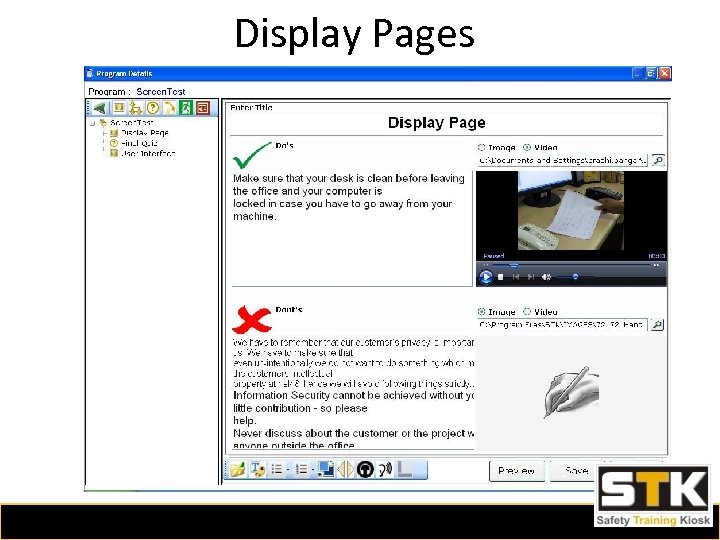 Display Pages
 Navigation Page
 Quiz Page
 Quiz Page
 Evacuation Maps
 Contact Pages
 User Interface
 Multilingual Interface
 Quiz Display
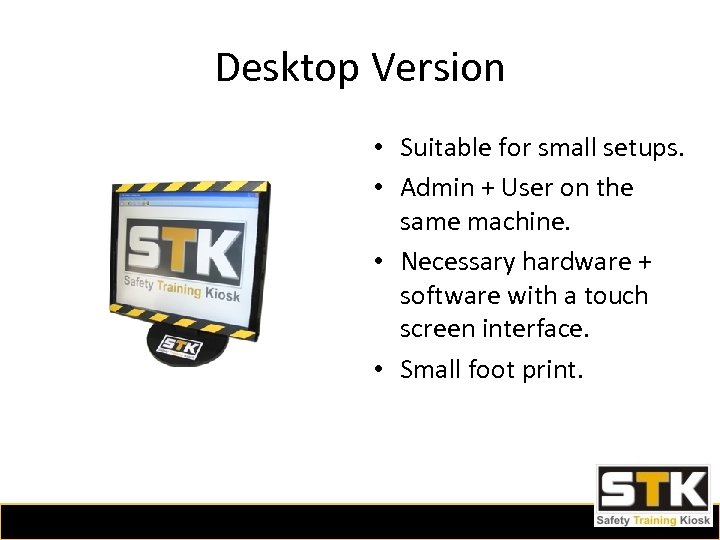 Desktop Version • Suitable for small setups. • Admin + User on the same machine. • Necessary hardware + software with a touch screen interface. • Small foot print.
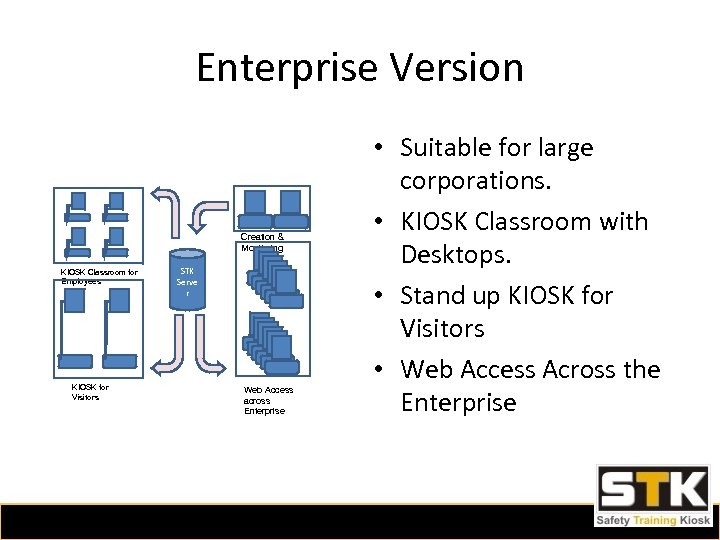 Enterprise Version Creation & Monitoring KIOSK Classroom for Employees KIOSK for Visitors STK Serve r Web Access across Enterprise • Suitable for large corporations. • KIOSK Classroom with Desktops. • Stand up KIOSK for Visitors • Web Access Across the Enterprise
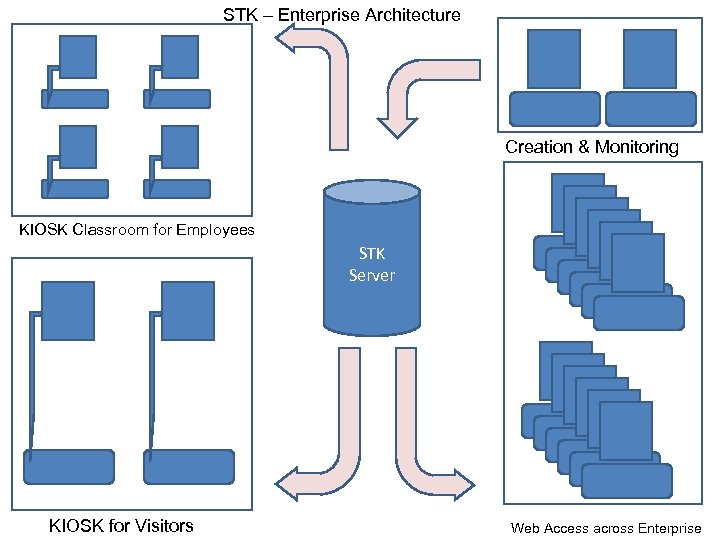 STK – Enterprise Architecture Creation & Monitoring KIOSK Classroom for Employees STK Server KIOSK for Visitors Web Access across Enterprise
 Technical Specification • Resistive type Touchscreen KIOSK with 17” or 19” Display. • Mini-PC attached to the back of Touchscreen. • Development Platform : C # , ASP. NET • Back End SQL Server / SQL Server Express for Desktop Unit • Optional Printer for printing Certificate / Security Passport
 Benefits • Very user-friendly and even security department can create a program without any prior training. • A user mode helps in creating multiple programs and run the same by login in as a specific user. • Equipped with all KIOSK functionality hence minimize, always on the top, exit only with password etc. are provided and hence any kind of misuse can be avoided. • Attach Images, AVIs, text and all other types of information. • Import & Export facility for easy transfer of information. • Easy editing & maintenance. • Can support aids for people with hearing disabilities. • Navigation through various programs. • Quiz for judging the preparedness and storing the scores.