 Скачать презентацию Alternative Keyboards and Input Devices Scott A Dougherty
182eb285470a967b072f984f216235e1.ppt
- Количество слайдов: 81



Alternative Keyboards and Input Devices Scott A. Dougherty IDEA Training & Consultation Coordinator Allegheny Intermediate Unit #3
The Big Disclaimers n Not a company representative n Not a list of “must buys” - other products will: n Do some things in a better way n Do some things in the same way n Do some things in a worse way n Do some totally different things n What you see is NOT all you can get n We ARE dealing with silicon 2
Housekeeping n Feel free to ask questions as they come to you n We will take a break mid -session, but feel free to move around n Materials are available for download at http: //www. aiu 3. net/ 3
Session Goals n Provide an overview of input devices for the computer n Demonstrate the use and application of several devices n Discuss implementation of input devices in the course of daily learning experiences 4
Keyboards n Standard n QWERTY n Alphabetic n Dvorak n Keytop Overlays & n Portable n n Large Print/Button n Keyguards Coded/Alternate Entry Programmable Onscreen Word prediction n Miniature 5
Standard Keyboards n Features n Readily available n Commonplace and familiar n Plug-and-play or freely convertible via operating system n QWERTY n Dvorak n Alphabetic n Miniature n Considerations n Specialized layouts impact generalization of skill on non-adapted computers n Plug-and-play versus programmed 6
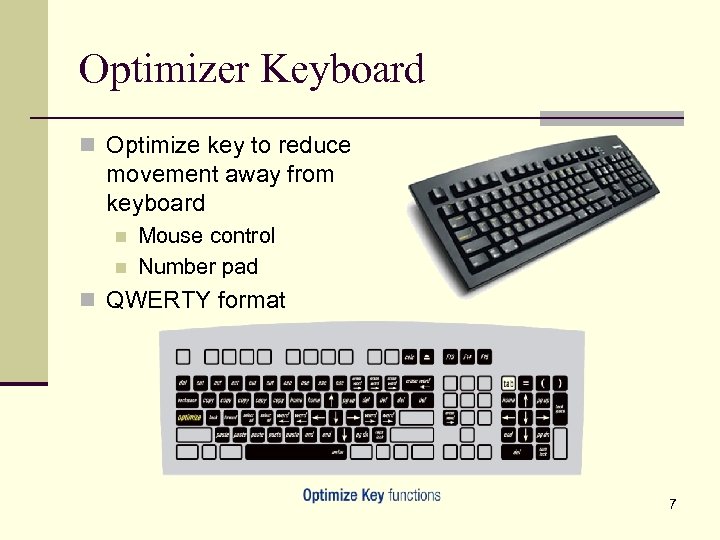
Optimizer Keyboard n Optimize key to reduce movement away from keyboard n n Mouse control Number pad n QWERTY format 7
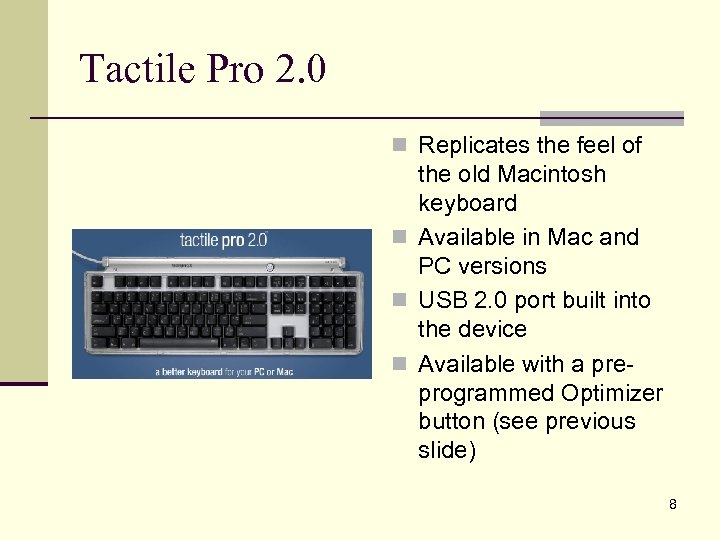
Tactile Pro 2. 0 n Replicates the feel of the old Macintosh keyboard n Available in Mac and PC versions n USB 2. 0 port built into the device n Available with a preprogrammed Optimizer button (see previous slide) 8
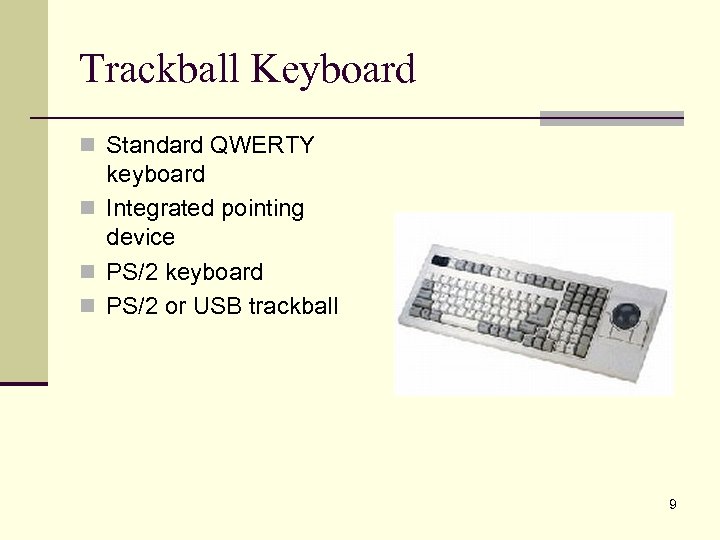
Trackball Keyboard n Standard QWERTY keyboard n Integrated pointing device n PS/2 keyboard n PS/2 or USB trackball 9
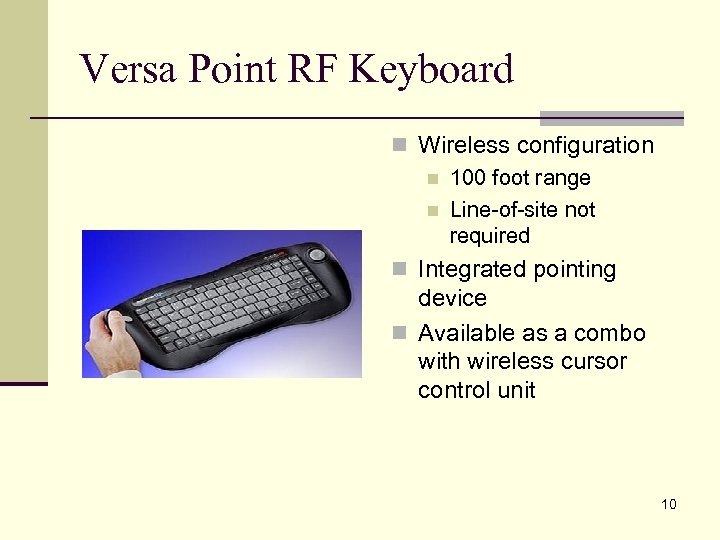
Versa Point RF Keyboard n Wireless configuration n 100 foot range n Line-of-site not required n Integrated pointing device n Available as a combo with wireless cursor control unit 10
Portable Keyboards n Features n Most are standalone word processors n Reduce distractions n May offer add-in functionality n Pre-programmed n Download n SD card n Text shared with computer via wire or wireless connection n Durability n Low power consumption n Considerations n Inexpensive in comparison to a laptop n Screen size n Brightness and contrast limits n Limited display fonts and sizes 11
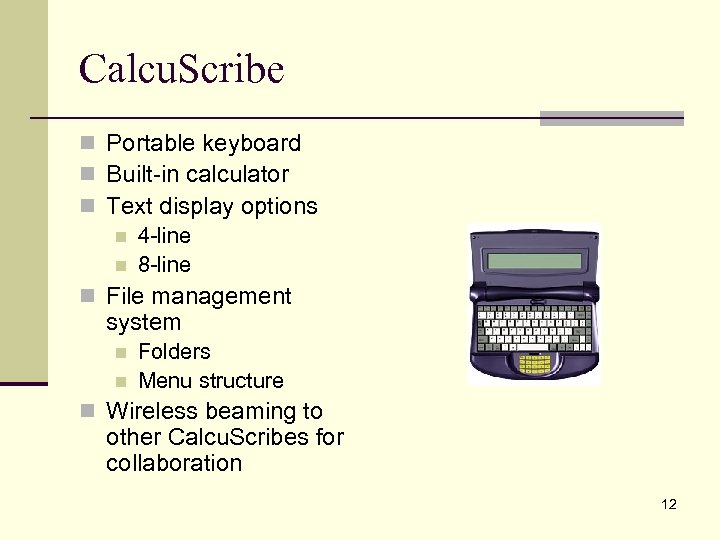
Calcu. Scribe n Portable keyboard n Built-in calculator n Text display options n 4 -line n 8 -line n File management system n n Folders Menu structure n Wireless beaming to other Calcu. Scribes for collaboration 12
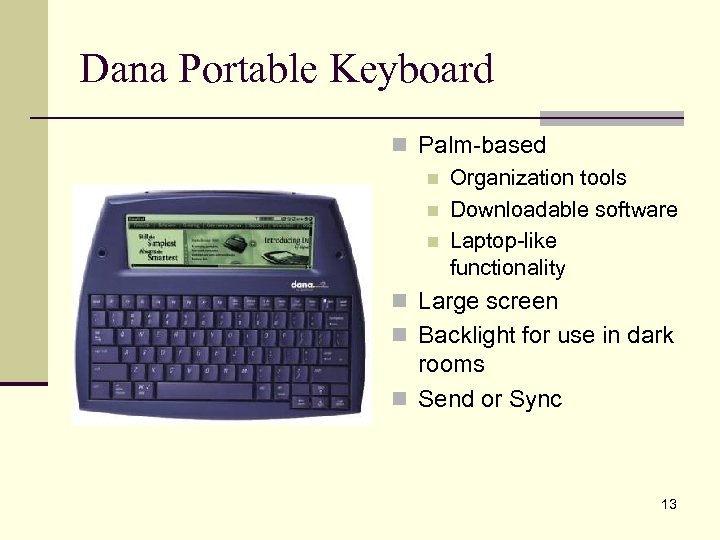
Dana Portable Keyboard n Palm-based n Organization tools n Downloadable software n Laptop-like functionality n Large screen n Backlight for use in dark rooms n Send or Sync 13
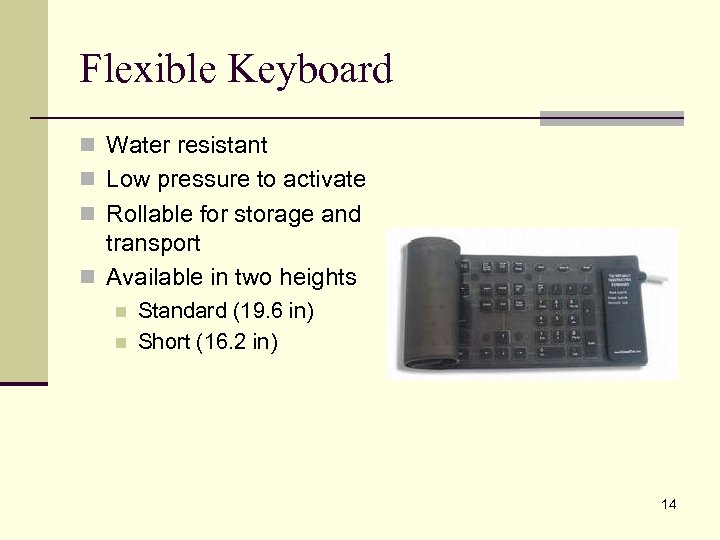
Flexible Keyboard n Water resistant n Low pressure to activate n Rollable for storage and transport n Available in two heights n n Standard (19. 6 in) Short (16. 2 in) 14
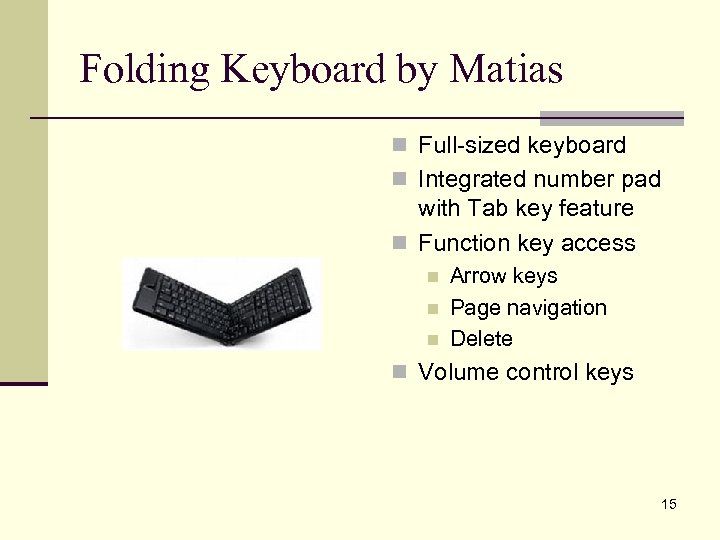
Folding Keyboard by Matias n Full-sized keyboard n Integrated number pad with Tab key feature n Function key access n n n Arrow keys Page navigation Delete n Volume control keys 15
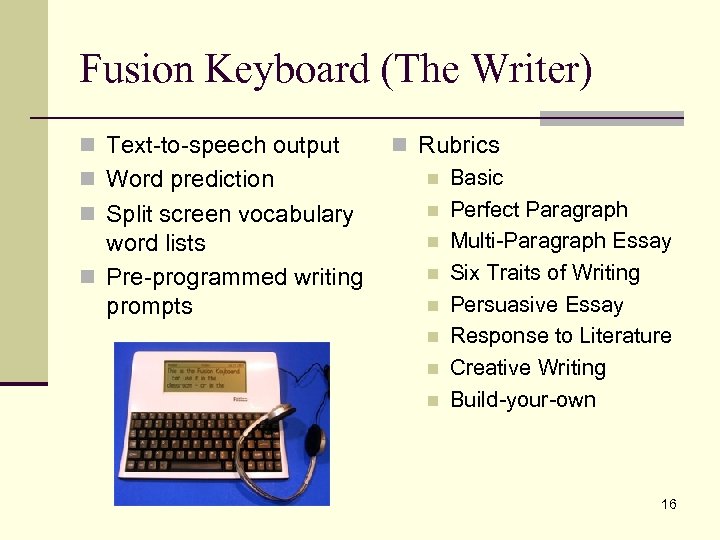
Fusion Keyboard (The Writer) n Text-to-speech output n Word prediction n Split screen vocabulary word lists n Pre-programmed writing prompts n Rubrics n Basic n Perfect Paragraph n Multi-Paragraph Essay n Six Traits of Writing n Persuasive Essay n Response to Literature n Creative Writing n Build-your-own 16
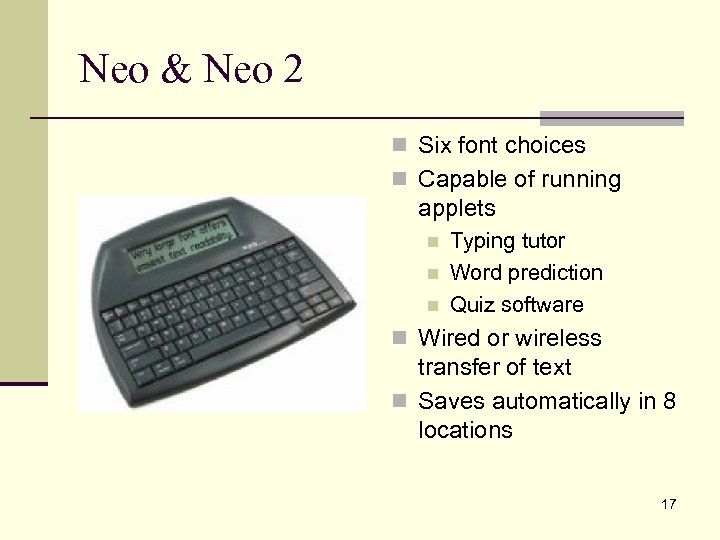
Neo & Neo 2 n Six font choices n Capable of running applets n n n Typing tutor Word prediction Quiz software n Wired or wireless transfer of text n Saves automatically in 8 locations 17
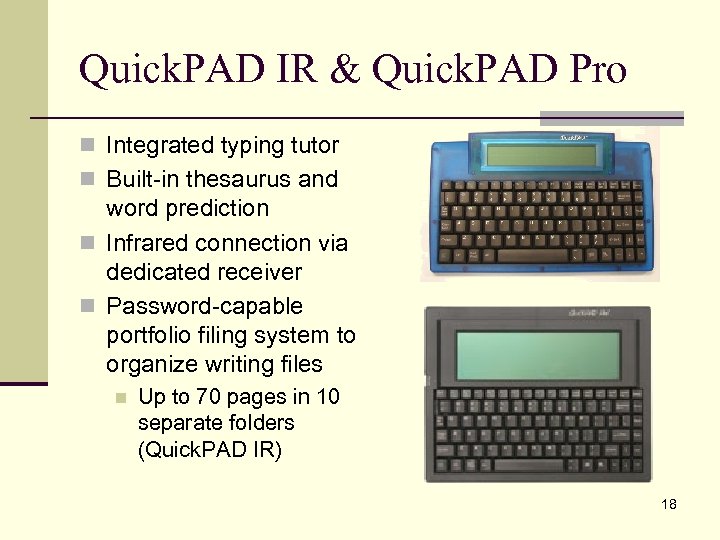
Quick. PAD IR & Quick. PAD Pro n Integrated typing tutor n Built-in thesaurus and word prediction n Infrared connection via dedicated receiver n Password-capable portfolio filing system to organize writing files n Up to 70 pages in 10 separate folders (Quick. PAD IR) 18
Large Print/Button Keyboards n Features n Color schemes for ease of viewing or identification n Large “target” n Clearer separation between letters on large keys n Considerations n Larger footprint n Reduced key set n Visually distinct from traditional keyboards 19
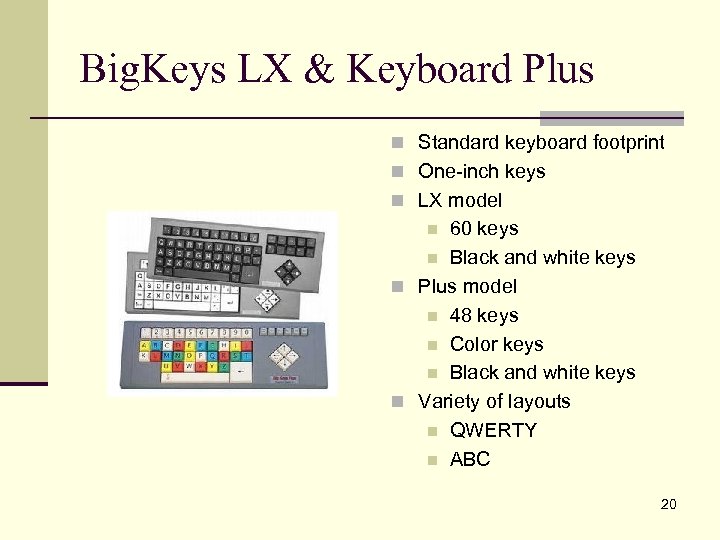
Big. Keys LX & Keyboard Plus n Standard keyboard footprint n One-inch keys n LX model 60 keys n Black and white keys n Plus model n 48 keys n Color keys n Black and white keys n Variety of layouts n QWERTY n ABC n 20
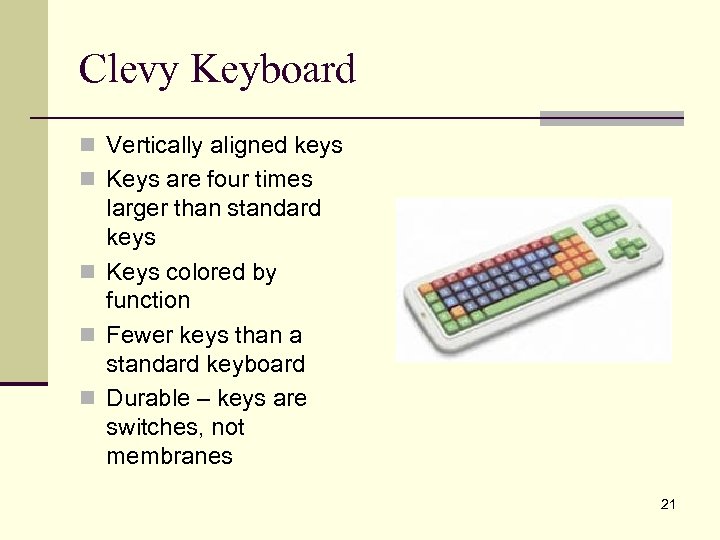
Clevy Keyboard n Vertically aligned keys n Keys are four times larger than standard keys n Keys colored by function n Fewer keys than a standard keyboard n Durable – keys are switches, not membranes 21
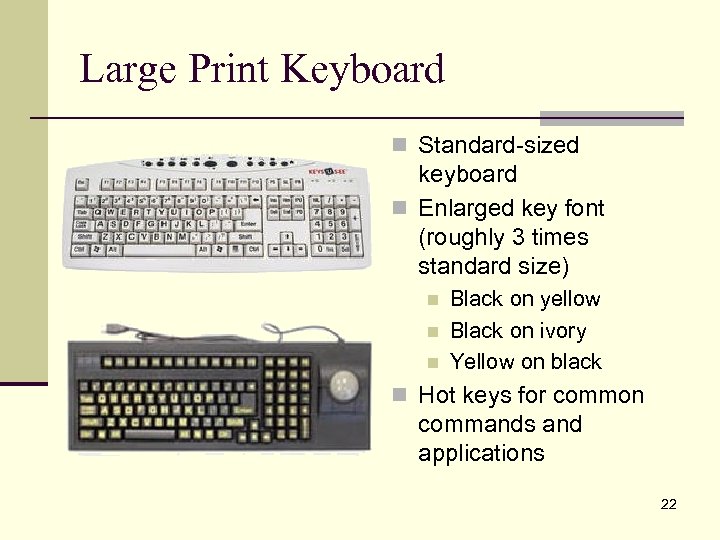
Large Print Keyboard n Standard-sized keyboard n Enlarged key font (roughly 3 times standard size) n n n Black on yellow Black on ivory Yellow on black n Hot keys for common commands and applications 22
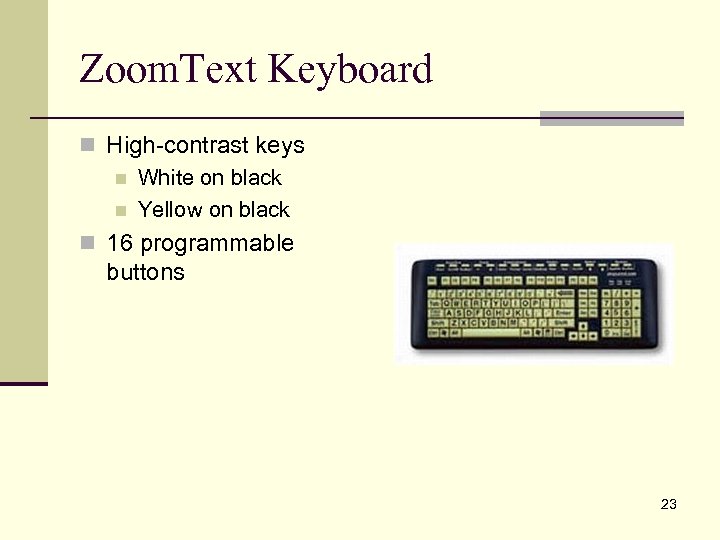
Zoom. Text Keyboard n High-contrast keys n White on black n Yellow on black n 16 programmable buttons 23
Miniature Keyboards n Features n Reduce “travel” for users with small hand spans or fingers n May be useful when n Fatigue is common n Range of motion is limited n Only one hand is used for key activations n Considerations n Key face often features a smaller font than a standard keyboard 24
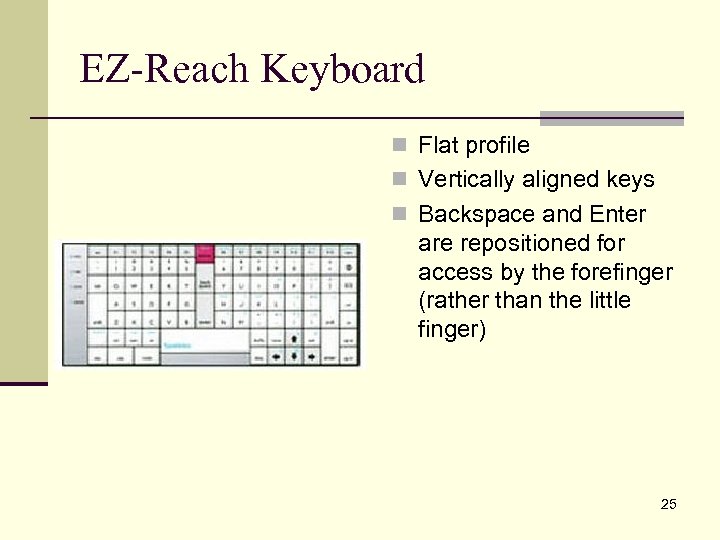
EZ-Reach Keyboard n Flat profile n Vertically aligned keys n Backspace and Enter are repositioned for access by the forefinger (rather than the little finger) 25
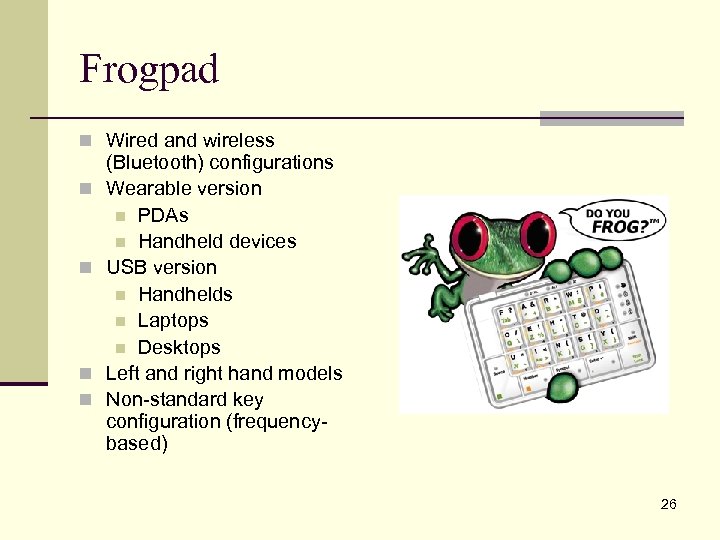
Frogpad n Wired and wireless n n (Bluetooth) configurations Wearable version n PDAs n Handheld devices USB version n Handhelds n Laptops n Desktops Left and right hand models Non-standard key configuration (frequencybased) 26
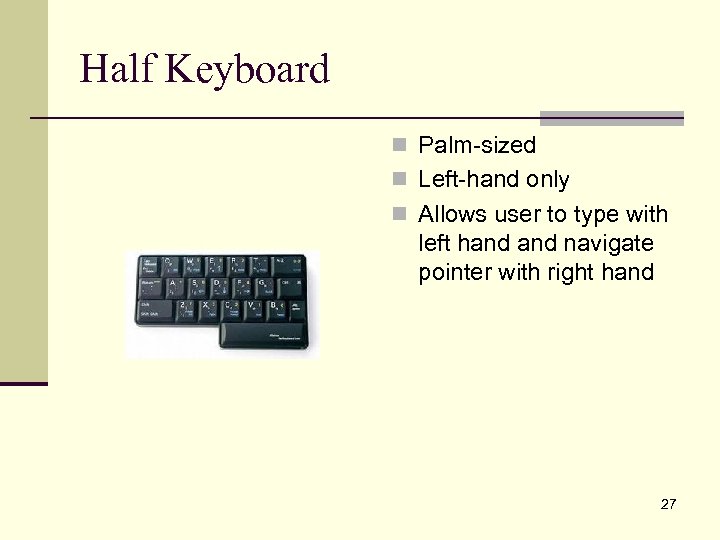
Half Keyboard n Palm-sized n Left-hand only n Allows user to type with left hand navigate pointer with right hand 27
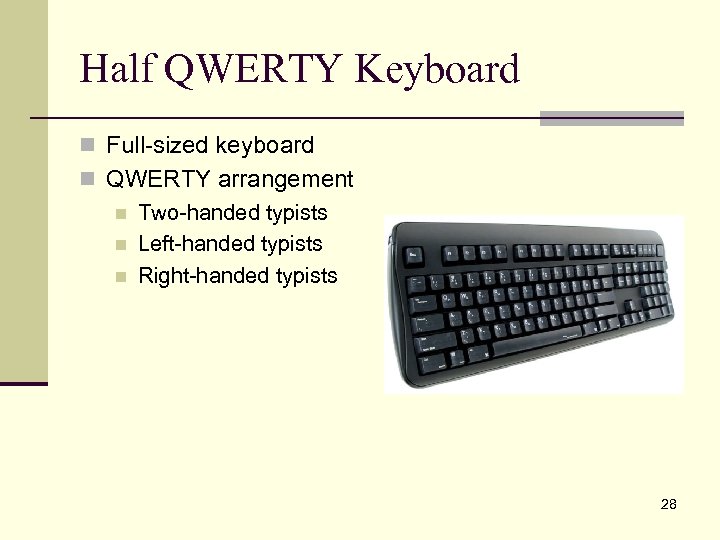
Half QWERTY Keyboard n Full-sized keyboard n QWERTY arrangement n Two-handed typists n Left-handed typists n Right-handed typists 28
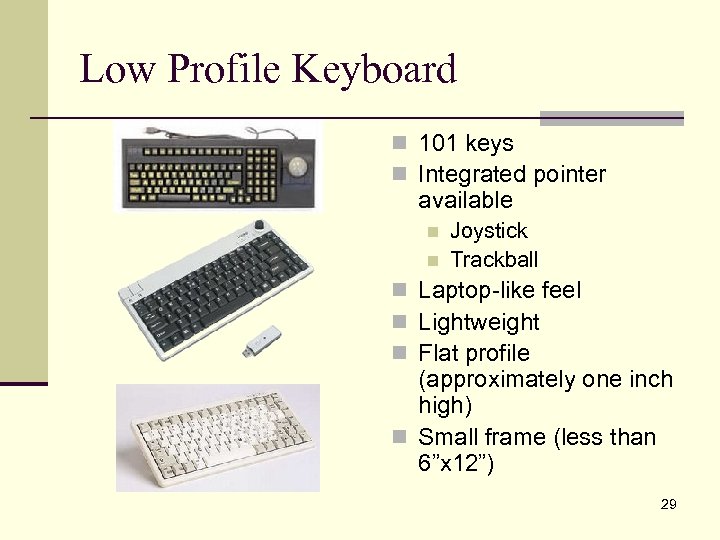
Low Profile Keyboard n 101 keys n Integrated pointer available n n Joystick Trackball n Laptop-like feel n Lightweight n Flat profile (approximately one inch high) n Small frame (less than 6”x 12”) 29
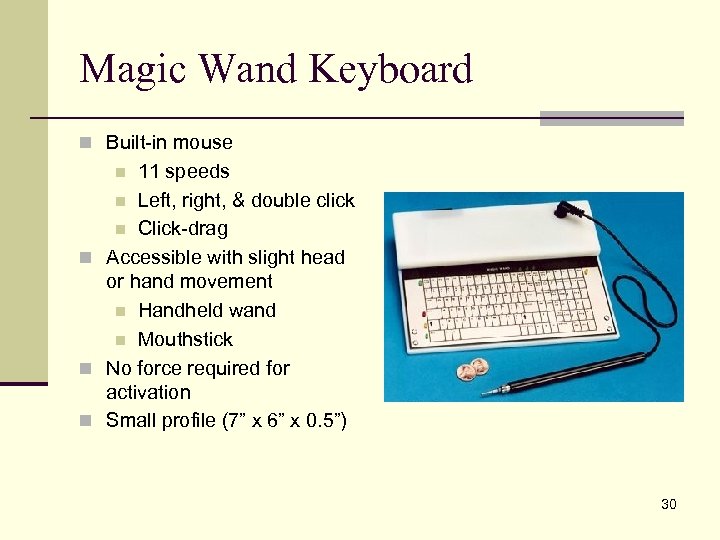
Magic Wand Keyboard n Built-in mouse 11 speeds n Left, right, & double click n Click-drag n Accessible with slight head or hand movement n Handheld wand n Mouthstick n No force required for activation n Small profile (7” x 6” x 0. 5”) n 30
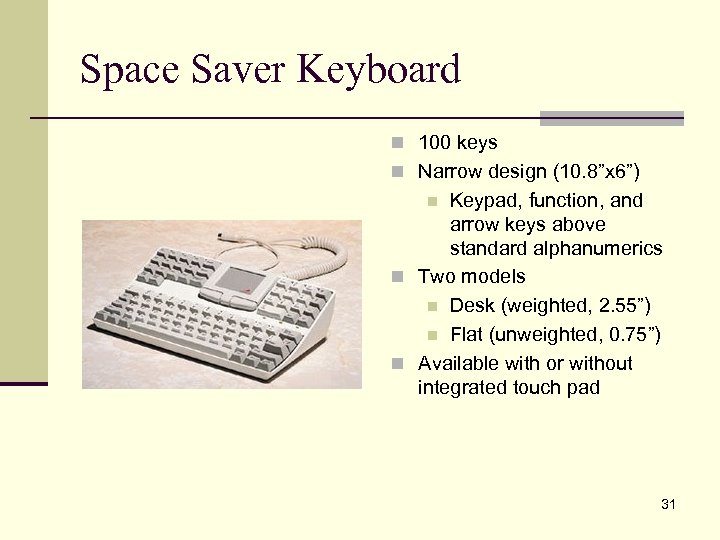
Space Saver Keyboard n 100 keys n Narrow design (10. 8”x 6”) Keypad, function, and arrow keys above standard alphanumerics n Two models n Desk (weighted, 2. 55”) n Flat (unweighted, 0. 75”) n Available with or without integrated touch pad n 31
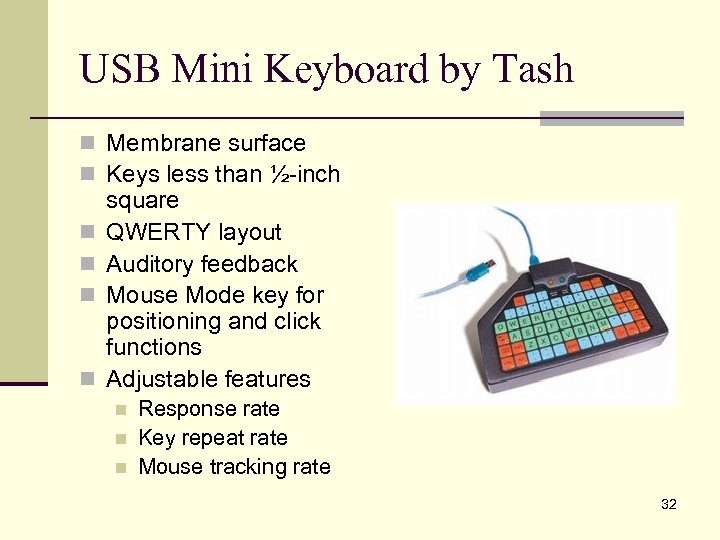
USB Mini Keyboard by Tash n Membrane surface n Keys less than ½-inch n n square QWERTY layout Auditory feedback Mouse Mode key for positioning and click functions Adjustable features n n n Response rate Key repeat rate Mouse tracking rate 32
Ergonomic Keyboards n Features n Increasingly available (and standard) in school, home, and work environments n Reduce repetitive stress injuries by supporting more natural hand positions n Some models are adjustable n Considerations n Not conducive to onehanded typing n May not fit into built-in keyboard trays 33
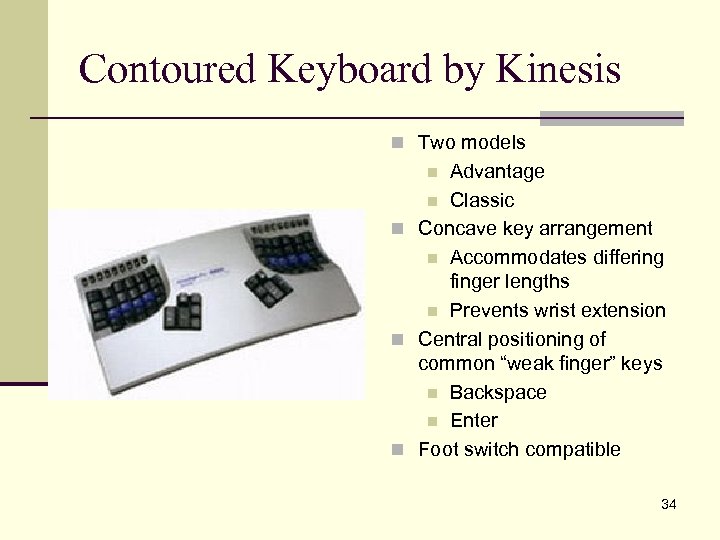
Contoured Keyboard by Kinesis n Two models Advantage n Classic n Concave key arrangement n Accommodates differing finger lengths n Prevents wrist extension n Central positioning of common “weak finger” keys n Backspace n Enter n Foot switch compatible n 34
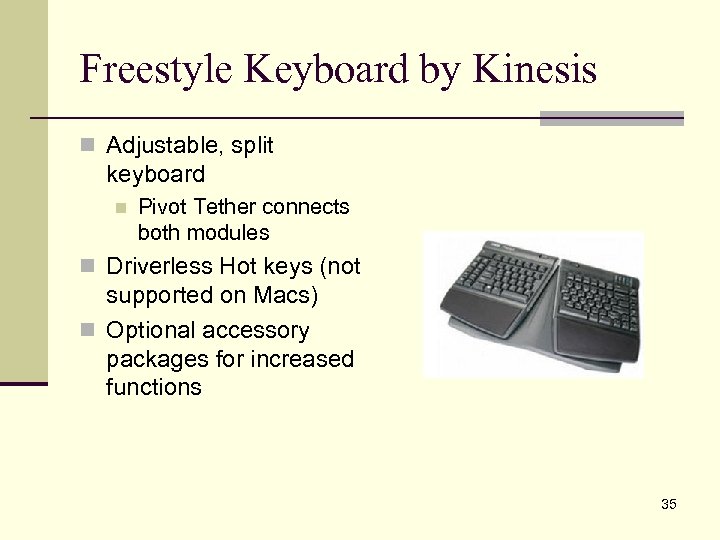
Freestyle Keyboard by Kinesis n Adjustable, split keyboard n Pivot Tether connects both modules n Driverless Hot keys (not supported on Macs) n Optional accessory packages for increased functions 35
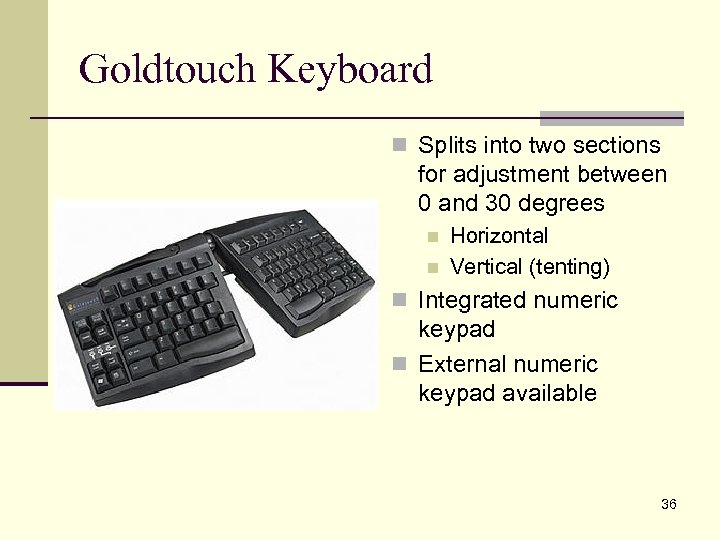
Goldtouch Keyboard n Splits into two sections for adjustment between 0 and 30 degrees n n Horizontal Vertical (tenting) n Integrated numeric keypad n External numeric keypad available 36
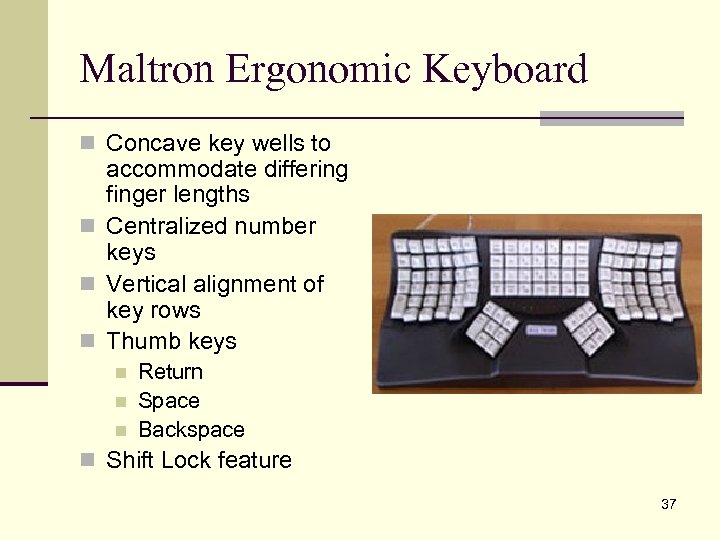
Maltron Ergonomic Keyboard n Concave key wells to accommodate differing finger lengths n Centralized number keys n Vertical alignment of key rows n Thumb keys n n n Return Space Backspace n Shift Lock feature 37
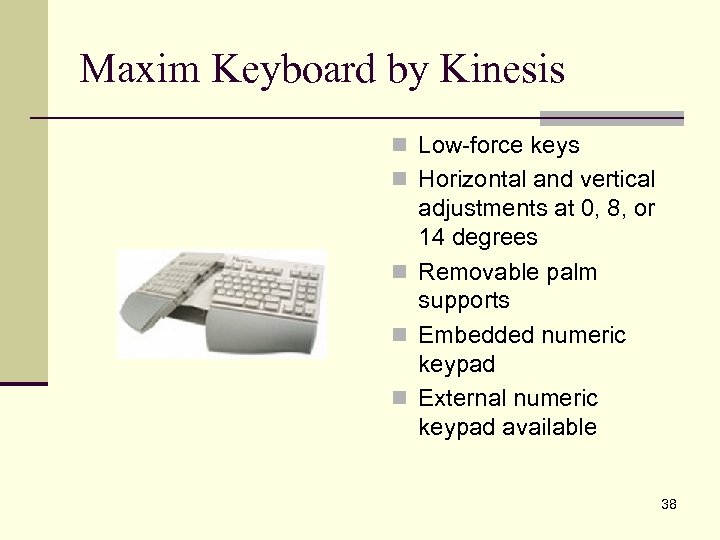
Maxim Keyboard by Kinesis n Low-force keys n Horizontal and vertical adjustments at 0, 8, or 14 degrees n Removable palm supports n Embedded numeric keypad n External numeric keypad available 38
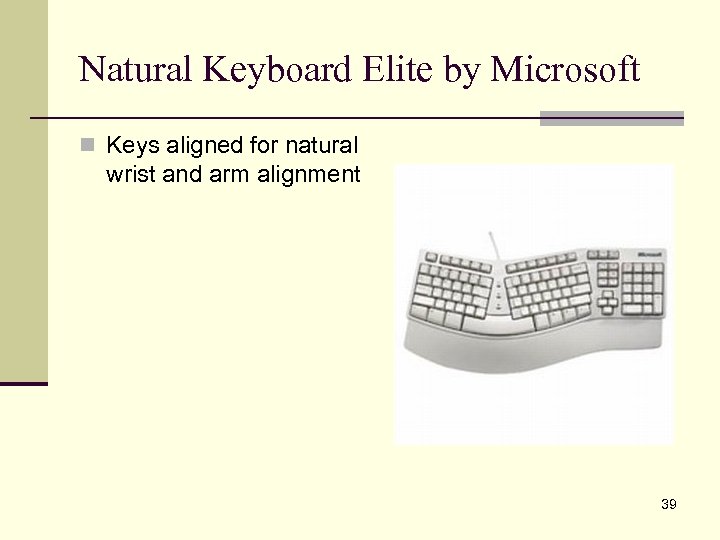
Natural Keyboard Elite by Microsoft n Keys aligned for natural wrist and arm alignment 39
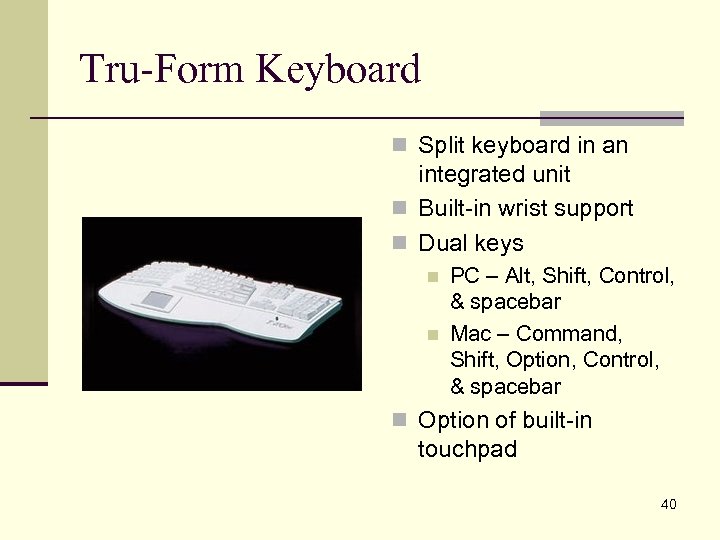
Tru-Form Keyboard n Split keyboard in an integrated unit n Built-in wrist support n Dual keys n n PC – Alt, Shift, Control, & spacebar Mac – Command, Shift, Option, Control, & spacebar n Option of built-in touchpad 40
Keytop Overlays & Keyguards n Features n Adapt keyboards for moisture-prone use n Provide color cues to emerging typists n Retrofit an existing keyboard inexpensively n Provide support for users unable to support wrists or isolate keys easily n Considerations n Adhesives may leave a residue when removed n OS settings may need to be adjusted (in cases where a keyboard is being changed to a non. QWERTY layout) 41
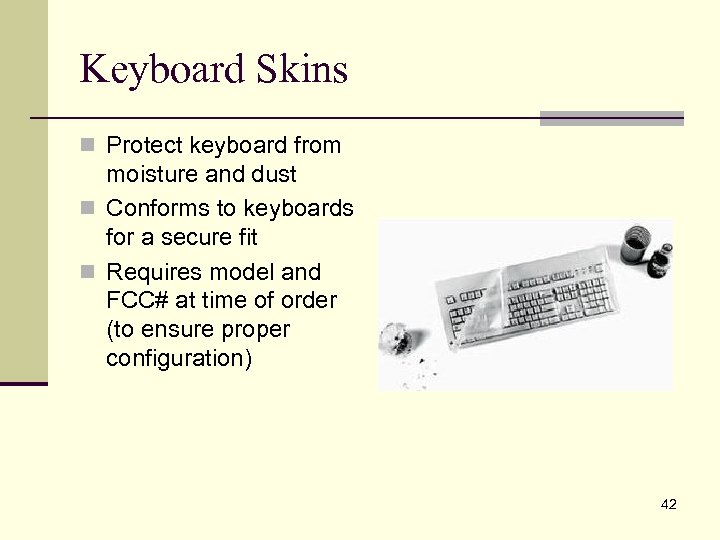
Keyboard Skins n Protect keyboard from moisture and dust n Conforms to keyboards for a secure fit n Requires model and FCC# at time of order (to ensure proper configuration) 42
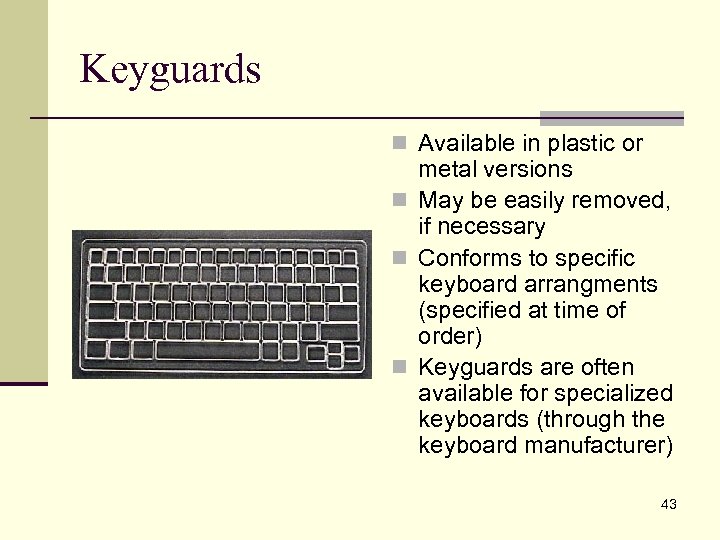
Keyguards n Available in plastic or metal versions n May be easily removed, if necessary n Conforms to specific keyboard arrangments (specified at time of order) n Keyguards are often available for specialized keyboards (through the keyboard manufacturer) 43
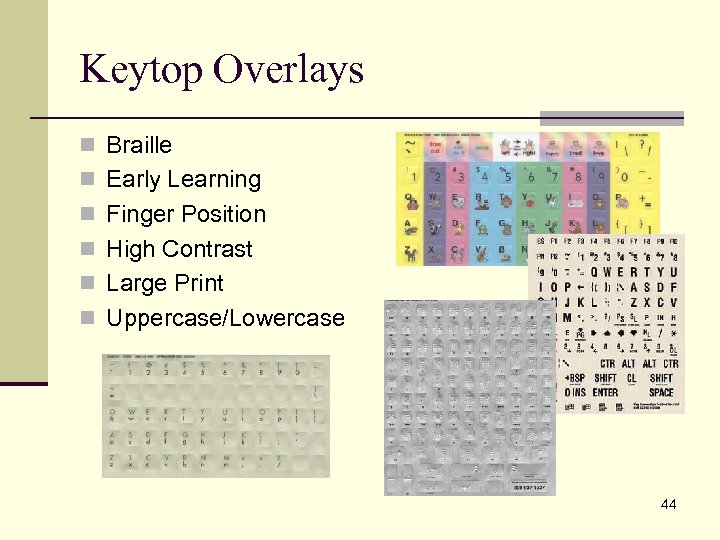
Keytop Overlays n Braille n Early Learning n Finger Position n High Contrast n Large Print n Uppercase/Lowercase 44
Coded/Alternate Entry Keyboards n Features n Utilize chords, codes, or pre-programmed settings n Reduce keystrokes n Reduce hand movement (travel) n Considerations n Learning curve is typical n Non-intuitive 45
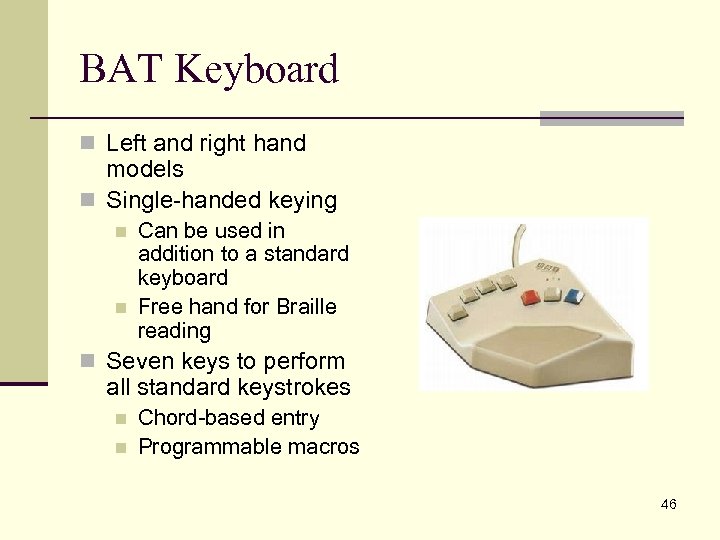
BAT Keyboard n Left and right hand models n Single-handed keying n n Can be used in addition to a standard keyboard Free hand for Braille reading n Seven keys to perform all standard keystrokes n n Chord-based entry Programmable macros 46
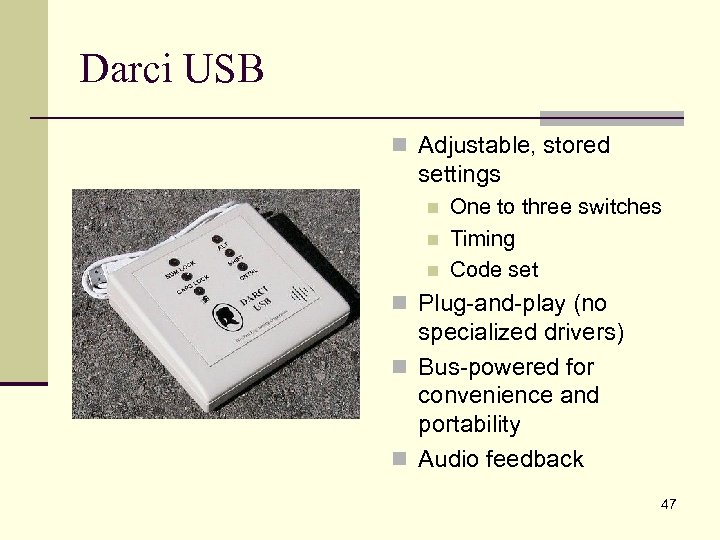
Darci USB n Adjustable, stored settings n n n One to three switches Timing Code set n Plug-and-play (no specialized drivers) n Bus-powered for convenience and portability n Audio feedback 47
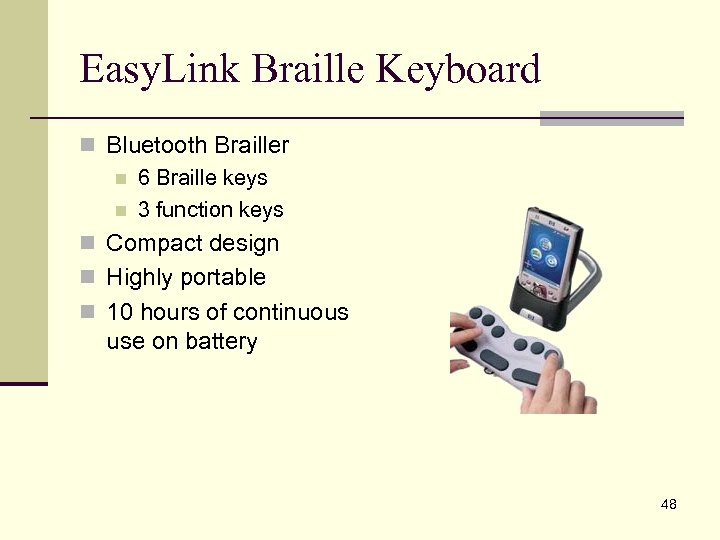
Easy. Link Braille Keyboard n Bluetooth Brailler n 6 Braille keys n 3 function keys n Compact design n Highly portable n 10 hours of continuous use on battery 48
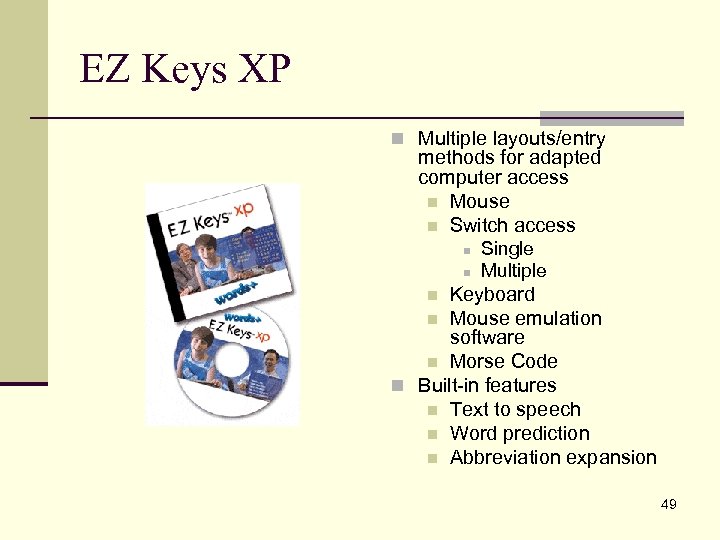
EZ Keys XP n Multiple layouts/entry methods for adapted computer access n Mouse n Switch access n n Single Multiple Keyboard n Mouse emulation software n Morse Code n Built-in features n Text to speech n Word prediction n Abbreviation expansion n 49
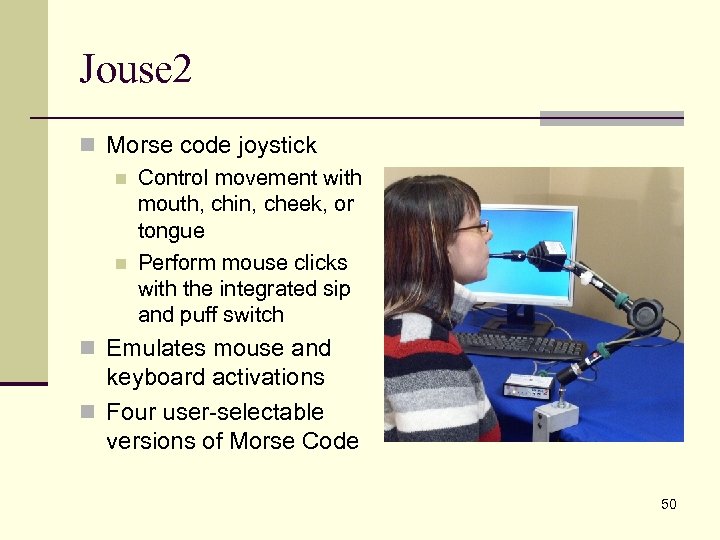
Jouse 2 n Morse code joystick n Control movement with mouth, chin, cheek, or tongue n Perform mouse clicks with the integrated sip and puff switch n Emulates mouse and keyboard activations n Four user-selectable versions of Morse Code 50
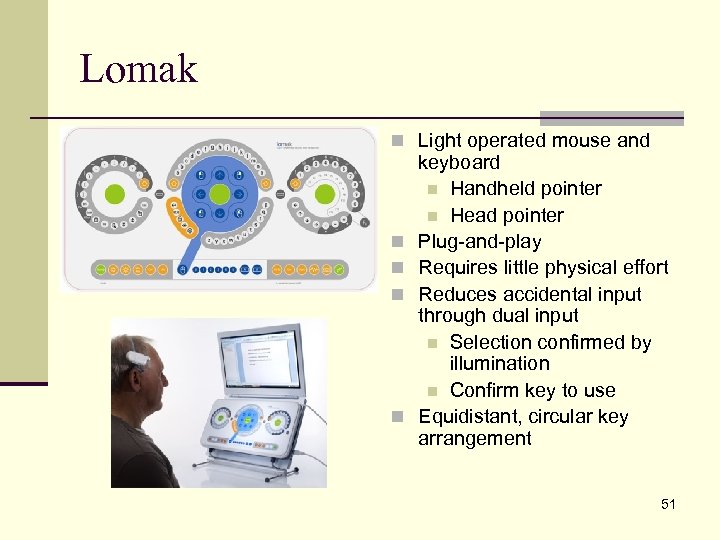
Lomak n Light operated mouse and n n keyboard n Handheld pointer n Head pointer Plug-and-play Requires little physical effort Reduces accidental input through dual input n Selection confirmed by illumination n Confirm key to use Equidistant, circular key arrangement 51
Programmable Keyboards n Features n Allow macros to be programmed n Allow computer input via traditional and nontraditional means n Letter-based n Word-based n Phrase-based n Picture-based n Highly customizable n User requirements n Activity requirements n Considerations n Time and planning is often required prior to use n Typically require specialized drivers (not plug-and-play) 52
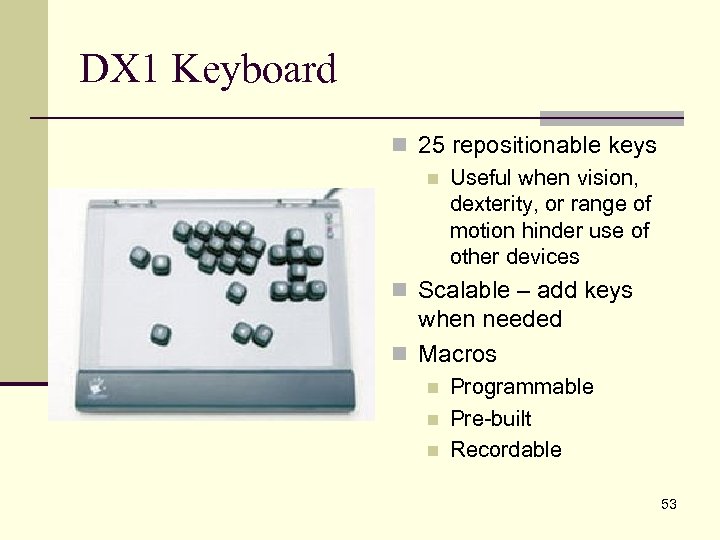
DX 1 Keyboard n 25 repositionable keys n Useful when vision, dexterity, or range of motion hinder use of other devices n Scalable – add keys when needed n Macros n n n Programmable Pre-built Recordable 53
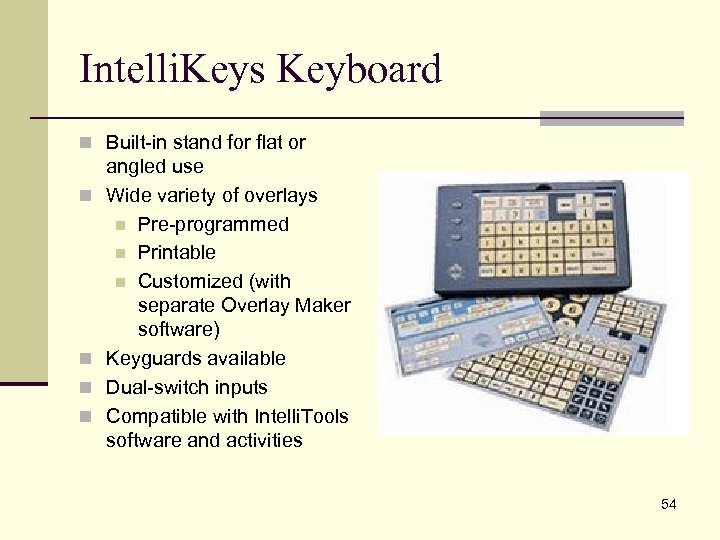
Intelli. Keys Keyboard n Built-in stand for flat or n n angled use Wide variety of overlays n Pre-programmed n Printable n Customized (with separate Overlay Maker software) Keyguards available Dual-switch inputs Compatible with Intelli. Tools software and activities 54
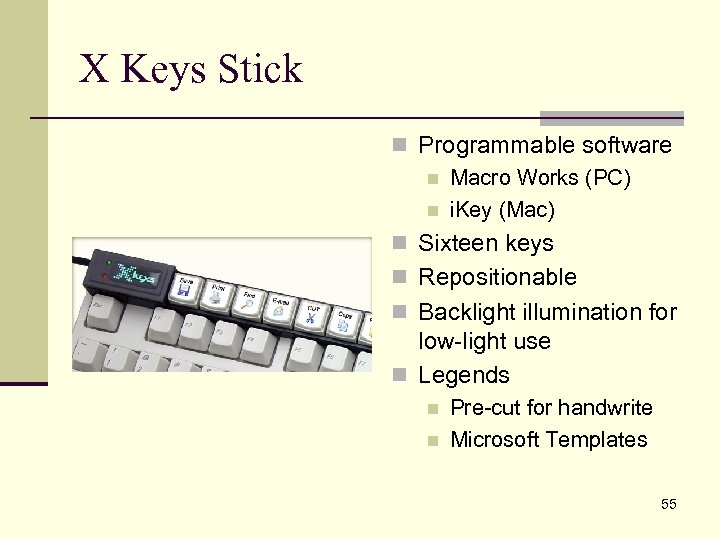
X Keys Stick n Programmable software n Macro Works (PC) n i. Key (Mac) n Sixteen keys n Repositionable n Backlight illumination for low-light use n Legends n n Pre-cut for handwrite Microsoft Templates 55
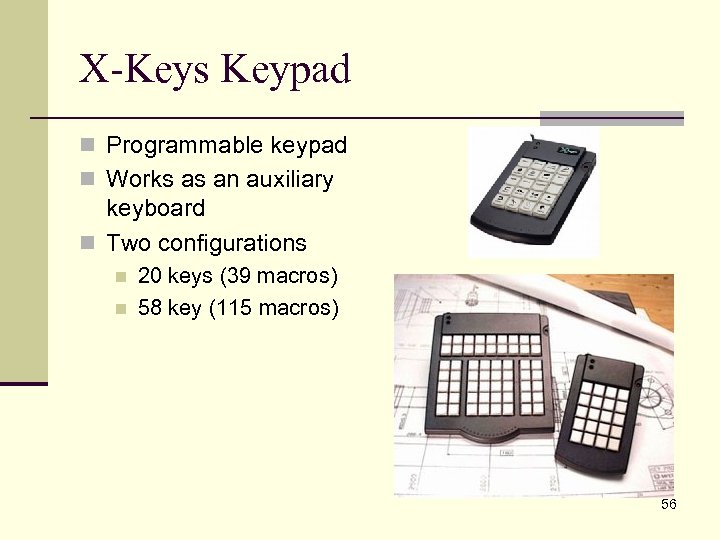
X-Keys Keypad n Programmable keypad n Works as an auxiliary keyboard n Two configurations n n 20 keys (39 macros) 58 key (115 macros) 56
Onscreen Keyboards n Features n Keyboard and text are on the same plane n Ability to change layout n Alternate input n Mouse – click or dwell n Switch n Touchscreen n Integrated word prediction and abbreviation expansion n Considerations n Loss of “real estate” n Fatigue and repetitive stress n May require assistance with programming/setup 57
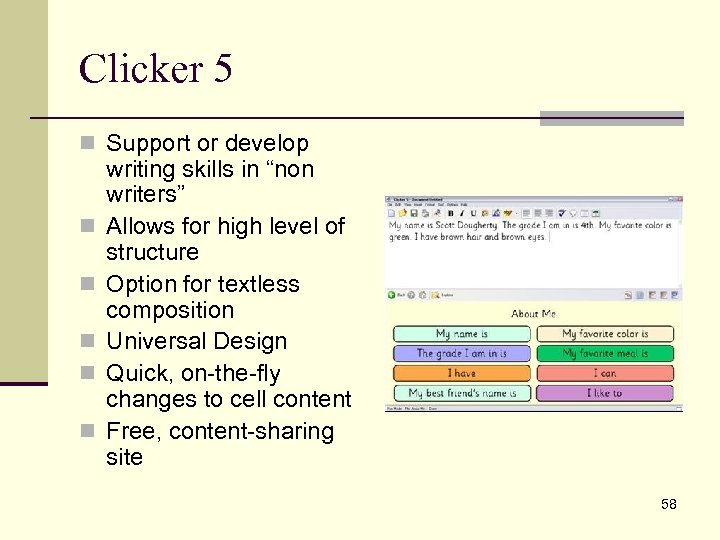
Clicker 5 n Support or develop n n n writing skills in “non writers” Allows for high level of structure Option for textless composition Universal Design Quick, on-the-fly changes to cell content Free, content-sharing site 58
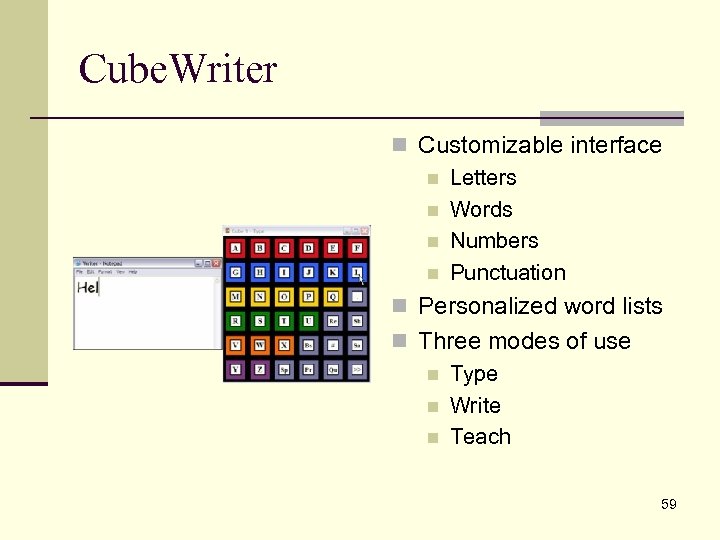
Cube. Writer n Customizable interface n Letters n Words n Numbers n Punctuation n Personalized word lists n Three modes of use n Type n Write n Teach 59
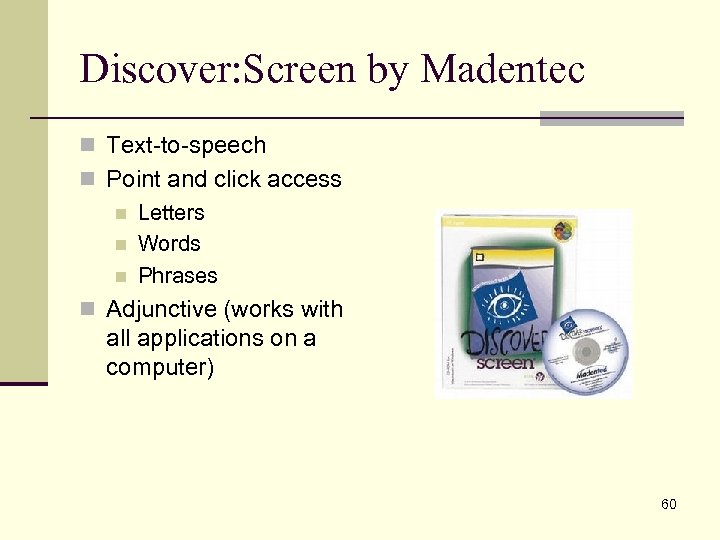
Discover: Screen by Madentec n Text-to-speech n Point and click access n Letters n Words n Phrases n Adjunctive (works with all applications on a computer) 60
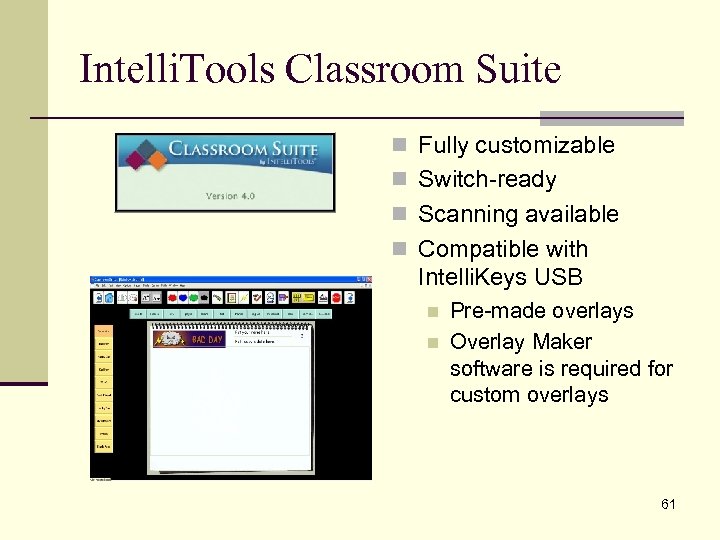
Intelli. Tools Classroom Suite n Fully customizable n Switch-ready n Scanning available n Compatible with Intelli. Keys USB n n Pre-made overlays Overlay Maker software is required for custom overlays 61
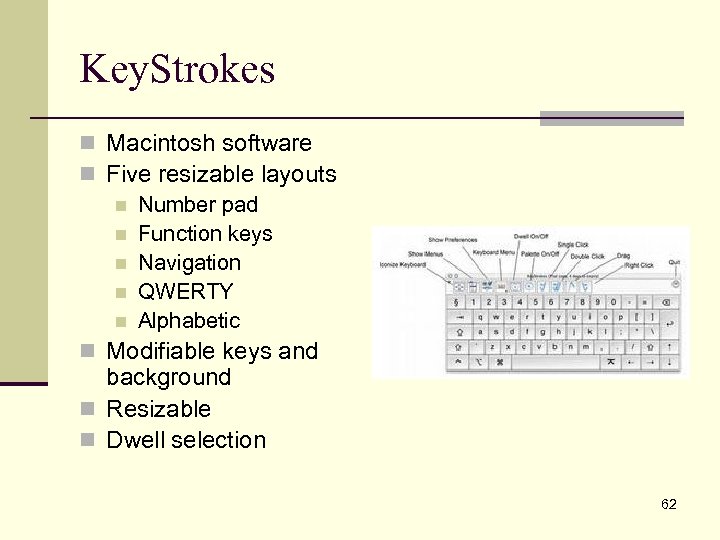
Key. Strokes n Macintosh software n Five resizable layouts n Number pad n Function keys n Navigation n QWERTY n Alphabetic n Modifiable keys and background n Resizable n Dwell selection 62
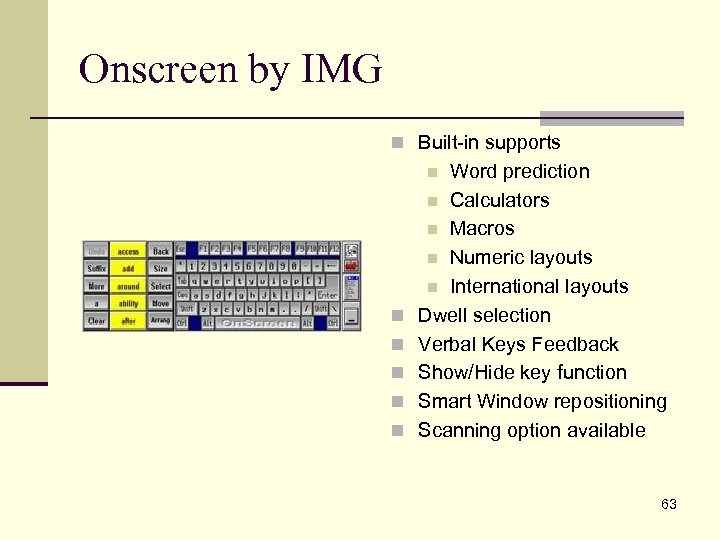
Onscreen by IMG n Built-in supports Word prediction n Calculators n Macros n Numeric layouts n International layouts Dwell selection Verbal Keys Feedback Show/Hide key function Smart Window repositioning Scanning option available n n n 63
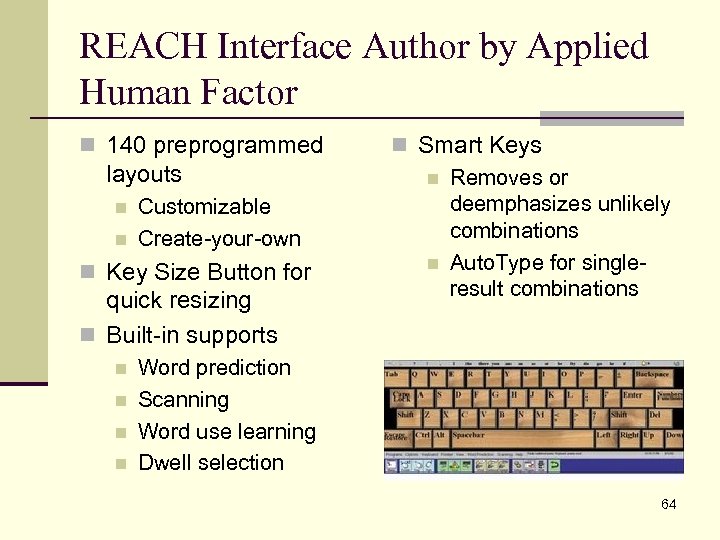
REACH Interface Author by Applied Human Factor n 140 preprogrammed layouts n n Customizable Create-your-own n Key Size Button for quick resizing n Built-in supports n n n Smart Keys n Removes or deemphasizes unlikely combinations n Auto. Type for singleresult combinations Word prediction Scanning Word use learning Dwell selection 64
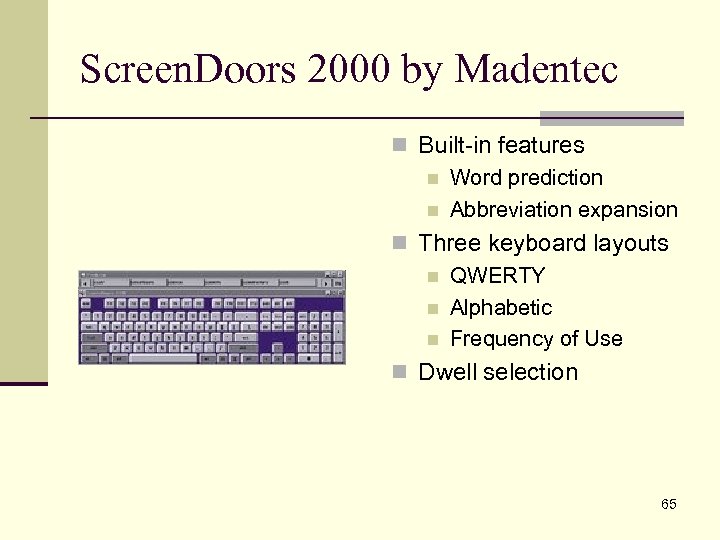
Screen. Doors 2000 by Madentec n Built-in features n Word prediction n Abbreviation expansion n Three keyboard layouts n QWERTY n Alphabetic n Frequency of Use n Dwell selection 65
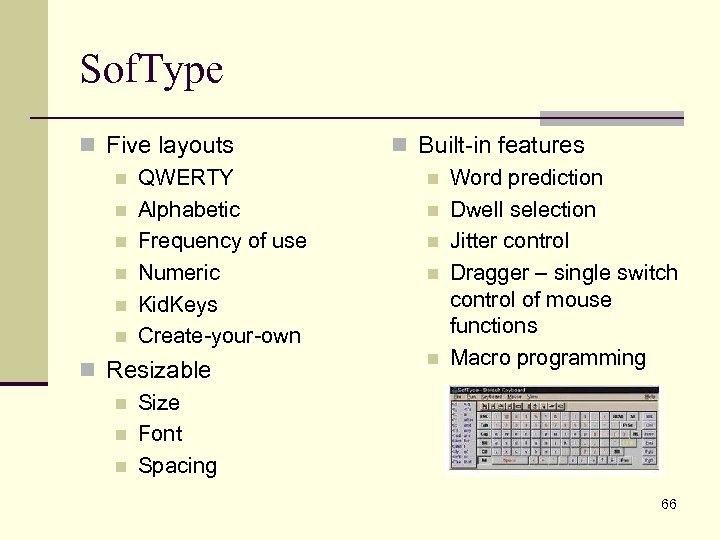
Sof. Type n Five layouts n QWERTY n Alphabetic n Frequency of use n Numeric n Kid. Keys n Create-your-own n Resizable n Size n Font n Spacing n Built-in features n Word prediction n Dwell selection n Jitter control n Dragger – single switch control of mouse functions n Macro programming 66
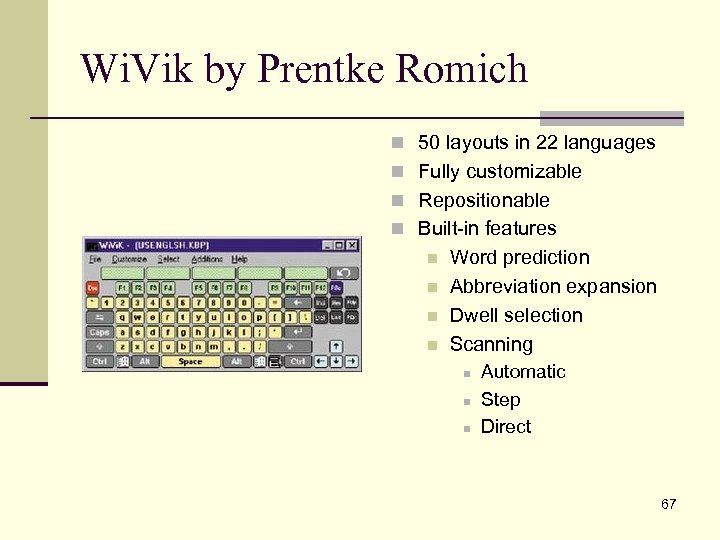
Wi. Vik by Prentke Romich n 50 layouts in 22 languages n Fully customizable n Repositionable n Built-in features n n Word prediction Abbreviation expansion Dwell selection Scanning n n n Automatic Step Direct 67
Word Prediction n Features n Rate enhancement to reduce keystrokes n Real-time display of choices n Vertical n Horizontal n Dynamic n Access to specialized word lists as needed n Text-to-speech capability n Considerations n Adjunctive versus selfcontained word prediction n Phonetic versus sequence based 68
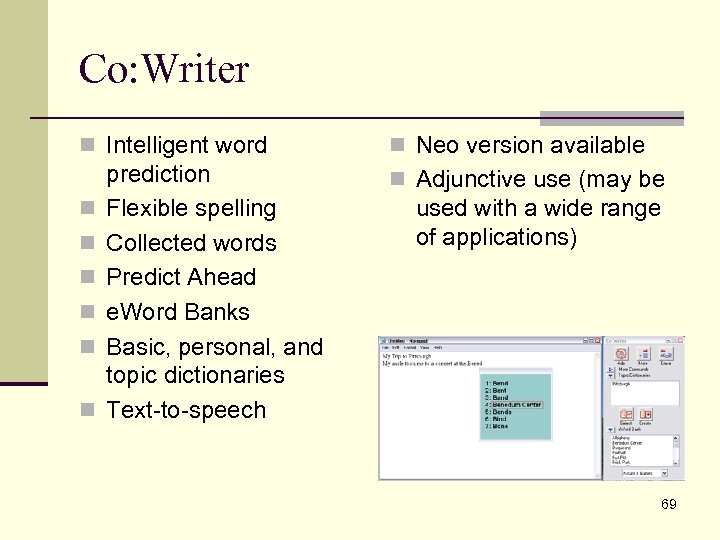
Co: Writer n Intelligent word n n n prediction Flexible spelling Collected words Predict Ahead e. Word Banks Basic, personal, and topic dictionaries Text-to-speech n Neo version available n Adjunctive use (may be used with a wide range of applications) 69
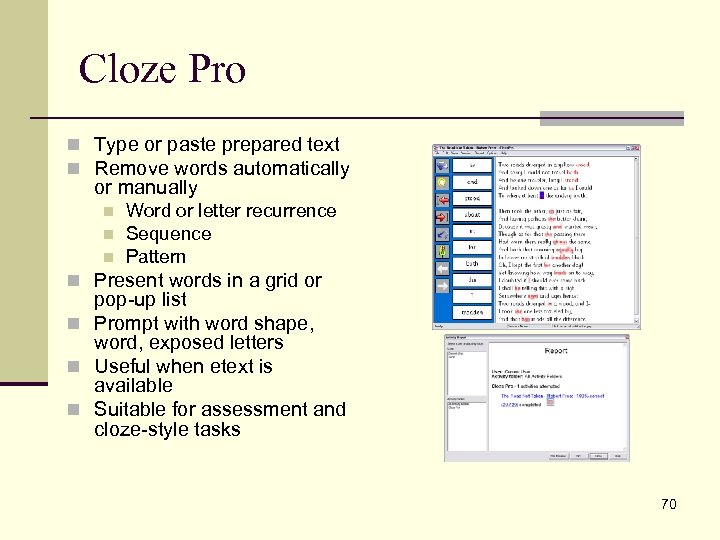
Cloze Pro n Type or paste prepared text n Remove words automatically or manually n n n Word or letter recurrence Sequence Pattern n Present words in a grid or pop-up list n Prompt with word shape, word, exposed letters n Useful when etext is available n Suitable for assessment and cloze-style tasks 70
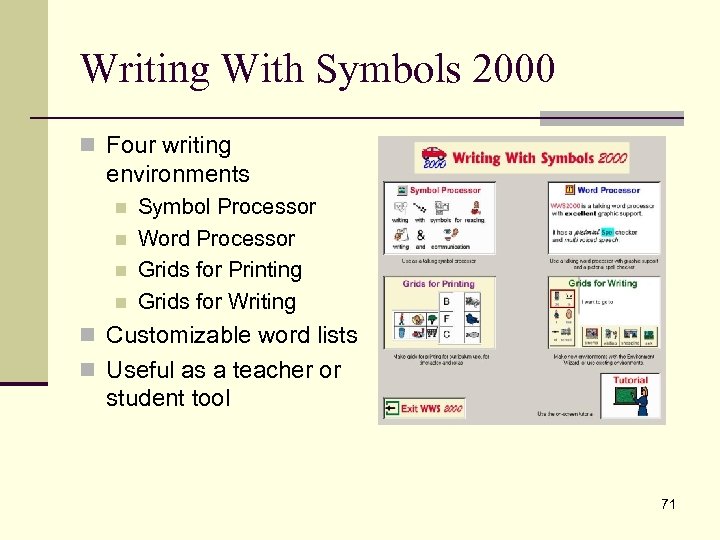
Writing With Symbols 2000 n Four writing environments n n Symbol Processor Word Processor Grids for Printing Grids for Writing n Customizable word lists n Useful as a teacher or student tool 71
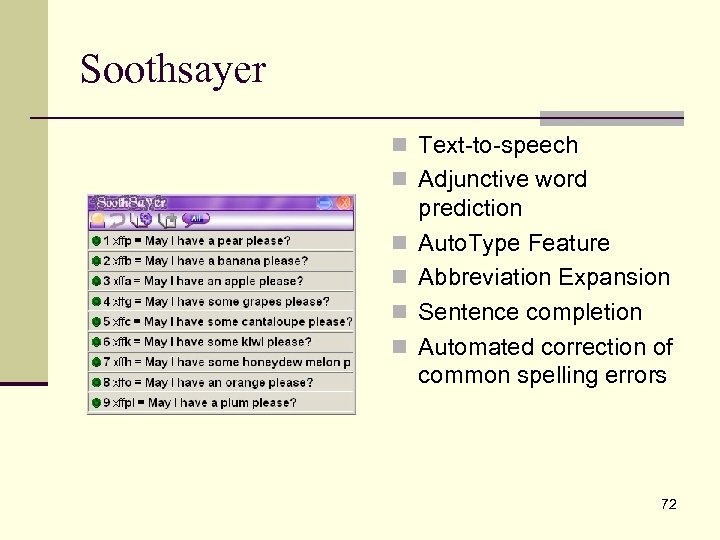
Soothsayer n Text-to-speech n Adjunctive word n n prediction Auto. Type Feature Abbreviation Expansion Sentence completion Automated correction of common spelling errors 72
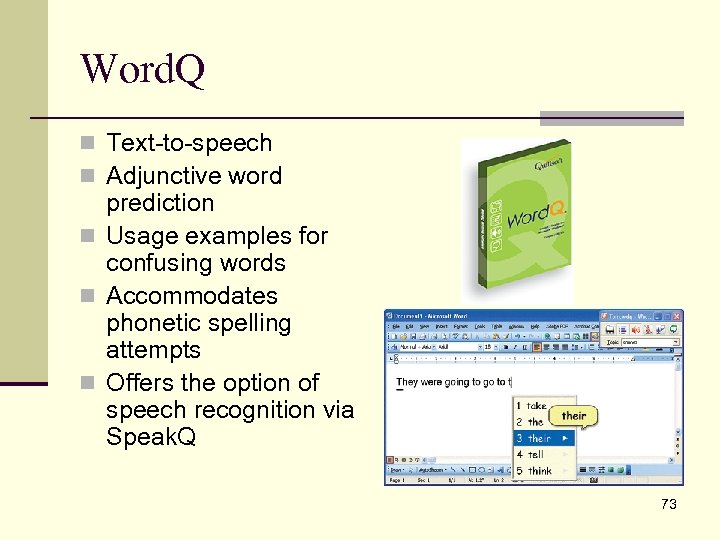
Word. Q n Text-to-speech n Adjunctive word prediction n Usage examples for confusing words n Accommodates phonetic spelling attempts n Offers the option of speech recognition via Speak. Q 73
Other Input Devices n Mice n Trackballs n Joysticks n Number Pads n Switches and switch interfaces n Touchscreens n Head mice n Microphone and speech recognition 74
Other Input Devices n Mouse options n Switch adapted n Ergonomic n Handheld n Switches and Switch Interfaces n n n Trackballs n Joysticks n Gaming n Roller Joystick Plus n Number Pads n Crick USB Don Johnston Switch Interface Pro Intelli. Keys USB Keyboard n Touchscreens & monitors n Head Mouse n Tracker Pro 75
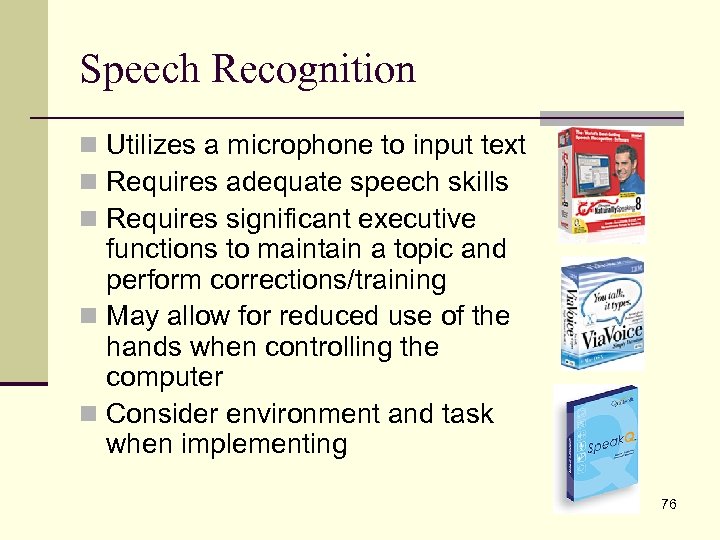
Speech Recognition n Utilizes a microphone to input text n Requires adequate speech skills n Requires significant executive functions to maintain a topic and perform corrections/training n May allow for reduced use of the hands when controlling the computer n Consider environment and task when implementing 76
Dragon Naturally Speaking, IBM Via Voice, Mac Dictate n Continuous recognition n Skip Training option n Allows for keyboard-free n Accuracy tool set text input n Support for adult and teen voices n Analyzes existing documents for vocabulary and style n Noise-cancelling headset or array microphone is recommended n Works in an adjunct capacity to other software n Not suitable for discrete recognition n Specialized versions available (Dragon Naturally. Speaking) 77
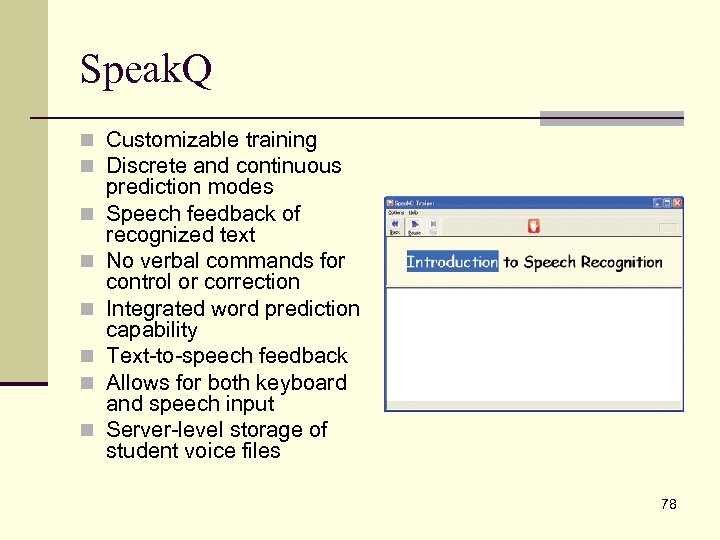
Speak. Q n Customizable training n Discrete and continuous n n n prediction modes Speech feedback of recognized text No verbal commands for control or correction Integrated word prediction capability Text-to-speech feedback Allows for both keyboard and speech input Server-level storage of student voice files 78
Sources of Input Devices n Enable. Mart n http: //www. enablemart. com/ n Infogrip n http: //www. infogrip. com/ n Retail office suppliers 79
Questions & Evaluations n Are there questions you haven’t asked yet? n What further information do you need? 80
Contact Information Scott A. Dougherty Kendra Bittner IDEA Training and Consultation Coordinator, Assistive Technology Allegheny Intermediate Unit #3 475 East Waterfront Drive Homestead, PA 15120 -1144 scott. dougherty@aiu 3. net 412 -394 -1375 ● 412 -394 -5992 (Fax) IDEA Training and Consultation Coordinator, Assistive Technology Allegheny Intermediate Unit #3 475 East Waterfront Drive Homestead, PA 15120 -1144 kendra. bittner@aiu 3. net 412 -394 -5872 ● 412 -394 -5992 (Fax) AIU Assistive Technology Home Page http: //www. aiu 3. net/Level 3. aspx? id=1220 81
Скачать презентацию Alternative Keyboards and Input Devices Scott A Dougherty
182eb285470a967b072f984f216235e1.ppt