 Скачать презентацию Allot Communications Empowering Networks for Business Net Accountant
6b22ddf81b87be1bf2fdfd334f61e904.ppt
- Количество слайдов: 25




Allot Communications Empowering Networks for Business Net. Accountant Reporter Presenter: Email: 1 www. allot. com
The Need IP networks become critical to businesses Enterprise network managers and ISP customers seek information on bandwidth usage: Who is using what (application)? How much is being used? When do peaks occur? Which is the most used applications? Who is the busiest customer (client)? Which is the busiest server? Report data is used for 2 Troubleshooting network problems Capacity planning Control costs Security Audit
The Solution: Net. Accountant Reporter View bandwidth consumption by users and applications: Find the applications used by the busiest PC's in the network -Find the PC's activating the busiest protocols 3 Use the Net. Accountant to collect all session statistics and save it in a database Use the Net. Accountant Reporter to view IP session statistics with advanced graphical tools
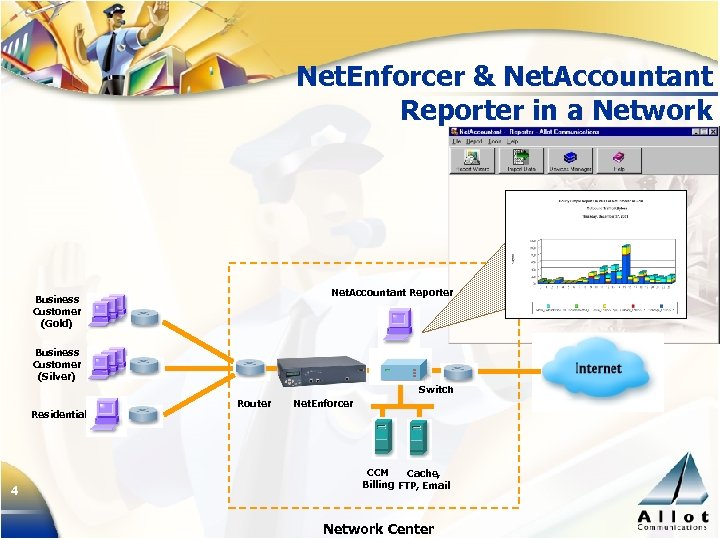
Net. Enforcer & Net. Accountant Reporter in a Network Net. Accountant Reporter Business Customer (Gold) Business Customer (Silver) Switch Residential 4 Router Net. Enforcer CCM Cache, Billing FTP, Email Network Center
Use Net. Accountant Reporter to Get: 5 A comprehensive view of network activity Customized reports on-the-fly using third-party tools such as Crystal Reports WAN link utilization by server, client, policy (VC/ Pipe) and service (protocol) Employee usage of the Internet, including busiest users, servers and applications Abuse (potential security holes) patterns Manage the appropriate mix of “fun” and “business” traffic
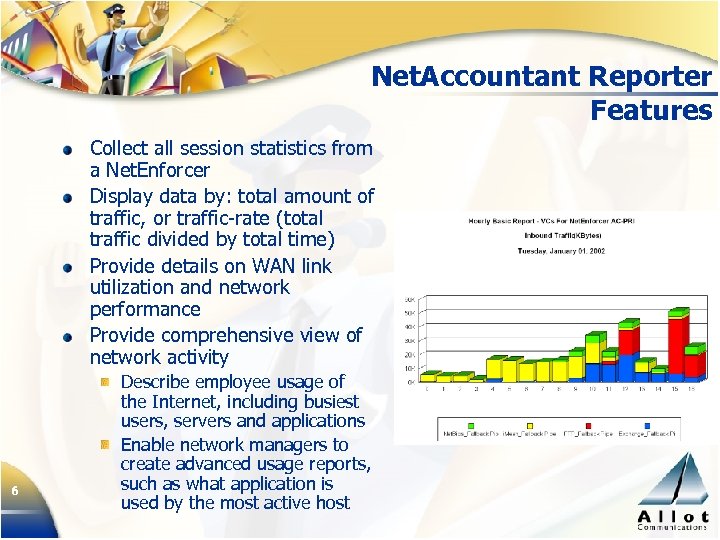
Net. Accountant Reporter Features Collect all session statistics from a Net. Enforcer Display data by: total amount of traffic, or traffic-rate (total traffic divided by total time) Provide details on WAN link utilization and network performance Provide comprehensive view of network activity 6 Describe employee usage of the Internet, including busiest users, servers and applications Enable network managers to create advanced usage reports, such as what application is used by the most active host
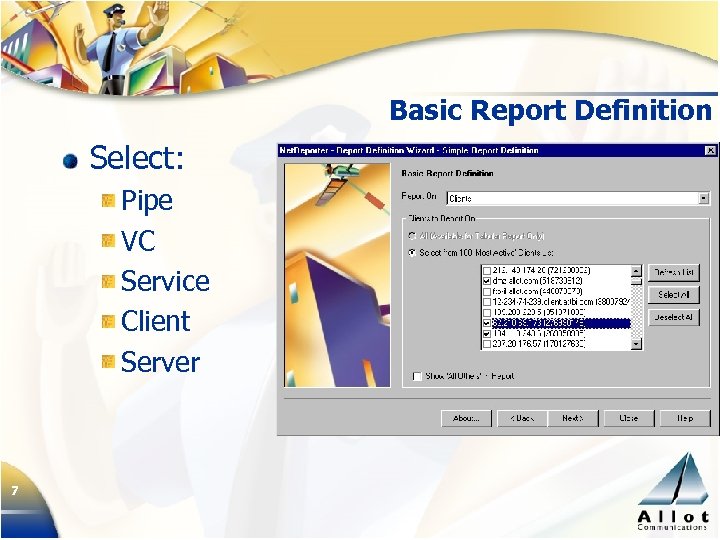
Basic Report Definition Select: Pipe VC Service Client Server 7
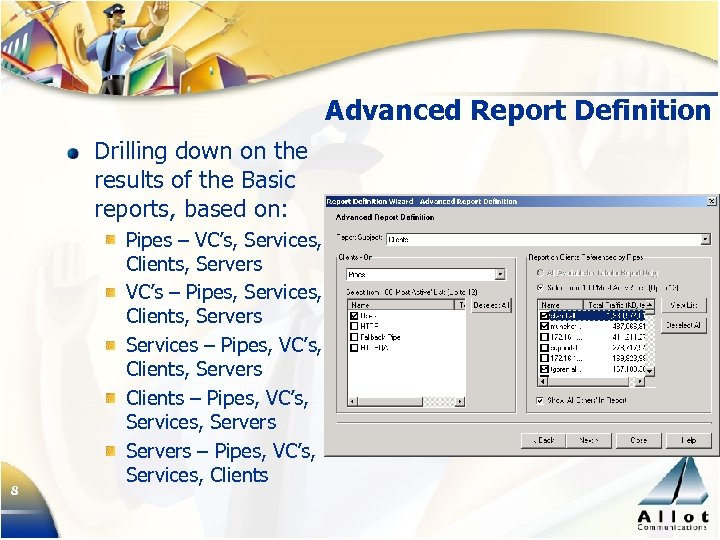
Advanced Report Definition Drilling down on the results of the Basic reports, based on: 8 Pipes – VC’s, Services, Clients, Servers VC’s – Pipes, Services, Clients, Servers Services – Pipes, VC’s, Clients, Servers Clients – Pipes, VC’s, Services, Servers – Pipes, VC’s, Services, Clients
Net. Accountant Reporter Benefits to Customer Analyze network performance Plan future capacity by analyzing network/application usage and load distribution Troubleshoot network problems Find usage patterns Who is getting most of the bandwidth What applications are most “wasteful” Who is chocking the most critical network resource (WAN link) 9 Manage the appropriate mix of “fun” and “business” traffic Provide customers and management with detailed and drill -down reports Find the server that is flooding the net with heavy traffic
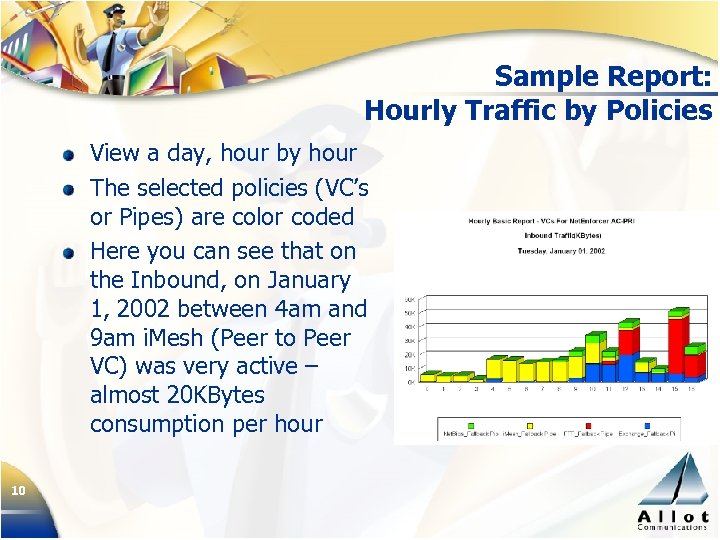
Sample Report: Hourly Traffic by Policies View a day, hour by hour The selected policies (VC’s or Pipes) are color coded Here you can see that on the Inbound, on January 1, 2002 between 4 am and 9 am i. Mesh (Peer to Peer VC) was very active – almost 20 KBytes consumption per hour 10
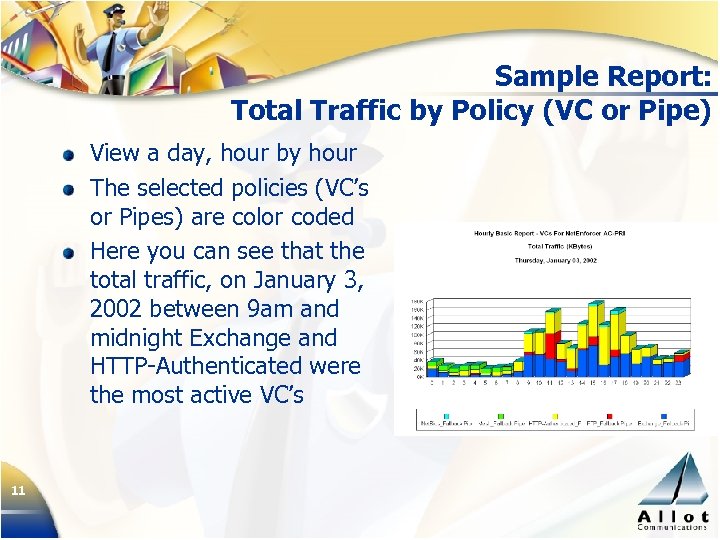
Sample Report: Total Traffic by Policy (VC or Pipe) View a day, hour by hour The selected policies (VC’s or Pipes) are color coded Here you can see that the total traffic, on January 3, 2002 between 9 am and midnight Exchange and HTTP-Authenticated were the most active VC’s 11
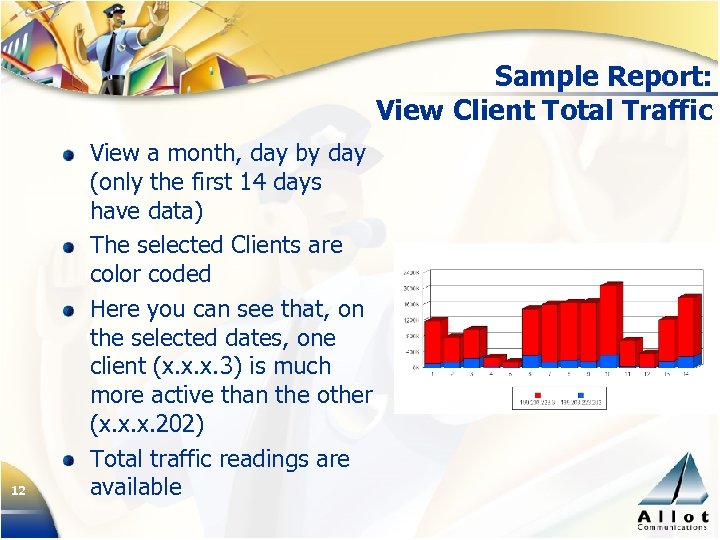
Sample Report: View Client Total Traffic 12 View a month, day by day (only the first 14 days have data) The selected Clients are color coded Here you can see that, on the selected dates, one client (x. x. x. 3) is much more active than the other (x. x. x. 202) Total traffic readings are available
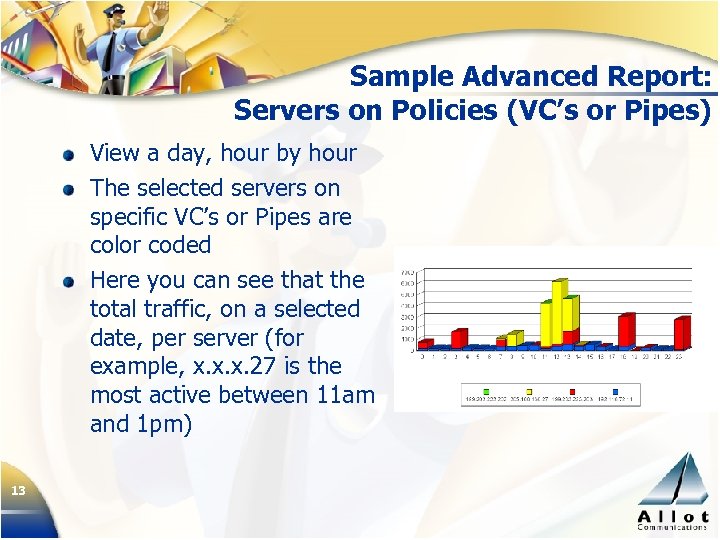
Sample Advanced Report: Servers on Policies (VC’s or Pipes) View a day, hour by hour The selected servers on specific VC’s or Pipes are color coded Here you can see that the total traffic, on a selected date, per server (for example, x. x. x. 27 is the most active between 11 am and 1 pm) 13
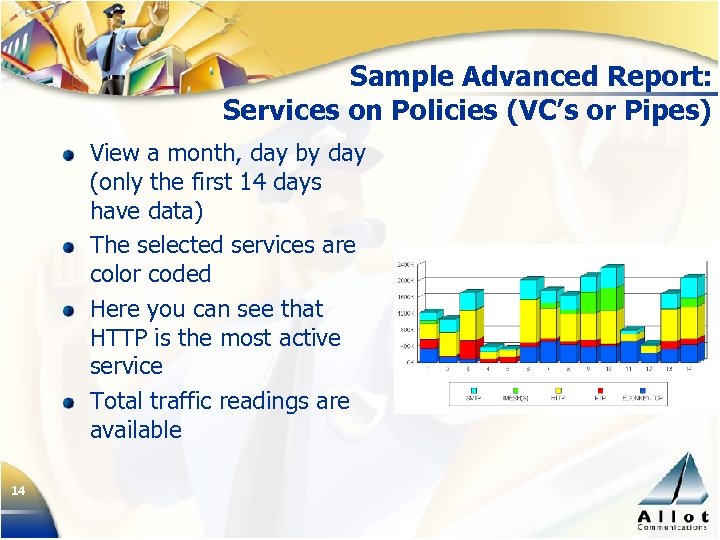
Sample Advanced Report: Services on Policies (VC’s or Pipes) View a month, day by day (only the first 14 days have data) The selected services are color coded Here you can see that HTTP is the most active service Total traffic readings are available 14
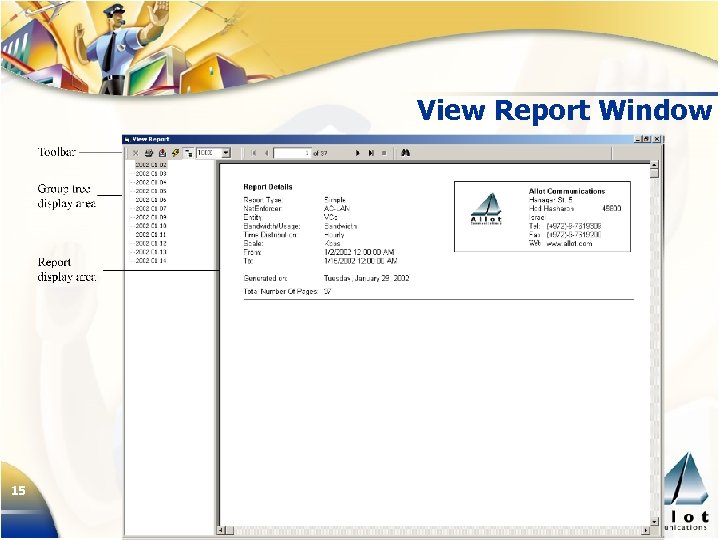
View Report Window 15
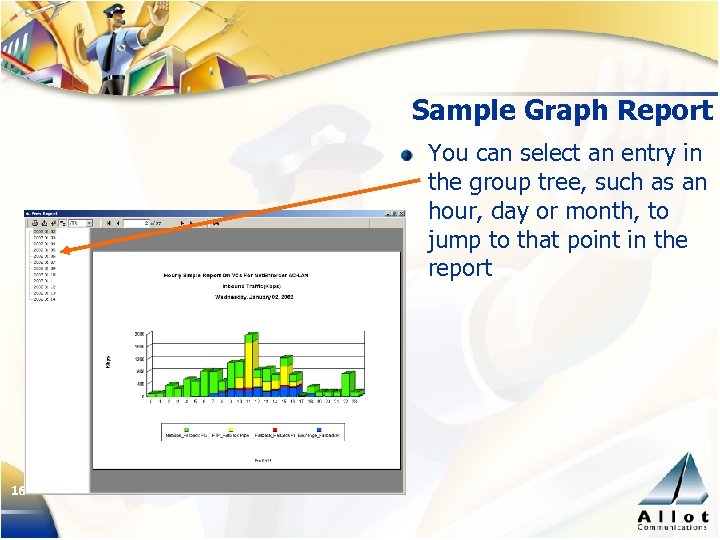
Sample Graph Report You can select an entry in the group tree, such as an hour, day or month, to jump to that point in the report 16
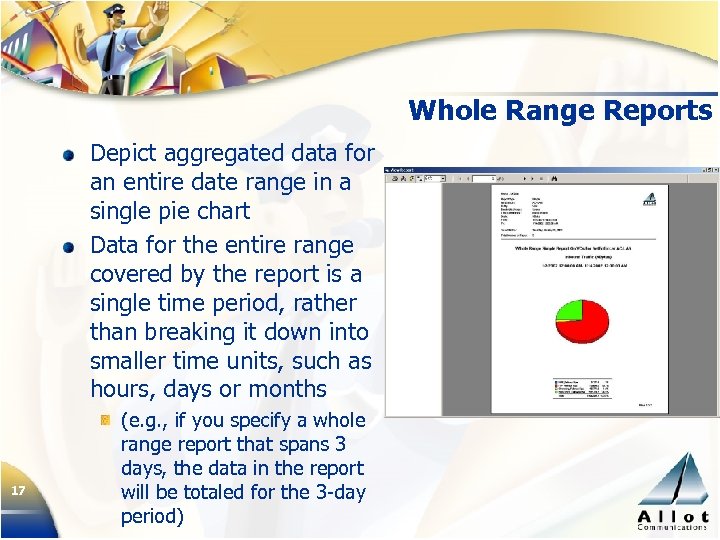
Whole Range Reports Depict aggregated data for an entire date range in a single pie chart Data for the entire range covered by the report is a single time period, rather than breaking it down into smaller time units, such as hours, days or months 17 (e. g. , if you specify a whole range report that spans 3 days, the data in the report will be totaled for the 3 -day period)
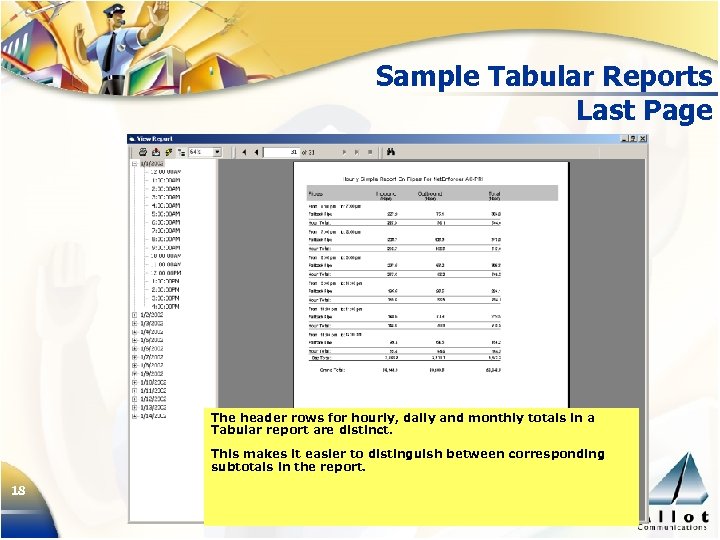
Sample Tabular Reports Last Page The header rows for hourly, daily and monthly totals in a Tabular report are distinct. This makes it easier to distinguish between corresponding subtotals in the report. 18
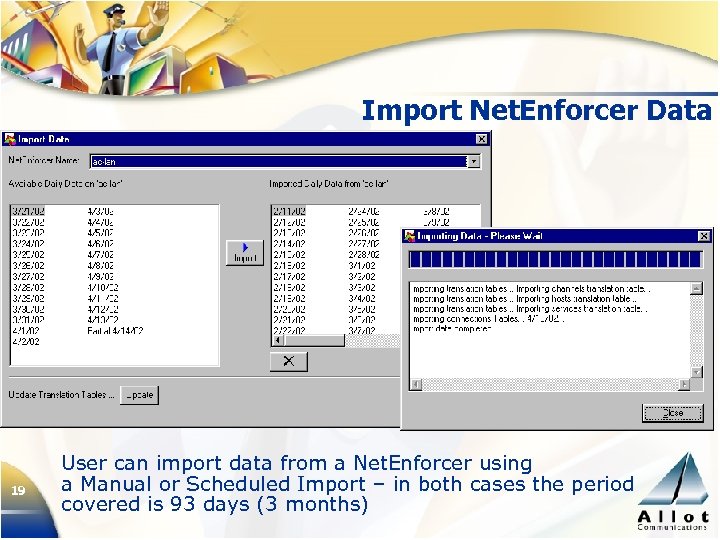
Import Net. Enforcer Data 19 User can import data from a Net. Enforcer using a Manual or Scheduled Import – in both cases the period covered is 93 days (3 months)
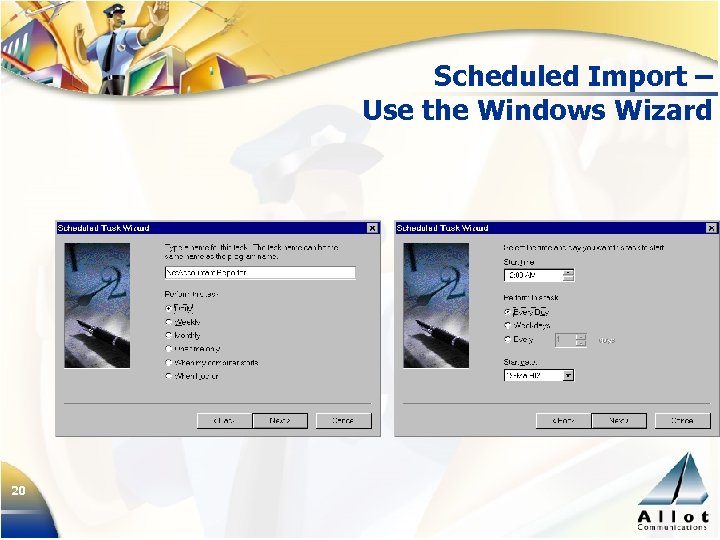
Scheduled Import – Use the Windows Wizard 20
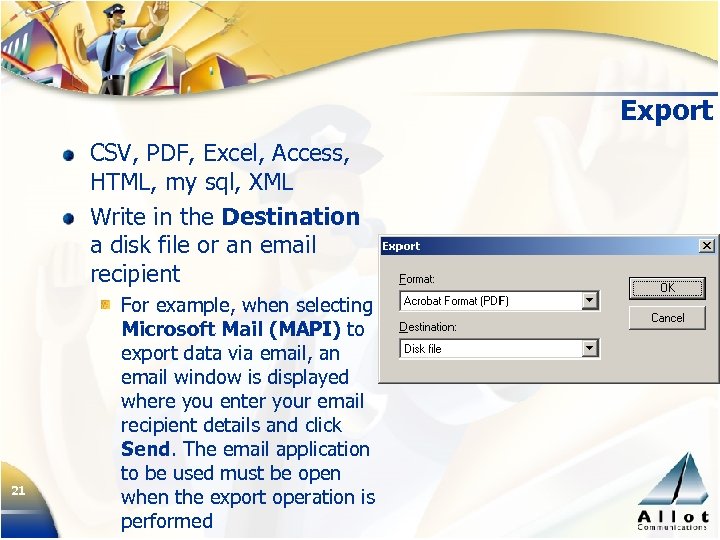
Export CSV, PDF, Excel, Access, HTML, my sql, XML Write in the Destination a disk file or an email recipient 21 For example, when selecting Microsoft Mail (MAPI) to export data via email, an email window is displayed where you enter your email recipient details and click Send. The email application to be used must be open when the export operation is performed
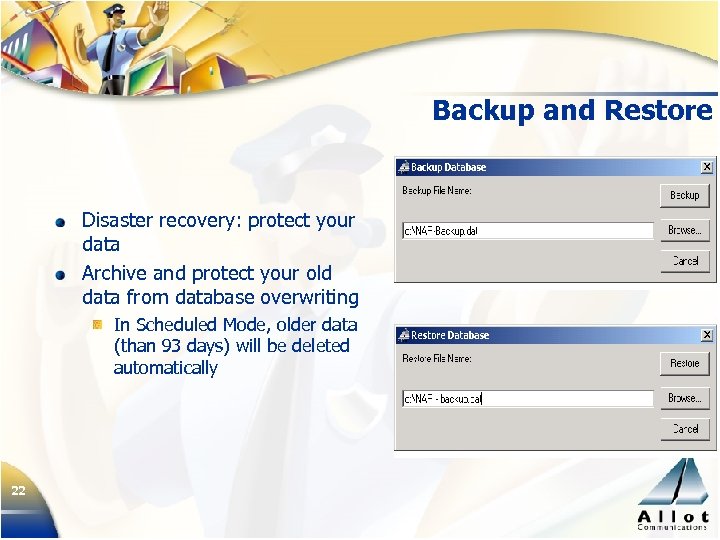
Backup and Restore Disaster recovery: protect your data Archive and protect your old data from database overwriting In Scheduled Mode, older data (than 93 days) will be deleted automatically 22
Why Net. Accountant Reporter? Understand network usage patterns View bandwidth consumption by users and applications Identify all active applications Control costs (e. g. , limit bandwidth) Analyze problems (peaks, etc. ) Use data to limit “abusive” hosts or applications Use data for capacity planning 23
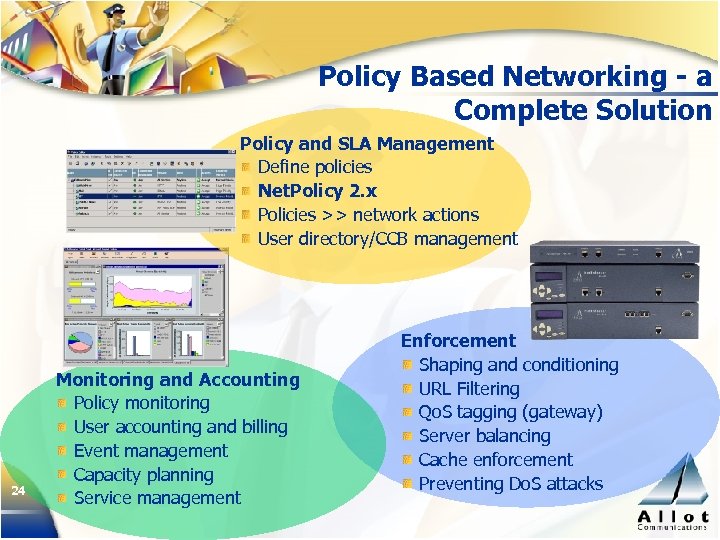
Policy Based Networking - a Complete Solution Policy and SLA Management Define policies Net. Policy 2. x Policies >> network actions User directory/CCB management 24 Monitoring and Accounting Policy monitoring User accounting and billing Event management Capacity planning Service management Enforcement Shaping and conditioning URL Filtering Qo. S tagging (gateway) Server balancing Cache enforcement Preventing Do. S attacks

Contact Details Europe, Middle East and Africa World Trade Center Japan 1300, Route Des Cretes Americas 250 Prairie Center Drive #355 Eden Prairie, MN 55344 Tel (952) 944 -3100 Nishi Ginza Bldg 2 F BP 255 Sophia Antipolis Cedex 5 -5 -9 Ginza Chuo-ku, France 06905 Tel 33 -(0)4 -92 -38 -80 -27 Fax 33 -(0)4 -92 -38 -80 -33 Tokyo 104 -0061, Japan Tel: 81 3 5537 -7114 Fax: 81 3 5537 -5281 Fax (952) 944 -3355 Asia Pacific 9 Raffles Place, www. allot. com sales@allot. com International HQ Hod-Hasharon, 45800 Israel Tel 972 -(0)9 -761 -9200 Fax 972 -(0)9 -744 -3626 25 Republic Plaza #27 -01 Singapore 048619 Tel: 65 -832 -5663 Fax: 65 -832 -5662
Скачать презентацию Allot Communications Empowering Networks for Business Net Accountant
6b22ddf81b87be1bf2fdfd334f61e904.ppt