


 Скачать презентацию Ajax AJAX z Asynchronous Javascript and XML
4b54cb5b7a2ee79a6cfa86daec13dd47.ppt
- Количество слайдов: 46
 Ajax
Ajax
 AJAX z Asynchronous Javascript and XML z La page n’est pas rechargée y Rafraîchissement partiel y La page web est traitée comme un template z Asynchrone y Le client peut continuer à interagir en attente de la réponse z Utilisation y y Validation par le serveur des données d’un formulaire en temps réel Auto-complétion Préchargement à la demande. Contrôles et effets sophistiquées dans les interfaces usager sans rechargement des pages x progress bar, calendriers, arbres… y Rafraîchissement des données et mode « push » par le serveur y Soumission partielle sans rechargement de la page: listes de formulaires dépendants. y Mashups x obtenir et intégrer des données provenant de plusieurs sources. y Page == application qui s’approche d’une application desktop.
 Technologies utilisées par Ajax z Cascading Style Sheets (CSS) y Un langage de balises pour définir le style de présentation d’une page, e. g. polices, couleurs. . z Java. Script y Élément clé : l’objet XMLHttp. Request utilisé pour échanger des données entre le client web et le serveur web z Document Object Model (DOM) y Fournit une vue logique de la page web sous forme d’arbre z XML y Format d’échange de données entre le serveur web et le client x D’autres formats peuvent aussi être utilisés • Par exemple, HTML, Java. Script Object Notation (JSON), ou texte simple.
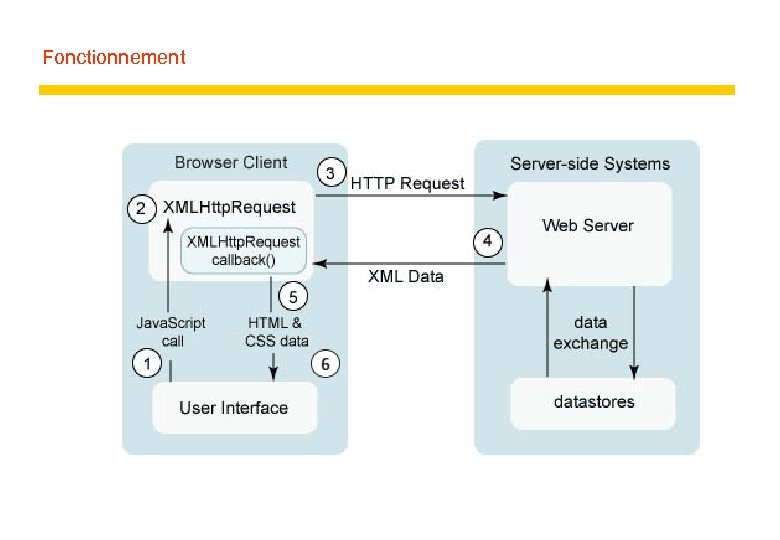 Fonctionnement
 Ajax et Javascript
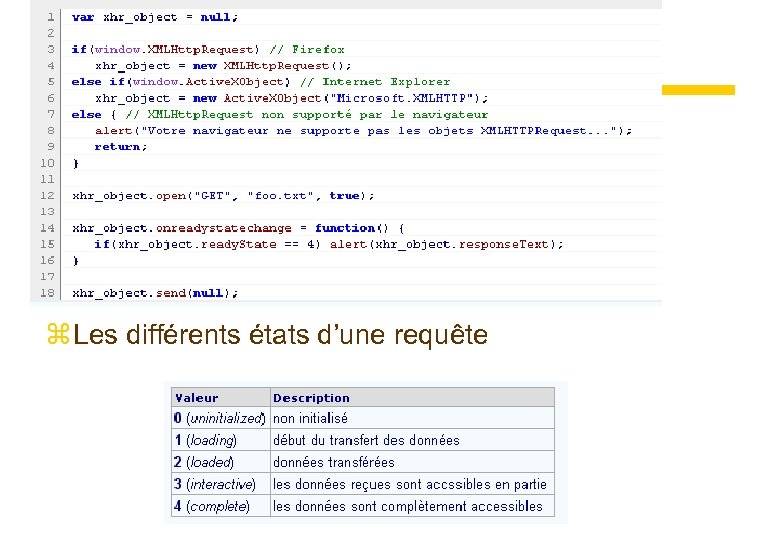 z Les différents états d’une requête
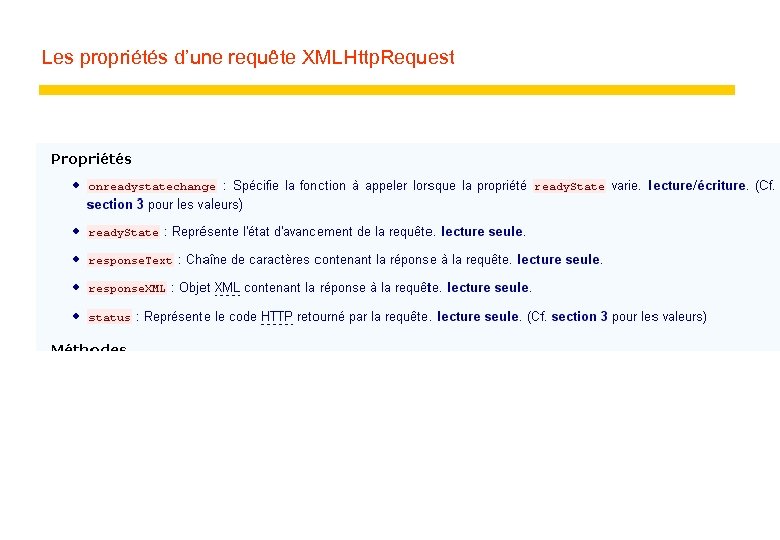 Les propriétés d’une requête XMLHttp. Request
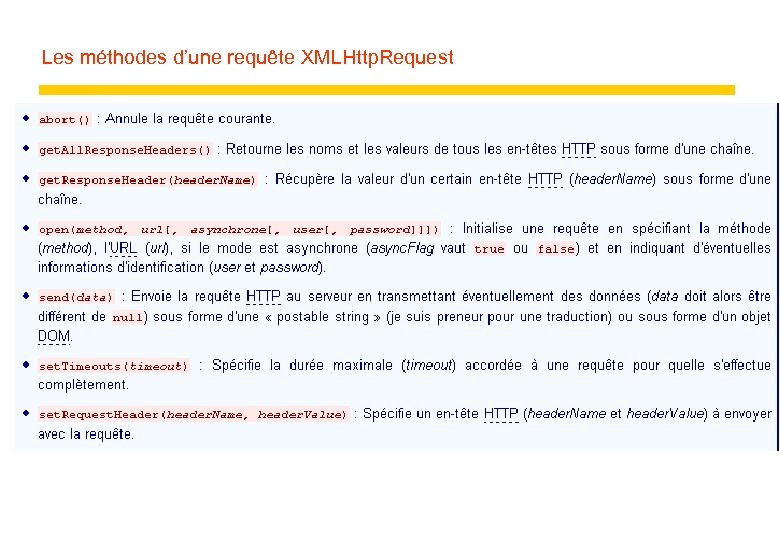 Les méthodes d’une requête XMLHttp. Request
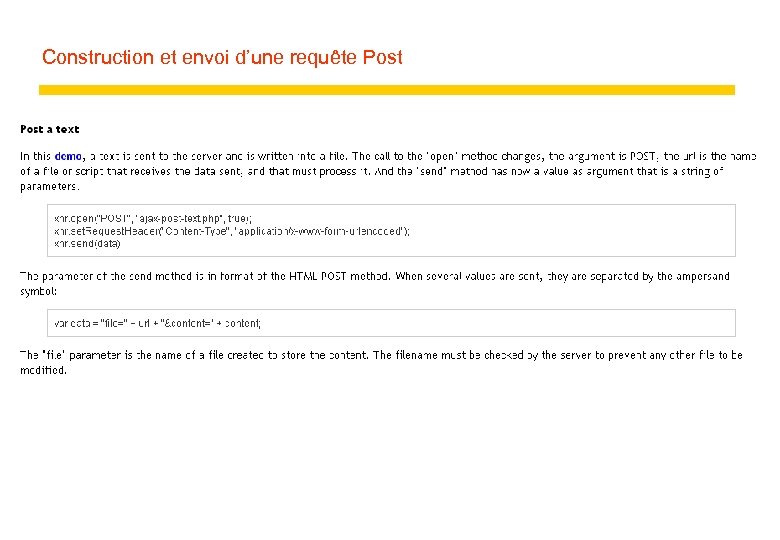 Construction et envoi d’une requête Post
 Ajax et Java
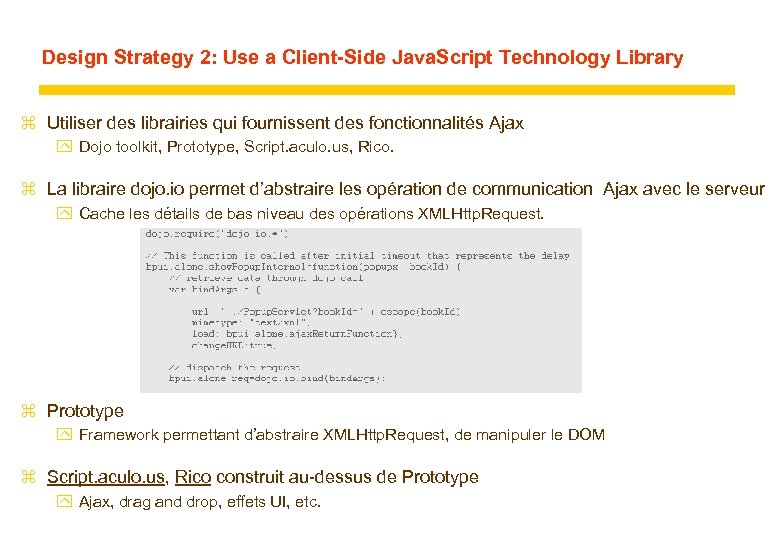
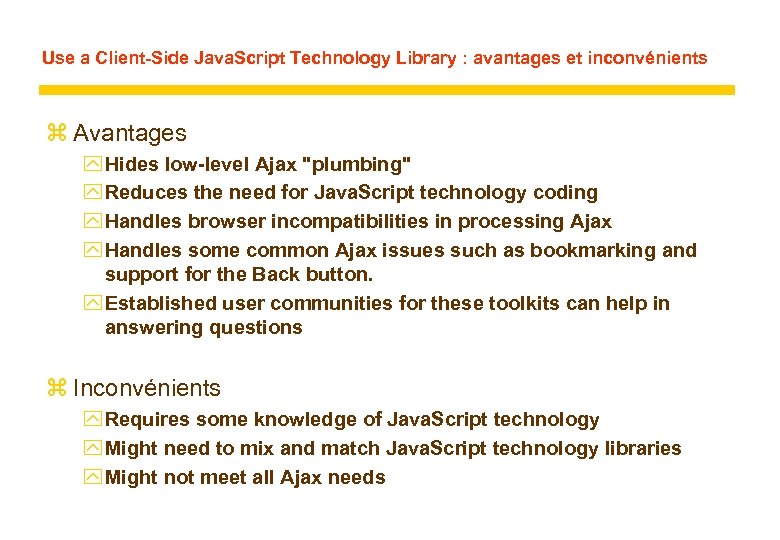
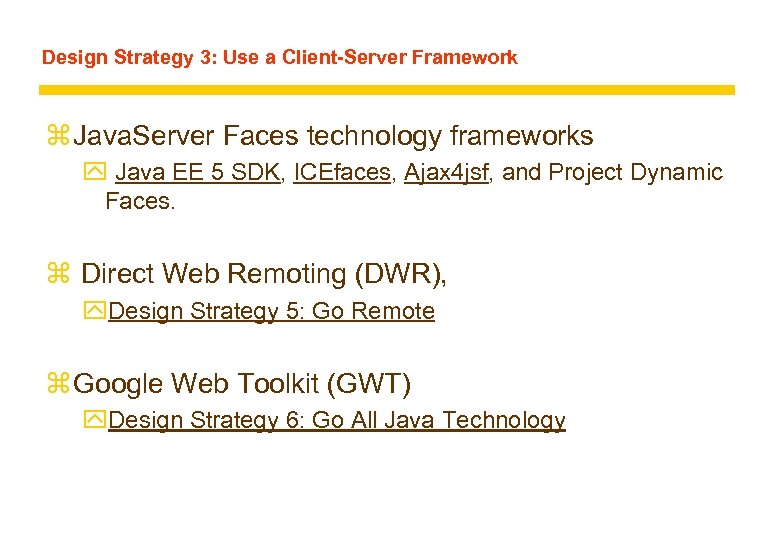
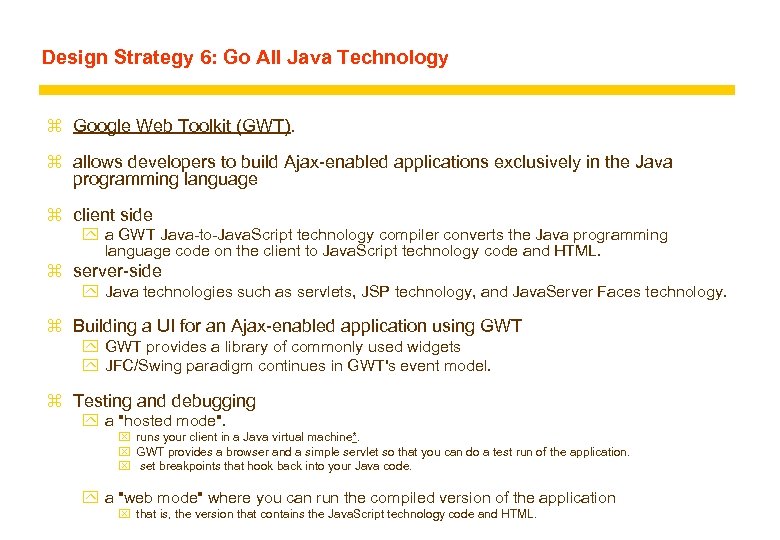
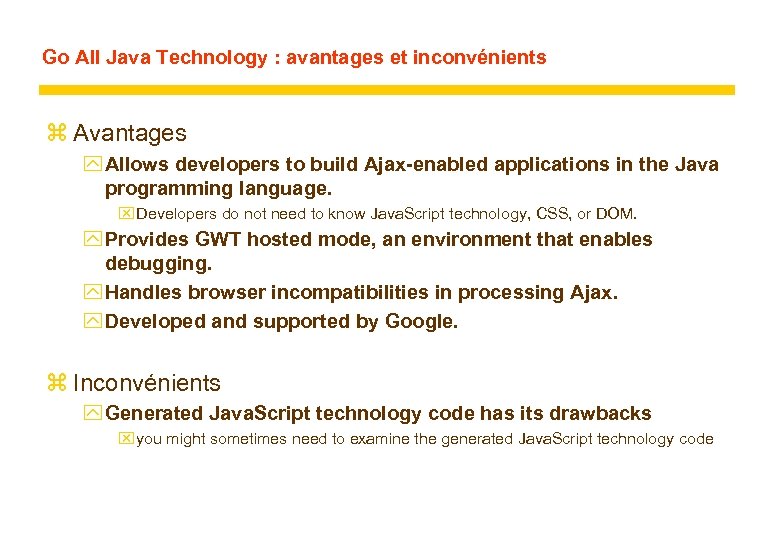
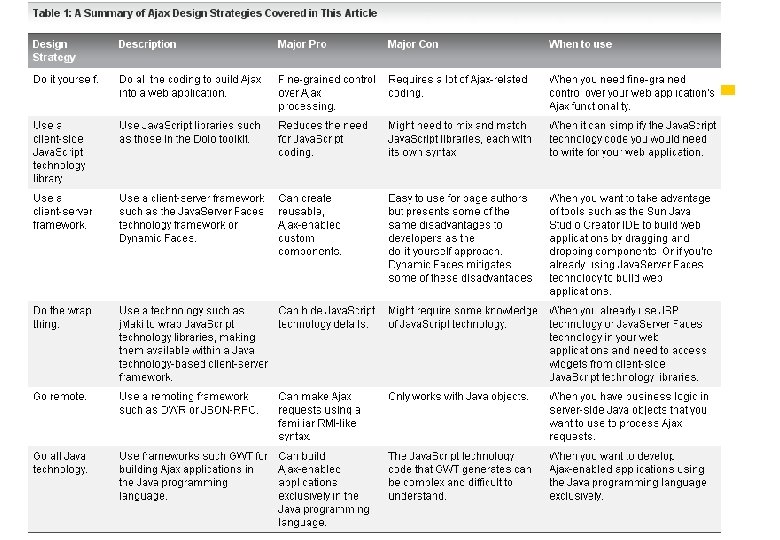
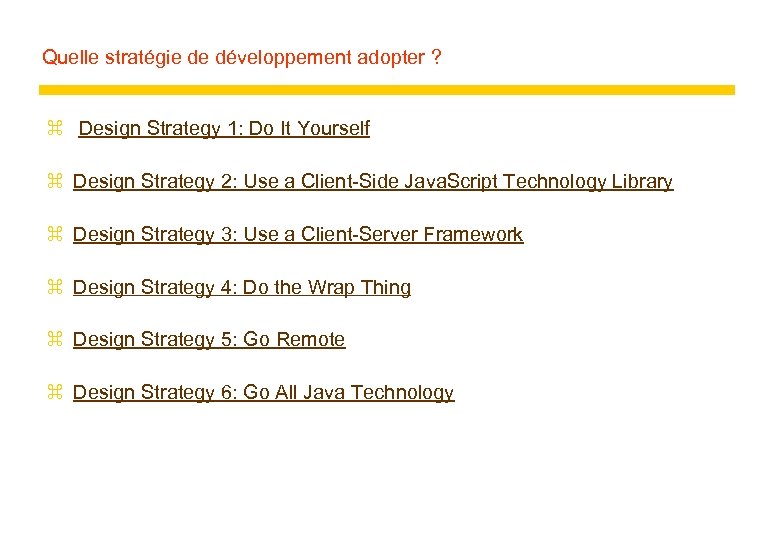 Quelle stratégie de développement adopter ? z Design Strategy 1: Do It Yourself z Design Strategy 2: Use a Client-Side Java. Script Technology Library z Design Strategy 3: Use a Client-Server Framework z Design Strategy 4: Do the Wrap Thing z Design Strategy 5: Go Remote z Design Strategy 6: Go All Java Technology
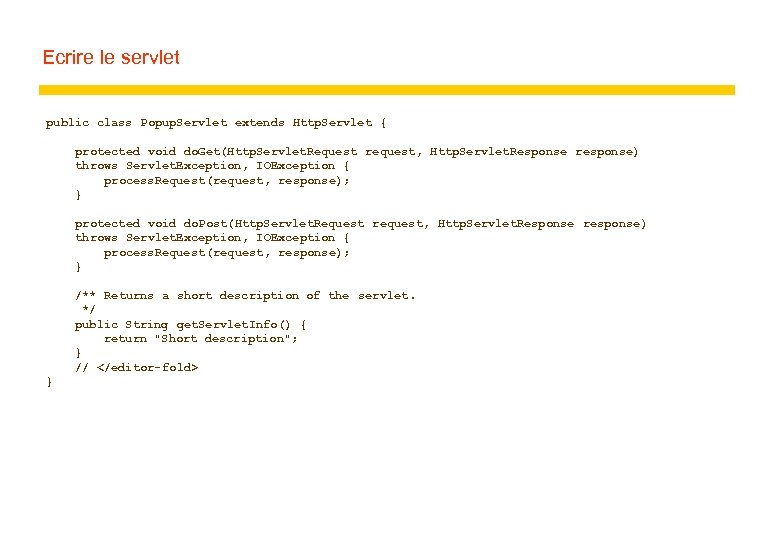
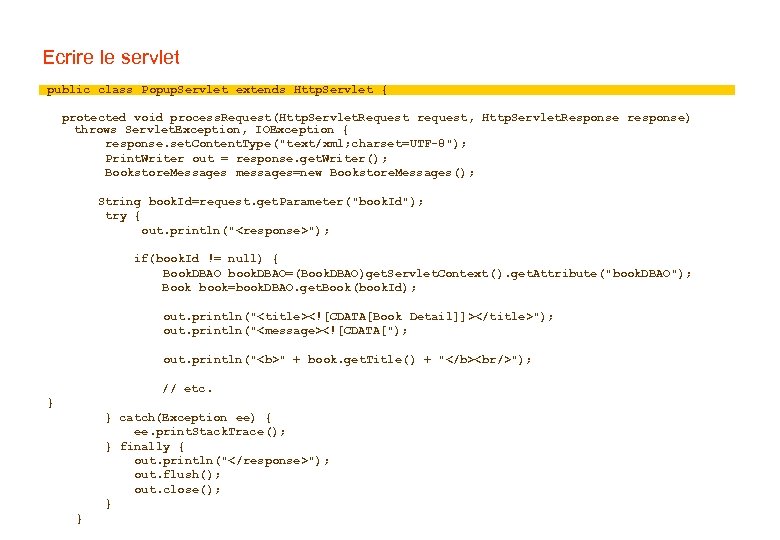
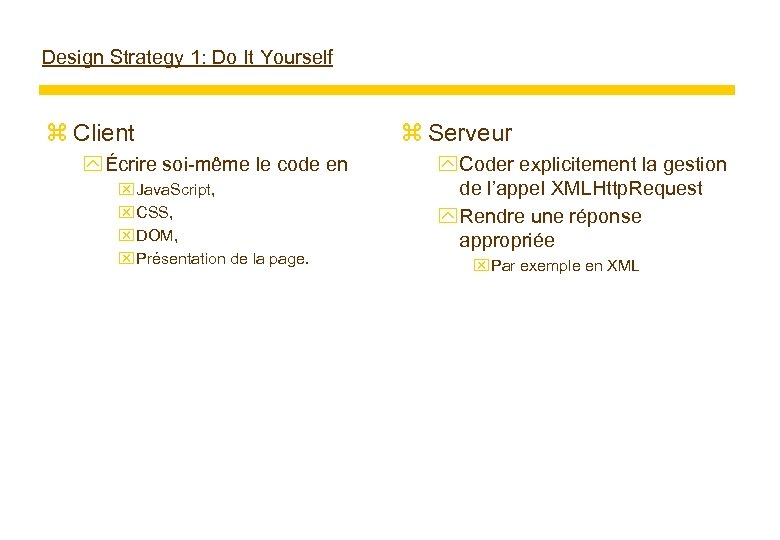 Design Strategy 1: Do It Yourself z Client y Écrire soi-même le code en x Java. Script, x CSS, x DOM, x Présentation de la page. z Serveur y Coder explicitement la gestion de l’appel XMLHttp. Request y Rendre une réponse appropriée x Par exemple en XML
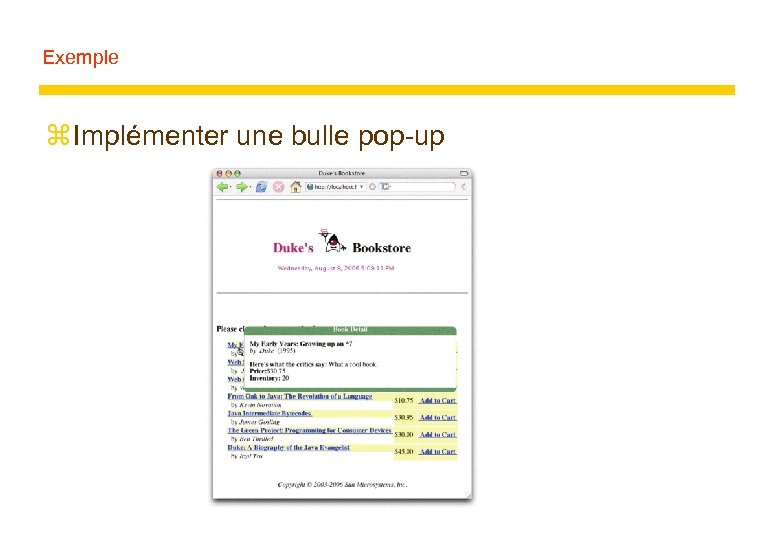 Exemple z Implémenter une bulle pop-up
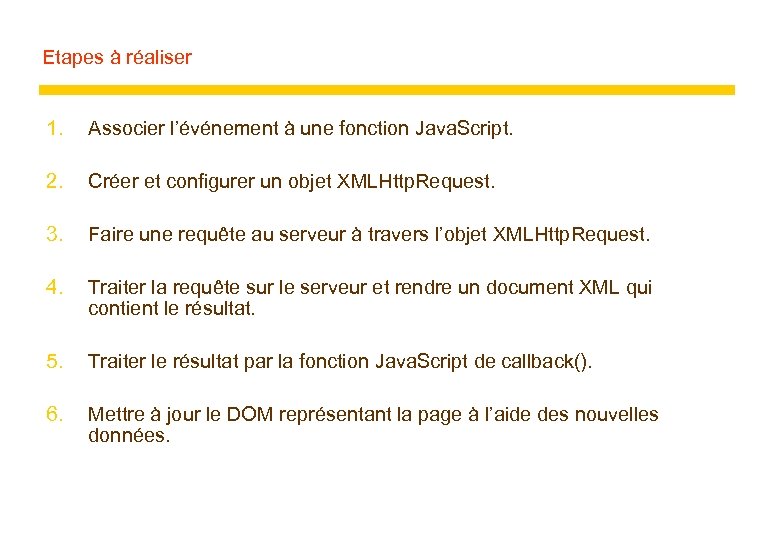 Etapes à réaliser 1. Associer l’événement à une fonction Java. Script. 2. Créer et configurer un objet XMLHttp. Request. 3. Faire une requête au serveur à travers l’objet XMLHttp. Request. 4. Traiter la requête sur le serveur et rendre un document XML qui contient le résultat. 5. Traiter le résultat par la fonction Java. Script de callback(). 6. Mettre à jour le DOM représentant la page à l’aide des nouvelles données.
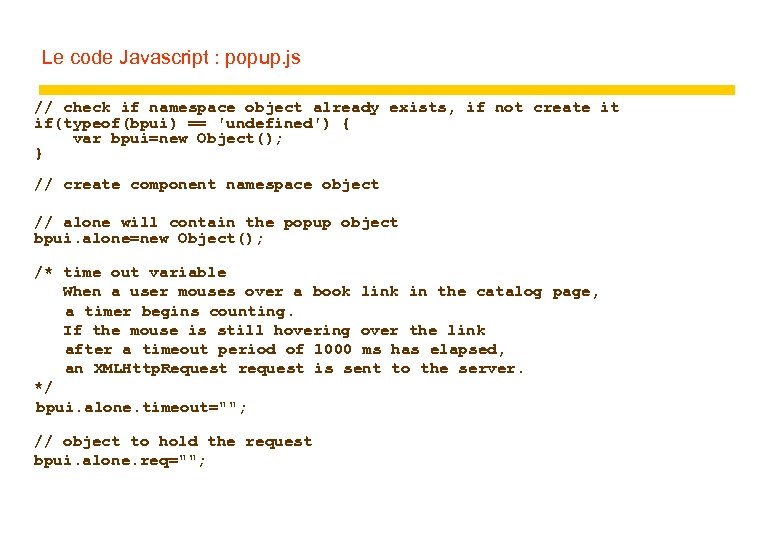 Le code Javascript : popup. js // check if namespace object already exists, if not create it if(typeof(bpui) == 'undefined') { var bpui=new Object(); } // create component namespace object // alone will contain the popup object bpui. alone=new Object(); /* time out variable When a user mouses over a book link in the catalog page, a timer begins counting. If the mouse is still hovering over the link after a timeout period of 1000 ms has elapsed, an XMLHttp. Request request is sent to the server. */ bpui. alone. timeout=""; // object to hold the request bpui. alone. req="";
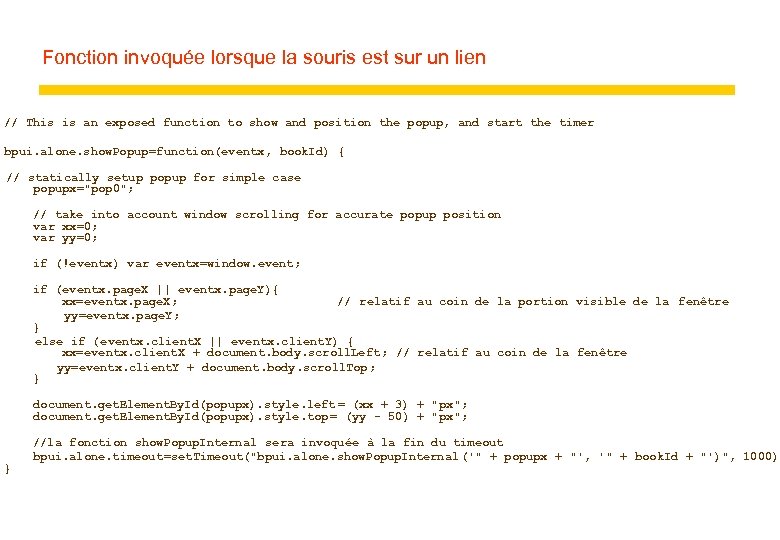 Fonction invoquée lorsque la souris est sur un lien // This is an exposed function to show and position the popup, and start the timer bpui. alone. show. Popup=function(eventx, book. Id) { // statically setup popup for simple case popupx="pop 0"; // take into account window scrolling for accurate popup position var xx=0; var yy=0; if (!eventx) var eventx=window. event; if (eventx. page. X || eventx. page. Y){ xx=eventx. page. X; // relatif au coin de la portion visible de la fenêtre yy=eventx. page. Y; } else if (eventx. client. X || eventx. client. Y) { xx=eventx. client. X + document. body. scroll. Left ; // relatif au coin de la fenêtre yy=eventx. client. Y + document. body. scroll. Top; } document. get. Element. By. Id(popupx). style. left = (xx + 3) + "px"; document. get. Element. By. Id(popupx). style. top = (yy - 50) + "px"; } //la fonction show. Popup. Internal sera invoquée à la fin du timeout bpui. alone. timeout=set. Timeout("bpui. alone. show. Popup. Internal ('" + popupx + "', '" + book. Id + "')", 1000);
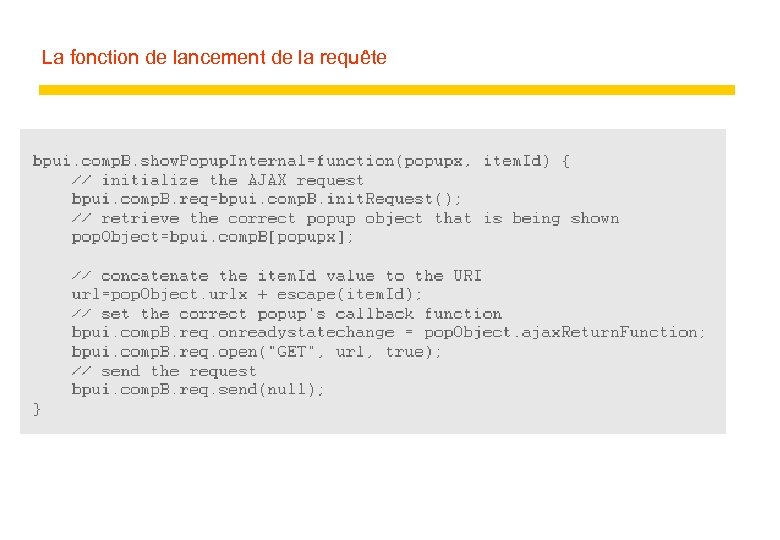
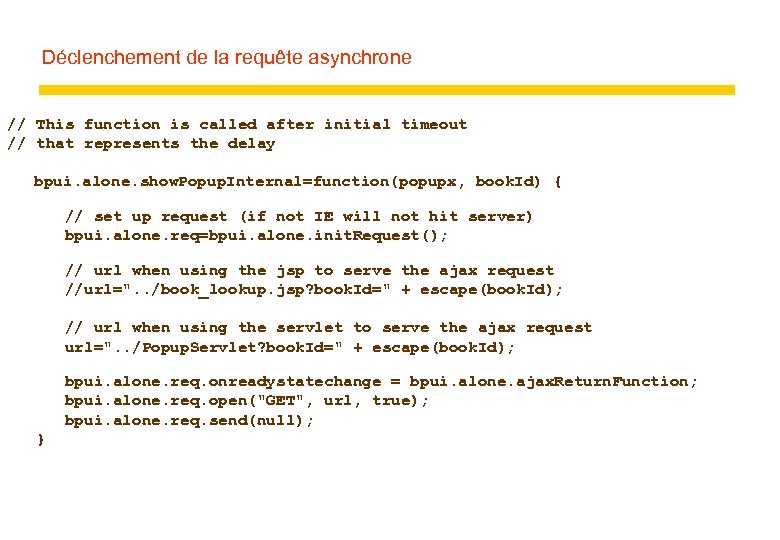 Déclenchement de la requête asynchrone // This function is called after initial timeout // that represents the delay bpui. alone. show. Popup. Internal=function(popupx, book. Id) { // set up request (if not IE will not hit server) bpui. alone. req=bpui. alone. init. Request(); // url when using the jsp to serve the ajax request //url=". . /book_lookup. jsp? book. Id=" + escape(book. Id); // url when using the servlet to serve the ajax request url=". . /Popup. Servlet? book. Id=" + escape(book. Id); bpui. alone. req. onreadystatechange = bpui. alone. ajax. Return. Function; bpui. alone. req. open("GET", url, true); bpui. alone. req. send(null); }
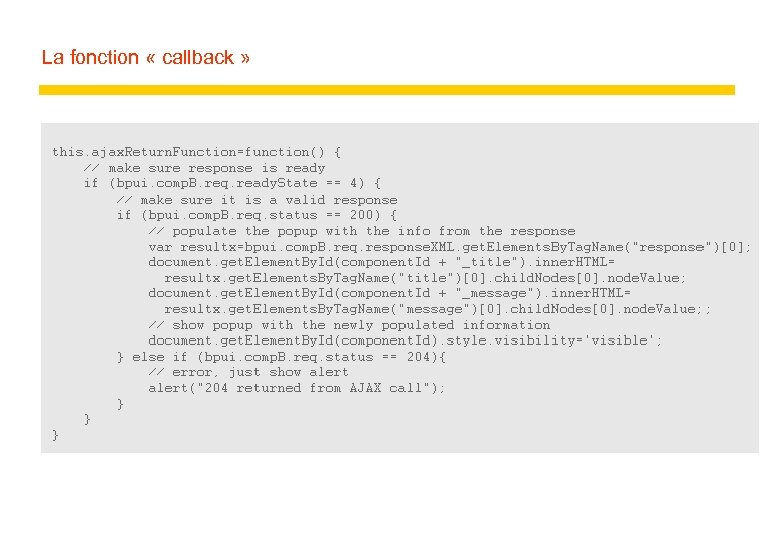
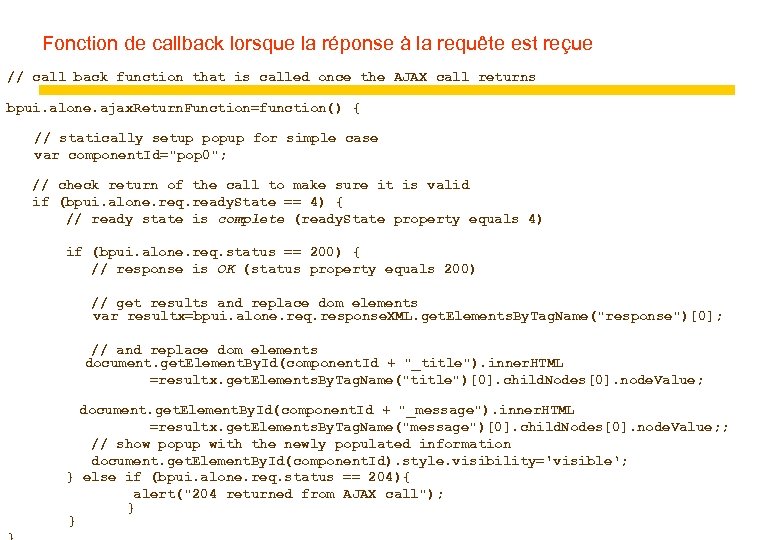 Fonction de callback lorsque la réponse à la requête est reçue // call back function that is called once the AJAX call returns bpui. alone. ajax. Return. Function=function() { // statically setup popup for simple case var component. Id="pop 0"; // check return of the call to make sure it is valid if (bpui. alone. req. ready. State == 4) { // ready state is complete (ready. State property equals 4) if (bpui. alone. req. status == 200) { // response is OK (status property equals 200) // get results and replace dom elements var resultx=bpui. alone. req. response. XML. get. Elements. By. Tag. Name("response")[0]; // and replace dom elements document. get. Element. By. Id(component. Id + "_title"). inner. HTML =resultx. get. Elements. By. Tag. Name("title")[0]. child. Nodes[0]. node. Value; document. get. Element. By. Id(component. Id + "_message"). inner. HTML =resultx. get. Elements. By. Tag. Name("message")[0]. child. Nodes[0]. node. Value; ; // show popup with the newly populated information document. get. Element. By. Id(component. Id). style. visibility='visible‘; } else if (bpui. alone. req. status == 204){ alert("204 returned from AJAX call"); } }
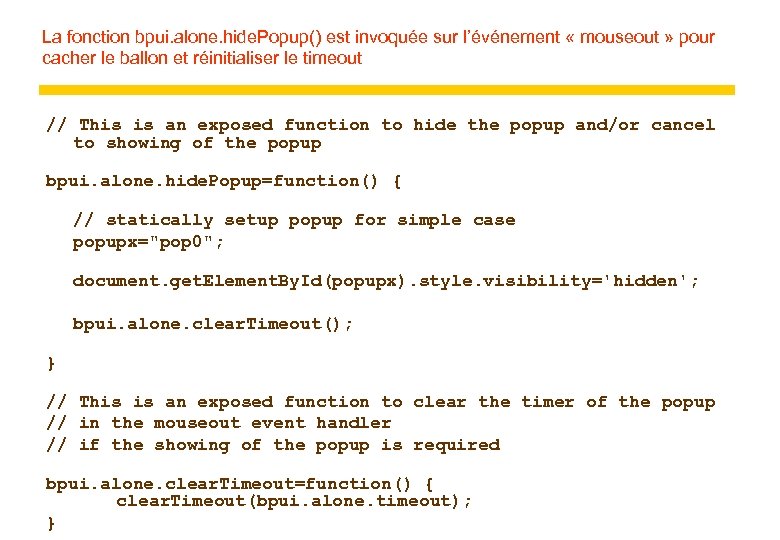 La fonction bpui. alone. hide. Popup() est invoquée sur l’événement « mouseout » pour cacher le ballon et réinitialiser le timeout // This is an exposed function to hide the popup and/or cancel to showing of the popup bpui. alone. hide. Popup=function() { // statically setup popup for simple case popupx="pop 0"; document. get. Element. By. Id(popupx). style. visibility='hidden'; bpui. alone. clear. Timeout(); } // This is an exposed function to clear the timer of the popup // in the mouseout event handler // if the showing of the popup is required bpui. alone. clear. Timeout=function() { clear. Timeout(bpui. alone. timeout); }
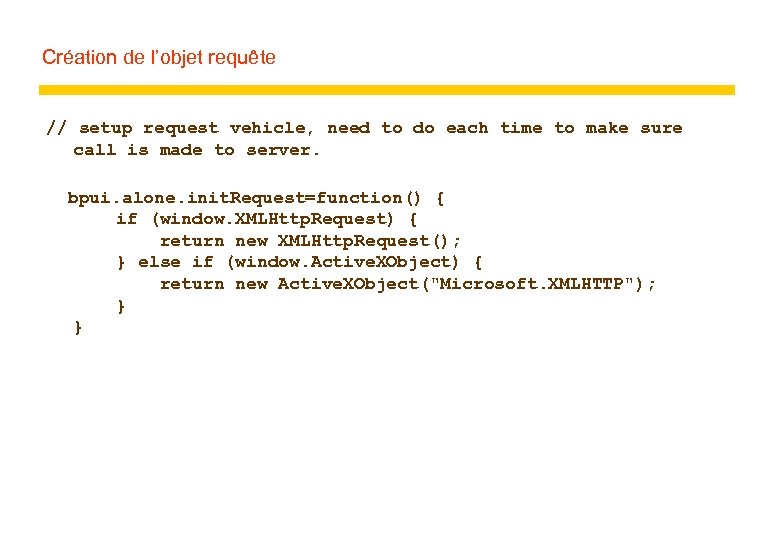 Création de l’objet requête // setup request vehicle, need to do each time to make sure call is made to server. bpui. alone. init. Request=function() { if (window. XMLHttp. Request) { return new XMLHttp. Request(); } else if (window. Active. XObject) { return new Active. XObject("Microsoft. XMLHTTP"); } }
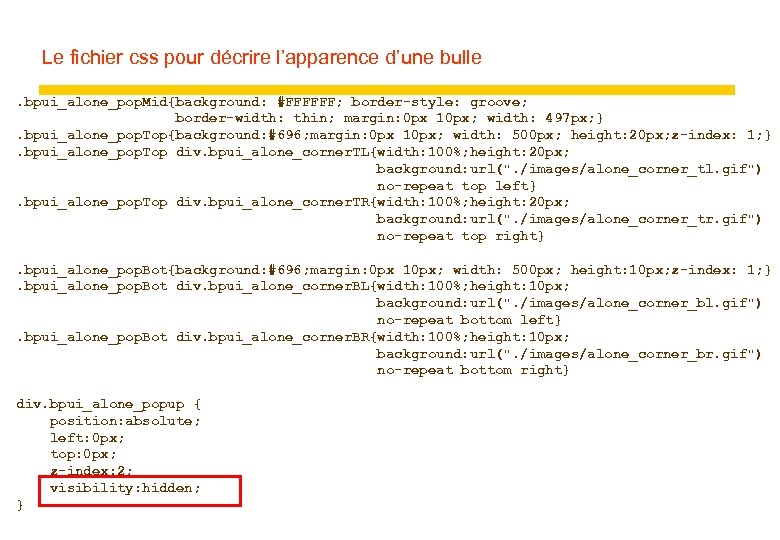 Le fichier css pour décrire l’apparence d’une bulle. bpui_alone_pop. Mid{background: #FFFFFF; border-style: groove; border-width: thin; margin: 0 px 10 px; width: 497 px; }. bpui_alone_pop. Top{background: #696; margin: 0 px 10 px; width: 500 px; height: 20 px; z-index: 1; }. bpui_alone_pop. Top div. bpui_alone_corner. TL{width: 100%; height: 20 px; background: url(". /images/alone_corner_tl. gif") no-repeat top left}. bpui_alone_pop. Top div. bpui_alone_corner. TR{width: 100%; height: 20 px; background: url(". /images/alone_corner_tr. gif") no-repeat top right}. bpui_alone_pop. Bot{background: #696; margin: 0 px 10 px; width: 500 px; height: 10 px; z-index: 1; }. bpui_alone_pop. Bot div. bpui_alone_corner. BL{width: 100%; height: 10 px; background: url(". /images/alone_corner_bl. gif") no-repeat bottom left}. bpui_alone_pop. Bot div. bpui_alone_corner. BR{width: 100%; height: 10 px; background: url(". /images/alone_corner_br. gif") no-repeat bottom right} div. bpui_alone_popup { position: absolute; left: 0 px; top: 0 px; z-index: 2; visibility: hidden; }
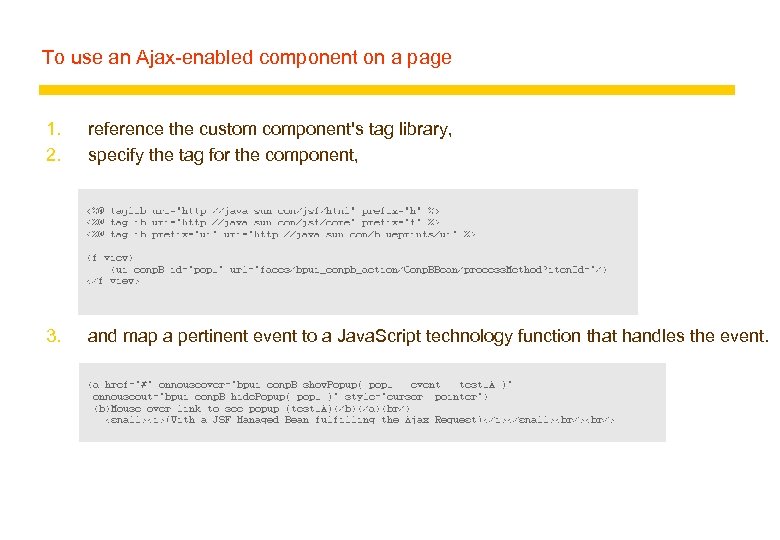
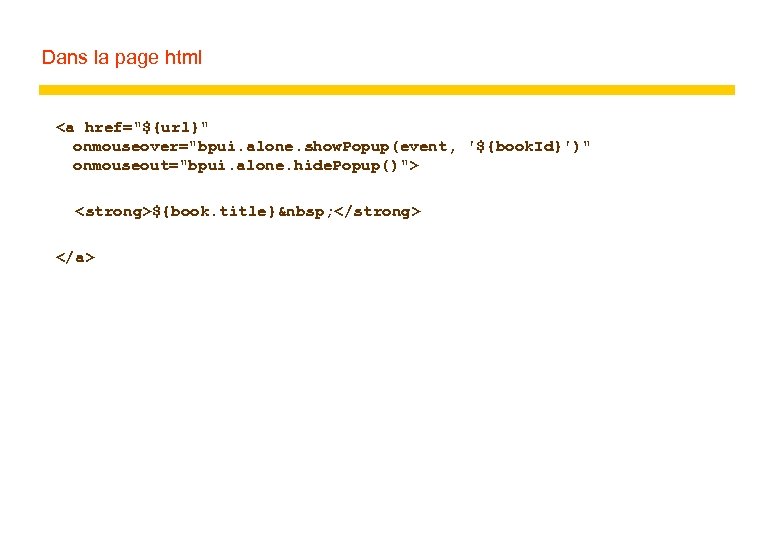 Dans la page html ${book. title}
D a n s l e fi c h i e r . j s p
|