


 Скачать презентацию Air Export Shipment using Magaya EGN 5346 Logistics
dca68a9de030187320178d2ee254ed34.ppt
- Количество слайдов: 42
 Air Export Shipment using Magaya EGN 5346 Logistics Engineering Fall, 2016
 Create International Air Export Shipment Objectives: • Review how to create a WR • Learn how to create two types of air export shipments: - Straight air export shipments, and - consolidated air export shipments (on 11/3/2016) • Learn how to file EEI (Electronic Export Information) commodities
 Create International Air Export Shipment SCENARIO: You are a logistics provider. The tasks are to receive new items and ship them out by creating a WR and an air straight export shipment in Magaya.
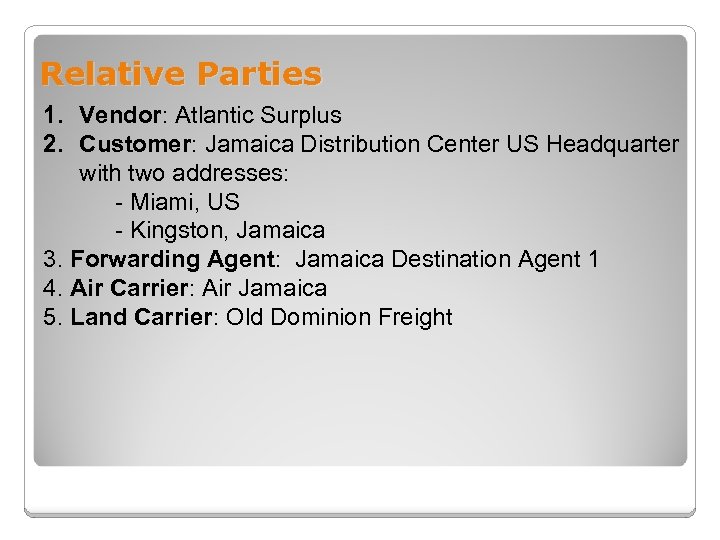 Relative Parties 1. Vendor: Atlantic Surplus 2. Customer: Jamaica Distribution Center US Headquarter with two addresses: - Miami, US - Kingston, Jamaica 3. Forwarding Agent: Jamaica Destination Agent 1 4. Air Carrier: Air Jamaica 5. Land Carrier: Old Dominion Freight
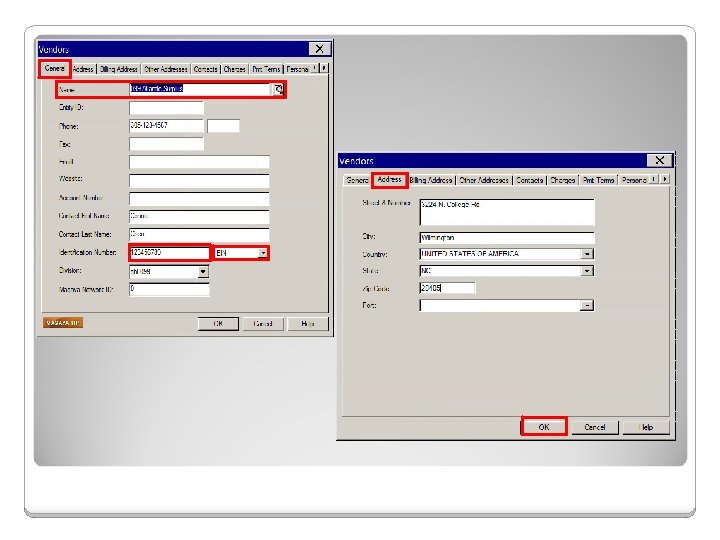
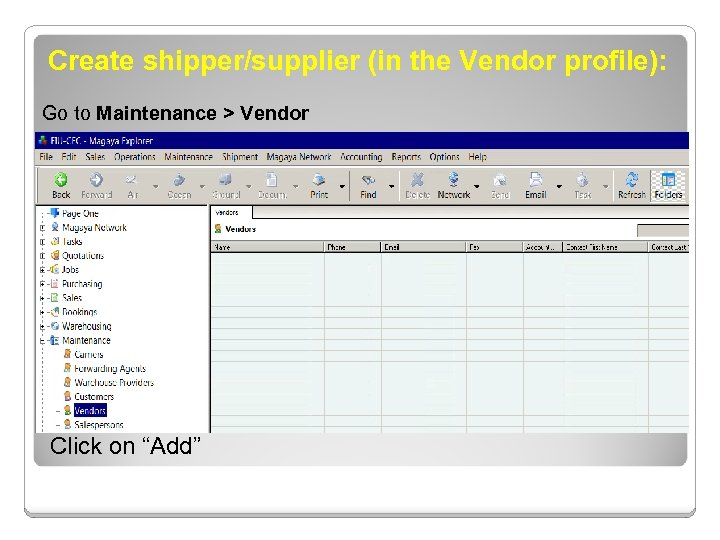 Create shipper/supplier (in the Vendor profile): Go to Maintenance > Vendor Click on “Add”
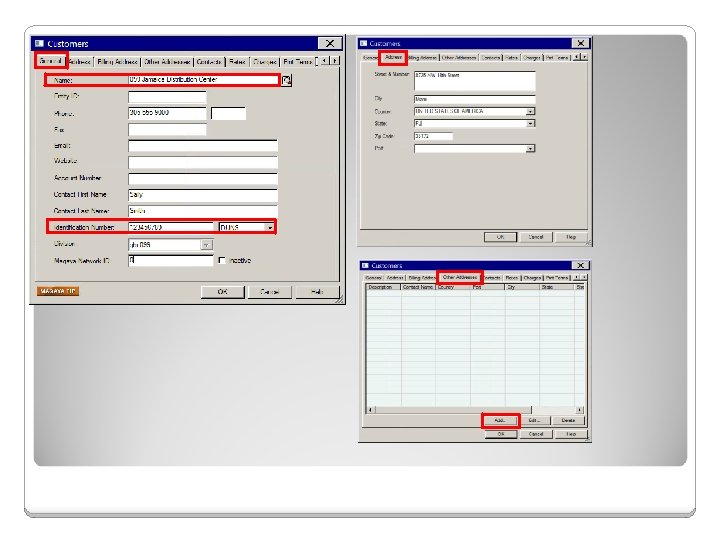
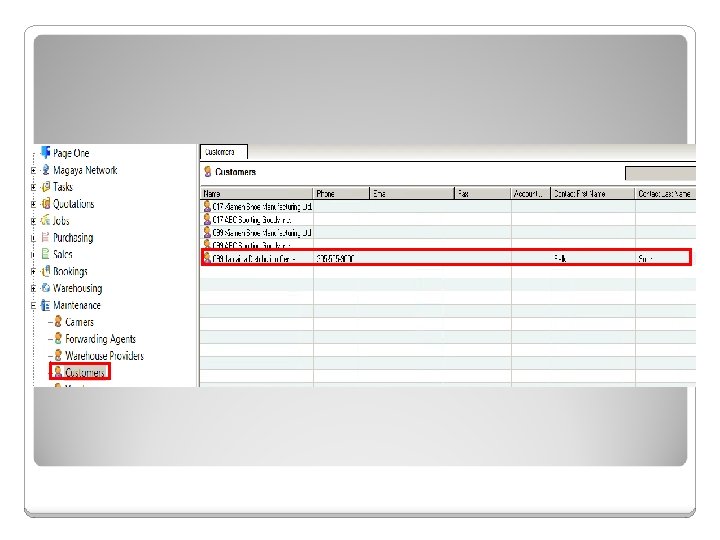
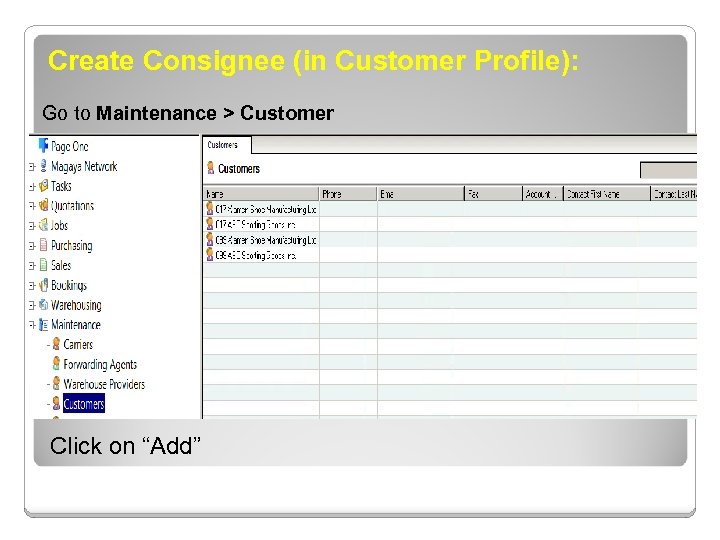 Create Consignee (in Customer Profile): Go to Maintenance > Customer Click on “Add”
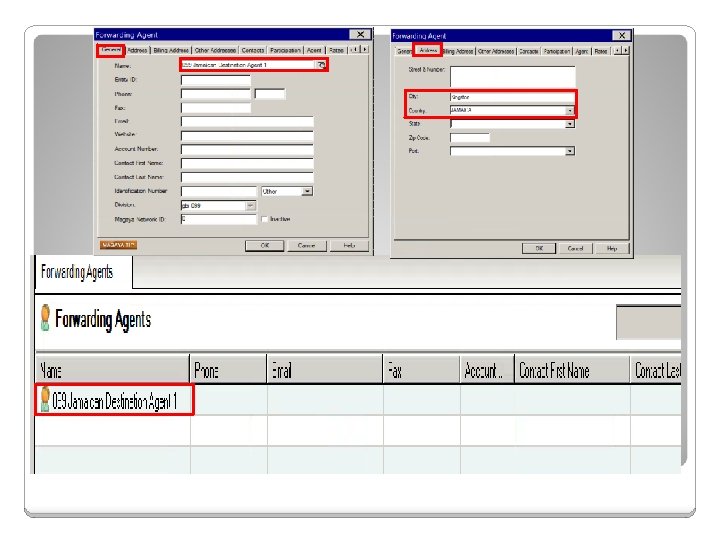
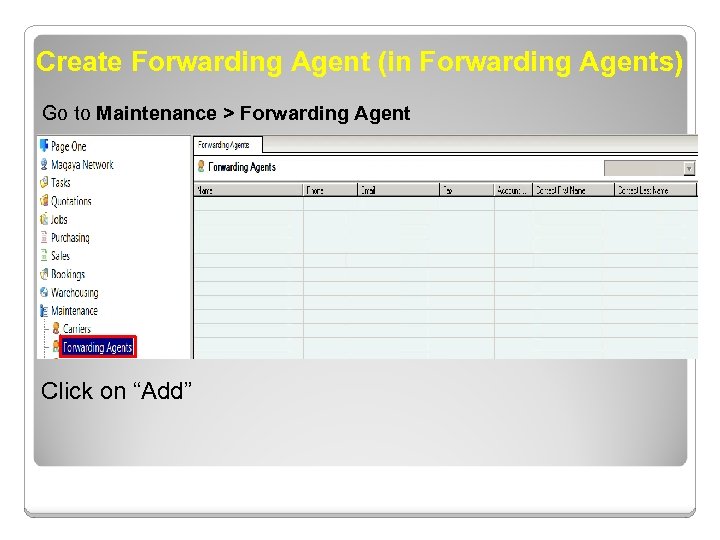 Create Forwarding Agent (in Forwarding Agents) Go to Maintenance > Forwarding Agent Click on “Add”
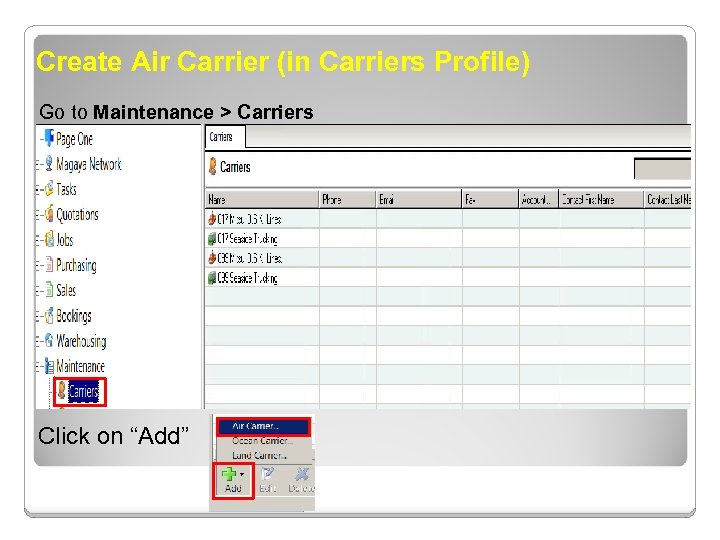 Create Air Carrier (in Carriers Profile) Go to Maintenance > Carriers Click on “Add”
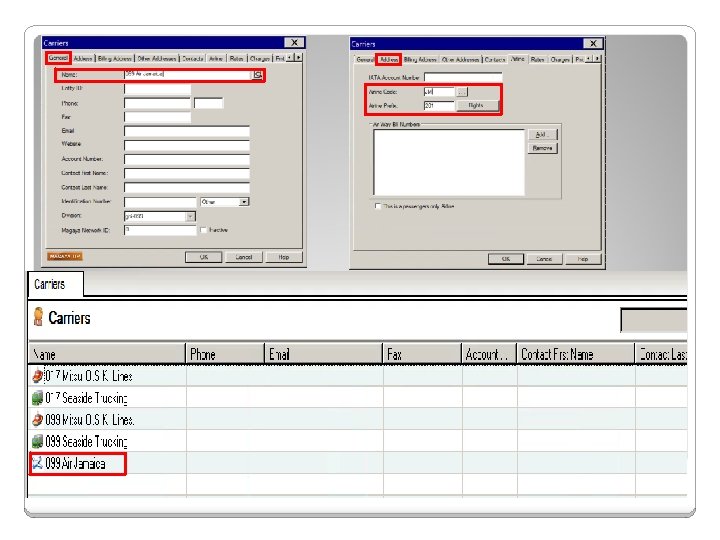
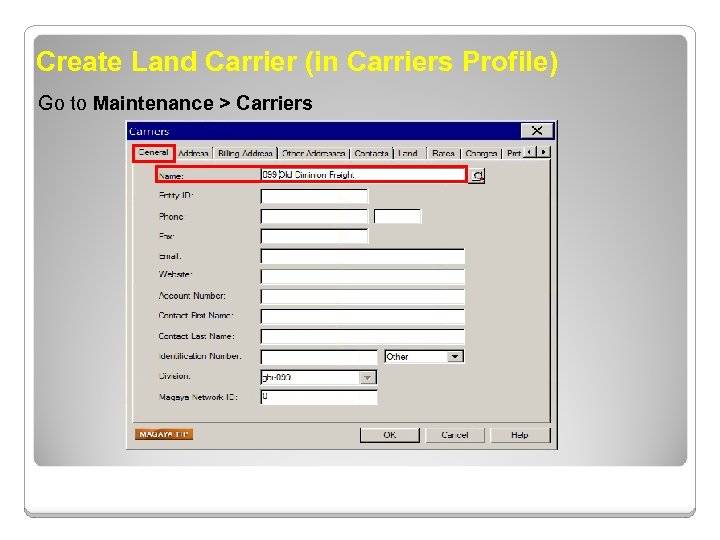 Create Land Carrier (in Carriers Profile) Go to Maintenance > Carriers
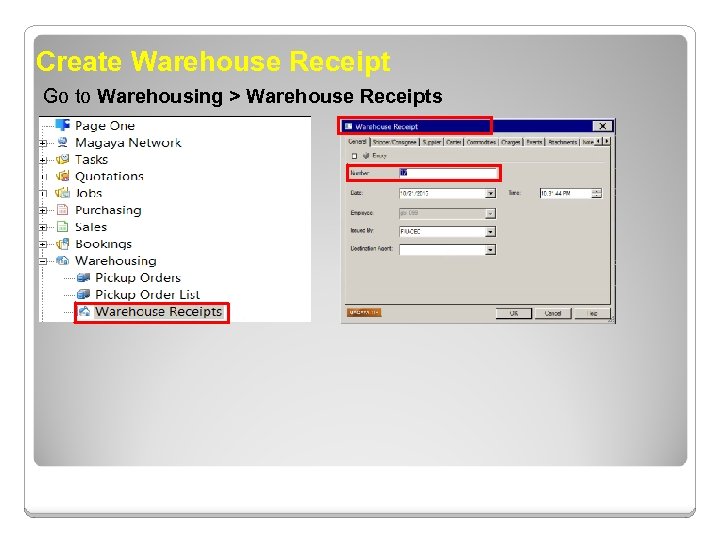 Create Warehouse Receipt Go to Warehousing > Warehouse Receipts
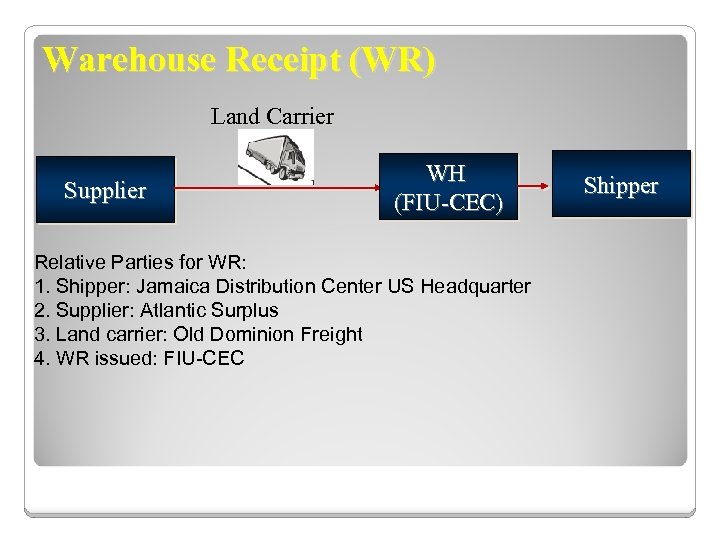 Warehouse Receipt (WR) Land Carrier Supplier WH (FIU-CEC) Relative Parties for WR: 1. Shipper: Jamaica Distribution Center US Headquarter 2. Supplier: Atlantic Surplus 3. Land carrier: Old Dominion Freight 4. WR issued: FIU-CEC Shipper
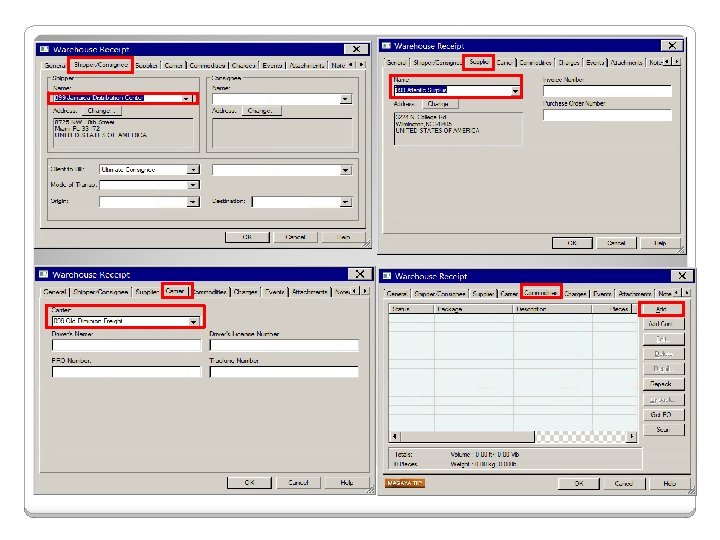
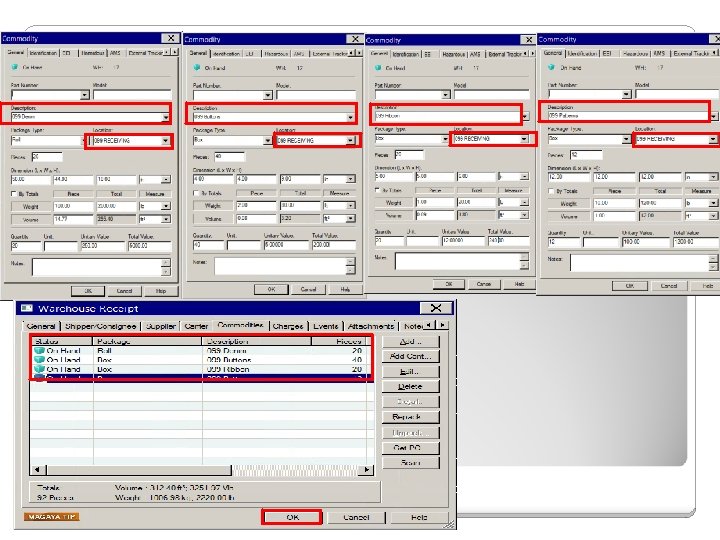
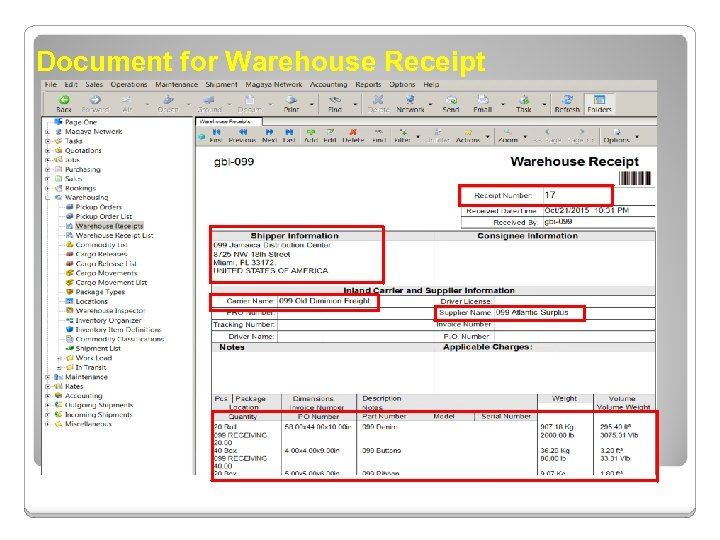 Document for Warehouse Receipt
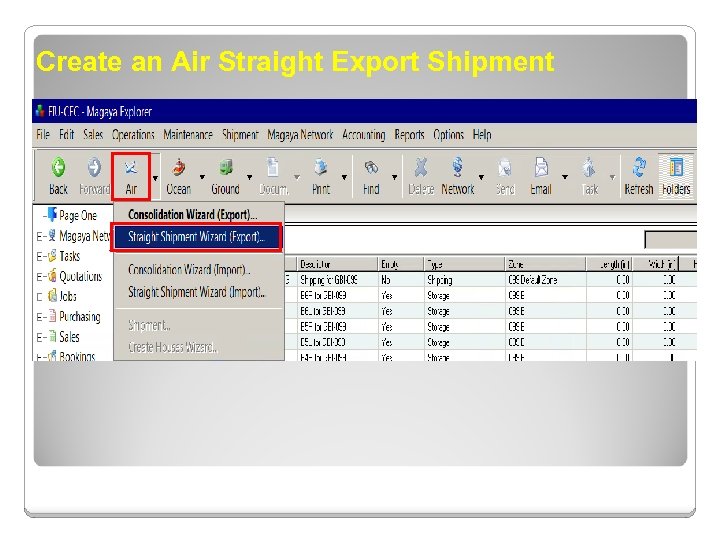 Create an Air Straight Export Shipment
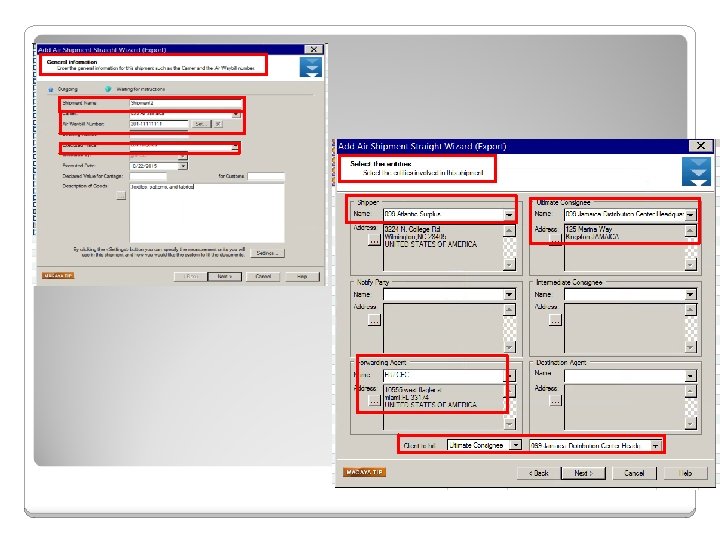
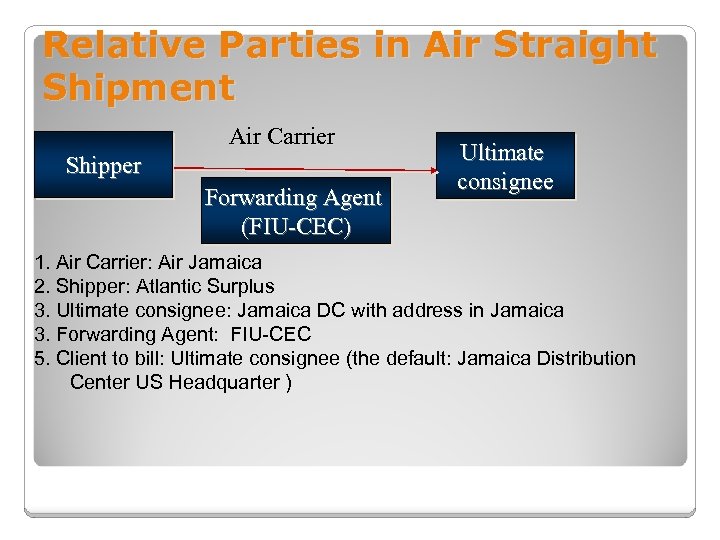 Relative Parties in Air Straight Shipment Air Carrier Shipper Forwarding Agent (FIU-CEC) Ultimate consignee 1. Air Carrier: Air Jamaica 2. Shipper: Atlantic Surplus 3. Ultimate consignee: Jamaica DC with address in Jamaica 3. Forwarding Agent: FIU-CEC 5. Client to bill: Ultimate consignee (the default: Jamaica Distribution Center US Headquarter )
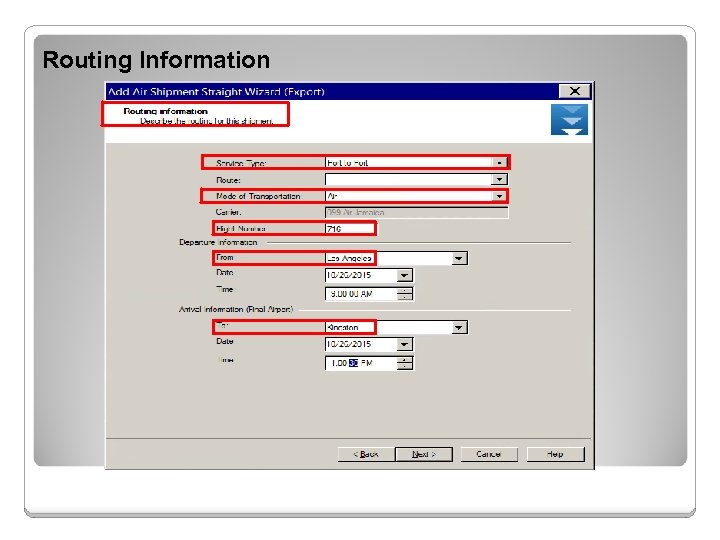 Routing Information
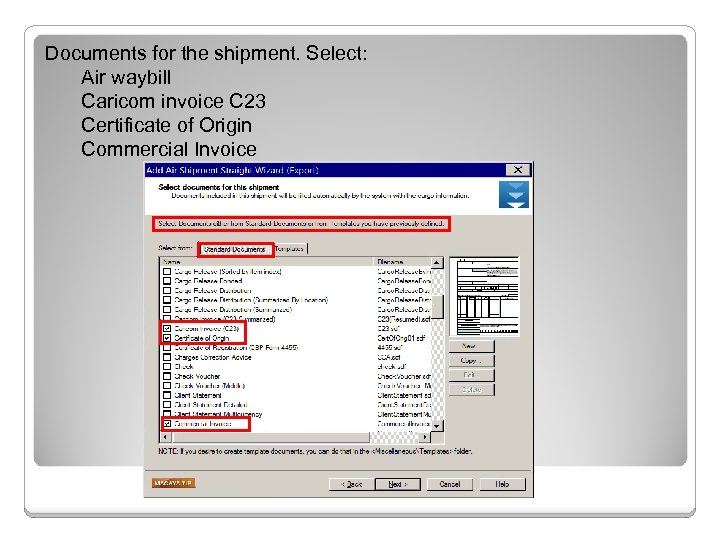 Documents for the shipment. Select: Air waybill Caricom invoice C 23 Certificate of Origin Commercial Invoice
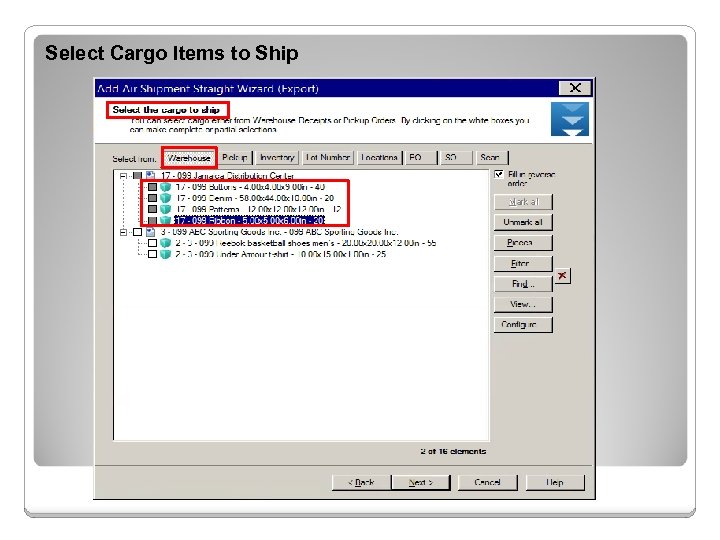 Select Cargo Items to Ship
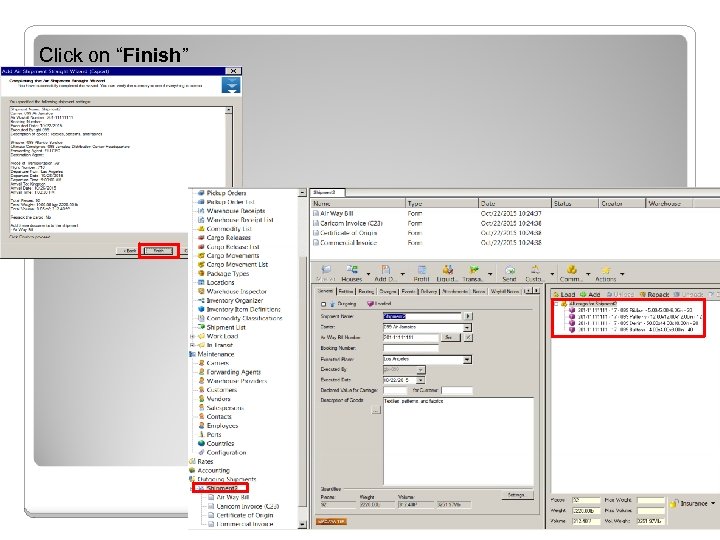 Click on “Finish”
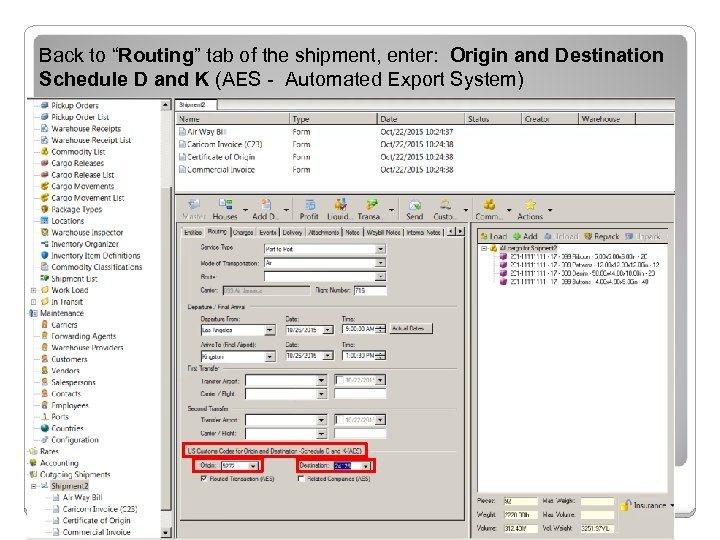 Back to “Routing” tab of the shipment, enter: Origin and Destination Schedule D and K (AES - Automated Export System)
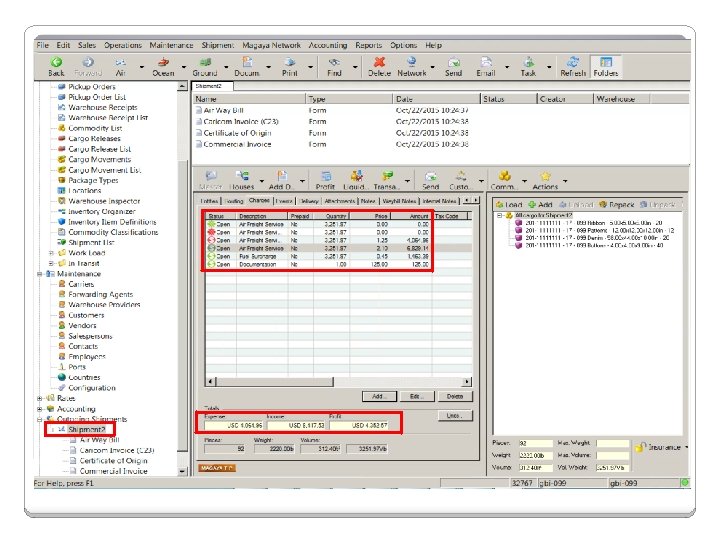
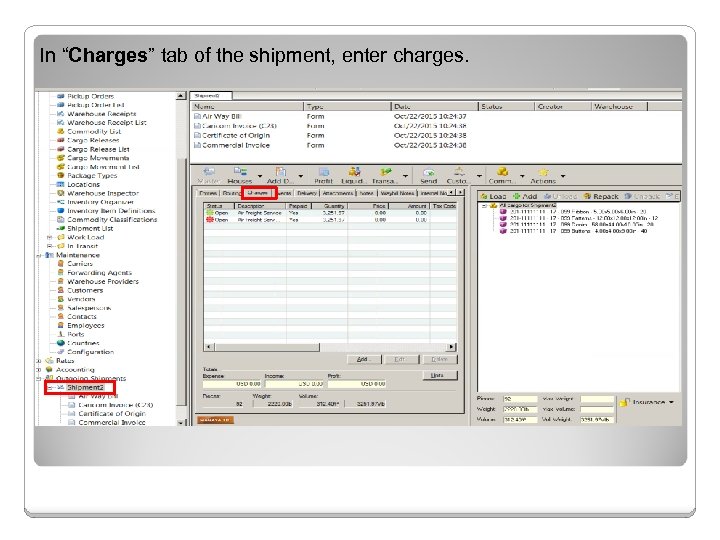 In “Charges” tab of the shipment, enter charges.
 Define EEI It is the Electronic Export Information, formerly called the Shipper’s Export Declaration (SED). It is required when exporting items valued at $2, 500 or more. Magaya software has a “Customs” button with a sub-menu for filing the EEI to the Customs’ Automated Export System (AES) website. FYI: There are other functions on the sub-menu such as the Automated Manifest System (AMS), used to file a manifest for cargo that is arriving in the US. That will be covered in another lesson.
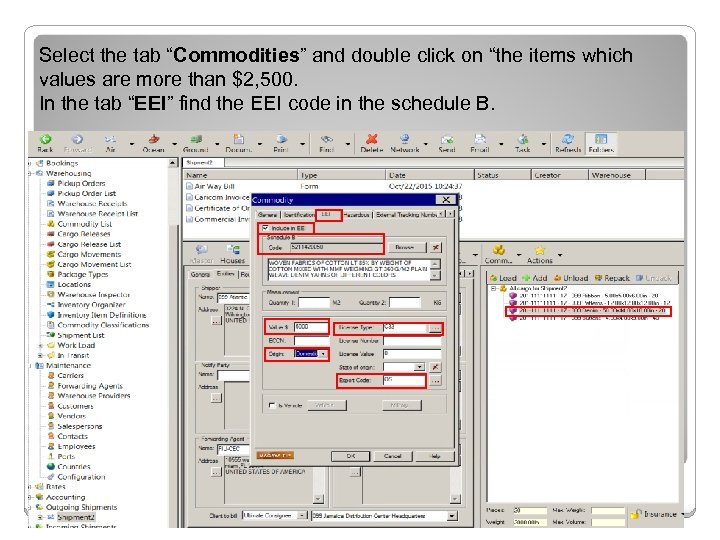 Select the tab “Commodities” and double click on “the items which values are more than $2, 500. In the tab “EEI” find the EEI code in the schedule B.
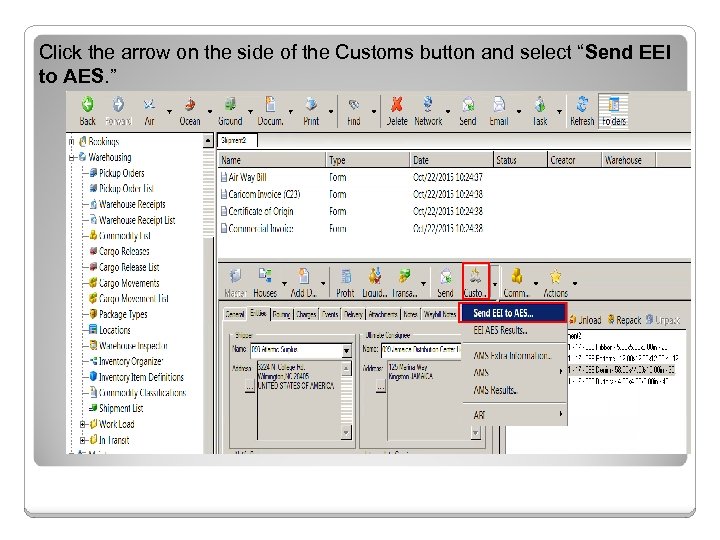 Click the arrow on the side of the Customs button and select “Send EEI to AES. ”
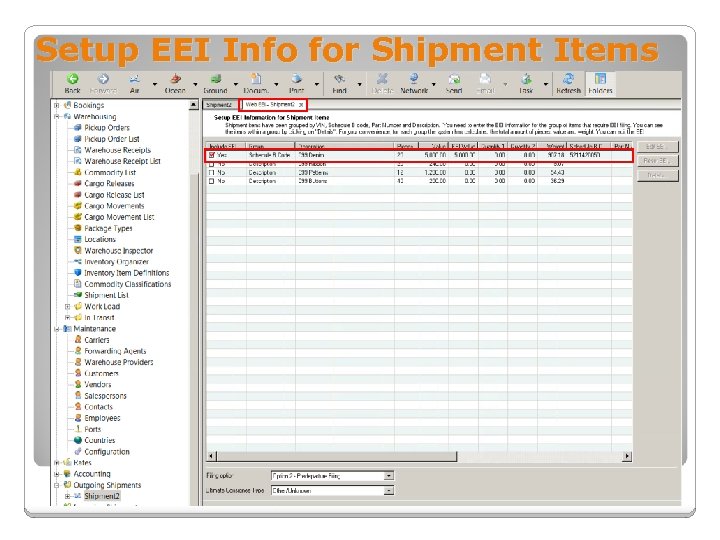 Setup EEI Info for Shipment Items
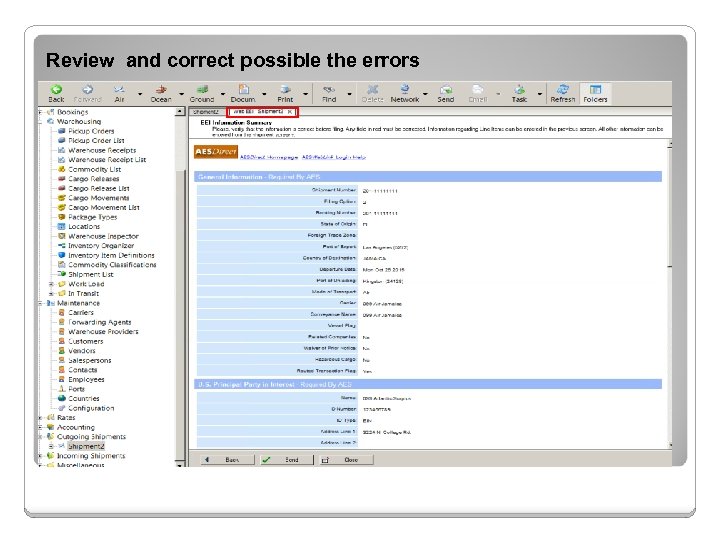 Review and correct possible the errors
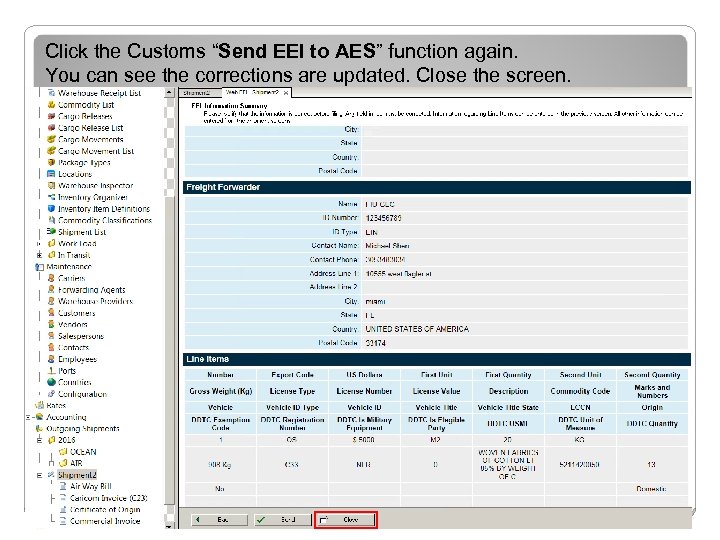 Click the Customs “Send EEI to AES” function again. You can see the corrections are updated. Close the screen.
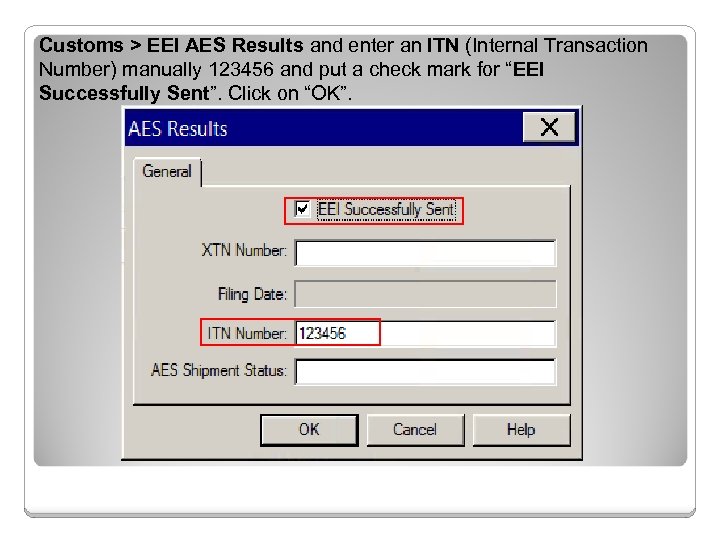 Customs > EEI AES Results and enter an ITN (Internal Transaction Number) manually 123456 and put a check mark for “EEI Successfully Sent”. Click on “OK”.
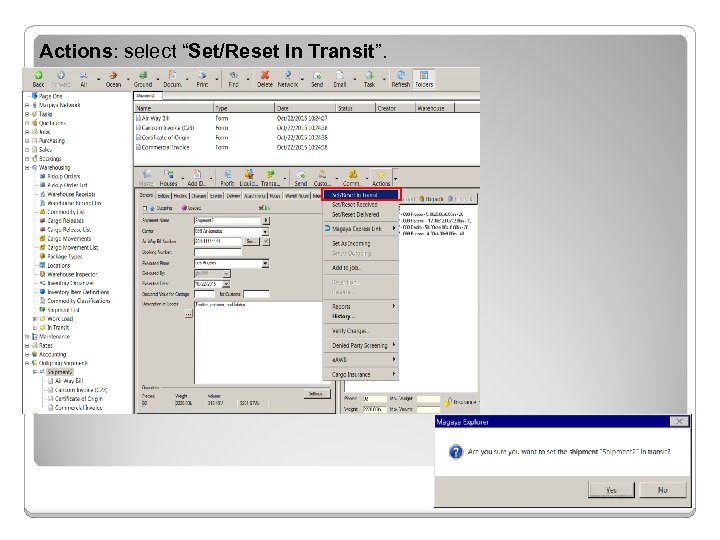 Actions: select “Set/Reset In Transit”.
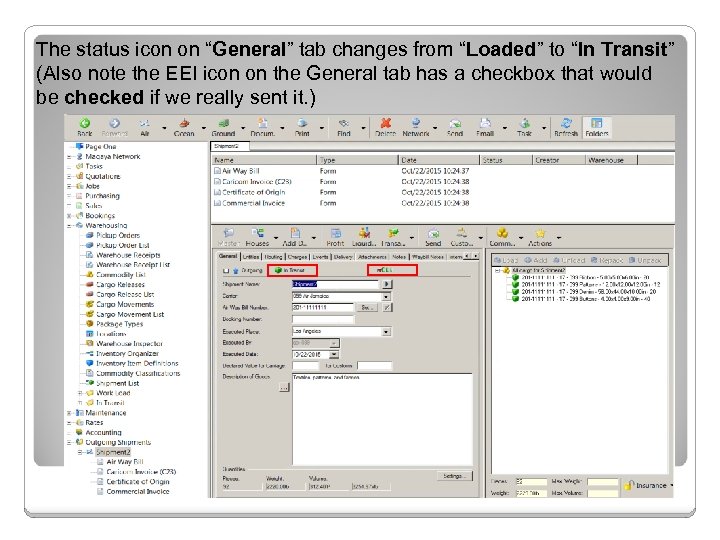 The status icon on “General” tab changes from “Loaded” to “In Transit” (Also note the EEI icon on the General tab has a checkbox that would be checked if we really sent it. )
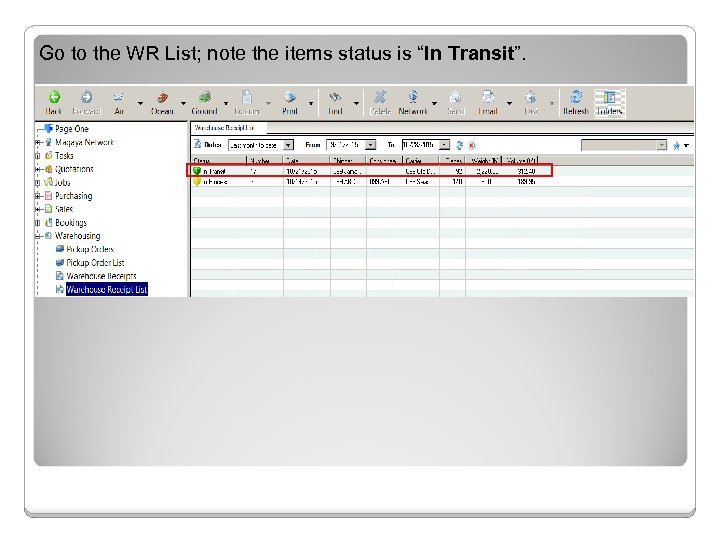 Go to the WR List; note the items status is “In Transit”.
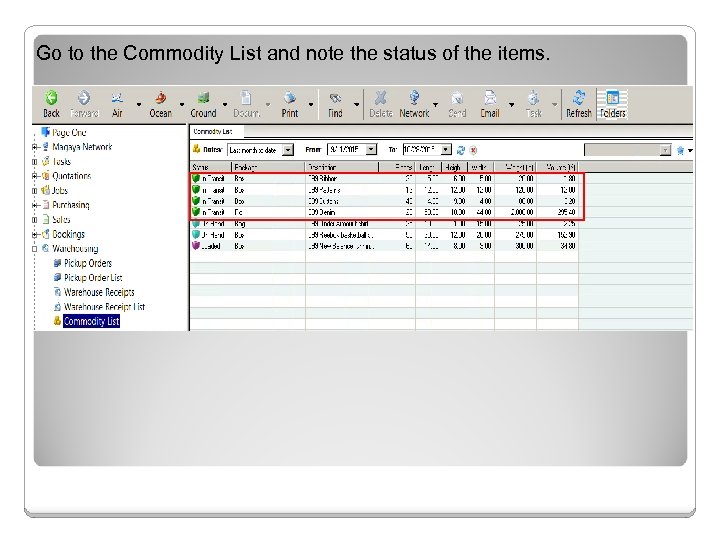 Go to the Commodity List and note the status of the items.
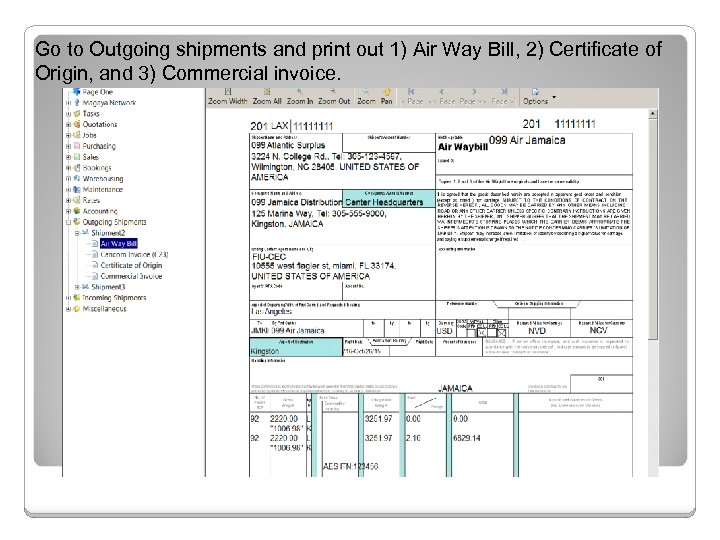 Go to Outgoing shipments and print out 1) Air Way Bill, 2) Certificate of Origin, and 3) Commercial invoice.
 Exercises: (Due date 12/3/2016) Lab 3 -1: Create WR for straight air export shipment Lab 3 -2: Create a straight air export shipment Lab 3 -3: Create two WR for consolidated air export shipment