 Скачать презентацию Agenda VTEL Company Infos Videoconferencing Basics Applications Live
f20c27d160bd6e8899eed7696fc80b9f.ppt
- Количество слайдов: 34



Agenda VTEL Company Infos Videoconferencing Basics Applications Live Demo DIGITAL VISUAL COMMUNICATIONS
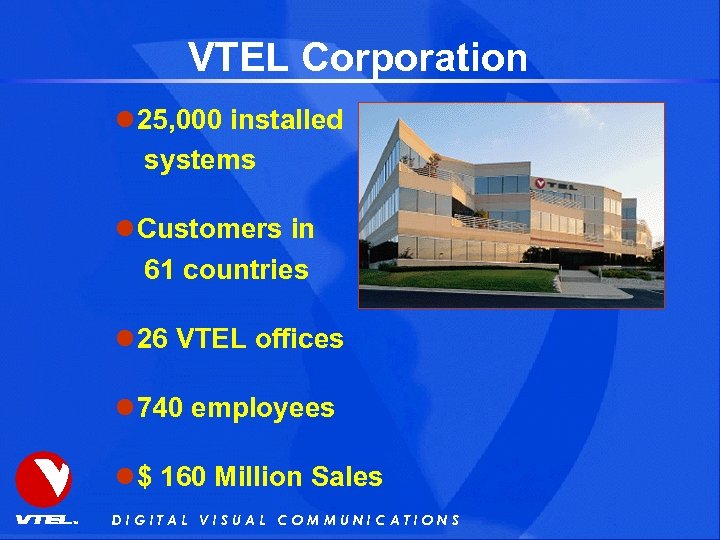
VTEL Corporation l 25, 000 installed systems l Customers in 61 countries l 26 VTEL offices l 740 employees l $ 160 Million Sales DIGITAL VISUAL COMMUNICATIONS
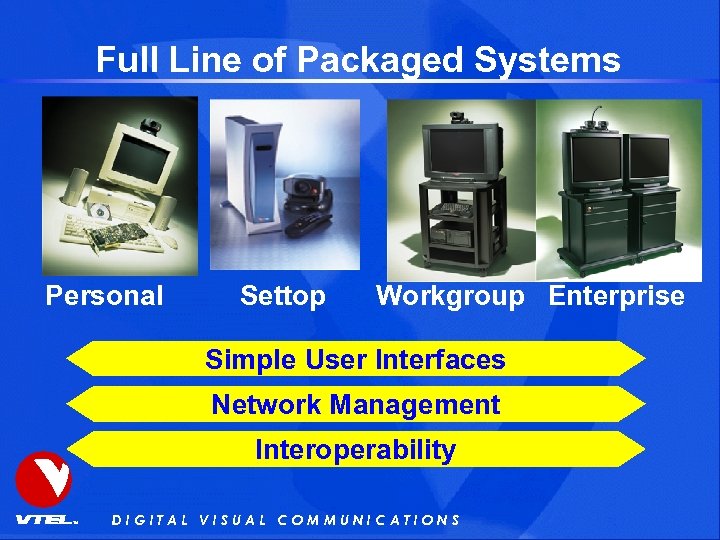
Full Line of Packaged Systems Personal Settop Workgroup Enterprise Simple User Interfaces Network Management Interoperability DIGITAL VISUAL COMMUNICATIONS
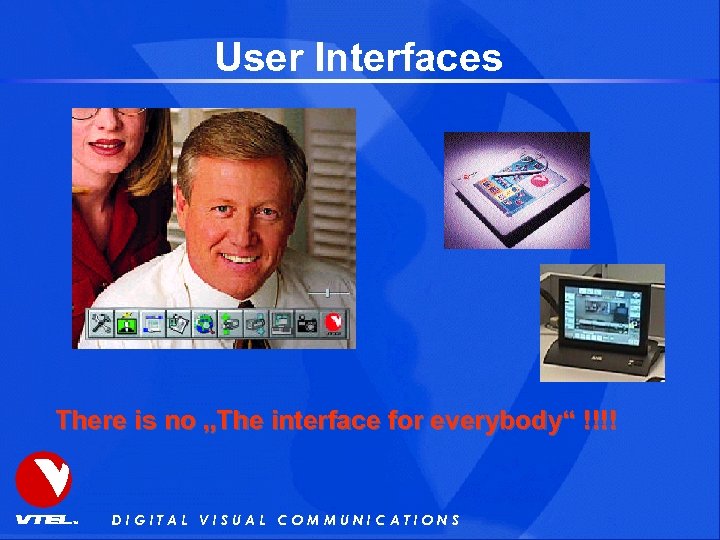
User Interfaces There is no „The interface for everybody“ !!!! DIGITAL VISUAL COMMUNICATIONS
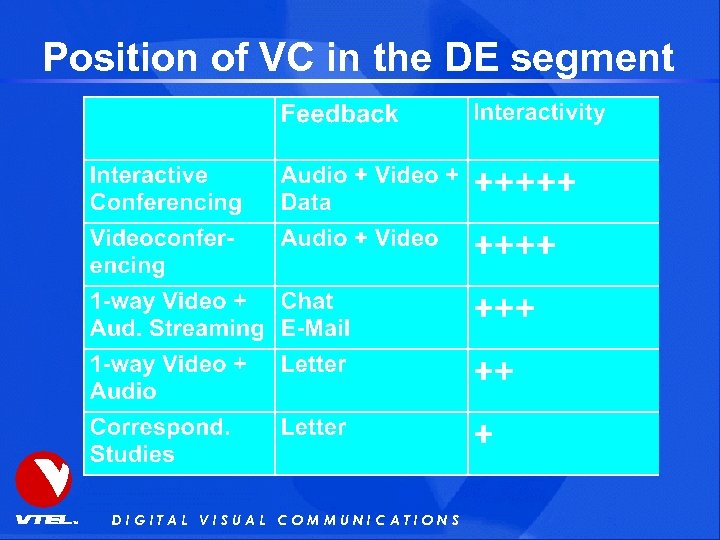
Position of VC in the DE segment DIGITAL VISUAL COMMUNICATIONS
What do you need to do it ? • Videoconferencing systems • Peripherals • Reliable transport medium DIGITAL VISUAL COMMUNICATIONS
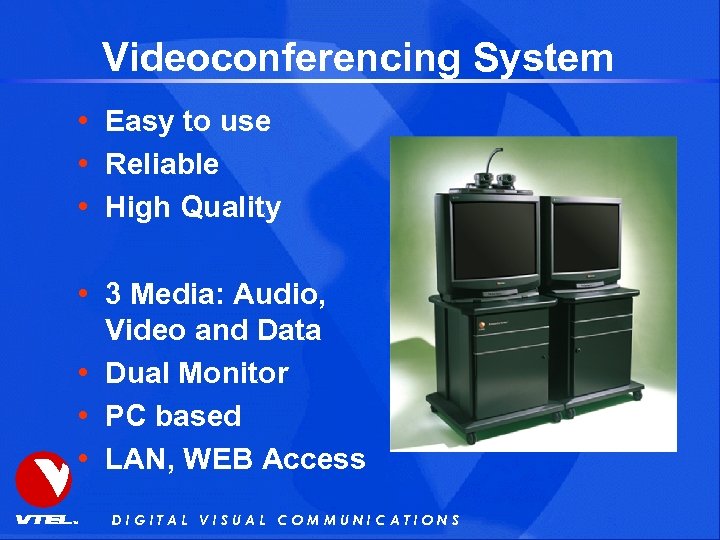
Videoconferencing System • Easy to use • Reliable • High Quality • 3 Media: Audio, Video and Data • Dual Monitor • PC based • LAN, WEB Access DIGITAL VISUAL COMMUNICATIONS
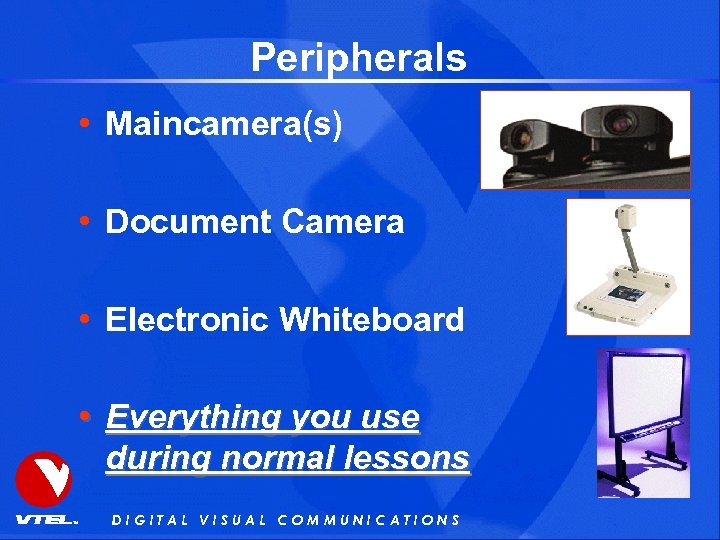
Peripherals • Maincamera(s) • Document Camera • Electronic Whiteboard • Everything you use during normal lessons DIGITAL VISUAL COMMUNICATIONS
Transport medium • ISDN (90%) (connection oriented, reliable) reliable • IP/LAN/WAN Internet (6%) (packet oriented, (no) bandwidth guarantied !!! • ATM Links (3%) (ideal but expensive) DIGITAL VISUAL COMMUNICATIONS
Bandwidth requirement • ISDN (min. for prof. quality) • 384 k. Bit/s (6 B channels) • 30 fps, 7 k. Hz Audio • LAN / IP • 1 Mbit/s Bandwidth guarantied • 30 fps, 7 k. Hz Audio DIGITAL VISUAL COMMUNICATIONS
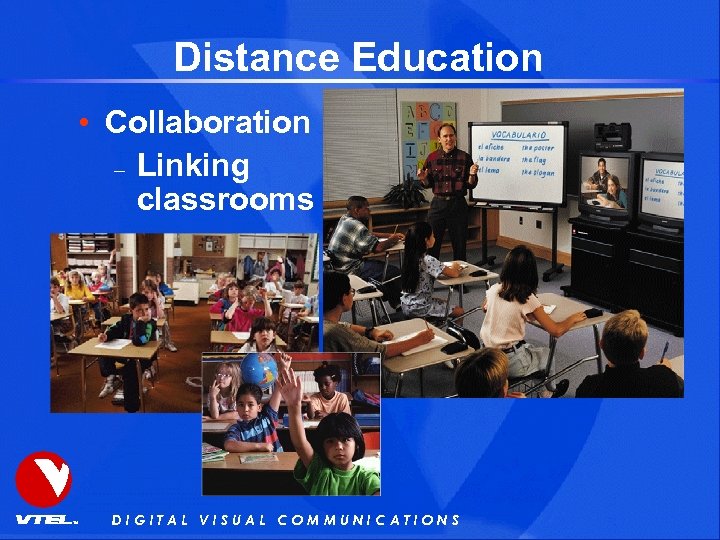
Distance Education • Collaboration – Linking classrooms DIGITAL VISUAL COMMUNICATIONS
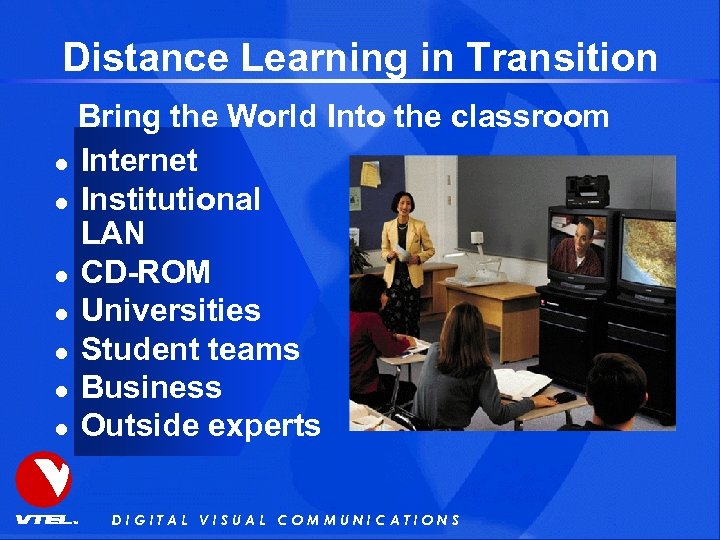
Distance Learning in Transition Bring the World Into the classroom l Internet l Institutional LAN l CD-ROM l Universities l Student teams l Business l Outside experts DIGITAL VISUAL COMMUNICATIONS
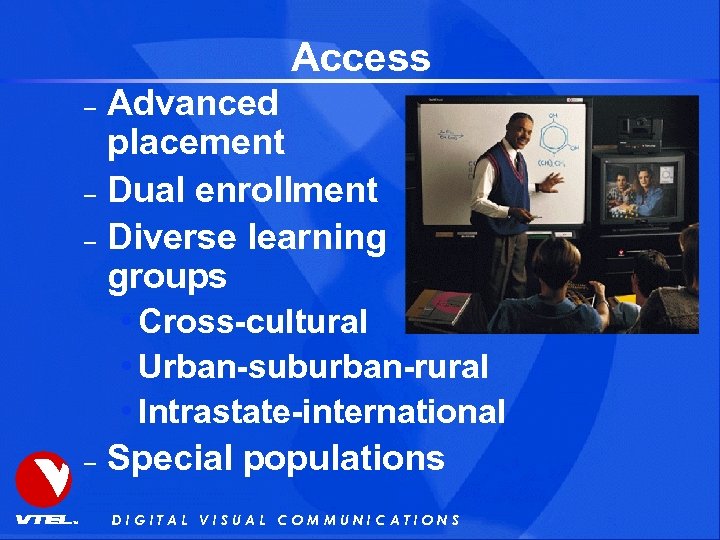
Access Advanced placement – Dual enrollment – Diverse learning groups • Cross-cultural • Urban-suburban-rural • Intrastate-international – Special populations – DIGITAL VISUAL COMMUNICATIONS
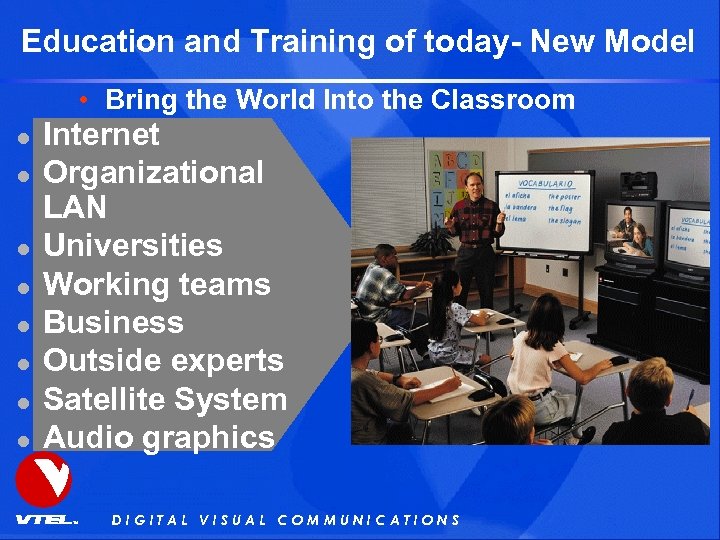
Education and Training of today- New Model • Bring the World Into the Classroom l l l l Internet Organizational LAN Universities Working teams Business Outside experts Satellite System Audio graphics DIGITAL VISUAL COMMUNICATIONS
VC and Streaming Video • Important is the combination – Linking some classrooms with traditional VC – Enable other (unlimited) to be also in the same lesson as listener from home office or any other location – Enable the students to review any lesson at a later time. DIGITAL VISUAL COMMUNICATIONS
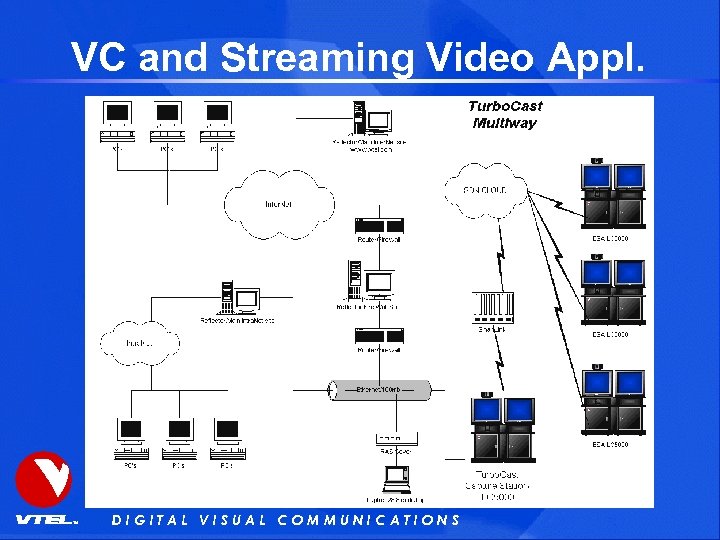
VC and Streaming Video Appl. DIGITAL VISUAL COMMUNICATIONS
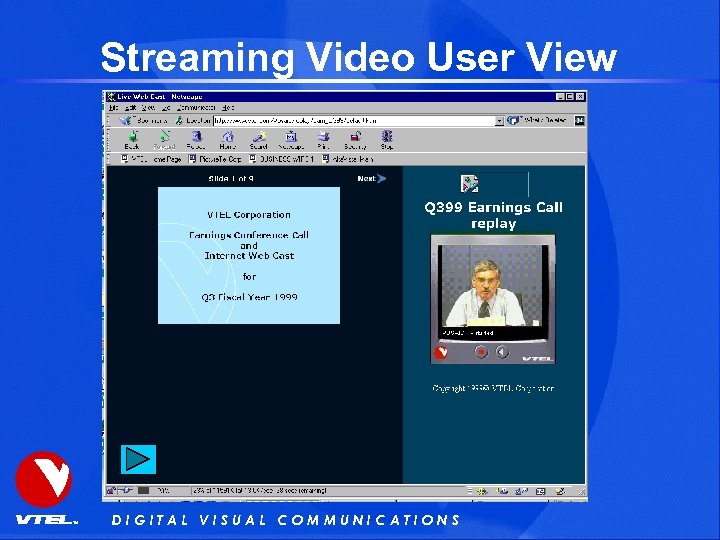
Streaming Video User View DIGITAL VISUAL COMMUNICATIONS
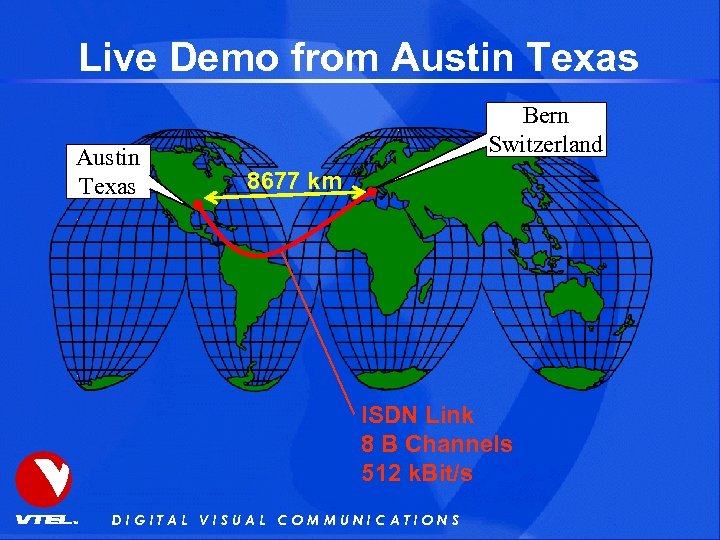
Live Demo from Austin Texas Bern Switzerland 8677 km ISDN Link 8 B Channels 512 k. Bit/s DIGITAL VISUAL COMMUNICATIONS
Backup Slides to us if the connection to Austin does not work DIGITAL VISUAL COMMUNICATIONS
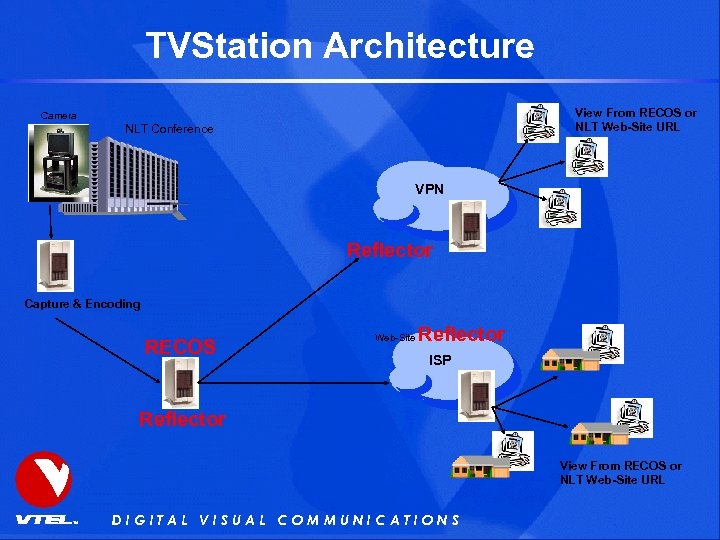
TVStation Architecture View From RECOS or NLT Web-Site URL Camera NLT Conference VPN Reflector Capture & Encoding RECOS Web-Site Reflector ISP Reflector View From RECOS or NLT Web-Site URL DIGITAL VISUAL COMMUNICATIONS
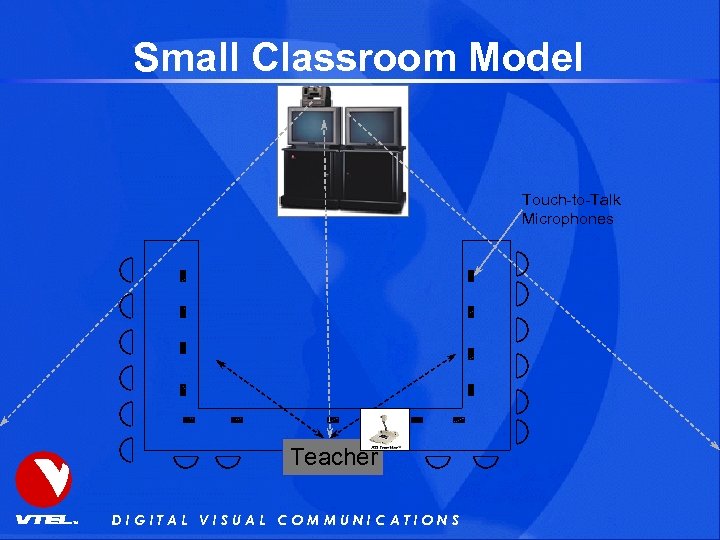
Small Classroom Model Touch-to-Talk Microphones Teacher DIGITAL VISUAL COMMUNICATIONS
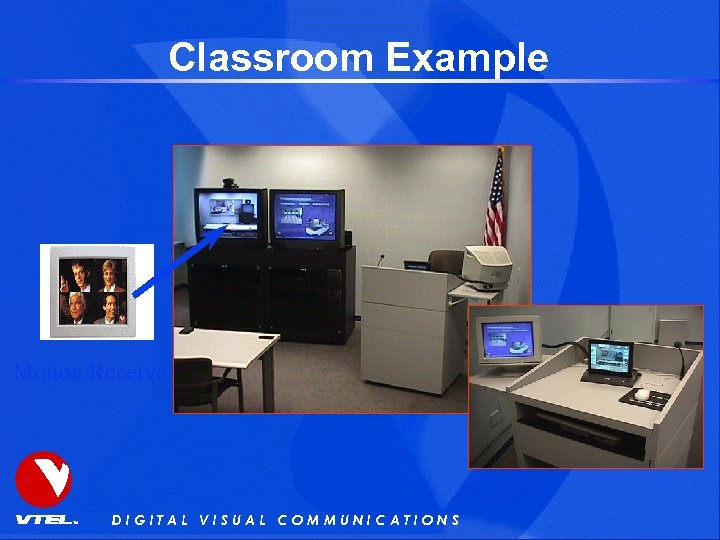
Classroom Example Motion Receive DIGITAL VISUAL COMMUNICATIONS
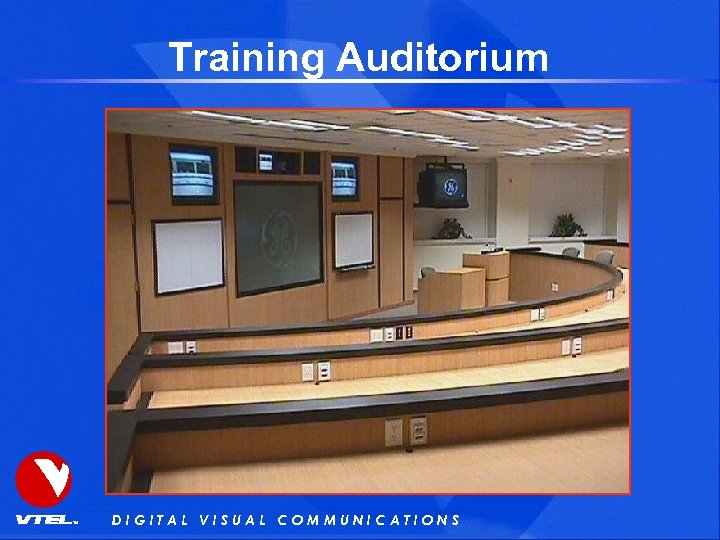
Training Auditorium DIGITAL VISUAL COMMUNICATIONS
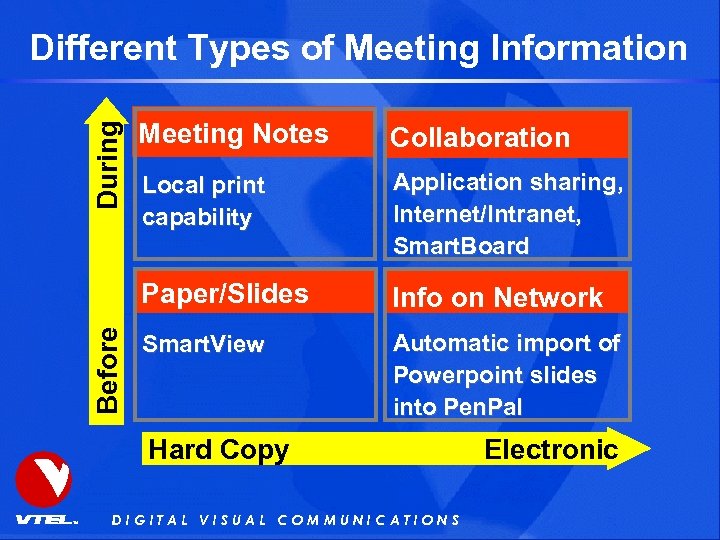
Different Types of Meeting Information During Collaboration Local print capability Application sharing, Internet/Intranet, Smart. Board Paper/Slides Before Meeting Notes Info on Network Smart. View Automatic import of Powerpoint slides into Pen. Pal Hard Copy DIGITAL VISUAL COMMUNICATIONS Electronic
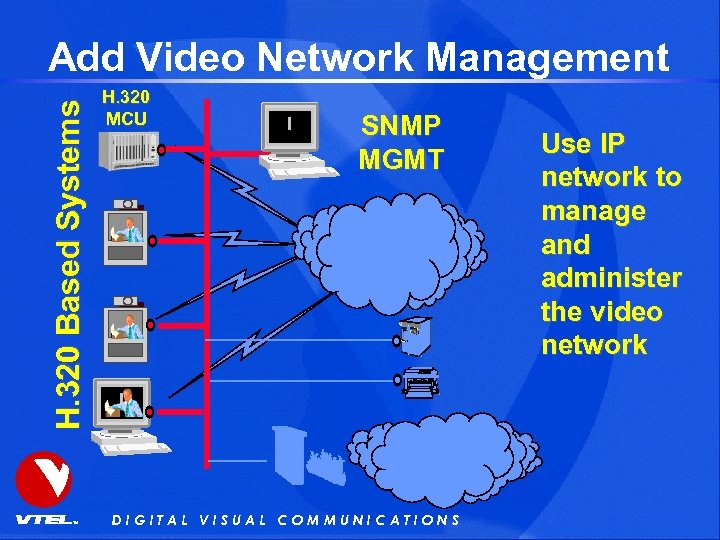
H. 320 Based Systems Add Video Network Management H. 320 MCU SNMP MGMT DIGITAL VISUAL COMMUNICATIONS Use IP network to manage and administer the video network
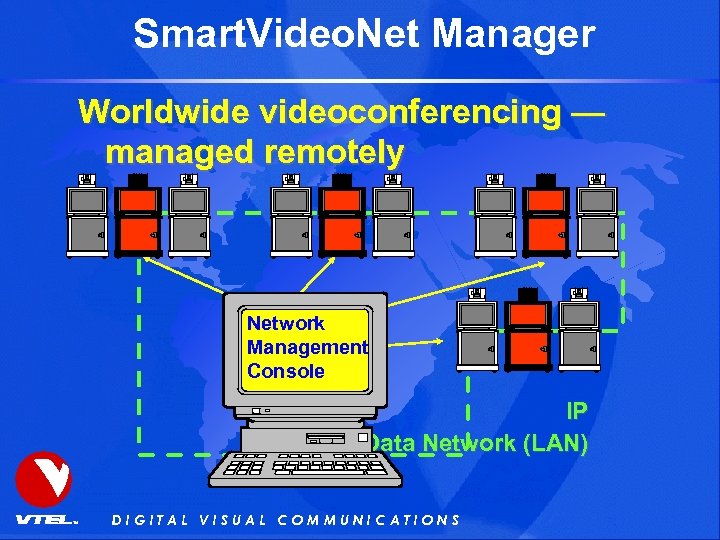
Smart. Video. Net Manager Worldwide videoconferencing — managed remotely Network Management Console IP Data Network (LAN) DIGITAL VISUAL COMMUNICATIONS
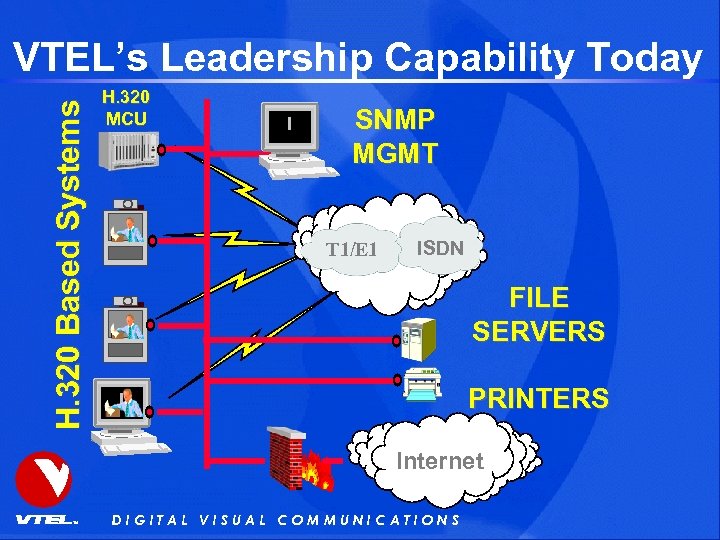
H. 320 Based Systems VTEL’s Leadership Capability Today H. 320 MCU SNMP MGMT T 1/E 1 ISDN FILE SERVERS PRINTERS Internet DIGITAL VISUAL COMMUNICATIONS
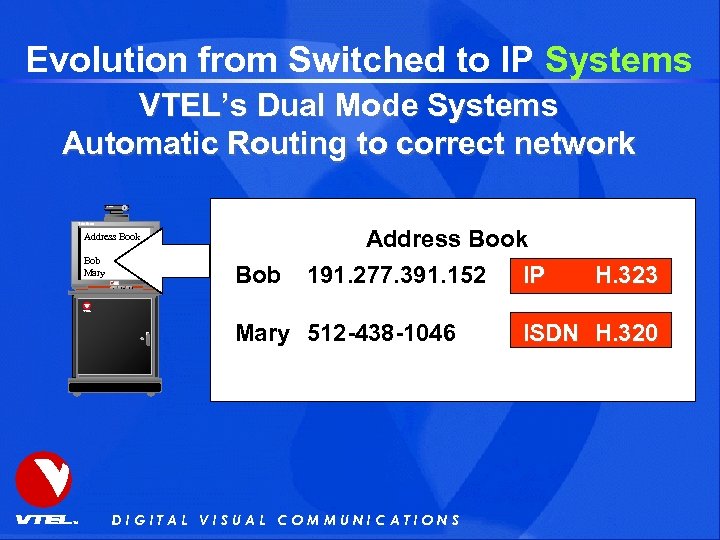
Evolution from Switched to IP Systems VTEL’s Dual Mode Systems Automatic Routing to correct network Canon Trinitron Address Book Bob Mary Bob Address Book 191. 277. 391. 152 IP Mary 512 -438 -1046 DIGITAL VISUAL COMMUNICATIONS H. 323 ISDN H. 320
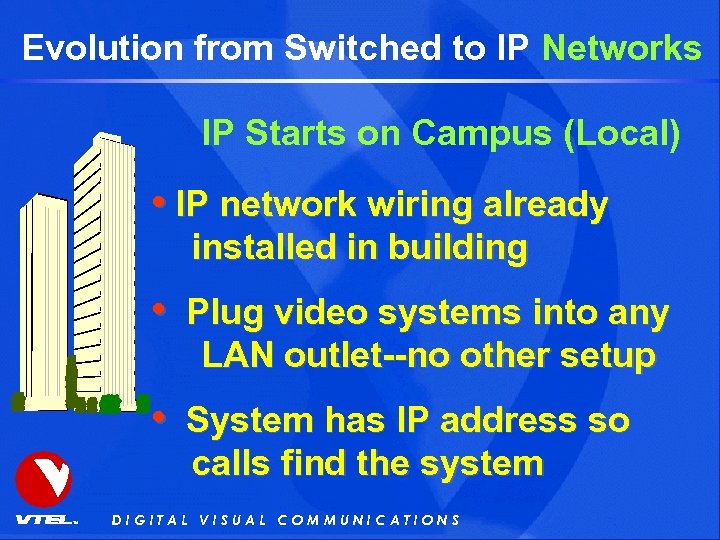
Evolution from Switched to IP Networks IP Starts on Campus (Local) • IP network wiring already installed in building • Plug video systems into any LAN outlet--no other setup • System has IP address so calls find the system DIGITAL VISUAL COMMUNICATIONS
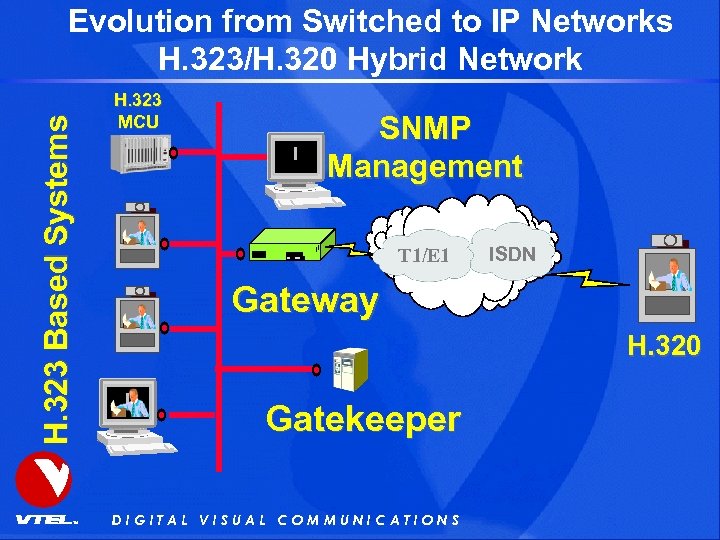
H. 323 Based Systems Evolution from Switched to IP Networks H. 323/H. 320 Hybrid Network H. 323 MCU SNMP Management T 1/E 1 ISDN Gateway H. 320 Gatekeeper DIGITAL VISUAL COMMUNICATIONS
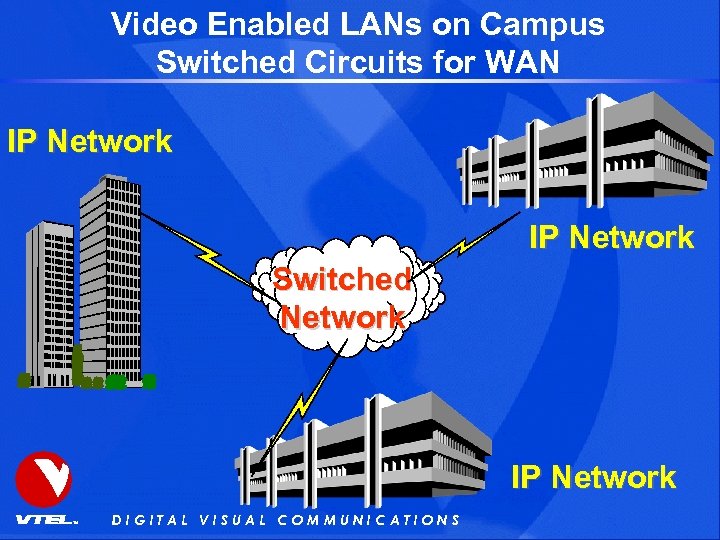
Video Enabled LANs on Campus Switched Circuits for WAN IP Network Switched Network IP Network DIGITAL VISUAL COMMUNICATIONS
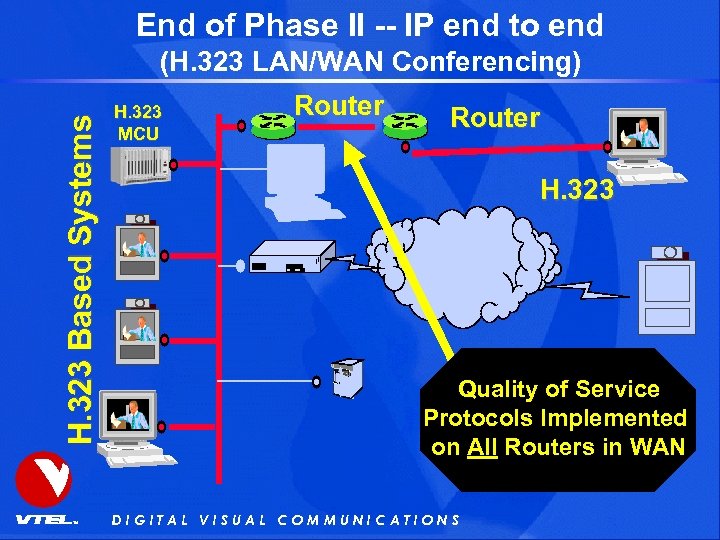
End of Phase II -- IP end to end H. 323 Based Systems (H. 323 LAN/WAN Conferencing) H. 323 MCU Router H. 323 Quality of Service Protocols Implemented on All Routers in WAN DIGITAL VISUAL COMMUNICATIONS
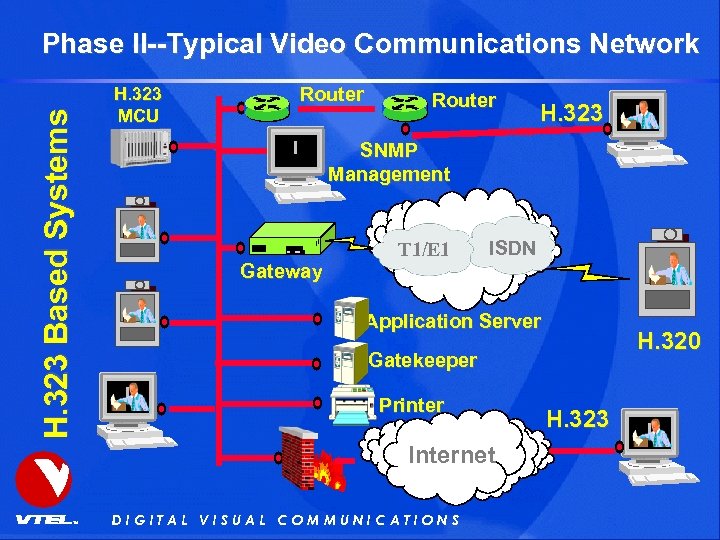
H. 323 Based Systems Phase II--Typical Video Communications Network H. 323 MCU Router H. 323 SNMP Management T 1/E 1 ISDN Gateway Application Server H. 320 Gatekeeper Printer Internet DIGITAL VISUAL COMMUNICATIONS H. 323

DIGITAL VISUAL COMMUNICATIONS
Скачать презентацию Agenda VTEL Company Infos Videoconferencing Basics Applications Live
f20c27d160bd6e8899eed7696fc80b9f.ppt