 Скачать презентацию Agenda Key 52 MB Session Number 407043 IBM
e8cd38fd614e6512499cfaa1741ac806.ppt
- Количество слайдов: 88



Agenda Key: 52 MB Session Number: 407043 IBM i. Doctor for i Overview Dawn May dmmay@us. ibm. com
IBM i. Doctor for i Tools and services for performance investigation Job Watcher Disk Watcher PEX Analyzer Collection Services Investigator Heap Analyzer 2 © 2009 IBM Corporation
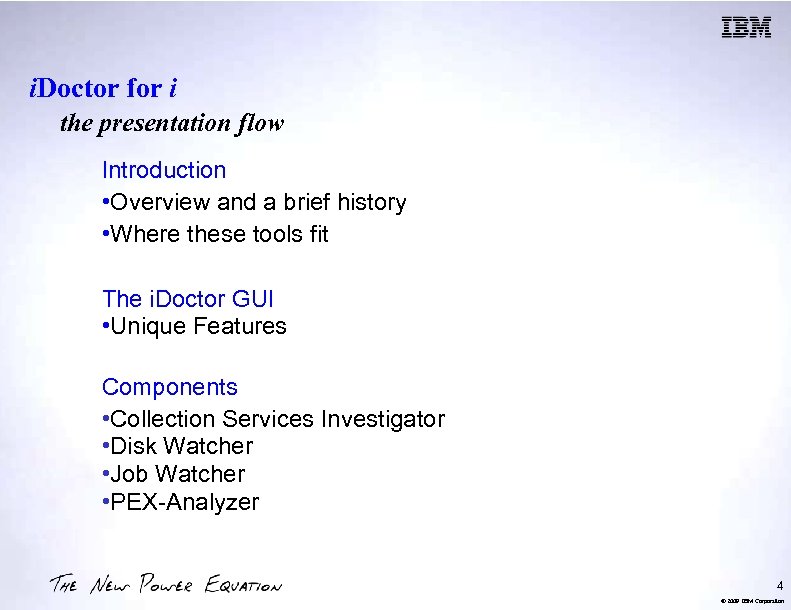
i. Doctor for i the presentation flow Introduction • Overview and a brief history • Where these tools fit The i. Doctor GUI • Unique Features Components • Collection Services Investigator • Disk Watcher • Job Watcher • PEX-Analyzer 4 © 2009 IBM Corporation
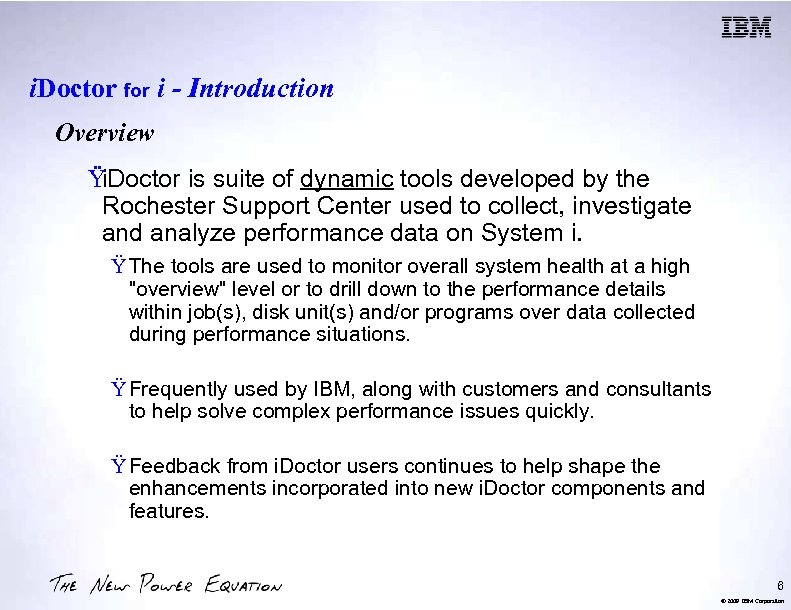
i. Doctor for i - Introduction Overview Ÿi. Doctor is suite of dynamic tools developed by the Rochester Support Center used to collect, investigate and analyze performance data on System i. Ÿ The tools are used to monitor overall system health at a high "overview" level or to drill down to the performance details within job(s), disk unit(s) and/or programs over data collected during performance situations. Ÿ Frequently used by IBM, along with customers and consultants to help solve complex performance issues quickly. Ÿ Feedback from i. Doctor users continues to help shape the enhancements incorporated into new i. Doctor components and features. 6 © 2009 IBM Corporation
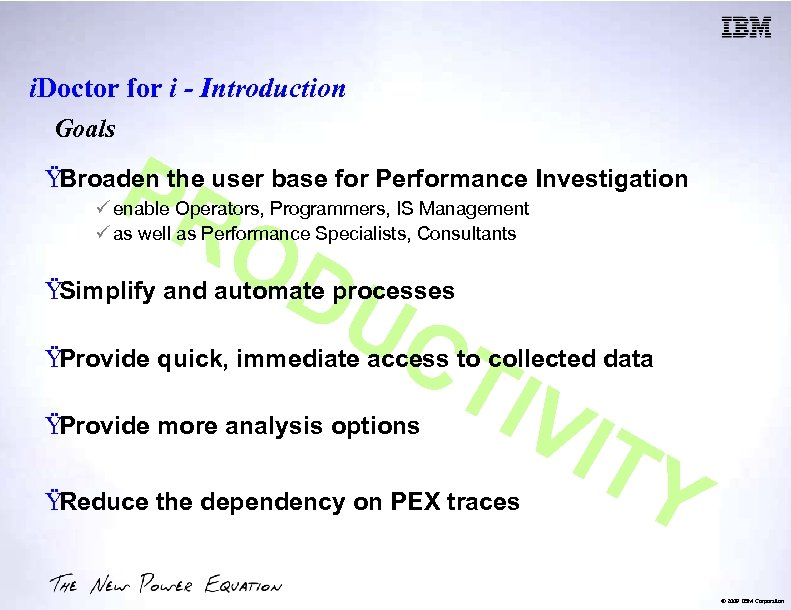
i. Doctor for i - Introduction Goals PR ŸBroaden the user base for Performance Investigation OD UC ü enable Operators, Programmers, IS Management ü as well as Performance Specialists, Consultants ŸSimplify and automate processes TIV ITY ŸProvide quick, immediate access to collected data ŸProvide more analysis options ŸReduce the dependency on PEX traces © 2009 IBM Corporation
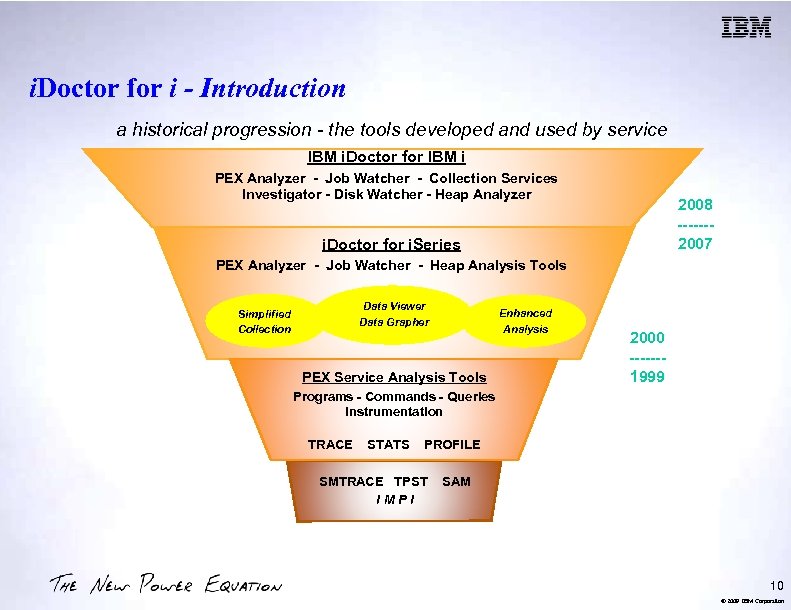
i. Doctor for i - Introduction a historical progression - the tools developed and used by service IBM i. Doctor for IBM i PEX Analyzer - Job Watcher - Collection Services Investigator - Disk Watcher - Heap Analyzer 2008 ------2007 i. Doctor for i. Series PEX Analyzer - Job Watcher - Heap Analysis Tools Data Viewer Data Grapher Simplified Collection Enhanced Analysis PEX Service Analysis Tools 2000 ------1999 Programs - Commands - Queries Instrumentation TRACE STATS PROFILE SMTRACE TPST IMPI SAM 10 © 2009 IBM Corporation
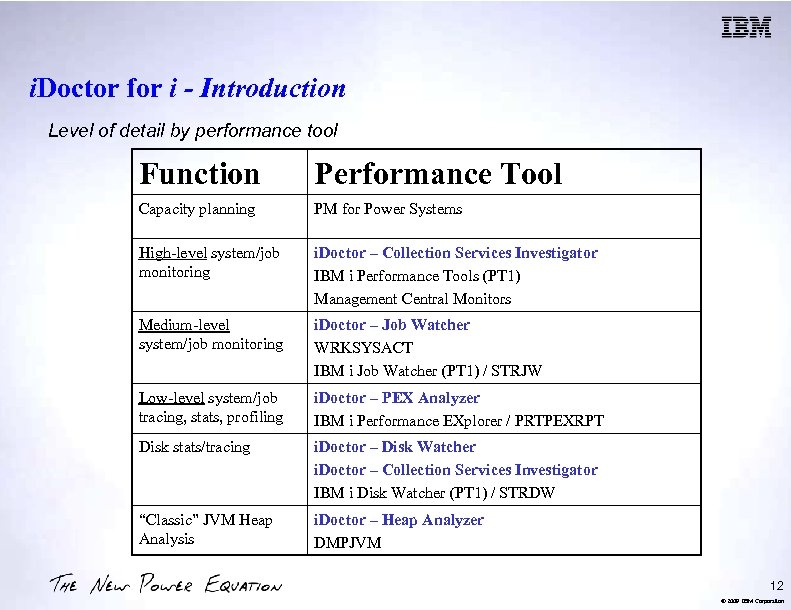
i. Doctor for i - Introduction Level of detail by performance tool Function Performance Tool Capacity planning PM for Power Systems High-level system/job monitoring i. Doctor – Collection Services Investigator IBM i Performance Tools (PT 1) Management Central Monitors Medium-level system/job monitoring i. Doctor – Job Watcher WRKSYSACT IBM i Job Watcher (PT 1) / STRJW Low-level system/job tracing, stats, profiling i. Doctor – PEX Analyzer IBM i Performance EXplorer / PRTPEXRPT Disk stats/tracing i. Doctor – Disk Watcher i. Doctor – Collection Services Investigator IBM i Disk Watcher (PT 1) / STRDW “Classic” JVM Heap Analysis i. Doctor – Heap Analyzer DMPJVM 12 © 2009 IBM Corporation
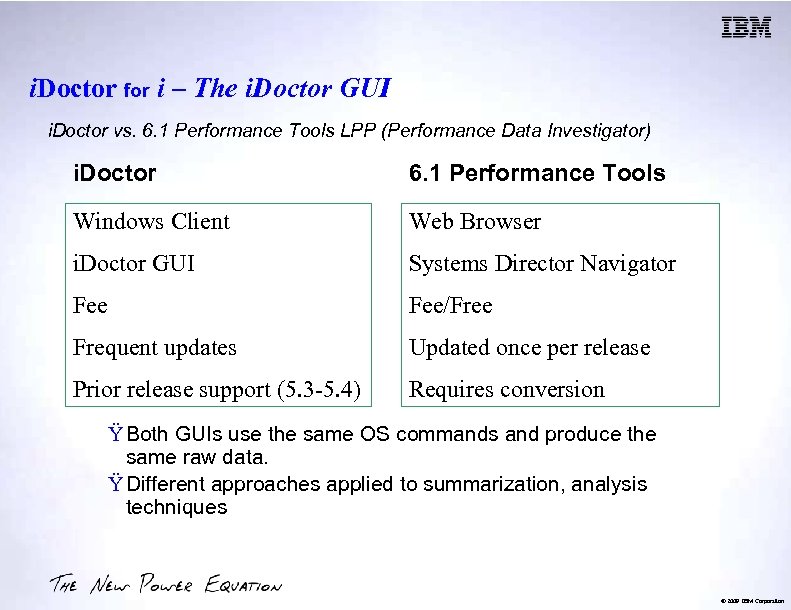
i. Doctor for i – The i. Doctor GUI i. Doctor vs. 6. 1 Performance Tools LPP (Performance Data Investigator) i. Doctor 6. 1 Performance Tools Windows Client Web Browser i. Doctor GUI Systems Director Navigator Fee/Free Frequent updates Updated once per release Prior release support (5. 3 -5. 4) Requires conversion Ÿ Both GUIs use the same OS commands and produce the same raw data. Ÿ Different approaches applied to summarization, analysis techniques © 2009 IBM Corporation
i. Doctor for i – The i. Doctor GUI Overview § Windows client offers flexibility and functionality not yet in web version § All components offer a similar user experience § The GUI provides access for i. Doctor components installed on servers running IBM i V 5 R 3 or higher. § Requirements: §System i access for Windows §License keys for Job Watcher (includes DW, CSI) and PEX Analyzer component usage. 16 © 2009 IBM Corporation
i. Doctor for i – The i. Doctor GUI Unique Features § Update History § Automatic checking for new PTFs / client updates § SQL Editor § Monitors § Graph compare mode § Time range toggling § Alternate views § Dynamic graph legend § Super Collections § Situational Analysis 18 © 2009 IBM Corporation
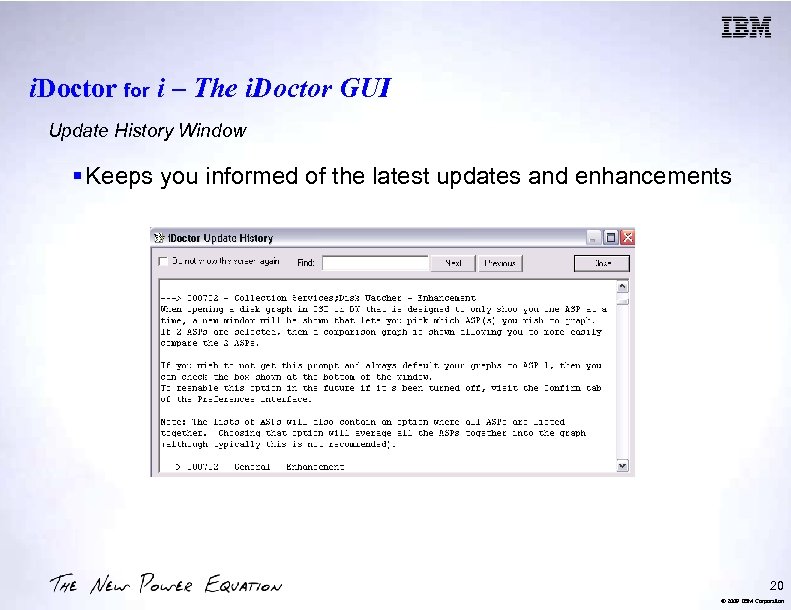
i. Doctor for i – The i. Doctor GUI Update History Window § Keeps you informed of the latest updates and enhancements 20 © 2009 IBM Corporation
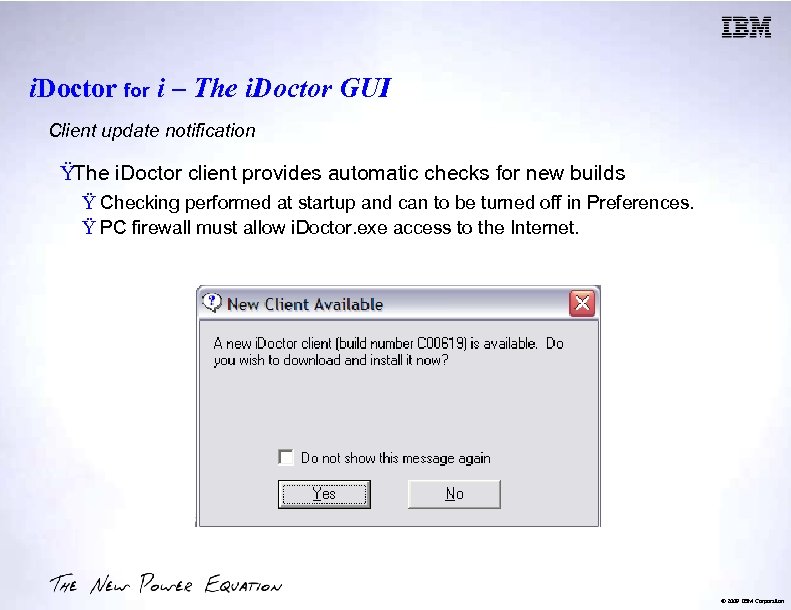
i. Doctor for i – The i. Doctor GUI Client update notification ŸThe i. Doctor client provides automatic checks for new builds Ÿ Checking performed at startup and can to be turned off in Preferences. Ÿ PC firewall must allow i. Doctor. exe access to the Internet. © 2009 IBM Corporation
i. Doctor for i – The i. Doctor GUI Automatic PTF notification ŸThe i. Doctor client checks for new Job Watcher and PEX PTFs Ÿ New PTF numbers identified on the i. Doctor website are sent to the PC. Ÿ PC firewall must allow i. Doctor. exe access to the Internet. © 2009 IBM Corporation
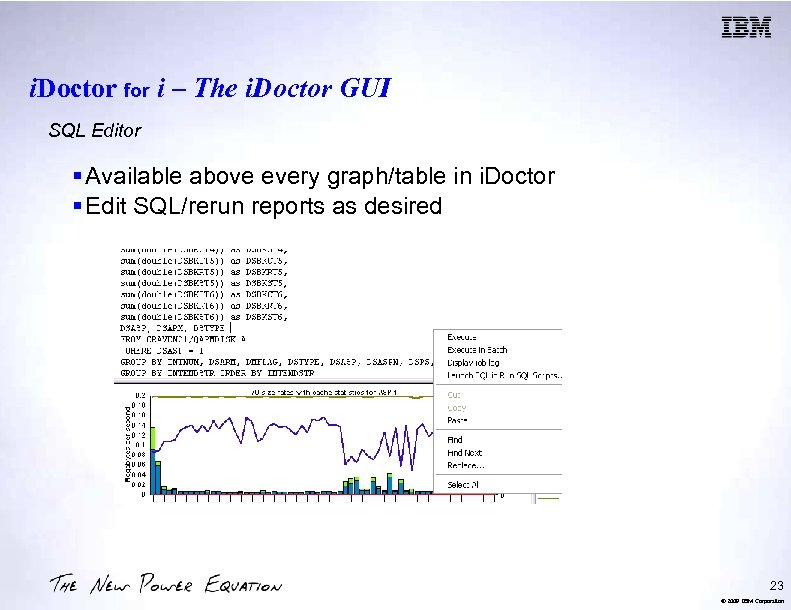
i. Doctor for i – The i. Doctor GUI SQL Editor § Available above every graph/table in i. Doctor § Edit SQL/rerun reports as desired 23 © 2009 IBM Corporation
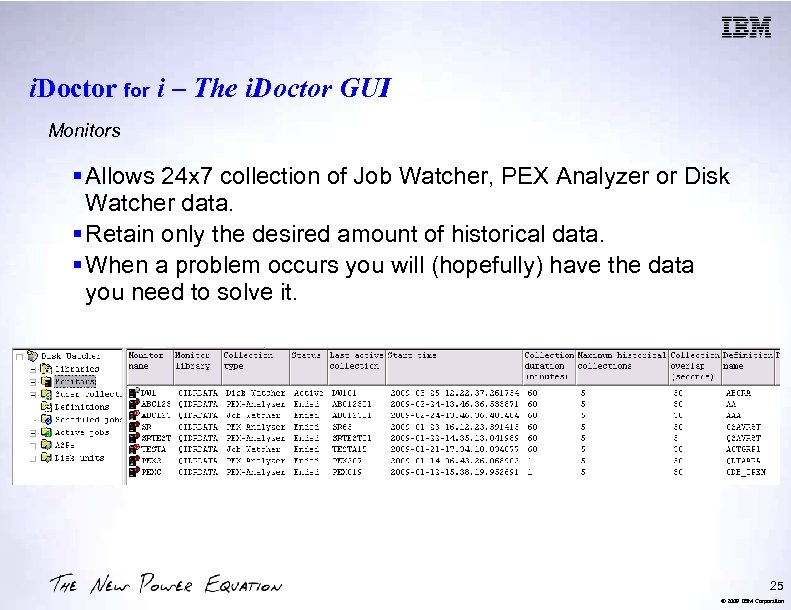
i. Doctor for i – The i. Doctor GUI Monitors § Allows 24 x 7 collection of Job Watcher, PEX Analyzer or Disk Watcher data. § Retain only the desired amount of historical data. § When a problem occurs you will (hopefully) have the data you need to solve it. 25 © 2009 IBM Corporation
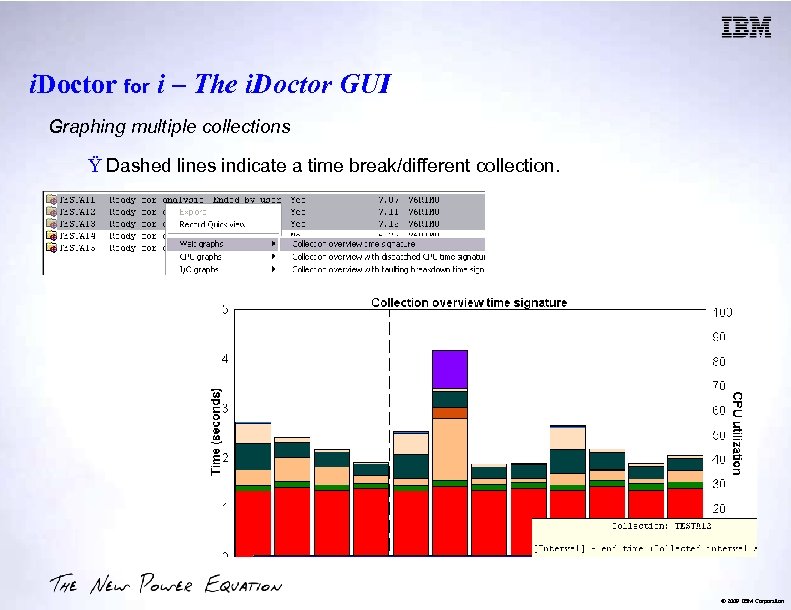
i. Doctor for i – The i. Doctor GUI Graphing multiple collections Ÿ Dashed lines indicate a time break/different collection. © 2009 IBM Corporation
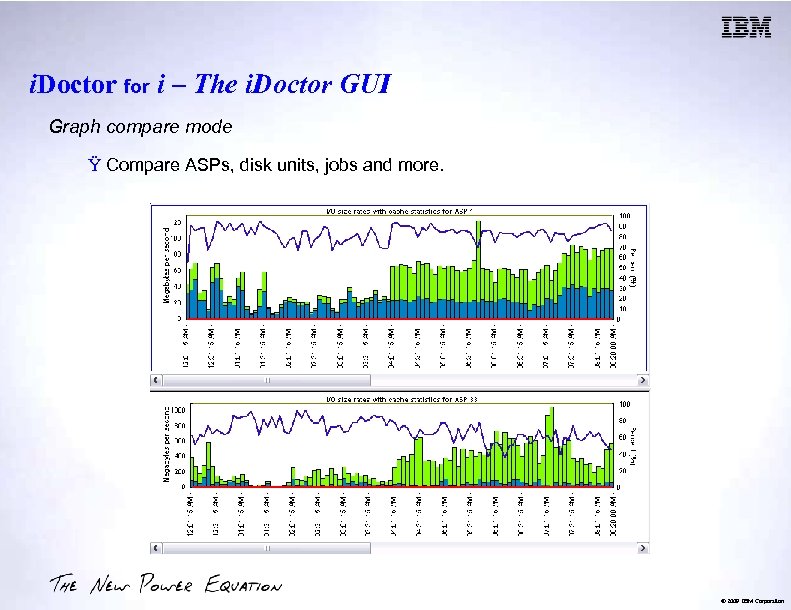
i. Doctor for i – The i. Doctor GUI Graph compare mode Ÿ Compare ASPs, disk units, jobs and more. © 2009 IBM Corporation
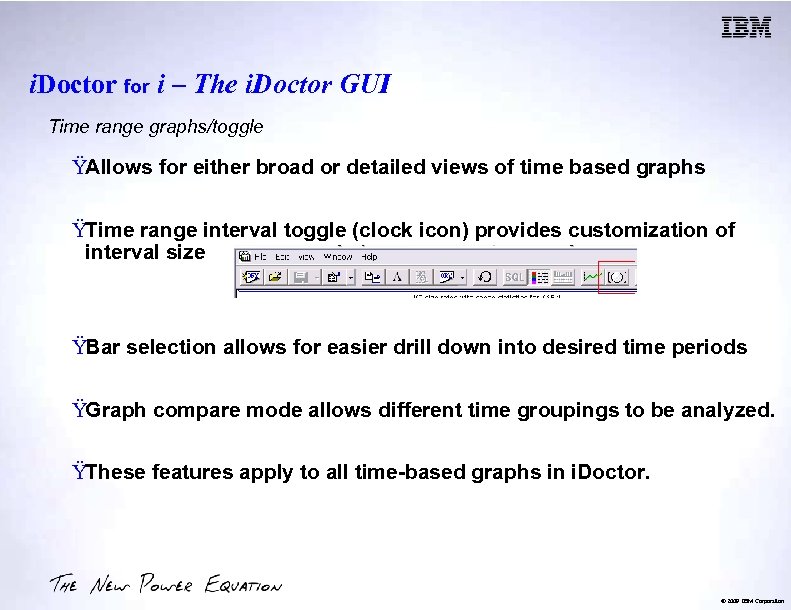
i. Doctor for i – The i. Doctor GUI Time range graphs/toggle ŸAllows for either broad or detailed views of time based graphs ŸTime range interval toggle (clock icon) provides customization of interval size ŸBar selection allows for easier drill down into desired time periods ŸGraph compare mode allows different time groupings to be analyzed. ŸThese features apply to all time-based graphs in i. Doctor. © 2009 IBM Corporation
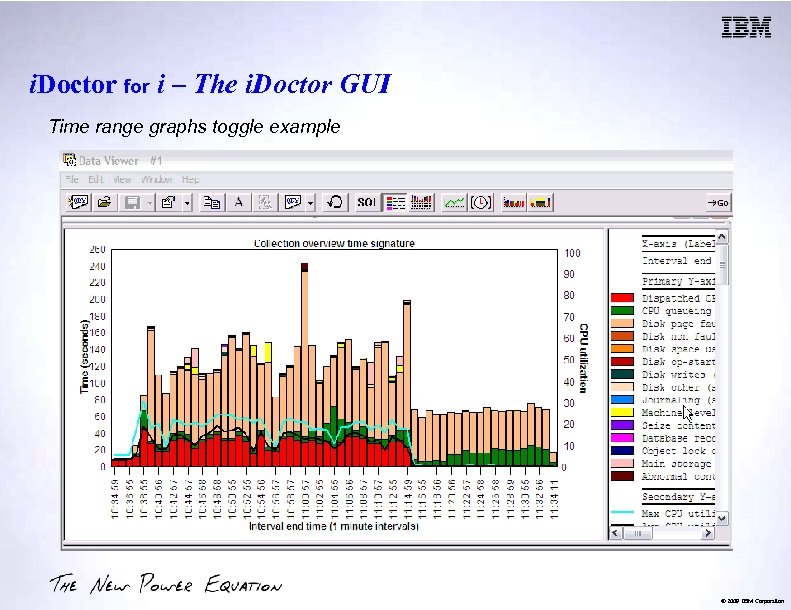
i. Doctor for i – The i. Doctor GUI Time range graphs toggle example © 2009 IBM Corporation
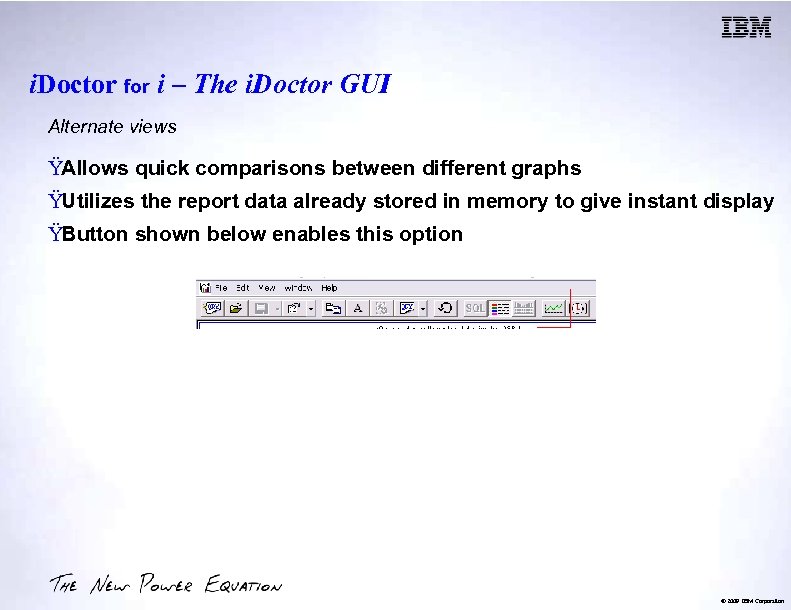
i. Doctor for i – The i. Doctor GUI Alternate views ŸAllows quick comparisons between different graphs ŸUtilizes the report data already stored in memory to give instant display ŸButton shown below enables this option © 2009 IBM Corporation
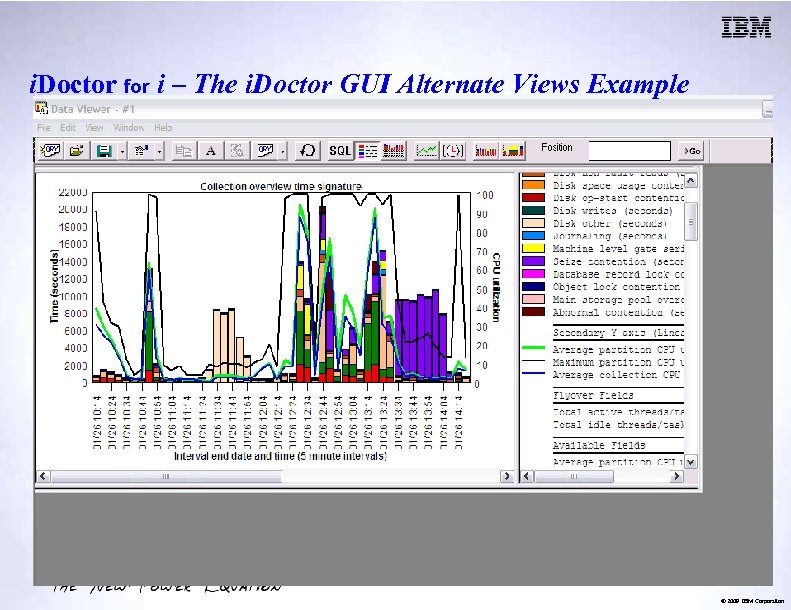
i. Doctor for i – The i. Doctor GUI Alternate Views Example © 2009 IBM Corporation
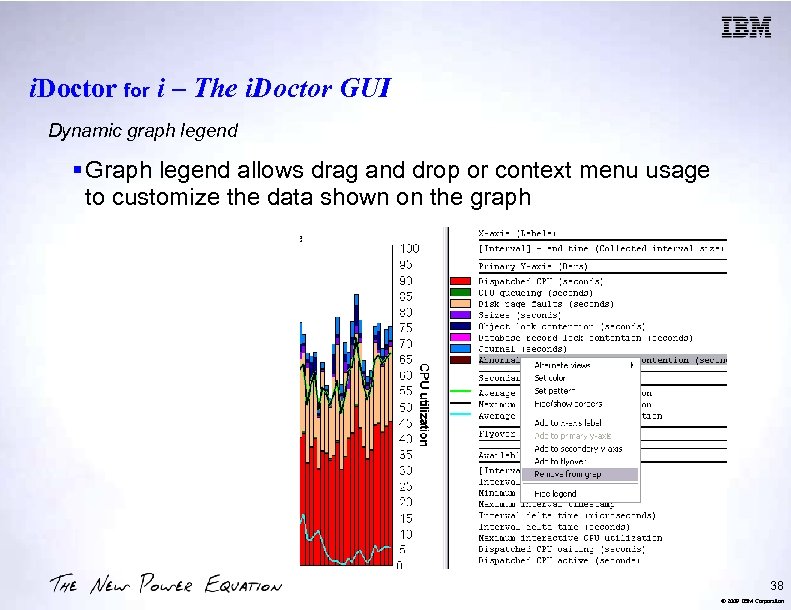
i. Doctor for i – The i. Doctor GUI Dynamic graph legend § Graph legend allows drag and drop or context menu usage to customize the data shown on the graph 38 © 2009 IBM Corporation
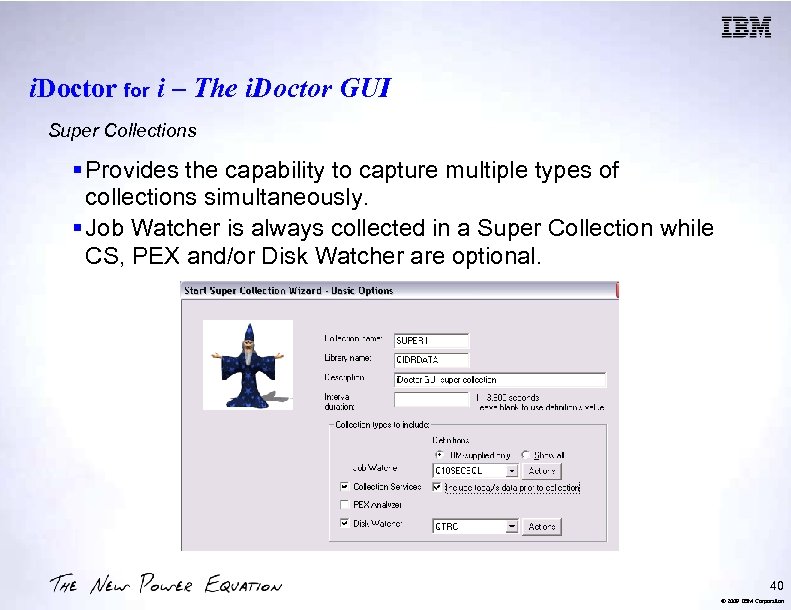
i. Doctor for i – The i. Doctor GUI Super Collections § Provides the capability to capture multiple types of collections simultaneously. § Job Watcher is always collected in a Super Collection while CS, PEX and/or Disk Watcher are optional. 40 © 2009 IBM Corporation
i. Doctor for i – The i. Doctor GUI Situational Analysis • Identifies any potential problem jobs found in the collection. • Built on the vast knowledge of IBM performance experts and past experiences. • Optional part of the Job Watcher summary. • Different background colors/flyovers on the overview graphs indicate jobs of interest for occurring time periods. 42 © 2009 IBM Corporation
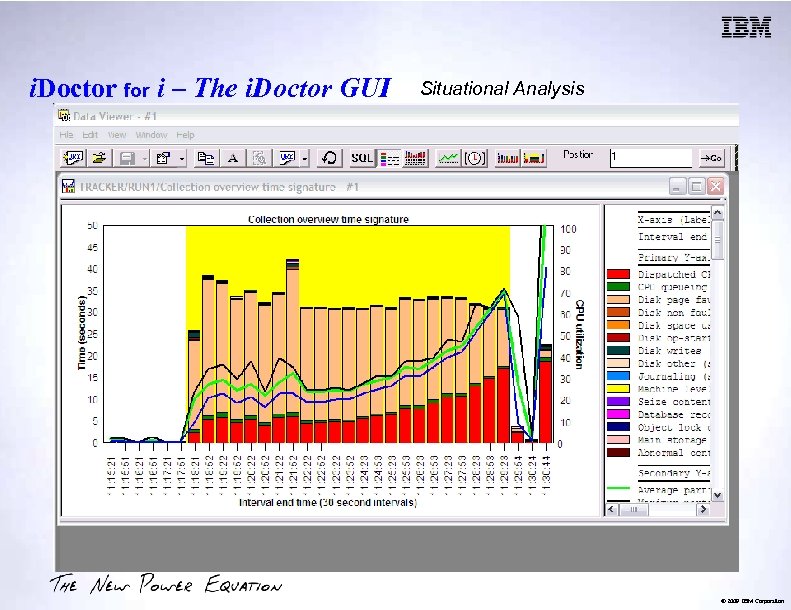
i. Doctor for i – The i. Doctor GUI Situational Analysis © 2009 IBM Corporation
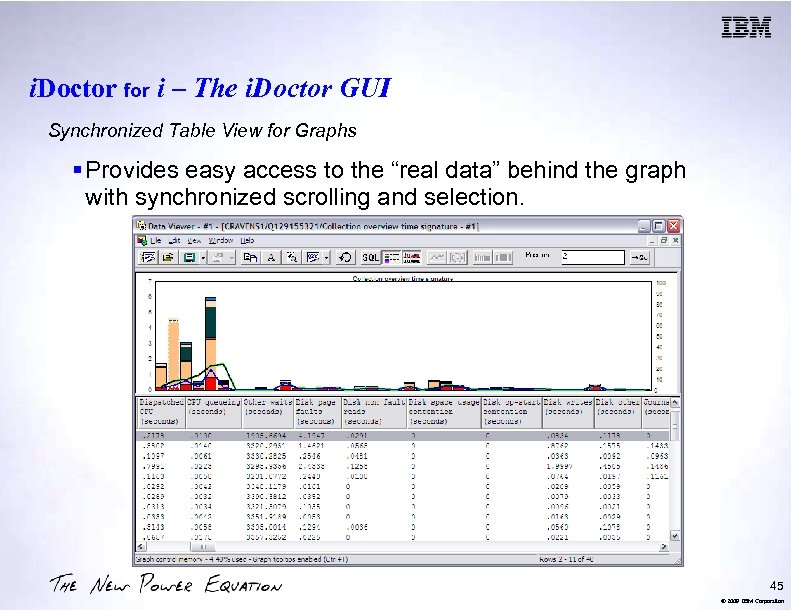
i. Doctor for i – The i. Doctor GUI Synchronized Table View for Graphs § Provides easy access to the “real data” behind the graph with synchronized scrolling and selection. 45 © 2009 IBM Corporation
i. Doctor for i – Collection Services Investigator Overview ŸGeneral Information ŸUsing Collection Services Investigator Ÿ For wait analysis Ÿ For system monitoring 47 © 2009 IBM Corporation
i. Doctor for i – Collection Services Investigator General Information ŸGUI client provides dozens of graphs for the high level job based data collected by Collection Services. Ÿ Data is typically collected 24 x 7 at 15 minute intervals. Ÿ Metrics shown include waits, I/Os, CPU, IFS and more. ŸWorks against the Collection Services database files Ÿ CRTPFRDTA must be ran to produce the database files (GUI option for that also available). Ÿ Typically 1 collection = 1 24 hour period. ŸIncluded with a Job Watcher license. © 2009 IBM Corporation
i. Doctor for i – Collection Services Investigator Using Collection Services Investigator ŸGraph Types Available Ÿ Collection wide by time interval Ÿ By default these offer drill down into Rankings graphs for the selected time period. Ÿ Rankings Ÿ Thread, job user, generic job, current user, pool, priority, subsystem. Ÿ By default these offer drill down into the next graph type for the selected objects. Ÿ Selected “objects” by time interval Ÿ Objects = thread, job, generic job, ASP, disk pool, etc. © 2009 IBM Corporation
i. Doctor for i – Collection Services Investigator Using Collection Services Investigator ŸWait Analysis to Locate Bottlenecks Ÿ Provides support to graph waits and CPU utilization with drill down to jobs. Ÿ At V 5 R 3/V 5 R 4 correctly displays the wait bucket graphs based on the in use mapping for that collection. Ÿ At V 6 R 1, CS bucket mapping matches the Job Watcher mapping. ŸMonitor System Performance Ÿ Use the high level graphs to monitor performance based on the desired metrics CPU, I/Os, transactions, etc. © 2009 IBM Corporation
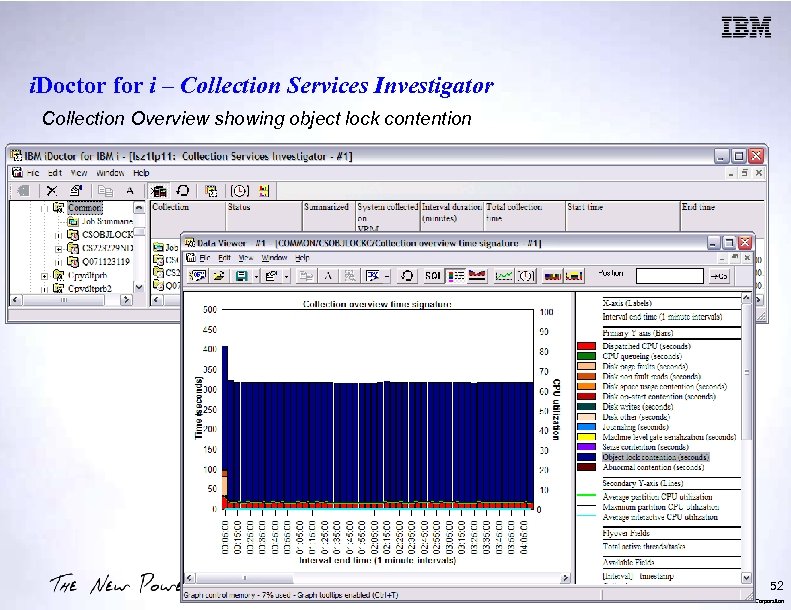
i. Doctor for i – Collection Services Investigator Collection Overview showing object lock contention 52 © 2009 IBM Corporation
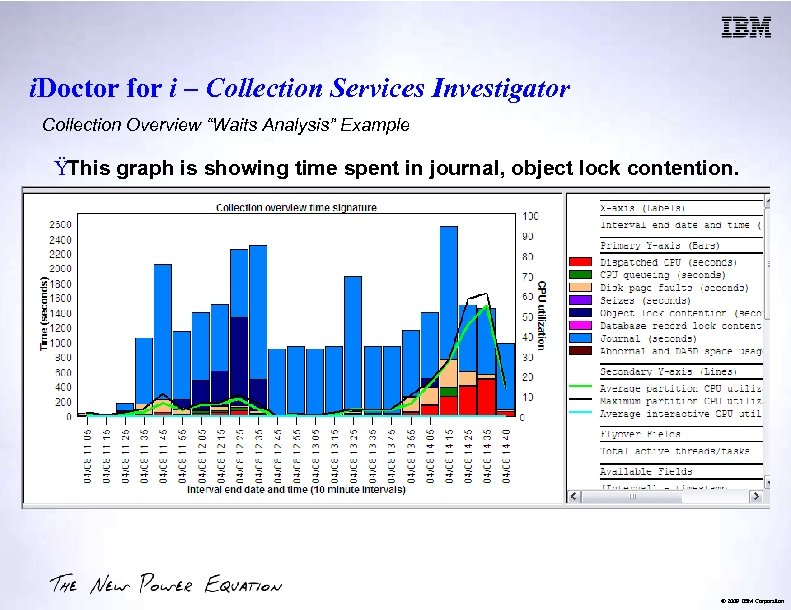
i. Doctor for i – Collection Services Investigator Collection Overview “Waits Analysis” Example ŸThis graph is showing time spent in journal, object lock contention. © 2009 IBM Corporation
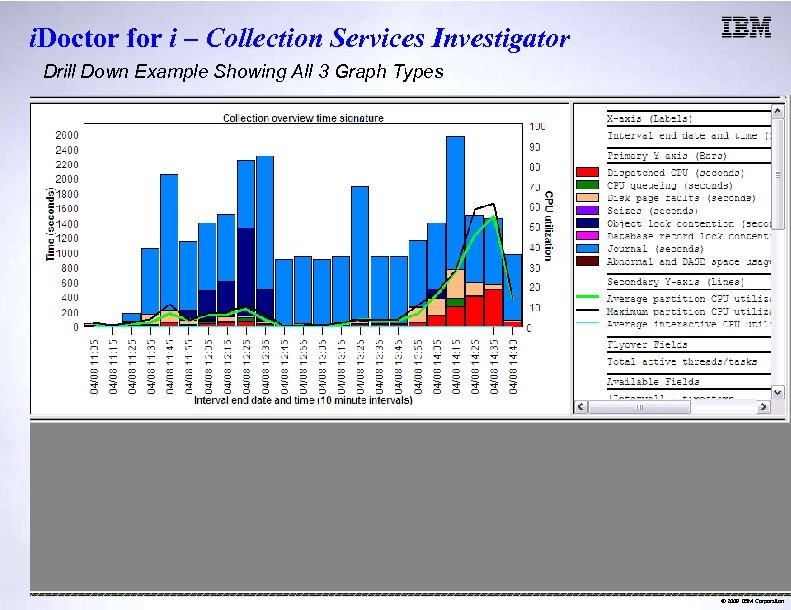
i. Doctor for i – Collection Services Investigator Drill Down Example Showing All 3 Graph Types © 2009 IBM Corporation
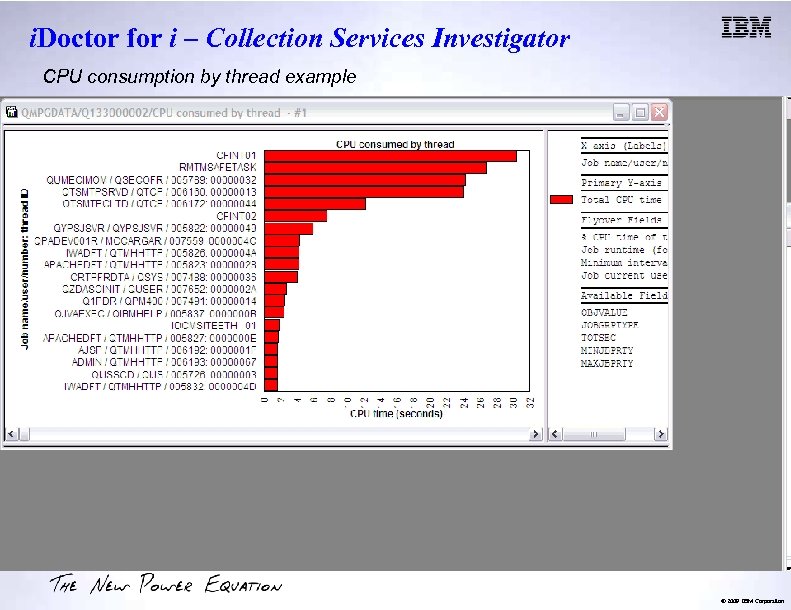
i. Doctor for i – Collection Services Investigator CPU consumption by thread example © 2009 IBM Corporation
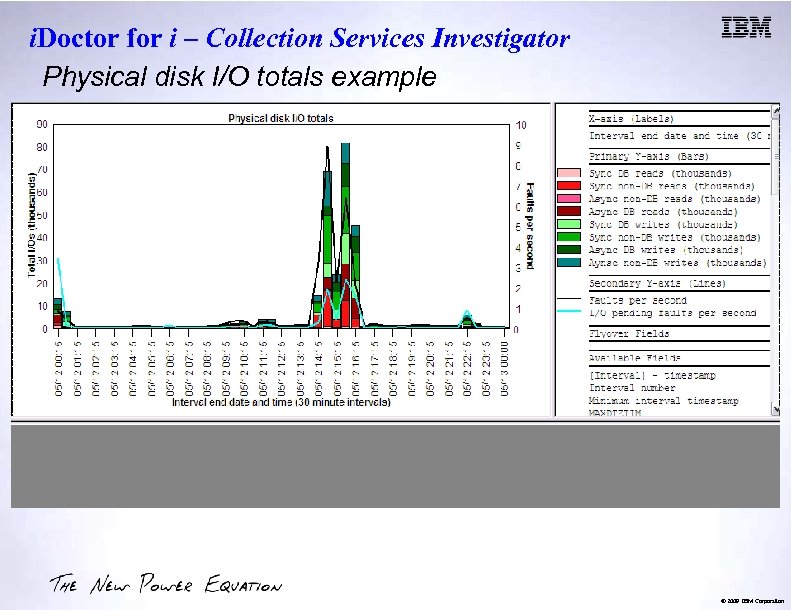
i. Doctor for i – Collection Services Investigator Physical disk I/O totals example © 2009 IBM Corporation
i. Doctor for i – Disk Watcher Overview • Graphical user interface over Disk Watcher data – drill-down capabilities – statistical and trace data • Included with the i. Doctor Job Watcher component • Includes a trace summary function to provide graphing with drill down of I/O rates, average response times, I/O time buckets and more. © 2009 IBM Corporation
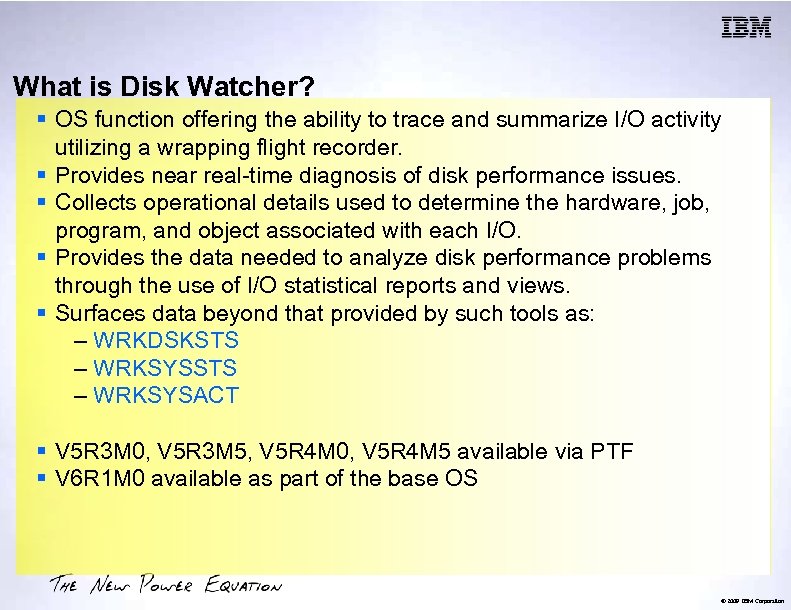
What is Disk Watcher? § OS function offering the ability to trace and summarize I/O activity utilizing a wrapping flight recorder. § Provides near real-time diagnosis of disk performance issues. § Collects operational details used to determine the hardware, job, program, and object associated with each I/O. § Provides the data needed to analyze disk performance problems through the use of I/O statistical reports and views. § Surfaces data beyond that provided by such tools as: – WRKDSKSTS – WRKSYSACT § V 5 R 3 M 0, V 5 R 3 M 5, V 5 R 4 M 0, V 5 R 4 M 5 available via PTF § V 6 R 1 M 0 available as part of the base OS © 2009 IBM Corporation
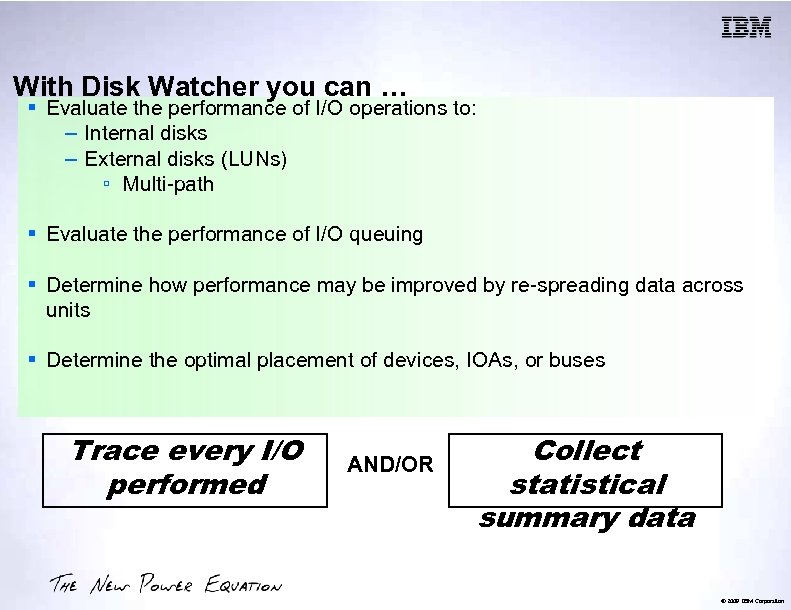
With Disk Watcher you can … § Evaluate the performance of I/O operations to: – Internal disks – External disks (LUNs) ▫ Multi-path § Evaluate the performance of I/O queuing § Determine how performance may be improved by re-spreading data across units § Determine the optimal placement of devices, IOAs, or buses Trace every I/O performed AND/OR Collect statistical summary data © 2009 IBM Corporation
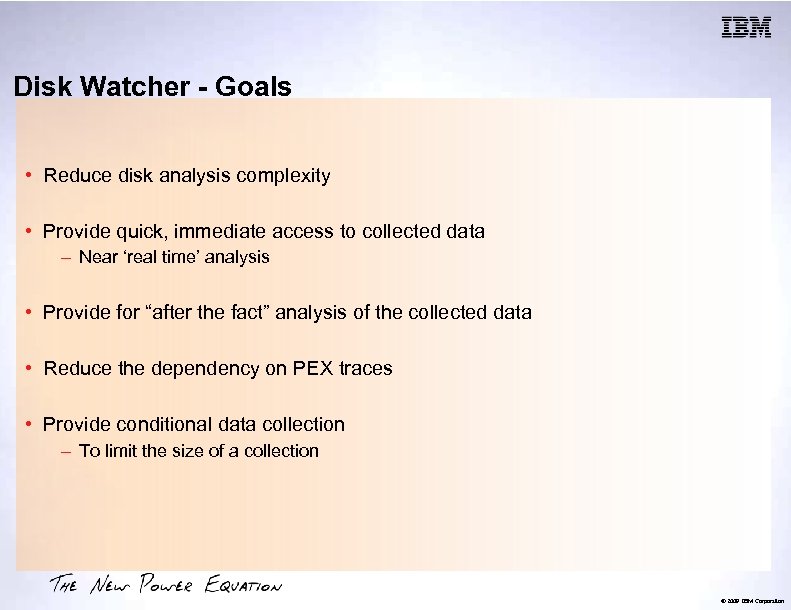
Disk Watcher - Goals • Reduce disk analysis complexity • Provide quick, immediate access to collected data – Near ‘real time’ analysis • Provide for “after the fact” analysis of the collected data • Reduce the dependency on PEX traces • Provide conditional data collection – To limit the size of a collection © 2009 IBM Corporation
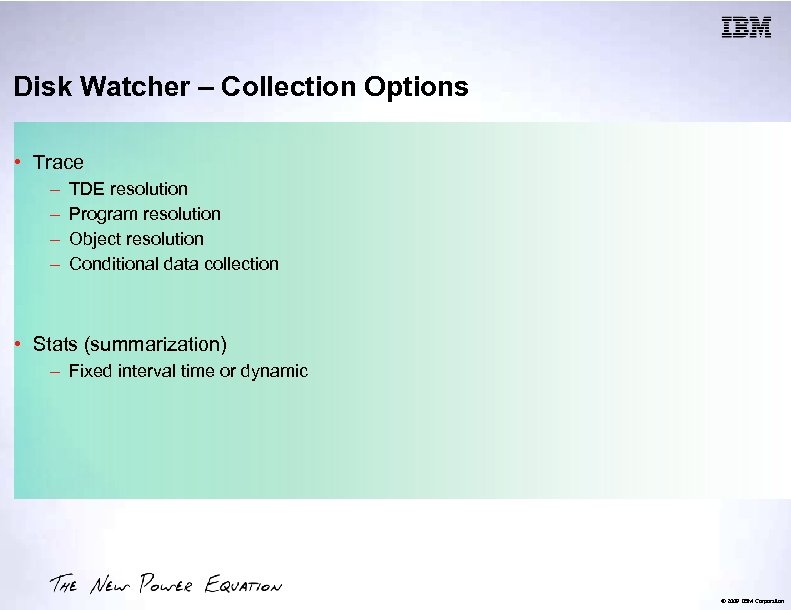
Disk Watcher – Collection Options • Trace – – TDE resolution Program resolution Object resolution Conditional data collection • Stats (summarization) – Fixed interval time or dynamic © 2009 IBM Corporation
Disk Watcher – A user can define: • What to collect – Disk unit, ASP, Pool, I/O type – Resolution level (TDE, program, object) • How long to collect – Time, size, intervals • Conditional data collection – Service time, deferred queue time, response time © 2009 IBM Corporation
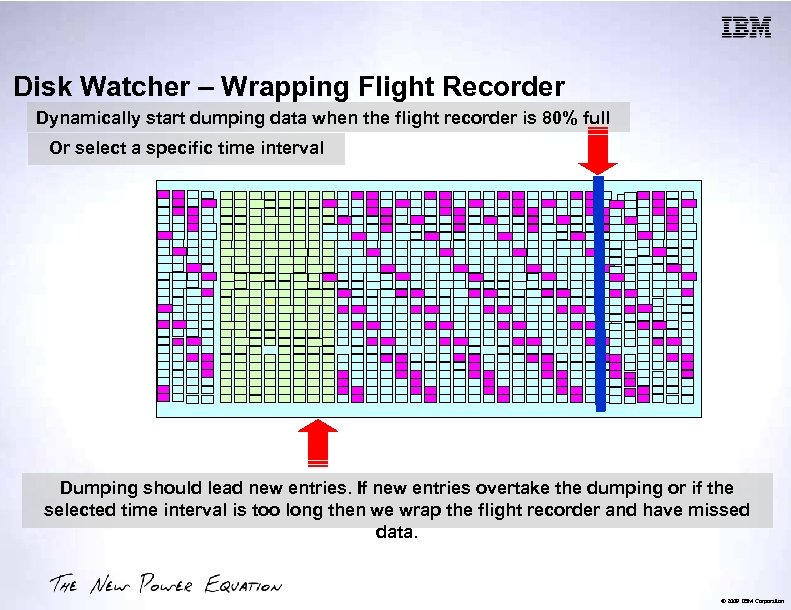
Disk Watcher – Wrapping Flight Recorder Dynamically start dumping data when the flight recorder is 80% full Or select a specific time interval Dumping should lead new entries. If new entries overtake the dumping or if the selected time interval is too long then we wrap the flight recorder and have missed data. © 2009 IBM Corporation
Launching i. Doctor Disk Watcher © 2009 IBM Corporation
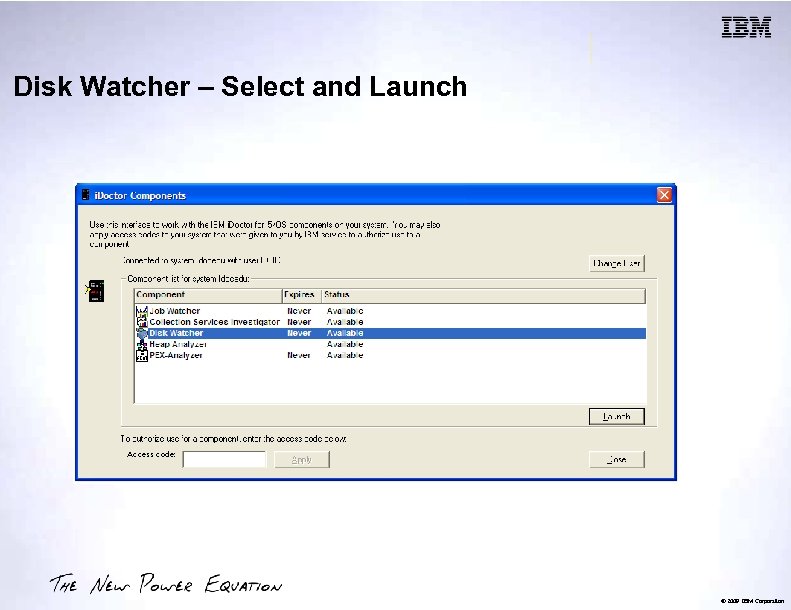
Disk Watcher – Select and Launch © 2009 IBM Corporation
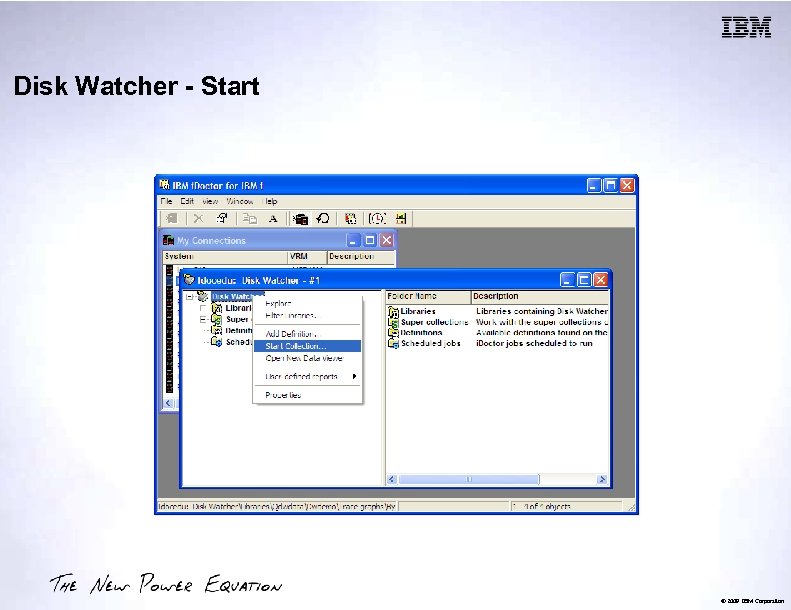
Disk Watcher - Start © 2009 IBM Corporation
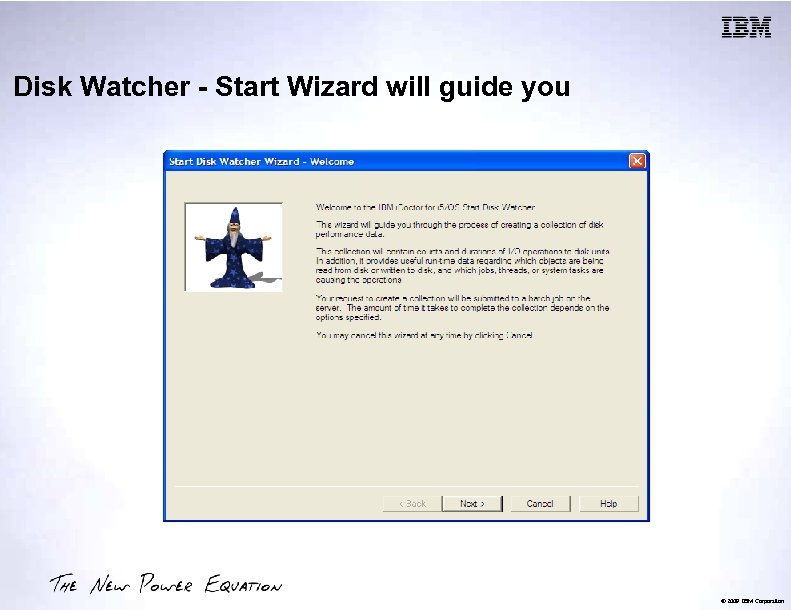
Disk Watcher - Start Wizard will guide you © 2009 IBM Corporation
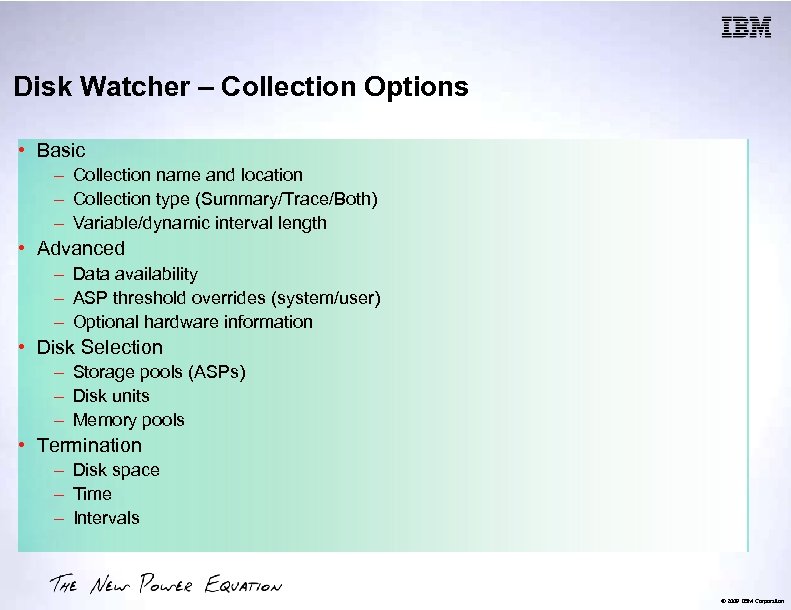
Disk Watcher – Collection Options • Basic – Collection name and location – Collection type (Summary/Trace/Both) – Variable/dynamic interval length • Advanced – Data availability – ASP threshold overrides (system/user) – Optional hardware information • Disk Selection – Storage pools (ASPs) – Disk units – Memory pools • Termination – Disk space – Time – Intervals © 2009 IBM Corporation
Disk Watcher – Graphing © 2009 IBM Corporation
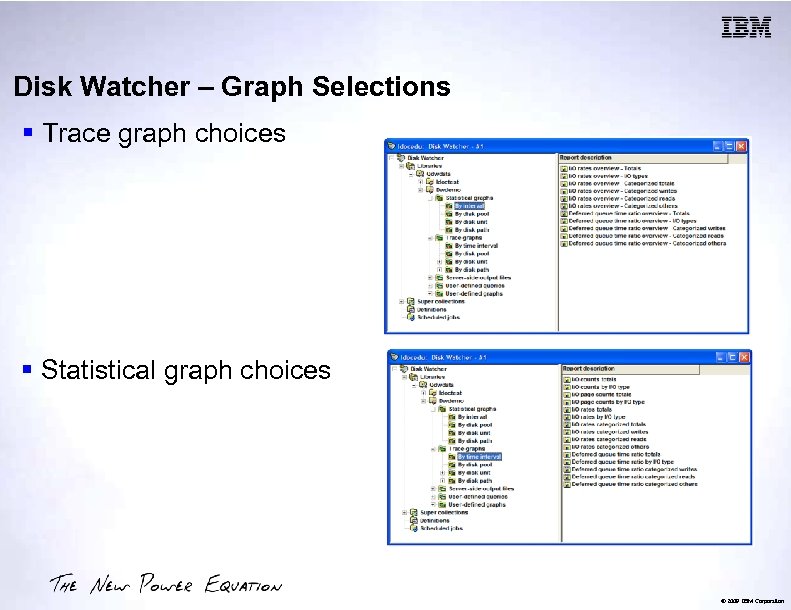
Disk Watcher – Graph Selections § Trace graph choices § Statistical graph choices © 2009 IBM Corporation
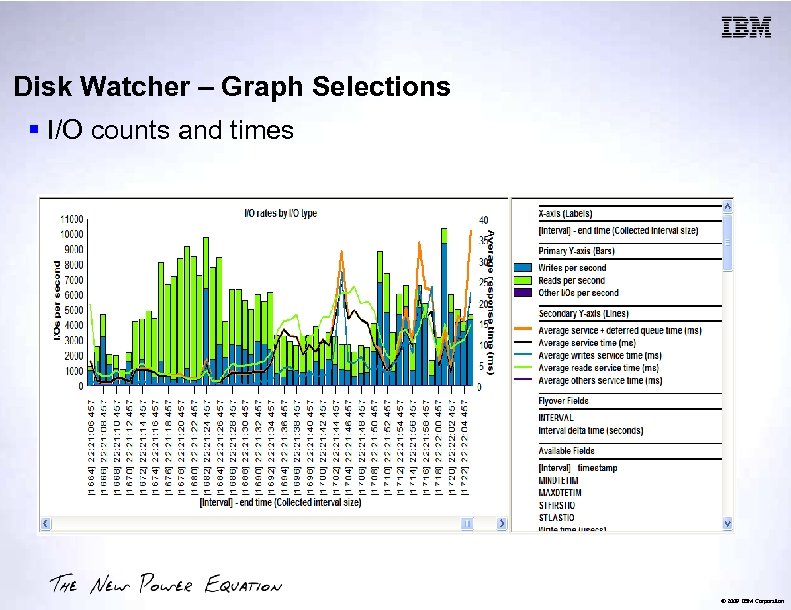
Disk Watcher – Graph Selections § I/O counts and times © 2009 IBM Corporation
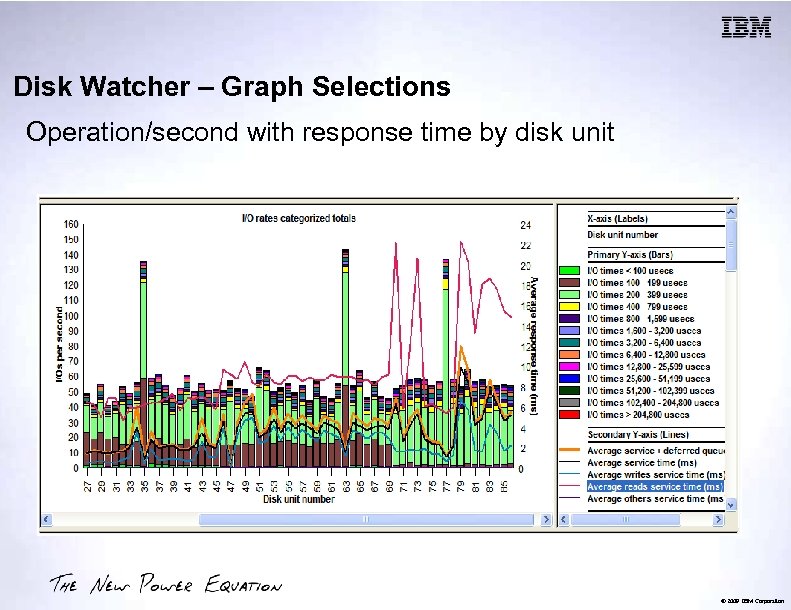
Disk Watcher – Graph Selections Operation/second with response time by disk unit © 2009 IBM Corporation
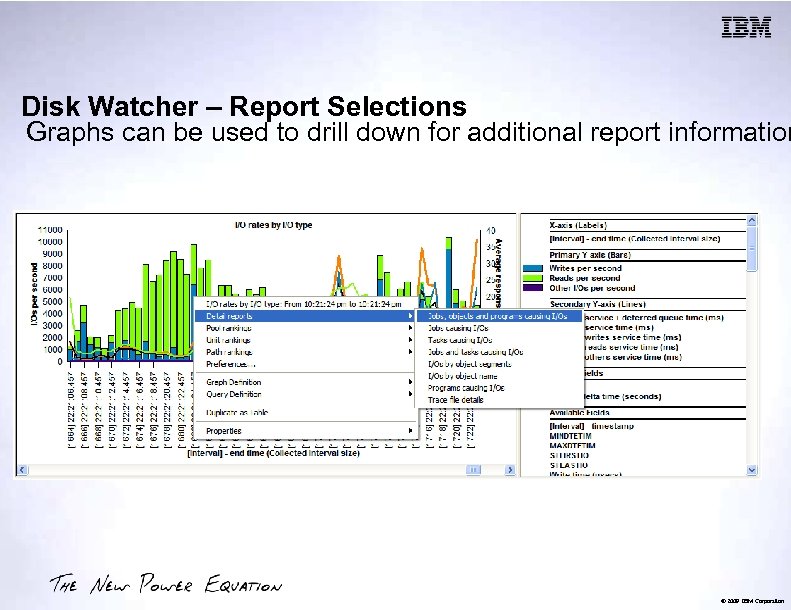
Disk Watcher – Report Selections Graphs can be used to drill down for additional report information © 2009 IBM Corporation
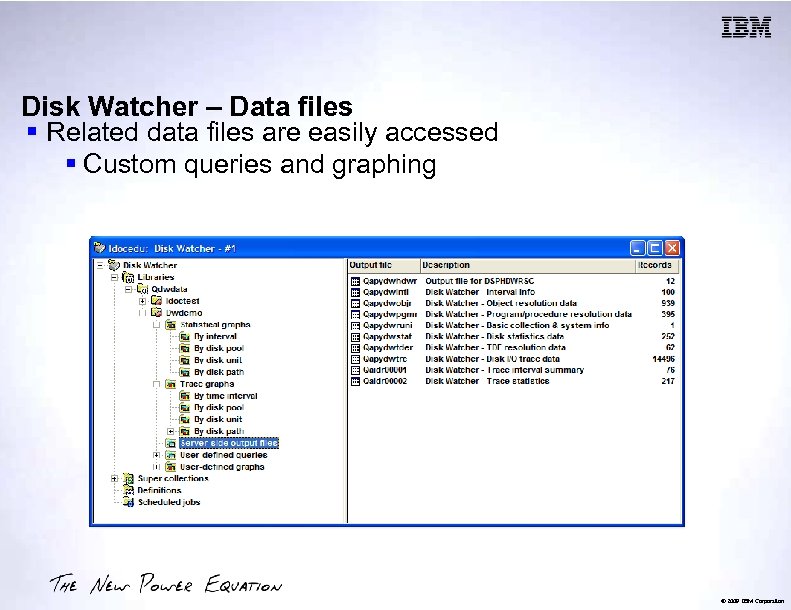
Disk Watcher – Data files § Related data files are easily accessed § Custom queries and graphing © 2009 IBM Corporation
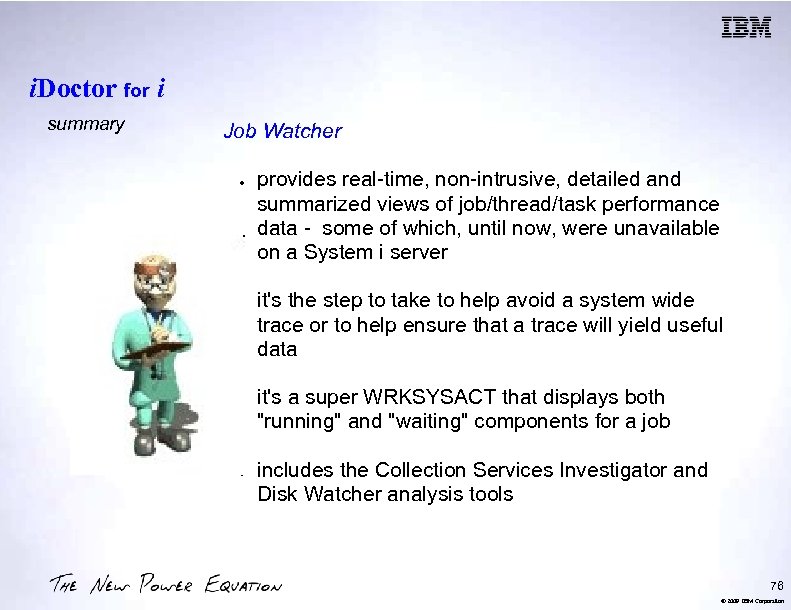
i. Doctor for i summary Job Watcher provides real-time, non-intrusive, detailed and summarized views of job/thread/task performance data - some of which, until now, were unavailable on a System i server it's the step to take to help avoid a system wide trace or to help ensure that a trace will yield useful data it's a super WRKSYSACT that displays both "running" and "waiting" components for a job includes the Collection Services Investigator and Disk Watcher analysis tools 76 © 2009 IBM Corporation
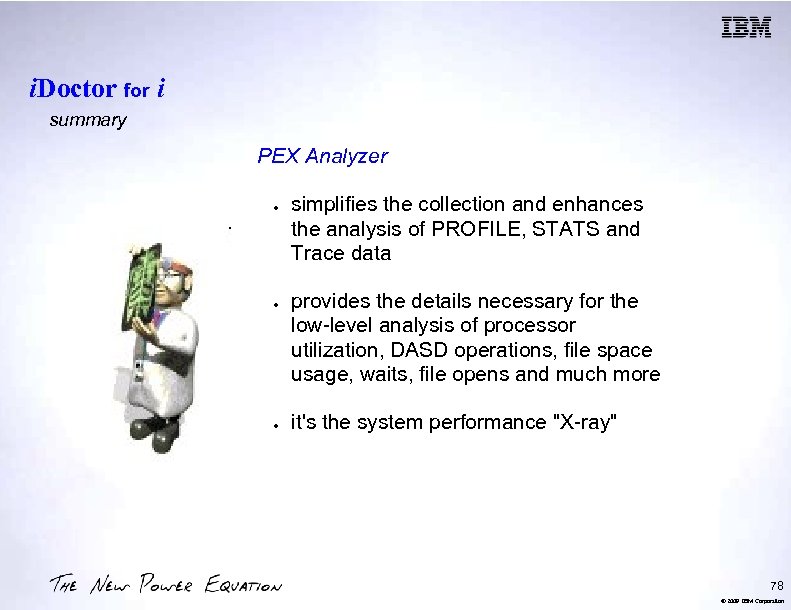
i. Doctor for i summary PEX Analyzer simplifies the collection and enhances the analysis of PROFILE, STATS and Trace data provides the details necessary for the low-level analysis of processor utilization, DASD operations, file space usage, waits, file opens and much more it's the system performance "X-ray" 78 © 2009 IBM Corporation
i. Doctor for i - Website http: //www-912. ibm. com/i_dir/i. Doctor. nsf Documentation Downloads FAQ Consulting Services Education 80 © 2009 IBM Corporation
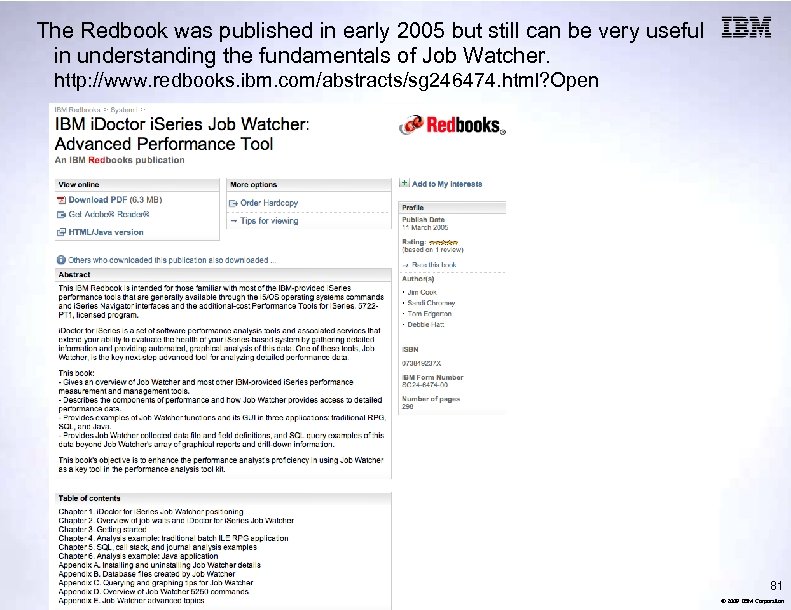
The Redbook was published in early 2005 but still can be very useful in understanding the fundamentals of Job Watcher. http: //www. redbooks. ibm. com/abstracts/sg 246474. html? Open 81 © 2009 IBM Corporation
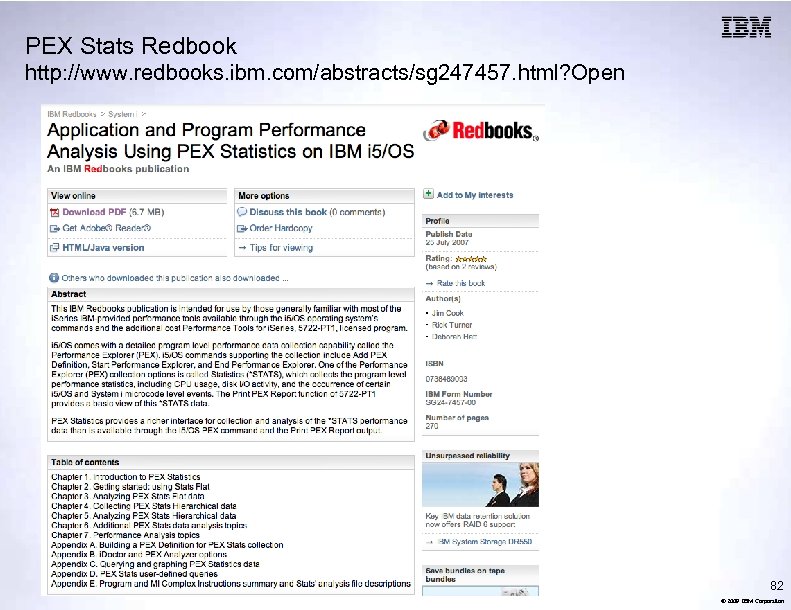
PEX Stats Redbook http: //www. redbooks. ibm. com/abstracts/sg 247457. html? Open 82 © 2009 IBM Corporation
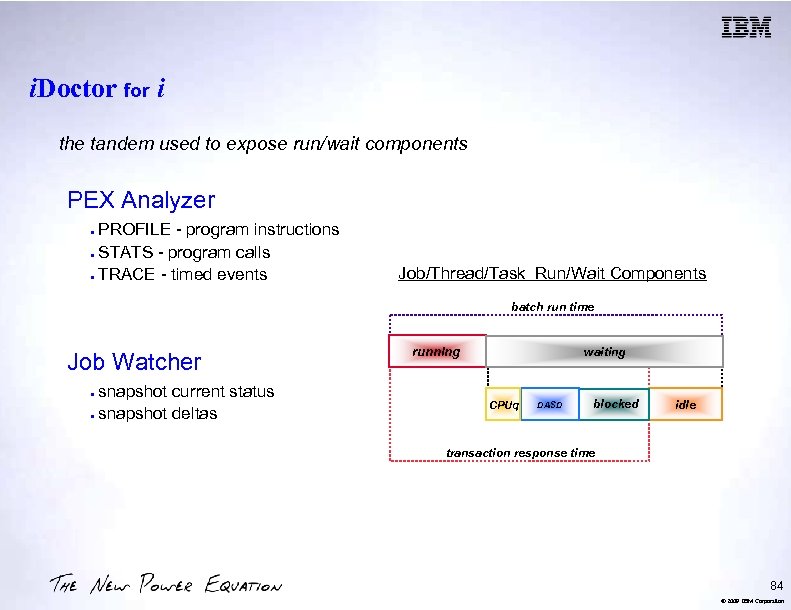
i. Doctor for i the tandem used to expose run/wait components PEX Analyzer PROFILE - program instructions STATS - program calls TRACE - timed events Job/Thread/Task Run/Wait Components batch run time Job Watcher snapshot current status snapshot deltas running waiting CPUq DASD blocked idle transaction response time 84 © 2009 IBM Corporation
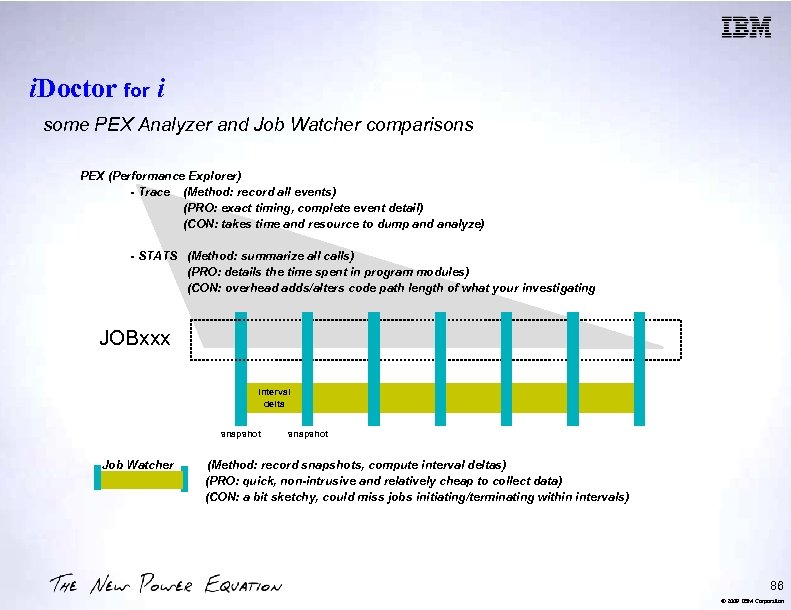
i. Doctor for i some PEX Analyzer and Job Watcher comparisons PEX (Performance Explorer) - Trace (Method: record all events) (PRO: exact timing, complete event detail) (CON: takes time and resource to dump and analyze) - STATS (Method: summarize all calls) (PRO: details the time spent in program modules) (CON: overhead adds/alters code path length of what your investigating JOBxxx interval delta snapshot Job Watcher snapshot (Method: record snapshots, compute interval deltas) (PRO: quick, non-intrusive and relatively cheap to collect data) (CON: a bit sketchy, could miss jobs initiating/terminating within intervals) 86 © 2009 IBM Corporation
i. Doctor for i why Job Watcher was developed the challenge trace data is preferred because of the detail but a trace takes time to dump and analyze and busy, larger, faster systems can generate even more trace data within shorter trace windows and often, until a trace is dumped analyzed, you don't know if the trace captured what you needed 88 © 2009 IBM Corporation
i. Doctor for i why Job Watcher was developed. . . Job Watcher as a trace alternative its rapid snapshot, interval analysis, and data harvesting options can reduce the need for trace as a first step - or ensure that a trace underway has captured worthwhile data it's a non-intrusive collector (like WRKSYSACT) its trigger wizard allows the setup of "and/or" rules based on the data collected which can be used to initiate a call to a user program 90 © 2009 IBM Corporation
i. Doctor for i the Job Watcher snapshot Data Harvested most of the counters captured by WRKSYSACT, WRKACTJOB, and Collection Services for Jobs, including threads and tasks the program stack (50 deep, 1000 starting in V 5 R 3), activation group data, active SQL data, wait buckets, Java statistics the current wait, its duration, the object waited on, the holder if available 92 © 2009 IBM Corporation
i. Doctor for i the Job Watcher snapshot interval Same Interval Analysis as Collection Services cumulative counter deltas Plus wait status at snapshot Job Watcher factors the current wait duration into the interval statistics intervals as small as 100 msecs are possible and may provide enough information to avoid a trace 94 © 2009 IBM Corporation
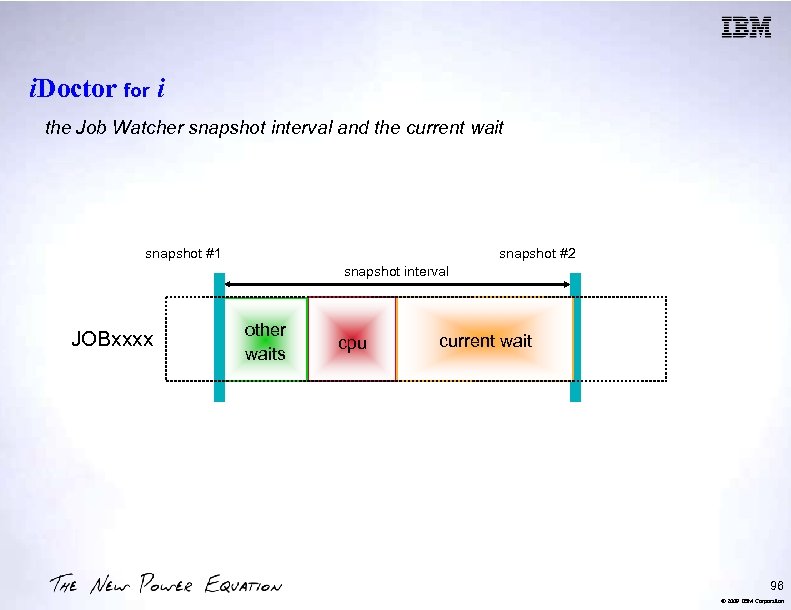
i. Doctor for i the Job Watcher snapshot interval and the current wait snapshot #1 snapshot #2 snapshot interval JOBxxxx other waits cpu current wait 96 © 2009 IBM Corporation
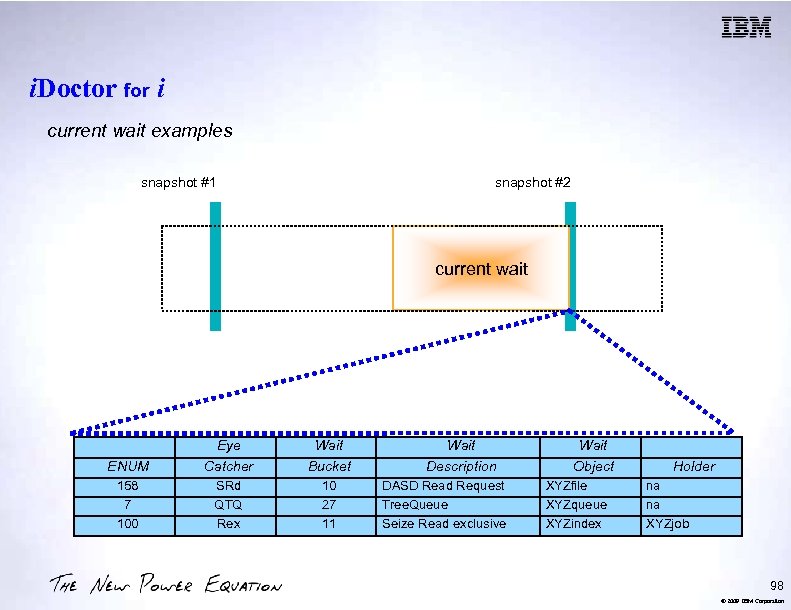
i. Doctor for i current wait examples snapshot #1 snapshot #2 current wait ENUM Eye Catcher Wait Bucket 158 7 100 SRd QTQ Rex 10 27 11 Wait Description DASD Read Request Tree. Queue Seize Read exclusive Wait Object XYZfile XYZqueue XYZindex Holder na na XYZjob 98 © 2009 IBM Corporation
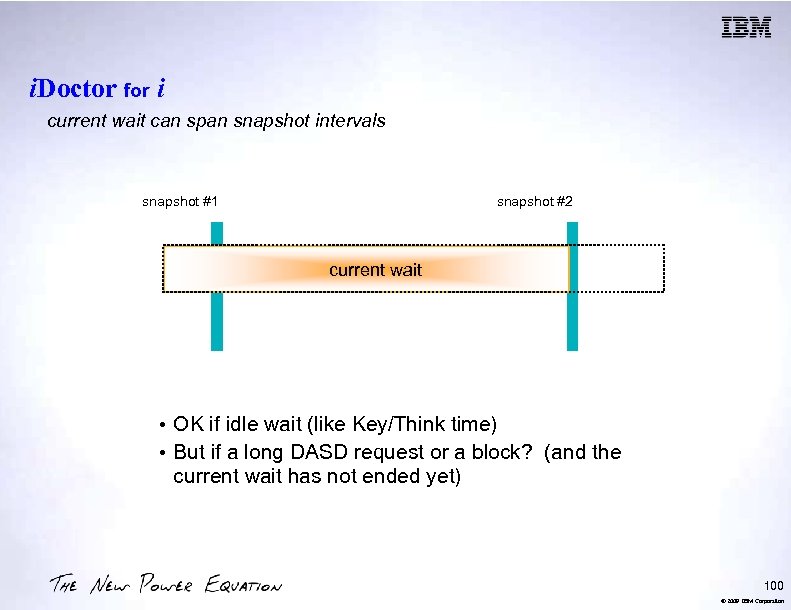
i. Doctor for i current wait can span snapshot intervals snapshot #1 snapshot #2 current wait • OK if idle wait (like Key/Think time) • But if a long DASD request or a block? (and the current wait has not ended yet) 100 © 2009 IBM Corporation
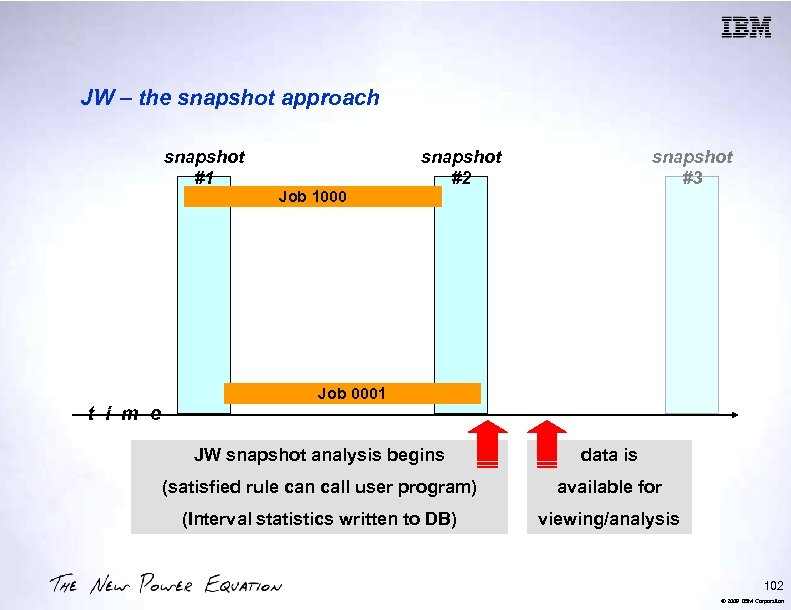
JW – the snapshot approach snapshot #1 t i m e Job 1000 snapshot #2 snapshot #3 Job 0001 JW snapshot analysis begins data is (satisfied rule can call user program) available for (Interval statistics written to DB) viewing/analysis 102 © 2009 IBM Corporation
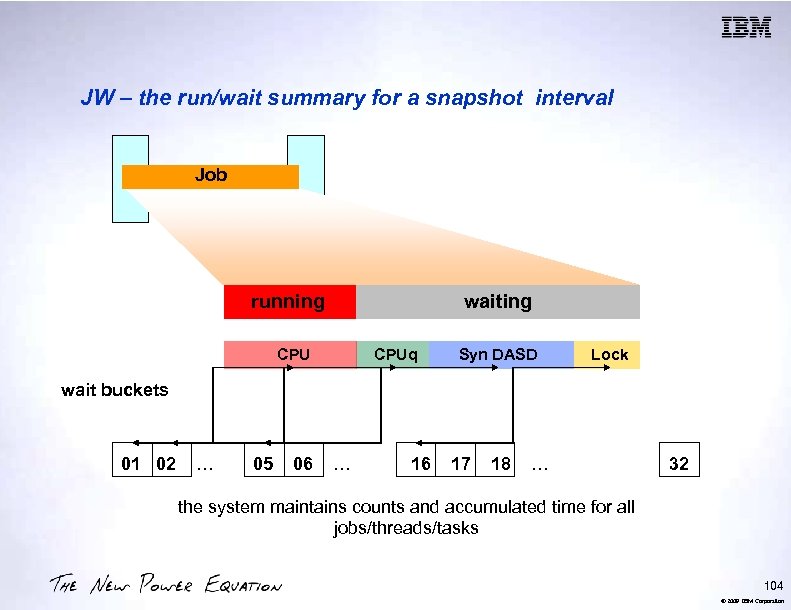
JW – the run/wait summary for a snapshot interval Job running waiting CPUq Syn DASD Lock wait buckets 01 02 … 05 06 … 16 17 18 … 32 the system maintains counts and accumulated time for all jobs/threads/tasks 104 © 2009 IBM Corporation
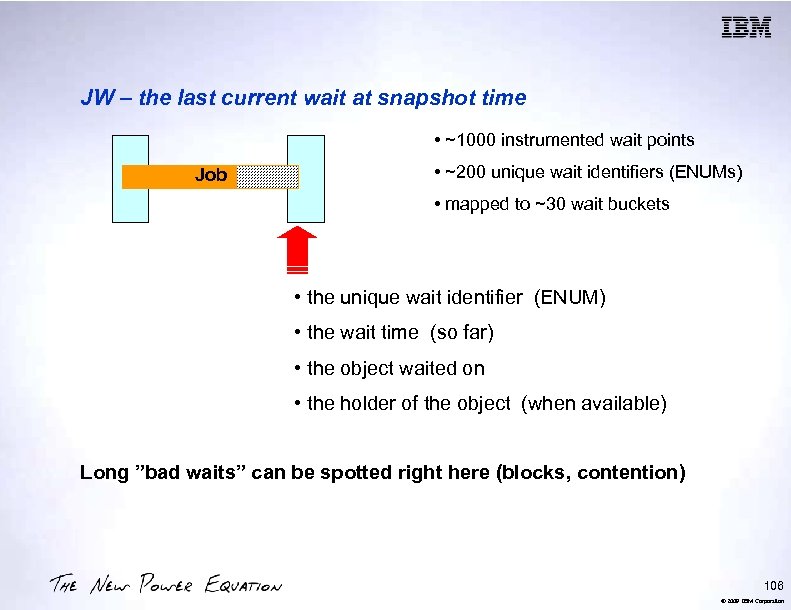
JW – the last current wait at snapshot time • ~1000 instrumented wait points Job • ~200 unique wait identifiers (ENUMs) • mapped to ~30 wait buckets • the unique wait identifier (ENUM) • the wait time (so far) • the object waited on • the holder of the object (when available) Long ”bad waits” can be spotted right here (blocks, contention) 106 © 2009 IBM Corporation
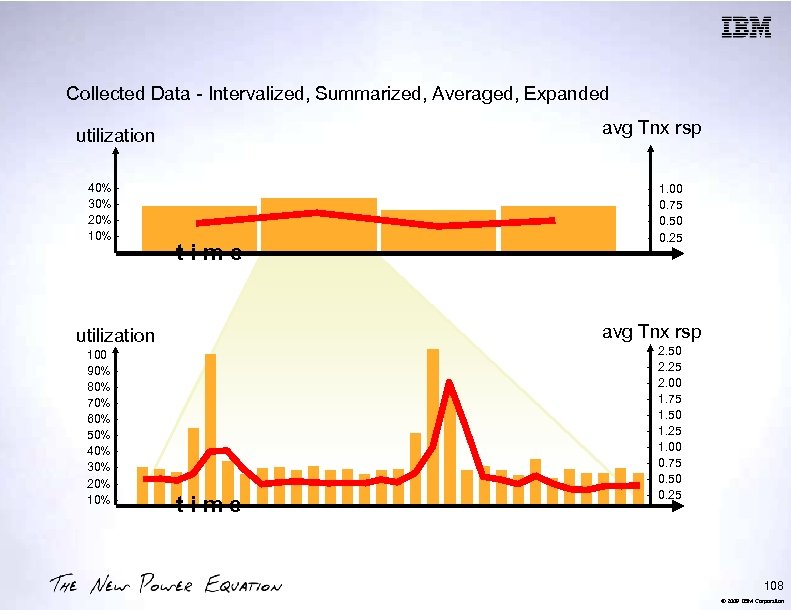
Collected Data - Intervalized, Summarized, Averaged, Expanded avg Tnx rsp utilization 40% 30% 20% 10% - time 1. 00 0. 75 0. 50 0. 25 avg Tnx rsp utilization 100 90% 80% 70% 60% 50% 40% 30% 20% 10% - - time - 2. 50 2. 25 2. 00 1. 75 1. 50 1. 25 1. 00 0. 75 0. 50 0. 25 108 © 2009 IBM Corporation
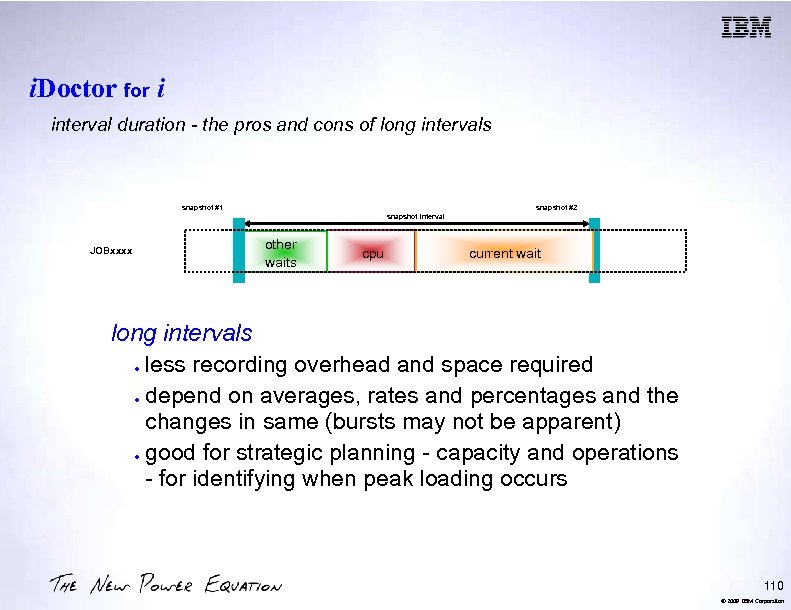
i. Doctor for i interval duration - the pros and cons of long intervals snapshot #1 snapshot #2 snapshot interval JOBxxxx other waits cpu current wait long intervals less recording overhead and space required depend on averages, rates and percentages and the changes in same (bursts may not be apparent) good for strategic planning - capacity and operations - for identifying when peak loading occurs 110 © 2009 IBM Corporation
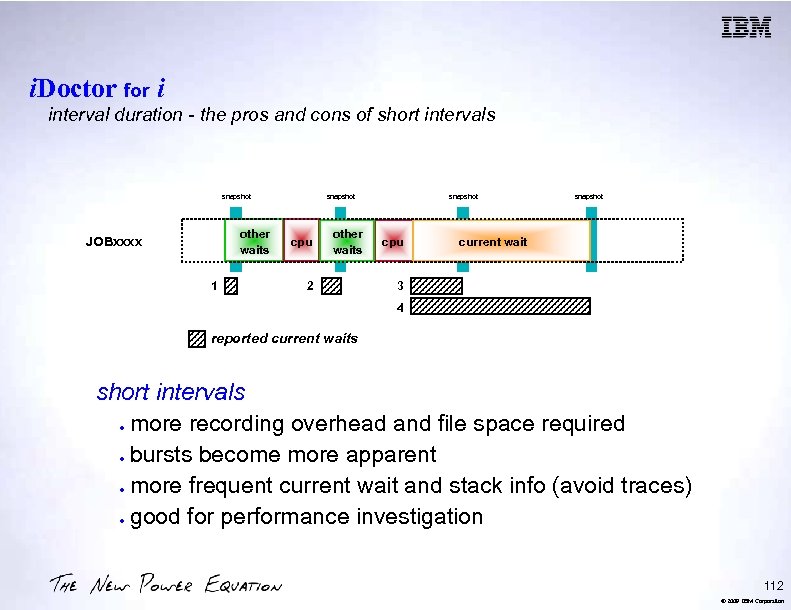
i. Doctor for i interval duration - the pros and cons of short intervals snapshot other waits JOBxxxx 1 snapshot cpu other waits 2 snapshot cpu snapshot current wait 3 4 reported current waits short intervals more recording overhead and file space required bursts become more apparent more frequent current wait and stack info (avoid traces) good for performance investigation 112 © 2009 IBM Corporation
i. Doctor for i the "watch" Starting a watch select active jobs / threads / tasks (even job queue entries) from a GUI list set interval duration, watch name, library and description, and what details to collect optionally set a trigger to control when the watch should start or what program to call if specified conditions are met during a watch (a trigger wizard is provided. ) 114 © 2009 IBM Corporation
i. Doctor for i the "watch" IBM i 6. 1 include the Job Watcher Performance Data Collector Commands to define Job Watcher collections and to start and end Job Watcher are now included with 6. 1 ADDJWDFN, RMVJWDFN STRJW, ENDJW Job Watcher data can be collected without the i. Doctor product Job Watcher GUI included with the IBM i Performance Tools LPP (5761 -PT 1, Option 3) 116 © 2009 IBM Corporation
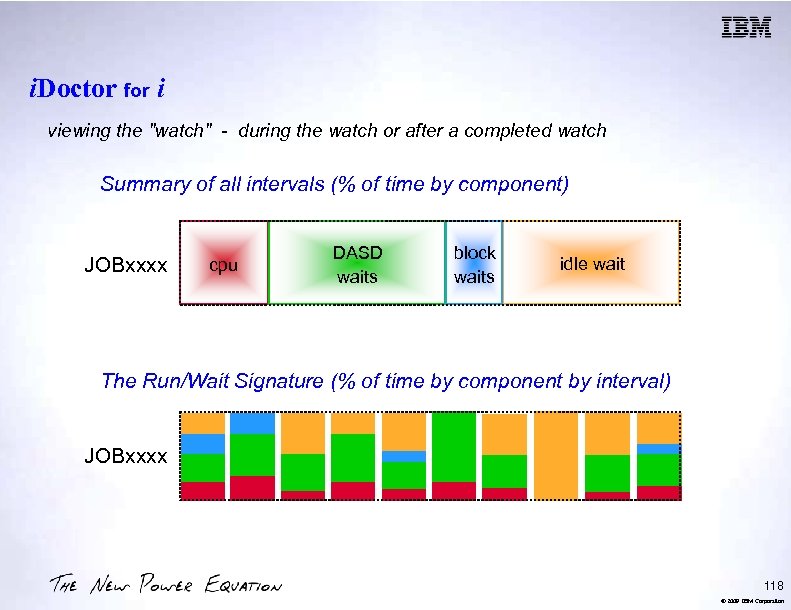
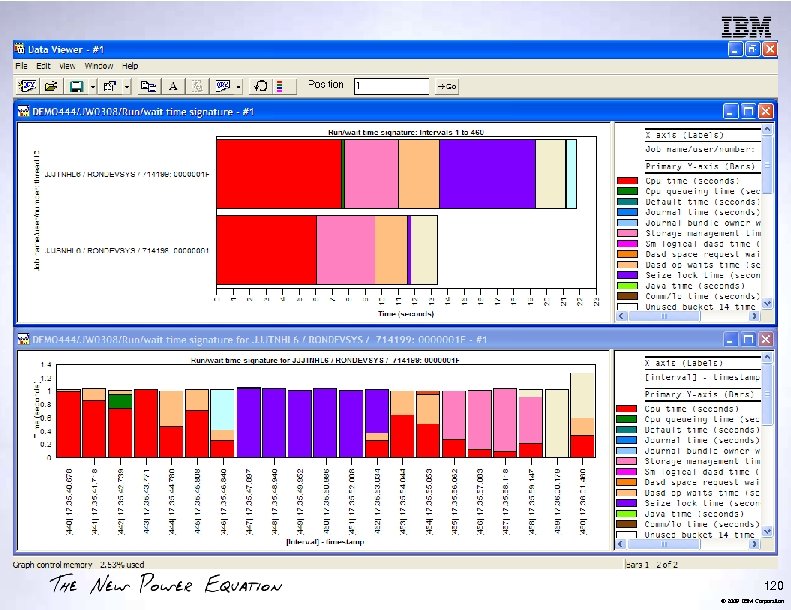
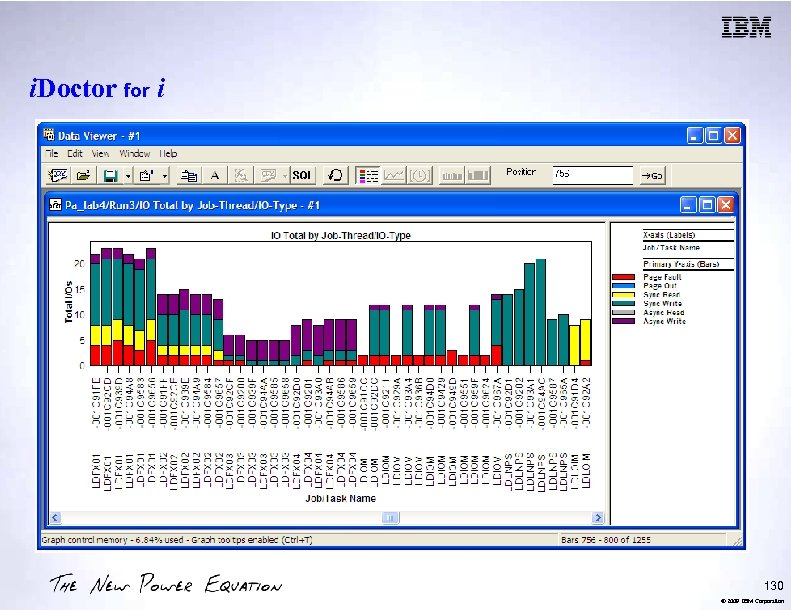
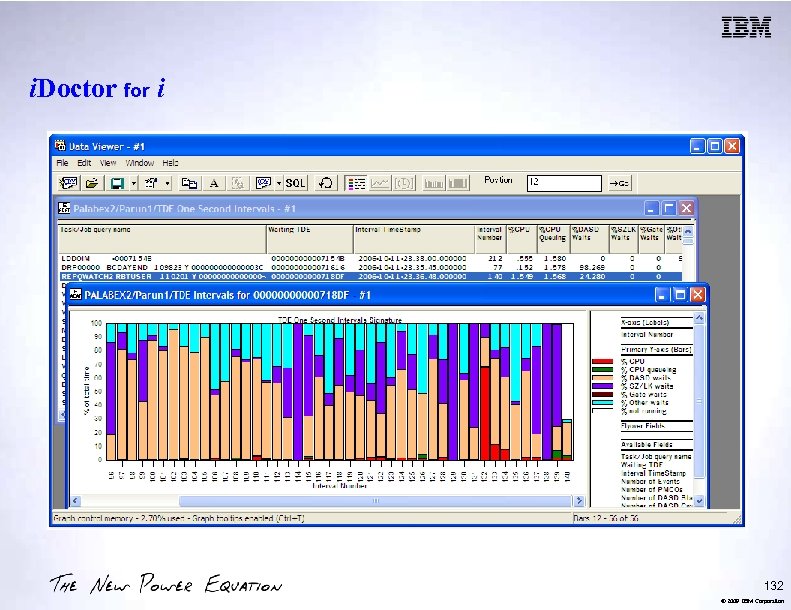
i. Doctor for i viewing the "watch" - during the watch or after a completed watch Summary of all intervals (% of time by component) JOBxxxx cpu DASD waits block waits idle wait The Run/Wait Signature (% of time by component by interval) JOBxxxx 118 © 2009 IBM Corporation
120 © 2009 IBM Corporation
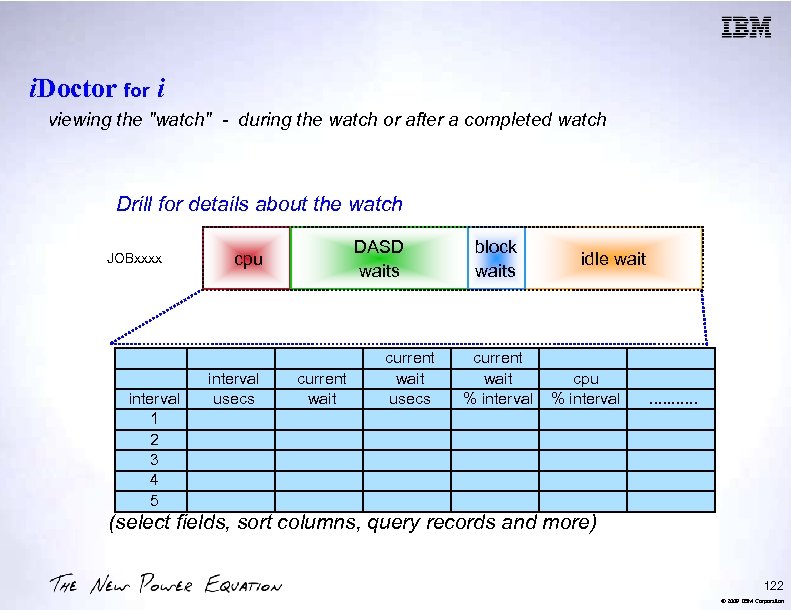
i. Doctor for i viewing the "watch" - during the watch or after a completed watch Drill for details about the watch JOBxxxx interval 1 2 3 4 5 DASD waits cpu interval usecs current wait usecs block waits current wait % interval idle wait cpu % interval . . . (select fields, sort columns, query records and more) 122 © 2009 IBM Corporation
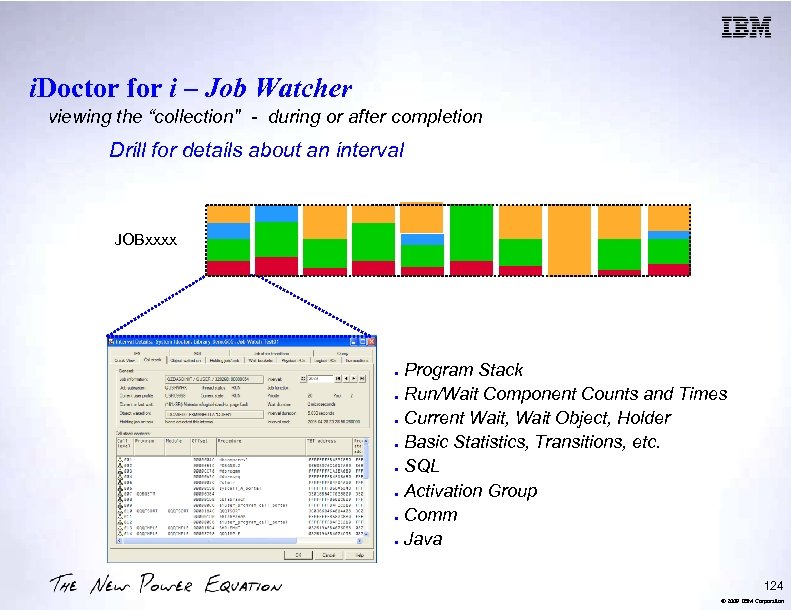
i. Doctor for i – Job Watcher viewing the “collection" - during or after completion Drill for details about an interval JOBxxxx Program Stack Run/Wait Component Counts and Times Current Wait, Wait Object, Holder Basic Statistics, Transitions, etc. SQL Activation Group Comm Java 124 © 2009 IBM Corporation
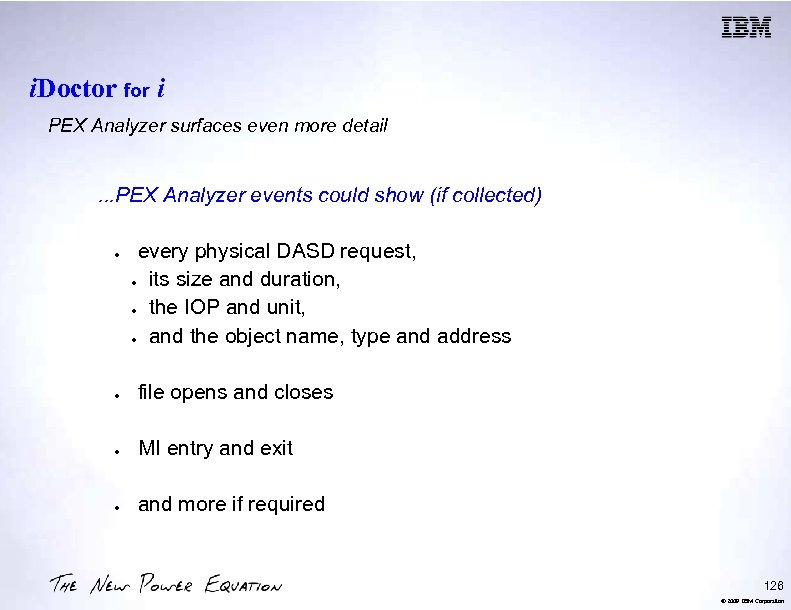
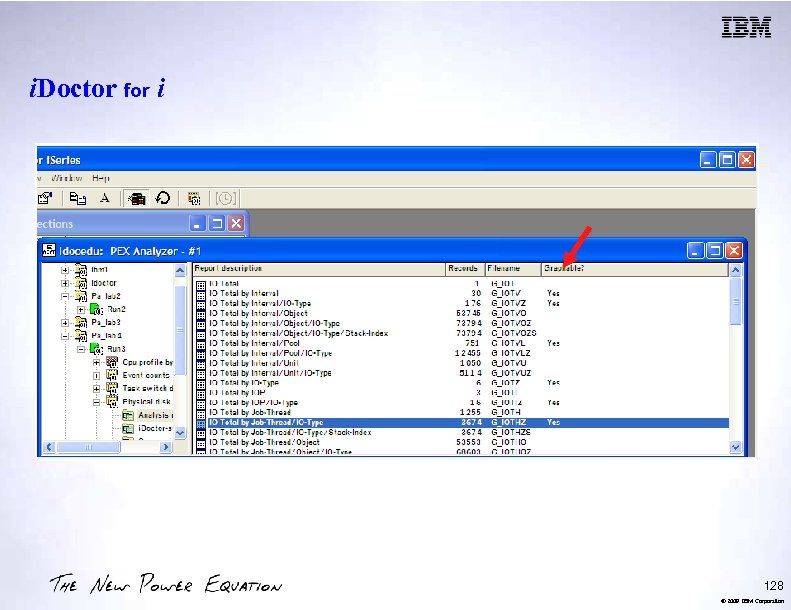
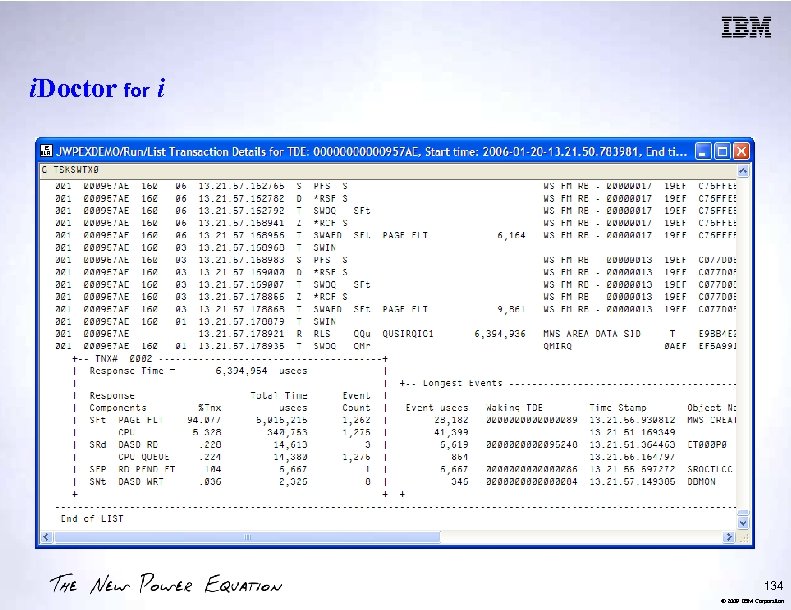
i. Doctor for i PEX Analyzer surfaces even more detail . . . PEX Analyzer events could show (if collected) every physical DASD request, its size and duration, the IOP and unit, and the object name, type and address file opens and closes MI entry and exit and more if required 126 © 2009 IBM Corporation
i. Doctor for i 128 © 2009 IBM Corporation
i. Doctor for i 130 © 2009 IBM Corporation
i. Doctor for i 132 © 2009 IBM Corporation
i. Doctor for i 134 © 2009 IBM Corporation
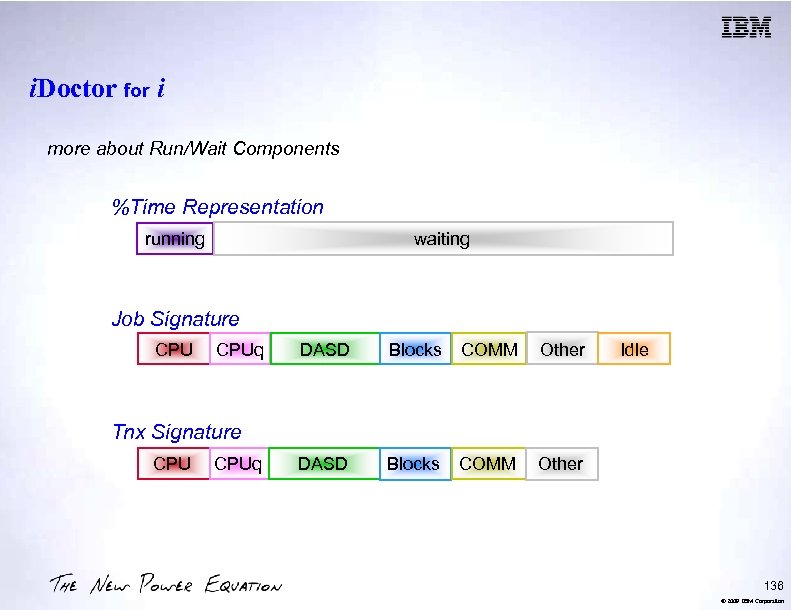
i. Doctor for i more about Run/Wait Components %Time Representation running waiting Job Signature CPUq DASD Blocks COMM Other DASD Blocks COMM Idle Other Tnx Signature CPUq 136 © 2009 IBM Corporation
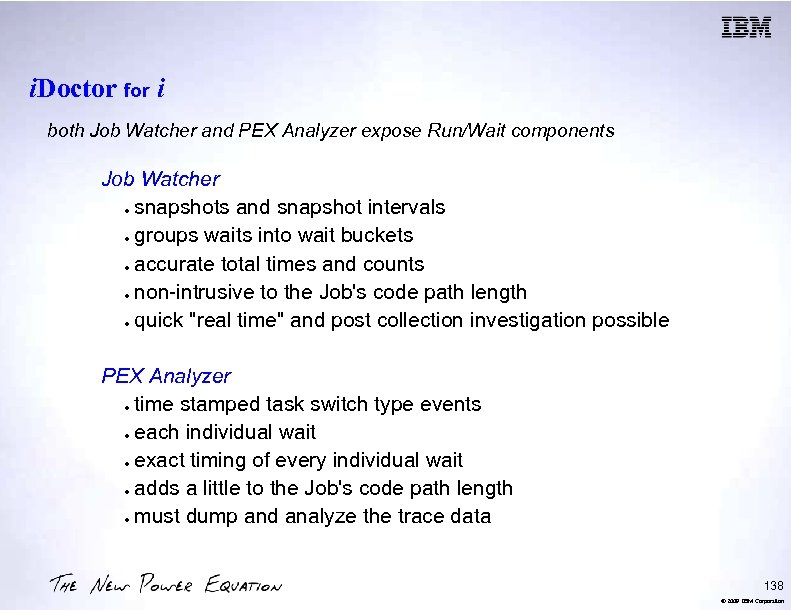
i. Doctor for i both Job Watcher and PEX Analyzer expose Run/Wait components Job Watcher snapshots and snapshot intervals groups waits into wait buckets accurate total times and counts non-intrusive to the Job's code path length quick "real time" and post collection investigation possible PEX Analyzer time stamped task switch type events each individual wait exact timing of every individual wait adds a little to the Job's code path length must dump and analyze the trace data 138 © 2009 IBM Corporation
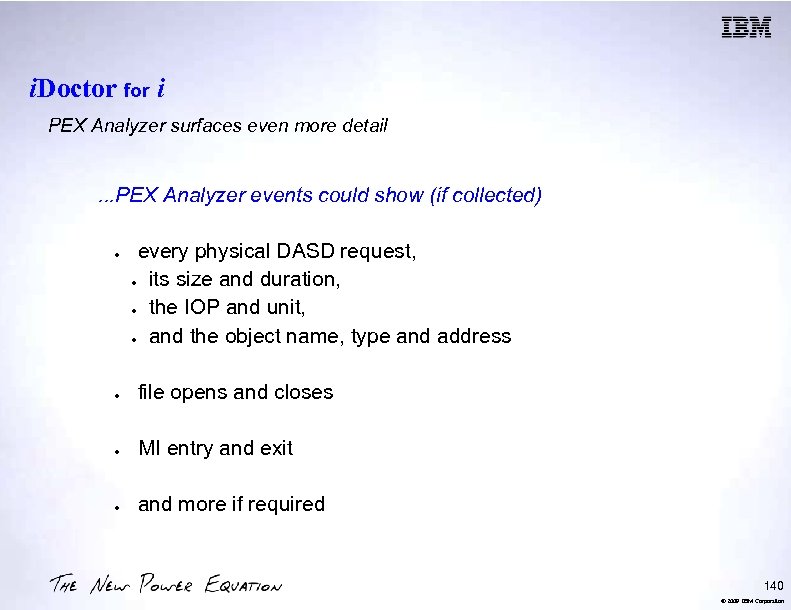
i. Doctor for i PEX Analyzer surfaces even more detail . . . PEX Analyzer events could show (if collected) every physical DASD request, its size and duration, the IOP and unit, and the object name, type and address file opens and closes MI entry and exit and more if required 140 © 2009 IBM Corporation
® Trademarks and Disclaimers 8 IBM Corporation 1994 -2009. All rights reserved. References in this document to IBM products or services do not imply that IBM intends to make them available in every country. Trademarks of International Business Machines Corporation in the United States, other countries, or both can be found on the World Wide Web at http: //www. ibm. com/legal/copytrade. shtml. Adobe, Acrobat, Post. Script and all Adobe-based trademarks are either registered trademarks or trademarks of Adobe Systems Incorporated in the United States, other countries, or both. Intel, Intel logo, Intel Inside logo, Intel Centrino logo, Celeron, Intel Xeon, Intel Speed. Step, Itanium, and Pentium are trademarks or registered trademarks of Intel Corporation or its subsidiaries in the United States and other countries. Linux is a registered trademark of Linus Torvalds in the United States, other countries, or both. Microsoft, Windows NT, and the Windows logo are trademarks of Microsoft Corporation in the United States, other countries, or both. IT Infrastructure Library is a registered trademark of the Central Computer and Telecommunications Agency which is now part of the Office of Government Commerce. ITIL is a registered trademark, and a registered community trademark of the Office of Government Commerce, and is registered in the U. S. Patent and Trademark Office. UNIX is a registered trademark of The Open Group in the United States and other countries. Cell Broadband Engine and Cell/B. E. are trademarks of Sony Computer Entertainment, Inc. , in the United States, other countries, or both and are used under license therefrom. Java and all Java-based trademarks are trademarks of Sun Microsystems, Inc. in the United States, other countries, or both. Other company, product, or service names may be trademarks or service marks of others. Information is provided "AS IS" without warranty of any kind. The customer examples described are presented as illustrations of how those customers have used IBM products and the results they may have achieved. Actual environmental costs and performance characteristics may vary by customer. Information concerning non-IBM products was obtained from a supplier of these products, published announcement material, or other publicly available sources and does not constitute an endorsement of such products by IBM. Sources for non-IBM list prices and performance numbers are taken from publicly available information, including vendor announcements and vendor worldwide homepages. IBM has not tested these products and cannot confirm the accuracy of performance, capability, or any other claims related to non-IBM products. Questions on the capability of non-IBM products should be addressed to the supplier of those products. All statements regarding IBM future direction and intent are subject to change or withdrawal without notice, and represent goals and objectives only. Some information addresses anticipated future capabilities. Such information is not intended as a definitive statement of a commitment to specific levels of performance, function or delivery schedules with respect to any future products. Such commitments are only made in IBM product announcements. The information is presented here to communicate IBM's current investment and development activities as a good faith effort to help with our customers' future planning. Performance is based on measurements and projections using standard IBM benchmarks in a controlled environment. The actual throughput or performance that any user will experience will vary depending upon considerations such as the amount of multiprogramming in the user's job stream, the I/O configuration, the storage configuration, and the workload processed. Therefore, no assurance can be given that an individual user will achieve throughput or performance improvements equivalent to the ratios stated here. Prices are suggested U. S. list prices and are subject to change without notice. Contact your IBM representative or Business Partner for the most current pricing in your geography. 142 © 2008 IBM Corporation
Скачать презентацию Agenda Key 52 MB Session Number 407043 IBM
e8cd38fd614e6512499cfaa1741ac806.ppt