


 Скачать презентацию Agenda 2 7 2014 Wednesday- Unit 55 Howard J
aa60e03929bf4005ad8839d55b011d14.ppt
- Количество слайдов: 23
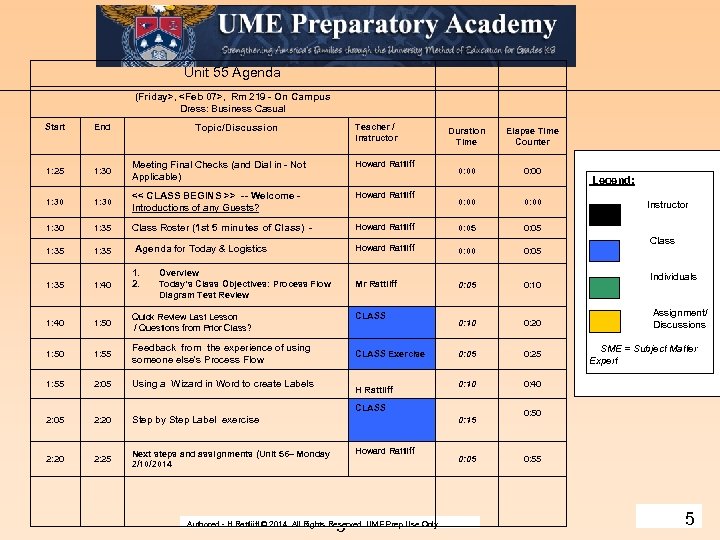
 Agenda – 2/7/2014 Wednesday- Unit 55 Howard J Rattliff, Jr. – Principles of Technology - Course # 130227200 - Authored - H Rattliiff © 2014. All Rights Reserved. UME Prep Use Only. 1
 Microsoft Word Modules 2/7/2014 Unit #55 - Friday: Past Lesson Wed 2/5/2014 Review Highlights: · Exam review – Process Flow Diagram Discussed 2 upcoming graded assignments ( 1. student resume due Feb 17 th and 2. the 1 st team project ( a team newsletter using word that is due March 7. Any Questions? ? Today’s Summary Objective: Key Goals: 1. Student feedback on exercise using their flow diagram. Was it easy or difficult to understand an d use the process flow of another student? 2. The flow diagram is not necessarily for you but for use by someone else e. g. a fellow designer or programmer, a manager, etc. Expected Key Products and Experiences: Understand the basic elements of using the Label Wizard Features of Word to create mailing labels quickly/ adding pic graphic etc and related formatting. 2
 Graded Assignment – Prepare a Resume’ by Feb 17. · What is a resume’ ? - Use Word to prepare a short document 1 – 2 page professional resume’ describing your education, work history, etc. . The document should be prepared well enough that you can use it when you are applying for a job - Format for an intern / other uses. Desired position/ List of academic achievements/ no GPA/ technical achievements/ interest (clubs and civic affiliations). - Due February 17, 2014, as part National Engineers Week National Engineers week. As a part of that celebration, during the week of February 17 –February 21, 2014, Lockheed Martin engineers from our Grand Prairie, Texas raja. vadlamudi@lmco. com will be visiting UME Prep on Thursday 3
 Graded Assignment – Prepare a Team Newsletter by Mar 07. 1. Use Word to prepare a 2 page newsletter document about ongoing activities and events at UME Prep etc. . 2. Each of you will be assigned to a project team. You will work with your team over the next couple of weeks to using the process on page 9 to plan/enter/edit/format / review/ and print the newsletter. See page 9 process flow diagram. 3. Each of you will responsible for contributing at least one article ( approximately 90 – 175 words ) to the newsletter regarding recent event or an upcoming. Add some perspective (who/what/where /when &/ how). A team grade will be give based upon the team product newsletter and the its overall quality. The team will decide and manage the content design and creation and mix of elements to be used in their team newsletter. 4. Key Elements include: use of columns, header/ footers including page #s, date issued, school icon, novel newsletter title/ 2 page min (max 3 page) length/ organizational flow and design ( introductory remarks/use of other sources or objects/citations) 5. Some team time will be allotted in Class to allow you to work on this assignment but you may have to do outside class work as well in order to produce a good product. - Due Friday March 7, 2014, 4 This represents about 180 words
 Unit 55 Agenda (Friday>,
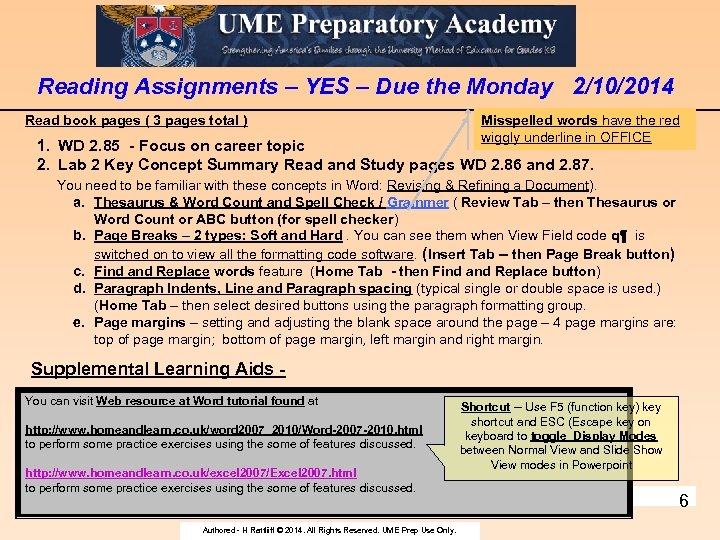 Reading Assignments – YES – Due the Monday 2/10/2014 Read book pages ( 3 pages total ) Misspelled words have the red wiggly underline in OFFICE 1. WD 2. 85 - Focus on career topic 2. Lab 2 Key Concept Summary Read and Study pages WD 2. 86 and 2. 87. You need to be familiar with these concepts in Word: Revising & Refining a Document). a. Thesaurus & Word Count and Spell Check / Grammer ( Review Tab – then Thesaurus or Word Count or ABC button (for spell checker) b. Page Breaks – 2 types: Soft and Hard. You can see them when View Field code ԛ¶ is switched on to view all the formatting code software. (Insert Tab – then Page Break button) c. Find and Replace words feature (Home Tab - then Find and Replace button) d. Paragraph Indents, Line and Paragraph spacing (typical single or double space is used. ) (Home Tab – then select desired buttons using the paragraph formatting group. e. Page margins – setting and adjusting the blank space around the page – 4 page margins are: top of page margin; bottom of page margin, left margin and right margin. Supplemental Learning Aids - You can visit Web resource at Word tutorial found at http: //www. homeandlearn. co. uk/word 2007_2010/Word-2007 -2010. html to perform some practice exercises using the some of features discussed. http: //www. homeandlearn. co. uk/excel 2007/Excel 2007. html to perform some practice exercises using the some of features discussed. Authored - H Rattliiff © 2014. All Rights Reserved. UME Prep Use Only. Shortcut -- Use F 5 (function key) key shortcut and ESC (Escape key on keyboard to toggle Display Modes between Normal View and Slide Show View modes in Powerpoint 6
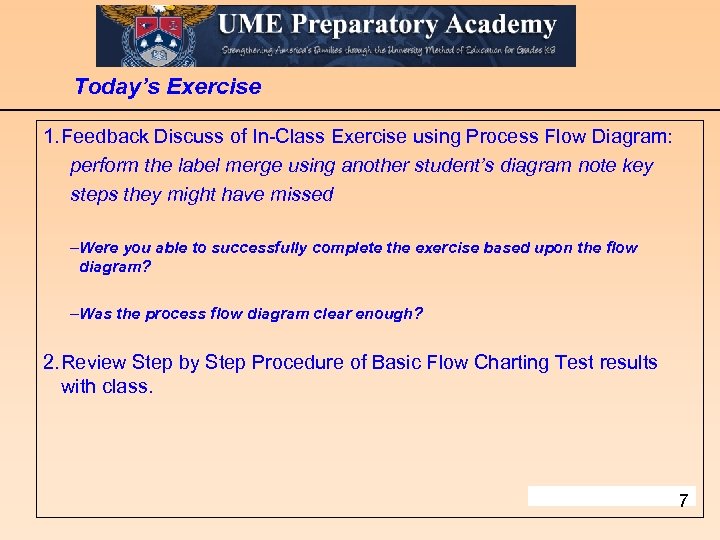 Today’s Exercise 1. Feedback Discuss of In-Class Exercise using Process Flow Diagram: perform the label merge using another student’s diagram note key steps they might have missed -Were you able to successfully complete the exercise based upon the flow diagram? -Was the process flow diagram clear enough? 2. Review Step by Step Procedure of Basic Flow Charting Test results with class. 7
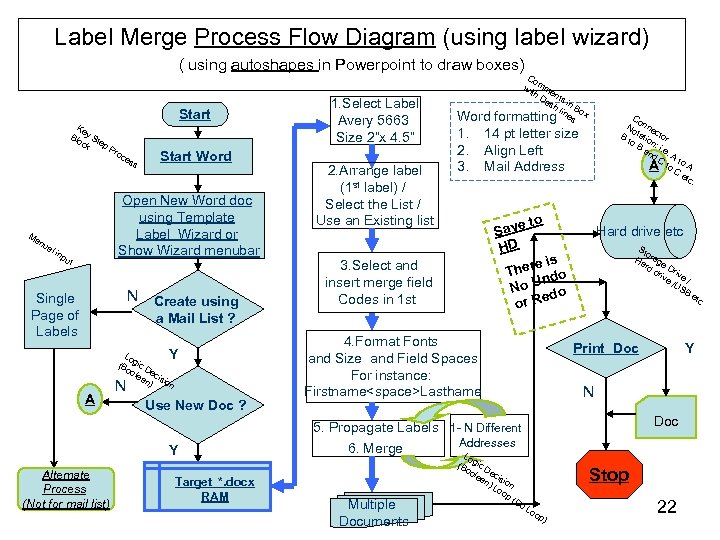
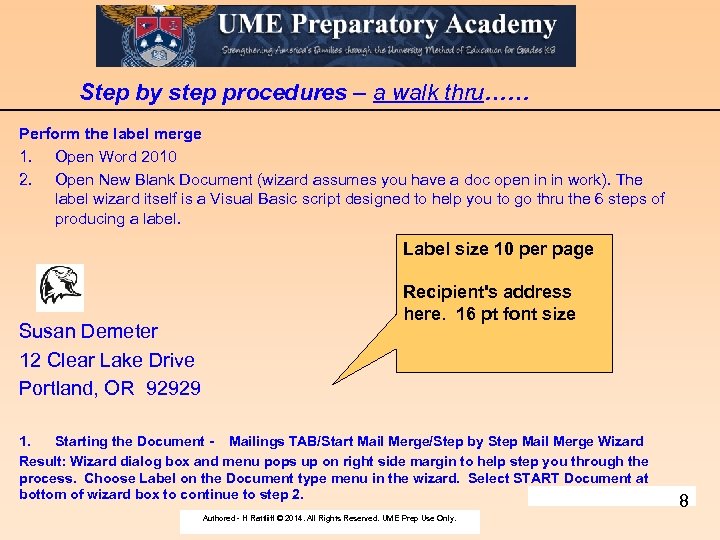 Step by step procedures – a walk thru…… Perform the label merge 1. Open Word 2010 2. Open New Blank Document (wizard assumes you have a doc open in in work). The label wizard itself is a Visual Basic script designed to help you to go thru the 6 steps of producing a label. Label size 10 per page Susan Demeter 12 Clear Lake Drive Portland, OR 92929 Recipient's address here. 16 pt font size 1. Starting the Document - Mailings TAB/Start Mail Merge/Step by Step Mail Merge Wizard Result: Wizard dialog box and menu pops up on right side margin to help step you through the process. Choose Label on the Document type menu in the wizard. Select START Document at bottom of wizard box to continue to step 2. Authored - H Rattliiff © 2014. All Rights Reserved. UME Prep Use Only. 8
 2. Starting a Document- Use current document and then choose Label type: button select Avery 15163 Shipping label Result: formatting symbols will appear on the existing word document noting that the basic label structure has been add to the word document. (10 label per page arrangement etc. ) Insert UME Eagle icon (insert pic command) to the master record location ( record 1 (top and left most) upper left corner, Resize to fit, etc. Once pic inserted go back to Mailings TAB and Label Wizard should still be active. Continue to step 3. Add Recipients: Use existing list (source document) is myclass excel sheet. Navigate to folder on student shared directory - new folder Merge Source File UME Class List. Result: UME my class is selected as the source for the mail merge to come. 4. Arrange your labels. Use the Insert Merge Field button command to specifically add each field and space it and arrange. Result: UME my class is selected as the source for the mail merge to come.
 Place a carriage return after the UME school icon and then enter address fields: <
 Learning Results: 1. Gained a better understanding of how to use a wizard in word. 2. A wizard is program. It also has many options and templates such as label sizes and designs that can be selected by the user. 3. The label Wizard in word is 6 step process. . . Visual Basic programming is used to implement parts of the wizard such as the Main buttons and Dialog boxes. 4. Your interactions (inputs and selection) in the Wizard program provided the necessary user inputs required by the program to successfully select the label design and data source to use. 5. Practice make perfect. Bottomline: You should be able to proficiently perform the mail merge operations (letters/labels, etc). 11 Authored - H Rattliiff © 2014. All Rights Reserved. UME Prep Use Only.
 Teamwork and Project Management Module - The Newsletter Publication Project. - 12
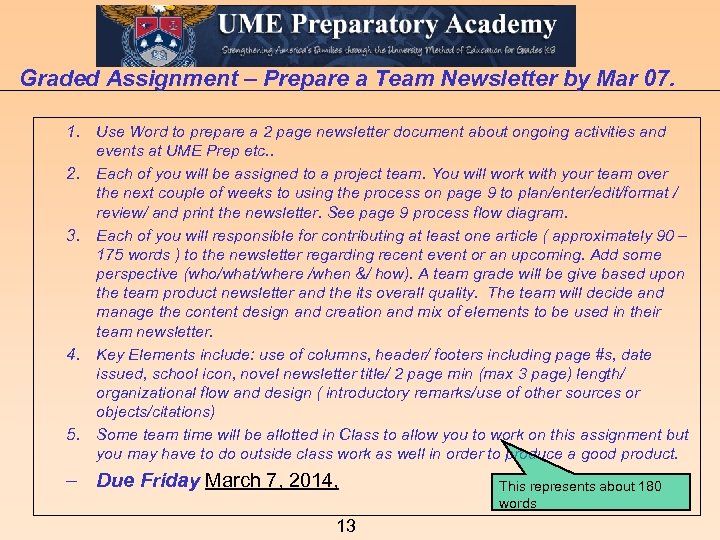 Graded Assignment – Prepare a Team Newsletter by Mar 07. 1. Use Word to prepare a 2 page newsletter document about ongoing activities and events at UME Prep etc. . 2. Each of you will be assigned to a project team. You will work with your team over the next couple of weeks to using the process on page 9 to plan/enter/edit/format / review/ and print the newsletter. See page 9 process flow diagram. 3. Each of you will responsible for contributing at least one article ( approximately 90 – 175 words ) to the newsletter regarding recent event or an upcoming. Add some perspective (who/what/where /when &/ how). A team grade will be give based upon the team product newsletter and the its overall quality. The team will decide and manage the content design and creation and mix of elements to be used in their team newsletter. 4. Key Elements include: use of columns, header/ footers including page #s, date issued, school icon, novel newsletter title/ 2 page min (max 3 page) length/ organizational flow and design ( introductory remarks/use of other sources or objects/citations) 5. Some team time will be allotted in Class to allow you to work on this assignment but you may have to do outside class work as well in order to produce a good product. - Due Friday March 7, 2014, 13 This represents about 180 words
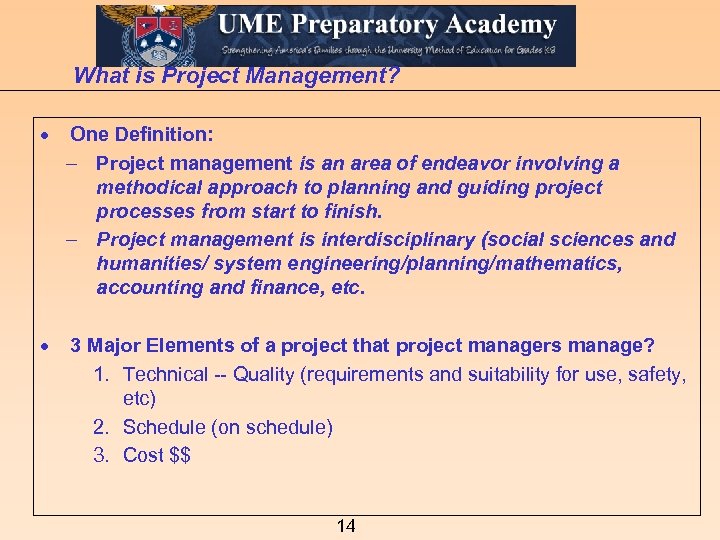 What is Project Management? · One Definition: - Project management is an area of endeavor involving a methodical approach to planning and guiding project processes from start to finish. - Project management is interdisciplinary (social sciences and humanities/ system engineering/planning/mathematics, accounting and finance, etc. · 3 Major Elements of a project that project managers manage? 1. Technical -- Quality (requirements and suitability for use, safety, etc) 2. Schedule (on schedule) 3. Cost $$ 14
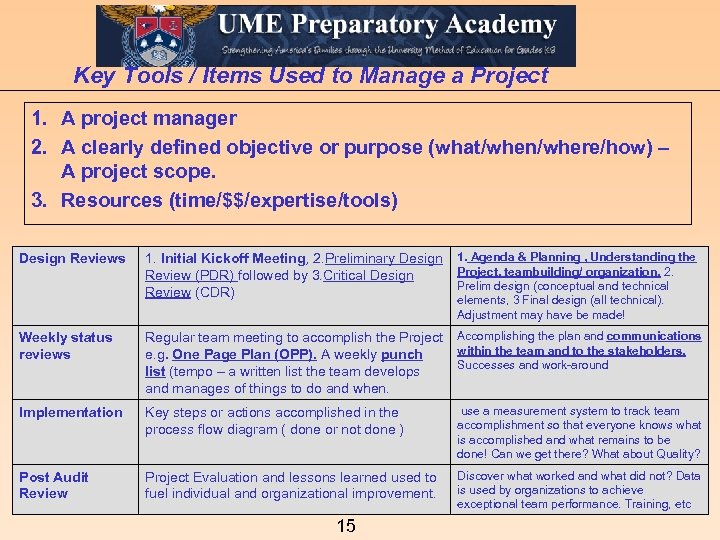 Key Tools / Items Used to Manage a Project 1. A project manager 2. A clearly defined objective or purpose (what/when/where/how) – A project scope. 3. Resources (time/$$/expertise/tools) Design Reviews 1. Initial Kickoff Meeting, 2. Preliminary Design 1. Agenda & Planning , Understanding the Project, teambuilding/ organization. 2. Review (PDR) followed by 3. Critical Design Prelim design (conceptual and technical Review (CDR) elements, 3 Final design (all technical). Adjustment may have be made! Weekly status reviews Regular team meeting to accomplish the Project Accomplishing the plan and communications within the team and to the stakeholders. e. g. One Page Plan (OPP). A weekly punch Successes and work-around list (tempo – a written list the team develops and manages of things to do and when. Implementation Key steps or actions accomplished in the process flow diagram ( done or not done ) use a measurement system to track team accomplishment so that everyone knows what is accomplished and what remains to be done! Can we get there? What about Quality? Post Audit Review Project Evaluation and lessons learned used to fuel individual and organizational improvement. Discover what worked and what did not? Data is used by organizations to achieve exceptional team performance. Training, etc 15
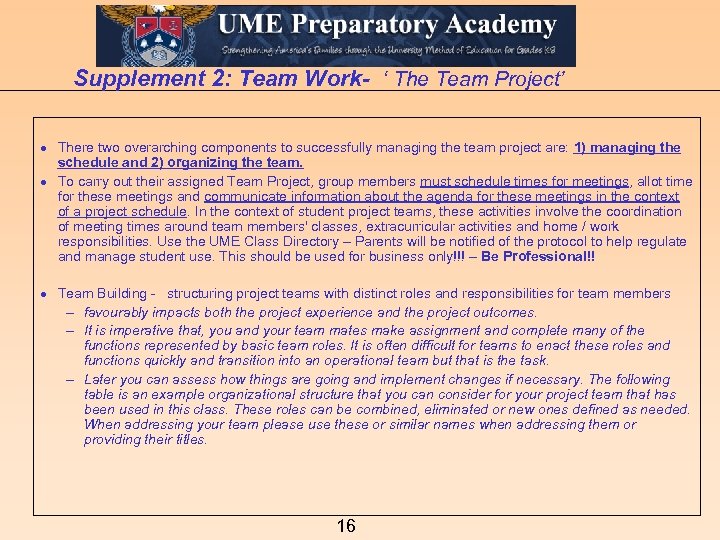 Supplement 2: Team Work- ‘ The Team Project’ · There two overarching components to successfully managing the team project are: 1) managing the schedule and 2) organizing the team. · To carry out their assigned Team Project, group members must schedule times for meetings, allot time for these meetings and communicate information about the agenda for these meetings in the context of a project schedule. In the context of student project teams, these activities involve the coordination of meeting times around team members' classes, extracurricular activities and home / work responsibilities. Use the UME Class Directory – Parents will be notified of the protocol to help regulate and manage student use. This should be used for business only!!! – Be Professional!! · Team Building - structuring project teams with distinct roles and responsibilities for team members - favourably impacts both the project experience and the project outcomes. - It is imperative that, you and your team mates make assignment and complete many of the functions represented by basic team roles. It is often difficult for teams to enact these roles and functions quickly and transition into an operational team but that is the task. - Later you can assess how things are going and implement changes if necessary. The following table is an example organizational structure that you can consider for your project team that has been used in this class. These roles can be combined, eliminated or new ones defined as needed. When addressing your team please use these or similar names when addressing them or providing their titles. 16
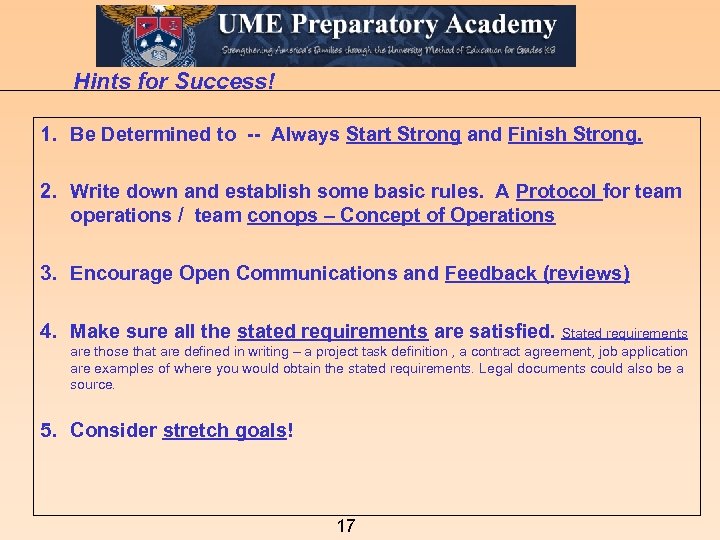 Hints for Success! 1. Be Determined to -- Always Start Strong and Finish Strong. 2. Write down and establish some basic rules. A Protocol for team operations / team conops – Concept of Operations 3. Encourage Open Communications and Feedback (reviews) 4. Make sure all the stated requirements are satisfied. Stated requirements are those that are defined in writing – a project task definition , a contract agreement, job application are examples of where you would obtain the stated requirements. Legal documents could also be a source. 5. Consider stretch goals! 17
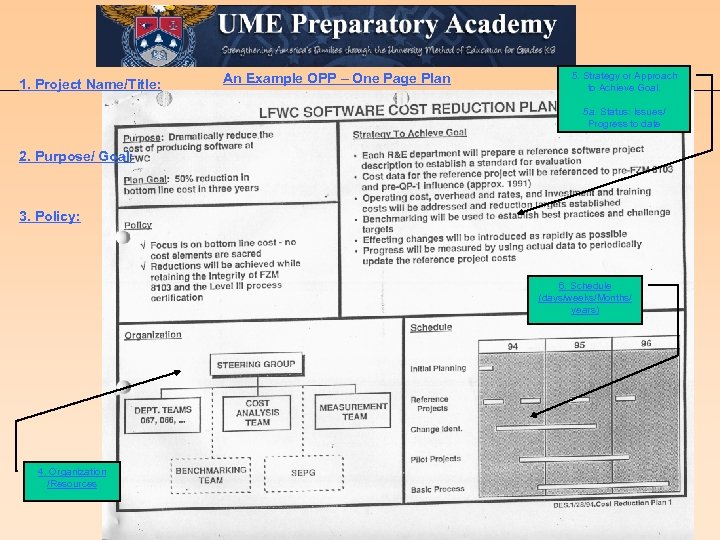 1. Project Name/Title: An Example OPP – One Page Plan 5. Strategy or Approach to Achieve Goal. 5 a. Status: Issues/ Progress to date 2. Purpose/ Goal: 3. Policy: 6. Schedule (days/weeks/Months/ years) 4. Organization /Resources 18
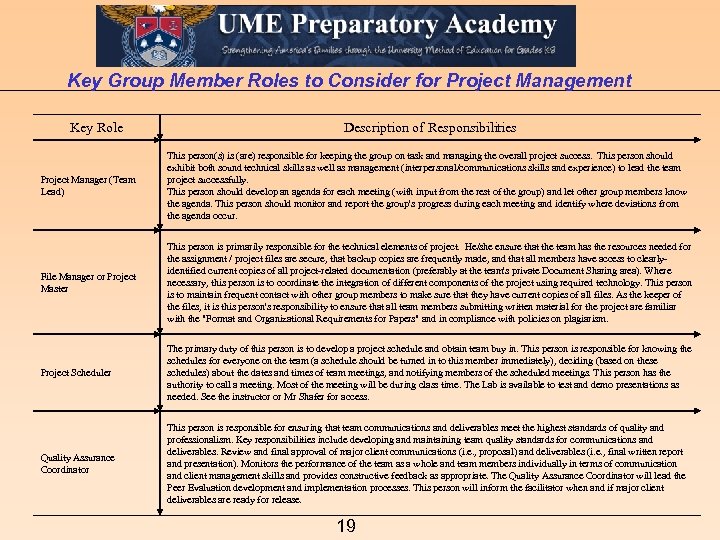 Key Group Member Roles to Consider for Project Management Key Role Description of Responsibilities Project Manager (Team Lead) This person(s) is (are) responsible for keeping the group on task and managing the overall project success. This person should exhibit both sound technical skills as well as management (interpersonal/communications skills and experience) to lead the team project successfully. This person should develop an agenda for each meeting (with input from the rest of the group) and let other group members know the agenda. This person should monitor and report the group's progress during each meeting and identify where deviations from the agenda occur. File Manager or Project Master This person is primarily responsible for the technical elements of project. He/she ensure that the team has the resources needed for the assignment / project files are secure, that backup copies are frequently made, and that all members have access to clearlyidentified current copies of all project-related documentation (preferably at the team's private Document Sharing area). Where necessary, this person is to coordinate the integration of different components of the project using required technology. This person is to maintain frequent contact with other group members to make sure that they have current copies of all files. As the keeper of the files, it is this person's responsibility to ensure that all team members submitting written material for the project are familiar with the "Format and Organizational Requirements for Papers" and in compliance with policies on plagiarism. Project Scheduler The primary duty of this person is to develop a project schedule and obtain team buy in. This person is responsible for knowing the schedules for everyone on the team (a schedule should be turned in to this member immediately), deciding (based on these schedules) about the dates and times of team meetings, and notifying members of the scheduled meetings. This person has the authority to call a meeting. Most of the meeting will be during class time. The Lab is available to test and demo presentations as needed. See the instructor or Mr Shafer for access. Quality Assurance Coordinator This person is responsible for ensuring that team communications and deliverables meet the highest standards of quality and professionalism. Key responsibilities include developing and maintaining team quality standards for communications and deliverables. Review and final approval of major client communications (i. e. , proposal) and deliverables (i. e. , final written report and presentation). Monitors the performance of the team as a whole and team members individually in terms of communication and client management skills and provides constructive feedback as appropriate. The Quality Assurance Coordinator will lead the Peer Evaluation development and implementation processes. This person will inform the facilitator when and if major client deliverables are ready for release. 19
 END Authored - H Rattliiff © 2014. All Rights Reserved. UME Prep Use Only. 20 20
 Supplemental Materials 21
 Label Merge Process Flow Diagram (using label wizard) ( using autoshapes in Powerpoint to draw boxes) Start Ke Blo y St ck ep P roc es Ma nu al s Start Word Open New Word doc using Template Label Wizard or Show Wizard menubar inp ut N Create using Single Page of Labels 1. Select Label Avery 5663 Size 2”x 4. 5” 2. Arrange label (1 st label) / Select the List / Use an Existing list Co w mm ith en D ts as in h l Bo Word formatting ines x 1. 2. 3. A N Use New Doc ? Y Alternate Process (Not for mail list) Target *. docx RAM 14 pt letter size Align Left Mail Address to ave S HD is here o T nd No U do e or R 3. Select and insert merge field Codes in 1 st a Mail List ? Lo Y (B gic D oo lea ecis n) ion Co No nne B tatio ctor to B n: i. e an d C. A to C o A etc. 4. Format Fonts and Size and Field Spaces For instance: Firstname
 1. “Save As” command in Word http: //www. homeandlearn. co. uk/word 2007_2010/s 1 p 4. html 2. View File Extensions http: //www. homeandlearn. co. uk/BC/win 7/file_extensions. html 23