 Скачать презентацию Advantage Controls Mega Tron Training Presented by
0b48344deed98c735bdb117646f6a878.ppt
- Количество слайдов: 71




Advantage Controls Mega. Tron Training Presented by:
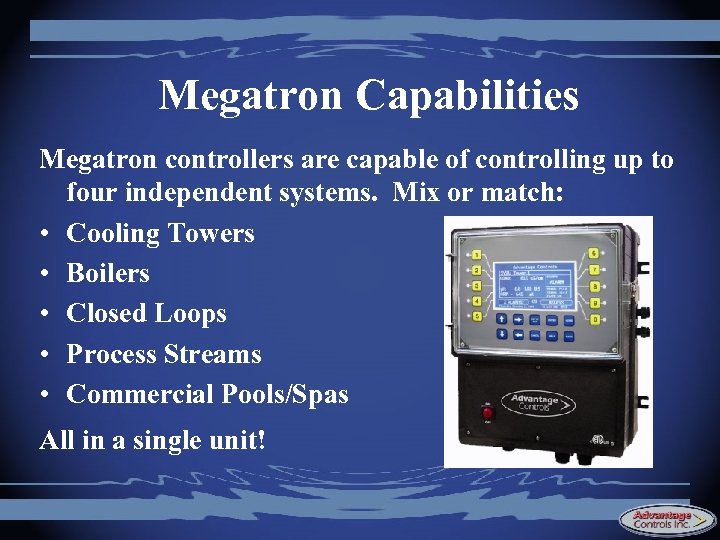
Megatron Capabilities Megatron controllers are capable of controlling up to four independent systems. Mix or match: • Cooling Towers • Boilers • Closed Loops • Process Streams • Commercial Pools/Spas All in a single unit!
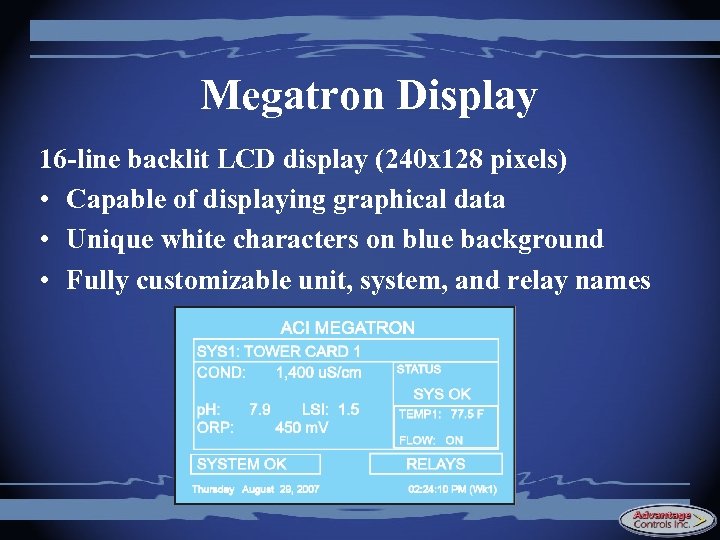
Megatron Display 16 -line backlit LCD display (240 x 128 pixels) • Capable of displaying graphical data • Unique white characters on blue background • Fully customizable unit, system, and relay names
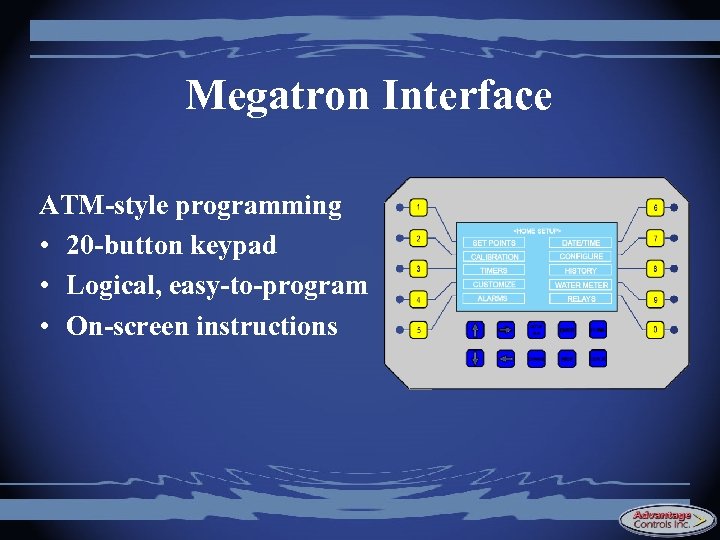
Megatron Interface ATM-style programming • 20 -button keypad • Logical, easy-to-program • On-screen instructions
Security Megatron controllers feature 3 password levels: • User - permission to change certain settings can be granted or denied (i. e. , calibration, setpoints, relay activation, etc. ) • Administrator - access permitted to almost all programming • Factory - unlocks upgrades, new features, and toplevel programming
Relay Outputs Mega. Tron controllers can be equipped with up to 20 120 V or dry contact relay outputs (5 per card) • Relays are 2. 5 amp, individually fused • Relays are field-assignable to any control function or alarm condition • More than 10 relays requires a secondary enclosure • Units come pre-wired standard (conduit available)
Agency Approval All Mega. Trons are stamped with the ETL safety approval (UL/CSA standards) • High voltage and low voltage connections are separated be a physical panel divider • Each relay card (5 relays) requires a separate male power cord
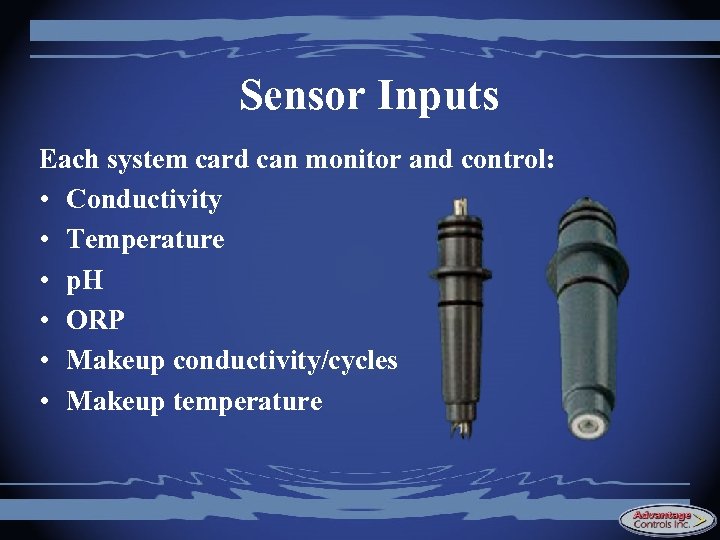
Sensor Inputs Each system card can monitor and control: • Conductivity • Temperature • p. H • ORP • Makeup conductivity/cycles • Makeup temperature
Sensor Inputs Cooling Tower Conductivity: • PVC with 3/4” tee • PVC with 1” MNPT SS bushing • PVC with 1” quickdisconnect fitting for makeup lines • Tank mount (18” PVC) • Carbon or SS electrode tip choices Boiler Conductivity: • Ryton with 1” MNPT SS bushing • All stainless body • SS electrode tips • Temperature compensation – RTD (fast & accurate) – Thermistor – None
Sensor Inputs p. H: • 3/4” PVC tee (140*F) • 3/4” CPVC tee (180*F) • Tank mount (36” PVC) • Stainless steel (212*F) 1/2” MNPT body • With or without pre-amp ORP: • 3/4” PVC tee (140*F) • 3/4” CPVC tee (180*F) • Tank mount (36” PVC) • With or without pre-amp
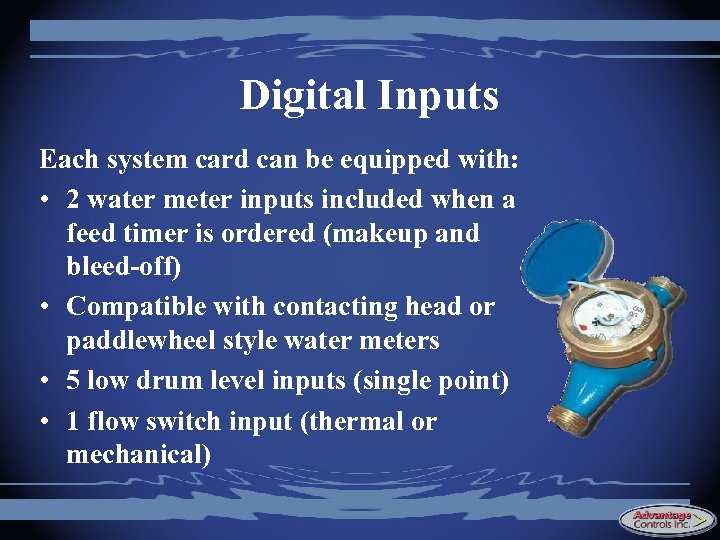
Digital Inputs Each system card can be equipped with: • 2 water meter inputs included when a feed timer is ordered (makeup and bleed-off) • Compatible with contacting head or paddlewheel style water meters • 5 low drum level inputs (single point) • 1 flow switch input (thermal or mechanical)

Feed Verification Inputs Mega. Tron controllers can be equipped with up to 9 Flo. Tracker feed verification inputs • Measure and totalize chemical feed volume • Alarm on loss of prime • Adjust feed settings in terms of chemical volume • Track remaining chemical inventory • Calculate PPM of inhibitors in the system
4 -20 m. A Inputs/Outputs Megatrons can be equipped with: • Eight 4 -20 m. A inputs • Six 4 -20 m. A outputs 4 -20 m. A inputs can take a signal from any 4 -20 m. A source such as Cl. O 2 probes, corrosion rate monitors, continuous drum level monitors, etc. 4 -20 m. A outputs can be assigned to any analog input including any probe or 4 -20 m. A input
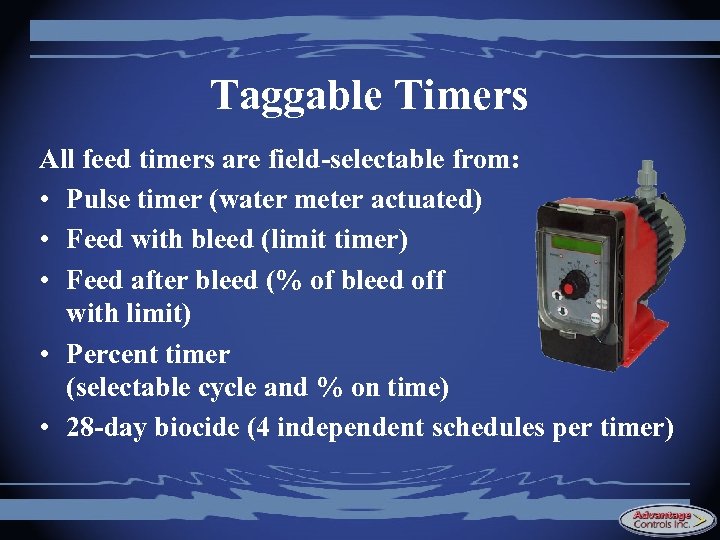
Taggable Timers All feed timers are field-selectable from: • Pulse timer (water meter actuated) • Feed with bleed (limit timer) • Feed after bleed (% of bleed off with limit) • Percent timer (selectable cycle and % on time) • 28 -day biocide (4 independent schedules per timer)
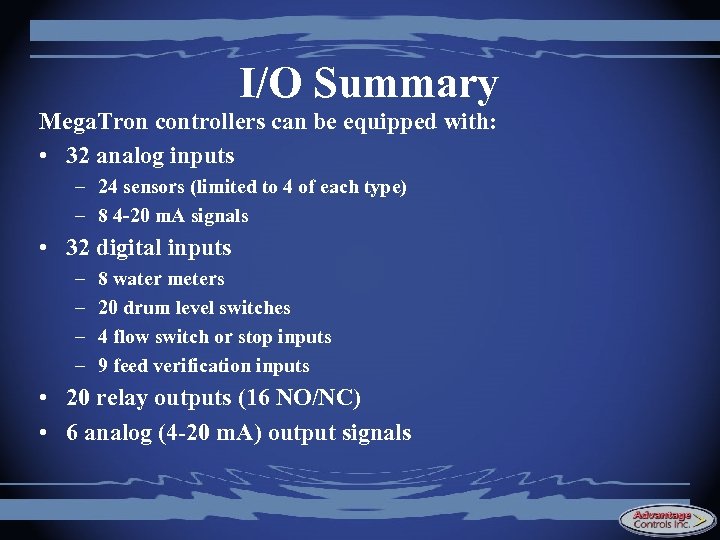
I/O Summary Mega. Tron controllers can be equipped with: • 32 analog inputs – 24 sensors (limited to 4 of each type) – 8 4 -20 m. A signals • 32 digital inputs – – 8 water meters 20 drum level switches 4 flow switch or stop inputs 9 feed verification inputs • 20 relay outputs (16 NO/NC) • 6 analog (4 -20 m. A) output signals
On-Board History Megatron controllers automatically store the following data for on-screen display in graphical or data log format: • Sensor inputs (conductivity, p. H, ORP, temp, etc. ) • 4 -20 m. A inputs • Water meters (makeup, bleed-off, evaporation) • Chemical volume usage • Relay activity • Alarm conditions • Keypad activity (snoop alert) Maximum amount of stored data depends on the number of monitored parameters and the frequency of monitoring.
Notepad Keep track of all service report data using the integrated “Notepad” feature • Choose from 21 defined tests such as hardness, alkalinity, chlorides, etc. - or create your own custom test parameters • Generate on-screen graphs or logs of historical service report data to gauge overall program effectiveness • Optional LSI/RSI for units with p. H control
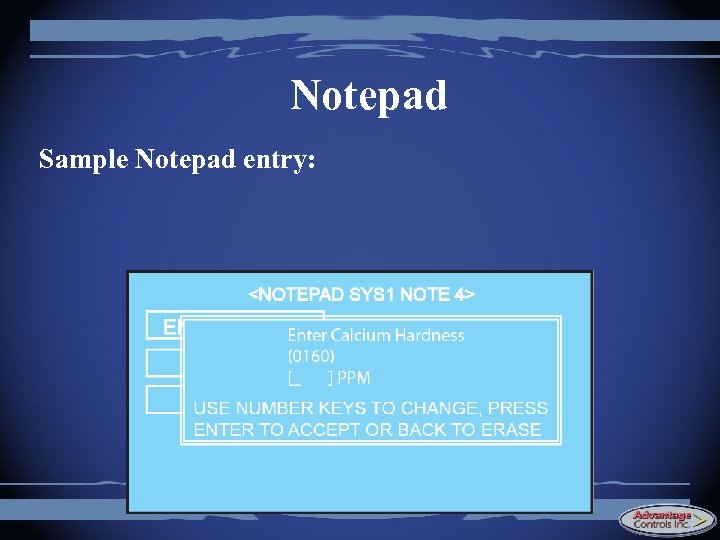
Notepad Sample Notepad entry:
Capabilities Quiz • • • Maximum number of Mega. Tron relays? Maximum number of p. H probes in a single unit? Number of security (password) levels? Number of water meter inputs per system card? Number of feed timer modes? Name them…. A 12 -relay controller will have how many male power cords? Why? • Can a single system card contain conductivity, makeup conductivity, p. H, and ORP?
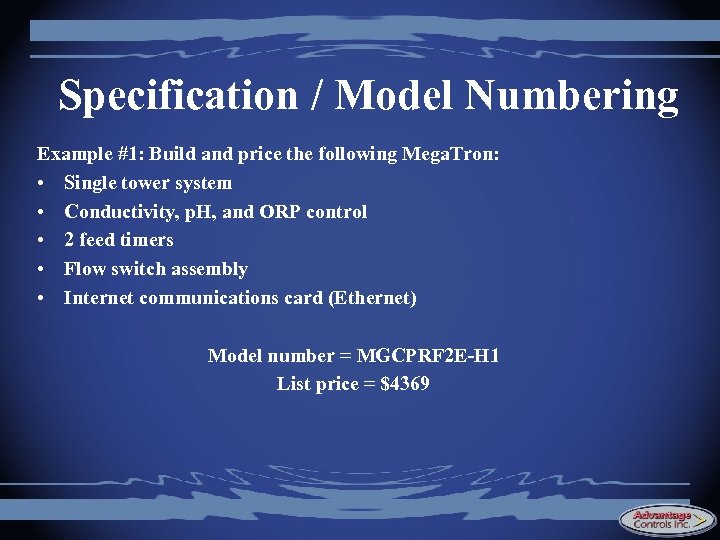
Specification / Model Numbering To build your Mega. Tron model number, start with MG, then add: • Option codes for the first system • Option codes for each additional system (or -X 2, -X 3, etc. if additional systems are identical) • Whole unit option codes (communications, 4 -20 m. A, expansion buses, extra relays, etc. )
System Pricing To determine the list price of a Mega. Tron controller: • Start with the base list price (only add once) • Add the option prices for each system control feature – each probe input – each timer – each flow switch & level input • Add the option prices for the “whole unit” options • Kick back and enjoy the savings!
Specification / Model Numbering Example #1: Build and price the following Mega. Tron: • Single tower system • Conductivity, p. H, and ORP control • 2 feed timers • Flow switch assembly • Internet communications card (Ethernet) ………………. . .
Specification / Model Numbering Example #1: Build and price the following Mega. Tron: • Single tower system • Conductivity, p. H, and ORP control • 2 feed timers • Flow switch assembly • Internet communications card (Ethernet) Model number = MGCPRF 2 E-H 1 List price = $4369
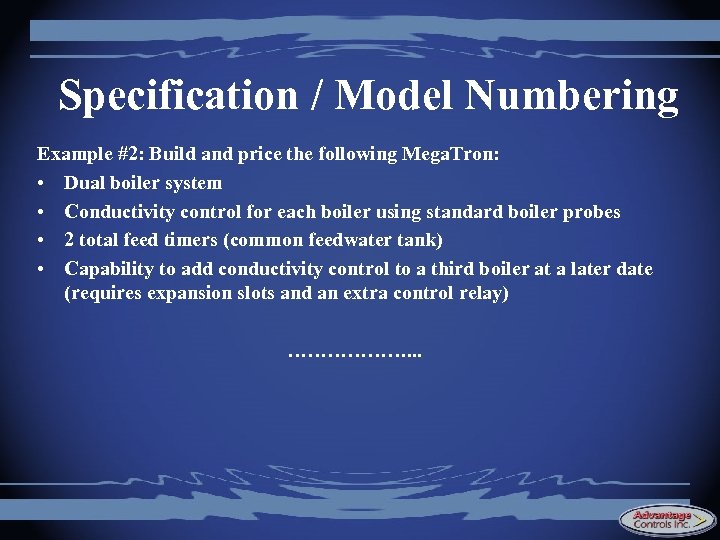
Specification / Model Numbering Example #2: Build and price the following Mega. Tron: • Dual boiler system • Conductivity control for each boiler using standard boiler probes • 2 total feed timers (common feedwater tank) • Capability to add conductivity control to a third boiler at a later date (requires expansion slots and an extra control relay) ………………. . .

Specification / Model Numbering Example #2: Build and price the following Mega. Tron: • Dual boiler system • Conductivity control for each boiler using RTD-style boiler probes • 2 total feed timers (common feedwater tank) • Capability to add an extra boiler system and remote communications at a later date (requires expansion slots and an extra control relay) Model number = MGB 1 F 2 -B 1 -GK List price = $3100
Megatron Interface By the end of this session, you should be able to: • Navigate the Mega. Tron menu structure • Program the core functions of a Mega. Tron
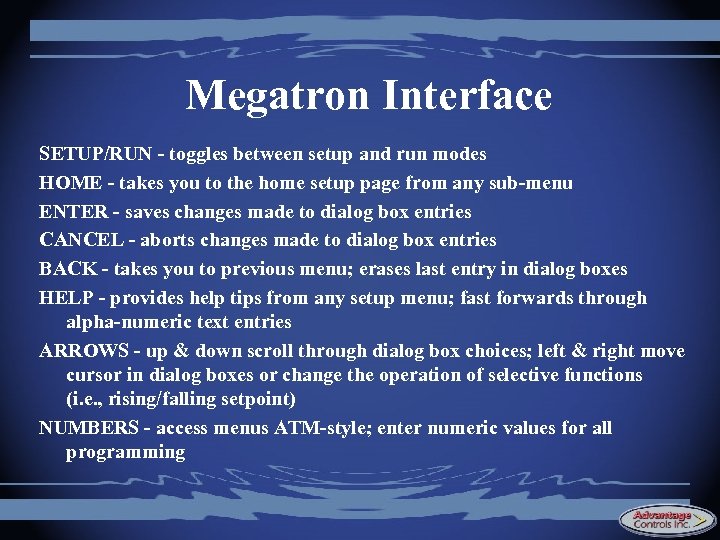
Megatron Interface SETUP/RUN - toggles between setup and run modes HOME - takes you to the home setup page from any sub-menu ENTER - saves changes made to dialog box entries CANCEL - aborts changes made to dialog box entries BACK - takes you to previous menu; erases last entry in dialog boxes HELP - provides help tips from any setup menu; fast forwards through alpha-numeric text entries ARROWS - up & down scroll through dialog box choices; left & right move cursor in dialog boxes or change the operation of selective functions (i. e. , rising/falling setpoint) NUMBERS - access menus ATM-style; enter numeric values for all programming
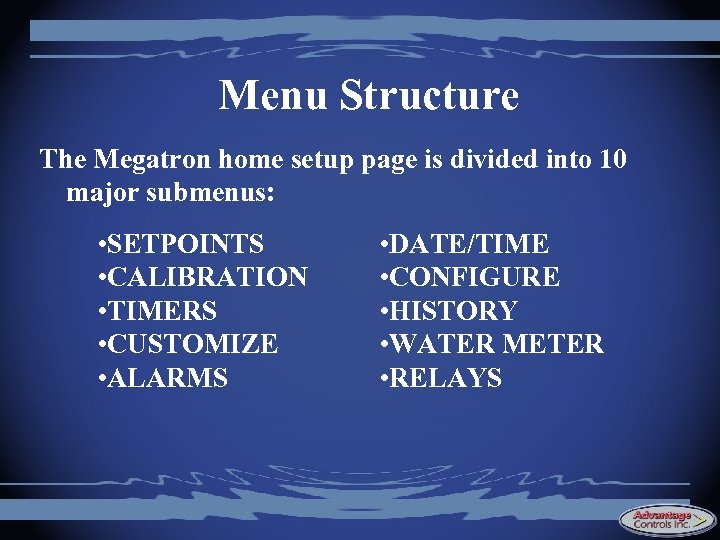
Menu Structure The Megatron home setup page is divided into 10 major submenus: • SETPOINTS • CALIBRATION • TIMERS • CUSTOMIZE • ALARMS • DATE/TIME • CONFIGURE • HISTORY • WATER METER • RELAYS
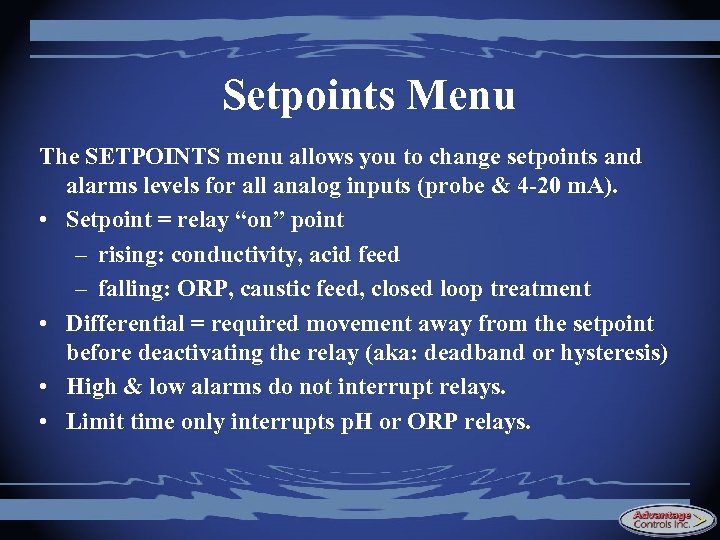
Setpoints Menu The SETPOINTS menu allows you to change setpoints and alarms levels for all analog inputs (probe & 4 -20 m. A). • Setpoint = relay “on” point – rising: conductivity, acid feed – falling: ORP, caustic feed, closed loop treatment • Differential = required movement away from the setpoint before deactivating the relay (aka: deadband or hysteresis) • High & low alarms do not interrupt relays. • Limit time only interrupts p. H or ORP relays.
Setpoints Menu - Sampling Modes Mega. Tron controllers can utilize 3 different sampling methods. Method #1: • Continuous - Used when the probe will see a continuous water sample at all times (cooling towers or very large boilers). Controller will continuously monitor the water and control accordingly.
Setpoints Menu - Sampling Modes Method #2: • Timed - Used only when intermittent sampling is desired (small to medium sized boilers). Controller will control the boiler water conductivity only after an active sample cycle (duration) and then remain inactive during the offperiod (interval). Time initiates the control cycle, but the conductivity reading ends it.
Setpoints Menu - Sampling Modes Method #3: • Sample & Hold - Similar to timed sampling with the addition of a “hold” period to allow steam to settle in a line before reading the water sample. Controller will alternate between “hold” and “blowdown” periods until conductivity setpoint is satisfied.
Calibration Menu The CALIBRATION menu allows you to make calibration adjustments to all analog inputs (probe or 4 -20 m. A): • One point = check hand tester and correct the Mega. Tron’s reading • Two point = calibrate against two different standards (or zero the probe for conductivity) • Not necessary to calibrate ORP (it is what it is)
Timers Menu The TIMERS menu allows you to select the timer type and activation settings for all taggable timers. • Pulse (water meter must also be programmed) • Percent (good for low dosage, repeated feed throughout the day - some biocides) • With-bleed • Post-bleed • 28 -day (can be interlocked with ORP to feed to an ORP setpoint only at certain times of the week)
Customize Menu The CUSTOMIZE menu allows you to customize the on-screen names of: • Megatron unit • Systems • Relays • Notepad (name, measurement units, alarm levels) • p. H index (LSI or RSI) • 4 -20 m. A inputs (name, measurement units)
Alarms Menu The ALARMS menu provides a complete listing of all current alarms for each individual control system. Date/Time Menu The DATE/TIME menu allows you to set the controller’s current date, time, day of week, and week number.
Configure Menu The CONFIGURE menu allows you to change: • Passwords – Admin = full access (except “factory” settings) – User = access restricted to defined areas • Relay assignment – change which function controls which relay • • History resolution & alarm delay Display contrast Network settings (covered in more detail later) Factory-level settings (several submenus deep)
History Menu The HISTORY menu allows you to view: • Sensor history - conductivity, p. H, ORP, temp. • Relay logs - time stamp for each on/off activation • Alarm logs - time stamp for each alarm condition • Event logs - time stamp for keyboard activity • Notepad history - all user-entered test data • Water meter - makeup, bleed-off, evaporation
Totalizers Menu The TOTALIZERS menu allows you to adjust the contact value of water meters and feed verification devices (must be programmed to utilize water meter actuated feed or chemical volume feed calcuations) Relays Menu The RELAYS menu allows you to view: • Relay name and functional assignment • Relay status (forced on, forced off, or auto) • Totalized relay on-time and date of last reset
Programming Test #1 Setup a System #1 as a cooling tower controller to perform the following: • Maintain conductivity between 1300 and 1400 u. S. • Maintain p. H between 7. 5 and 7. 8 and prevent acid overfeed by using a 45 minute feed limit timer. • Feed an oxidizing biocide to maintain an ORP residual of between 300 and 350 m. V (falling setpoint). • Use Timer 1 to feed inhibitor for 45 seconds for every 100 gallons of makeup water that enters the system (water meter #1). • Use Timer 2 to feed a non-oxidizing biocide every Monday, Wednesday, and Friday at 7: 00 a. m (pre-bleed & lockout are optional).
Programming Test #2 Program these additional settings into your cooling tower system: • Setup the extra timer to feed closed loop treatment using water meter #2 (2 minutes per 50 gallons). • Setup a user password that will prevent access to the calibration, setpoints, and timers menus.

Programming Test #3 Setup System #2 to act as a boiler controller to perform the following: • Sample the boiler water every 3 hours for 1 minute and maintain conductivity between 3800 and 4000 u. S. • Setup a timer to add a boiler treatment for 2 minutes per 50 gallons of fresh makeup water introduced into the feedwater tank. • How many total relays will this 2 -system controller utilize?
Hardware Overview The Mega. Tron controller is divided into two main compartments: • Logic (top) - contains motherboard, system cards, communication card, low voltage wiring • Power (bottom) - contains power supply, relay cards, fuses, high voltage wiring These two compartments are physically separated by a panel divider.
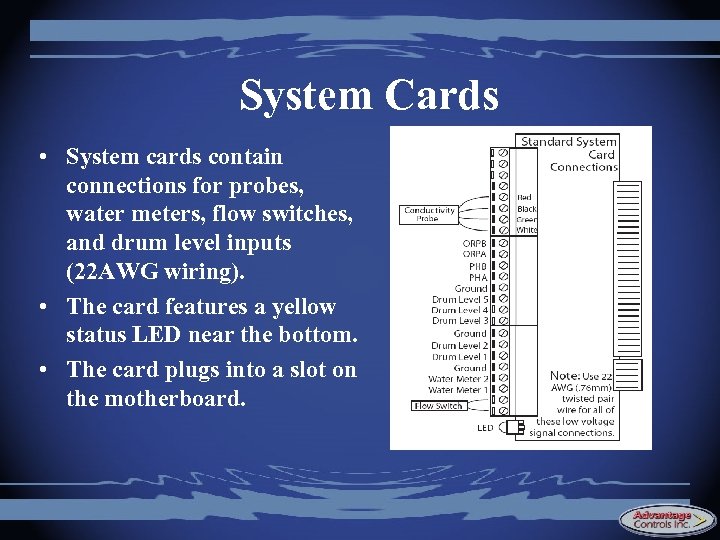
System Cards • System cards contain connections for probes, water meters, flow switches, and drum level inputs (22 AWG wiring). • The card features a yellow status LED near the bottom. • The card plugs into a slot on the motherboard.
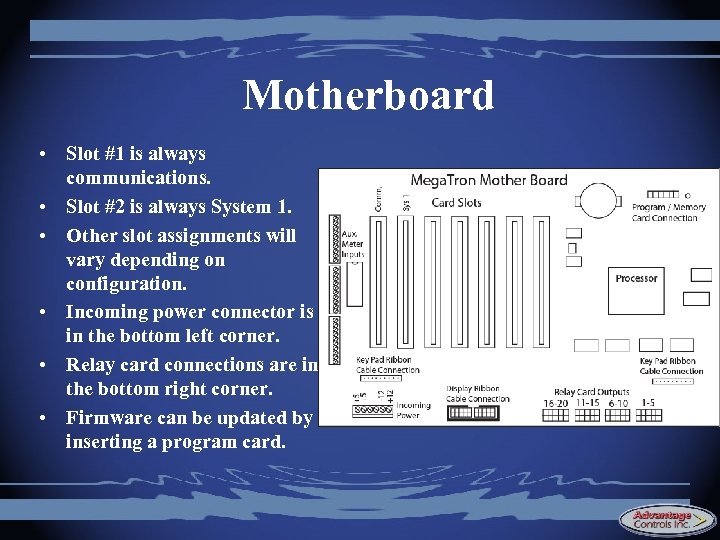
Motherboard • Slot #1 is always communications. • Slot #2 is always System 1. • Other slot assignments will vary depending on configuration. • Incoming power connector is in the bottom left corner. • Relay card connections are in the bottom right corner. • Firmware can be updated by inserting a program card.
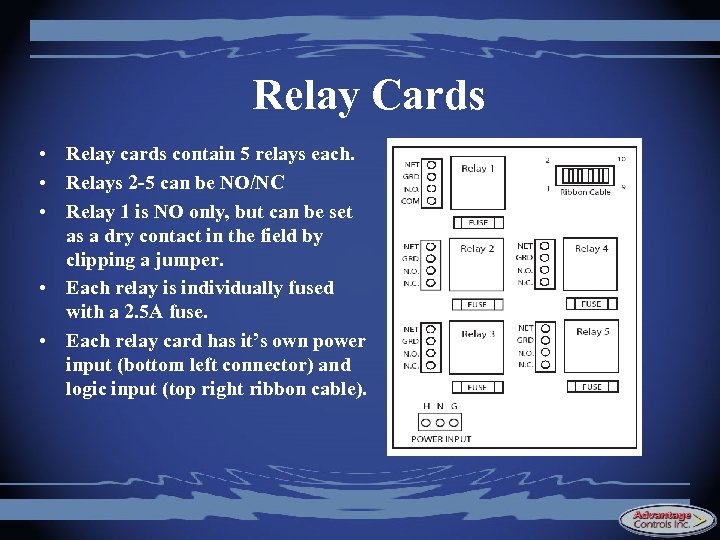
Relay Cards • Relay cards contain 5 relays each. • Relays 2 -5 can be NO/NC • Relay 1 is NO only, but can be set as a dry contact in the field by clipping a jumper. • Each relay is individually fused with a 2. 5 A fuse. • Each relay card has it’s own power input (bottom left connector) and logic input (top right ribbon cable).
Field Upgrades With optional expansion buses, Megatrons can be upgraded with: • Additional system cards • Communications cards • 4 -20 m. A cards Extra control relays can be assigned as needed
Adding New Cards Adding a new card to a Mega. Tron requires two steps: • Physically install the card and wiring connections • Activate the card and new functions through the “Factory” menu • Factory password is required (daily use only resets to a new factory password on the following day)

Unlocking New Features New programming features can be unlocked in the “factory” submenu using the factory password. • New cards, inputs/outputs, relays, timers, water meters, flow switches, level wands, etc. can all be enabled through software. • New features require the appropriate hardware (enabling p. H through software does no good if the p. H circuit isn’t available).
Hardware Test Your Mega. Tron should have an unused relay. • Use this extra relay and unlock a new timer to feed a steam line treatment into your boiler system. • Program the new timer as you wish. • Consult the “cheat sheet” if necessary. • Bonus points - What is the complete model number of your upgraded Mega. Tron controller?
Mega. Tron Communications By the end of this session, you should be able to: • Understand the various communication formats • Connect to a Mega. Tron in both local and remote modes • Navigate the Web. Advantage interface • Understand the procedure for setting up automated summary reports
Connecting in Local Mode Connecting to a Mega. Tron in local mode allows you to: • View real-time controller operating data • Change all controller settings • Download data as a delimited text file for importing into Excel • Local mode is best used for simply downloading data from the Mega. Tron to your laptop (not many bells & whistles).
Connecting in Local Mode To connect in local mode: • Plug the Mega. Tron’s Ethernet cable into one end of the inline coupler (supplied), and then plug the cross-over cable (also supplied) into the other end of the coupler. • Connect the cross-over cable to the Ethernet port on the back of your laptop (or PC).
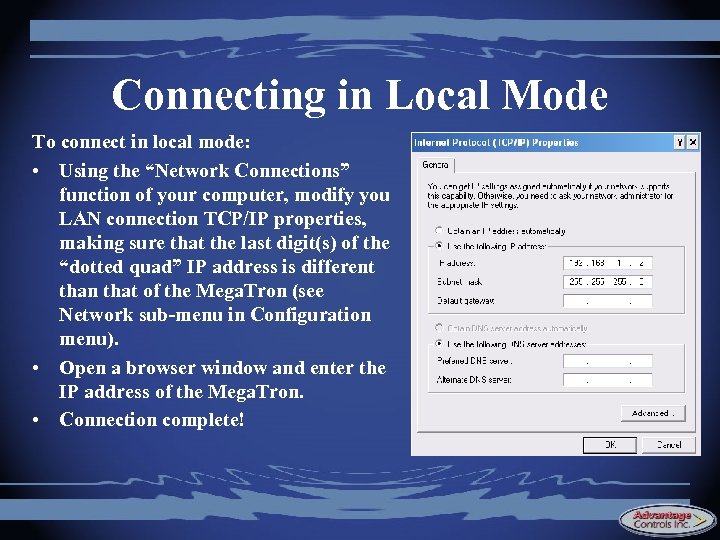
Connecting in Local Mode To connect in local mode: • Using the “Network Connections” function of your computer, modify you LAN connection TCP/IP properties, making sure that the last digit(s) of the “dotted quad” IP address is different than that of the Mega. Tron (see Network sub-menu in Configuration menu). • Open a browser window and enter the IP address of the Mega. Tron. • Connection complete!
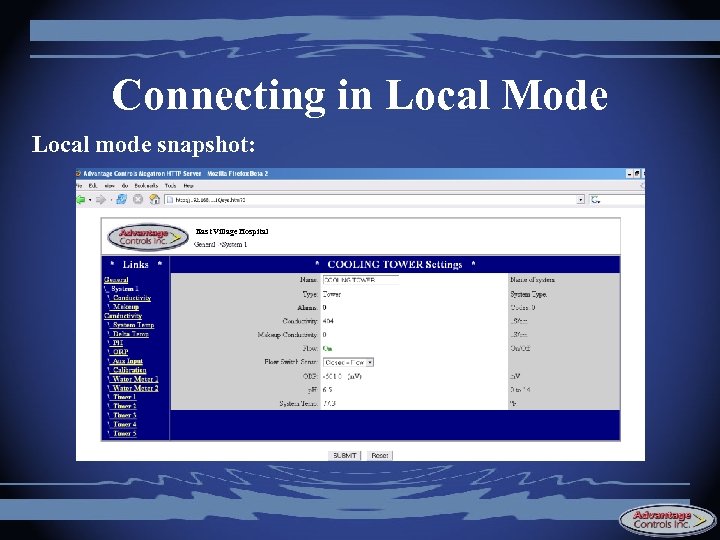
Connecting in Local Mode Local mode snapshot: East Village Hospital
Web. Advantage Overview Web. Advantage is an Internet-based remote monitoring service that allows you to: • View real-time controller operating data • Change all controller settings • Generate custom graphs and data logs • Receive automated summary reports via e-mail • Receive alarm conditions via e-mail
Web. Advantage Overview • Megatron controllers are online all the time allowing for continual transmission of data to the Web. Advantage servers • Data is stored in duplicate on two servers to ensure it is always backed up • Web. Advantage allows multiple users to connect to a controller simultaneously • Constant connections allow a for a summary view of all controllers at once
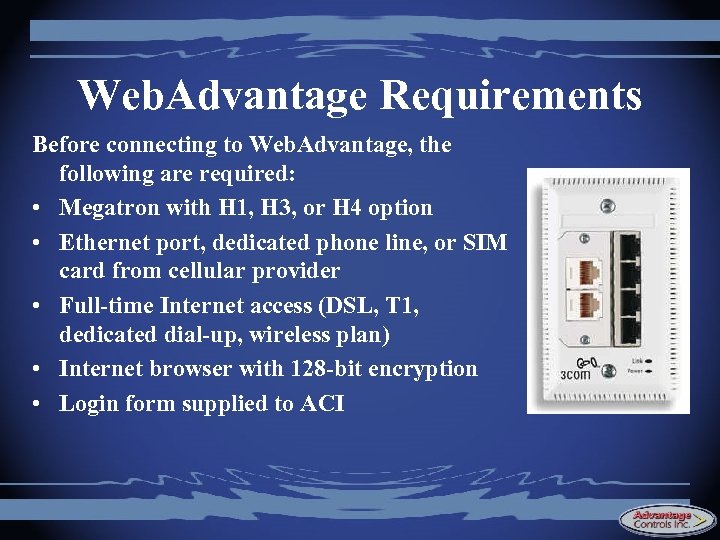
Web. Advantage Requirements Before connecting to Web. Advantage, the following are required: • Megatron with H 1, H 3, or H 4 option • Ethernet port, dedicated phone line, or SIM card from cellular provider • Full-time Internet access (DSL, T 1, dedicated dial-up, wireless plan) • Internet browser with 128 -bit encryption • Login form supplied to ACI
Connecting to Web. Advantage Connection methods: • RJ-45 Ethernet connection through building’s existing ISP (most common) - H 1 • On-board wireless modem - H 3 • On-board dial-up modem - H 4
RJ-45 Through Ethernet • Plug the supplied RJ-45 plug into an available CAT 5 Ethernet port • Using DHCP protocol, the Megatron communicates with the facility’s computer network to obtain outside Internet access • If desired, the building’s network administrator may wish to assign a static IP address in lieu of using DHCP • Pros - easy setup, no extra ISP charge
Cellular Modem to Internet • Insert the SIM card from your cellular provider into the cellular modem provided with the Mega. Tron • Connect the external cellular antenna if necessary • Mega. Tron will automatically connect to the Internet using the settings pre-programmed on the SIM card • Requires an unlimited wireless data plan from a compatible provider (T-Mobile, Cingular) • Use when no computer netowrk is available or when it is necessary to bypass the facility’s network
Dial-up Modem to Internet • Plug the Megatron’s phone line cable into a dedicated phone jack • Program the Mega. Tron with the ISP login information supplied by your provider and the Mega. Tron will establish a connection with the Internet • Requires a separate ISP (e. g. , Earthlink) and an extra monthly ISP charge • Use when no computer netowrk is available or when it is necessary to bypass the facility’s network

Log in to Web. Advantage • Surf to http: //webadvantagecontrols. com • Click “Login” in the upper right hand corner
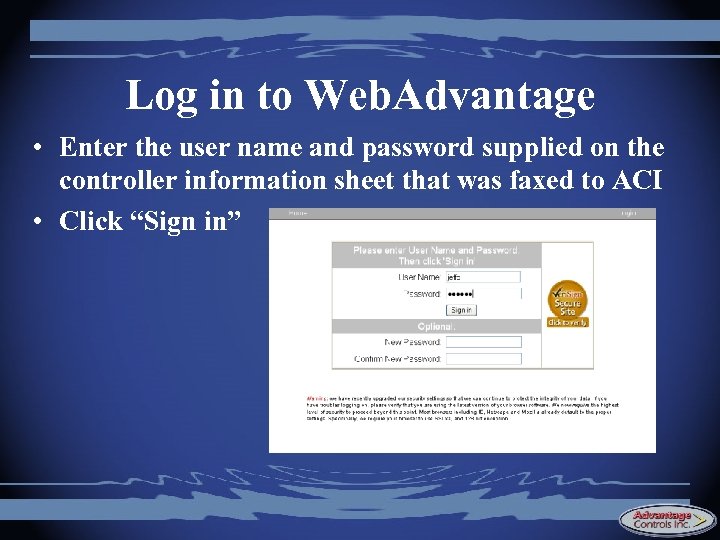
Log in to Web. Advantage • Enter the user name and password supplied on the controller information sheet that was faxed to ACI • Click “Sign in”
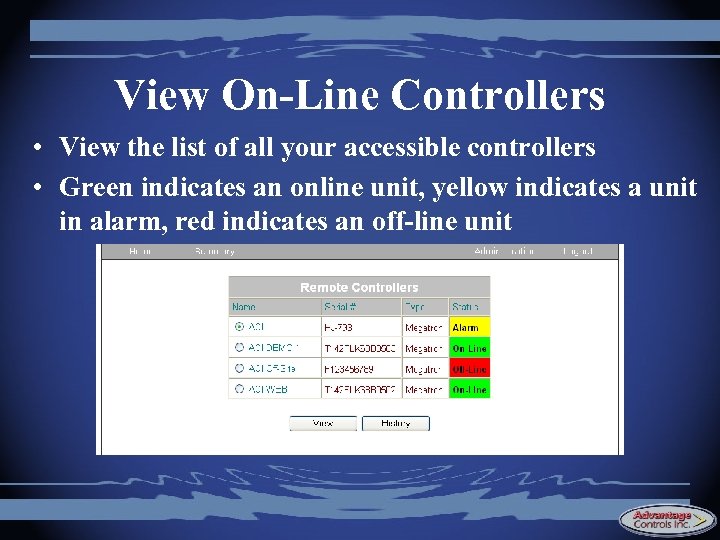
View On-Line Controllers • View the list of all your accessible controllers • Green indicates an online unit, yellow indicates a unit in alarm, red indicates an off-line unit
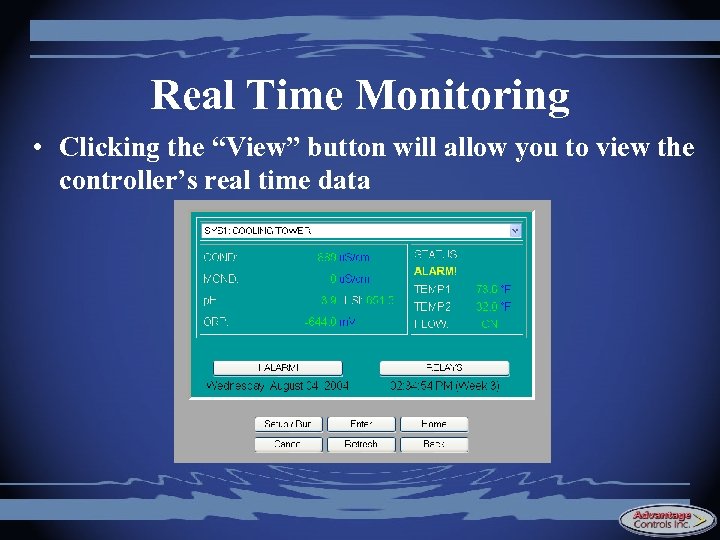
Real Time Monitoring • Clicking the “View” button will allow you to view the controller’s real time data
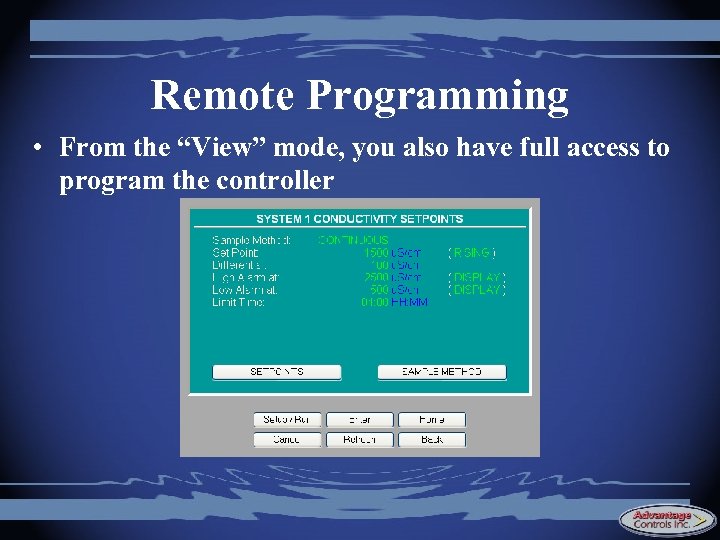
Remote Programming • From the “View” mode, you also have full access to program the controller
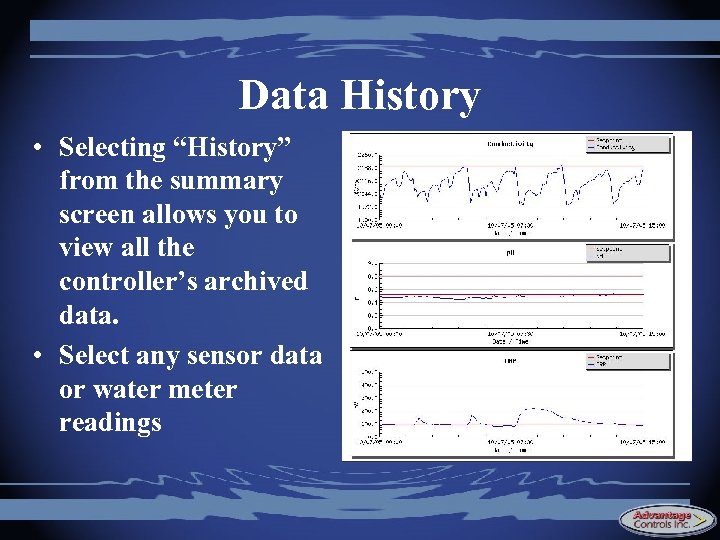
Data History • Selecting “History” from the summary screen allows you to view all the controller’s archived data. • Select any sensor data or water meter readings
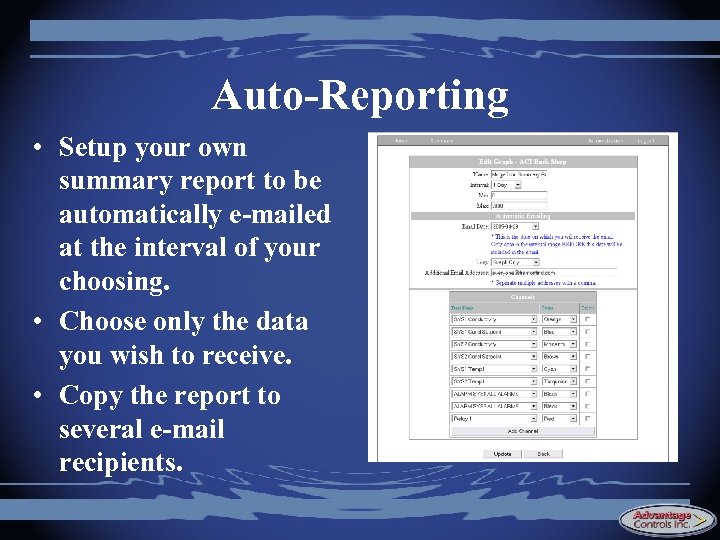
Auto-Reporting • Setup your own summary report to be automatically e-mailed at the interval of your choosing. • Choose only the data you wish to receive. • Copy the report to several e-mail recipients.
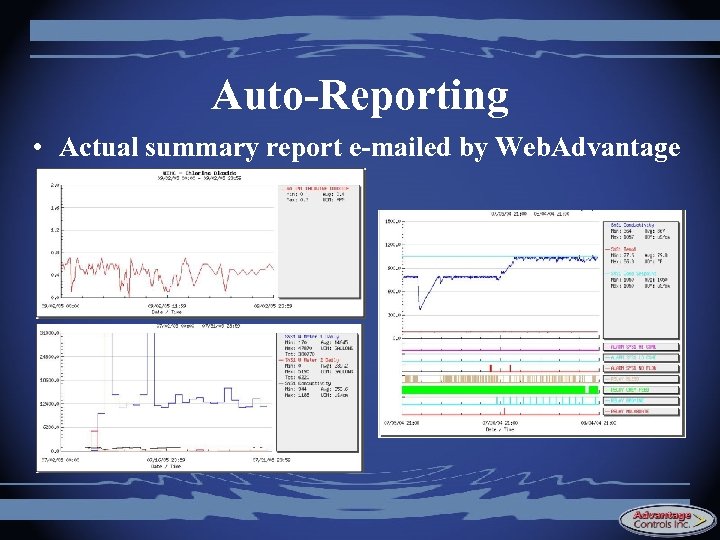
Auto-Reporting • Actual summary report e-mailed by Web. Advantage
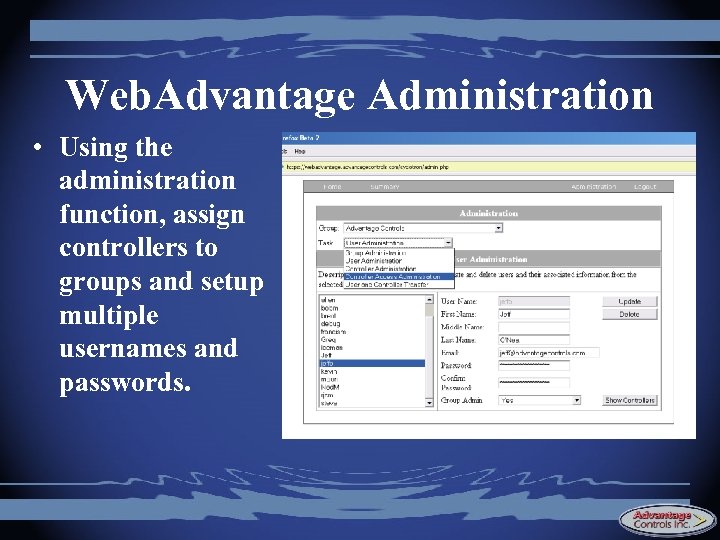
Web. Advantage Administration • Using the administration function, assign controllers to groups and setup multiple usernames and passwords.
Скачать презентацию Advantage Controls Mega Tron Training Presented by
0b48344deed98c735bdb117646f6a878.ppt