


 Скачать презентацию Advances in Wireless Networks IEEE 802 16 Wi MAX
fa08cb1d306ce38639025691b8c5ca4d.ppt
- Количество слайдов: 60
 Advances in Wireless Networks: IEEE 802. 16(Wi. MAX) Vinh Do Comp 529 California State University of Northridge 1
 Outline l l l l Background IEEE 802. 15: PAN IEEE 802. 11: Wireless LANs 802. 11 last-mile network Mesh network IEEE 802. 16 -Standards -Physical layer -MAC layer IEEE 802. 20(proposed) 2
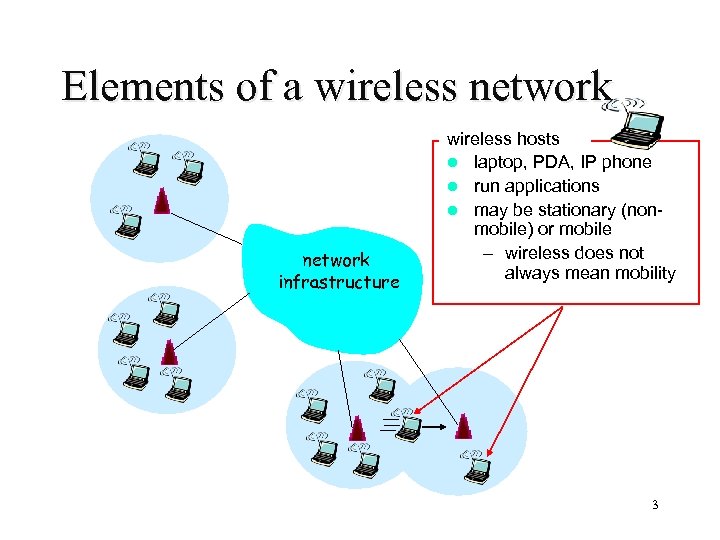 Elements of a wireless network infrastructure wireless hosts l laptop, PDA, IP phone l run applications l may be stationary (nonmobile) or mobile – wireless does not always mean mobility 3
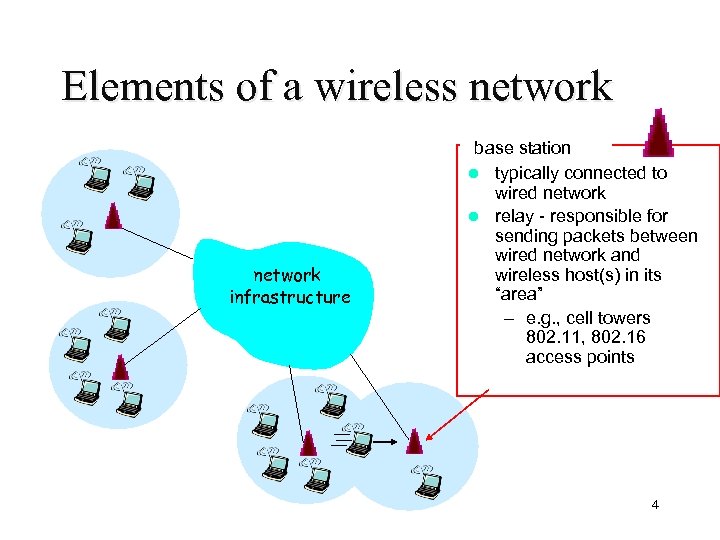 Elements of a wireless network infrastructure base station l typically connected to wired network l relay - responsible for sending packets between wired network and wireless host(s) in its “area” – e. g. , cell towers 802. 11, 802. 16 access points 4
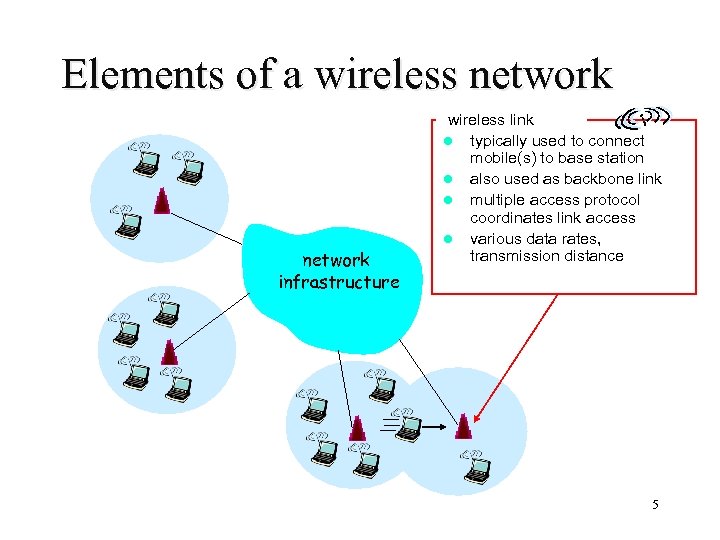 Elements of a wireless network infrastructure wireless link l typically used to connect mobile(s) to base station l also used as backbone link l multiple access protocol coordinates link access l various data rates, transmission distance 5
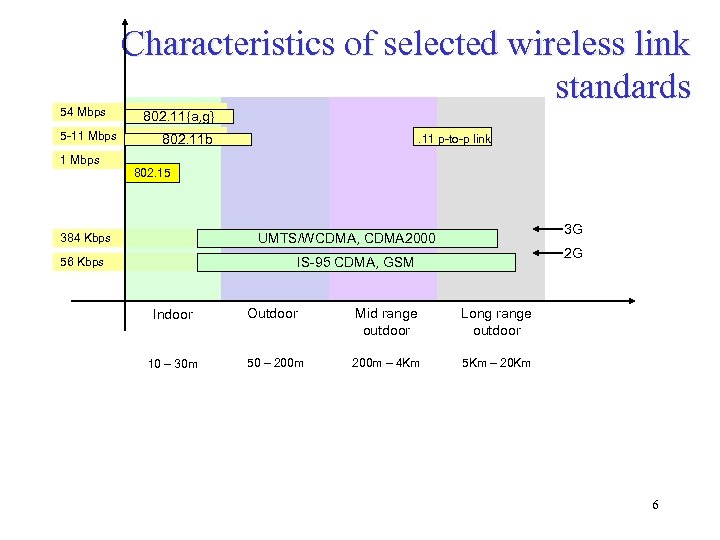 54 Mbps 5 -11 Mbps Characteristics of selected wireless link standards 802. 11{a, g} 802. 11 b . 11 p-to-p link 802. 15 3 G UMTS/WCDMA, CDMA 2000 384 Kbps 2 G IS-95 CDMA, GSM 56 Kbps Indoor Outdoor Mid range outdoor Long range outdoor 10 – 30 m 50 – 200 m – 4 Km 5 Km – 20 Km 6
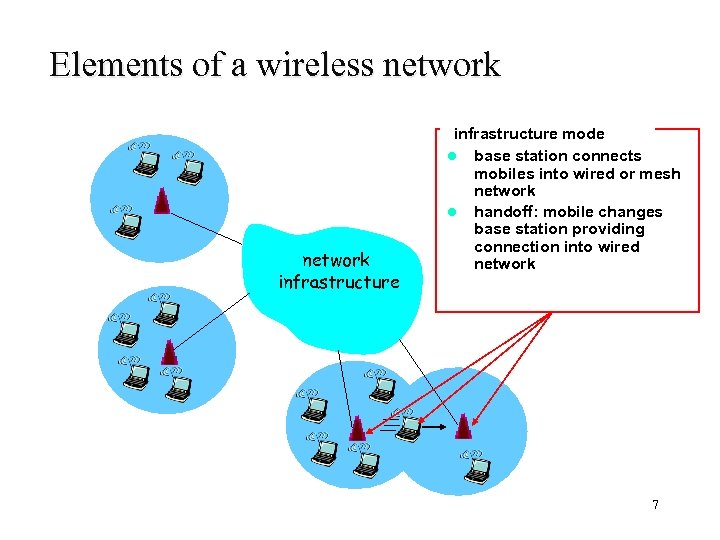 Elements of a wireless network infrastructure mode l base station connects mobiles into wired or mesh network l handoff: mobile changes base station providing connection into wired network 7
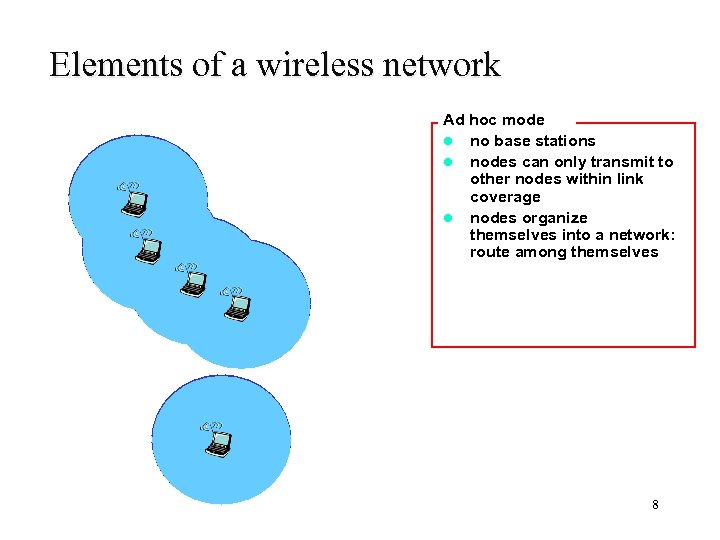 Elements of a wireless network Ad hoc mode l no base stations l nodes can only transmit to other nodes within link coverage l nodes organize themselves into a network: route among themselves 8
 Wireless Link Characteristics Differences from wired link …. – decreased signal strength: radio signal attenuates as it propagates through matter (path loss) – interference from other sources: standardized wireless network frequencies (e. g. , 2. 4 GHz) shared by other devices (e. g. , phone); devices (motors) interfere as well – multipath propagation: radio signal reflects off objects ground, arriving ad destination at slightly different times …. make communication across (even a point to point) wireless link much more “difficult” 9
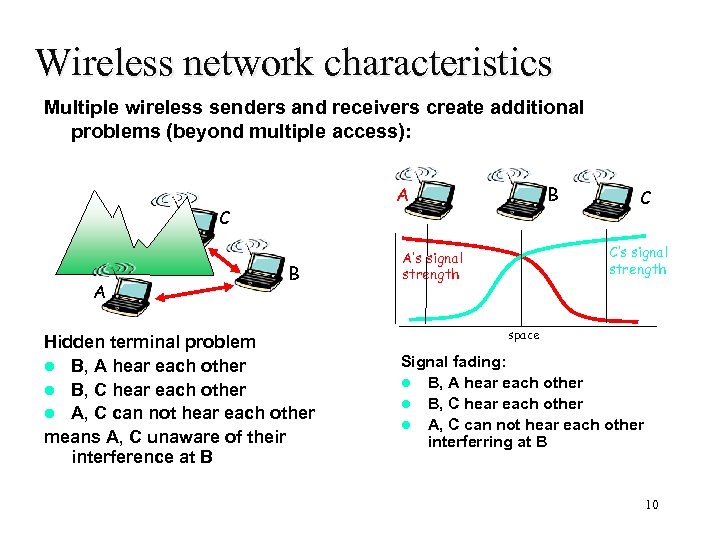 Wireless network characteristics Multiple wireless senders and receivers create additional problems (beyond multiple access): C A B Hidden terminal problem l B, A hear each other l B, C hear each other l A, C can not hear each other means A, C unaware of their interference at B C C’s signal strength A’s signal strength space Signal fading: l B, A hear each other l B, C hear each other l A, C can not hear each other interferring at B 10
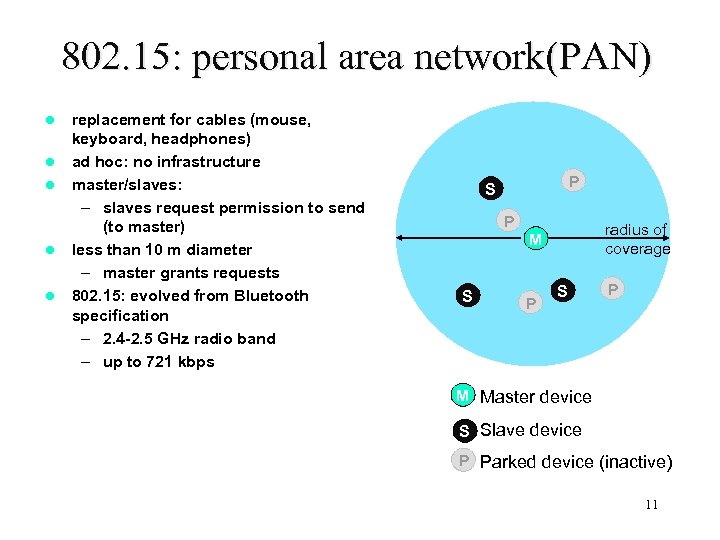 802. 15: personal area network(PAN) l l l replacement for cables (mouse, keyboard, headphones) ad hoc: no infrastructure master/slaves: – slaves request permission to send (to master) less than 10 m diameter – master grants requests 802. 15: evolved from Bluetooth specification – 2. 4 -2. 5 GHz radio band – up to 721 kbps P S P radius of coverage M S P M Master device S Slave device P Parked device (inactive) 11
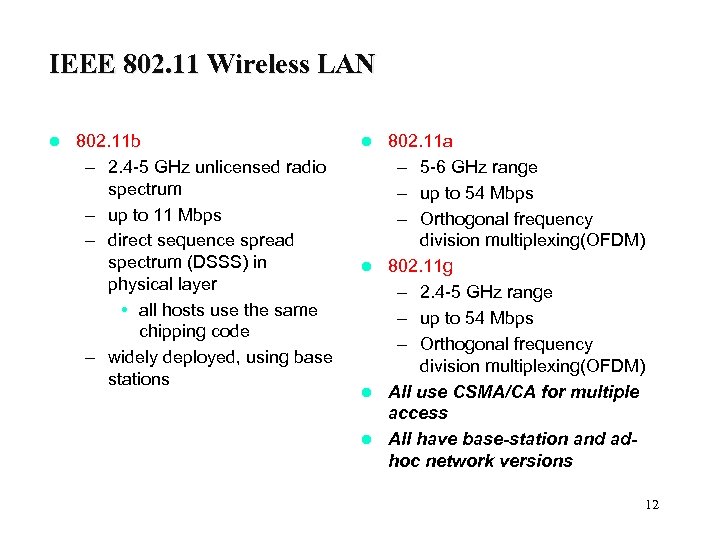 IEEE 802. 11 Wireless LAN l 802. 11 b – 2. 4 -5 GHz unlicensed radio spectrum – up to 11 Mbps – direct sequence spread spectrum (DSSS) in physical layer • all hosts use the same chipping code – widely deployed, using base stations 802. 11 a – 5 -6 GHz range – up to 54 Mbps – Orthogonal frequency division multiplexing(OFDM) l 802. 11 g – 2. 4 -5 GHz range – up to 54 Mbps – Orthogonal frequency division multiplexing(OFDM) l All use CSMA/CA for multiple access l All have base-station and adhoc network versions l 12
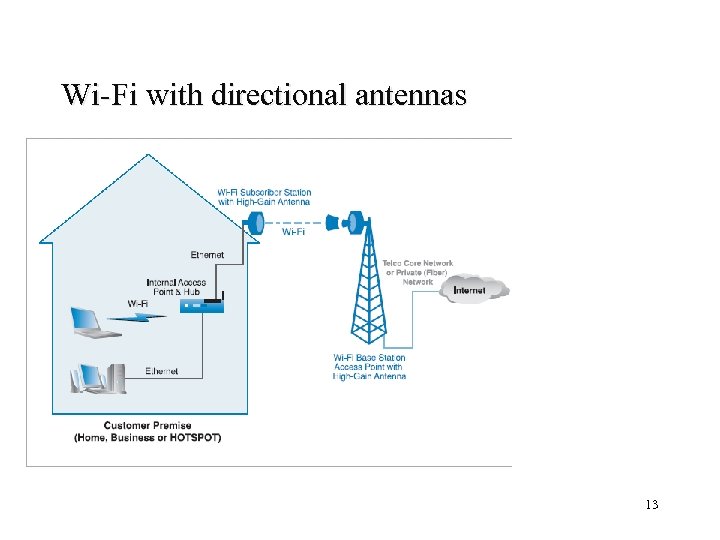 Wi-Fi with directional antennas 13
 Wi-Fi with directional antennas Increase range of 802. 11 l Fixed access/ Last mile usage-802. 11 with high speed antennas l 802. 11 g is often selected -speed -ability to handle interference(OFDM) -interoperability with 802. 11 b-based devices l Limitation -efficiency of the network decreases as the number of users on 802. 11 increases due to the overhead of managing additional subscriber -CSMA/CA contributed to network traffic l 14
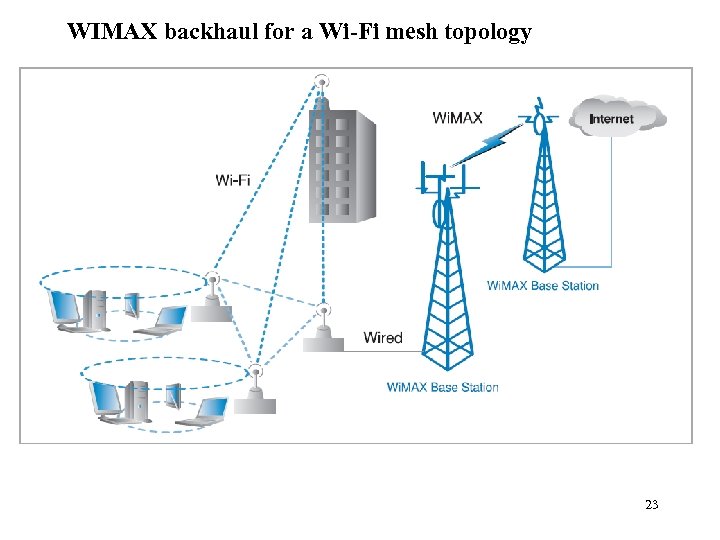
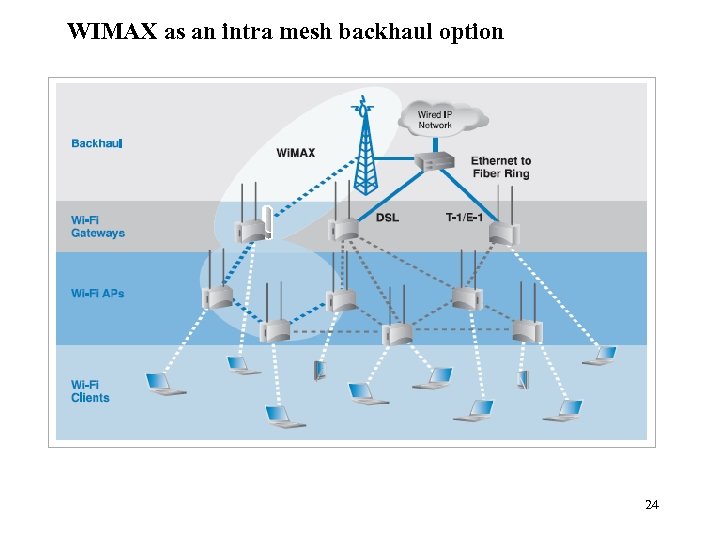
 802. 11 Mesh network as MANs l l l l Interconnect 802. 11 x based nodes by wireless 802. 11 links 802. 11 a standard commonly used in AP to AP links (performance and nonchanel overlapped with 802. 11 b/g) Properties – 2. 4 GHz or 5 GHz unlicensed spectrum – up to 54 Mbps – Portable access Automatic learn and maintain dynamic path configuration Small nodes act as a simple router Connection is shared across nodes Based on propriety solutions – May provide Vo. IP and Qo. S – Coverage range can be over 10 km – Performance up to 100 Mbps Better suited to blanket large areas with 802. 11 access 15
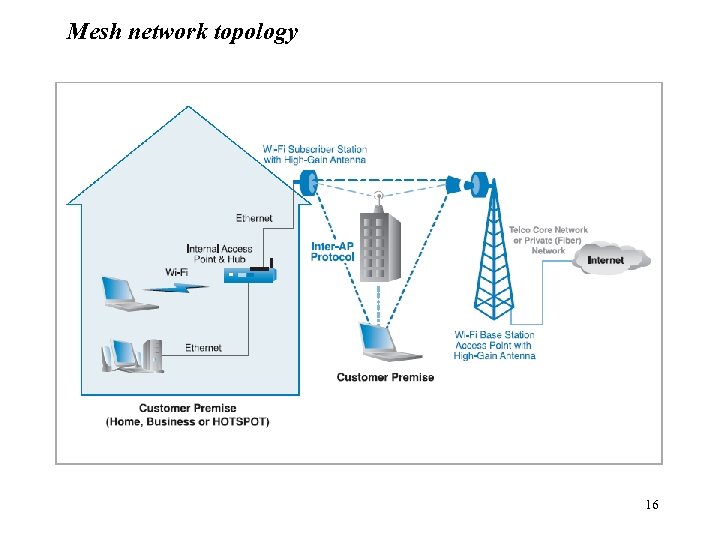 Mesh network topology 16
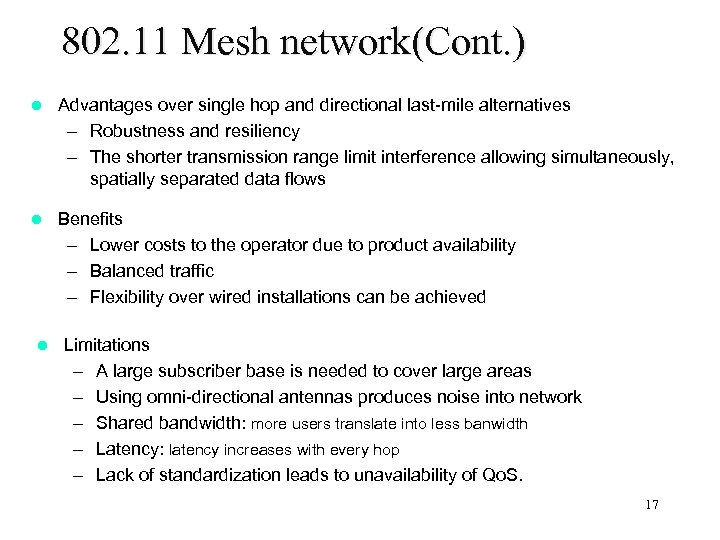 802. 11 Mesh network(Cont. ) l Advantages over single hop and directional last-mile alternatives – Robustness and resiliency – The shorter transmission range limit interference allowing simultaneously, spatially separated data flows l Benefits – Lower costs to the operator due to product availability – Balanced traffic – Flexibility over wired installations can be achieved l Limitations – A large subscriber base is needed to cover large areas – Using omni-directional antennas produces noise into network – Shared bandwidth: more users translate into less banwidth – Latency: latency increases with every hop – Lack of standardization leads to unavailability of Qo. S. 17
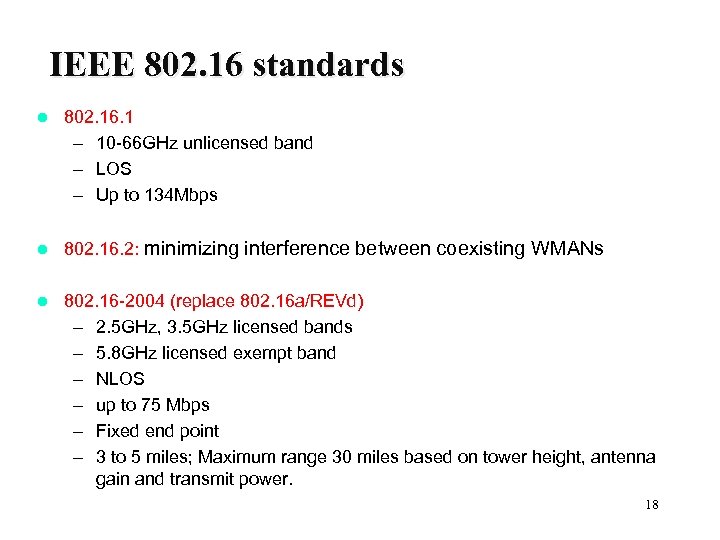 IEEE 802. 16 standards l 802. 16. 1 – 10 -66 GHz unlicensed band – LOS – Up to 134 Mbps l 802. 16. 2: minimizing interference between coexisting WMANs l 802. 16 -2004 (replace 802. 16 a/REVd) – 2. 5 GHz, 3. 5 GHz licensed bands – 5. 8 GHz licensed exempt band – NLOS – up to 75 Mbps – Fixed end point – 3 to 5 miles; Maximum range 30 miles based on tower height, antenna gain and transmit power. 18
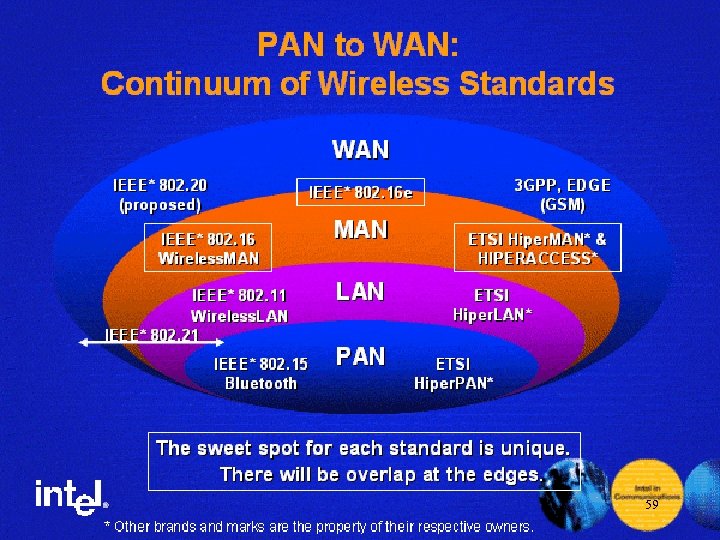
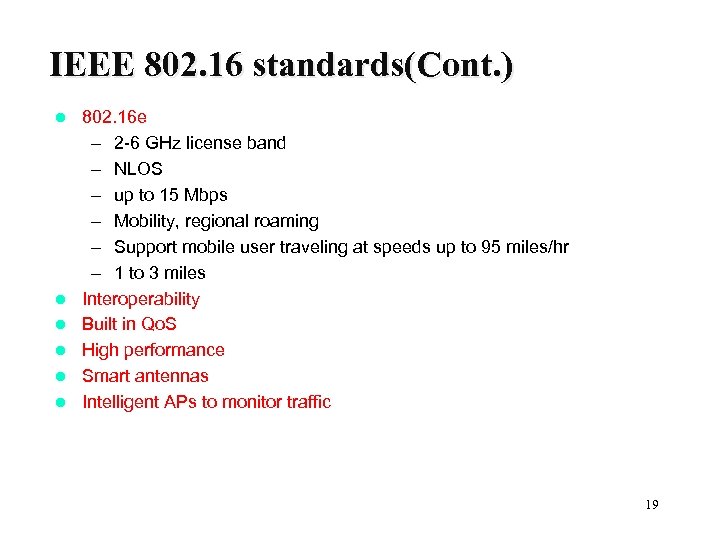 IEEE 802. 16 standards(Cont. ) l l l 802. 16 e – 2 -6 GHz license band – NLOS – up to 15 Mbps – Mobility, regional roaming – Support mobile user traveling at speeds up to 95 miles/hr – 1 to 3 miles Interoperability Built in Qo. S High performance Smart antennas Intelligent APs to monitor traffic 19
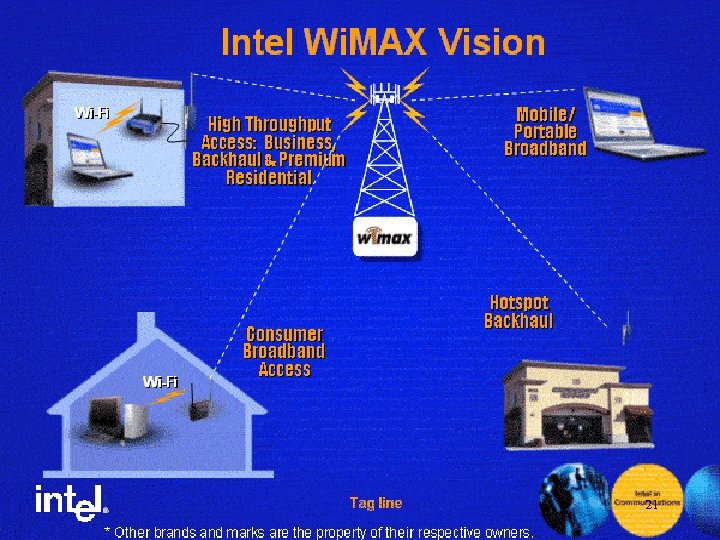
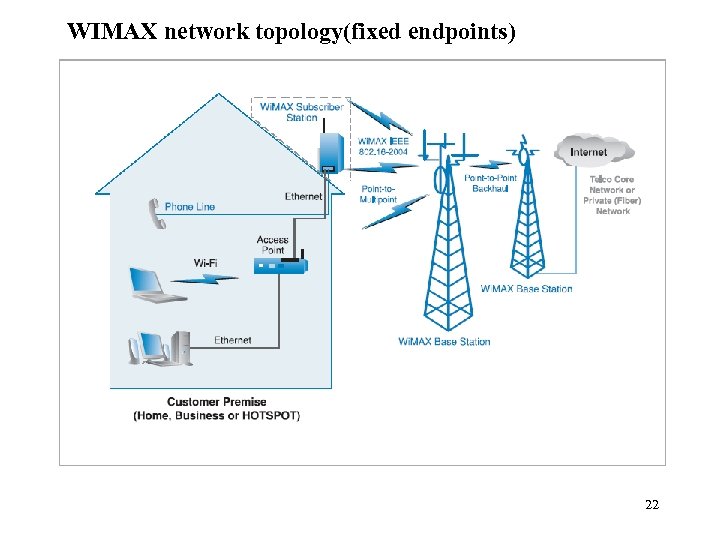
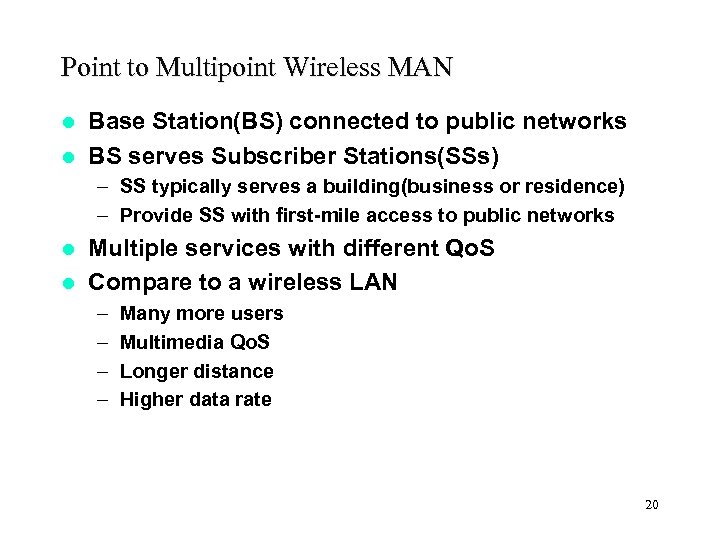 Point to Multipoint Wireless MAN Base Station(BS) connected to public networks l BS serves Subscriber Stations(SSs) l – SS typically serves a building(business or residence) – Provide SS with first-mile access to public networks Multiple services with different Qo. S l Compare to a wireless LAN l – – Many more users Multimedia Qo. S Longer distance Higher data rate 20
 21
21
 WIMAX network topology(fixed endpoints) 22
 WIMAX backhaul for a Wi-Fi mesh topology 23
 WIMAX as an intra mesh backhaul option 24
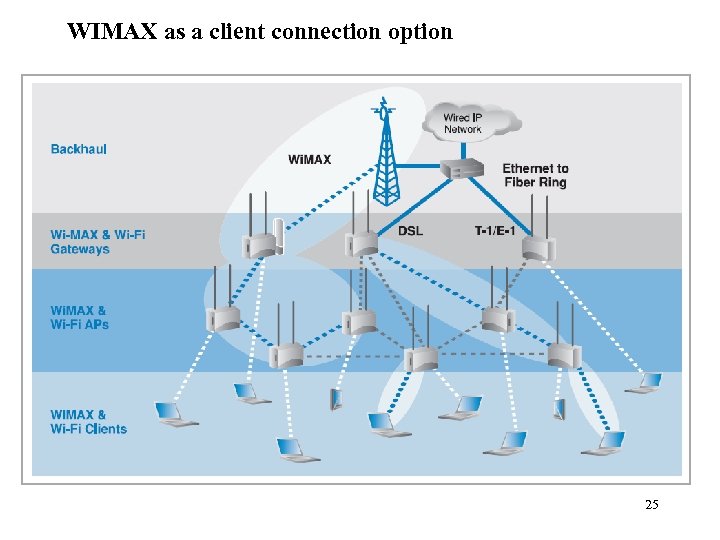 WIMAX as a client connection option 25
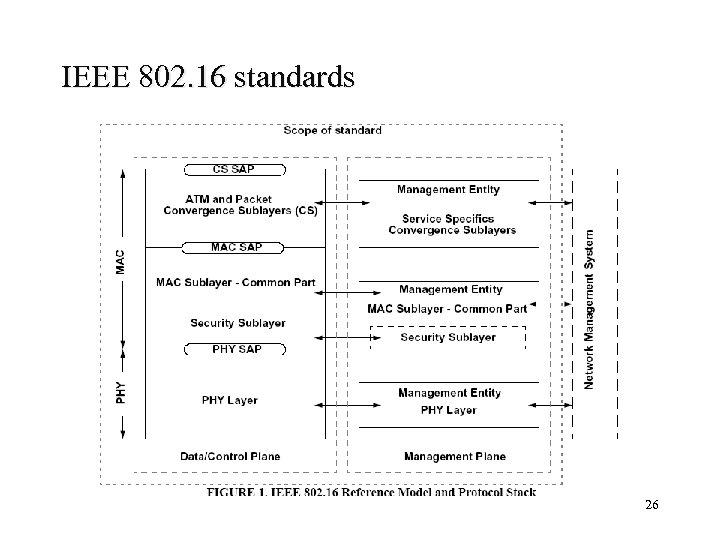 IEEE 802. 16 standards 26
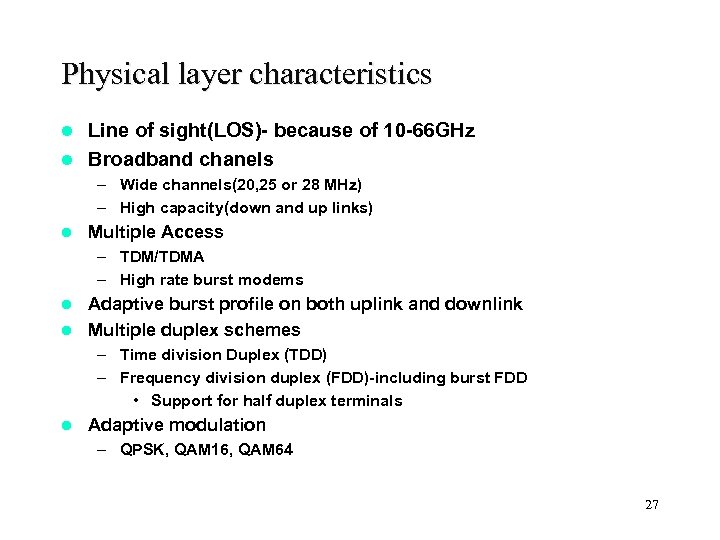 Physical layer characteristics Line of sight(LOS)- because of 10 -66 GHz l Broadband chanels l – Wide channels(20, 25 or 28 MHz) – High capacity(down and up links) l Multiple Access – TDM/TDMA – High rate burst modems Adaptive burst profile on both uplink and downlink l Multiple duplex schemes l – Time division Duplex (TDD) – Frequency division duplex (FDD)-including burst FDD • Support for half duplex terminals l Adaptive modulation – QPSK, QAM 16, QAM 64 27
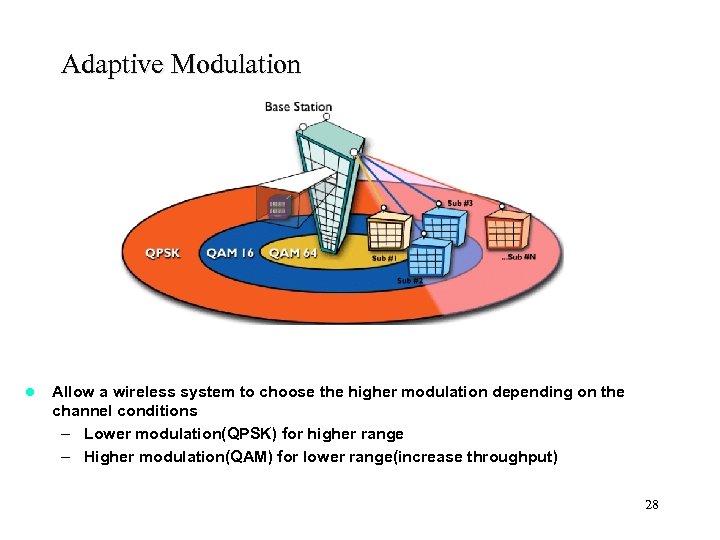 Adaptive Modulation l Allow a wireless system to choose the higher modulation depending on the channel conditions – Lower modulation(QPSK) for higher range – Higher modulation(QAM) for lower range(increase throughput) 28
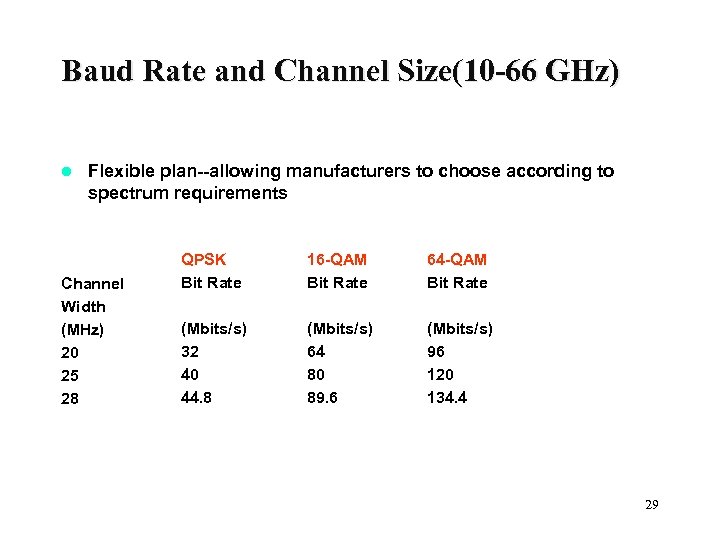 Baud Rate and Channel Size(10 -66 GHz) l Flexible plan--allowing manufacturers to choose according to spectrum requirements Channel Width (MHz) 20 25 28 QPSK Bit Rate 16 -QAM Bit Rate 64 -QAM Bit Rate (Mbits/s) 32 40 44. 8 (Mbits/s) 64 80 89. 6 (Mbits/s) 96 120 134. 4 29
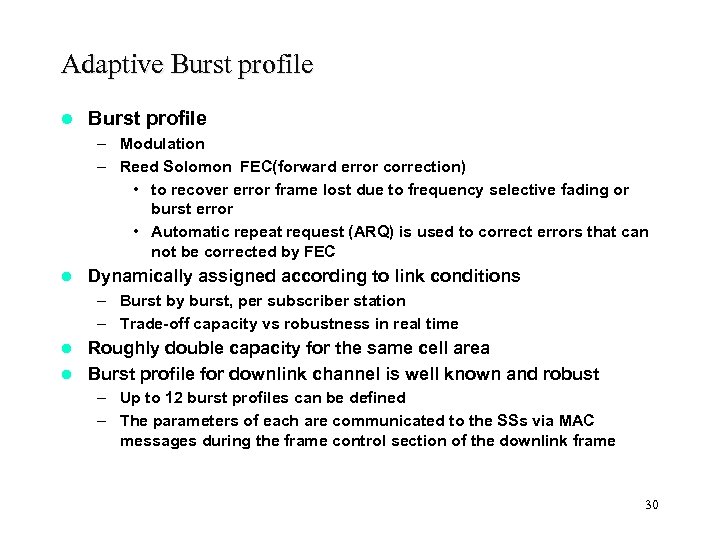 Adaptive Burst profile l Burst profile – Modulation – Reed Solomon FEC(forward error correction) • to recover error frame lost due to frequency selective fading or burst error • Automatic repeat request (ARQ) is used to correct errors that can not be corrected by FEC l Dynamically assigned according to link conditions – Burst by burst, per subscriber station – Trade-off capacity vs robustness in real time Roughly double capacity for the same cell area l Burst profile for downlink channel is well known and robust l – Up to 12 burst profiles can be defined – The parameters of each are communicated to the SSs via MAC messages during the frame control section of the downlink frame 30
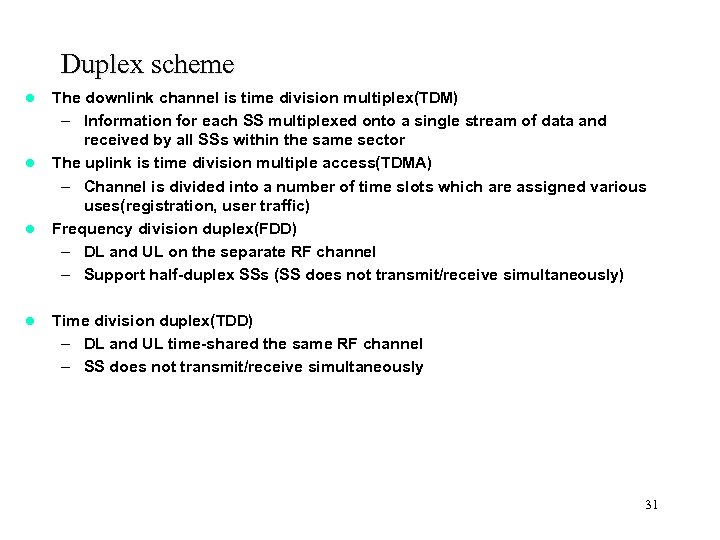 Duplex scheme l l The downlink channel is time division multiplex(TDM) – Information for each SS multiplexed onto a single stream of data and received by all SSs within the same sector The uplink is time division multiple access(TDMA) – Channel is divided into a number of time slots which are assigned various uses(registration, user traffic) Frequency division duplex(FDD) – DL and UL on the separate RF channel – Support half-duplex SSs (SS does not transmit/receive simultaneously) Time division duplex(TDD) – DL and UL time-shared the same RF channel – SS does not transmit/receive simultaneously 31
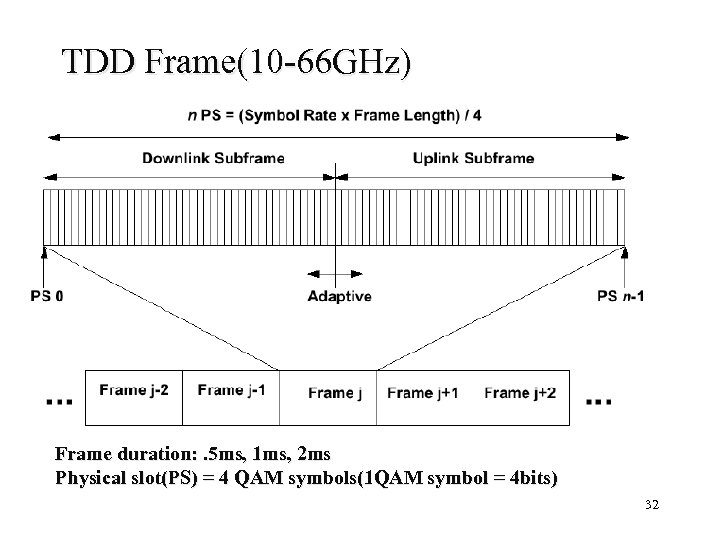 TDD Frame(10 -66 GHz) Frame duration: . 5 ms, 1 ms, 2 ms Physical slot(PS) = 4 QAM symbols(1 QAM symbol = 4 bits) 32
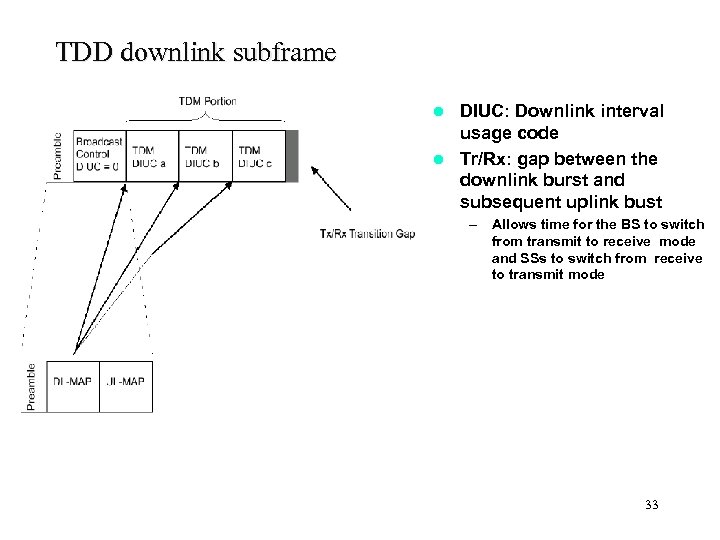 TDD downlink subframe DIUC: Downlink interval usage code l Tr/Rx: gap between the downlink burst and subsequent uplink bust l – Allows time for the BS to switch from transmit to receive mode and SSs to switch from receive to transmit mode 33
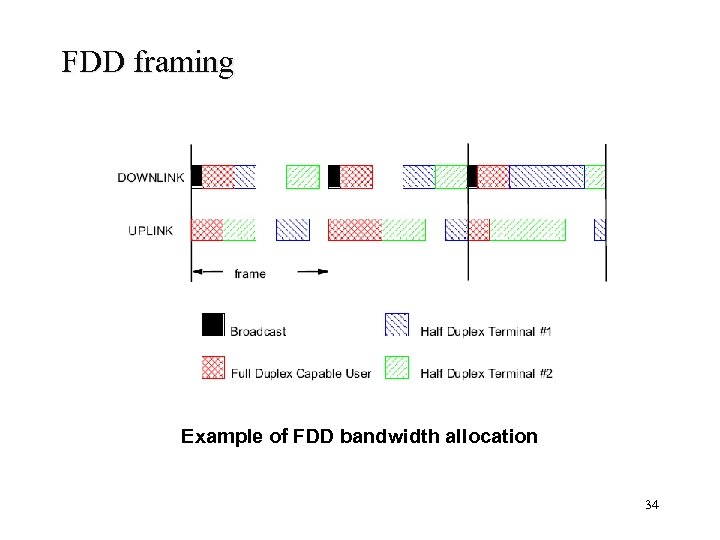 FDD framing Example of FDD bandwidth allocation 34
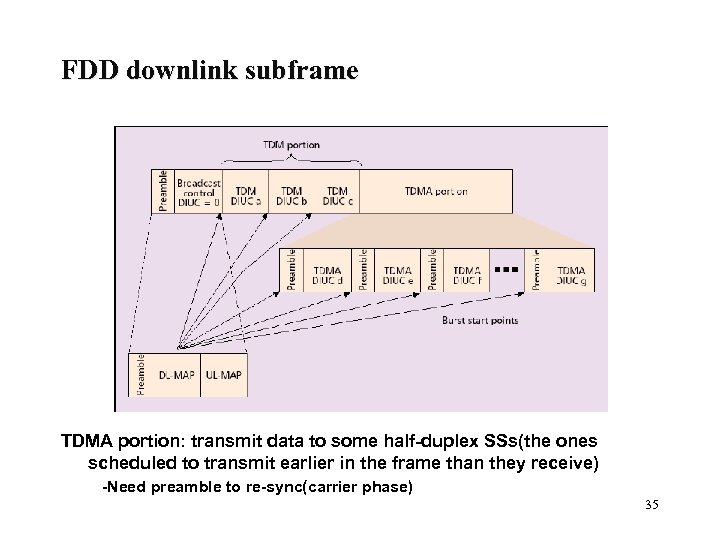 FDD downlink subframe TDMA portion: transmit data to some half-duplex SSs(the ones scheduled to transmit earlier in the frame than they receive) -Need preamble to re-sync(carrier phase) 35
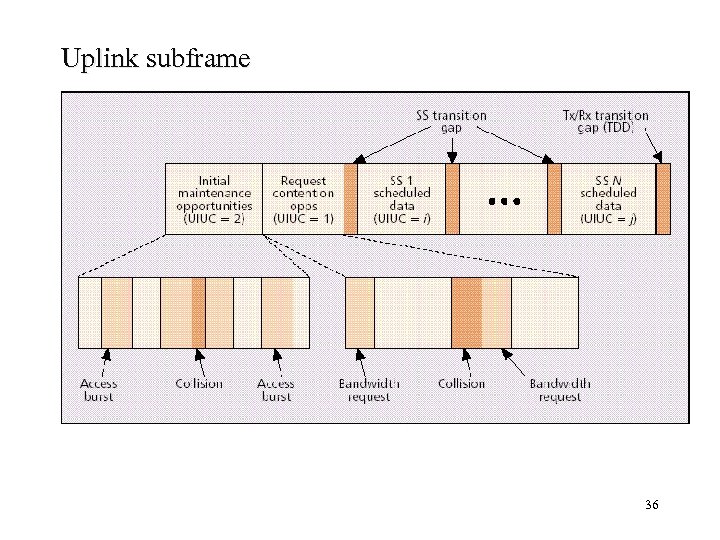 Uplink subframe 36
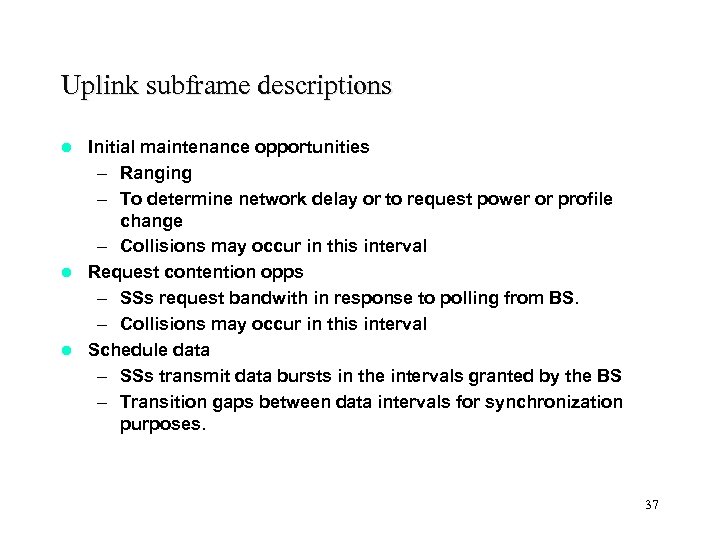 Uplink subframe descriptions Initial maintenance opportunities – Ranging – To determine network delay or to request power or profile change – Collisions may occur in this interval l Request contention opps – SSs request bandwith in response to polling from BS. – Collisions may occur in this interval l Schedule data – SSs transmit data bursts in the intervals granted by the BS – Transition gaps between data intervals for synchronization purposes. l 37
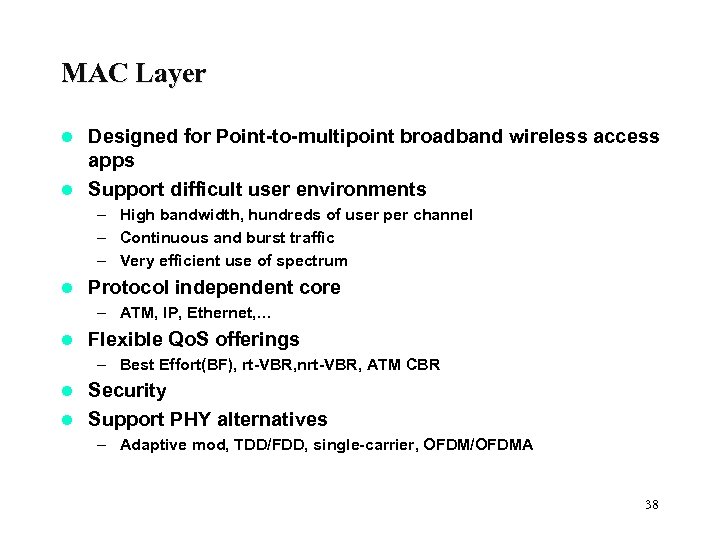 MAC Layer Designed for Point-to-multipoint broadband wireless access apps l Support difficult user environments l – High bandwidth, hundreds of user per channel – Continuous and burst traffic – Very efficient use of spectrum l Protocol independent core – ATM, IP, Ethernet, … l Flexible Qo. S offerings – Best Effort(BF), rt-VBR, nrt-VBR, ATM CBR Security l Support PHY alternatives l – Adaptive mod, TDD/FDD, single-carrier, OFDM/OFDMA 38
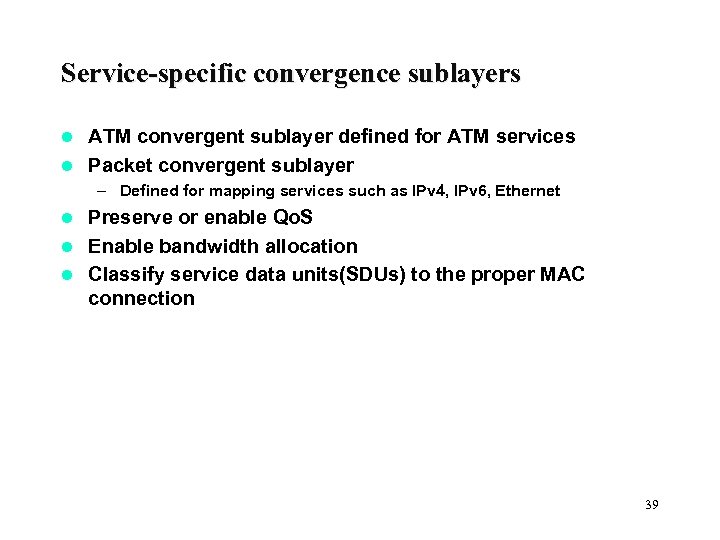 Service-specific convergence sublayers ATM convergent sublayer defined for ATM services l Packet convergent sublayer l – Defined for mapping services such as IPv 4, IPv 6, Ethernet Preserve or enable Qo. S l Enable bandwidth allocation l Classify service data units(SDUs) to the proper MAC connection l 39
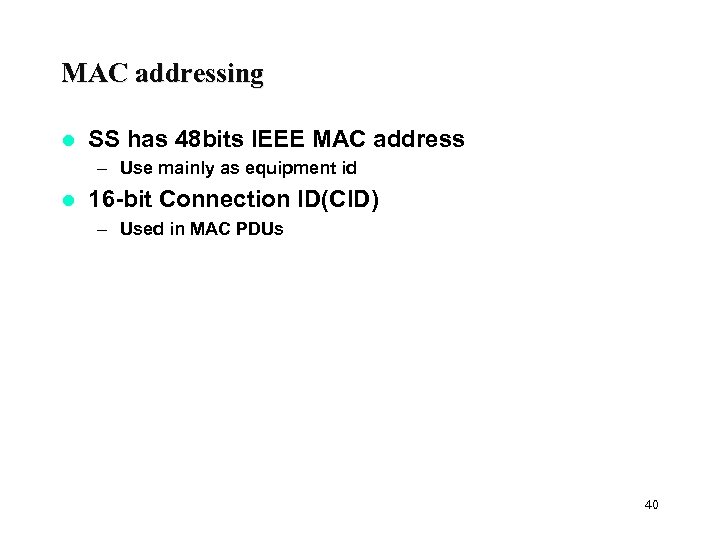 MAC addressing l SS has 48 bits IEEE MAC address – Use mainly as equipment id l 16 -bit Connection ID(CID) – Used in MAC PDUs 40
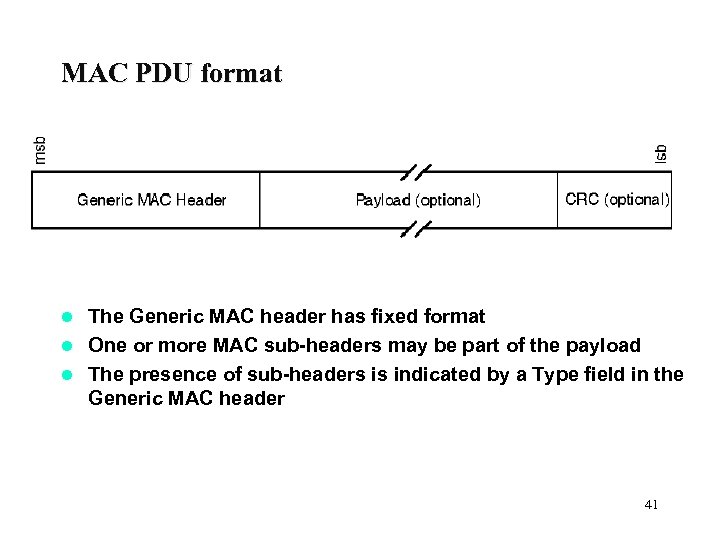 MAC PDU format The Generic MAC header has fixed format l One or more MAC sub-headers may be part of the payload l The presence of sub-headers is indicated by a Type field in the Generic MAC header l 41
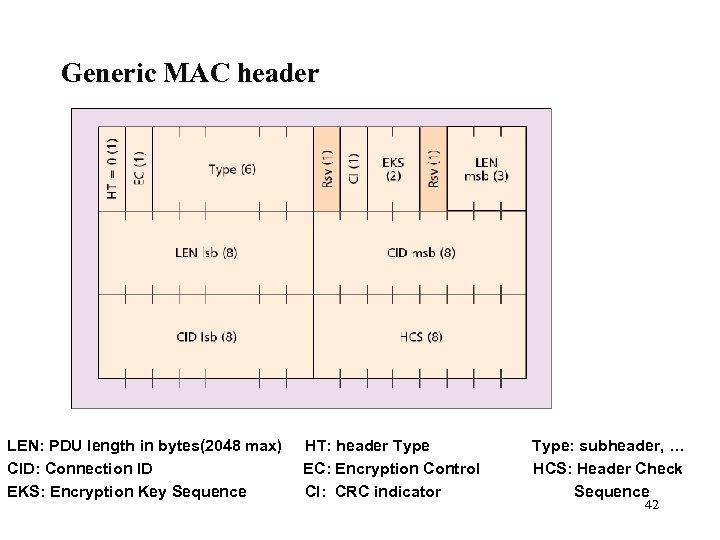 Generic MAC header LEN: PDU length in bytes(2048 max) CID: Connection ID EKS: Encryption Key Sequence HT: header Type EC: Encryption Control CI: CRC indicator Type: subheader, … HCS: Header Check Sequence 42
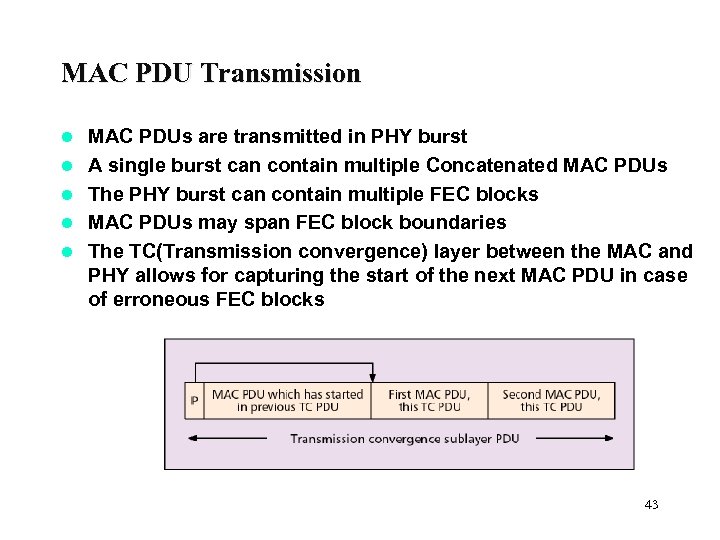 MAC PDU Transmission l l l MAC PDUs are transmitted in PHY burst A single burst can contain multiple Concatenated MAC PDUs The PHY burst can contain multiple FEC blocks MAC PDUs may span FEC block boundaries The TC(Transmission convergence) layer between the MAC and PHY allows for capturing the start of the next MAC PDU in case of erroneous FEC blocks 43
 Downlink Transmissions l l l Two kinds of bursts: TDM and TDMA bursts have resync preamble Each terminal listens to all bursts at its operational IUC or a more robust one Each burst may contain data for several terminals SS must recognize the PDUs with known CIDs DL-MAP message signals downlink usage 44
 Burst profiles Each burst profile has mandatory exit threshold and minimum entry threshold l SS allowed to request a less robust DIUC once above the minimum entry level l SS must request fall back to more robust DIUC once at mandatory exit threshold l Requests to change DIUC done with Downlink burst profile change REQ(DBPC-REQ) or RNG-REG messages l 45
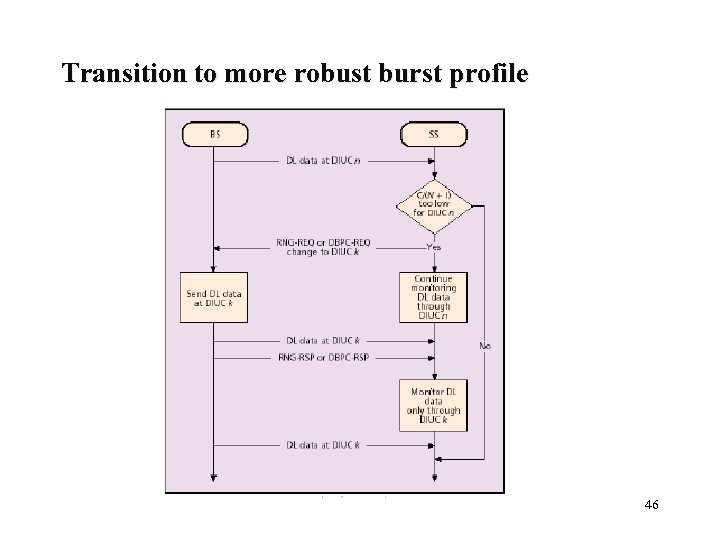 Transition to more robust burst profile 46
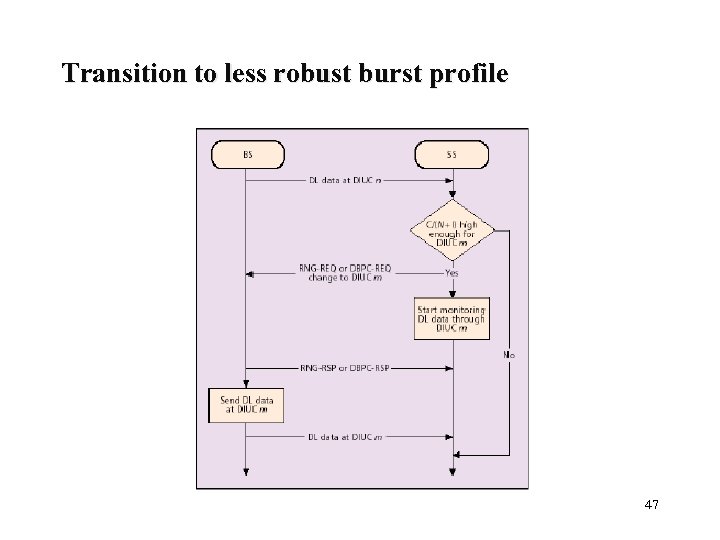 Transition to less robust burst profile 47
 Uplink Transmissions l Transmissions in contention slots – Bandwidth requests – Contention resolved using truncated exponential backoff l Transmissions in initial ranging slots – Ranging requests(RNG-REQ) – Contention resolved using truncated exponential backoff Bursts defined by UIUCs l Transmissions allocated by the UL-MAP message l All transmissions have synchronization preamble l 48
 Uplink Services l Unsolicited Grant Services (UGS) – Used for constant-bit-rate (CBR) service flows (SFs) l Best Effort (BE) – For best-effort traffic l Real time Polling Services (rt. PS) – For rt-VBR SFs such as MEPEG video l None Real time Polling Services (nrt. PS) – For nrt SFs with better than BE service such as bandwidth-intensive file transfer 49
 Request/Grant scheme Bandwidth Requests are always per Connection l Self Correcting l – No acknowledgement l Grants are either per Connection (GPC) or per SS (GPSS) – Grants (given as durations) are carried in the UL-MAP messages – SS needs to convert the time(durations) to amount of data using information about the UIUC l Bandwidth Grant per Subscriber Station (GPSS) – – l BS grants bandwidth to the SS SS may re-distribute bandwidth among its connections Suitable for many connections per terminal Low overhead but requires intelligent SS Bandwidth Grant per Connection (GPC) – BS grants bandwidth to a connection – Mostly suitable for few users per SS – High overhead, but allows simpler SS 50
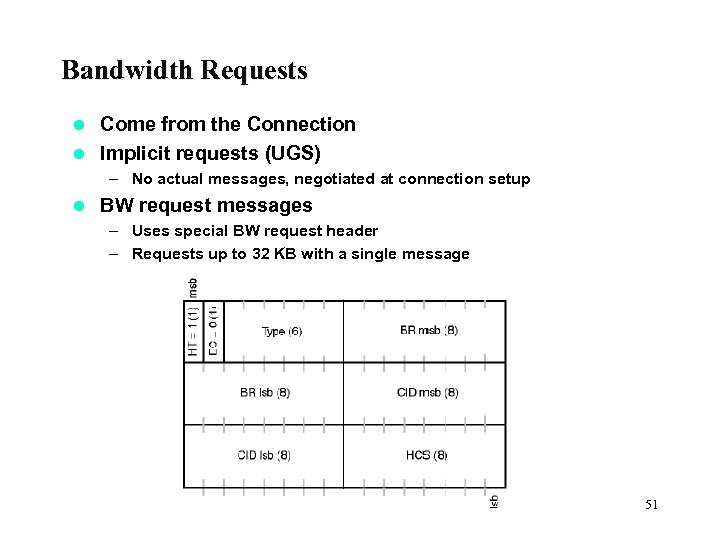 Bandwidth Requests Come from the Connection l Implicit requests (UGS) l – No actual messages, negotiated at connection setup l BW request messages – Uses special BW request header – Requests up to 32 KB with a single message 51
 Maintaining Qo. S in GPSS BS sees the requests for each connection; based on this, grants bandwidth to the SSs (maintaining Qo. S and fairness) l SS scheduler maintains Qo. S among its connections and is responsible to share the BW among the connections (maintaining Qo. S and fairness) l Algorithm in BS and SS can be very different l 52
 SS Initialization l Channel Acquisition – Scan frequency list to find an operation channel – Establish synchronization with the BS – Obtains the modulation and FEC schemes used on the carrier via Uplink Channel Description (UDC) l Perform ranging and Capabilities Negotiation – SS send a RNG_REQ in the ranging window – BS measures arrival time and signal power; calculates timing advance and power adjustment – BS send adjustment in RNG-RSP – SS adjusts timing advance and power; sends new RNG-REQ – Continue until power and timing is ok l Authorize SS and perform key exchange 53
 SS Initialization(Cont. ) l Perform registration – SS send a list of capabilities and parts of the configuration file to the BS in the REG-REG message – BS replies with the REG-RSP message(indicates with capabilities are supported/allowed – SS acknowledges the REG-RSP with REG-ACK message Establish ID connectivity (via DHCP) l Set up connections l – BS passes Service Flow Encodings to the SS in multiple Dynamic Service Addition Request (DSA-REQ) messages – SS replies with DSA-RSP messages – Service Flow Encodings contain either • Full definition of service attributes • Service class name (ASCII string which is known at the BS and which indirectly specifies a set of Qo. S parameters such as jitter and latency) 54
 SS Authentication and Registration l l l Trust relation assumed between equipment manufacturer and network operator Each SS contains both the manufacturer’s X. 509 certificate and the manufacturer’s certificate. SS sent both certificates to the BS in the Authorization Request and Authentication Information messages BS verifies the identity of the SS by checking the certificates and level of authentication of the SS BS response with an Authorization Reply containing the Authorization key (AK) encrypted with the SS’s public key if the SS is authorized to join the network The SS registers with the network upon successful authorization 55
 Privacy and Encryption Secures over-the-air transmissions l Protocol based on Privacy Key Management (PKM) from DOCSIS(Data over Cable Service Interface Specification) l Designed to allow new/multiple encryption algorithms l Data encryption l – Currently 56 -DES (Data Encryption Standards) in CBC (cipher block chaining) mode – Initialization Vector (IV) based on frame number l Authentication – X. 509 certificates with RSA public key encryption – Strong authentication of SSs (prevents theft of service) – Prevents cloning l Message authentication – Most important MAC management messages authenticated with one-way hashing using Hashed Message Authentication Code(HMAC) with SHA-1 56
 Security Associations l A set of privacy information – Shared by a BS and one or more of its client SSs in order to support secured communications – Includes Traffic Encryption Keys (TEKs) and CBC IVs l Security Association Establishment – Primary SA established during initial registration – Other SAs may be provisioned or dynamically created within the BS 57
 IEEE 802. 20 Wireless WANs( proposed) l Similar to 802. 16 e, 3 G – Mobility, regional roaming l Differences – < 3. 5 GHz – Cell ranges up to 8 miles – Support mobile user traveling at speeds up to 155 miles/hr 58
 59
59
 References 1. IEEE Standard 802. 16: A Technical Overview of the Wireless. MAN Air Interface for Broadband Wireless Access 2. IEEE 802. 16 -2001, “IEEE Standard for local and Metropolitan Area Networks— Part 16: Air Interface for Fixed Broadband Wireless Access Systems” 3. Wi. MAX: The Critical Wireless Standard, Carolyn Gabriel 4. Understanding Wi-Fi and Wi. MAX as Metro-Access Solutions, 5. 802. 16: A Look Under the Hood by Beth Cohen and Debbie Deutsch (www. wifiplanet. com) 6. Wi. MAX Anticlimax by Andy Dornan (www. networkmagazine. com) 60