


 Скачать презентацию advanced programming fall 2002 lecture 22 mon nov
3ac44cf086c3a11d0fe3ca825936a574.ppt
- Количество слайдов: 84
 advanced programming fall 2002 lecture #22 mon nov 25 § web programming review § slides from Henning Schulzrinne, coms w 3995 advanced programming, spring 2002 § programming tools review § slides from Henning Schulzrinne, coms w 3995 advanced programming, spring 2002 § installation tools § autoconf § slides from Jonathan Lennox, coms w 3995 advanced programming, spring 2002 cs 3157 fall 2002 lect 22 1
 www cs 3157 fall 2002 lect 22 2
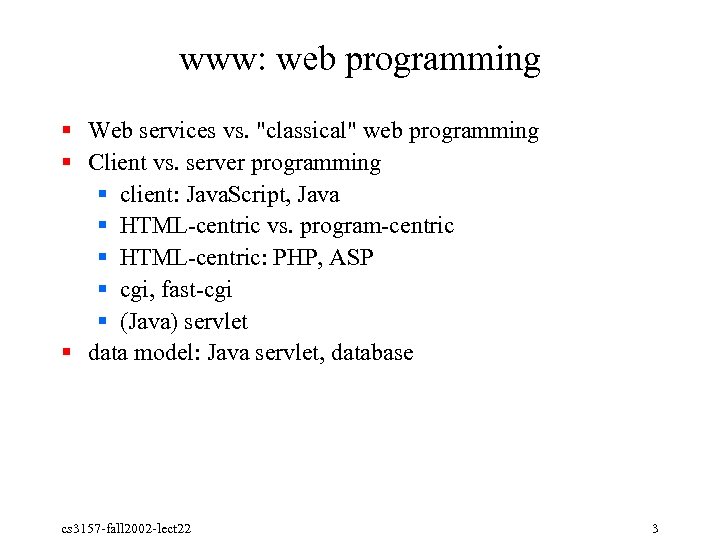 www: web programming § Web services vs. "classical" web programming § Client vs. server programming § client: Java. Script, Java § HTML centric vs. program centric § HTML centric: PHP, ASP § cgi, fast cgi § (Java) servlet § data model: Java servlet, database cs 3157 fall 2002 lect 22 3
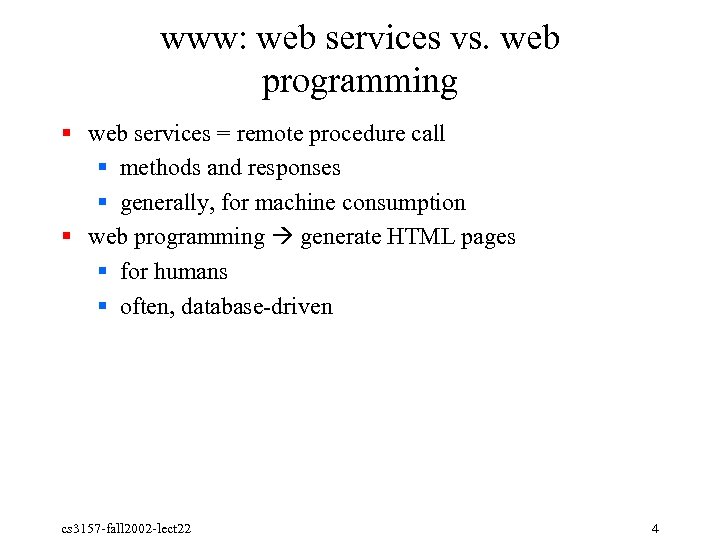 www: web services vs. web programming § web services = remote procedure call § methods and responses § generally, for machine consumption § web programming generate HTML pages § for humans § often, database driven cs 3157 fall 2002 lect 22 4
 www: client vs. server programming § Execute code on client: § download Java applet self contained programming environment § Java. Script: § modify and get values from HTML ("document object model" – DOM) § Execute code on server generate document § state maintenance (HTTP stateless) § login, shopping cart, preferences cs 3157 fall 2002 lect 22 5
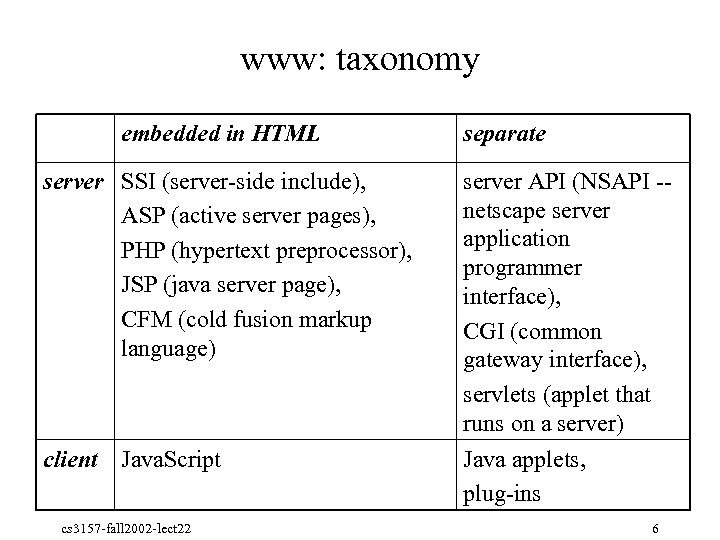 www: taxonomy embedded in HTML separate server SSI (server side include), ASP (active server pages), PHP (hypertext preprocessor), JSP (java server page), CFM (cold fusion markup language) server API (NSAPI netscape server application programmer interface), CGI (common gateway interface), servlets (applet that runs on a server) client Java. Script Java applets, plug ins cs 3157 fall 2002 lect 22 6
 www: web state § State: § stateless § state completely stored on client § state referenced by client, stored on server (most common) § Mechanisms: § hidden form fields § URL parameters § cookies (HTTP headers) cs 3157 fall 2002 lect 22 7
 www: web as remote procedure call (RPC) § § § request = HTTP GET, PUT response (result): headers + body object identifier ~ URL typed data (XML) vs. HTML ranges from constant mostly constant completely on demand cs 3157 fall 2002 lect 22 8
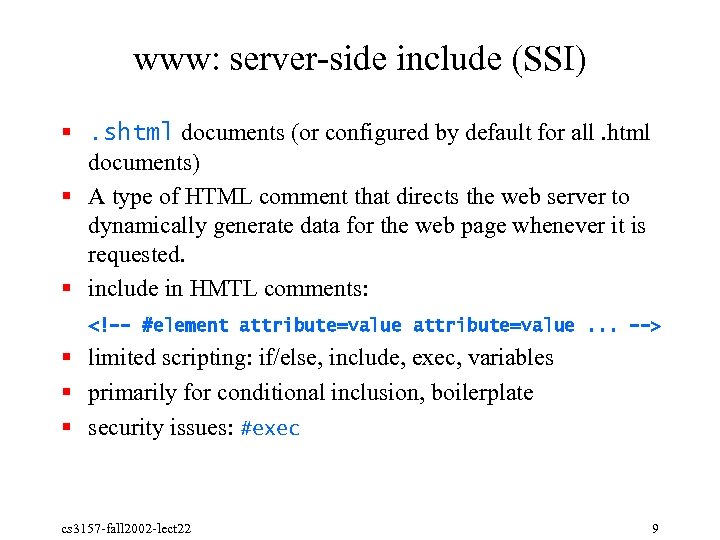 www: server side include (SSI) §. shtml documents (or configured by default for all. html documents) § A type of HTML comment that directs the web server to dynamically generate data for the web page whenever it is requested. § include in HMTL comments: § limited scripting: if/else, include, exec, variables § primarily for conditional inclusion, boilerplate § security issues: #exec cs 3157 fall 2002 lect 22 9
![www: SSI example = test. shtml <html> <body> <p> last modified [an error occurred while processing the directive] <p>](https://present5.com/presentation/3ac44cf086c3a11d0fe3ca825936a574/image-10.jpg "www: SSI example = test. shtml <html> <body> <p> last modified [an error occurred while processing the directive] <p>") www: SSI example = test. shtml
www: SSI example = test. shtml
last modified [an error occurred while processing the directive]
file size = [an error occurred while processing the directive]
[an error occurred while processing the directive]
[an error occurred while processing the directive] cs 3157 fall 2002 lect 22 10
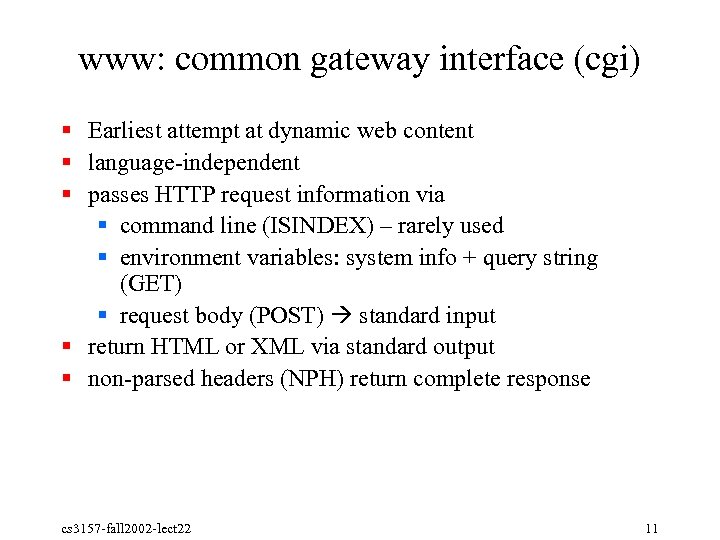 www: common gateway interface (cgi) § Earliest attempt at dynamic web content § language independent § passes HTTP request information via § command line (ISINDEX) – rarely used § environment variables: system info + query string (GET) § request body (POST) standard input § return HTML or XML via standard output § non parsed headers (NPH) return complete response cs 3157 fall 2002 lect 22 11
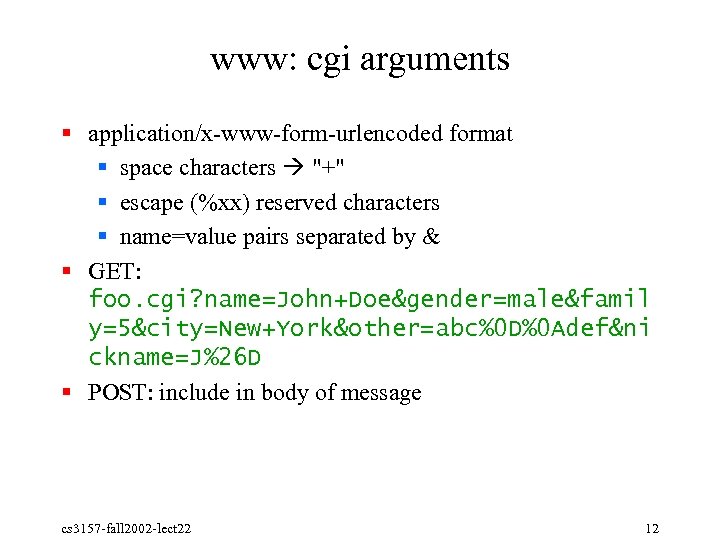 www: cgi arguments § application/x www form urlencoded format § space characters "+" § escape (%xx) reserved characters § name=value pairs separated by & § GET: foo. cgi? name=John+Doe&gender=male&famil y=5&city=New+York&other=abc%0 D%0 Adef&ni ckname=J%26 D § POST: include in body of message cs 3157 fall 2002 lect 22 12
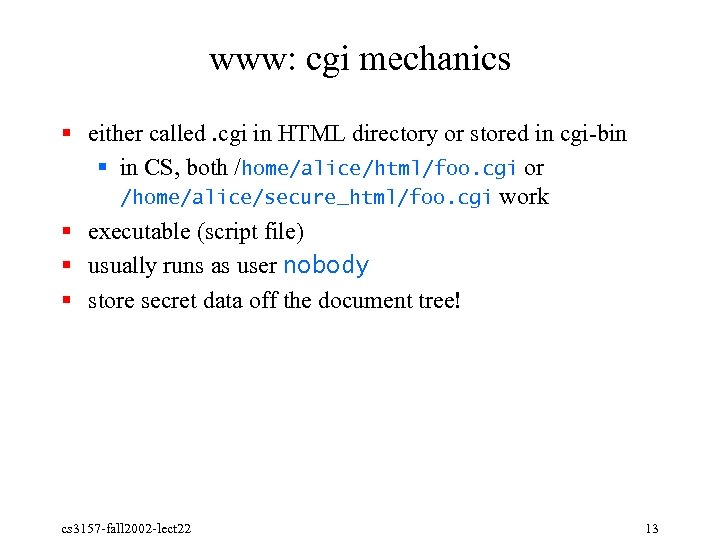 www: cgi mechanics § either called. cgi in HTML directory or stored in cgi bin § in CS, both /home/alice/html/foo. cgi or /home/alice/secure_html/foo. cgi work § executable (script file) § usually runs as user nobody § store secret data off the document tree! cs 3157 fall 2002 lect 22 13
 programming tools
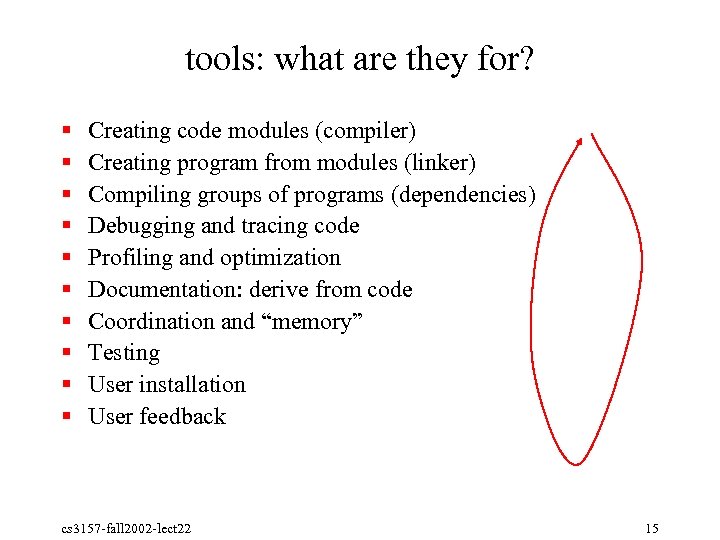 tools: what are they for? § § § § § Creating code modules (compiler) Creating program from modules (linker) Compiling groups of programs (dependencies) Debugging and tracing code Profiling and optimization Documentation: derive from code Coordination and “memory” Testing User installation User feedback cs 3157 fall 2002 lect 22 15
 tools: compiler § Convert source code to object modules §. o: external references not yet resolved § gcc c: compiles only (doesn't link) cs 3157 fall 2002 lect 22 16
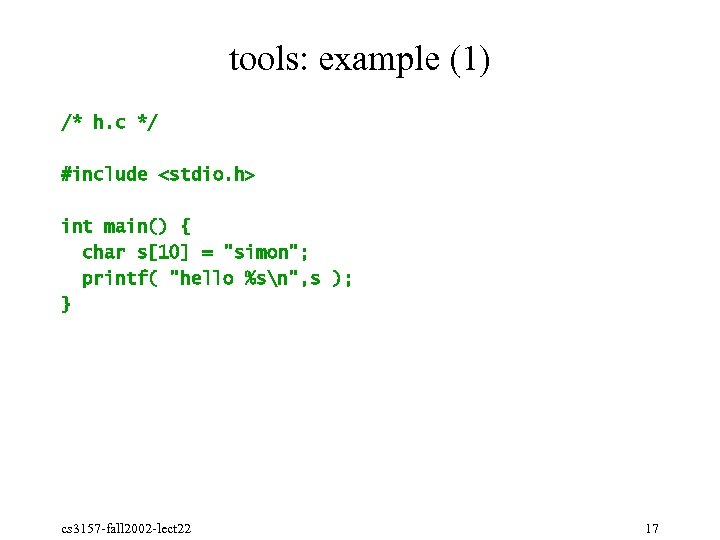 tools: example (1) /* h. c */ #include
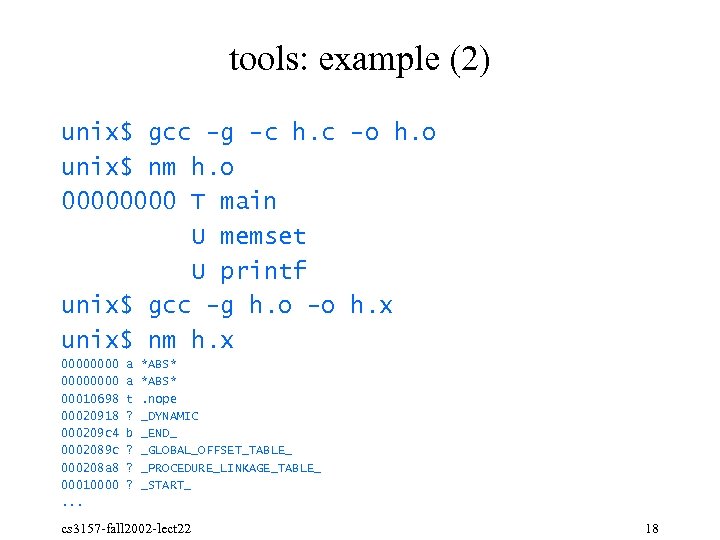 tools: example (2) unix$ gcc -g -c h. c -o h. o unix$ nm h. o 0000 T main U memset U printf unix$ gcc -g h. o -o h. x unix$ nm h. x 00000000 00010698 00020918 000209 c 4 0002089 c 000208 a 8 00010000. . . a a t ? b ? ? ? *ABS*. nope _DYNAMIC _END_ _GLOBAL_OFFSET_TABLE_ _PROCEDURE_LINKAGE_TABLE_ _START_ cs 3157 fall 2002 lect 22 18
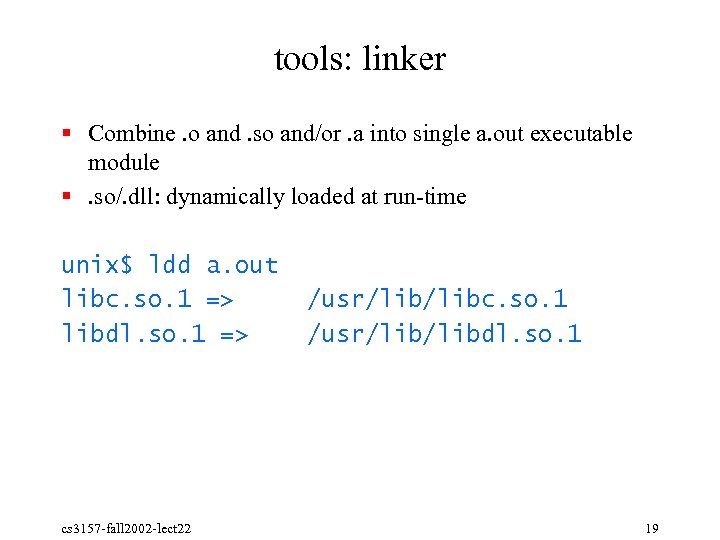 tools: linker § Combine. o and. so and/or. a into single a. out executable module §. so/. dll: dynamically loaded at run time unix$ ldd a. out libc. so. 1 => libdl. so. 1 => cs 3157 fall 2002 lect 22 /usr/libc. so. 1 /usr/libdl. so. 1 19
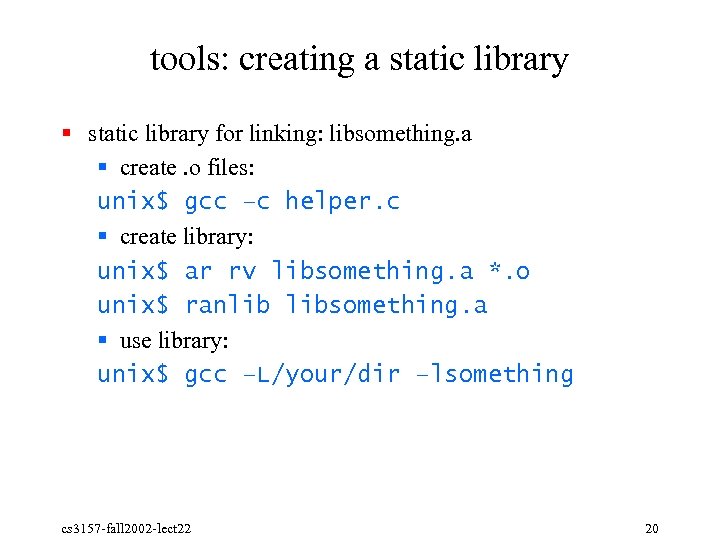 tools: creating a static library § static library for linking: libsomething. a § create. o files: unix$ gcc –c helper. c § create library: unix$ ar rv libsomething. a *. o unix$ ranlib libsomething. a § use library: unix$ gcc –L/your/dir –lsomething cs 3157 fall 2002 lect 22 20
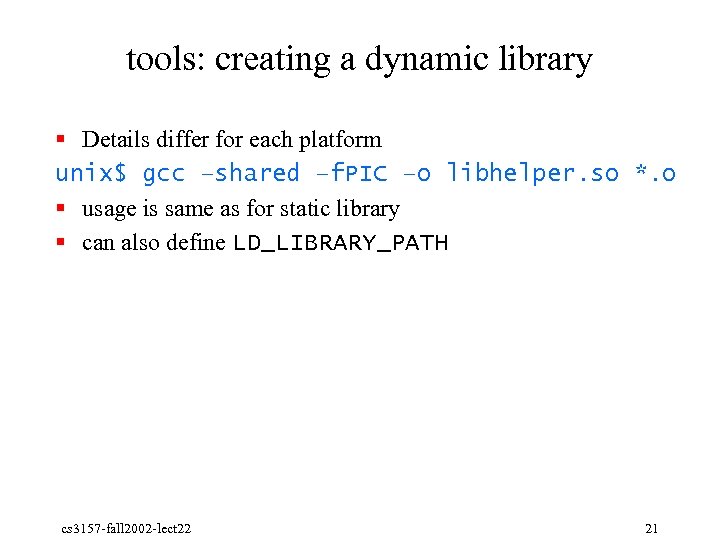 tools: creating a dynamic library § Details differ for each platform unix$ gcc –shared –f. PIC –o libhelper. so *. o § usage is same as for static library § can also define LD_LIBRARY_PATH cs 3157 fall 2002 lect 22 21
 tools: testing § Every module and functionality needs to have an (automated) test § Regression testing § change § test new functionality § then test old functionality to make sure it is backwards compatible § Easy for simple functions cs 3157 fall 2002 lect 22 22
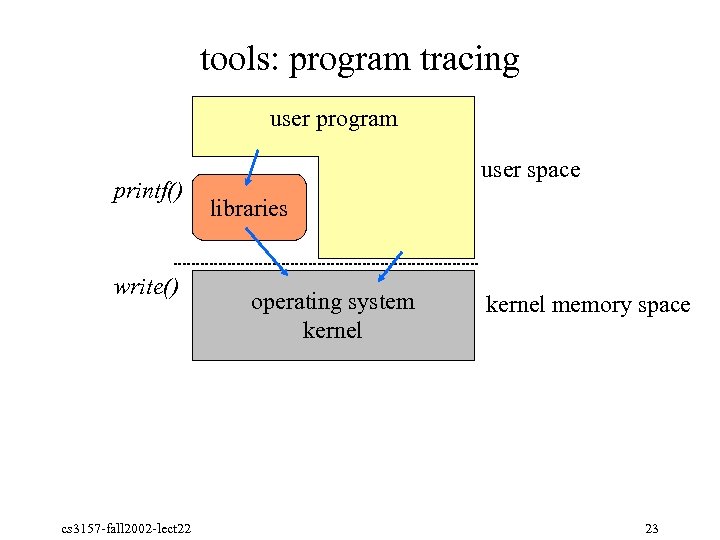 tools: program tracing user program printf() write() cs 3157 fall 2002 lect 22 user space libraries operating system kernel memory space 23
 tools: program tracing § Simple debugging: find out what system calls a program is using § truss on Solaris, strace on Linux § does not require access to source code § does not show stdio calls, but can use –u libc § f: follow children § p: attach to existing process (e. g. , truss –p 27878 to see what process is doing when doing certain action) cs 3157 fall 2002 lect 22 24
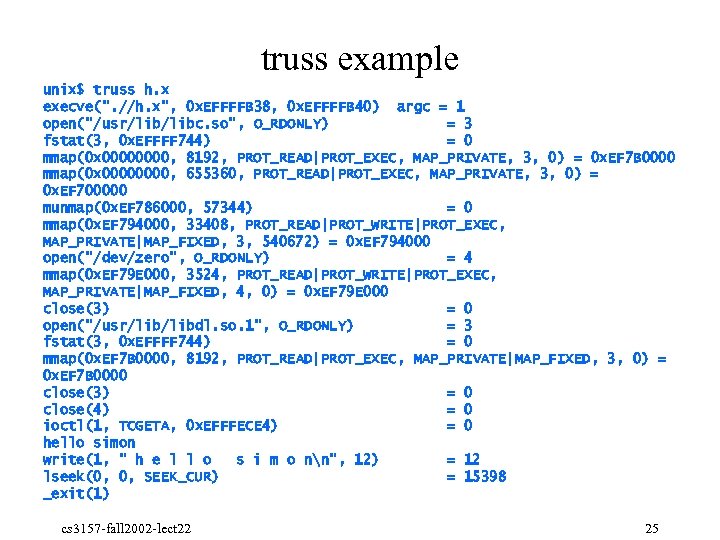 truss example unix$ truss h. x execve(". //h. x", 0 x. EFFFFB 38, 0 x. EFFFFB 40) argc = 1 open("/usr/libc. so", O_RDONLY) = 3 fstat(3, 0 x. EFFFF 744) = 0 mmap(0 x 0000, 8192, PROT_READ|PROT_EXEC, MAP_PRIVATE, 3, 0) = 0 x. EF 7 B 0000 mmap(0 x 0000, 655360, PROT_READ|PROT_EXEC, MAP_PRIVATE, 3, 0) = 0 x. EF 700000 munmap(0 x. EF 786000, 57344) = 0 mmap(0 x. EF 794000, 33408, PROT_READ|PROT_WRITE|PROT_EXEC, MAP_PRIVATE|MAP_FIXED, 3, 540672) = 0 x. EF 794000 open("/dev/zero", O_RDONLY) = 4 mmap(0 x. EF 79 E 000, 3524, PROT_READ|PROT_WRITE|PROT_EXEC, MAP_PRIVATE|MAP_FIXED, 4, 0) = 0 x. EF 79 E 000 close(3) = 0 open("/usr/libdl. so. 1", O_RDONLY) = 3 fstat(3, 0 x. EFFFF 744) = 0 mmap(0 x. EF 7 B 0000, 8192, PROT_READ|PROT_EXEC, MAP_PRIVATE|MAP_FIXED, 3, 0) = 0 x. EF 7 B 0000 close(3) = 0 close(4) = 0 ioctl(1, TCGETA, 0 x. EFFFECE 4) = 0 hello simon write(1, " h e l l o s i m o nn", 12) = 12 lseek(0, 0, SEEK_CUR) = 15398 _exit(1) cs 3157 fall 2002 lect 22 25
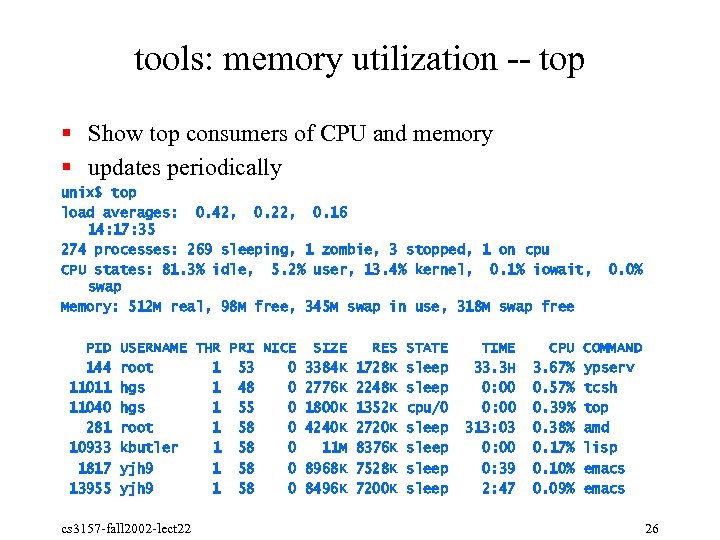 tools: memory utilization top § Show top consumers of CPU and memory § updates periodically unix$ top load averages: 0. 42, 0. 22, 0. 16 14: 17: 35 274 processes: 269 sleeping, 1 zombie, 3 stopped, 1 on cpu CPU states: 81. 3% idle, 5. 2% user, 13. 4% kernel, 0. 1% iowait, swap Memory: 512 M real, 98 M free, 345 M swap in use, 318 M swap free PID 144 11011 11040 281 10933 1817 13955 USERNAME THR PRI NICE SIZE RES STATE root 1 53 0 3384 K 1728 K sleep hgs 1 48 0 2776 K 2248 K sleep hgs 1 55 0 1800 K 1352 K cpu/0 root 1 58 0 4240 K 2720 K sleep kbutler 1 58 0 11 M 8376 K sleep yjh 9 1 58 0 8968 K 7528 K sleep yjh 9 1 58 0 8496 K 7200 K sleep cs 3157 fall 2002 lect 22 TIME 33. 3 H 0: 00 313: 03 0: 00 0: 39 2: 47 CPU 3. 67% 0. 57% 0. 39% 0. 38% 0. 17% 0. 10% 0. 09% 0. 0% COMMAND ypserv tcsh top amd lisp emacs 26
 tools: debugging § Interact with program while running § step by step execution § instruction § source line § procedure § inspect current state § call stack § global variables § local variables cs 3157 fall 2002 lect 22 27
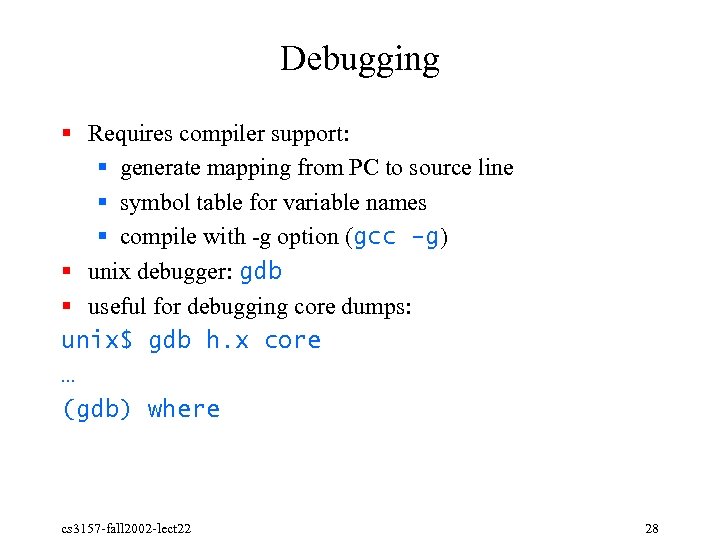 Debugging § Requires compiler support: § generate mapping from PC to source line § symbol table for variable names § compile with g option (gcc -g) § unix debugger: gdb § useful for debugging core dumps: unix$ gdb h. x core … (gdb) where cs 3157 fall 2002 lect 22 28
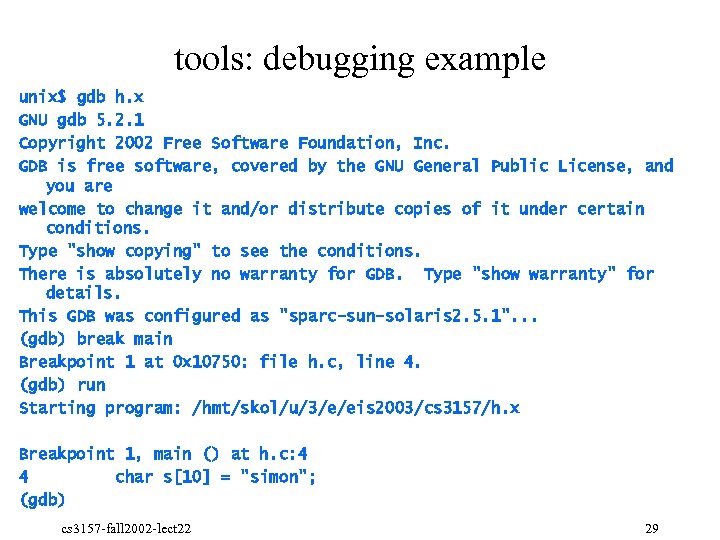 tools: debugging example unix$ gdb h. x GNU gdb 5. 2. 1 Copyright 2002 Free Software Foundation, Inc. GDB is free software, covered by the GNU General Public License, and you are welcome to change it and/or distribute copies of it under certain conditions. Type "show copying" to see the conditions. There is absolutely no warranty for GDB. Type "show warranty" for details. This GDB was configured as "sparc-sun-solaris 2. 5. 1". . . (gdb) break main Breakpoint 1 at 0 x 10750: file h. c, line 4. (gdb) run Starting program: /hmt/skol/u/3/e/eis 2003/cs 3157/h. x Breakpoint 1, main () at h. c: 4 4 char s[10] = "simon"; (gdb) cs 3157 fall 2002 lect 22 29
 tools: gdb hints § § Make sure your source file is around and doesn’t get modified Does not work (well) across threads cs 3157 fall 2002 lect 22 30
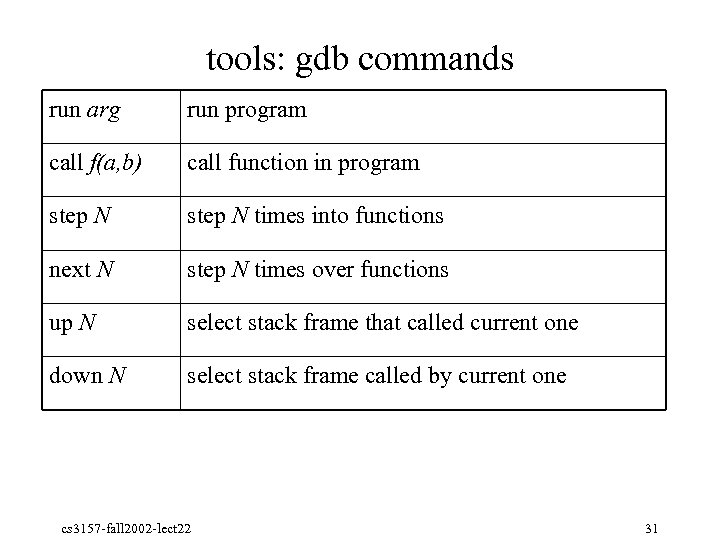 tools: gdb commands run arg run program call f(a, b) call function in program step N times into functions next N step N times over functions up N select stack frame that called current one down N select stack frame called by current one cs 3157 fall 2002 lect 22 31
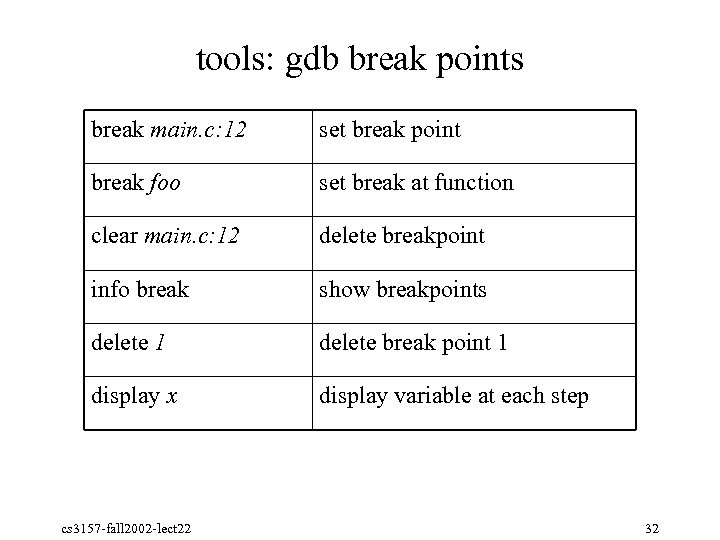 tools: gdb break points break main. c: 12 set break point break foo set break at function clear main. c: 12 delete breakpoint info break show breakpoints delete 1 delete break point 1 display x display variable at each step cs 3157 fall 2002 lect 22 32
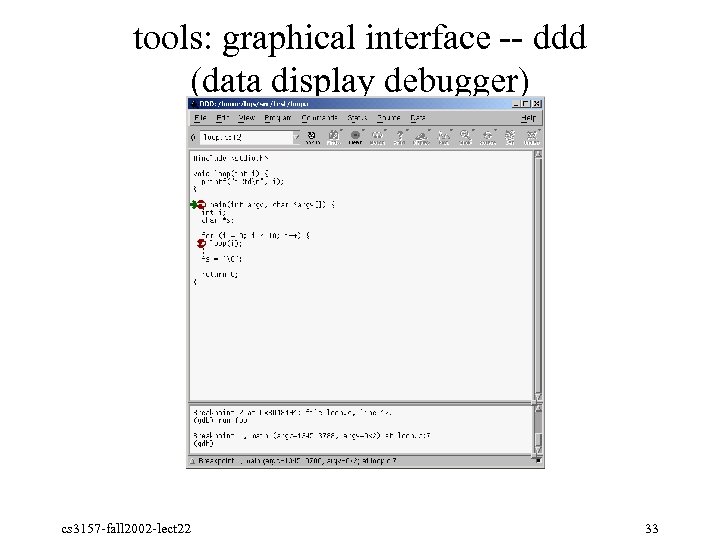 tools: graphical interface ddd (data display debugger) cs 3157 fall 2002 lect 22 33
 tools: building programs § Programs consist of many modules § Dependencies: § if one file changes, one or more others need to change §. c depends on. h > re compile §. o depends on. c > re compile § executable depends on. o’s > link § library depends on. o > archive § recursive! cs 3157 fall 2002 lect 22 34
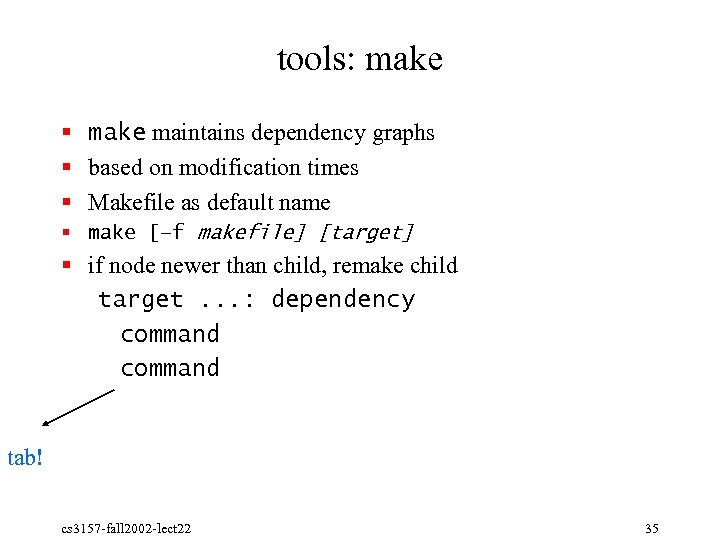 tools: make § make maintains dependency graphs § based on modification times § Makefile as default name § make [–f makefile] [target] § if node newer than child, remake child target. . . : dependency command tab! cs 3157 fall 2002 lect 22 35
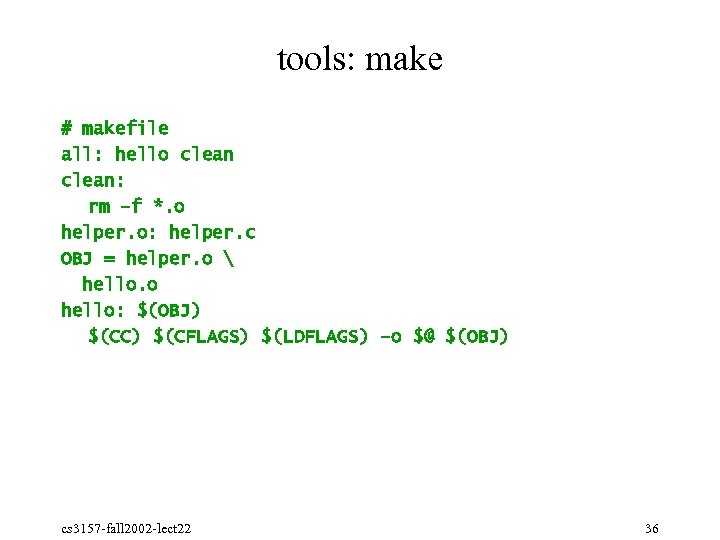 tools: make # makefile all: hello clean: rm –f *. o helper. o: helper. c OBJ = helper. o hello. o hello: $(OBJ) $(CC) $(CFLAGS) $(LDFLAGS) –o $@ $(OBJ) cs 3157 fall 2002 lect 22 36
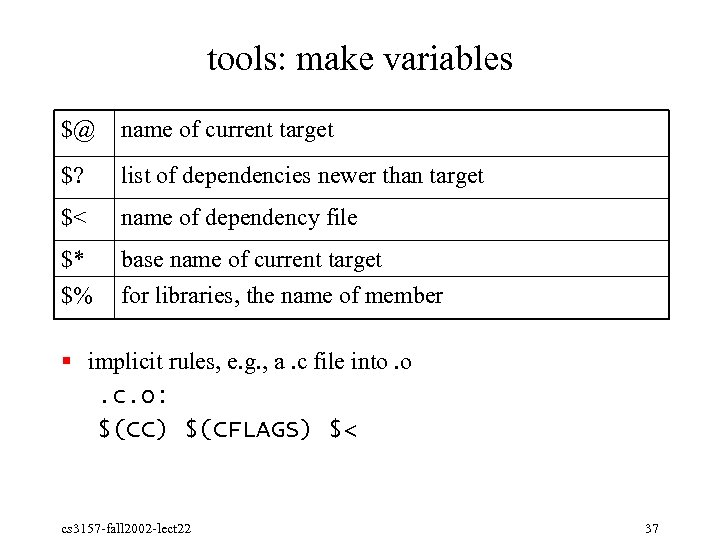 tools: make variables $@ name of current target $? list of dependencies newer than target $< name of dependency file $* $% base name of current target for libraries, the name of member § implicit rules, e. g. , a. c file into. o. c. o: $(CC) $(CFLAGS) $< cs 3157 fall 2002 lect 22 37
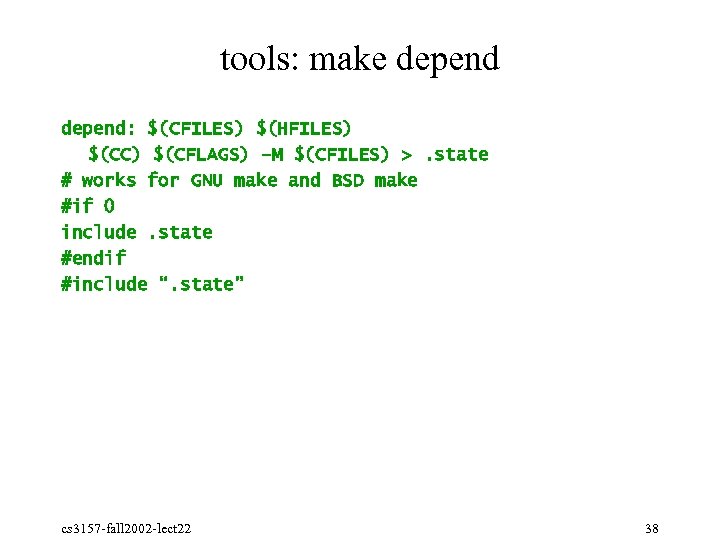 tools: make depend: $(CFILES) $(HFILES) $(CC) $(CFLAGS) –M $(CFILES) >. state # works for GNU make and BSD make #if 0 include. state #endif #include “. state” cs 3157 fall 2002 lect 22 38
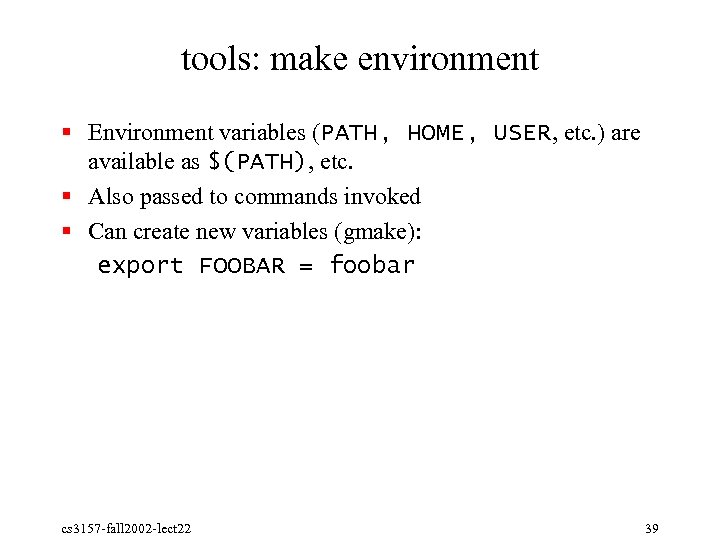 tools: make environment § Environment variables (PATH, HOME, USER, etc. ) are available as $(PATH), etc. § Also passed to commands invoked § Can create new variables (gmake): export FOOBAR = foobar cs 3157 fall 2002 lect 22 39
 tools: user feedback – bug tracking § Automatically capture system crash information § non technical users § privacy? § e. g. , Netscape Talkback § User and developer bug tracking § make sure bugs get fixed § estimate how close to done cs 3157 fall 2002 lect 22 40
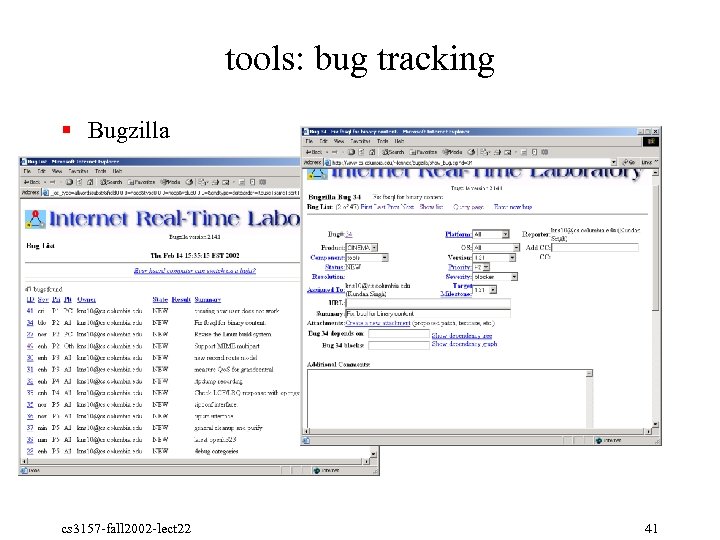 tools: bug tracking § Bugzilla cs 3157 fall 2002 lect 22 41
 tools: development models § Integrated Development Environment (IDE) § integrate code editor, compiler, build environment, debugger § graphical tool § single or multiple languages § Visual. Studio, JCreator, Forte, Code. Warrior, . . . § Unix model § individual tools, command line cs 3157 fall 2002 lect 22 42
 tools: source code management § problem: lots of people working on the same project § source code (C, Perl, . . . ) § documentation § specification (protocol specs) § mostly on different areas § versions § released – maintenance only § stable – about to be released, production use § development, beta § different hardware and OS versions cs 3157 fall 2002 lect 22 43
 tools: installation § Traditional: § tar (archive) file and gzip (compress) § *. tgz § *. tar. gz § "unzip", "untar" § then compile (make) or distribute binaries § often (should!) contains documentation, etc. § look for README, INSTALL, etc § Linux rpm § Solaris pkg § Install. Shield cs 3157 fall 2002 lect 22 44
 tools: *. tar. gz (1) § creating a tarred, gzipped file: unix$ tar cvf myfile. tar * § c = create § v = verify § f = file name unix$ gzip myfile. tar § creates myfile. tar. gz § compresses argument § or unix$ tar czvf myfile. tgz * § z = zip cs 3157 fall 2002 lect 22 45
 tools: *. tar. gz (2) § using a tarred, gzipped file: unix$ gunzip myfile. tar. gz § creates myfile. tar § decompresses argument unix$ tar xvf myfile. tar * § x = extract § v = verify § f = file name § or unix$ tar xzvf myfile. tgz * § z = (un)zip cs 3157 fall 2002 lect 22 46
 tools: rpm (1) § Red. Hat Linux package manager § Activities for an application: § Installation – on different architectures § Updates § Inventory: what’s installed § Un install § Each Unix architecture seems to have one: Solaris pkg, RPM (www. rpm. org), . . . cs 3157 fall 2002 lect 22 47
 tools: rpm (2) § Package label, e. g. , perl 5. 001 m 4: § software name § software version § package release § Package wide information § date and time built § description of contents § total size of all files § grouping information § digital signature cs 3157 fall 2002 lect 22 48
 tools: rpm (3) § Per file information: § name of file and where to install it § file permissions § owner and group specification § MD 5 checksum § file content cs 3157 fall 2002 lect 22 49
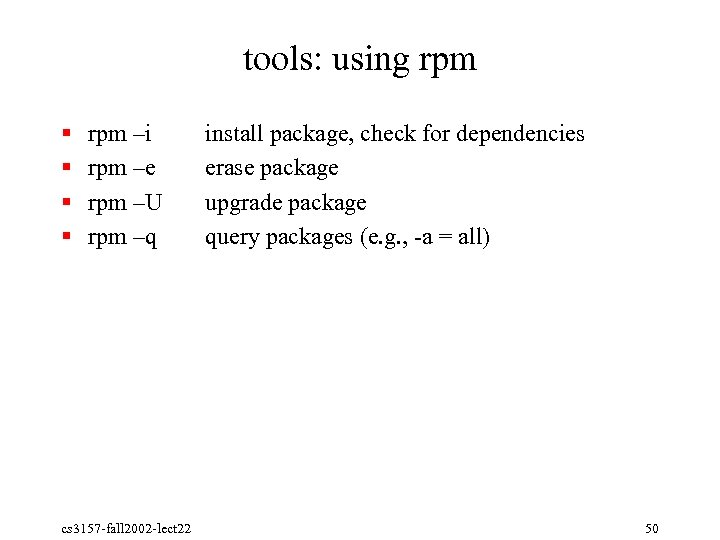 tools: using rpm § § rpm –i rpm –e rpm –U rpm –q cs 3157 fall 2002 lect 22 install package, check for dependencies erase package upgrade package query packages (e. g. , a = all) 50
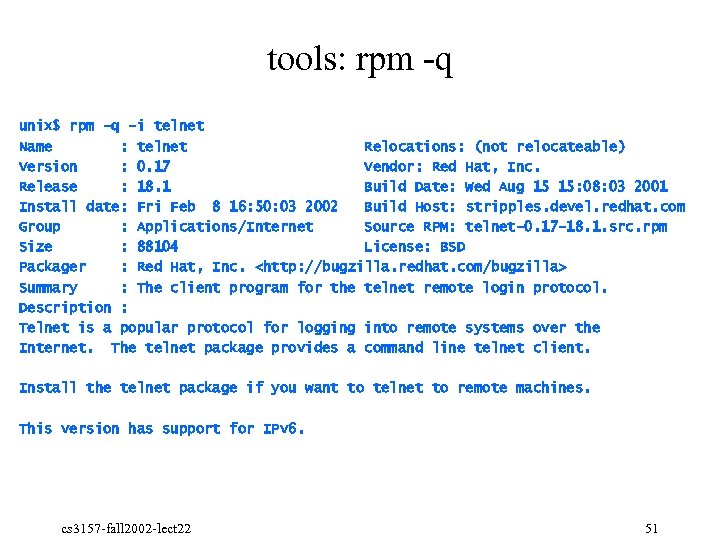 tools: rpm q unix$ rpm -q -i telnet Name : telnet Relocations: (not relocateable) Version : 0. 17 Vendor: Red Hat, Inc. Release : 18. 1 Build Date: Wed Aug 15 15: 08: 03 2001 Install date: Fri Feb 8 16: 50: 03 2002 Build Host: stripples. devel. redhat. com Group : Applications/Internet Source RPM: telnet-0. 17 -18. 1. src. rpm Size : 88104 License: BSD Packager : Red Hat, Inc.
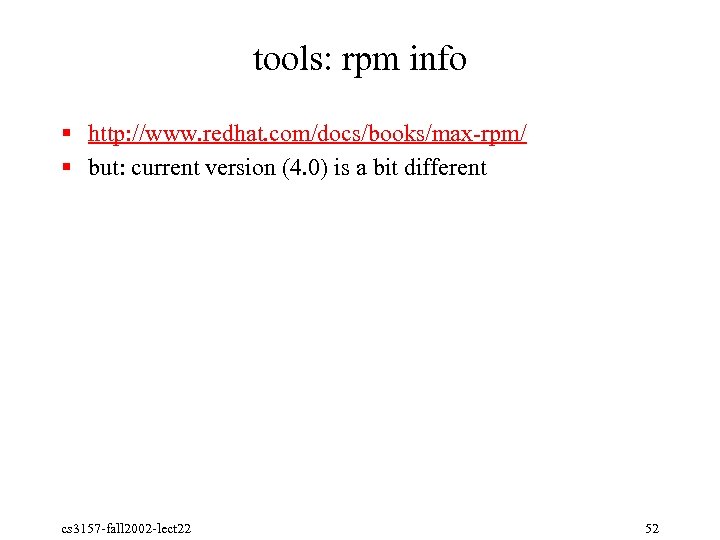 tools: rpm info § http: //www. redhat. com/docs/books/max rpm/ § but: current version (4. 0) is a bit different cs 3157 fall 2002 lect 22 52
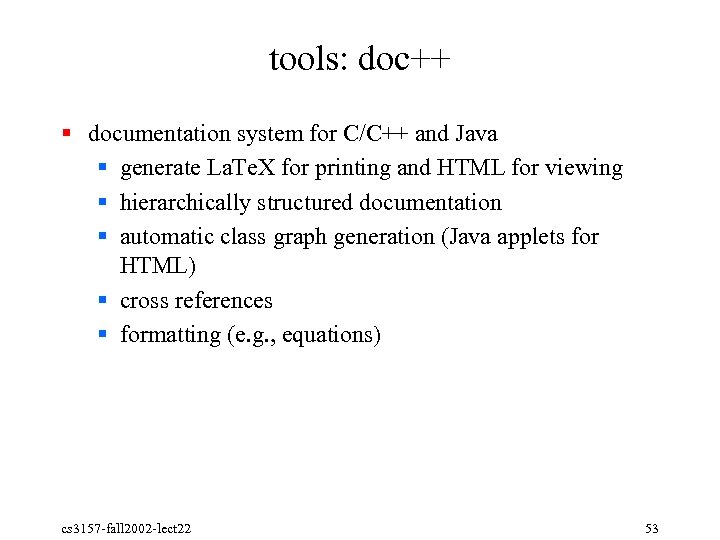 tools: doc++ § documentation system for C/C++ and Java § generate La. Te. X for printing and HTML for viewing § hierarchically structured documentation § automatic class graph generation (Java applets for HTML) § cross references § formatting (e. g. , equations) cs 3157 fall 2002 lect 22 53
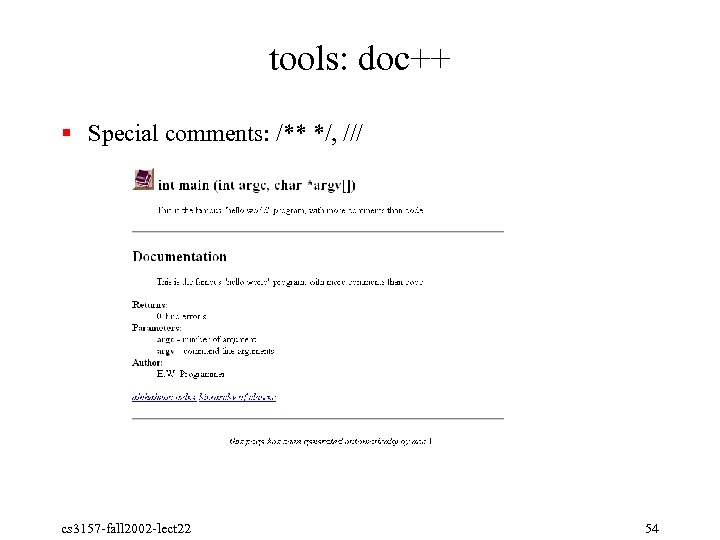 tools: doc++ § Special comments: /** */, /// cs 3157 fall 2002 lect 22 54
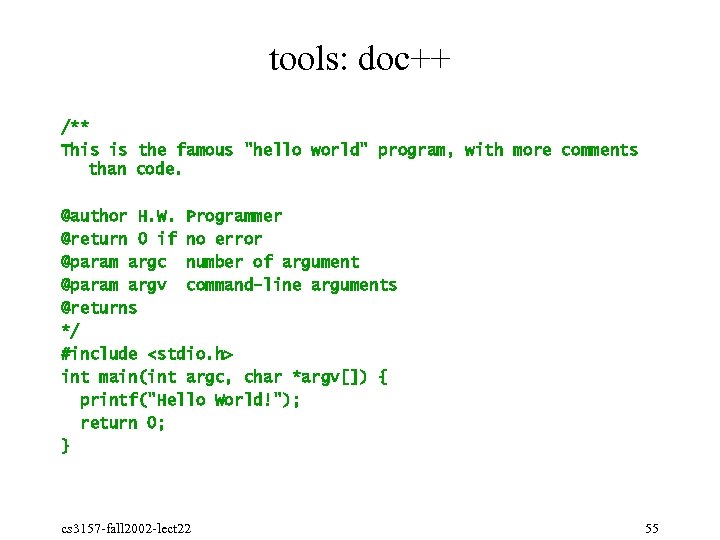 tools: doc++ /** This is the famous "hello world" program, with more comments than code. @author H. W. Programmer @return 0 if no error @param argc number of argument @param argv command-line arguments @returns */ #include
 tools: doc++ § docify to create minimal version § doc++ d outdir hello. c cs 3157 fall 2002 lect 22 56
 tools: other useful ones § configuration: § autoconf: configuration files § automake: make files § code generation: § indent (e. g. , indent -kr -i 2 hello. c): automated indentation for C programs § lex, flex: lexical analyzers § yacc, bison: compiler generator cs 3157 fall 2002 lect 22 57
 autoconf cs 3157 fall 2002 lect 22 58
 autoconf: software portability. § Many software products need to run on lots of platforms § Unix, Windows, (old) Macintosh, VMS, … § Varieties of Unix: Linux, Solaris, Sun. OS 4. x, Free/Net/Open. BSD, Mac. OS X (Darwin), Tru 64, AIX, HP/UX, SVR 4, SCO, Minix, …, … § Open source software especially needs to be portable § Create a developer community cs 3157 fall 2002 lect 22 59
 autoconf: historical practice (1). § Ignore the problem § 1982: “All the world’s a VAX” (running BSD 4. 2) § 1992: “All the world’s a Sun” (running Sun. OS 4. x) § 2002: “All the world’s Linux” (on an x 86) § This is great, for as long as it’s true… cs 3157 fall 2002 lect 22 60
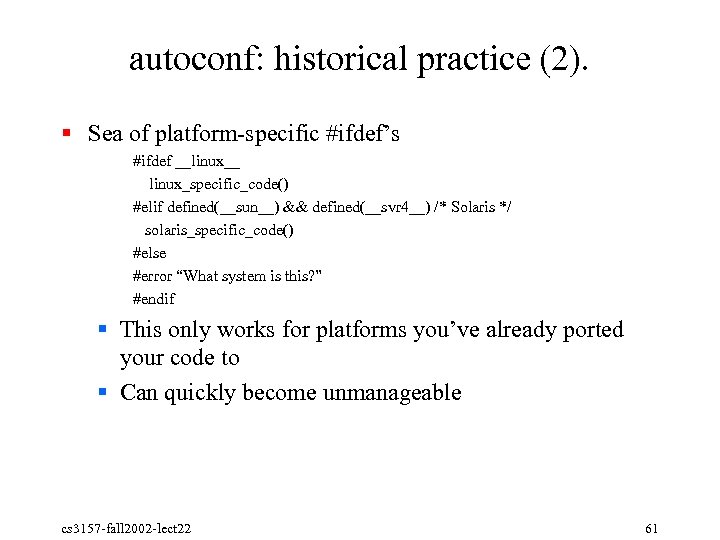 autoconf: historical practice (2). § Sea of platform specific #ifdef’s #ifdef __linux__ linux_specific_code() #elif defined(__sun__) && defined(__svr 4__) /* Solaris */ solaris_specific_code() #else #error “What system is this? ” #endif § This only works for platforms you’ve already ported your code to § Can quickly become unmanageable cs 3157 fall 2002 lect 22 61
 autoconf: historical practice (3). § Makefile documents –D flags, L flags, etc. , to pass to compiler for specific systems or compilation options § User modifies the program’s Makefile by hand, in a text editor § Works okay for very small projects; runs into problems very quickly § Error prone; users often forget to specify flags, mis type them, or give the wrong ones § Porting to a new platform is very difficult cs 3157 fall 2002 lect 22 62
 autoconf: historical practice (4). § Variant of (3): interactive scripts to set all the options § Run a shell script. It asks you lots of questions like “does this system support the argle(3) function with extended frobnitz? (y/n): ” § Shell script automatically creates your make file § Very bad for inexperienced software builders § Not (easily) possible to build software non interactively § With good per system defaults, this can work, however. (Perl’s build system works like this. ) cs 3157 fall 2002 lect 22 63
 autoconf: solution is autoconf. § ‘configure’ script § Automatically checks the characteristics of the build system § Programs, libraries, header files, system calls § Generates a Makefile from a programmer supplied template § Generates a config. h file defining compiler and system characteristics cs 3157 fall 2002 lect 22 64
 autoconf: philosophy. § Check features, not systems § “Does this system support select() or poll()? ” § Not, “Is this BSD or Sys. V”? § Where possible, check features directly § For example, try to compile a program that invokes a function. See if it compiles/links/runs (depending on the feature) § This isn’t always possible – e. g. , “what kind of audio drivers does this OS use? ” cs 3157 fall 2002 lect 22 65
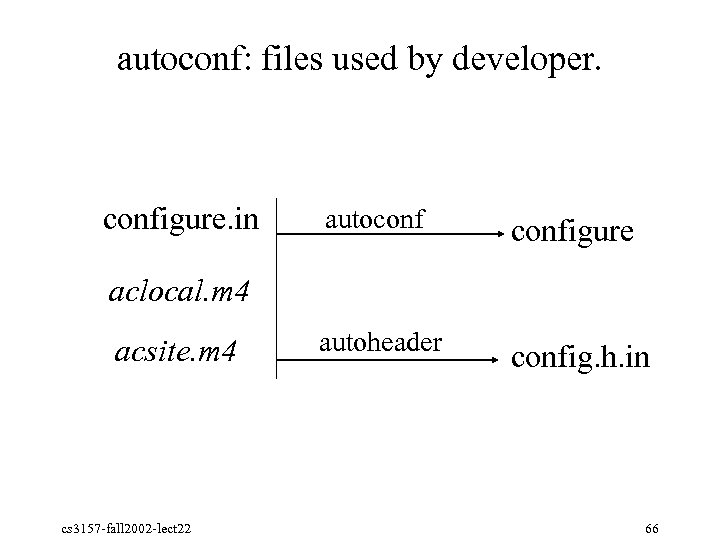 autoconf: files used by developer. configure. in autoconfigure autoheader config. h. in aclocal. m 4 acsite. m 4 cs 3157 fall 2002 lect 22 66
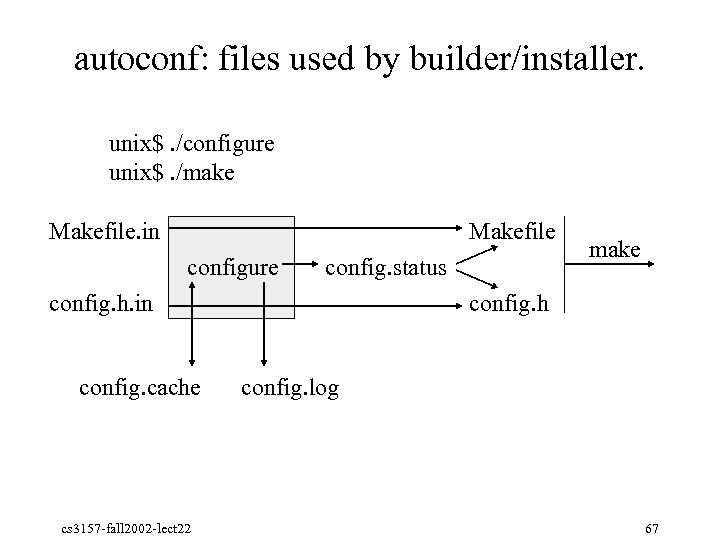 autoconf: files used by builder/installer. unix$. /configure unix$. /make Makefile. in Makefile configure config. status config. h. in config. cache cs 3157 fall 2002 lect 22 make config. h config. log 67
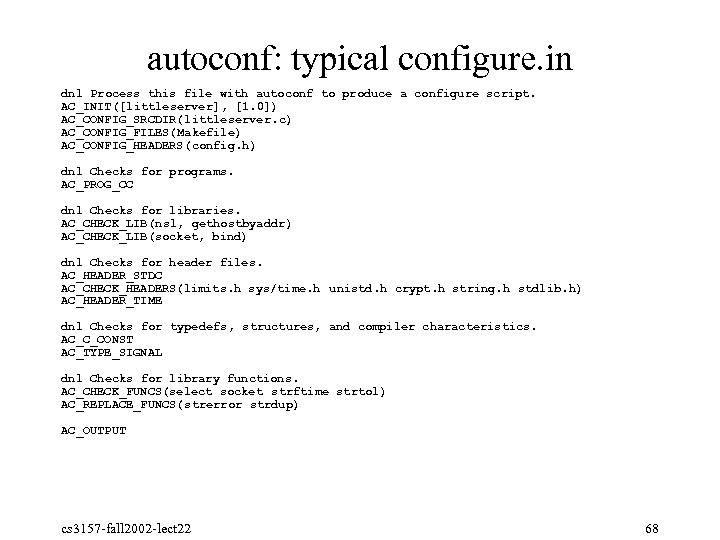 autoconf: typical configure. in dnl Process this file with autoconf to produce a configure script. AC_INIT([littleserver], [1. 0]) AC_CONFIG_SRCDIR(littleserver. c) AC_CONFIG_FILES(Makefile) AC_CONFIG_HEADERS(config. h) dnl Checks for programs. AC_PROG_CC dnl Checks for libraries. AC_CHECK_LIB(nsl, gethostbyaddr) AC_CHECK_LIB(socket, bind) dnl Checks for header files. AC_HEADER_STDC AC_CHECK_HEADERS(limits. h sys/time. h unistd. h crypt. h string. h stdlib. h) AC_HEADER_TIME dnl Checks for typedefs, structures, and compiler characteristics. AC_C_CONST AC_TYPE_SIGNAL dnl Checks for library functions. AC_CHECK_FUNCS(select socket strftime strtol) AC_REPLACE_FUNCS(strerror strdup) AC_OUTPUT cs 3157 fall 2002 lect 22 68
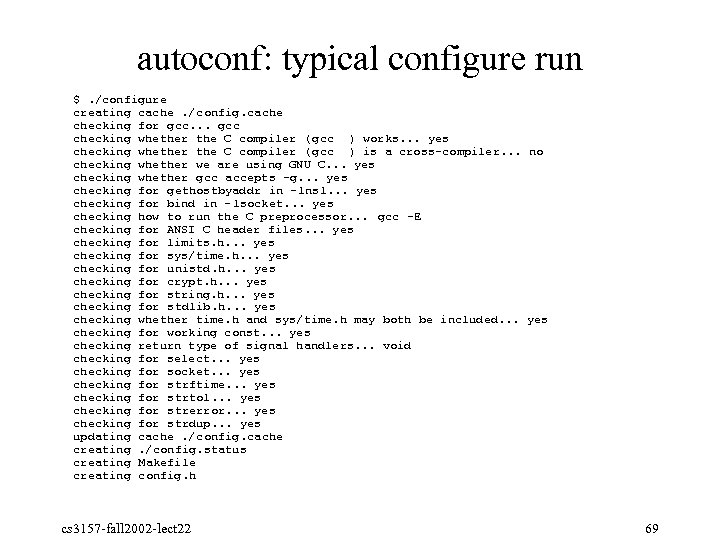 autoconf: typical configure run $. /configure creating cache. /config. cache checking for gcc. . . gcc checking whether the C compiler ( gcc ) works. . . yes checking whether the C compiler ( gcc ) is a cross-compiler. . . no checking whether we are using GNU C. . . yes checking whether gcc accepts -g. . . yes checking for gethostbyaddr in -lnsl. . . yes checking for bind in -lsocket. . . yes checking how to run the C preprocessor. . . gcc -E checking for ANSI C header files. . . yes checking for limits. h. . . yes checking for sys/time. h. . . yes checking for unistd. h. . . yes checking for crypt. h. . . yes checking for string. h. . . yes checking for stdlib. h. . . yes checking whether time. h and sys/time. h may both be included. . . yes checking for working const. . . yes checking return type of signal handlers. . . void checking for select. . . yes checking for socket. . . yes checking for strftime. . . yes checking for strtol. . . yes checking for strerror. . . yes checking for strdup. . . yes updating cache. /config. cache creating. /config. status creating Makefile creating config. h cs 3157 fall 2002 lect 22 69
![autoconf: configure. in structure § AC_INIT (package, version, [bug-report-address]) § start configure. in §](https://present5.com/presentation/3ac44cf086c3a11d0fe3ca825936a574/image-70.jpg "autoconf: configure. in structure § AC_INIT (package, version, [bug-report-address]) § start configure. in §") autoconf: configure. in structure § AC_INIT (package, version, [bug-report-address]) § start configure. in § AC_CONFIG_SRCDIR (unique-file-in-source-dir) § uniquely identify source directory § AC_CONFIG_FILES (file. . . , [cmds], [init-cmds]) § create files from templates (e. g. Makefile) § AC_CONFIG_HEADERS (header. . . , [cmds], [init-cmds]) § create header files (e. g. config. h) § AC_OUTPUT § output all the generated files cs 3157 fall 2002 lect 22 70
autoconf: configure. in structure § AC_INIT (package, version, [bug-report-address]) § start configure. in § AC_CONFIG_SRCDIR (unique-file-in-source-dir) § uniquely identify source directory § AC_CONFIG_FILES (file. . . , [cmds], [init-cmds]) § create files from templates (e. g. Makefile) § AC_CONFIG_HEADERS (header. . . , [cmds], [init-cmds]) § create header files (e. g. config. h) § AC_OUTPUT § output all the generated files cs 3157 fall 2002 lect 22 70
 autoconf: configure. in program checks § Autoconf can check if the build system has certain programs § AC_PROG_AWK § Sets output variable AWK to mawk, gawk, nawk, or awk § AC_PROG_LEX / AC_PROG_YACC § Find lex (flex) or yacc (byacc, bison) cs 3157 fall 2002 lect 22 71
 autoconf: configure. in compiler checks § Autoconf can find the compiler and check its characteristics § AC_PROG_CC, AC_PROG_CXX § Find the C or C++ compiler § AC_PROG_C_STDC § Check if the C compiler is ANSI C, after trying various compiler options to make it do so. § AC_C_CONST § Check if the C compiler supports ‘const’. § If not, #define const to the empty string, so you can use it anyway. § AC_C_BIGENDIAN § Check if the system is “big endian”; i. e. , stores integers most significant byte first. (Sparc is big 72 cs 3157 fall 2002 lect 22
 autoconf: configure. in library checks § Autoconf can determine whether certain libraries are available § AC_CHECK_LIB(library, function) § Check whether the library can be linked (as l library), and then whether the function can be found inside it. § Once a library is found, it’s linked in by default for future calls to AC_CHECK_LIB, so you can have one library depend on another. cs 3157 fall 2002 lect 22 73
 autoconf: configure. in header checks § Autoconf can check whether certain header files are available § AC_CHECK_HEADER § Check whether a header file is available § AC_HEADER_STDC § Check whether the system header files conform with ANSI C. (Not the same as AC_PROG_C_STDC, or __STDC__!) § AC_HEADER_TIME § Check whether
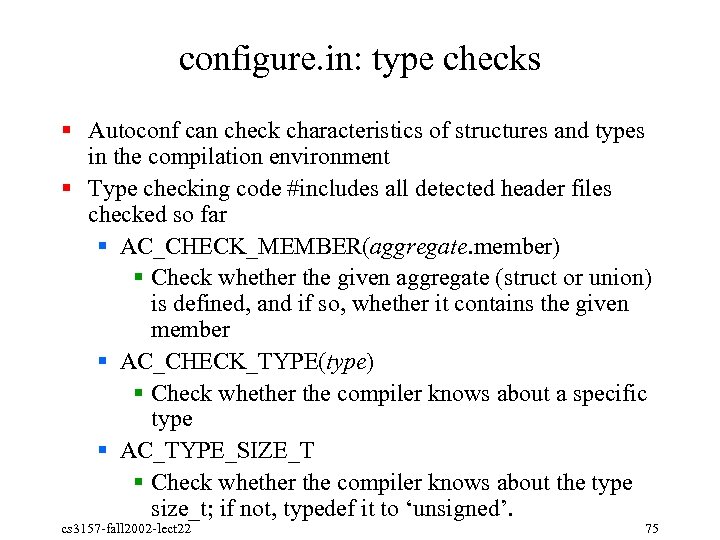 configure. in: type checks § Autoconf can check characteristics of structures and types in the compilation environment § Type checking code #includes all detected header files checked so far § AC_CHECK_MEMBER(aggregate. member) § Check whether the given aggregate (struct or union) is defined, and if so, whether it contains the given member § AC_CHECK_TYPE(type) § Check whether the compiler knows about a specific type § AC_TYPE_SIZE_T § Check whether the compiler knows about the type size_t; if not, typedef it to ‘unsigned’. cs 3157 fall 2002 lect 22 75
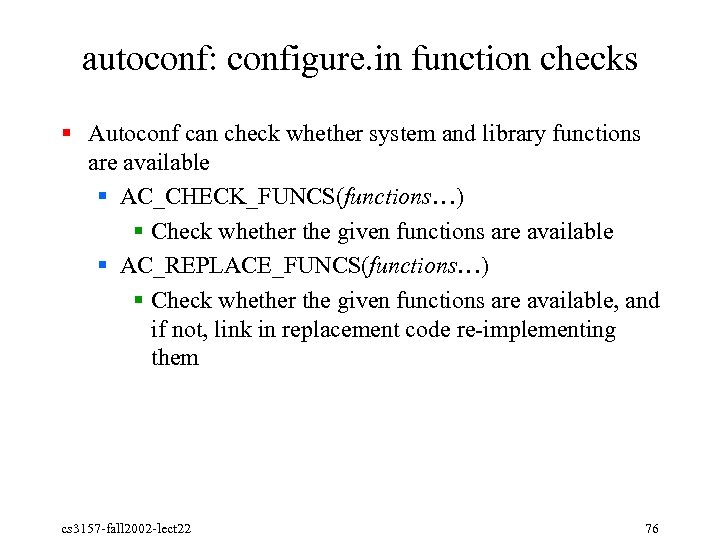 autoconf: configure. in function checks § Autoconf can check whether system and library functions are available § AC_CHECK_FUNCS(functions…) § Check whether the given functions are available § AC_REPLACE_FUNCS(functions…) § Check whether the given functions are available, and if not, link in replacement code re implementing them cs 3157 fall 2002 lect 22 76
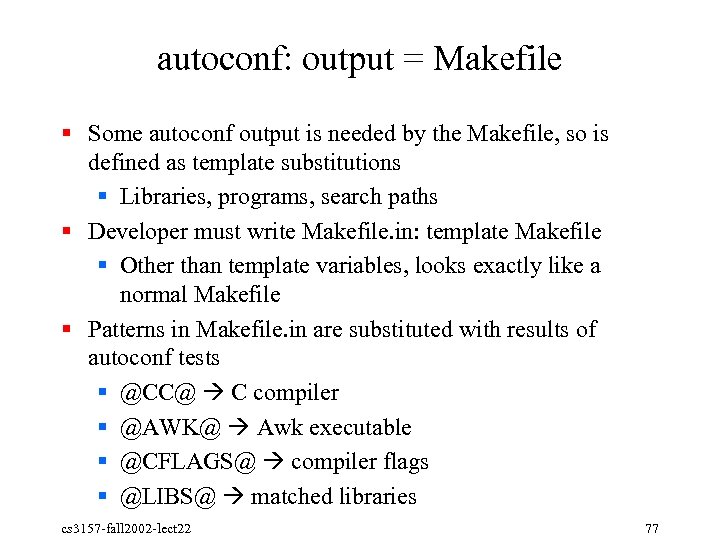 autoconf: output = Makefile § Some autoconf output is needed by the Makefile, so is defined as template substitutions § Libraries, programs, search paths § Developer must write Makefile. in: template Makefile § Other than template variables, looks exactly like a normal Makefile § Patterns in Makefile. in are substituted with results of autoconf tests § @CC@ C compiler § @AWK@ Awk executable § @CFLAGS@ compiler flags § @LIBS@ matched libraries cs 3157 fall 2002 lect 22 77
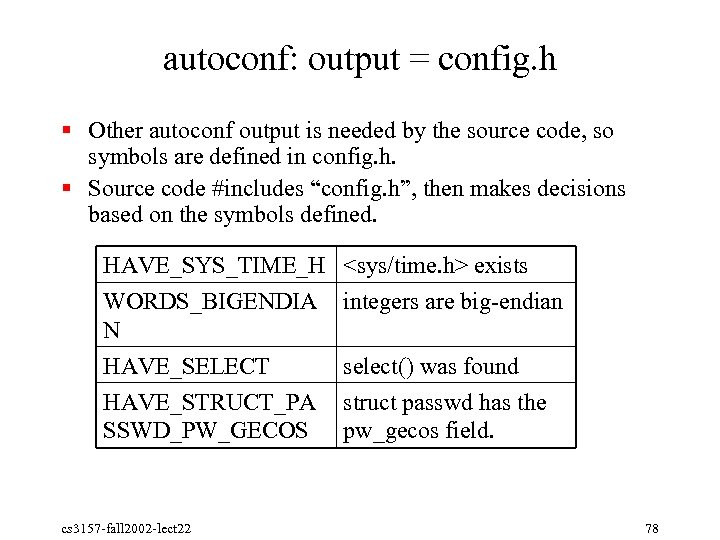 autoconf: output = config. h § Other autoconf output is needed by the source code, so symbols are defined in config. h. § Source code #includes “config. h”, then makes decisions based on the symbols defined. HAVE_SYS_TIME_H
 autoconf: system dependent tests § Some things can’t be checked automatically § Things that only work as root § Details of system object formats § For these, autoconf provides system dependent checks § Check the system type of either the build or the host system § Standard GNU naming system § i 686 unknown linux gnu § sparc sun solaris § Use shell pattern matching on these names cs 3157 fall 2002 lect 22 79
 autoconf: custom tests § Sometimes you need to check for things that autoconf doesn’t already have tests for § You can write custom tests: § AC_TRY_CPP, AC_TRY_COMPILE, AC_TRY_LINK, AC_TRY_RUN § Try to preprocess / compile / link / run a specific fragment of C code. § Specify actions to take if test succeeds or fails. cs 3157 fall 2002 lect 22 80
 autoconf: results of custom tests § Custom tests need to be able to output their results § AC_DEFINE § Define a C preprocessor symbol in config. h § AC_SUBST § Substitute a variable pattern into Makefile. in § AC_CACHE_CHECK § Cache a variable in config. cache for future configure runs § AC_MSG_CHECKING / AC_MSG_RESULT § Output messages telling the user that something’s being checked cs 3157 fall 2002 lect 22 81
 autoconf: subtleties of custom tests § Autoconf actually works by using the m 4 macro processor to create a shell script § So you can embed your own shell (/bin/sh) code in your custom tests § HOWEVER: § You can’t just write bash code and expect everything to work! § Since the point of the. /configure script is to run anywhere, you need to write shell code that can run on any Unix system’s shell. § Lowest common denominator scripting cs 3157 fall 2002 lect 22 82
 autoconf: custom libraries of tests § If you need to execute your own tests, you can write autoconf functions § AC_DEFUN defines new functions § Custom functions can be embedded into a custom file § aclocal. m 4: project specific custom functions § acsite. m 4: system wide custom functions cs 3157 fall 2002 lect 22 83
 autoconf: other parts of the GNU build environment § automake § Automates creation of Makefile. in. § Automatically supports make clean, make install, building outside the source directory, creating. tar. gz distributions, etc. § Good for simple projects; not very flexible for complex projects § libtool § Creating shared libraries, and dynamically loadable libraries, is wildly different on all the platforms that support them § Libtool is a shell script that encapsulates the knowledge of how to do this, how to set load paths automatically, and so cs 3157 fall 2002 lect 22 84