


 Скачать презентацию Advanced Authentication Methods www novell com Alan Mark
f635f27938335c0f56f0a812702ace01.ppt
- Количество слайдов: 63
 Advanced Authentication Methods www. novell. com Alan Mark Chief Security Strategist Novell, Inc. amark@novell. com Rick Maddox Director Security Products Novell, Inc. rmaddox@novell. com
 Vision…one Net A world where networks of all types—corporate and public, intranets, extranets, and the Internet—work together as one Net and securely connect employees, customers, suppliers, and partners across organizational boundaries Mission To solve complex business and technical challenges with Net business solutions that enable people, processes, and systems to work together and our customers to profit from the opportunities of a networked world
 How We’ll Proceed • Each vendor presents solutions/strategies • Q&A with vendor • Panel discussion at end
 Panel Discussion • Greg Jensen 4 4 CTO, SAFLINK Corporation gjensen@saflink. com • Rick Landuyt 4 President, RFIdeas rlanduyt@RFIDeas. com 4 Sr. Systems Engineer, RSA Security 4 • Terry Cozard 4 tcozard@rsasecurity. com 4 Director, Strategic Partnerships, Vasco • Kevin Donovan 4 kdonovan@vasco. com 4 Lead security developers, Novell • Reed Haslam/Hal Henderson
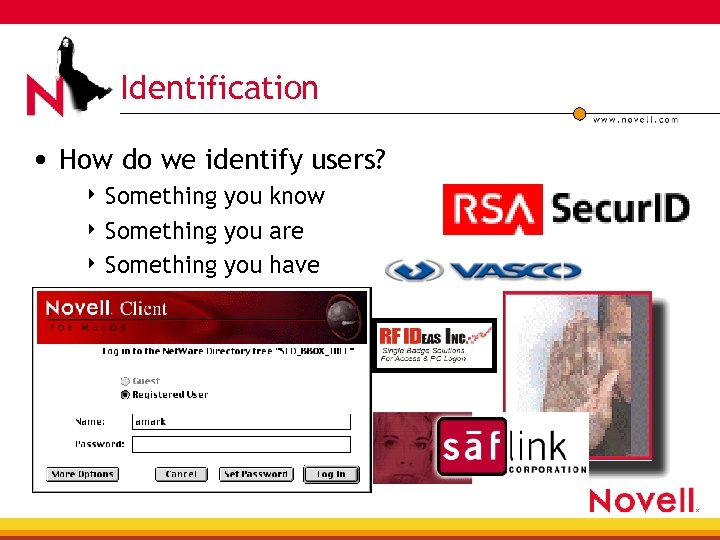 Identification • How do we identify users? 4 Something you know 4 Something you are 4 Something you have
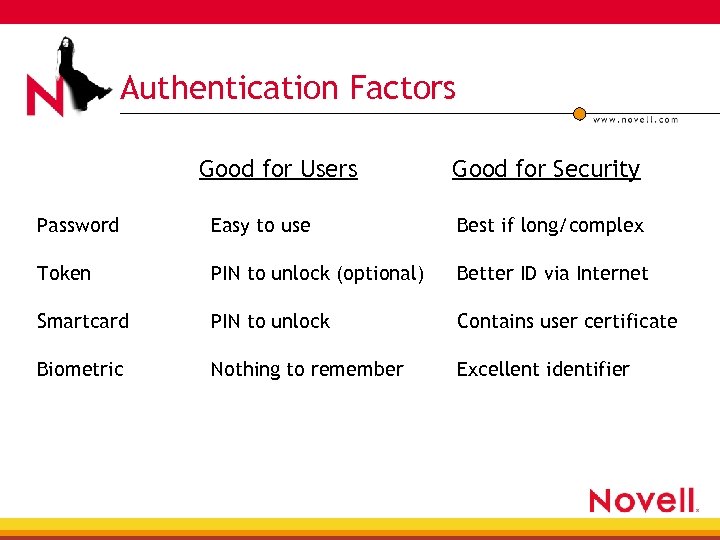 Authentication Factors Good for Users Good for Security Password Easy to use Best if long/complex Token PIN to unlock (optional) Better ID via Internet Smartcard PIN to unlock Contains user certificate Biometric Nothing to remember Excellent identifier
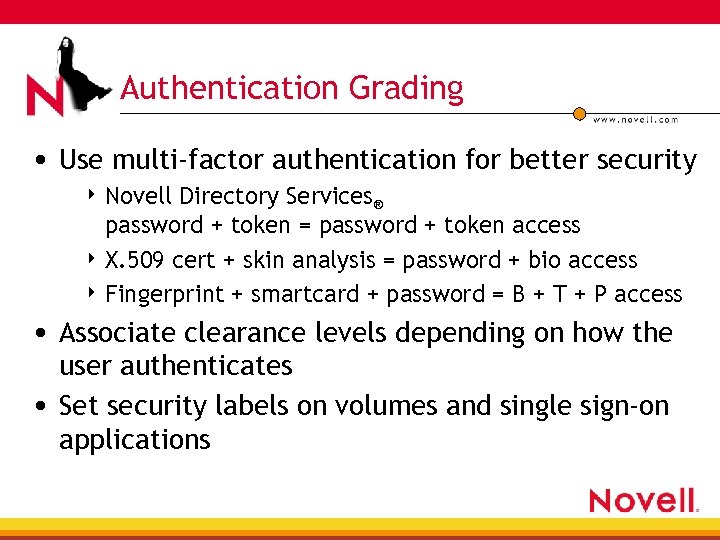 Authentication Grading • Use multi-factor authentication for better security 4 Novell Directory Services® password + token = password + token access 4 X. 509 cert + skin analysis = password + bio access 4 Fingerprint + smartcard + password = B + T + P access • Associate clearance levels depending on how the user authenticates • Set security labels on volumes and single sign-on applications
 Novell Modular Authentication Services (NMAS™) • Using Novell e. Directory™ • Framework for the integration of new authentication methods and protocols • Stores authentication info as user attribute or in Novell Secret. Store® • Use via web browser
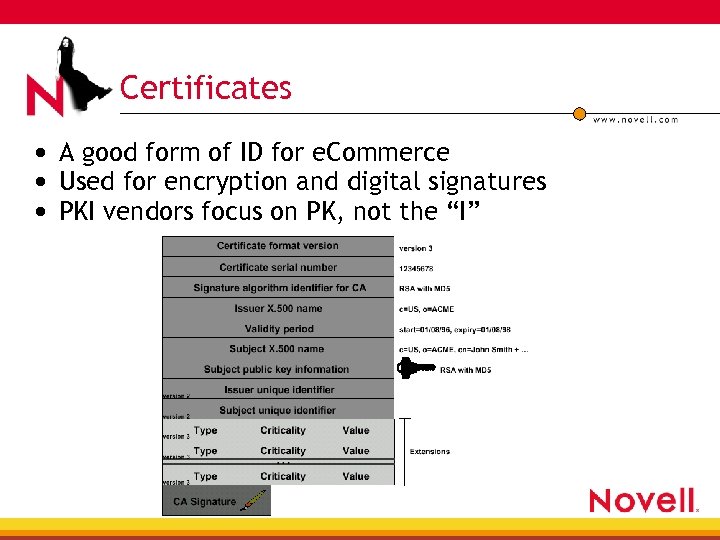 Certificates • A good form of ID for e. Commerce • Used for encryption and digital signatures • PKI vendors focus on PK, not the “I”
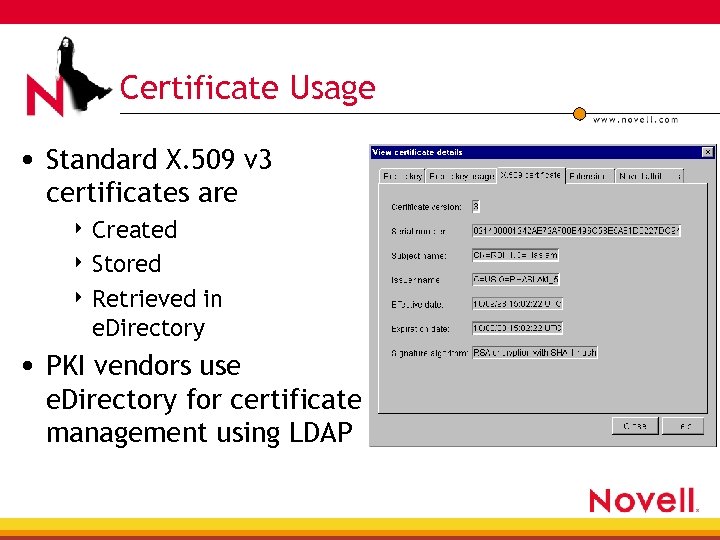 Certificate Usage • Standard X. 509 v 3 certificates are 4 Created 4 Stored 4 Retrieved in e. Directory • PKI vendors use e. Directory for certificate management using LDAP
 Saflink— Biometric Greg Jensen CTO SAFLINK Corporation gjensen@saflink. com
 Biometric Authentication Methods • What is a “biometric”? • What are the applications for biometrics? • How does this relate to Brain. Share? 4 e. Directory for enrollment 4 NMAS for authentication 4 Console. One® for management • Pros • Cons • Benefits
 What Is a “Biometric”? • From the Greek bios “life” + Latin metricus “measurement of, ” literally a measurement of some living thing • Fortunately, we can limit this discussion to the measurement of you 4 Fingerprint, speech, face, iris pattern, hand geometry, facial thermograph, retina pattern, 3 -D ear geometry, weight, keystroke dynamics, twofinger geometry, height, vein pattern, signature, DNA…
 What Are the Applications for Biometrics? • Physical access security—building entrances, • • • vaults, computer rooms, etc. ATMs, point-of-sale, kiosks Cellular phones Automotive applications: door locks, ignition Frequent traveler immigration checkpoints Surveillance Computer network security
 How Does This Relate to Brain. Share? • Strong authentication for your network • Biometric methods answer the question: “Are they who they claim to be? ” • One Net Platform support for biometric authentication methods is provided by: 4 e. Directory for enrollment 4 NMAS for authentication 4 Console. One for management
 e. Directory Enrollment • A Biometric is “Enrolled, ” not “Issued” • The Biometric credential is stored in e. Directory 4 Stored as a “Template, ” not a raw sample 4 Stored in the User Object’s Secret Store 4 Stored encrypted using NICI • Central Enrollment—if policies require • Self-Enroll—rapid, convenient deployment • Tutorials—since technology is new
 NMAS Authentication • Logon 4 Username is still required 4 Alternate Login Sequences can provide a backup login • Disconnected logon 4 Cached credentials mimic connected logon • Lock/unlock workstation • Access Secure. Login (SSO) Secrets • Remote access • Web sign-on
 Console. One Management • Console. One 4 Administrator Enroll 4 Administrator Delete 4 Enable/Disable Login Sequence 4 Password Login Sequence (for backup) • Enable/disable “Self-Enroll” • Enable/disable “Disconnected Logon” • Auditing biometric events
 Biometric Pros • You can’t leave home without it • You can’t lose it • You can’t steal it • You can’t forget it • Your biometric doesn’t have to be issued • Your biometric doesn’t have to be re-issued • Some technologies are contact-less (iris, face, voice) • Some technologies will allow identification (iris)
 Biometric Cons • A device is required • Some technologies required contact (finger) • A biometric measurement is not identical every time 4 “Fuzzy” match requires CPU time 4 A margin for error exists • Cannot be revoked • Can it be spoofed? • Most technologies still require a user ID
 Biometric Benefits • Convenient • Cost-effective—rapid ROI from reduced password • • related help-desk calls alone Cool Easy to use Here today Available for NMAS
 Use this slide for large graphics
 questions a and swers
 RFIdeas— Proximity Rick Landuyt President rlanduyt@RFIDeas. com
 Agenda • Intro to RF ideas • Where is the need? • Bricks to clicks • Benefits • Partners • Questions
 RF Ideas • 1995 Founded company • 1998 Launched first product, AIR ID • 2000 Launched pc. Prox • 2000 Signed agreements with HID • 2001 Signed agreement with Motorola, AWID • 2002 NMAS add-in announced
 Where Is the Need? • Security 4 60% of security breaches occur within your network— FBI & Computer Security Institute • Cost 4 Password problems cost internal help desks $135175/year—Electronics Business Feb 1999 4 70% of all help desk calls are related to forgotten passwords—Network Consortium • Users 4 Burden, frustration, productivity
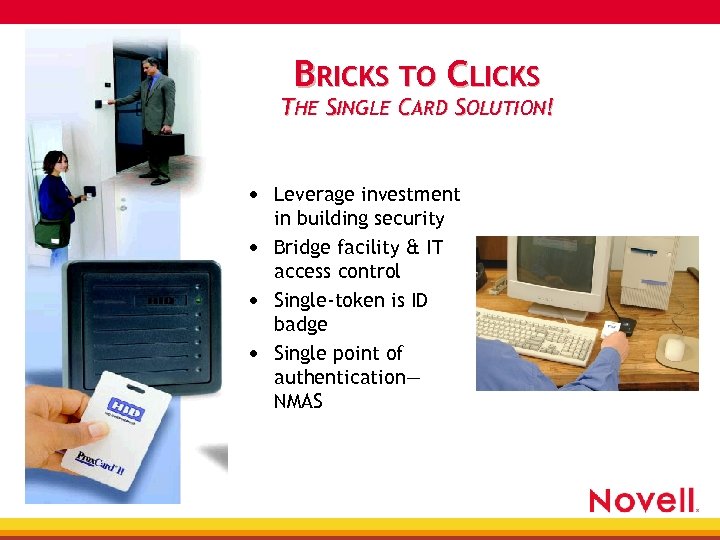 BRICKS TO CLICKS THE SINGLE CARD SOLUTION! • Leverage investment in building security • Bridge facility & IT access control • Single-token is ID badge • Single point of authentication— NMAS
 Benefits • • Extended to installed base of 150 million card holders Drive to lower cost Increase security Balance security and burden • Market 4 4 Healthcare (HIPAA) Airports Corporate network (HR, IP, Finance…) Government
 Benefits (cont. ) • Lowest cost solution 4 Enrollment is n/c through auto-enrollment feature 4 Deployment—already paid 4 Central point of administration • Increased security 4 Use as one- or two-factor authentication 4 Use with other forms of authentication—e. g. , biometrics • Ease of use 4 No training—using something they understand
 Partners
 questions a and swers
 Terry Cozard Sr. Systems Engineer RSA Security
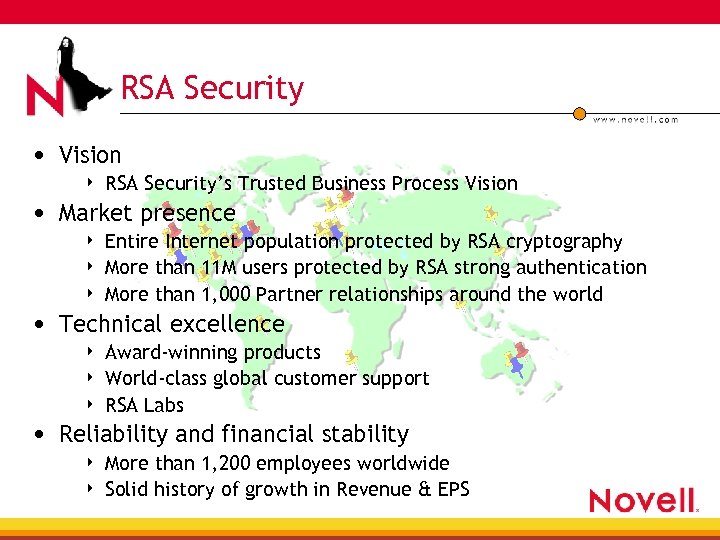 RSA Security • Vision 4 RSA Security’s Trusted Business Process Vision 4 Entire Internet population protected by RSA cryptography More than 11 M users protected by RSA strong authentication More than 1, 000 Partner relationships around the world • Market presence 4 4 • Technical excellence 4 4 4 Award-winning products World-class global customer support RSA Labs • Reliability and financial stability 4 4 More than 1, 200 employees worldwide Solid history of growth in Revenue & EPS
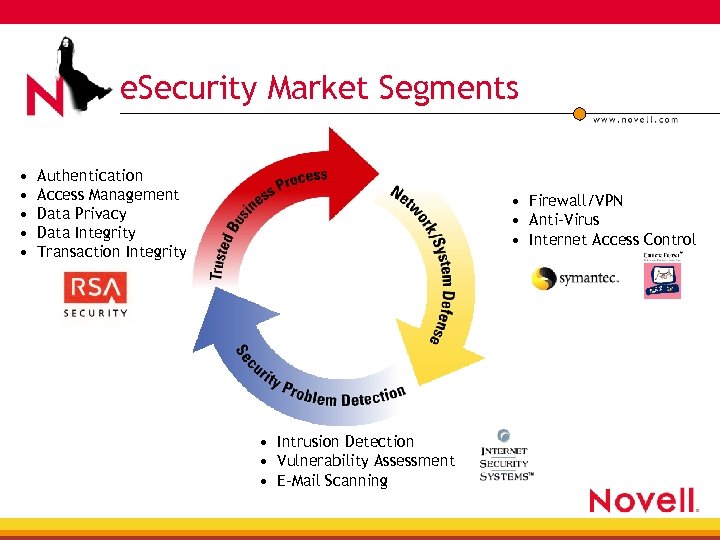 e. Security Market Segments • • • Authentication Access Management Data Privacy Data Integrity Transaction Integrity • Firewall/VPN • Anti-Virus • Internet Access Control • Intrusion Detection • Vulnerability Assessment • E-Mail Scanning
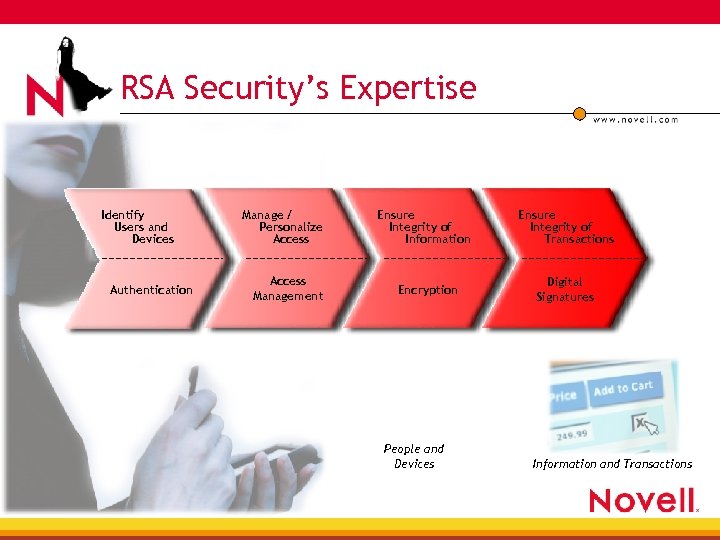 RSA Security’s Expertise Identify Users and Devices Authentication Manage / Personalize Access Management Ensure Integrity of Information Encryption People and Devices Ensure Integrity of Transactions Digital Signatures Information and Transactions
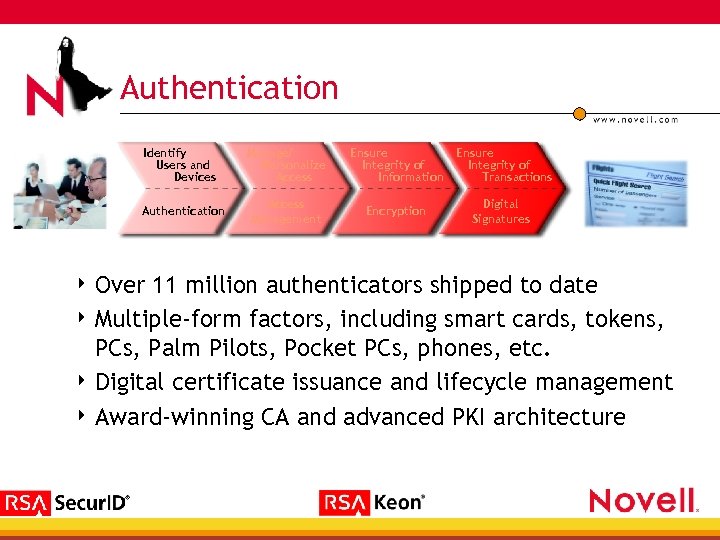 Authentication Identify Users and Devices Authentication 4 Over Manage/ Personalize Access Ensure Integrity of Information Ensure Integrity of Transactions Access Management Encryption Digital Signatures 11 million authenticators shipped to date 4 Multiple-form factors, including smart cards, tokens, PCs, Palm Pilots, Pocket PCs, phones, etc. 4 Digital certificate issuance and lifecycle management 4 Award-winning CA and advanced PKI architecture
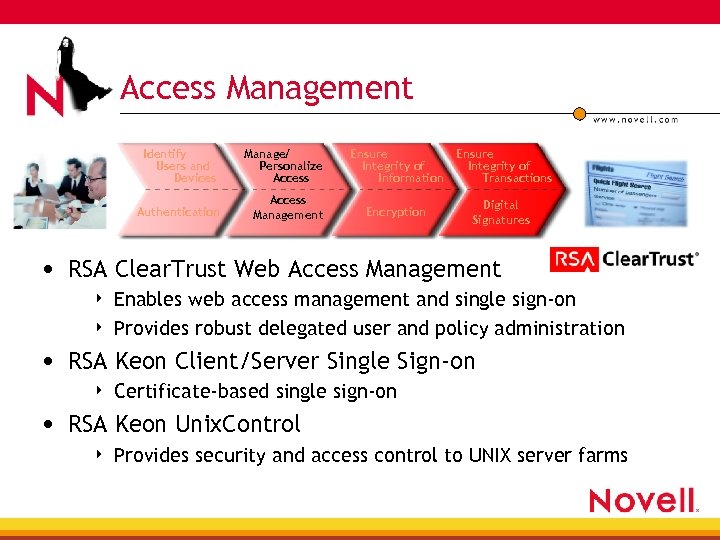 Access Management Identify Users and Devices Authentication Manage/ Personalize Access Management Ensure Integrity of Information Ensure Integrity of Transactions Encryption Digital Signatures • RSA Clear. Trust Web Access Management 4 4 Enables web access management and single sign-on Provides robust delegated user and policy administration • RSA Keon Client/Server Single Sign-on 4 Certificate-based single sign-on • RSA Keon Unix. Control 4 Provides security and access control to UNIX server farms
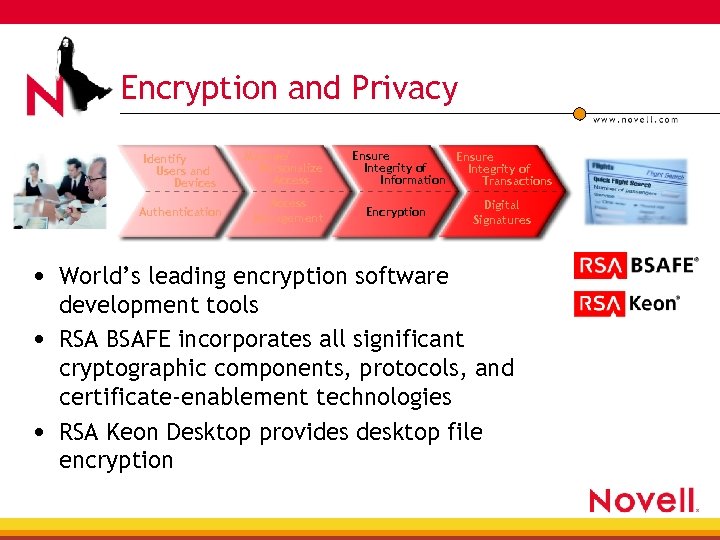 Encryption and Privacy Identify Users and Devices Authentication Manage/ Personalize Access Management Ensure Integrity of Information Transactions Encryption Digital Signatures • World’s leading encryption software development tools • RSA BSAFE incorporates all significant cryptographic components, protocols, and certificate-enablement technologies • RSA Keon Desktop provides desktop file encryption
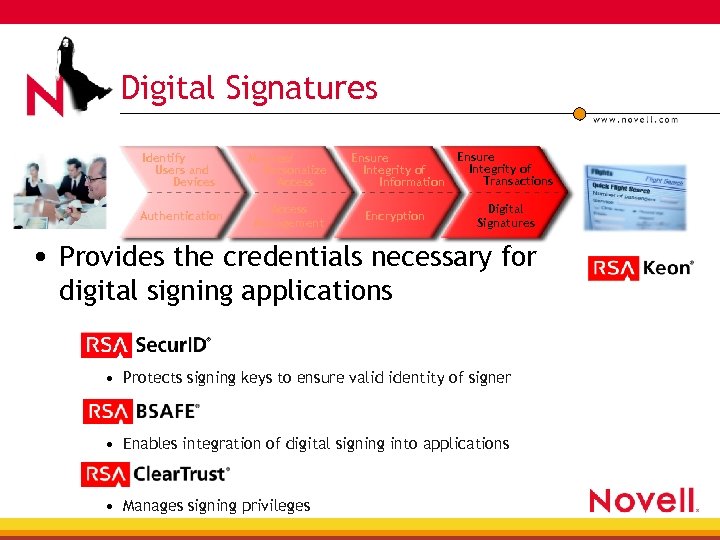 Digital Signatures Identify Users and Devices Manage/ Personalize Access Ensure Integrity of Information Ensure Integrity of Transactions Authentication Access Management Encryption Digital Signatures • Provides the credentials necessary for digital signing applications • Protects signing keys to ensure valid identity of signer • Enables integration of digital signing into applications • Manages signing privileges
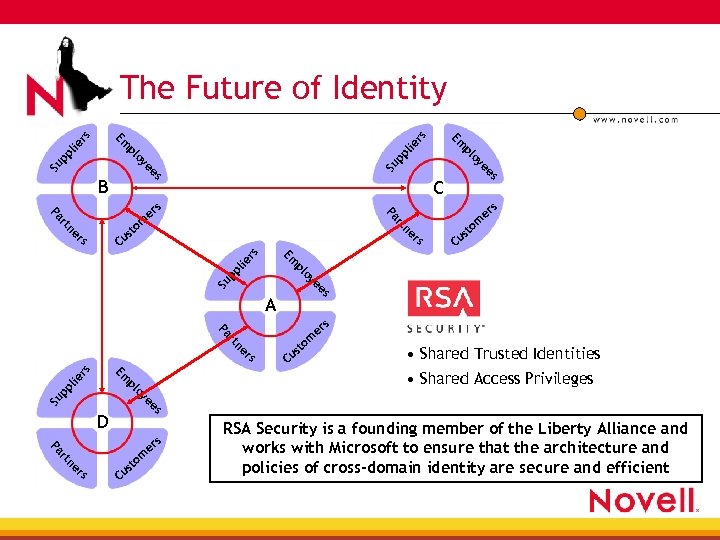 lie rs pp pp Su ne rs rs C s ee Su p oy pl pl ie Em rs er m to us rt ne rt A Pa s m er rs ne rt to us C • Shared Trusted Identities • Shared Access Privileges Em rs s Pa Pa om st Cu pl ie es Su ye es C s er s ee Su oy pp l o pl ye B Em o pl Em lie rs The Future of Identity D rs ne rt Pa e rs Cu s m to RSA Security is a founding member of the Liberty Alliance and works with Microsoft to ensure that the architecture and policies of cross-domain identity are secure and efficient
 questions a and swers
 VASCO Kevin Donovan Director, Strategic Partnerships VASCO
 Who Is VASCO? • VASCO is a global security vendor that secures the enterprise from the mainframe to the Internet with infrastructure solutions that enable secure e. Business and e. Commerce, protect sensitive information, and safeguard the identity of users • 7, 000 production users • Over 175 international banking customers
 What’s Our Value to a Customer? • We solve a basic security requirement 4 What’s the weakest link in the chain? • We address both the business and technical requirements • We reduce the barriers to implement security solutions for all customers
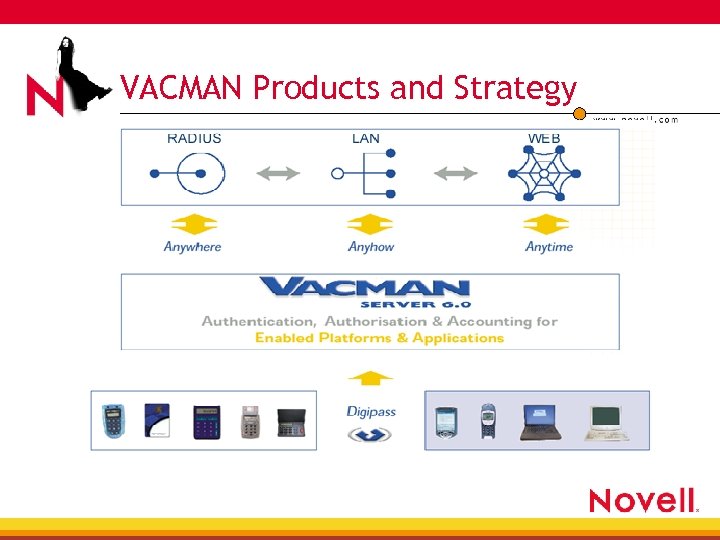
 Core Business • Core business, strong authentication in 4 e. Banking 4 Corporate Networking 4 e. Commerce • Core technology: Digipass + VACMAN • Leading global enabler of AAA security for present and future technologies
 VACMAN Products and Strategy
 VASCO Digipass • VASCO Digipass: 4 Leverages the power of Novell NMAS 4 Is the easiest authentication product to sell with Novell NMAS 4 Meets the increasing market demand for strong security with Novell 4 Helps penetrate additional markets 4 Works seamlessly with Novell NMAS and requires no additional components or integration
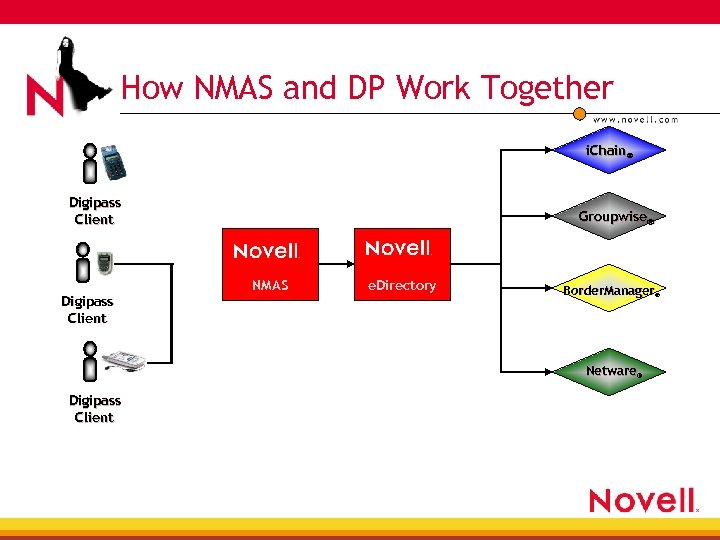 How NMAS and DP Work Together i. Chain® Digipass Client Groupwise® NMAS e. Directory Border. Manager® Netware® Digipass Client
 Benefits • The security of any system is as strong as its weakest link…the weakest link is a user’s password • VASCO provides the lowest total cost of ownership to integrate a security solution that achieves strong user authentication • VASCO drastically reduces downtime costs and password management • User does not require to purchase and manage an additional authentication server
 questions a and swers
 Novell NMAS Methods Reed Haslam Hal Henderson Lead Developers, Security Division Novell, Inc.
 Enhanced Password Method • Provides customizable password policy 4 Minimum length 4 Repeated characters 4 Consecutive characters 4 Numeric and special characters 4 Expiration period 4 Password reuse 4 Excluded word list
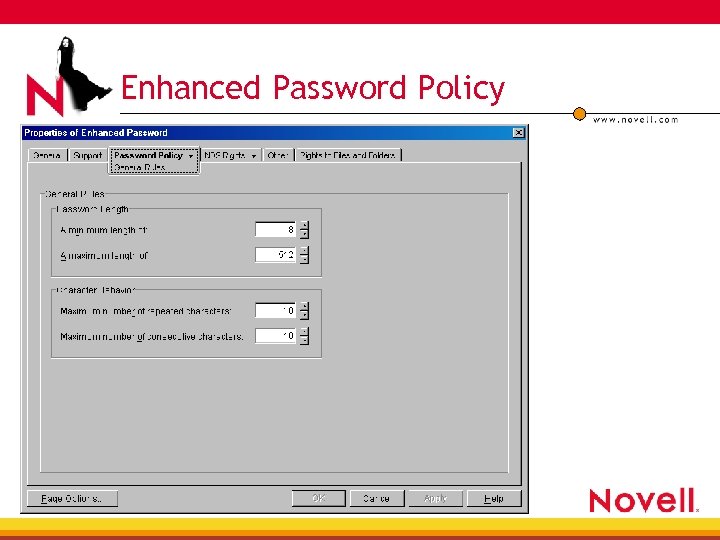 Enhanced Password Policy
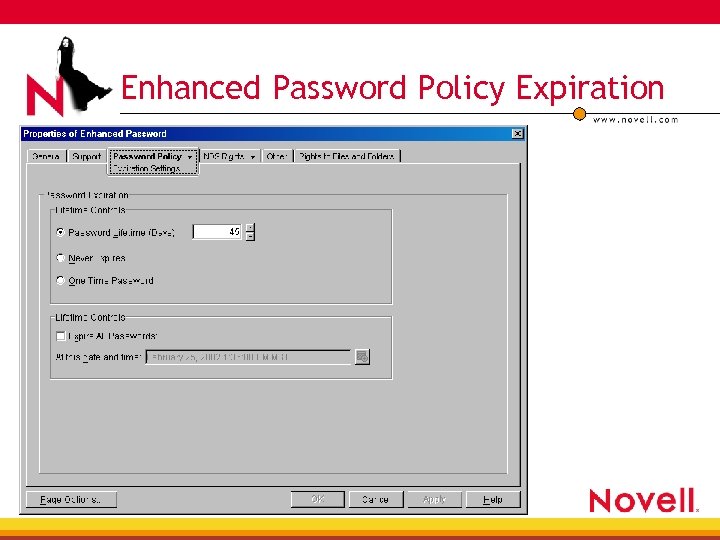 Enhanced Password Policy Expiration
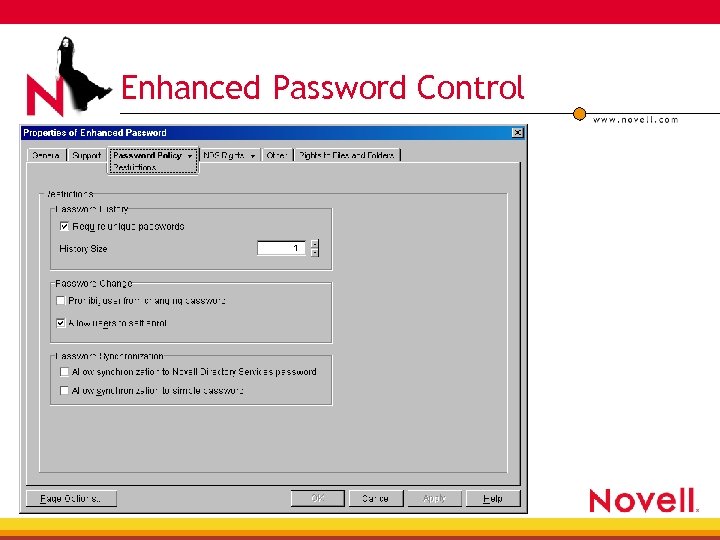 Enhanced Password Control
 Enhanced Password Content Control
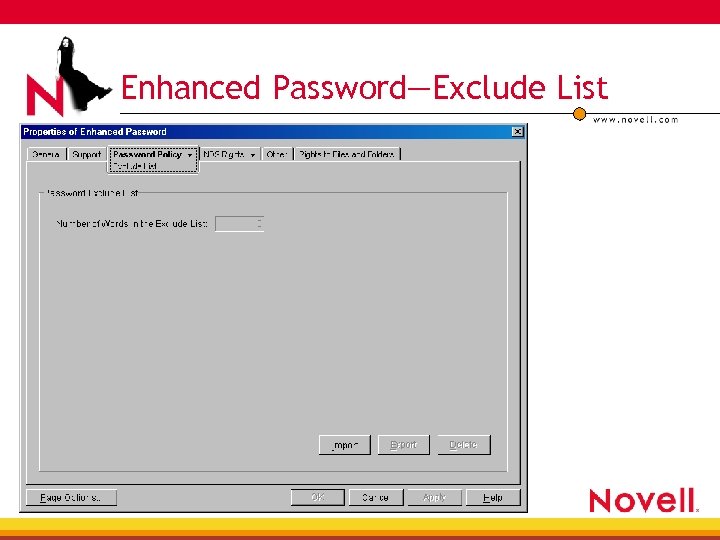 Enhanced Password—Exclude List
 Advanced X. 509 Method • Supports Digital Certificate Authentication 4 PKCS#12 (Standard for protecting private key in a file) 4 Supports all standards compliant certificate vendors • Validation 4 CRL (Certificate Revocation Lists) 4 Certificate Date Validity
 Universal Smart Card Method • Supports Digital Certificate Authentication 4 PKCS#11 (Standard Smart Card interface) 4 Tested with • Gem. Plus, Smart. Trust, Activ. Card • Validation 4 CRL (Certificate Revocation Lists) 4 Certificate Date Validity
 Panel Discussion • Greg Jensen 4 4 CTO, SAFLINK Corporation gjensen@saflink. com • Rick Landuyt 4 4 President, RFIdeas Rlanduyt@RFIDeas. com • Terry Cozard 4 4 Sr. Systems Engineer, RSA Security tcozard@rsasecurity. com • Kevin Donovan 4 Director, Strategic Partnerships, Vasco kdonovan@vasco. com 4 Lead Security Developers, Novell 4 • Reed Haslam/Hal Henderson