Скачать презентацию ADO NET Last revision March 2014 Copyright
ADO_NET_2014 (1).pptx
- Количество слайдов: 51
 ADO. NET Last revision: March 2014 Copyright © Soft. Serve, Inc.
 Agenda • • What is ADO. NET? ADO. NET architecture ADO. NET Data Providers ADO. NET objects: Connection, Command, Data. Reader, Data. Adapter • Disconnected architecture of ADO. NET
 What Is ADO. NET? • ADO. NET (Active. X Data Objects ) is a collection of classes, interfaces, structures, and enumerated types that manage data access from relational data stores within the. NET Framework – These collections are organized into namespaces: • System. Data, System. Data. Ole. Db, System. Data. Sql. Client, etc. Ø ADO. NET is a set of computer software components that programmers can use to access data and data services. It is a part of the base class library . NET Framework. It is commonly used by programmers to access and modify data stored in relational database systems (Microsoft SQL Server, MS Access, Oracle, etc) and in non-relational sources (Microsoft Excel, Outlook , txt files, XML). • ADO. NET is an evolution from ADO. – Does not share the same object model, but shares many of the same paradigms and functionality!
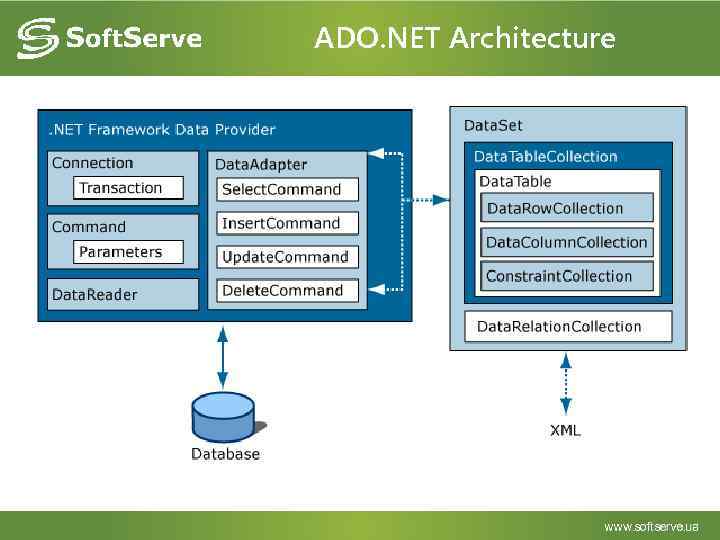 ADO. NET Architecture
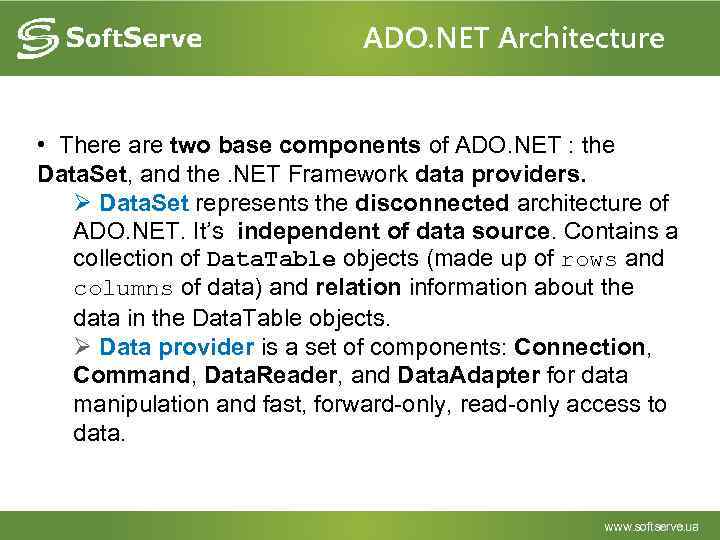 ADO. NET Architecture • There are two base components of ADO. NET : the Data. Set, and the. NET Framework data providers. Ø Data. Set represents the disconnected architecture of ADO. NET. It’s independent of data source. Contains a collection of Data. Table objects (made up of rows and columns of data) and relation information about the data in the Data. Table objects. Ø Data provider is a set of components: Connection, Command, Data. Reader, and Data. Adapter for data manipulation and fast, forward-only, read-only access to data.
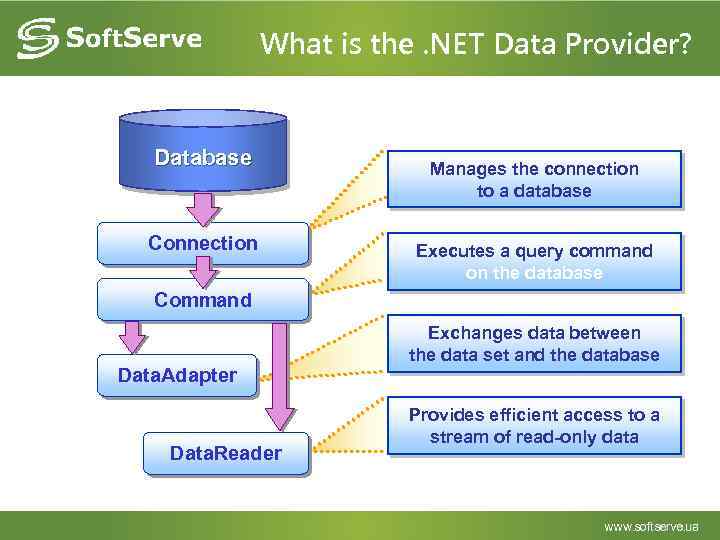 What is the. NET Data Provider? Database Connection Manages the connection to a database Executes a query command on the database Command Data. Adapter Data. Reader Exchanges data between the data set and the database Provides efficient access to a stream of read-only data
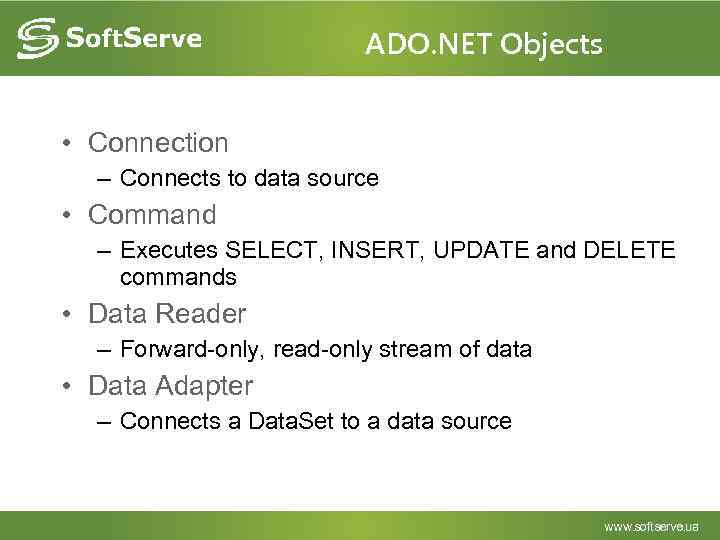 ADO. NET Objects • Connection – Connects to data source • Command – Executes SELECT, INSERT, UPDATE and DELETE commands • Data Reader – Forward-only, read-only stream of data • Data Adapter – Connects a Data. Set to a data source
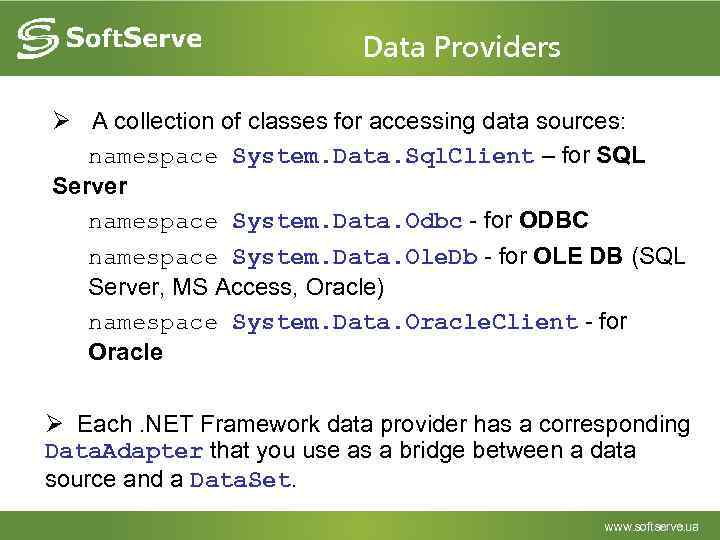 Data Providers Ø A collection of classes for accessing data sources: namespace System. Data. Sql. Client – for SQL Server namespace System. Data. Odbc - for ODBC namespace System. Data. Ole. Db - for OLE DB (SQL Server, MS Access, Oracle) namespace System. Data. Oracle. Client - for Oracle Ø Each. NET Framework data provider has a corresponding Data. Adapter that you use as a bridge between a data source and a Data. Set.
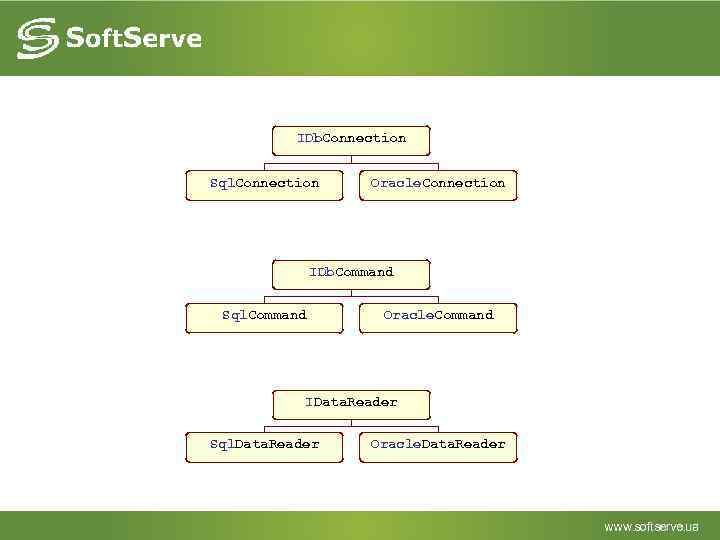 IDb. Connection Sql. Connection Oracle. Connection IDb. Command Sql. Command Oracle. Command IData. Reader Sql. Data. Reader Oracle. Data. Reader
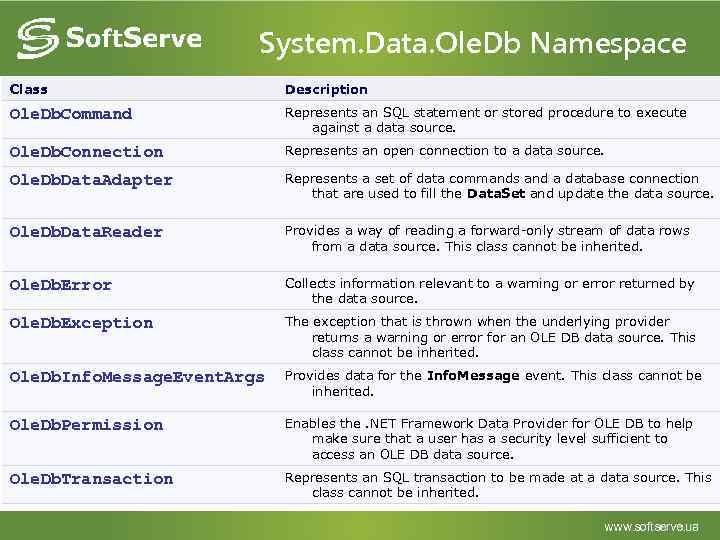 System. Data. Ole. Db Namespace Class Description Ole. Db. Command Represents an SQL statement or stored procedure to execute against a data source. Ole. Db. Connection Represents an open connection to a data source. Ole. Db. Data. Adapter Represents a set of data commands and a database connection that are used to fill the Data. Set and update the data source. Ole. Db. Data. Reader Provides a way of reading a forward-only stream of data rows from a data source. This class cannot be inherited. Ole. Db. Error Collects information relevant to a warning or error returned by the data source. Ole. Db. Exception The exception that is thrown when the underlying provider returns a warning or error for an OLE DB data source. This class cannot be inherited. Ole. Db. Info. Message. Event. Args Provides data for the Info. Message event. This class cannot be inherited. Ole. Db. Permission Enables the. NET Framework Data Provider for OLE DB to help make sure that a user has a security level sufficient to access an OLE DB data source. Ole. Db. Transaction Represents an SQL transaction to be made at a data source. This class cannot be inherited.
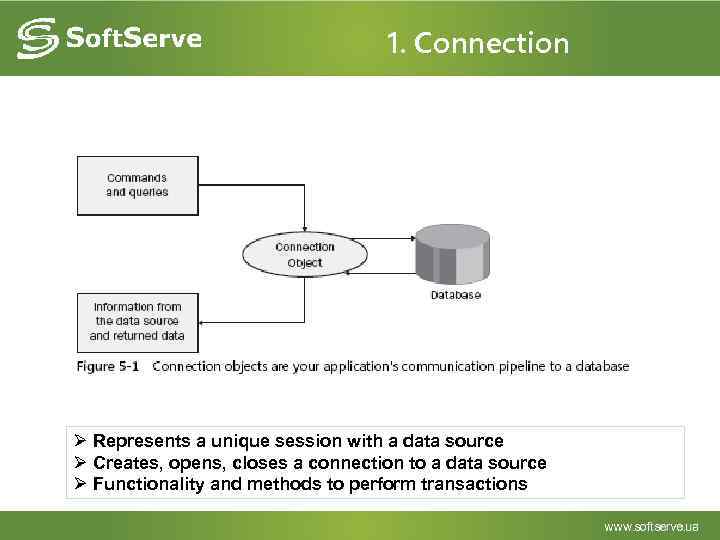 1. Сonnection Ø Represents a unique session with a data source Ø Creates, opens, closes a connection to a data source Ø Functionality and methods to perform transactions
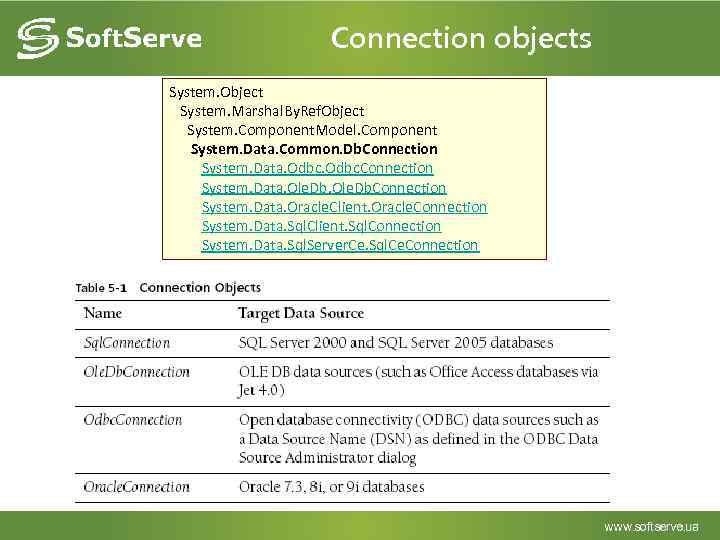 Connection objects System. Object System. Marshal. By. Ref. Object System. Component. Model. Component System. Data. Common. Db. Connection System. Data. Odbc. Connection System. Data. Ole. Db. Connection System. Data. Oracle. Client. Oracle. Connection System. Data. Sql. Client. Sql. Connection System. Data. Sql. Server. Ce. Sql. Ce. Connection
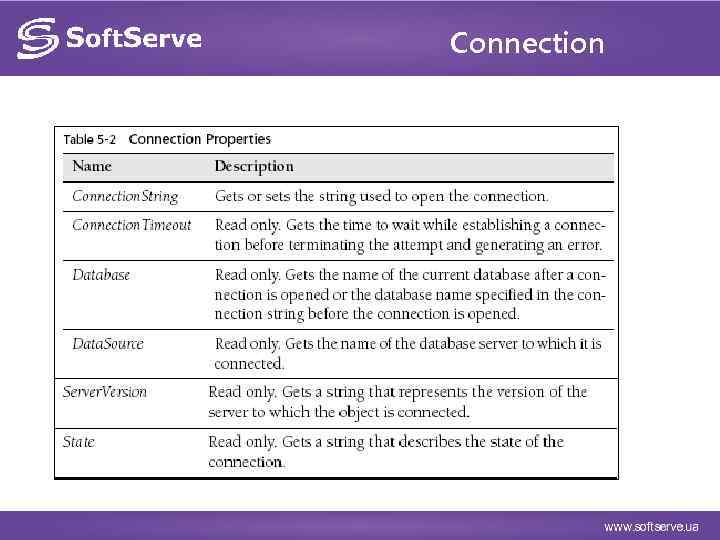 Connection
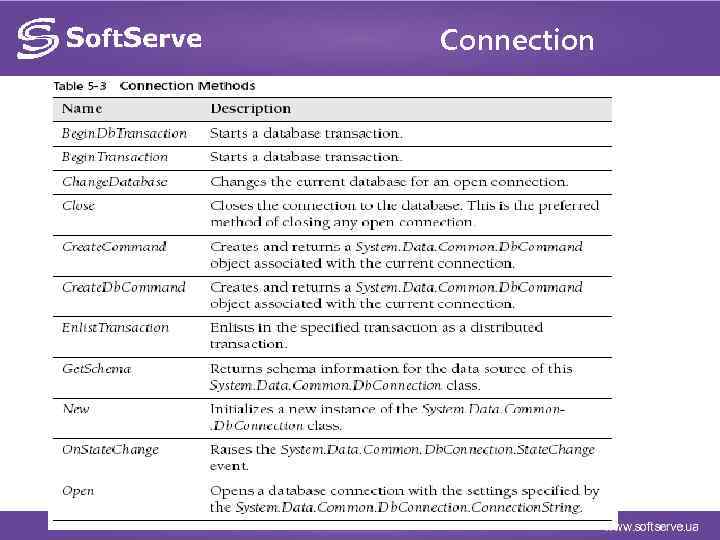 Connection
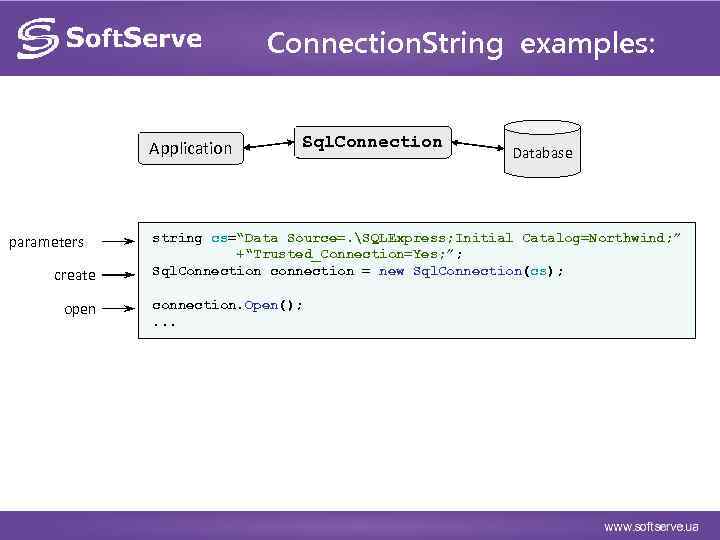 Connection. String examples: Application parameters create open Sql. Connection Database string cs=“Data Source=. SQLExpress; Initial Catalog=Northwind; ” +“Trusted_Connection=Yes; ”; Sql. Connection connection = new Sql. Connection(cs); connection. Open(); . . .
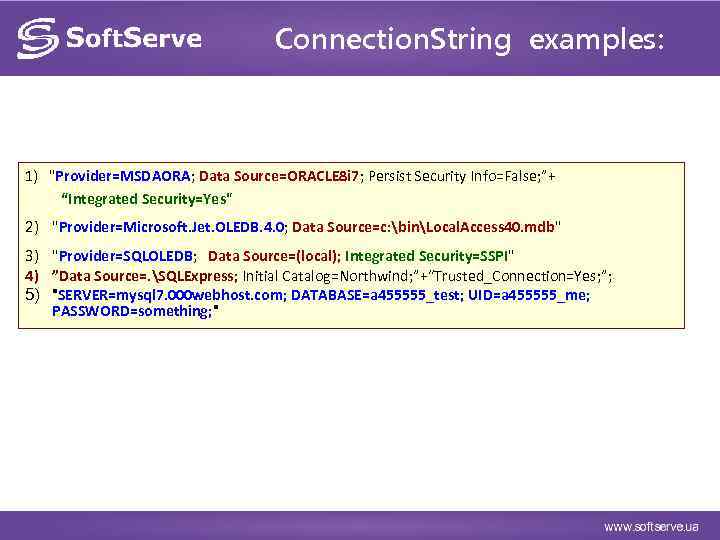 Connection. String examples: 1) "Provider=MSDAORA; Data Source=ORACLE 8 i 7; Persist Security Info=False; ”+ “Integrated Security=Yes" 2) "Provider=Microsoft. Jet. OLEDB. 4. 0; Data Source=c: binLocal. Access 40. mdb" 3) "Provider=SQLOLEDB; Data Source=(local); Integrated Security=SSPI" 4) ”Data Source=. SQLExpress; Initial Catalog=Northwind; ”+“Trusted_Connection=Yes; ”; 5) "SERVER=mysql 7. 000 webhost. com; DATABASE=a 455555_test; UID=a 455555_me; PASSWORD=something; "
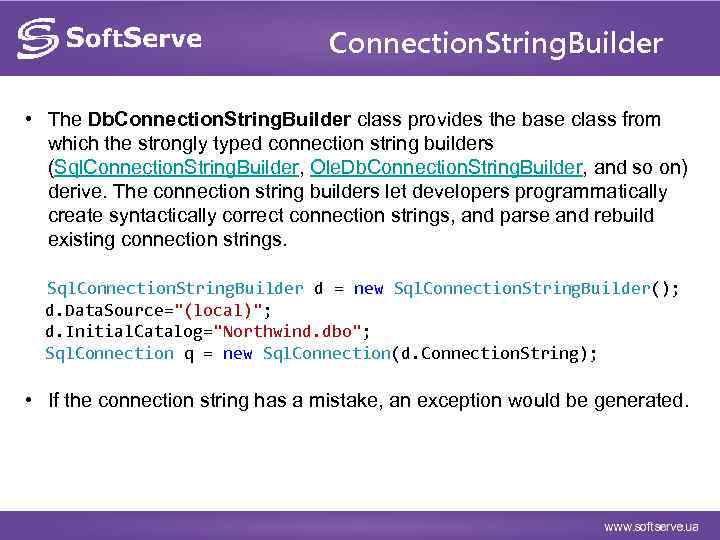 Connection. String. Builder • The Db. Connection. String. Builder class provides the base class from which the strongly typed connection string builders (Sql. Connection. String. Builder, Ole. Db. Connection. String. Builder, and so on) derive. The connection string builders let developers programmatically create syntactically correct connection strings, and parse and rebuild existing connection strings. Sql. Connection. String. Builder d = new Sql. Connection. String. Builder(); d. Data. Source="(local)"; d. Initial. Catalog="Northwind. dbo"; Sql. Connection q = new Sql. Connection(d. Connection. String); • If the connection string has a mistake, an exception would be generated.
![Example static void Main(string[] args) { My. Sql. Connection cnn. Videos = new My.](https://present5.com/presentation/16258443_295944113/image-19.jpg "Example static void Main(string[] args) { My. Sql. Connection cnn. Videos = new My.") Example static void Main(string[] args) { My. Sql. Connection cnn. Videos = new My. Sql. Connection("Network Address=localhost; " + "Initial Catalog='Famille'; " + "Persist Security Info=no; " + "User Name='root'; " + "Password='pwdpwd'"); this. Connection. Open(); My. Sql. Command this. Command = this. Connection. Create. Command(); this. Command. Text = "SELECTCustomer. ID, Company. Name FROM Customers"; My. Sql. Data. Reader this. Reader = this. Command. Execute. Reader(); while (this. Reader. Read()) { Console. Write. Line("t{0}t{1}", this. Reader["Customer. ID"], this. Reader["Company. Name"]); } this. Reader. Close () ; this. Connection. Close(); }
Example static void Main(string[] args) { My. Sql. Connection cnn. Videos = new My. Sql. Connection("Network Address=localhost; " + "Initial Catalog='Famille'; " + "Persist Security Info=no; " + "User Name='root'; " + "Password='pwdpwd'"); this. Connection. Open(); My. Sql. Command this. Command = this. Connection. Create. Command(); this. Command. Text = "SELECTCustomer. ID, Company. Name FROM Customers"; My. Sql. Data. Reader this. Reader = this. Command. Execute. Reader(); while (this. Reader. Read()) { Console. Write. Line("t{0}t{1}", this. Reader["Customer. ID"], this. Reader["Company. Name"]); } this. Reader. Close () ; this. Connection. Close(); }
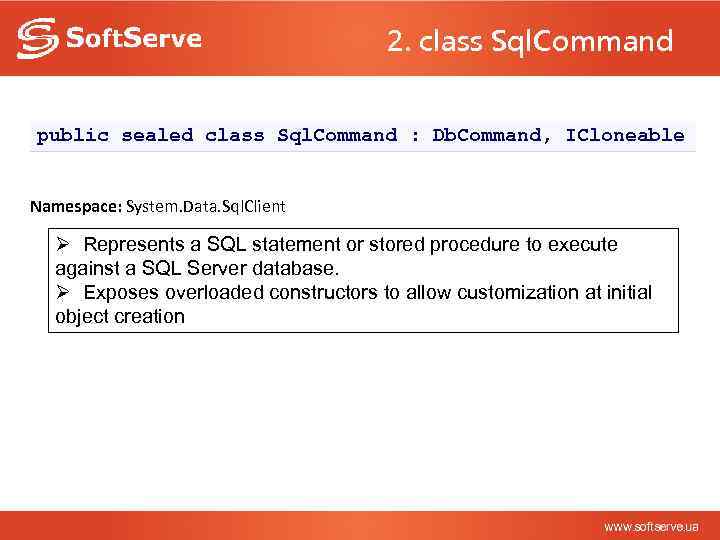 2. class Sql. Command public sealed class Sql. Command : Db. Command, ICloneable Namespace: System. Data. Sql. Client Ø Represents a SQL statement or stored procedure to execute against a SQL Server database. Ø Exposes overloaded constructors to allow customization at initial object creation
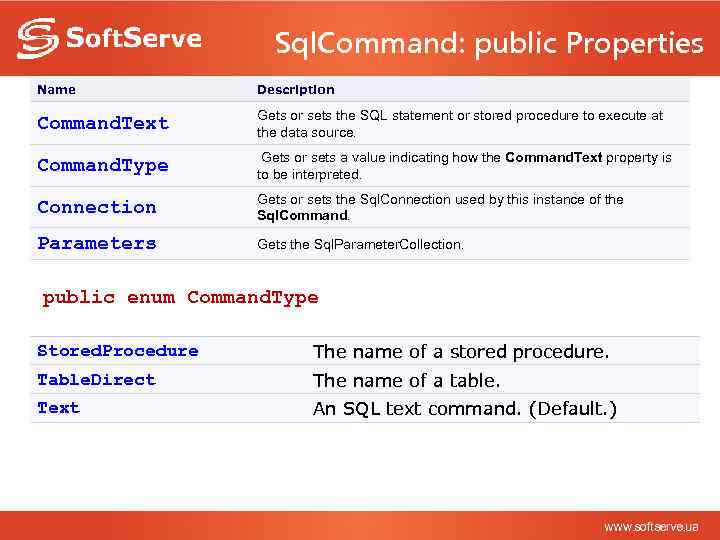 Sql. Command: public Properties Name Description Command. Text Gets or sets the SQL statement or stored procedure to execute at the data source. Command. Type Gets or sets a value indicating how the Command. Text property is to be interpreted. Connection Gets or sets the Sql. Connection used by this instance of the Sql. Command. Parameters Gets the Sql. Parameter. Collection. public enum Command. Type Stored. Procedure The name of a stored procedure. Table. Direct The name of a table. Text An SQL text command. (Default. )
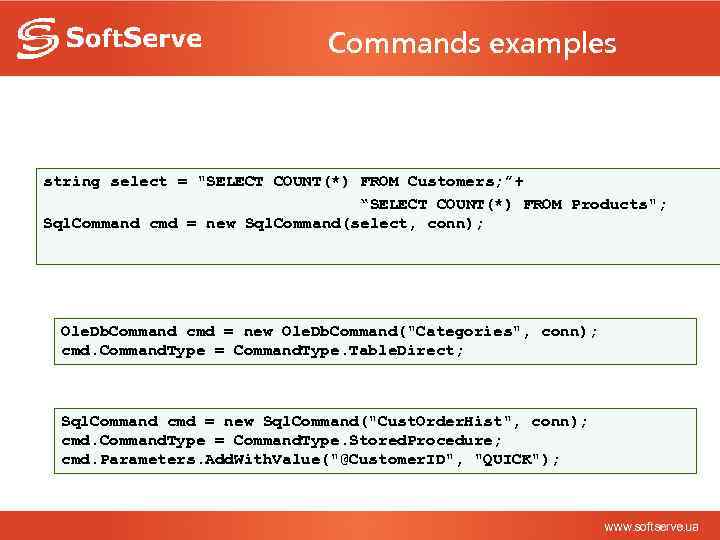 Commands examples string select = "SELECT COUNT(*) FROM Customers; ”+ “SELECT COUNT(*) FROM Products"; Sql. Command cmd = new Sql. Command(select, conn); Ole. Db. Command cmd = new Ole. Db. Command("Categories", conn); cmd. Command. Type = Command. Type. Table. Direct; Sql. Command cmd = new Sql. Command("Cust. Order. Hist", conn); cmd. Command. Type = Command. Type. Stored. Procedure; cmd. Parameters. Add. With. Value("@Customer. ID", "QUICK");
 SQLCommand: methods Ø Commands have useful methods: ü Execute. Reader ( ) : Executes and returns a Data. Reader ü Execute. Non. Query ( ) : Executes and returns the number of rows affected by the command (or -1) ü Execute. Scalar ( ): Executes and returns the first value ü Execute. Xml. Reader ( ) : Executes and returns a XMLData. Reader
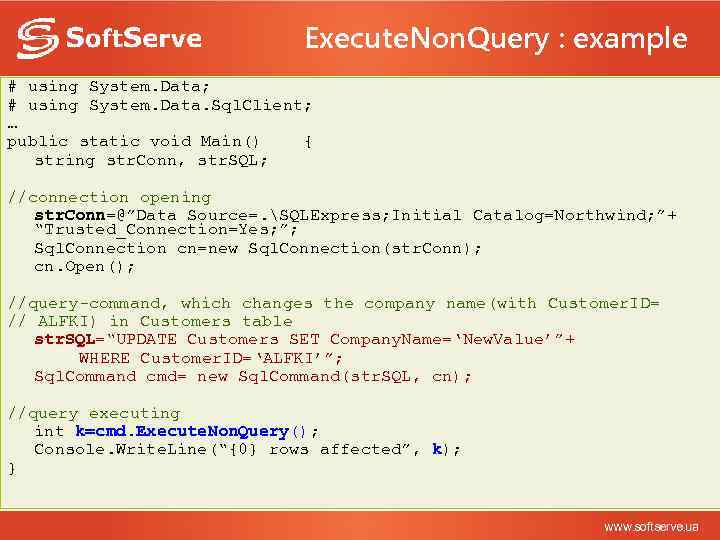 Execute. Non. Query : example # using System. Data; # using System. Data. Sql. Client; … public static void Main() { string str. Conn, str. SQL; //connection opening str. Conn=@”Data Source=. SQLExpress; Initial Catalog=Northwind; ”+ “Trusted_Connection=Yes; ”; Sql. Connection cn=new Sql. Connection(str. Conn); cn. Open(); //query-command, which changes the company name(with Customer. ID= // ALFKI) in Customers table str. SQL=“UPDATE Customers SET Company. Name=‘New. Value’”+ WHERE Customer. ID=‘ALFKI’”; Sql. Command cmd= new Sql. Command(str. SQL, cn); //query executing int k=cmd. Execute. Non. Query(); Console. Write. Line(“{0} rows affected”, k); }
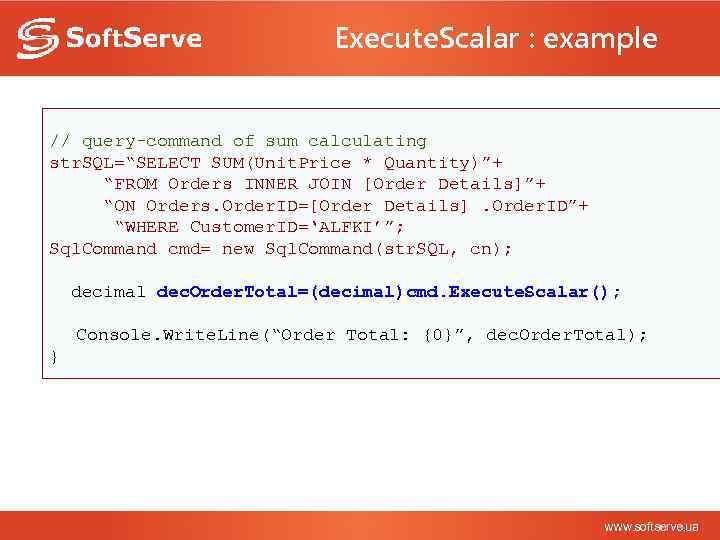 Execute. Scalar : example // query-command of sum calculating str. SQL=“SELECT SUM(Unit. Price * Quantity)”+ “FROM Orders INNER JOIN [Order Details]”+ “ON Orders. Order. ID=[Order Details]. Order. ID”+ “WHERE Customer. ID=‘ALFKI’”; Sql. Command cmd= new Sql. Command(str. SQL, cn); decimal dec. Order. Total=(decimal)cmd. Execute. Scalar(); Console. Write. Line(“Order Total: {0}”, dec. Order. Total); }
 3. Data. Reader Ø Designed to fetch records from the data source in a stream as quickly as possible. Data isn’t cached on the client side Ø Data Readers manage the stream of results from a SELECT statement or Stored Procedure Ø Data Readers are read only. It only moves forwards through the data – they cannot go backwards Ø No other database operation can be performed while a data reader is open Ø Data Reader is not creatable. It’s returned as the result of executing an appreciate method of a command object
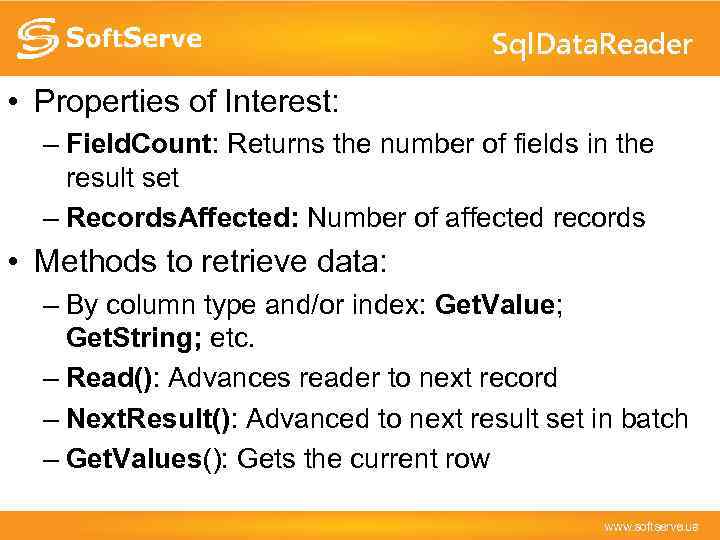 Sql. Data. Reader • Properties of Interest: – Field. Count: Returns the number of fields in the result set – Records. Affected: Number of affected records • Methods to retrieve data: – By column type and/or index: Get. Value; Get. String; etc. – Read(): Advances reader to next record – Next. Result(): Advanced to next result set in batch – Get. Values(): Gets the current row
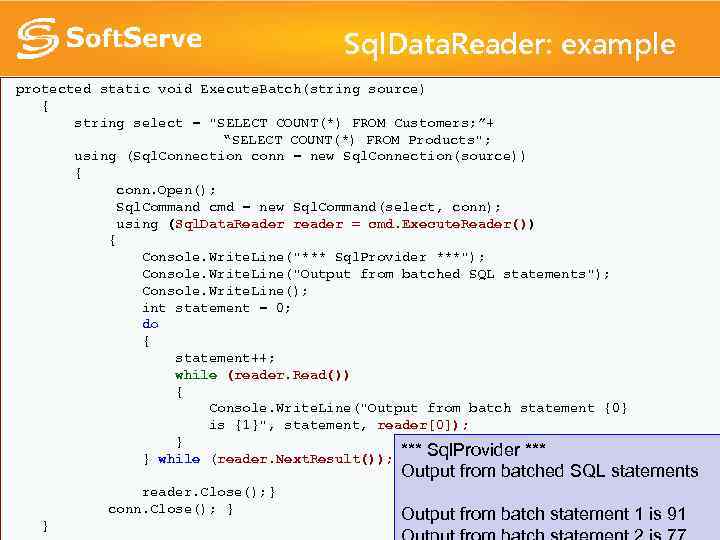 Sql. Data. Reader: example protected static void Execute. Batch(string source) { string select = "SELECT COUNT(*) FROM Customers; ”+ “SELECT COUNT(*) FROM Products"; using (Sql. Connection conn = new Sql. Connection(source)) { conn. Open(); Sql. Command cmd = new Sql. Command(select, conn); using (Sql. Data. Reader reader = cmd. Execute. Reader()) { Console. Write. Line("*** Sql. Provider ***"); Console. Write. Line("Output from batched SQL statements"); Console. Write. Line(); int statement = 0; do { statement++; while (reader. Read()) { Console. Write. Line("Output from batch statement {0} is {1}", statement, reader[0]); } *** Sql. Provider *** } while (reader. Next. Result()); Output from batched SQL statements reader. Close(); } conn. Close(); } } Output from batch statement 1 is 91
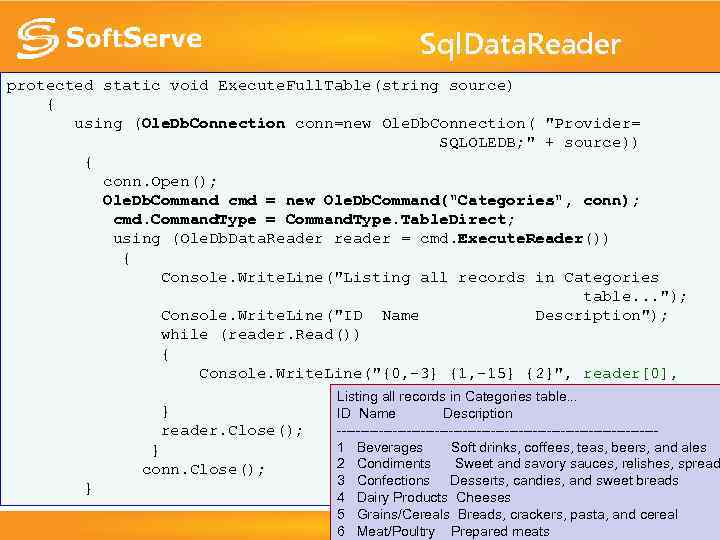 Sql. Data. Reader protected static void Execute. Full. Table(string source) { using (Ole. Db. Connection conn=new Ole. Db. Connection( "Provider= SQLOLEDB; " + source)) { conn. Open(); Ole. Db. Command cmd = new Ole. Db. Command("Categories", conn); cmd. Command. Type = Command. Type. Table. Direct; using (Ole. Db. Data. Reader reader = cmd. Execute. Reader()) { Console. Write. Line("Listing all records in Categories table. . . "); Console. Write. Line("ID Name Description"); while (reader. Read()) { Console. Write. Line("{0, -3} {1, -15} {2}", reader[0], reader[1], reader[2]); Listing all records in Categories table. . . } ID Name Description ----------------------------------reader. Close(); 1 Beverages Soft drinks, coffees, teas, beers, and ales } 2 Condiments Sweet and savory sauces, relishes, spread conn. Close(); 3 Confections Desserts, candies, and sweet breads } 4 Dairy Products Cheeses 5 Grains/Cereals Breads, crackers, pasta, and cereal 6 Meat/Poultry Prepared meats
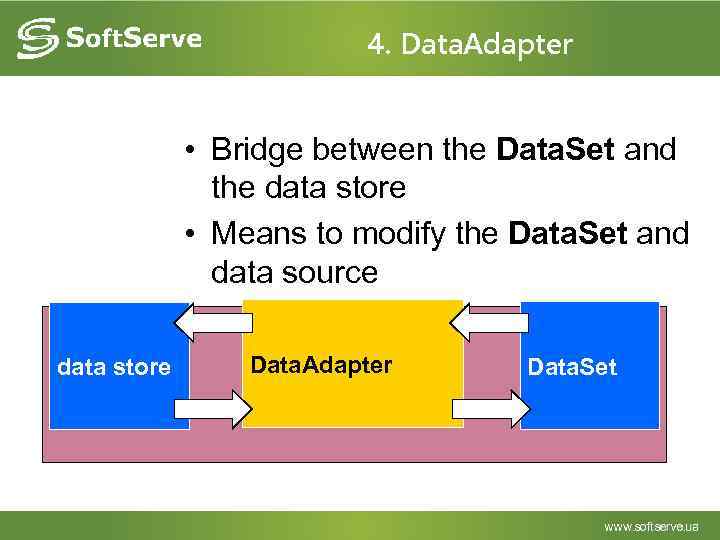 4. Data. Adapter • Bridge between the Data. Set and the data store • Means to modify the Data. Set and data source data store Data. Adapter Data. Set
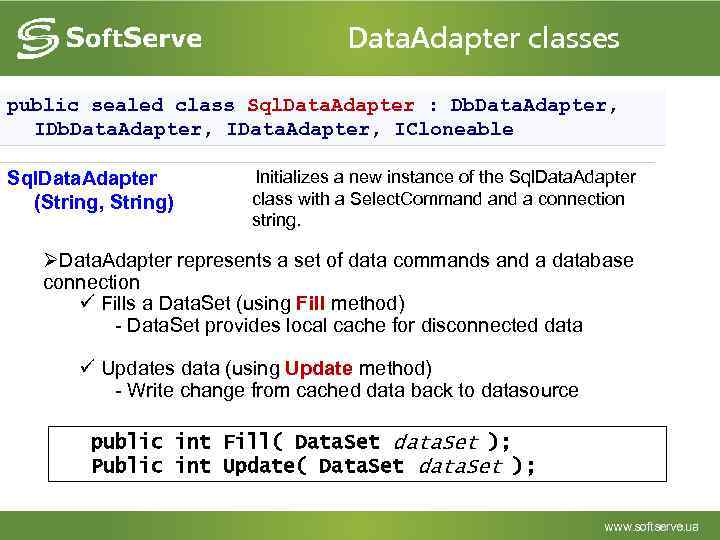 Data. Adapter classes public sealed class Sql. Data. Adapter : Db. Data. Adapter, IData. Adapter, ICloneable Sql. Data. Adapter (String, String) Initializes a new instance of the Sql. Data. Adapter class with a Select. Command a connection string. ØData. Adapter represents a set of data commands and a database connection ü Fills a Data. Set (using Fill method) - Data. Set provides local cache for disconnected data ü Updates data (using Update method) - Write change from cached data back to datasource public int Fill( Data. Set data. Set ); Public int Update( Data. Set data. Set );
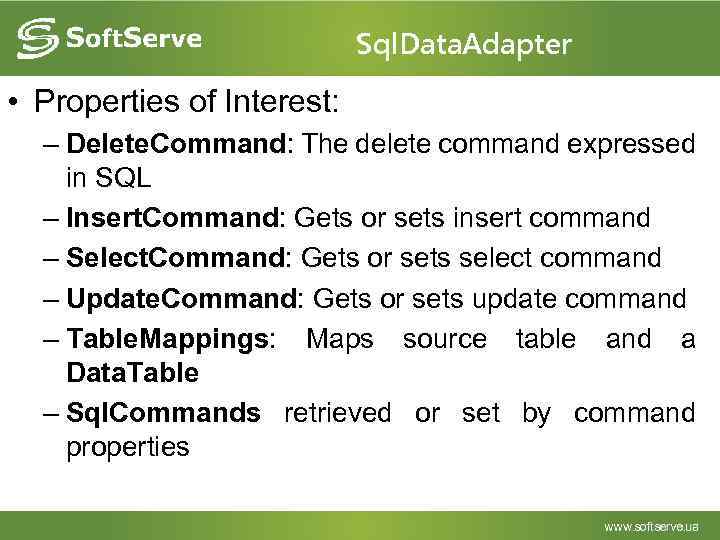 Sql. Data. Adapter • Properties of Interest: – Delete. Command: The delete command expressed in SQL – Insert. Command: Gets or sets insert command – Select. Command: Gets or sets select command – Update. Command: Gets or sets update command – Table. Mappings: Maps source table and a Data. Table – Sql. Commands retrieved or set by command properties
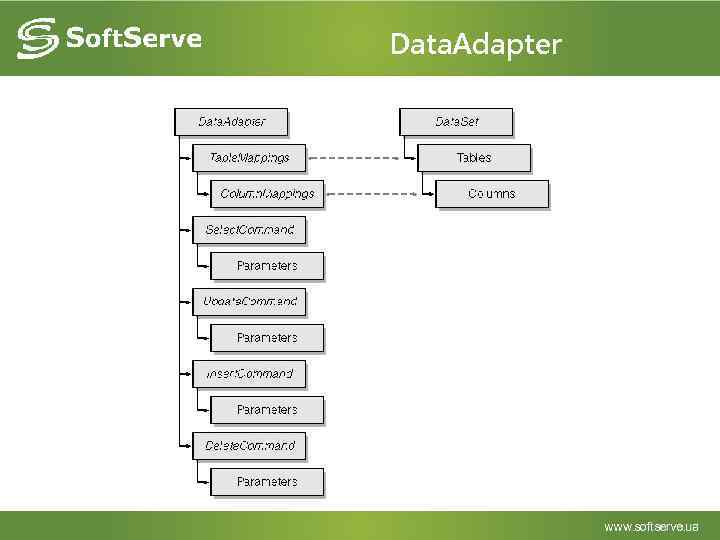 Data. Adapter
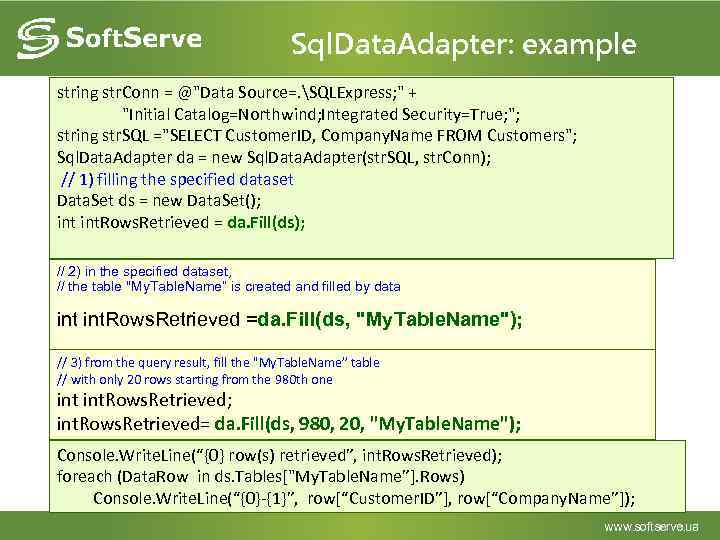 Sql. Data. Adapter: example string str. Conn = @"Data Source=. SQLExpress; " + "Initial Catalog=Northwind; Integrated Security=True; "; string str. SQL ="SELECT Customer. ID, Company. Name FROM Customers"; Sql. Data. Adapter da = new Sql. Data. Adapter(str. SQL, str. Conn); // 1) filling the specified dataset Data. Set ds = new Data. Set(); int. Rows. Retrieved = da. Fill(ds); // 2) in the specified dataset, // the table "My. Table. Name“ is created and filled by data int. Rows. Retrieved =da. Fill(ds, "My. Table. Name"); // 3) from the query result, fill the "My. Table. Name” table // with only 20 rows starting from the 980 th one int. Rows. Retrieved; int. Rows. Retrieved= da. Fill(ds, 980, 20, "My. Table. Name"); Console. Write. Line(“{0} row(s) retrieved”, int. Rows. Retrieved); foreach (Data. Row in ds. Tables["My. Table. Name”]. Rows) Console. Write. Line(“{0}-{1}”, row[“Customer. ID”], row[“Company. Name”]);
 DISCONNECTED ARCHITECTURE OF ADO. NET
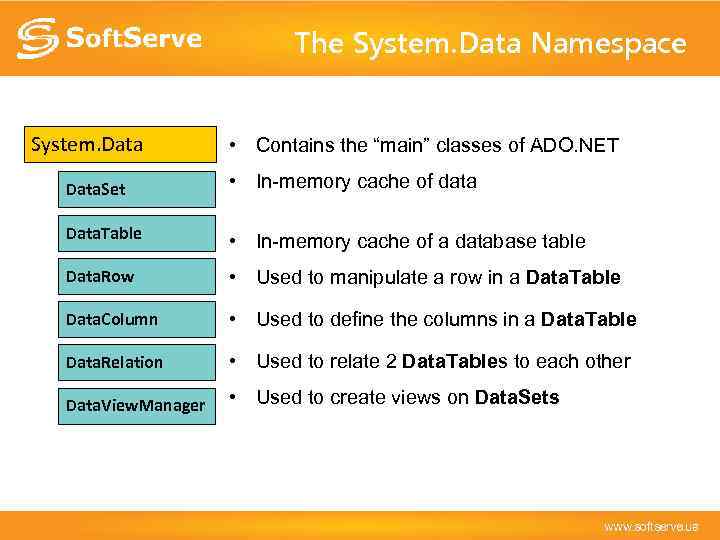 The System. Data Namespace System. Data • Contains the “main” classes of ADO. NET Data. Set • In-memory cache of data Data. Table • In-memory cache of a database table Data. Row • Used to manipulate a row in a Data. Table Data. Column • Used to define the columns in a Data. Table Data. Relation • Used to relate 2 Data. Tables to each other Data. View. Manager • Used to create views on Data. Sets
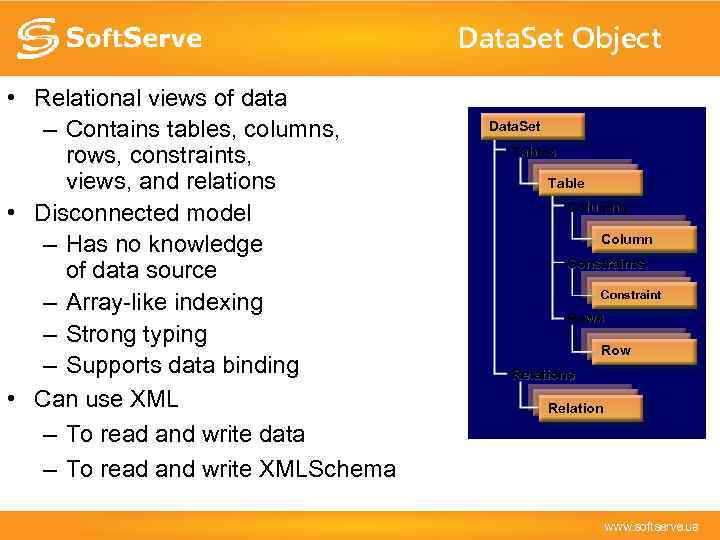 Data. Set Object • Relational views of data – Contains tables, columns, rows, constraints, views, and relations • Disconnected model – Has no knowledge of data source – Array-like indexing – Strong typing – Supports data binding • Can use XML – To read and write data – To read and write XMLSchema Data. Set Tables Table Columns Column Constraints Constraint Rows Row Relations Relation
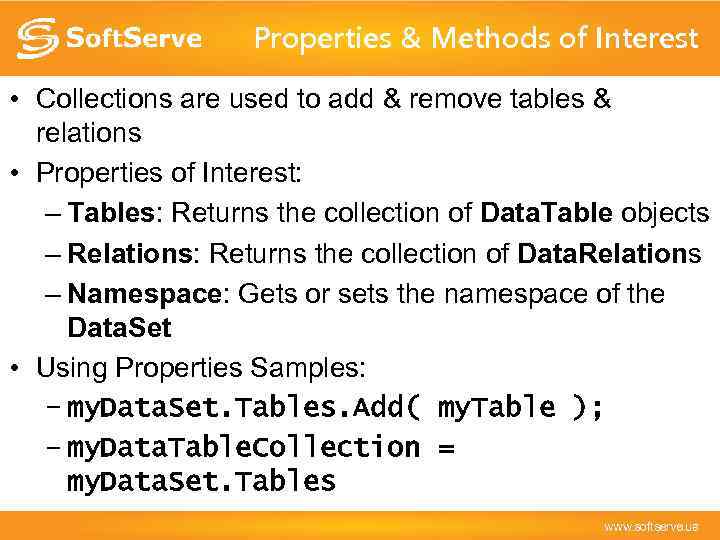 Properties & Methods of Interest • Collections are used to add & remove tables & relations • Properties of Interest: – Tables: Returns the collection of Data. Table objects – Relations: Returns the collection of Data. Relations – Namespace: Gets or sets the namespace of the Data. Set • Using Properties Samples: – my. Data. Set. Tables. Add( my. Table ); – my. Data. Table. Collection = my. Data. Set. Tables
 The Data. Table • • May be mapped to a physical table in the data source Can be related to one another through Data. Relations Optimistic concurrency or locking - model Properties of Interest: – Columns: Returns Columns. Collection of Data. Columns – Rows: Returns Data. Row objects as a Rows. Collection – Parent. Relations: Returns the Relations. Collection – Constraints: Returns the table’s Constraints. Collection – Data. Set: Returns the Data. Set of the Data. Table – Primary. Key: Gets the Data. Columns that make up the table’s primary key
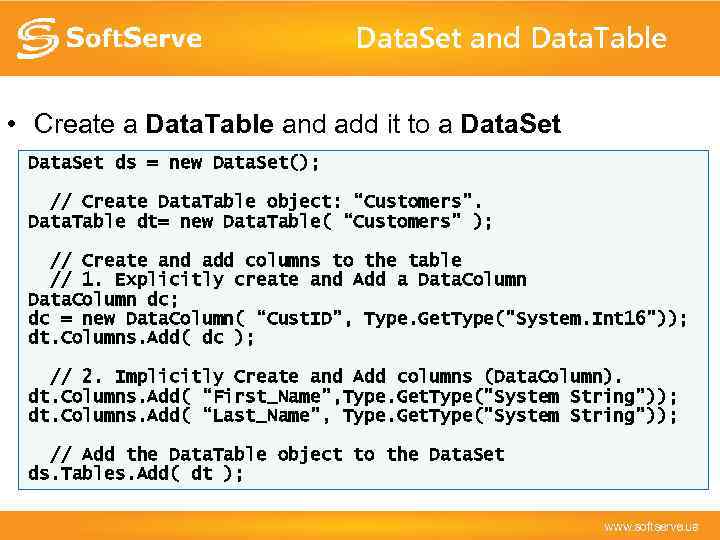 Data. Set and Data. Table • Create a Data. Table and add it to a Data. Set ds = new Data. Set(); // Create Data. Table object: “Customers”. Data. Table dt= new Data. Table( “Customers” ); // Create and add columns to the table // 1. Explicitly create and Add a Data. Column dc; dc = new Data. Column( “Cust. ID”, Type. Get. Type("System. Int 16")); dt. Columns. Add( dc ); // 2. Implicitly Create and Add columns (Data. Column). dt. Columns. Add( “First_Name”, Type. Get. Type("System String”)); dt. Columns. Add( “Last_Name”, Type. Get. Type("System String”)); // Add the Data. Table object to the Data. Set ds. Tables. Add( dt );
 Relating Data - The Data. Relation • Used to create logical relations between your data – Create relations between two (2) Data. Table objects – Requires a Data. Column object from each Data. Table – The Data. Type of both Data. Columns must be the same • Cannot relate a Int 32 Data. Column and a String Data. Column – The relation is named (by you!) • Data. Relation dr=new Data. Relation( “my. Relation”, . . . ) • Makes relational navigation possible • Relations. Collection used to hold/group them – Accessed through the Data. Set’s Relations property
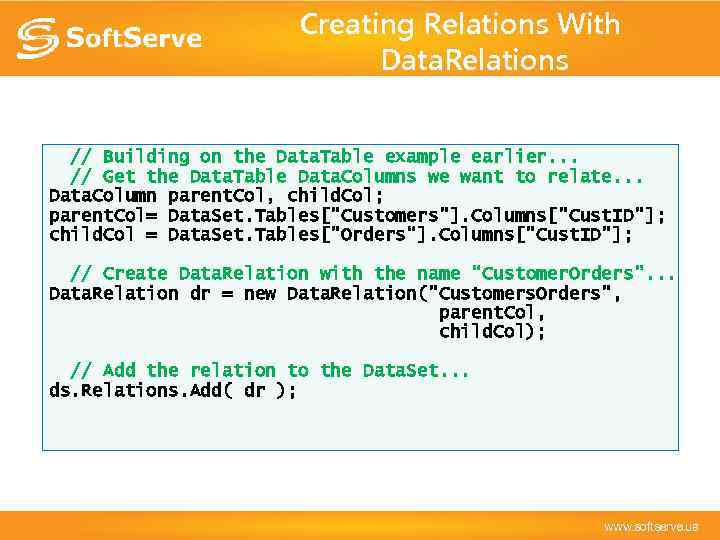 Creating Relations With Data. Relations // Building on the Data. Table example earlier. . . // Get the Data. Table Data. Columns we want to relate. . . Data. Column parent. Col, child. Col; parent. Col= Data. Set. Tables["Customers"]. Columns["Cust. ID"]; child. Col = Data. Set. Tables["Orders“]. Columns["Cust. ID"]; // Create Data. Relation with the name “Customer. Orders”. . . Data. Relation dr = new Data. Relation("Customers. Orders", parent. Col, child. Col); // Add the relation to the Data. Set. . . ds. Relations. Add( dr );
 XML and Data. Set • Data. Set can read/write XML for its data and/or schema – You can create or modify data in a Data. Set using XML – You can create or modify the Data. Sets schema using XML • XML-related Data. Set methods for reading: – Read. Xml: Reads an XML schema and data into the Data. Set – Read. Xml. Schema: Reads an XML schema into the Data. Set • And for writing: – Write. Xml, Write. Xml. Schema – Get. Xml, Get. Xml. Schema • Namespace property: sets the namespace for serialization
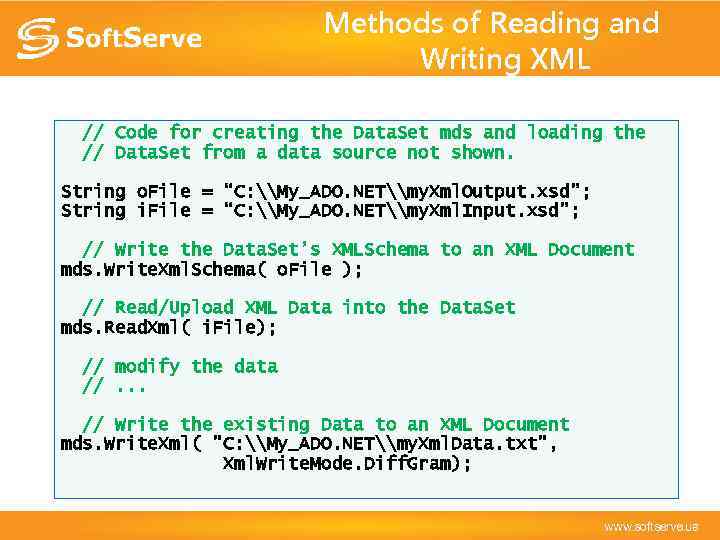 Methods of Reading and Writing XML // Code for creating the Data. Set mds and loading the // Data. Set from a data source not shown. String o. File = “C: \My_ADO. NET\my. Xml. Output. xsd”; String i. File = “C: \My_ADO. NET\my. Xml. Input. xsd”; // Write the Data. Set’s XMLSchema to an XML Document mds. Write. Xml. Schema( o. File ); // Read/Upload XML Data into the Data. Set mds. Read. Xml( i. File); // modify the data //. . . // Write the existing Data to an XML Document mds. Write. Xml( "C: \My_ADO. NET\my. Xml. Data. txt", Xml. Write. Mode. Diff. Gram);
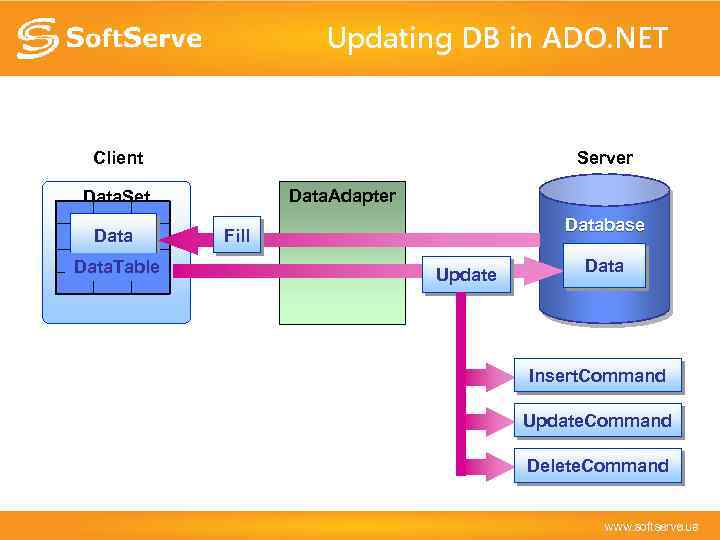 Updating DB in ADO. NET Client Server Data. Adapter Data. Set Data. Table Database Fill Update Data Insert. Command Update. Command Delete. Command
 Viewing Data - The Data. View • Create multiple views on Data. Table objects • Bindable to user interface controls • Properties of Interest: – Table: Retrieves or sets the associated Data. Table – Sort: Gets or sets the table’s sort columns and sort order – Row. Filter: Gets or sets the expression used to filter rows – Row. State. Filter: Gets or sets the row state filter • None, Unchanged, New, Deleted, Modified. Current, and others
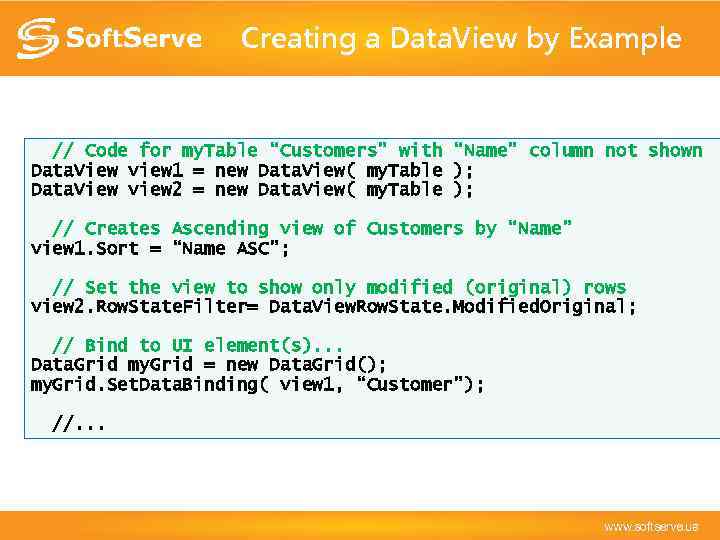 Creating a Data. View by Example // Code for my. Table “Customers” with “Name” column not shown Data. View view 1 = new Data. View( my. Table ); Data. View view 2 = new Data. View( my. Table ); // Creates Ascending view of Customers by “Name” view 1. Sort = “Name ASC”; // Set the view to show only modified (original) rows view 2. Row. State. Filter= Data. View. Row. State. Modified. Original; // Bind to UI element(s). . . Data. Grid my. Grid = new Data. Grid(); my. Grid. Set. Data. Binding( view 1, “Customer”); //. . .
 Viewing More Data. View. Manager • Similar to a Data. View but Data. Set oriented • Used to create multiple views on a Data. Set – Ability to automatically set filters on the tables • Properties of Interest: – Data. View. Settings: Gets the Data. View for on each Data. Table – Data. Set: Gets or sets the Data. Set to be viewed • Create. Data. View method – Creates a Data. View on a Data. Table
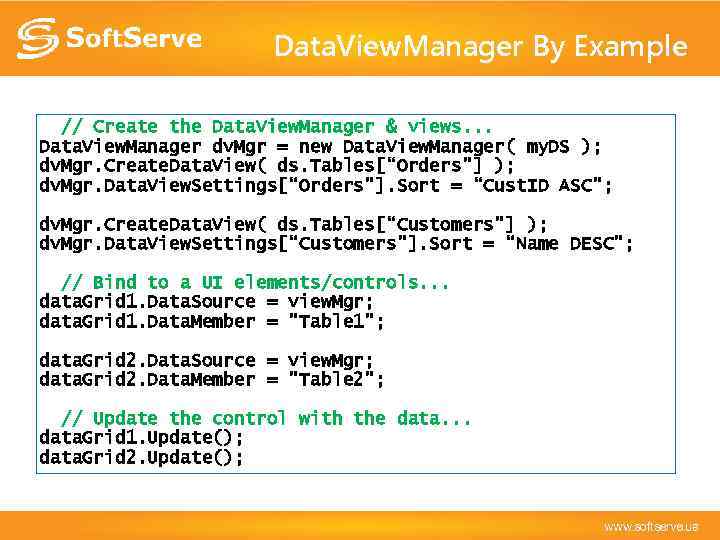 Data. View. Manager By Example // Create the Data. View. Manager & views. . . Data. View. Manager dv. Mgr = new Data. View. Manager( my. DS ); dv. Mgr. Create. Data. View( ds. Tables[“Orders"] ); dv. Mgr. Data. View. Settings[“Orders"]. Sort = “Cust. ID ASC"; dv. Mgr. Create. Data. View( ds. Tables[“Customers"] ); dv. Mgr. Data. View. Settings[“Customers"]. Sort = “Name DESC"; // Bind to a UI elements/controls. . . data. Grid 1. Data. Source = view. Mgr; data. Grid 1. Data. Member = "Table 1"; data. Grid 2. Data. Source = view. Mgr; data. Grid 2. Data. Member = "Table 2"; // Update the control with the data. . . data. Grid 1. Update(); data. Grid 2. Update();
 Summary • ADO. NET provides a rich API for working with data • ADO. NET has been designed to support legacy architectures as well as Internetenabled, n-tier designs • The. NET Framework’s extensive XML support means greater reach for all of your data-enabled applications