


 Скачать презентацию Adaptive Information Systems From Adaptive Hypermedia to the
445eebfde44cedad503851e8465cd2dc.ppt
- Количество слайдов: 60
 Adaptive Information Systems: From Adaptive Hypermedia to the Adaptive Web Peter Brusilovsky School of Information Sciences University of Pittsburgh, USA peterb@pitt. edu http: //www. sis. pitt. edu/~peterb
 Information Systems: One Size Fits All? • Number of users is increasing • Yet almost all of them offer the same content and the same links to all – – Stores Museums Courses News sites • Adaptive information systems offer an alternative. They attempt to treat differently users that are different from the system’s point view
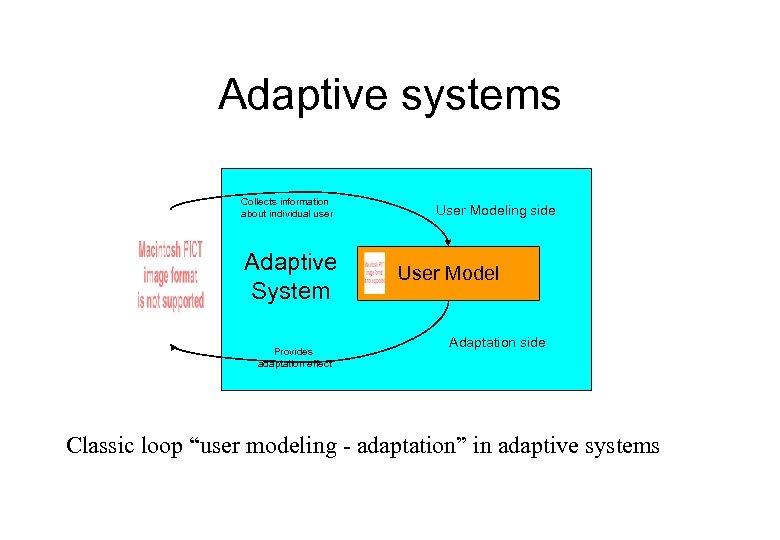 Adaptive systems Collects information about individual user Adaptive System Provides adaptation effect User Modeling side User Model Adaptation side Classic loop “user modeling - adaptation” in adaptive systems
 What can be taken into account? • • • Knowledge about the content and the system Short-term and long-term goals Interests Navigation / action history User category, background, profession, language, capabilities • Platform, bandwidth, context…
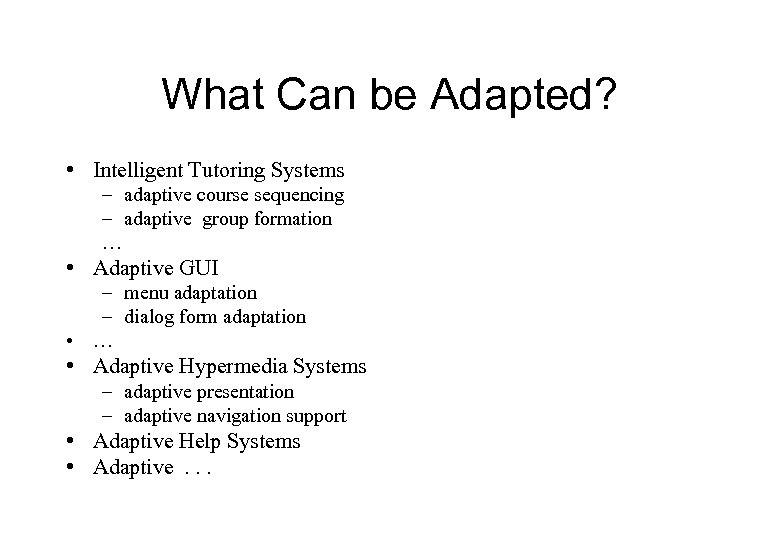 What Can be Adapted? • Intelligent Tutoring Systems – adaptive course sequencing – adaptive group formation … • Adaptive GUI – menu adaptation – dialog form adaptation • … • Adaptive Hypermedia Systems – adaptive presentation – adaptive navigation support • Adaptive Help Systems • Adaptive. . .
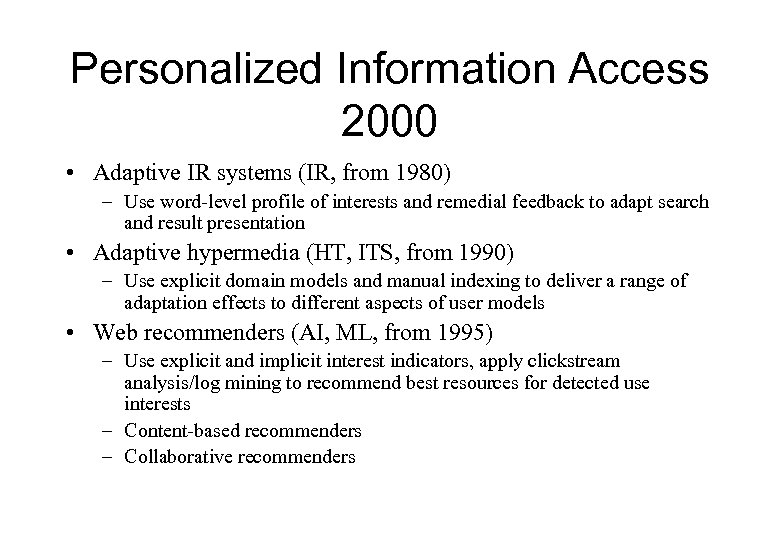 Personalized Information Access 2000 • Adaptive IR systems (IR, from 1980) – Use word-level profile of interests and remedial feedback to adapt search and result presentation • Adaptive hypermedia (HT, ITS, from 1990) – Use explicit domain models and manual indexing to deliver a range of adaptation effects to different aspects of user models • Web recommenders (AI, ML, from 1995) – Use explicit and implicit interest indicators, apply clickstream analysis/log mining to recommend best resources for detected use interests – Content-based recommenders – Collaborative recommenders
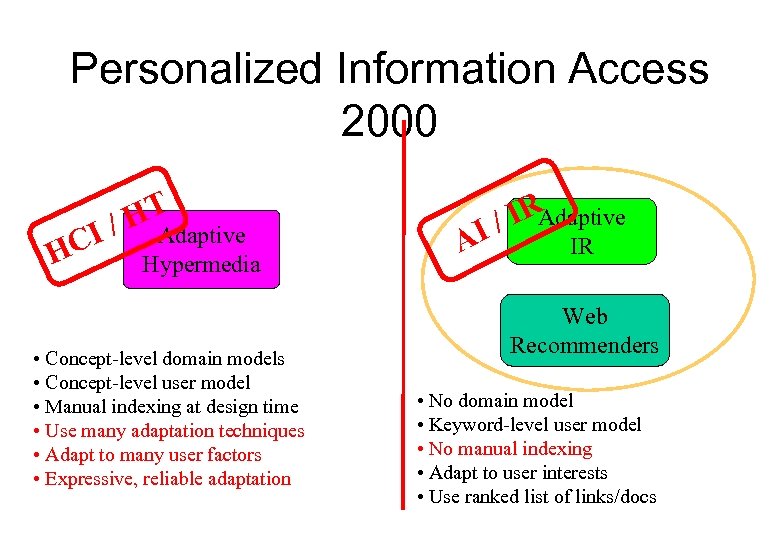 Personalized Information Access 2000 HT I / Adaptive HC Hypermedia • Concept-level domain models • Concept-level user model • Manual indexing at design time • Use many adaptation techniques • Adapt to many user factors • Expressive, reliable adaptation AI IR / Adaptive IR Web Recommenders • No domain model • Keyword-level user model • No manual indexing • Adapt to user interests • Use ranked list of links/docs
 Adaptive Hypermedia • How hypertext and hypermedia can become adaptive? • Which adaptation technologies can be applied? • How we can model the user in adaptive hypertext?
 Do we need Adaptive Hypermedia? Hypermedia systems are almost adaptive but. . . þ Different people are different þ Individuals are different at different times þ "Lost in hyperspace” We may need to make hypermedia adaptive where. . ð There us a large variety of users ð Same user may need a different treatment ð The hyperspace is relatively large
 So, where we may need AH? • Educational Hypermedia – Hypadapter, Anatom-Tutor, ISIS-Tutor, Manuel Excell, ELM-ART, Inter. Book, AHA • On-line Information systems – Meta. Doc, KN-AHS, PUSH, HYPERFLEX • On-line Help Systems – EPIAIM, Hy. PLAN, LISP-Critic, ORIMUHS
 What Can Be Adapted? • Web-based systems = Pages + Links • Adaptive presentation – content adaptation • Adaptive navigation support – link adaptation

 Adaptive Presentation: Goals • Provide the different content for users with different knowledge, goals, background • Provide additional material for some categories of users – comparisons – extra explanations – details • Remove irrelevant piece of content • Sort fragments - most relevant first
 Adaptive presentation techniques • Conditional text filtering – ITEM/IP • Adaptive stretchtext – Meta. Doc, KN-AHS • Frame-based adaptation – Hypadapter, EPIAIM • Natural language generation – PEBA-II, ILEX
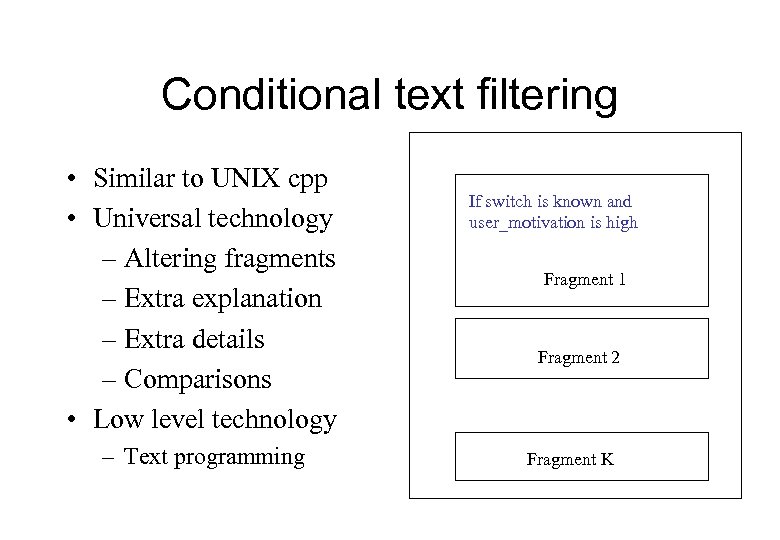 Conditional text filtering • Similar to UNIX cpp • Universal technology – Altering fragments – Extra explanation – Extra details – Comparisons • Low level technology – Text programming If switch is known and user_motivation is high Fragment 1 Fragment 2 Fragment K
 Adaptive Stretchtext (PUSH)
 Adaptive presentation: evaluation • Meta. Doc: On-line documentation system, adapting to user knowledge on the subject • Reading comprehension time decreased • Understanding increased for novices • No effect for navigation time, number of nodes visited, number of operations
 Adaptive navigation support: goals • Guidance: Where I can go? – Local guidance (“next best”) – Global guidance (“ultimate goal”) • Orientation: Where am I? – Local orientation support (local area) – Global orientation support (whole hyperspace)
 Adaptive navigation support • • • Direct guidance Hiding, restricting, disabling Generation Sorting Annotation Map adaptation
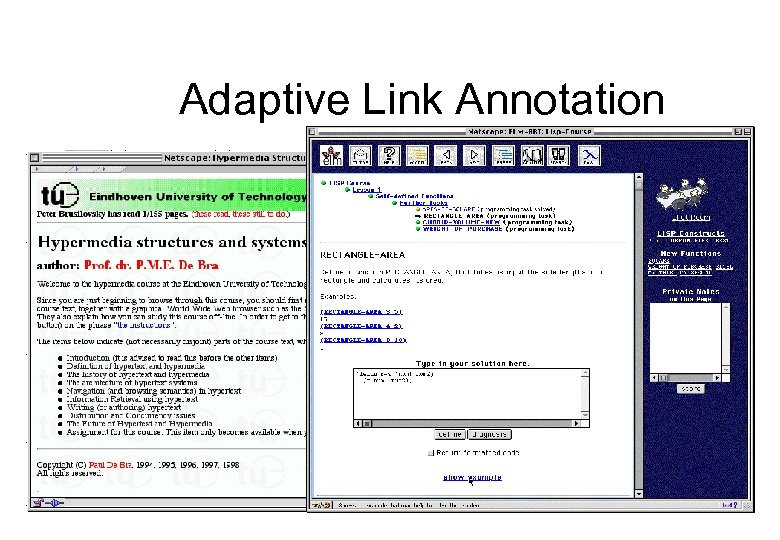
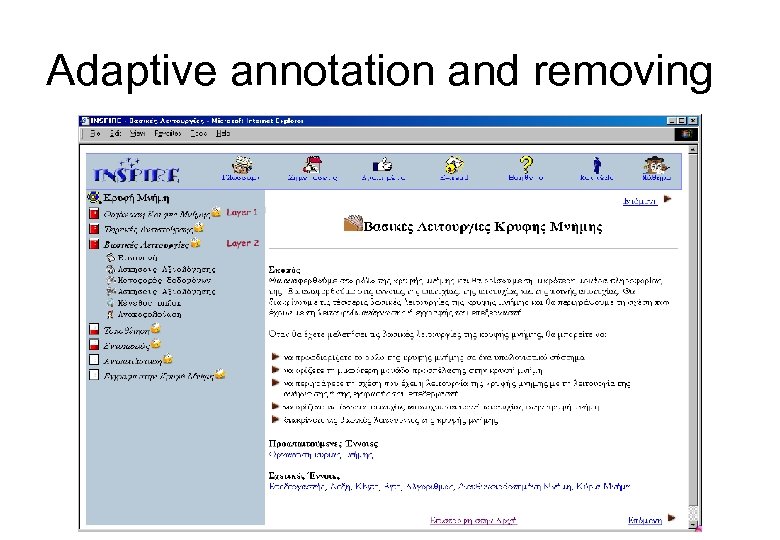
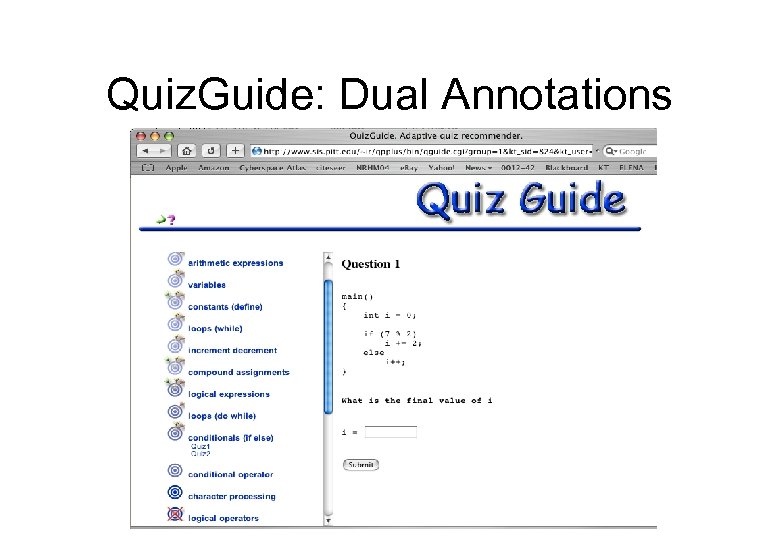
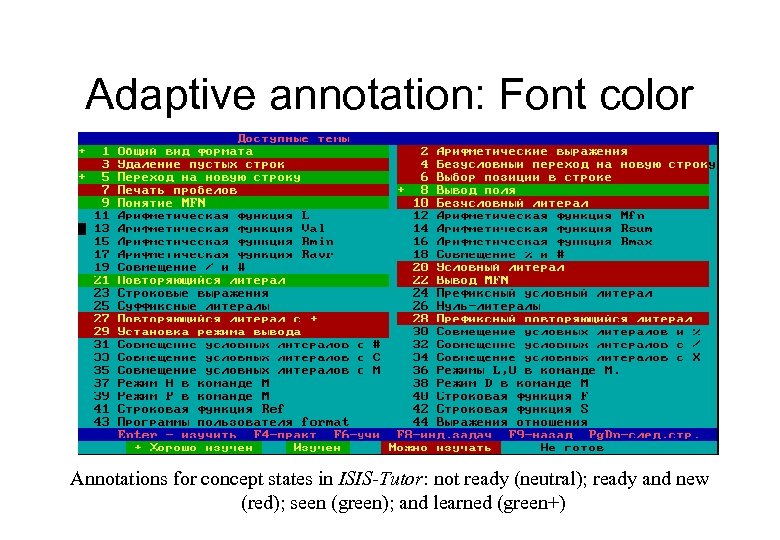 Adaptive annotation: Font color Annotations for concept states in ISIS-Tutor: not ready (neutral); ready and new (red); seen (green); and learned (green+)
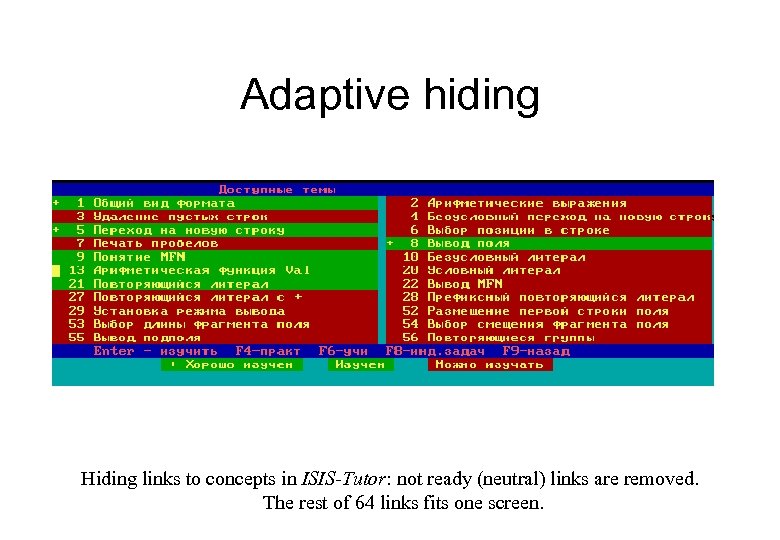 Adaptive hiding Hiding links to concepts in ISIS-Tutor: not ready (neutral) links are removed. The rest of 64 links fits one screen.
 Adaptive Link Annotation
 Adaptive annotation and removing
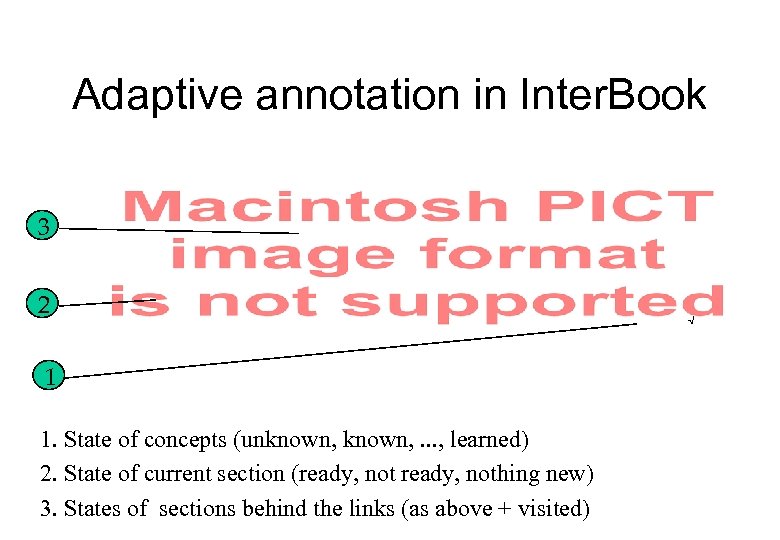 Adaptive annotation in Inter. Book 3 2 1 1. State of concepts (unknown, . . . , learned) 2. State of current section (ready, nothing new) 3. States of sections behind the links (as above + visited) √
 Quiz. Guide: Dual Annotations
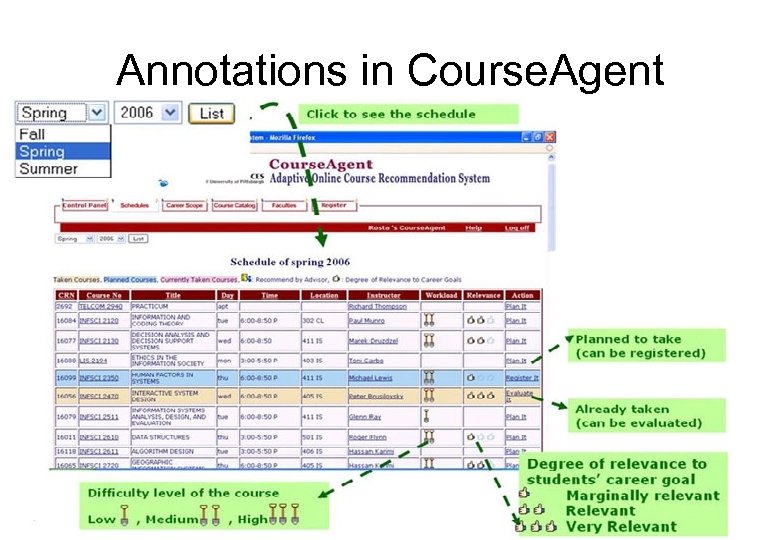 Annotations in Course. Agent
 User Modeling in Classic AH • Classic AH use external models – Domain models, pedagogical modes, stereotype hierarchy, etc. • Users are modeled in relation to these models – User is field-independent – User knowledge of loops is high – User is interested in 19 th century architecture styles • Resources are connected (indexed) with elements of these models (aka knowledge behind pages) – This section presents while loop and increment – This page is for field-independent learners – This church is built in 1876
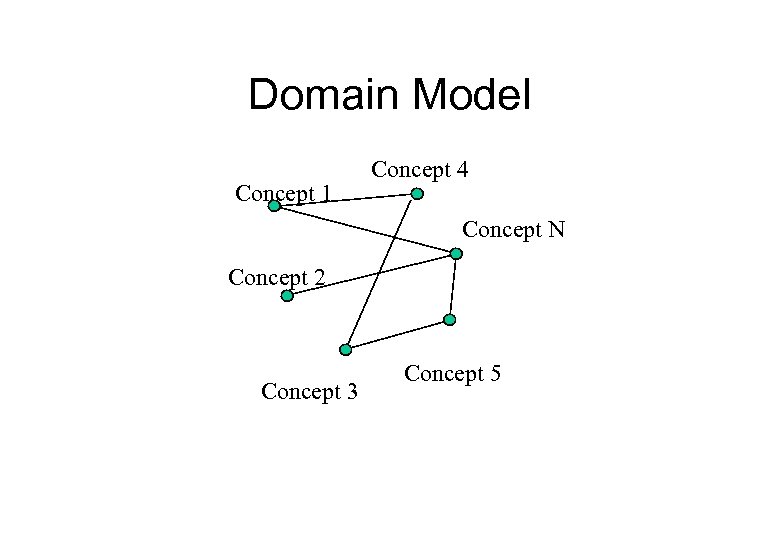 Domain Model Concept 1 Concept 4 Concept N Concept 2 Concept 3 Concept 5
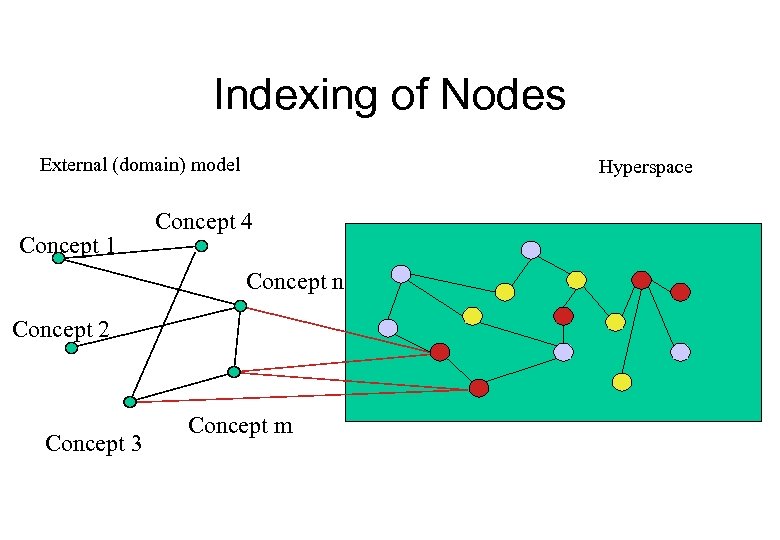 Indexing of Nodes External (domain) model Concept 1 Hyperspace Concept 4 Concept n Concept 2 Concept 3 Concept m
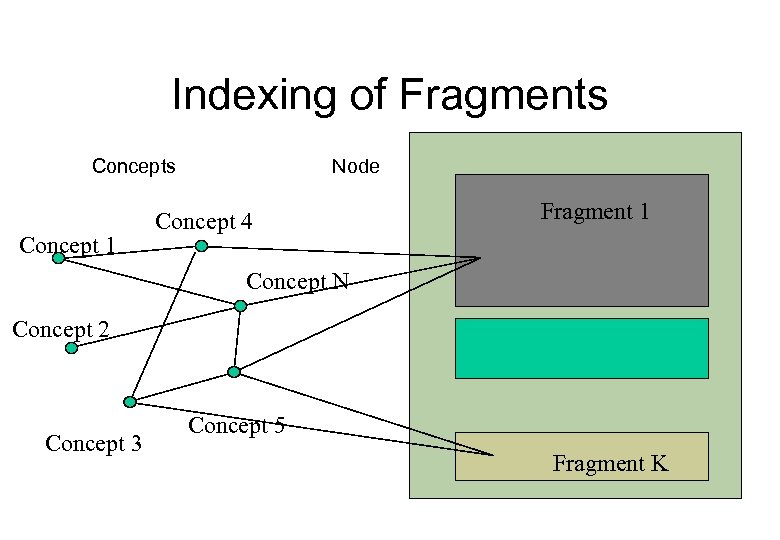 Indexing of Fragments Concept 1 Node Concept 4 Fragment 1 Concept N Concept 2 Concept 3 Fragment 2 Concept 5 Fragment K
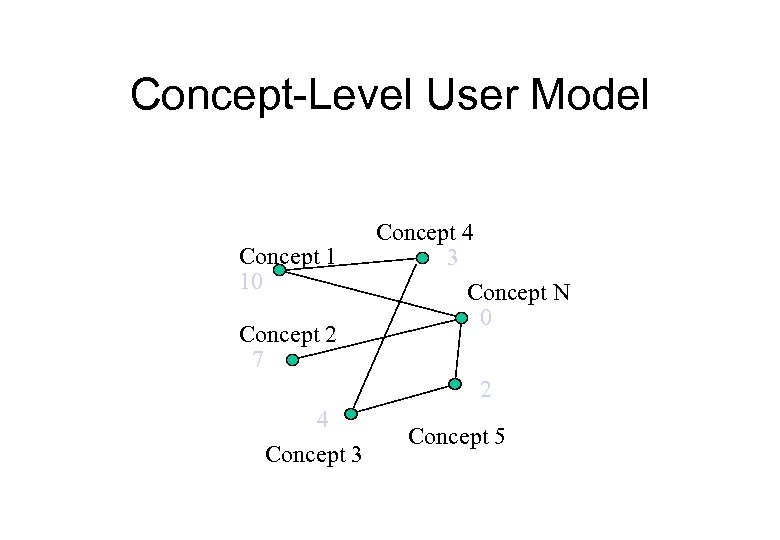 Concept-Level User Model Concept 1 10 Concept 2 7 Concept 4 3 Concept N 0 2 4 Concept 3 Concept 5
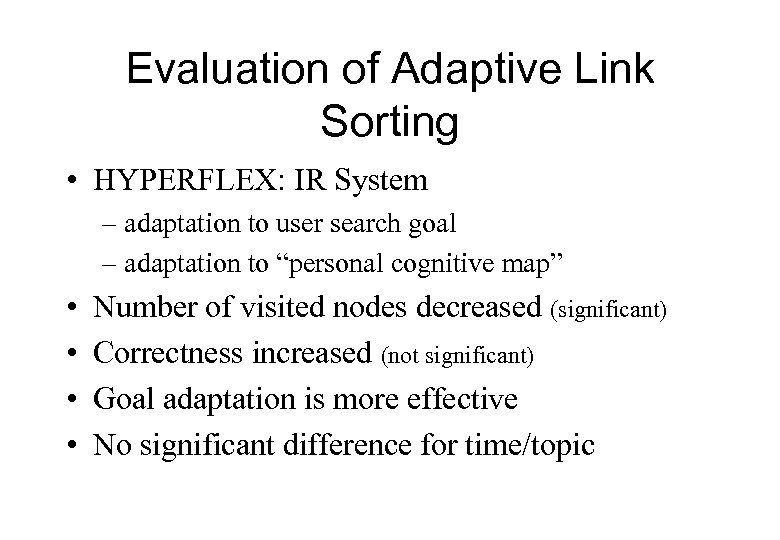 Evaluation of Adaptive Link Sorting • HYPERFLEX: IR System – adaptation to user search goal – adaptation to “personal cognitive map” • • Number of visited nodes decreased (significant) Correctness increased (not significant) Goal adaptation is more effective No significant difference for time/topic
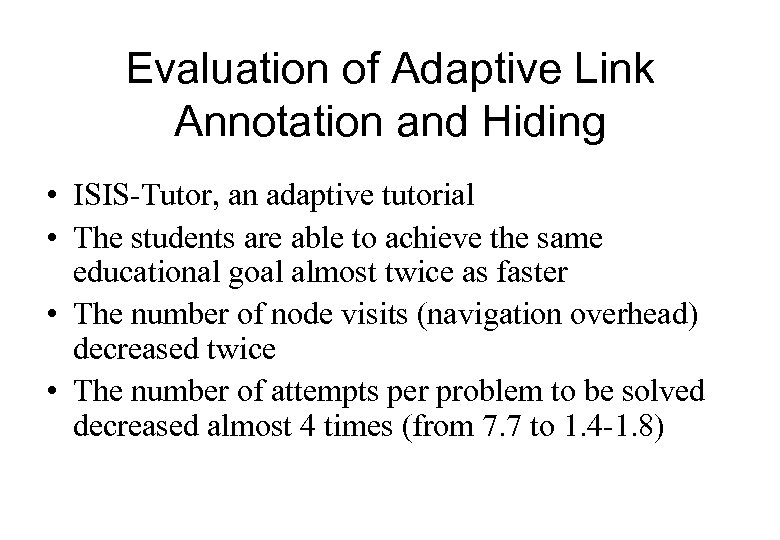 Evaluation of Adaptive Link Annotation and Hiding • ISIS-Tutor, an adaptive tutorial • The students are able to achieve the same educational goal almost twice as faster • The number of node visits (navigation overhead) decreased twice • The number of attempts per problem to be solved decreased almost 4 times (from 7. 7 to 1. 4 -1. 8)
 Summary: It works! • Adaptive presentation makes user to understand the content faster and better • Adaptive navigation support reduces navigation efforts and allows the users to get to the right place at the right time • Altogether AH techniques can significantly improve the effectiveness of hypertext and hypermedia systems
 Why Search Personalization? • R. Larsen: With the growth of DL even a good query can return not just tens, but thousands of "relevant" documents 1 • Personalization is an attempt to find most relevant documents using information about user's goals, knowledge, preferences, navigation history, etc. 1 Larsen, R. L. Relaxing Assumptions. . . Stretching the Vision: A Modest View of Some Technical Issues. D-Lib Magazine, 3, April (1997), available online at http: //www. dlib. org/dlib/april 97/04 larsen. html
 Modeling Users in Adaptive Search • Most essential feature: user interests • Observing user document selectin, adaptive IR systems build profile of user interests • Keyword-level modeling – Uses a long list of keywords (terms) in place of domain model – User interests are modeled as weigthed vector or terms – More advanced systems use several profiles for different domains or timeframes
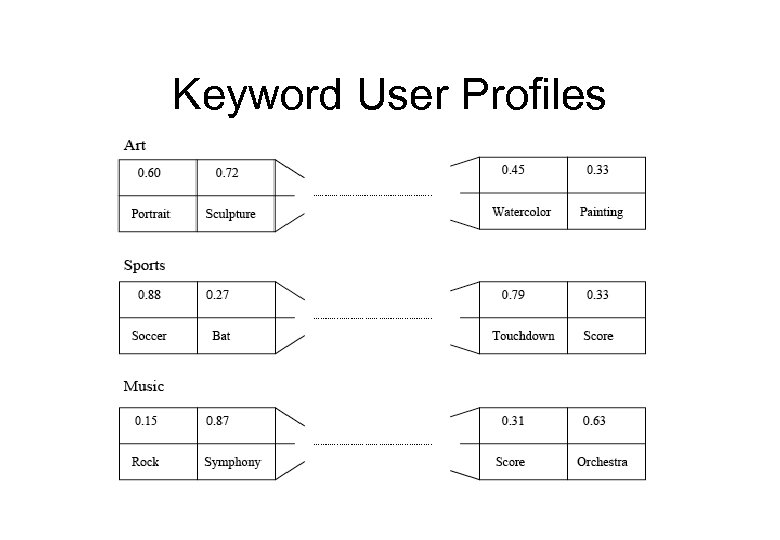 Keyword User Profiles
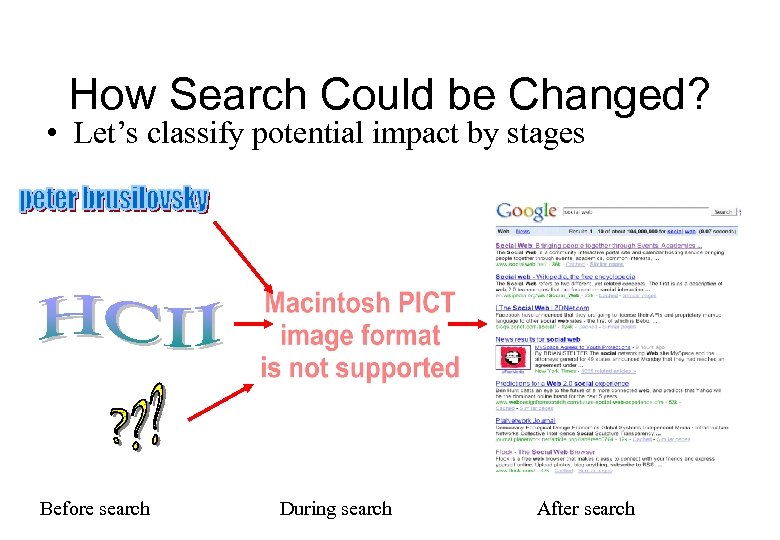 How Search Could be Changed? • Let’s classify potential impact by stages Before search During search After search
 Pre-Process: Query Expansion • User profile is applied to add terms to the query – Popular terms could be added to introduce context – Similar terms could be added to resolve indexer-user mismatch – Related terms could be added to resolve ambiguity – Works with any IR model or search engine
 Post-Processing • The user profile is used to organize the results of the retrieval process – present to the user the most interesting documents – Filter out irrelevant documents • Extended profile can be used effectively • In this case the use of the profile adds an extra step to processing • Similar to classic information filtering problem • Typical way for adaptive Web IR
 Post-Filter: Re-Ranking • Re-ranking is a typical approach for postfiltering • Each document is rated according to its relevance (similarity) to the user or group profile • This rating is fused with the relevance rating returned by the search engine • The results are ranked by fused rating – User model: WIFS, group model: I-Spy
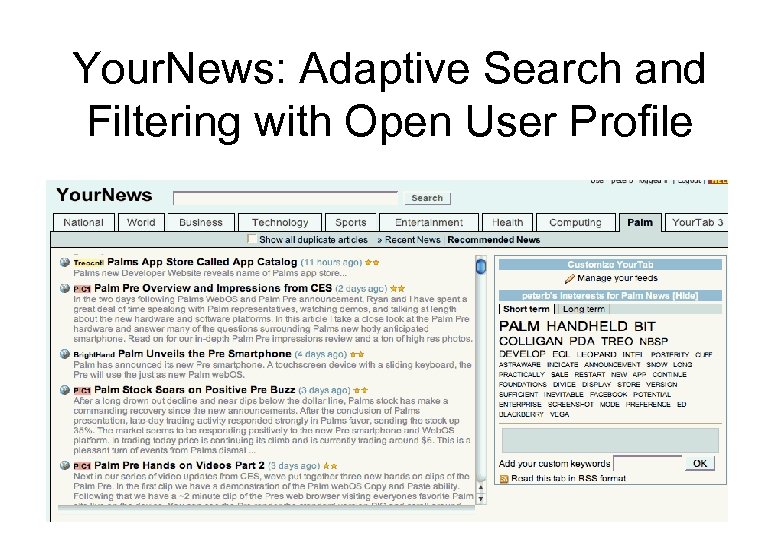 Your. News: Adaptive Search and Filtering with Open User Profile
 Recommender Systems • Started as extension of work on adaptive information filtering • What is filtering? Search without explicit query • Started as SDI – user provided profiles • Later considered user feedback (yes/no or ratings) to automatically improve profile • Modern IF can start without profile, constructing it by observation and user feedback – Rating, bookmarking, downloading, purchasing
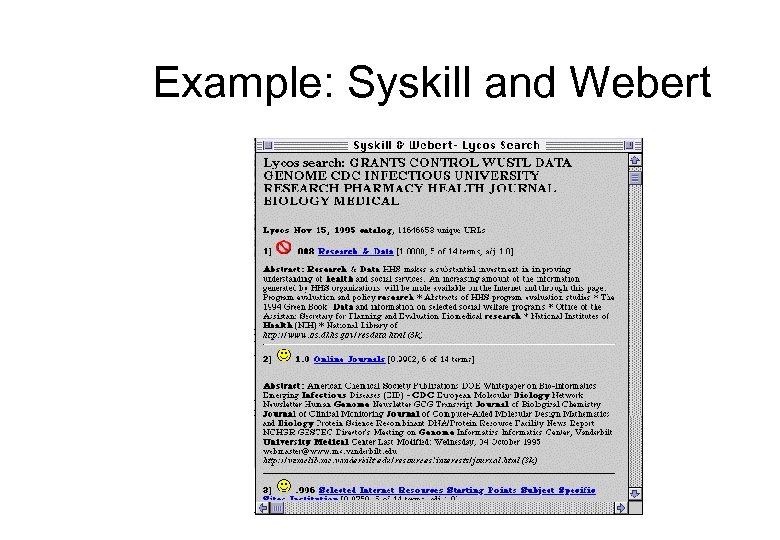 Example: Syskill and Webert
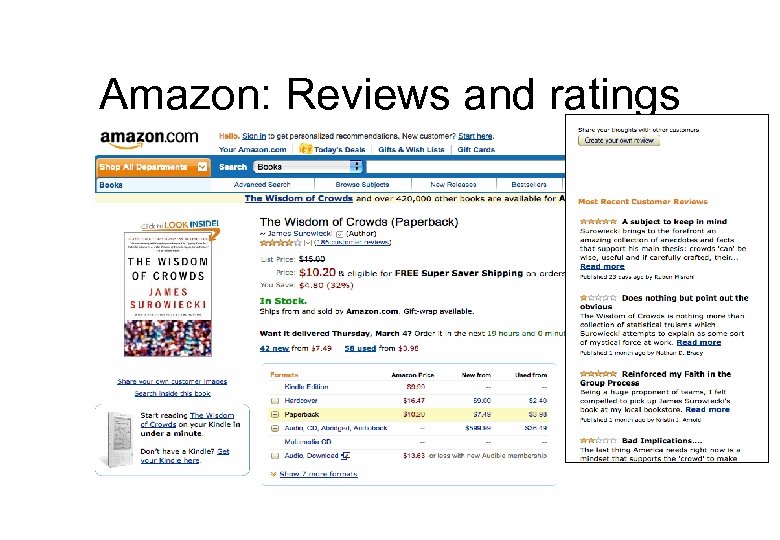 Amazon: Reviews and ratings
 Types of Recommender Systems • Classic content-based • Collaborative recommender systems (collaborative filtering) – Started with proactive push and pull systems, but merged the “filtering” movement • Rule-based (purchasing printer) • Case-based • Demographic
 Access Type vs. Engine • Recommendation is a type of information access – proactive ranked suggestion based on user data and observing behavior • Engine behind decides to what extent information is relevant (answers goals, interests, knowledge) • Types of engines: – – Classic content based (keywords, same as IR) Medatada-based (still content!) Collaborative Hybrid
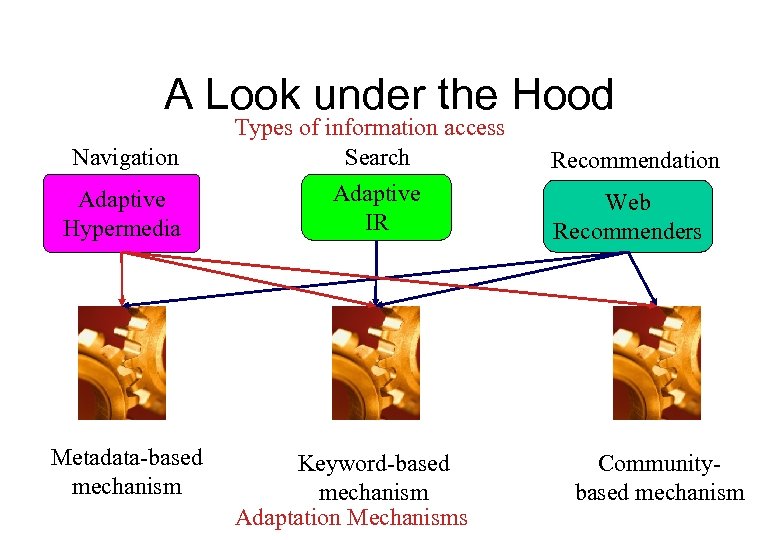 A Look under the Hood Navigation Types of information access Search Adaptive Hypermedia Adaptive IR Metadata-based mechanism Keyword-based mechanism Adaptation Mechanisms Recommendation Web Recommenders Communitybased mechanism
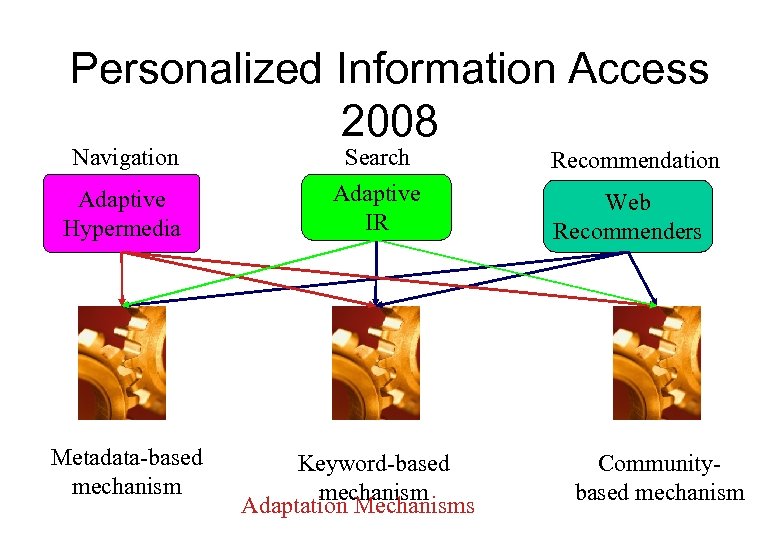 Personalized Information Access 2008 Navigation Search Adaptive Hypermedia Adaptive IR Metadata-based mechanism Keyword-based mechanism Adaptation Mechanisms Recommendation Web Recommenders Communitybased mechanism
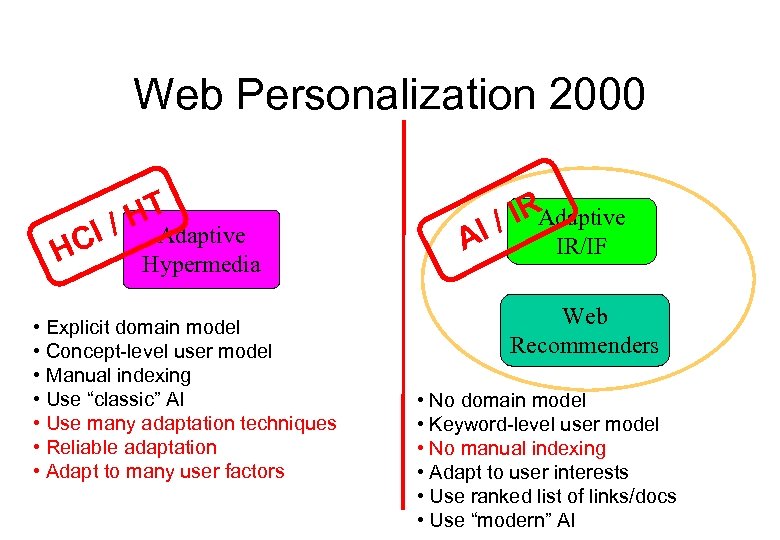 Web Personalization 2000 HT I / Adaptive HC Hypermedia • Explicit domain model • Concept-level user model • Manual indexing • Use “classic” AI • Use many adaptation techniques • Reliable adaptation • Adapt to many user factors / IRAdaptive I A IR/IF Web Recommenders • No domain model • Keyword-level user model • No manual indexing • Adapt to user interests • Use ranked list of links/docs • Use “modern” AI
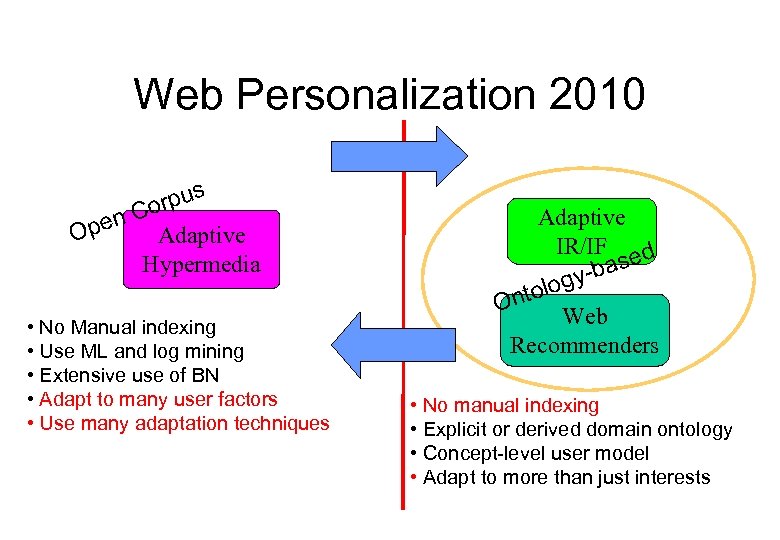 Web Personalization 2010 rpus o n. C Ope Adaptive Hypermedia • No Manual indexing • Use ML and log mining • Extensive use of BN • Adapt to many user factors • Use many adaptation techniques Adaptive IR/IF ed -bas y olog Ont Web Recommenders • No manual indexing • Explicit or derived domain ontology • Concept-level user model • Adapt to more than just interests
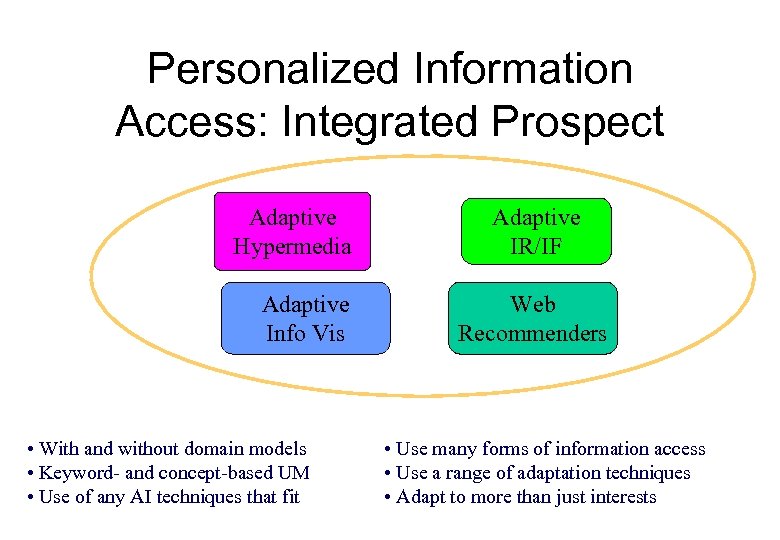 Personalized Information Access: Integrated Prospect Adaptive Hypermedia Adaptive Info Vis • With and without domain models • Keyword- and concept-based UM • Use of any AI techniques that fit Adaptive IR/IF Web Recommenders • Use many forms of information access • Use a range of adaptation techniques • Adapt to more than just interests
 Why integrated prospect? • Use larger variety of user models • Use larger variety of user modeling techniques – Even for the same kind of models • Use larger variety of information access techniques and adaptation techniques – Especially for the same kind of models – About 90% of user information needs are not solved by classic search-based access
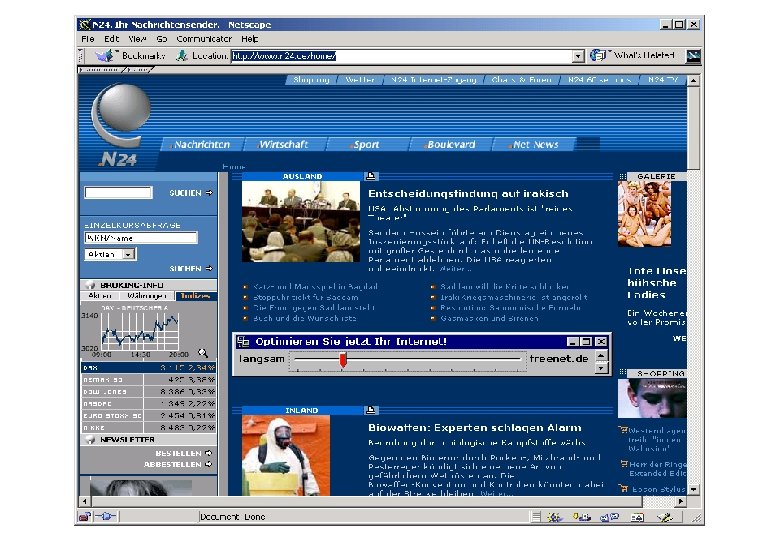
 Adaptive Information Services • Early prototypes: Basaar, FAB, ELFI • Integrates content-based and collaborative technologies • Integrates search and filtering • Integrates user-driven and adaptive personalization • Example: http: //www. n 24. de
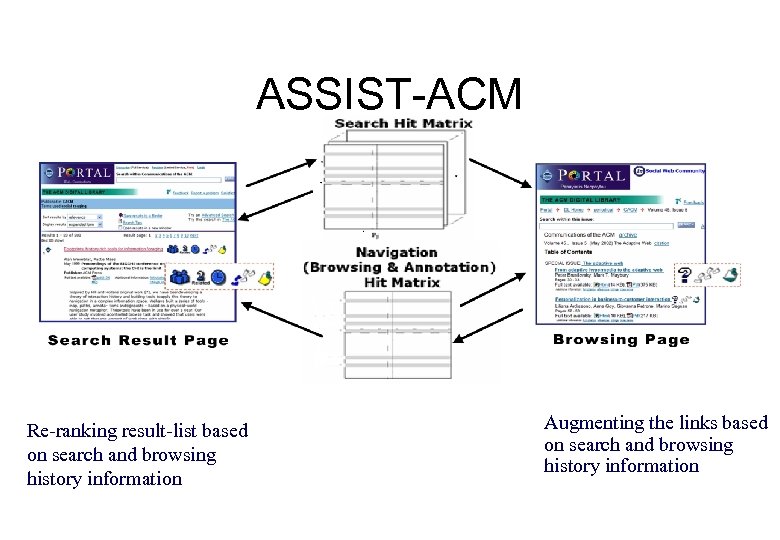 ASSIST-ACM Re-ranking result-list based on search and browsing history information Augmenting the links based on search and browsing history information
 The Need to Be Mobile • Background – Technology: wearables, mobiles, handhelds… – GIS and GPS work – HCI: Ubiquitous Computing • Need to adapt to the platform – Screen, computational power, bandwidth • New opportunities – Taking into account location/time/other context – Sensors and affective computing
 New Application Areas • Mobile handheld guides – Museum guides: HYPERAUDIO, HIPS – City guides: GUIDE • Mobile recommenders – News and entertainment recommender • http: //www. adaptiveinfo. com • Adaptive mobile information sites – Clix. Smart Navigator • http: //www. changingworlds. com/
 3 D Web • Web is not 2 D anymore - it includes a good amount of VR content • 3 D offers more power and supports some unique ways to access information • 3 D Web as the future of the Web? • The dream of an immersive Web: – Neal Stephenson: Metaverse (Snow Crash) – Victor Lukyanenko: The Depth (Mirrors)
 What we will learn? • Document and user modeling • Major techniques for personalized information access • Some special kinds of personalization – Mobile, 3 D, collaborative work • Personalization in special domain – E-commerce, cultural heritage, education