


 Скачать презентацию Active X Progress Hendrik Demol Company LOGO
9ab10d35ef0c775c2a54519436cd3fda.ppt
- Количество слайдов: 46
 Active. X & Progress Hendrik Demol Company LOGO
 Who am I? § § § Progress since V 4 Belgian ISV Free-lance DWP agent Hotel-room Active. X student § From a city with a Viking name: Brugge § hendrik@demol. com
 Who are you? § Anybody using Active. X ? § Why ? § Which ones?
 Why use Active. X’s? § § § To enhance the Progress GUI To add functionality To make better reports To interface with hardware or software To conform to fashion To make marketing happy
 When to avoid Active. X? § When you can not install them on your customer’s PC’s (policies) § When you are afraid of the added complexity § When you don’t want to learn new syntax
 Types of Active. X § In-line processing: The preferred way because it is many times faster. The OCX runs in the Progress container § OLE conversation: For use with programs like Office modules (Word, Excel, Outlook). Each call includes a start & stop and this makes it very slow § Other division: UI element or not
 Check if they work with Progress! § Progress applies the rules very strictly § Others may not … including Microsoft! § E. g. Mappoint’s OCX does not load in Progress so you can only use the OLE type § As a rule of thumb: if a component works with C++ it works with Progress as well
 Tools § THE MANUAL: first source of functionality and syntax – usually written with the VB or C programmer in mind (“: ” <> “. ”) § Progress objectviewer: Progress tool for discovering syntax § Active. Xplorer: check the internals § Dependency walker: to check the files you need to re-distribute § Progress Knowledgebase (Solutions)
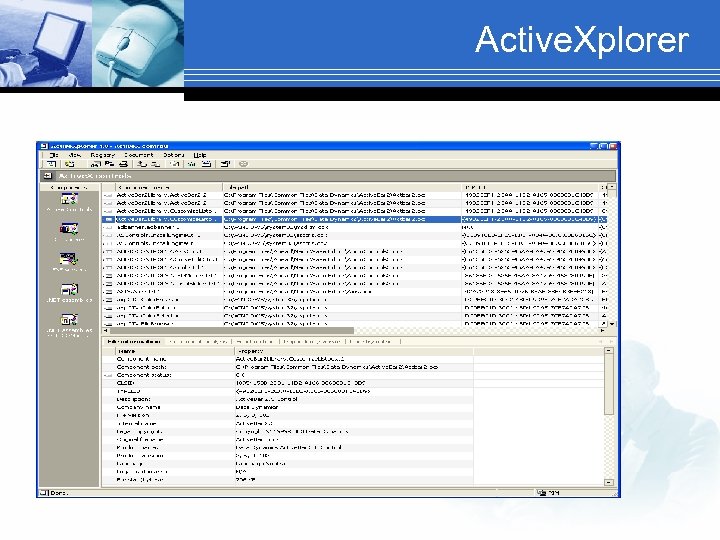 Active. Xplorer
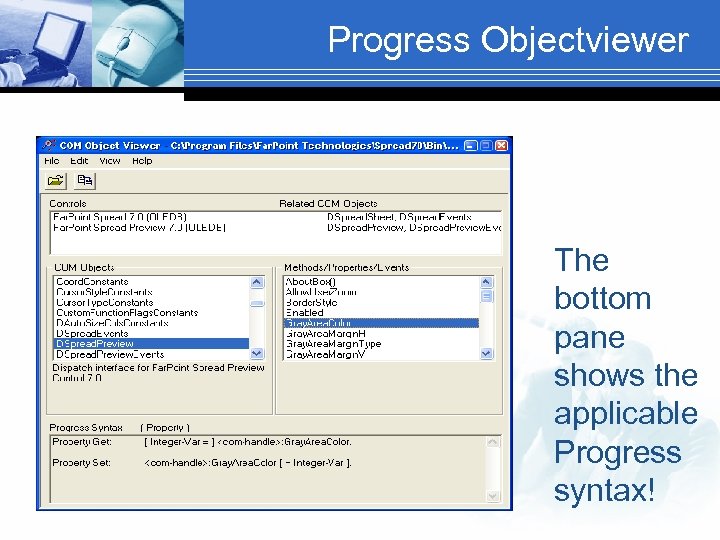 Progress Objectviewer The bottom pane shows the applicable Progress syntax!
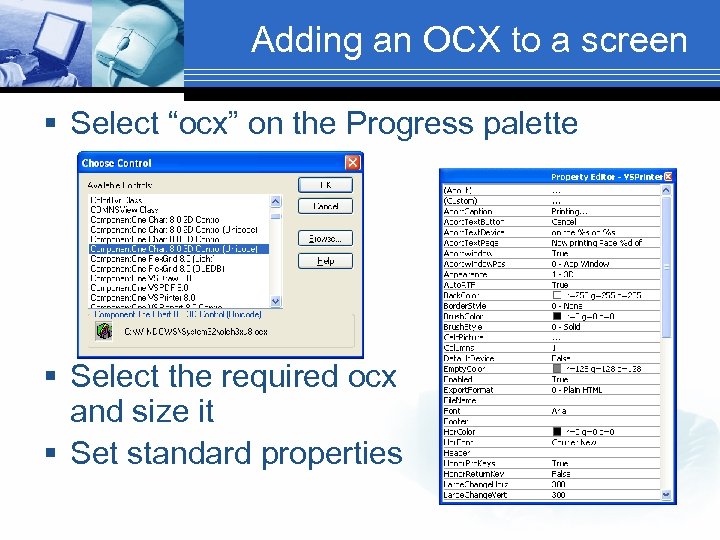 Adding an OCX to a screen § Select “ocx” on the Progress palette § Select the required ocx and size it § Set standard properties
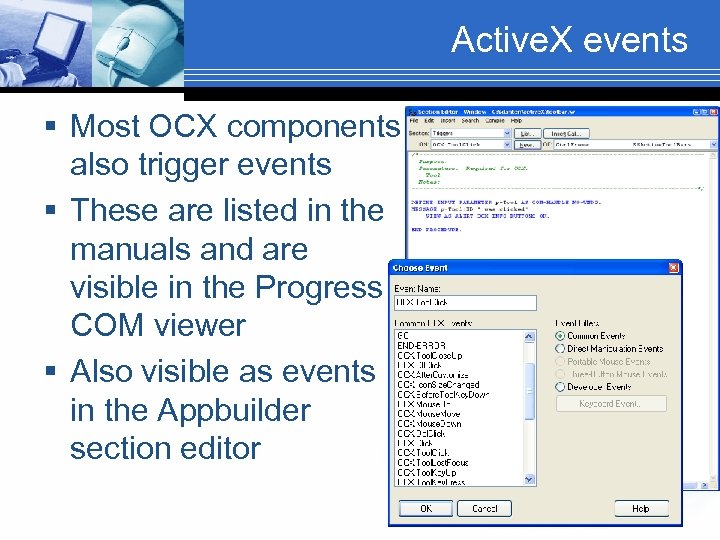 Active. X events § Most OCX components also trigger events § These are listed in the manuals and are visible in the Progress COM viewer § Also visible as events in the Appbuilder section editor
 Wrx files § Created by the Appbuilder automatically in the same directory as the. w file § Distribute together with. r files § Watch out for the change of. wrx files over versions: . wrx file generated in Progress 9. 1 D 06 does not load in Progress 9. 1 D 05 § OCX versions between developers and between development & production may vary § Some keep their first wrx’s. Older wrx’s seem upwardly compatible (both older OS & OCX)
 Initialize-controls § Define your own variable and initialize it properly – also for readability § Use this for setting to your standard properties DEFINE VARIABLE h. Sp AS COM-HANDLE NO-UNDO. ASSIGN h. SP = ch. Ctrl. Frame: va. Spread hsp: allowdragdrop = TRUE h. Sp: appearance =1 h. SP: Border. Style =1 h. SP: unit. Type = 2 /* twips */ h. SP: Print. Col. Headers = FALSE h. SP: Print. Row. Headers = FALSE h. SP: print. Margin. Left = 1000 h. SP: Type. Number. Show. Sep = TRUE h. SP: Protect = FALSE.
 Cleaning up § Clean up afterwards (memory leaks) § Delete the objects (com-handles) § Set the handle variables to Null DELETE OBJECT h. XMLDoc NO-ERROR. ASSIGN h. XMLDoc = ? .
 MS Office § Most Office programs are Active. X servers: Outlook, Word, Excel, Powerpoint, Map. Point, Access, Visio and Binder DEFINE VARIABLE ch. Active. X AS COM-HANDLE. CREATE “my. app” ch. Active. X. § Once the handle to the application is set you expand to other com-objects and use all the properties and methods of each component. § Study the component objects! § Use Macro recording to retrieve syntax § Sun’s Star Office works in a similar way
 Excel via OLE § § § Many samples available on the net Use this for small projects (slow) Ubiquitous Dump a textfile and open it with Excel Make a library with your functions Consider also the in-line active. X (since Office 9)
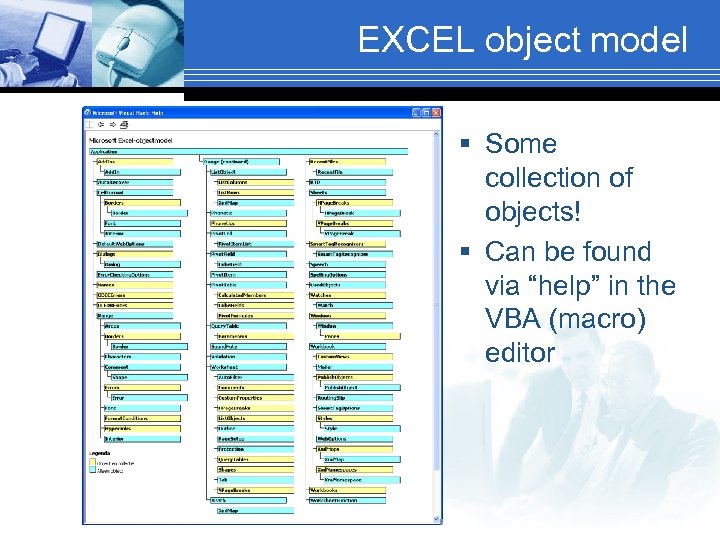 EXCEL object model § Some collection of objects! § Can be found via “help” in the VBA (macro) editor
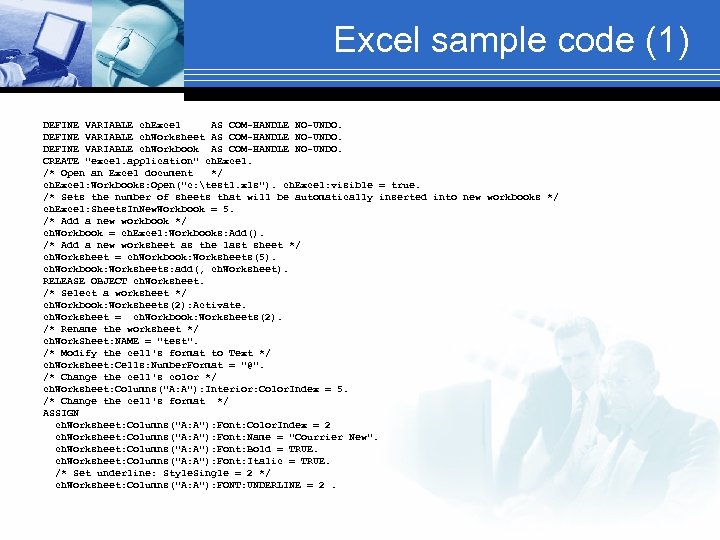 Excel sample code (1) DEFINE VARIABLE ch. Excel AS COM-HANDLE NO-UNDO. DEFINE VARIABLE ch. Worksheet AS COM-HANDLE NO-UNDO. DEFINE VARIABLE ch. Workbook AS COM-HANDLE NO-UNDO. CREATE "excel. application" ch. Excel. /* Open an Excel document */ ch. Excel: Workbooks: Open("c: test 1. xls"). ch. Excel: visible = true. /* Sets the number of sheets that will be automatically inserted into new workbooks */ ch. Excel: Sheets. In. New. Workbook = 5. /* Add a new workbook */ ch. Workbook = ch. Excel: Workbooks: Add(). /* Add a new worksheet as the last sheet */ ch. Worksheet = ch. Workbook: Worksheets(5). ch. Workbook: Worksheets: add(, ch. Worksheet). RELEASE OBJECT ch. Worksheet. /* Select a worksheet */ ch. Workbook: Worksheets(2): Activate. ch. Worksheet = ch. Workbook: Worksheets(2). /* Rename the worksheet */ ch. Work. Sheet: NAME = "test". /* Modify the cell's format to Text */ ch. Worksheet: Cells: Number. Format = "@". /* Change the cell's color */ ch. Worksheet: Columns("A: A"): Interior: Color. Index = 5. /* Change the cell's format */ ASSIGN ch. Worksheet: Columns("A: A"): Font: Color. Index = 2 ch. Worksheet: Columns("A: A"): Font: Name = "Courrier New". ch. Worksheet: Columns("A: A"): Font: Bold = TRUE. ch. Worksheet: Columns("A: A"): Font: Italic = TRUE. /* Set underline: Style. Single = 2 */ ch. Worksheet: Columns("A: A"): FONT: UNDERLINE = 2.
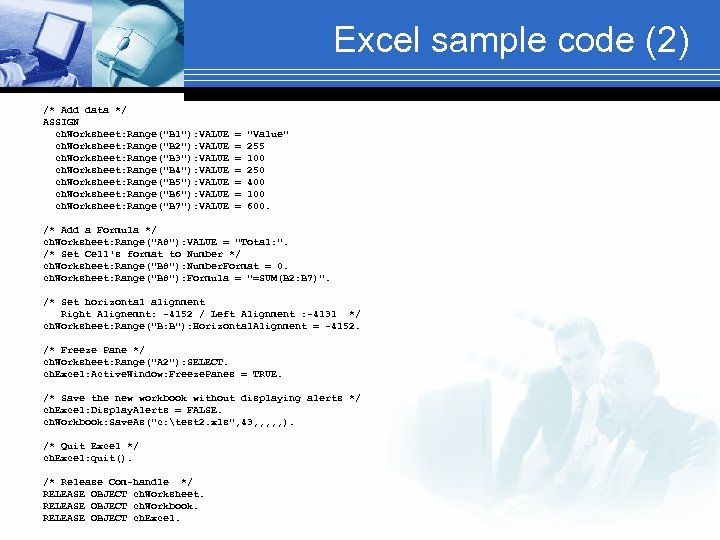 Excel sample code (2) /* Add data */ ASSIGN ch. Worksheet: Range("B 1"): VALUE = "Value" ch. Worksheet: Range("B 2"): VALUE = 255 ch. Worksheet: Range("B 3"): VALUE = 100 ch. Worksheet: Range("B 4"): VALUE = 250 ch. Worksheet: Range("B 5"): VALUE = 400 ch. Worksheet: Range("B 6"): VALUE = 100 ch. Worksheet: Range("B 7"): VALUE = 600. /* Add a Formula */ ch. Worksheet: Range("A 8"): VALUE = "Total: ". /* Set Cell's format to Number */ ch. Worksheet: Range("B 8"): Number. Format = 0. ch. Worksheet: Range("B 8"): Formula = "=SUM(B 2: B 7)". /* Set horizontal alignment Right Alignemnt: -4152 / Left Alignment : -4131 */ ch. Worksheet: Range("B: B"): Horizontal. Alignment = -4152. /* Freeze Pane */ ch. Worksheet: Range("A 2"): SELECT. ch. Excel: Active. Window: Freeze. Panes = TRUE. /* Save the new workbook without displaying alerts */ ch. Excel: Display. Alerts = FALSE. ch. Workbook: Save. As("c: test 2. xls", 43, , , ). /* Quit Excel */ ch. Excel: quit(). /* Release Com-handle */ RELEASE OBJECT ch. Worksheet. RELEASE OBJECT ch. Workbook. RELEASE OBJECT ch. Excel.
 Word § Sample program with print screen § Sample code: DEFINE VARIABLE o. Word AS COM-HANDLE NO-UNDO. CREATE "Word. Application" o. Word: Documents: Open("Some. Doc"). o. Word: Visible = True. PAUSE. /* Allow you to actually see the document before we kill it */ RELEASE OBJECT o. Word.
 Outlook § Very interesting and rich in functionality § Since V 10 date-time format to interact with Outlook agenda § MAPI namespace § Read & write mail, tasks, contacts, calendar & notes § Think about master data! Who is boss? Outlook or your application? § Make a library with your frequent functions
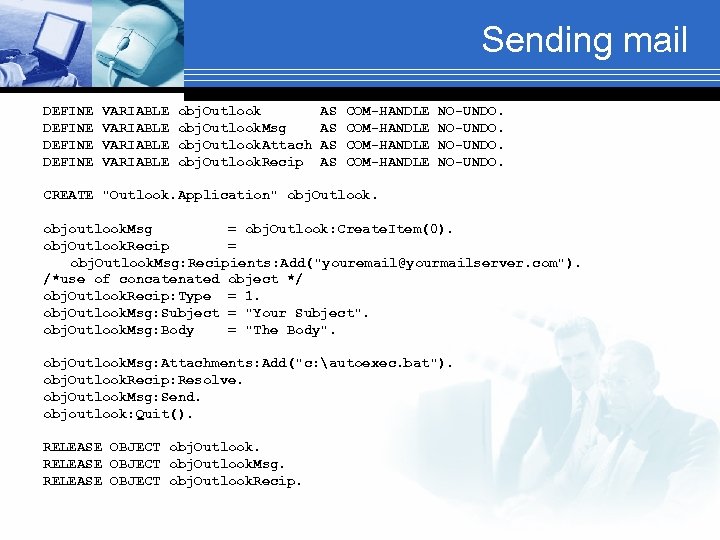 Sending mail DEFINE VARIABLE obj. Outlook AS COM-HANDLE NO-UNDO. DEFINE VARIABLE obj. Outlook. Msg AS COM-HANDLE NO-UNDO. DEFINE VARIABLE obj. Outlook. Attach AS COM-HANDLE NO-UNDO. DEFINE VARIABLE obj. Outlook. Recip AS COM-HANDLE NO-UNDO. CREATE "Outlook. Application" obj. Outlook. objoutlook. Msg = obj. Outlook: Create. Item(0). obj. Outlook. Recip = obj. Outlook. Msg: Recipients: Add("youremail@yourmailserver. com"). /*use of concatenated object */ obj. Outlook. Recip: Type = 1. obj. Outlook. Msg: Subject = "Your Subject". obj. Outlook. Msg: Body = "The Body". obj. Outlook. Msg: Attachments: Add("c: autoexec. bat"). obj. Outlook. Recip: Resolve. obj. Outlook. Msg: Send. objoutlook: Quit(). RELEASE OBJECT obj. Outlook. Msg. RELEASE OBJECT obj. Outlook. Recip.
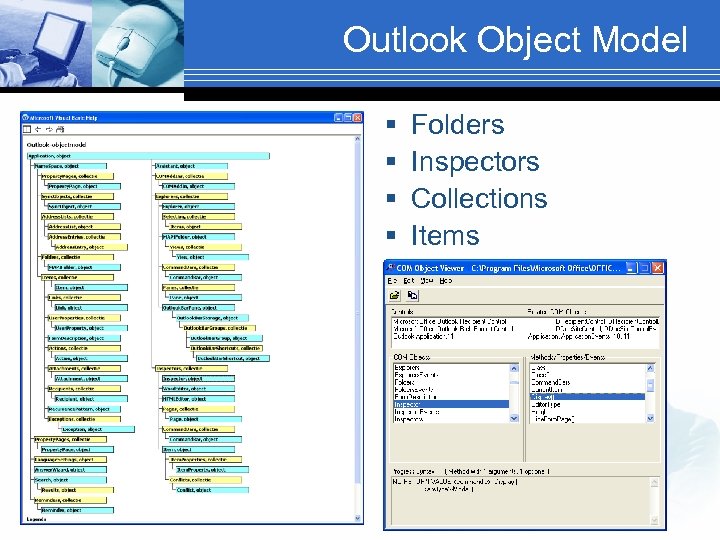 Outlook Object Model § § Folders Inspectors Collections Items
 Mappoint § § § Show addresses on the map Calculate routes Plan routes Location services Add data to maps Very underestimated software (“Mappoint who ? ” by Microsoft!)
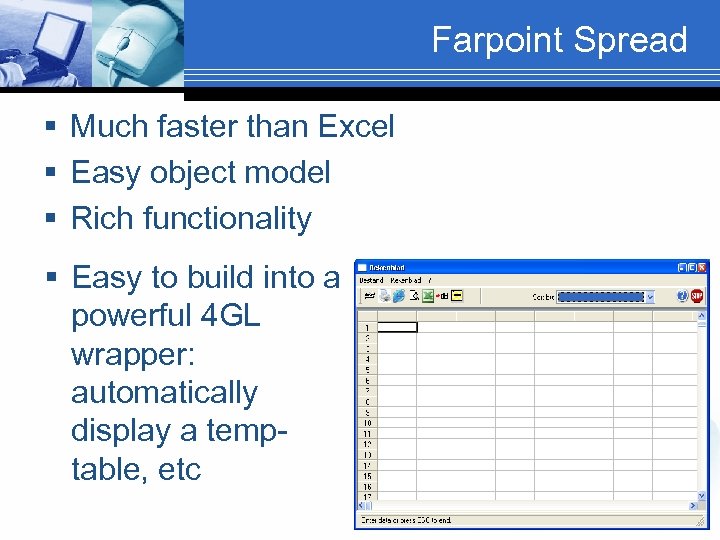 Farpoint Spread § Much faster than Excel § Easy object model § Rich functionality § Easy to build into a powerful 4 GL wrapper: automatically display a temptable, etc
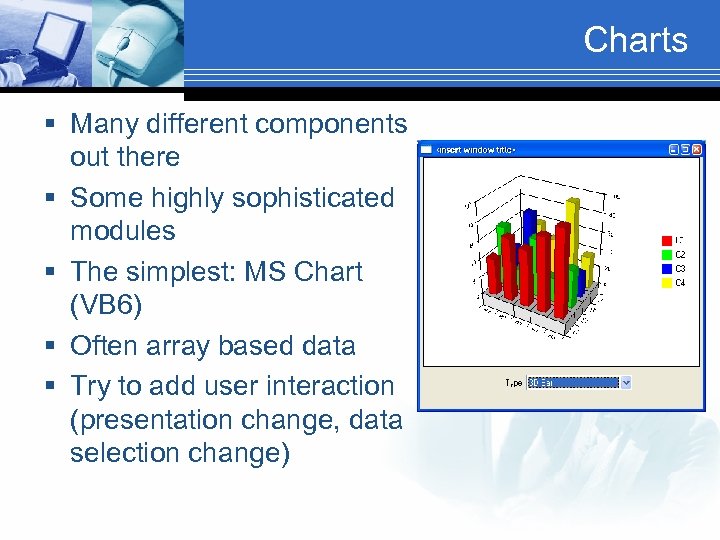 Charts § Many different components out there § Some highly sophisticated modules § The simplest: MS Chart (VB 6) § Often array based data § Try to add user interaction (presentation change, data selection change)
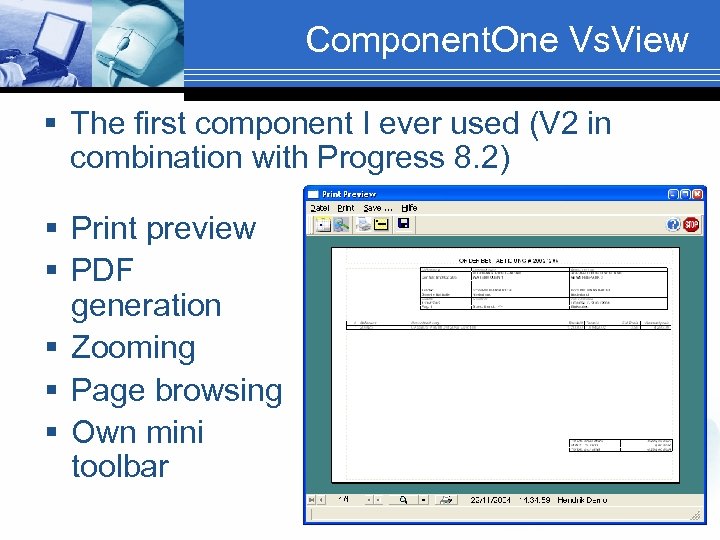 Component. One Vs. View § The first component I ever used (V 2 in combination with Progress 8. 2) § Print preview § PDF generation § Zooming § Page browsing § Own mini toolbar
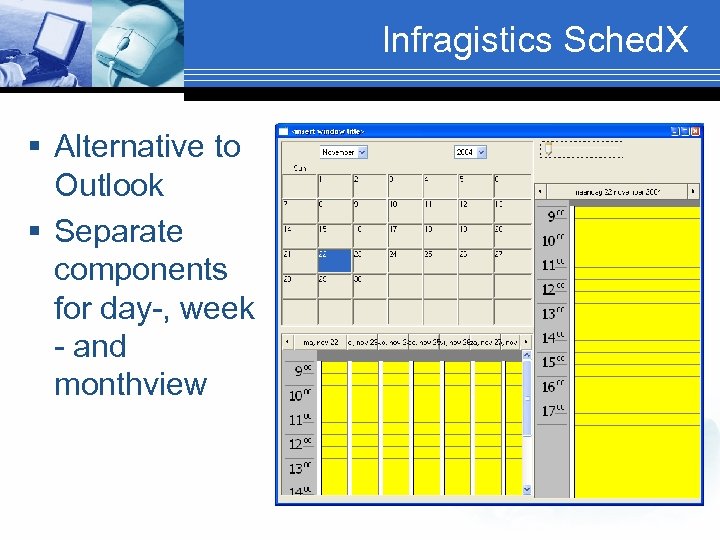 Infragistics Sched. X § Alternative to Outlook § Separate components for day-, week - and monthview
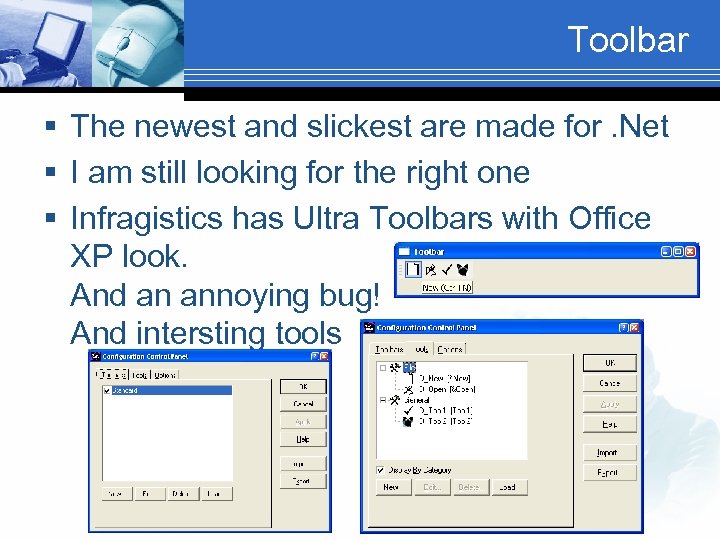 Toolbar § The newest and slickest are made for. Net § I am still looking for the right one § Infragistics has Ultra Toolbars with Office XP look. And an annoying bug! And intersting tools
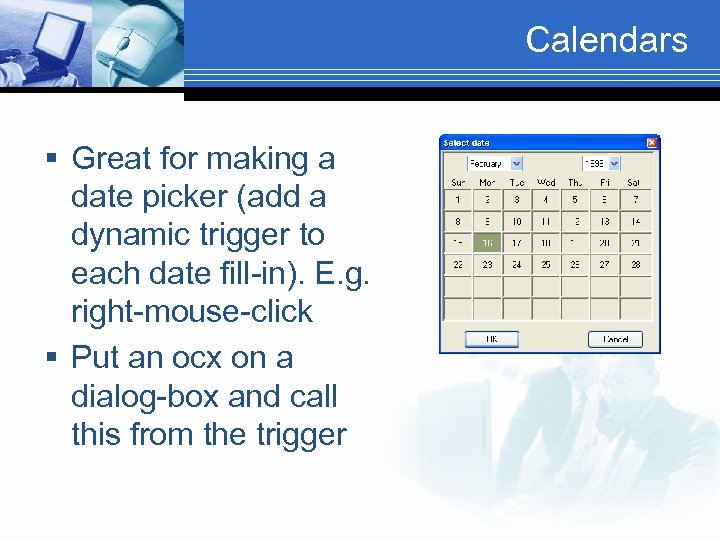 Calendars § Great for making a date picker (add a dynamic trigger to each date fill-in). E. g. right-mouse-click § Put an ocx on a dialog-box and call this from the trigger
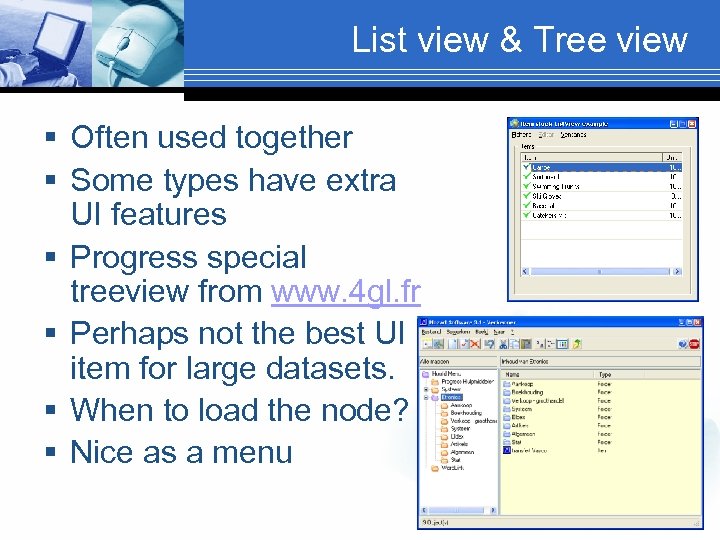 List view & Tree view § Often used together § Some types have extra UI features § Progress special treeview from www. 4 gl. fr § Perhaps not the best UI item for large datasets. § When to load the node? § Nice as a menu
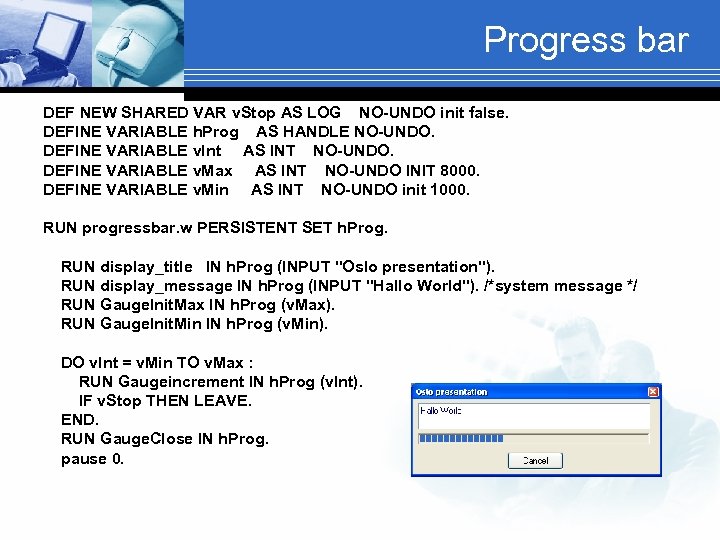 Progress bar DEF NEW SHARED VAR v. Stop AS LOG NO-UNDO init false. DEFINE VARIABLE h. Prog AS HANDLE NO-UNDO. DEFINE VARIABLE v. Int AS INT NO-UNDO. DEFINE VARIABLE v. Max AS INT NO-UNDO INIT 8000. DEFINE VARIABLE v. Min AS INT NO-UNDO init 1000. RUN progressbar. w PERSISTENT SET h. Prog. RUN display_title IN h. Prog (INPUT "Oslo presentation"). RUN display_message IN h. Prog (INPUT "Hallo World"). /*system message */ RUN Gauge. Init. Max IN h. Prog (v. Max). RUN Gauge. Init. Min IN h. Prog (v. Min). DO v. Int = v. Min TO v. Max : RUN Gaugeincrement IN h. Prog (v. Int). IF v. Stop THEN LEAVE. END. RUN Gauge. Close IN h. Prog. pause 0.
 Handling low volume SMS § For big volume you better talk directly to the telecom SMS server § There are several components often working very differently § Perhaps consider separating the modules, making a small SMS server polling the database for new records (generated by the client software) and creating records from the incoming messages
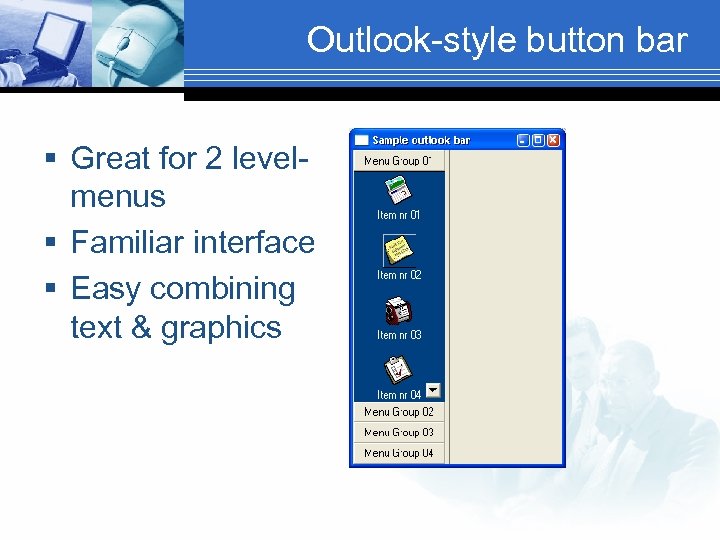 Outlook-style button bar § Great for 2 levelmenus § Familiar interface § Easy combining text & graphics
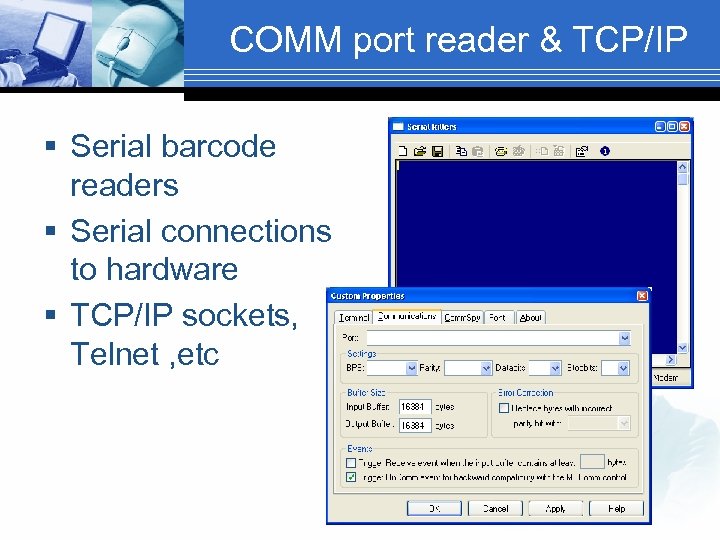 COMM port reader & TCP/IP § Serial barcode readers § Serial connections to hardware § TCP/IP sockets, Telnet , etc
 Image handling § Capturing, scanning, handling, viewing, annotating, converting and more § Many different modules available from Leadtools and Pegasus Imaging Corporation are the best known § There is even a red-eye removal add-on
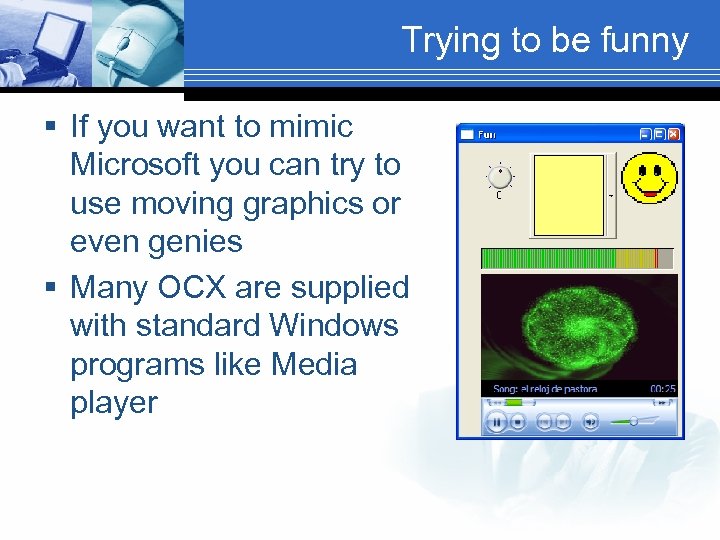 Trying to be funny § If you want to mimic Microsoft you can try to use moving graphics or even genies § Many OCX are supplied with standard Windows programs like Media player
 Some more … § § § Credit-card validation Spelling Word-processing Faxing Data Analysis GIS Data compression Postal code validation Mail validation XML parsing etc
 Use standard Microsoft components or not? § A big question for you: use standard Microsoft OCX components or buy from specialised sources? § Standard MS components usually are part of the Windows environment § Watch out for version differences between Windows versions or components! § Non MS components equals more installed components but more control
 Use OCX in a framework (DWP) § DWP framework : support for active. X, by using a standard wrapper methodology. Today treeview and listview are supported out of the box. You can add your own using the same methodology
 Tips & tricks § Null values: Progress happily accepts null values (x / 0 = ? ). Microsoft does not! Initialize variables and values to make sure you have valid data § Since V 9 you can concatenate objects ch. App: Object: Sub. Object: Property § Invest in making your code generic
 Use OCX in a 4 GL wrapper § Avoid sprinkling your application with the same ocx in various modules § Consider the next version of your ocx § Work a little harder now and relax later § Render the use of ocx’s generic: run your functions & procedures. Keep them when you change ocx § Hide ocx complexity from developers
 Where to find Active. X’s? § § § http: //www. componentsource. com http: //www. infragistics. com http: //www. component 1. com http: //www. active-x. com/ http: //www. vbxtras. com/
 XP look § If all you want to accomplish is an XP look then look at the use of a manifest file § Prowin 32. exe. manifest is an xml file that signals Windows XP to update the look of the executable § Warning: add use. Clip. Children=Yes to your ini file or registry in the startup section, otherwise buttons will not show
 Conclusion & questions § § Think first! OCX can be a nuissance OCX are fun OCX can enhance your app Tusen Takk!