


 Скачать презентацию Active Directory Harikrishnan V G 18 March 2009
c3980cfcd81805236eb3349e2add7b9a.ppt
- Количество слайдов: 30
 Active Directory Harikrishnan V G 18 March 2009
 Agenda ► ► ► ► Introduction – Active Directory Service Benefits of Active Directory Terminology and Logical representation OU, Domains, Tree, Forest EY – AD infrastructure The Global Catalog Page 2 Presentation title
 Active Directory ► ► ► Active Directory is a hierarchically structured administrative environment that enables all aspects of a network environment to be administered at the local, country practice, or Global level. The Active Directory technology manages all user, computer, printer, groups, users, domains, security policies, and any type of user-defined objects Its global structure enables users to seamlessly logon onto their home server from anywhere within the EY. NET infrastructure. Page 3 Presentation title
 Directory Services Active Directory is the Microsoft Windows implementation of a directory service ► The term directory service refers to two things 1. Directory 2. Service ► Directory is where information about users and resources are stored. ► Service or services that let you access and manipulate those resources ► Page 4 Presentation title
 Directory Services Common Features: ► ► Page 5 Provide file shares Authenticate users Provide services, such as Email, Access to the internet, Print services etc. Control access to services and shares. Presentation title
 Active Directory Terminology Site: A site is a physical location, or LAN. This is different from a web site, which is an organization’s internet presence. ► Domain: ► ► Page 6 All resources under the control of a single computer system. A sub-network comprised of a group of clients and servers under the control of one security database. Dividing LANs into domains improves performance and security. Presentation title
 What benefits does Active Directory provide? ► ► ► Active Directory provides a number of benefits to the firm, especially when implemented at the Global level. These benefits include Enabling users to log onto the network, without needing any special modifications to be made to their machine, access accounts, etc. , anywhere within the firms network infrastructure Enabling network services to be more centralized, enabling easier and more efficient management, etc. Page 7 Presentation title
 Benefits of Active Directory (cotd. ) ► ► ► Page 8 The main purpose of Active Directory is to provide central authentication services for Windows based computers. Active Directory also allows administrators to assign policies, deploy software, and apply critical updates to an entire organization. Active Directory stores information and settings relating to an organization in a central, organized, accessible database. Presentation title
 Logical representation of Active Directory ► ► Organizational Unit Domain Tree Forest Page 9 Presentation title
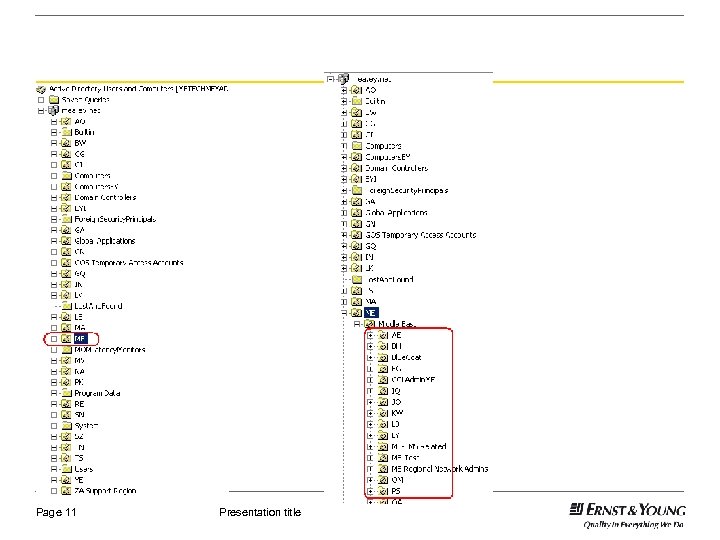
 What are Organizational Units? ► ► ► Organizational Units are logical containers that can be defined within the Active Directory infrastructure. As a result it is possible to create as many containers as is required. In addition it is possible to create logical units within logical units. Thus enabling a hierarchical structure to be created that mirrors the organizational structure of the country practice. Page 10 Presentation title
 Page 11 Presentation title
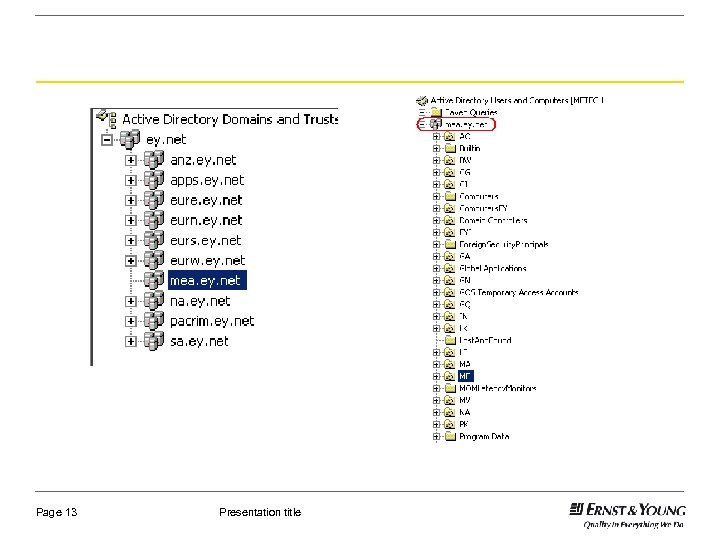
 Domains ► ► Active Directory uses domains and forests to represent the logical structure of the directory hierarchy Domains are used to manage the various populations of users, computers, and network resources in your enterprise Page 12 Presentation title
 Page 13 Presentation title
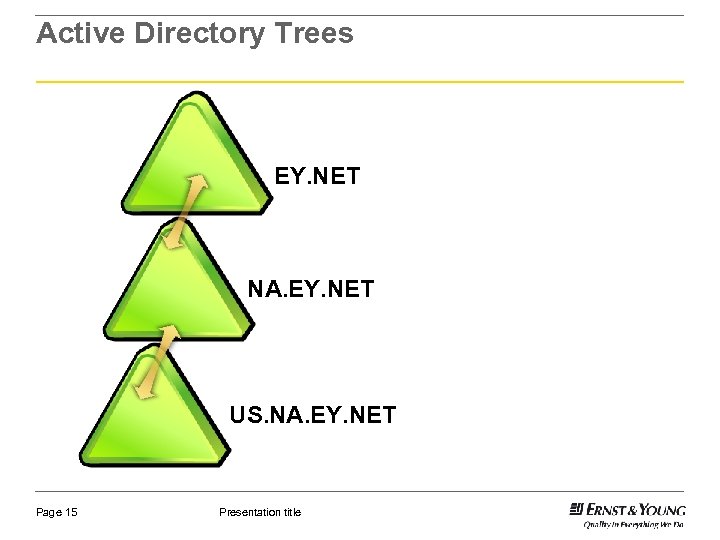
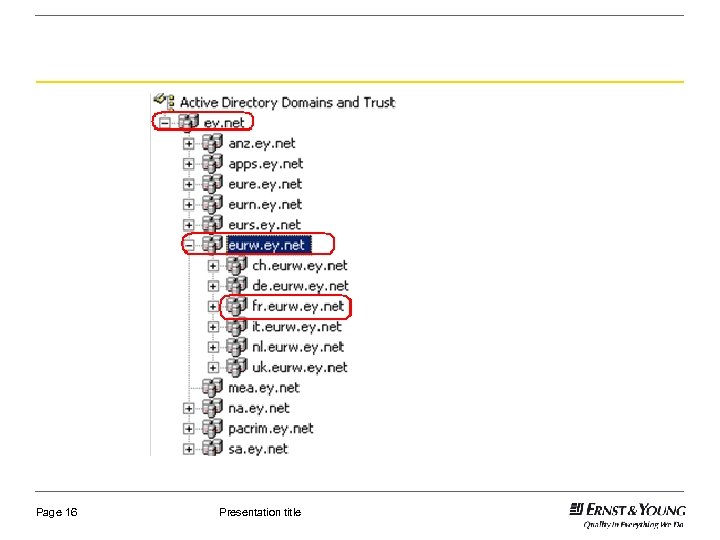
 Trees ► A tree represents a contiguous name space in Active Directory and consist of a hierarchy of domains Page 14 Presentation title
 Active Directory Trees EY. NET NA. EY. NET US. NA. EY. NET Page 15 Presentation title
 Page 16 Presentation title
 Forest ► ► A forest is the set of all domains in an organization's network It consists of one or more trees, combined with two way transitive trusts. Page 17 Presentation title
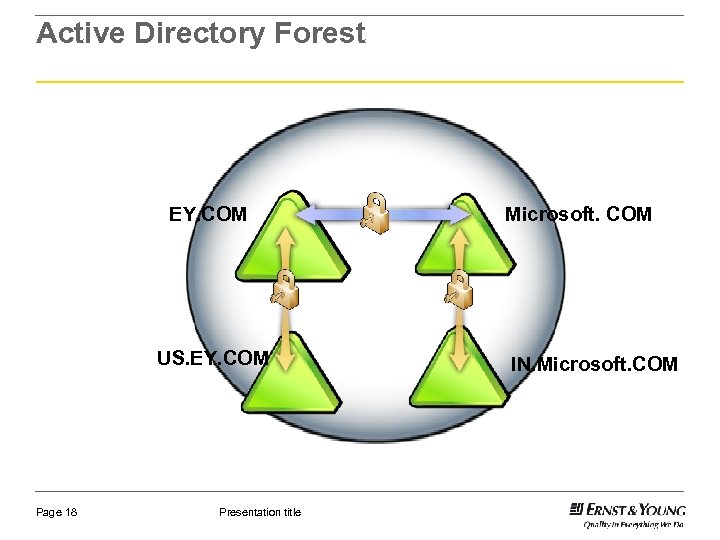 Active Directory Forest EY. COM US. EY. COM Page 18 Presentation title Microsoft. COM IN. Microsoft. COM
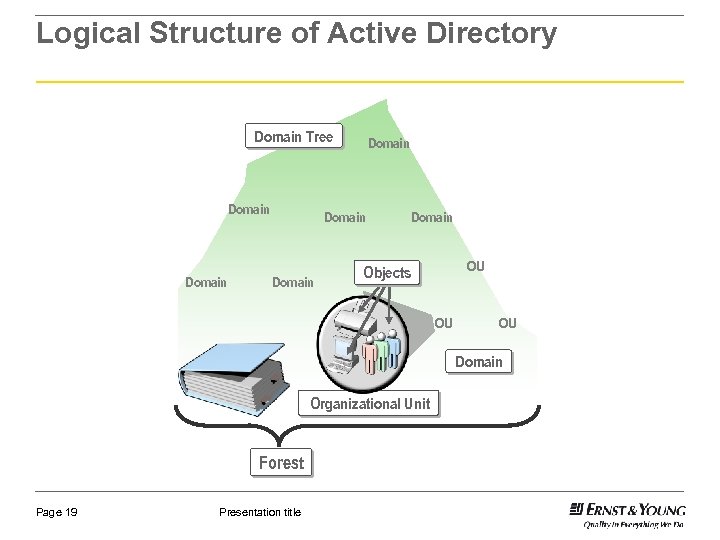 Logical Structure of Active Directory Domain Tree Domain Domain OU Objects OU OU Domain Organizational Unit Forest Page 19 Presentation title
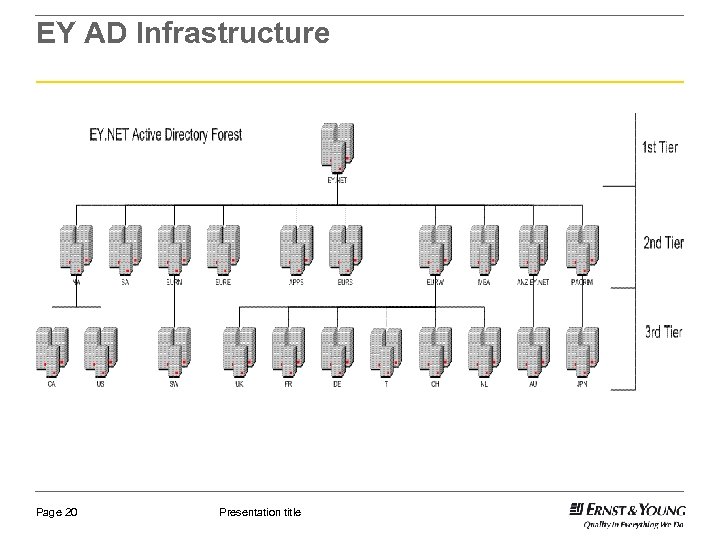 EY AD Infrastructure Page 20 Presentation title
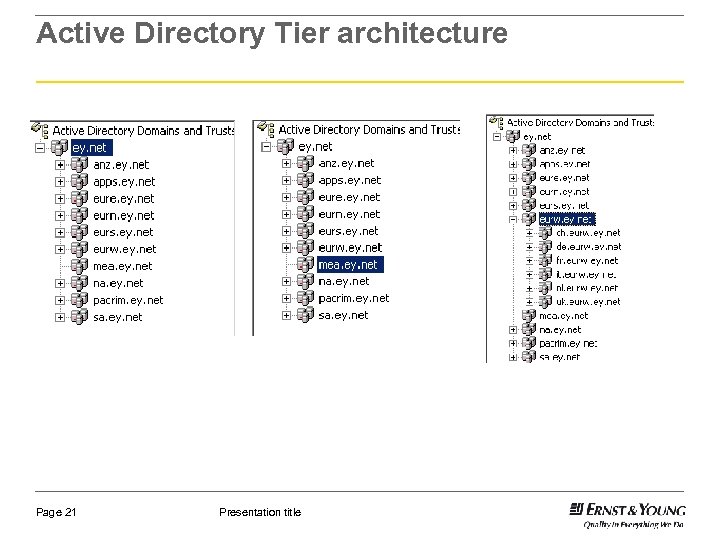 Active Directory Tier architecture Page 21 Presentation title
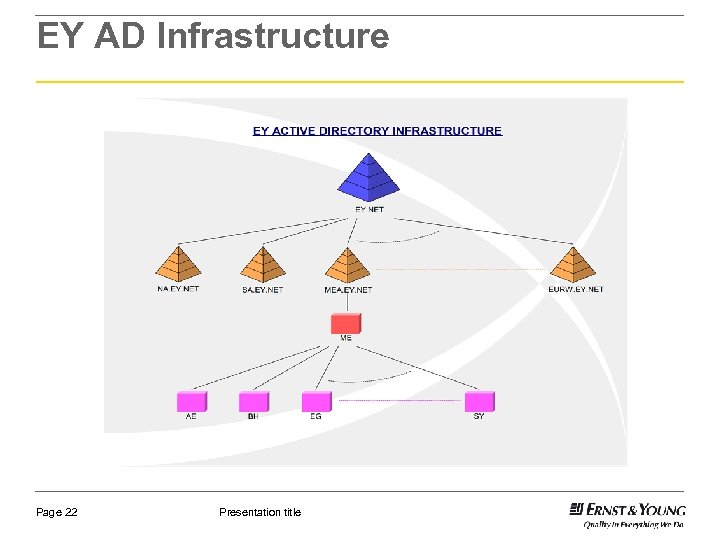 EY AD Infrastructure Page 22 Presentation title
 How does one get Authenticated in AD ► ► Each domain controller has information for the entire forest to support authentication and access control. This provides the ability for local domain controllers (the “tree”) to provide a quick local lookup of authority. Page 23 Presentation title
 The concept of Global Catalog ► ► The global catalog is the mechanism that tracks all of the objects managed across the network, across all domains within the organization. Elements of the catalog are replicated across all of the domain controllers within all domains across the organization. Page 24 Presentation title
 Time Saving Before ► PCs that were still running Windows NT Workstation or Windows 98, it would take as much as 40 hours of effort to manually visit each desktop and install the patch. After ► Desktops that are running Windows XP Professional, A group policy can be created that will push a new security patch out to all of them in less than 30 minutes. Page 25 Presentation title
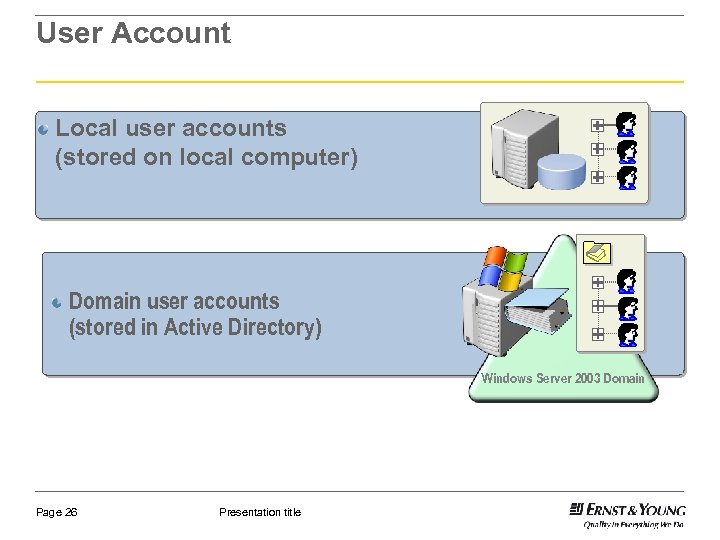 User Account Local user accounts (stored on local computer) Domain user accounts (stored in Active Directory) Windows Server 2003 Domain Page 26 Presentation title
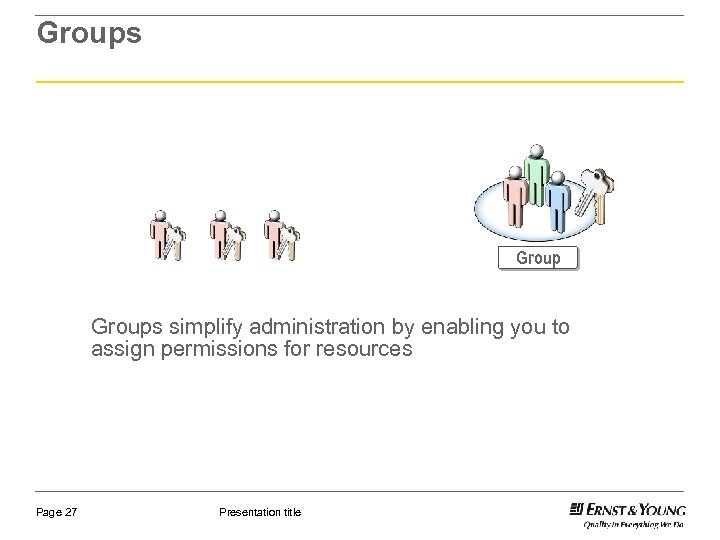 Groups simplify administration by enabling you to assign permissions for resources Page 27 Presentation title
 Demonstration: Creating Active Directory Objects How to create: ► Organizational Units ► User Accounts ► Groups Basic Commands: ►Replmon ►Repadmin /showrep ►Dcdiag ►Dcpromo Page 28 Presentation title
 Queries Page 29 Presentation title
 Thank You