 Скачать презентацию Accessing the Intranet Troubleshooting Proprietary Information The information
118af4f9f42d2f9c7bb2f480803f9c5d.ppt
- Количество слайдов: 11



Accessing the Intranet Troubleshooting Proprietary Information The information contained herein is not for use or disclosure outside Signature Performance, Inc. and the Military Health System [Supplier], and their authorized third party representatives and shall only be used for the purpose of discussing a potential business relationship between Signature Performance Inc. and Supplier
Top Issues with Access • Temporary password email not received – If you do not receive your temporary password within 5 minutes, it was most likely caught in a SPAM filter. Please request your password via email to spintranet@signatureperformance. com • Security Certificate is not recognized – Signature’s Intranet is secure, but the certificate is not automatically recognized. Choose to trust the site and you will be allowed in • Web browser not set to accept first party cookies – If you are continually brought back to the log in page, your browser security will need to be adjusted
Accepting Cookies To use the Intranet, your security settings may need to be adjusted to accept first party cookies • The following slides contain instructions for Internet Explorer
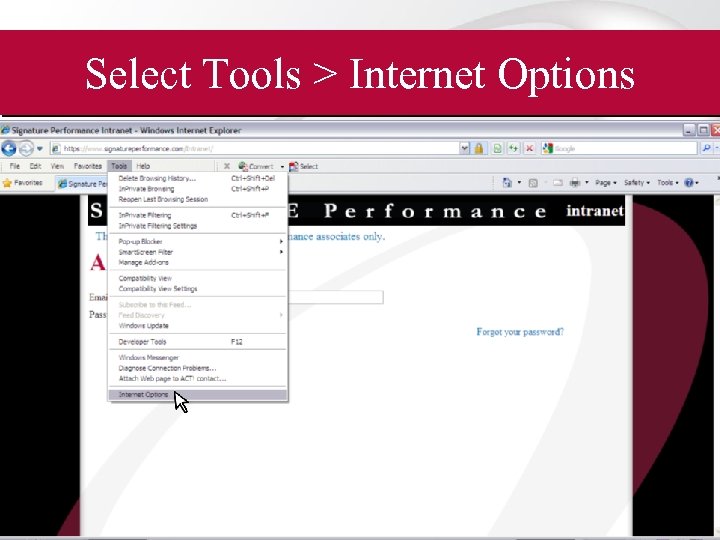
Select Tools > Internet Options
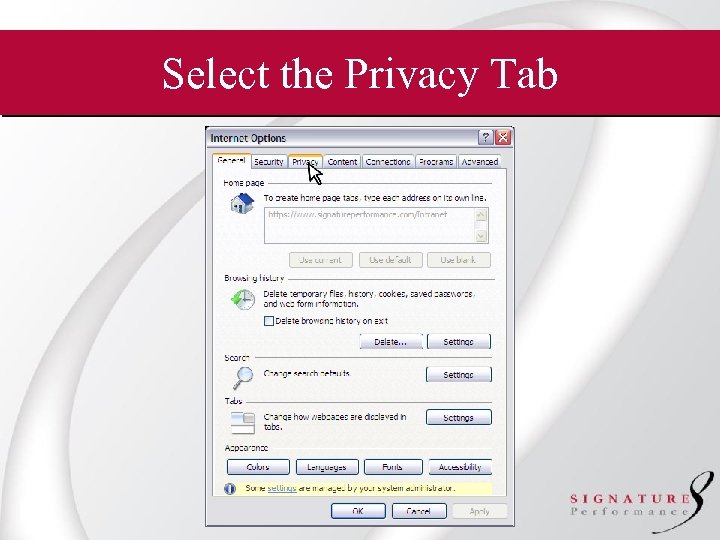
Select the Privacy Tab
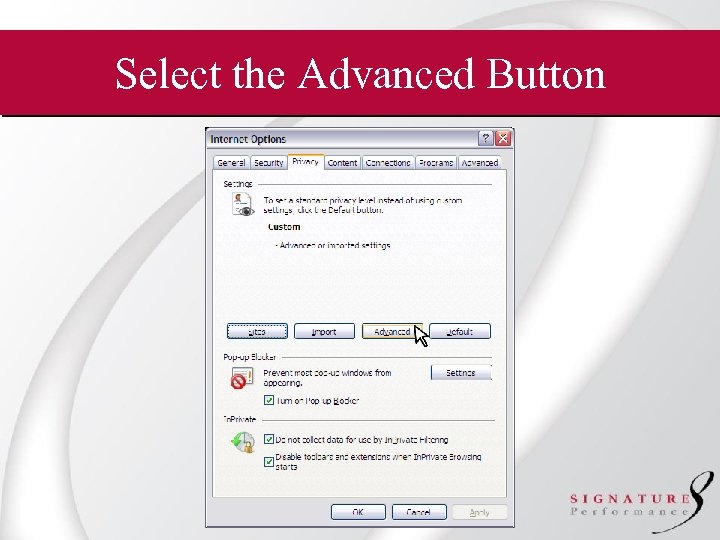
Select the Advanced Button
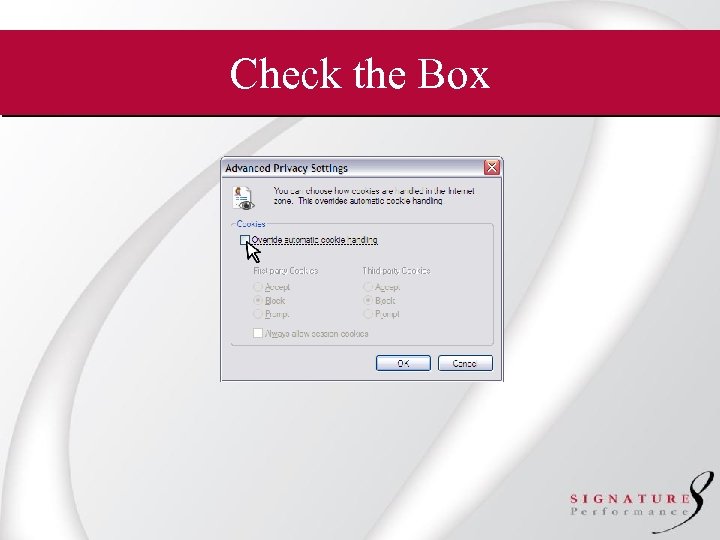
Check the Box
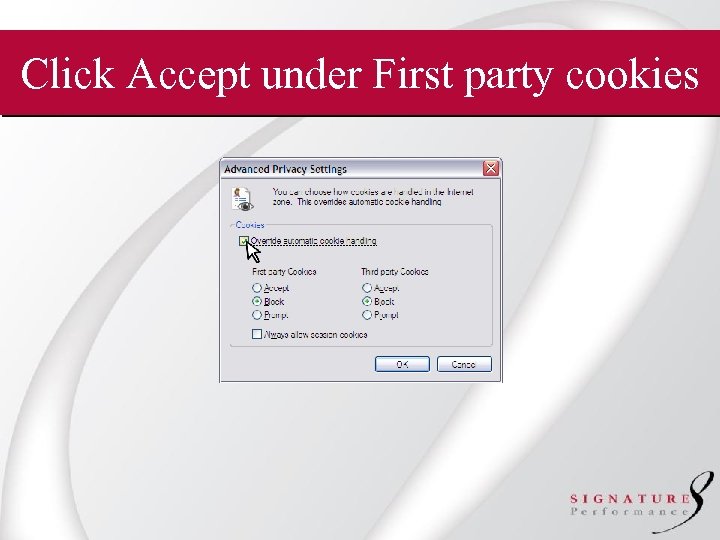
Click Accept under First party cookies
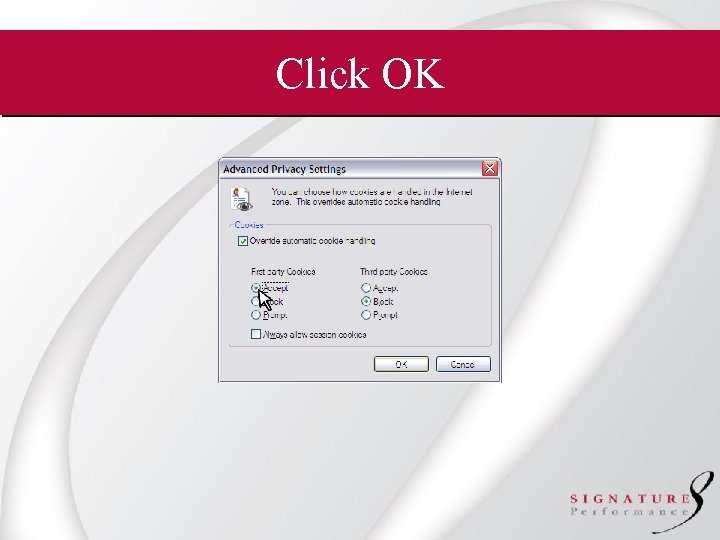
Click OK
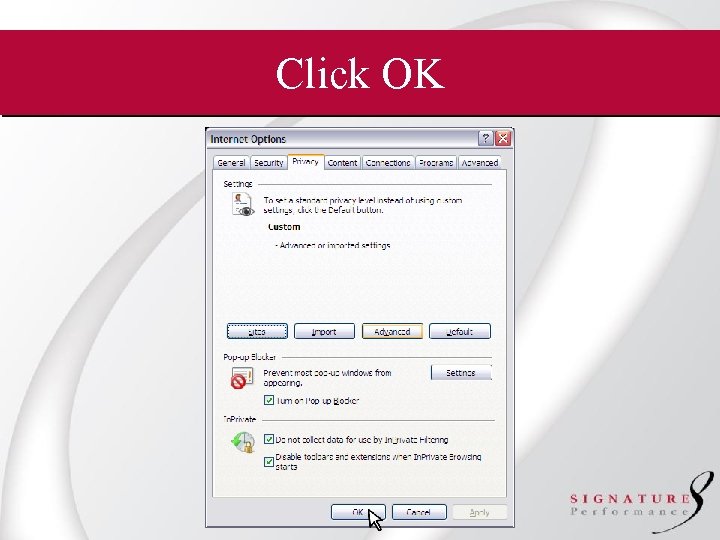
Click OK
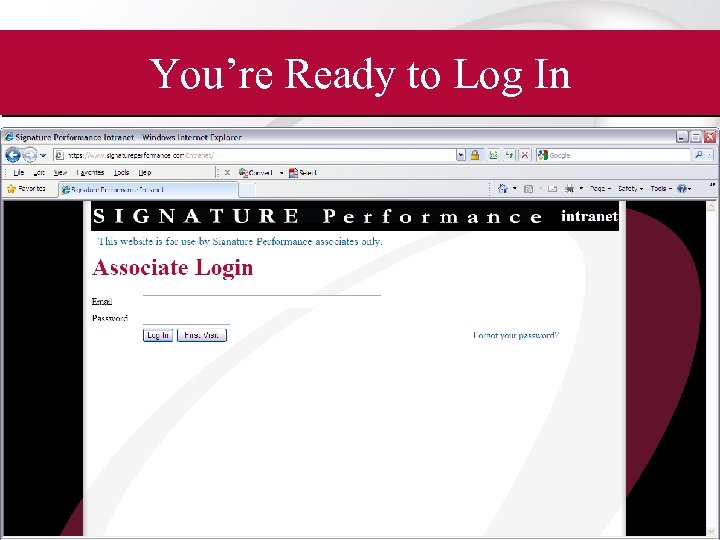
You’re Ready to Log In
Скачать презентацию Accessing the Intranet Troubleshooting Proprietary Information The information
118af4f9f42d2f9c7bb2f480803f9c5d.ppt