


 Скачать презентацию Accessing My PDC Henry County Schools Online Professional
45a18a798804cc9d4b61b3b14780338e.ppt
- Количество слайдов: 15
 Accessing My. PDC Henry County Schools Online Professional Learning Management System 1
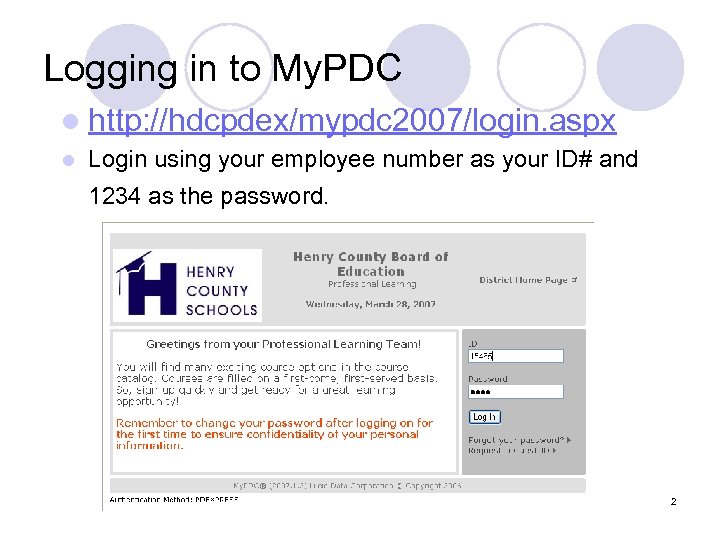 Logging in to My. PDC l http: //hdcpdex/mypdc 2007/login. aspx l Login using your employee number as your ID# and 1234 as the password. 2
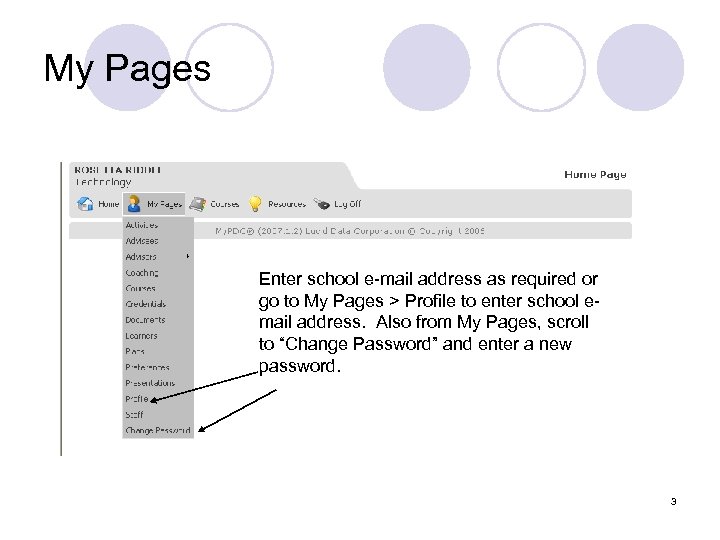 My Pages Enter school e-mail address as required or go to My Pages > Profile to enter school email address. Also from My Pages, scroll to “Change Password” and enter a new password. 3
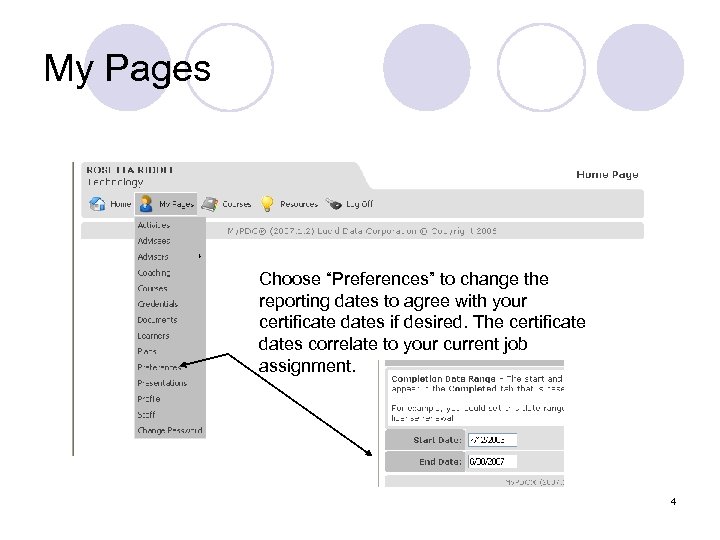 My Pages Choose “Preferences” to change the reporting dates to agree with your certificate dates if desired. The certificate dates correlate to your current job assignment. 4
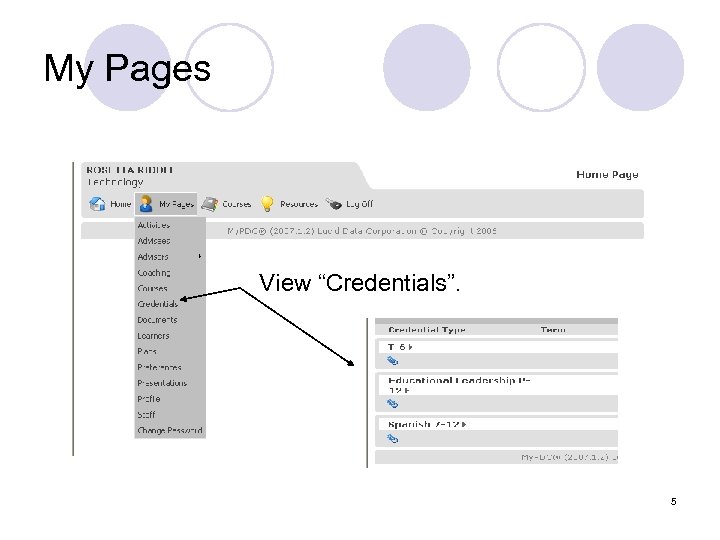 My Pages View “Credentials”. 5
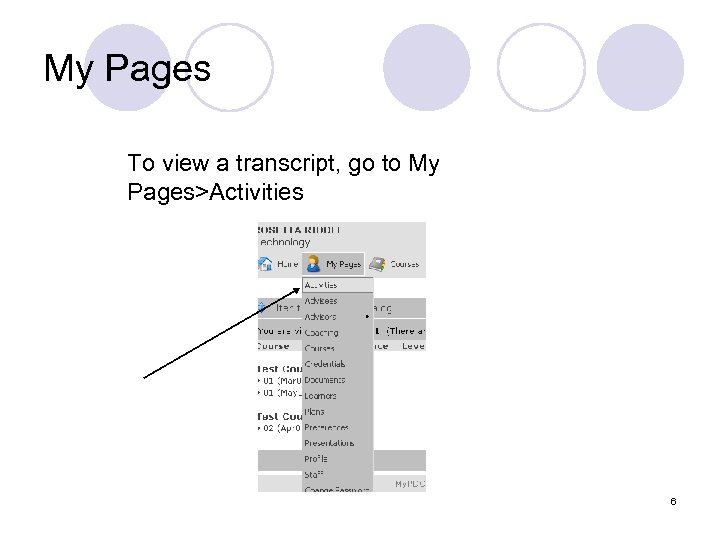 My Pages To view a transcript, go to My Pages>Activities 6
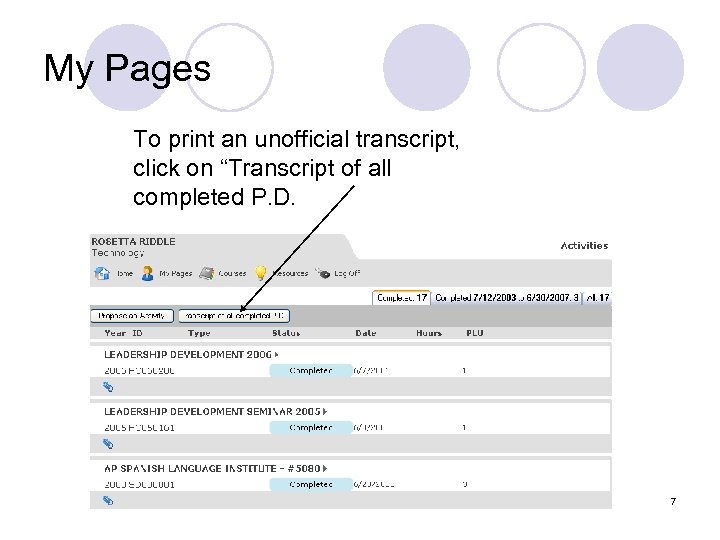 My Pages To print an unofficial transcript, click on “Transcript of all completed P. D. 7
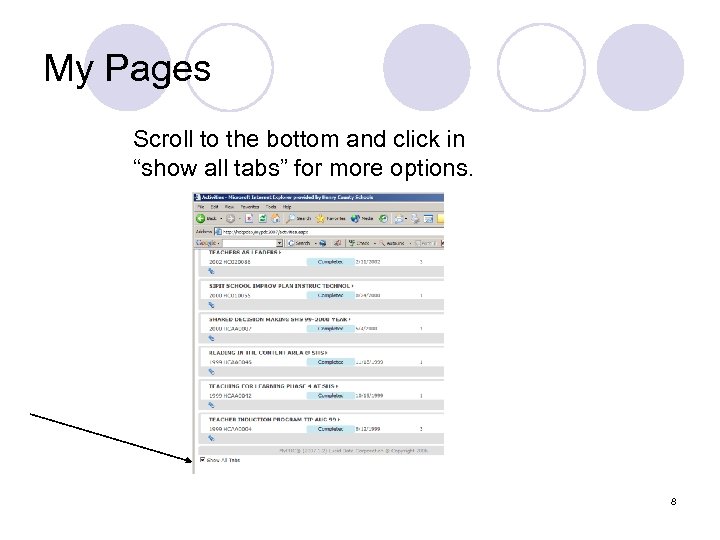 My Pages Scroll to the bottom and click in “show all tabs” for more options. 8
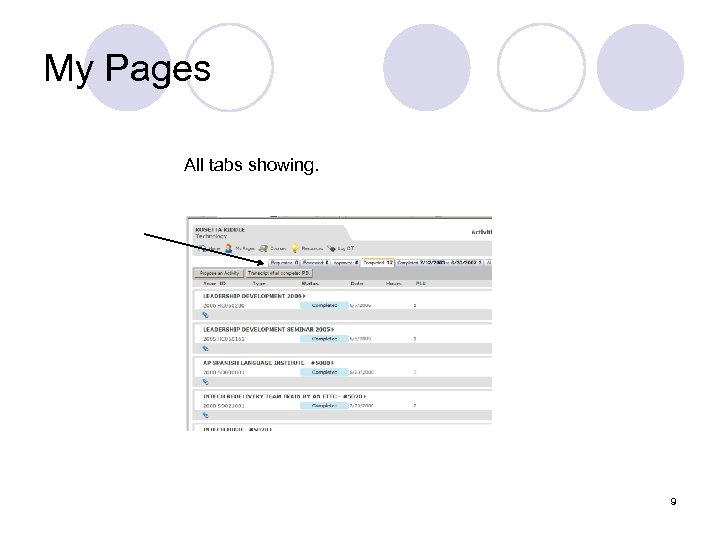 My Pages All tabs showing. 9
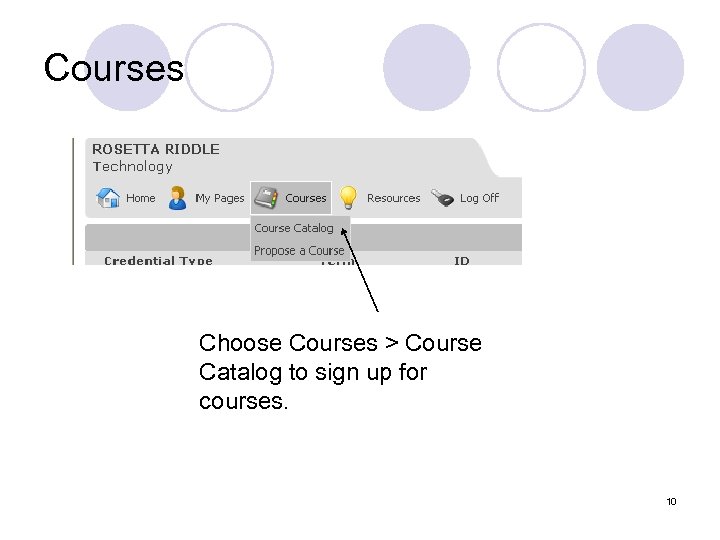 Courses Choose Courses > Course Catalog to sign up for courses. 10
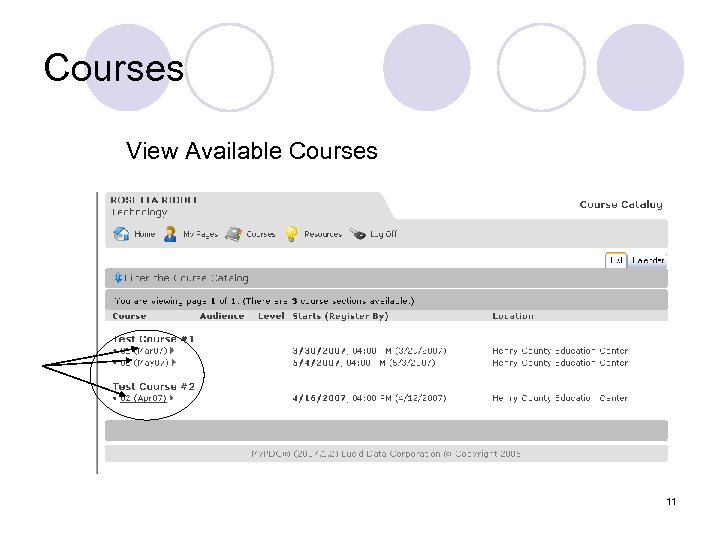 Courses View Available Courses To sign up for a course, select the course. 11
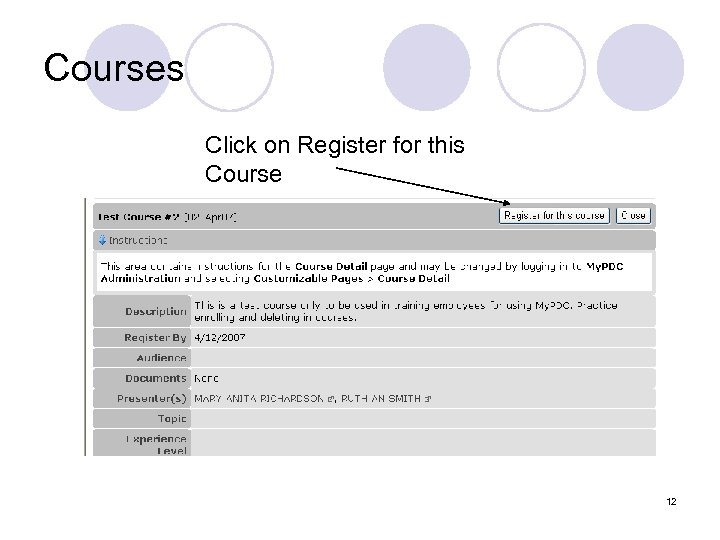 Courses Click on Register for this Course 12
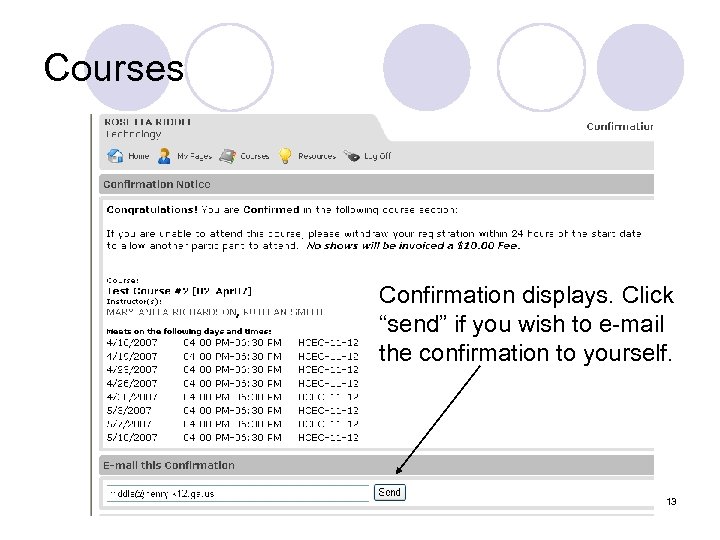 Courses Confirmation displays. Click “send” if you wish to e-mail the confirmation to yourself. 13
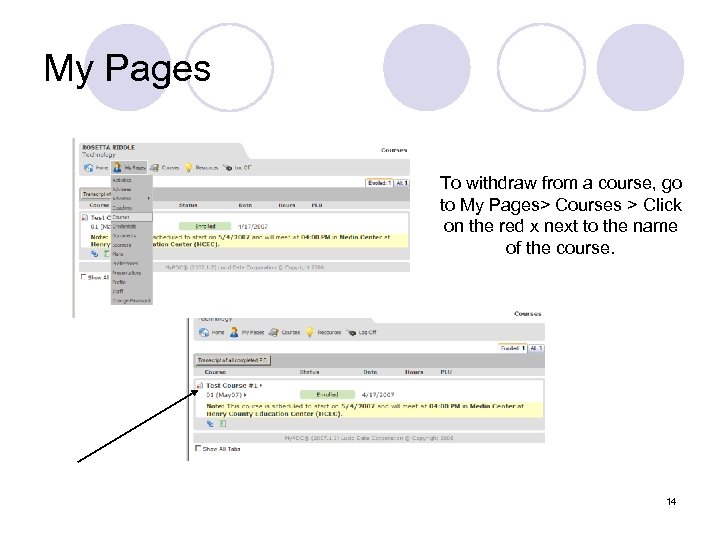 My Pages To withdraw from a course, go to My Pages> Courses > Click on the red x next to the name of the course. 14
 My. PDC Questions l For assistance navigating the My. PDC website, please contact your ITS, CPL or Professional Learning Council Representative. l For assistance regarding PLU credits, please contact Debbie White at debbie. white@henry. k 12. ga. us. 15