


 Скачать презентацию Access Innovations Presents Data Harmony version 3 8
cfe7a331e4cb40c7bded8a3131c1d08b.ppt
- Количество слайдов: 45
 Access Innovations Presents: Data Harmony version 3. 8 New Features
 DH Customer Support Team • Sales, Consulting, and Licensing – – – Marjorie Hlava Janice Mc. Intyre Bill Richardson Jay Ven Eman Leland Yates • Documentation – Jack Bruce • Blog – Melody Smith, – Barbara Gilles • Web team – Tim Soholt – Mary Garcia – Tom Peterson
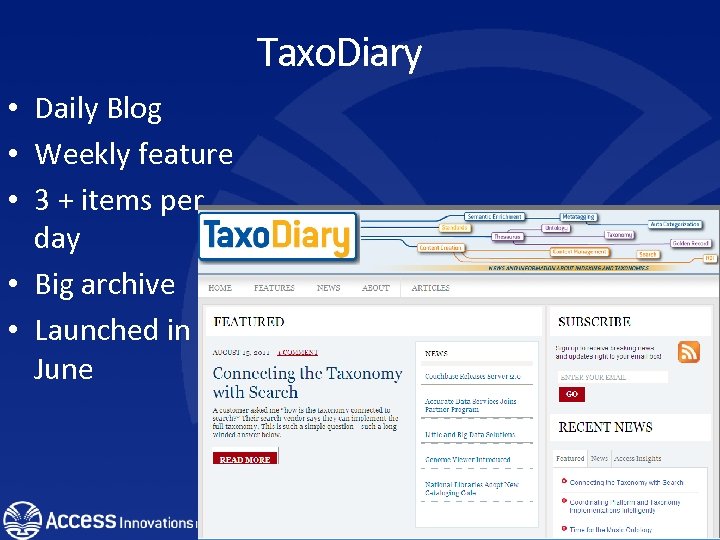 Taxo. Diary • Daily Blog • Weekly feature • 3 + items per day • Big archive • Launched in June
 Data Base Services • Database Design – Consulting – DTD / Metadata Schemas – Workflow Scheduling • Editorial Services – – Metadata Tagging - XML SGML Abstracting Indexing • As needed • Taxonomy Construction – Thesaurus – Vocabulary – Authority Files – pick lists – Rule Bases • Data Processing – Photo Composition / Format Conversion – Encoding / Keying – Database Support – Scanning / OCR – Applications development
 Data Harmony Basics • Machine Aided Indexing (M. A. I. ) – – – Semantic Syntactic, Morphological, etc. layer Rule Builder for users Concept Extractor for text Statistics for Machine Learning Use in automatic or assisted mode • Thesaurus Master – For Creating Taxonomies, Thesauri and Authority Files • MAIstro – Thesaurus Master and M. A. I. combined • X. I. S – XML Intranet System
 Other DH offerings • Search Harmony • Off the shelf Taxonomy • • • – Term Records – Browse-able list – Rule bases Recommender Metadata extractor Entity extractor Automatic Summarization Consulting – Information architecture – DTD and Schema creation
 Goals and Objectives for 3. 8 • Improve usability within the software’s user interface • Enable free communication within multiple taxonomy community groups • Enhance reporting features and metrics for taxonomy construction
 What’s New in 3. 8? • Reports Generation – New parameters for Update Report – Status Report • Dynamic View • Collaboration • Administrative Redesign
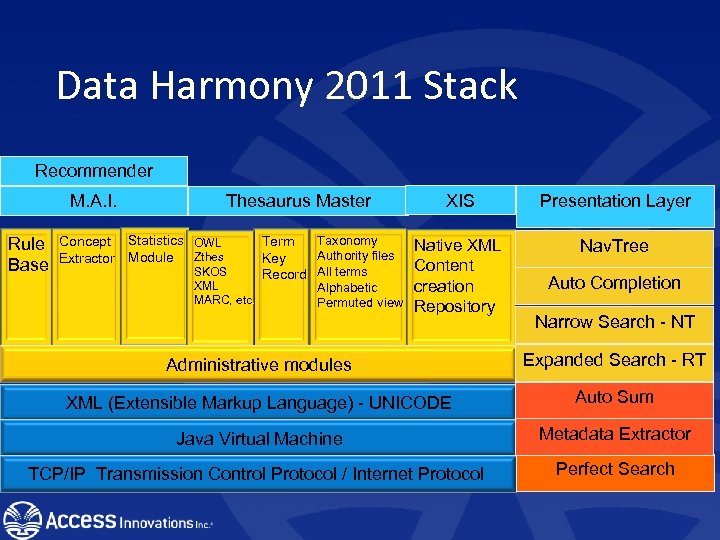 Data Harmony 2011 Stack Recommender Thesaurus Master M. A. I. Rule Base Concept Statistics OWL Extractor Module Zthes SKOS XML MARC, etc. Taxonomy Term Authority files Key Record All terms Alphabetic Permuted view XIS Presentation Layer Native XML Content creation Repository Nav. Tree Auto Completion Narrow Search - NT Administrative modules Expanded Search - RT XML (Extensible Markup Language) - UNICODE Auto Sum Java Virtual Machine Metadata Extractor TCP/IP Transmission Control Protocol / Internet Protocol Perfect Search
 New Documentation • Suite and Utilities Manuals • Three major sections – Developers' User Guide; – System Administrator (or Network Administrator) – User Guide (Project management, Taxonomist, Rule builder, and Admin module) • Cindi Harrison = author
 Unicode • • • All code solid and vetted Full multilingual display Accepts ASCII data Entification tables converted Drivers for display and print – For most languages
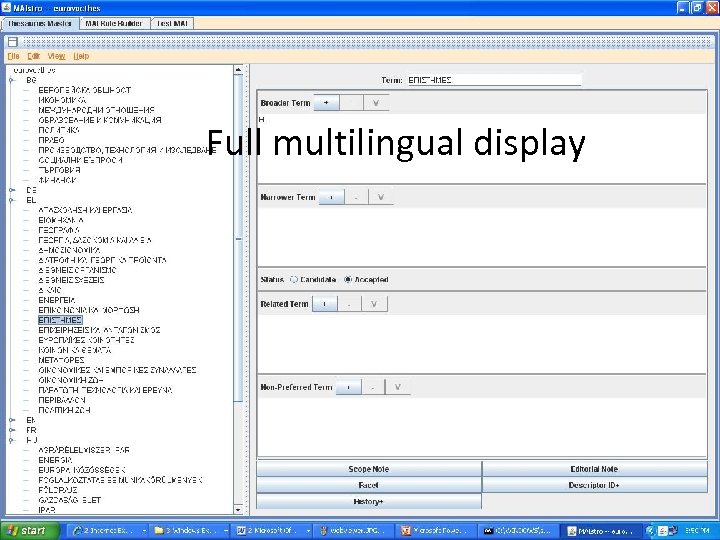 Full multilingual display
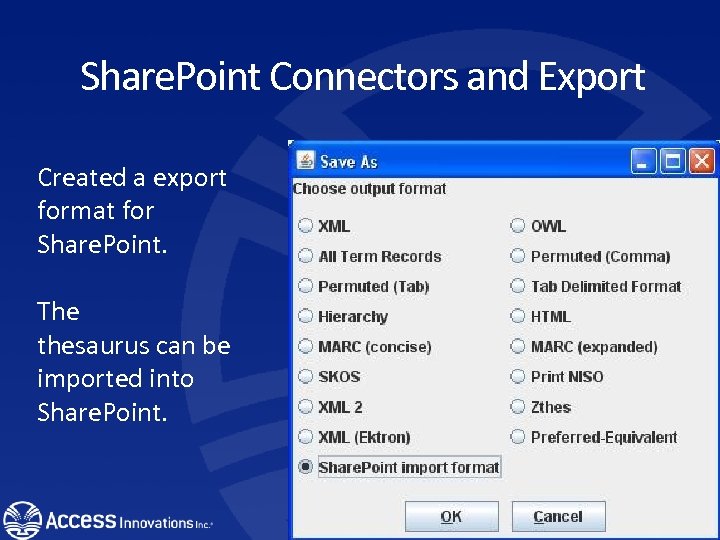 Share. Point Connectors and Export Created a export format for Share. Point. The thesaurus can be imported into Share. Point.
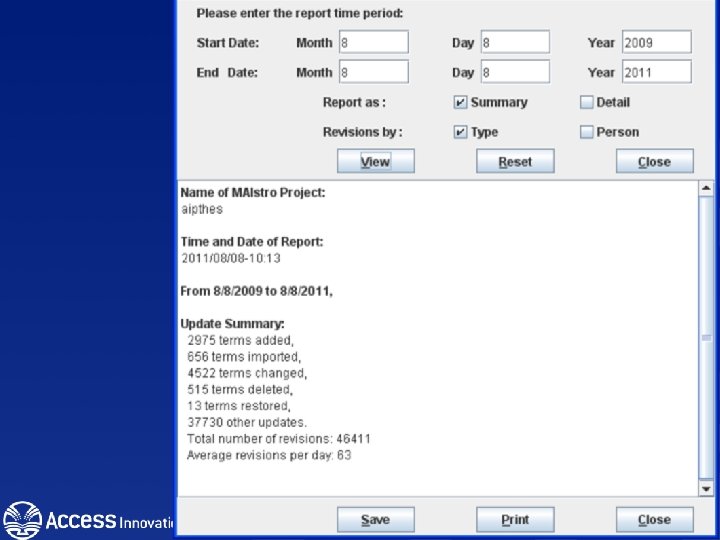
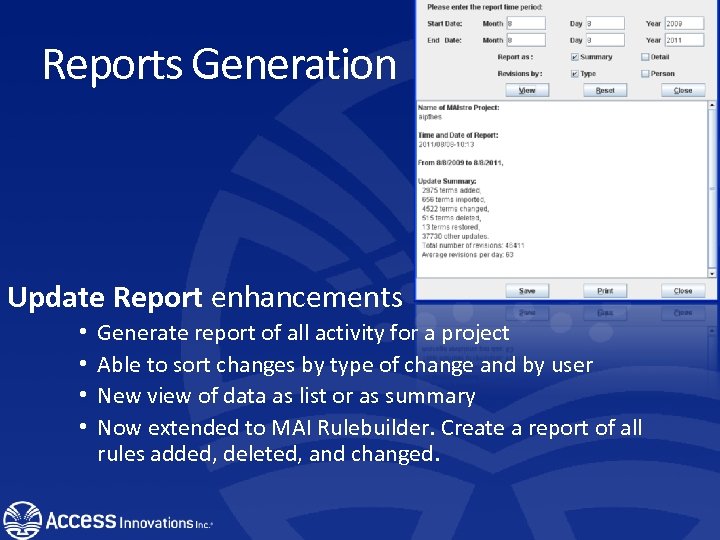 Reports Generation Update Report enhancements • • Generate report of all activity for a project Able to sort changes by type of change and by user New view of data as list or as summary Now extended to MAI Rulebuilder. Create a report of all rules added, deleted, and changed.
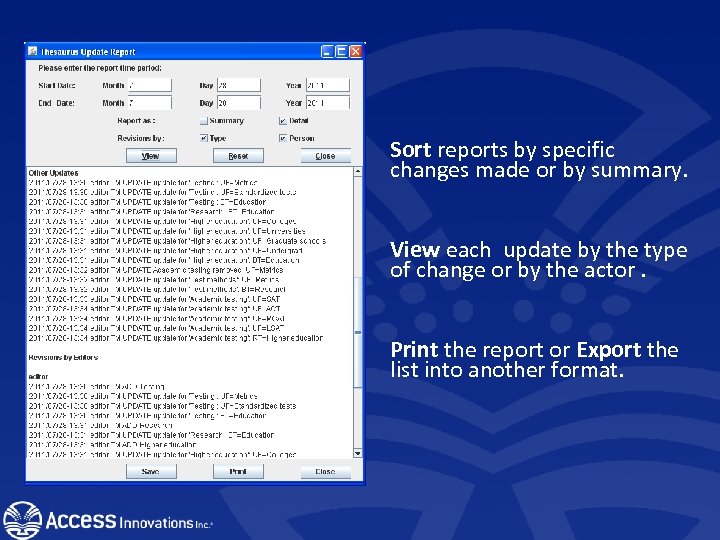 Sort reports by specific changes made or by summary. View each update by the type of change or by the actor. Print the report or Export the list into another format.
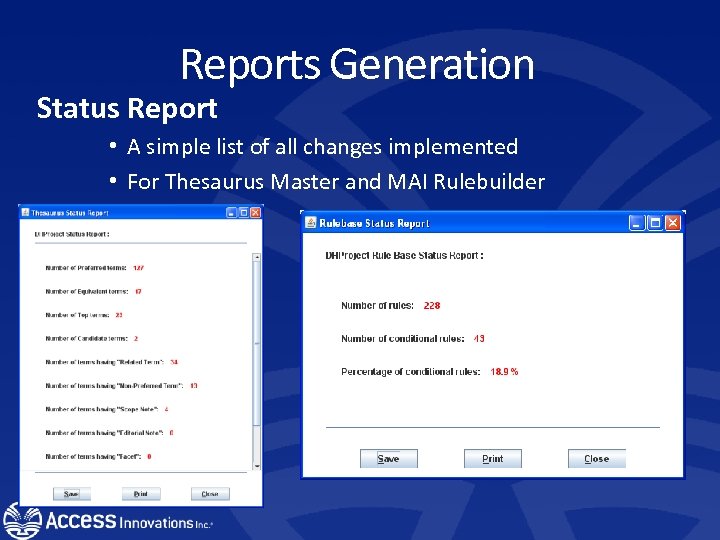 Reports Generation Status Report • A simple list of all changes implemented • For Thesaurus Master and MAI Rulebuilder
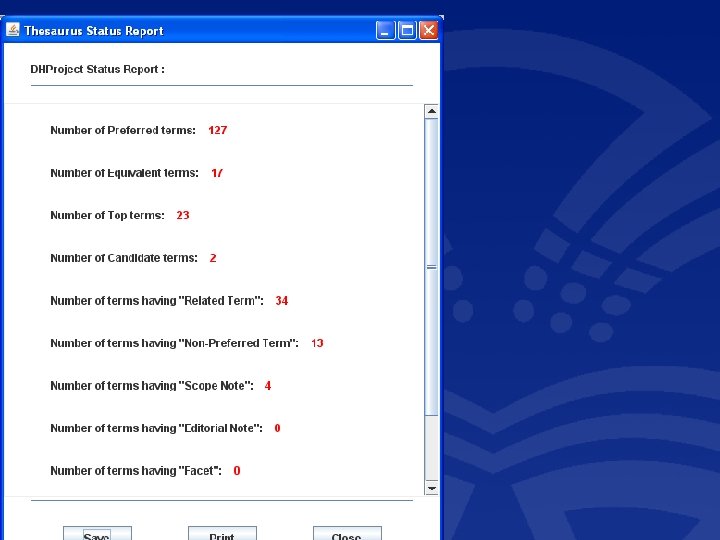
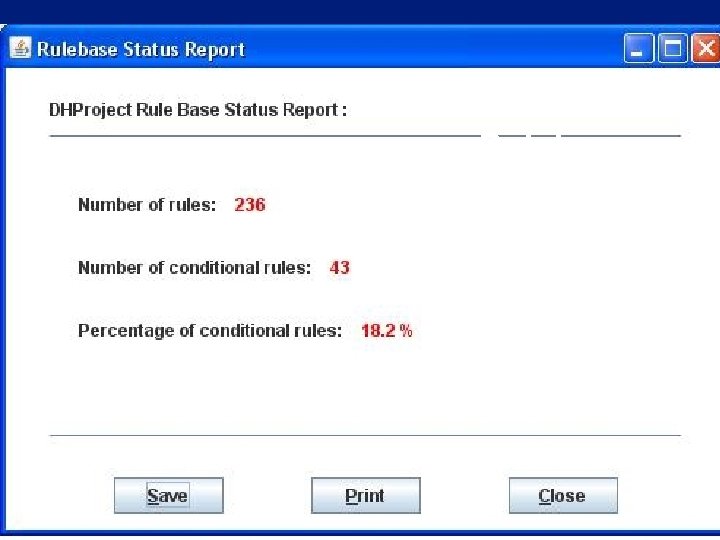 Rulebase report #1 status report
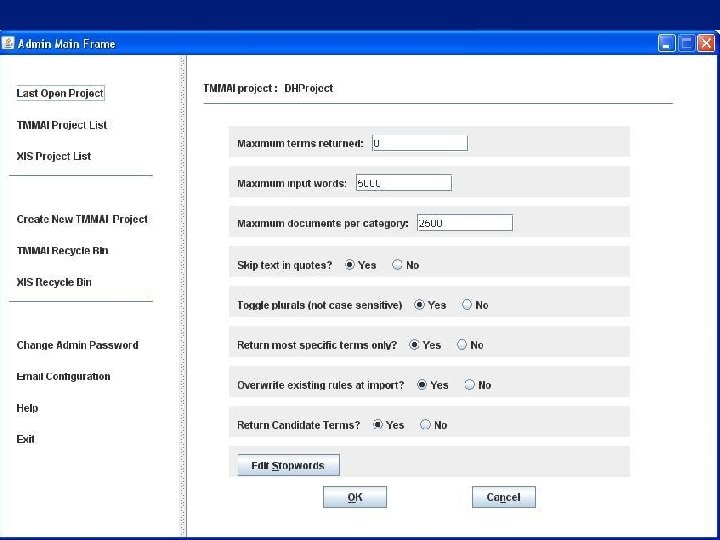
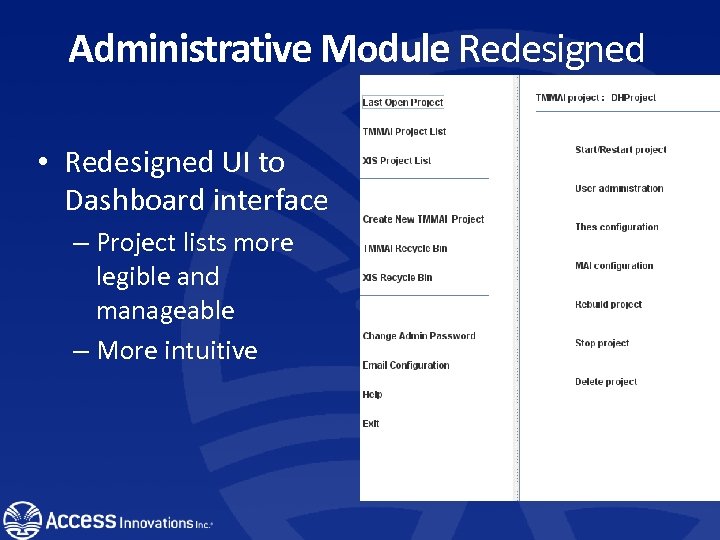 Administrative Module Redesigned • Redesigned UI to Dashboard interface – Project lists more legible and manageable – More intuitive
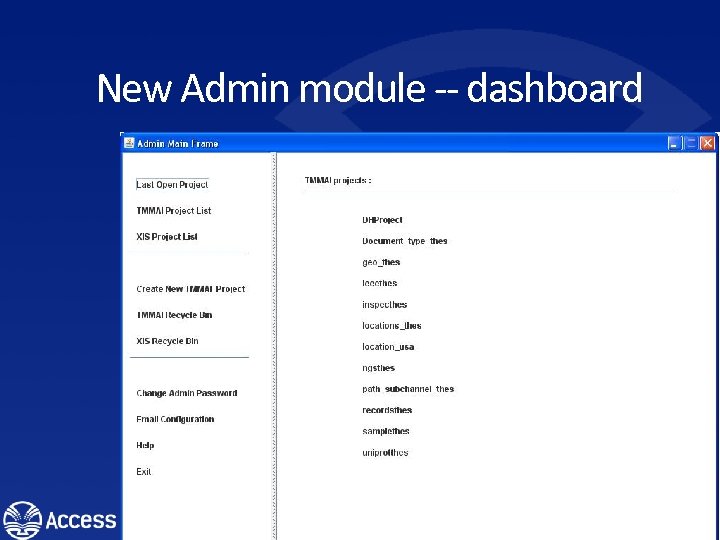 New Admin module -- dashboard
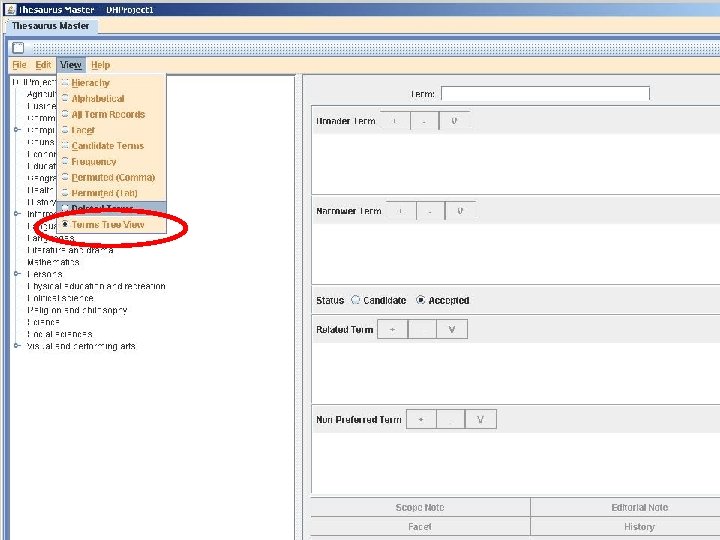
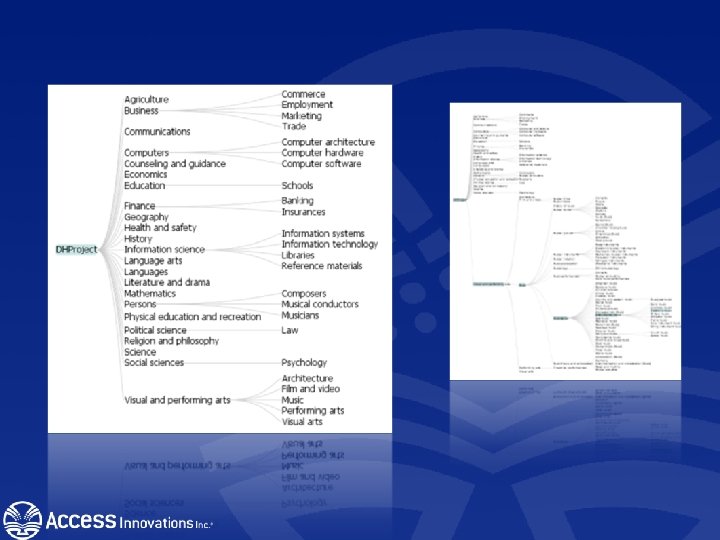
 Dynamic Thesaurus View Dynamic View - an expandable and collapsible display format for evaluating your controlled vocabulary. – Click on various to see their place in the hierarchy. See their broader and narrower relationships – Highlight terms containing similar text strings
 Data Harmony Collaboration • Used to coordinate internal and external communication • Easily give input on questionable terminology • Enhanced use of Subject Matter Expert (SME) feedback. • Speed up feedback • Greater level of comfort between taxonomy and SME teams
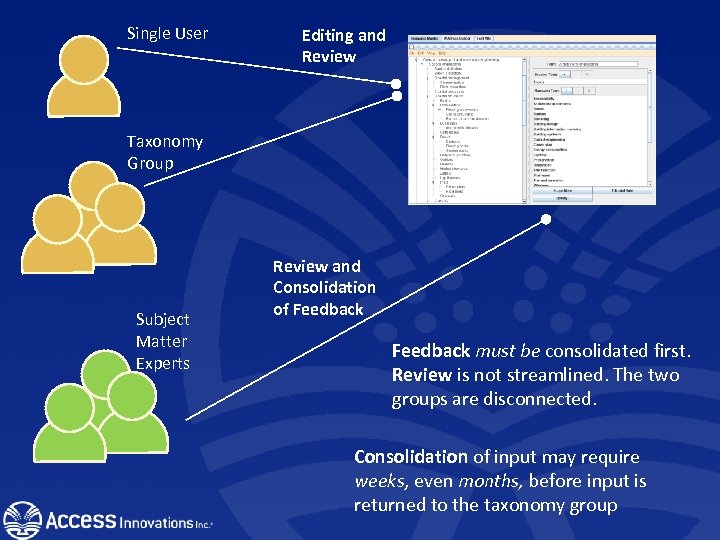 Single User Editing and Review Taxonomy Group Subject Matter Experts Review and Consolidation of Feedback must be consolidated first. Review is not streamlined. The two groups are disconnected. Consolidation of input may require weeks, even months, before input is returned to the taxonomy group
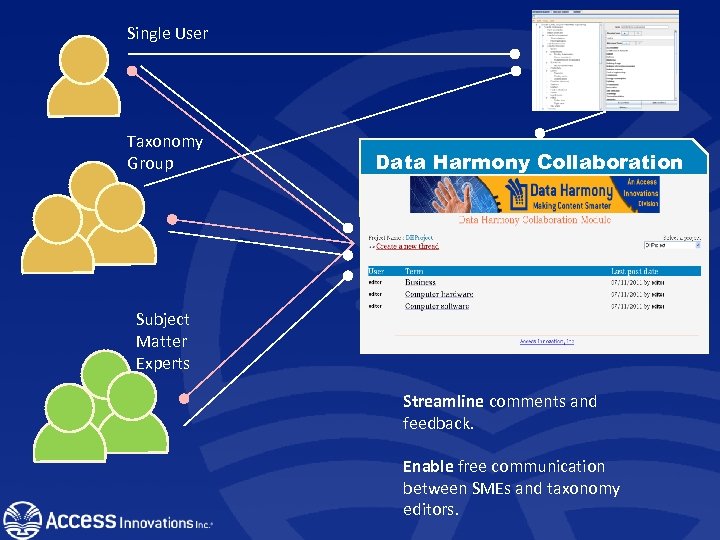 Single User Taxonomy Group Data Harmony Collaboration Subject Matter Experts Streamline comments and feedback. Enable free communication between SMEs and taxonomy editors.
 Share. Point Taxonomy Management • Export an existing taxonomy from Data Harmony into a CSV • Import new taxonomy as a Term set into Share. Point Term store management • Use the taxonomy for assisted searches and indexing 29
 Automated Indexing for Share. Point • User adds a document to the Share. Point space and M. A. I. attaches indexing terms to the document. • A new version is saved on the Share. Point 2010 server with edited properties • Batch upload documentation to Share. Point 30
 Share. Point and Data Harmony • Share. Point 2010 – Features and new additions • Integration with automated indexing (M. A. I. ) • Search Implementation – (FAST Lucene or Perfect Search) • Site management with assistance from Thesaurus Master / MAIstro. 31
 Data Harmony Machine-Aided Indexing (M. A. I. ) • Automatically parses a document for taxonomy terms based on a set of usercreated rules. – Is able to batch process an entire corpus of documents • Suggests a list of terms based on the frequency of rules generated. • Attaches suggested terms as subject metadata (indexing terms). 32
 Incorporating Data Harmony into Share. Point • Add an Event. Handler to Document Library • After a user uploads a file, Event. Handler will send the file content to the Data Harmony server • Data Harmony server creates metadata by adding suggested terms from M. A. I. • Share. Point updates metadata fields 33
 Automated Indexing for Share. Point • User adds a document to the Share. Point space and M. A. I. attaches indexing terms to the document. • A new version is saved on the Share. Point 2010 server with edited properties • Batch upload documentation to Share. Point 34
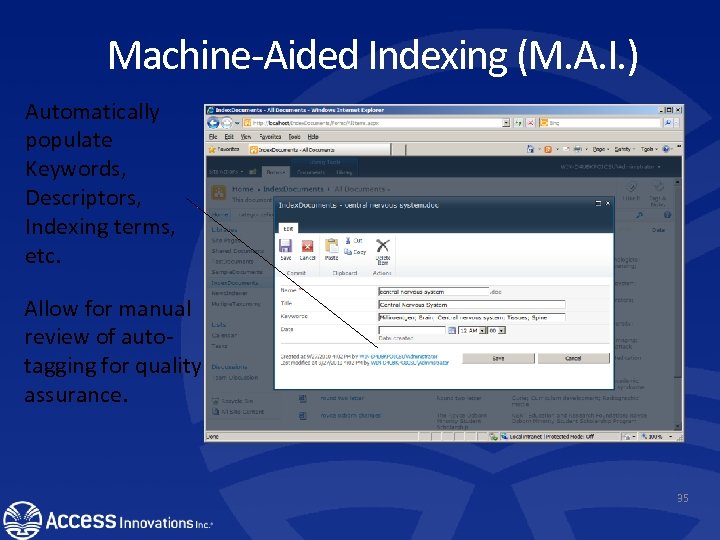 Machine-Aided Indexing (M. A. I. ) Automatically populate Keywords, Descriptors, Indexing terms, etc. Allow for manual review of autotagging for quality assurance. 35
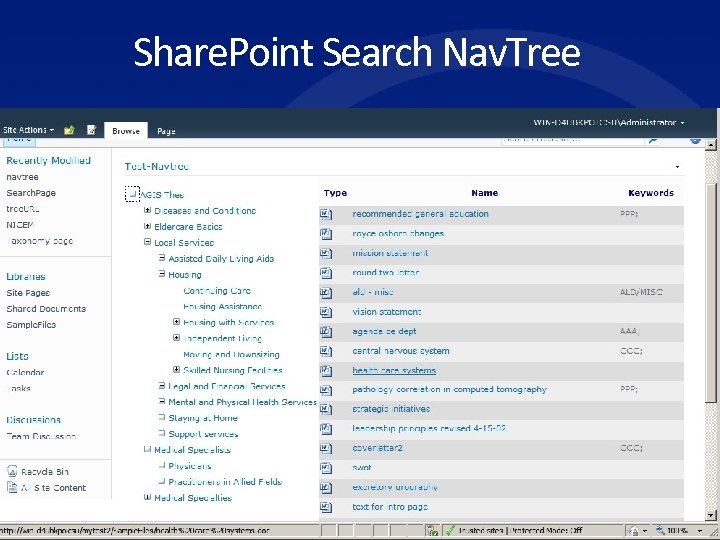 Share. Point Search Nav. Tree 36
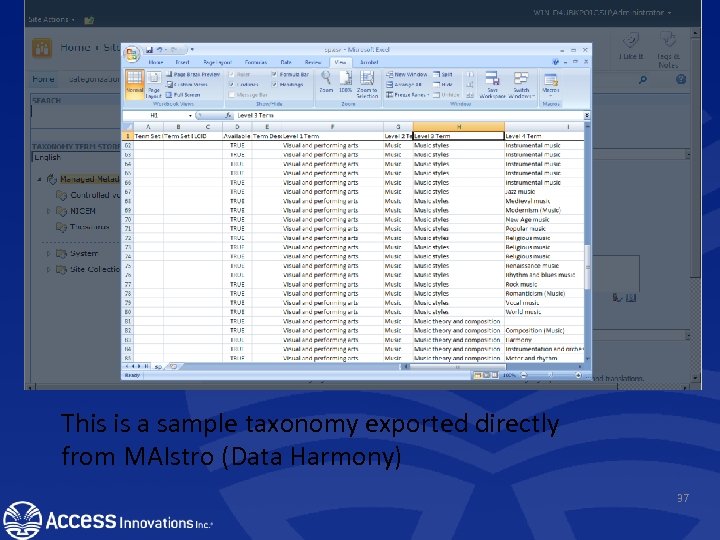 This is a sample taxonomy exported directly from MAIstro (Data Harmony) 37
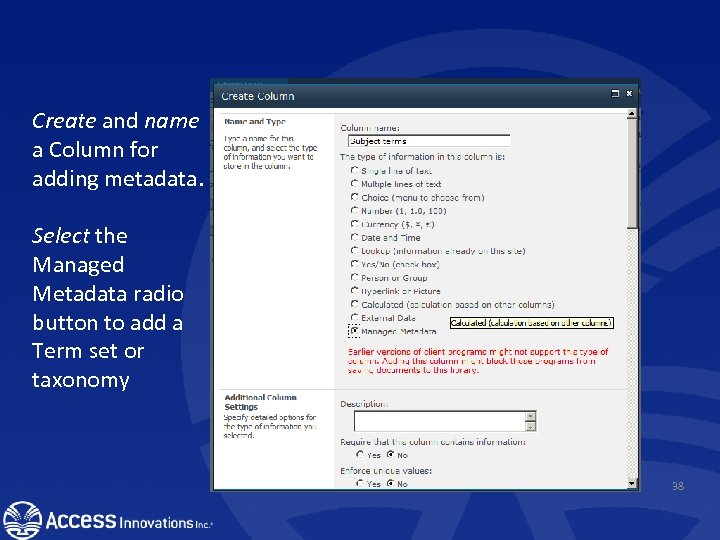 Create and name a Column for adding metadata. Select the Managed Metadata radio button to add a Term set or taxonomy 38
 Managed Metadata Importing a taxonomy enhances the way users can manually add indexing terms – Inclusion of synonyms – Type-ahead for searching and adding metadata – Browsing the hierarchy for indexing terms 39
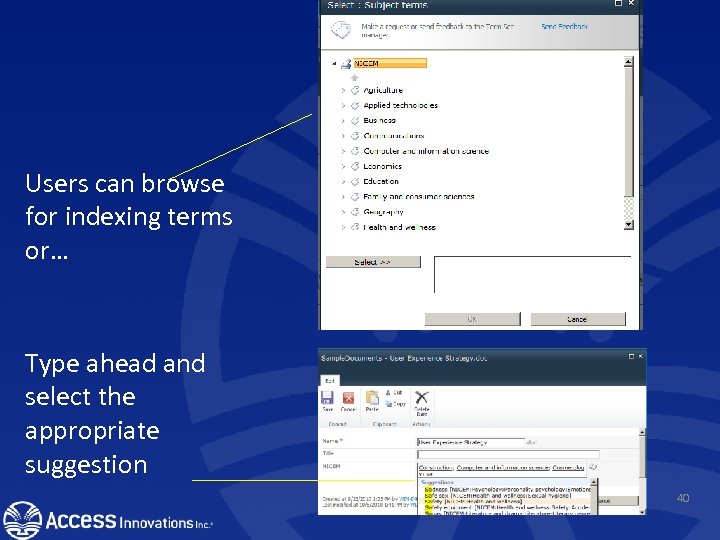 Users can browse for indexing terms or… Type ahead and select the appropriate suggestion 40
 Summary Data Harmony and MOSS • • Manage the taxonomy Add synonyms and MBT Add and maintain relationships Reuse and download your taxonomy Implement it on the search side Provide auto-indexing Suggest terms to the document submitter 41
 DH Recommender • “More Like these” • Built on – taxonomy terms – applied to the individual documents. • • Uses a repository Is search software agnostic. Less system intensive More precise way to produce relevant results to the searcher.
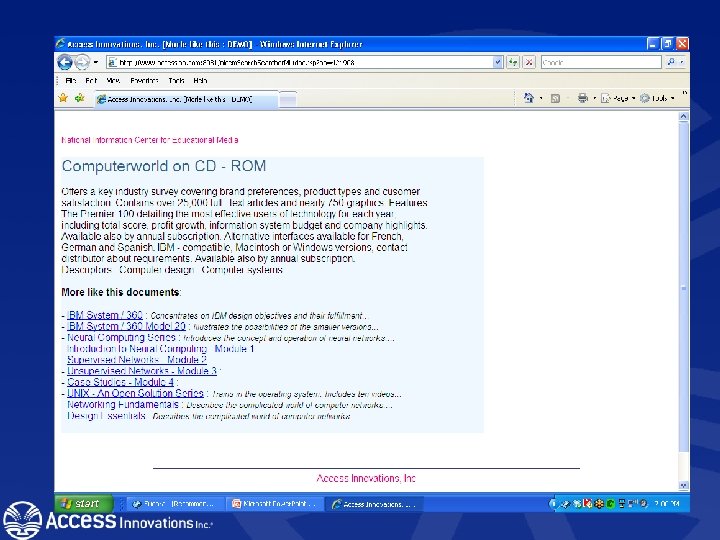
 Additional features and tools • Selecting Descriptors from test. MAI will copy the terms to the clipboard.
 Live demos • Marjorie M. K. Hlava • Mhlava@accessinn. com • +1 -505 -998 -0800 Thank You