


 Скачать презентацию Access Control Keamanan Komputer Puji Hartono 2010
f70b06f4b7dbee521be91d47ba405b2f.ppt
- Количество слайдов: 40
 “Access Control” Keamanan Komputer Puji Hartono 2010
 Pembahasan • Pengertian access control • Model Access Control – DAC – Role based – Mandatory • Metode Access Control – Terpusat – Terdistribusi • Identifikasi dan Autentifikasi – You know … – You have … – You are …
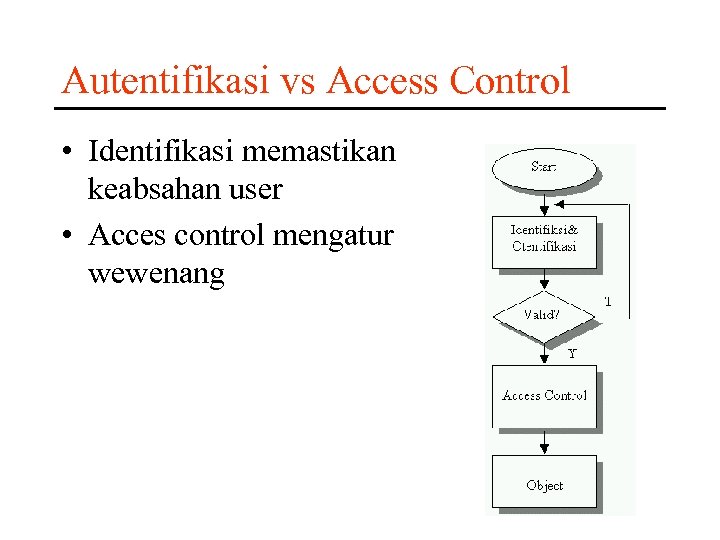 Autentifikasi vs Access Control • Identifikasi memastikan keabsahan user • Acces control mengatur wewenang
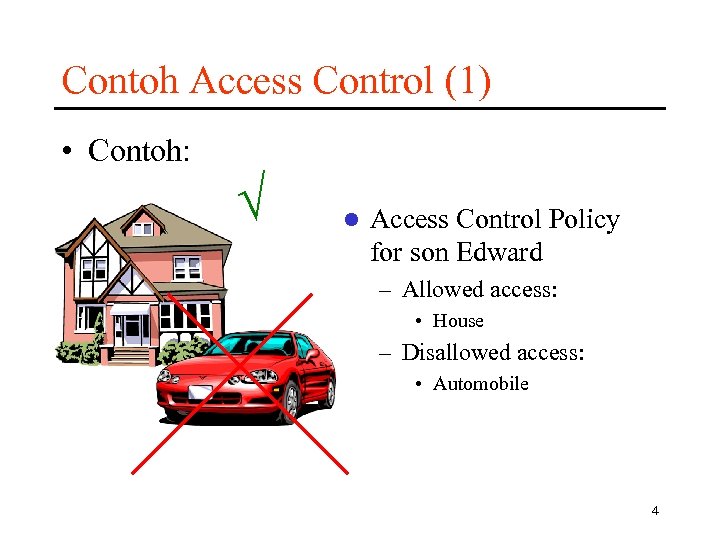 Contoh Access Control (1) • Contoh: l Access Control Policy for son Edward – Allowed access: • House – Disallowed access: • Automobile 4
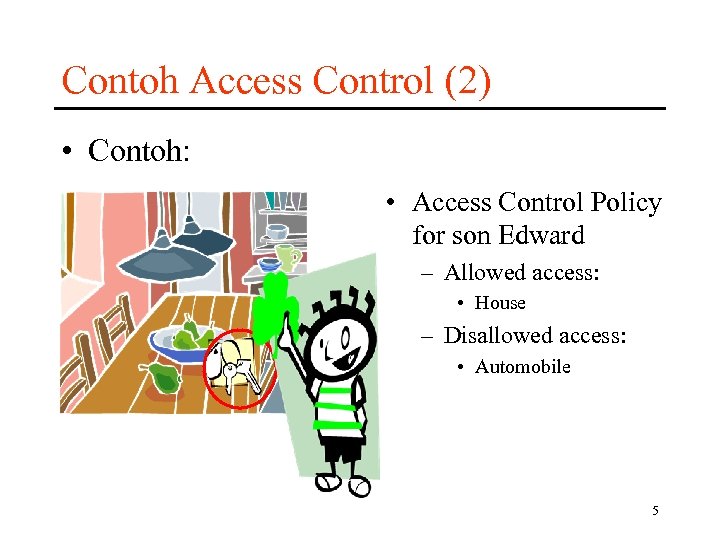 Contoh Access Control (2) • Contoh: • Access Control Policy for son Edward – Allowed access: • House – Disallowed access: • Automobile 5
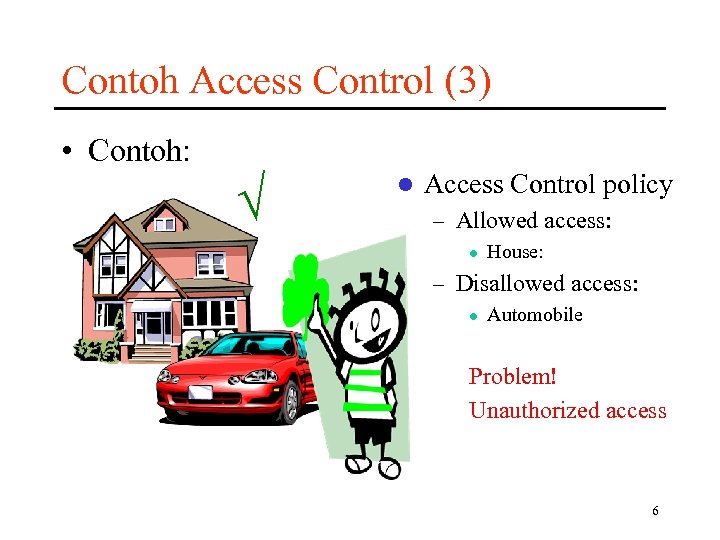 Contoh Access Control (3) • Contoh: l Access Control policy – Allowed access: l House: – Disallowed access: l Automobile Problem! Unauthorized access 6
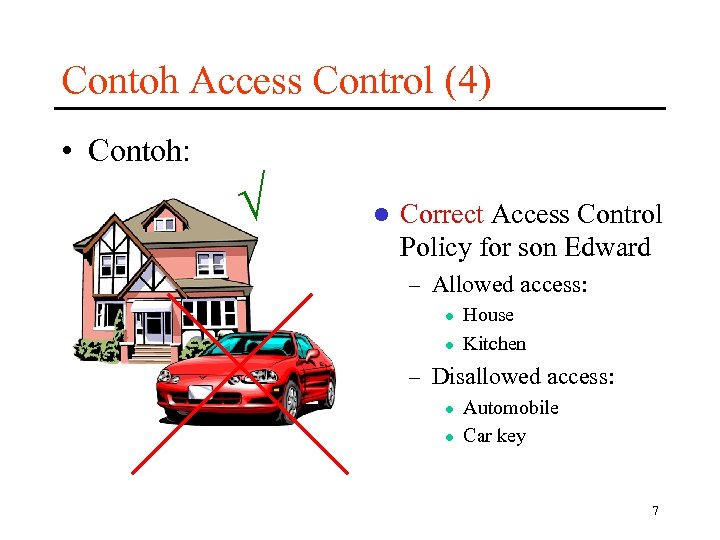 Contoh Access Control (4) • Contoh: l Correct Access Control Policy for son Edward – Allowed access: l l House Kitchen – Disallowed access: l l Automobile Car key 7
 Access Control (1) • “Close your front door before remove backdoor” • Access control: menjamin bahwa seluruh akses ke objek hanya bisa dilakukan oleh yang berhak • Melindungi terhadap insiden dan ancaman berbahaya pada data dan program dengan menerapkan aturan baca-tulis-eksekusi • Untuk itu dibutuhkan: – Identidikasi dan autentifikasi yang benar – Hak akses terjaga dari perubahan 8
 Access Control (2) • Access Control requirement – Cannot be bypassed – Enforce least-privilege and need-to-know restrictions – Enforce organizational policy 9
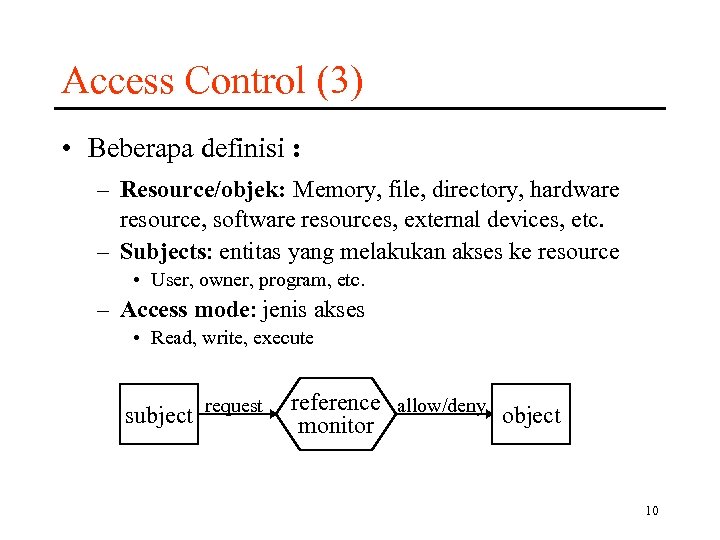 Access Control (3) • Beberapa definisi : – Resource/objek: Memory, file, directory, hardware resource, software resources, external devices, etc. – Subjects: entitas yang melakukan akses ke resource • User, owner, program, etc. – Access mode: jenis akses • Read, write, execute subject request reference allow/deny object monitor 10
 Access Control (4) • Access control components: – Access control policy: specifies the authorized accesses of a system – Access control mechanism: implements and enforces the policy • Separation of components allows to: – Define access requirements independently from implementation – Compare different policies – Implement mechanisms that can enforce a wide range of policies 11
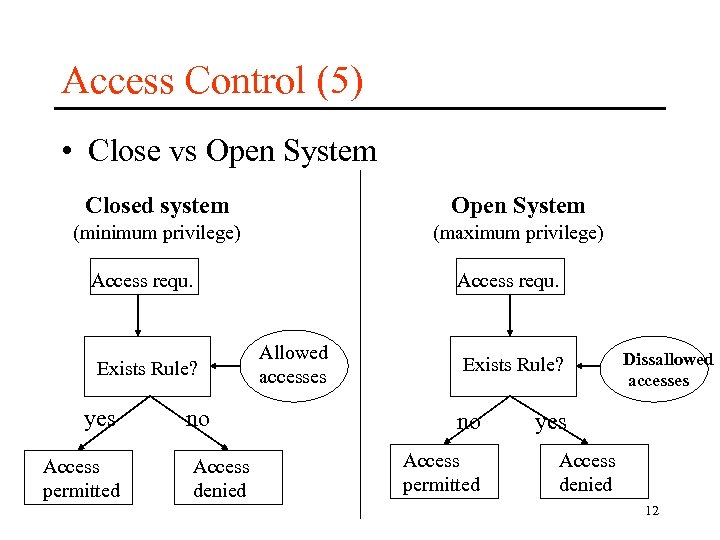 Access Control (5) • Close vs Open System Closed system Open System (minimum privilege) (maximum privilege) Access requ. Exists Rule? yes Access permitted no Access denied Access requ. Allowed accesses Exists Rule? no Access permitted Dissallowed accesses yes Access denied 12
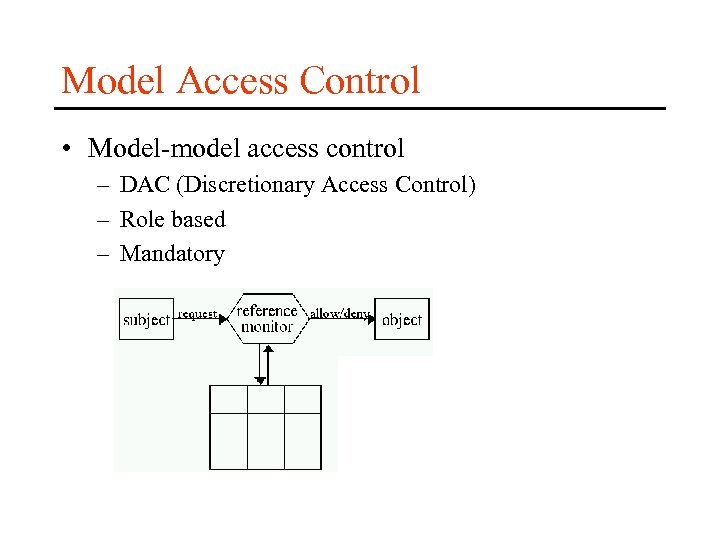 Model Access Control • Model-model access control – DAC (Discretionary Access Control) – Role based – Mandatory
 Discretionary Access Control (1) • Access control berdasarkan – Identitas user – Rule access control • Sistem administrasi yang umum: berdasarkan kepemilikan – Users can protect what they own – Owner dapat memberikan hak akses objek miliknya kepada subjek lain – Owner dapat mendefinisikan hak akses yang diberikan kepada subjek lain
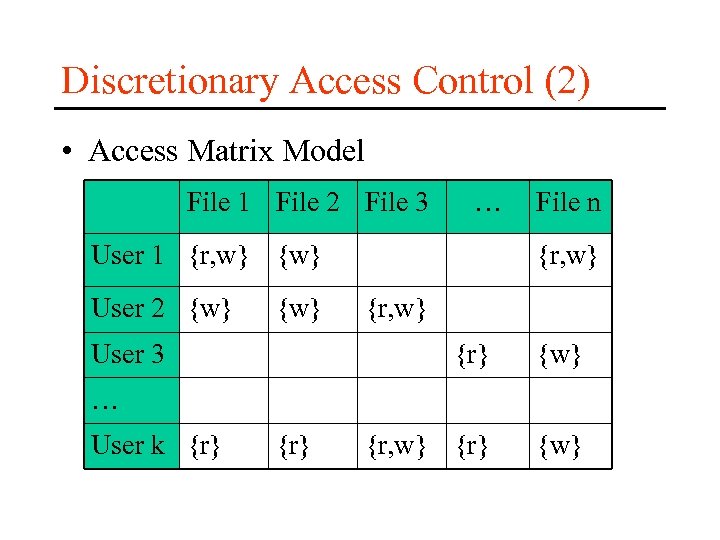 Discretionary Access Control (2) • Access Matrix Model File 1 File 2 File 3 … User 1 {r, w} {w} User 2 {w} User 3 File n {r, w} {r} {w} … User k {r}
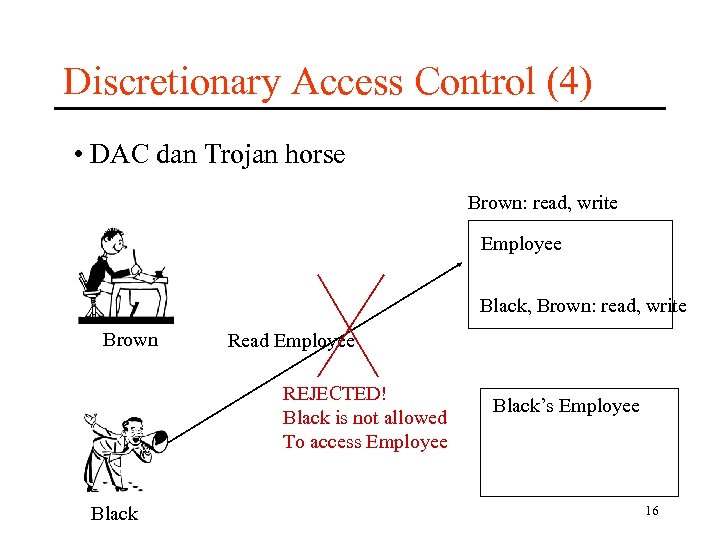 Discretionary Access Control (4) • DAC dan Trojan horse Brown: read, write Employee Black, Brown: read, write Brown Read Employee REJECTED! Black is not allowed To access Employee Black’s Employee 16
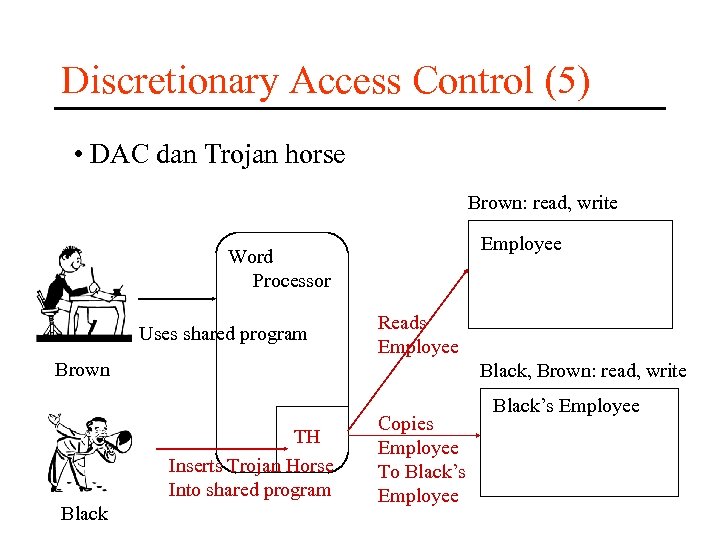 Discretionary Access Control (5) • DAC dan Trojan horse Brown: read, write Employee Word Processor Uses shared program Reads Employee Brown Black, Brown: read, write TH Inserts Trojan Horse Into shared program Black Copies Employee To Black’s Employee
 Discretionary Access Control (6) • Kelebihan dan kekurangan – Kelebihan • Intuitif • Mudah diimplementasika – Kekurangan • Inherent vulnerability (contoh: trojan horse) • Perlunya pemeliharaan ACL/Capability lists • Perlunya pemeliharaan grant/revoke
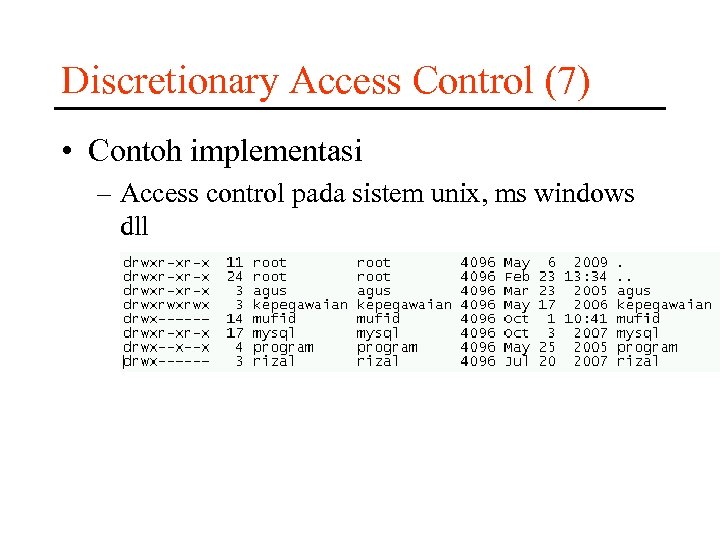 Discretionary Access Control (7) • Contoh implementasi – Access control pada sistem unix, ms windows dll
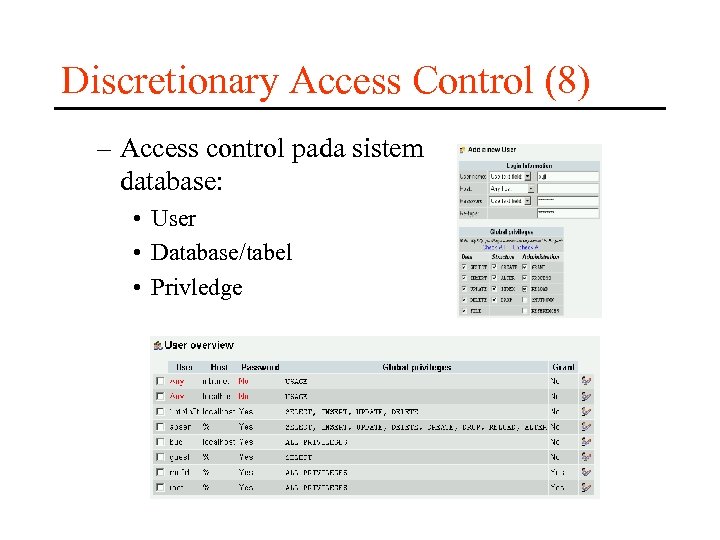 Discretionary Access Control (8) – Access control pada sistem database: • User • Database/tabel • Privledge
 Non-DAC (1) • Disebut juga role based • Motivasi – Multi-user systems – Multi-application systems – Permissions are associated with roles – Role-permission assignments are persistent v. s. user-permission assignments – Intuitive: competency, authority and responsibility
 Non-DAC (2) – Express organizational policies • Separation of duties • Delegation of authority – Flexible: easy to modify to meet new security requirements – Supports • Least-privilege Separation of duties Data abstraction
 Non-DAC (3) • Roles – User group: collection of user with possibly different permissions – Role: mediator between collection of users and collection of permissions – RBAC independent from DAC and MAC (they may coexist) – RBAC is policy neutral: configuration of RBAC determines the policy to be enforced
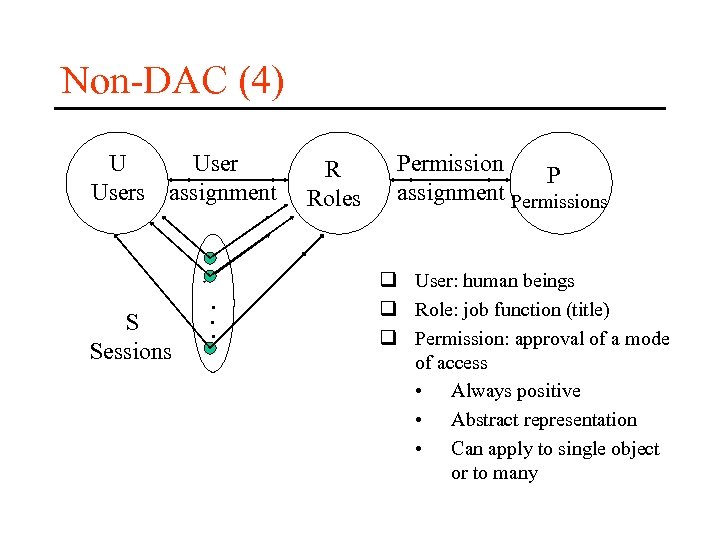 Non-DAC (4) U Users assignment S Sessions . . . R Roles Permission P assignment Permissions q User: human beings q Role: job function (title) q Permission: approval of a mode of access • Always positive • Abstract representation • Can apply to single object or to many
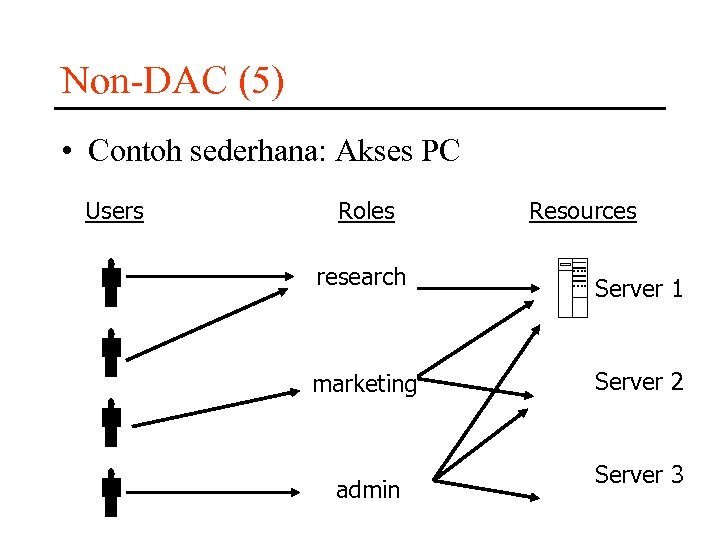 Non-DAC (5) • Contoh sederhana: Akses PC Users Roles Resources research Server 1 marketing Server 2 admin Server 3
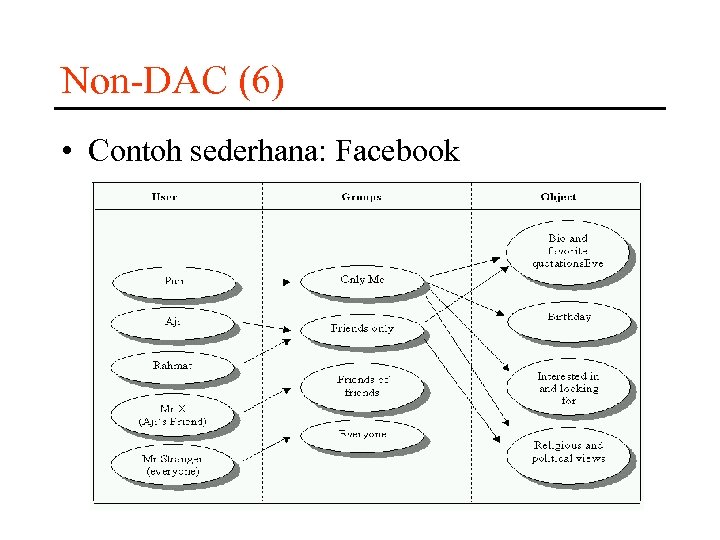 Non-DAC (6) • Contoh sederhana: Facebook
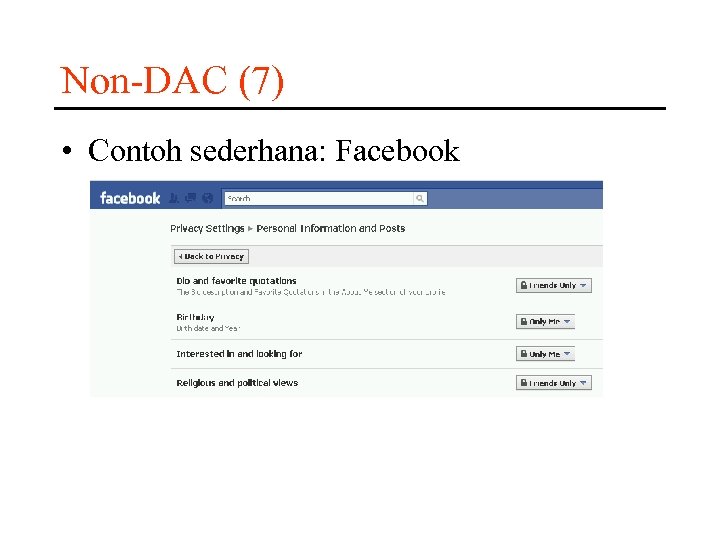 Non-DAC (7) • Contoh sederhana: Facebook
 Mandatory AC (1) • Sistem memutuskan bagaimana data akan di share (mandatory) • Ciri-2 Mandatory Access Control (MAC) – Menentukan tingkat sensitivitas alias label – Setiap obyek diberikan label sensitivitas dan hanya dapat diakses oleh user yang sudah memperoleh klarifikasi di level tsb – Hanya administrator yang diperbilehkan mengganti level obyek, bukan pemilik obyek – Dipakai oleh system dimana keamanan adalah sangat critical
 Mandatory AC (2) – – Sulit diprogram konfigurasi serta implementasinya Performa berkurang Bergantung pada system untuk akses control Sebagai contoh: Bila suatu file diklasifikasikan sebagai rahasia, MAC akan mencegah setiap orang untuk menuliskan informasi rahasia atau sangat rahasia kedalam file tersebut – Seluruh output, spt print job, flopy disk, media magnetic lainnyaharus dilabel tingkat sensitivisme nya.
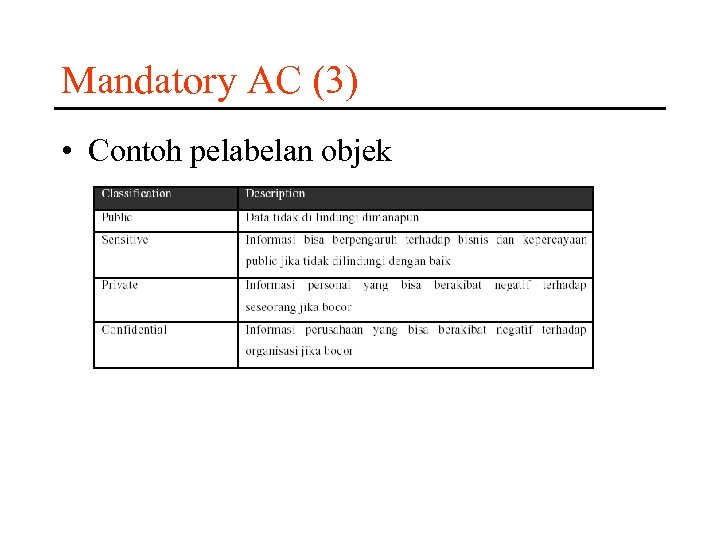 Mandatory AC (3) • Contoh pelabelan objek
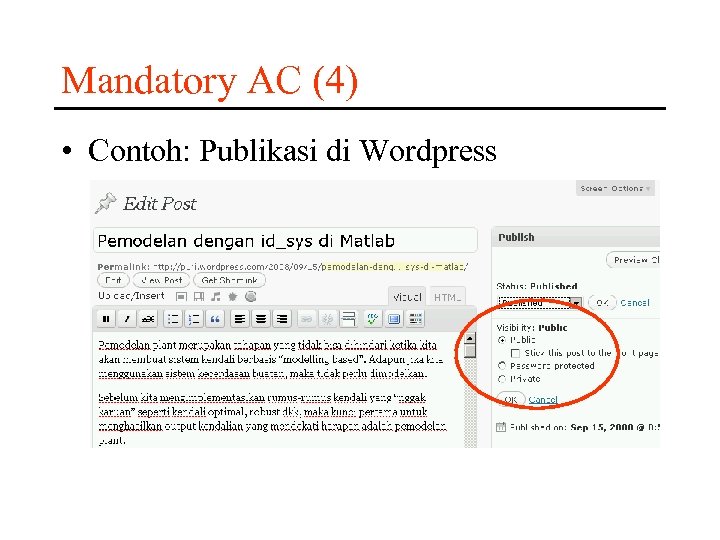 Mandatory AC (4) • Contoh: Publikasi di Wordpress
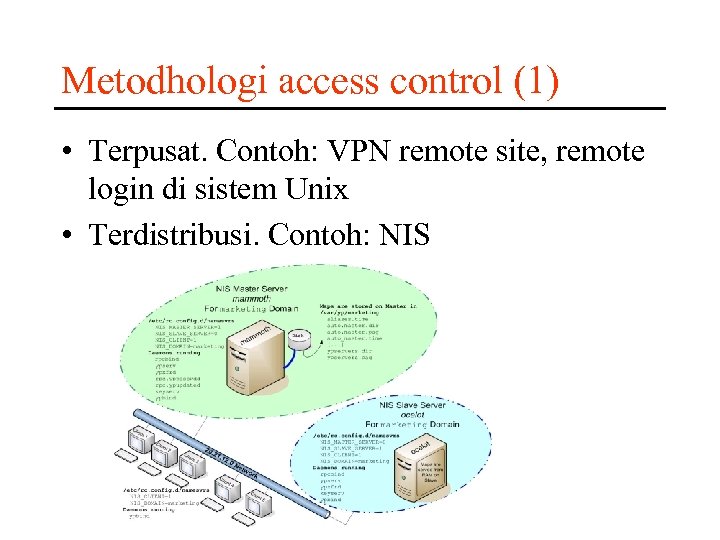 Metodhologi access control (1) • Terpusat. Contoh: VPN remote site, remote login di sistem Unix • Terdistribusi. Contoh: NIS
 Identification, Authentifications (1) • Identifikasi dan autentifikasi – Merupakan kunci utama dalam acces control • Identifikasi – Memastikan apakah user tersebut boleh mengakses ke sistem – Contoh: form login berisi “username” • Autentifikasi – Verifikasi apakah user yang mengaku berhak tersebut benar-benar valid
 Metode Authentifications • Metode Autentifikasi – Something you know? • Contoh: Password, PIN – Something you have? • Contoh: Kartu magnetic – Something you are? • Contoh: Biometric
 Password (1) • Password ideal – Seseuatu yang anda ketahui – Sesuatu yang tidak diketahui orang lain – Sesuatu yang sulit ditebak – Jumlah karakter cukup panjang – Terdapat kombinasi huruf kecil, huruf besar, angka dan karakter • Contoh: P 0 kem 0 N
 Password (2) • Password ideal – Seseuatu yang anda ketahui – Sesuatu yang tidak diketahui orang lain – Sesuatu yang sulit ditebak
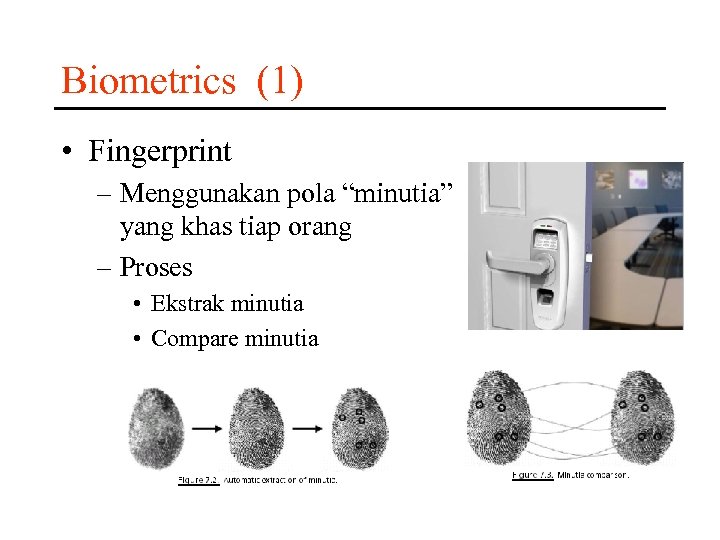 Biometrics (1) • Fingerprint – Menggunakan pola “minutia” yang khas tiap orang – Proses • Ekstrak minutia • Compare minutia
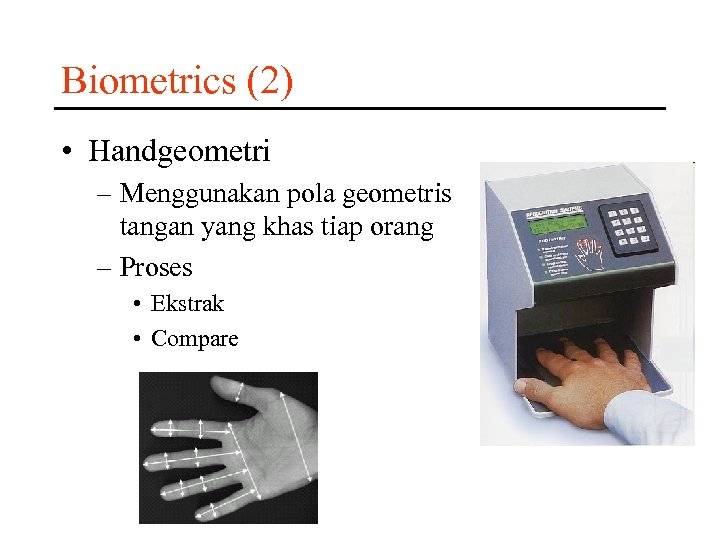 Biometrics (2) • Handgeometri – Menggunakan pola geometris tangan yang khas tiap orang – Proses • Ekstrak • Compare
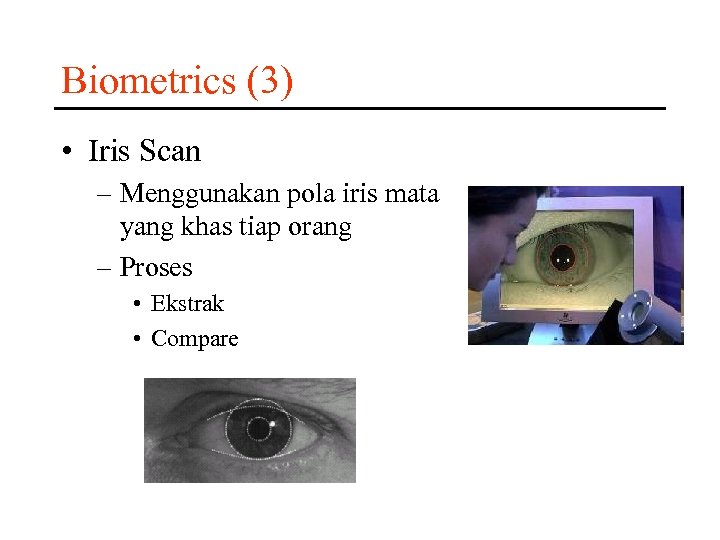 Biometrics (3) • Iris Scan – Menggunakan pola iris mata yang khas tiap orang – Proses • Ekstrak • Compare
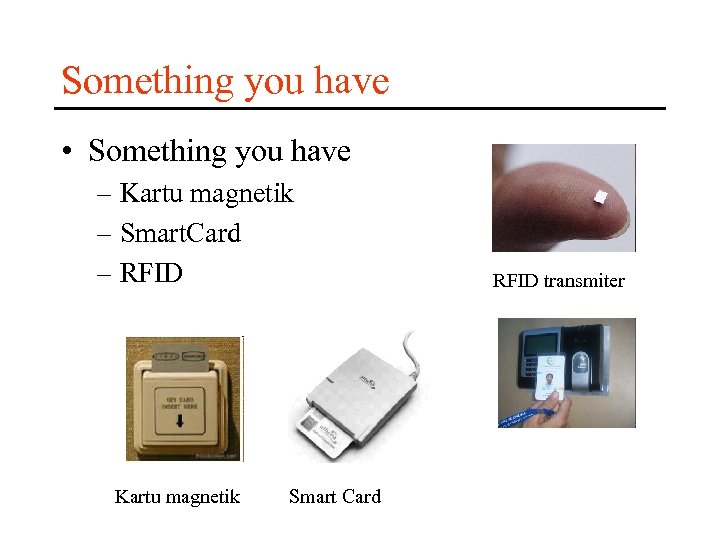 Something you have • Something you have – Kartu magnetik – Smart. Card – RFID Kartu magnetik Smart Card RFID transmiter