 Скачать презентацию A short tutorial With contributions from Steven Derrien
df91745e65c32eb64925da849ff8b0aa.ppt
- Количество слайдов: 121



A short tutorial With contributions from Steven Derrien, Antoine Floc’h, Antoine Morvan, Kevin Martin, Ludovic L’Hours, Maxime Naullet, Amit Kumar
Outline of the presentation • Introduction • First step with Gecos – Installation guidelines – Execution of a Gecos script • The Gecos basic IR – General background on compiler IRs – A EMF meta-modeled IR – Main IR classes (Blocks, Instructions, etc. ) • The Gecos DAG IR – The IGraph framework – The Extended Dataflow IR – The DAG/IGraph adapter
What is Gecos • Gecos is an open-source C compiler framework – Compiler Framework = pieces of software that you can assemble to build your own custom compiler. – Targeted toward semi-custom hardware synthesis (ASIP/HLS) – Since 2010, it is also a source to source (C C++) compiler • Polyhedral based loop transformation and analysis • Gecos leverages on Eclipse + Java +MDE – Eclipse : very popular IDE in the embedded world – MDE : Leading edge software engineering technologies We keep on telling system designers that they should raise the abstraction level of their design flow. Why wouldn’t we start by applying those principles to ourselves when we design complex software & design automation tools ?
Gecos features • C 99 front-end (with support for Mentor templates) – Based on the Eclipse CDT framework (robust C/C++ parser) – Mixed AST/CDFG Intermediate representation • Many existing features – Standard and SSA based IR with standard analysis and opts. – Polyhedral loop transformations framework – Powerful AST pattern matching/term rewriting engine • Extensible IR based on plugin extensions – You can add new « Concepts » in the IR and its extend existing passes without hurting the codebase, thanks to « plugins » – This could be used to manage an IR suited to Scilab/ALMA
Part I Installing Gecos
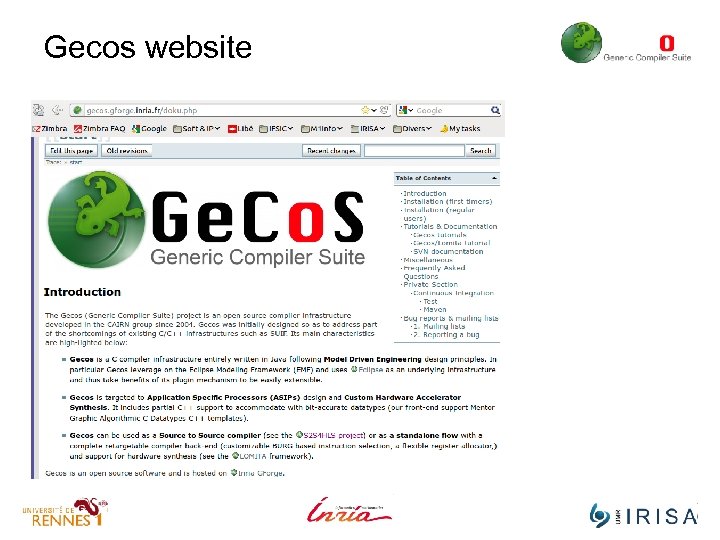
Gecos website
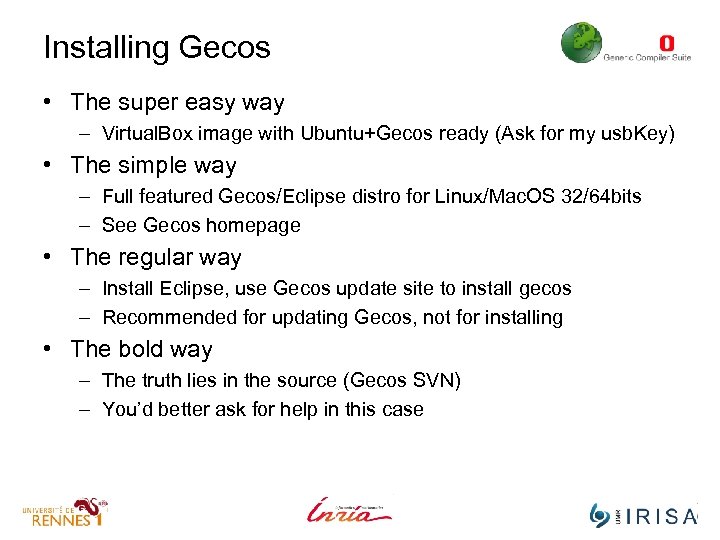
Installing Gecos • The super easy way – Virtual. Box image with Ubuntu+Gecos ready (Ask for my usb. Key) • The simple way – Full featured Gecos/Eclipse distro for Linux/Mac. OS 32/64 bits – See Gecos homepage • The regular way – Install Eclipse, use Gecos update site to install gecos – Recommended for updating Gecos, not for installing • The bold way – The truth lies in the source (Gecos SVN) – You’d better ask for help in this case
Demo • On my non virtual machine …
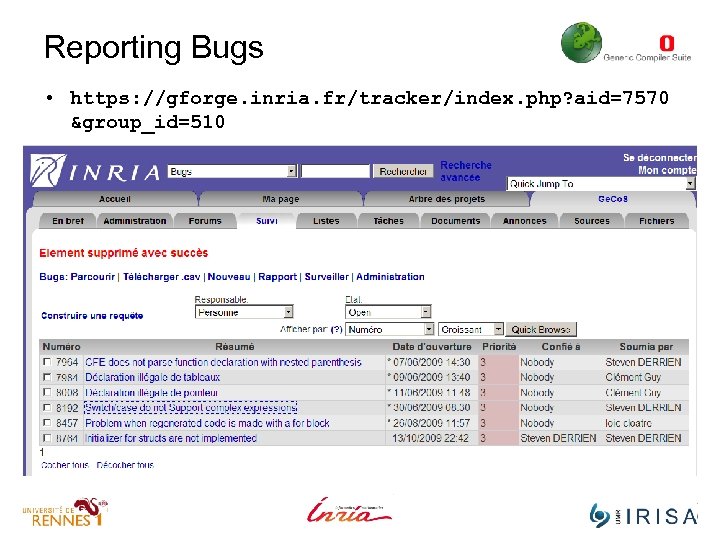
Reporting Bugs • https: //gforge. inria. fr/tracker/index. php? aid=7570 &group_id=510
Part I First steps with gecos Scripting
Gecos scripting language • A compiler = sequence of analysis/optimizations – In a retargetable compiler framework, the user needs to control which pass and when a given pass is used. – To avoid recompiling the main driver class every time the flow need to be reorganized, Gecos uses a script mechanism. • In Gecos compilation flows are expressed as scripts – A script specifies how passes are executed – A pass = Java class performing the analysis/transformation • Gecos passes declared as plugin extensions in Eclipse – Allow for seamless/flexible integration within the flow – Avoids the need of a centralized list of available passes
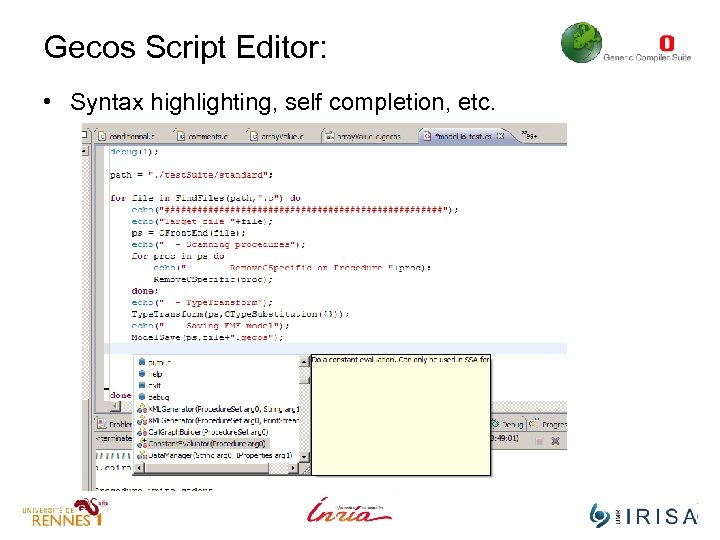
Gecos Script Editor: • Syntax highlighting, self completion, etc.
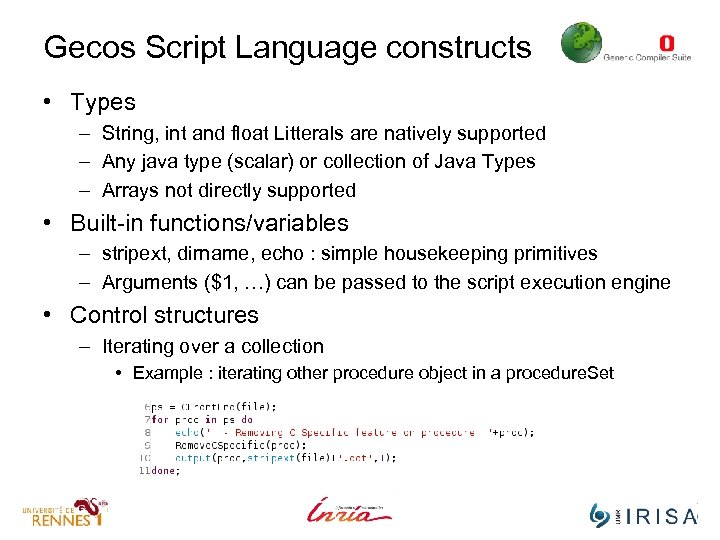
Gecos Script Language constructs • Types – String, int and float Litterals are natively supported – Any java type (scalar) or collection of Java Types – Arrays not directly supported • Built-in functions/variables – stripext, dirname, echo : simple housekeeping primitives – Arguments ($1, …) can be passed to the script execution engine • Control structures – Iterating over a collection • Example : iterating other procedure object in a procedure. Set
Gecos Script Language grammar • Is briefly describe in a (partially) outdated pdf file – I can send it upon request • We are working on a “Gecos Cook. Book” – To gather and update all important information
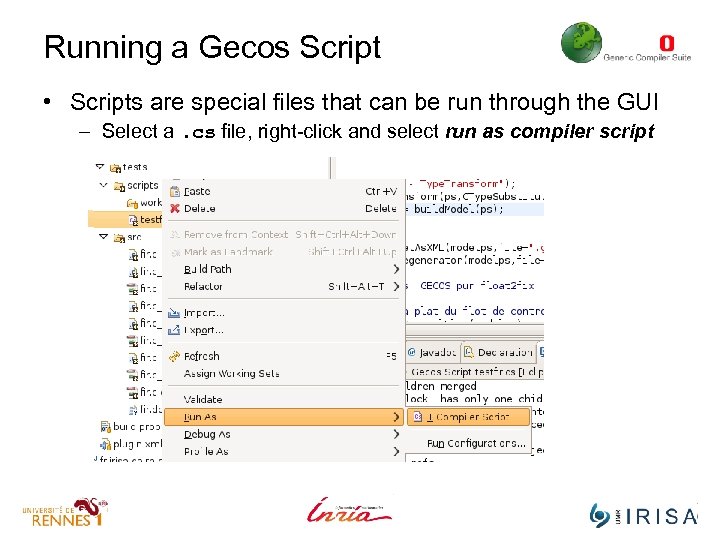
Running a Gecos Script • Scripts are special files that can be run through the GUI – Select a. cs file, right-click and select run as compiler script
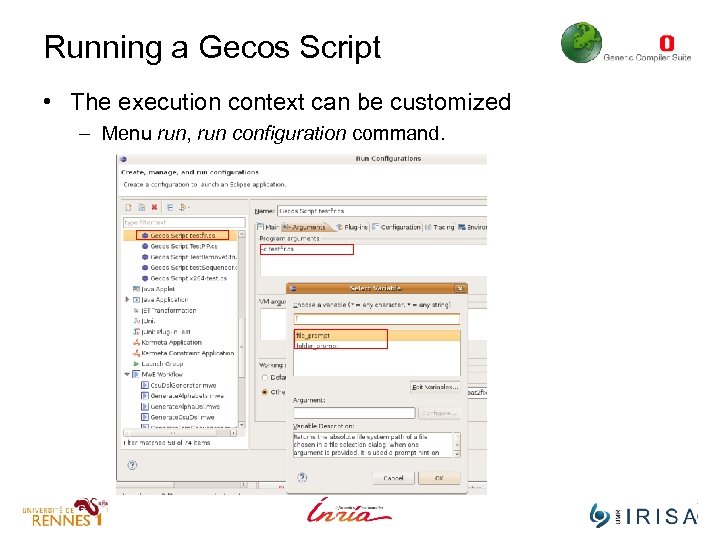
Running a Gecos Script • The execution context can be customized – Menu run, run configuration command.
Demo • Script that parses a C file, regenerates the C code
Creating a new Gecos pass • Sooner or later you will need to write your own pass – To merge a combination of existing passes into a single one – To implement your own analysis or transformations • A Gecos pass is a Java class conforming to some rules – It must have (at least) one public constructor – It must implement a public compute() method • This method may return an object of any Class. • When a pass is used in a script – Function call parameters are passed as argument to the constructor to create a new object of that class. – The script engine calls the compute method on this newly created object.
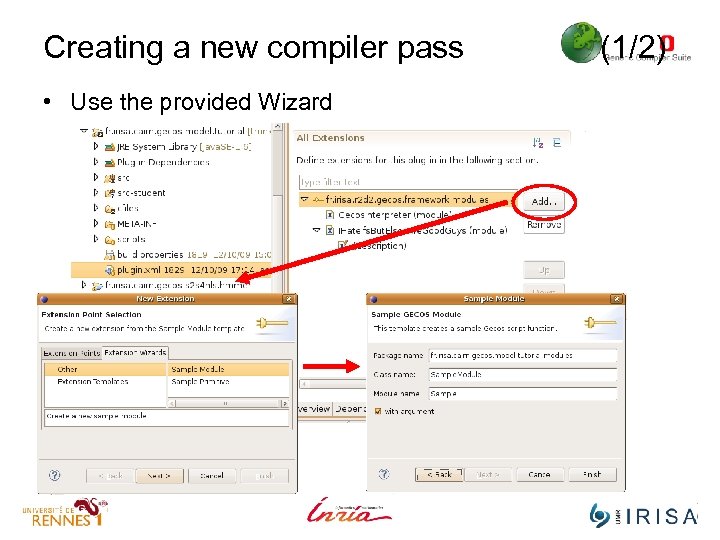
Creating a new compiler pass • Use the provided Wizard (1/2)
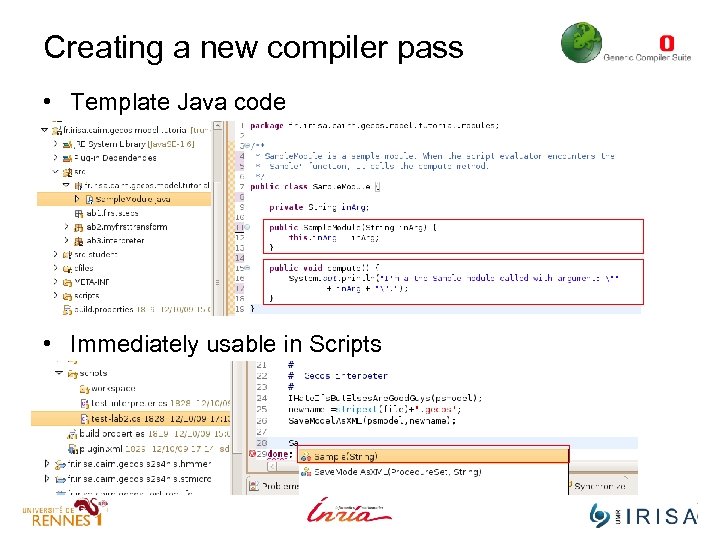
Creating a new compiler pass • Template Java code • Immediately usable in Scripts
Creating a new compiler pass without UI • To use a Java class as a pass you have to ‘register’ it – Tell the Gecos infrastructure that a new pass is available • Registration is done by modifying the plugin. xml file – Each Eclipse Plugin project has it own plugin. xml file – The plugin. xml is used by the Eclipse infrastructure to ‘know’ about available plugins. – In Eclipse framework, Gecos passes are called modules. • Eclipse provide an GUI for editing plugin. xml files – You can also edit the file manually
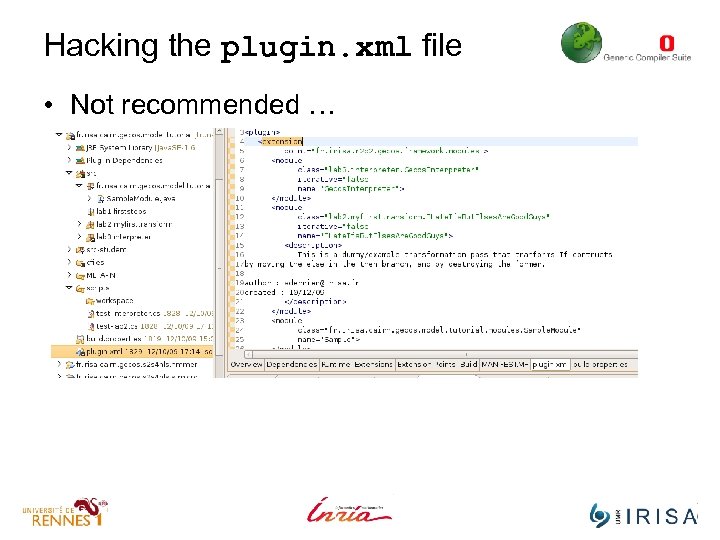
Hacking the plugin. xml file • Not recommended …
Demo • Create a new Dummy Pass
Part II The Gecos Intermediate representation Background Why using a Meta-model ?
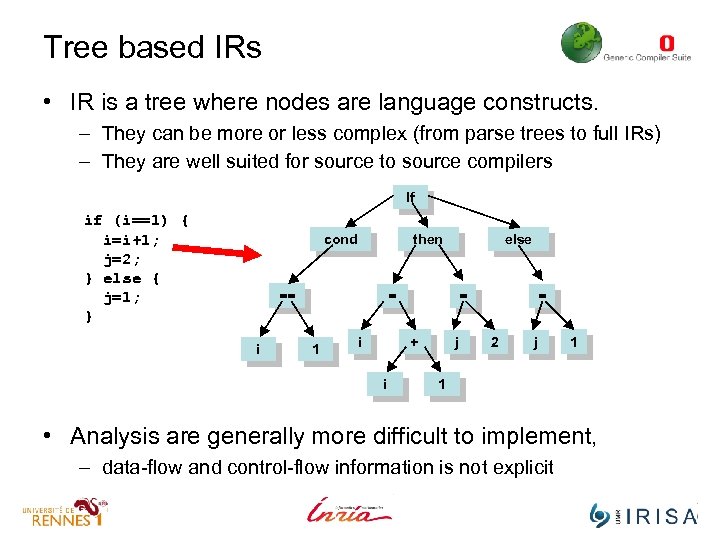
Tree based IRs • IR is a tree where nodes are language constructs. – They can be more or less complex (from parse trees to full IRs) – They are well suited for source to source compilers If if (i==1) { i=i+1; j=2; } else { j=1; } cond then == i else = 1 = + i i j = 2 j 1 1 • Analysis are generally more difficult to implement, – data-flow and control-flow information is not explicit
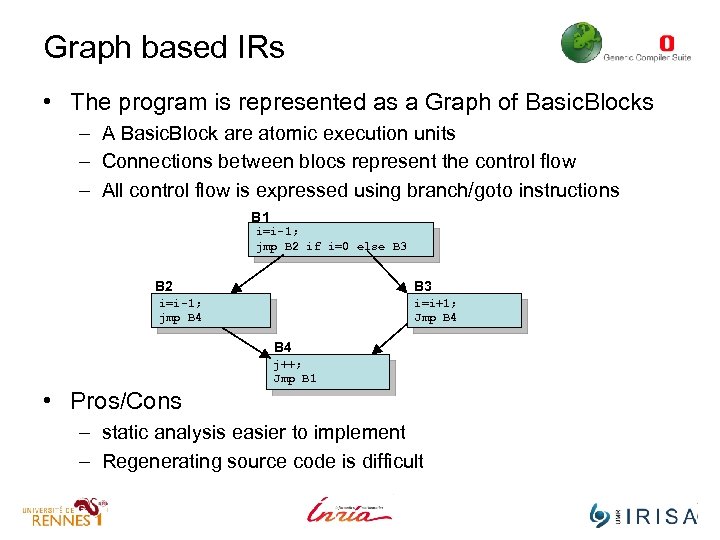
Graph based IRs • The program is represented as a Graph of Basic. Blocks – A Basic. Block are atomic execution units – Connections between blocs represent the control flow – All control flow is expressed using branch/goto instructions B 1 i=i-1; jmp B 2 if i=0 else B 3 B 2 B 3 i=i-1; jmp B 4 i=i+1; Jmp B 4 j++; Jmp B 1 • Pros/Cons – static analysis easier to implement – Regenerating source code is difficult
Gecos Intermediate Representation • We merge the two type of IR into a single one – Brings the “best of both world” – Downside is that the IR more complex to maintain • The whole Gecos IR is specified as a metamodel – You can see this as a kind of UML class diagram • File cdfg. ecore in fr. irisa. cairn. model. gecos/model • Can be seen as a formal specification of the IR structure – The metamodel is used to generate the IR API and other tools • Validation API, Viewer/Editor API, XML output/parser.
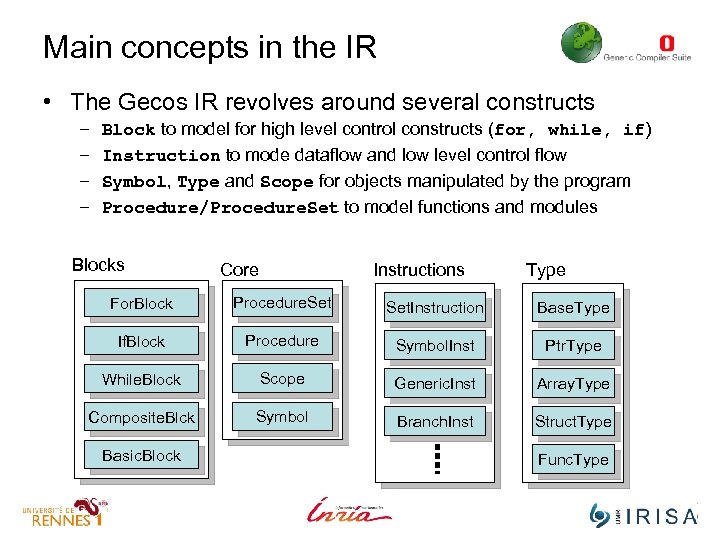
Main concepts in the IR • The Gecos IR revolves around several constructs – – Block to model for high level control constructs (for, while, if) Instruction to mode dataflow and low level control flow Symbol, Type and Scope for objects manipulated by the program Procedure/Procedure. Set to model functions and modules Blocks Core Instructions Type For. Block Procedure. Set. Instruction Base. Type If. Block Procedure Symbol. Inst Ptr. Type While. Block Scope Generic. Inst Array. Type Composite. Blck Symbol Branch. Inst Struct. Type Basic. Block Func. Type
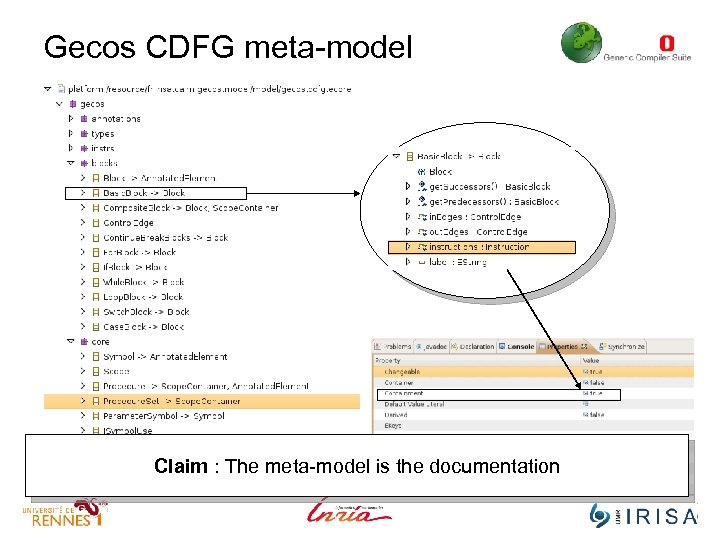
Gecos CDFG meta-model An object of Class Instruction can belong to only one Basic. Block Claim : The meta-model is the documentation
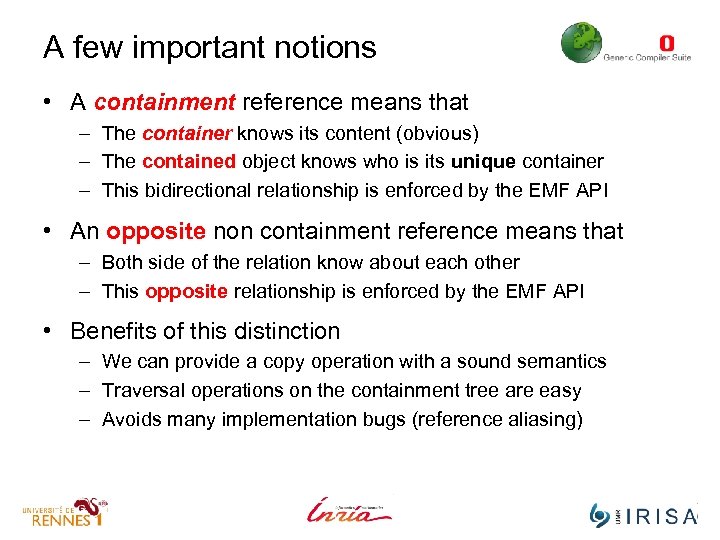
A few important notions • A containment reference means that – The container knows its content (obvious) – The contained object knows who is its unique container – This bidirectional relationship is enforced by the EMF API • An opposite non containment reference means that – Both side of the relation know about each other – This opposite relationship is enforced by the EMF API • Benefits of this distinction – We can provide a copy operation with a sound semantics – Traversal operations on the containment tree are easy – Avoids many implementation bugs (reference aliasing)
Design patterns in Gecos • Gecos API is based on EMF which uses design patterns – Design Patterns : empirical good OO design practices • Three patterns you won’t be able to live without in Gecos – The Façade pattern : decoupling spec. and implementation • EMF manipulates Interfaces not objects classes – The Visitor pattern : traversing and/or transforming the IR • To enable polymorphic dispatch – The Factory pattern : for creating new objects – The Adapter/Decorator patterns : for extending the framework
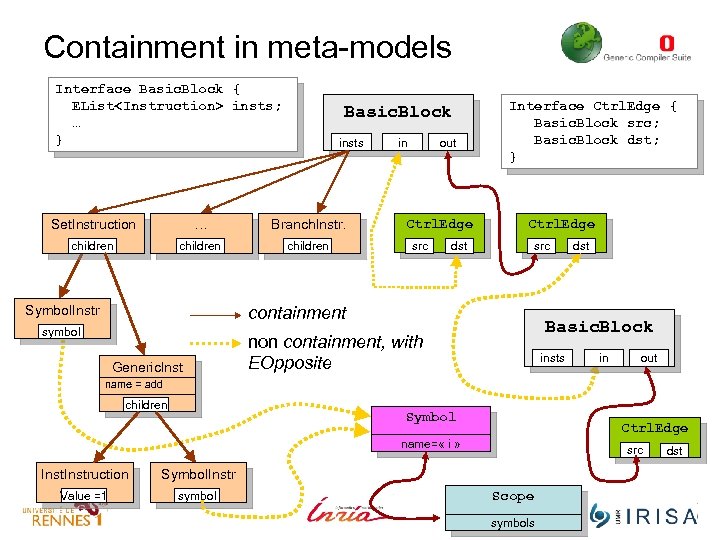
Containment in meta-models Interface Basic. Block { EList<Instruction> insts; … } Basic. Block insts Set. Instruction … Branch. Instr. children Symbol. Instr in out Ctrl. Edge src dst Interface Ctrl. Edge { Basic. Block src; Basic. Block dst; } Ctrl. Edge src containment symbol Generic. Inst dst Basic. Block non containment, with EOpposite insts in out name = add children Symbol Ctrl. Edge name= « i » Instruction Symbol. Instr Value =1 symbol src Scope symbols dst
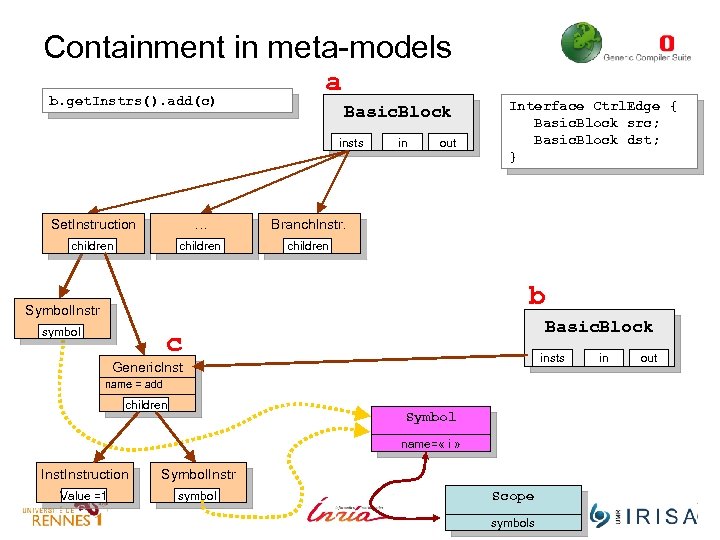
Containment in meta-models b. get. Instrs(). add(c) a Basic. Block insts Set. Instruction … children out Branch. Instr. children in Interface Ctrl. Edge { Basic. Block src; Basic. Block dst; } children b Symbol. Instr symbol Basic. Block c insts Generic. Inst name = add children Symbol name= « i » Instruction Symbol. Instr Value =1 symbol Scope symbols in out
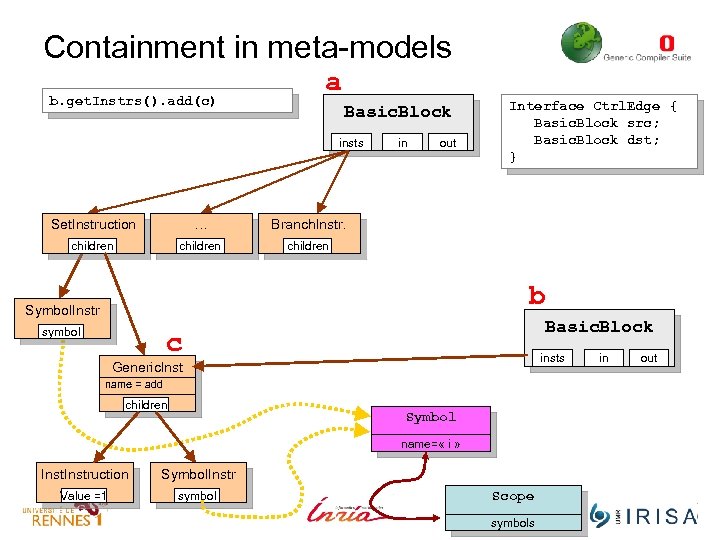
Containment in meta-models b. get. Instrs(). add(c) a Basic. Block insts Set. Instruction … children out Branch. Instr. children in Interface Ctrl. Edge { Basic. Block src; Basic. Block dst; } children b Symbol. Instr symbol Basic. Block c insts Generic. Inst name = add children Symbol name= « i » Instruction Symbol. Instr Value =1 symbol Scope symbols in out
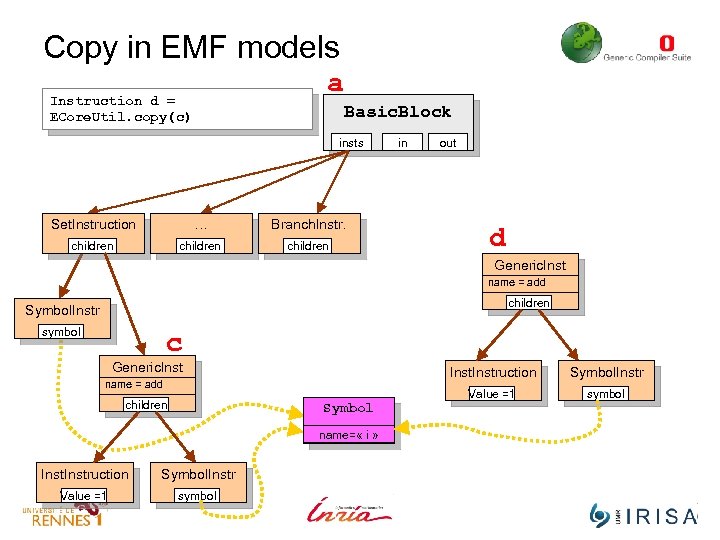
Copy in EMF models a Instruction d = ECore. Util. copy(c) Basic. Block insts Set. Instruction … Branch. Instr. children in out d Generic. Inst name = add children Symbol. Instr symbol c Generic. Instruction children Symbol name= « i » Instruction Symbol. Instr Value =1 symbol Symbol. Instr Value =1 name = add symbol
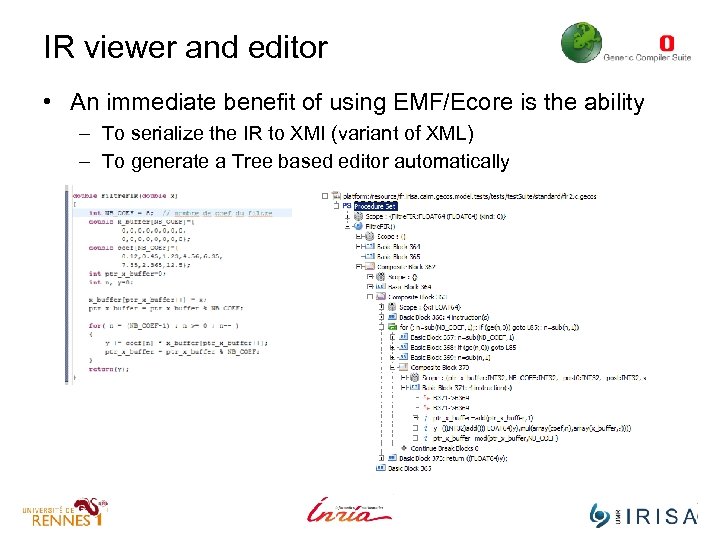
IR viewer and editor • An immediate benefit of using EMF/Ecore is the ability – To serialize the IR to XMI (variant of XML) – To generate a Tree based editor automatically
Demo • Serialize the model and view/edit it.
Part II The Gecos Intermediate representation Gecos IR overview
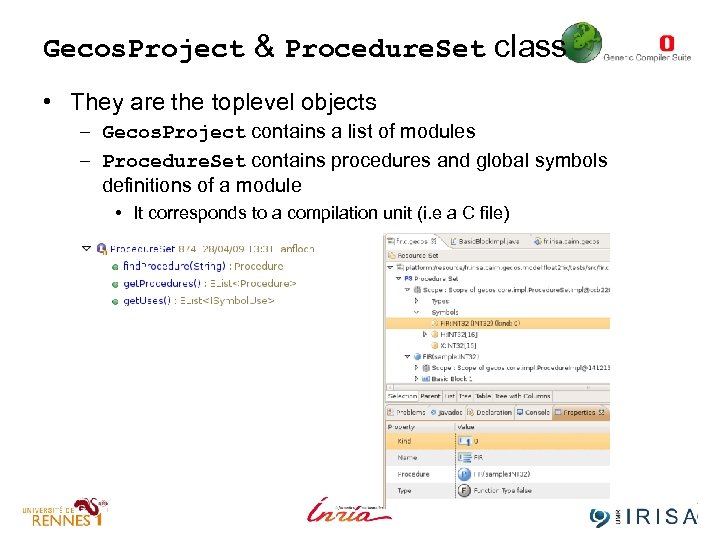
Gecos. Project & Procedure. Set class • They are the toplevel objects – Gecos. Project contains a list of modules – Procedure. Set contains procedures and global symbols definitions of a module • It corresponds to a compilation unit (i. e a C file)
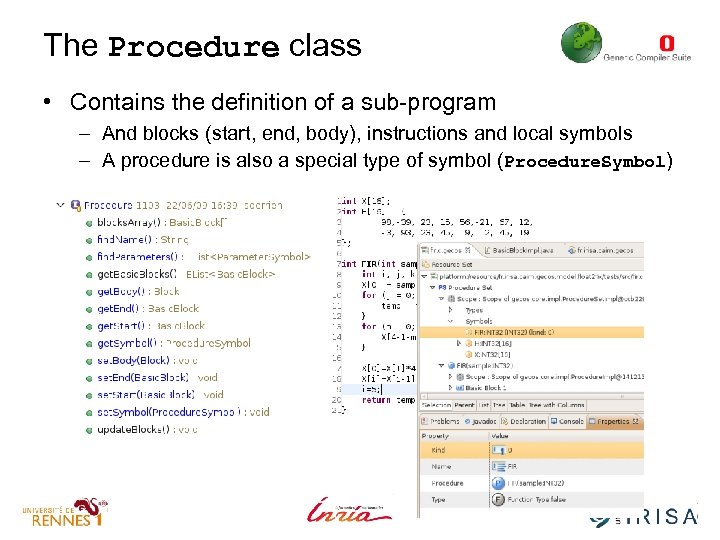
The Procedure class • Contains the definition of a sub-program – And blocks (start, end, body), instructions and local symbols – A procedure is also a special type of symbol (Procedure. Symbol)
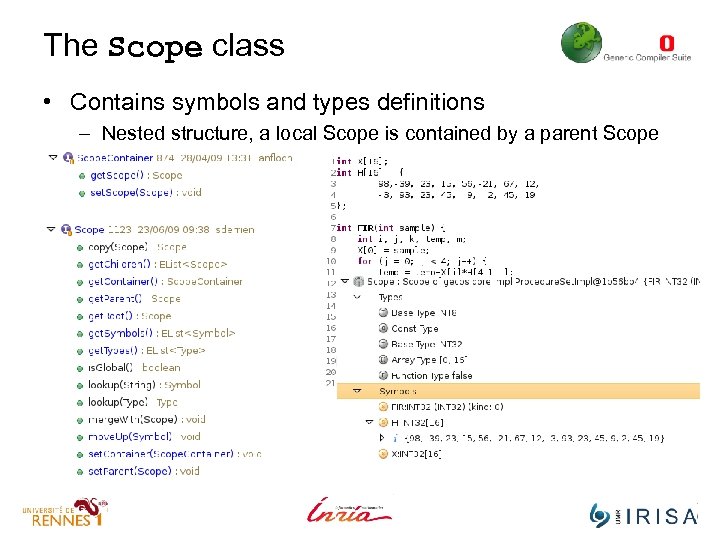
The Scope class • Contains symbols and types definitions – Nested structure, a local Scope is contained by a parent Scope
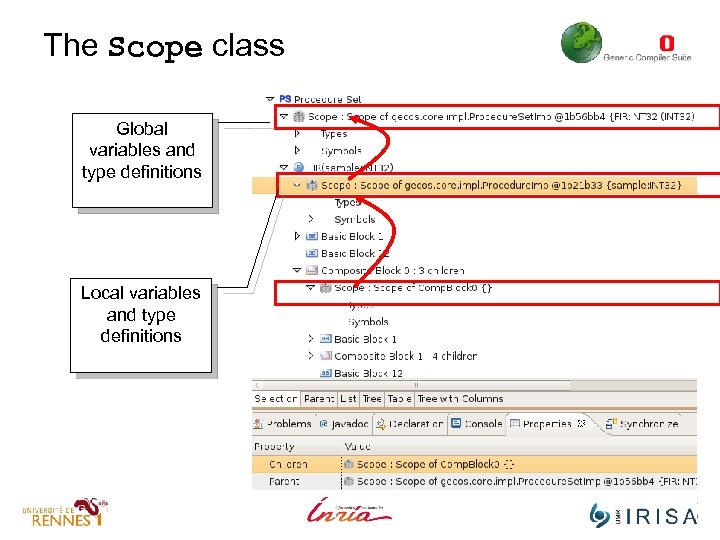
The Scope class Global variables and type definitions Local variables and type definitions
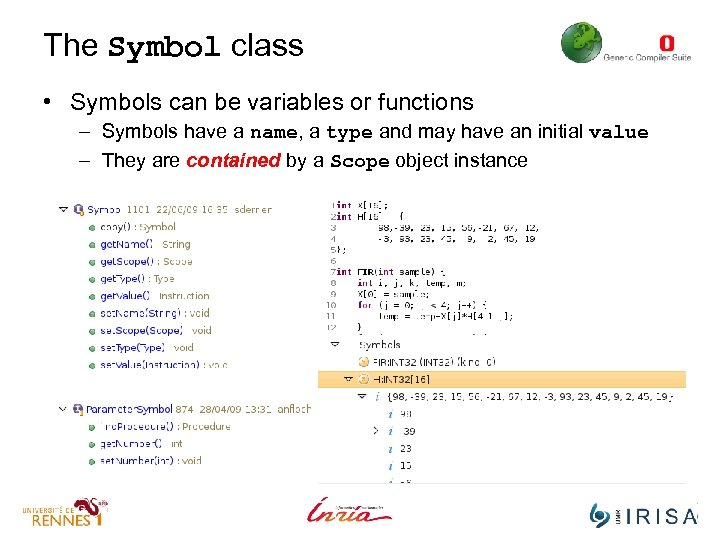
The Symbol class • Symbols can be variables or functions – Symbols have a name, a type and may have an initial value – They are contained by a Scope object instance
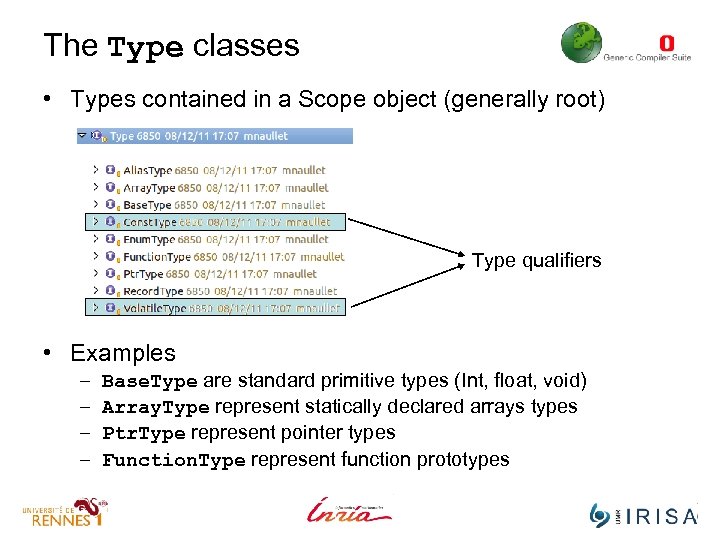
The Type classes • Types contained in a Scope object (generally root) Type qualifiers • Examples – – Base. Type are standard primitive types (Int, float, void) Array. Type represent statically declared arrays types Ptr. Type represent pointer types Function. Type represent function prototypes
Gecos IR overview : Blocks
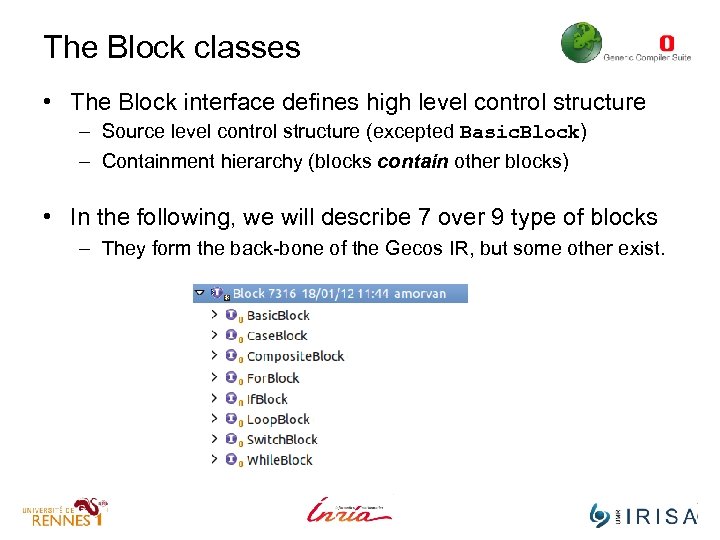
The Block classes • The Block interface defines high level control structure – Source level control structure (excepted Basic. Block) – Containment hierarchy (blocks contain other blocks) • In the following, we will describe 7 over 9 type of blocks – They form the back-bone of the Gecos IR, but some other exist.
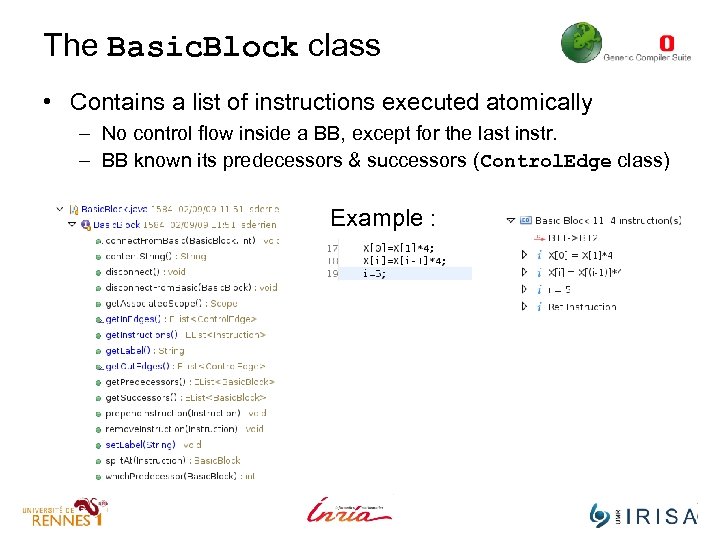
The Basic. Block class • Contains a list of instructions executed atomically – No control flow inside a BB, except for the last instr. – BB known its predecessors & successors (Control. Edge class) Example :
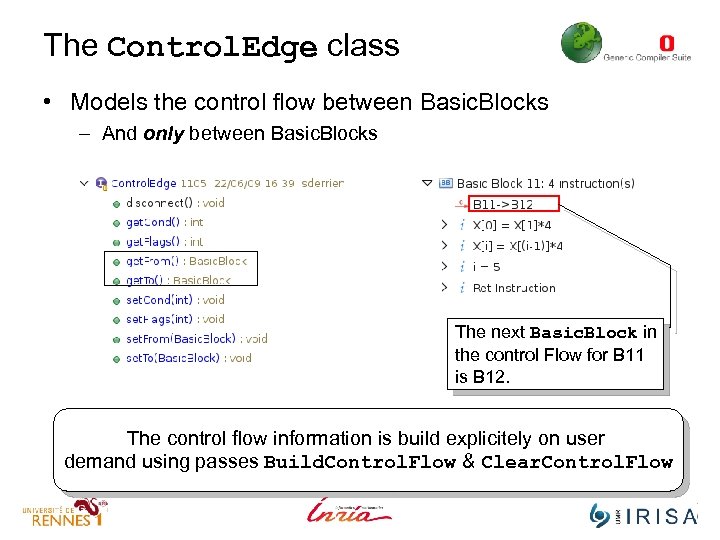
The Control. Edge class • Models the control flow between Basic. Blocks – And only between Basic. Blocks The next Basic. Block in the control Flow for B 11 is B 12. The control flow information is build explicitely on user demand using passes Build. Control. Flow & Clear. Control. Flow
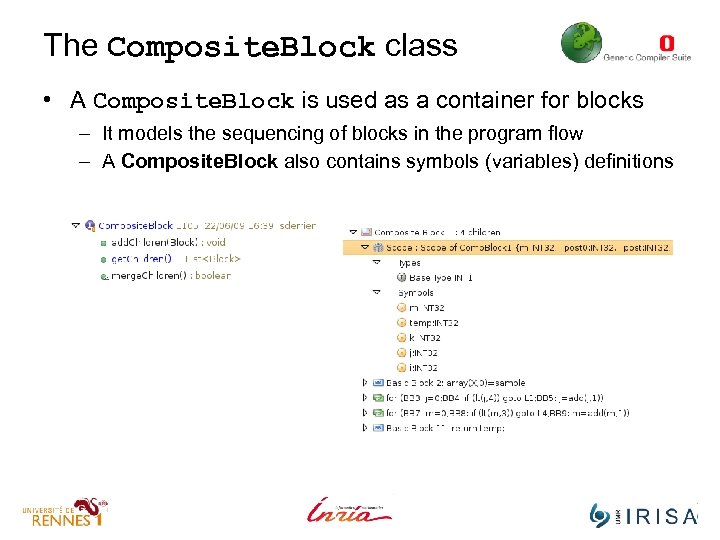
The Composite. Block class • A Composite. Block is used as a container for blocks – It models the sequencing of blocks in the program flow – A Composite. Block also contains symbols (variables) definitions
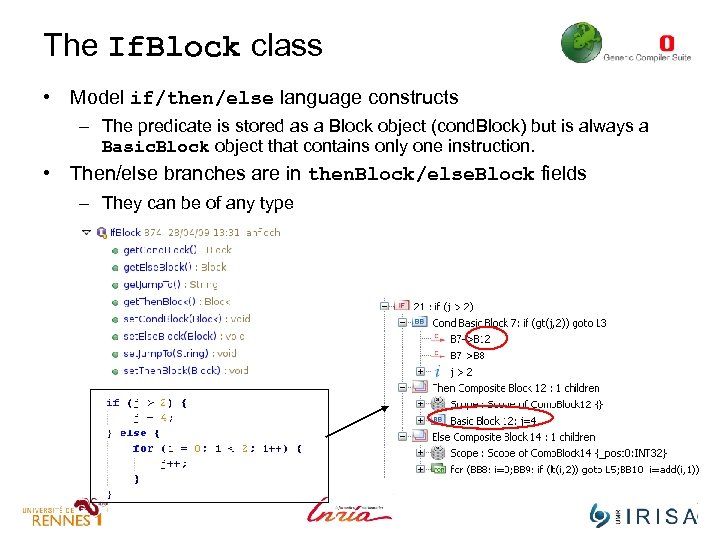
The If. Block class • Model if/then/else language constructs – The predicate is stored as a Block object (cond. Block) but is always a Basic. Block object that contains only one instruction. • Then/else branches are in then. Block/else. Block fields – They can be of any type
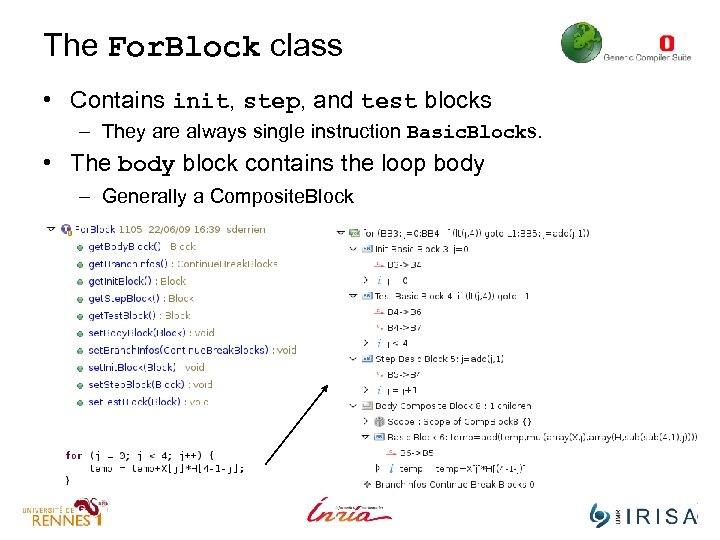
The For. Block class • Contains init, step, and test blocks – They are always single instruction Basic. Blocks. • The body block contains the loop body – Generally a Composite. Block
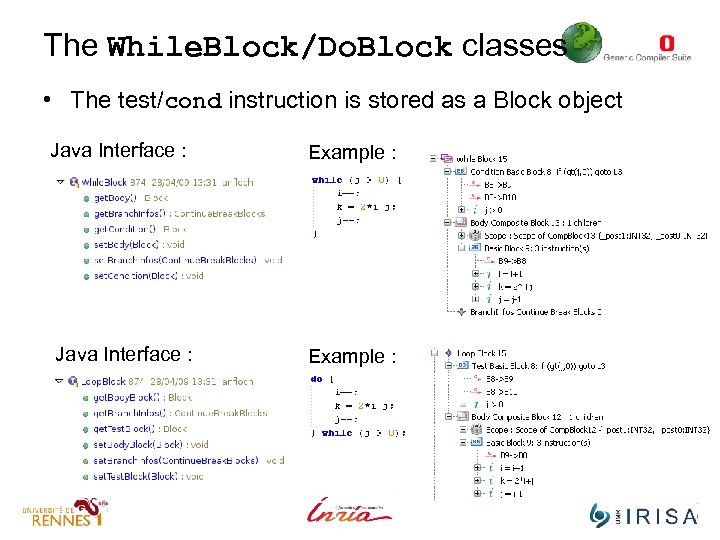
The While. Block/Do. Block classes • The test/cond instruction is stored as a Block object Java Interface : Example :
Gecos IR overview : Instructions
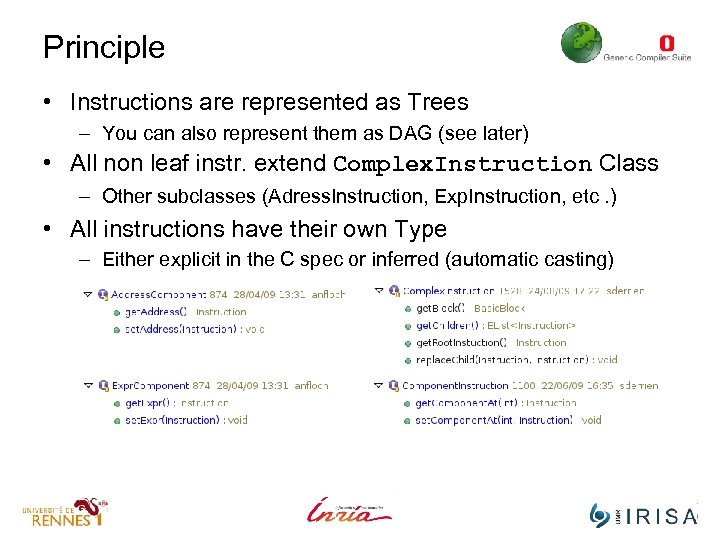
Principle • Instructions are represented as Trees – You can also represent them as DAG (see later) • All non leaf instr. extend Complex. Instruction Class – Other subclasses (Adress. Instruction, Exp. Instruction, etc. ) • All instructions have their own Type – Either explicit in the C spec or inferred (automatic casting)
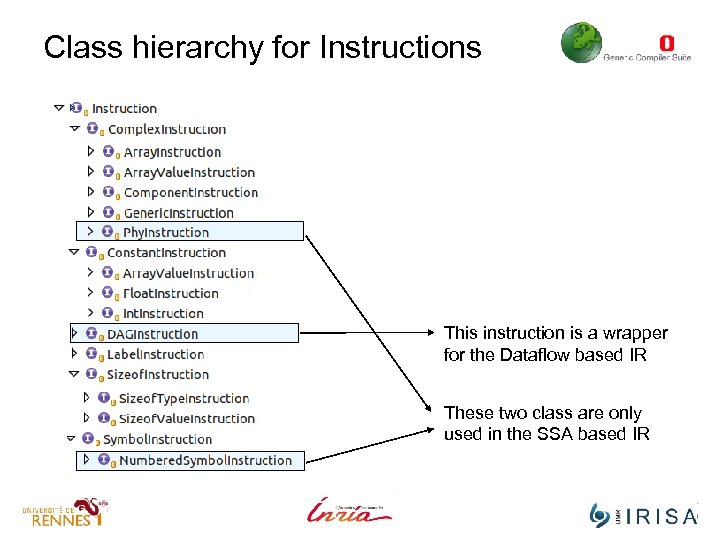
Class hierarchy for Instructions This instruction is a wrapper for the Dataflow based IR These two class are only used in the SSA based IR
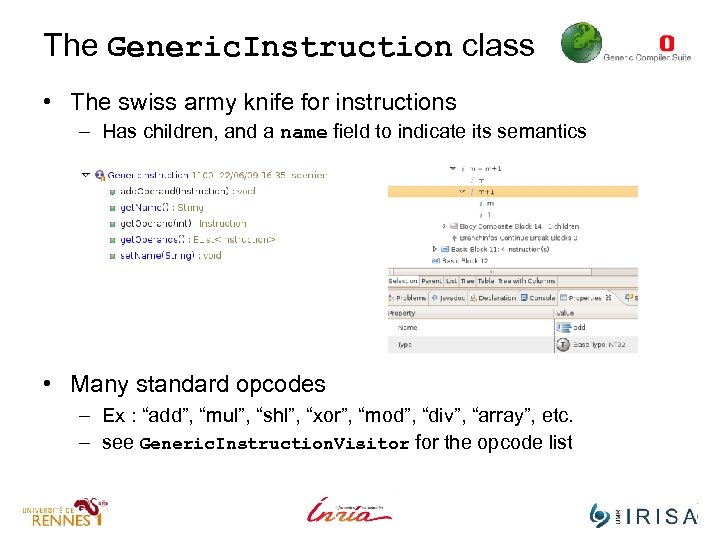
The Generic. Instruction class • The swiss army knife for instructions – Has children, and a name field to indicate its semantics • Many standard opcodes – Ex : “add”, “mul”, “shl”, “xor”, “mod”, “div”, “array”, etc. – see Generic. Instruction. Visitor for the opcode list
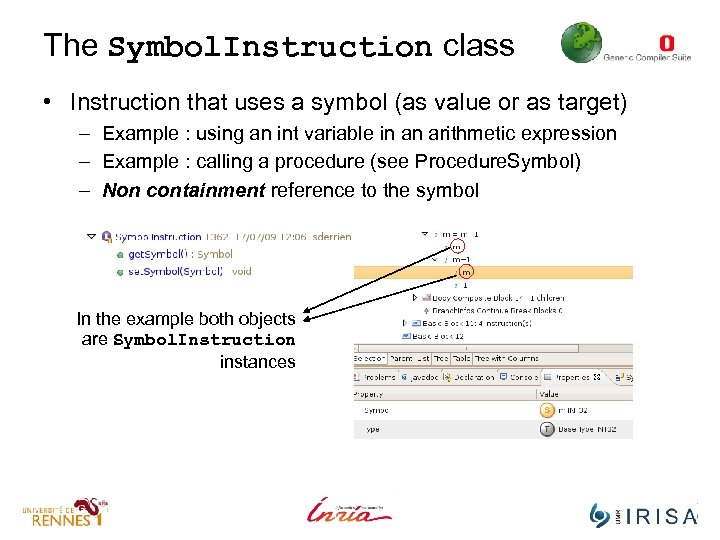
The Symbol. Instruction class • Instruction that uses a symbol (as value or as target) – Example : using an int variable in an arithmetic expression – Example : calling a procedure (see Procedure. Symbol) – Non containment reference to the symbol In the example both objects are Symbol. Instruction instances
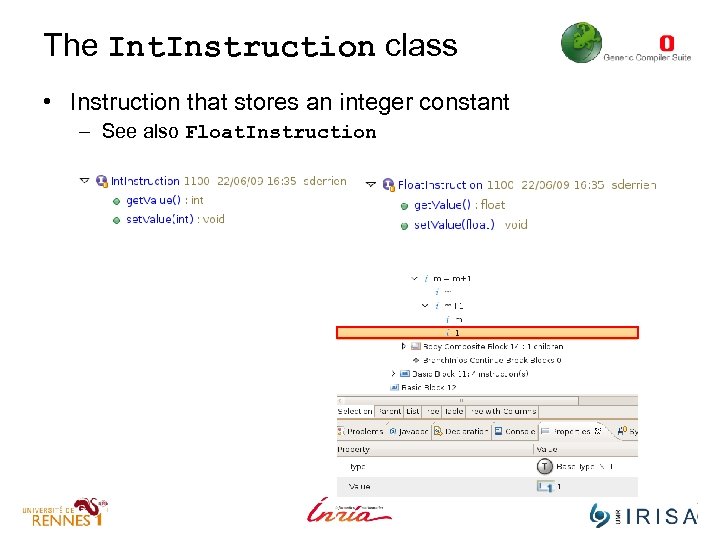
The Int. Instruction class • Instruction that stores an integer constant – See also Float. Instruction
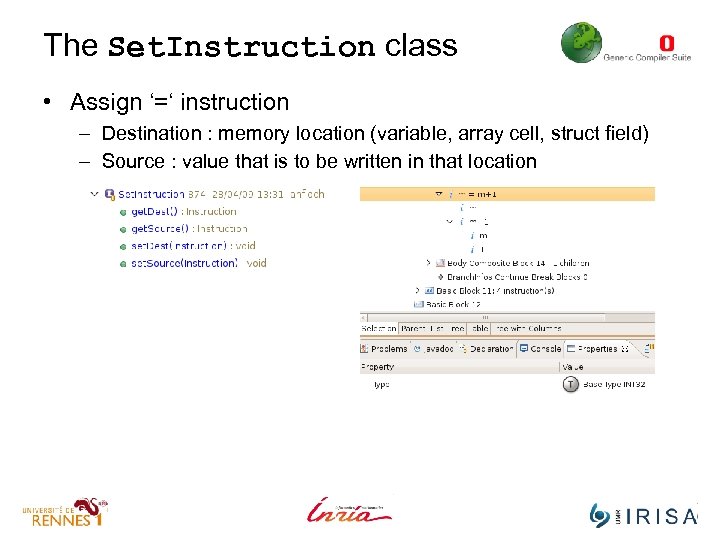
The Set. Instruction class • Assign ‘=‘ instruction – Destination : memory location (variable, array cell, struct field) – Source : value that is to be written in that location
Control flow instructions • Express low-level control-flow – A Branch. Instruction object is always the last inst of a BB – Several sub-classes to handle various C keywords • The Cond. Instruction class – Models conditional jumps, contains a instruction whose evaluation controls the jump. • Other more specific instrcutions – The Goto. Instruction class – The Break. Instruction class – The Continue. Instruction class
![Other Instructions • The [Call|Ret]Instruction class – Manage sub-programs • The Convert. Instruction class](https://present5.com/presentation/df91745e65c32eb64925da849ff8b0aa/image-61.jpg "Other Instructions • The [Call|Ret]Instruction class – Manage sub-programs • The Convert. Instruction class")
Other Instructions • The [Call|Ret]Instruction class – Manage sub-programs • The Convert. Instruction class – Implicit or Explicit type conversion* • The Address. Instruction class – Address of an object (operator &) • The Indir. Instruction class – Dereferencing from a pointer (operator *)
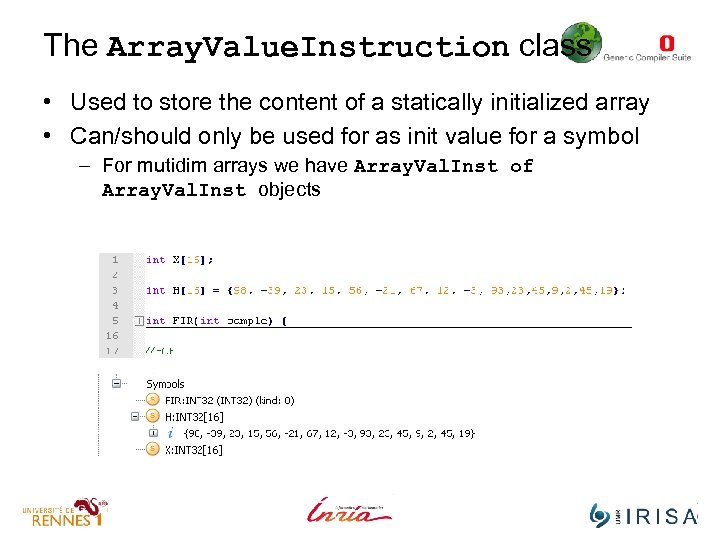
The Array. Value. Instruction class • Used to store the content of a statically initialized array • Can/should only be used for as init value for a symbol – For mutidim arrays we have Array. Val. Inst of Array. Val. Inst objects
Adding instructions to the IR • Gecos is an extensible IR – Thanks to EMF features + OSGI framework • One can create its own extended Gecos meta-model – Avoids « polluting » the original meta-model and code base – Still permit reuse and extension of existing passes/transforms • Done through runtime adapation of the pass, if the pass follows some design rules (must be based on visitors or switches). • This is an important feature for ALMA – Extending the IR to support scilab specific features This is a bit technical and deserves a presentation of its own (We shoudl discuss this later on)
Part II Traversing, Querying and Transforming the IR
Part II Traversing, Querying and Transforming the IR Creating IR objects
What are Factories • When doing S 2 S you will often need to : – Create a new If/For. Construct/While – Create a new Symbol with its Type – Create a complex instruction (e. g : i=i+1) • Doing this requires many steps – Ex : when creating a For. Block you must also create its scope, its init, test, step BBs, its body, its bound check instructions … • To do so you must use Factories – Factories delegate the construction of objects to a class – Avoids messing up object constructors, improves coherency
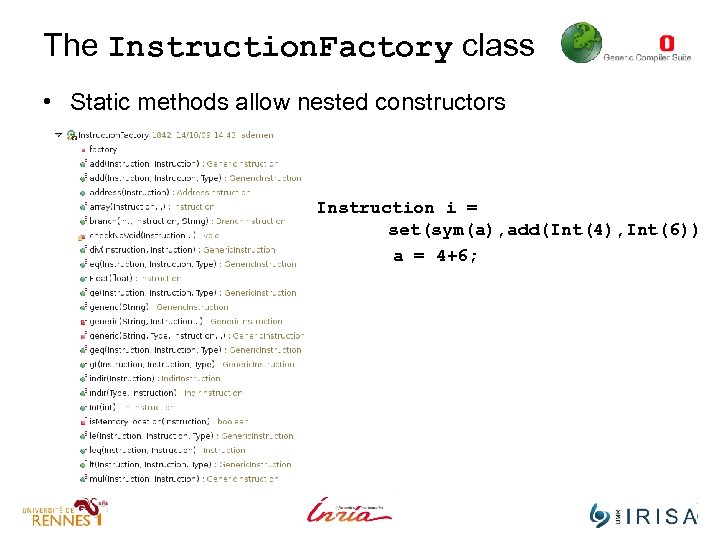
The Instruction. Factory class • Static methods allow nested constructors Instruction i = set(sym(a), add(Int(4), Int(6)) a = 4+6;
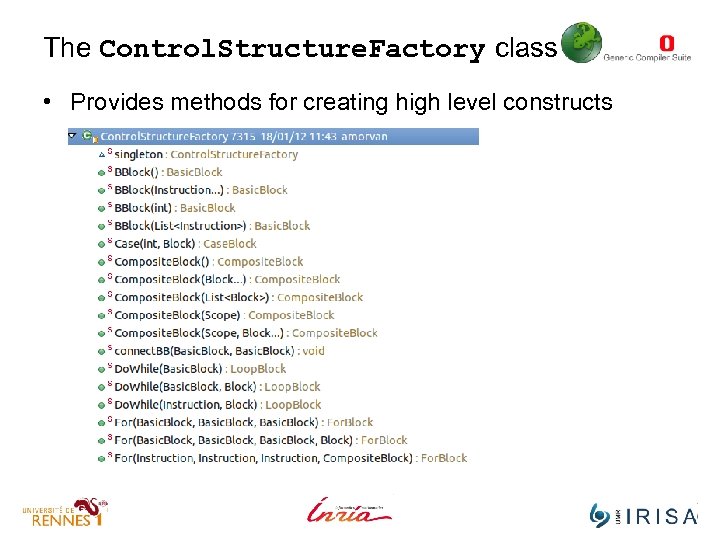
The Control. Structure. Factory class • Provides methods for creating high level constructs
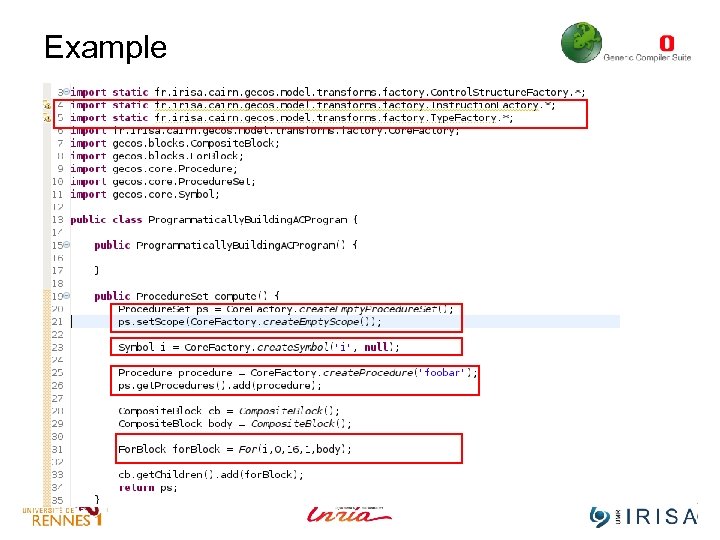
Example
Part II Traversing, Querying and Transforming the IR Navigating & Querying the IR
Navigating the IR • Gecos offers several ways for traversing the IR – – Using the Visitor design pattern (faster, more elegant) Using the EMF generated switches (larger code base) Using EMF reflexive API (easy, but slow) Using Tree rewriting rules (highly expressive, complex) • Different abstract implementations for each family exist – Depth first, visiting only Block or only instruction or both, etc. – Meant to be extended/customized through inheritance
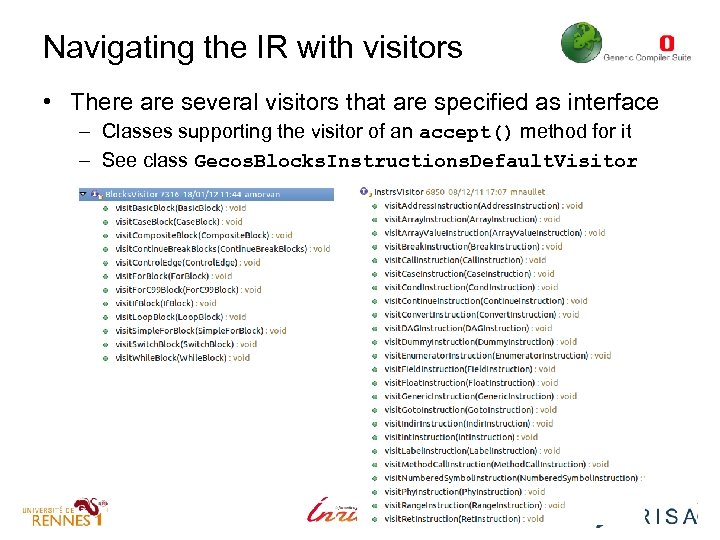
Navigating the IR with visitors • There are several visitors that are specified as interface – Classes supporting the visitor of an accept() method for it – See class Gecos. Blocks. Instructions. Default. Visitor
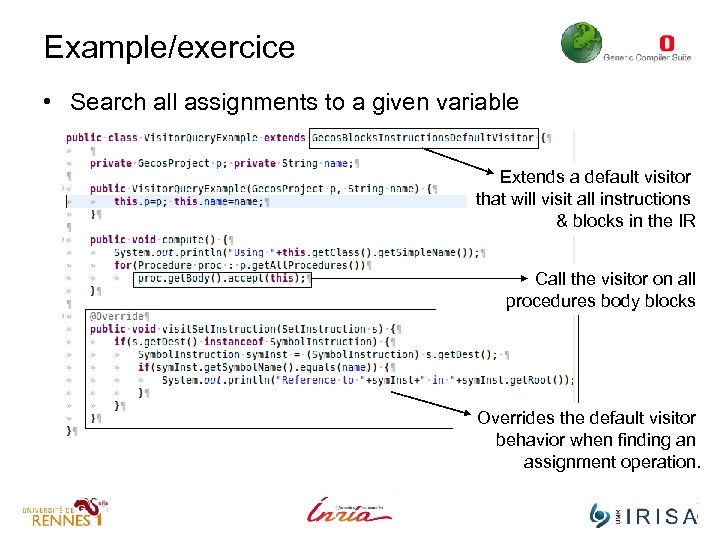
Example/exercice • Search all assignments to a given variable Extends a default visitor that will visit all instructions & blocks in the IR Call the visitor on all procedures body blocks Overrides the default visitor behavior when finding an assignment operation.
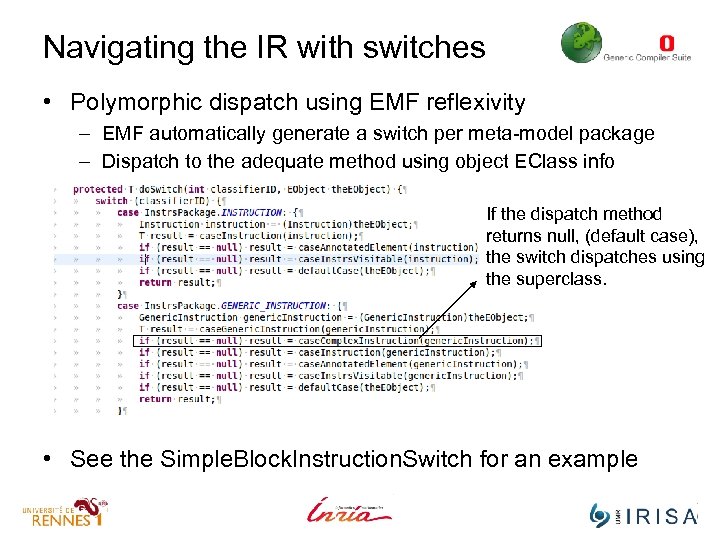
Navigating the IR with switches • Polymorphic dispatch using EMF reflexivity – EMF automatically generate a switch per meta-model package – Dispatch to the adequate method using object EClass info If the dispatch method returns null, (default case), the switch dispatches using the superclass. • See the Simple. Block. Instruction. Switch for an example
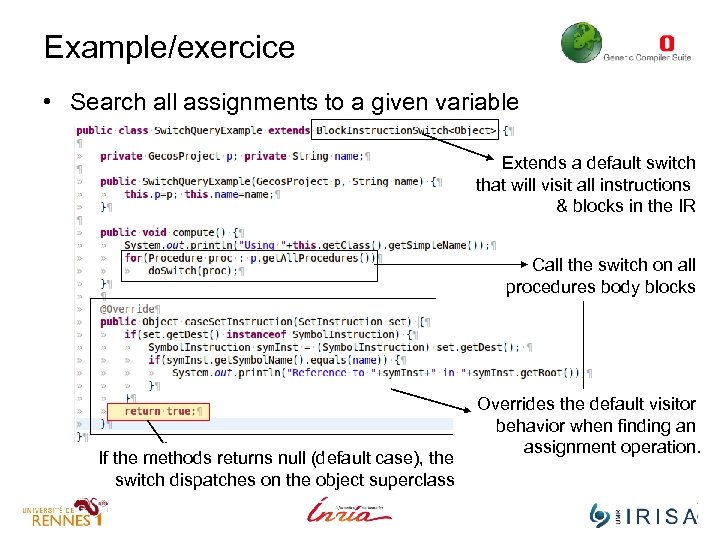
Example/exercice • Search all assignments to a given variable Extends a default switch that will visit all instructions & blocks in the IR Call the switch on all procedures body blocks If the methods returns null (default case), the switch dispatches on the object superclass Overrides the default visitor behavior when finding an assignment operation.
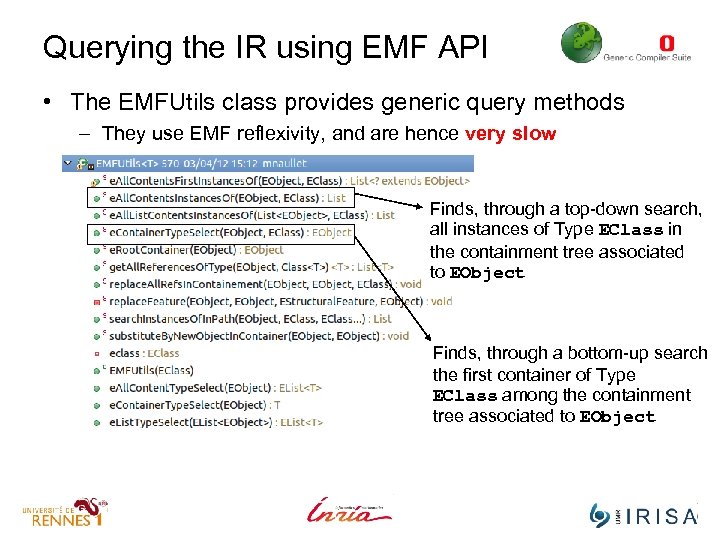
Querying the IR using EMF API • The EMFUtils class provides generic query methods – They use EMF reflexivity, and are hence very slow Finds, through a top-down search, all instances of Type EClass in the containment tree associated to EObject Finds, through a bottom-up search the first container of Type EClass among the containment tree associated to EObject
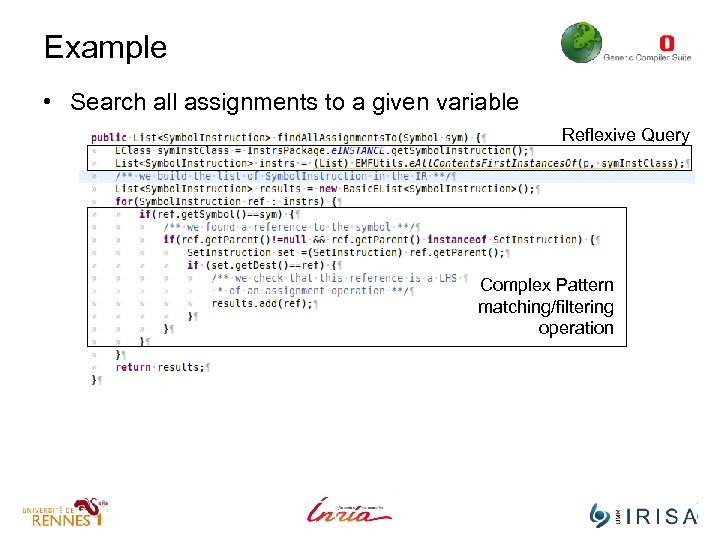
Example • Search all assignments to a given variable Reflexive Query Complex Pattern matching/filtering operation
Querying the IR with TOM • Tom is a Java language extension for manipulating trees – Developed at INRIA http: //tom. loria. fr/wiki/index. php – Provides pattern matching facilities for trees, lists and strings – Provides a strategy language that can be used to control transformations • Tom is binded with gecos IR through mapping files – These mapping define terminals and operations on these terms • Terminals family include instructions, blocks, symbols and types • See fr. …. gecos. model. tom/src-tom folder – These mapping are automatically generated from a DSL. • Homemade DSL for easing the generation of Tom bindings • See fr. …. gecos. model. tom/model/gecos. tmap
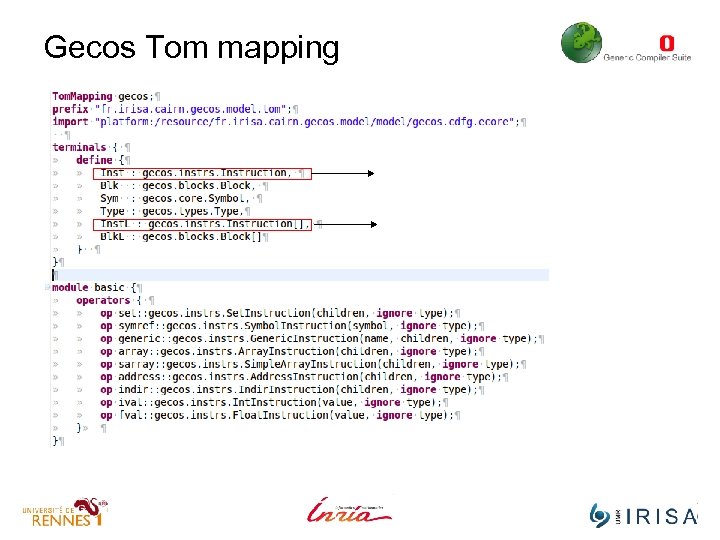
Gecos Tom mapping
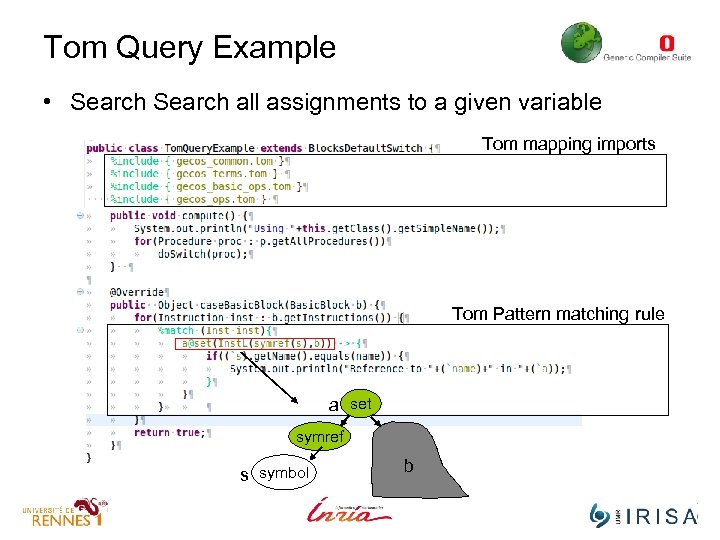
Tom Query Example • Search all assignments to a given variable Tom mapping imports Tom Pattern matching rule a set symref s symbol b
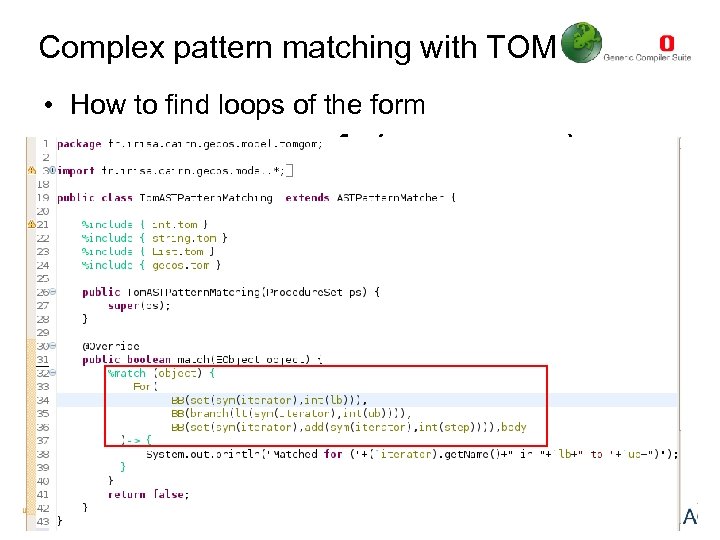
Complex pattern matching with TOM • How to find loops of the form for(x=y; x<z; x=x+w) for BB BB BB set br set sym lt y sym z x add step w
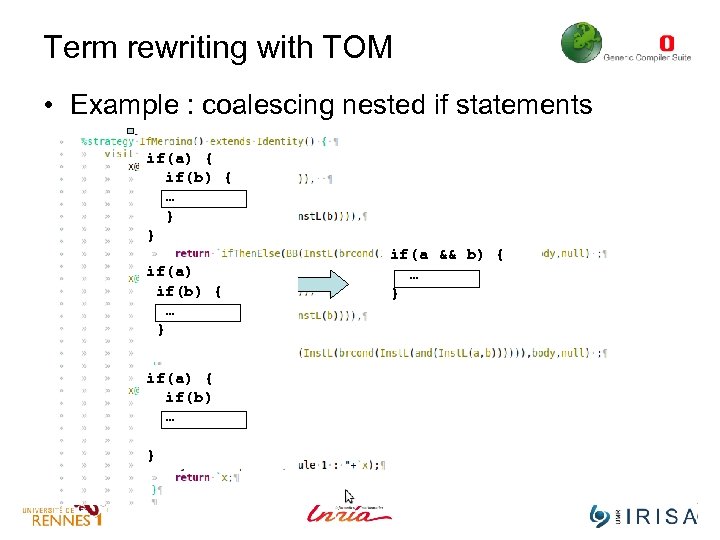
Term rewriting with TOM • Example : coalescing nested if statements if(a) { if(b) { … } } if(a) if(b) { … } if(a) { if(b) … } if(a && b) { … }
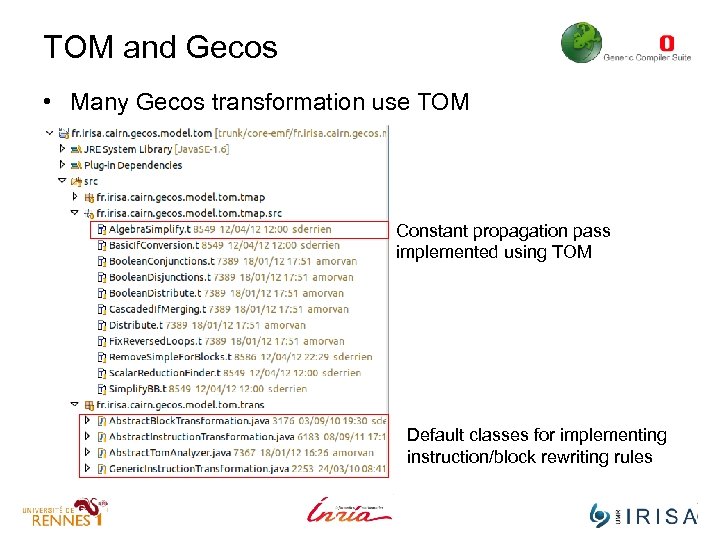
TOM and Gecos • Many Gecos transformation use TOM Constant propagation pass implemented using TOM Default classes for implementing instruction/block rewriting rules
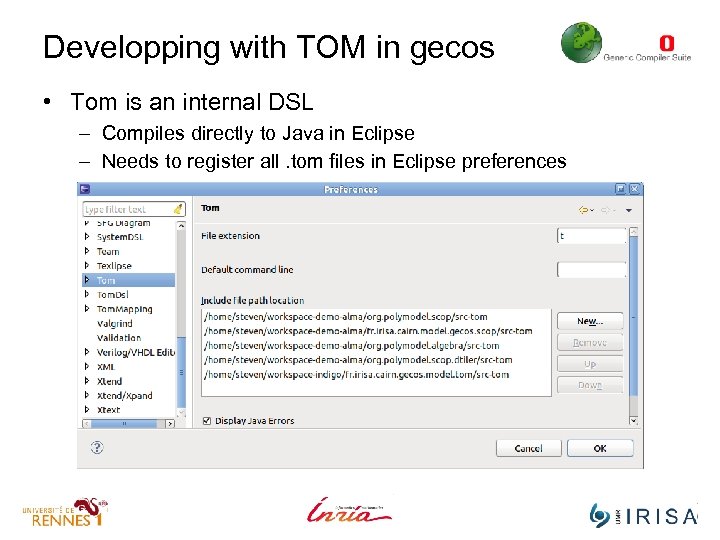
Developping with TOM in gecos • Tom is an internal DSL – Compiles directly to Java in Eclipse – Needs to register all. tom files in Eclipse preferences
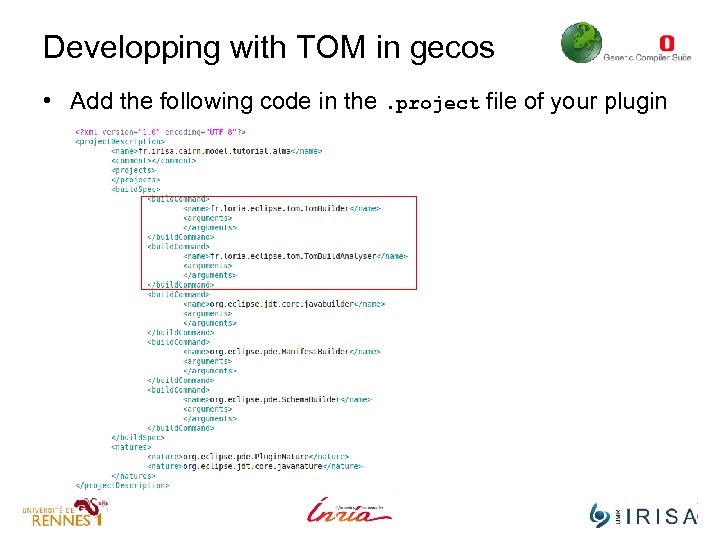
Developping with TOM in gecos • Add the following code in the. project file of your plugin
Appendix Crash course on design patterns
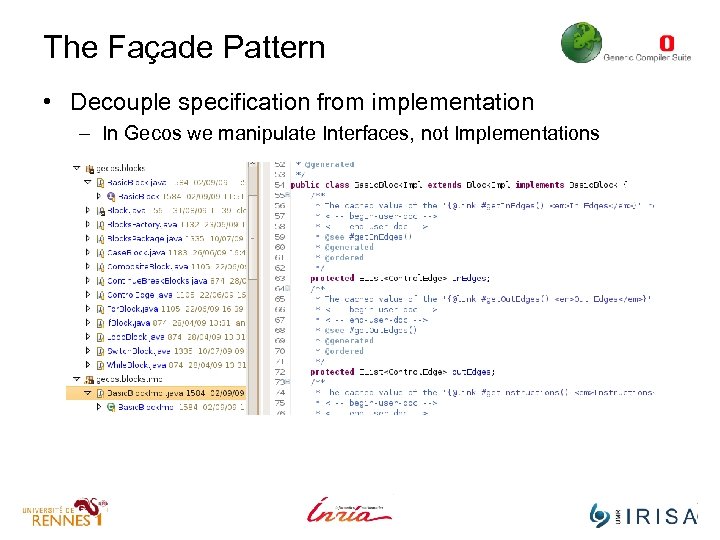
The Façade Pattern • Decouple specification from implementation – In Gecos we manipulate Interfaces, not Implementations
The Visitor Pattern • Exemplification – Say I want to write a pretty printer that generates C code from my CDFG IR (or part of) …
What is a ‘visitor’ • Obvious solution – Adding a method pretty. Print. To. C() in all the classes of the IR representation. – Put the pretty print code in this method • Any object will then now know how to “prettyprint itself” • Problems – If I want to change the pp, I must update the code for n classes (n is the number of classes in my IR). – I will probably want other prettyprinters … • For Dotty, for Java, for x … – Results in very poor code coherence. . . • Coherence means that code associated to a given task is scattered among many different files.
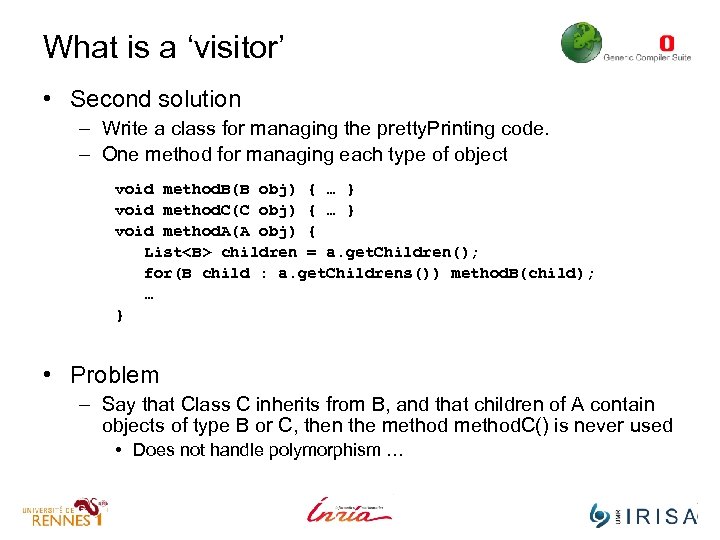
What is a ‘visitor’ • Second solution – Write a class for managing the pretty. Printing code. – One method for managing each type of object void method. B(B obj) { … } void method. C(C obj) { … } void method. A(A obj) { List<B> children = a. get. Children(); for(B child : a. get. Childrens()) method. B(child); … } • Problem – Say that Class C inherits from B, and that children of A contain objects of type B or C, then the method. C() is never used • Does not handle polymorphism …
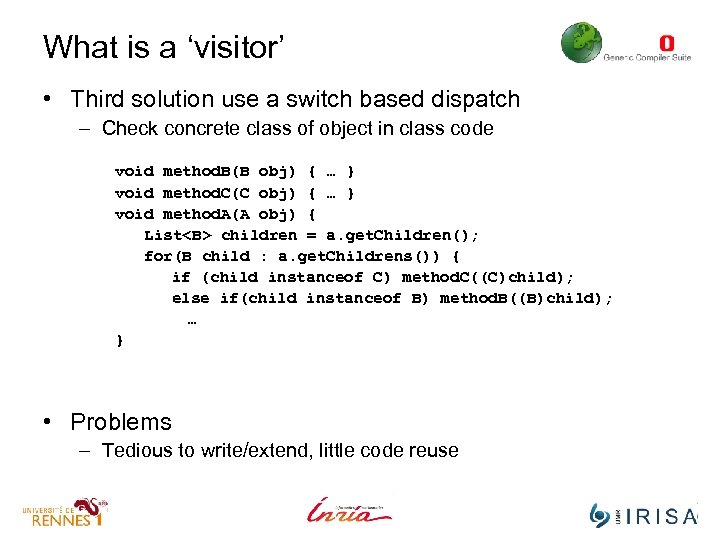
What is a ‘visitor’ • Third solution use a switch based dispatch – Check concrete class of object in class code void method. B(B obj) { … } void method. C(C obj) { … } void method. A(A obj) { List<B> children = a. get. Children(); for(B child : a. get. Childrens()) { if (child instanceof C) method. C((C)child); else if(child instanceof B) method. B((B)child); … } • Problems – Tedious to write/extend, little code reuse
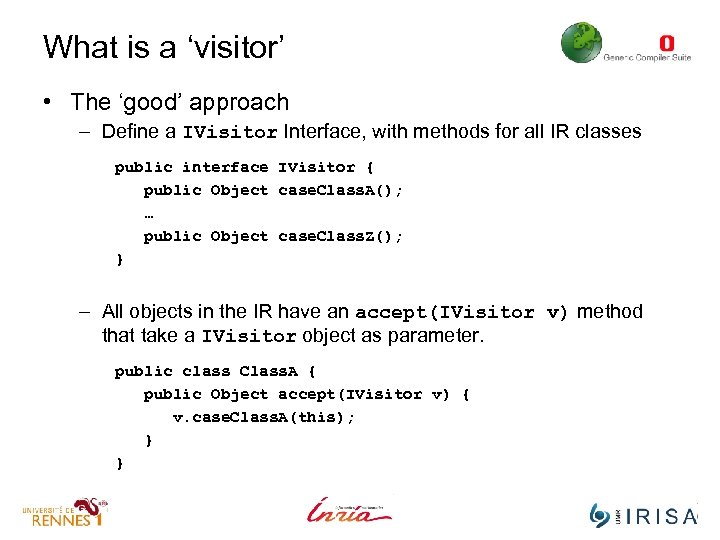
What is a ‘visitor’ • The ‘good’ approach – Define a IVisitor Interface, with methods for all IR classes public interface IVisitor { public Object case. Class. A(); … public Object case. Class. Z(); } – All objects in the IR have an accept(IVisitor v) method that take a IVisitor object as parameter. public class Class. A { public Object accept(IVisitor v) { v. case. Class. A(this); } }
What is a ‘visitor’ • Remark : – EMF (meta-model stuff) visitor use a mixture of 2 & 3, but since it is automatically generated, criticism for 2 do not hold …
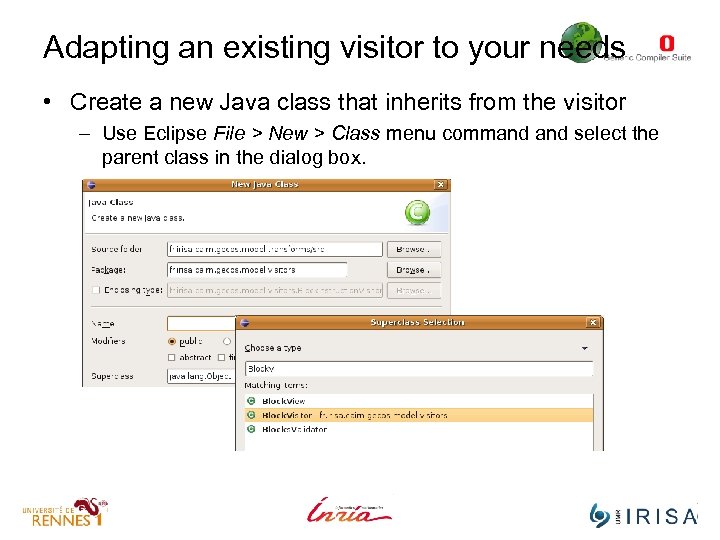
Adapting an existing visitor to your needs • Create a new Java class that inherits from the visitor – Use Eclipse File > New > Class menu command select the parent class in the dialog box.
Adapting an existing visitor to your needs • Override all methods that handle objects you are interested with. – Use Eclipse Source > Override/Implement method menu and select the methods you want to override.
IGraph
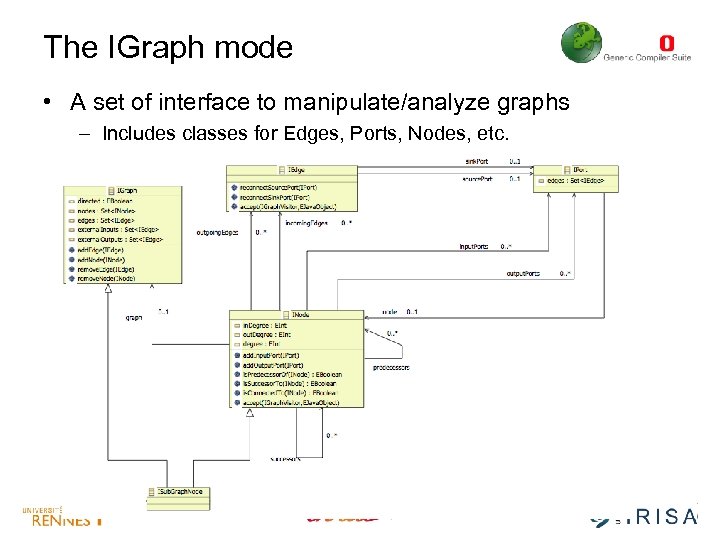
The IGraph mode • A set of interface to manipulate/analyze graphs – Includes classes for Edges, Ports, Nodes, etc.
What for ? • Maximizing software reuse among meta-models – FSMs, Datapaths, CFGs, DAGs need graph algorithms – We don’t want to reimplement the same algorithm every time
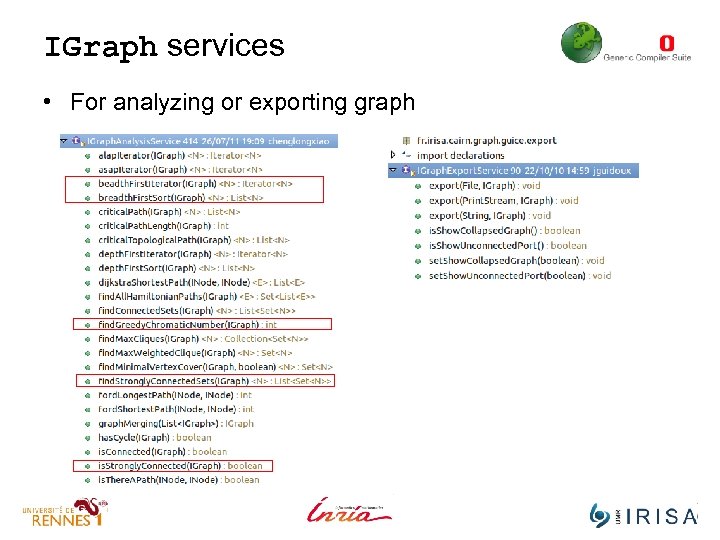
IGraph services • For analyzing or exporting graph
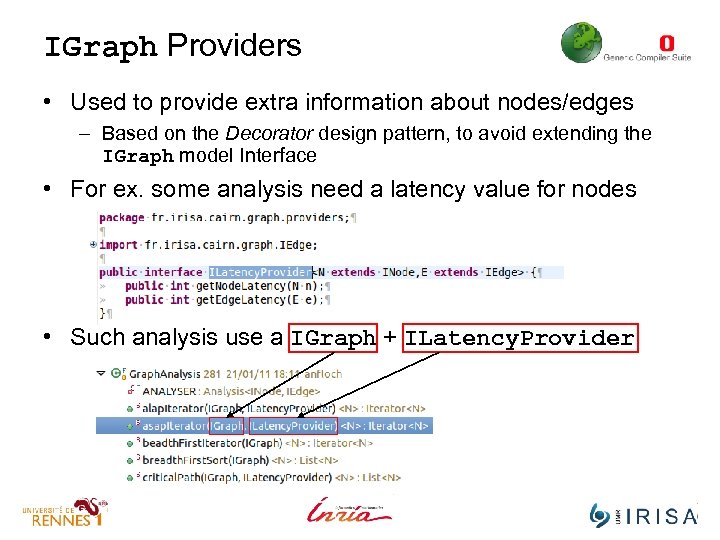
IGraph Providers • Used to provide extra information about nodes/edges – Based on the Decorator design pattern, to avoid extending the IGraph model Interface • For ex. some analysis need a latency value for nodes • Such analysis use a IGraph + ILatency. Provider
DAGInstructions
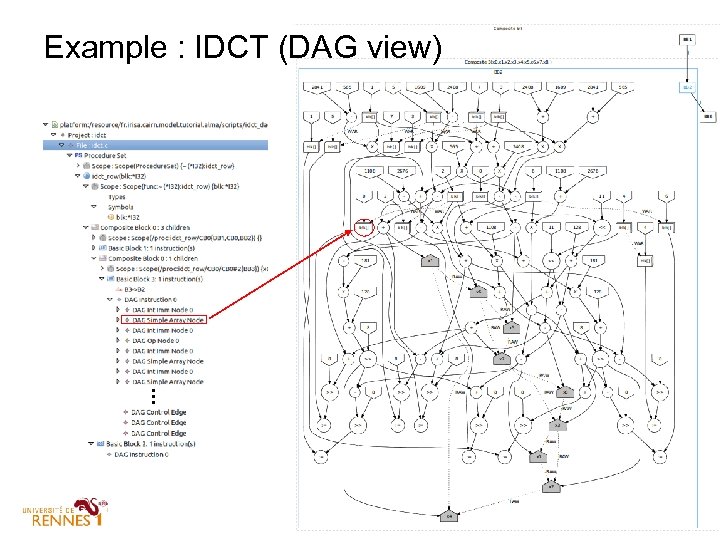
The DAG IR model • In the base IR, instructions are modeled as trees – Simple and well suited to source • This is not practical for many analysis/optimizations – Instruction scheduling within Basic. Block. – Instruction selection (graph based patterns). – Array Scalarization, memory access reduction, etc • Gecos provide a Dataflow Graph representation – Models the dataflow dependencies between instructions • Only in the scope of a given Basic. Block. – Provide a simple memory based dependency analysis • assumes no pointers/aliasing in the program)
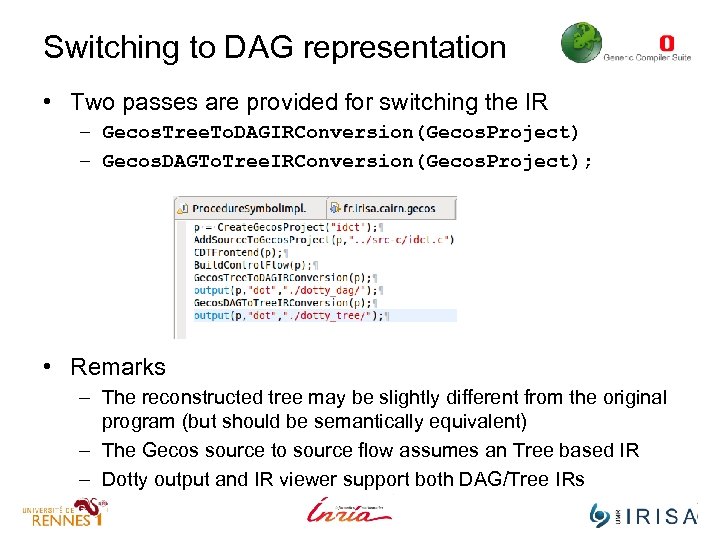
Switching to DAG representation • Two passes are provided for switching the IR – Gecos. Tree. To. DAGIRConversion(Gecos. Project) – Gecos. DAGTo. Tree. IRConversion(Gecos. Project); • Remarks – The reconstructed tree may be slightly different from the original program (but should be semantically equivalent) – The Gecos source to source flow assumes an Tree based IR – Dotty output and IR viewer support both DAG/Tree IRs
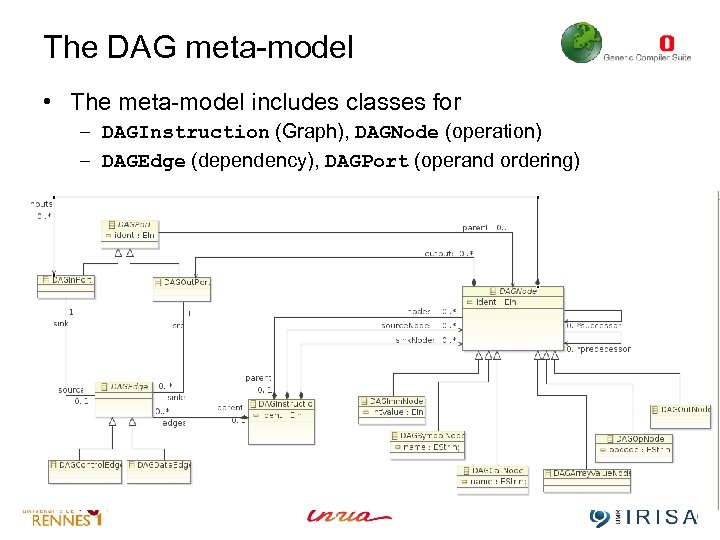
The DAG meta-model • The meta-model includes classes for – DAGInstruction (Graph), DAGNode (operation) – DAGEdge (dependency), DAGPort (operand ordering)
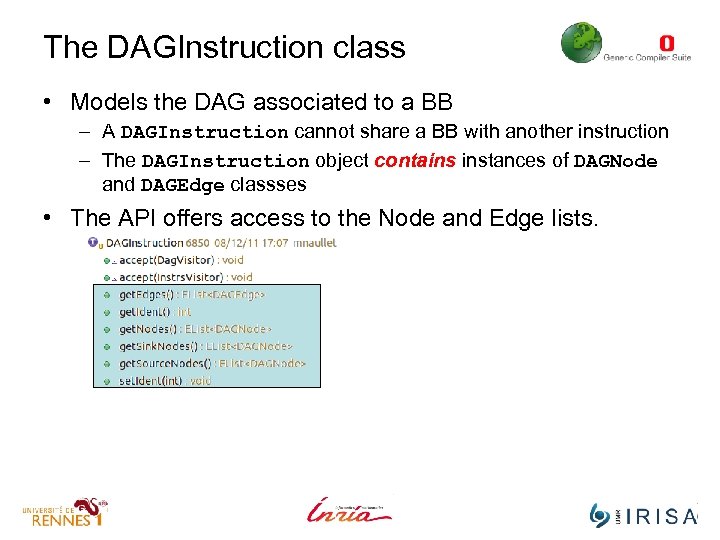
The DAGInstruction class • Models the DAG associated to a BB – A DAGInstruction cannot share a BB with another instruction – The DAGInstruction object contains instances of DAGNode and DAGEdge classses • The API offers access to the Node and Edge lists.
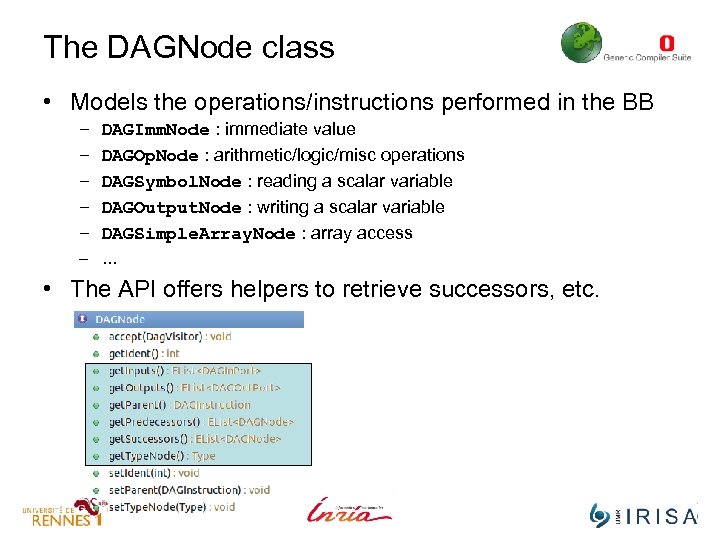
The DAGNode class • Models the operations/instructions performed in the BB – – – DAGImm. Node : immediate value DAGOp. Node : arithmetic/logic/misc operations DAGSymbol. Node : reading a scalar variable DAGOutput. Node : writing a scalar variable DAGSimple. Array. Node : array access – … • The API offers helpers to retrieve successors, etc.
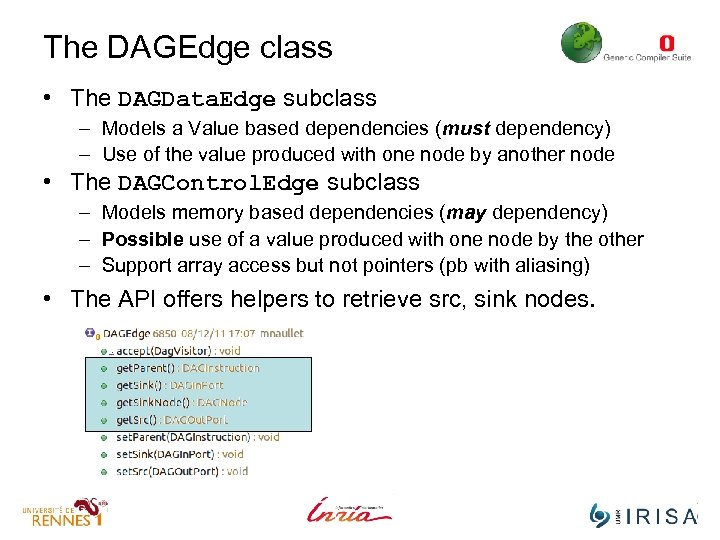
The DAGEdge class • The DAGData. Edge subclass – Models a Value based dependencies (must dependency) – Use of the value produced with one node by another node • The DAGControl. Edge subclass – Models memory based dependencies (may dependency) – Possible use of a value produced with one node by the other – Support array access but not pointers (pb with aliasing) • The API offers helpers to retrieve src, sink nodes.
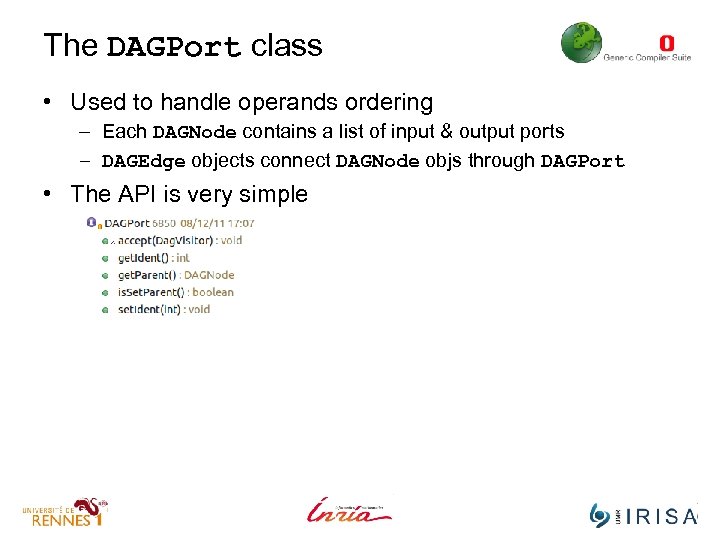
The DAGPort class • Used to handle operands ordering – Each DAGNode contains a list of input & output ports – DAGEdge objects connect DAGNode objs through DAGPort • The API is very simple
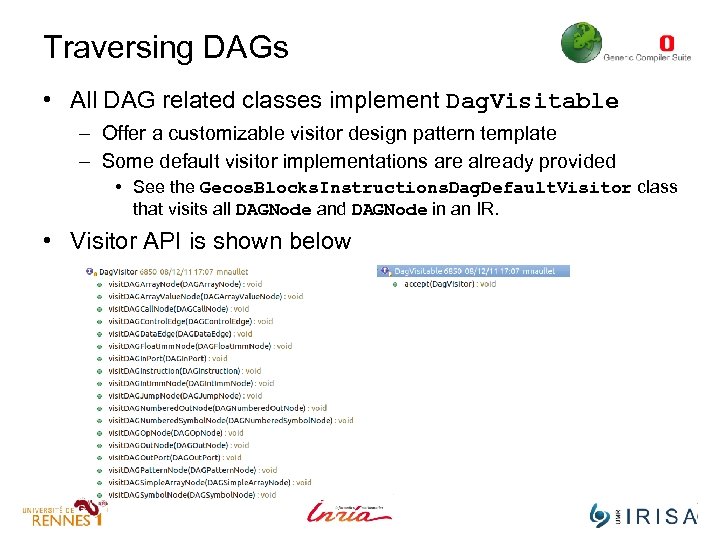
Traversing DAGs • All DAG related classes implement Dag. Visitable – Offer a customizable visitor design pattern template – Some default visitor implementations are already provided • See the Gecos. Blocks. Instructions. Dag. Default. Visitor class that visits all DAGNode and DAGNode in an IR. • Visitor API is shown below
DAG and SSA • The DAG IR can be used in conjunction with SSA – IR must be changed to SSA before DAG conversion – SSA information is currently not used during DAG extraction
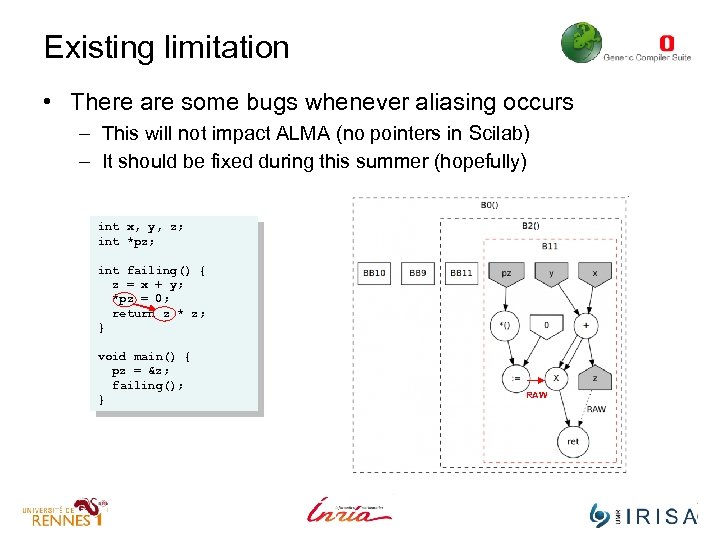
Existing limitation • There are some bugs whenever aliasing occurs – This will not impact ALMA (no pointers in Scilab) – It should be fixed during this summer (hopefully) int x, y, z; int *pz; int failing() { z = x + y; *pz = 0; return z * z; } void main() { pz = &z; failing(); } RAW
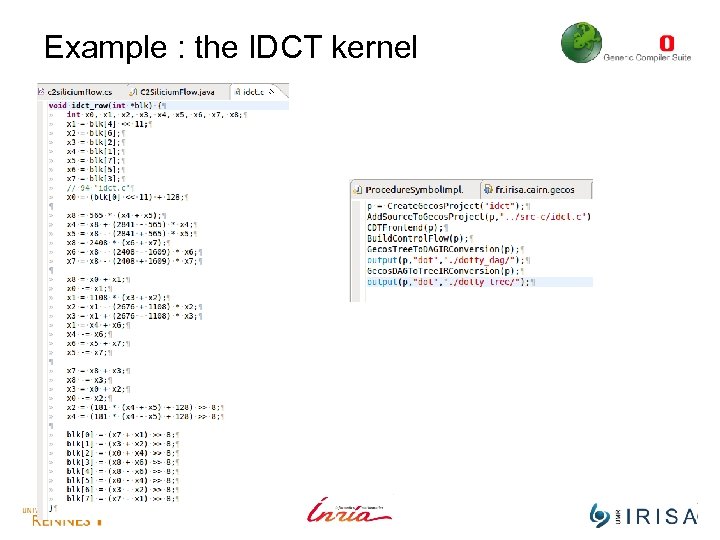
Example : the IDCT kernel
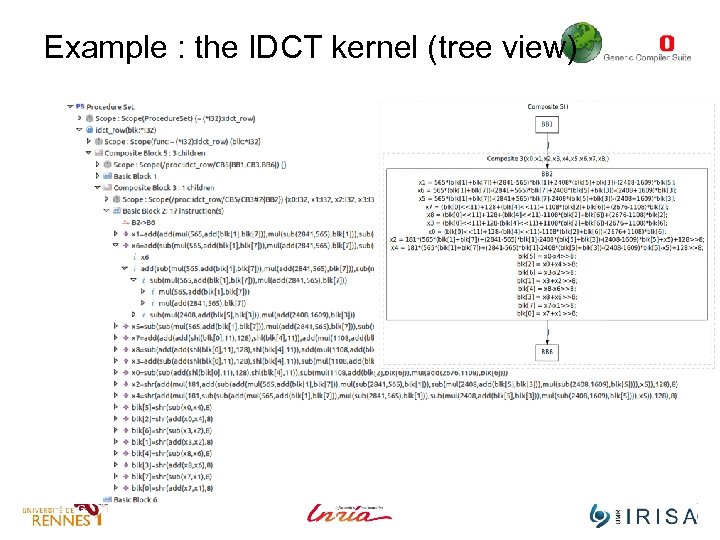
Example : the IDCT kernel (tree view)
Example : IDCT (DAG view)
IGraph + DAGInstructions
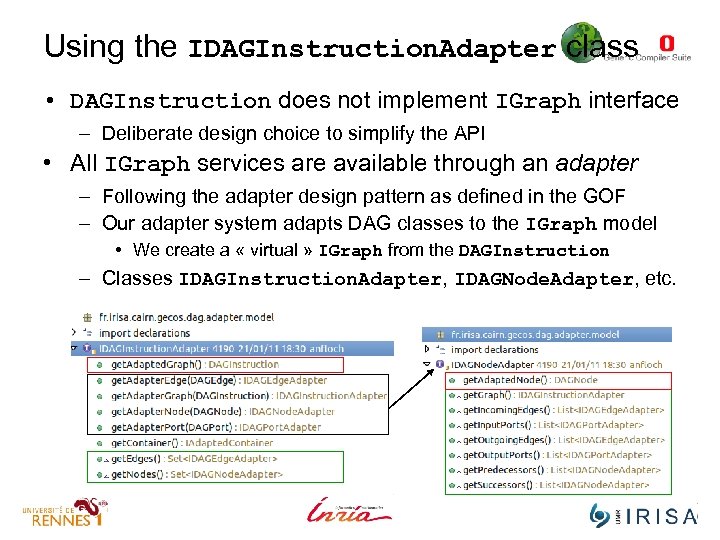
Using the IDAGInstruction. Adapter class • DAGInstruction does not implement IGraph interface – Deliberate design choice to simplify the API • All IGraph services are available through an adapter – Following the adapter design pattern as defined in the GOF – Our adapter system adapts DAG classes to the IGraph model • We create a « virtual » IGraph from the DAGInstruction – Classes IDAGInstruction. Adapter, IDAGNode. Adapter, etc.
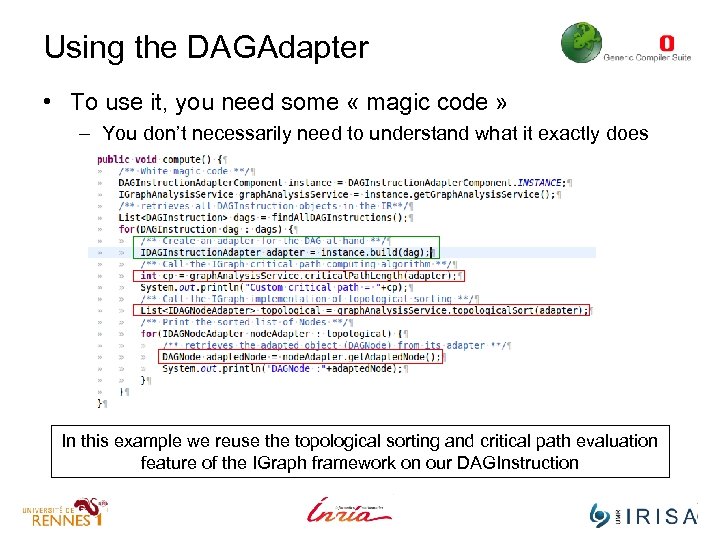
Using the DAGAdapter • To use it, you need some « magic code » – You don’t necessarily need to understand what it exactly does In this example we reuse the topological sorting and critical path evaluation feature of the IGraph framework on our DAGInstruction
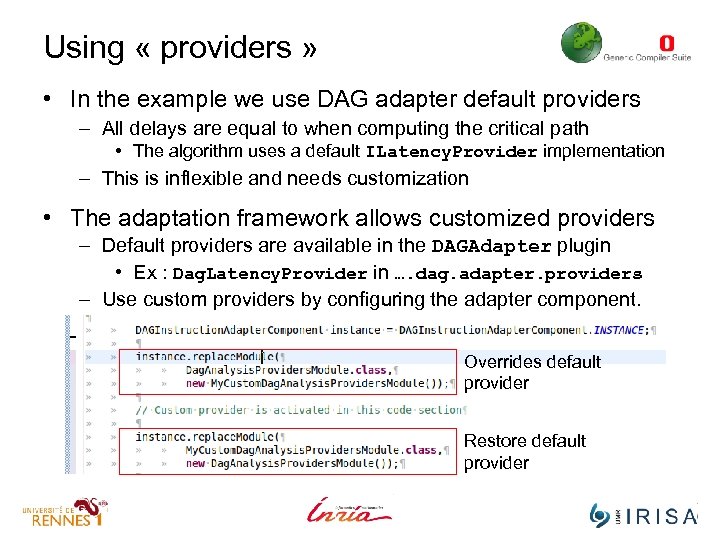
Using « providers » • In the example we use DAG adapter default providers – All delays are equal to when computing the critical path • The algorithm uses a default ILatency. Provider implementation – This is inflexible and needs customization • The adaptation framework allows customized providers – Default providers are available in the DAGAdapter plugin • Ex : Dag. Latency. Provider in …. dag. adapter. providers – Use custom providers by configuring the adapter component. Overrides default provider Restore default provider
Synchonizing the Adapter • The framework provides experimental tools to help synchronizing IGraph and DAG instruction. – Out of scope for the moment …. Maybe next meeting ? – If you need to modify a DAGInstruction, you need to recreate a adapter after the modification took place.
Demo • In this demo, I will provide my custom Latency. Provider to calculate the critical path of a DAGInstruction. – See the fr. irisa. cairn. model. tutorial. alma plugin
Contributing • We suggest you to design your algorithms for IGraph – Use adapter to make them work on DAGs – Use extra providers to provide the missing information/data
Скачать презентацию A short tutorial With contributions from Steven Derrien
df91745e65c32eb64925da849ff8b0aa.ppt