


 Скачать презентацию A Quick Primer on Multimedia Networking Multimedia
1653231e200b73a3cb1e5b71b9c46871.ppt
- Количество слайдов: 49
 A Quick Primer on Multimedia Networking • Multimedia vs. (conventional) Data Applications – analog “continuous” media: encoding, decoding & playback – service requirements • Classifying multimedia applications – Streaming (stored) multimedia – Live multimedia broadcasting – Interactive multimedia applications • Making the best of best effort service: streaming Stored Multimedia over “Best-Effort “Internet – client buffering, rate adaption, etc. • Large-scale video delivery over the Internet: You. Tube and Netflix case studies (optional) Required Readings: csci 4221 Textbook, sections 7. 1 -7. 2 CSci 4211: Multimedia Networking 1
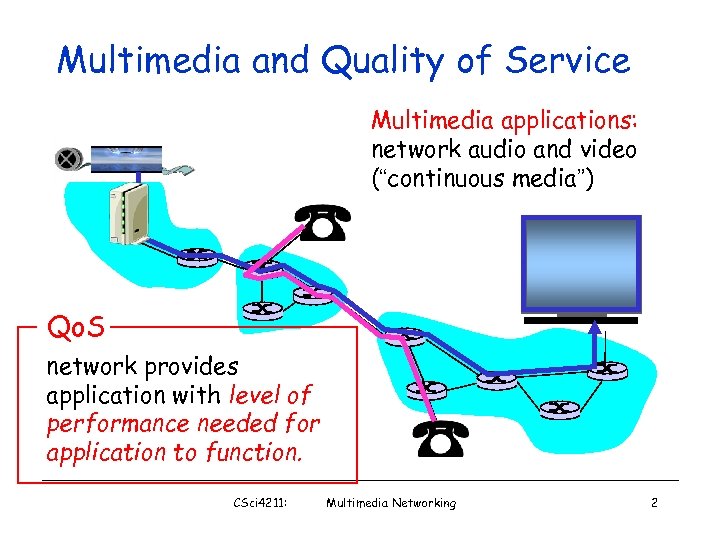 Multimedia and Quality of Service Multimedia applications: network audio and video (“continuous media”) Qo. S network provides application with level of performance needed for application to function. CSci 4211: Multimedia Networking 2
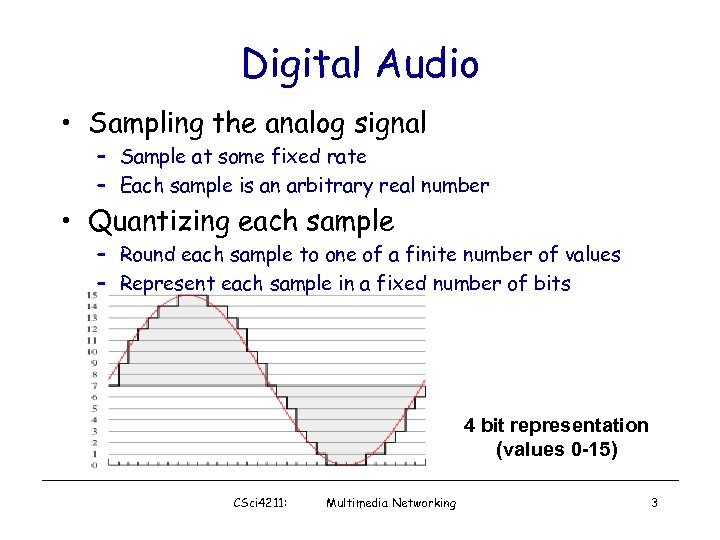 Digital Audio • Sampling the analog signal – Sample at some fixed rate – Each sample is an arbitrary real number • Quantizing each sample – Round each sample to one of a finite number of values – Represent each sample in a fixed number of bits 4 bit representation (values 0 -15) CSci 4211: Multimedia Networking 3
 Audio Examples • Speech – Sampling rate: 8000 samples/second – Sample size: 8 bits per sample – Rate: 64 kbps • Compact Disc (CD) – Sampling rate: 44, 100 samples/second – Sample size: 16 bits per sample – Rate: 705. 6 kbps for mono, 1. 411 Mbps for stereo CSci 4211: Multimedia Networking 4
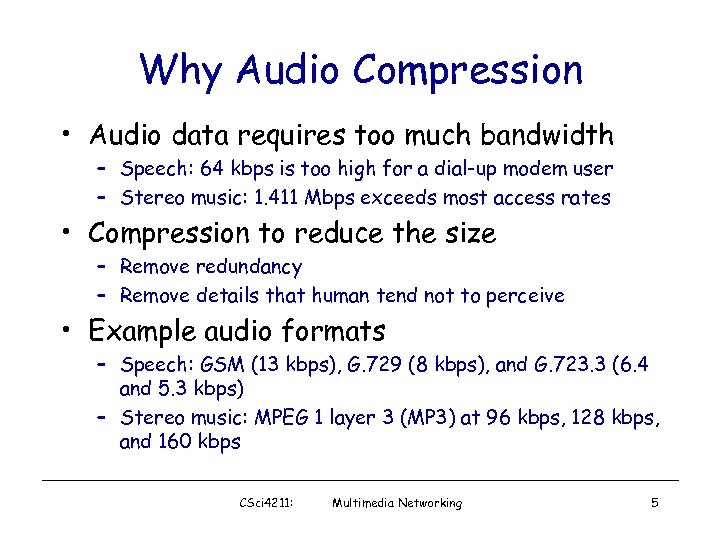 Why Audio Compression • Audio data requires too much bandwidth – Speech: 64 kbps is too high for a dial-up modem user – Stereo music: 1. 411 Mbps exceeds most access rates • Compression to reduce the size – Remove redundancy – Remove details that human tend not to perceive • Example audio formats – Speech: GSM (13 kbps), G. 729 (8 kbps), and G. 723. 3 (6. 4 and 5. 3 kbps) – Stereo music: MPEG 1 layer 3 (MP 3) at 96 kbps, 128 kbps, and 160 kbps CSci 4211: Multimedia Networking 5
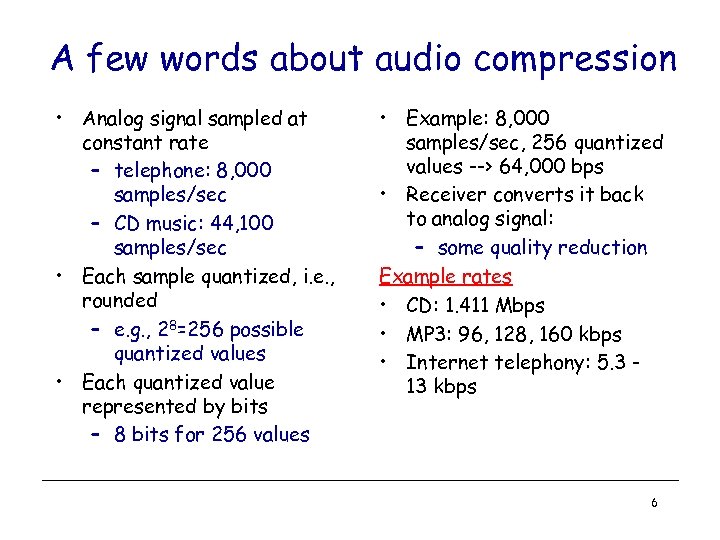 A few words about audio compression • Analog signal sampled at constant rate – telephone: 8, 000 samples/sec – CD music: 44, 100 samples/sec • Each sample quantized, i. e. , rounded – e. g. , 28=256 possible quantized values • Each quantized value represented by bits – 8 bits for 256 values • Example: 8, 000 samples/sec, 256 quantized values --> 64, 000 bps • Receiver converts it back to analog signal: – some quality reduction Example rates • CD: 1. 411 Mbps • MP 3: 96, 128, 160 kbps • Internet telephony: 5. 3 13 kbps 6
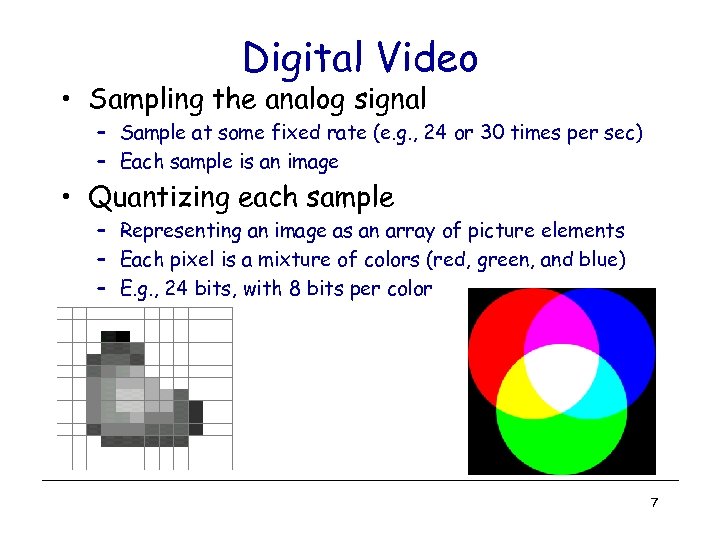 Digital Video • Sampling the analog signal – Sample at some fixed rate (e. g. , 24 or 30 times per sec) – Each sample is an image • Quantizing each sample – Representing an image as an array of picture elements – Each pixel is a mixture of colors (red, green, and blue) – E. g. , 24 bits, with 8 bits per color 7
 The 2272 x 1704 hand CSci 5221: The 320 x 240 hand Multimedia 8
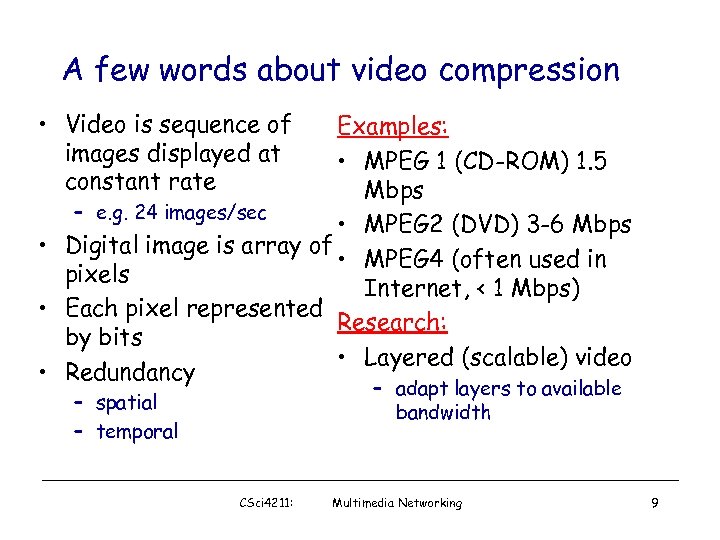 A few words about video compression • Video is sequence of images displayed at constant rate Examples: • MPEG 1 (CD-ROM) 1. 5 Mbps – e. g. 24 images/sec • MPEG 2 (DVD) 3 -6 Mbps • Digital image is array of • MPEG 4 (often used in pixels Internet, < 1 Mbps) • Each pixel represented Research: by bits • Layered (scalable) video • Redundancy – adapt layers to available bandwidth – spatial – temporal CSci 4211: Multimedia Networking 9
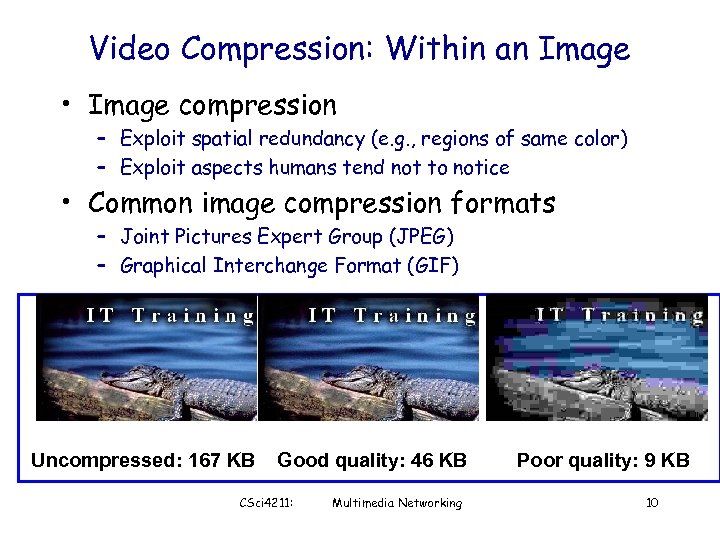 Video Compression: Within an Image • Image compression – Exploit spatial redundancy (e. g. , regions of same color) – Exploit aspects humans tend not to notice • Common image compression formats – Joint Pictures Expert Group (JPEG) – Graphical Interchange Format (GIF) Uncompressed: 167 KB Good quality: 46 KB CSci 4211: Multimedia Networking Poor quality: 9 KB 10
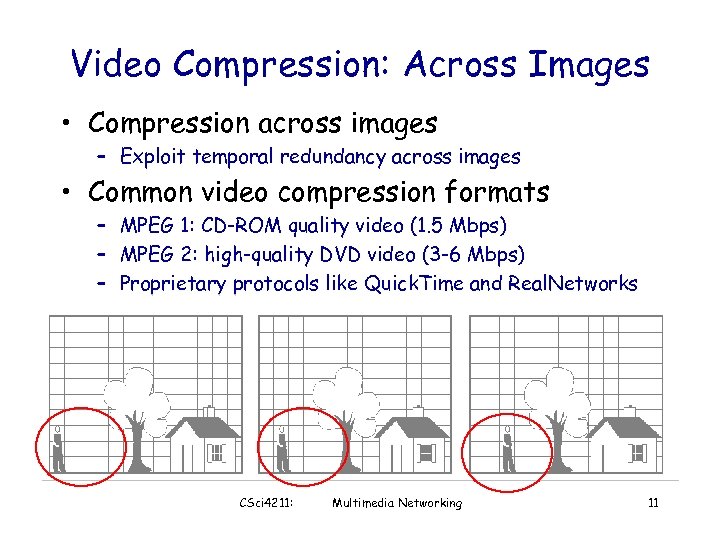 Video Compression: Across Images • Compression across images – Exploit temporal redundancy across images • Common video compression formats – MPEG 1: CD-ROM quality video (1. 5 Mbps) – MPEG 2: high-quality DVD video (3 -6 Mbps) – Proprietary protocols like Quick. Time and Real. Networks CSci 4211: Multimedia Networking 11
 MM Networking Applications Classes of MM applications: 1) Streaming stored audio and video 2) Streaming live audio and video 3) Real-time interactive audio and video Jitter is the variability of packet delays within the same packet stream CSci 4211: Fundamental characteristics: • Typically delay sensitive – end-to-end delay – delay jitter • But loss tolerant: infrequent losses cause minor glitches • Antithesis of data, which are loss intolerant but delay tolerant. Multimedia Networking 12
 Application Classes • Streaming – Clients request audio/video files from servers and pipeline reception over the network and display – Interactive: user can control operation (similar to VCR: pause, resume, fast forward, rewind, etc. ) – Delay: from client request until display start can be 1 to 10 seconds CSci 4211: Multimedia Networking 13
 Application Classes (more) • Unidirectional Real-Time: – E. g. , real-time video broadcasting of a sport event – similar to existing TV and radio stations, but delivery on the network – Non-interactive, just listen/view • Interactive Real-Time : – Phone conversation or video conference – E. g. , skype, Google handout, Vo. IP & SIP, … – More stringent delay requirement than Streaming and Unidirectional because of real-time nature – Video: < 150 msec acceptable – Audio: < 150 msec good, <400 msec acceptable CSci 4211: Multimedia Networking 14
 Multimedia Over Today’s Internet TCP/UDP/IP: “best-effort service” • no guarantees on delay, loss ? ? ? ? But you said multimedia apps requires ? Qo. S and level of performance to be ? ? effective! ? ? Today’s Internet multimedia applications use application-level techniques to mitigate (as best possible) effects of delay, loss CSci 4211: Multimedia Networking 15
 Challenges • TCP/UDP/IP suite provides best-effort, no guarantees on expectation or variance of packet delay • Streaming applications delay of 5 to 10 seconds is typical and has been acceptable, but performance deteriorate if links are congested (transoceanic) • Real-Time Interactive requirements on delay and its jitter have been satisfied by over-provisioning (providing plenty of bandwidth), what will happen when the load increases? . . . CSci 4211: Multimedia Networking 16
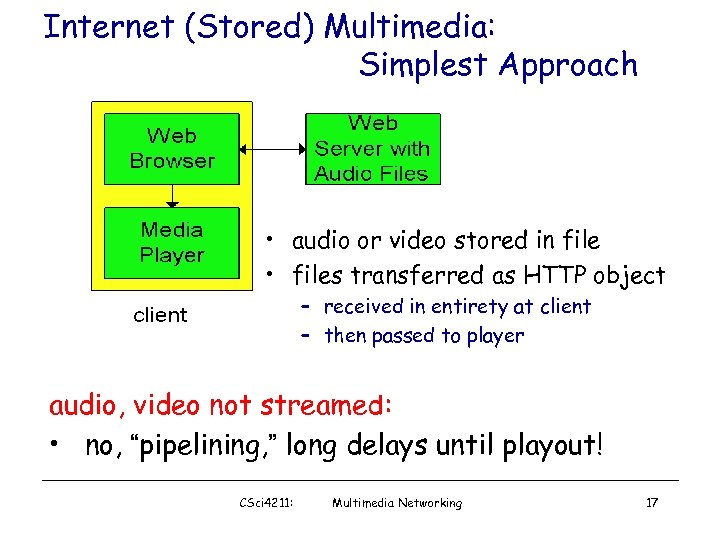 Internet (Stored) Multimedia: Simplest Approach • audio or video stored in file • files transferred as HTTP object – received in entirety at client – then passed to player audio, video not streamed: • no, “pipelining, ” long delays until playout! CSci 4211: Multimedia Networking 17
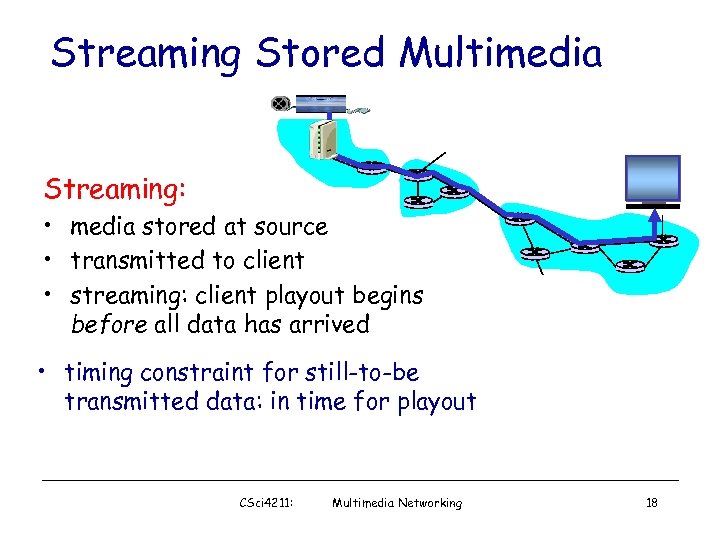 Streaming Stored Multimedia Streaming: • media stored at source • transmitted to client • streaming: client playout begins before all data has arrived • timing constraint for still-to-be transmitted data: in time for playout CSci 4211: Multimedia Networking 18
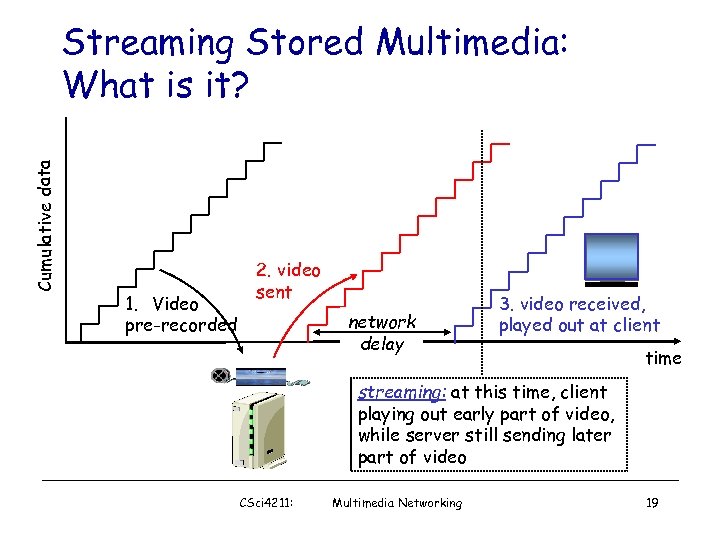 Cumulative data Streaming Stored Multimedia: What is it? 1. Video pre-recorded 2. video sent network delay 3. video received, played out at client time streaming: at this time, client playing out early part of video, while server still sending later part of video CSci 4211: Multimedia Networking 19
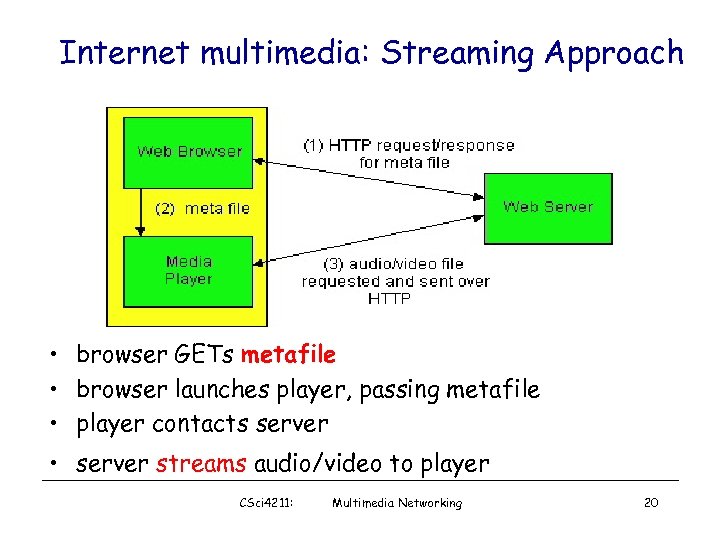 Internet multimedia: Streaming Approach • browser GETs metafile • browser launches player, passing metafile • player contacts server • server streams audio/video to player CSci 4211: Multimedia Networking 20
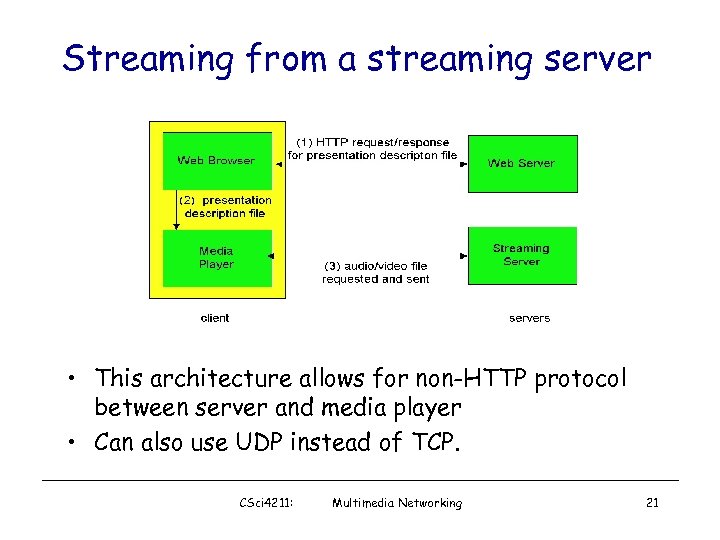 Streaming from a streaming server • This architecture allows for non-HTTP protocol between server and media player • Can also use UDP instead of TCP. CSci 4211: Multimedia Networking 21
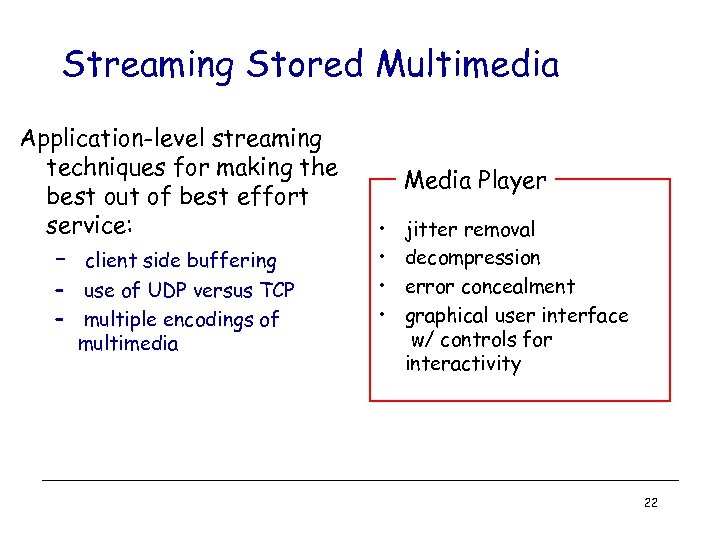 Streaming Stored Multimedia Application-level streaming techniques for making the best out of best effort service: – client side buffering – use of UDP versus TCP – multiple encodings of multimedia Media Player • • jitter removal decompression error concealment graphical user interface w/ controls for interactivity 22
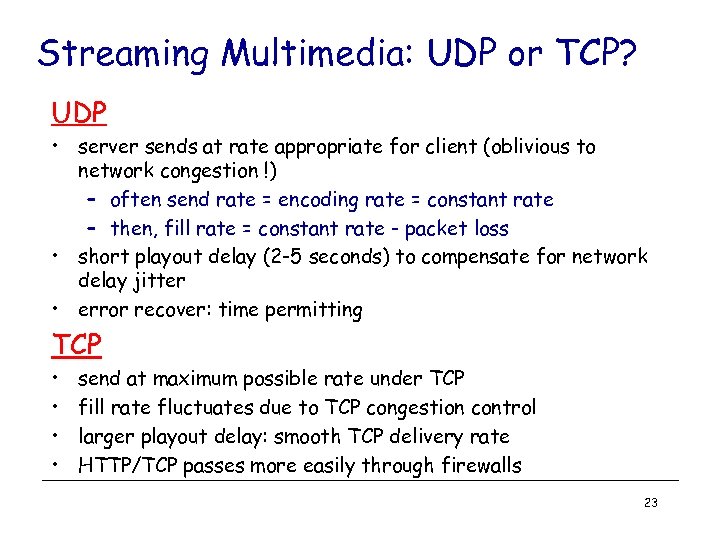 Streaming Multimedia: UDP or TCP? UDP • server sends at rate appropriate for client (oblivious to network congestion !) – often send rate = encoding rate = constant rate – then, fill rate = constant rate - packet loss • short playout delay (2 -5 seconds) to compensate for network delay jitter • error recover: time permitting TCP • • send at maximum possible rate under TCP fill rate fluctuates due to TCP congestion control larger playout delay: smooth TCP delivery rate HTTP/TCP passes more easily through firewalls 23
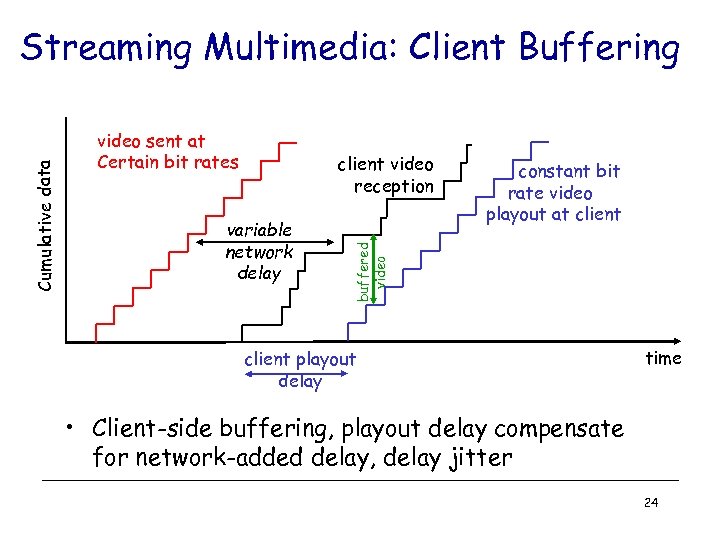 video sent at Certain bit rates client video reception variable network delay constant bit rate video playout at client buffered video Cumulative data Streaming Multimedia: Client Buffering client playout delay time • Client-side buffering, playout delay compensate for network-added delay, delay jitter 24
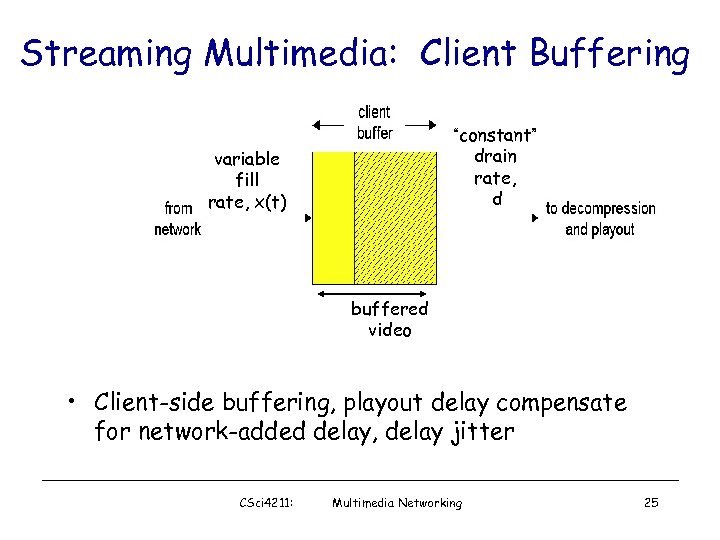 Streaming Multimedia: Client Buffering “constant” drain rate, d variable fill rate, x(t) buffered video • Client-side buffering, playout delay compensate for network-added delay, delay jitter CSci 4211: Multimedia Networking 25
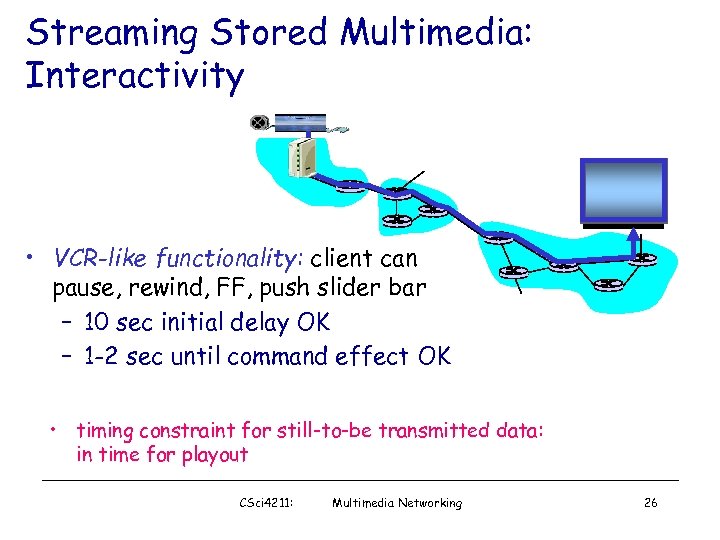 Streaming Stored Multimedia: Interactivity • VCR-like functionality: client can pause, rewind, FF, push slider bar – 10 sec initial delay OK – 1 -2 sec until command effect OK • timing constraint for still-to-be transmitted data: in time for playout CSci 4211: Multimedia Networking 26
 Streaming Live Multimedia Examples: • Internet radio talk show • Live sporting event Streaming • playback buffer • playback can lag tens of seconds after transmission • still have timing constraint Interactivity • fast forward impossible • rewind, pause possible! CSci 4211: Multimedia Networking 27
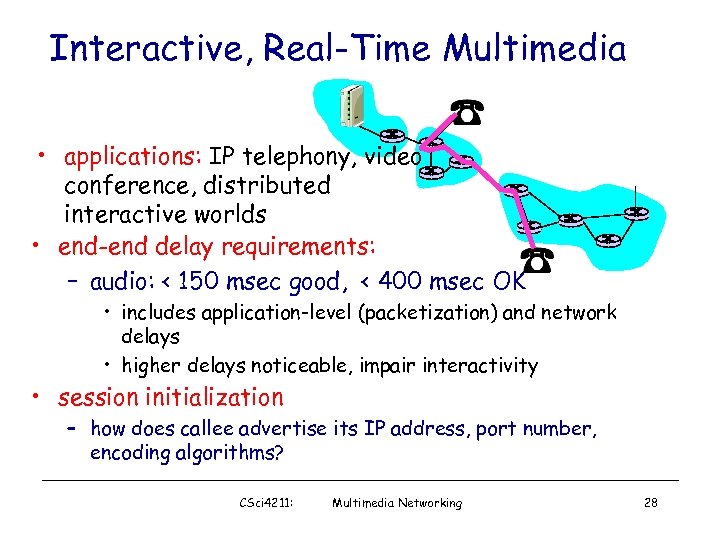 Interactive, Real-Time Multimedia • applications: IP telephony, video conference, distributed interactive worlds • end-end delay requirements: – audio: < 150 msec good, < 400 msec OK • includes application-level (packetization) and network delays • higher delays noticeable, impair interactivity • session initialization – how does callee advertise its IP address, port number, encoding algorithms? CSci 4211: Multimedia Networking 28
 Large-scale Internet Video Delivery: You. Tube & Netflix Case Studies Based on two active measurement studies we have conducted • Reverse-engineering You. Tube Delivery Cloud – Google’s New You. Tube Architectural Design • Unreeling Netflix Video Streaming Service – Cloud-sourcing: Amazon Cloud Services & CDNs CSci 4211: Multimedia Networking 29
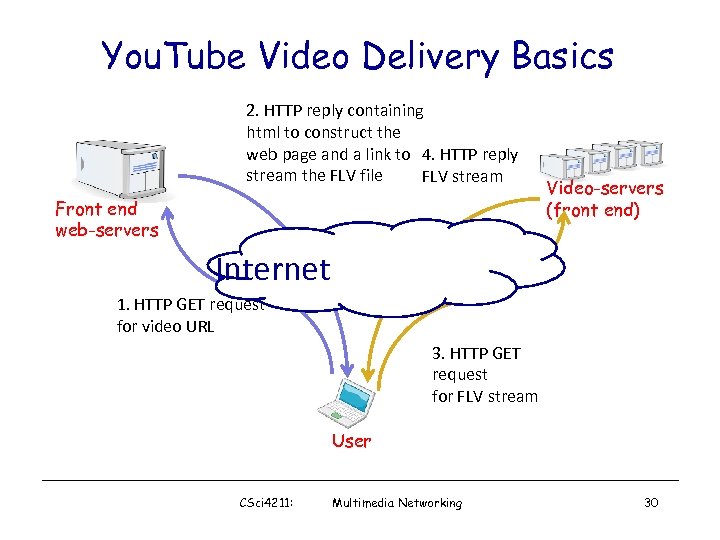 You. Tube Video Delivery Basics 2. HTTP reply containing html to construct the web page and a link to 4. HTTP reply stream the FLV file FLV stream Front end web-servers Video-servers (front end) Internet 1. HTTP GET request for video URL 3. HTTP GET request for FLV stream User CSci 4211: Multimedia Networking 30
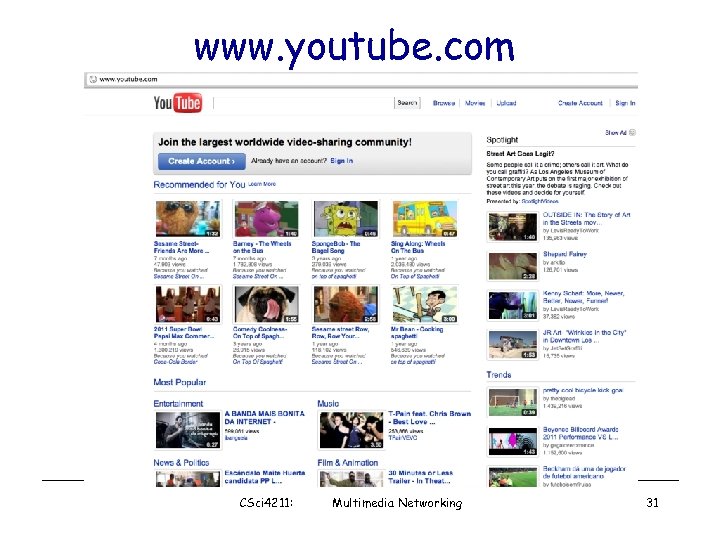 www. youtube. com CSci 4211: Multimedia Networking 31
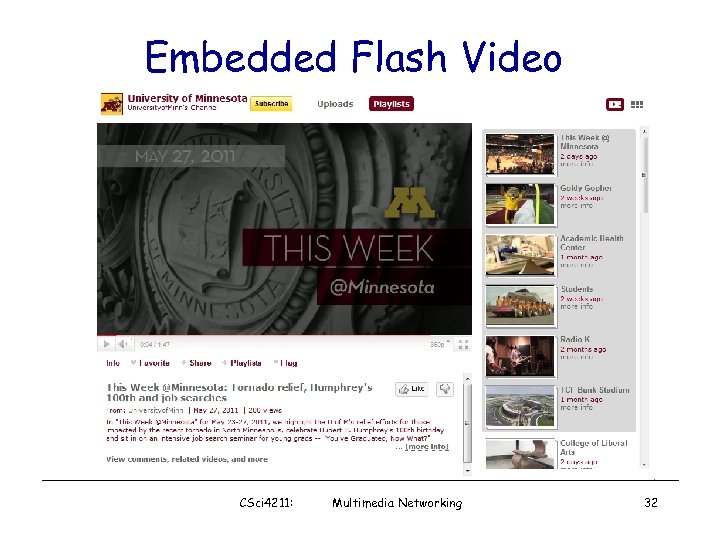 Embedded Flash Video CSci 4211: Multimedia Networking 32
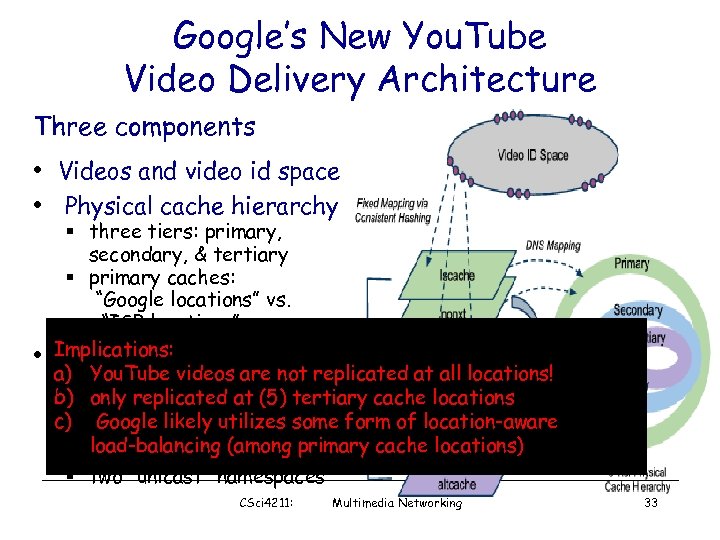 Google’s New You. Tube Video Delivery Architecture Three components • Videos and video id space • Physical cache hierarchy • § three tiers: primary, secondary, & tertiary § primary caches: “Google locations” vs. “ISP locations” Implications: Layered organization of a) You. Tube videos are not replicated at all locations! namespaces b) only replicated at (5) tertiary cache locations § representing “logical” c) Googleservers video likely utilizes some form of location-aware load-balancing (among primary cache locations) § five “anycast” namespaces § two “unicast” namespaces CSci 4211: Multimedia Networking 33
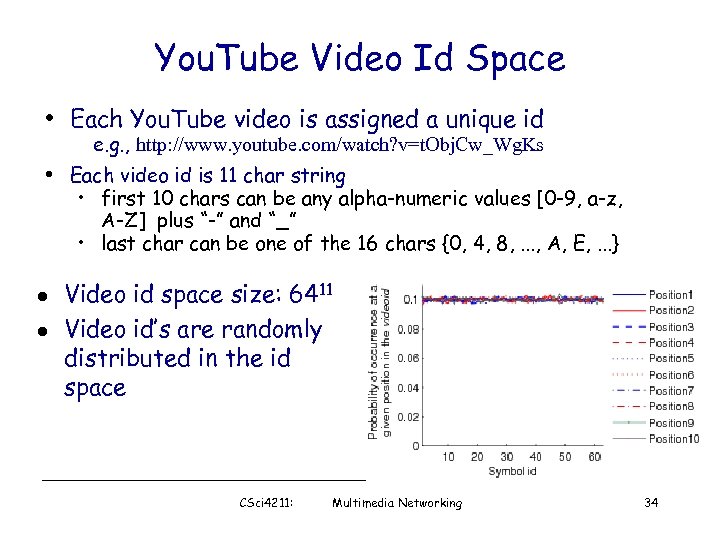 You. Tube Video Id Space • Each You. Tube video is assigned a unique id e. g. , http: //www. youtube. com/watch? v=t. Obj. Cw_Wg. Ks • Each video id is 11 char string • first 10 chars can be any alpha-numeric values [0 -9, a-z, A-Z] plus “-” and “_” • last char can be one of the 16 chars {0, 4, 8, . . . , A, E, . . . } l l Video id space size: 6411 Video id’s are randomly distributed in the id space CSci 4211: Multimedia Networking 34
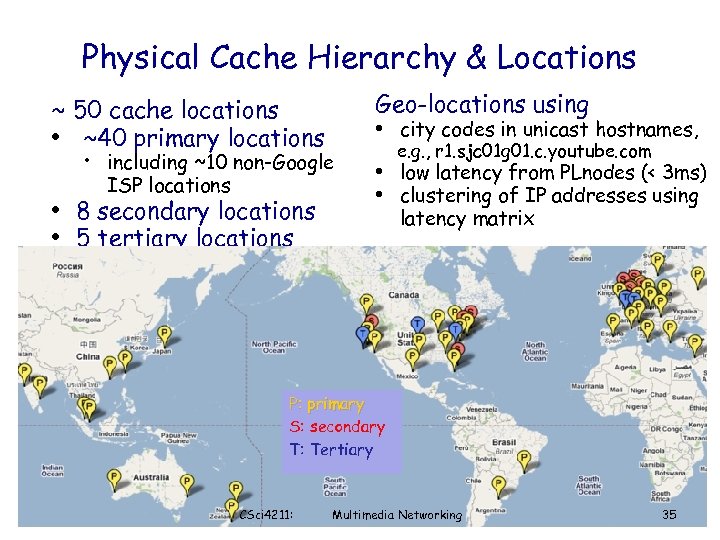 Physical Cache Hierarchy & Locations ~ 50 cache locations • ~40 primary locations Geo-locations using • city codes in unicast hostnames, • including ~10 non-Google ISP locations • 8 secondary locations • 5 tertiary locations e. g. , r 1. sjc 01 g 01. c. youtube. com • low latency from PLnodes (< 3 ms) • clustering of IP addresses using latency matrix P: primary S: secondary T: Tertiary CSci 4211: Multimedia Networking 35
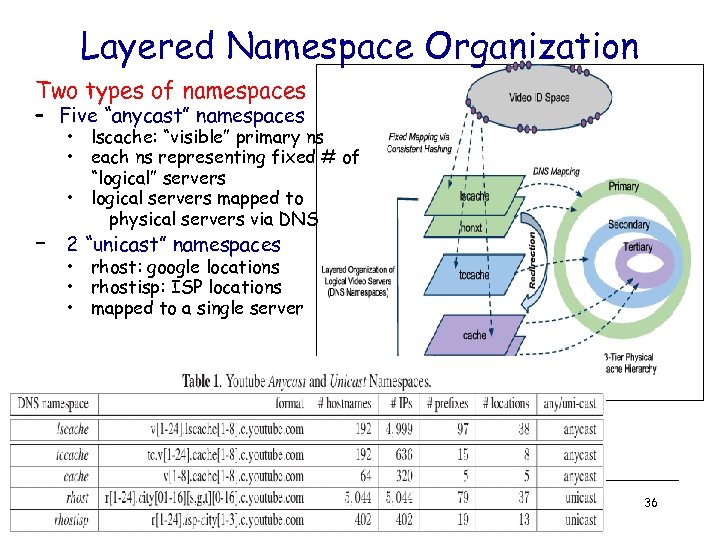 Layered Namespace Organization Two types of namespaces – Five “anycast” namespaces • lscache: “visible” primary ns • each ns representing fixed # of “logical” servers • logical servers mapped to physical servers via DNS – 2 “unicast” namespaces • rhost: google locations • rhostisp: ISP locations • mapped to a single server CSci 4211: Multimedia Networking 36
 You. Tube Video Delivery Dynamics: Summary • Locality-aware DNS resolution • Handling load balancing & hotspots – DNS change – Dynamic HTTP redirection – local vs. higher cache tier • Handling cache misses – Background fetch – Dynamic HTTP redirection CSci 4211: Multimedia Networking 37
 What Makes Netflix Interesting? • Commercial, feature-length movies and TV shows § and not free; subscription-based • Nonetheless, Netflix is huge! § § 25 million subscribers and ~20, 000 titles (and growing) consumes 30% of peak-time downstream bandwidth in North America • A prime example of cloud-sourced architecture § Maintains only a small “in-house” facility for key functions § § § e. g. , subscriber management (account creation, payment, …) user authentication, video search, video storage, … § Akamai, Level 3 and Limelight Majority of functions are sourced to Amazon cloud (EC 2/S 3) DNS service is sourced to Ultra. DNS Leverage multiple CDNs (content-distribution networks) for video delivery CSci 4211: Multimedia Networking
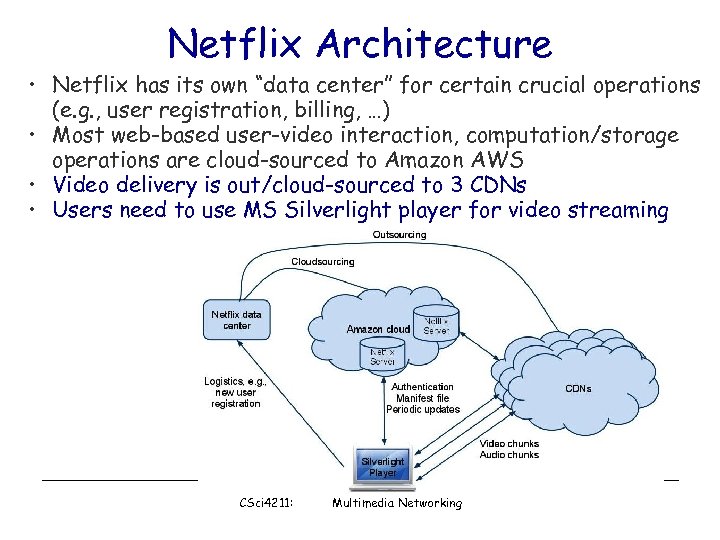 Netflix Architecture • Netflix has its own “data center” for certain crucial operations (e. g. , user registration, billing, …) • Most web-based user-video interaction, computation/storage operations are cloud-sourced to Amazon AWS • Video delivery is out/cloud-sourced to 3 CDNs • Users need to use MS Silverlight player for video streaming CSci 4211: Multimedia Networking
 Netflix Videos and Video Chunks • Netflix uses a numeric ID to identify each movie – IDs are variable length (6 -8 digits): 213530, 1001192, 70221086 – video IDs do not seem to be evenly distributed in the ID space – these video IDs are not used in playback operations • Each movie is encoded in multiple quality levels, each is identified by a numeric ID (9 digits) – various numeric IDs associated with the same movie appear to have no obvious relations CSci 4211: Multimedia Networking 40
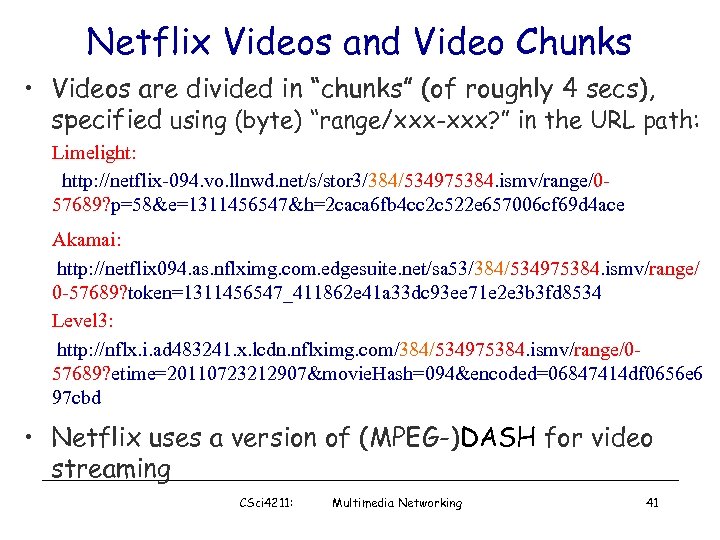 Netflix Videos and Video Chunks • Videos are divided in “chunks” (of roughly 4 secs), specified using (byte) “range/xxx-xxx? ” in the URL path: Limelight: http: //netflix-094. vo. llnwd. net/s/stor 3/384/534975384. ismv/range/057689? p=58&e=1311456547&h=2 caca 6 fb 4 cc 2 c 522 e 657006 cf 69 d 4 ace Akamai: http: //netflix 094. as. nflximg. com. edgesuite. net/sa 53/384/534975384. ismv/range/ 0 -57689? token=1311456547_411862 e 41 a 33 dc 93 ee 71 e 2 e 3 b 3 fd 8534 Level 3: http: //nflx. i. ad 483241. x. lcdn. nflximg. com/384/534975384. ismv/range/057689? etime=20110723212907&movie. Hash=094&encoded=06847414 df 0656 e 6 97 cbd • Netflix uses a version of (MPEG-)DASH for video streaming CSci 4211: Multimedia Networking 41
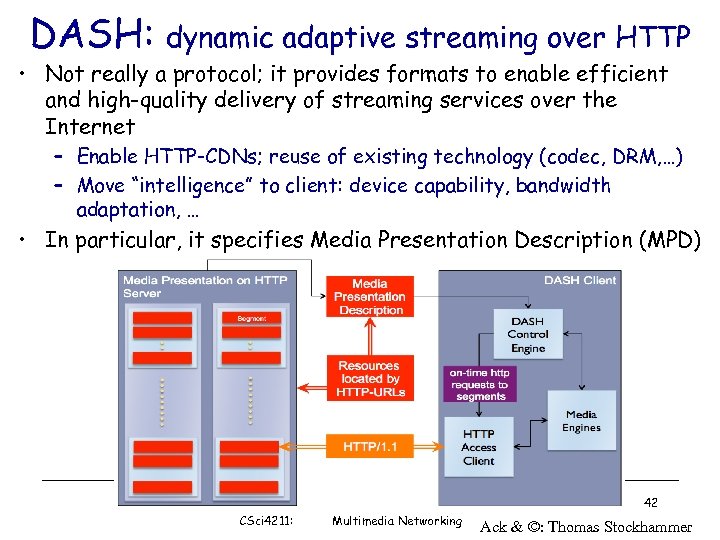 DASH: dynamic adaptive streaming over HTTP • Not really a protocol; it provides formats to enable efficient and high-quality delivery of streaming services over the Internet – Enable HTTP-CDNs; reuse of existing technology (codec, DRM, …) – Move “intelligence” to client: device capability, bandwidth adaptation, … • In particular, it specifies Media Presentation Description (MPD) 42 CSci 4211: Multimedia Networking Ack & ©: Thomas Stockhammer
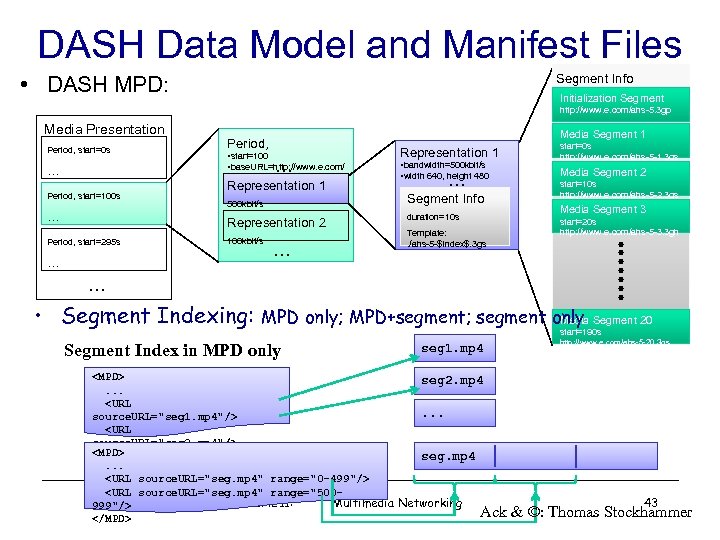 DASH Data Model and Manifest Files • DASH MPD: Segment Info Initialization Segment http: //www. e. com/ahs-5. 3 gp Media Presentation Period, start=0 s Media Segment 1 Period, • start=100 • base. URL=http: //www. e. com/ … … Period, start=100 s … Representation 1 500 kbit/s Representation 2 Period, start=295 s 100 kbit/s … … Representation 1 • bandwidth=500 kbit/s • width 640, height 480 … Segment Info duration=10 s Template: . /ahs-5 -$Index$. 3 gs start=0 s http: //www. e. com/ahs-5 -1. 3 gs Media Segment 2 start=10 s http: //www. e. com/ahs-5 -2. 3 gs Media Segment 3 start=20 s http: //www. e. com/ahs-5 -3. 3 gh … • Segment Indexing: MPD only; MPD+segment; segment only Media Segment 20 Segment Index in MPD only start=190 s seg 1. mp 4
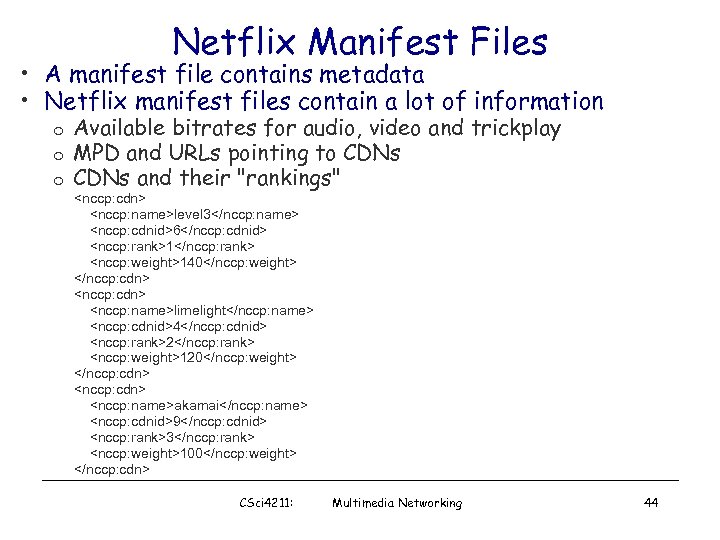 Netflix Manifest Files • A manifest file contains metadata • Netflix manifest files contain a lot of information o o o Available bitrates for audio, video and trickplay MPD and URLs pointing to CDNs and their "rankings"
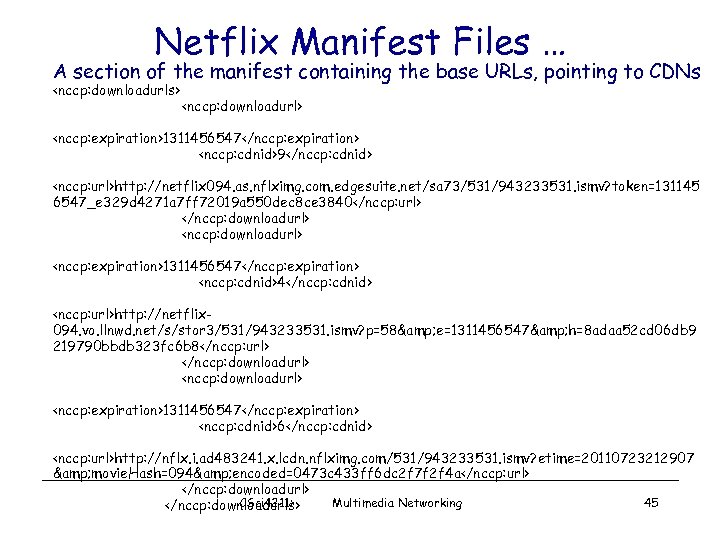 Netflix Manifest Files … A section of the manifest containing the base URLs, pointing to CDNs
 Netflix: Adapting to Bandwidth Changes • Two possible approaches § § Increase/decrease quality level using DASH Switch CDNs • Experiments § § Play a movie and systematically throttle available bandwidth Observer addresses and video quality • Bandwidth throttling using the “dummynet” tool § Throttling done on the client side by limiting how fast it can download from any given CDN server § First throttle the most preferred CDN server, keep throttling other servers as they get selected CSci 4211: Multimedia Networking 46
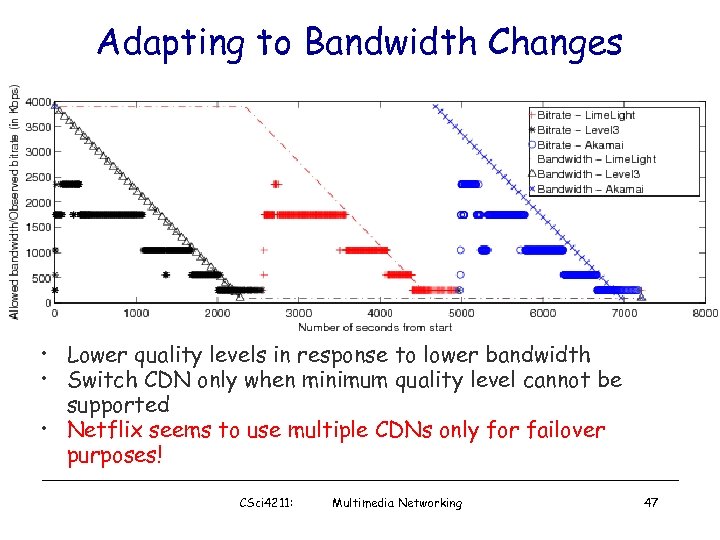 Adapting to Bandwidth Changes • Lower quality levels in response to lower bandwidth • Switch CDN only when minimum quality level cannot be supported • Netflix seems to use multiple CDNs only for failover purposes! CSci 4211: Multimedia Networking 47
 CDN Bandwidth Measurement • Use both local residential hosts and Planet. Lab nodes § 13 residential hosts and 100 s Planet. Lab nodes are used § Each host downloads small chunks of Netflix videos from all three CDN servers by replaying URLs from the manifest files • Experiments are done for several hours every day for about 3 weeks § total experiment duration was divided into 16 second intervals § the clients downloaded chunks from CDN 1, 2 and 3 at the beginning of seconds 0, 4 and 8. § at the beginning of the 12 th second, the clients tried to download the chunks from all three CDNs simultaneously • Measure bandwidth to 3 CDNs separately as well as the combined bandwidth • Perform analysis at three time-scales § § § average over the entire period daily averages instantaneous bandwidth CSci 4211: Multimedia Networking 48
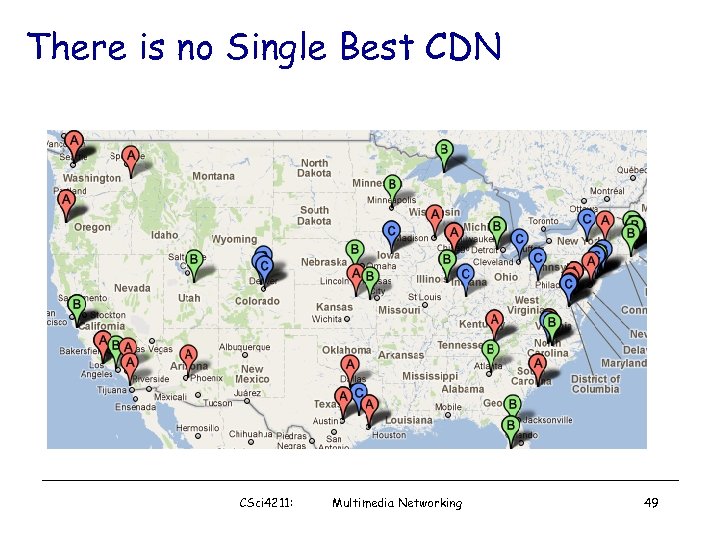 There is no Single Best CDN CSci 4211: Multimedia Networking 49