


 Скачать презентацию 7 Information Extraction — Automated Indexing Information
bffd3f36914cb61c0b4066e7aed5fc4c.ppt
- Количество слайдов: 31
 7 Information Extraction - Automated Indexing
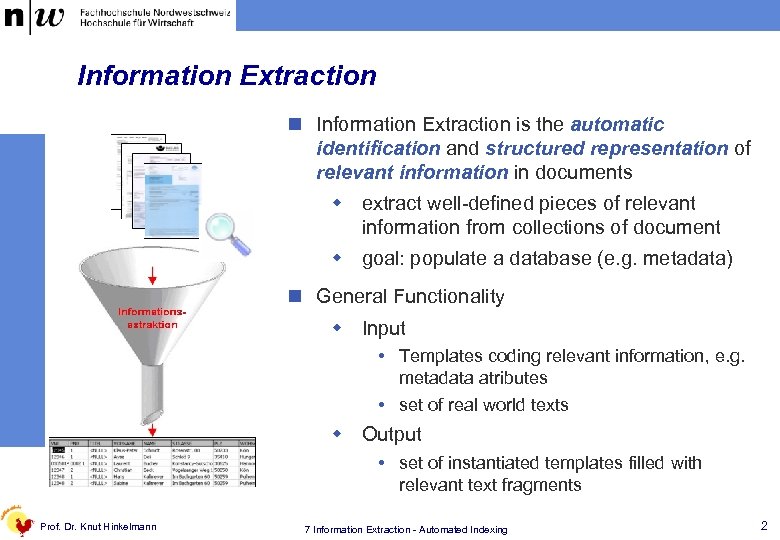 Information Extraction n Information Extraction is the automatic identification and structured representation of relevant information in documents w extract well-defined pieces of relevant information from collections of document w goal: populate a database (e. g. metadata) n General Functionality w Input Templates coding relevant information, e. g. metadata atributes set of real world texts w Output set of instantiated templates filled with relevant text fragments Prof. Dr. Knut Hinkelmann 7 Information Extraction - Automated Indexing 2
 Application Scenarios for Information Extraction n Indexing: Creating indexes for information retrieval systems w Automated determination of metadata of documents n Question Answering w Answer an arbitrary question by using textual documents as knowledge base n Mail distribution w Identification of recipients in incoming letters of a company n Converting unstructured text to structured data w automatic insertion of data into operative application systems and databases n Evaluation of surveys w Capturing and analysis of questionnaires Prof. Dr. Knut Hinkelmann 7 Information Extraction - Automated Indexing 3
 Information extraction depends on … ¼ structural degree of input data w structured: tables with typed data like numbers w semi-structured: XML, tables with text w non-structured: text ¼ format w electronic information coded non-coded w paper documents ¼ structural degree of output data w text summary w fulltext index w structured data: database, attributes, classification Prof. Dr. Knut Hinkelmann 7 Information Extraction - Automated Indexing 4
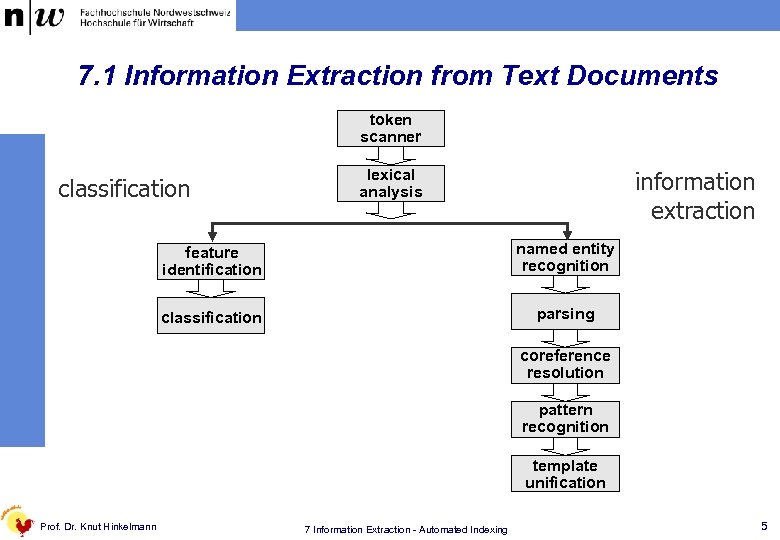 7. 1 Information Extraction from Text Documents token scanner classification lexical analysis information extraction feature identification named entity recognition classification parsing coreference resolution pattern recognition template unification Prof. Dr. Knut Hinkelmann 7 Information Extraction - Automated Indexing 5
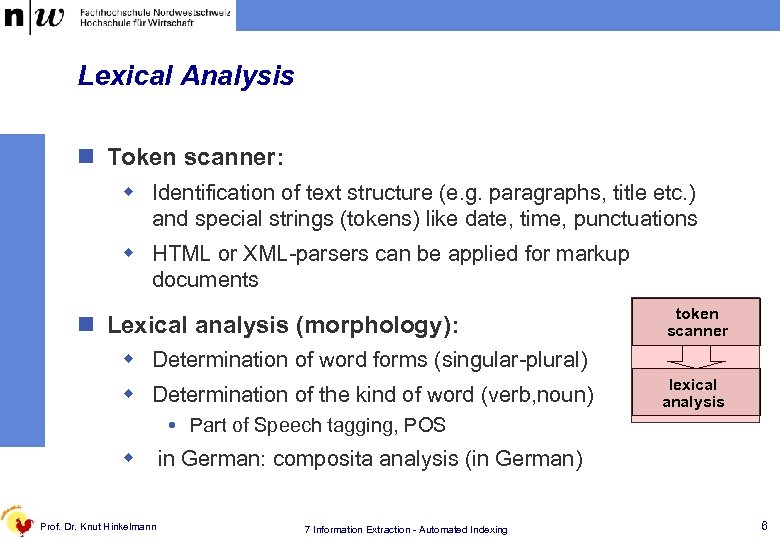 Lexical Analysis n Token scanner: w Identification of text structure (e. g. paragraphs, title etc. ) and special strings (tokens) like date, time, punctuations w HTML or XML-parsers can be applied for markup documents n Lexical analysis (morphology): token scanner w Determination of word forms (singular-plural) w Determination of the kind of word (verb, noun) lexical analysis Part of Speech tagging, POS w Prof. Dr. Knut Hinkelmann in German: composita analysis (in German) 7 Information Extraction - Automated Indexing 6
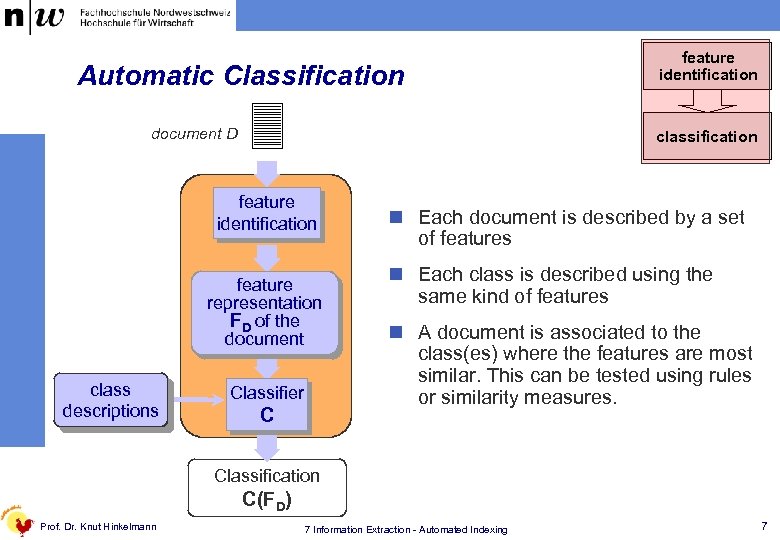 Automatic Classification document D classification feature identification feature representation FD of the document class descriptions feature identification Classifier C n Each document is described by a set of features n Each class is described using the same kind of features n A document is associated to the class(es) where the features are most similar. This can be tested using rules or similarity measures. Classification C(FD) Prof. Dr. Knut Hinkelmann 7 Information Extraction - Automated Indexing 7
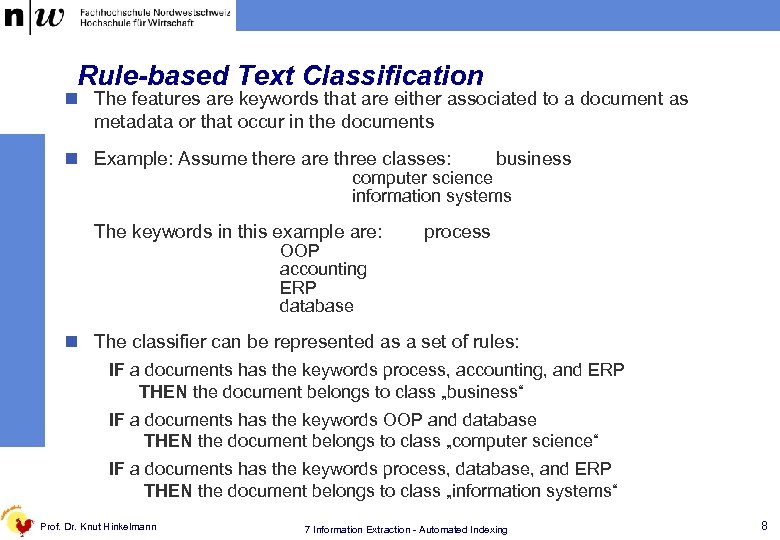 Rule-based Text Classification n The features are keywords that are either associated to a document as metadata or that occur in the documents n Example: Assume there are three classes: business computer science information systems The keywords in this example are: OOP accounting ERP database process n The classifier can be represented as a set of rules: IF a documents has the keywords process, accounting, and ERP THEN the document belongs to class „business“ IF a documents has the keywords OOP and database THEN the document belongs to class „computer science“ IF a documents has the keywords process, database, and ERP THEN the document belongs to class „information systems“ Prof. Dr. Knut Hinkelmann 7 Information Extraction - Automated Indexing 8
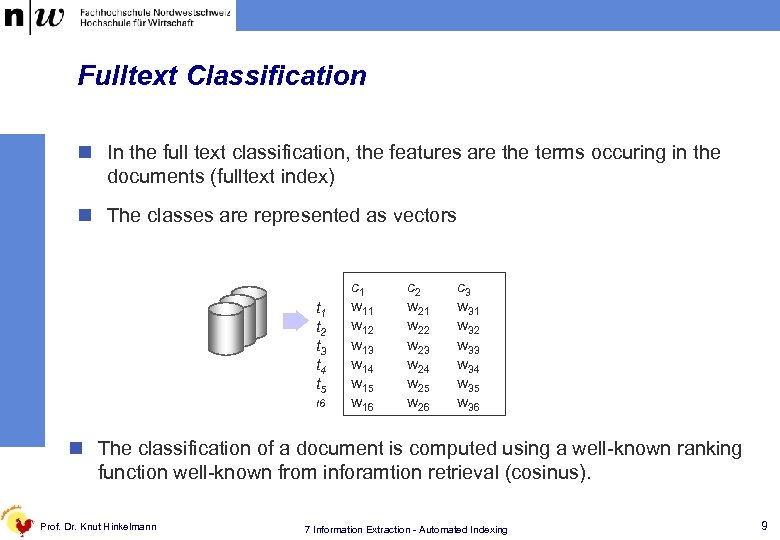 Fulltext Classification n In the full text classification, the features are the terms occuring in the documents (fulltext index) n The classes are represented as vectors t 1 t 2 t 3 t 4 t 5 t 6 c 1 w 12 w 13 w 14 w 15 w 16 c 2 w 21 w 22 w 23 w 24 w 25 w 26 c 3 w 31 w 32 w 33 w 34 w 35 w 36 n The classification of a document is computed using a well-known ranking function well-known from inforamtion retrieval (cosinus). Prof. Dr. Knut Hinkelmann 7 Information Extraction - Automated Indexing 9
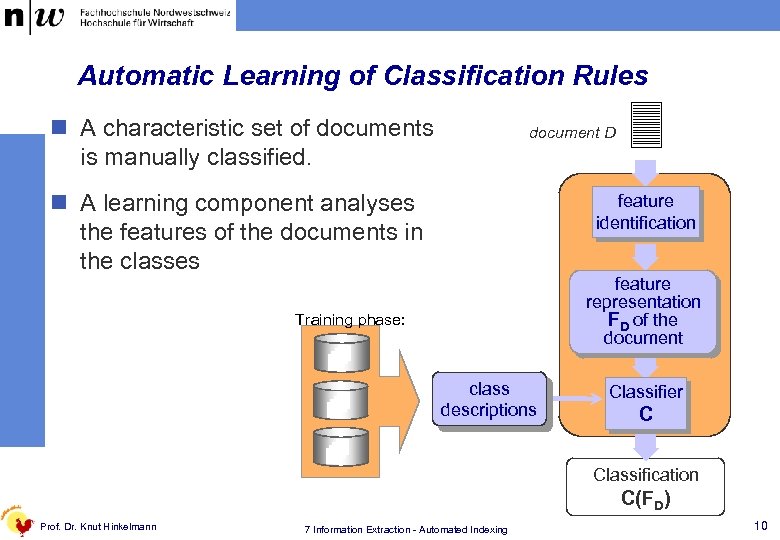 Automatic Learning of Classification Rules n A characteristic set of documents is manually classified. document D n A learning component analyses the features of the documents in the classes feature identification feature representation FD of the document Training phase: class descriptions Classifier C Classification C(FD) Prof. Dr. Knut Hinkelmann 7 Information Extraction - Automated Indexing 10
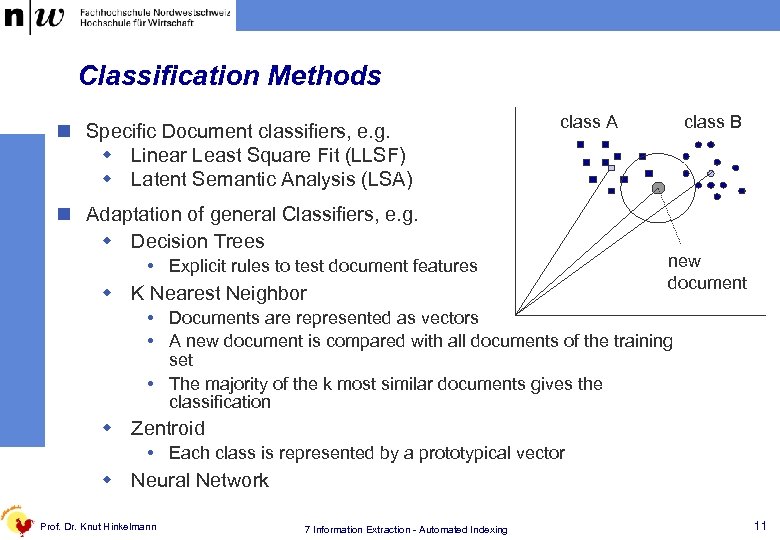 Classification Methods n Specific Document classifiers, e. g. w Linear Least Square Fit (LLSF) w Latent Semantic Analysis (LSA) class A n Adaptation of general Classifiers, e. g. w Decision Trees Explicit rules to test document features w K Nearest Neighbor class B new document Documents are represented as vectors A new document is compared with all documents of the training set The majority of the k most similar documents gives the classification w Zentroid Each class is represented by a prototypical vector w Neural Network Prof. Dr. Knut Hinkelmann 7 Information Extraction - Automated Indexing 11
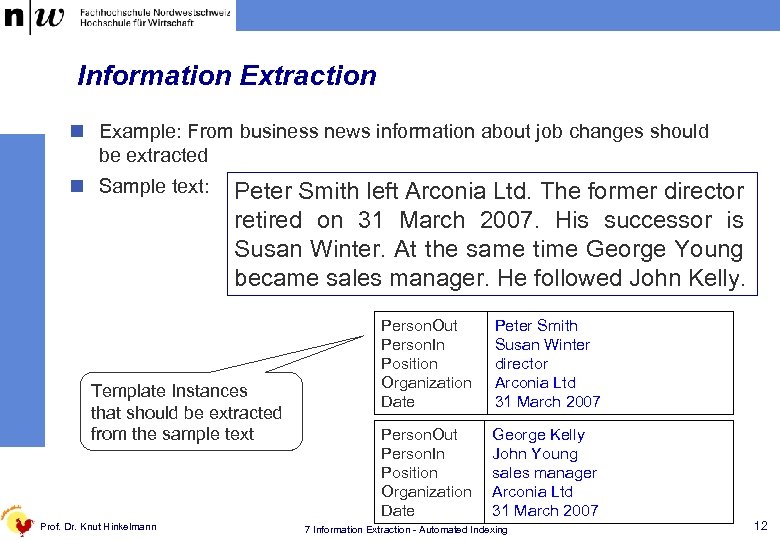 Information Extraction n Example: From business news information about job changes should be extracted n Sample text: Peter Smith left Arconia Ltd. The former director retired on 31 March 2007. His successor is Susan Winter. At the same time George Young became sales manager. He followed John Kelly. Template Instances that should be extracted from the sample text Prof. Dr. Knut Hinkelmann Person. Out Person. In Position Organization Date Peter Smith Susan Winter director Arconia Ltd 31 March 2007 Person. Out Person. In Position Organization Date George Kelly John Young sales manager Arconia Ltd 31 March 2007 7 Information Extraction - Automated Indexing 12
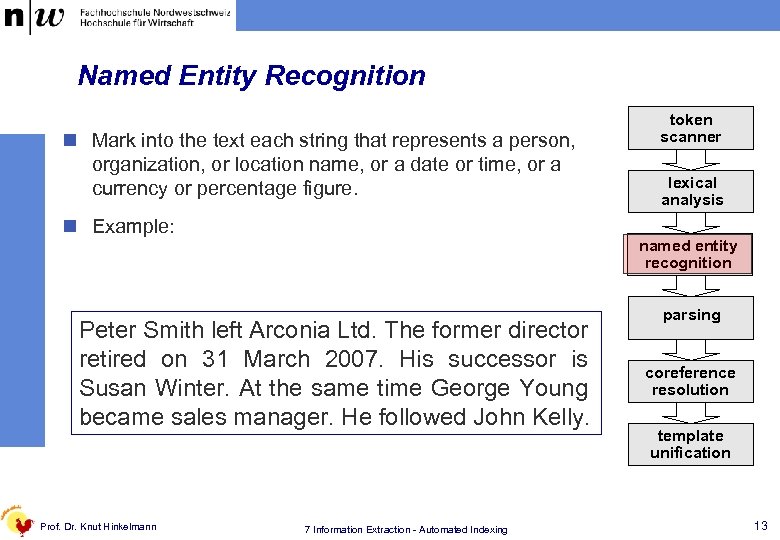 Named Entity Recognition n Mark into the text each string that represents a person, organization, or location name, or a date or time, or a currency or percentage figure. n Example: lexical analysis named entity recognition
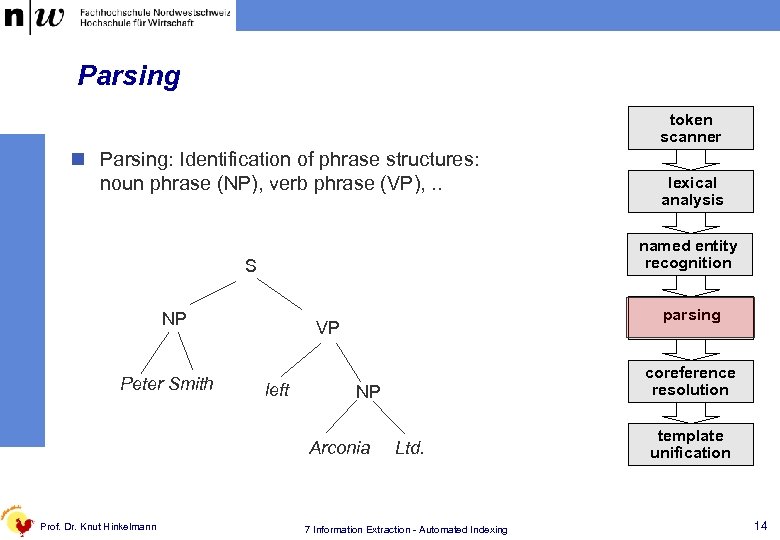 Parsing token scanner n Parsing: Identification of phrase structures: noun phrase (NP), verb phrase (VP), . . named entity recognition S NP Peter Smith parsing VP left coreference resolution NP Arconia Prof. Dr. Knut Hinkelmann lexical analysis Ltd. 7 Information Extraction - Automated Indexing template unification 14
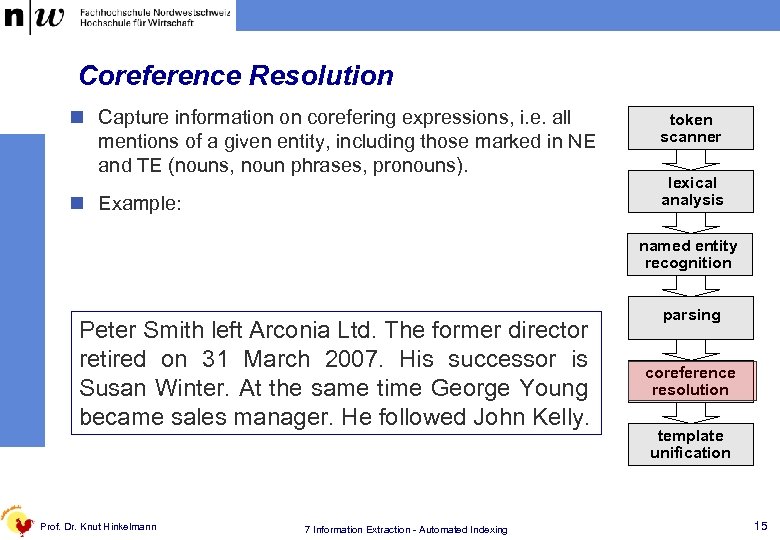 Coreference Resolution n Capture information on corefering expressions, i. e. all mentions of a given entity, including those marked in NE and TE (nouns, noun phrases, pronouns). n Example: w „the former director“ refers to „Peter Smith“ w „His“ refers to „Peter Smith“ w „He“ refers to „Georgs Young“ w „At the same time“ refers to „ 31 March 2007“ Peter Smith left Arconia Ltd. The former director
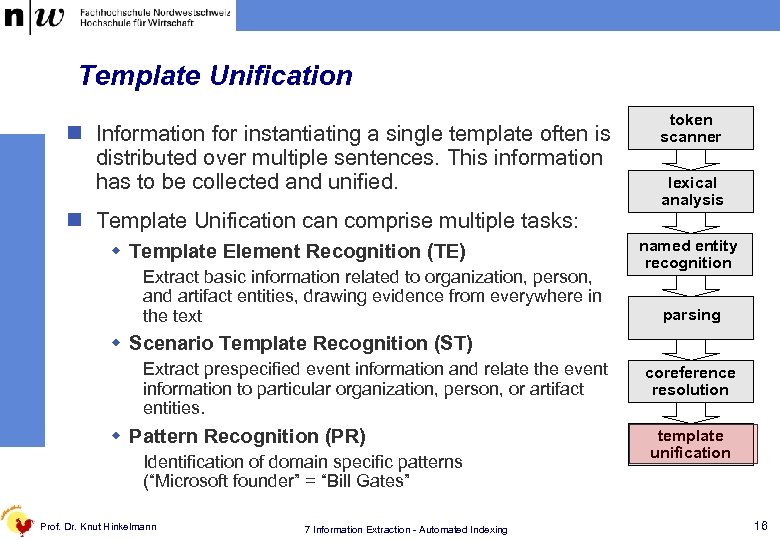 Template Unification n Information for instantiating a single template often is distributed over multiple sentences. This information has to be collected and unified. n Template Unification can comprise multiple tasks: w Template Element Recognition (TE) Extract basic information related to organization, person, and artifact entities, drawing evidence from everywhere in the text token scanner lexical analysis named entity recognition parsing w Scenario Template Recognition (ST) Extract prespecified event information and relate the event information to particular organization, person, or artifact entities. w Pattern Recognition (PR) Identification of domain specific patterns (“Microsoft founder” = “Bill Gates” Prof. Dr. Knut Hinkelmann 7 Information Extraction - Automated Indexing coreference resolution template unification 16
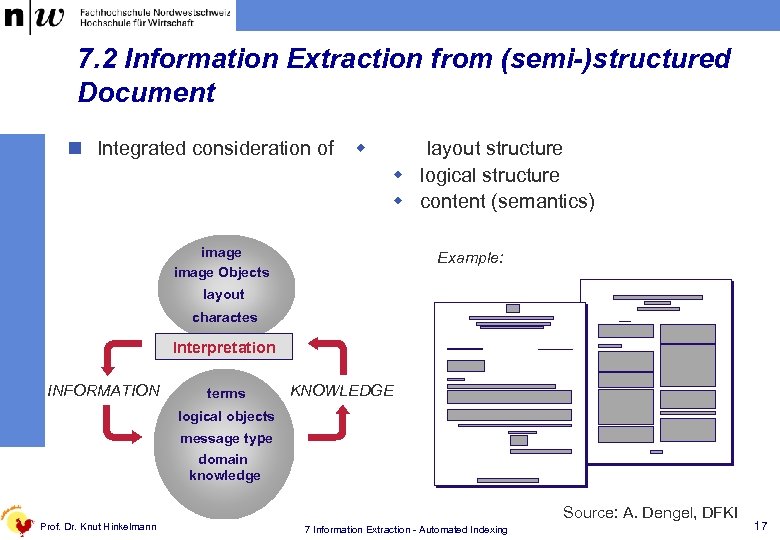 7. 2 Information Extraction from (semi-)structured Document n Integrated consideration of w layout structure w logical structure w content (semantics) image Objects Example: layout charactes Interpretation INFORMATION terms KNOWLEDGE logical objects message type domain knowledge Prof. Dr. Knut Hinkelmann Source: A. Dengel, DFKI 7 Information Extraction - Automated Indexing 17
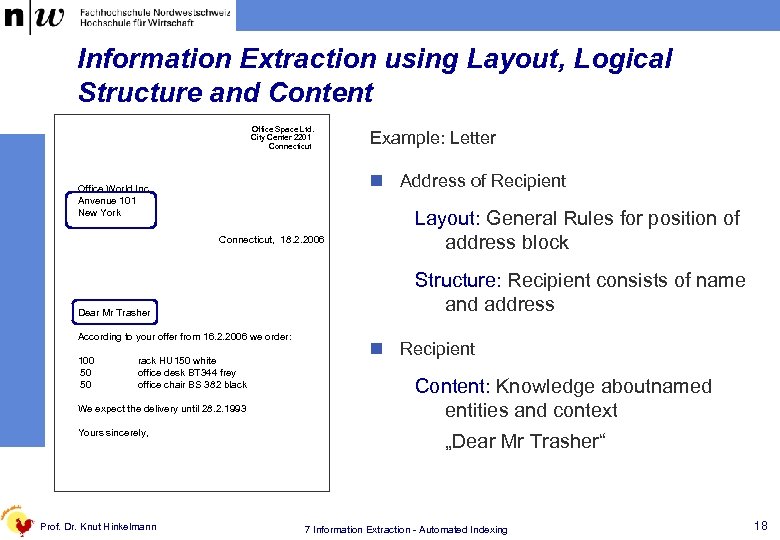 Information Extraction using Layout, Logical Structure and Content Office Space Ltd. City Center 2201 Connecticut n Address of Recipient Office World Inc. Anvenue 101 New York Connecticut, 18. 2. 2006 Dear Mr Trasher According to your offer from 16. 2. 2006 we order: 100 50 50 rack HU 150 white office desk BT 344 frey office chair BS 382 black We expect the delivery until 28. 2. 1993 Yours sincerely, Prof. Dr. Knut Hinkelmann Example: Letter Layout: General Rules for position of address block Structure: Recipient consists of name and address n Recipient Content: Knowledge aboutnamed entities and context „Dear Mr Trasher“ 7 Information Extraction - Automated Indexing 18
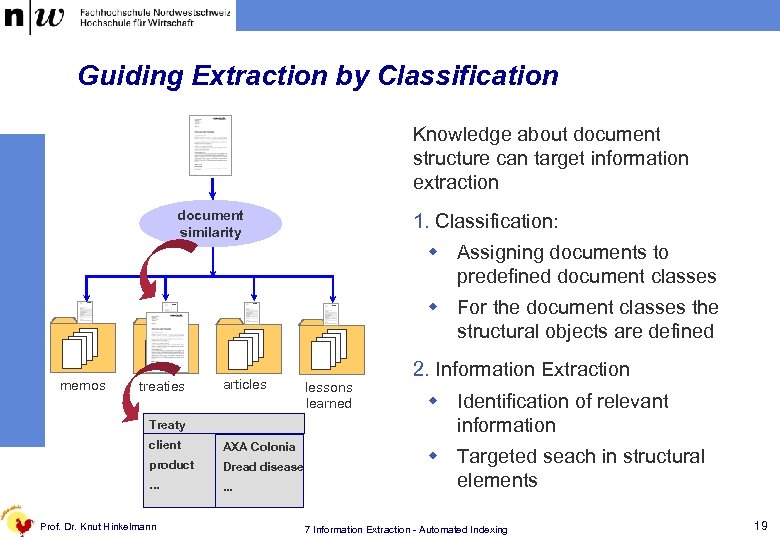 Guiding Extraction by Classification Knowledge about document structure can target information extraction document similarity 1. Classification: ? w Assigning documents to predefined document classes w For the document classes the structural objects are defined memos treaties articles Treaty client AXA Colonia product Dread disease . . . Prof. Dr. Knut Hinkelmann lessons learned 2. Information Extraction w Identification of relevant information w Targeted seach in structural elements 7 Information Extraction - Automated Indexing 19
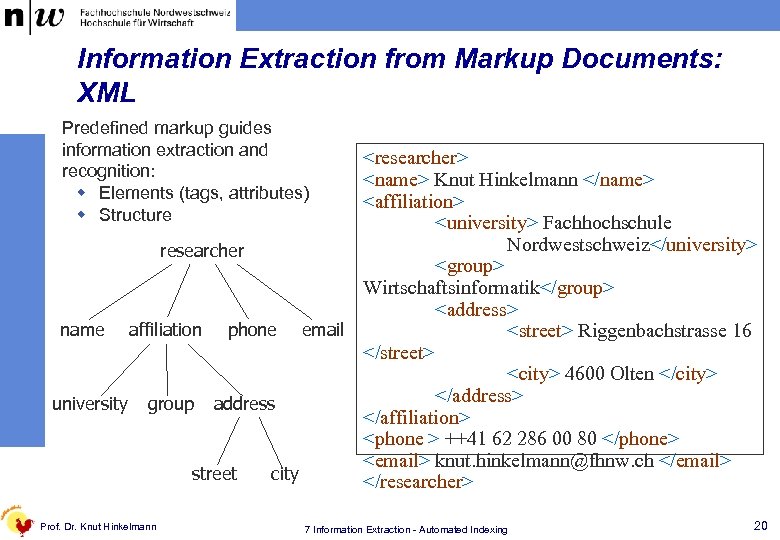 Information Extraction from Markup Documents: XML Predefined markup guides information extraction and recognition: w Elements (tags, attributes) w Structure
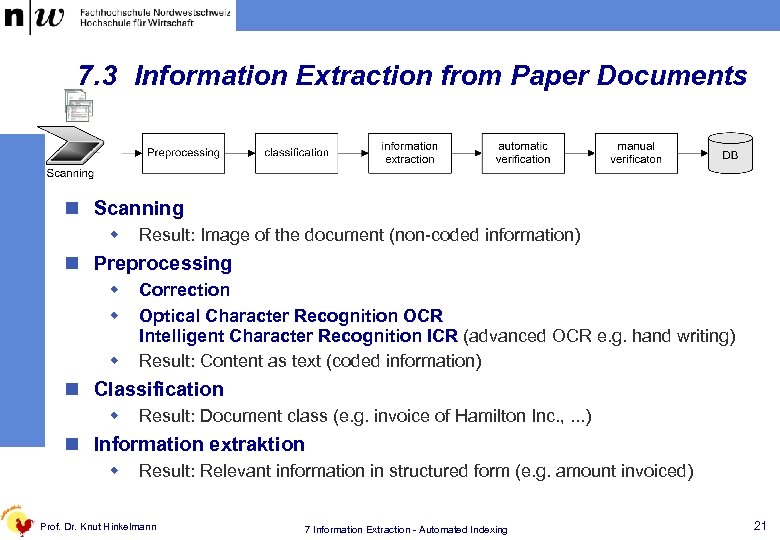 7. 3 Information Extraction from Paper Documents n Scanning w Result: Image of the document (non-coded information) n Preprocessing w w w Correction Optical Character Recognition OCR Intelligent Character Recognition ICR (advanced OCR e. g. hand writing) Result: Content as text (coded information) n Classification w Result: Document class (e. g. invoice of Hamilton Inc. , . . . ) n Information extraktion w Result: Relevant information in structured form (e. g. amount invoiced) Prof. Dr. Knut Hinkelmann 7 Information Extraction - Automated Indexing 21
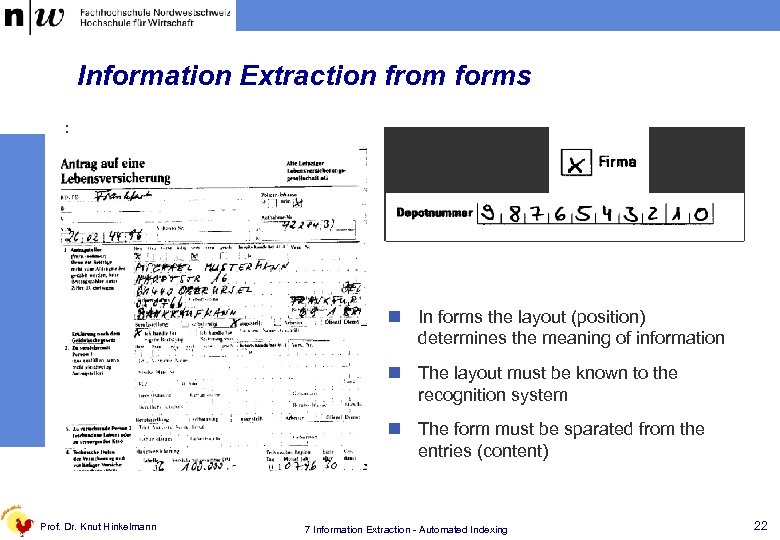 Information Extraction from forms : n In forms the layout (position) determines the meaning of information n The layout must be known to the recognition system n The form must be sparated from the entries (content) Prof. Dr. Knut Hinkelmann 7 Information Extraction - Automated Indexing 22
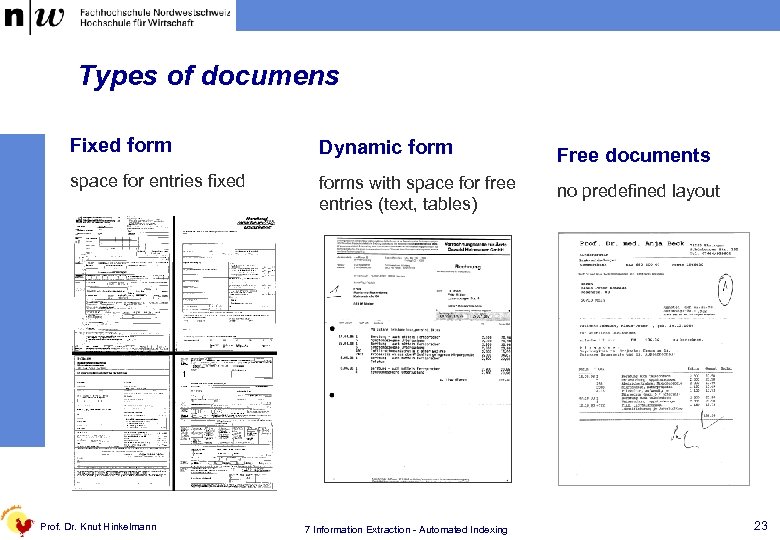 Types of documens Fixed form Dynamic form Free documents space for entries fixed forms with space for free entries (text, tables) no predefined layout Prof. Dr. Knut Hinkelmann 7 Information Extraction - Automated Indexing 23
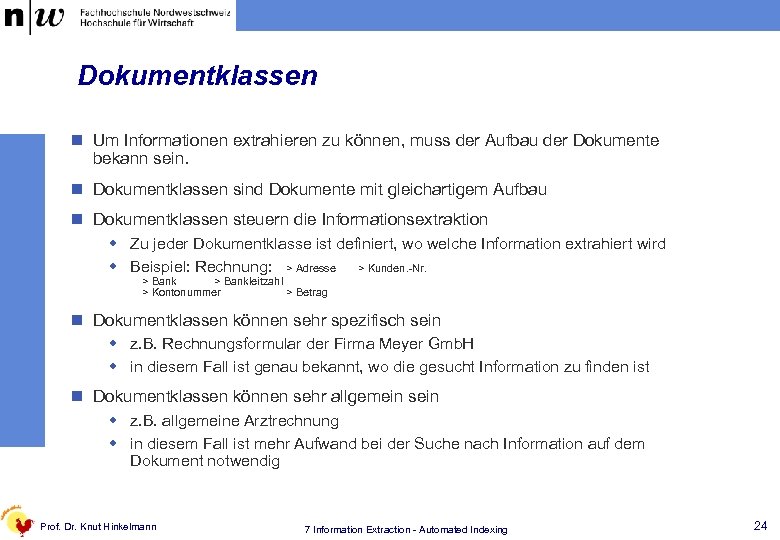 Dokumentklassen n Um Informationen extrahieren zu können, muss der Aufbau der Dokumente bekann sein. n Dokumentklassen sind Dokumente mit gleichartigem Aufbau n Dokumentklassen steuern die Informationsextraktion w Zu jeder Dokumentklasse ist definiert, wo welche Information extrahiert wird w Beispiel: Rechnung: > Adresse > Kunden. -Nr. > Bankleitzahl > Kontonummer > Betrag n Dokumentklassen können sehr spezifisch sein w z. B. Rechnungsformular der Firma Meyer Gmb. H w in diesem Fall ist genau bekannt, wo die gesucht Information zu finden ist n Dokumentklassen können sehr allgemein sein w z. B. allgemeine Arztrechnung w in diesem Fall ist mehr Aufwand bei der Suche nach Information auf dem Dokument notwendig Prof. Dr. Knut Hinkelmann 7 Information Extraction - Automated Indexing 24
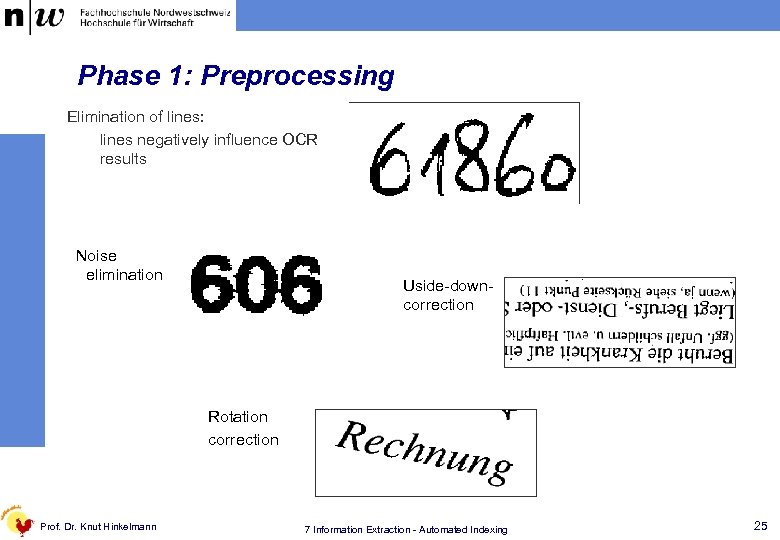 Phase 1: Preprocessing Elimination of lines: lines negatively influence OCR results Noise elimination Uside-downcorrection Rotation correction Prof. Dr. Knut Hinkelmann 7 Information Extraction - Automated Indexing 25
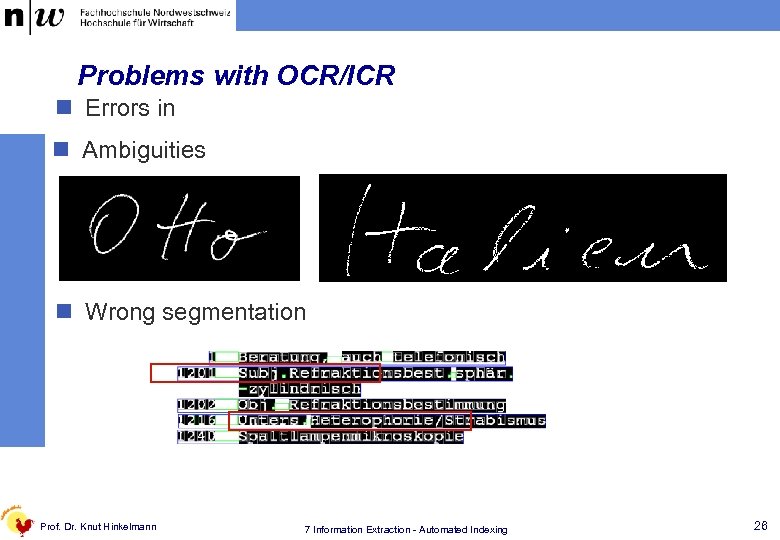 Problems with OCR/ICR n Errors in n Ambiguities n Wrong segmentation Prof. Dr. Knut Hinkelmann 7 Information Extraction - Automated Indexing 26
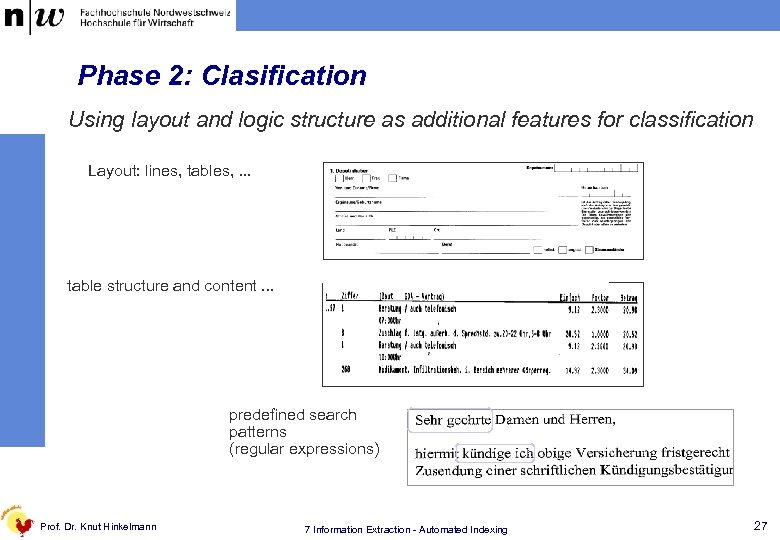 Phase 2: Clasification Using layout and logic structure as additional features for classification Layout: lines, tables, . . . table structure and content. . . predefined search patterns (regular expressions) Prof. Dr. Knut Hinkelmann 7 Information Extraction - Automated Indexing 27
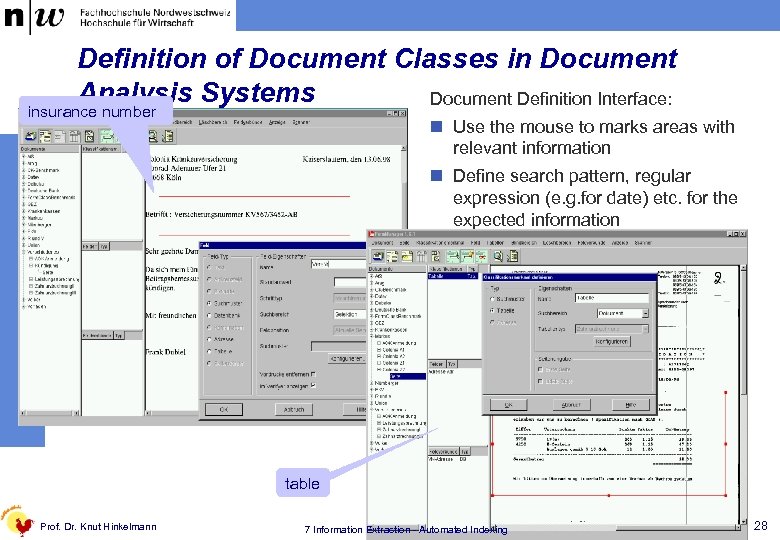 Definition of Document Classes in Document Analysis Systems Document Definition Interface: insurance number n Use the mouse to marks areas with relevant information n Define search pattern, regular expression (e. g. for date) etc. for the expected information table Prof. Dr. Knut Hinkelmann 7 Information Extraction - Automated Indexing 28
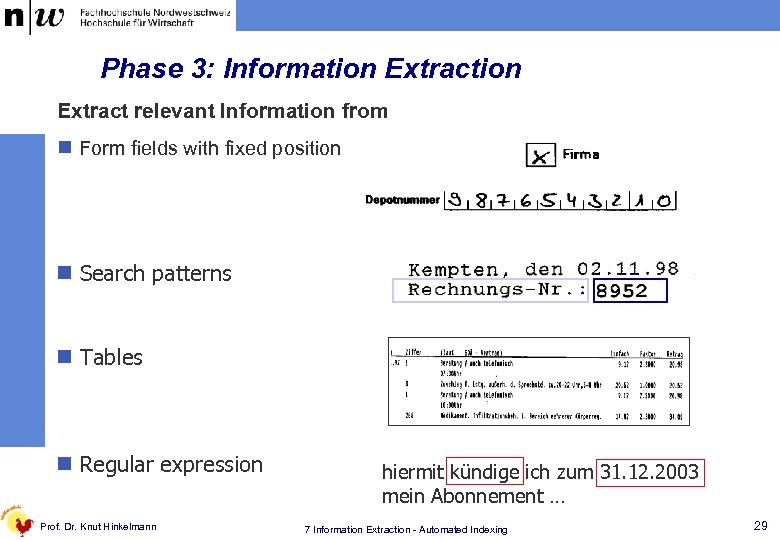 Phase 3: Information Extract relevant Information from n Form fields with fixed position n Search patterns n Tables n Regular expression Prof. Dr. Knut Hinkelmann hiermit kündige ich zum 31. 12. 2003 mein Abonnement … 7 Information Extraction - Automated Indexing 29
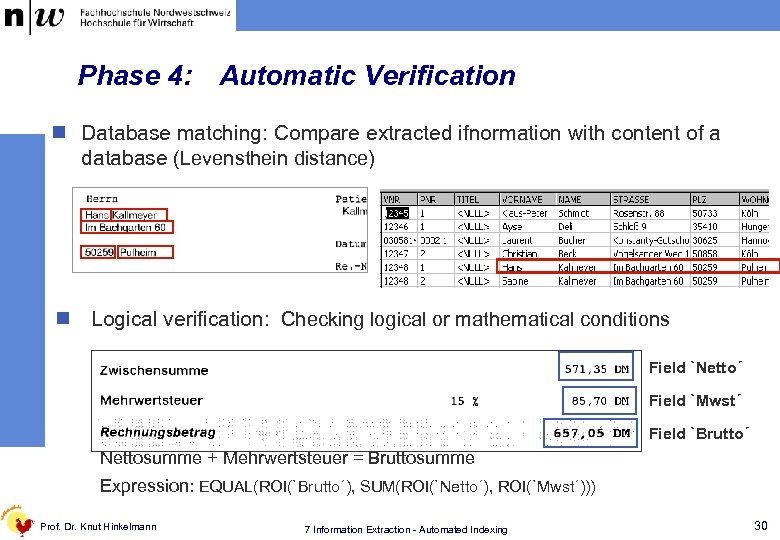 Phase 4: Automatic Verification n Database matching: Compare extracted ifnormation with content of a database (Levensthein distance) n Logical verification: Checking logical or mathematical conditions Field `Netto´ Field `Mwst´ Field `Brutto´ Nettosumme + Mehrwertsteuer = Bruttosumme Expression: EQUAL(ROI(`Brutto´), SUM(ROI(`Netto´), ROI(`Mwst´))) Prof. Dr. Knut Hinkelmann 7 Information Extraction - Automated Indexing 30
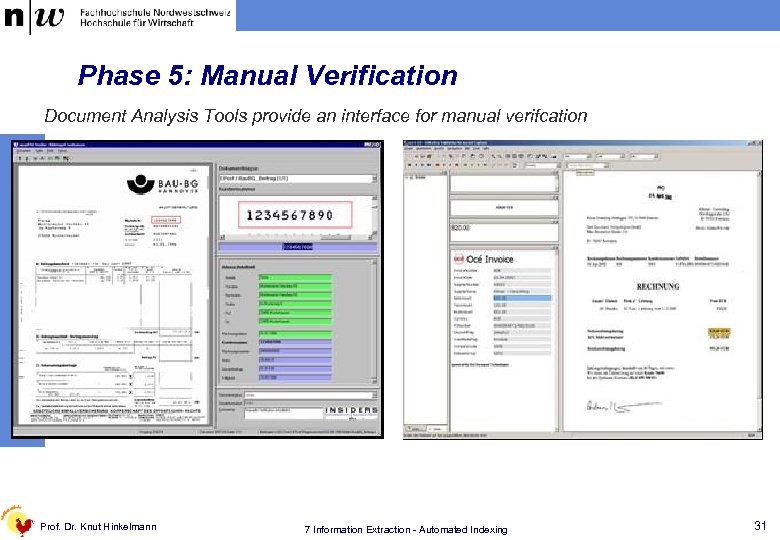 Phase 5: Manual Verification Document Analysis Tools provide an interface for manual verifcation Prof. Dr. Knut Hinkelmann 7 Information Extraction - Automated Indexing 31