


 Скачать презентацию 6 Process Selection and Facility Layout Mc Graw-Hill Irwin
cb7e259c077b50d4acdca395943cb692.ppt
- Количество слайдов: 58
 6 Process Selection and Facility Layout Mc. Graw-Hill/Irwin Copyright © 2007 by The Mc. Graw-Hill Companies, Inc. All rights reserved.
 Learning Objectives § § § Explain the strategic importance of process selection. Explain the influence that process selection has on an organization. Describe the basic processing types. Discuss automated approaches to processing. Explain the need for management of technology. 2
 Learning Objectives § § § List some reasons for redesign of layouts. Describe the basic layout types. List the main advantages and disadvantages of product layouts and process layouts. Solve simple line-balancing problems. Develop simple process layouts. 3
 Introduction § Process selection § Deciding on the way production of goods or services will be organized § Major implications § § Capacity planning Layout of facilities Equipment Design of work systems 4
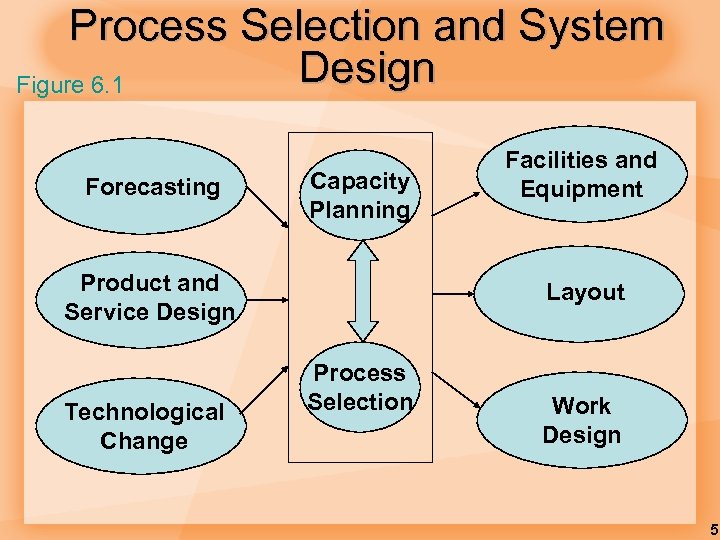 Process Selection and System Design Figure 6. 1 Forecasting Capacity Planning Product and Service Design Technological Change Facilities and Equipment Layout Process Selection Work Design 5
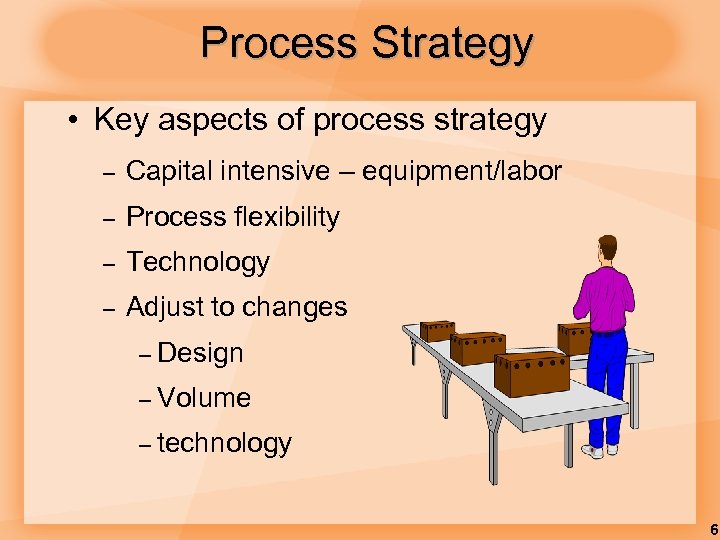 Process Strategy • Key aspects of process strategy – Capital intensive – equipment/labor – Process flexibility – Technology – Adjust to changes – Design – Volume – technology 6
 Technology § Technology: The application of scientific discoveries to the development and improvement of products and services and operations processes. § Technology innovation: The discovery and development of new or improved products, services, or processes for producing or providing them. 7
 Kinds of Technology § Operations management is primarily concerned with three kinds of technology: § Product and service technology § Process technology § Information technology § All three have a major impact on: § Costs § Productivity § Competitiveness 8
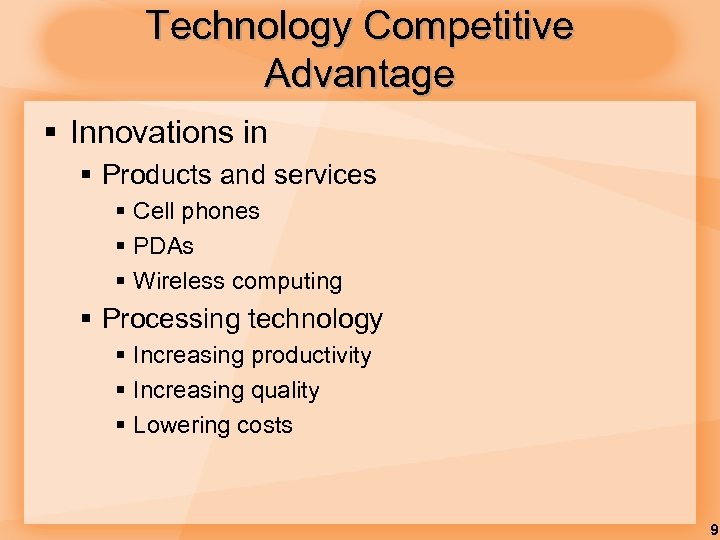 Technology Competitive Advantage § Innovations in § Products and services § Cell phones § PDAs § Wireless computing § Processing technology § Increasing productivity § Increasing quality § Lowering costs 9
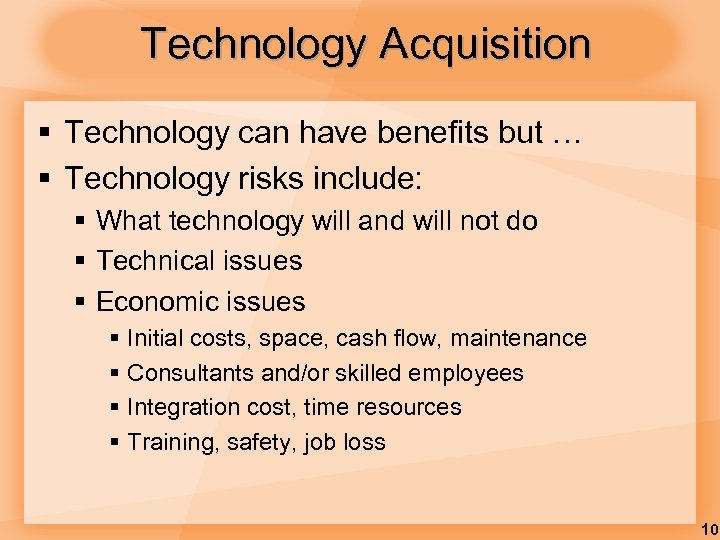 Technology Acquisition § Technology can have benefits but … § Technology risks include: § What technology will and will not do § Technical issues § Economic issues § Initial costs, space, cash flow, maintenance § Consultants and/or skilled employees § Integration cost, time resources § Training, safety, job loss 10
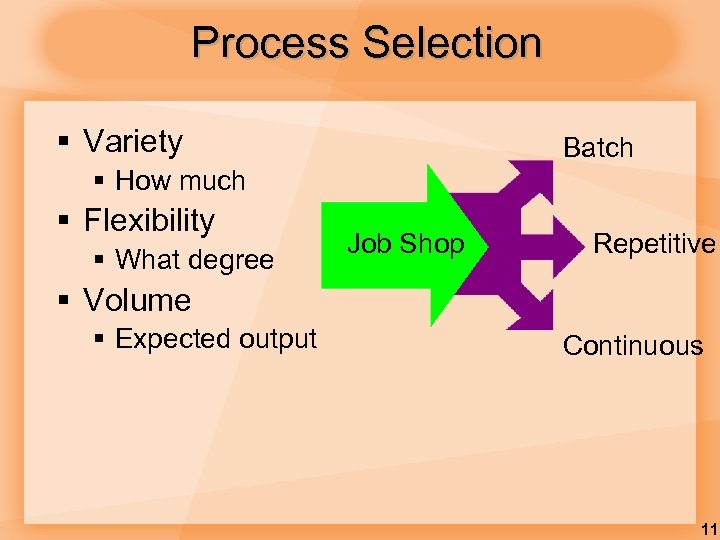 Process Selection § Variety Batch § How much § Flexibility § What degree Job Shop Repetitive § Volume § Expected output Continuous 11
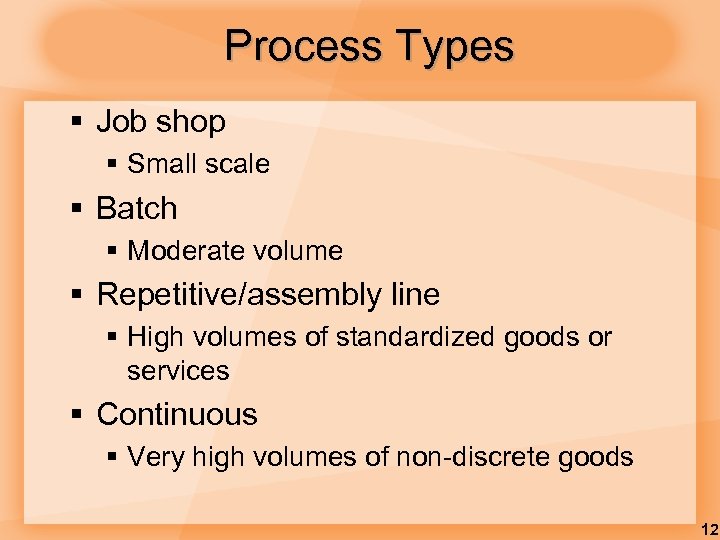 Process Types § Job shop § Small scale § Batch § Moderate volume § Repetitive/assembly line § High volumes of standardized goods or services § Continuous § Very high volumes of non-discrete goods 12
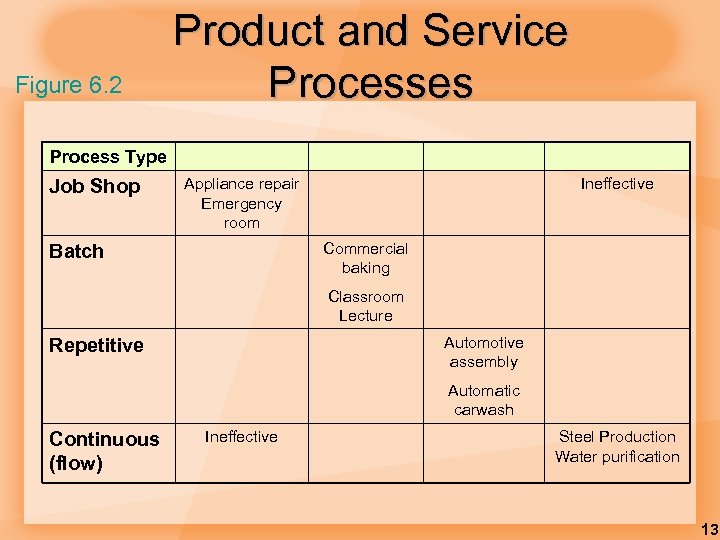 Figure 6. 2 Product and Service Processes Process Type Job Shop Appliance repair Emergency room Ineffective Commercial baking Batch Classroom Lecture Automotive assembly Repetitive Automatic carwash Continuous (flow) Ineffective Steel Production Water purification 13
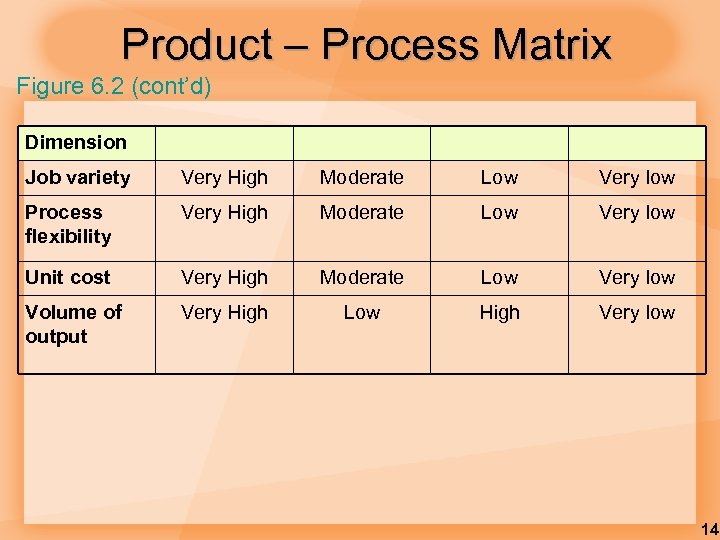 Product – Process Matrix Figure 6. 2 (cont’d) Dimension Job variety Very High Moderate Low Very low Process flexibility Very High Moderate Low Very low Unit cost Very High Moderate Low Very low Volume of output Very High Low High Very low 14
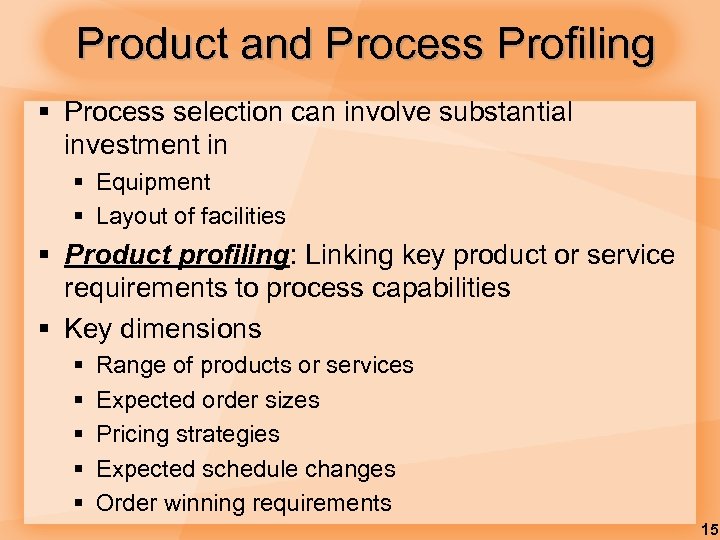 Product and Process Profiling § Process selection can involve substantial investment in § Equipment § Layout of facilities § Product profiling: Linking key product or service requirements to process capabilities § Key dimensions § § § Range of products or services Expected order sizes Pricing strategies Expected schedule changes Order winning requirements 15
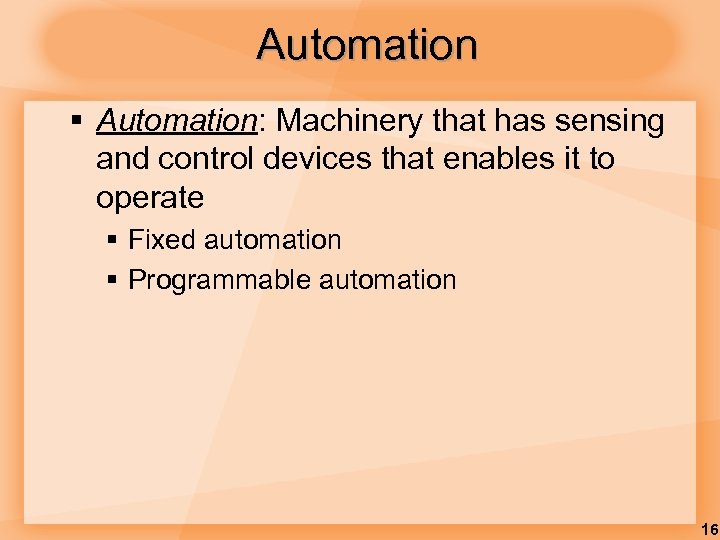 Automation § Automation: Machinery that has sensing and control devices that enables it to operate § Fixed automation § Programmable automation 16
 Automation • Computer-aided design and manufacturing systems (CAD/CAM) • Numerically controlled (NC) machines • Robot • Manufacturing cell • Flexible manufacturing systems(FMS) • Computer-integrated manufacturing (CIM) 17
 Facilities Layout § Layout: the configuration of departments, work centers, and equipment, with particular emphasis on movement of work (customers or materials) through the system § Product layouts § Process layouts § Fixed-Position layout § Combination layouts 18
 Objective of Layout Design 1. Facilitate attainment of product or service quality 2. Use workers and space efficiently 3. Avoid bottlenecks 4. Minimize unnecessary material handling costs 5. Eliminate unnecessary movement of workers or materials 6. Minimize production time or customer service time 7. Design for safety 19
 Importance of Layout Decisions § Requires substantial investments of money and effort § Involves long-term commitments § Has significant impact on cost and efficiency of short-term operations 20
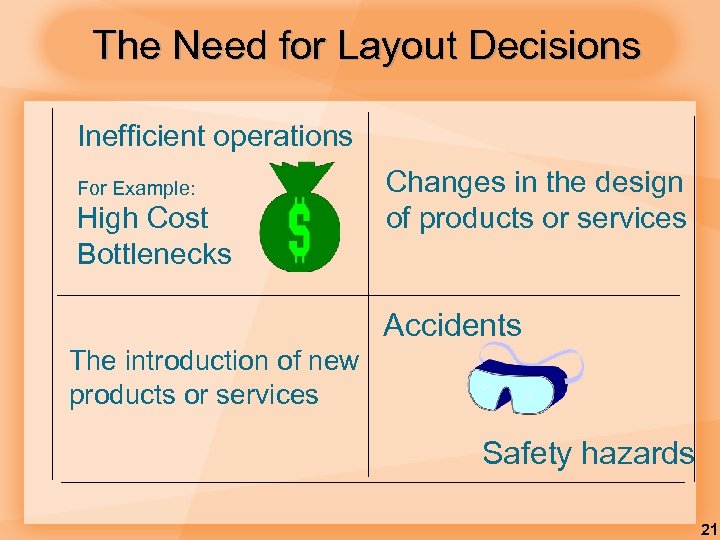 The Need for Layout Decisions Inefficient operations For Example: High Cost Bottlenecks Changes in the design of products or services Accidents The introduction of new products or services Safety hazards 21
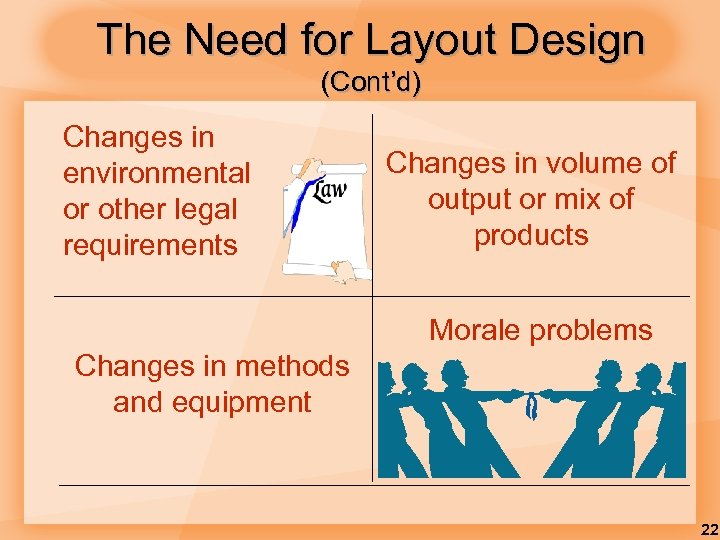 The Need for Layout Design (Cont’d) Changes in environmental or other legal requirements Changes in volume of output or mix of products Morale problems Changes in methods and equipment 22
 Basic Layout Types § Product layouts § Process layouts § Fixed-Position layout § Combination layouts 23
 Basic Layout Types § Product layout § Layout that uses standardized processing operations to achieve smooth, rapid, highvolume flow § Process layout § Layout that can handle varied processing requirements § Fixed Position layout § Layout in which the product or project remains stationary, and workers, materials, and equipment are moved as needed 24
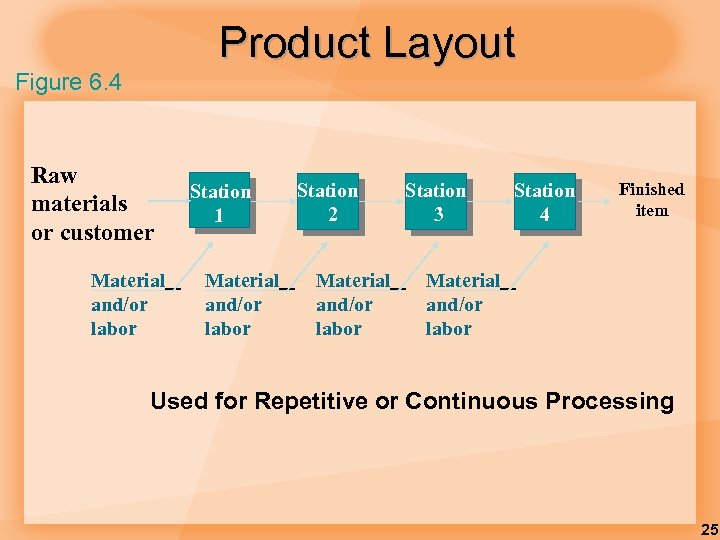 Product Layout Figure 6. 4 Raw materials or customer Material and/or labor Station 1 Material and/or labor Station 2 Material and/or labor Station 3 Station 4 Finished item Material and/or labor Used for Repetitive or Continuous Processing 25
 Advantages of Product Layout § § § § High rate of output Low unit cost Labor specialization Low material handling cost High utilization of labor and equipment Established routing and scheduling Routing accounting and purchasing 26
 Disadvantages of Product Layout § Creates dull, repetitive jobs § Poorly skilled workers may not maintain equipment or quality of output § Fairly inflexible to changes in volume § Highly susceptible to shutdowns § Needs preventive maintenance § Individual incentive plans are impractical 27
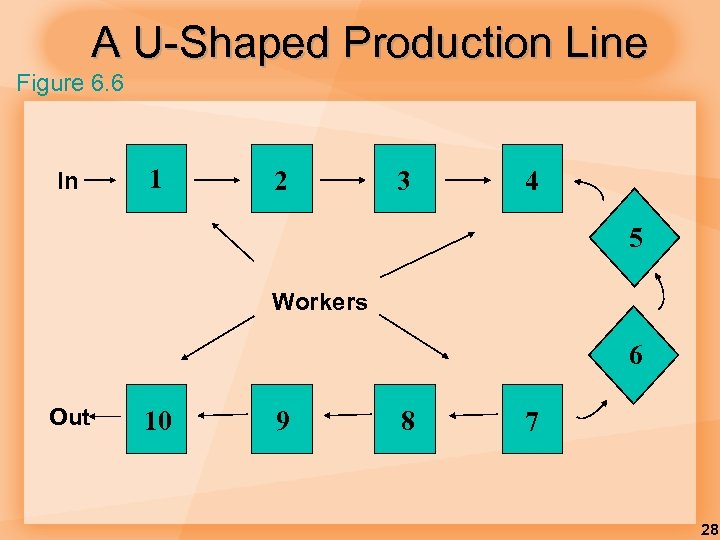 A U-Shaped Production Line Figure 6. 6 In 1 2 3 4 5 Workers 6 Out 10 9 8 7 28
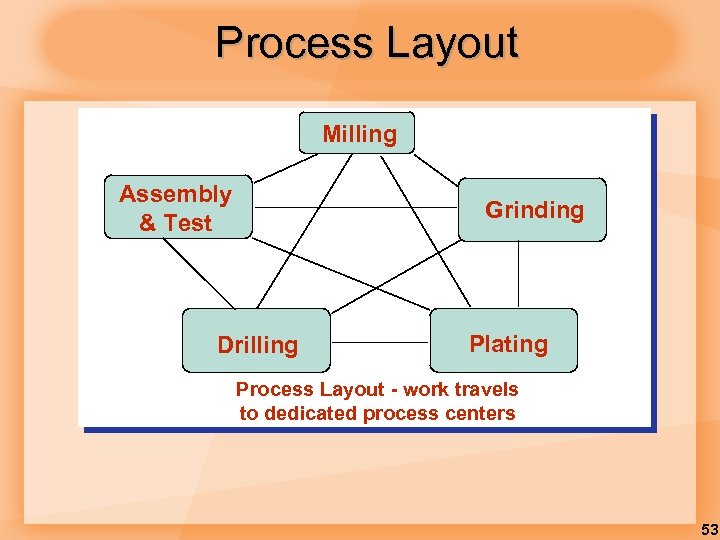
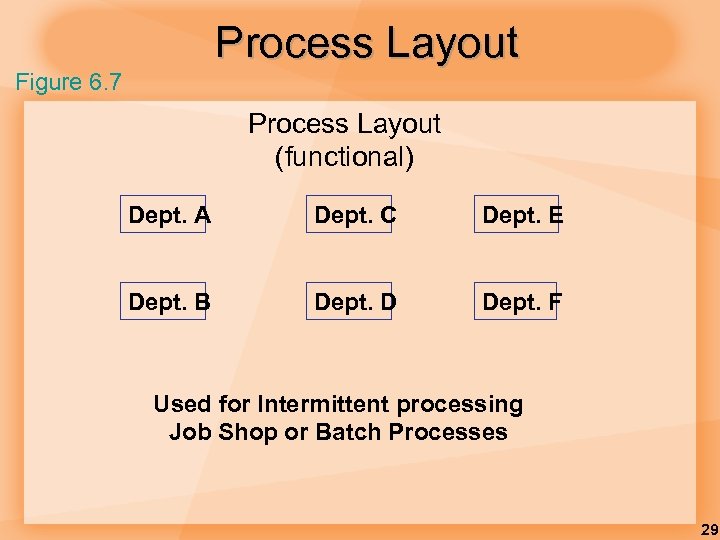 Process Layout Figure 6. 7 Process Layout (functional) Dept. A Dept. C Dept. E Dept. B Dept. D Dept. F Used for Intermittent processing Job Shop or Batch Processes 29
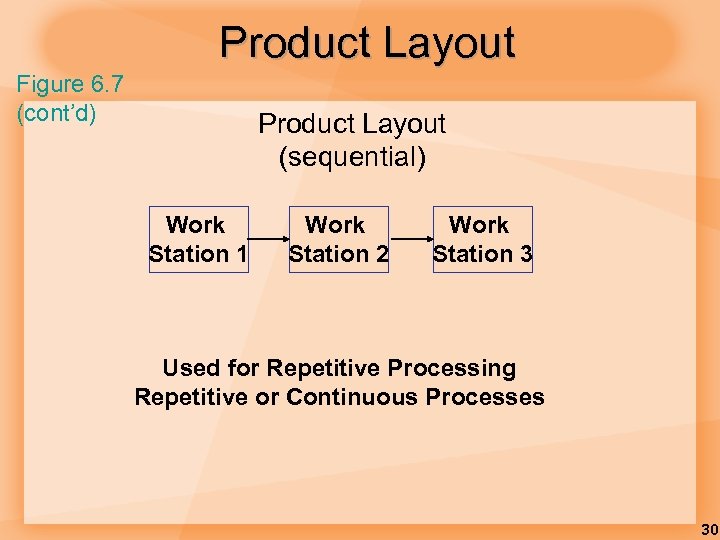 Product Layout Figure 6. 7 (cont’d) Product Layout (sequential) Work Station 1 Work Station 2 Work Station 3 Used for Repetitive Processing Repetitive or Continuous Processes 30
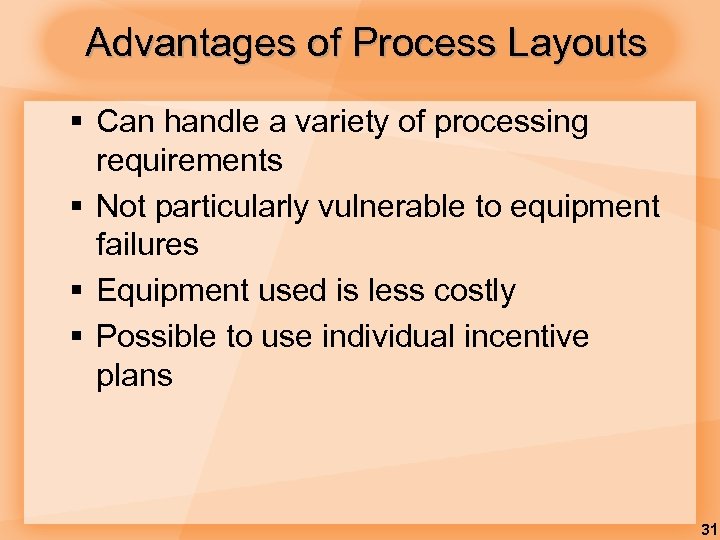 Advantages of Process Layouts § Can handle a variety of processing requirements § Not particularly vulnerable to equipment failures § Equipment used is less costly § Possible to use individual incentive plans 31
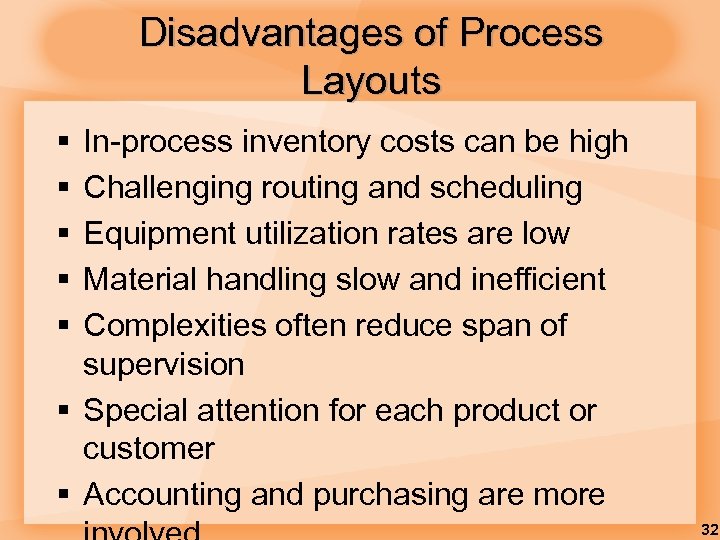 Disadvantages of Process Layouts § § § In-process inventory costs can be high Challenging routing and scheduling Equipment utilization rates are low Material handling slow and inefficient Complexities often reduce span of supervision § Special attention for each product or customer § Accounting and purchasing are more 32
 Fixed Position Layouts § Fixed Position Layout: Layout in which the product or project remains stationary, and workers, materials, and equipment are moved as needed. § Nature of the product dictates this type of layout § Weight § Size § Bulk § Large construction projects 33
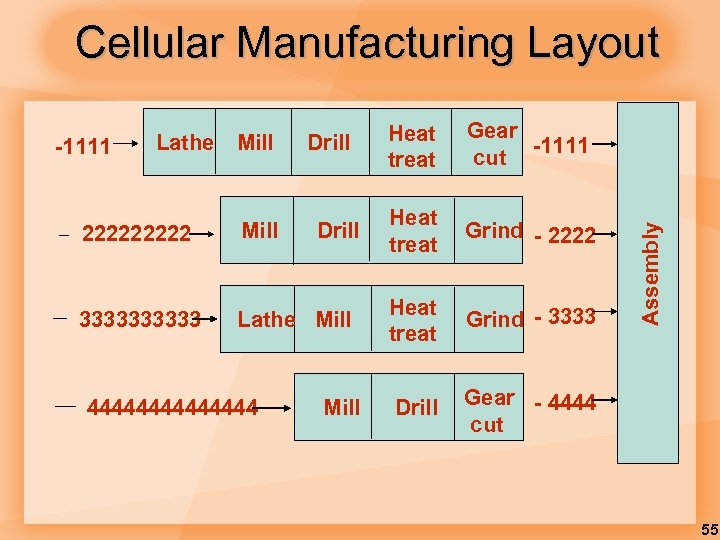
 Cellular Layouts § Cellular Production § Layout in which machines are grouped into a cell that can process items that have similar processing requirements § Group Technology § The grouping into part families of items with similar design or manufacturing characteristics 34
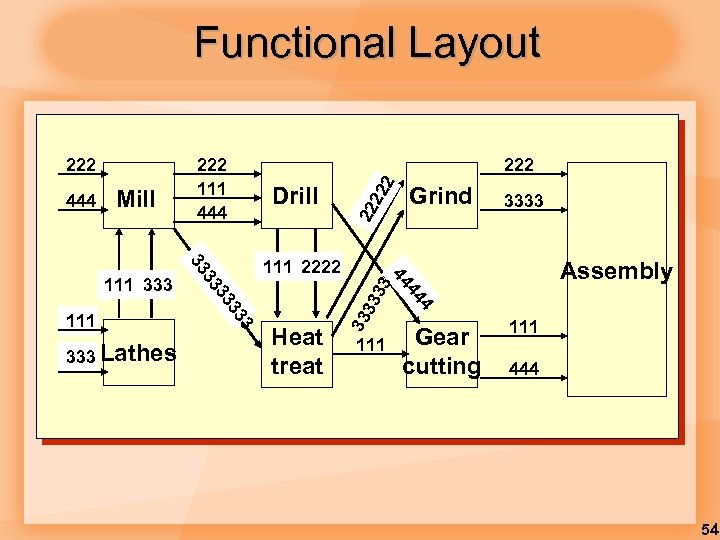
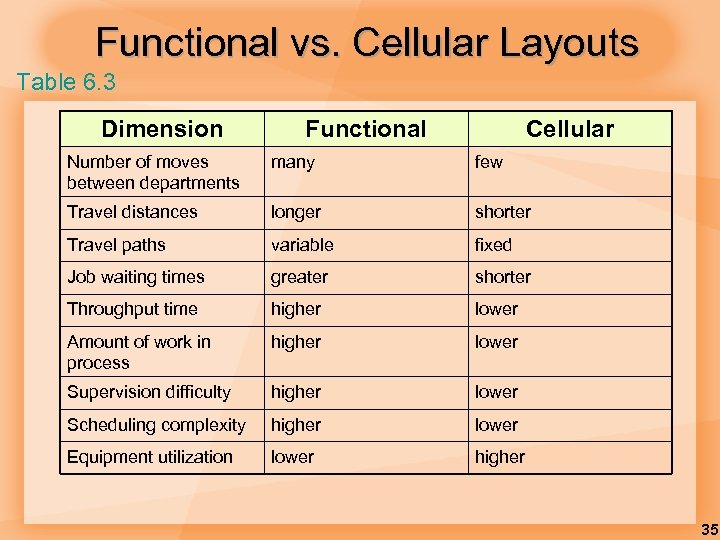 Functional vs. Cellular Layouts Table 6. 3 Dimension Functional Cellular Number of moves between departments many few Travel distances longer shorter Travel paths variable fixed Job waiting times greater shorter Throughput time higher lower Amount of work in process higher lower Supervision difficulty higher lower Scheduling complexity higher lower Equipment utilization lower higher 35
 Service Layouts § § Warehouse and storage layouts Retail layouts Office layouts Service layouts must be aesthetically pleasing as well as functional 36
 Design Product Layouts: Line Balancing is the process of assigning tasks to workstations in such a way that the workstations have approximately equal time requirements. 37
 Cycle Time Cycle time is the maximum time allowed at each workstation to complete its set of tasks on a unit. 38
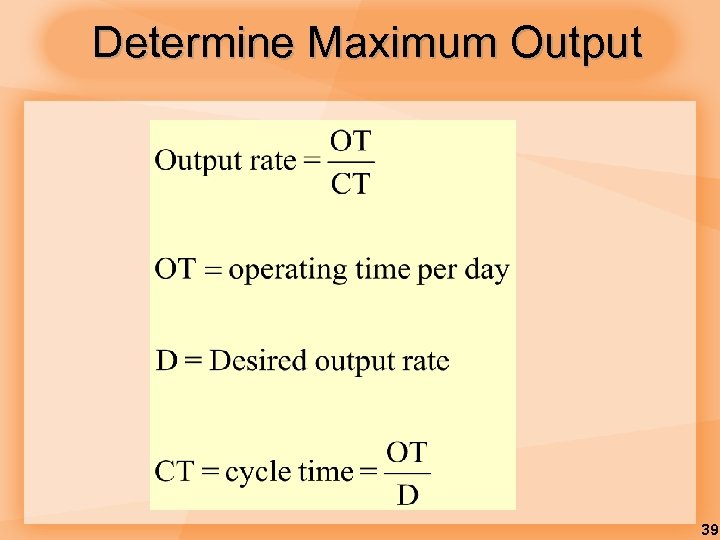 Determine Maximum Output 39
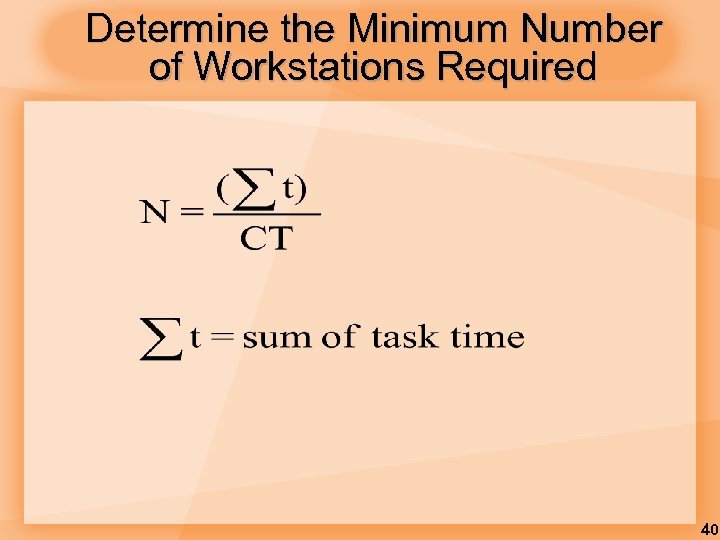 Determine the Minimum Number of Workstations Required 40
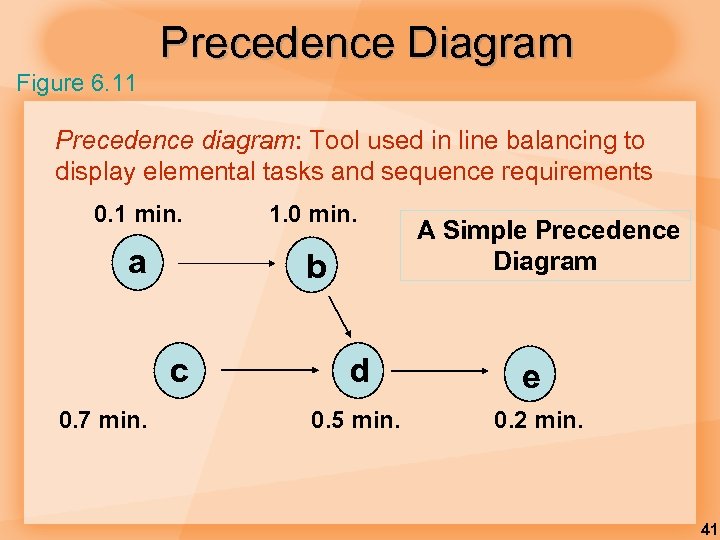 Precedence Diagram Figure 6. 11 Precedence diagram: Tool used in line balancing to display elemental tasks and sequence requirements 0. 1 min. 1. 0 min. a b c 0. 7 min. d 0. 5 min. A Simple Precedence Diagram e 0. 2 min. 41
 Example 1: Assembly Line Balancing § Arrange tasks shown in Figure 6. 10 into three workstations. § § Use a cycle time of 1. 0 minute Assign tasks in order of the most number of followers 42
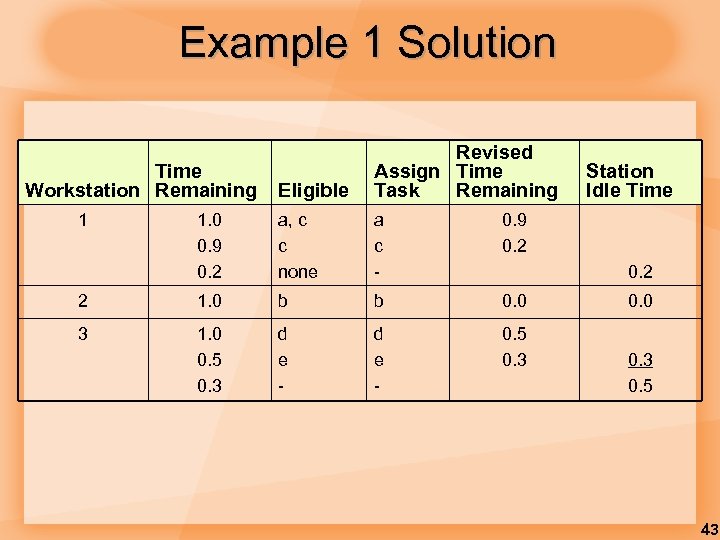 Example 1 Solution Eligible Revised Assign Time Task Remaining 1. 0 0. 9 0. 2 a, c c none a c - 0. 9 0. 2 2 1. 0 b b 0. 0 3 1. 0 0. 5 0. 3 d e - 0. 5 0. 3 Time Workstation Remaining 1 Station Idle Time 0. 2 0. 0 0. 3 0. 5 43
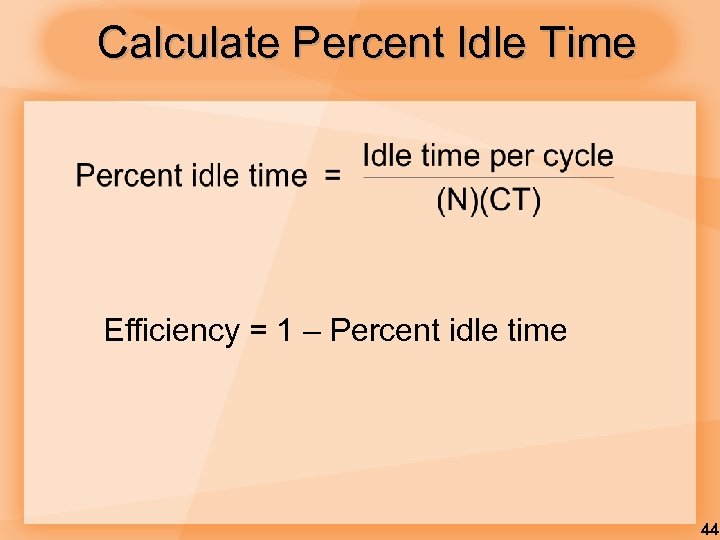 Calculate Percent Idle Time Efficiency = 1 – Percent idle time 44
 Line Balancing Rules Some Heuristic (intuitive) Rules: § Assign tasks in order of most following tasks. § Count the number of tasks that follow § Assign tasks in order of greatest positional weight. § Positional weight is the sum of each task’s time and the times of all following tasks. 45
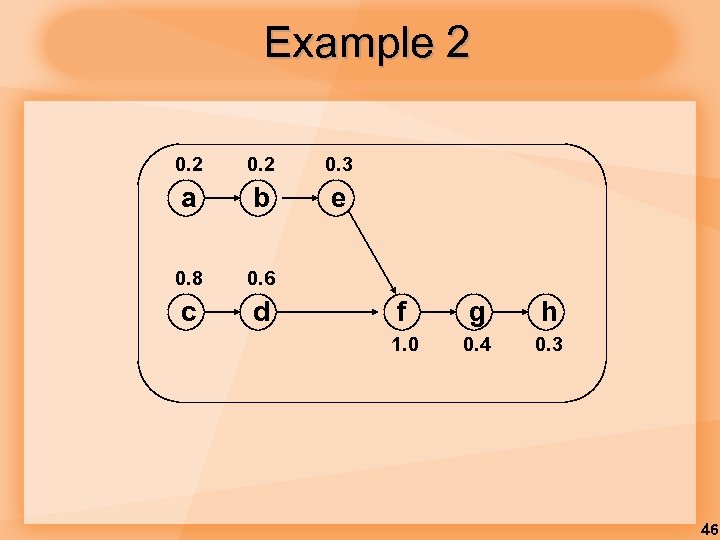 Example 2 0. 3 a b e 0. 8 0. 6 c d f g h 1. 0 0. 4 0. 3 46
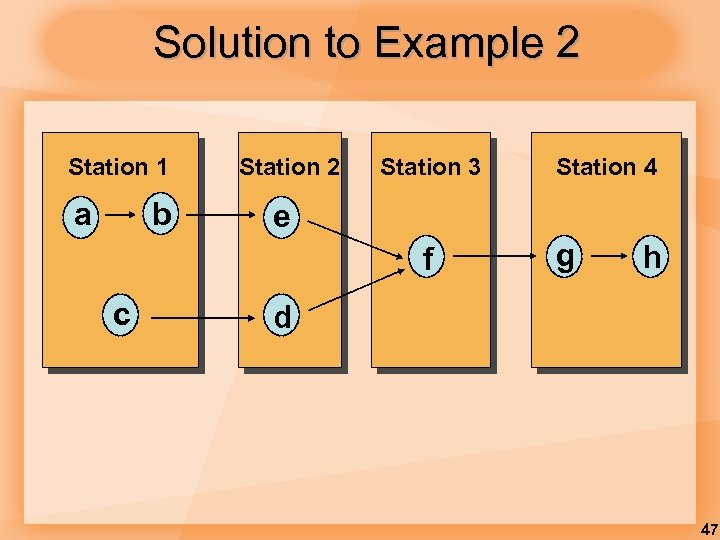 Solution to Example 2 Station 1 a b Station 2 Station 3 e f c Station 4 g h d 47
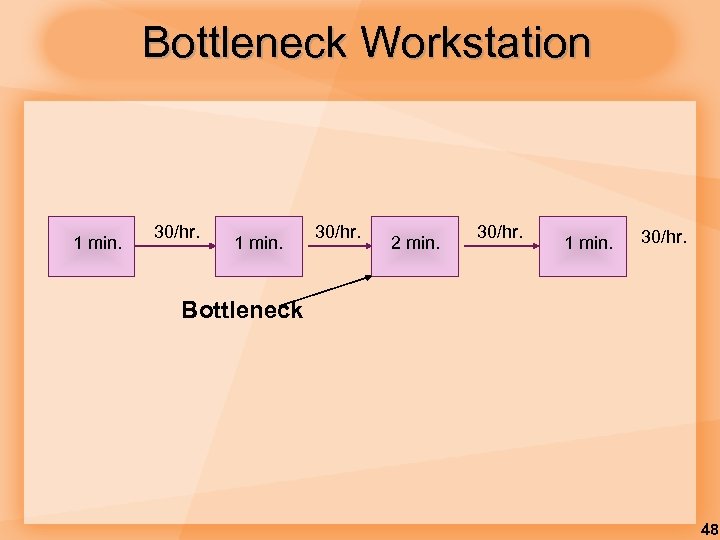 Bottleneck Workstation 1 min. 30/hr. 2 min. 30/hr. 1 min. 30/hr. Bottleneck 48
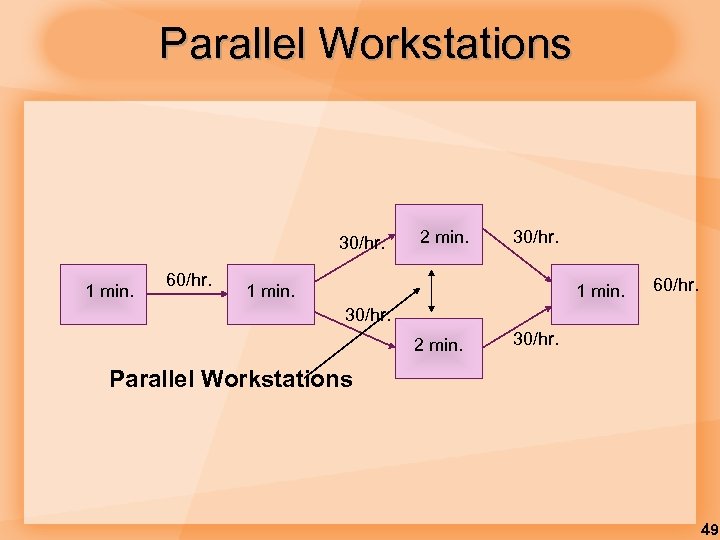 Parallel Workstations 30/hr. 1 min. 60/hr. 2 min. 30/hr. 1 min. 60/hr. 30/hr. 2 min. 30/hr. Parallel Workstations 49
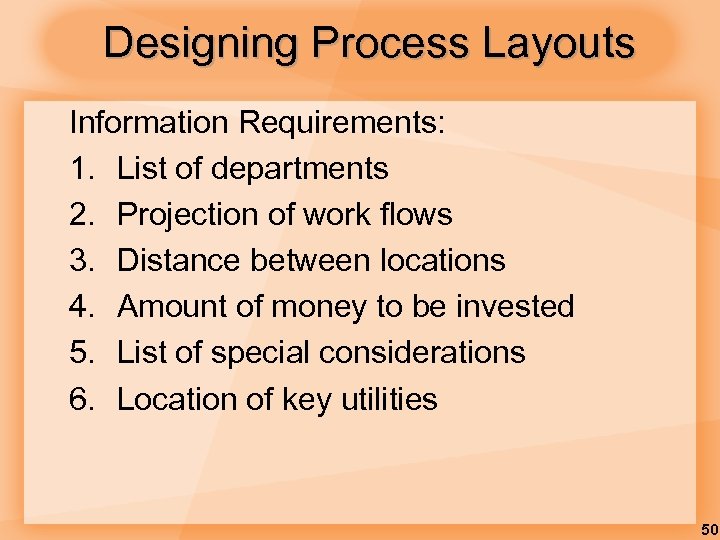 Designing Process Layouts Information Requirements: 1. List of departments 2. Projection of work flows 3. Distance between locations 4. Amount of money to be invested 5. List of special considerations 6. Location of key utilities 50
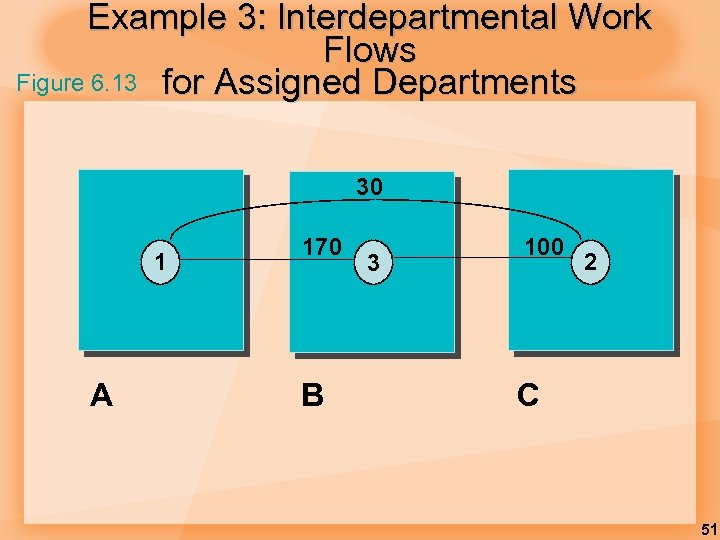 Example 3: Interdepartmental Work Flows Figure 6. 13 for Assigned Departments 30 1 A 170 B 3 100 2 C 51
 § Power. Point Author’s note: § The following three slides are not in the 9 e text, but I like to use them for alternate examples. 52
 Process Layout Milling Assembly & Test Grinding Drilling Plating Process Layout - work travels to dedicated process centers 53
 Functional Layout 22 2 Grind Assembly 3 4 44 Heat treat 3333 44 3 3 33 333 Lathes 33 11112222 3 33 111 333 Drill 22 Mill 222 33 3 444 222 111 444 111 Gear cutting 33 222 111 444 54
 Cellular Manufacturing Layout Mill Drill 22222 Mill 33333 Lathe Mill 4444444 Drill Mill Heat treat Gear -1111 cut Heat treat Grind - 2222 Heat treat Grind - 3333 Drill Gear - 4444 cut Assembly -1111 Lathe 55
 Video: Process Design 56
 Video: Process Implementation 57
 Video: Process Mapping 58