 Скачать презентацию 2014 andromda org Andro MDA Boot Camp
e0a2bf36607ebbe2e3e95002dcdbb9d4.ppt
- Количество слайдов: 74



© 2014 andromda. org Andro. MDA Boot Camp "From scratch to your own cartridge in four days" Part 1: Modeling and Code Generation using the existing Cartridges Copyright © 2014: andromda. org (BSD License)
© 2014 andromda. org MDSD with Magic. Draw and Andro. MDA Part 1: Modeling and Code Generation using the existing Cartridges Copyright © 2007: Matthias Bohlen, <mbohlen@andromda. com> all rights reserved
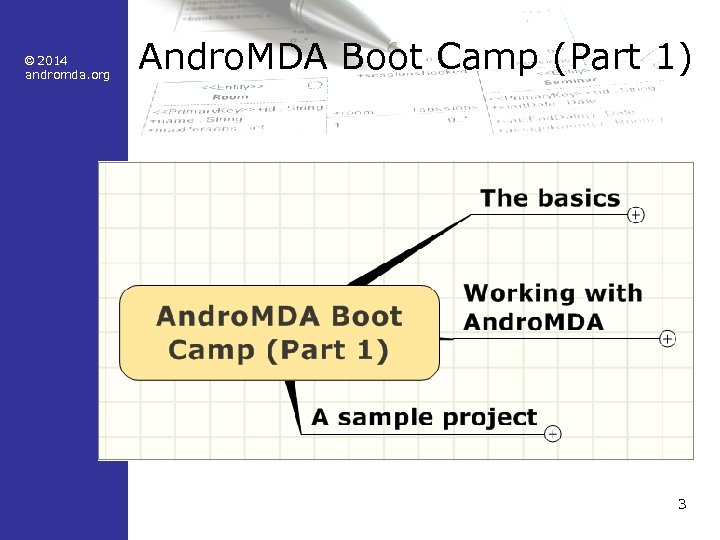
© 2014 andromda. org Andro. MDA Boot Camp (Part 1) 3
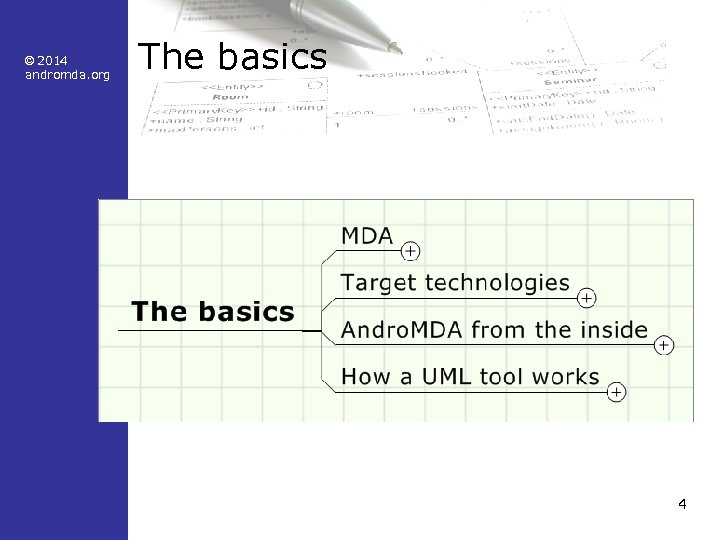
© 2014 andromda. org The basics 4
© 2014 andromda. org • • MDA Model and metamodel Platform defined PIM and PSM UML profile – Stereotypes – Tagged Values • Roles, tasks and skills • Collaborating in a project 5
© 2014 andromda. org MDA by definition • MDA is a collection of specifications • The key idea is… "…to build a comprehensive, formally correct model for the construction of a software system, from which the executable software components can be generated by automated transformations. " 6
© 2014 andromda. org What is MDA? • Generating software. . . – by transformation of a model – into software artifacts – by means of templates • But we had this already years ago? ! • Abstraction level and standards make the difference: – Modeling: UML – Storage for models: MOF – Exchange of models: XMI 7
© 2014 andromda. org Why MDA? • Complexity – Software becomes more and more complex – Technological change accelerates – Abstraction must help to conquer complexity • Quality is a critical aspect of software • Frameworks cause repeated code – Coding becomes repetitive and "boring" 8
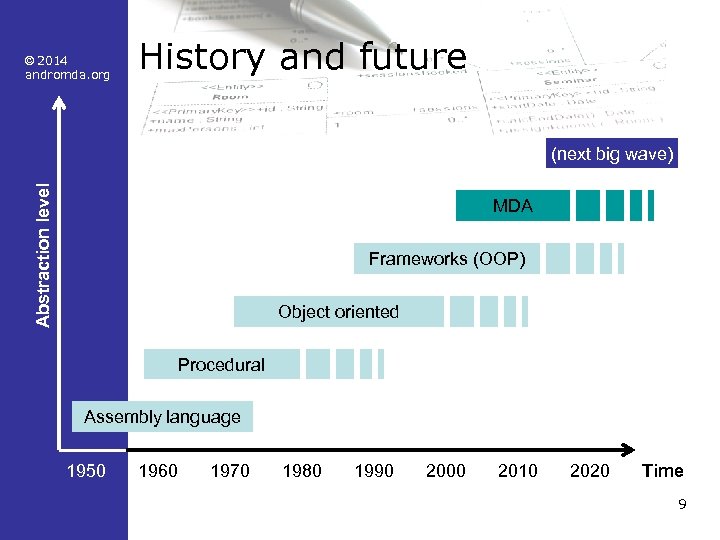
© 2014 andromda. org History and future Abstraction level (next big wave) MDA Frameworks (OOP) Object oriented Procedural Assembly language 1950 1960 1970 1980 1990 2000 2010 2020 Time 9
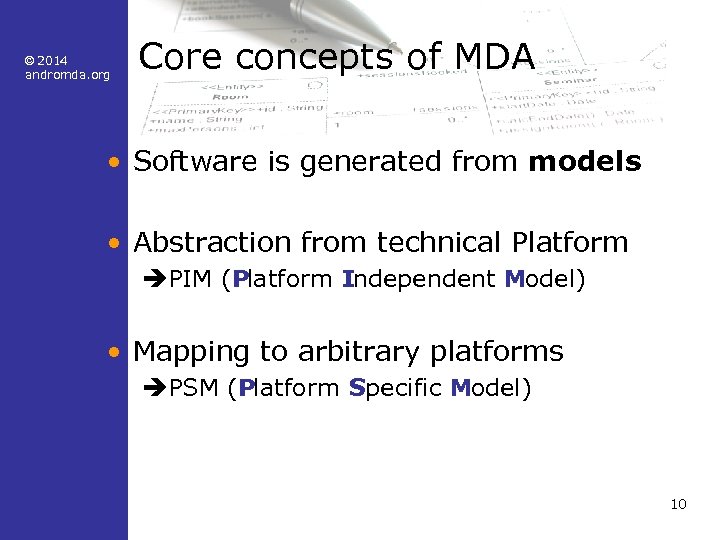
© 2014 andromda. org Core concepts of MDA • Software is generated from models • Abstraction from technical Platform èPIM (Platform Independent Model) • Mapping to arbitrary platforms èPSM (Platform Specific Model) 10
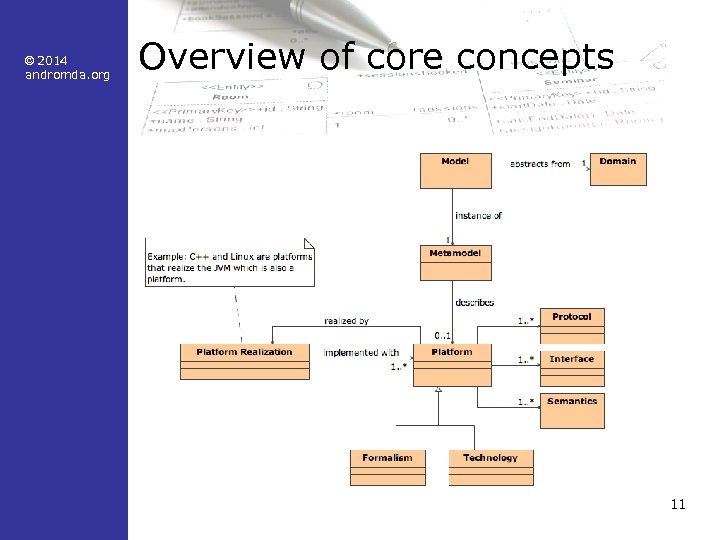
© 2014 andromda. org Overview of core concepts 11
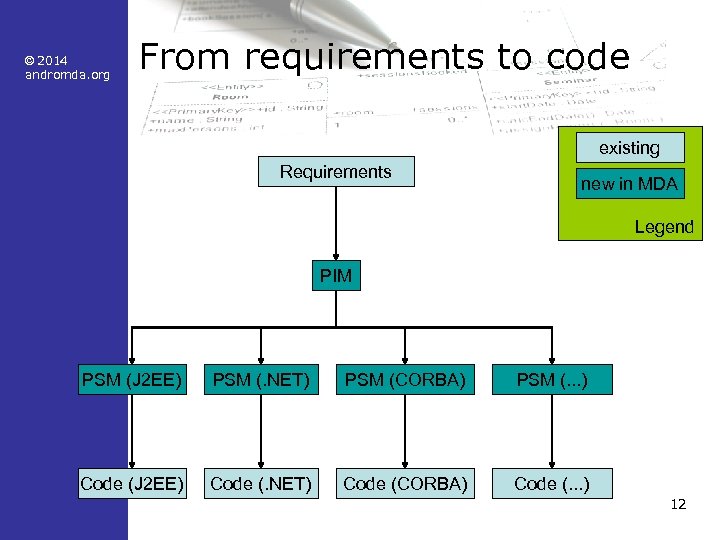
© 2014 andromda. org From requirements to code existing Requirements new in MDA Legend PIM PSM (J 2 EE) PSM (. NET) PSM (CORBA) PSM (. . . ) Code (J 2 EE) Code (. NET) Code (CORBA) Code (. . . ) 12
© 2014 andromda. org Definition of model • Model – A model is the abstraction of an application domain (shop, bank, etc. ) – Example 1: A model for a shop contains notions like order and price – Example 2: A model for a bank contains notions like account and transfer 13
© 2014 andromda. org Definition of metamodel • Metamodel – A metamodel is a model for the application domain called modeling – Example 1: The metamodel of XML contains notions like node, element and attribute – Example 2: The metamodel for UML contains notions like class, property, operation, association 14
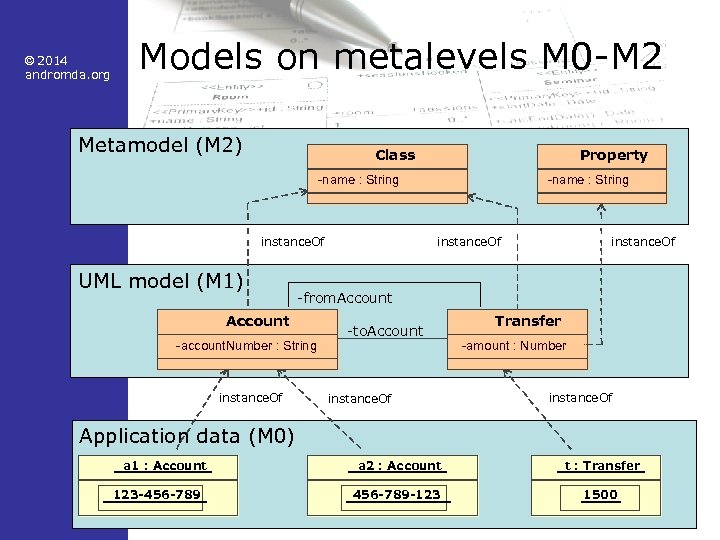
© 2014 andromda. org Models on metalevels M 0 -M 2 Metamodel (M 2) Class Property -name : String instance. Of UML model (M 1) instance. Of -from. Account -account. Number : String instance. Of -name : String -to. Account instance. Of Transfer -amount : Number instance. Of Application data (M 0) a 1 : Account 123 -456 -789 a 2 : Account t : Transfer 456 -789 -123 1500 15
© 2014 andromda. org UML profile: What is it? • Standard mechanism to extend the scope of UML • Language elements used – Stereotypes – Tagged Values (UML 2 Stereotype attributes) – OCL Constraints 16
© 2014 andromda. org Stereotypes • Stereotypes – classify model elements – almost create new "metaclasses" – can be attached to any normal model element • Class, Property, Operation, Parameter • State, Transition, etc. • Stereotypes provide application specific annotations for model elements – Some UML tools allow to associate an icon to a stereotype 17
© 2014 andromda. org Tagged Values • Tagged Values – extend the attribute set of a metaclass – can be associated to a metaclass and (optionally) a stereotype – UML 2: Tagged Values must belong to a Stereotype (known as Stereotype Attributes) • Using Stereotypes and Tagged Values, you create your own "modeling vocabulary" • Restriction: – The UML metamodel is still the limit – You can only model what conforms to the UML metamodel 18
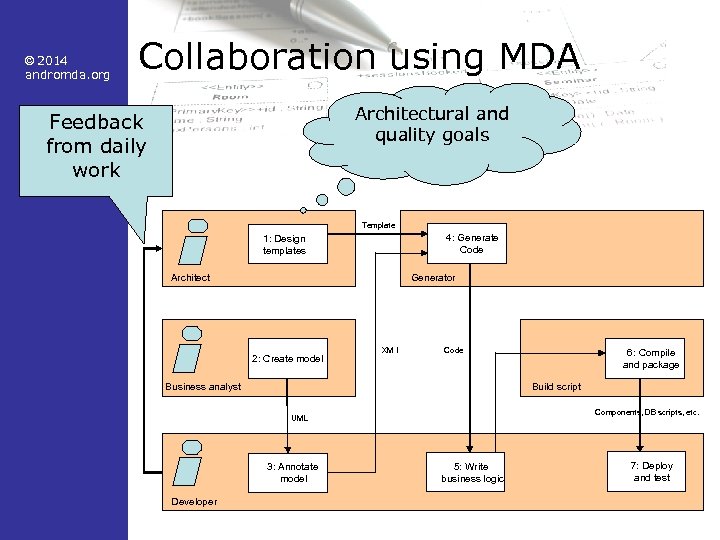
© 2014 andromda. org Collaboration using MDA Architectural and quality goals Feedback from daily work Template 4: Generate Code 1: Design templates Architect Generator 2: Create model XM I Code Business analyst Build script Components, DB scripts, etc. UML 3: Annotate model Developer 6: Compile and package 5: Write business logic 7: Deploy and test 19
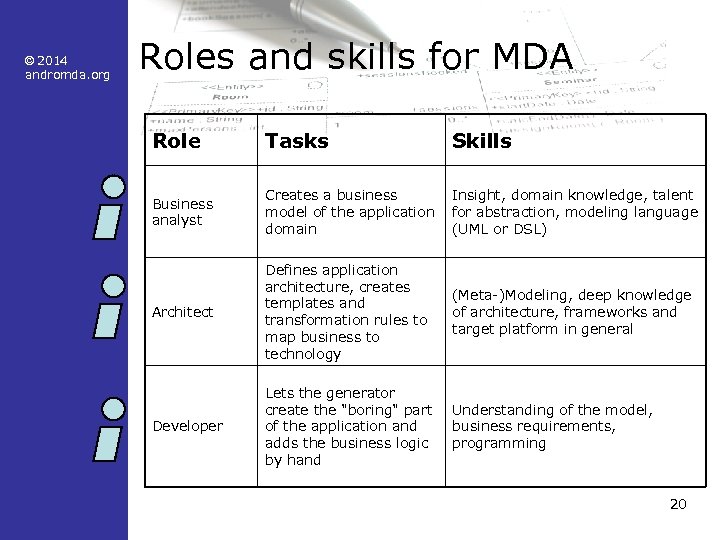
© 2014 andromda. org Roles and skills for MDA Role Tasks Skills Business analyst Creates a business model of the application domain Insight, domain knowledge, talent for abstraction, modeling language (UML or DSL) Architect Defines application architecture, creates templates and transformation rules to map business to technology (Meta-)Modeling, deep knowledge of architecture, frameworks and target platform in general Developer Lets the generator create the "boring" part of the application and adds the business logic by hand Understanding of the model, business requirements, programming 20
© 2014 andromda. org Target technologies (examples) • Spring – a framework to structure J 2 EE applications • Hibernate – a persistence mapping framework • Struts – a Model-View-Controller framework for web applications 21
© 2014 andromda. org Introduction to Spring • Framework simplifies development of J 2 EE applications • Lightweight Io. C container • Instantiates and links Java. Beans • Wraps Java. Beans with aspects for transaction handling and other useful stuff 22
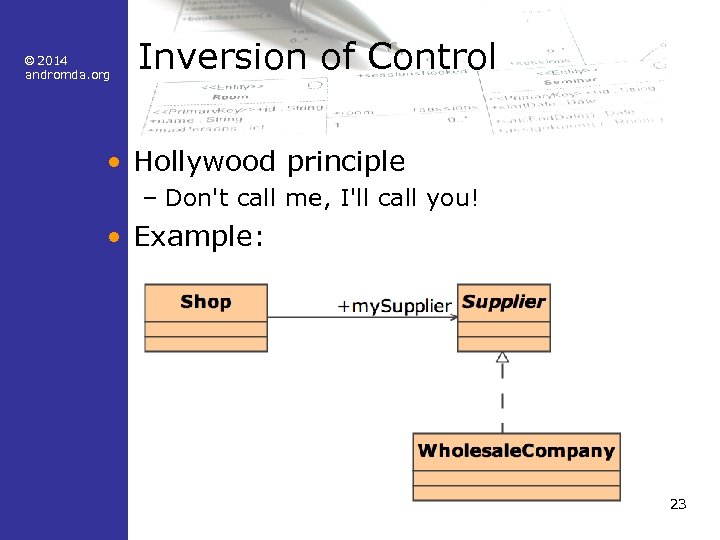
© 2014 andromda. org Inversion of Control • Hollywood principle – Don't call me, I'll call you! • Example: 23
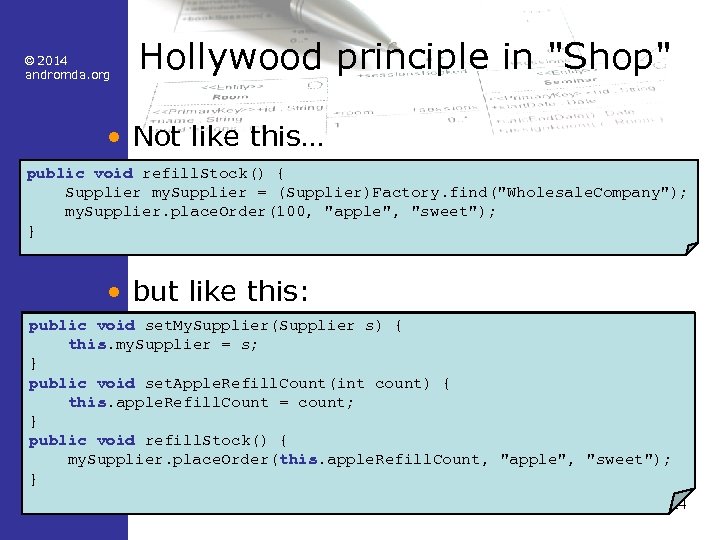
© 2014 andromda. org Hollywood principle in "Shop" • Not like this… public void refill. Stock() { Supplier my. Supplier = (Supplier)Factory. find("Wholesale. Company"); my. Supplier. place. Order(100, "apple", "sweet"); } • but like this: public void set. My. Supplier(Supplier s) { this. my. Supplier = s; } public void set. Apple. Refill. Count(int count) { this. apple. Refill. Count = count; } public void refill. Stock() { my. Supplier. place. Order(this. apple. Refill. Count, "apple", "sweet"); } 24
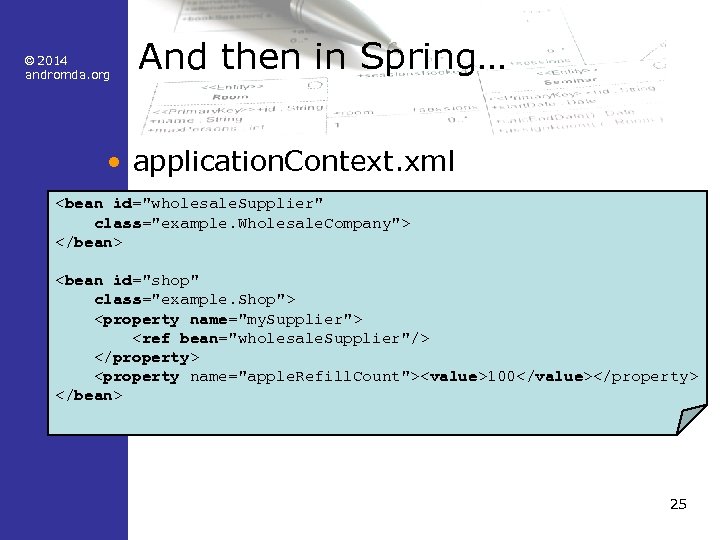
© 2014 andromda. org And then in Spring… • application. Context. xml <bean id="wholesale. Supplier" class="example. Wholesale. Company"> </bean> <bean id="shop" class="example. Shop"> <property name="my. Supplier"> <ref bean="wholesale. Supplier"/> </property> <property name="apple. Refill. Count"><value>100</value></property> </bean> 25
© 2014 andromda. org Advantages of Spring • Spring classes are ordinary Java. Beans – no dependency to a Spring API – testable with JUnit without a container – strong typing, no generic factories like JNDI • Spring integrates a lot of ready made stuff – Data sources, transactions, persistence, security, remoting, etc. • Business classes stay untouched • Later, we'll see more in practice! 26
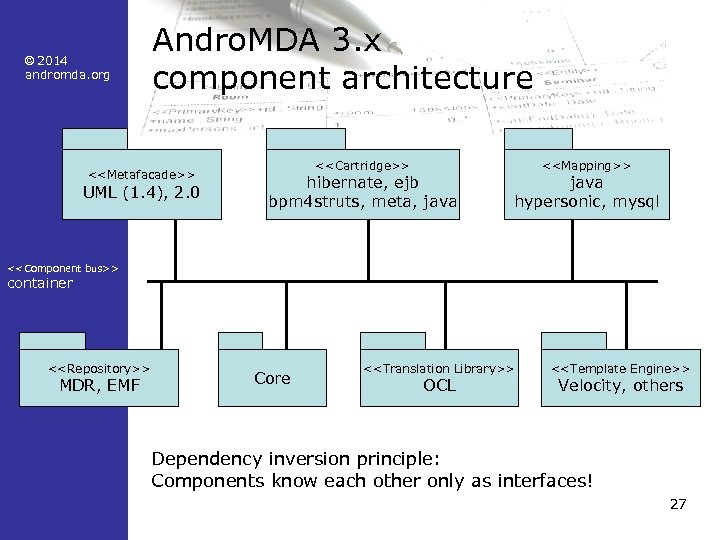
© 2014 andromda. org Andro. MDA 3. x component architecture <<Metafacade>> UML (1. 4), 2. 0 <<Cartridge>> hibernate, ejb bpm 4 struts, meta, java <<Mapping>> java hypersonic, mysql <<Component bus>> container <<Repository>> MDR, EMF Core <<Translation Library>> OCL <<Template Engine>> Velocity, others Dependency inversion principle: Components know each other only as interfaces! 27
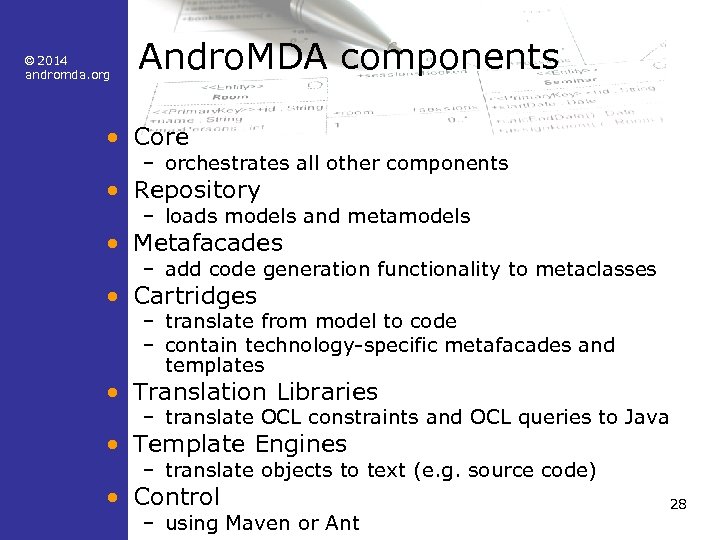
© 2014 andromda. org Andro. MDA components • Core – orchestrates all other components • Repository – loads models and metamodels • Metafacades – add code generation functionality to metaclasses • Cartridges – translate from model to code – contain technology-specific metafacades and templates • Translation Libraries – translate OCL constraints and OCL queries to Java • Template Engines – translate objects to text (e. g. source code) • Control – using Maven or Ant 28
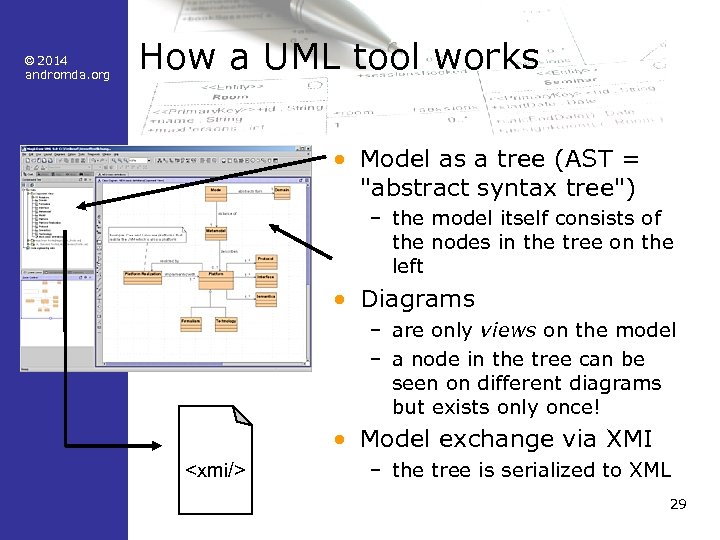
© 2014 andromda. org How a UML tool works • Model as a tree (AST = "abstract syntax tree") – the model itself consists of the nodes in the tree on the left • Diagrams – are only views on the model – a node in the tree can be seen on different diagrams but exists only once! • Model exchange via XMI <xmi/> – the tree is serialized to XML 29
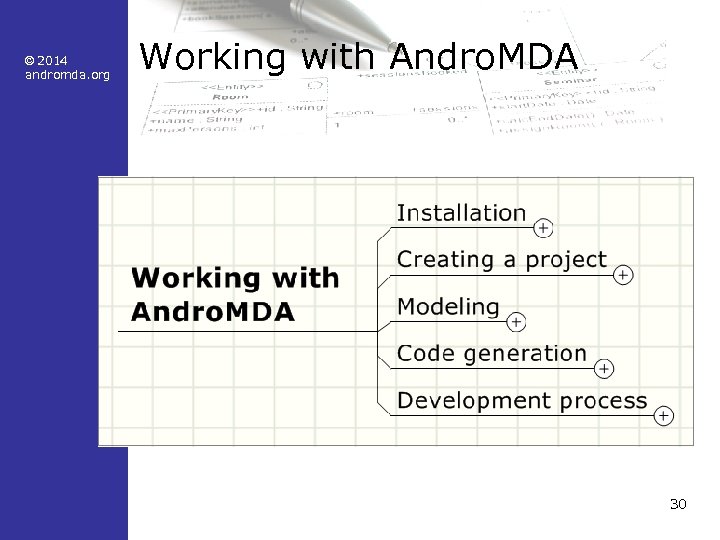
© 2014 andromda. org Working with Andro. MDA 30
© 2014 andromda. org • • • Installation for today Ant Maven Magic. Draw JBoss Andro. MDA • You‘ll find all this on the training DVD! 31
© 2014 andromda. org Installation of the tools (1) • Ant – unpack, set ANT_HOME • Maven – Download from http: //maven. apache. org/, set M 2_HOME – set MAVEN_OPTS (in the machine's environment) to -XX: Max. Perm. Size=256 m -Xmx 512 m – copy settings. xml. sample to %USERPROFILE%. m 2 (in Unix: $HOME/. m 2) and rename to settings. xml – adjust settings. xml if you're behind an HTTP proxy – add %M 2_HOME%bin ($M 2_HOME/bin) to the PATH – Start a command shell and look if the variables are set correctly 32
© 2014 andromda. org Installation of the tools (2) • Magic. Draw – Run the installer, start Magic. Draw – Copy the license key from the text file on the CD and paste it into the license dialog • Papyrus (Free / Open Source) – Download Eclipse JEE Edition – Add Papyrus from Eclipse Marketplace • JBoss – Download from wildfly. org and set JBOSS_HOME to the directory where you installed JBoss 33
© 2014 andromda. org Installation of the tools (3) • Andro. MDA need not be installed • Maven downloads all necessary artifacts to your local repository • To tell Maven what to download, you need a scratch pom. xml that you throw away after use: – copy andromdapp-loader/pom. xml from the training DVD to a temporary directory – open a command prompt (a. k. a. shell) – change to the temporary directory – try to generate an empty Andro. MDA project: • mvn andromdapp: generate – watch Maven download the necessary plugins – cancel the generation when it displays: • Please choose the type of application to generate – remove the temporary directory from disk 34
© 2014 andromda. org Installation of the tools (4) • Maven downloads all necessary artifacts to your local repository • This works best if you have these lines in your settings. xml: <plugin. Groups> <plugin. Group>org. andromda. maven. plugins</plugin. Group> </plugin. Groups> 35
© 2014 andromda. org Creating an empty project (1) • Open a command prompt (a. k. a. shell) • Choose a base directory for programming (examples): – C: Andro. MDATutorial – ~/andromda/tutorial • Change to that directory and invoke this command line – mvn andromdapp: generate – mvn org. andromda. maven. plugins: andromdappmaven-plugin: 3. 5 -SNAPSHOT: generate if using a snapshot version • Type in the following information (see next slide) 36
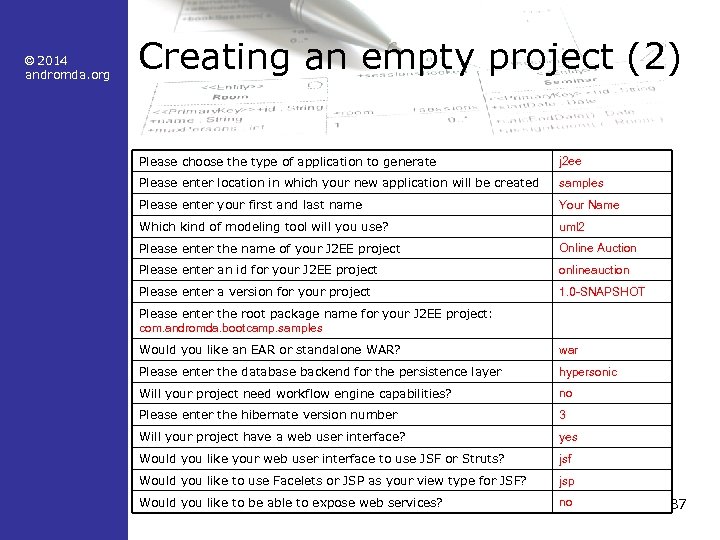
© 2014 andromda. org Creating an empty project (2) Please choose the type of application to generate j 2 ee Please enter location in which your new application will be created samples Please enter your first and last name Your Name Which kind of modeling tool will you use? uml 2 Please enter the name of your J 2 EE project Online Auction Please enter an id for your J 2 EE project onlineauction Please enter a version for your project 1. 0 -SNAPSHOT Please enter the root package name for your J 2 EE project: com. andromda. bootcamp. samples Would you like an EAR or standalone WAR? war Please enter the database backend for the persistence layer hypersonic Will your project need workflow engine capabilities? no Please enter the hibernate version number 3 Will your project have a web user interface? yes Would you like your web user interface to use JSF or Struts? jsf Would you like to use Facelets or JSP as your view type for JSF? jsp Would you like to be able to expose web services? no 37
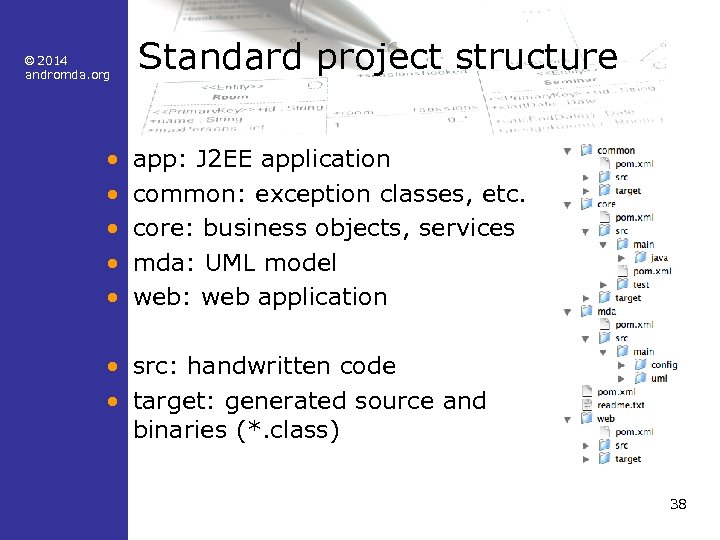
© 2014 andromda. org • • • Standard project structure app: J 2 EE application common: exception classes, etc. core: business objects, services mda: UML model web: web application • src: handwritten code • target: generated source and binaries (*. class) 38
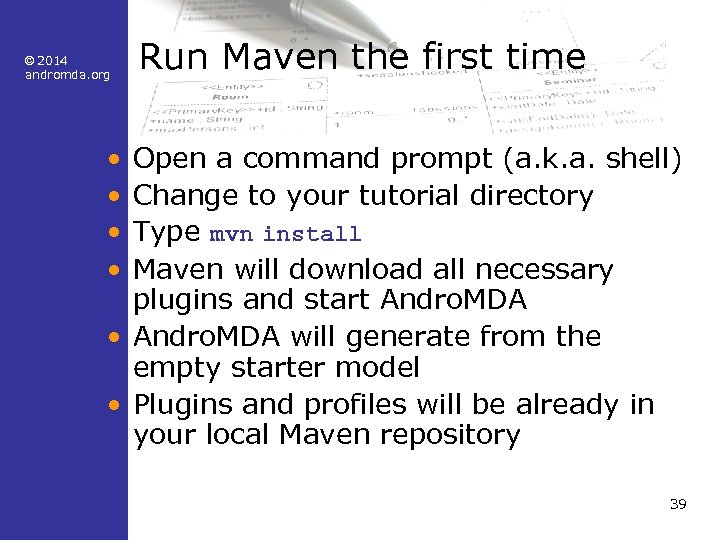
© 2014 andromda. org Run Maven the first time • • Open a command prompt (a. k. a. shell) Change to your tutorial directory Type mvn install Maven will download all necessary plugins and start Andro. MDA • Andro. MDA will generate from the empty starter model • Plugins and profiles will be already in your local Maven repository 39
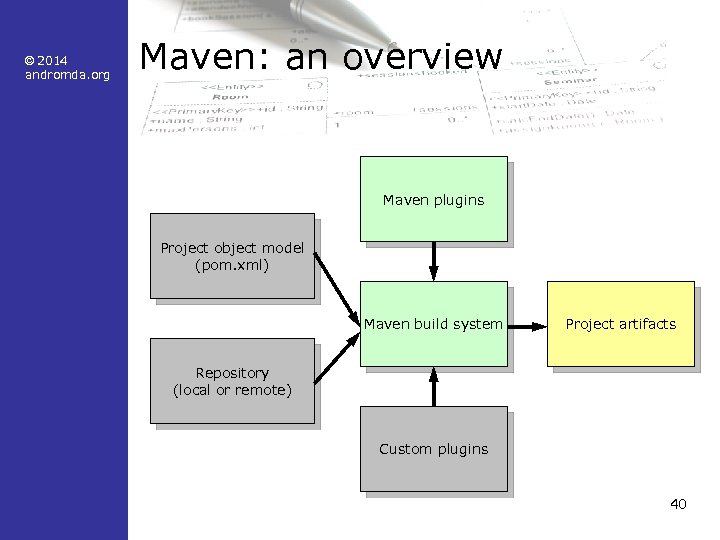
© 2014 andromda. org Maven: an overview Maven plugins Project object model (pom. xml) Maven build system Project artifacts Repository (local or remote) Custom plugins 40
© 2014 andromda. org Maven background • Automates repetitive build tasks • • • Setting the classpath Invoking the Java compiler Run tests (e. g. JUnit) Pack JAR, WAR, EAR Deploy to the server and much more that you would have to write at a lower level using Ant • Maven is designed for projects with lots of components and versions • Manages component dependencies automatically 41
© 2014 andromda. org Learning to use Maven • There are good tutorials for Maven 2 – http: //maven. apache. org/guides/index. html • And some very good online books – http: //maven. apache. org/guides/index. html – http: //www. sonatype. com/resources/books • Describes step by step how to create a J 2 EE project and why, using archetypes! • With Andro. MDA, the andromdapp. Plugin does those steps automatically 42
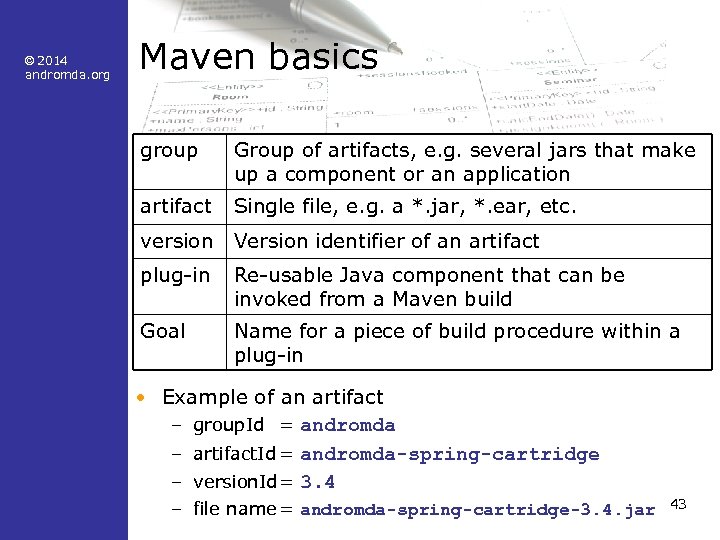
© 2014 andromda. org Maven basics group Group of artifacts, e. g. several jars that make up a component or an application artifact Single file, e. g. a *. jar, *. ear, etc. version Version identifier of an artifact plug-in Re-usable Java component that can be invoked from a Maven build Goal Name for a piece of build procedure within a plug-in • Example of an artifact – group. Id = andromda – artifact. Id = andromda-spring-cartridge – version. Id= 3. 4 – file name = andromda-spring-cartridge-3. 4. jar 43
![© 2014 andromda. org Invoking Maven • Command line: mvn [options] [<goal(s)>] [<phase(s)>] •](https://present5.com/presentation/e0a2bf36607ebbe2e3e95002dcdbb9d4/image-44.jpg "© 2014 andromda. org Invoking Maven • Command line: mvn [options] [<goal(s)>] [<phase(s)>] •")
© 2014 andromda. org Invoking Maven • Command line: mvn [options] [<goal(s)>] [<phase(s)>] • Important command line options – mvn –o builds off-line without fetching artifacts from the remote repository • Important plug-ins and their goals – andromdapp: generate – andromda: run • Important phases – – generate-sources compile test install 44
© 2014 andromda. org pom. xml • Control file for Maven – describes the project – including dependencies on other components – used in Andro. MDA to indicate which cartridges are available during the build 45
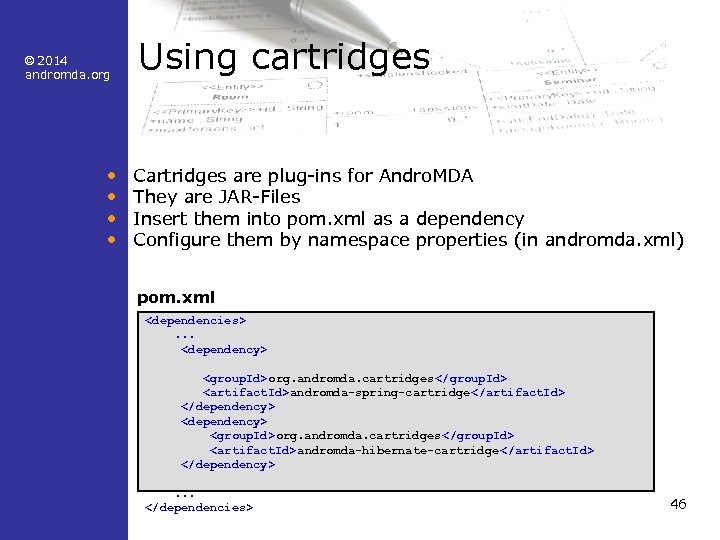
© 2014 andromda. org • • Using cartridges Cartridges are plug-ins for Andro. MDA They are JAR-Files Insert them into pom. xml as a dependency Configure them by namespace properties (in andromda. xml) pom. xml <dependencies>. . . <dependency> <group. Id>org. andromda. cartridges</group. Id> <artifact. Id>andromda-spring-cartridge </artifact. Id> </dependency> <group. Id>org. andromda. cartridges</group. Id> <artifact. Id>andromda-hibernate-cartridge </artifact. Id> </dependency>. . . </dependencies> 46
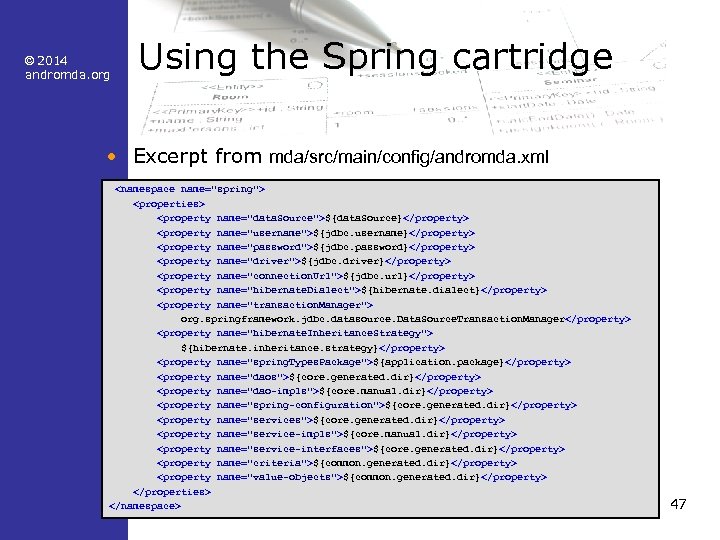
© 2014 andromda. org Using the Spring cartridge • Excerpt from mda/src/main/config/andromda. xml <namespace name="spring"> <properties> <property name="data. Source">${data. Source}</property> <property name="username">${jdbc. username}</property> <property name="password">${jdbc. password}</property> <property name="driver">${jdbc. driver}</property> <property name="connection. Url">${jdbc. url}</property> <property name="hibernate. Dialect">${hibernate. dialect}</property> <property name="transaction. Manager"> org. springframework. jdbc. datasource. Data. Source. Transaction. Manager</property> <property name="hibernate. Inheritance. Strategy"> ${hibernate. inheritance. strategy}</property> <property name="spring. Types. Package">${application. package}</property> <property name="daos">${core. generated. dir}</property> <property name="dao-impls">${core. manual. dir}</property> <property name="spring-configuration">${core. generated. dir}</property> <property name="services">${core. generated. dir}</property> <property name="service-impls">${core. manual. dir}</property> <property name="service-interfaces">${core. generated. dir}</property> <property name="criteria">${common. generated. dir}</property> <property name="value-objects">${common. generated. dir}</property> </properties> </namespace> 47
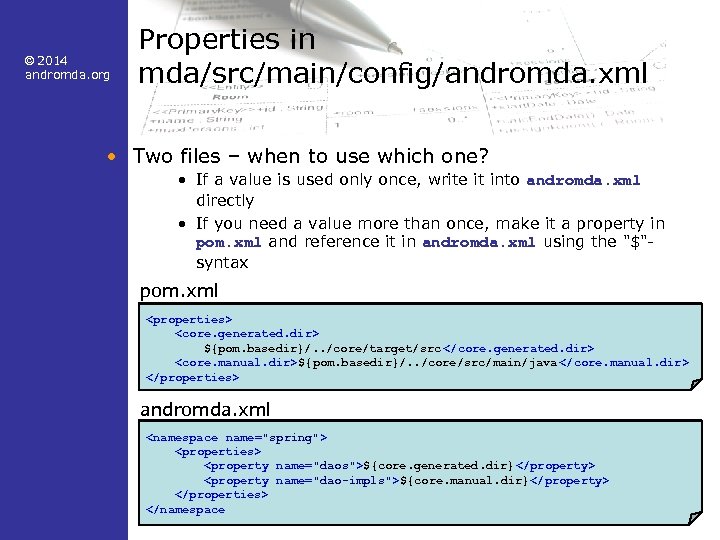
© 2014 andromda. org Properties in mda/src/main/config/andromda. xml • Two files – when to use which one? • If a value is used only once, write it into andromda. xml directly • If you need a value more than once, make it a property in pom. xml and reference it in andromda. xml using the "$"syntax pom. xml <properties> <core. generated. dir> ${pom. basedir}/. . /core/target/src </core. generated. dir> <core. manual. dir>${pom. basedir}/. . /core/src/main/java </core. manual. dir> </properties> andromda. xml <namespace name="spring"> <properties> <property name="daos">${core. generated. dir}</property> <property name="dao-impls">${core. manual. dir}</property> </properties> </namespace 48
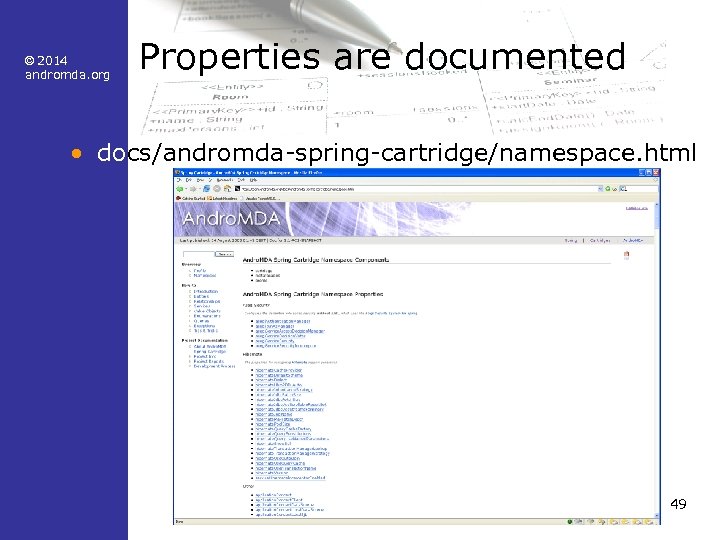
© 2014 andromda. org Properties are documented • docs/andromda-spring-cartridge/namespace. html 49
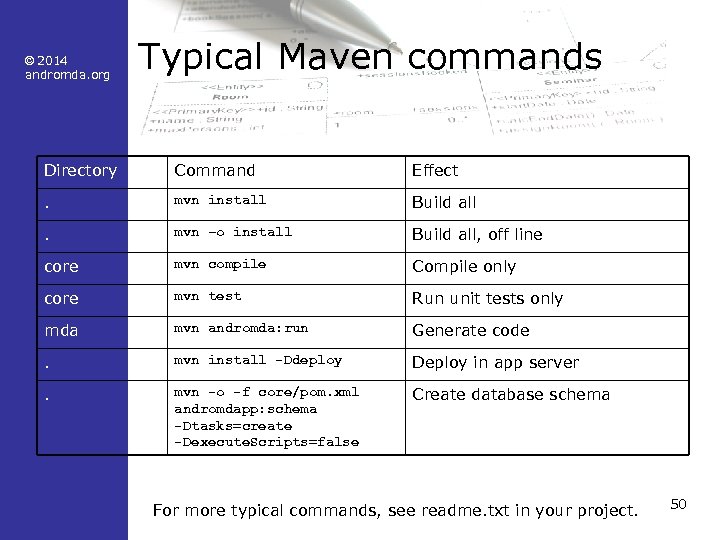
© 2014 andromda. org Typical Maven commands Directory Command Effect . mvn install Build all . mvn –o install Build all, off line core mvn compile Compile only core mvn test Run unit tests only mda mvn andromda: run Generate code . mvn install -Ddeploy Deploy in app server . mvn -o -f core/pom. xml andromdapp: schema -Dtasks=create -Dexecute. Scripts=false Create database schema For more typical commands, see readme. txt in your project. 50
© 2014 andromda. org List of Maven Plug-ins • http: //maven. apache. org/plugins/index. html 51
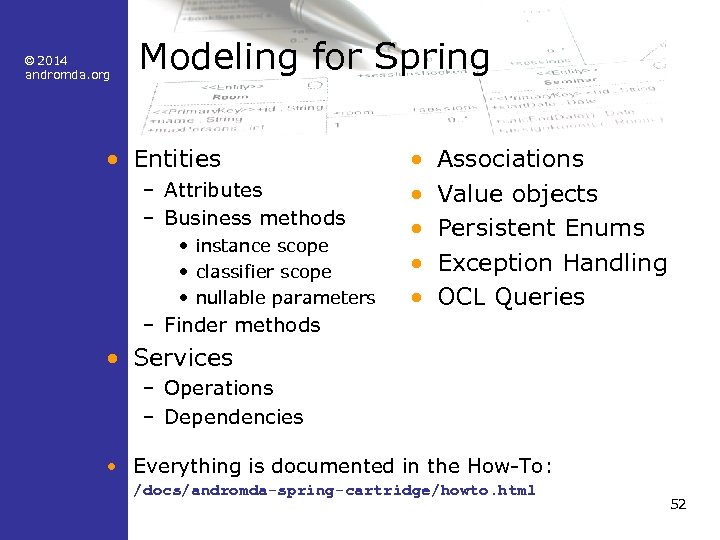
© 2014 andromda. org Modeling for Spring • Entities – Attributes – Business methods • instance scope • classifier scope • nullable parameters • • • Associations Value objects Persistent Enums Exception Handling OCL Queries – Finder methods • Services – Operations – Dependencies • Everything is documented in the How-To: /docs/andromda-spring-cartridge/howto. html 52
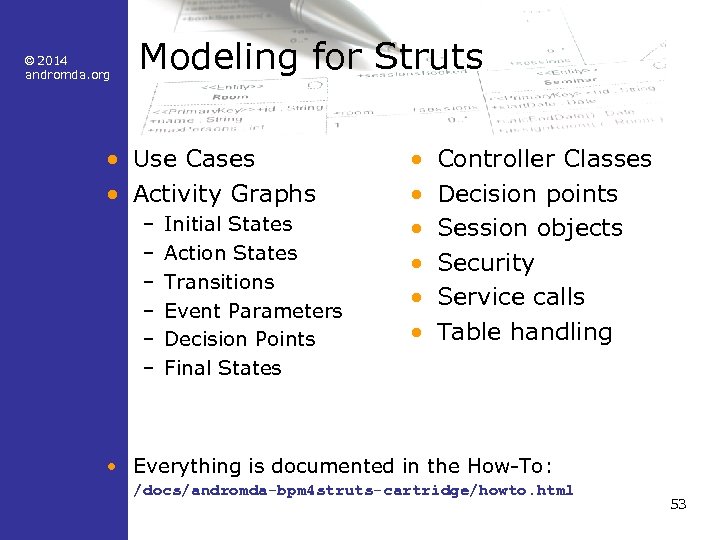
© 2014 andromda. org Modeling for Struts • Use Cases • Activity Graphs – – – Initial States Action States Transitions Event Parameters Decision Points Final States • • • Controller Classes Decision points Session objects Security Service calls Table handling • Everything is documented in the How-To: /docs/andromda-bpm 4 struts-cartridge/howto. html 53
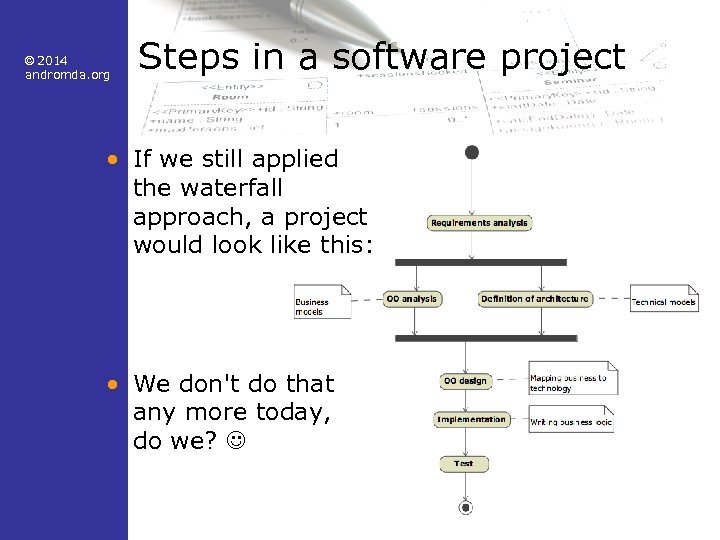
© 2014 andromda. org Steps in a software project • If we still applied the waterfall approach, a project would look like this: • We don't do that any more today, do we? 54
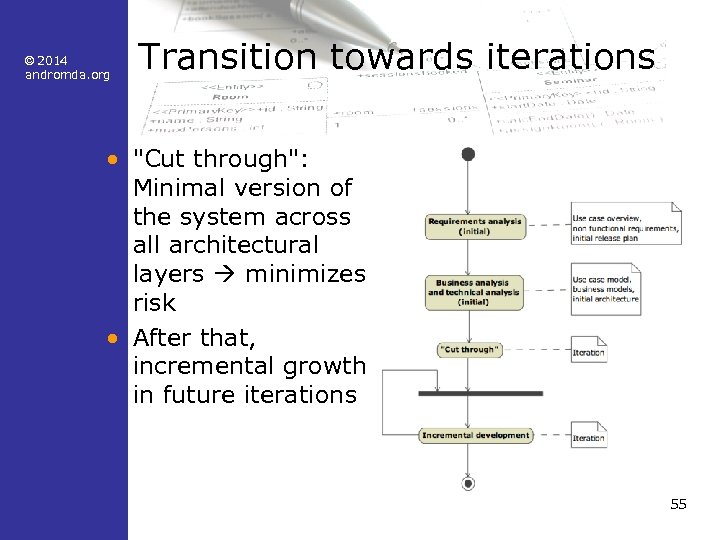
© 2014 andromda. org Transition towards iterations • "Cut through": Minimal version of the system across all architectural layers minimizes risk • After that, incremental growth in future iterations 55
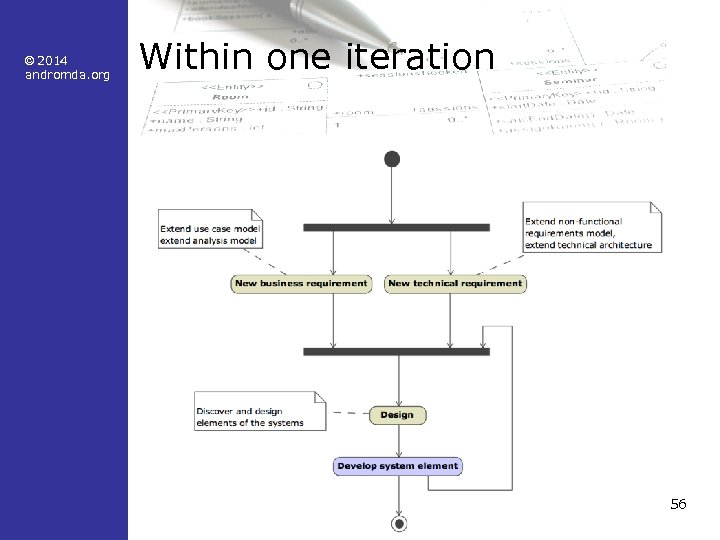
© 2014 andromda. org Within one iteration 56
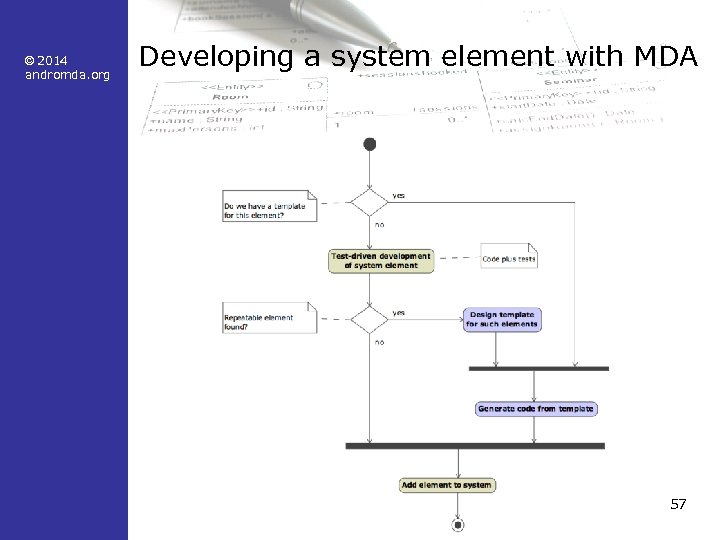
© 2014 andromda. org Developing a system element with MDA 57
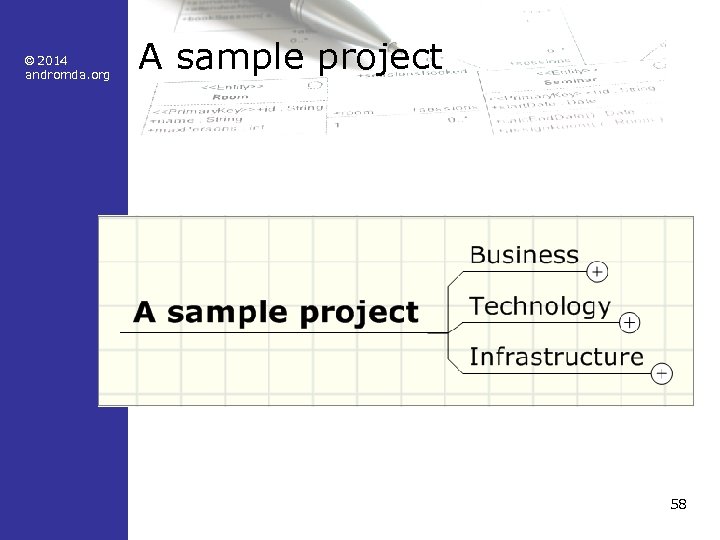
© 2014 andromda. org A sample project 58
© 2014 andromda. org The subject • The project is called "Online. Auction" • It's about online auctions à la Ebay • Use Cases – Register User – Login User – List Item – Bid for Item – Notify bidder 59
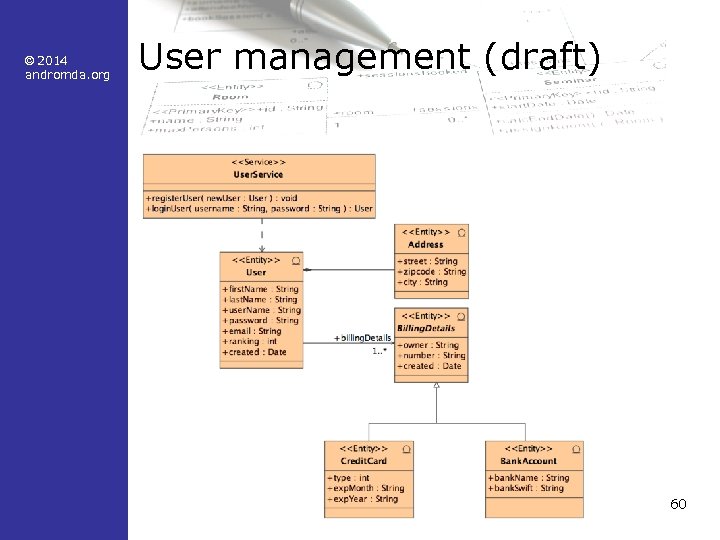
© 2014 andromda. org User management (draft) 60
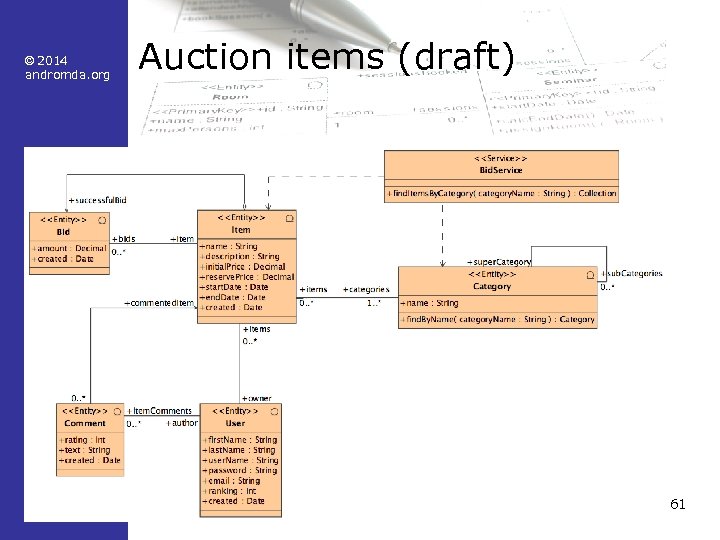
© 2014 andromda. org Auction items (draft) 61
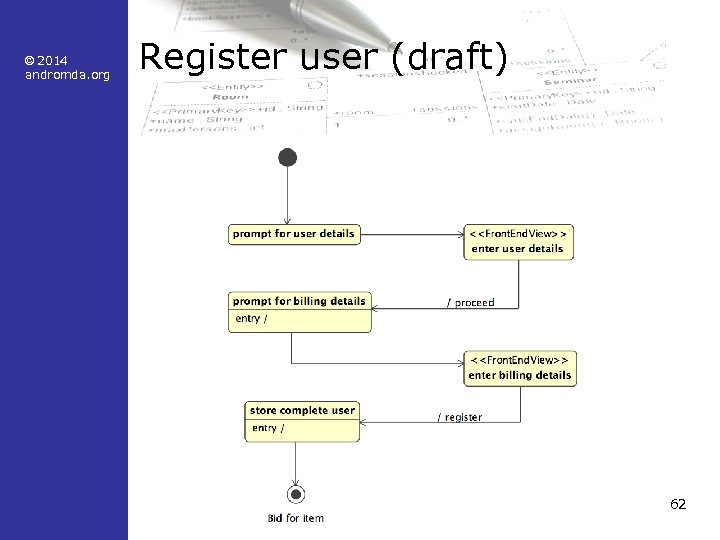
© 2014 andromda. org Register user (draft) 62
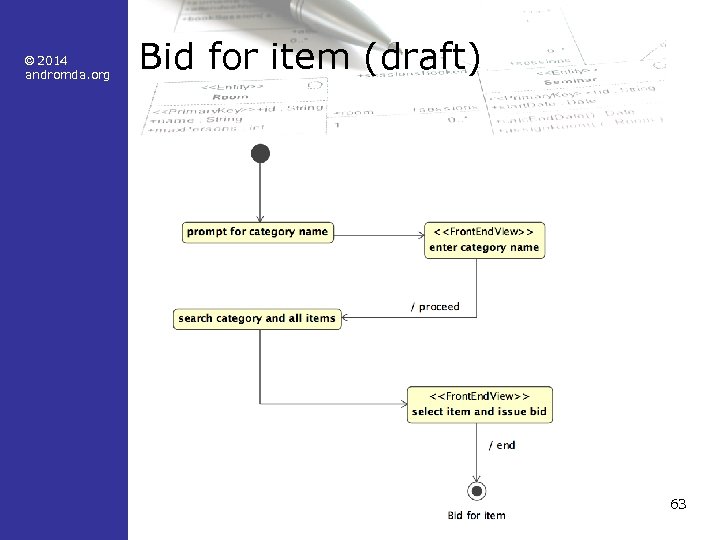
© 2014 andromda. org Bid for item (draft) 63
© 2014 andromda. org Technology • We build a J 2 EE application – using the Spring and Struts frameworks – Entities – Services – Forms – Controller classes 64
© 2014 andromda. org Copy the UML profiles • Deprecated: Profiles are downloaded automatically by maven, and referenced by pathmap in the starter model • You will need the Andromda UML profiles for modeling • Open an window on your local Maven repository directory • Navigate to org/andromda/profiles/uml 2 • Search for all *-3. 4. xml. zip files • Copy them into one new directory, without subdirectory structure, e. g. Windows: C: Andro. MDATutorialprofiles 65 Unix: ~/andromda/tutorial/profiles
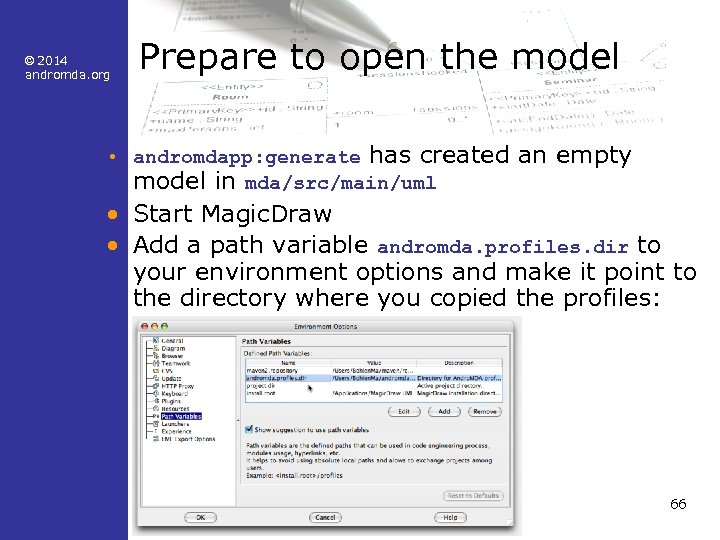
© 2014 andromda. org Prepare to open the model • andromdapp: generate has created an empty model in mda/src/main/uml • Start Magic. Draw • Add a path variable andromda. profiles. dir to your environment options and make it point to the directory where you copied the profiles: 66
© 2014 andromda. org Steps for modeling (1) • Model the business entities – Associate with stereotype <<Entity>> • Model the business services – Associate with the stereotype <<Service>> – Draw dependencies from the service to the entities used by the service 67
© 2014 andromda. org Steps for modeling (2) • Model the use cases – "Figures and bubbles" – Create a state diagram for each use case – Model the necessary states, transitions and activities • Controller classes – Create one controller class for each state diagram – Make the state machine the owner of the controller class – Invoke controller methods via activities • from a state or a transition inside the state machine 68
© 2014 andromda. org Steps for modeling (3) • Result – Business Tier • Entities and services – Web Tier • State machines and controller classes – Now, connect both tiers! – Draw a dependency from the controller class to one or more service classes • this creates a getter in the controller class that returns a reference to the service interface 69
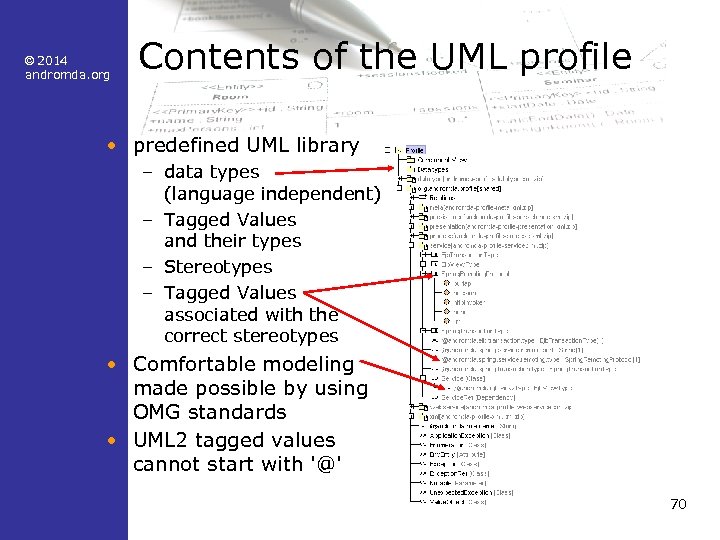
© 2014 andromda. org Contents of the UML profile • predefined UML library – data types (language independent) – Tagged Values and their types – Stereotypes – Tagged Values associated with the correct stereotypes • Comfortable modeling made possible by using OMG standards • UML 2 tagged values cannot start with '@' 70
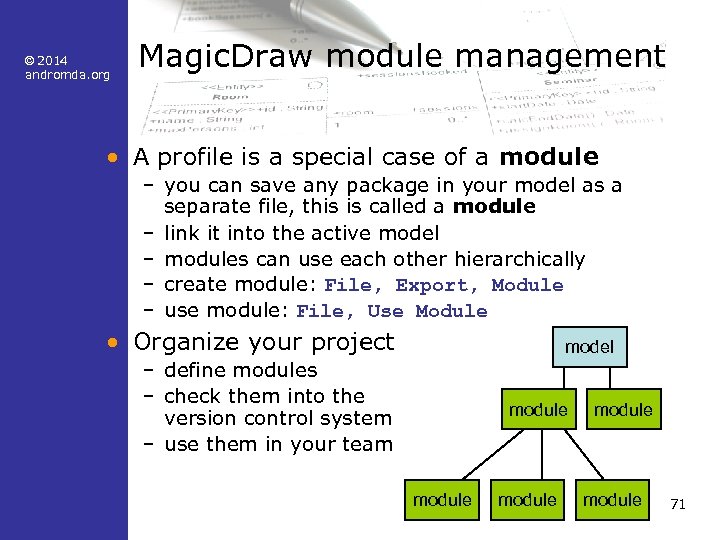
© 2014 andromda. org Magic. Draw module management • A profile is a special case of a module – you can save any package in your model as a separate file, this is called a module – link it into the active model – modules can use each other hierarchically – create module: File, Export, Module – use module: File, Use Module • Organize your project model – define modules – check them into the version control system – use them in your team module module 71
© 2014 andromda. org Infrastructure • Application server JBoss – two important folders on disk after installation • bin – contains run and shutdown • server/default/deploy – deploy the components (*. ear) of your application there (mvn install -Ddeploy) – configure the database connection (e. g. hsqldb-ds. xml) • Database – JBoss uses an in-memory database H 2 – edit h 2 -ds. xml, so that the database is accessible via TCP on port 1701 – makes it easier to see the database contents from within Eclipse 72
© 2014 andromda. org OK, let's go! • Assign tasks to the team members • Let's develop and test Online. Auctions together! • Have fun! • To be continued: Boot camp part 2! 73
© 2014 andromda. org Questions? • Our thanks to Matthias Bohlen <mbohlen@andromda. com> Phone: +49 (170) 772 8545 74
Скачать презентацию 2014 andromda org Andro MDA Boot Camp
e0a2bf36607ebbe2e3e95002dcdbb9d4.ppt