 Скачать презентацию 2010 Practice Management Annual Conference Juris Reduce Billing
fbaf590934cf4cb16d2b1283080e08dc.ppt
- Количество слайдов: 21



2010 Practice Management Annual Conference Juris® Reduce Billing Rejections with Compliance Presented by: Gail Henderson
2010 Practice Management Annual Conference Gail Henderson • Education: – BBA in Computer Information Systems – Currently pursuing M. Ed. in Adult Education • Experience: – 11 years experience supporting law firms using Juris® solutions – 2 years experience as a legal assistant • Contact me: – – Gail. Henderson@Lexis. Nexis. com Toll Free: 866 -654 -2381 x 2356 Connect with me on Linked. In: http: //www. linkedin. com/in/gailhenderson Follow me for Juris tips on Twitter: http: //twitter. com/gailhend
2010 Practice Management Annual Conference Objectives • How to establish Compliance Rules – Firm Policy – Client Mandates/Fee Agreements • Introduction to each Rule Type: – Text Rule and Field Length Rule – Numeric Rule – Date Rule and Accounting Rule – List Rule – Empty Field Rule – Boolean Rule
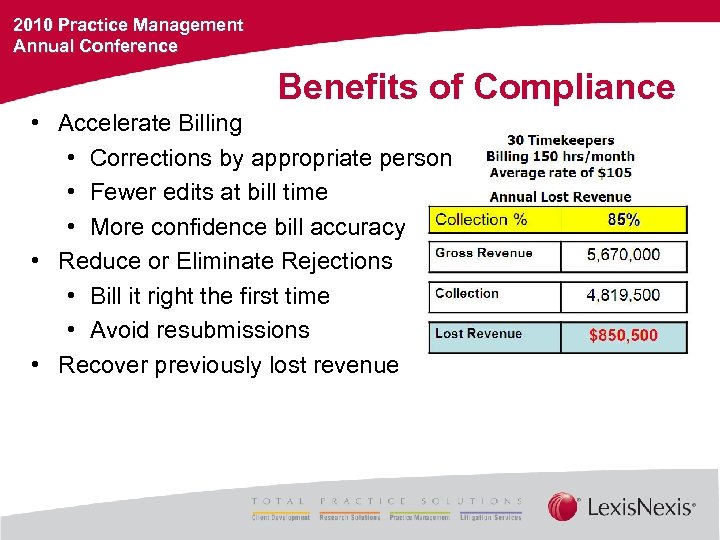
2010 Practice Management Annual Conference Benefits of Compliance • Accelerate Billing • Corrections by appropriate person • Fewer edits at bill time • More confidence bill accuracy • Reduce or Eliminate Rejections • Bill it right the first time • Avoid resubmissions • Recover previously lost revenue
2010 Practice Management Annual Conference • Automated Validation What is Compliance? • Occurs at point of entry (time/expense) • User-friendly • System of Rules & Tasks • Rule defined by Juris administrators • System prompts timekeepers for review/correction • Each Rule contains four crucial components • • Definition: What is the behavior that is to be prevented? Scope: On which entries should that behavior be prevented? Severity: How serious is the violation? Instructions: What information will be provided to the user?
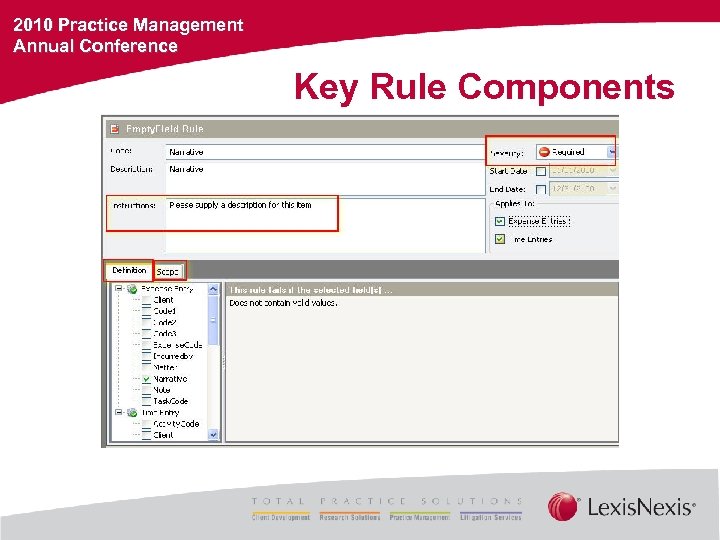
2010 Practice Management Annual Conference Key Rule Components
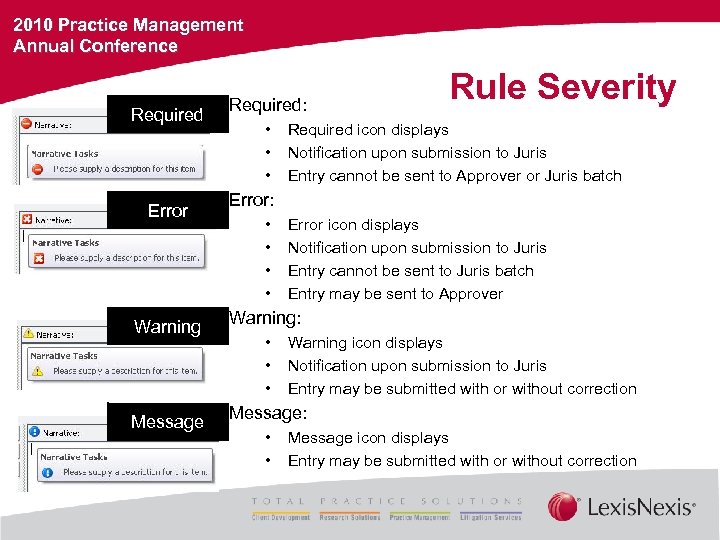
2010 Practice Management Annual Conference Required Error Required: • • • Rule Severity Required icon displays Notification upon submission to Juris Entry cannot be sent to Approver or Juris batch Error: • • Error icon displays Notification upon submission to Juris Entry cannot be sent to Juris batch Entry may be sent to Approver Warning: Message: • • • Warning icon displays Notification upon submission to Juris Entry may be submitted with or without correction Message icon displays Entry may be submitted with or without correction
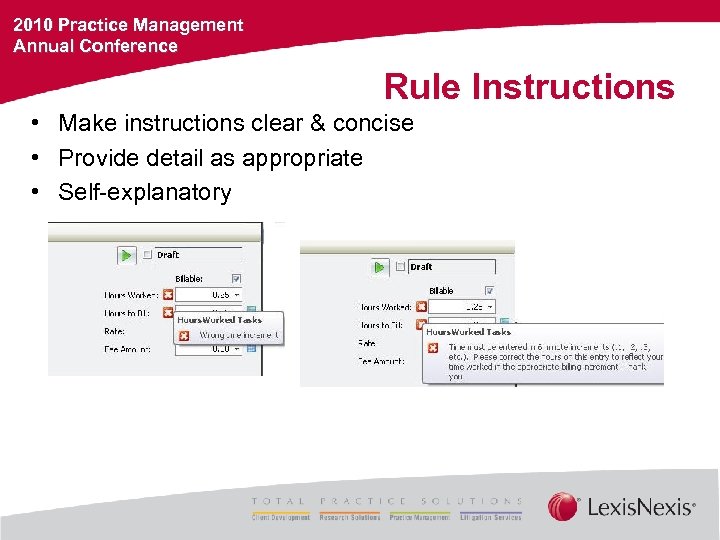
2010 Practice Management Annual Conference Rule Instructions • Make instructions clear & concise • Provide detail as appropriate • Self-explanatory
2010 Practice Management Annual Conference Rule Scope Which ______ should this Rule apply to? • Which Clients? Which Matters? – All matters for a specific Client (Client – All Matters) – Only one specific Matter for a specific Client (Client- Matter) – Only one specific Matter for all Clients? (Matter – All Clients) • • • Which Users? (creator, timekeeper or owner) Which Personnel Types? Which Task Codes? Which Activity Codes? Which Billing Timekeeper?
2010 Practice Management Annual Conference Rule Definition (Rule Types) • What is the behavior that must be prevented? • Rule Type selected controls options on Rule Definition • • • Text Rules & Field Length Rules Numeric Rules Date Rules & Accounting Rules List Rules Empty Field Rules Boolean Rules
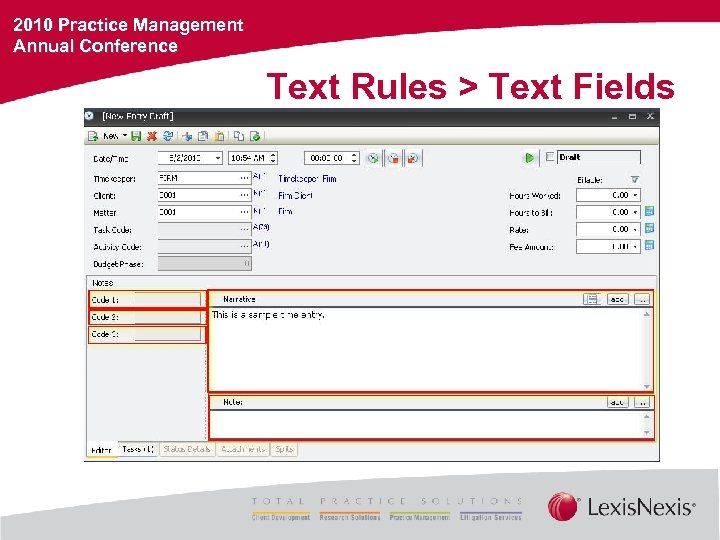
2010 Practice Management Annual Conference Text Rules > Text Fields
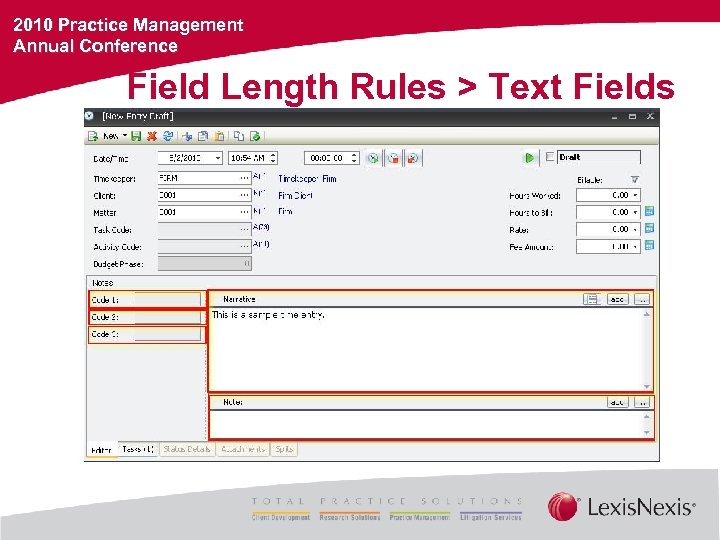
2010 Practice Management Annual Conference Field Length Rules > Text Fields
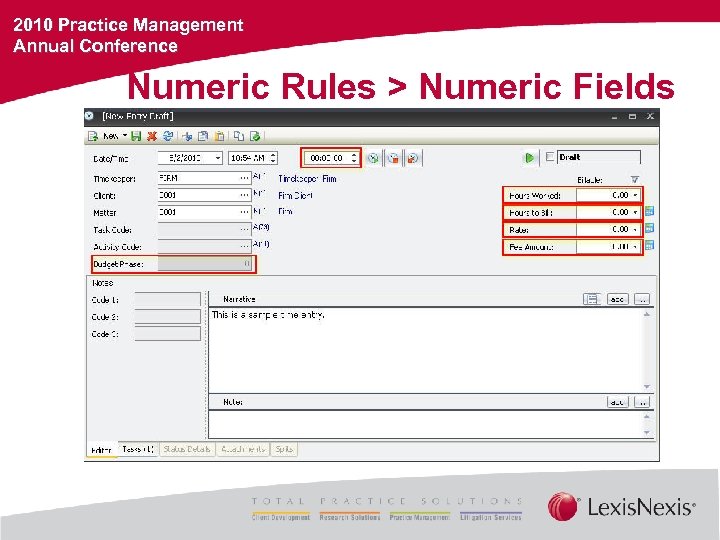
2010 Practice Management Annual Conference Numeric Rules > Numeric Fields
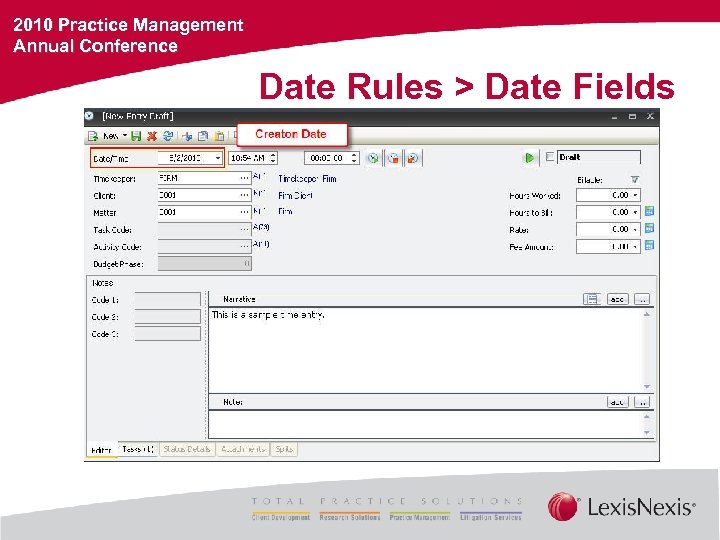
2010 Practice Management Annual Conference Date Rules > Date Fields
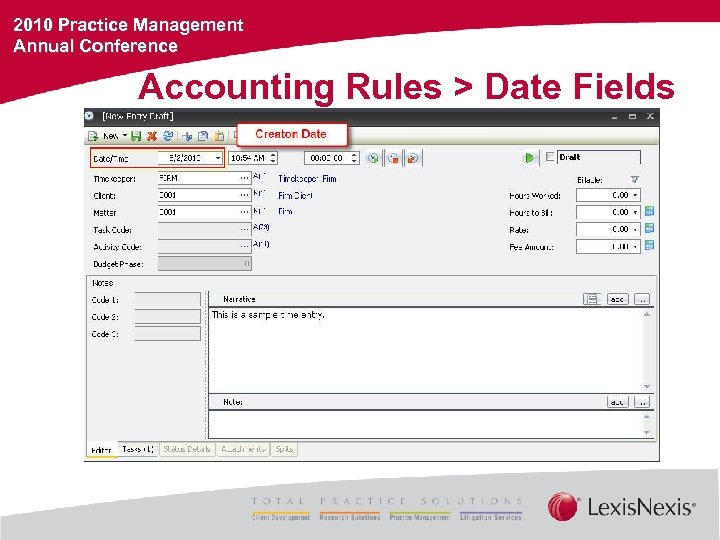
2010 Practice Management Annual Conference Accounting Rules > Date Fields
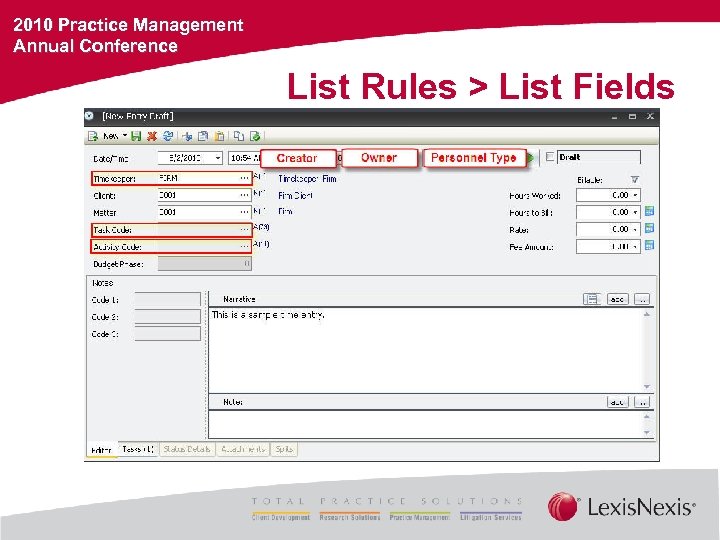
2010 Practice Management Annual Conference List Rules > List Fields
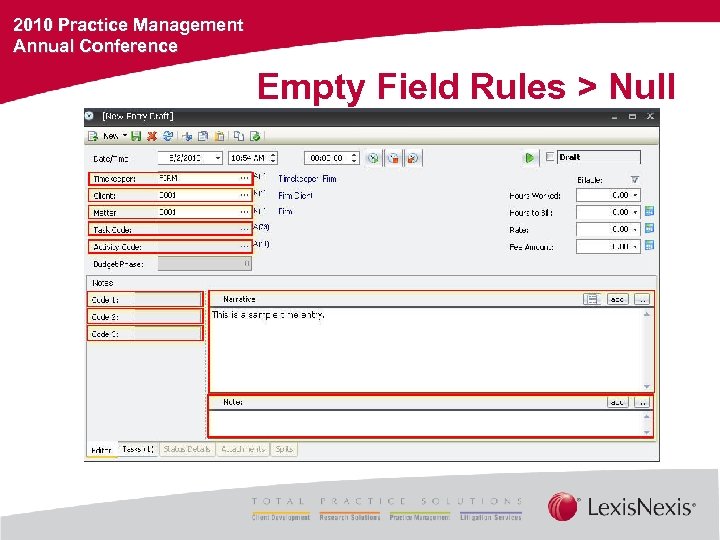
2010 Practice Management Annual Conference Empty Field Rules > Null
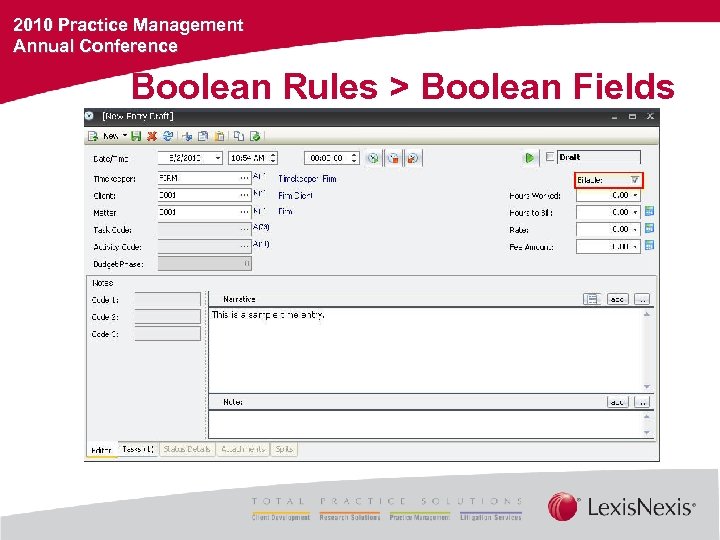
2010 Practice Management Annual Conference Boolean Rules > Boolean Fields
2010 Practice Management Annual Conference Let’s Make Rules
2010 Practice Management Annual Conference Additional Training Opportunities • For additional training opportunities, visit Lexis. Nexis® University, where you may learn more about e. Learning, e. Consulting, Classroom, Anytime, and Just in Time Training class offerings. • The Juris® Client Services Team offers on-site training, workflow analysis, and consulting to optimize your Juris software systems. Contact your local Juris representative for more information.
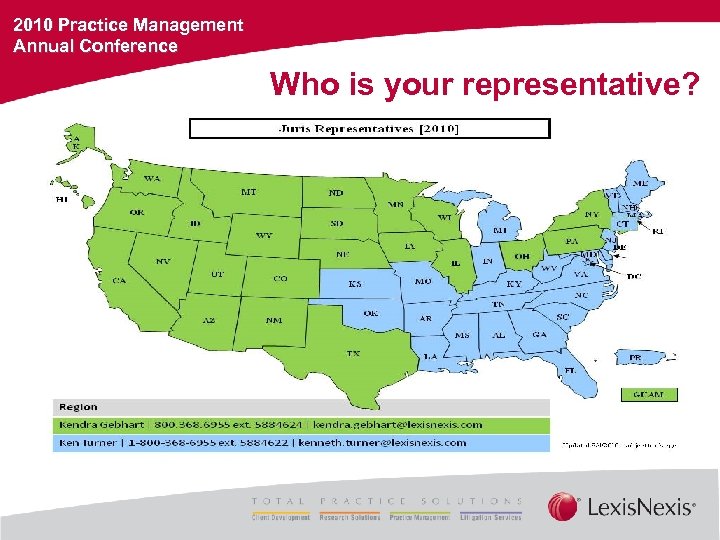
2010 Practice Management Annual Conference Who is your representative?
Скачать презентацию 2010 Practice Management Annual Conference Juris Reduce Billing
fbaf590934cf4cb16d2b1283080e08dc.ppt