Скачать презентацию 2 N Helios IP Feature descriptions and practical
1186ae9ab7ebbad6a4230aff9e4d1409.ppt
- Количество слайдов: 20
 2 N® Helios IP Feature descriptions and practical usage
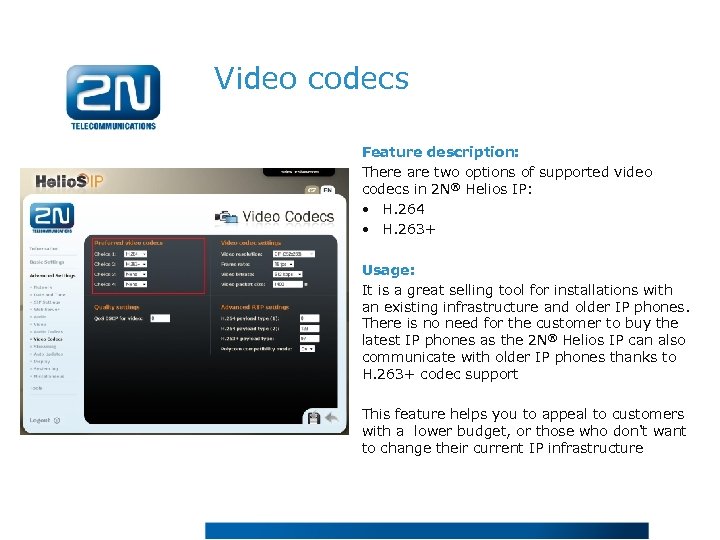 Video codecs Feature description: There are two options of supported video codecs in 2 N® Helios IP: • H. 264 • H. 263+ Usage: It is a great selling tool for installations with an existing infrastructure and older IP phones. There is no need for the customer to buy the latest IP phones as the 2 N® Helios IP can also communicate with older IP phones thanks to H. 263+ codec support This feature helps you to appeal to customers with a lower budget, or those who don't want to change their current IP infrastructure
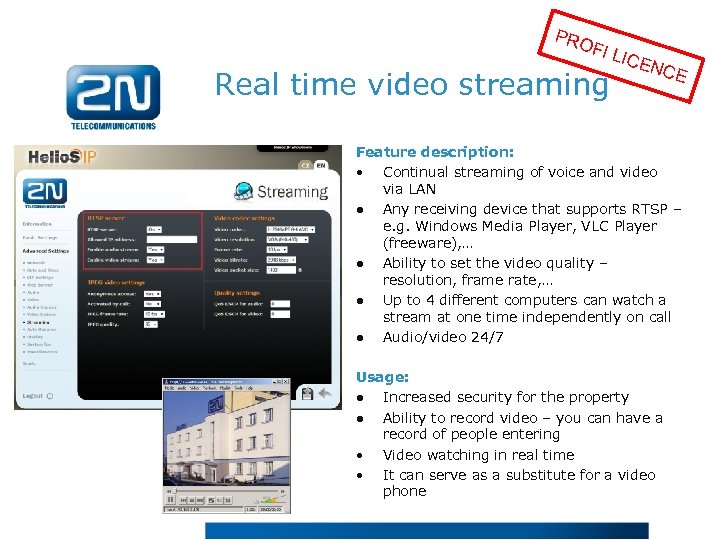 PRO FI L Real time video streaming ICE NCE Feature description: • Continual streaming of voice and video via LAN ● Any receiving device that supports RTSP – e. g. Windows Media Player, VLC Player (freeware), … ● Ability to set the video quality – resolution, frame rate, … ● Up to 4 different computers can watch a stream at one time independently on call ● Audio/video 24/7 Usage: ● Increased security for the property ● Ability to record video – you can have a record of people entering • Video watching in real time • It can serve as a substitute for a video phone
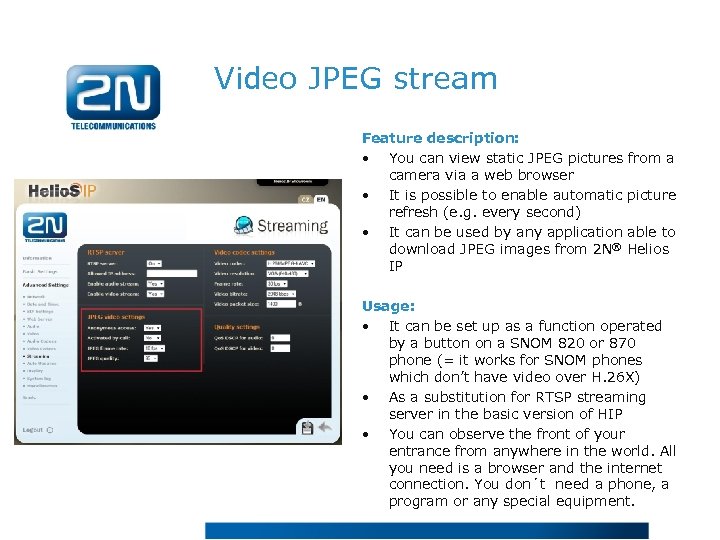 Video JPEG stream Feature description: • You can view static JPEG pictures from a camera via a web browser • It is possible to enable automatic picture refresh (e. g. every second) • It can be used by any application able to download JPEG images from 2 N® Helios IP Usage: • It can be set up as a function operated by a button on a SNOM 820 or 870 phone (= it works for SNOM phones which don’t have video over H. 26 X) • As a substitution for RTSP streaming server in the basic version of HIP • You can observe the front of your entrance from anywhere in the world. All you need is a browser and the internet connection. You don´t need a phone, a program or any special equipment.
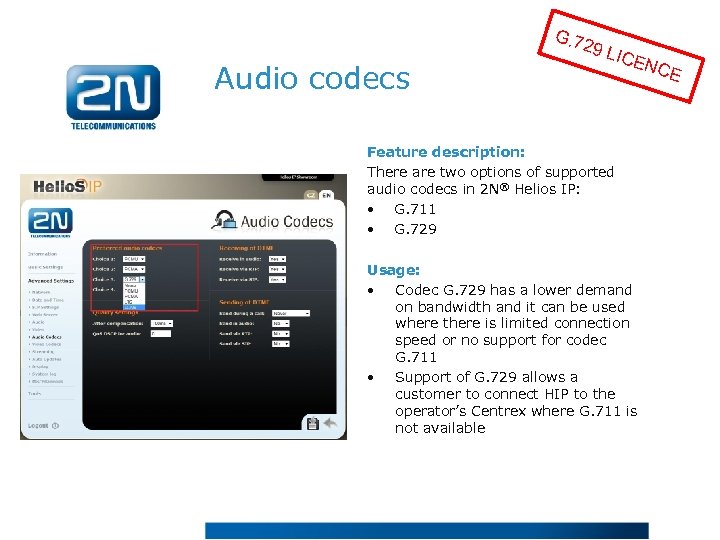 G. 72 Audio codecs 9 LI CEN Feature description: There are two options of supported audio codecs in 2 N® Helios IP: • G. 711 • G. 729 Usage: • Codec G. 729 has a lower demand on bandwidth and it can be used where there is limited connection speed or no support for codec G. 711 • Support of G. 729 allows a customer to connect HIP to the operator’s Centrex where G. 711 is not available CE
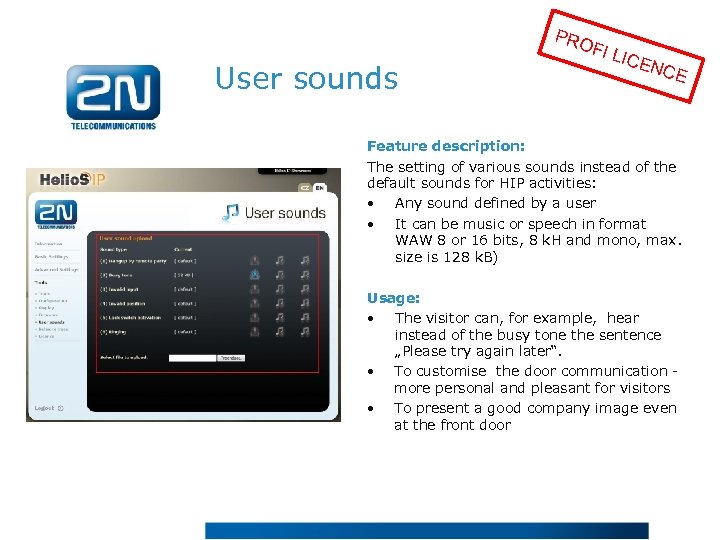 PRO User sounds FI L ICE NCE Feature description: The setting of various sounds instead of the default sounds for HIP activities: • Any sound defined by a user • It can be music or speech in format WAW 8 or 16 bits, 8 k. H and mono, max. size is 128 k. B) Usage: • The visitor can, for example, hear instead of the busy tone the sentence „Please try again later“. • To customise the door communication - more personal and pleasant for visitors • To present a good company image even at the front door
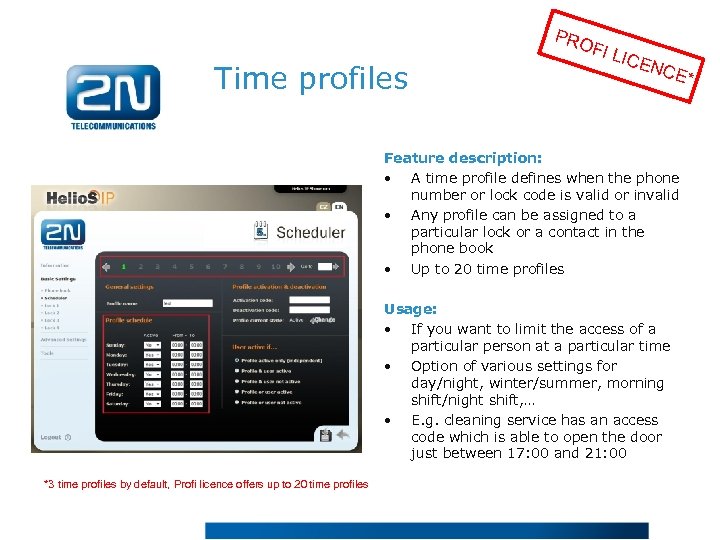 PRO Time profiles FI L ICE NCE Feature description: • A time profile defines when the phone number or lock code is valid or invalid • Any profile can be assigned to a particular lock or a contact in the phone book • Up to 20 time profiles Usage: • If you want to limit the access of a particular person at a particular time • Option of various settings for day/night, winter/summer, morning shift/night shift, … • E. g. cleaning service has an access code which is able to open the door just between 17: 00 and 21: 00 *3 time profiles by default, Profi licence offers up to 20 time profiles *
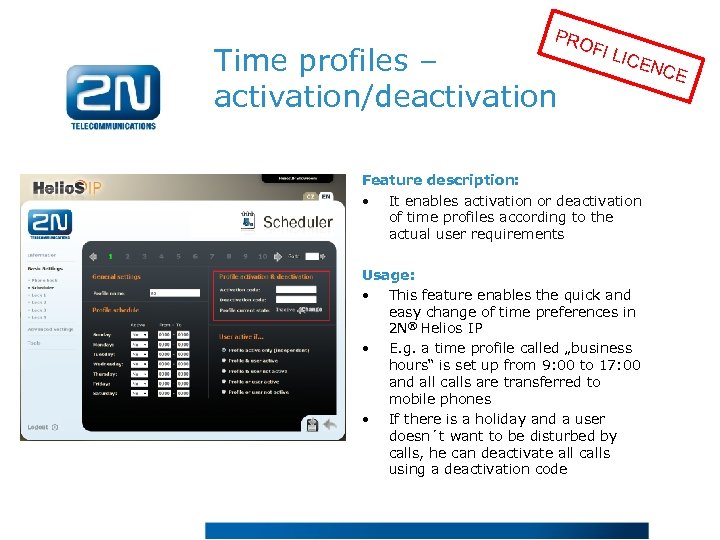 PRO Time profiles – activation/deactivation FI L ICE Feature description: • It enables activation or deactivation of time profiles according to the actual user requirements Usage: • This feature enables the quick and easy change of time preferences in 2 N® Helios IP • E. g. a time profile called „business hours“ is set up from 9: 00 to 17: 00 and all calls are transferred to mobile phones • If there is a holiday and a user doesn´t want to be disturbed by calls, he can deactivate all calls using a deactivation code NCE
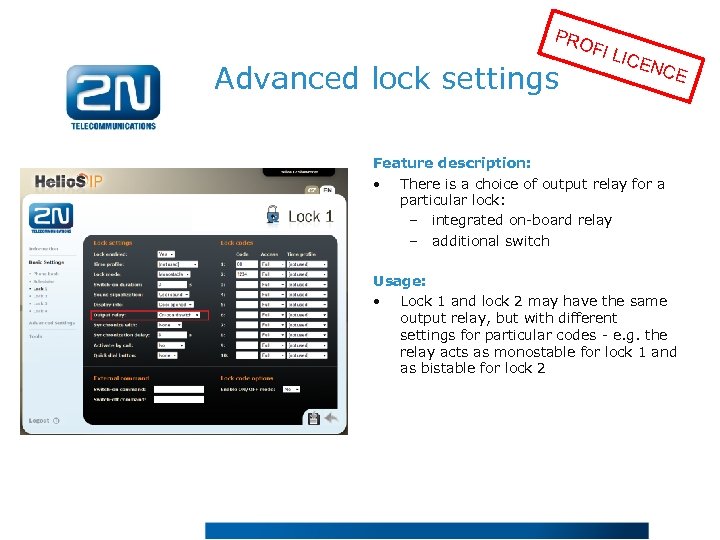 PRO Advanced lock settings FI L ICE NCE Feature description: • There is a choice of output relay for a particular lock: – integrated on-board relay – additional switch Usage: • Lock 1 and lock 2 may have the same output relay, but with different settings for particular codes - e. g. the relay acts as monostable for lock 1 and as bistable for lock 2
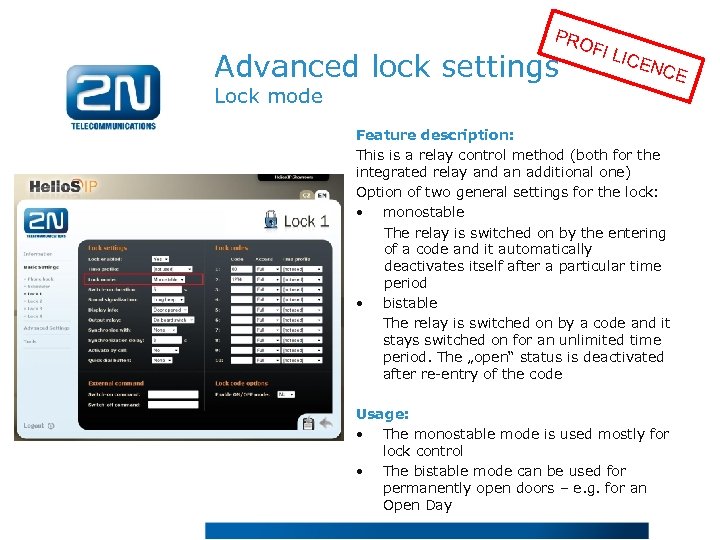 PRO Advanced lock settings Lock mode FI L ICE NCE Feature description: This is a relay control method (both for the integrated relay and an additional one) Option of two general settings for the lock: • monostable The relay is switched on by the entering of a code and it automatically deactivates itself after a particular time period • bistable The relay is switched on by a code and it stays switched on for an unlimited time period. The „open“ status is deactivated after re-entry of the code Usage: • The monostable mode is used mostly for lock control • The bistable mode can be used for permanently open doors – e. g. for an Open Day
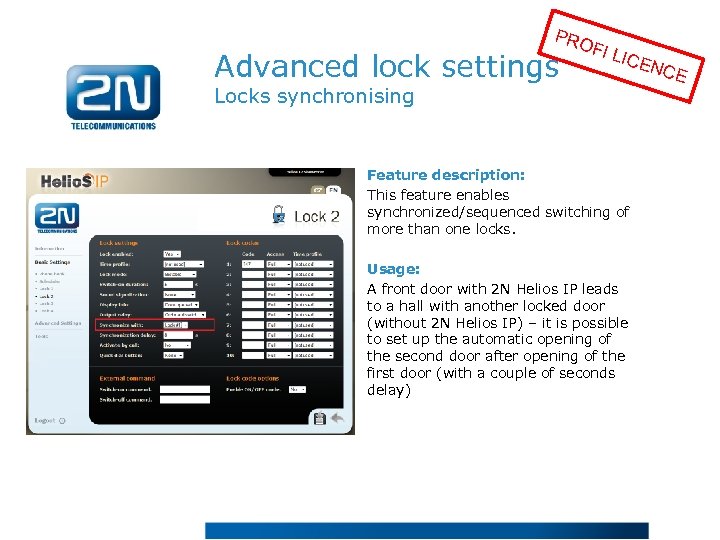 PRO Advanced lock settings FI L ICE Locks synchronising Feature description: This feature enables synchronized/sequenced switching of more than one locks. Usage: A front door with 2 N Helios IP leads to a hall with another locked door (without 2 N Helios IP) – it is possible to set up the automatic opening of the second door after opening of the first door (with a couple of seconds delay) NCE
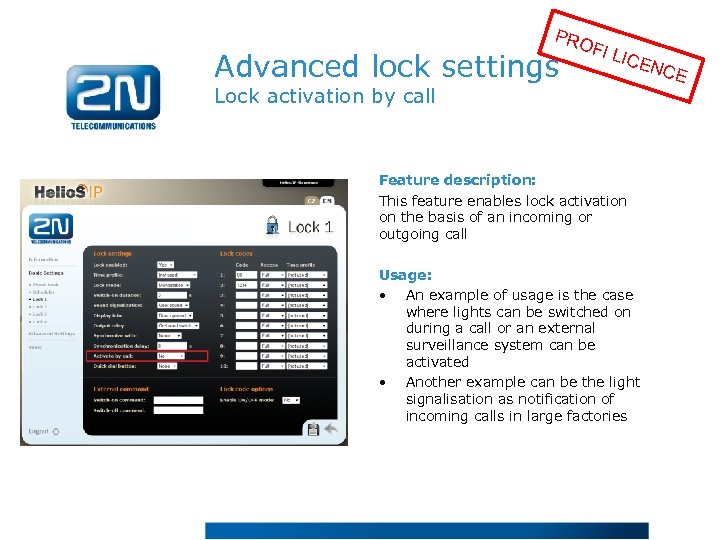 PRO Advanced lock settings FI L ICE Lock activation by call Feature description: This feature enables lock activation on the basis of an incoming or outgoing call Usage: • An example of usage is the case where lights can be switched on during a call or an external surveillance system can be activated • Another example can be the light signalisation as notification of incoming calls in large factories NCE
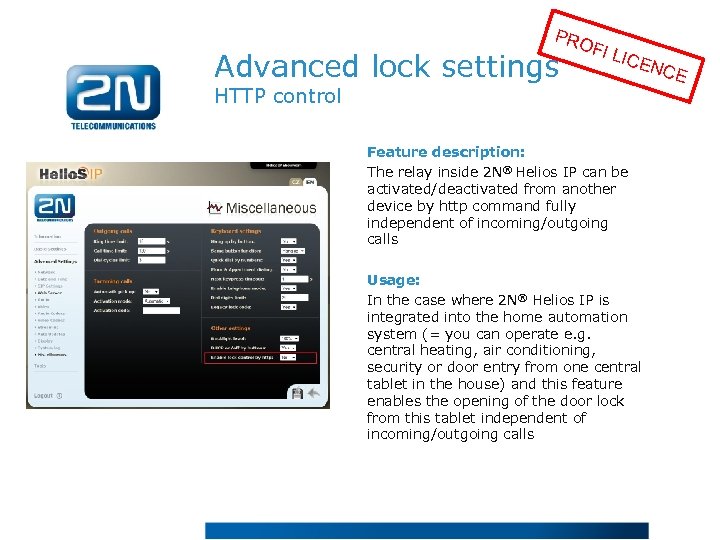 PRO Advanced lock settings FI L ICE HTTP control Feature description: The relay inside 2 N® Helios IP can be activated/deactivated from another device by http command fully independent of incoming/outgoing calls Usage: In the case where 2 N® Helios IP is integrated into the home automation system (= you can operate e. g. central heating, air conditioning, security or door entry from one central tablet in the house) and this feature enables the opening of the door lock from this tablet independent of incoming/outgoing calls NCE
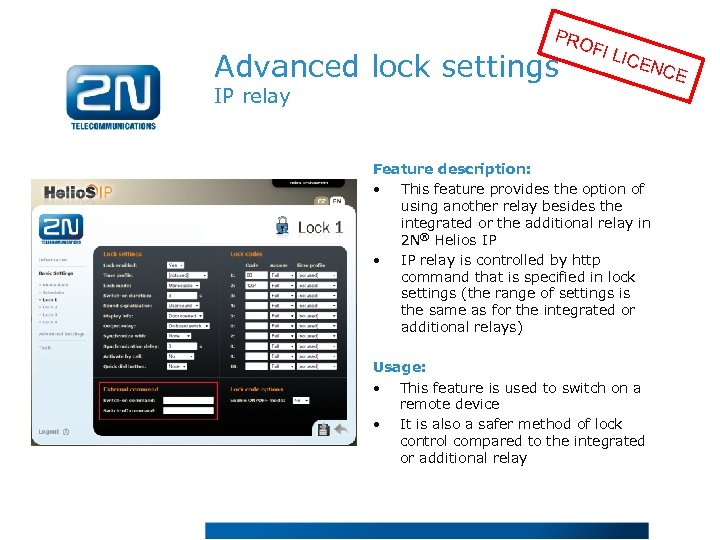 PRO Advanced lock settings IP relay FI L ICE NCE Feature description: • This feature provides the option of using another relay besides the integrated or the additional relay in 2 N® Helios IP • IP relay is controlled by http command that is specified in lock settings (the range of settings is the same as for the integrated or additional relays) Usage: • This feature is used to switch on a remote device • It is also a safer method of lock control compared to the integrated or additional relay
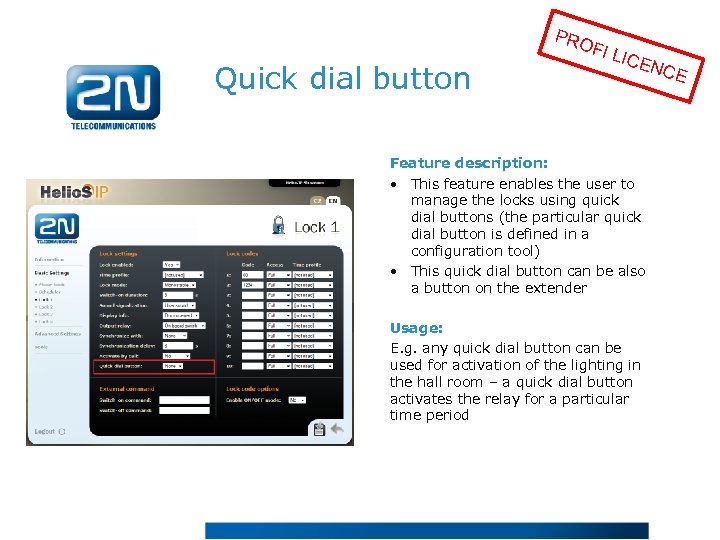 PRO Quick dial button FI L ICE NCE Feature description: • This feature enables the user to manage the locks using quick dial buttons (the particular quick dial button is defined in a configuration tool) • This quick dial button can be also a button on the extender Usage: E. g. any quick dial button can be used for activation of the lighting in the hall room – a quick dial button activates the relay for a particular time period
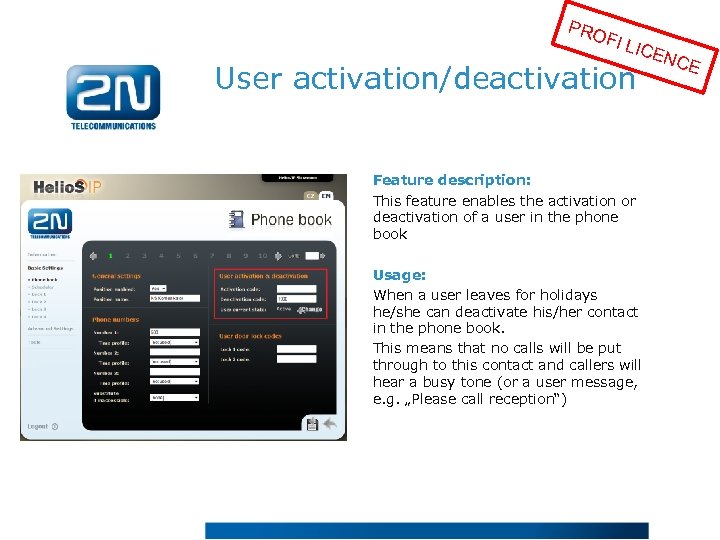 PRO FI L ICE User activation/deactivation Feature description: This feature enables the activation or deactivation of a user in the phone book Usage: When a user leaves for holidays he/she can deactivate his/her contact in the phone book. This means that no calls will be put through to this contact and callers will hear a busy tone (or a user message, e. g. „Please call reception“) NCE
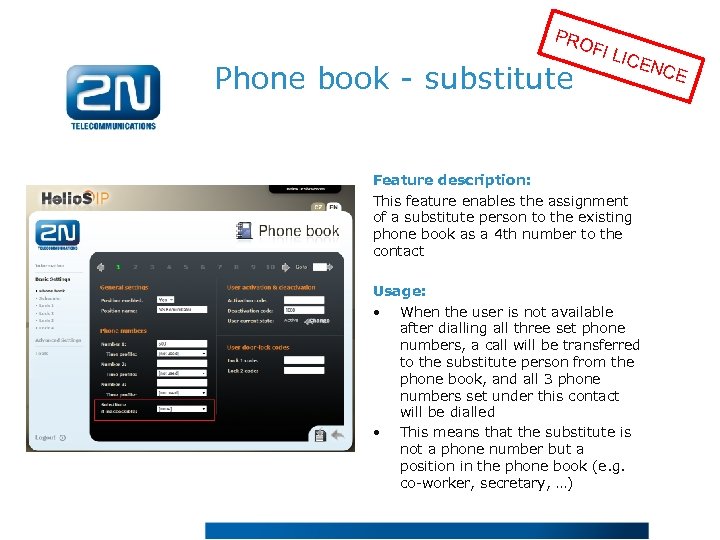 PRO Phone book - substitute FI L ICE Feature description: This feature enables the assignment of a substitute person to the existing phone book as a 4 th number to the contact Usage: • When the user is not available after dialling all three set phone numbers, a call will be transferred to the substitute person from the phone book, and all 3 phone numbers set under this contact will be dialled • This means that the substitute is not a phone number but a position in the phone book (e. g. co-worker, secretary, …) NCE
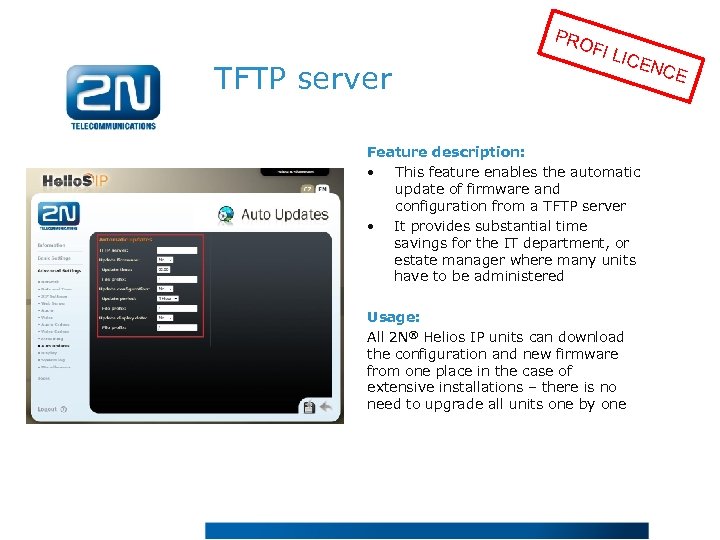 PRO TFTP server FI L ICE Feature description: • This feature enables the automatic update of firmware and configuration from a TFTP server • It provides substantial time savings for the IT department, or estate manager where many units have to be administered Usage: All 2 N® Helios IP units can download the configuration and new firmware from one place in the case of extensive installations – there is no need to upgrade all units one by one NCE
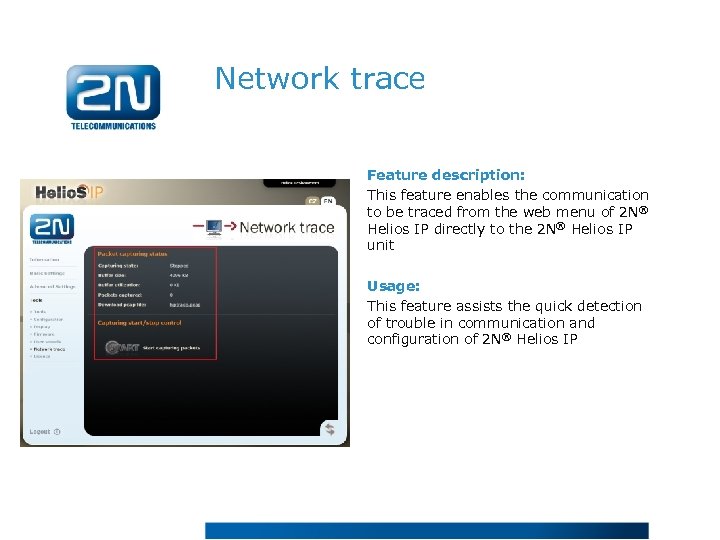 Network trace Feature description: This feature enables the communication to be traced from the web menu of 2 N® Helios IP directly to the 2 N® Helios IP unit Usage: This feature assists the quick detection of trouble in communication and configuration of 2 N® Helios IP