 Скачать презентацию 2 Dynalab Background Established in 1981
8f561b1dfa6270358aa97a0a6e6246c0.ppt
- Количество слайдов: 47



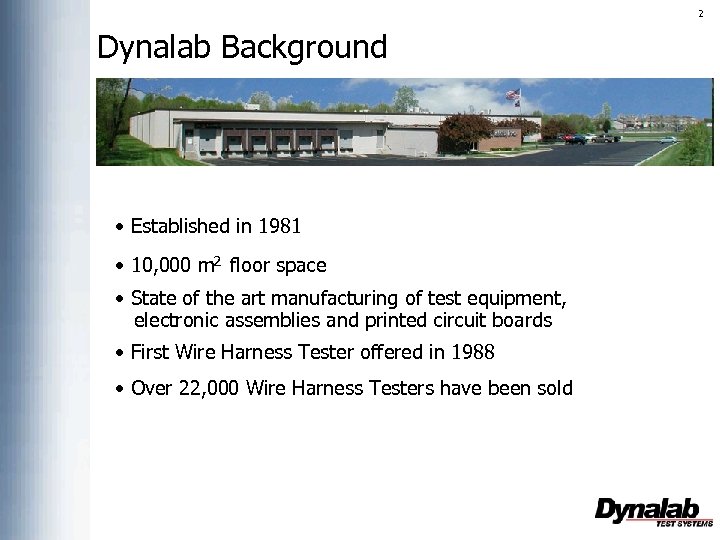
2 Dynalab Background • Established in 1981 • 10, 000 m 2 floor space • State of the art manufacturing of test equipment, electronic assemblies and printed circuit boards • First Wire Harness Tester offered in 1988 • Over 22, 000 Wire Harness Testers have been sold

3 Customers Dynalab Testers are used by some of the world’s largest manufacturers of wire harnesses: Lear AEES Sumitomo Motherson Sumi Systems Electrical Components International Leoni Stoneridge

4 Global Markets Dynalab Testers are now in the following countries: China United States Czech Republic India Mexico Hungary Korea Honduras Romania Thailand Brazil Italy Philippines Argentina Malta Malaysia United Kingdom Spain Singapore Sweden Turkey Vietnam Estonia Ukraine Australia Finland Egypt New Zealand Germany Israel Canada Poland South Africa
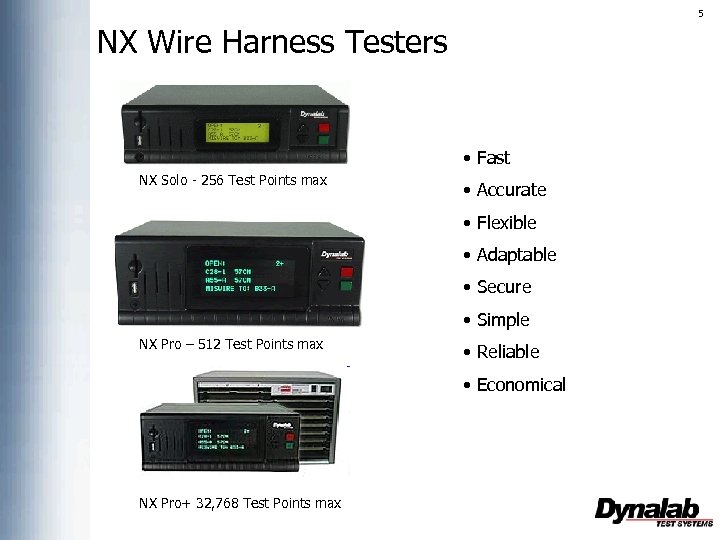
5 NX Wire Harness Testers • Fast NX Solo - 256 Test Points max • Accurate • Flexible • Adaptable • Secure • Simple NX Pro – 512 Test Points max • Reliable • Economical NX Pro+ 32, 768 Test Points max
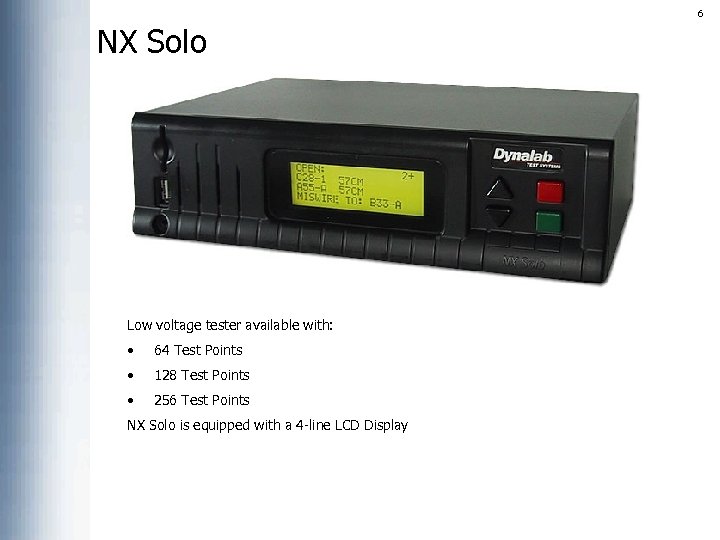
6 NX Solo Low voltage tester available with: • 64 Test Points • 128 Test Points • 256 Test Points NX Solo is equipped with a 4 -line LCD Display
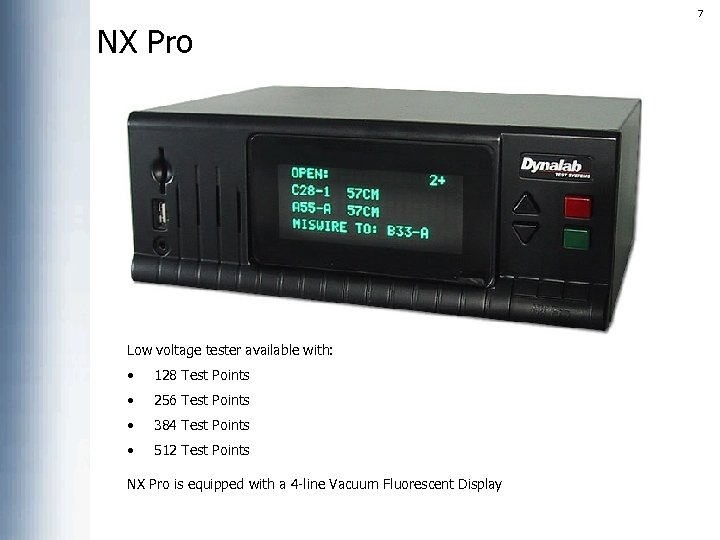
7 NX Pro Low voltage tester available with: • 128 Test Points • 256 Test Points • 384 Test Points • 512 Test Points NX Pro is equipped with a 4 -line Vacuum Fluorescent Display
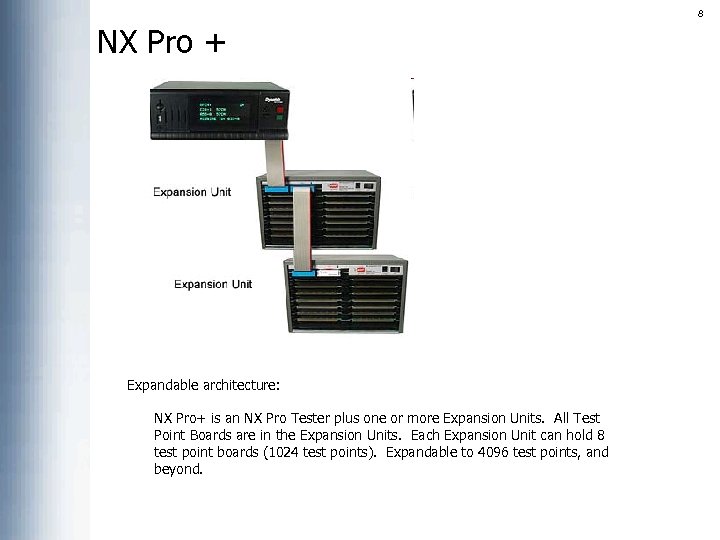
8 NX Pro + Expandable architecture: NX Pro+ is an NX Pro Tester plus one or more Expansion Units. All Test Point Boards are in the Expansion Units. Each Expansion Unit can hold 8 test point boards (1024 test points). Expandable to 4096 test points, and beyond.
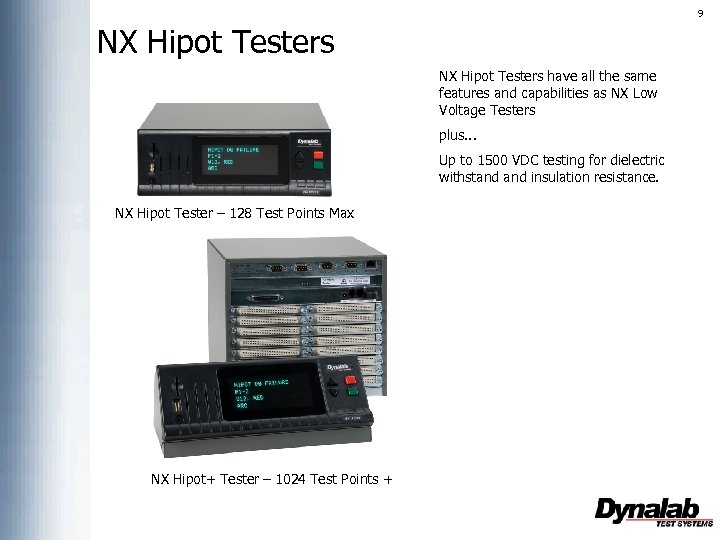
9 NX Hipot Testers have all the same features and capabilities as NX Low Voltage Testers plus. . . Up to 1500 VDC testing for dielectric withstand insulation resistance. NX Hipot Tester – 128 Test Points Max NX Hipot+ Tester – 1024 Test Points +
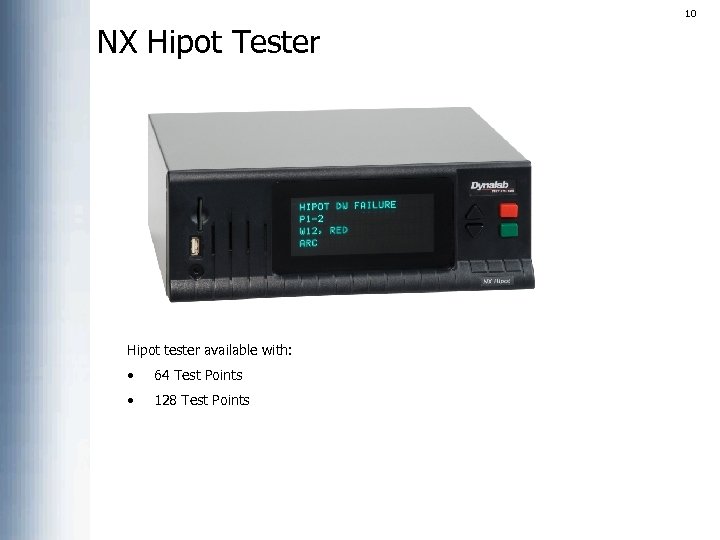
10 NX Hipot Tester Hipot tester available with: • 64 Test Points • 128 Test Points
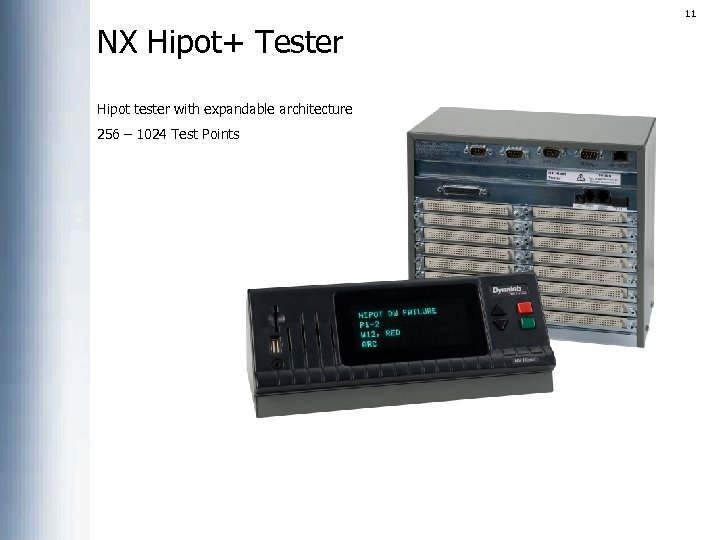
11 NX Hipot+ Tester Hipot tester with expandable architecture 256 – 1024 Test Points
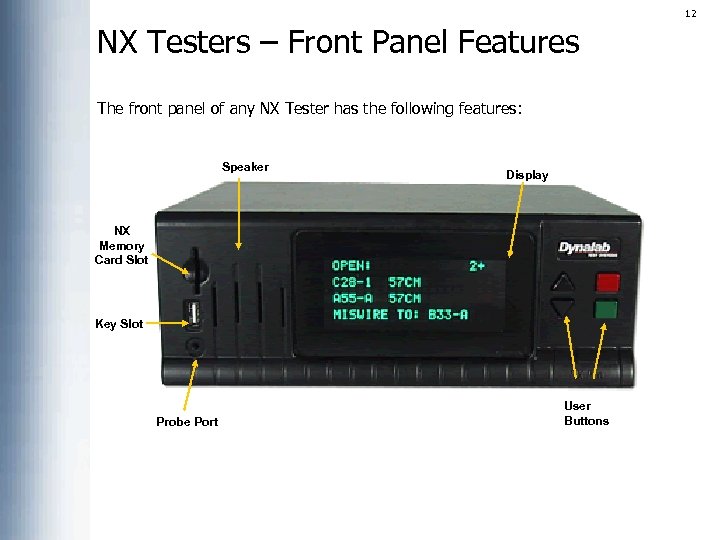
12 NX Testers – Front Panel Features The front panel of any NX Tester has the following features: Speaker Display NX Memory Card Slot Key Slot Probe Port User Buttons
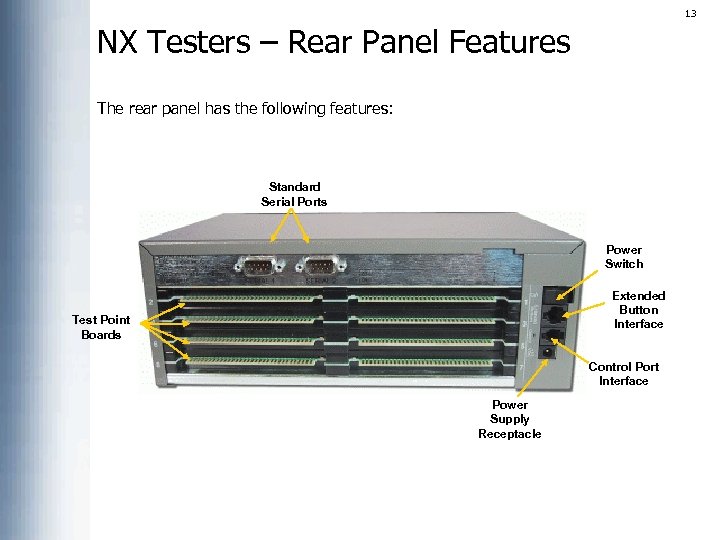
13 NX Testers – Rear Panel Features The rear panel has the following features: Standard Serial Ports Power Switch Extended Button Interface Test Point Boards Control Port Interface Power Supply Receptacle
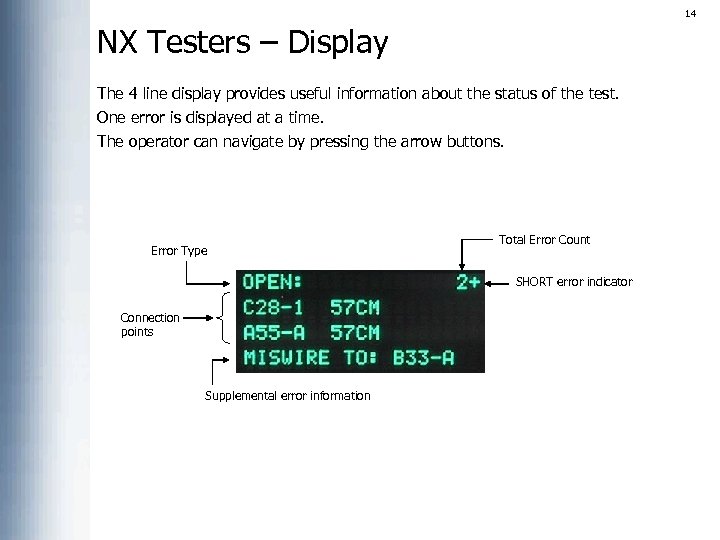
14 NX Testers – Display The 4 line display provides useful information about the status of the test. One error is displayed at a time. The operator can navigate by pressing the arrow buttons. Error Type Total Error Count SHORT error indicator Connection points Supplemental error information
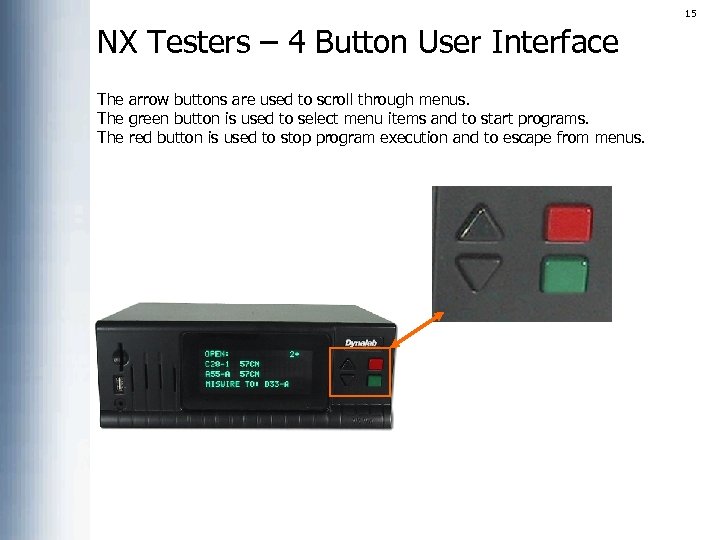
15 NX Testers – 4 Button User Interface The arrow buttons are used to scroll through menus. The green button is used to select menu items and to start programs. The red button is used to stop program execution and to escape from menus.
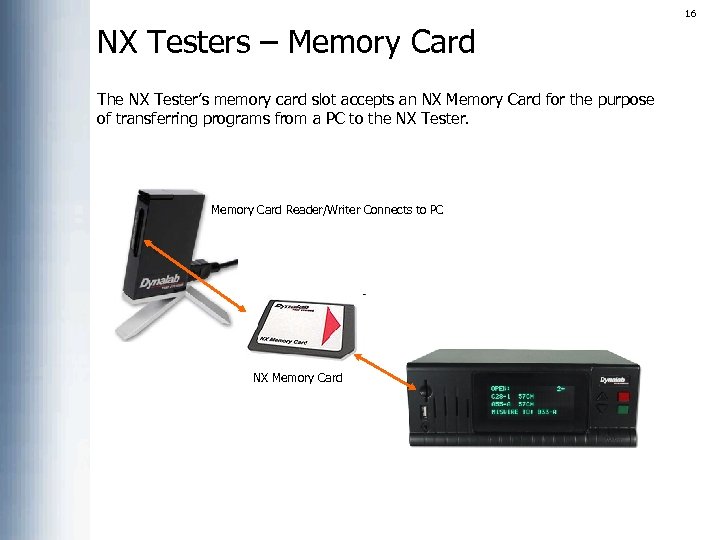
16 NX Testers – Memory Card The NX Tester’s memory card slot accepts an NX Memory Card for the purpose of transferring programs from a PC to the NX Tester. Memory Card Reader/Writer Connects to PC NX Memory Card
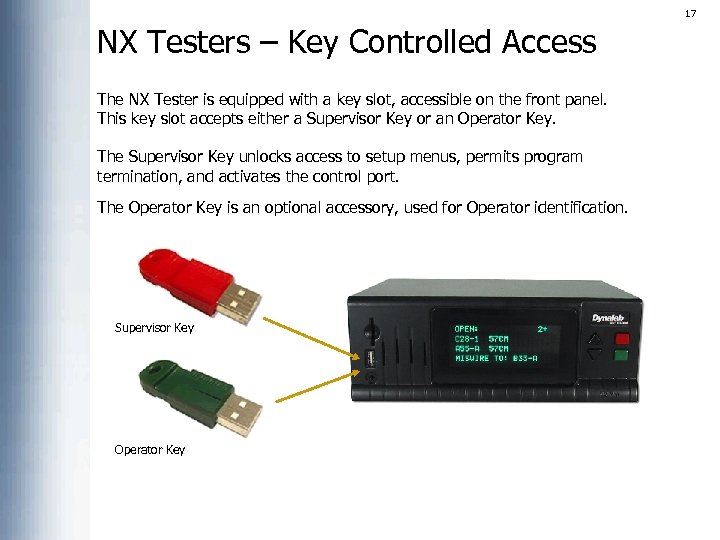
17 NX Testers – Key Controlled Access The NX Tester is equipped with a key slot, accessible on the front panel. This key slot accepts either a Supervisor Key or an Operator Key. The Supervisor Key unlocks access to setup menus, permits program termination, and activates the control port. The Operator Key is an optional accessory, used for Operator identification. Supervisor Key Operator Key
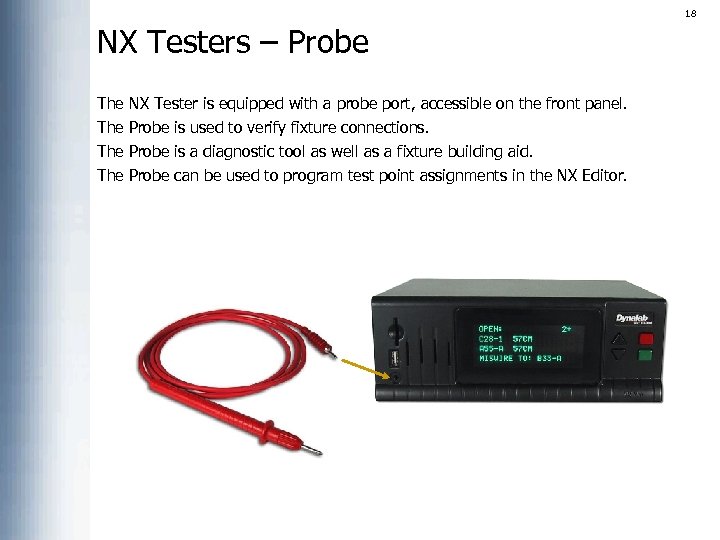
18 NX Testers – Probe The The NX Tester is equipped with a probe port, accessible on the front panel. Probe is used to verify fixture connections. Probe is a diagnostic tool as well as a fixture building aid. Probe can be used to program test point assignments in the NX Editor.
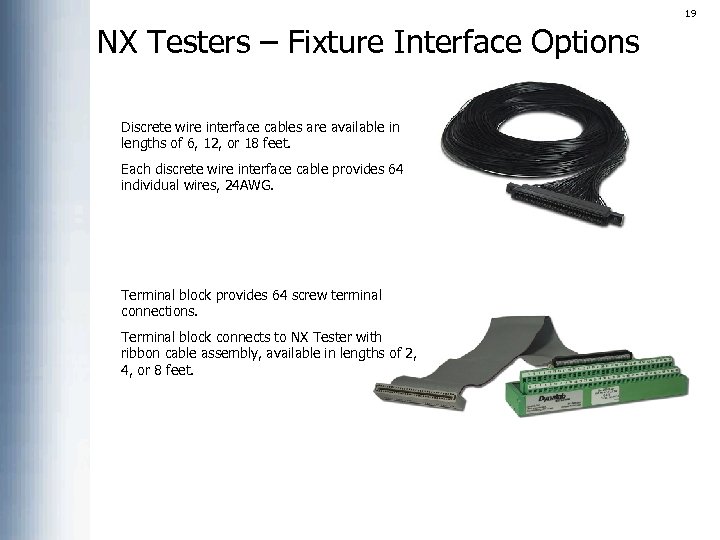
19 NX Testers – Fixture Interface Options Discrete wire interface cables are available in lengths of 6, 12, or 18 feet. Each discrete wire interface cable provides 64 individual wires, 24 AWG. Terminal block provides 64 screw terminal connections. Terminal block connects to NX Tester with ribbon cable assembly, available in lengths of 2, 4, or 8 feet.
20 Specifications Continuity Testing (normal): 1 ohm - 100 ohms: +/- 1 ohm, 100 ohms – 500 K ohms: +/- 1%, 500 K ohms – 2 M ohms: +/- 5% Continuity Testing (Kelvin): . 005 ohms – 0. 5 ohms: +/-. 005 ohms, 0. 5 ohms – 100 ohms: +/- 1% Shorts Testing: 1 K ohms to 2 M ohms +/- 20% DC Hipot Testing: Voltage range: 50 VDC to 1500 VDC IR range: 5 MΩ– 1 GΩ(± 10%) Speed: 1 seconds per 1024 test points (continuity only) 3 seconds per 1024 test points (continuity and shorts)
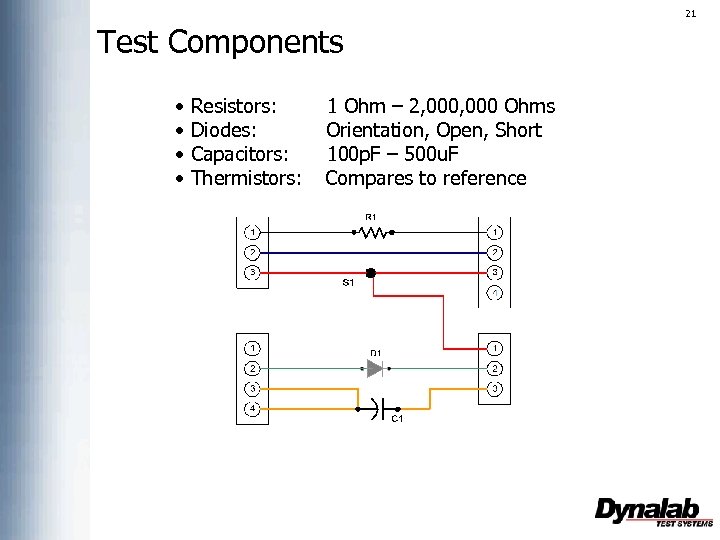
21 Test Components • • Resistors: Diodes: Capacitors: Thermistors: 1 Ohm – 2, 000 Ohms Orientation, Open, Short 100 p. F – 500 u. F Compares to reference
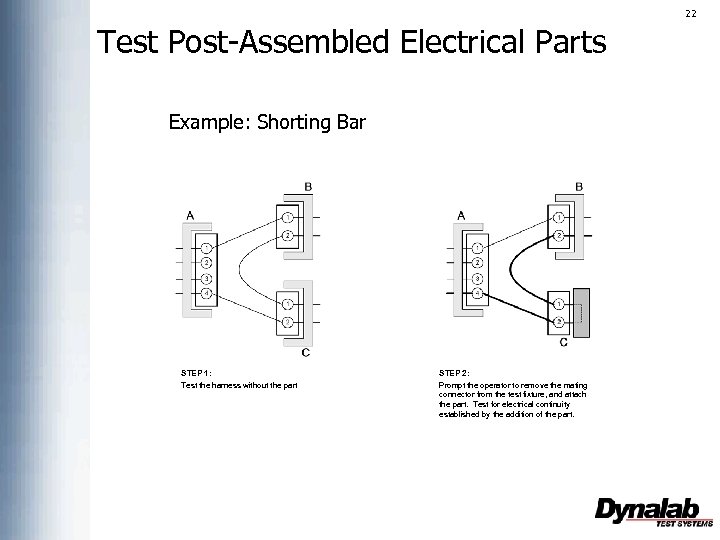
22 Test Post-Assembled Electrical Parts Example: Shorting Bar STEP 1: Test the harness without the part STEP 2: Prompt the operator to remove the mating connector from the test fixture, and attach the part. Test for electrical continuity established by the addition of the part.
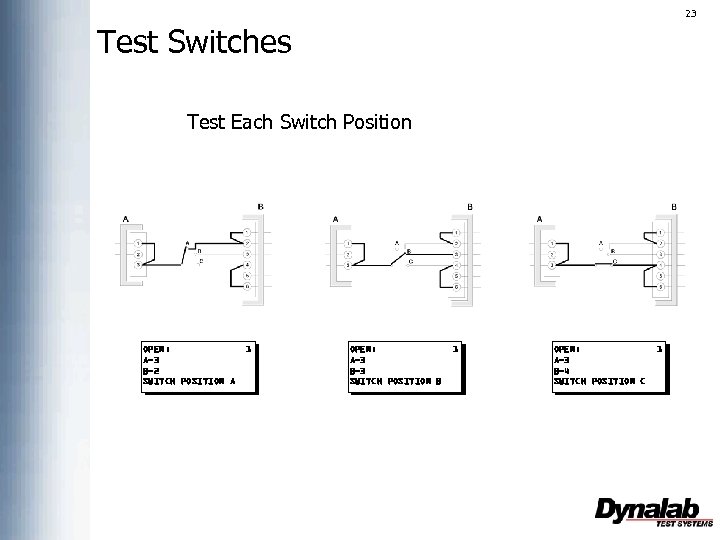
23 Test Switches Test Each Switch Position OPEN: A-3 B-2 SWITCH POSITION A 1 OPEN: A-3 B-3 SWITCH POSITION B 1 OPEN: A-3 B-4 SWITCH POSITION C 1
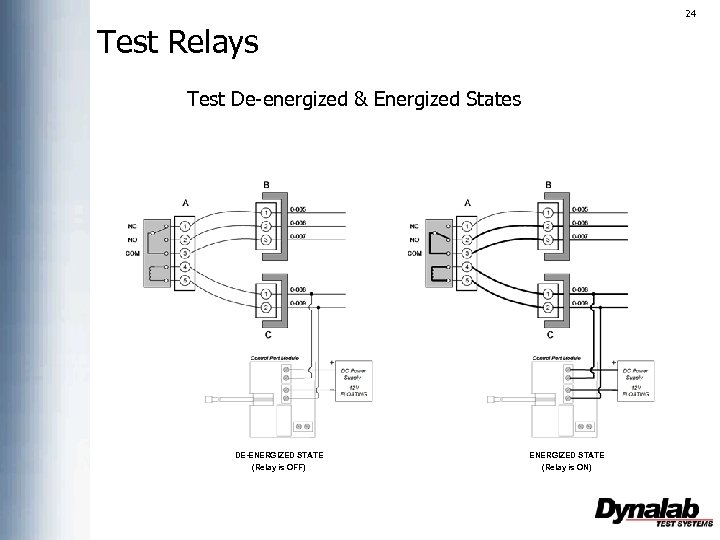
24 Test Relays Test De-energized & Energized States DE-ENERGIZED STATE (Relay is OFF) ENERGIZED STATE (Relay is ON)
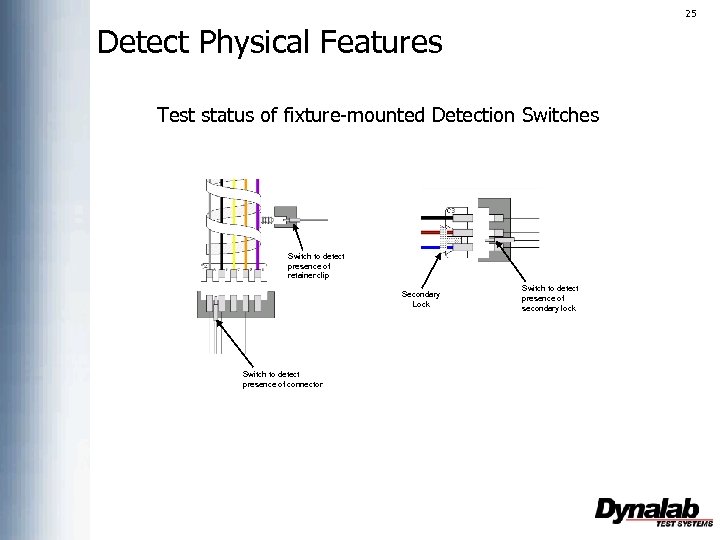
25 Detect Physical Features Test status of fixture-mounted Detection Switches Switch to detect presence of retainer clip Secondary Lock Switch to detect presence of connector Switch to detect presence of secondary lock
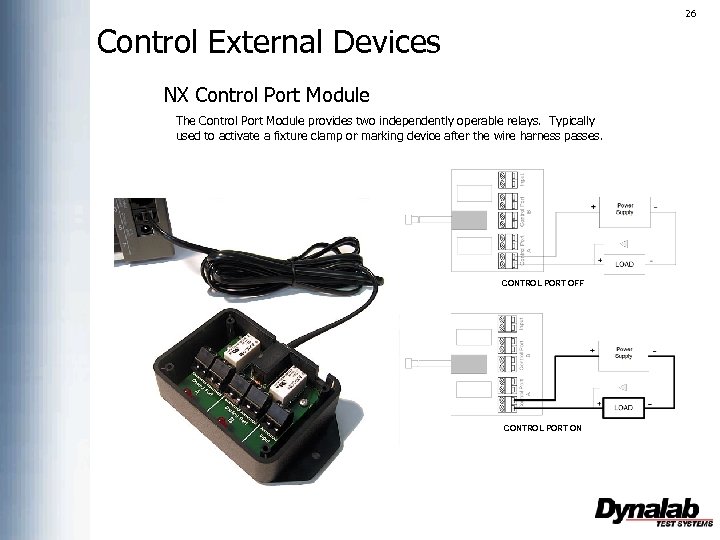
26 Control External Devices NX Control Port Module The Control Port Module provides two independently operable relays. Typically used to activate a fixture clamp or marking device after the wire harness passes. CONTROL PORT OFF CONTROL PORT ON
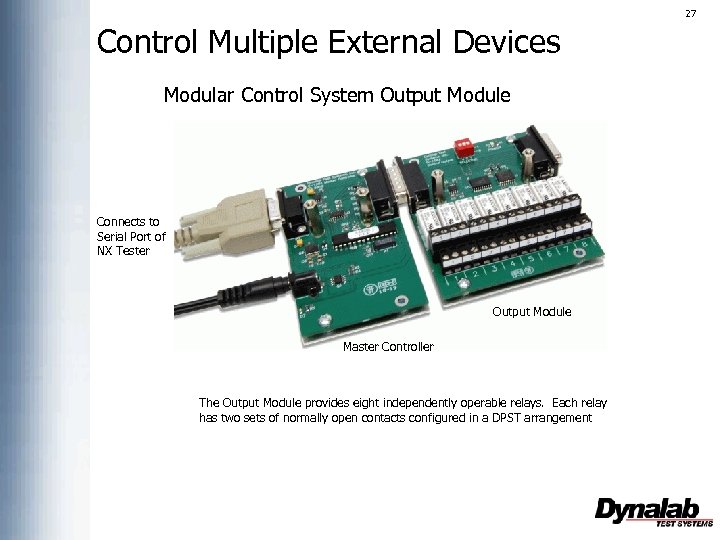
27 Control Multiple External Devices Modular Control System Output Module Connects to Serial Port of NX Tester Output Module Master Controller The Output Module provides eight independently operable relays. Each relay has two sets of normally open contacts configured in a DPST arrangement
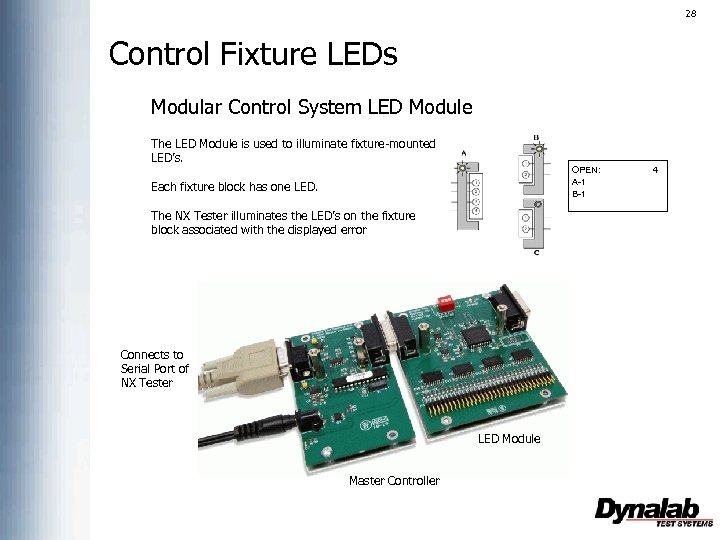
28 Control Fixture LEDs Modular Control System LED Module The LED Module is used to illuminate fixture-mounted LED’s. OPEN: A-1 B-1 Each fixture block has one LED. The NX Tester illuminates the LED’s on the fixture block associated with the displayed error Connects to Serial Port of NX Tester LED Module Master Controller 4
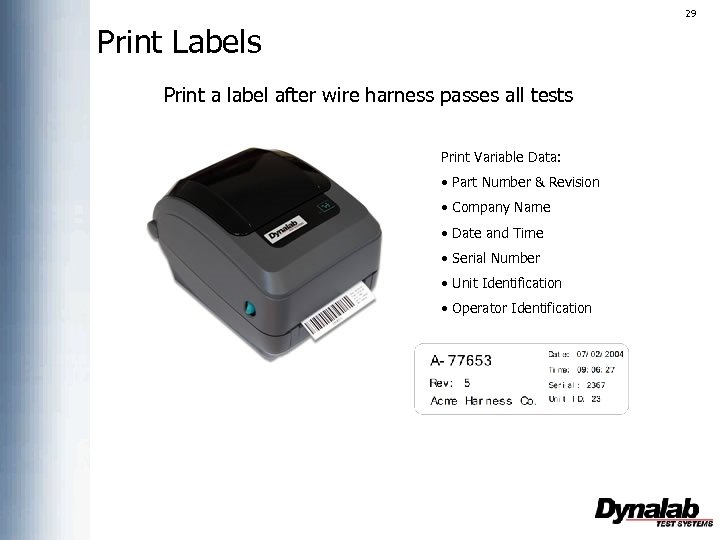
29 Print Labels Print a label after wire harness passes all tests Print Variable Data: • Part Number & Revision • Company Name • Date and Time • Serial Number • Unit Identification • Operator Identification
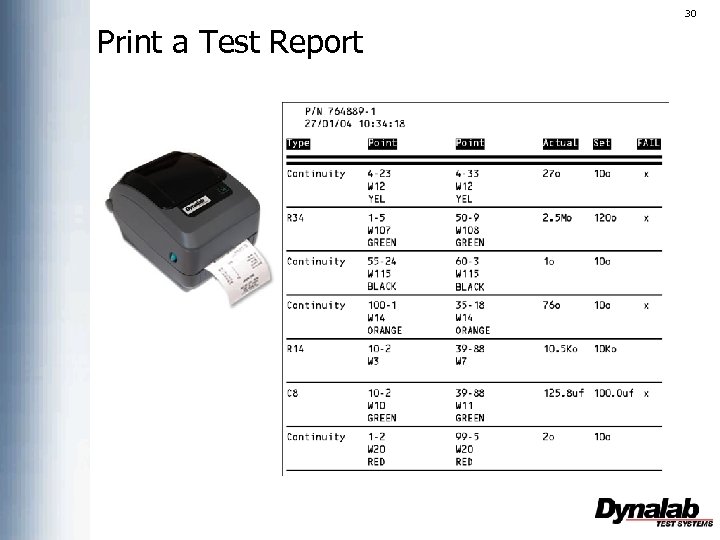
30 Print a Test Report
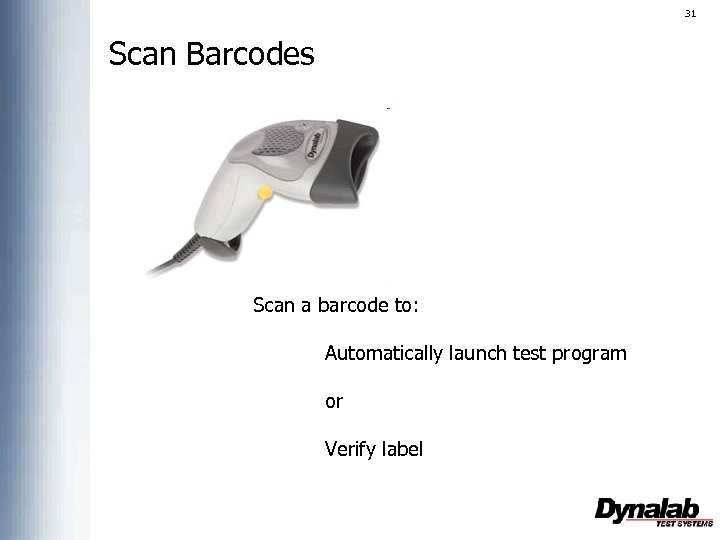
31 Scan Barcodes Scan a barcode to: Automatically launch test program or Verify label
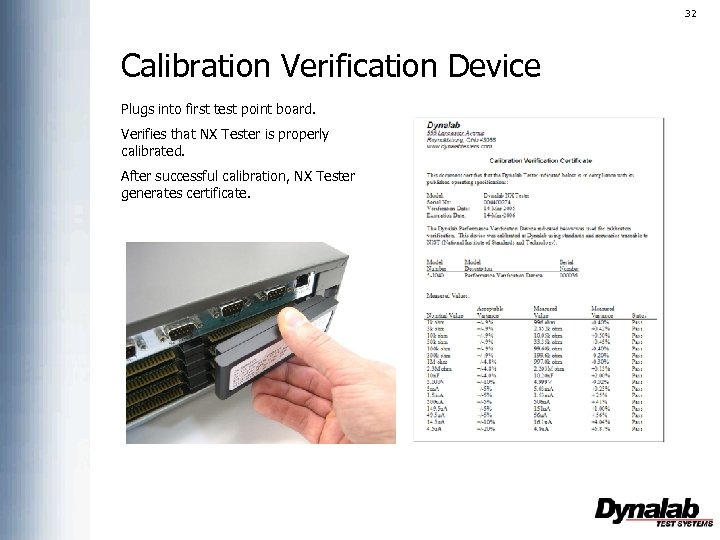
32 Calibration Verification Device Plugs into first test point board. Verifies that NX Tester is properly calibrated. After successful calibration, NX Tester generates certificate.
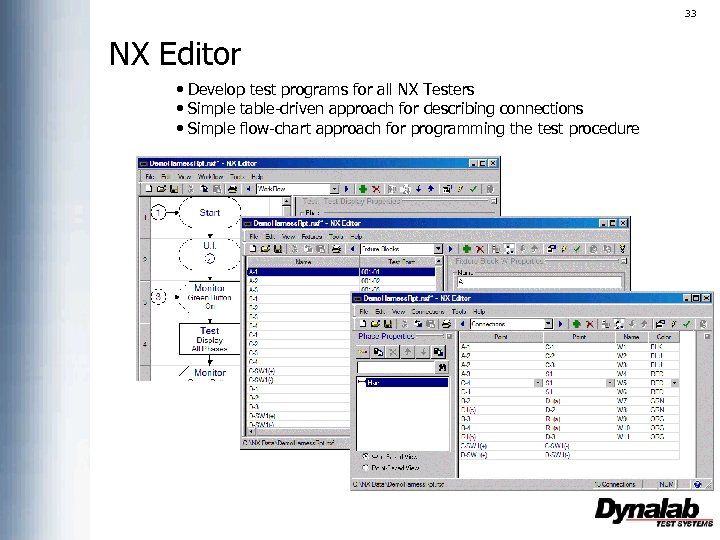
33 NX Editor • Develop test programs for all NX Testers • Simple table-driven approach for describing connections • Simple flow-chart approach for programming the test procedure
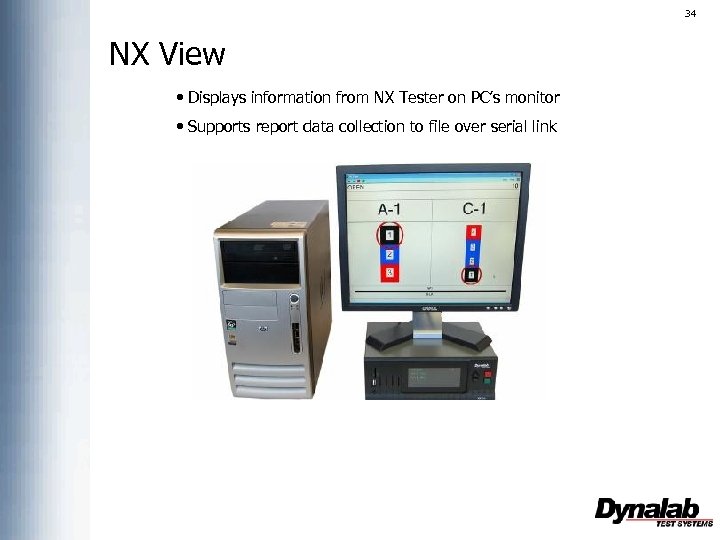
34 NX View • Displays information from NX Tester on PC’s monitor • Supports report data collection to file over serial link
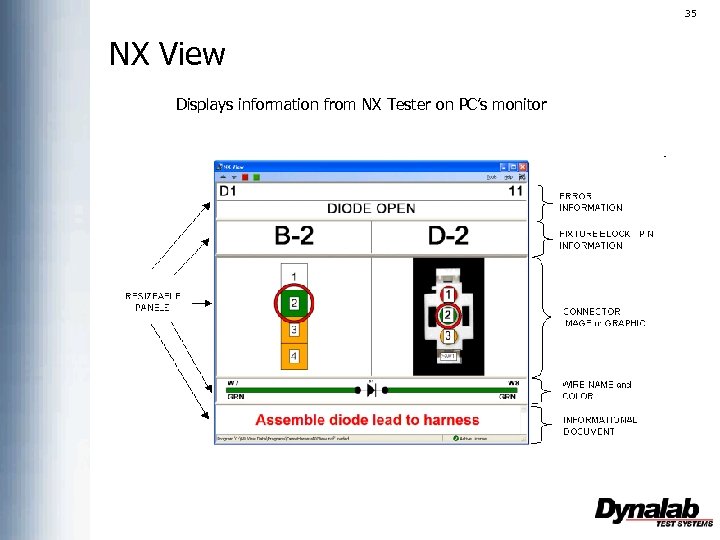
35 NX View Displays information from NX Tester on PC’s monitor
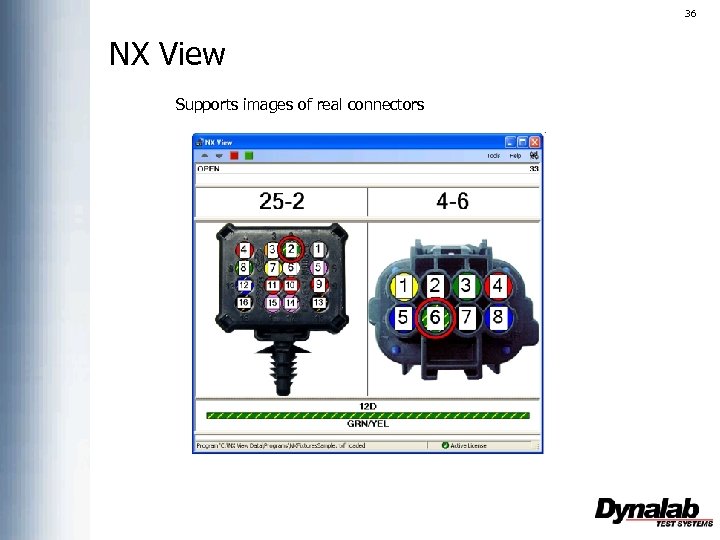
36 NX View Supports images of real connectors
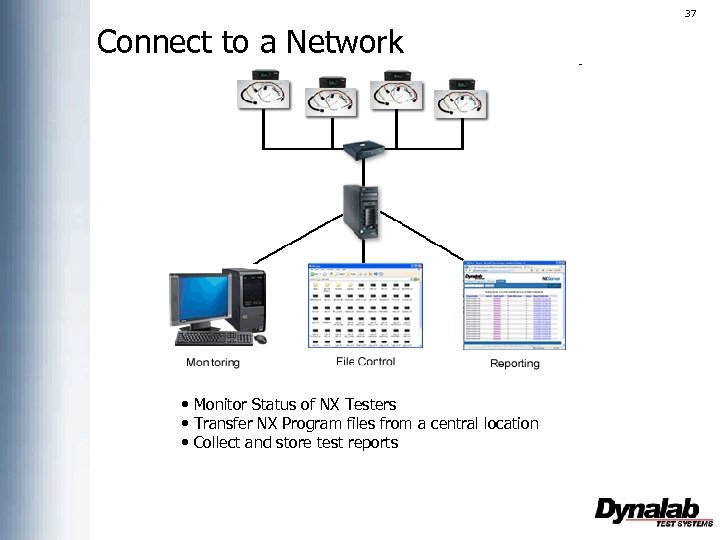
37 Connect to a Network • Monitor Status of NX Testers • Transfer NX Program files from a central location • Collect and store test reports
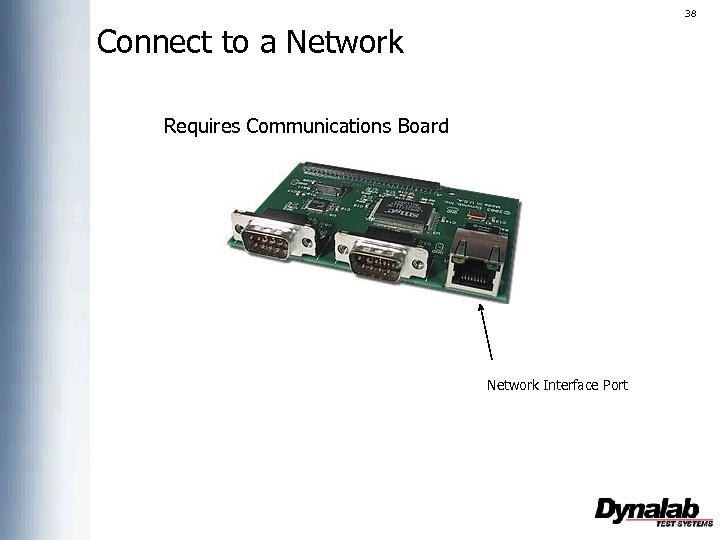
38 Connect to a Network Requires Communications Board Network Interface Port
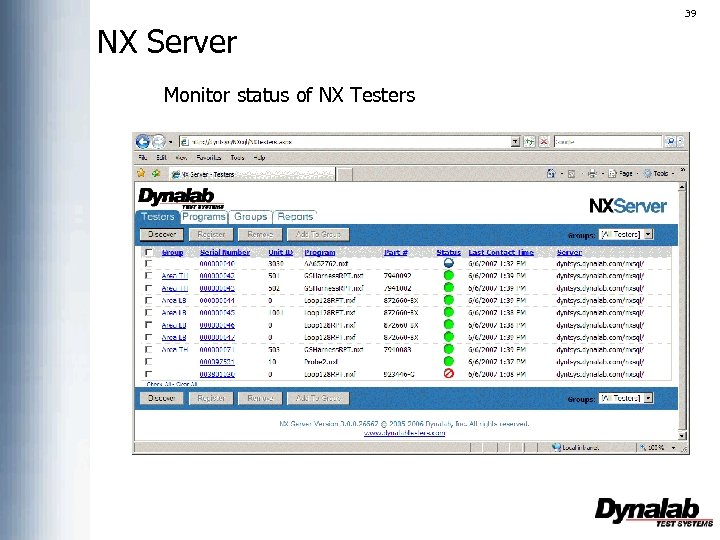
39 NX Server Monitor status of NX Testers
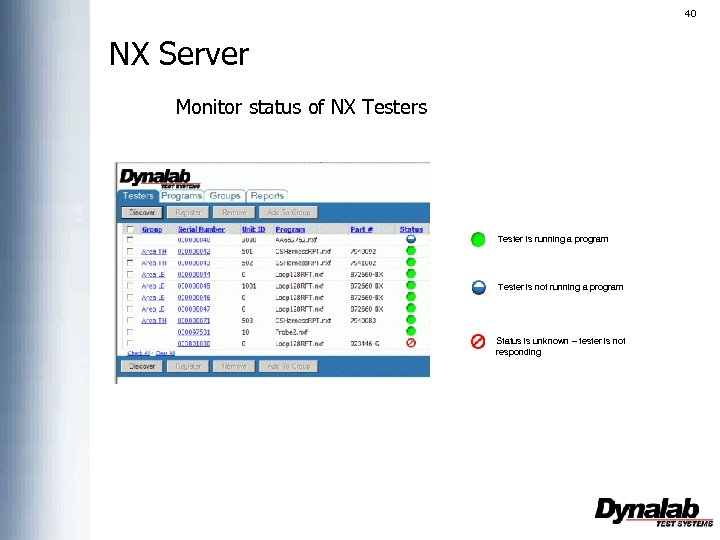
40 NX Server Monitor status of NX Testers Tester is running a program Tester is not running a program Status is unknown – tester is not responding
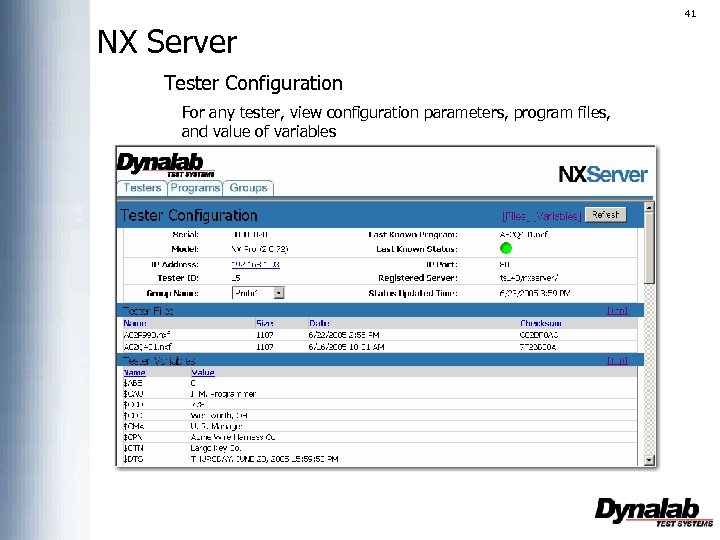
41 NX Server Tester Configuration For any tester, view configuration parameters, program files, and value of variables
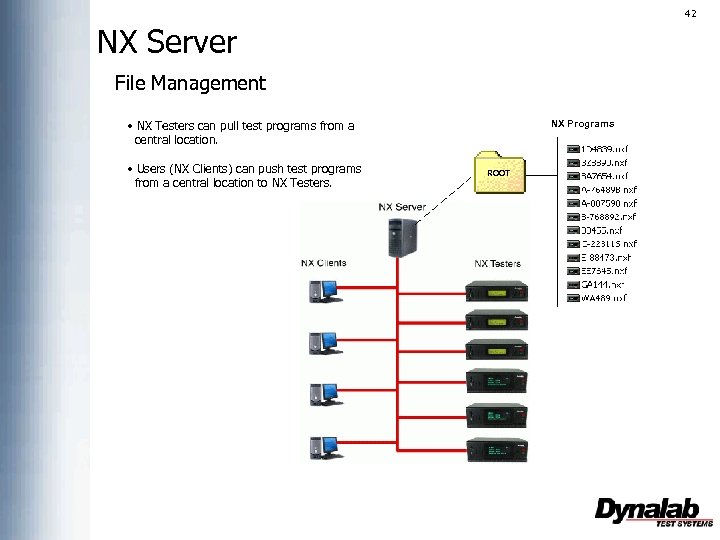
42 NX Server File Management • NX Testers can pull test programs from a central location. • Users (NX Clients) can push test programs from a central location to NX Testers. NX Programs ROOT
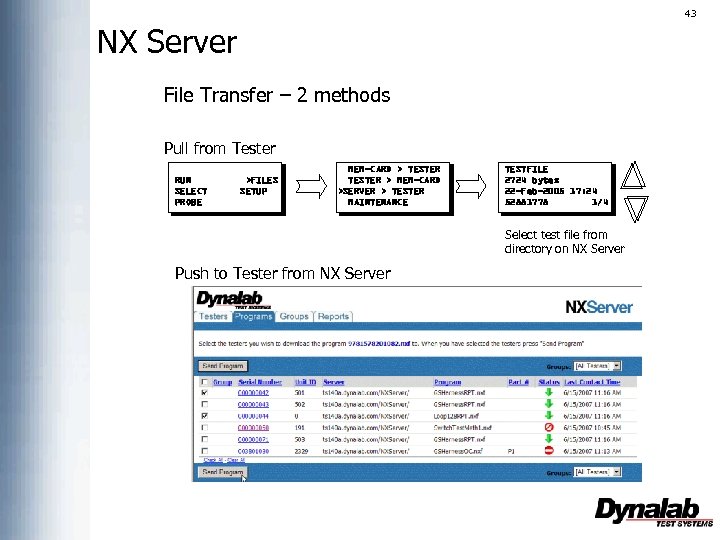
43 NX Server File Transfer – 2 methods Pull from Tester RUN SELECT PROBE >FILES SETUP MEM-CARD > TESTER > MEM-CARD >SERVER > TESTER MAINTENANCE TESTFILE 2724 bytes 22 -Feb-2005 17: 24 52881778 1/4 Select test file from directory on NX Server Push to Tester from NX Server
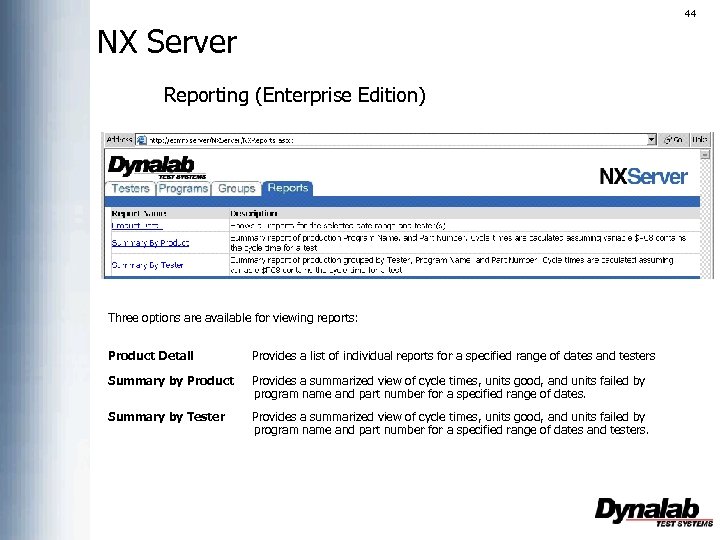
44 NX Server Reporting (Enterprise Edition) Three options are available for viewing reports: Product Detail Provides a list of individual reports for a specified range of dates and testers Summary by Product Provides a summarized view of cycle times, units good, and units failed by program name and part number for a specified range of dates. Summary by Tester Provides a summarized view of cycle times, units good, and units failed by program name and part number for a specified range of dates and testers.
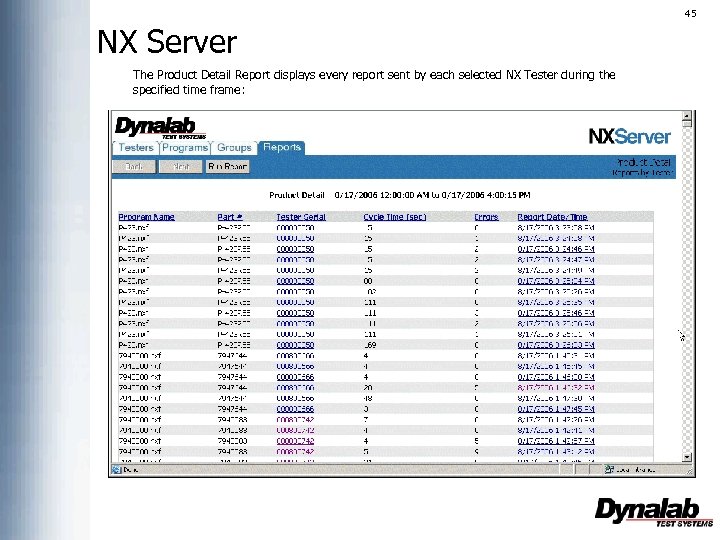
45 NX Server The Product Detail Report displays every report sent by each selected NX Tester during the specified time frame:
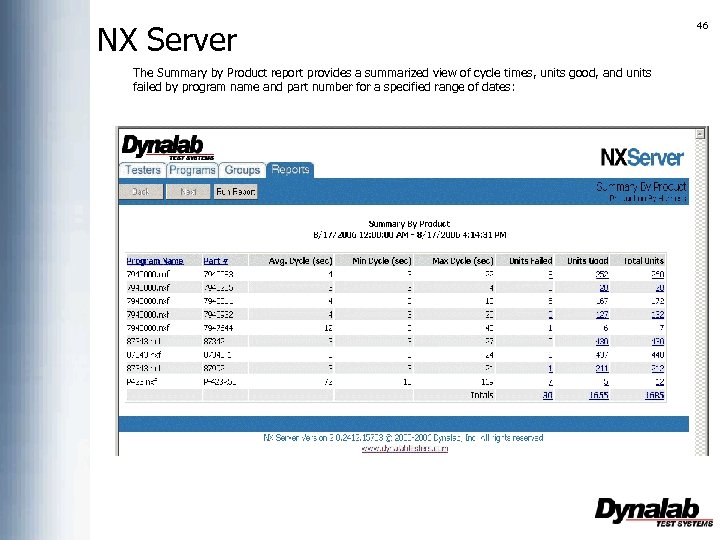
NX Server The Summary by Product report provides a summarized view of cycle times, units good, and units failed by program name and part number for a specified range of dates: 46
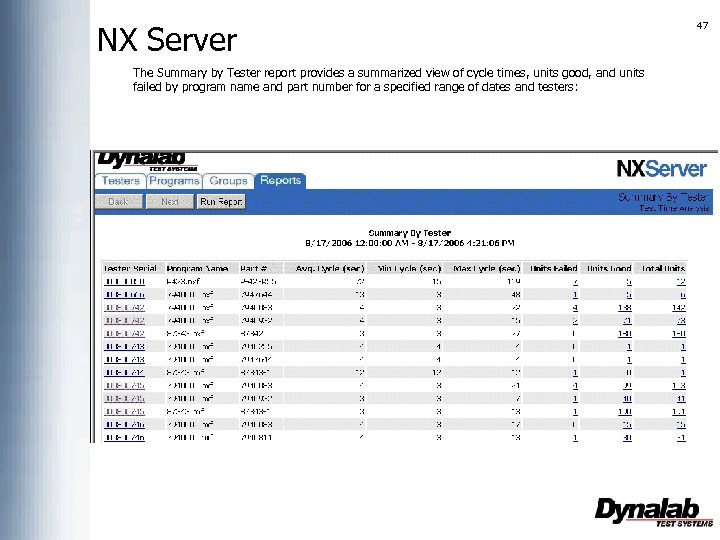
NX Server The Summary by Tester report provides a summarized view of cycle times, units good, and units failed by program name and part number for a specified range of dates and testers: 47
Скачать презентацию 2 Dynalab Background Established in 1981
8f561b1dfa6270358aa97a0a6e6246c0.ppt