


 Скачать презентацию 2 D Graphical User Interface APIs Revision 1
97adb986ee1b529ebe3d99249fc5faad.ppt
- Количество слайдов: 29
 2 D Graphical User Interface APIs Revision 1. 3 Copyright 2006, Dr. Zachary Wartell, UNCC, All Rights Reserved ©Zachary Wartell - 3/15/2018 1
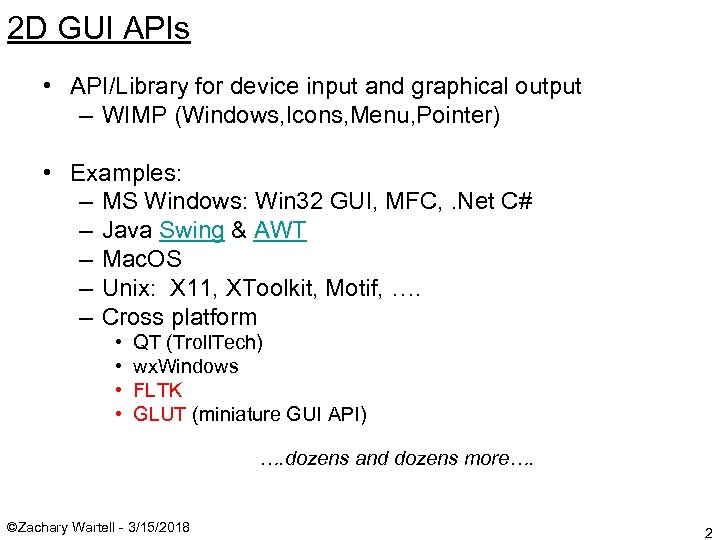 2 D GUI APIs • API/Library for device input and graphical output – WIMP (Windows, Icons, Menu, Pointer) • Examples: – MS Windows: Win 32 GUI, MFC, . Net C# – Java Swing & AWT – Mac. OS – Unix: X 11, XToolkit, Motif, …. – Cross platform • • QT (Troll. Tech) wx. Windows FLTK GLUT (miniature GUI API) …. dozens and dozens more…. ©Zachary Wartell - 3/15/2018 2
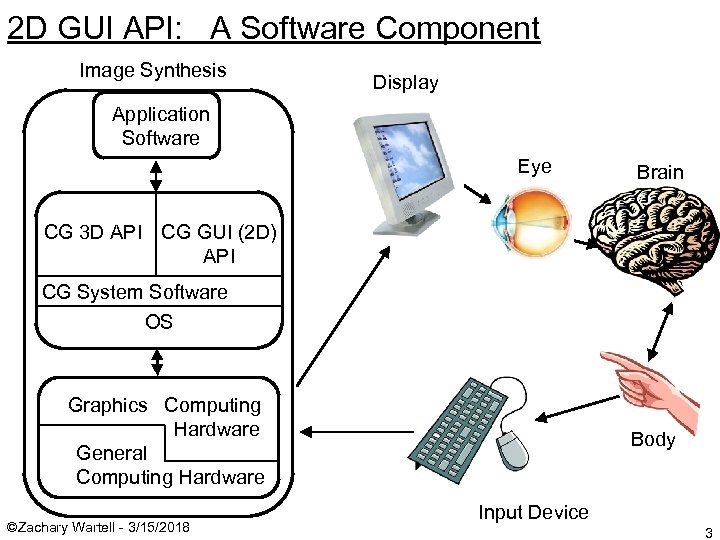 2 D GUI API: A Software Component Image Synthesis Display Application Software Eye Brain CG 3 D API CG GUI (2 D) API CG System Software OS Graphics Computing Hardware General Computing Hardware ©Zachary Wartell - 3/15/2018 Body Input Device 3
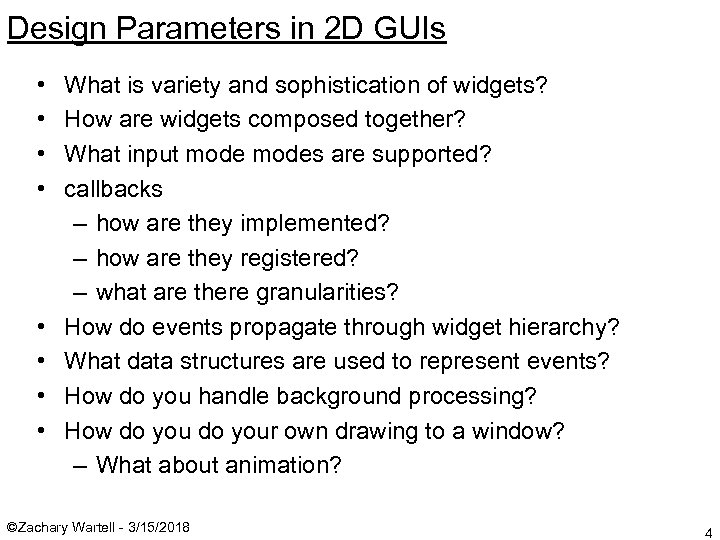 Design Parameters in 2 D GUIs • • What is variety and sophistication of widgets? How are widgets composed together? What input modes are supported? callbacks – how are they implemented? – how are they registered? – what are there granularities? How do events propagate through widget hierarchy? What data structures are used to represent events? How do you handle background processing? How do your own drawing to a window? – What about animation? ©Zachary Wartell - 3/15/2018 4
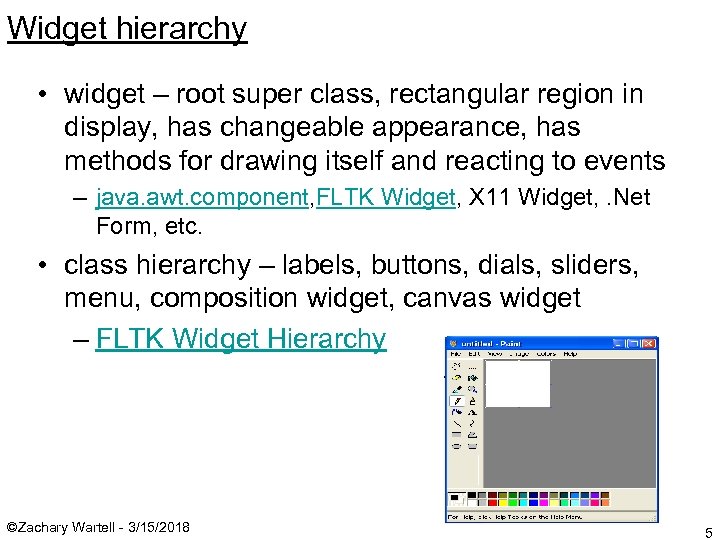 Widget hierarchy • widget – root super class, rectangular region in display, has changeable appearance, has methods for drawing itself and reacting to events – java. awt. component, FLTK Widget, X 11 Widget, . Net Form, etc. • class hierarchy – labels, buttons, dials, sliders, menu, composition widget, canvas widget – FLTK Widget Hierarchy ©Zachary Wartell - 3/15/2018 5
 FLTK Examples (from FLTK distribution package) • • • radio – buttons including “radio” buttons valuators – map GUI input to real number tile – subclass of Fl_Group scroll - subclass of Fl_Group. . etc. . (Go play with FLTK examples!) ©Zachary Wartell - 3/15/2018 6
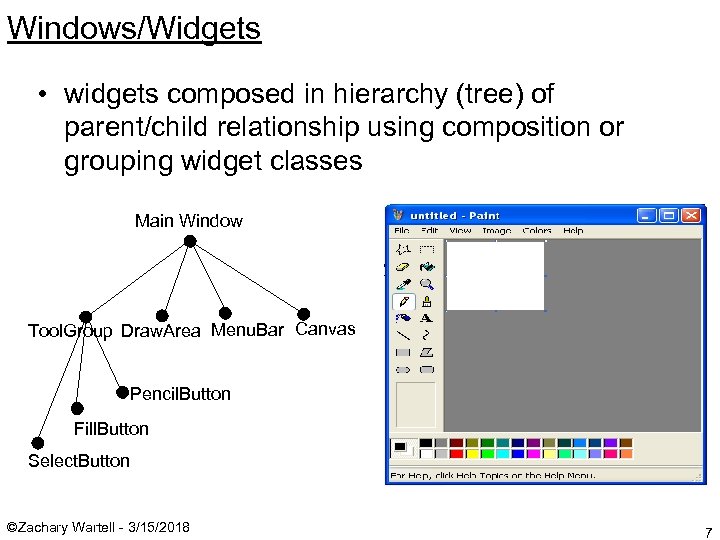 Windows/Widgets • widgets composed in hierarchy (tree) of parent/child relationship using composition or grouping widget classes Main Window Tool. Group Draw. Area Menu. Bar Canvas Pencil. Button Fill. Button Select. Button ©Zachary Wartell - 3/15/2018 7
 Input Modes • request mode (non-GUI) – program requests input and waits until it is received – C language ‘scanf’ from standard input • sample mode (GUI) – program tests for input. If input’s available perform some action, but don’t wait for it. if (Is. Key. Pressed(‘P’)) { compute. PI(); }. . . position = Get. Mouse. Position(); draw. Pixel(position); • event mode (GUI) – program asks GUI Library to call an application function when a particular input event occurs. GUI Library asynchronously collects input events in a queue and calls application’s function when (1) target event occurs and (2) GUI Library is not performing it’s own internal computation. ©Zachary Wartell - 3/15/2018 8
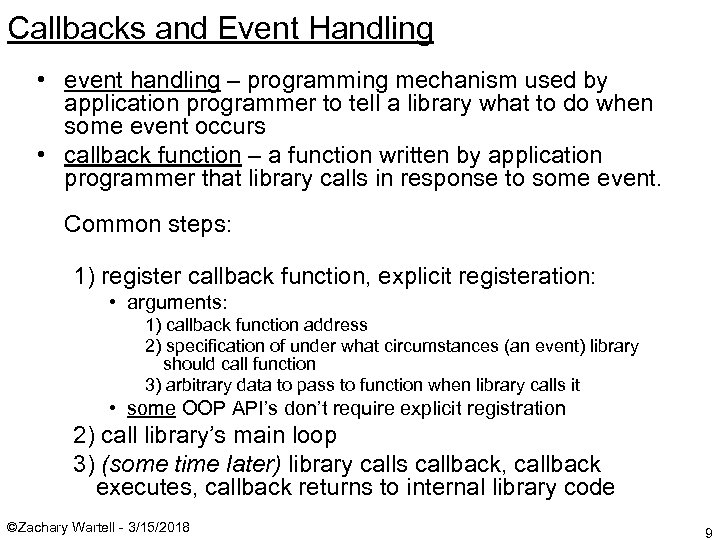 Callbacks and Event Handling • event handling – programming mechanism used by application programmer to tell a library what to do when some event occurs • callback function – a function written by application programmer that library calls in response to some event. Common steps: 1) register callback function, explicit registeration: • arguments: 1) callback function address 2) specification of under what circumstances (an event) library should call function 3) arbitrary data to pass to function when library calls it • some OOP API’s don’t require explicit registration 2) call library’s main loop 3) (some time later) library calls callback, callback executes, callback returns to internal library code ©Zachary Wartell - 3/15/2018 9
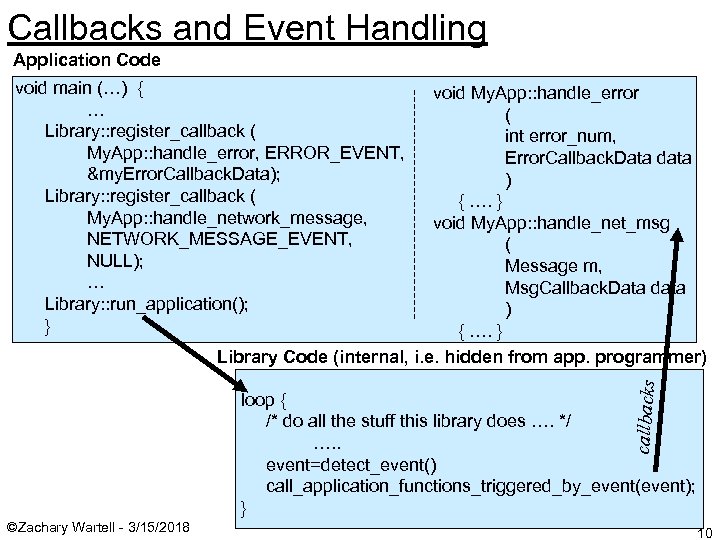 Callbacks and Event Handling Application Code void main (…) { … Library: : register_callback ( My. App: : handle_error, ERROR_EVENT, &my. Error. Callback. Data); Library: : register_callback ( My. App: : handle_network_message, NETWORK_MESSAGE_EVENT, NULL); … Library: : run_application(); } callbacks void My. App: : handle_error ( int error_num, Error. Callback. Data data ) { …. } void My. App: : handle_net_msg ( Message m, Msg. Callback. Data data ) { …. } Library Code (internal, i. e. hidden from app. programmer) loop { /* do all the stuff this library does …. */ …. . event=detect_event() call_application_functions_triggered_by_event(event); } ©Zachary Wartell - 3/15/2018 10
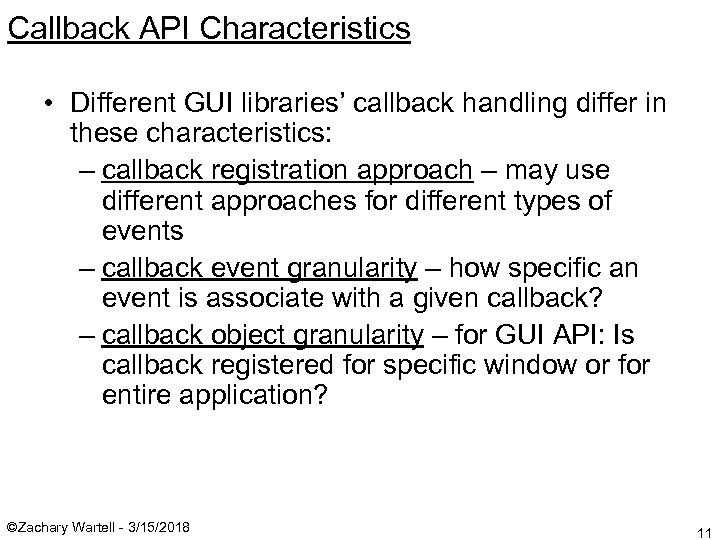 Callback API Characteristics • Different GUI libraries’ callback handling differ in these characteristics: – callback registration approach – may use different approaches for different types of events – callback event granularity – how specific an event is associate with a given callback? – callback object granularity – for GUI API: Is callback registered for specific window or for entire application? ©Zachary Wartell - 3/15/2018 11
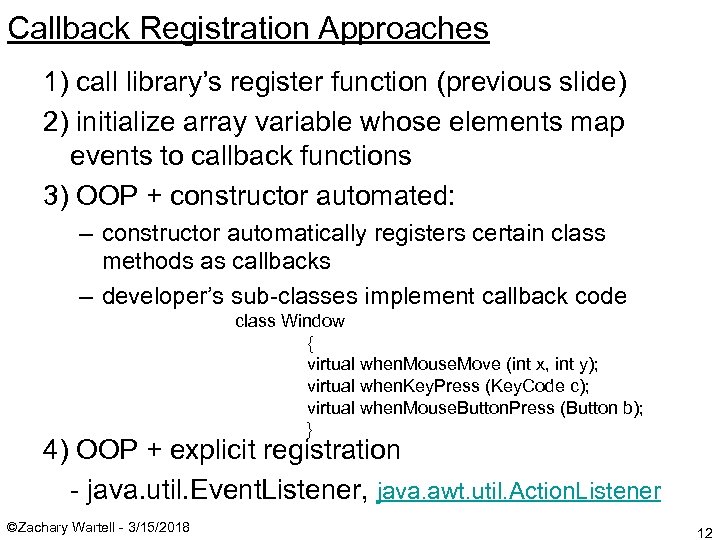 Callback Registration Approaches 1) call library’s register function (previous slide) 2) initialize array variable whose elements map events to callback functions 3) OOP + constructor automated: – constructor automatically registers certain class methods as callbacks – developer’s sub-classes implement callback code class Window { virtual when. Mouse. Move (int x, int y); virtual when. Key. Press (Key. Code c); virtual when. Mouse. Button. Press (Button b); } 4) OOP + explicit registration - java. util. Event. Listener, java. awt. util. Action. Listener ©Zachary Wartell - 3/15/2018 12
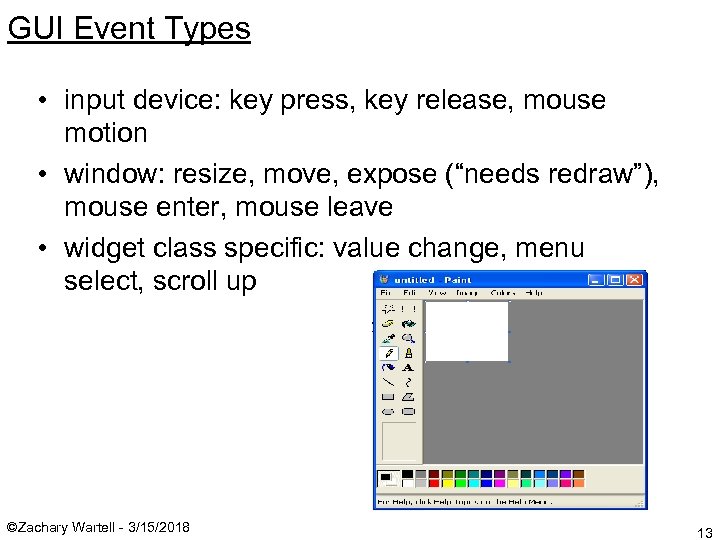 GUI Event Types • input device: key press, key release, mouse motion • window: resize, move, expose (“needs redraw”), mouse enter, mouse leave • widget class specific: value change, menu select, scroll up ©Zachary Wartell - 3/15/2018 13
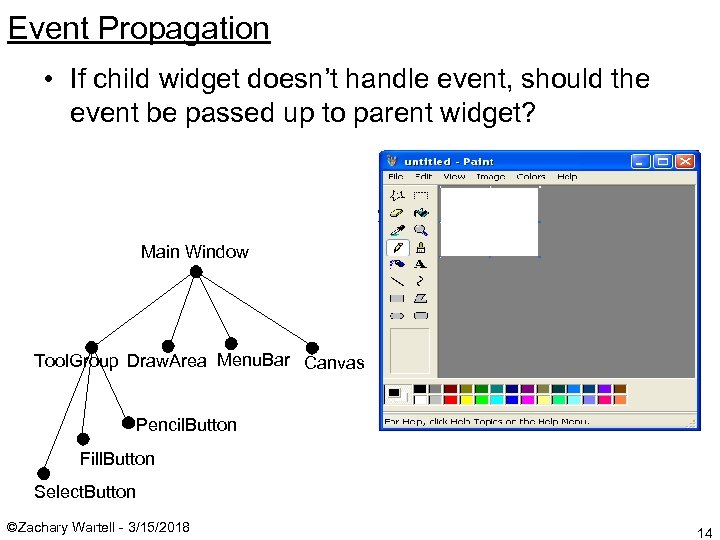 Event Propagation • If child widget doesn’t handle event, should the event be passed up to parent widget? Main Window Tool. Group Draw. Area Menu. Bar Canvas Pencil. Button Fill. Button Select. Button ©Zachary Wartell - 3/15/2018 14
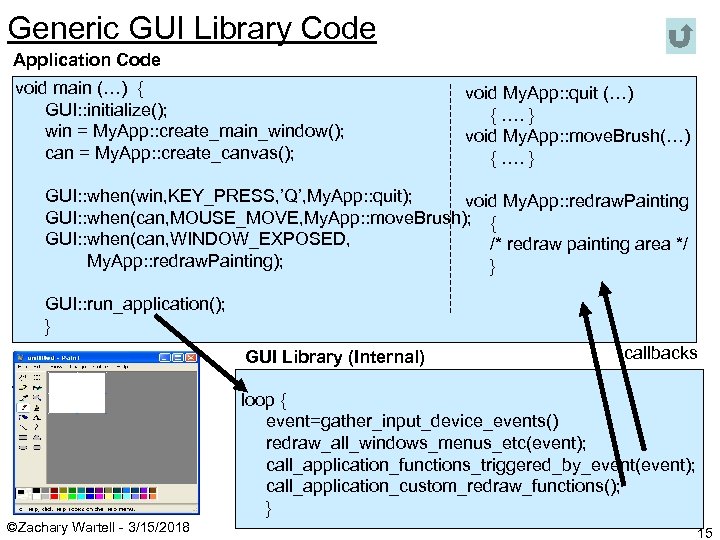 Generic GUI Library Code Application Code void main (…) { GUI: : initialize(); win = My. App: : create_main_window(); can = My. App: : create_canvas(); void My. App: : quit (…) { …. } void My. App: : move. Brush(…) { …. } GUI: : when(win, KEY_PRESS, ’Q’, My. App: : quit); void My. App: : redraw. Painting GUI: : when(can, MOUSE_MOVE, My. App: : move. Brush); { GUI: : when(can, WINDOW_EXPOSED, /* redraw painting area */ My. App: : redraw. Painting); } GUI: : run_application(); } GUI Library (Internal) callbacks loop { event=gather_input_device_events() redraw_all_windows_menus_etc(event); call_application_functions_triggered_by_event(event); call_application_custom_redraw_functions(); } ©Zachary Wartell - 3/15/2018 15
 Default: widget draw callback not called continuously • GUI library shouldn’t unnecessarily call every widget’s draw function, especially for built-in classes! • library calls widget draw callback ‘when needed’ only – window open event – expose event • if developer is drawing his own graphics into a widget, W, then GUI library must be informed to treat W specially – developer can control when widget is redrawn – animation requires mechanism to continuously trigger W’s draw callback ©Zachary Wartell - 3/15/2018 16
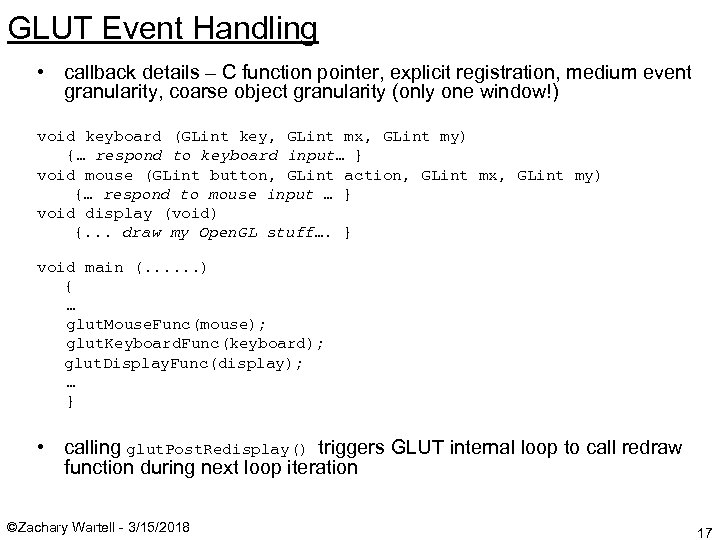 GLUT Event Handling • callback details – C function pointer, explicit registration, medium event granularity, coarse object granularity (only one window!) void keyboard (GLint key, GLint mx, GLint my) {… respond to keyboard input… } void mouse (GLint button, GLint action, GLint mx, GLint my) {… respond to mouse input … } void display (void) {. . . draw my Open. GL stuff…. } void main (. . . ) { … glut. Mouse. Func(mouse); glut. Keyboard. Func(keyboard); glut. Display. Func(display); … } • calling glut. Post. Redisplay() triggers GLUT internal loop to call redraw function during next loop iteration ©Zachary Wartell - 3/15/2018 17
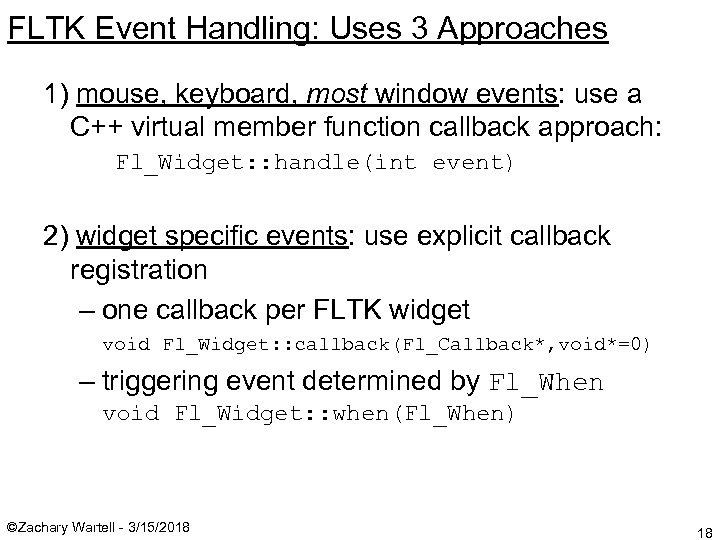 FLTK Event Handling: Uses 3 Approaches 1) mouse, keyboard, most window events: use a C++ virtual member function callback approach: Fl_Widget: : handle(int event) 2) widget specific events: use explicit callback registration – one callback per FLTK widget void Fl_Widget: : callback(Fl_Callback*, void*=0) – triggering event determined by Fl_When void Fl_Widget: : when(Fl_When) ©Zachary Wartell - 3/15/2018 18
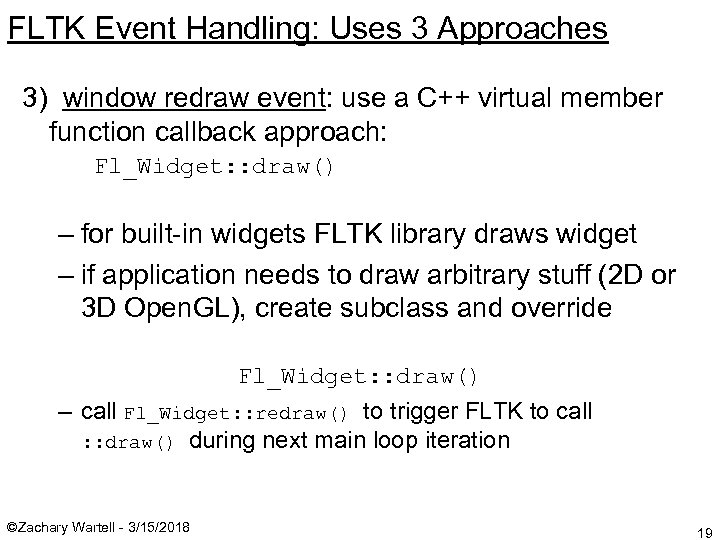 FLTK Event Handling: Uses 3 Approaches 3) window redraw event: use a C++ virtual member function callback approach: Fl_Widget: : draw() – for built-in widgets FLTK library draws widget – if application needs to draw arbitrary stuff (2 D or 3 D Open. GL), create subclass and override Fl_Widget: : draw() – call Fl_Widget: : redraw() to trigger FLTK to call : : draw() during next main loop iteration ©Zachary Wartell - 3/15/2018 19
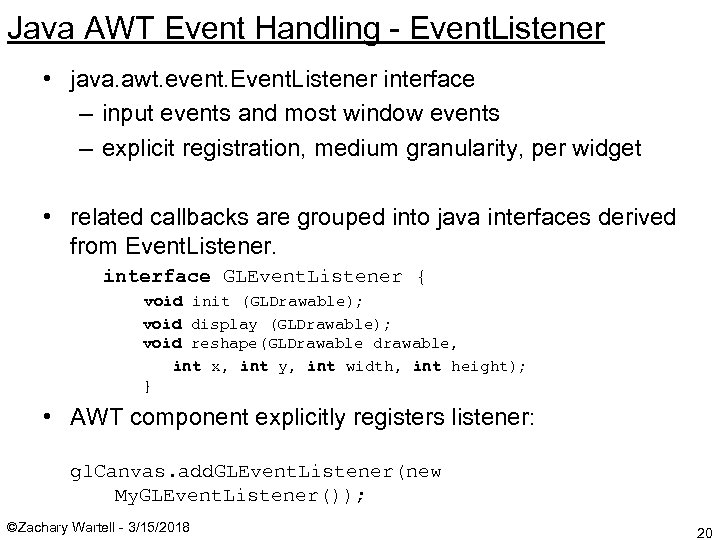 Java AWT Event Handling - Event. Listener • java. awt. event. Event. Listener interface – input events and most window events – explicit registration, medium granularity, per widget • related callbacks are grouped into java interfaces derived from Event. Listener. interface GLEvent. Listener { void init (GLDrawable); void display (GLDrawable); void reshape(GLDrawable drawable, int x, int y, int width, int height); } • AWT component explicitly registers listener: gl. Canvas. add. GLEvent. Listener(new My. GLEvent. Listener()); ©Zachary Wartell - 3/15/2018 20
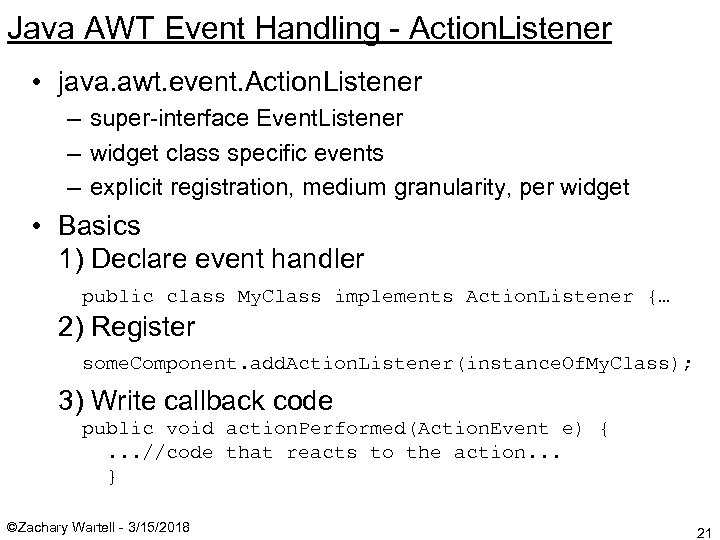 Java AWT Event Handling - Action. Listener • java. awt. event. Action. Listener – super-interface Event. Listener – widget class specific events – explicit registration, medium granularity, per widget • Basics 1) Declare event handler public class My. Class implements Action. Listener {… 2) Register some. Component. add. Action. Listener(instance. Of. My. Class); 3) Write callback code public void action. Performed(Action. Event e) {. . . //code that reacts to the action. . . } ©Zachary Wartell - 3/15/2018 21
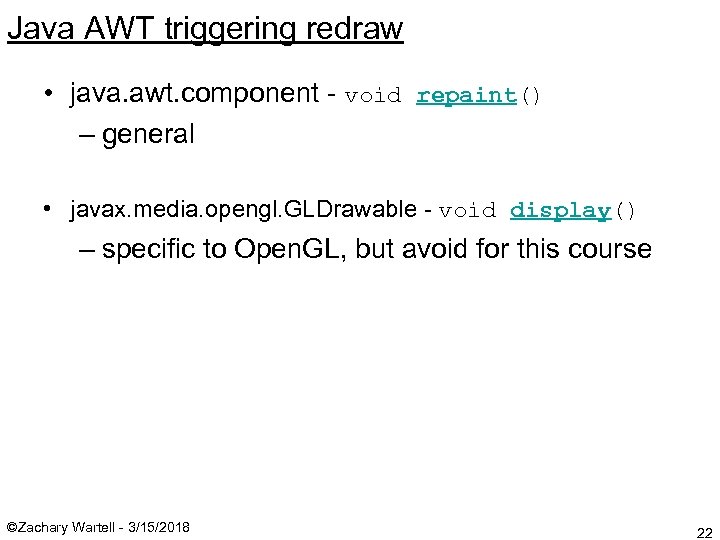 Java AWT triggering redraw • java. awt. component - void repaint() – general • javax. media. opengl. GLDrawable - void display() – specific to Open. GL, but avoid for this course ©Zachary Wartell - 3/15/2018 22
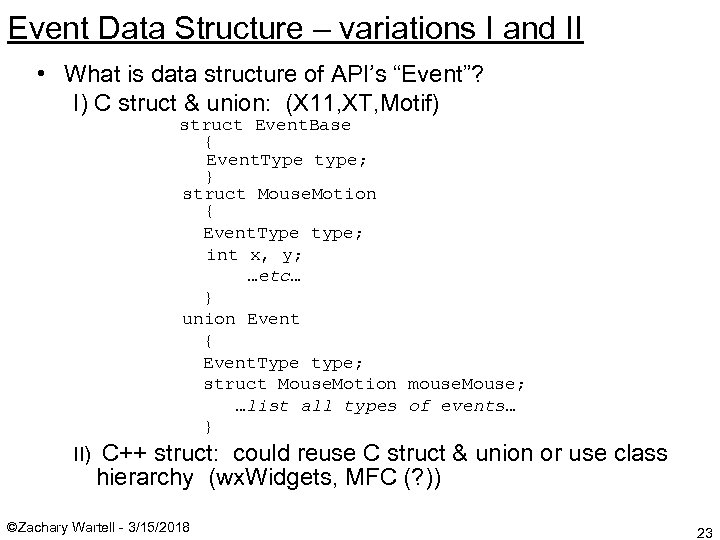 Event Data Structure – variations I and II • What is data structure of API’s “Event”? I) C struct & union: (X 11, XT, Motif) struct Event. Base { Event. Type type; } struct Mouse. Motion { Event. Type type; int x, y; …etc… } union Event { Event. Type type; struct Mouse. Motion mouse. Mouse; …list all types of events… } II) C++ struct: could reuse C struct & union or use class hierarchy (wx. Widgets, MFC (? )) ©Zachary Wartell - 3/15/2018 23
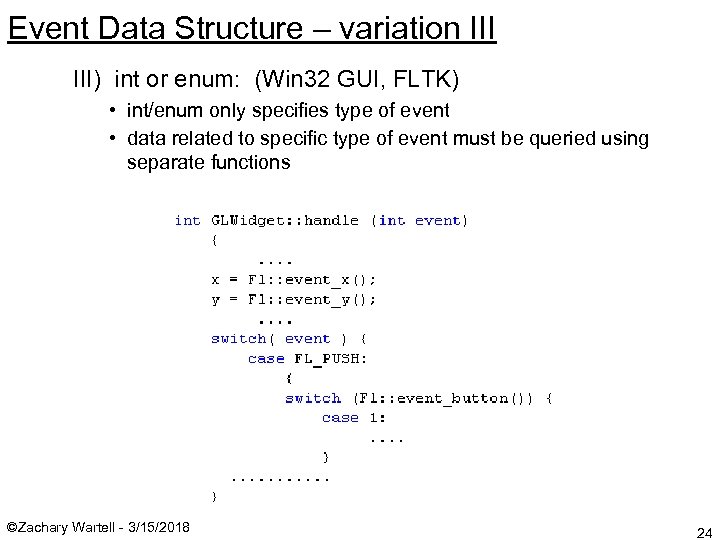 Event Data Structure – variation III) int or enum: (Win 32 GUI, FLTK) • int/enum only specifies type of event • data related to specific type of event must be queried using separate functions ©Zachary Wartell - 3/15/2018 24
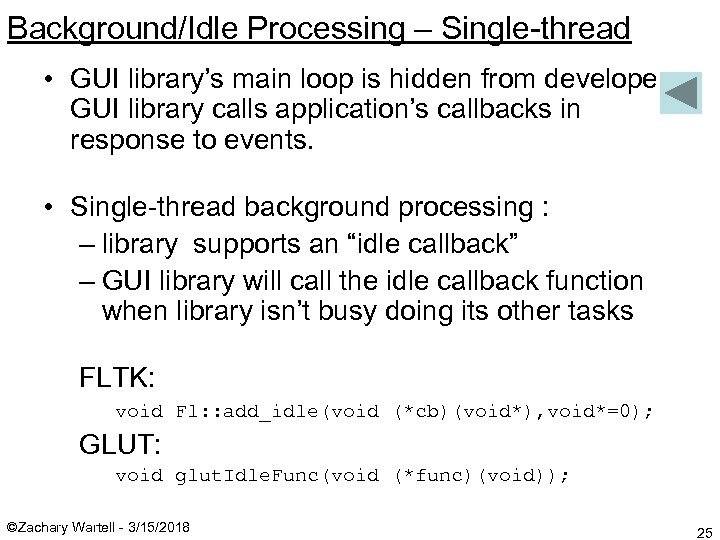 Background/Idle Processing – Single-thread • GUI library’s main loop is hidden from developer; GUI library calls application’s callbacks in response to events. • Single-thread background processing : – library supports an “idle callback” – GUI library will call the idle callback function when library isn’t busy doing its other tasks FLTK: void Fl: : add_idle(void (*cb)(void*), void*=0); GLUT: void glut. Idle. Func(void (*func)(void)); ©Zachary Wartell - 3/15/2018 25
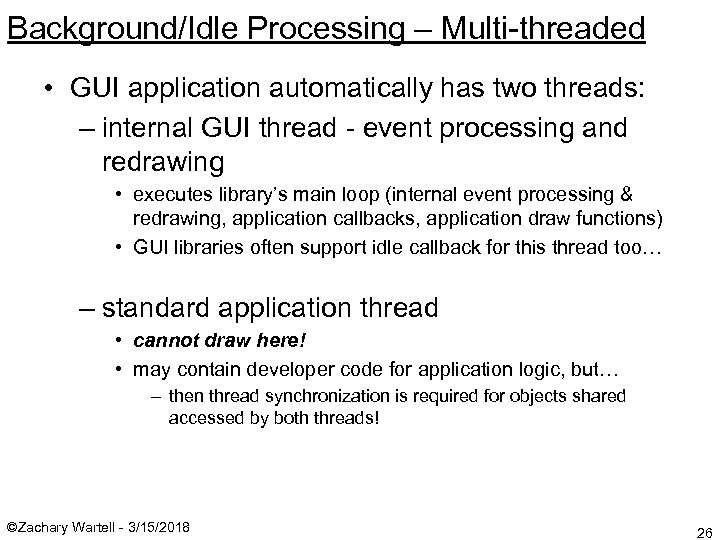 Background/Idle Processing – Multi-threaded • GUI application automatically has two threads: – internal GUI thread - event processing and redrawing • executes library’s main loop (internal event processing & redrawing, application callbacks, application draw functions) • GUI libraries often support idle callback for this thread too… – standard application thread • cannot draw here! • may contain developer code for application logic, but… – then thread synchronization is required for objects shared accessed by both threads! ©Zachary Wartell - 3/15/2018 26
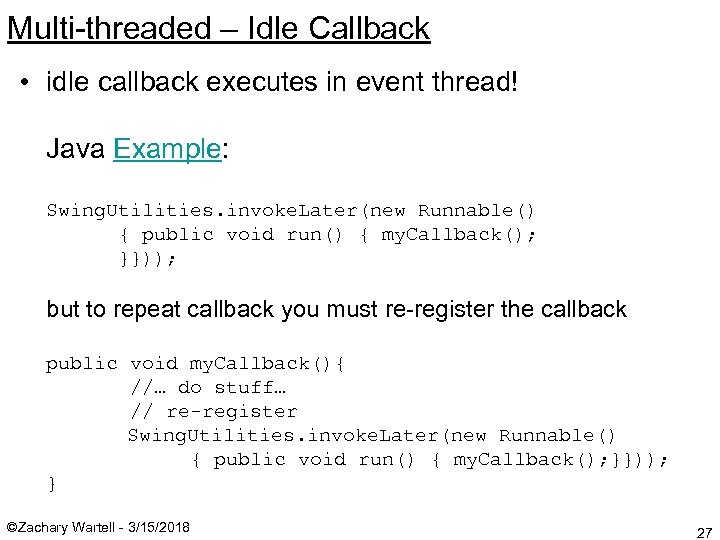 Multi-threaded – Idle Callback • idle callback executes in event thread! Java Example: Swing. Utilities. invoke. Later(new Runnable() { public void run() { my. Callback(); }})); but to repeat callback you must re-register the callback public void my. Callback(){ //… do stuff… // re-register Swing. Utilities. invoke. Later(new Runnable() { public void run() { my. Callback(); }})); } ©Zachary Wartell - 3/15/2018 27
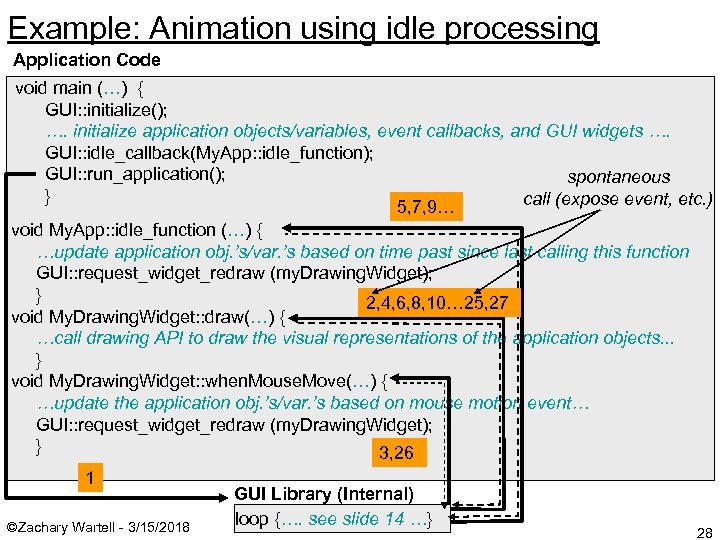 Example: Animation using idle processing Application Code void main (…) { GUI: : initialize(); …. initialize application objects/variables, event callbacks, and GUI widgets …. GUI: : idle_callback(My. App: : idle_function); GUI: : run_application(); spontaneous } call (expose event, etc. ) 5, 7, 9… void My. App: : idle_function (…) { …update application obj. ’s/var. ’s based on time past since last calling this function GUI: : request_widget_redraw (my. Drawing. Widget); } 2, 4, 6, 8, 10… 25, 27 void My. Drawing. Widget: : draw(…) { …call drawing API to draw the visual representations of the application objects. . . } void My. Drawing. Widget: : when. Mouse. Move(…) { …update the application obj. ’s/var. ’s based on mouse motion event… GUI: : request_widget_redraw (my. Drawing. Widget); } 3, 26 1 ©Zachary Wartell - 3/15/2018 GUI Library (Internal) loop {…. see slide 14 …} 28
 Revision 1. 1 various improvements to grammer and structure - added slide on Event data structure - added slide for running a few FLTK examples Revision 1. 2 1. typos 2. added slide 20 Revision 1. 3 1. added “Design Parameters” slide 2. misc. improvements. Revisions… to inefficient to maintain this. See SVN logs… ©Zachary Wartell - 3/15/2018 29